



Most CRMs store what already happened. A rep closes a call, logs the notes, updates the stage, and moves on. The record is accurate. The pipeline looks tidy. But the actual work of following up, routing the lead, drafting the next email, and flagging the deal that’s gone quiet? That still lands on someone’s plate.
Agentic AI CRM changes that equation. Instead of waiting for a rep to act, the system reads what’s happening across your pipeline, reasons through the right next step, and takes action within guardrails your team controls. You’ll see what agentic AI CRM actually means, how it works, which workflows AI agents handle well, how human oversight stays intact, and what to look for when evaluating platforms like monday CRM that can genuinely act on your behalf.
Key takeaways
- Agentic AI CRM does the work, not just the thinking: It reads signals, decides what to do next, and takes action without waiting for someone to prompt it every time.
- Four traits separate real agentic CRM from AI-flavored software: Goal-oriented agents, autonomous workflows, human approval for sensitive actions, and the ability to learn from your sales history.
- Your CRM should update itself as deals move: When records reflect live activity, forecasts get more accurate and leaders spend less time chasing status updates.
- AI belongs inside your actual revenue workflows: Features like autofill, timeline summaries, and run history let teams act faster while keeping every step reviewable and grounded in real data.
- Human oversight is the whole point: Role-based permissions, audit trails, and approval logic keep AI agents useful and firmly within team control.
What is agentic AI CRM?
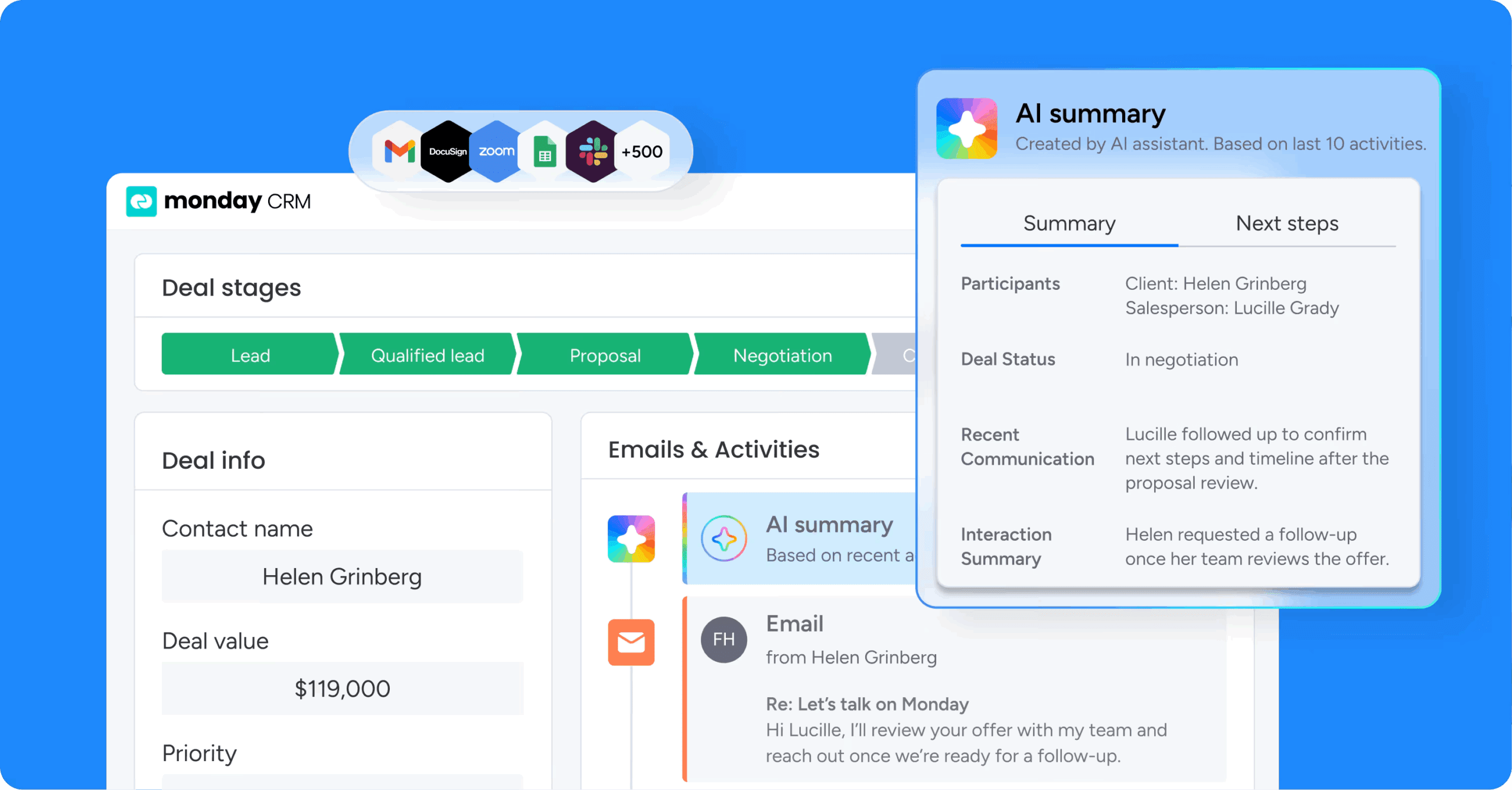
Agentic AI CRM uses AI agents to understand customer context, decide the next step, and take approved actions across revenue workflows. It does more than draft emails or surface suggestions. It carries work forward.
Two ideas make this work:
- CRM stores and manages leads, contacts, accounts, deals, and activities.
- Agentic AI pursues a goal and acts toward it, instead of waiting for a prompt every time.
Here’s how it plays out: A lead fills out a form, then the system checks company size, role, and source, and routes the lead, drafts outreach, logs the activity, and updates the record. Revenue teams see this shift most clearly when AI works inside the same place where deals, emails, and handoffs already live. Revenue teams using monday CRM see this shift most clearly when AI works inside the same place where deals, emails, and handoffs already live.
What makes a CRM truly agentic?
Only a small share of CRMs with AI belong in this category. An agentic CRM needs four traits that move it from helpful assistant to active workflow participant.
Real agent behavior looks different from AI layered on top of a database.
If the system can only suggest, it’s useful. If it can pursue an outcome, act, and stay within guardrails, you’ve got something different.
- Goal-oriented AI agents: The agent works toward a business outcome, like qualifying inbound leads, keeping deals moving, or spotting at-risk accounts.
- Autonomous CRM workflows: The agent carries out connected steps such as routing a lead, creating follow-ups, updating stages, and notifying the next owner.
- Human review and approval: Sensitive actions, like pricing decisions or external emails, stay reviewable. People still handle judgment-heavy calls.
- Learning from CRM activity: The agent improves from CRM history, feedback, and deal outcomes, so it gets sharper around your sales motion over time.
Platforms built for agentic workflows keep actions grounded, reviewable, and tied to real board data through features like autofill, person assignment, and run history.
How does agentic AI work inside a CRM? A step-by-step breakdown
Most agentic CRM workflows follow the same loop. Once you see the pattern, it’s just day-to-day revenue execution.
Take one inbound lead. From first signal to next action:
Step 1: The agent reads CRM signals
Signals are the data points that tell the system something changed. These include:
- New form fills
- Email replies
- Meeting notes
- Deal inactivity
- Missing fields
On monday CRM, that context can come from records plus Emails & Activities. An agent can only reason from what it sees.
Step 2: The agent reasons through the next step
The agent looks at the signal, the goal, the rules, and past patterns. Three questions guide it:
- What does this change mean?
- What action is allowed?
- What has worked in similar cases?
This separates agents from fixed automations. A rule says, “if X, do Y.” An agent weighs several inputs before it acts.
Step 3: The agent acts across connected workflows
The system can assign an owner, create a follow-up, draft outreach, schedule a meeting, or send an internal alert. Connected execution matters more than one isolated action.
Revenue teams using monday CRM combine AI actions with native automations, so work flows smoothly across sales, operations, and post-sales with fewer manual handoffs.
Step 4: The agent updates the CRM record
When the action writes back, your CRM keeps reflecting what’s actually happening. Strong agentic systems update stage, summary, next steps, ownership, or risk flags as the work happens.
That matters for forecast trust. Leaders get a pipeline view based on live movement, grounded in real activity.
Step 5: The agent escalates to a person when needed
When confidence is low, approval is required, or the deal is high-stakes, the agent brings in a human. That’s good design at work.
Try monday agentic AI CRMHow is agentic AI CRM different from traditional CRM AI?
Most confusion comes from lumping all AI into one bucket. Each type of AI does something different, with distinct strengths and limits. Knowing where agentic CRM sits relative to other AI types helps you ask the right questions when evaluating platforms. Knowing where agentic CRM sits relative to other AI types helps you ask the right questions when evaluating platforms.
| Technology | Primary job | Understands context | Decides next step | Takes action | Typical CRM example |
|---|---|---|---|---|---|
| Generative AI | Creates content | Limited | No | No | Drafts an email when prompted |
| Chatbot | Answers questions | Scripted only | No | No | Answers "what's in my pipeline?" |
| Copilot | Assists a person | Partial | Suggests only | No | Recommends next steps for a deal |
| Rule-based automation | Executes fixed logic | No | No | Yes, fixed | Assigns a lead when status changes |
| Agentic AI CRM | Pursues goals through action | Yes | Yes | Yes, with oversight | Qualifies a lead, routes it, drafts outreach, logs activity |
Generative AI writes. Chatbots respond. Copilots assist. Automations follow rules. Agentic AI in sales decides and acts within limits.
Revenue teams need work to move forward, not more suggestions sitting in side panels. They need work to move. monday CRM supports that shift with AI-powered email drafting, AI Timeline Summary, and AI actions built around lead handling, deal movement, and follow-through.
How does agentic CRM turn a system of record into a system of action?
Traditional CRM is where teams log work after it happens. The inbox, calendar, chat, and handoff meeting still do the real lifting.
Agentic CRM flips that. Stored context becomes a trigger for action, so the system moves work forward while records stay current.
monday CRM makes this work because it runs on monday.com, where sales records connect to legal reviews, finance approvals, onboarding workflows, and account management:
- Sales to RevOps: Pipeline updates happen closer to real activity.
- Sales to legal: Contract requests carry context with them.
- Sales to finance: Approval status and terms stay current.
- Sales to customer success: Handoffs include the full account story.
When your CRM can act, leaders stop chasing updates and start making allocation and forecast decisions.
What sales workflows can AI agents handle inside a CRM?
AI agents in CRM focus on a few repeatable job categories.
What’s worth handing over first? Each example shows a trigger, a reasoning step, and an action:
- Lead scoring and routing: A demo request comes in, the agent checks role, company size, source, and fit, then scores and routes it.
- Personalized outreach: A qualified lead goes quiet, the agent reviews context and drafts a more relevant follow-up angle.
- Meeting booking and prep: A prospect says yes, the agent coordinates scheduling, sends prep materials, and briefs the rep.
- Deal risk detection: A negotiation-stage deal sits still, the agent flags it, ranks the risk, and suggests a next step.
- Pipeline hygiene: The system scans for stale records, missing next steps, and duplicates, then assigns cleanup where needed.
- Renewal management: When a renewal window opens, the agent creates the workflow, drafts outreach, and keeps the owner on schedule.
On monday CRM, teams support these flows with Summarize, Extract information, and Assign label. These small actions drive real pipeline impact.
Try monday agentic AI CRMWhat are the benefits of agentic AI CRM?
This is AI applied with purpose. It’s stronger execution in the parts of the revenue cycle that usually slow teams down. Reps, managers, and RevOps see different benefits, but they all get the same outcome: more current action across the pipeline.
- Faster lead response: High-intent leads get scored, routed, and queued for outreach right away.
- More accurate pipeline data: Record updates happen as work moves, which supports steadier forecasting.
- More time for selling: Reps spend more energy on conversations and less on admin.
- Timelier customer follow-up: Meetings and demos lead to same-day next steps.
- More consistent execution: Every rep follows the playbook with less variation.
How do teams keep human oversight and control?
Agentic CRM works best when teams stay in control. Before committing to an AI enterprise CRM, buyers should pressure-test a few basics: Where does the agent get context? What can it touch? Who reviews the work?
Here’s what a solid agentic CRM setup looks like:
- Connected data: Leads, deals, activities, ownership, and account history live together.
- Role-based permissions: Agents only see and act within approved access boundaries.
- Audit trails and approval: Teams review what happened, why it happened, and what changed.
- No-code configuration: RevOps shapes workflows without waiting on engineering.
monday CRM supports this with permission-aware AI access, preview-before-save behavior in AI column setup, and run history for AI actions. Buyers trust specifics they can verify.
Put agentic AI to work with monday CRM
monday CRM embeds AI directly into revenue workflows where the work already happens. Teams use it to connect customer context, action, and oversight in one place without switching between tools or waiting for manual updates.
Its AI layer helps revenue teams act faster and keep pipeline data current. Most teams start with targeted workflows like lead routing or follow-up drafting, then expand as they see results and build confidence in how agents handle their specific sales motion.
AI Timeline Summary
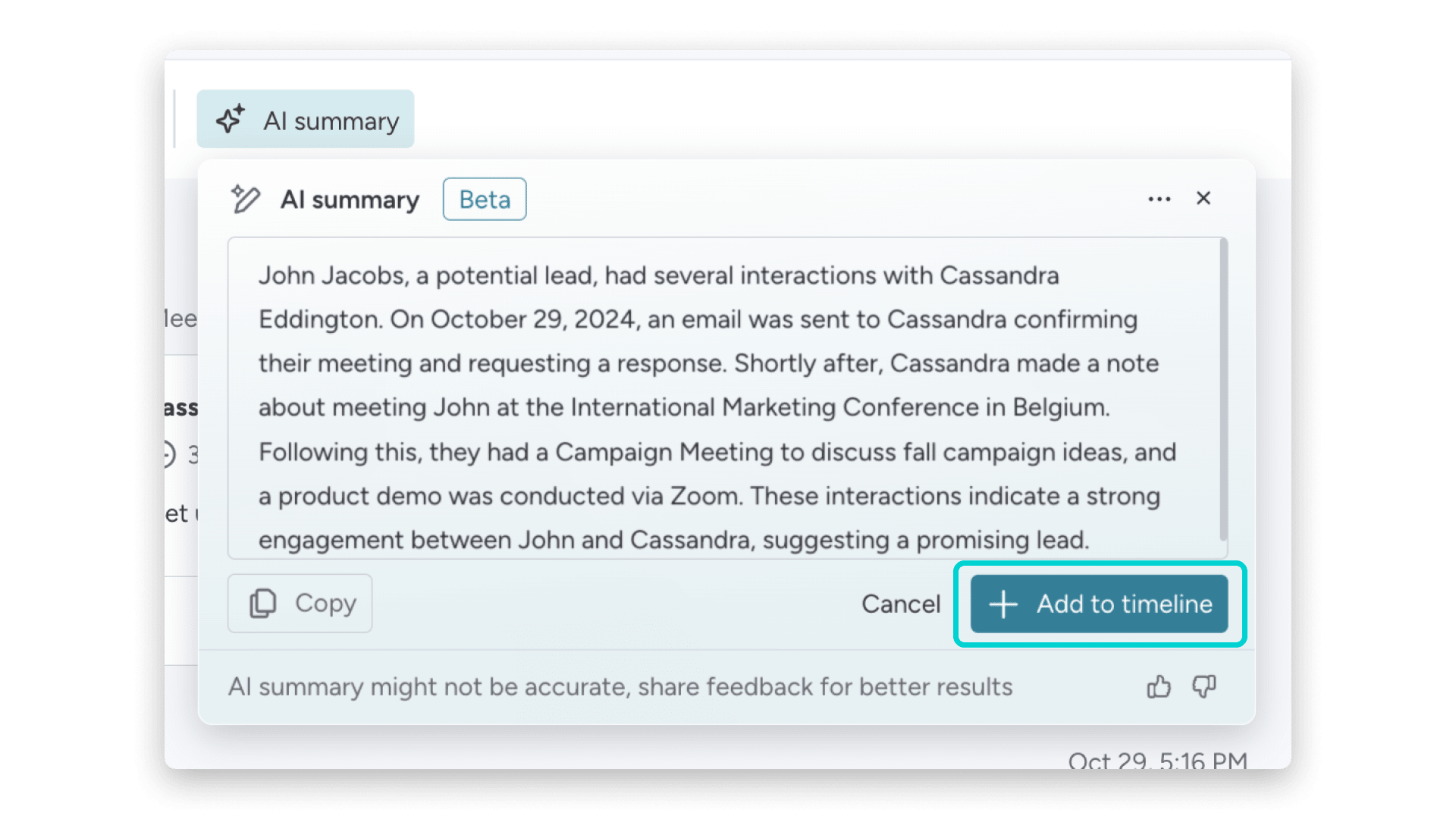
AI Timeline Summary condenses account history into a readable overview so reps can catch up on context before calls without scrolling through months of activity. It pulls from emails, meetings, notes, and deal updates to surface what matters most. Teams use it to prep faster and stay aligned on where each account stands.
Autofill with AI
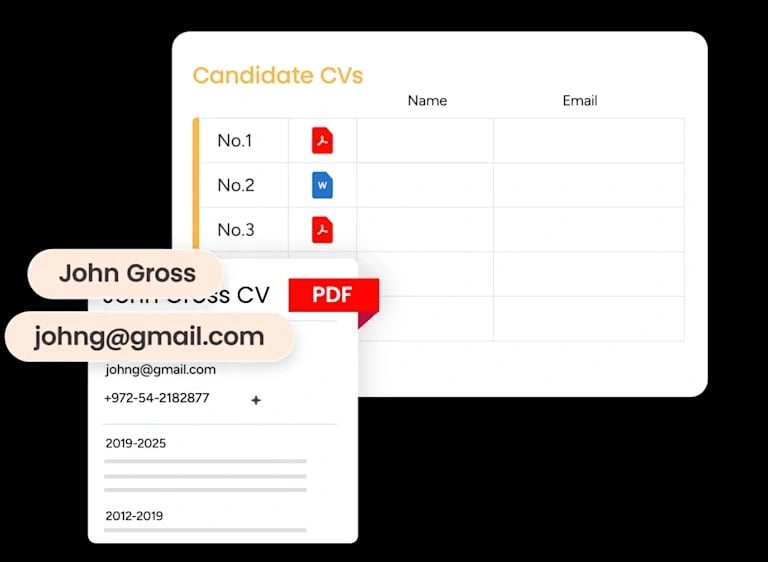
Autofill with AI supports actions like Summarize, Extract information, Detect sentiment, Assign label, and Assign person directly on board data. These actions let agents update records, route leads, flag risk, and assign ownership based on live signals. Revenue teams use it to keep CRM data current without manual field updates after every interaction.
AI automation blocks

Revenue teams configure workflows with AI automation blocks through a no-code interface instead of relying on engineering or heavy technical work. These blocks let teams build multi-step agent workflows that read signals, reason through next steps, and take action across connected boards. RevOps can shape and adjust logic as the sales motion evolves.
monday MCP
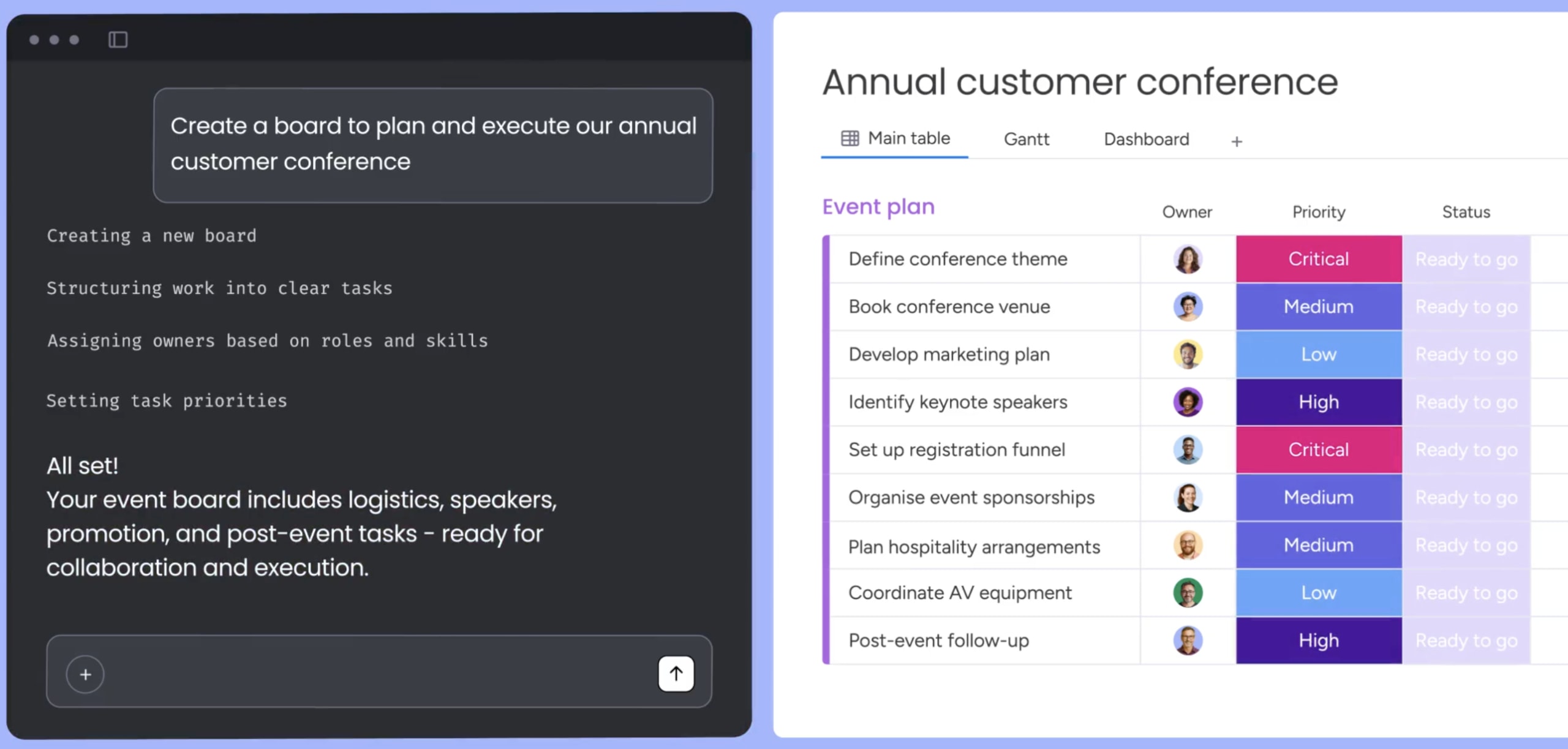
monday MCP gives assistants like ChatGPT and Claude secure access to monday CRM through OAuth while respecting existing role-based permissions. Teams can query pipeline data, update records, and trigger workflows from external AI tools without exposing sensitive information or bypassing governance. It extends agentic capabilities beyond the platform while keeping control intact.
How to move from a system of record to a system of action
Agentic AI CRM combines customer context, goal-based reasoning, action-taking, record updates, and human oversight into one system that carries the work forward. This isn’t about novelty. It’s about tighter execution, fresher pipeline data, and stronger visibility across the revenue cycle.
When evaluating platforms, ask: Can the AI take action, or only suggest it? Is it grounded in live CRM data? Can it update records as work happens? How does it handle approvals, permissions, and reviewability? The real question is whether AI can do useful work inside the way your revenue team already operates: with context, with guardrails, and with fewer manual updates. monday CRM supports that shift with AI actions, no-code configuration, and reviewable execution built for revenue teams.
Try monday agentic AI CRMFAQs
What does agentic CRM mean?
Agentic CRM means a CRM where CRM agents pursue goals and take actions across workflows, rather than only answering questions or drafting content. The system reads signals, reasons through next steps, and acts within guardrails your team sets. It carries work forward instead of waiting for someone to prompt it every time.
What is CRM in AI?
CRM in AI refers to customer relationship management software that uses AI to analyze data, automate work, and support revenue workflows like qualification, follow-up, and record updates. The AI layer helps teams act faster by handling repeatable tasks, keeping pipeline data current, and surfacing insights from customer interactions. It turns stored context into forward motion.
How is agentic AI CRM different from a chatbot?
Agentic AI CRM differs from a chatbot because chatbots answer prompts and respond to questions, while agentic CRM monitors signals across your pipeline, decides on actions, and carries work forward within guardrails. Chatbots wait for input. Agents pursue outcomes. One assists when asked, the other acts when conditions align with goals your team has set.
How is agentic AI CRM different from workflow automation?
Agentic AI CRM differs from workflow automation because automations follow fixed rules and execute the same steps every time, while agents interpret context and choose among several possible actions based on what they see. A rule says "if X, do Y." An agent weighs inputs, considers past patterns, and decides what fits best before it acts.
Is agentic AI CRM safe?
Agentic AI CRM is safe when it includes role-based permissions, audit trails, approval logic, and human review for high-impact actions. The agent only sees and acts within approved access boundaries. Sensitive decisions like pricing or external emails stay reviewable. Teams keep control over what the system can touch, who approves changes, and how actions get logged for later review.
How does monday CRM support agentic AI workflows?
monday CRM supports agentic AI workflows with AI actions like Summarize and Assign person, no-code configuration through AI automation blocks, and reviewable execution through permissions and Run history. Teams can shape agent behavior without engineering support, preview actions before they run, and audit what changed. The platform keeps AI grounded in live board data while respecting role-based access controls.
