



Web-based CRM software puts your entire sales operation in your browser — accessible from anywhere, updated in real time, and ready when your team is. The right platform removes friction, matches your actual workflow, and turns your CRM from a data graveyard into a tool your team genuinely uses.
This guide covers 7 essential features that make web-based CRMs worth adopting, how to evaluate platforms based on your team’s real needs, and 7 top solutions revenue teams are using. You’ll discover which platforms excel at visual pipeline management, AI automation, and driving the adoption rates that actually move revenue forward.
Try monday CRMWhat is web-based CRM software?
Web-based CRM software lives in your browser. No downloads, no server rooms, no IT headaches. Your sales team can log in from anywhere with an internet connection to manage contacts, track deals, and coordinate in real time. Your sales workspace lives in your browser and follows you everywhere.
Your CRM data is hosted on secure, remote servers managed by the provider, not your already-swamped IT team, in what’s known as a cloud CRM architecture. Reps see the same up-to-date customer info from headquarters, home, or a client’s lobby.
The system updates itself automatically, so new features and security patches deploy without anyone lifting a finger. No local servers means lower hardware costs and zero maintenance headaches. It centralizes your info and shows you what’s happening in your sales operation right now.
- Contact management: Centralized customer profiles store every communication, deal status, and key detail in one place.
- Deal tracking: Visual pipelines show where each deal stands, what’s next, and how likely it is to close. Your forecast is right there.
- Sales pipeline visualization: Drag-and-drop interfaces let reps move deals between stages, automatically updating forecasts as they go.
- Communication logging: Email and activity tracking capture every interaction, so nothing gets lost when deals change hands.
Web-based vs. on-premise CRM: What’s the real difference?
Choosing between web-based and on-premise CRM sounds like an IT headache. But the real difference isn’t about servers — it’s about speed, budget, and who gets stuck with the grunt work.
7 best web-based CRM software platforms for revenue teams
Not all CRMs deliver equal value. Your revenue team deserves a platform that gets used daily, not another subscription gathering digital dust. These platforms earned their spots through real-world adoption, implementation speed, and ability to scale with ambitious mid-market teams.
| Platform | Use case | Free plan? | Notable feature | Starting price |
|---|---|---|---|---|
| monday CRM | Sales, CS, and ops teams collaborating in one customizable system | No | No-code visual pipeline + AI-powered automation | $12/user/month (billed annually) |
| Nutshell | Small to midsize B2B sales teams wanting simple visual pipelines | No | Multi-view pipeline (board, list, map, chart) | $13/user/month (billed annually) |
| Pipedrive | Activity-driven sales teams focused on rep behavior tracking | No | Activity prioritization + “rotting” deal alerts | $14/user/month (billed annually) |
| Zoho CRM | Organizations wanting a feature-rich, process-driven CRM | Yes | Blueprint process enforcement + Journey Builder | Standard tier (pricing not specified in article) |
| HubSpot | Marketing-led teams aligning inbound and sales | Yes | AI-powered deal scoring + inbound marketing integration | $20/user/month (billed annually) |
| Salesforce | Large enterprises with complex processes and IT support | Yes | Revenue Intelligence + advanced enterprise security | $25/user/month (Starter Suite) |
| Flowlu | Service businesses managing sales + project delivery | Yes | CRM + project management + per-stage automation | $9/user/month (billed annually) |
1. monday CRM
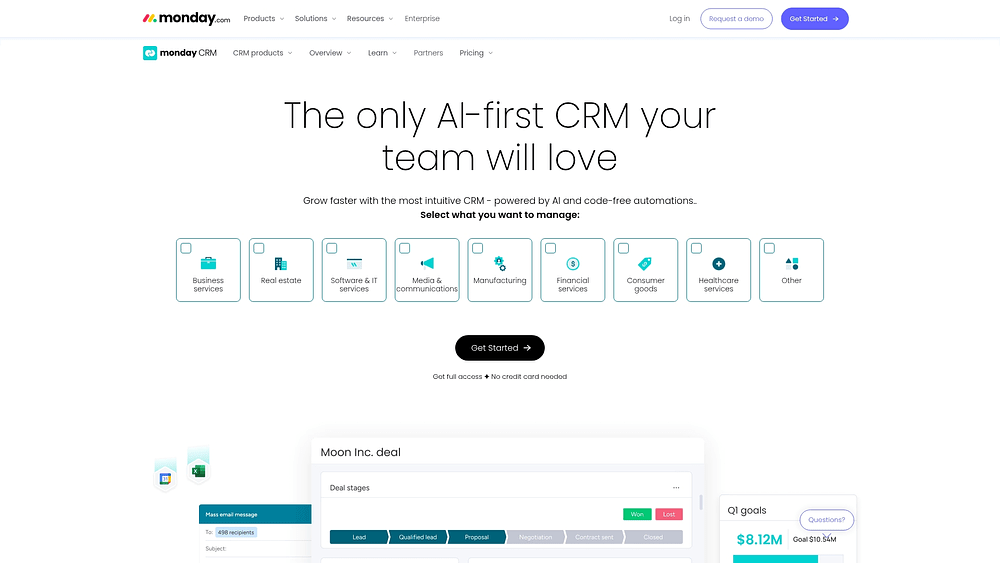
monday CRM transforms web-based customer relationship management through a visual, no-code platform that revenue teams can shape around their exact process. It’s built for the full customer journey, not just deal stages, so you can run sales, handoffs, and post-sales work in one connected place. If your current CRM feels like it was designed for someone else’s sales cycle, monday CRM gives you the building blocks to run yours. Want a pipeline your reps actually update? Want stakeholders to see what they need without chasing your team? This is where it gets practical.
Use case: Organizations where sales, customer success, and operations need to collaborate in one system — especially when your current CRM app feels like it was built for someone else’s business
Key features
- Visual pipeline management: Drag-and-drop deal stages with color-coded status indicators show exactly where opportunities stand in real time.
- No-code customization: Build custom fields, stages, and automations in minutes without opening IT tickets or writing code.
- AI-powered automation: Timeline summaries, email composition, and autofill extract data from contracts and invoices to eliminate manual entry.
Pricing
- Basic CRM: $12/month per seat (billed annually) or $18/month (billed monthly)
- Standard CRM: $17/month per seat (billed annually) or $25/month (billed monthly)
- Pro CRM: $28/month per seat (billed annually) or $41/month (billed monthly)
- Ultimate CRM: Contact sales for custom pricing
- Annual discount: Save 18% when billed annually.
- Minimum users: Plans start from 3 users with volume discounts available for teams over 40 users.
- AI features: Usage is based on AI credits, and some advanced AI capabilities are available as paid add-ons.
Why it stands out
- Visibility and control for leaders: Dashboards and sales widgets like the leaderboard and funnel help revenue leaders track performance and spot risk earlier.
- Beyond sales: Manage account management, renewals, collections, and cross-team workflows (like legal and finance) in the same platform.
2. Nutshell
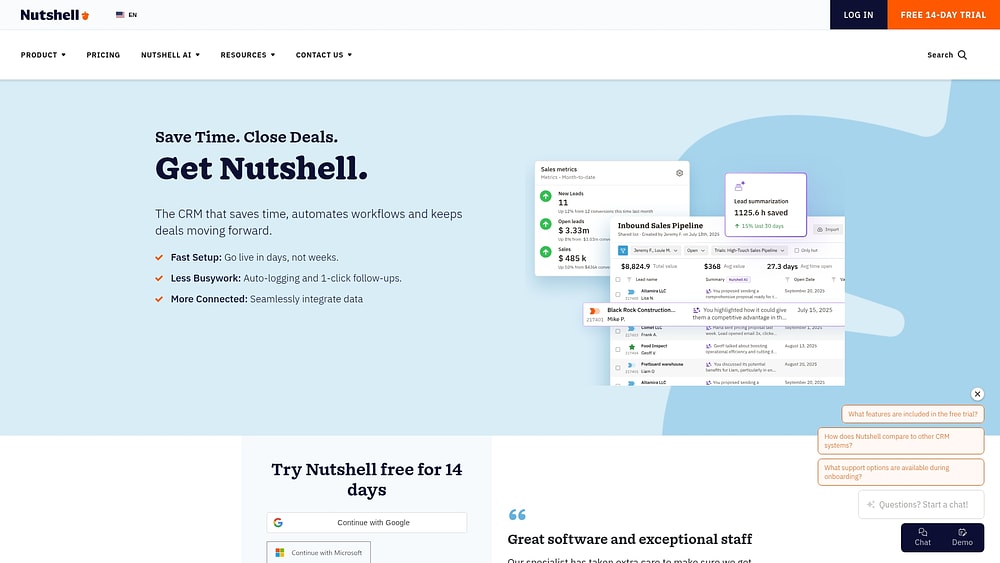
Nutshell delivers visual pipeline management that clicks for small sales teams. The platform emphasizes drag-and-drop simplicity over feature bloat, making it ideal for teams who want to start selling faster instead of spending weeks on configuration. Four native pipeline views and built-in marketing capabilities serve teams ready to grow without technical headaches.
Use case: Small to midsized B2B sales teams that need visual pipeline management with minimal learning curve and want integrated marketing capabilities without paying for separate platforms
Key features
- Multi-view pipeline management: Board, list, map, and chart views let you visualize deals however your team works best.
- Draft pipelines for safe testing: Test new sales processes and automations without disrupting live data or hitting plan limits.
- Integrated marketing and engagement: Built-in email marketing, chatbots, forms, and landing pages included with every CRM plan.
Pricing
- Foundation: $19/month or $13/month annually per user
- Growth: $32/month or $25/month annually per user
- Pro: $49/month or $42/month annually per user
- Business: $67/month or $59/month annually per user
- Enterprise: $89/month or $79/month annually per user
- Annual billing offers approximately 15% discount across all tiers
- Unlimited contacts and storage included on all plans
Considerations
- Multiple active pipelines require Pro tier or above, limiting flexibility for growing teams on lower plans.
- Advanced automation features and customization options are locked behind higher pricing tiers.
3. Pipedrive
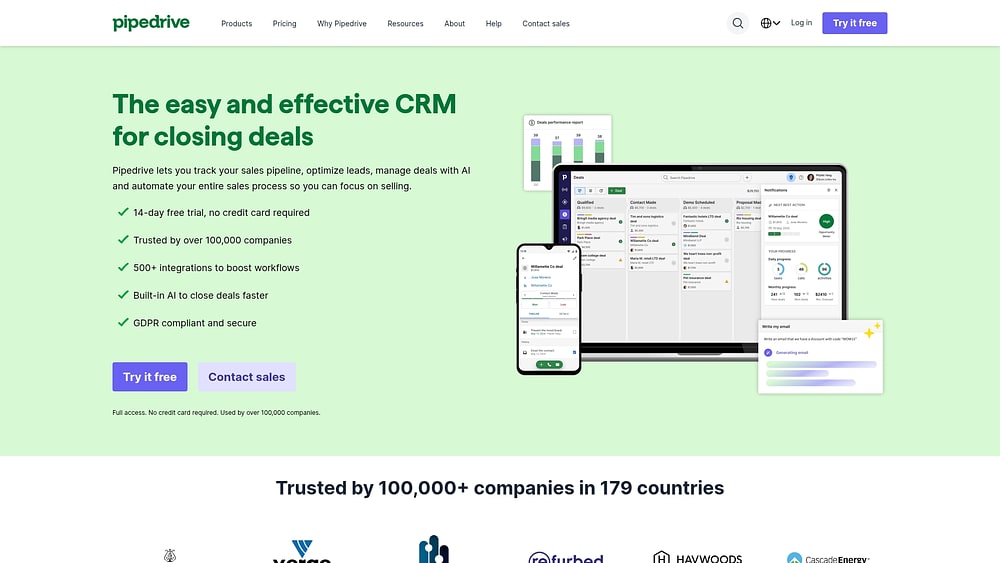
Pipedrive structures CRM around activity-based selling, placing rep actions front and center rather than merely tracking deal stages. The visual pipeline reveals exactly which activities propel deals forward, giving managers genuine visibility into productive behaviors.
Use case: Sales organizations with structured activity workflows where managers need visibility into rep behaviors and deal progression, not just revenue outcomes
Key features
- Visual drag-and-drop pipeline: Customizable stages and win probabilities for realistic forecasting.
- Activity-driven prioritization: Surfaces deals with urgent next steps at the top of each stage.
- “Rotting” indicators: Flag stalled deals beyond configurable thresholds to prompt immediate action.
Pricing
- Lite: $14/month (annual billing)
- Growth: $39/month (annual billing)
- Premium: $59/month (annual billing)
- Ultimate: $79/month (annual billing)
- 14-day free trial available
- Annual billing saves up to 42% compared to monthly plans
- Add-ons available like LeadBooster (lead gen), Campaigns (email), and Projects (project management)
Considerations
- Limited native telephony capabilities since built-in calling features were discontinued.
- Advanced reporting and marketing automation require additional paid add-ons, which can increase total costs.
4. Zoho CRM
Zoho CRM packs comprehensive sales, marketing, and customer service functionality into a unified platform. The system serves organizations seeking extensive built-in features who can invest time mastering a comprehensive system. AI-powered sales assistant Zia and deep customization options support complex sales processes spanning multiple departments.

Use case: Organizations seeking extensive built-in features and willing to invest time in learning a comprehensive system that combines visual pipeline management with process governance and journey orchestration
Key features
- Visual pipeline management: Kanban views with drag-and-drop functionality, multiple sales pipelines, and stage-probability mapping for accurate forecasting.
- Process enforcement: Blueprint feature provides visual state/transition designer with mandatory fields, checklists, and validations to ensure data quality.
- Journey orchestration: Journey Builder and Path Finder tools enable cross-module workflow automation and customer path discovery with visual analytics.
Pricing
- Free: $0/month (up to 3 users)
- Standard: Starting tier with basic CRM functionality
- Professional: Includes Blueprint process management
- Enterprise: Adds Journey Builder and comprehensive AI features
- Ultimate: Full feature access with advanced analytics
- Annual billing saves up to 34%
- Add-ons include team users, premium support, data backup, and additional storage
Considerations
- Learning curve reflects the platform’s breadth — teams gain powerful capabilities at the cost of longer implementation timelines.
- Advanced features like Journey Builder and Path Finder are locked to higher-tier plans, potentially increasing costs as you scale.
5. HubSpot
HubSpot merges CRM with inbound marketing tools, creating unified visibility from first website visit through closed deal. The platform specializes in AI-powered customer platform integration, making it a natural fit for marketing-led organizations where content drives lead generation.

Use case: Marketing-driven organizations requiring tight integration between inbound content strategies and sales processes, with transparent seat-based pricing that scales alongside team growth
Key features
- Visual Kanban pipeline: Drag-and-drop deal management, stage probabilities, and weighted forecasting.
- AI-powered deal scoring: Automated summaries to prioritize high-value opportunities.
- Pipeline governance rules: Conditional required fields and approval workflows for data quality control.
Pricing
- Free: Basic contact management and deal tracking
- Starter: $20/month per seat (billed annually)
- Professional: $100/month per seat (billed annually)
- Enterprise: $150/month per seat (billed annually, requires $3,500 onboarding fee)
- Startup discount: Up to 90% off first year, then 50% and 25% in subsequent years
- Nonprofit discount: Typically 40% off standard pricing
Considerations
- Advanced pipeline governance features limited to Professional and Enterprise tiers, with approvals only available at Enterprise level.
- Seat-based pricing can escalate quickly for larger teams, and Enterprise onboarding fees add significant upfront costs.
6. Salesforce
Salesforce provides enterprise-grade CRM with extensive customization and a vast integration ecosystem. The platform targets large organizations with complex sales processes and dedicated IT resources, offering deep flexibility that comes with significant implementation complexity. Enterprise teams gain unified pipeline management, AI-driven insights, and compliance-ready security — but should anticipate 6-12 month deployments and substantial ongoing administration costs.

Use case: Large enterprises with complex sales processes, dedicated IT resources, and budgets to support extensive customization and ongoing administration
Key features
- Dual pipeline views: Kanban boards for quick deal management and Pipeline Inspection for comprehensive deal analysis with AI insights.
- Revenue Intelligence integration: Advanced pipeline flow visuals, predictive forecasting, and commit calculator scenarios.
- Enterprise security and compliance: SOC 2, ISO 27001/27017/27018 certifications with published attestations for regulated industries.
Pricing
- Free Suite: $0/user/month (max 2 users)
- Starter Suite: $25/user/month (monthly or annual billing)
- Pro Suite: $100/user/month (annual) — Web Services API costs additional $25/user/month
- Enterprise: $175/user/month (annual) — includes Advanced Pipeline Management & Deal Insights
- Unlimited: $350/user/month (annual) — bundles Premier Success Plan and Full Sandbox
- Agentforce 1 Sales: $550/user/month (annual) — includes expanded AI, Sales Planning, Maps, Tableau Next, and Slack Enterprise+
- Revenue Intelligence add-on: From $220/user/month (annual) for advanced pipeline analytics
Considerations
- Advanced pipeline features require expensive add-ons, with Revenue Intelligence starting at $220/user/month on top of base licensing.
- Implementation complexity demands dedicated administrators or consultants, with typical deployments taking 6-12 months and significant ongoing maintenance costs.
7. Flowlu
Flowlu unifies CRM with project management and collaboration tools in a single platform. The system tracks deals alongside project tasks, serving teams that manage client projects throughout the sales process.

Use case: Service businesses and agencies managing both sales opportunities and client project delivery in a single system
Key features
- Visual Kanban pipeline: Drag-and-drop deal management and real-time value calculations.
- Per-stage automation: Triggers tasks, projects, emails, and webhooks when deals move through the pipeline.
- Native integration: Connects CRM, project management, and invoicing to reduce handoff friction.
Pricing
- Free: $0 for 2 users with 1 pipeline and 100 contacts
- Essential: $9/month per user (annual) or $12/month (monthly) with multiple pipelines and email sync
- Advanced: $17/month per user (annual) or $22/month (monthly) with sales automations and client portal
- Ultimate: Custom pricing with white-labeling and enterprise features
- 25% discount available with annual billing
- 7-day unrestricted trial without credit card required
Considerations
- Advanced automation features are limited to higher-tier plans, restricting pipeline automation depth for Essential and Free users.
- Native telephony integrations are limited to Twilio and Zadarma, which may be narrower than other CRM options.
7 essential features of successful web-based CRM platforms
The line between a CRM that collects dust and one that drives revenue? Razor thin. What separates them? Specific features that remove friction and speed up deals.
1. Visual pipeline management that sales teams trust
Ditch the spreadsheet wrestling matches. A visual pipeline shows exactly where every deal stands. Drag-and-drop workflows your team will actually use. This approach surfaces momentum shifts the moment they happen, not buried in next week’s status meeting.
2. No-code customization without IT dependency
Your sales process has its own rhythm. Your CRM should match it without requiring a support ticket and a 2-week wait. No-code customization puts workflow changes in your hands because nobody understands your business better than you do.

Rigid systems force you to abandon what already works. Build the exact fields, stages, and automations you need in minutes instead. When your process evolves next quarter, your CRM keeps pace.
3. Real-time integration across your tech stack
Copy-pasting between ten browser tabs? That’s not just tedious — it breeds errors and kills deals, which is why proper CRM integration is essential. Your CRM should be where all your data lives, not another isolated tool.
Link your CRM to tools your team already relies on: Gmail, Outlook, Slack. When your tools work together, data stays accurate, reps stay focused, and deals keep moving.
4. Mobile access for field sales and remote teams
Your team moves constantly. Their CRM should move with them. A powerful mobile CRM delivers full desktop capability in your pocket, not some stripped-down, read-only afterthought.
Reps update deals, log meeting notes, and pull customer history from a client’s conference room or airport lounge. Offline access keeps work flowing when connectivity drops. Your team can sell from literally anywhere.
5. AI automation that actually saves time

Practical AI handles the repetitive work that drains your reps’ energy — drafting personalized emails, scoring leads, summarizing conversations, and automating data entry. It predicts which opportunities will close based on real data, routes leads to the right rep, and manages post-sale handoffs in the background. This technology amplifies what reps do best (building relationships and closing deals) rather than replacing them.
6. Built-in analytics and forecasting
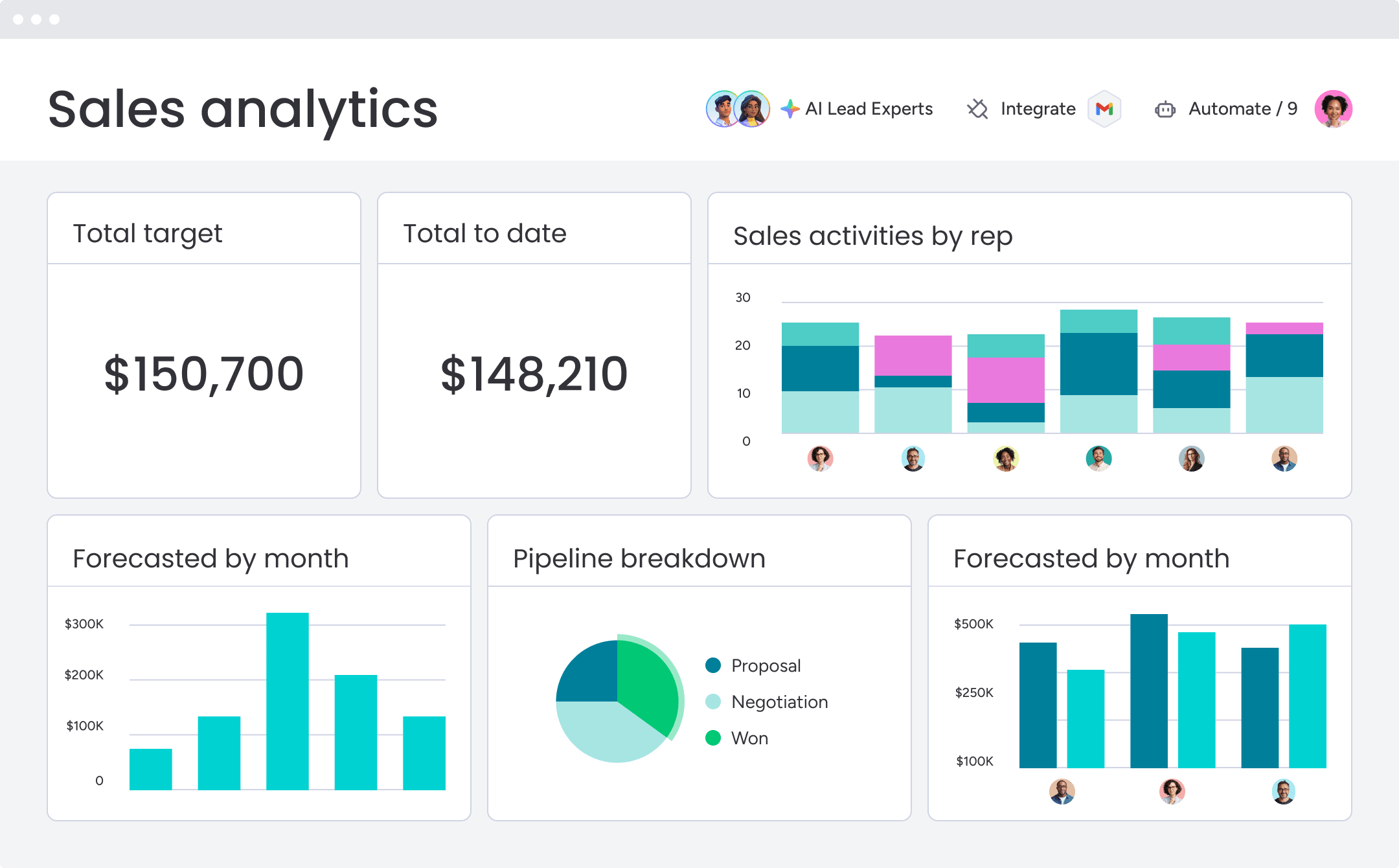
Guessing whether you’ll hit your numbers? That’s a path to disaster. Real-time data should drive your decisions, not another spreadsheet formula you’re hoping didn’t break.
Customizable dashboards show conversion rates, sales cycle length, and pipeline health. Report upward with confidence. Spot bottlenecks before they spread. Coach your team based on what’s actually working.
7. Team collaboration beyond just sales
Clunky handoffs between sales, legal, and customer success frustrate your team and create terrible customer experiences.
Try monday CRMHow to pick a CRM your team will actually use
When projects fail, missing features are rarely the cause. Companies choose software that forces teams into rigid, unnatural workflows. Avoiding another piece of shelfware requires focusing on adoption from day one.
Follow these steps to choose a web-based CRM your team will actually use:
- Document your actual sales process: Set aside the idealized funnel and capture how your team really sells—warts and all. Where do handoffs get dropped? What manual data entry drives everyone crazy? This honest audit produces a practical checklist of genuine needs rather than vendor-suggested requirements.
- Map your pain points: Identify the specific friction points slowing your team down. Which tasks eat up the most time? Where does information get lost? Your CRM should solve these real problems, not theoretical ones.
- Calculate the true cost: Look beyond subscription fees. Factor in implementation, data migration, training hours that pull reps away from selling, and any custom development required. The cheapest option upfront often becomes the most expensive over time.
- Test every connection: Does the CRM genuinely sync with your email and marketing tools? Broken integrations create more work. Verify connections during a trial period, not after signing a contract.
- Evaluate customization capabilities: Can you adapt the platform to your process without writing code or opening IT tickets? Rigid systems force you to abandon what already works.
- Run a pilot program: Get a small group of users — top performers, average reps, and your biggest skeptics — to use the platform for 30-60 days. Their feedback reveals whether the CRM fits before company-wide rollout.
- Assess mobile functionality: Your team moves constantly. Test the mobile experience to ensure reps can update deals, log notes, and access customer history from anywhere—not just read-only access.
- Check implementation timelines: How long until your team is actually selling in the new system? Platforms promising 8-12 week rollouts beat those requiring 6-month implementations.
Selecting the right platform isn’t about finding the most features. It’s about finding a flexible CRM that stays out of your team’s way so they can focus on selling.
Why monday CRM is the web-based CRM revenue teams need
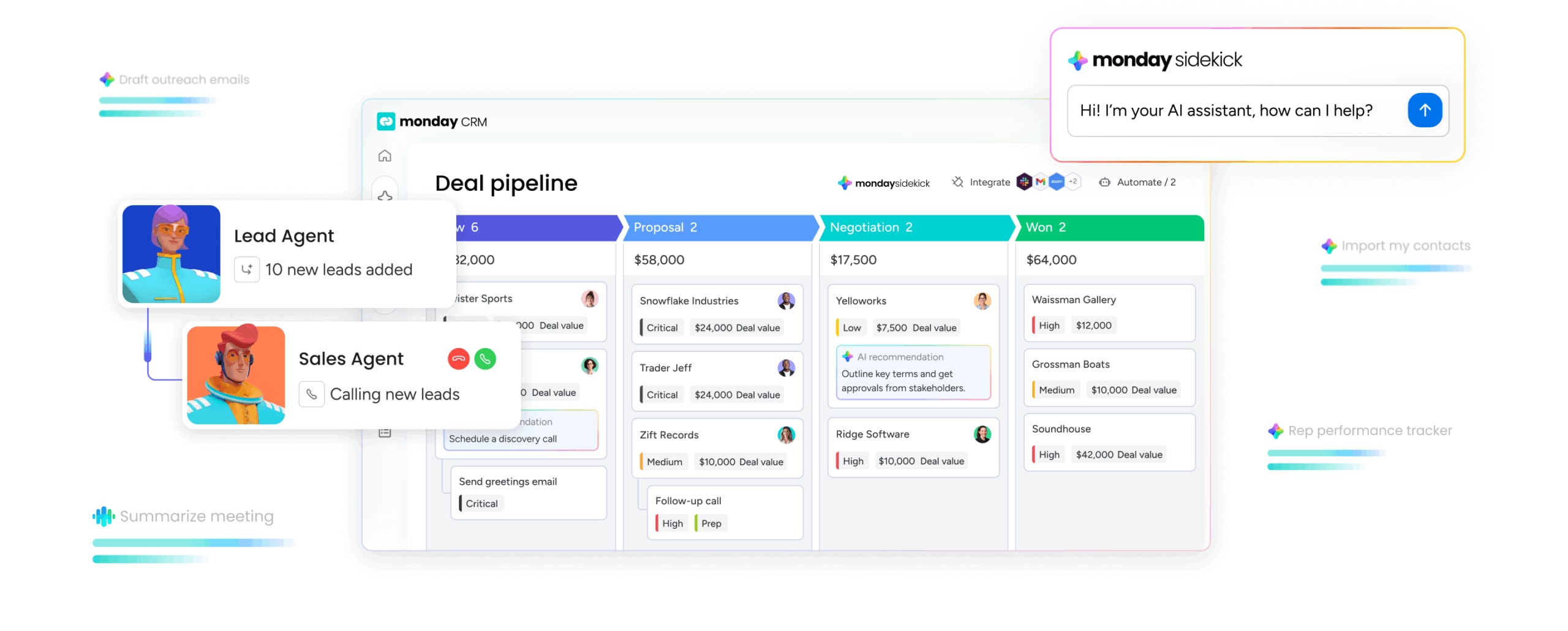
Most CRMs promise flexibility but lock you into rigid workflows. With monday CRM, you get the key features that separate platforms teams actually use from expensive shelfware.

Visual pipeline management your reps will trust: Drag-and-drop deal stages with color-coded status indicators show exactly where opportunities stand. No spreadsheet exports. No guessing. Your team updates deals in seconds because the interface makes sense immediately.
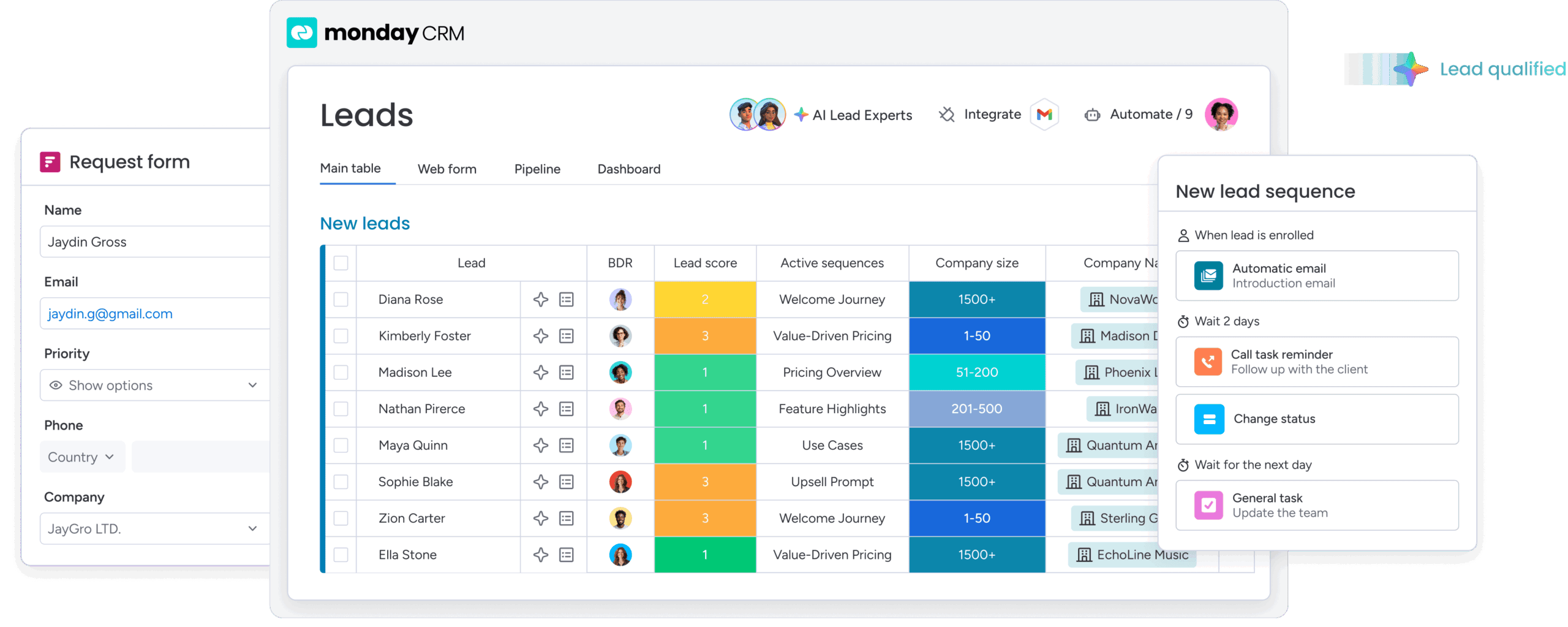
- No-code customization without IT tickets: Build custom fields, stages, and automations in minutes. Your sales process evolves constantly. Your CRM should keep pace without requiring a developer or opening a support ticket.
- Real-time integration across your tech stack: Native connections to Gmail, Outlook, Slack, and 200+ tools mean data flows automatically. Reps work in one place instead of toggling between ten browser tabs. Integrations with Crunchbase enrich contact data instantly, eliminating manual research.
- Mobile access that actually works: Get full CRM functionality on iOS and Android — not a stripped-down viewer. Reps update deals, log notes, and access customer history from client meetings, airports, or home offices. Your team sells from anywhere.
- AI automation that saves real time: Timeline summaries condense long email threads into quick context. AI-powered email composition drafts follow-ups that match your deal stage. Autofill extracts data from contracts and invoices, detects sentiment, and assigns tasks — no manual data entry required.
- Built-in analytics and forecasting: Customizable dashboards with sales-specific widgets like leaderboards and funnels surface pipeline health, conversion rates, and forecast accuracy. Compare projected vs. actual revenue by rep, month, or any criteria you define. Coach with confidence using real data.
- Team collaboration beyond sales: Built on monday.com Work OS, your CRM connects sales with legal, finance, customer success, and delivery teams. Track onboarding, renewals, and collections in the same platform. A deal isn’t done when it’s signed; it’s done when the customer succeeds.
Don’t choose between power and usability. With monday CRM, you get both.
Transform your sales process with the right web-based CRM
A good CRM is more than a digital rolodex — it’s the engine that tells you if you’ll hit your number. The best platforms provide real-time pipeline visibility, adapt to how your team actually sells, and use AI to handle busywork. Choosing a CRM often feels like a trade-off, but it doesn’t have to be.
Revenue teams using monday CRM gain the power they need without painful implementation and technical headaches. The platform is only half the battle, though. Real success comes from a tool people actually adopt, with clean data that delivers insights you can trust—not just another subscription on the books.
Try monday CRMFAQs
What is the difference between web-based and cloud CRM?
The difference between web-based and cloud CRM is minimal; both terms describe software you access online through a browser. The different names reflect marketing preference rather than technical distinction.
How much does web-based CRM software cost for small businesses?
Web-based CRM software for small businesses typically costs between $12 and $50+ per user, per month. Your final price depends on required features and team size.
Can I access web-based CRM systems offline?
Web-based CRM systems offer limited offline functionality, like viewing contacts on a mobile app. Full features—running reports or accessing real-time data—require an internet connection.
How secure is customer data in web-based CRM platforms?
Customer data in reputable web-based CRMs receives protection through enterprise-grade encryption and compliance with standards like SOC 2 and GDPR. Always verify a provider's security credentials before committing.
What happens to my data if I switch CRM providers?
When switching CRM providers, you should be able to export your data in standard formats like CSV. Check a platform's data ownership policy to ensure you maintain control of your information.
Do I need IT support to implement web-based CRM software?
No-code CRMs typically don't require IT support for implementation — sales or revops teams can usually handle setup. IT can assist with complex data migrations or specific integrations.
