



Your pipeline looks full. Your forecast says you’ll hit target. But somehow, deals keep slipping, reps chase leads that go nowhere, and the numbers you report to leadership feel more like educated guesses than predictions. The problem isn’t your team’s effort; it’s the blind spots hiding in your sales funnel. Deals stall without warning, hot prospects go cold because no one noticed they stopped engaging, and your best reps spend hours on data entry instead of conversations that close revenue.
Sales funnel software gives you visibility into what’s actually happening at every stage, from first touch to closed-won, supporting comprehensive lead management throughout the customer journey. This guide breaks down 15 platforms that help revenue teams spot where deals get stuck, automate the manual work that drags everyone down, and build forecasts you can actually trust. Teams use platforms like monday CRM to turn pipeline chaos into clear, actionable insights that drive results.
Try monday CRMWhat is sales funnel software?
Sales funnel software turns that chaos into a clear, visual pipeline, showing you exactly where every deal stands. It’s about making your forecast predictable again. The software maps your entire sales process, automatically moving leads from one stage to the next based on their actions. This gives you a real-time view of where deals get stuck, which stages need work, and what actually drives revenue.
5 opportunities to improve pipeline visibility
Your pipeline has hidden opportunities for improvement. You can feel their impact when a promising deal stalls or a forecast doesn’t align with final numbers. These aren’t just system glitches; they’re the silent revenue killers hiding in plain sight.
They’re the subtle gaps that make deals disappear without a trace, forecasts miss by a mile, and your best reps burn out on work that isn’t selling. Let’s expose them.
Lost deal visibility
Ever had a deal just… disappear? One minute it’s promising, the next it’s a ghost. Without real-time engagement tracking, you’re flying blind, wasting effort on deals that are already dead. The warning signs are everywhere, but they remain invisible.
- Lacking engagement tracking: When reps can’t see if prospects open emails or visit the site, they may chase cold leads and overlook interested buyers.
- Lost knowledge: A team member leaves, and their entire deal history walks out the door with them.
- Zombie opportunities: Deals look active in the pipeline but haven’t shown a pulse in weeks, leaving everyone guessing what went wrong.
Stalled opportunity detection
Some deals aren’t dead; they’re just stuck. The problem? Your pipeline looks identical for both scenarios. Without a way to spot stalled deals, opportunities that need a nudge get ignored until it’s too late. Here are the signs of losing pipeline value:
- Stage stagnation: Deals sit in the same stage for weeks, but no alarm bells go off to signal a roadblock.
- Inflated forecasts: Your pipeline is full of opportunities that aren’t moving, creating a false sense of security.
- Late interventions: By the time you realize a deal is truly stuck, the momentum is gone and it’s nearly impossible to revive.
Forecast black holes
Forecasting with bad data isn’t forecasting; it’s gambling. And it makes you look bad every quarter. Messy pipeline data makes it impossible to confidently report upwards or make smart decisions about where to invest. Every part of the business feels this uncertainty:
- Missed targets: You consistently miss revenue goals because your forecasts were built on hope, not reality.
- Lost credibility: Revenue leaders can’t trust the numbers, which makes it impossible to report to the board with confidence.
- Bad calls: You hire too many reps for an inflated pipeline or miss growth opportunities because your estimates are off.
Cross-team handoff failures
The handoff between marketing, sales, and success is where good deals go to die. It’s broken telephone, and the customer always loses. Critical context gets lost, and everyone ends up working from incomplete information, such as:
- Context-free leads: Marketing sends a lead over, but sales has no idea which pain points resonated or what content they engaged with, creating lead conversion challenges.
- Clunky onboarding: Customer success gets a new client with zero insight into what was promised during the sales process.
- Repetitive questions: The customer is forced to explain their needs to three different people, starting from scratch every time.
Manual process bottlenecks
Your best reps spend hours every week on data entry instead of selling. Death by a thousand clicks. This administrative grind doesn’t just slow things down; it introduces errors and burns out your top performers. Look for:
- Wasted selling time: Reps lose hours every week updating records and scheduling follow-ups instead of talking to customers.
- Data integrity issues: Manual entry leads to inconsistent, outdated, and missing information that makes your pipeline data useless.
- Rep burnout: The constant grind of tasks that don’t add value contributes to turnover among the exact people you need to keep.
15 best sales funnel software platforms
Many sales funnel platforms promise significant change but can be complex to implement. You need a system that helps you close deals, not one that requires a 200-page manual just to see your pipeline.
We skipped the marketing hype and ranked these platforms on what actually matters: speed to value, user adoption, and the visibility you need to hit your targets.
| monday CRM | Revenue teams needing visual pipelines with no-code customization | Fast implementation with AI-powered automation | $12/seat/month |
|---|---|---|---|
| ClickFunnels | Digital marketers building landing page funnels | Drag-and-drop funnel builder with conversion optimization | $127/month |
| HubSpot | Mid-market teams wanting integrated marketing + sales funnels | All-in-one ecosystem with native integrations | $20/seat/month |
| Salesforce | Enterprise organizations with complex customization needs | Extensive third-party app ecosystem | $25/seat/month |
| Pipedrive | Small sales teams focused on deal progression | Simple, deal-centric interface | $14/seat/month |
| ActiveCampaign | Marketing automation with sales funnel capabilities | Email marketing combined with CRM functionality | $19/month |
| Keap | Small businesses needing appointment scheduling and follow-up automation | Built-in payment processing and invoicing | $249/month |
| Zoho CRM | Budget-conscious teams wanting comprehensive features | Low cost with extensive customization options | $14/seat/month |
| Freshsales | Teams prioritizing phone-based selling | Built-in calling and conversation intelligence | $15/seat/month |
| Copper | Google Workspace users seeking native integration | Operates directly within Gmail interface | $25/seat/month |
| Nutshell | Teams wanting simple pipeline management | Straightforward interface with reporting focus | $16/seat/month |
| Close | Inside sales teams making high-volume outbound calls | Power dialer and email automation combined | $49/seat/month |
| Insightly | Project-based sales requiring task management | CRM and project management in one platform | $29/seat/month |
| Agile CRM | Startups needing all-in-one marketing and sales | Free tier with basic automation | $8.99/seat/month |
| Thrive Suite | Service businesses managing client relationships | Client portal and proposal generation built-in | $39/month |
1. monday CRM
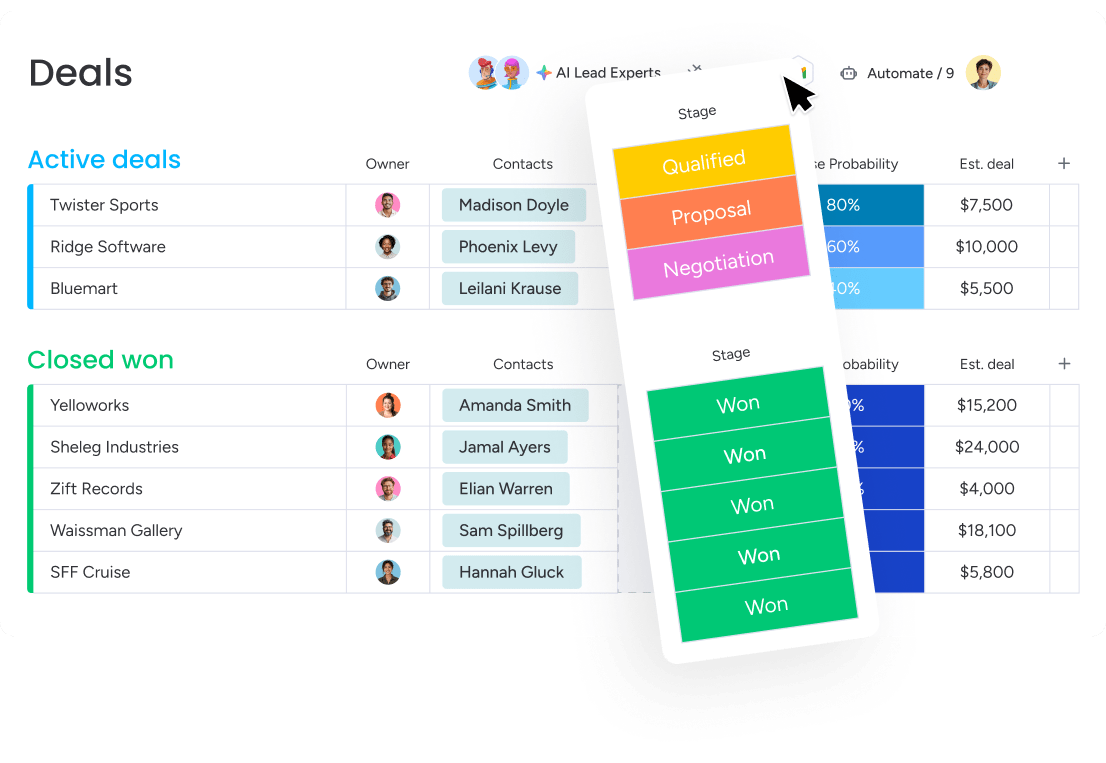
monday CRM turns your sales funnel into something your team can actually see, run, and improve without getting stuck in admin settings. You build your pipeline visually, track every interaction in one place, and keep handoffs moving when legal, finance, or customer teams need to jump in.
Best for:
Revenue teams use monday CRM to run every aspect of each sales funnel stage in unified workflows: capture and qualify leads, move deals through a visual pipeline, and track emails, calls, meetings, and notes in a single Emails & Activities timeline. Want fewer “Who talked to them last?” moments? This is how you get there.
Key features:
- Visual deal management with a sales pipeline you can customize using drag-and-drop deal stages, so reps always know what’s next
- Lead management that keeps every lead accounted for: collect leads from sources like website forms and social ad campaigns, qualify and assign them, and keep every lead accounted for
- Built-in outreach and tracking with individual and mass emails, dynamic fields and templates, open-rate and link-click tracking, plus an HTML email editor for custom-designed emails
- Account and contact management that connects the dots using an expanded item view, so teams see account details, connected deals, contacts, and related work in one place
- Sales analytics and forecasting with code-free dashboards and sales widgets (like the funnel, sales pipeline, and leaderboard) to monitor pipeline status, performance, and forecast vs. actuals
Pricing:
- Basic: $12/seat/month (billed annually)
- Standard: $17/seat/month (billed annually
- Pro: $28/seat/month (billed annually)
- Ultimate (Enterprise): Quote-based pricing for organizations requiring advanced security and governance
- Plans start from 3 seats minimum
- 14-day free trial available
Advanced AI features:
monday CRM includes AI capabilities that help teams move faster inside the work they already do, especially in Emails & Activities and on boards. The goal is simple: spend less time reading, typing, and copying details, and more time progressing the deal.
- Timeline summary creates a short summary of all communication events (emails, calls, meetings, notes) in the Emails & Activities timeline, so managers and reps can get up to speed fast
- AI email assistant helps compose emails directly in Emails & Activities, so reps can write faster without jumping between tabs
- Autofill columns with AI on monday CRM boards, including Text, Date, Number, Dropdown, People, and Status columns
- Extract information pulls structured details from files, images, and text, and places results into board columns
- Detect sentiment flags text as Positive, Negative, or Neutral for quick context
- Summarize, translate, and improve text help reps and managers scan faster and keep notes consistent
- Assign person can populate a People Column based on defined teammate roles and skills
Automations:
If your sales funnel relies on reps remembering every follow-up, it’s not a process, it’s a hope-and-pray system. monday CRM gives sales ops a no-code way to automate actions based on custom conditions, so the funnel keeps moving.
- Automate actions based on conditions (for example, trigger steps when a deal stage changes, or when a status updates)
- Conditional label change to keep deal or lead statuses accurate without manual cleanup
- Automated follow-ups that support consistent outreach, especially when paired with mass email and tracking
Integrations:
Your CRM shouldn’t force a tech stack reset. monday CRM supports powerful integrations so teams can keep their customer work connected across the systems they already rely on.
- Connect monday CRM to your wider stack to keep customer data and workflows consistent across teams
- One place for customer work so sales, finance, and legal can collaborate without chasing updates in separate systems
Sales funnel software features:
Sales funnel software lives or dies by two things: can your team follow the process, and can leadership trust the numbers? monday CRM supports both by pairing pipeline execution with reporting and customer context.
- Sales pipeline you can shape to your process with drag-and-drop deal stages
- Sales funnel reporting using sales widgets (including the funnel widget) to spot where deals slow down
- Sales forecasting to project results, track forecast vs. actual sales, and drill down by month, rep, or other criteria
- Centralized communication tracking in one timeline, so handoffs and renewals start with context, not guesswork
Why it stands out:
A sales funnel gets messy when the system fights your process. monday CRM stays flexible, so RevOps can adjust workflows fast and sales leaders can keep visibility and control as the team grows.
- Fast to adapt: adjust processes in seconds with no-code building blocks, no IT bottleneck
- Centralized customer information: keep deals, contacts, and communication history together for smoother handoffs
- Supports the customer journey beyond the close: track onboarding progress, manage renewals, and even monitor collections when post-sale details matter
2. ClickFunnels
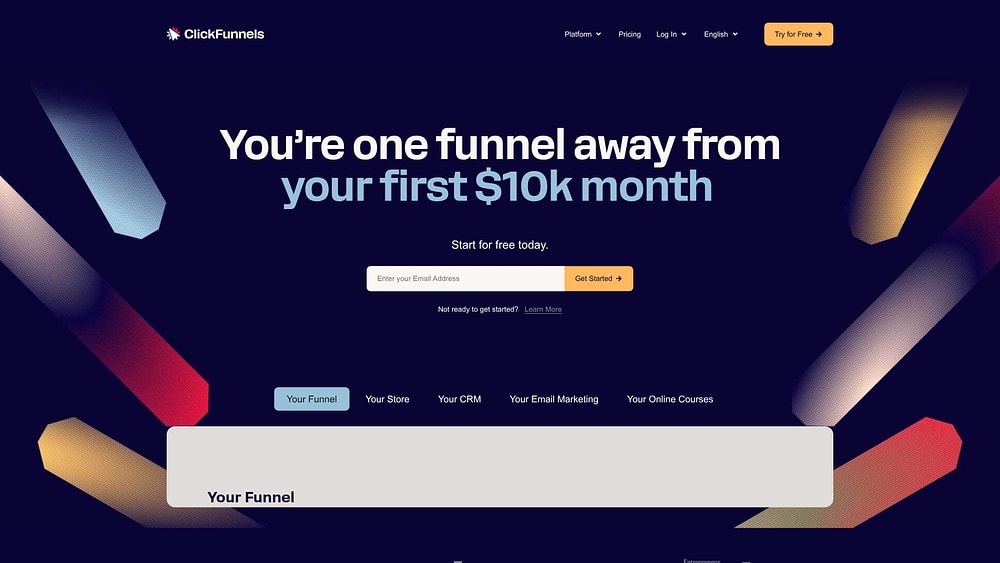
ClickFunnels zeroes in on one mission: building sales funnels that convert visitors into customers at speed. The platform bundles landing pages, email automation, and pipeline management into a single funnel-focused system, making it ideal for digital marketers orchestrating product launches or membership sites.
Use case:
ClickFunnels works for businesses that sell digital products, courses, or services through online funnels and need to track leads from landing page to purchase.
Key features:
- Funnel templates: Pre-built templates for lead generation, webinar registration, and product launches that get you selling faster.
- Drag-and-drop page builder: Create landing pages, sales pages, and checkout flows without writing a single line of code.
- Built-in pipeline management: A visual “Opportunities” pipeline to track deals, with round-robin lead assignment and automation that hooks right into your funnels.
Pricing:
- Basic: $127/month
- Pro: $157/month
- Funnel Hacker: $208/month
- 14-day free trial with a 30-day money-back guarantee.
Considerations:
- Limited CRM depth compared to dedicated sales platforms — it works for simple funnels but may feel restrictive for complex B2B sales cycles.
- Higher pricing than some alternatives, with no free-forever plan available for small teams just testing the waters.
3. HubSpot
HubSpot delivers an all-in-one customer platform that unifies marketing automation, sales CRM, and service tools on a single Smart CRM foundation. The platform targets mid-market teams who want unified data across their entire customer lifecycle, eliminating the data silos that slow down revenue growth. With embedded AI throughout, HubSpot reports over 278,000 customers globally, positioning itself as the comprehensive solution for teams ready to scale beyond basic CRM functionality.
Use case:
HubSpot excels for mid-market organizations (2-2,000 employees) seeking a unified platform that connects marketing campaigns directly to sales pipelines with full attribution tracking and AI-powered insights.
Key features:
- Marketing Hub integration: Native connection between marketing campaigns and sales pipelines with attribution tracking that shows exactly which efforts drive revenue.
- AI-powered forecasting: Embedded AI provides projections that add a “second opinion” to your forecasts, helping you spot risks and opportunities sooner.
- Pipeline governance controls: Configurable stage requirements and automated progression rules enforce process discipline without heavy technical setup. Enterprise plans add mandatory approval workflows.
Pricing:
- Free tier: $0 with basic CRM and pipeline features.
- Starter: From $15 per seat per month with enhanced automation and reporting (pricing varies by plan and billing cycle).
- Professional: $100 per seat per month with advanced automation and forecasting.
- Enterprise: $150 per seat per month with custom objects, pipeline approvals, and predictive AI deal scoring.
Professional and Enterprise tiers include one-time onboarding fees ($1,500 and $3,500, respectively).
Considerations:
- Implementation complexity can require several weeks of setup and configuration, especially for teams wanting to leverage the full platform capabilities.
- Pricing escalates quickly as teams add users and advanced features, with workflow limits potentially pushing larger teams to higher tiers.
4. Salesforce
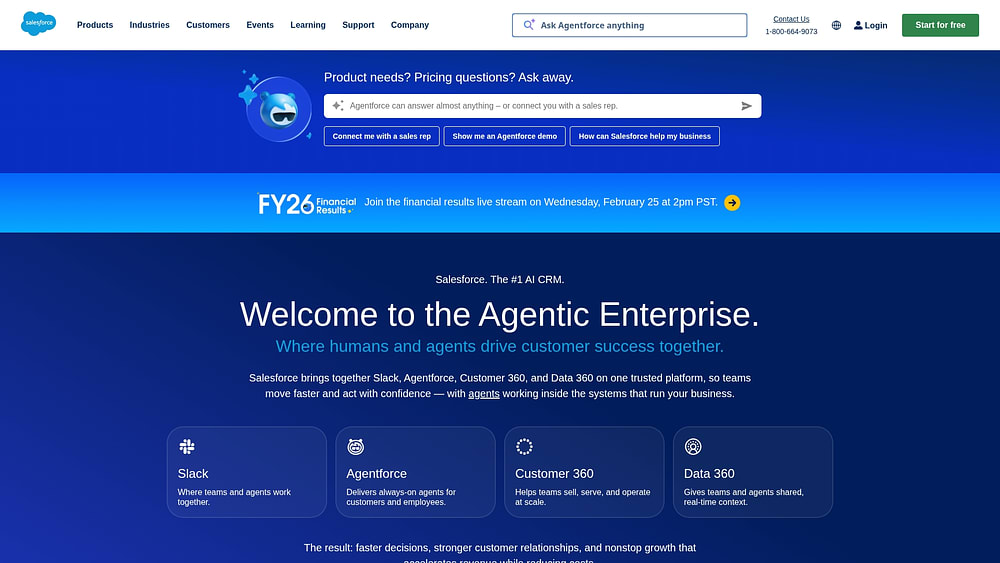
Salesforce dominates enterprise CRM with a unified platform that handles complex sales processes from lead to close. The platform specializes in AI-powered pipeline management and extensive customization, making it ideal for large organizations with sophisticated sales operations. According to a 2023 Gartner report, Salesforce holds 20.7% of the global CRM market share, making it a go-to choice for enterprises needing deep integration capabilities.
Use case:
Salesforce excels at managing complex, multi-stage sales processes for enterprise teams that need advanced forecasting, territory management, and AI-driven insights to optimize pipeline performance.
Key features:
- Pipeline Inspection: Real-time deal tracking with change annotations, AI scoring badges, and collaborative forecasting to identify risks and coaching opportunities.
- Einstein AI capabilities: Predictive lead scoring, opportunity insights, automated data capture, and deal health monitoring, with its opportunity scoring models retrained weekly.
- AppExchange marketplace: Thousands of third-party integrations extending functionality for specific industries and specialized business systems.
Pricing:
- Free Suite: $0/user/month (max 2 users)
- Starter Suite: $25/user/month
- Pro Suite: $100/user/month
- Enterprise: $175/user/month
- Unlimited: $350/user/month
- Agentforce 1 Sales: $550/user/month
- Revenue Intelligence add-on starts at $220/user/month
- Premier Success Plan typically 30% of net license fees (included with Unlimited)
Considerations:
- Steep learning curve and complex implementation requiring dedicated administrators or consultants, with typical setup timelines of 3-6 months for mid-market organizations.
- Advanced pipeline analytics and AI features often require expensive add-ons, significantly increasing total cost of ownership beyond base pricing.
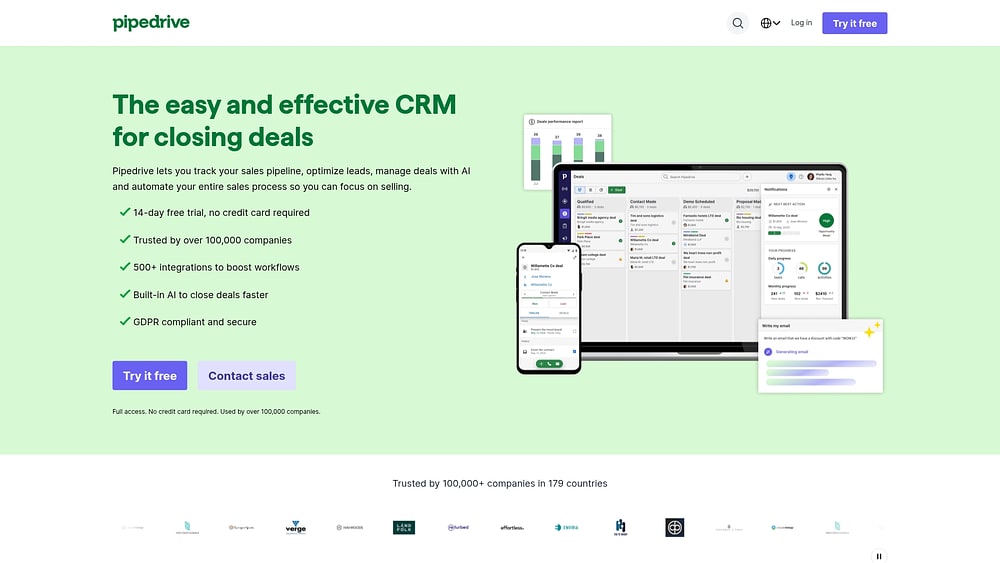
5. Pipedrive
Pipedrive delivers visual pipeline management designed specifically for small sales teams who need results fast. The platform puts deal progression front and center with drag-and-drop simplicity, making it accessible for teams new to CRM software. Built around activity-based selling, Pipedrive keeps your team focused on the next action that moves deals forward.
Use case:
Pipedrive excels at helping small sales teams visualize their entire pipeline and maintain momentum through activity-driven deal management.
Key features:
- Visual pipeline management: Drag-and-drop interface with customizable stages and deal rotting alerts to prevent neglected opportunities.
- Activity-based selling: Automated reminders and prompts ensure follow-up tasks stay on track with built-in calendar sync.
- AI sales assistant: Context-aware insights provide next-best actions, deal summaries, and win-probability predictions.
Pricing:
- Lite: $14/month per user (annual billing)
- Growth: $39/month per user (annual billing)
- Premium: $59/month per user (annual billing)
- Ultimate: $79/month per user (annual billing)
- Annual billing saves up to 42% compared to monthly plans.
- Add-ons like LeadBooster, Campaigns, and Smart Docs require additional fees.
Considerations:
- Key capabilities like email marketing and advanced lead generation require paid add-ons that increase total cost.
- Usage limits on automations and reporting may require expensive top-ups as your team grows.
6. ActiveCampaign
ActiveCampaign merges email marketing automation with CRM functionality, creating a unified platform for marketing-driven sales processes. The platform shines at nurturing leads through sophisticated email workflows before sales teams engage. Teams that prioritize automated lead qualification and marketing-sales alignment find particular value in this integrated approach.

Use case:
ActiveCampaign works best for businesses where marketing automation drives the sales process and teams need tight integration between email campaigns and pipeline management.
Key features:
- Marketing automation: Sophisticated email workflows triggered by prospect behavior and characteristics
- Lead scoring: Automatic scoring based on email engagement, website visits, and demographic data
- CRM pipeline: Visual deal tracking integrated with email marketing campaigns
Pricing:
- Starter: $19/month (monthly billing) for up to 500 contacts
- Plus: $49/month adds CRM functionality and lead scoring
- Professional: $149/month includes predictive sending and attribution reporting
- Annual billing discounts available
- CRM features sold as add-ons to core marketing plans
Considerations:
- Teams needing robust CRM features may find the sales functionality limited compared to dedicated CRM platforms.
- Building effective automation workflows requires significant time investment and technical setup.
7. Keap
Keap combines CRM, marketing automation, and payment processing into one platform built for small businesses that need to manage appointments and follow-ups without juggling multiple systems. The platform targets service-based businesses with appointment-heavy sales processes, offering stage-based pipeline automations that trigger emails, tasks, and payments as deals progress. With over 20 years in the small business space and 200,000+ businesses served, Keap positions itself as an all-in-one growth platform that reduces platform sprawl.

Use case:
Keap works best for service businesses that need to automate appointment scheduling, follow-up sequences, and payment collection in a single workflow.
Key features:
- Appointment scheduling: Built-in calendar booking with automated reminders and follow-ups that can trigger actions in your sales pipeline.
- Payment processing: Accept payments and send invoices directly from the platform without third-party integrations.
- Pipeline automation: Automated deal progression based on customer actions and time-based triggers that move prospects through your sales process.
Pricing:
- Starts at: $299/month (monthly billing) or an effective rate of $249/month (annual billing). Pricing scales with contact count.
- Includes: CRM, marketing automation, payment processing, and 2 user licenses.
- Additional users: $39/month per user.
- Required setup: One-time implementation service at $500 (discounted from $1,500).
Considerations:
- Higher entry price compared to many CRM alternatives, making it less attractive for budget-conscious teams.
- Geographic limitations: Payment processing is restricted to U.S. businesses. For text marketing, bulk automated texting is U.S.-only, while 1:1 business line texting is available in the U.S. and Canada.
8. Zoho CRM
Zoho CRM delivers comprehensive sales funnel management at budget-friendly pricing, making advanced features accessible to cost-conscious teams. The platform combines AI-powered sales assistance with extensive customization options, appealing to businesses that need flexibility without breaking the bank. With over 300,000 businesses worldwide trusting their sales processes to Zoho, it’s proven its ability to scale across industries and team sizes.

Use case:
Zoho CRM excels for teams that need robust pipeline management with deep customization capabilities, offering multiple sales pipelines per layout and visual workflow builders to standardize complex sales processes.
Key features:
- Zia AI assistant: Delivers predictive insights, anomaly detection, and intelligent workflow suggestions to help reps focus on winnable deals
- Blueprint automation: Visual workflow builder that enforces stage transition rules and mandatory data collection for consistent sales processes
- Multi-channel communication: Integrates email, phone, social media, and live chat directly into deal records for complete customer interaction history
Pricing:
- Standard: $14/user/month (billed annually)
- Professional: $23/user/month (billed annually)
- Enterprise: $40/user/month (billed annually)
- Ultimate: $52/user/month (billed annually)
- Annual billing saves up to 34% compared to monthly plans
- Free tier available for up to 3 users
Considerations:
- The extensive feature set can overwhelm small teams who need only basic pipeline management
- Interface lacks the polish of newer platforms, and some users report a steeper learning curve compared to more intuitive alternatives
9. Freshsales
Freshsales delivers AI-powered sales pipeline management with built-in communication channels for teams who need everything in one place. The platform combines visual deal tracking with conversation intelligence and automated workflows, making it a strong fit for inside sales teams managing high-volume outbound activity. With transparent pricing and a forever-free plan, it cuts through the complexity that bogs down traditional CRMs.

Use case:
Freshsales excels for sales teams that rely heavily on phone-based selling and need integrated communication tools alongside robust pipeline management.
Key features:
- Built-in phone system: Make and receive calls directly from the CRM with automatic call logging and conversation intelligence.
- AI-powered deal insights: Freddy AI identifies at-risk deals, surfaces “rotten deals,” and provides predictive scoring to prioritize your pipeline.
- Visual pipeline management: Drag-and-drop Kanban boards with customizable stages, weighted forecasting, and real-time deal progression tracking.
Pricing:
- Free: $0 for up to 3 users (basic pipeline management and communication tools)
- Growth: $9/month per user (full pipeline functionality with automation)
- Pro: $39/month per user (multiple pipelines, AI insights, advanced workflows)
- Enterprise: $59/month per user (custom modules, field-level permissions, audit logs)
All plans are billed annually with a 21-day free trial available.
Considerations:
- Multiple sales pipelines are only available on Pro and Enterprise plans, limiting Growth users to a single pipeline.
- AI features require sufficient historical data before providing valuable insights, which can delay implementation benefits for new users.
10. Copper
Copper operates directly from your Gmail inbox, adding a full-featured CRM sidebar that eliminates the constant platform-switching headache. Built for teams running on Google Workspace, it captures most activity automatically—emails, meetings, the works—so data entry becomes an afterthought. With official “Recommended for Google Workspace” status, it feels like a natural extension of tools you already know.

Use case:
Perfect for Google-centric sales teams who need pipeline visibility without leaving their existing workflow.
Key features:
- Deep Gmail integration: A CRM sidebar displays contact details, deal history, and pipeline status directly in your inbox, with a full web app available for deeper dives.
- Automatic activity logging: Syncs emails, meetings, and related files from Google Workspace to the right contacts, eliminating manual data entry.
- Visual pipeline management: Drag-and-drop deal tracking with stage-based probabilities for more accurate forecasting.
Pricing:
- Basic: $29/user/month ($23/user/month billed annually) — 2,500 contacts, task automation, pipelines.
- Professional: $69/user/month ($59/user/month billed annually) — 15,000 contacts, workflow automation, bulk email.
- Business: $134/user/month ($99/user/month billed annually) — unlimited contacts, email series, custom reports.
- 14-day free trial available.
Considerations:
- Limited value for teams not using Google Workspace, as the platform’s core strength is its deep integration with Gmail and Calendar.
- The mobile experience lacks the full functionality of the desktop version, which could be a drawback for field sales.
11. Nutshell
Nutshell delivers straightforward CRM functionality with embedded AI guidance for pipeline design and deal progression. The platform targets small and growing B2B teams who need robust automation without the complexity of enterprise solutions, offering unlimited contacts and free live support across all plans.

Use case:
Teams wanting quick setup and AI-powered pipeline optimization get operational within days through draft pipelines, starter packs, and automated stage progression.
Key features:
- Multi-view pipeline management: Board, list, map, and chart views with drag-and-drop deal management and customizable stages.
- AI-powered pipeline design: AI Sales Pipeline Designer suggests optimal stages, goals, and tasks while providing next-action guidance.
- Automated deal progression: Stage goals with confidence tracking that auto-advance deals when milestones are met, plus automated outcomes for stalled opportunities.
Pricing:
- Foundation: $16/user/month (annual) or $19/user/month (monthly)
- Pro: $42/user/month (annual) or $49/user/month (monthly)
- Power AI: $52/user/month (annual) or $59/user/month (monthly)
- Enterprise: Custom pricing
- 14-day free trial available.
- Add-ons available for marketing automation and other features.
Considerations:
- Multiple active pipelines and advanced automation require the Pro tier or higher, limiting flexibility for growing teams on lower plans.
- Nutshell IQ prospecting data focuses primarily on U.S. markets, reducing pipeline-filling capabilities for international teams.
12. Close
Close delivers an all-in-one CRM with built-in power dialers and multi-channel communication for high-velocity sales teams. The platform specializes in native calling, email, and SMS capabilities, making it a powerhouse for inside sales teams running outbound campaigns at scale.

Use case:
Close excels at combining pipeline management with integrated communication channels, letting sales teams dial, email, and text prospects without juggling multiple platforms. No more tab-switching chaos.
Key features:
- Power Dialer: Automatically dial through lead lists with one-click call logging and built-in call recording.
- Multi-channel Sequences: Build automated outreach with email, calling, and SMS steps. A/B test your email templates to find what works.
- Unified Inbox: Manage all prospect communications — calls, emails, and texts — in one centralized workspace.
Pricing:
- Starter: $49/user/month (Core CRM with built-in calling, email, and SMS)
- Professional: $89/user/month (Adds the Power Dialer and automated email sequences)
- Enterprise: $139/user/month (Adds Predictive Dialer and advanced permissions)
*Pricing reflects annual billing.
Considerations:
- The pricing reflects a focus on communication-heavy sales teams and might be overkill for organizations that are primarily inbound-focused.
- Its interface can feel information-dense, requiring some ramp-up time for teams to get comfortable with the full feature set.
13. Insightly
Insightly fuses CRM with project management, creating a unified platform to track opportunities from first contact through project delivery. It’s engineered to tighten the handoff between sales and fulfillment teams, addressing the classic friction point where deals get lost in translation after closing. Service-based businesses and agencies gravitate toward this connected workflow approach.

Use case:
Perfect for teams that sell services or products requiring post-sale project management, offering visibility across the entire customer lifecycle from lead to delivery completion.
Key features:
- Project management integration: Task tracking, milestones, and resource allocation directly linked to CRM records for seamless deal-to-delivery transitions
- Relationship mapping: Visualize complex organizational relationships and buying committees to navigate multi-stakeholder sales processes
- Stage-triggered automation: Automatically create tasks and assignments based on deal progression, ensuring consistent execution across your pipeline
Pricing:
- Plus: $29/user/month (billed annually)
- Professional: $49/user/month (billed annually) — adds advanced customization and reporting
- Enterprise: $99/user/month (billed annually) — includes custom objects and dedicated support
- 14-day free trial available
Considerations:
- The dual CRM-project management focus can feel complex for teams needing only basic sales functionality
- Some users report the mobile app lacks features available in the desktop version, limiting field sales effectiveness
14. Agile CRM
Agile CRM bundles sales, marketing automation, and customer service into one platform, priced for small teams exhausted from juggling a dozen different tools. It’s an all-in-one solution with built-in telephony and automation that triggers based on deal stage.

Use case:
Ideal for growing teams that want to eliminate tool sprawl by managing their entire sales funnel, marketing campaigns, and customer support from a single platform without straining the budget.
Key features:
- Customizable deal tracks: Drag-and-drop deal boards with automated workflows. Multiple pipelines are available on the Regular and Enterprise plans.
- Built-in telephony: Connect your existing telephony provider (like Twilio or RingCentral) for click-to-call, call recording, and activity logging right from a contact’s record.
- Integrated marketing automation: Build email campaigns, landing pages, and lead nurturing sequences that use your live sales pipeline data.
Pricing:
Pricing shown is per user/month, billed annually.
- Free plan: $0 for up to 10 users with basic CRM features.
- Starter plan: $8.99 with automation and limited integrations.
- Regular plan: $29.99 with advanced features, multiple deal tracks, and custom reporting.
- Enterprise plan: $47.99 with dedicated support and a 25,000 API calls/day limit.
Considerations:
- The interface feels a bit dated compared to newer platforms, which might slow down user adoption.
- Free tier limitations can push you to upgrade sooner than you’d expect, and customer support isn’t always the fastest to respond.
15. Thrive Suite
Thrive Suite serves as the all-in-one platform for service businesses ready to consolidate their scattered tools. It brings client management, proposals, project tracking, and billing into a single, clean workspace—built to run your business, not add another task to your plate.

Use case:
Perfect for freelancers, consultants, and agencies who need a single source of truth for their entire client lifecycle, from first contact to final invoice.
Key features:
- Client Management Hub: A central CRM to track every client interaction, keeping your relationships and pipeline organized.
- Proposals with E-Signatures: Create and send professional proposals that clients can sign digitally. No more printing, scanning, or chasing signatures.
- Project & Time Tracking: Manage projects, track your billable hours, and see exactly where your team’s time is going.
Pricing:
- Solo: $39/month
- Team: $79/month for up to 5 users
- Business: $149/month for unlimited users
Considerations:
- This is a standalone SaaS platform for running your business operations, not a WordPress plugin for building websites.
- As an all-in-one tool, it may not have the niche, deep features of dedicated, single-purpose platforms for CRM or project management.
Sales funnel benefits that make a difference
A well-managed sales funnel builds momentum and confidence. Unpredictable pipelines make it impossible to plan, coach, or report upwards effectively. The right tools change that equation entirely. Here are 7 benefits you unlock with a platform that delivers true visibility and control over your sales process.
- Automate lead routing for instant engagement: Smart routing instantly connects the right lead to the right rep based on expertise, territory, or deal size, cutting response times and preventing hot prospects from slipping through the cracks.
- Get a real-time view of your pipeline: Live dashboards show you what’s happening now, surfacing stalled deals, conversion drop-offs, rep performance, and pipeline velocity so managers can shift from reactive fire-fighting to proactive coaching.
- Forecast with confidence, not guesswork: AI-powered forecasting analyzes your pipeline, deal history, and rep performance to deliver realistic probability scores, early risk warnings, and sales funnel trend analysis that helps you allocate resources and make strategic bets that actually pay off.
- Eliminate manual data entry for good: Automatically log emails, summarize meetings, update contact info, and track all activity so reps reclaim 10-15 hours weekly to focus on closing deals instead of serving as data-entry clerks.
- Connect your revenue teams: A unified platform gets sales, marketing, and success working from a single source of truth, creating seamless handoffs and higher win rates because prospects feel the difference when teams are aligned.
- Focus on deals that will actually close: Predictive intelligence reveals where to focus energy for maximum impact, surfacing data-driven close predictions and early risk indicators so teams see 10-15% improvement in win rates by working smarter, not harder.
- Build sales processes that grow with you: Automated workflows create a foundation for efficient growth, ensuring consistent execution, faster ramp-up time, and lean operations that let you double your sales team without doubling your ops headcount.
Features your team will actually use
A CRM delivers value when your team adopts it. The best features fit into how your team already works, not force them to change everything.
Visual sales pipeline management
Forget tracking deals in endless spreadsheet rows. A visual pipeline shows you the whole sales floor at a glance, transforming abstract data into something tangible. Moving a deal is as simple as a drag and drop, so your pipeline always reflects reality. Teams spot bottlenecks instantly, and pipeline reviews become quick, focused conversations because everyone sees the same picture.
Drag-and-drop automation builders
No more waiting on IT to fix a broken workflow. With a no-code automation builder, your sales ops team builds and launches automations on their own. If you can sketch it on a whiteboard, you can build it in minutes.
Built-in email tracking
Is now a good time to call? Stop guessing. Built-in email tracking reveals the exact moment a prospect opens your email, clicks a link, or views your proposal. Reps follow up when they’re top-of-mind, turning cold follow-ups into timely conversations that get more replies.
Mobile-first design
Your team’s work doesn’t stop when they leave their desk, and neither should their CRM. True mobile-first design means full access to everything right from their phone. No more forgotten details or delayed record updates. Reps capture notes and next steps immediately after meetings, keeping data accurate and momentum strong.
One-click integrations
Are your platforms not communicating with each other? Native, one-click integrations connect your CRM to email, calendar, and other essential platforms without technical drama. Data stays synced automatically, so everyone works from the same information. It just works, freeing you to focus on customers instead of broken connections.
How to choose the right CRM for your sales funnel
Stop obsessing over feature lists. Platforms with the longest feature catalogs often create the biggest headaches, solving problems you don’t have while ignoring the ones keeping you up at night. Smart selection starts with your actual bottleneck, not a vendor’s sales pitch.
Step 1: Find your biggest bottleneck first
Skip the feature-comparison spreadsheets. What’s actually breaking your sales process right now? The answer determines which features matter and which are just noise.
Not sure where the logjam is? Ask these questions:
- Lead volume: Is the top of your funnel empty or overflowing with unqualified leads?
- Conversion rates: Where do deals actually stall out?
- Team alignment: Are sales, marketing, and success all looking at the same data?
- Forecast accuracy: Can you actually predict revenue, or is it a guess every quarter?
Step 2: Map your existing tech stack
Your new CRM must connect with tools your team uses daily. Before scheduling a demo, audit your current systems and identify which integrations are non-negotiable. Choosing a CRM that integrates with your core platforms is essential for successful implementation and team adoption.
Step 3: Calculate the real setup time
That “5-minute setup” promise? It usually just means creating a login. Real work involves migrating data, customizing workflows, configuring integrations, and training your team.
Ask vendors for realistic timelines, not marketing ones. Rushing setup is how you end up with an expensive, empty dashboard nobody uses.
Step 4: Test it with your real-world chaos
Demos are designed to look perfect. Your sales process isn’t. The only way to know if a CRM can handle your business is testing it with your actual data and workflows—messes included.
Run a real trial with a few team members. Can they complete daily workflows seamlessly? Is it intuitive, or does it feel like a chore? The platform that handles your specific chaos wins, not the one with the prettiest demo.
Try monday CRMAI sales funnel automation that works today

The AI hype cycle has run its course. Sales teams need automation that actually moves deals forward, right now. The best AI tools aren’t flashy; they’re practical fixes for problems your team faces every single day. Here’s how AI sales funnel automation stops pipeline leaks and accelerates your sales cycle, starting today.
- Intelligent lead scoring: AI analyzes prospect behavior to surface your most promising opportunities. It examines everything from email engagement to historical deal data, then delivers a simple score so your team knows exactly where to focus.
- Context-aware follow-ups: Stop sending emails into the void. AI suggests optimal timing and messaging for every follow-up based on when that specific prospect is most likely to respond. A small tweak that produces massive differences in reply rates.
- Deal risk prediction: Get ahead of problems before they kill opportunities. Machine learning spots warning signs in your pipeline so you can intervene and save deals. Reactive firefighting transforms into proactive coaching.
- Autonomous qualification: Let AI handle initial screening and qualifying questions. It routes ready-to-buy prospects straight to your reps with full context, so closers spend their time closing instead of chasing dead ends.
Why monday CRM leads in sales funnel software
Most CRMs arrive with big promises and even bigger headaches. You get months of painful setup, endless IT tickets, and a platform your team abandons within weeks. We built monday CRM to be the opposite: a platform that works immediately, adapts to your process, and actually helps your team sell.
From signup to first deal in days
Get your team tracking deals in the first week, not the first quarter. Our platform is built for immediate use, with an interface so intuitive your team grasps it in hours. Start with our templates, customize them to fit your process, and get back to closing deals.
- Visual pipelines: Manage your funnel the way your team already thinks about it.
- Guided setup: We walk you through the important stuff so you can get started fast.
- Immediate value: Core features work from the moment you log in, no complex configuration needed.
Empower your sales ops team
Your sales ops team shouldn’t need a computer science degree to build a dashboard. Our no-code platform puts them in control, letting them create automations, add custom fields, and design reports with a few clicks. This autonomy means your revenue operations team finally keeps pace with your business. They fix bottlenecks and adjust processes as needs evolve, without waiting in a developer’s queue.
Adapts to how you sell
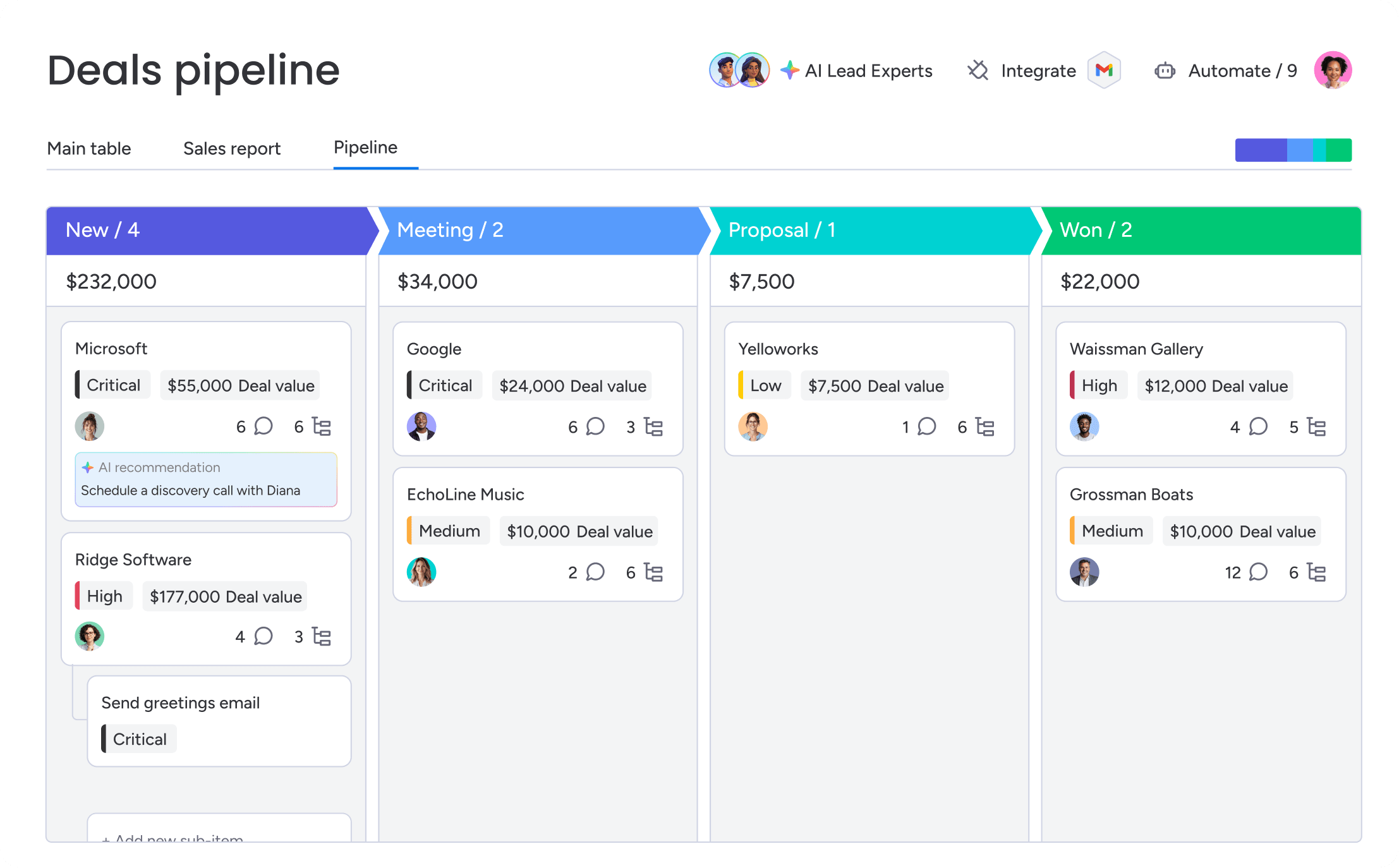
Stop forcing your proven sales process into a rigid system. monday CRM adapts to you, not the other way around. Whether you have complex approval chains or unique sales stages, you build a workflow that mirrors how your team already wins. Adapt your platform, not your strategy.
- Custom pipeline stages: Build the exact funnel stages you need, named whatever you want.
- Flexible fields: Track the industry-specific info that actually matters to your deals.
- Tailored views: Show the right information to the right people, from SDRs to the CRO.
AI that works out of the box
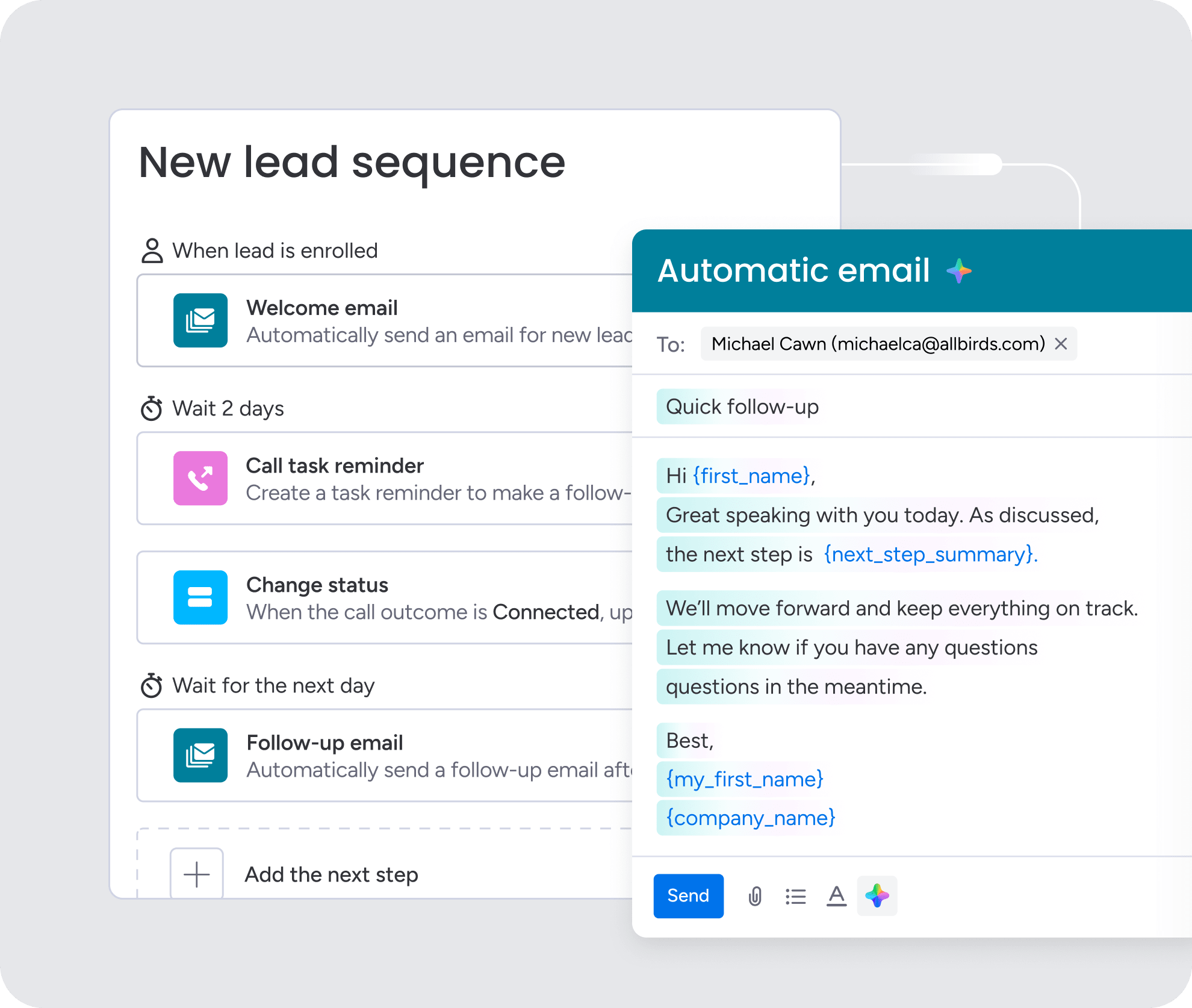
Get the power of AI without hiring a data scientist. Our AI features work the moment you activate them, no months-long training period required. Let AI write follow-up emails, summarize meeting notes, and extract key data from documents. Teams using monday CRM find these AI helpers give them back hours in their day, starting from day one.

“With monday CRM, we’re finally able to adapt the platform to our needs — not the other way around. It gives us the flexibility to work smarter, cut costs, save time, and scale with confidence.”
Samuel Lobao | Contract Administrator & Special Projects, Strategix
“Now we have a lot less data, but it’s quality data. That change allows us to use AI confidently, without second-guessing the outputs.”
Elizabeth Gerbel | CEO
“Without monday CRM, we’d be chasing updates and fixing errors. Now we’re focused on growing the program — not just keeping up with it."
Quentin Williams | Head of Dropship, Freedom Furniture
“There’s probably about a 70% increase in efficiency in regards to the admin tasks that were removed and automated, which is a huge win for us.“
Kyle Dorman | Department Manager - Operations, Ray White
"monday CRM helps us make sure the right people have immediate visibility into the information they need so we're not wasting time."
Luca Pope | Global Client Solutions Manager at Black Mountain
“In a couple of weeks, all of the team members were using monday CRM fully. The automations and the many integrations, make monday CRM the best CRM in the market right now.”
Nuno Godinho | CIO at Velv
“monday.com provides developmental flexibility, operational efficiency, and data transparency — all in one place. We became a company that moved from chasing data to leading with it.”
Hyunghan Lee | Team Lead, Sandbox Network
"monday.com brought every part of our business into one connected space. The harmony between work management and CRM has become our operating system — giving us the clarity and confidence to scale.”
Jennifer Chinburg | Executive Vice President of Corporate Development & Brand, Chinburg Properties
“We just weren’t getting value from our old CRM. With monday.com, it's a thousand times better. Our sales teams are more informed, more consistent, and far more connected."
James Arnold | Chief Operating Officer, CenversaTransform your revenue engine
The real reason your team misses targets isn’t talent; it’s guesswork. Stalled deals and unreliable forecasts mean you’re flying blind—and it’s killing momentum. Fixing this requires a real-time view of your entire pipeline, automating the manual work that slows reps down, and getting insights that actually help you call your number with confidence.
The solution isn’t another clunky system that promises the world but delivers a headache. Teams use monday CRM to get visibility and control without the heavy lifting. Because a CRM your team actually wants to use is the one that works.
Try monday CRMFAQs
What is the difference between sales funnel software and a CRM?
The main difference is that sales funnel software focuses on moving prospects through sales stages, while a CRM is built to manage the entire customer relationship, including post-sale activities and support.
How long does it take to implement a sales funnel platform?
Implementation time can range from a few days for a no-code platform to several months for a legacy system requiring heavy customization. Revenue teams find success using monday CRM to get set up in under a week, not months.
What are the hidden costs of sales funnel software?
Hidden costs often include fees for third-party integrations, mandatory team training, additional user licenses, and ongoing customization work as your business needs change.
Can you automate a sales funnel without coding?
Yes, you can automate a sales funnel without code. Modern platforms offer visual, drag-and-drop builders that let you create and adjust workflows without needing a developer.
Which sales funnel platforms integrate with other platforms?
Integration capabilities vary, but leading platforms connect natively with the tools you already use. For example, monday CRM offers hundreds of native integrations with apps like Gmail, Slack, and Zoom to keep your workflows connected.
How do digital sales rooms help a sales funnel?
Digital sales rooms provide a secure, centralized space for prospects to review proposals, contracts, and other materials. This keeps deals organized and helps accelerate decisions by putting everything your buyer needs in one place.