



A Gmail-first CRM feels like a smart, low-friction choice. Then the team grows, handoffs multiply, reporting gets thin, and suddenly you’re building workarounds for everything. That’s usually when the search for Copper CRM alternatives gets real. Sales leaders aren’t hunting for extra bells and whistles. They need a platform that supports changing pipelines, shows what is happening across deals, and keeps sales, finance, and post-sale teams on the same page.
This article covers 10 Copper CRM alternatives that fit different team sizes, sales motions, and budgets. We’ll explore what to look for before you switch, how to handle the move, and what it takes to find a platform that provides a single source of truth for your entire revenue team. Options range from simple pipeline tools to enterprise systems, with platforms like monday CRM offering the flexibility to adapt as your process evolves.
Try monday CRMWhy teams look for Copper CRM alternatives
Copper is an easy CRM to adopt because it sits inside Gmail, which makes it appealing to small teams just getting started. The problem shows up later. As soon as the team gains traction and starts scaling, that same simplicity begins to get in the way.
Before long, you need real workflow automation and forecasting that actually works. Getting there means paying higher Copper CRM pricing tiers like Professional, and even then, the limitations remain. Reporting still isn’t deep enough to tell you whether the team’s on track to hit quota.
- Siloed handoffs: There’s no way to manage handoffs to account management or finance.
- Ecosystem trap: The platform traps your team inside the Google ecosystem, leaving Outlook users out of luck.
- Missing intelligence: You miss out on modern AI features like intelligent lead scoring or AI-assisted emails.
A CRM should support growth, not make expansion more expensive while leaving core gaps untouched.
Instead, you wind up paying more for a tool that handles only part of the job, while the rest of the business has already outgrown it. The platforms below are equipped to scale with your team and adapt to its evolving processes.
10 best Copper CRM alternatives compared
There’s no universal best CRM, and that’s exactly why this comparison matters. The right choice depends on how your team sells, how quickly your process evolves, and how much setup work you’re willing to take on. We reviewed 10 strong Copper CRM alternatives to help you narrow in on the platform that truly fits.
Start with the table if you want the fast version, or keep reading for more detailed breakdowns of each platform.
| Platform | Use case | Notable features | Starting price |
|---|---|---|---|
| monday CRM | Growing revenue teams needing adaptable, no-code pipelines | AI Blocks, automations, cross-team visibility | $12/seat/month |
| HubSpot | Teams wanting CRM + marketing in one ecosystem | AI prospecting, guided selling, free tier | From $20/seat/month |
| Pipedrive | SMBs needing a visual, activity-based pipeline | Drag-and-drop pipeline, email sync | From $14/user/month |
| Salesforce | Enterprises with complex, global sales operations | Deep customization, advanced forecasting | Custom pricing |
| Insightly | Service businesses needing CRM + project management | Deal-to-project conversion, pipeline automation | From $29/user/month |
| Zoho CRM | Budget-conscious teams needing scalable automation | AI lead scoring, workflow automation | From $14/user/month |
| Nutshell | SMBs wanting CRM + email marketing combined | Visual pipeline, email sequences, reporting | From $13/user/month |
| NetHunt CRM | Teams wanting a Gmail-native Copper replacement | Gmail integration, pipeline automation | From $24/user/month |
| Freshsales | Sales teams wanting AI scoring + built-in communication | Freddy AI, built-in phone and email | Free plan available |
| Microsoft Dynamics 365 Sales | Microsoft 365 users needing enterprise CRM | Copilot AI, deep Microsoft integration | From $65/user/month |
1. monday CRM
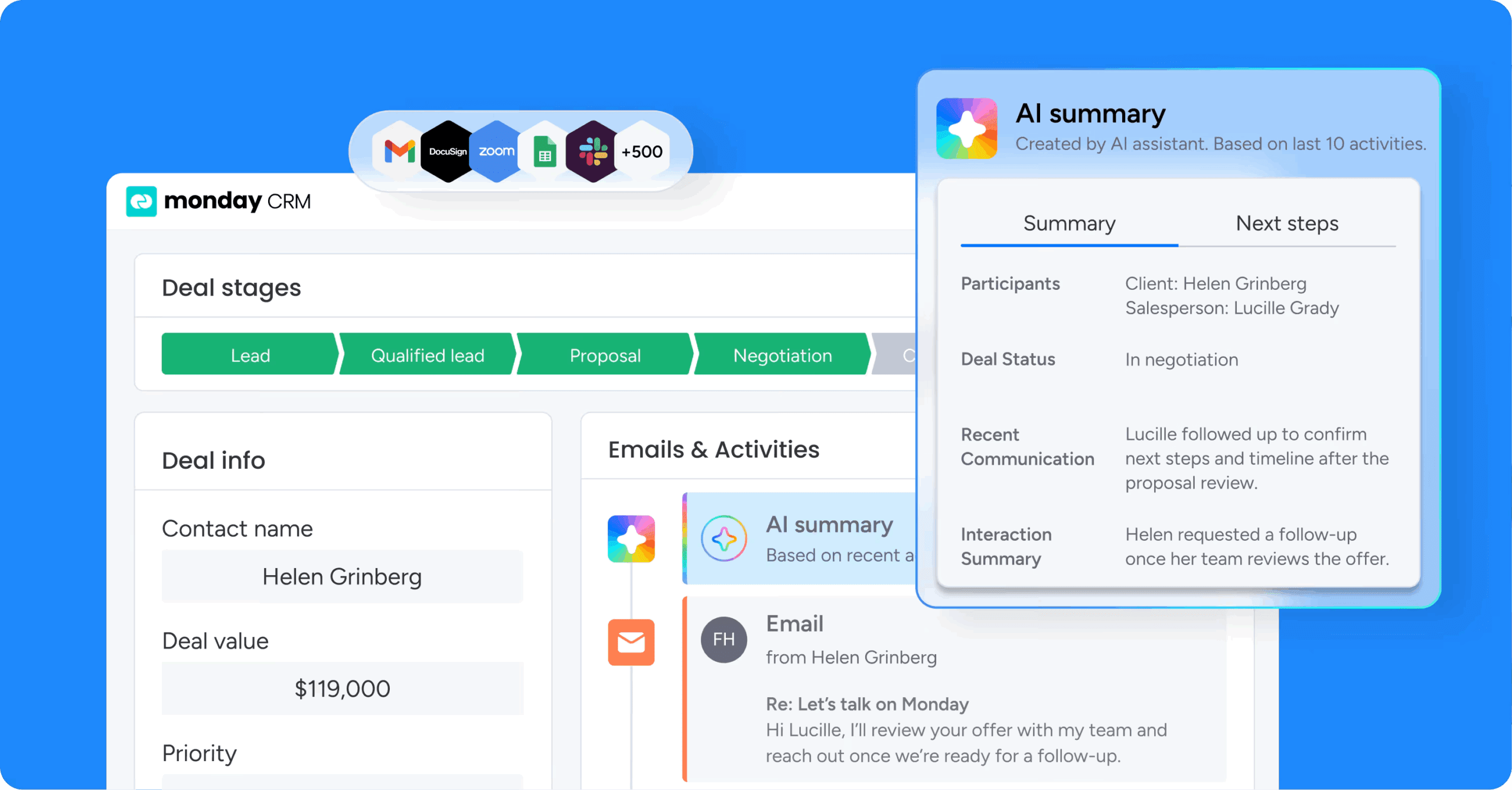
monday CRM gives revenue teams a fully adaptable platform to manage leads, deals, and post-sale workflows, all without touching a line of code. Built for sales leaders, RevOps, and business owners who need pipeline visibility and cross-functional alignment. It replaces rigid systems with flexible, no-code customization that keeps pace with how your team sells.
Example:
monday CRM fits organizations at every stage, from small businesses to enterprise teams, that want a CRM they can launch quickly and shape around complex sales cycles and cross-department work.
It becomes especially valuable when sales, post-sale handoffs, and reporting all need to live in the same environment. That matters even more when your pipeline changes frequently, or when legal, finance, and delivery all influence whether a deal gets across the line.
Key features:
monday CRM spans the full customer lifecycle, from lead capture to closed-won to onboarding. These are the capabilities teams rely on most when moving away from Copper.
- Visual pipeline management: Track where every deal stands in a visual pipeline, then customize deal stages with drag and drop as your sales motion changes.
- Reliable lead management: Collect leads via website forms, social ad campaigns, or other sources, centralize them for qualification, and assign the next step to the right owner.
- Mass email and tracking: Send individual and mass emails using dynamic fields and templates, and track performance like open rates and link clicks.
- Centralized communication timeline: Log and track interactions like emails, meetings, and notes in one timeline, so anyone stepping into the account has the full context.
- Sales leader reporting widgets: Use sales-specific widgets like the leaderboard, sales funnel, and sales pipeline widgets to spot what’s moving, what’s stuck, and where coaching will matter.
Pricing:
- Basic: $12/seat/month (billed annually)
- Standard: $17/seat/month (billed annually)
- Pro: $28/seat/month (billed annually)
- Enterprise: Contact sales for a custom quote
- Save with annual billing
- Plans start from a minimum of 3 seats; teams with more than 40 users should request a custom quote
- AI features are available on Standard, Pro, and Enterprise plans
Why it stands out:
monday CRM stands out when a team needs both speed and flexibility without turning every CRM adjustment into a separate project. You can change how deals are tracked, how communication is managed, and how work gets handed off, all without heavy technical lift.
- Fast to customize as your process changes: Revenue teams can adjust pipelines, fields, and dashboards as the business evolves, so the CRM matches reality.
- A true CRM+ setup: Teams can run sales and the work that follows, like client onboarding, renewals, and collection tracking, in the same platform.
- Cross-team work stays connected: Legal and security requests, contract reviews, and finance steps can live alongside deals, so handoffs don’t rely on “did you see my Slack?”
Advanced AI features:
The AI in monday CRM is centered on the repetitive work sales reps and managers deal with every day: drafting, summarizing, and updating. The result is less manual admin and more time spent on the information that actually helps close business.
- AI email assistant: Compose emails directly inside Emails & Activities using AI, so reps can draft faster without switching tabs.
- Timeline summary with AI: Create a short summary of communication events (emails, calls, meetings, and notes) to speed up account research before a call or handoff.
- Autofill with AI: Apply AI actions to board columns so your CRM stays updated with less copy/paste.
- Detect sentiment: Tag feedback or email text as Positive, Negative, or Neutral.
- Assign label and assign person: Auto-label deals or assign ownership based on defined labels, roles, and skills.
Automations:
With monday CRM automations, follow-ups and handoffs stay consistent even as the pipeline gets more complicated. The objective is straightforward: the right next step happens on time, and everyone who needs visibility has it.
- Automate follow-ups: For example, after a lead comes in from a form, you can auto-assign an owner and trigger your first-touch email.
- Conditional label change: Keep lead status and deal health updated based on the conditions you define, so managers don’t need to chase updates.
- AI automations: Add AI actions inside automations, like Categorize with AI, Summarize text with AI, Extract information with AI, or Detect a sentiment with AI.
2. HubSpot
HubSpot combines marketing and sales in a single platform, giving revenue teams one system for contact management, campaign execution, and deal tracking. With a large customer base, it’s designed for mid-market B2B organizations trying to consolidate their go-to-market platforms. The free CRM tier and straightforward upgrade path also make it approachable for teams at different growth stages.

Use case:
Choose HubSpot when the goal is to keep CRM and marketing automation in the same environment instead of constantly syncing records across separate tools.
Key features:
- Unified sales and marketing data: Contact management, deal pipelines, email tracking, and meeting scheduling are available on the free tier, with all data shared across marketing, sales, and service functions.
- AI-guided selling: Breeze Prospecting Agent researches and prioritizes accounts, while Smart Deal Progression suggests next steps based on conversation transcripts and deal history.
- Sequences and sales automation: Reps can automate outreach, track email opens, log calls, and manage their full pipeline from a single workspace — with 2,000+ app integrations to connect existing tools.
Pricing:
- Free plan: $0, includes contact management, deal pipelines, email tracking, and meeting scheduling
- Sales Hub Starter: From $15/seat/month
- Sales Hub Professional: From $100/seat/month, adds AI prospecting, deal scoring, sales automation, and custom reporting
- Sales Hub Enterprise: From $150/seat/month
- Add-ons such as API limit increases, additional transcription hours, reporting expansions, and e-signature capacity are available at extra cost and can increase total spend as usage scales.
Considerations:
- If your team only wants a sales CRM, HubSpot can feel expensive because you’re also paying for marketing-oriented functionality you may never use. Costs also climb quickly at the Professional and Enterprise levels once add-ons enter the picture.
- Custom objects and workflows often take technical expertise or certified consultant support to build, which makes implementation slower and more expensive than a simpler no-code option.
3. Pipedrive
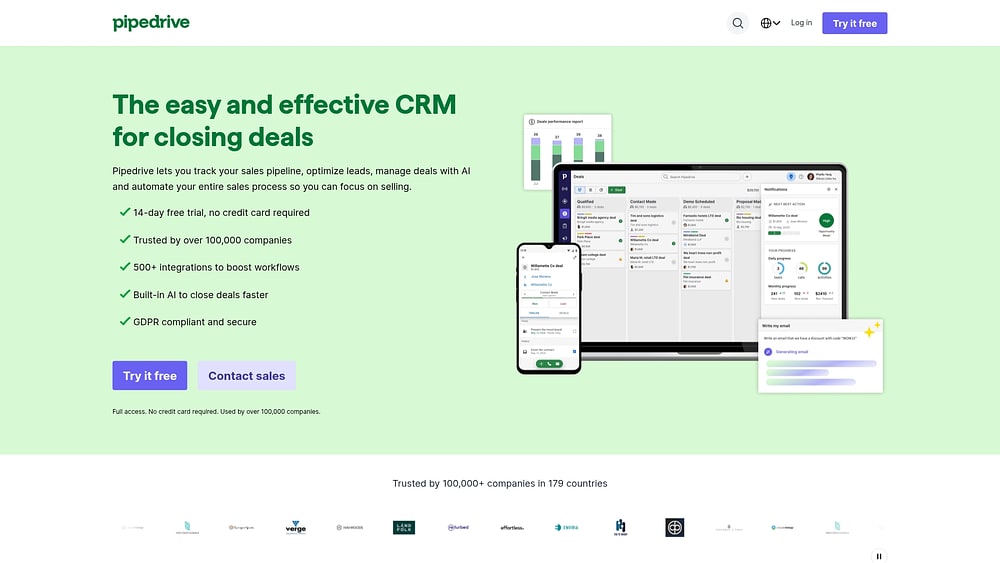
Pipedrive centers the CRM experience around a visual, activity-driven pipeline and one core principle: sales teams should focus on the actions that move deals ahead. Created by salespeople for salespeople, it is aimed at SMBs that want a fast rollout and a clean interface instead of a heavily configured system. The AI Sales Assistant layers recommendations and performance insights on top of an already easy-to-use pipeline.
Use case:
Pipedrive is a strong match for SMB sales teams that want a pipeline-first CRM they can start using quickly, without depending on IT.
Key features:
- Drag-and-drop visual pipeline: Customizable stages with “deal rotting” indicators that surface neglected opportunities before they go cold.
- Activity-based selling: Tracks calls, emails, and meetings as primary metrics, keeping reps focused on controllable actions rather than outcomes alone.
- AI Sales Assistant: Delivers deal recommendations, win probability scores, and performance tips based on activity patterns across the pipeline.
Pricing:
- Lite: $14/user/month
- Growth: $39/user/month
- Premium: $59/user/month
- Ultimate: $79/user/month
- Add-ons: LeadBooster from $32.50, Campaigns from $13.33, Web Visitors from $41, Smart Docs from $32.50, Projects from $6.67.
- 14-day free trial available; no permanent free plan.
Considerations:
- Pipedrive is excellent for managing the sales pipeline itself, but it doesn’t naturally extend into post-sale workflows, renewals, or broader cross-functional collaboration. Teams that need account management visibility or coordination beyond sales will run into limits.
- Lead sourcing and marketing automation are sold as add-ons, so teams expecting an all-in-one setup from the base subscription may see costs rise faster than expected.
4. Salesforce
Salesforce remains one of the dominant names in enterprise CRM, offering a deeply customizable CRM built for complex revenue processes at scale. It’s aimed at large organizations with dedicated IT support, and it brings together autonomous AI agents, advanced forecasting, and a marketplace of 3,000+ integrations. For companies that want end-to-end revenue lifecycle management in one platform, Salesforce offers serious depth.

Use case:
Salesforce makes the most sense for enterprise sales organizations that need deep customization, layered forecasting hierarchies, and autonomous AI agents across high-volume global operations.
Key features:
- Agentforce AI: Deploys autonomous agents across the sales cycle to handle prospecting, lead nurture, meeting prep, and pipeline updates — so reps focus on closing.
- Advanced forecasting: Supports multiple rollup hierarchies and pipeline inspection tools, giving sales leaders a granular view of revenue predictability across territories.
- AppExchange marketplace: Access to 3,000+ apps and integrations, including native Gmail, Outlook, and Slack connectivity, plus MuleSoft for complex on-premise or legacy system connections.
Pricing:
- Free Suite: $0 for up to 2 users
- Starter Suite: $25/user/month
- Pro Suite: $100/user/month
- Enterprise: $175/user/month
- Unlimited: $350/user/month
Considerations:
- Implementation investment is substantial: A move to Salesforce often means 3–6 months of setup, support from a Salesforce administrator or consultant, and ongoing admin overhead: a sizable commitment before the team gets full value.
- Add-on costs accumulate fast: The core editions cover foundational functionality, but advanced AI, analytics, and revenue lifecycle features all require separate licenses. Even with the Unlimited tier including a Premier Success Plan, the published price still rarely reflects the real total.
5. Insightly
Insightly bridges sales and delivery inside one platform, which means a closed deal can move directly into an active project without an app switch. It’s built for professional services firms, agencies, and consultancies where winning the deal immediately kicks off delivery work. Its strongest differentiator is the deal-to-project handoff, and for the right business, that solves a very real operational headache.

Use case:
Insightly is a practical fit for service-based businesses that want sales activity and post-sale project delivery in one system, without relying on manual handoffs.
Key features:
- Deal-to-project conversion: Closed opportunities automatically become projects with tasks, milestones, and resource assignments carried over from the same record.
- Pipeline automation: Customizable triggers and stage-based activity sets enforce consistent sales methodology and reduce missed steps across the team.
- Built-in reporting and dashboards: Over 40 visualization types with role-specific dashboards and drill paths give revenue leaders rep-level and company-level visibility in one view.
Pricing:
- Plus: $29/user/month
- Professional: $49/user/month
- Enterprise: $99/user/month
- A 14-day free trial is available for the CRM plan
Considerations:
- Important features such as lead routing, workflow automation, and AI Copilot sit behind the Professional tier, while quoting, price books, and validation rules require Enterprise at $99/user/month. For growing teams, that tiering adds up quickly.
- The project management component handles standard delivery well, but teams with more sophisticated project needs may still prefer a dedicated project management platform.
6. Zoho CRM
Zoho CRM delivers a surprisingly broad feature set at a price that stays friendly to budget-conscious teams. It’s designed for businesses that want scalable automation without stepping into enterprise-level spend, covering everything from AI-assisted lead scoring to omnichannel communication inside a larger ecosystem of 50+ Zoho apps. Teams already invested in that ecosystem usually get the most upside.

Use case:
Zoho CRM is well suited to budget-conscious SMB and mid-market teams that need wide-ranging CRM functionality — AI, automation, and multi-channel communication included — without paying enterprise pricing.
Key features:
- AI lead scoring and deal insights via Zia: Zia surfaces lead scores, flags deal anomalies, and suggests the best time to contact prospects, so reps focus their energy where it counts.
- Blueprint and CommandCenter for process design: Blueprint enforces stage-gated sales processes, while CommandCenter orchestrates cross-functional customer journeys, giving sales leaders tighter control over how deals move through the pipeline.
- Omnichannel communication with SalesSignals: Consolidates interactions from email, phone, chat, and social into real-time alerts, so nothing slips through the cracks.
Pricing:
- Free: Up to 3 users
- Standard: $14/user/month
- Professional: $23/user/month
- Enterprise: $40/user/month
- Ultimate: $52/user/month
- Add-on costs may apply for additional data storage, higher email sending limits, and premium support
Considerations:
- Compared with newer platforms, the interface can feel dated, and configuration often means working through multiple menus. For teams new to Zoho, that creates a steeper learning curve.
- Several of the more advanced AI capabilities, including the full Zia assistant, are restricted to Enterprise and Ultimate plans, which can push growing teams into higher tiers earlier than they expected.
7. Nutshell
Nutshell gives small and mid-sized B2B sales teams a simple CRM with built-in email marketing, allowing them to manage both pipeline and outreach without bouncing between tools. Its “Next Action Selling” methodology is meant to keep reps focused on the immediate next step for every deal, cutting down on the hesitation that slows momentum.

Use case:
Nutshell is a good fit for SMB sales teams that want pipeline management, email marketing, and sequencing bundled together without enterprise-grade complexity or pricing.
Key features:
- Visual pipeline management: Multiple views including Kanban, list, map, and chart so reps can work the way that suits them.
- Built-in email marketing and sequencing: Automated drip sequences that stop on reply, keeping outreach relevant without manual intervention.
- Next Action Selling: Stage goals and next-step prompts are embedded directly into the pipeline, so reps always know what to do next.
Pricing:
- Foundation: $13/user/month
- Growth: $25/user/month
- Pro: $42/user/month
- Business: $59/user/month
- Enterprise: $79/user/month
- No permanent free plan; a 14-day free trial is available with no credit card required.
Considerations:
- Reporting, forecasting, and full scheduling functionality open up only at higher tiers, so teams on Foundation or Growth will likely hit ceilings as they expand.
- If your team needs post-sale workflows, cross-functional collaboration, or more advanced forecasting, Nutshell will feel limited compared with a more flexible CRM.
8. NetHunt CRM
NetHunt CRM lives directly inside Gmail, effectively turning the inbox into a working sales pipeline. It’s designed for small teams operating in Google Workspace, adding automation, email sequences, and contact enrichment without forcing users into a separate app. For teams committed to Google that need more capability than a basic CRM provides, NetHunt fills that gap.

Use case:
NetHunt CRM is aimed at small Google Workspace teams that want pipeline management, multi-channel outreach, and workflow automation without leaving Gmail.
Key features:
- Gmail-native pipeline management: Manage deals, contacts, and follow-ups directly from your inbox, with no context-switching required.
- Multi-channel sequences: Combine email and LinkedIn steps into automated outreach workflows, with open and click tracking built in.
- Contact enrichment and automation: Auto-populate company data and trigger no-code workflows to route leads, update records, and assign follow-ups.
Pricing:
- Basic: $24/user/month
- Basic Plus: $34/user/month
- Business: $60/user/month
- Business Plus: $84/user/month
- Custom: Quote-based for teams of 10+
- 14-day free trial available; no refunds after purchase
Considerations:
- NetHunt is deeply tied to Gmail. If your company uses Outlook or a mixed environment, much of the advantage disappears. It also offers its own post-sale tools, but teams with more complex cross-functional workflows may still outgrow it.
- Pricing becomes less transparent at the upper end, since Business and Business Plus display only monthly rates publicly and annual pricing requires talking to sales.
9. Freshsales
Freshsales brings together built-in communication and AI-assisted selling in one CRM, helping sales teams cut down on the number of separate tools they juggle. It’s a practical option for SMBs and mid-market teams that want a sales-focused platform without enterprise-level complexity. The strongest AI features sit on paid plans, but the free tier for up to 3 users gives smaller teams an easy entry point.

Use case:
Freshsales works well for sales teams that want phone, email, and chat built in — along with integrations for channels like WhatsApp and SMS — without assembling a separate communications stack.
Key features:
- Freddy AI: Scores leads, surfaces deal insights, and recommends next-best actions so reps can focus on the right opportunities. Heads up: The most powerful AI sales features, like deal insights, are included starting on the Pro plan.
- Unified communication hub: Native phone (click-to-call), email, and chat are built directly into the CRM. It also integrates with WhatsApp and SMS, reducing the need for separate messaging platforms.
- Visual pipeline with automation: Drag-and-drop pipeline stages, workflow automation with custom triggers, and a full contact timeline give sales managers a real-time view of every deal’s status.
Pricing:
- Free: $0/month (up to 3 users)
- Growth: $9/user/month
- Pro: $39/user/month
- Enterprise: $59/user/month
- Additional costs may apply for telephony credits, CPQ licenses beyond the included seat, and marketing contact tiers on the Suite plan.
Considerations:
- The free plan does not include reporting, which makes data-driven decision-making harder for teams that need pipeline visibility from the start.
- Teams managing cross-functional workflows — account management handoffs, legal review, post-sale delivery — may find the platform too narrowly centered on sales execution.
10. Microsoft Dynamics 365 Sales
Microsoft Dynamics 365 Sales is designed for enterprise teams that already operate inside the Microsoft ecosystem: Outlook, Teams, SharePoint, and more. It combines Copilot AI, predictive scoring, and advanced forecasting in one platform, making it a strong choice for large organizations that need automation and governance at scale. It was named a Leader in Gartner’s Magic Quadrant for Sales Force Automation Platforms in both 2024 and 2025, which reinforces its enterprise credibility.

Use case:
Microsoft Dynamics 365 Sales is best suited to enterprise revenue teams already working inside Microsoft 365 who need AI-assisted selling, advanced forecasting, and enterprise-grade compliance in one environment.
Key features:
- Copilot AI for sales: Generates meeting summaries, drafts emails, and surfaces pipeline insights directly inside Outlook and Teams — keeping sellers in their existing workflow.
- Predictive lead and opportunity scoring: Machine learning models score leads and opportunities from 0–100 with trend indicators and key drivers, so sales teams can prioritize the right deals at the right time.
- Advanced forecasting: Supports bottoms-up rollups and organizational forecasts across multiple hierarchy levels, giving revenue leaders a reliable view of what’s coming.
Pricing:
- Sales Professional: $65/user/month
- Sales Enterprise: $105/user/month
- Sales Premium: $150/user/month
- Additional Copilot Credits beyond the included monthly allowance are billed separately via Copilot Studio
- A 30-day free trial is available
Considerations:
- Implementation usually involves IT or a Microsoft partner. This isn’t the kind of platform most teams configure in a weekend, and long-term admin support is part of the equation.
- If your organization is not already heavily invested in Microsoft 365, the cost and complexity can be difficult to justify compared with what comes out of the box.
5 things to look for in a Copper CRM alternative
Plenty of CRMs claim to be flexible. Then you try changing a single pipeline stage and suddenly the whole system feels brittle. To evaluate alternatives properly, you have to look beyond the polished demo and think about what happens when your process, your team, or your tech stack changes.
1. Demand adaptability and no-code customization
Sales processes don’t stay fixed forever. Your CRM should be able to shift with them, and strong customizable CRM software should do that without requiring developer help for every small change. Ask yourself how easily your current pipeline could adapt if your sales motion changed next quarter.
The real test is whether your team can reconfigure a workflow on their own, right now. Waiting on IT for a simple pipeline adjustment is a hidden cost, and rigid systems keep your team stuck using a process that no longer works.
2. Evaluate automation and AI depth
Basic automation is no longer a differentiator. The bigger question is how much the AI can actually do for your team. You need software that removes manual admin instead of piling more of it on.
Look for AI that can summarize client calls or detect risk in an email. Find a system that assigns leads to the right rep without you building a rule for everything. Deep automation separates a CRM that scales from one that slows you down.
3. Prioritize cross-functional visibility
Sales doesn’t operate in isolation. Legal, finance, and account management all touch the revenue process. The question is whether everyone can work from the same source of truth.
When those teams fall back to spreadsheets or disconnected systems, momentum disappears and confusion creeps in. A shared workspace helps prevent those bottlenecks before they form.
4. Check integration breadth
A CRM that works beautifully with one email provider can become a liability the moment your stack changes. Your system needs to plug into the platforms your team relies on every day, including Slack, Outlook, and your marketing and billing software.
A CRM should fit your tech stack, not force you to rebuild it. Forcing your team to change how they work is the fastest way to kill adoption.
5. Review pricing transparency and total cost
The number on the pricing page is almost never the whole number. Real cost includes locked features, implementation fees, and extra charges for items like AI. A low entry price for five users can look very different once the team grows to 50.
Project the full cost for your team at twice its current size. Doing the math upfront saves a lot of regret later. The right alternative gives you room to grow without becoming tomorrow’s bottleneck.
Try monday CRM4 steps to migrate from Copper CRM to a new platform
Changing CRMs can feel like open-heart surgery for your sales process. If the move goes badly, data gets lost and the team runs back to spreadsheets. If it goes well, the new system starts clean and becomes the single place where work happens.
Step 1: Audit and clean your Copper data
Start by reviewing what is actually sitting inside Copper today. If you move messy data into a new platform, you are not solving anything — you are just relocating the mess. There’s no reason to carry old baggage forward.
A short audit gives you a chance to clean things up before the transfer.
- Duplicate records: Find contacts listed multiple times.
- Inactive deals: Archive old opportunities that are just clutter.
- Field formats: Standardize phone numbers, names, and dates to avoid import errors.
- Custom fields: Remove the custom fields nobody actually uses.
Step 2: Map your fields to the new CRM
CRMs rarely use identical terminology. Copper’s “Person” may show up as a “Contact” somewhere else. Build a simple mapping document to act as your translator.
Write down every Copper field and where it should live in the new system. Revenue teams often use monday CRM to create custom columns that reflect their exact data model. A strong mapping document keeps information from landing in the wrong place or disappearing during the move.
Step 3: Run a pilot with a small group
Don’t move the entire company at once. Instead, hand the new CRM to a small, willing group for a few weeks and have them work in it exclusively. That gives you time to uncover broken workflows before the full rollout.
- Key point: Catch missing data before it impacts the entire team.
- Key point: Success means your pilot team never has to look back at Copper.
- Key point: Use their feedback to fix any issues now, not after everyone moves in.
Step 4: Train your team and roll out in phases
The biggest risk in any migration isn’t the data. It’s user adoption. A single massive rollout day usually creates confusion, followed by a quiet return to old habits. Rolling out team by team gives you a better chance to build trust and gather useful feedback.
Live training and comprehensive documentation are essential. Teams often find that monday CRM lets them customize their own views instead of waiting on IT. The real milestone is simple: your team feels comfortable in the new workspace from day one.
Why monday CRM is the Copper CRM alternative that actually fits your team
Many CRMs expect your team to adapt to their software. We believe that logic is backward. The software should conform to the way your team sells, not force you into someone else’s process.
Automate the work, not just the processes
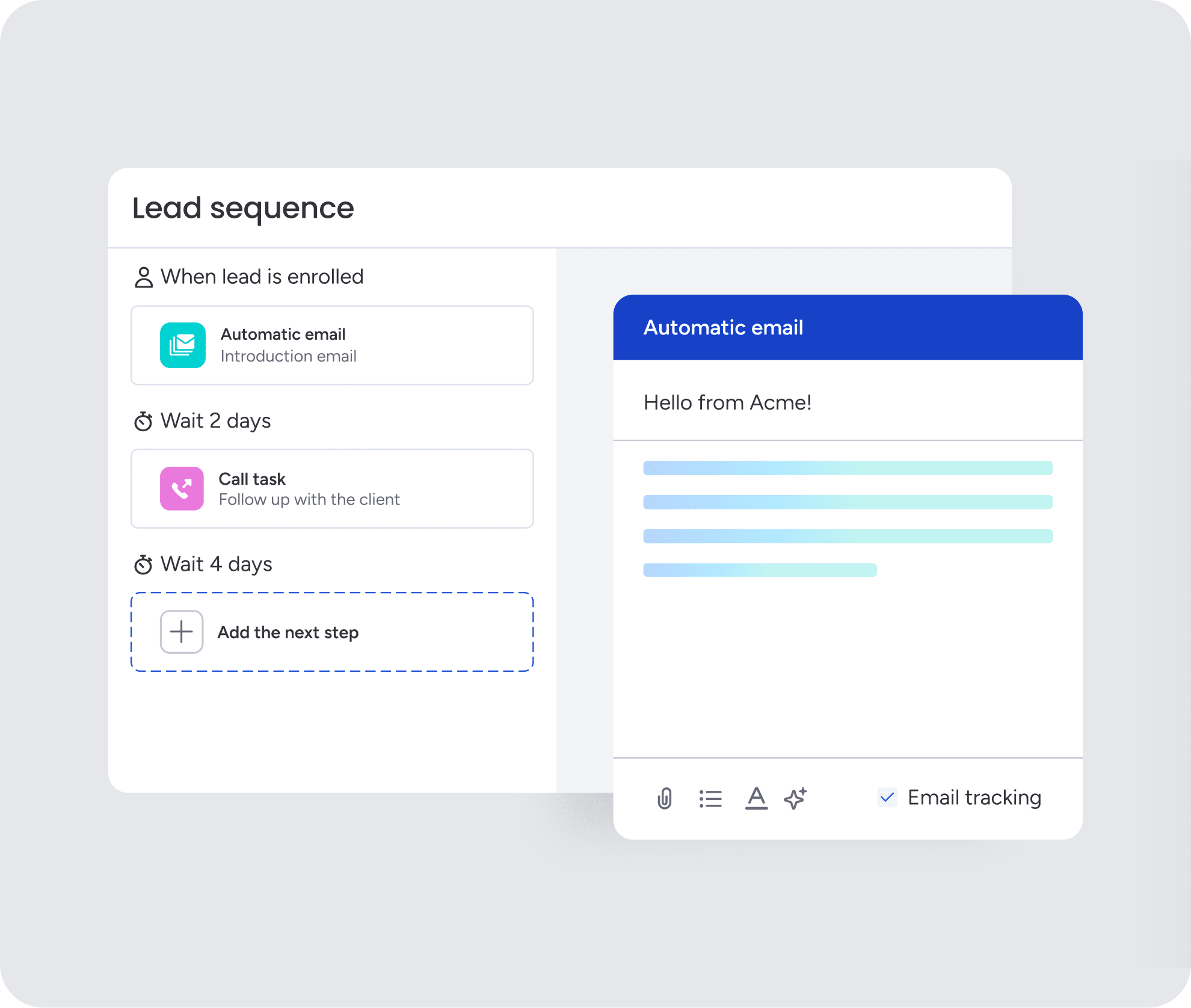
For revenue teams, basic automations are expected. What changes the game is AI-native workflow support. Rather than simply responding to triggers, monday CRM helps surface what the team should do next.
Organizations achieve better results when they leverage monday CRM to let AI handle the busywork.
- Write better emails, faster: The AI drafts emails based on deal context, so your reps always hit the right tone.
- Know every deal’s history, instantly: Get a one-click summary of every call, email, and concern before your next meeting.
- Connect the dots, automatically: When a contract is uploaded, AI can extract the key terms, update the deal, and notify the right people.
Let AI agents handle the repetitive work
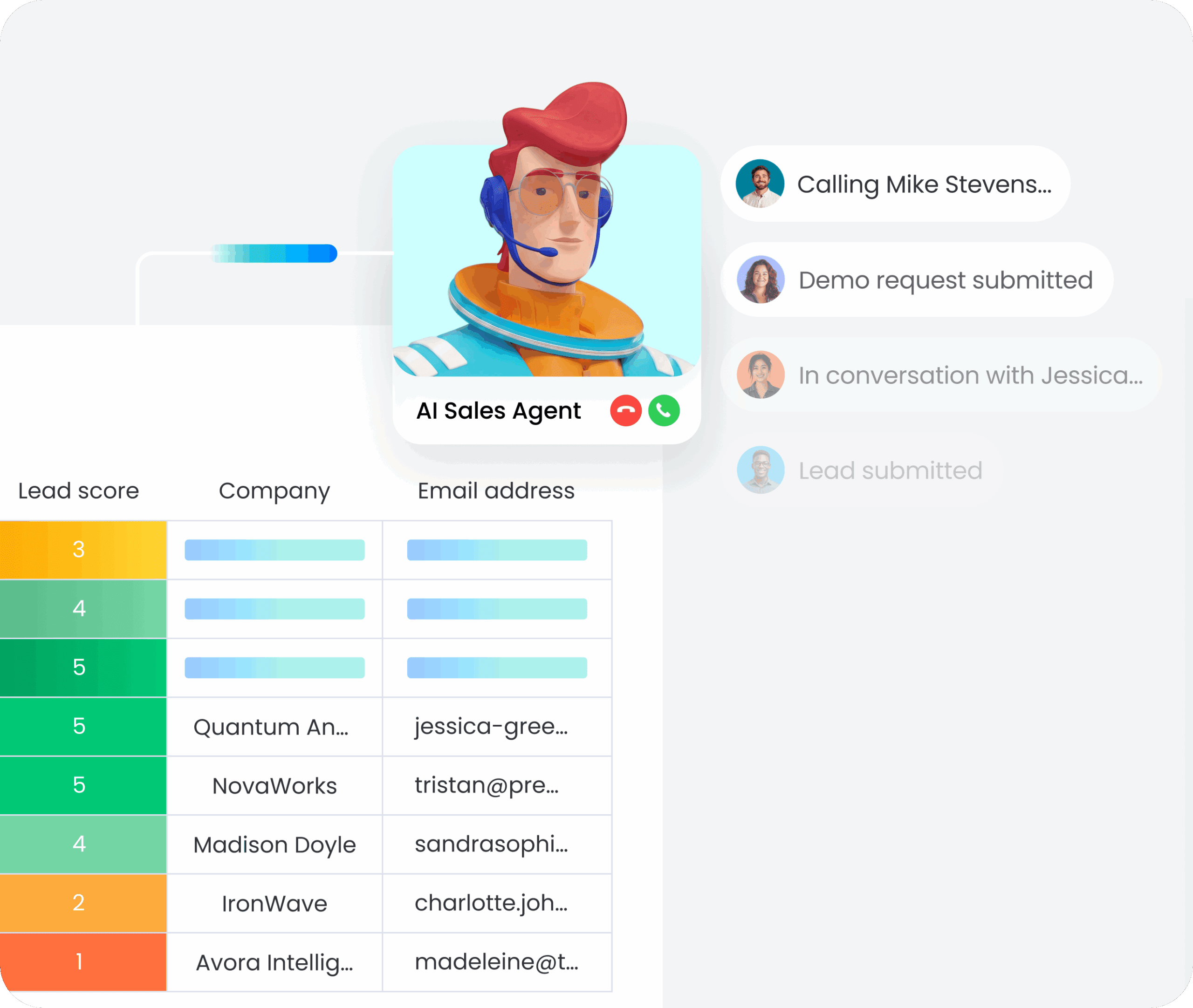
monday agents take automation further by acting autonomously on your behalf. Instead of waiting for someone to trigger a workflow, agents monitor your pipeline continuously and take action when needed.
An agent can qualify incoming leads, update deal stages based on activity patterns, or flag at-risk opportunities before they stall. The result is less manual intervention and more time spent on the conversations that actually close deals.
Connect your entire business to every deal
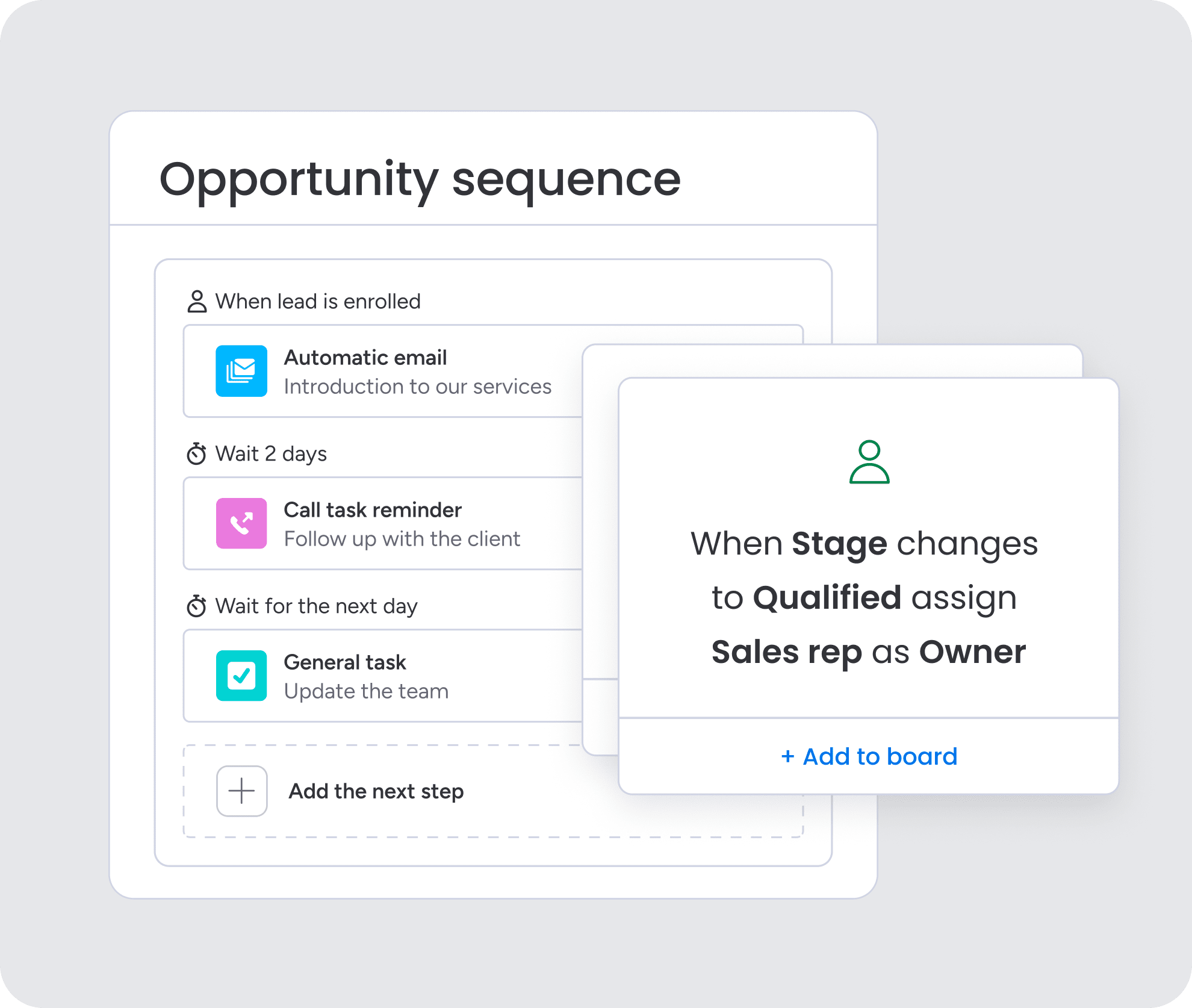
Once a deal closes, what happens next? In many CRMs, that handoff disappears into a black hole somewhere between sales and the rest of the company. The result is friction for both your team and the customer.
monday CRM was built to support the full customer journey. Account managers can see the sales history, finance can track payments, and legal can review contracts. Everyone works from the same deal record, with no need to re-enter data.
Get pipeline visibility you can actually trust
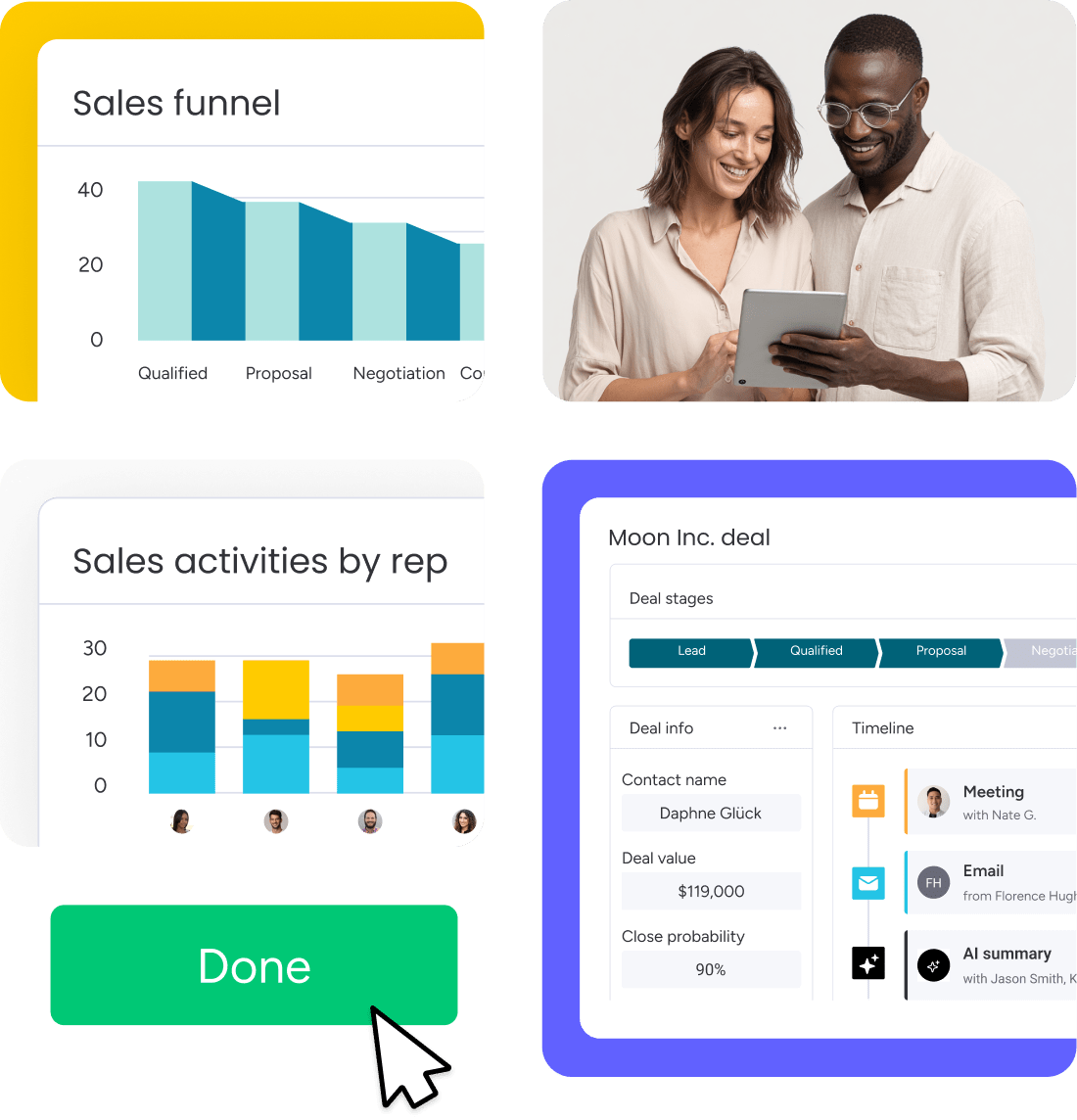
No VP of Sales should be building a last-minute spreadsheet the night before a board meeting. monday CRM gives leaders real-time answers instead of forcing them to work from static exports that go stale immediately.
You can build the exact dashboard you need in minutes. See who is hitting quota, identify at-risk deals, and forecast with more confidence. When the CRM adapts to your business, the visibility becomes something you can actually use.

“With monday CRM, we’re finally able to adapt the platform to our needs — not the other way around. It gives us the flexibility to work smarter, cut costs, save time, and scale with confidence.”
Samuel Lobao | Contract Administrator & Special Projects, Strategix
“Now we have a lot less data, but it’s quality data. That change allows us to use AI confidently, without second-guessing the outputs.”
Elizabeth Gerbel | CEO
“Without monday CRM, we’d be chasing updates and fixing errors. Now we’re focused on growing the program — not just keeping up with it."
Quentin Williams | Head of Dropship, Freedom Furniture
“There’s probably about a 70% increase in efficiency in regards to the admin tasks that were removed and automated, which is a huge win for us.“
Kyle Dorman | Department Manager - Operations, Ray White
"monday CRM helps us make sure the right people have immediate visibility into the information they need so we're not wasting time."
Luca Pope | Global Client Solutions Manager at Black Mountain
“In a couple of weeks, all of the team members were using monday CRM fully. The automations and the many integrations, make monday CRM the best CRM in the market right now.”
Nuno Godinho | CIO at Velv
“monday.com provides developmental flexibility, operational efficiency, and data transparency — all in one place. We became a company that moved from chasing data to leading with it.”
Hyunghan Lee | Team Lead, Sandbox Network
"monday.com brought every part of our business into one connected space. The harmony between work management and CRM has become our operating system — giving us the clarity and confidence to scale.”
Jennifer Chinburg | Executive Vice President of Corporate Development & Brand, Chinburg Properties
“We just weren’t getting value from our old CRM. With monday.com, it's a thousand times better. Our sales teams are more informed, more consistent, and far more connected."
James Arnold | Chief Operating Officer, CenversaScaling your sales motion with confidence
Moving beyond a lightweight inbox CRM is a meaningful step for a growing revenue team. It usually means the sales motion is getting more sophisticated and the data requirements are becoming more demanding. The challenge is finding a platform that can absorb that complexity without introducing new friction.
The right system takes uncertainty out of the pipeline and keeps pre-sales and post-sales teams aligned. With everyone working from a shared source of truth, manual handoffs shrink and human error drops. Before committing, spend time mapping your ideal workflows and look closely at how easily you can update pipeline stages, automate repetitive communication, and manage cross-functional tasks. A flexible workspace like monday CRM should support your growth, not dictate how it happens.
Try monday CRMFAQs
What are the top alternatives to Copper CRM?
The best alternative to Copper CRM depends on your specific needs and tech stack. Teams looking for a highly adaptable, no-code platform often choose monday CRM to manage complex sales cycles. Other popular options include HubSpot for marketing alignment and Pipedrive for a simple, activity-based pipeline.
Why do companies switch from Copper CRM?
Companies switch from Copper CRM when they outgrow its basic Gmail-native functionality. Growing teams often need advanced workflow automation, deeper reporting, and cross-functional visibility that Copper lacks. They also look for platforms that integrate with tools outside the Google ecosystem.
Does monday CRM integrate with Gmail?
Yes, monday CRM integrates directly with Gmail. You can sync your inbox to log emails, track open rates, and manage communication timelines without leaving the CRM. This keeps all client interactions centralized for your entire revenue team.
How hard is it to migrate CRM data?
Migrating CRM data is straightforward if you audit and clean your records first. You need to map your existing fields to the new system to ensure everything transfers correctly. Running a small pilot test before a full rollout helps catch any data mapping errors early.
Can a CRM handle post-sale project management?
Yes, a flexible CRM can handle post-sale project management seamlessly. Platforms like monday CRM allow you to manage the entire customer lifecycle in one place. This means account managers, legal, and finance teams can collaborate on the same deal record after it closes.
