

Sales closed the deal. Marketing launched the campaign. Support resolved the ticket. The customer moved forward, but each team worked from a different system.
This is what happens when CRM data lives in silos. Each team has its own view of the customer, but nobody has the full picture. A collaborative CRM changes that by giving sales, marketing, and support a shared view of every interaction, so context travels with the customer instead of getting lost between departments.
This article explains what collaborative CRM really means for revenue teams, compares 7 platforms that actually connect departments, and discusses how the right system turns scattered customer data into coordinated action.
Try monday CRMKey takeaways
- Share one customer record across sales, marketing, and service to keep handoffs aligned.
- Centralize communication history, deal status, and follow-ups in one system.
- Route work with automations so leads, contracts, and onboarding tasks move without manual coordination.
- Track pipeline health, forecasts, and team activity in dashboards built for revenue teams.
- Run revenue workflows in monday CRM with flexible pipelines, AI features, and code-free reporting.
What is collaborative CRM software?
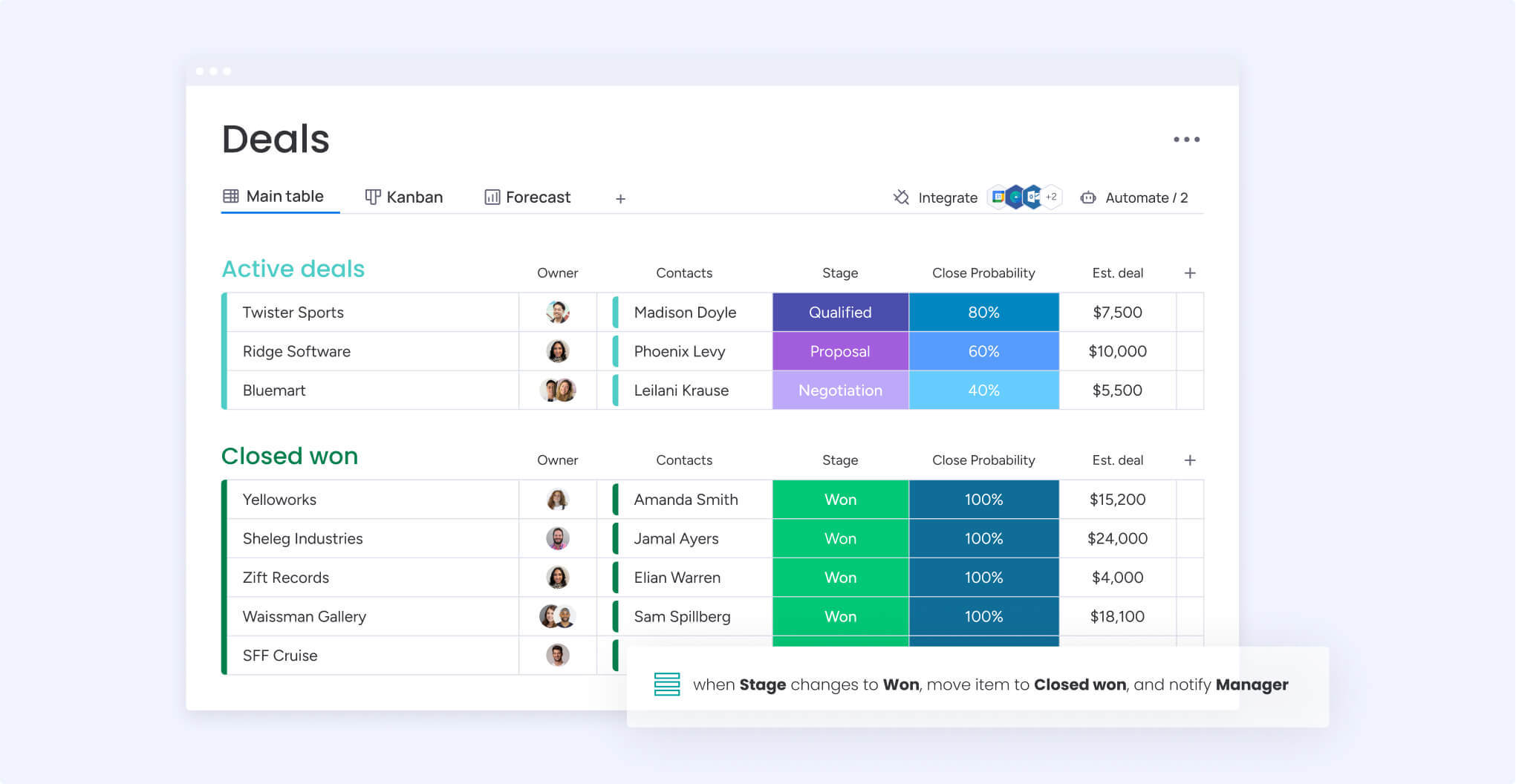
Collaborative CRM software gives customer-facing teams a shared view of each account. Sales, marketing, service, and operations work from the same record, with access to communication history, deal progress, and next steps.
Shared context improves handoffs across the customer journey. Reps see earlier conversations before a call. Account managers pick up onboarding with clear expectations. Service teams flag issues that affect renewals without relying on separate updates.
Collaborative CRM connects customer data to day-to-day workflows so teams act on the same information at the same time.
Collaborative, operational, analytical: what's the difference?
CRM platforms often emphasize different priorities. Some focus on daily pipeline work. Others prioritize reporting and forecasting. Collaborative CRM centers on shared visibility and cross-team workflows.
Operational CRMs support deal stages, follow-ups, and sales activity. Analytical CRMs help teams review trends, forecasts, and performance data. Collaborative CRMs connect teams around the same customer record, so updates and decisions stay aligned across departments.
Revenue teams get more value when these capabilities work together and support shared ownership without adding complexity.
When collaborative CRM drives results
Collaboration becomes critical when account ownership shifts between teams. Lead qualification may start in marketing, move through sales, pass through legal or finance, then land with onboarding and account management. Each stage adds detail that the next team needs.
A collaborative CRM supports this flow with shared account records, consistent activity tracking, and connected workflows that keep stage transitions visible across teams. Teams spend less time reconstructing history and more time moving accounts forward.
Shared reporting adds another layer of value. Teams spot stalled deals earlier, align outreach with real engagement, and prioritize work based on live pipeline signals rather than assumptions.
Get your data and your teams aligned
Shared data supports better collaboration. When teams track pipeline activity, engagement, and service context in the same place, they spend less time reconciling updates and more time acting on what they see.
Shared reporting also clarifies priorities. Teams can spot stalled deals earlier, coordinate follow-ups after a stage change, and align outreach based on real engagement signals.
Who uses collaborative customer relationship management?
Customer-facing teams share responsibility for pipeline and account health, even when they work in different functions. A collaborative CRM brings those roles into one account record so each team starts conversations with current information.
Give sales teams full account history
Reps prepare faster when account records include marketing engagement and service activity. Full visibility into recent conversations helps them qualify opportunities, prioritize follow-up, and keep outreach consistent across the account.
- Faster deal progression through fewer repeated questions
- Engagement history that guides next steps
- Account conversations that stay consistent across teams
Connect marketing activity to pipeline
Marketing teams need visibility into how programs influence revenue. A collaborative CRM links engagement data to deal stages so teams can track impact, support active opportunities, and adjust messaging based on pipeline movement.
- Campaign data tied directly to deal progression
- Messaging that reflects sales activity
- Lead handoffs that carry clear next steps
Give service teams full account context
Service teams respond more effectively when they see purchase history, open deals, and recent communication before they engage. That visibility supports clearer responses and earlier identification of renewal risks.
- Responses informed by recent account activity
- Issues flagged before they affect user retention
- Expansion signals routed to account owners
Unify revenue operations reporting
Revenue operations teams work more efficiently when departments rely on the same dataset. A collaborative CRM supports shared definitions for pipeline stages, activity tracking, and reporting.
- Forecasts built from shared inputs
- Resource planning tied to live pipeline data
- Dashboards that teams trust and use
7 essential features of collaborative CRM platforms
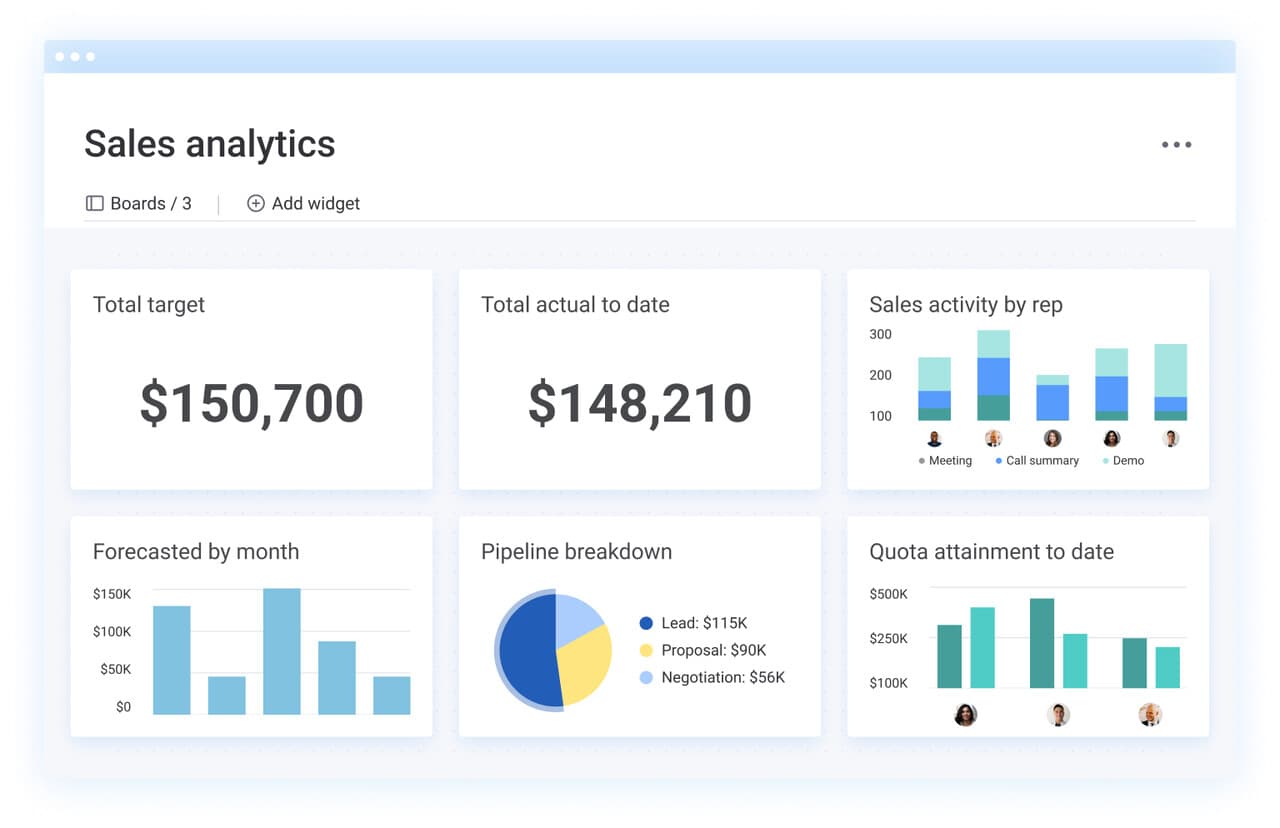
Some CRMs support shared visibility, but collaboration improves when teams can also move work forward together. Collaborative CRM platforms connect teams through shared records, handoff workflows, permissions, reporting, and integrations.
- Centralized communication timeline: Store calls, emails, and meeting notes in one account record so teams review history before every conversation.
- Cross-team dashboards and reporting: Track marketing engagement, sales activity, and account health in the same workspace to support shared priorities.
- Automated stage transitions: Trigger tasks and alerts when deals change stages so follow-through stays consistent.
- Flexible access permissions: Control visibility at the field and role level so teams share the right information without oversharing.
- Native and third-party integrations: Sync email, calendar, and support tools to keep account records current without double entry.
- Mobile collaboration: Update deals, log notes, and review account history while working between meetings or on the road.
- Team performance analytics: Track how handoffs perform and where deals slow down so leaders can improve the process, not critique individuals.
Learn more: AI account health agent
7 collaborative CRM solutions that connect your teams
Cross-team work breaks down when customer context sits in separate systems. These 7 CRM platforms support collaboration through shared records, handoff workflows, permissions, reporting, and integrations.
1. monday CRM
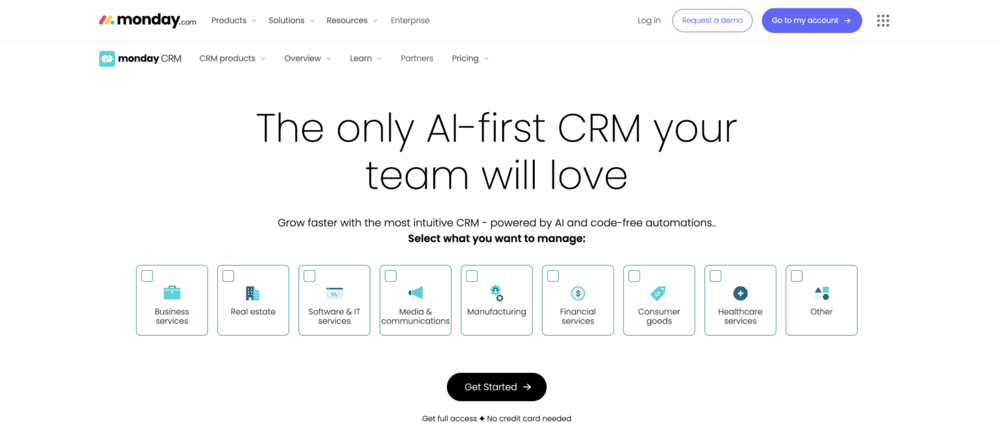
monday CRM supports revenue teams across the full customer journey, from lead capture through renewals and payment tracking. Sales and customer-facing teams work from one customer record, log every interaction in a shared timeline, and move deals forward with automations that support real workflows.
Teams shape pipelines, dashboards, and workflows to match how they sell without heavy technical work. Leaders gain visibility into pipeline health, forecasts, and activity trends, while reps spend less time on manual updates. Teams that use monday campaigns alongside monday CRM can plan, send, and track sales emails directly from the platform, tying outreach activity to deal progression.
Best for:
Mid-market revenue teams that want a CRM their teams will adopt across sales and post-sales workflows.
Key features:
- Emails & Activities: Log and track emails, meetings, and notes in one timeline so teams can review account history quickly
- Account, contact, and deal management: View connected deals, accounts, contacts, and related work in an expanded item view
- Visual sales pipelines: Customize deal stages with drag-and-drop pipelines that reflect your sales cycle
- Mass email and tracking: Send individual or bulk emails with dynamic fields, then track opens and link clicks with monday campaigns
- Code-free reporting: Build dashboards to track pipeline status, forecasting, team performance, and activity using widgets like leaderboard and funnel
- Dedicated mobile experience: Update deals, log activity, and follow up while working in the field or between meetings
Advanced AI features:
Available on Standard, Pro, and Enterprise plans when enabled by admins.
- AI timeline summaries: Create short summaries of recent emails, calls, meetings, and notes so teams can review account context quickly
- AI email assistant: Draft emails inside Emails & Activities to support consistent messaging across sales and post-sales teams
- Autofill columns with AI: Apply actions such as extract information, summarize, detect sentiment, assign person, or assign label to compatible columns
Automations:
- Automate follow-ups: Trigger email follow-ups after calls, demos, or stage changes
- Automate deal actions: Run actions based on custom conditions to support stage-based workflows
- Keep process labels consistent: Apply conditional label changes to keep pipeline statuses aligned
Integrations:
- Connect your tech stack: Sync customer activity across email, calendar, marketing, and support tools
- Keep one workflow across teams: Link sales activity to onboarding, account management, and collections work
- Extend what you track: Use monday CRM as the system of record while continuing to work in the tools your teams rely on
Collaborative CRM features:
- Shared customer context: Store emails, meetings, and notes in Emails & Activities so every team sees the same history
- Connected customer work: Link deals, accounts, contacts, and related work to support clean handoffs
- Dashboards for stakeholders: Share pipeline, forecast, performance, and activity views without manual rollups
Pricing:
monday CRM offers flexible plans for teams of all sizes, starting at $12 per seat/month billed annually with a 3-seat minimum. A free trial is available. monday campaigns is available as a paid add-on starting at $50/month for 2,000 contacts.
Why it stands out:
- Fits your sales process: Tailor pipelines, automations, dashboards, and tracking to match how your team sells
- Covers more than sales: Support lead and deal work plus onboarding, renewals, and collection tracking in one platform
- Keeps reporting close to the work: Use built-in dashboards and sales widgets to review performance and forecast without chasing updates
2. Salesforce Sales Cloud

Salesforce Sales Cloud supports large organizations that manage complex sales processes across multiple departments. Teams use it to coordinate account activity, automate workflows, and manage permissions across sales, marketing, and service.
Best for:
Enterprise teams that rely on Slack, advanced workflow automation, and role-based access controls to manage cross-department sales activity.
Key features:
- Slack-native collaboration: Update records, receive alerts, and trigger workflows directly from Slack
- Team selling frameworks: Use Account Teams and Opportunity Teams to manage shared ownership across roles
- Cross-cloud connectivity: Connect data across Marketing Cloud, Service Cloud, and Commerce Cloud for lifecycle visibility
Pricing:
Salesforce offers tiered plans including a Free Suite for up to 2 users, with paid plans starting at $25 per user/month. Enterprise tiers range from $175 to $350 per user/month billed annually. Advanced AI plans start at $550 per user/month.
Considerations:
- Advanced collaboration often requires paid add-ons such as Sales Engagement or Revenue Intelligence, which increase total cost
- Implementation and customization usually require admin or consultant support and longer rollout timelines
3. Microsoft Dynamics 365

Microsoft Dynamics 365 integrates CRM activity into the Microsoft 365 ecosystem, with Teams, Outlook, and SharePoint built into customer records. Organizations that already rely on Microsoft tools can manage collaboration without switching platforms.
Best for:
Organizations heavily invested in Microsoft 365 that want CRM collaboration embedded into existing workflows.
Key features:
- Teams integration: Chat, meet, and share files inside customer records
- Office 365 sync: Automatically connect emails, calendars, and documents across Outlook, SharePoint, and Dynamics
- Shared workspaces: Collaborate on accounts and opportunities with full audit trails
Pricing:
Sales plans start at $65 per user/month, with enterprise tiers up to $150 per user/month. Service plans range from $50 to $195 per user/month. Contact center bundles and Copilot add-ons are priced separately.
Considerations:
- Teams collaboration has limits for guest users, mobile devices, and cross-tenant access
- Licensing structures vary by bundle, and some analytics require additional Power BI subscriptions
4. Pipedrive

Pipedrive focuses on visual pipeline management with lightweight collaboration features designed for growing sales teams. The platform supports shared visibility without the overhead of enterprise CRM systems.
Best for:
Small and mid-sized sales teams that want shared pipelines and basic collaboration without heavy setup.
Key features:
- Shared pipeline views: Give all team members access to deal progress and pipeline stages
- Team activity feeds: Track calls, emails, and deal updates in a shared stream
- Basic automations: Assign leads and trigger stage-based notifications
Pricing:
Plans start at $14 per user/month billed annually, with higher tiers up to $79 per user/month. A 14-day free trial is available. Add-ons such as LeadBooster and Projects are priced separately.
Considerations:
- Advanced dashboard sharing is limited to higher-tier plans
- Shared inbox features vary by plan, and one email cannot serve as both private and shared
5. Zoho CRM

Zoho CRM provides collaborative tools at accessible price points and connects with Zoho’s broader business application ecosystem. Teams use it to coordinate sales, marketing, and service activity in one environment.
Best for:
Small to mid-market teams that want collaborative CRM functionality without enterprise pricing.
Key features:
- Team feeds and shared calendars: Coordinate activity with mentions, file sharing, and scheduling
- CRM for Everyone: Assign tailored access levels for non-sales teams
- Omnichannel signals: Consolidate interactions from email, calls, chat, and support
Pricing:
Zoho CRM offers a free plan for up to 3 users, with paid plans starting at $14 per user/month billed annually. Team User licenses for limited-access collaborators start at $9 per user/month.
Considerations:
- Team User licenses restrict access to dashboards, integrations, and AI tools
- Advanced process automation features are limited to higher-tier plans
6. Oracle NetSuite CRM
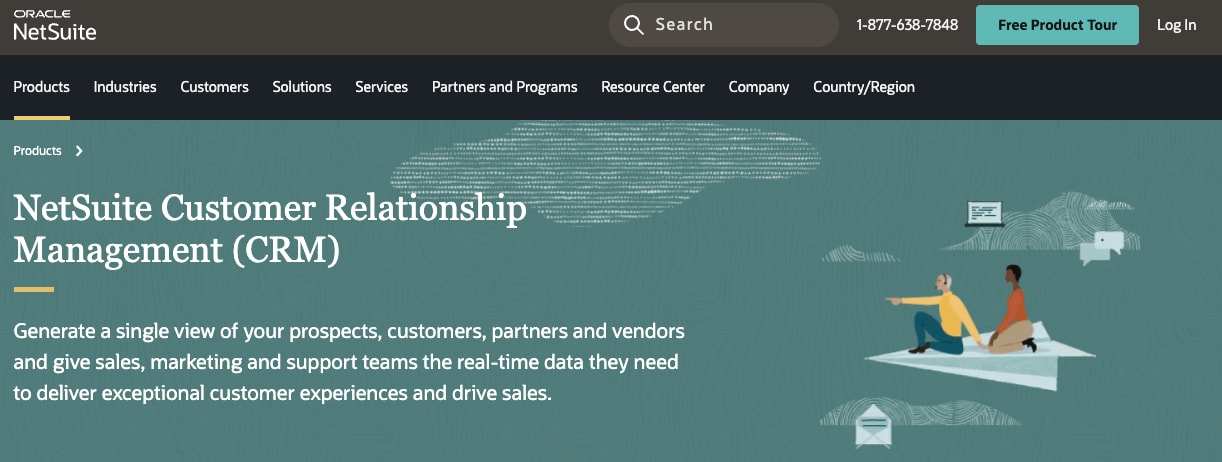
Oracle NetSuite CRM connects customer-facing activity with back-office operations such as finance, inventory, and fulfillment. Large organizations use it to coordinate sales with operational systems.
Best for:
Enterprises that require CRM collaboration across sales, operations, and finance in one system.
Key features:
- Cross-department workflows: Link CRM activity with finance, inventory, and operations when deals close
- Unified customer records: View sales history, payment status, and order fulfillment in one place
- Partner relationship management: Manage channel sales and forecasting through PRM portals
Pricing:
NetSuite uses a quote-based subscription model with separate implementation fees and licensed add-on modules. Annual commitments apply.
Considerations:
- Cloud-only delivery may not meet on-premises or regulatory requirements
- Licensing and setup complexity make it better suited for larger organizations with dedicated resources
7. folk CRM
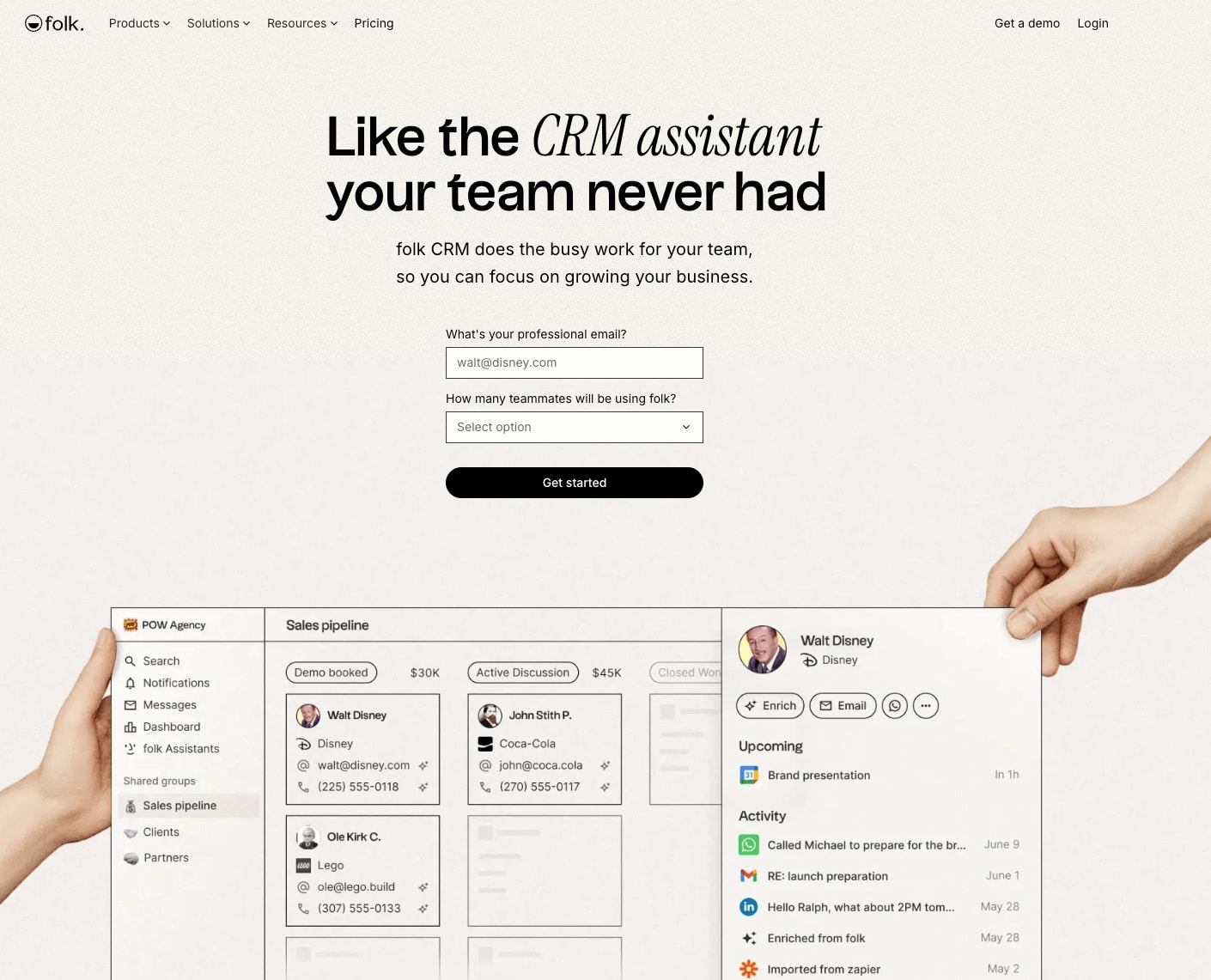
folk CRM centers on shared contact management across communication channels such as LinkedIn, WhatsApp, and email. Teams use it to collaborate on relationship-driven workflows.
Best for:
Agencies, recruiting teams, and partnerships teams that manage shared contact databases across multiple channels.
Key features:
- Multi-channel sync: Capture WhatsApp, LinkedIn, email, and calendar interactions in one place
- Collaborative pipelines: Share deal management with mentions, notes, and reminders
- AI assistance: Surface research insights and follow-up suggestions to support outreach
Pricing:
Plans start at $17.50 per user/month billed annually, with premium tiers up to $70 per user/month. A 14-day free trial is available.
Considerations:
- Granular permissions and full interaction history require Premium plans
- Native mobile apps are not available, which may affect field-based teams
How AI transforms CRM collaboration
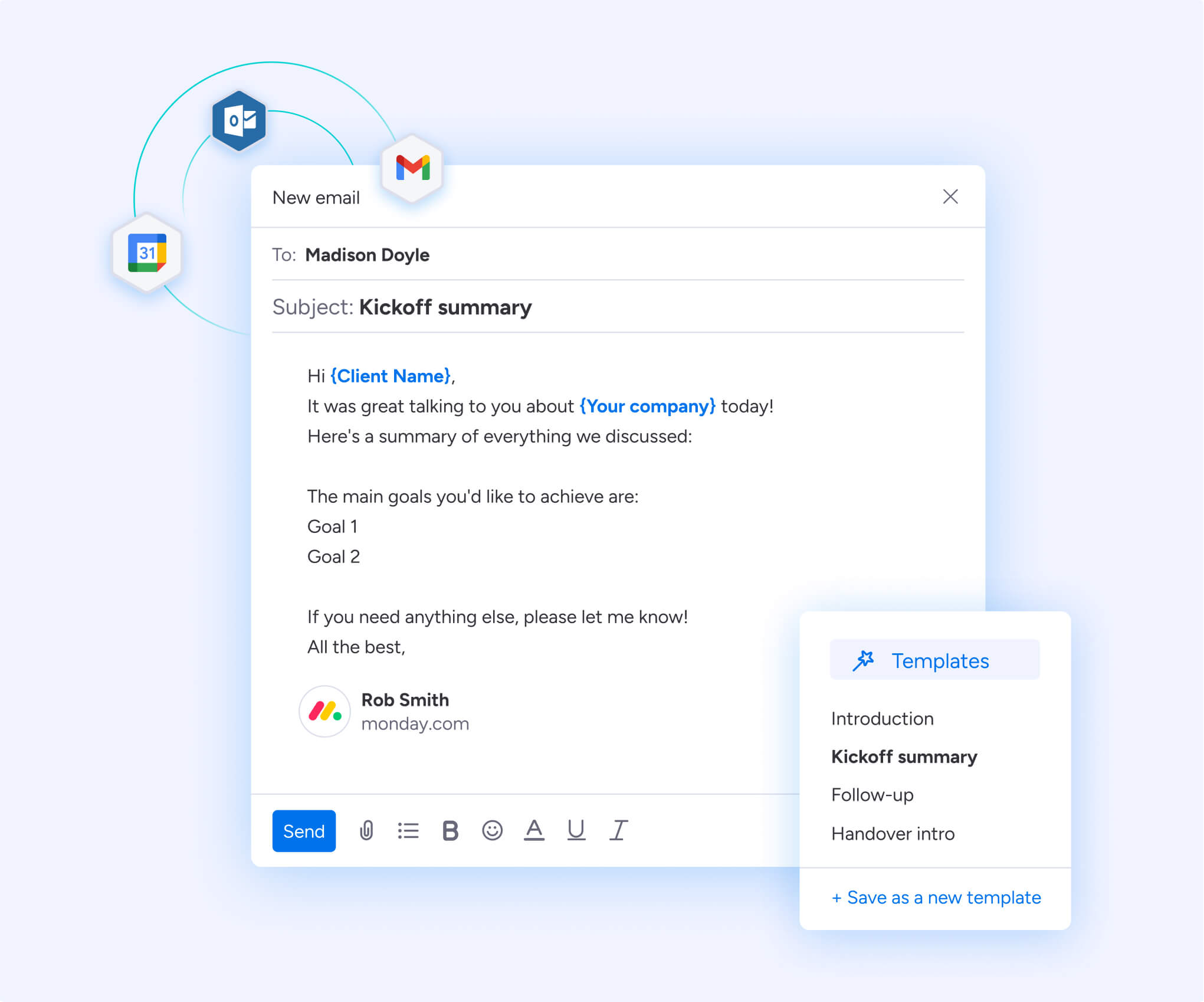
AI can help teams keep customer records current and reduce manual coordination across handoffs. When teams log activity consistently, AI features can summarize recent account communication, surface key details, and support faster follow-ups.
Teams also use AI to clean up CRM data. Autofill actions and structured updates reduce missing fields and improve reporting quality, which helps leaders trust dashboards and forecasts.
Look for AI features that support real workflows, such as timeline summaries, faster email responses, and quick updates to account records.
How monday CRM unifies your teams for seamless collaboration
Teams lose momentum when customer work lives in separate tools. monday CRM brings sales, marketing, and service into one shared customer record, so handoffs carry context instead of creating gaps.
Customize workflows without writing code
Teams adjust workflows as processes change. Lead routing rules, deal stages, and follow-up tasks can all be updated without waiting on technical resources. Visual workflows make it clear how work moves between teams, which helps everyone stay aligned on next steps.
Connect sales to the rest of your business
Sales activity often affects onboarding, account management, and collections. monday CRM connects deal updates to downstream work, so a closed deal can trigger onboarding tasks and notify the right stakeholders. Teams track progress without copying updates between systems.
Build a CRM your team will use
Adoption improves when tools feel familiar. Visual pipelines and drag-and-drop actions make it easier for new reps to get started and for experienced teams to stay consistent. Shared views give everyone the same picture of each account.
monday CRM becomes the place teams check for customer context before every conversation.
Bring your revenue teams together with collaborative CRM
Collaborative CRM helps teams share customer context, coordinate handoffs, and act on the same signals across the customer journey. Choose a platform that supports shared ownership across sales, marketing, and service, with reporting leaders can trust and workflows teams will follow.
Ready to see what connected teamwork looks like? Try monday CRM and give your revenue team the visibility and control they’ve been missing.
Try monday CRMFAQs
What should teams standardize before rolling out a collaborative CRM?
Define lifecycle stages, deal stages, lead assignment rules, and activity logging expectations. Shared definitions improve reporting and reduce confusion during handoffs.
How do permissions work in a collaborative CRM?
Most platforms support role-based access so teams can share account context while limiting sensitive fields. Set roles early so collaboration stays open while data stays controlled.
What should teams evaluate during a free trial?
Test pipeline setup, automation for handoffs, dashboard creation, and mobile usability. Pay attention to adoption signals, such as whether reps log activity consistently and whether managers trust the pipeline view.
Which teams should be involved in selecting a collaborative CRM?
Include sales leadership, RevOps, marketing, service, and IT or operations. Shared input helps teams align on workflows, integrations, and data definitions before rollout.
What data should a collaborative CRM capture beyond contact details?
Track communication history, deal stage changes, onboarding tasks, renewal timing, and key account notes. Broader context helps teams coordinate and keeps customer conversations consistent.