



What if every detail from your sales calls — buying signals, decision-maker names, budget discussions — automatically flowed into your CRM the moment the call ended? AI meeting assistants make this possible by joining your calls, capturing conversations in real time, and syncing insights directly to your pipeline without any manual work from your reps.
In this guide, you’ll discover how AI meeting assistants work during live sales calls, 7 proven ways they help revenue teams close more deals, and the key features to look for when choosing the right platform. We’ll show you how to evaluate these tools for your sales process and how the right solution brings meeting intelligence directly into your pipeline.
Key takeaways
- Every sales call detail gets captured automatically: AI meeting assistants record, transcribe, and flag buying signals in real time — so every critical detail is captured and actioned.
- Your CRM stays accurate without extra work from reps: Meeting insights sync directly to deal records, eliminating manual data entry and keeping pipeline data current after every call.
- Sales managers can coach from real evidence, not guesswork: Searchable call libraries let managers review exact quotes and identify what top performers do differently — then replicate it across the team.
- Meeting intelligence connects directly to your pipeline: AI extracts key insights from calls and updates deal stages, activity timelines, and dashboards automatically, with no need to switch between platforms.
- Faster handoffs and follow-ups keep deals moving: Shared call context speeds up SDR-to-AE transitions, and AI-drafted follow-up emails go out within minutes of a call ending.
What is an AI meeting assistant for sales teams?
An AI meeting assistant is software that joins your sales calls, records conversations, transcribes dialogue in real time, and uses AI to extract actionable insights. For sales teams specifically, these tools capture every detail of prospect conversations — buying signals, objections, competitor mentions, and commitments — then use CRM automation to sync that information directly to your CRM without manual data entry.
During a typical sales call, an AI meeting assistant does 3 things at once:
- Transcribes the full conversation with speaker identification, distinguishing between the sales rep, prospect, and any other participants
- Flags key moments as they happen, such as pricing discussions, timeline questions, decision-maker involvement, or competitive comparisons
- Generates a structured summary with next steps and action items within seconds of the call ending
The impact is immediate. Reps stop losing critical information to forgotten notes or incomplete CRM records.
When a prospect mentions “We need this implemented by Q3” … that exact quote gets captured, timestamped, and surfaced rather than scribbled on a notepad that gets lost before the follow-up email goes out.
How an AI meeting assistant works on sales calls
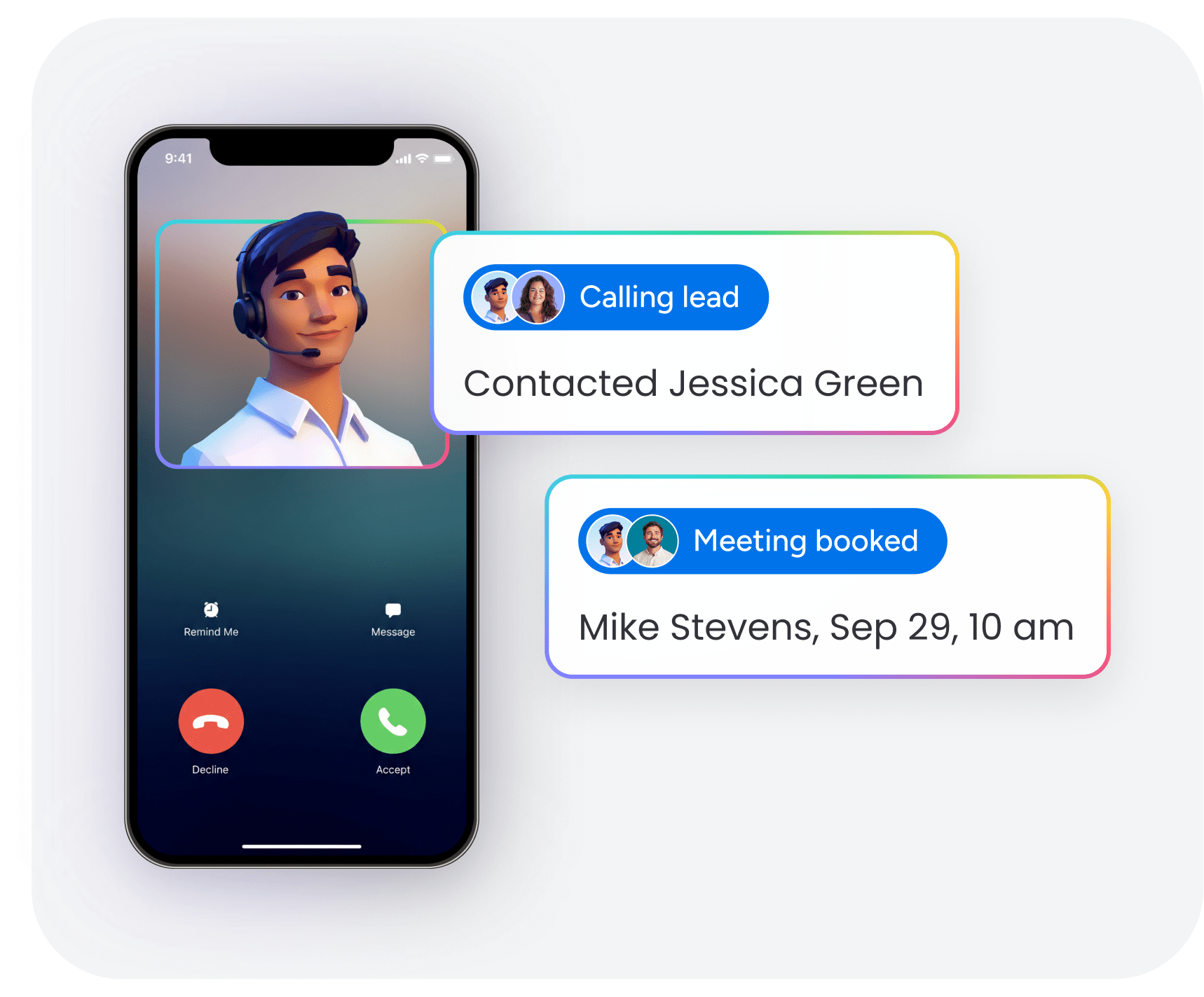
AI meeting assistants rely on 3 technical capabilities that work together during live sales conversations. Here’s how each one works and why it matters for revenue teams.
1. Live transcription and speaker identification
Speech-to-text technology converts spoken words into written text in real time. Speaker identification labels each statement by participant, separating the sales rep’s questions from the prospect’s responses and any other attendees’ contributions.
Here’s why this matters for sales teams:
- Active listening becomes possible: Reps focus entirely on the conversation instead of splitting attention between listening and note-taking
- Exact quotes are preserved: Managers can review precisely what prospects said when coaching reps, not paraphrased summaries
- Searchable conversation history: Teams can search transcripts later to find specific topics across hundreds of calls
When a prospect says “We need this implemented by Q3,” the AI captures that exact quote and timestamps it. The rep doesn’t need to remember it, write it down, or hope they recall the detail correctly when updating the CRM later.
2. Automated meeting notes and summaries
After transcribing the call, AI meeting assistants analyze the conversation to generate structured meeting notes and executive summaries automatically. The AI identifies the most important points, organizes them into logical sections, and presents them in a format that’s immediately useful for follow-up.
Here’s what automated summaries capture and why each piece matters:
- Key discussion points: Product features discussed, pain points mentioned, objections raised
- Decisions made: Agreements reached during the call, commitments from both parties
- Prospect questions: Specific questions asked that may need follow-up answers
- Next steps: Action items and follow-up tasks with assigned owners
Instead of spending 10–15 minutes after each call writing notes, sales reps get a complete summary seconds after the call ends.
3. Action item detection and CRM sync
AI meeting assistants identify action items and commitments made during sales calls, then sync this information to the team’s CRM automatically. Action items are specific tasks or follow-ups that someone agreed to complete — for example, “Send pricing proposal by Friday” or “Schedule demo with technical team.”
CRM sync works by extracting structured data from the conversation and writing it directly into the appropriate CRM fields, eliminating manual data entry entirely. The impact shows up in these ways:
- CRM accuracy improves: Records reflect actual conversation content, not reps’ incomplete recollections entered hours or days later
- Deals stay active: Follow-up tasks get created automatically, so deals don’t go cold because someone forgot to act
- Pipeline visibility stays current: Sales managers see real-time deal progress because CRM data updates happen immediately after every call
Why revenue teams need an AI powered meeting assistant
Revenue teams face challenges that make AI meeting assistants especially valuable. First, information loss happens constantly when reps rely on manual note-taking. A prospect might mention a contract renewal date or their biggest frustration with a current vendor, but that information never makes it into the CRM.
- Information loss happens constantly when reps rely on manual note-taking. A prospect mentions their contract renewal date, their biggest frustration with their current vendor, or the name of the decision-maker who needs to approve the purchase — and that information never makes it into the CRM because the rep was focused on the conversation, not documentation.
- CRM data gaps compound the problem. Reps often skip updating CRM records after calls because it’s time-consuming and tedious. The result is incomplete pipeline visibility: managers can’t accurately forecast revenue, identify at-risk deals, or understand why certain deals are stalling.
- Coaching blind spots limit team improvement. Sales managers can’t effectively coach reps without visibility into actual customer conversations. They rely on reps’ subjective summaries of how calls went, missing opportunities to identify specific behaviors that win or lose deals.
AI meeting assistants solve these problems by creating a single source of truth for every sales conversation. Every call is recorded, transcribed, and analyzed — nothing gets lost, CRM data stays current, and managers can review real conversations instead of relying on secondhand accounts.
The value goes beyond individual rep productivity:
- Forecasting accuracy: Revenue leaders can analyze conversation data across the entire pipeline to predict which deals will close based on objective signals, not gut feelings
- Process consistency: Teams can identify which talk tracks and objection-handling techniques actually work by analyzing patterns across successful calls
- Onboarding acceleration: New reps learn faster by reviewing recordings of top performers’ calls, seeing exactly how experienced reps handle discovery, demos, and negotiations
7 ways an AI meeting assistant helps sales teams close more deals
AI meeting assistants help at every stage of the sales process. Here are 7 specific ways these tools help sales teams increase revenue.
1. Capture every buying signal with live AI meeting transcription
Buying signals — questions about timelines, budget mentions, reference requests — show a prospect is seriously considering a purchase. But these signals are easy to miss when reps are focused on presenting and answering questions.
AI meeting assistants transcribe conversations in real time and use natural language processing to flag buying signals automatically. When a prospect asks “When could we get started?” or “What does onboarding look like?” the AI surfaces these moments for immediate review. Reps respond faster, and managers can coach teams on spotting signals before deals go cold.
2. Auto-populate CRM records with automated meeting notes
Manual CRM updates after every call kill sales rep productivity. Entering contact details, logging call notes, updating deal stages, and creating follow-up tasks can take 10–15 minutes per call. When reps are busy, this administrative work gets skipped — leading to incomplete CRM data and unreliable pipeline visibility.
AI meeting assistants eliminate this burden. For example, monday CRM pulls structured information from call transcripts and writes it directly into the appropriate CRM fields. Here’s the difference:
| Manual CRM update | AI-automated alternative |
|---|---|
| Rep types call notes from memory | AI generates structured summary from transcript |
| Rep manually updates deal stage | AI updates stage based on conversation content |
| Rep creates follow-up tasks | AI detects commitments and creates tasks automatically |
| Rep enters contact details | AI extracts and populates contact fields |
Revenue teams using monday CRM get automated activity logging and deal updates based on meeting insights — keeping pipeline data accurate without manual effort.

3. Coach reps faster with searchable AI meeting notes
Effective sales coaching means managers need to understand how reps actually conduct calls. What questions do they ask? How do they handle objections? Do they follow the team’s sales methodology? Traditionally, managers rely on reps’ self-reported summaries or sit in on live calls. Both options provide limited visibility and are hard to scale.
AI meeting assistants transform coaching by creating a searchable library of every sales conversation. Managers can search for specific keywords, review exact quotes from calls, and identify patterns across multiple conversations. The coaching benefits are real:
- Targeted feedback: Managers reference specific moments from calls when coaching reps.
- Best practice identification: Teams identify which talk tracks and techniques top performers use, then train other reps to replicate them.
- Faster onboarding: New reps search for and review recordings of successful calls to learn proven approaches without shadowing senior reps for weeks.
4. Speed up SDR-to-AE handoffs with shared conversation context
In many sales organizations, Sales Development Representatives (SDRs) conduct initial calls to qualify sales leads, then hand prospects off to Account Executives (AEs) who run demos and close deals. This handoff often creates friction. AEs don’t have full context from the SDR’s call. Prospects repeat information. Deals stall while AEs get up to speed.
AI meeting assistants solve this by creating a complete record of the SDR’s conversation that the AE can review before their first call. The AE sees exactly what pain points the prospect mentioned, what questions they asked, and what the SDR promised. The impact shows up in these ways:
- Faster deal velocity: AEs jump straight into meaningful conversations instead of re-qualifying prospects.
- Improved prospect experience: Prospects don’t feel like they’re starting over with a new rep who knows nothing about their situation.
- Reduced deal slippage: Nothing gets lost in translation between SDR and AE.
5. Forecast with confidence using conversation data
Sales forecasting is hard because it usually relies on reps’ subjective assessments of deal health. Reps are often too optimistic about deals that won’t close, or they miss warning signs that a deal’s at risk.
AI meeting assistants improve forecast accuracy by analyzing objective conversation data across the pipeline. The AI identifies patterns that correlate with closed deals and flags deals that lack these positive signals.
| Forecasting approach | Data source | Accuracy level |
|---|---|---|
| Rep gut feeling | Subjective assessment | Low — prone to optimism bias |
| Deal stage tracking | CRM field updates | Medium — depends on data quality |
| Conversation analytics | Actual call content | High — based on objective signals |
Teams using monday CRM’s dashboards and sales analytics can visualize conversation-driven insights alongside pipeline data for more accurate forecasting.
6. Draft follow-up emails instantly from meeting insights
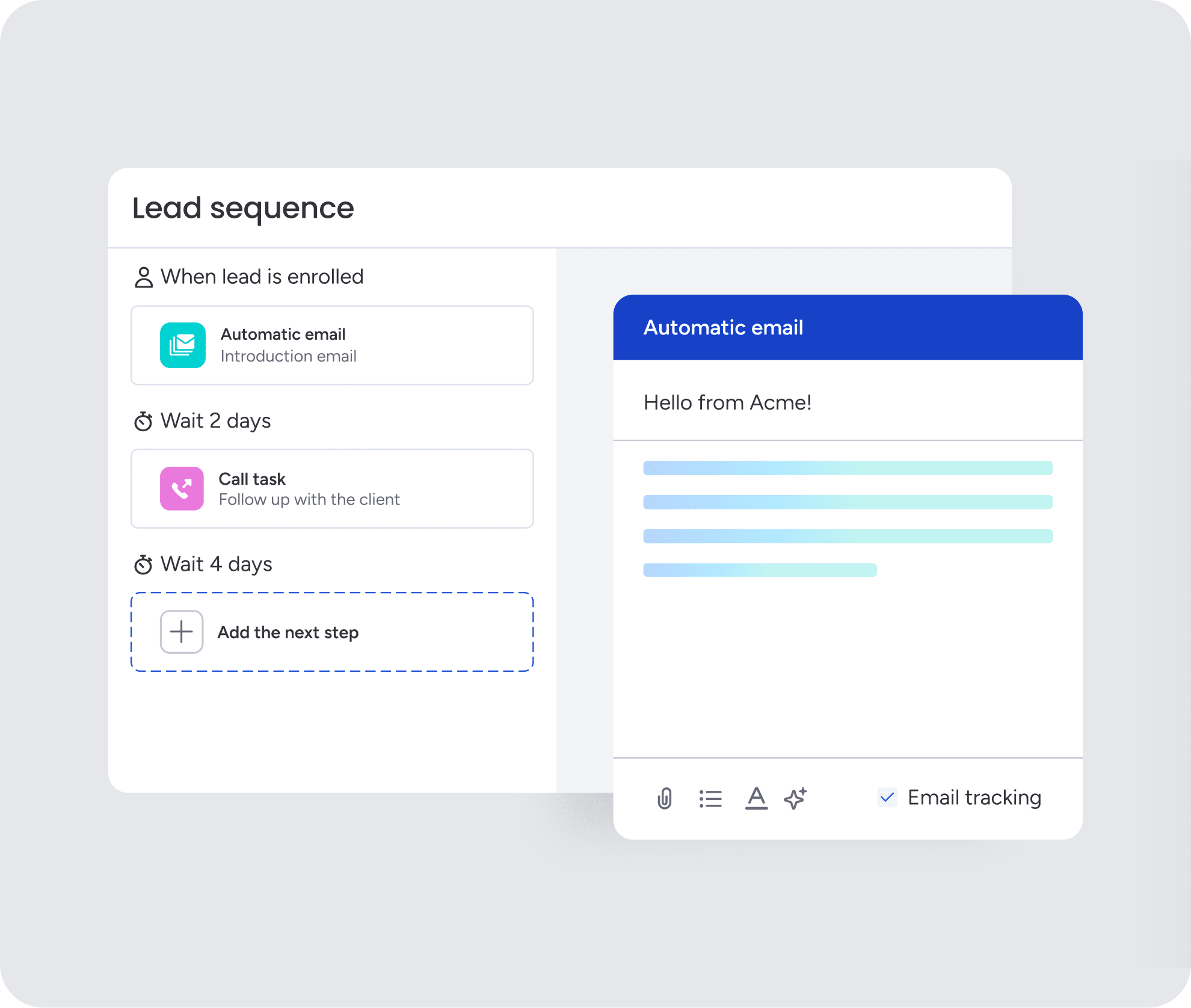
After every sales call, reps need to send follow-up emails. These emails summarize what was discussed, answer questions, and outline next steps. Writing these emails takes time and requires reps to remember specific details from the conversation.
AI meeting assistants automatically generate draft follow-up emails based on the call transcript and summary. The AI pulls key points from the conversation and structures them into a professional email that the rep can review, personalize, and send. The payoff is immediate:
- Time savings: Reps send follow-ups within minutes of the call ending instead of hours later.
- Consistency: Every prospect receives a thorough follow-up that addresses their specific questions.
- Accuracy: The email reflects exactly what was discussed, reducing miscommunication.
Teams using monday CRM’s AI email assistant can compose emails inside Emails & Activities, using conversation context to suggest relevant next steps.
7. Free reps to sell instead of take notes
The biggest benefit of AI meeting assistants is freeing sales reps from taking notes during calls. When reps try to listen, present, answer questions, and take detailed notes simultaneously, they can’t fully focus on building rapport and reading the prospect’s reactions.
AI meeting assistants handle all note-taking automatically, so reps focus entirely on the conversation. The impact on sales performance is real:
- Stronger discovery: Reps ask deeper questions because they’re not worried about remembering answers.
- Stronger relationships: Reps focus on building trust and rapport instead of scribbling notes.
- More selling time: Reps reclaim hours each week previously spent on post-call administrative work.
5 features to look for in the best AI meeting assistant for sales
AI meeting assistants aren’t all built the same. These 5 features separate sales-focused AI meeting assistants from generic transcription tools. Knowing what to look for makes the difference between a tool your team actually uses and one that collects dust.
1. Native CRM integration and autofill
Native CRM integration means the AI meeting assistant connects directly to the sales team’s CRM system and can read from and write to CRM records automatically. No manual exports, imports, or copy-pasting required.
| Integration type | What it means | Business impact |
|---|---|---|
| Native integration | Direct connection to CRM via API | Real-time sync, no manual steps |
| Export/import | Manual file transfer required | Delays, data gaps, extra work |
| Copy-paste | Rep manually moves data | Time-consuming, error-prone |
Revenue teams using monday CRM get native AI-powered activity logging and deal updates that keep pipeline data accurate automatically. The platform’s AI extracts key information from meetings and syncs it directly to deal records, contact timelines, and activity feeds.
2. Multilingual transcription and translation
Multilingual transcription means the AI can transcribe sales calls in languages other than English. Translation capabilities allow the AI to convert transcripts from one language to another.
This matters if you’re selling in global markets or to international prospects. Language support makes accurate record-keeping, cross-team collaboration, and market expansion possible.
3. Deal intelligence and buying signal detection

Deal intelligence is AI-powered analysis that goes beyond basic transcription to identify sales-specific insights from conversations. This includes:
- Buying signals and urgency indicators
- Objections and how they were handled
- Competitor mentions
- Decision-maker involvement
- Deal risks and warning signs
Buying signal detection uses natural language processing to recognize phrases and patterns that show prospect interest or readiness to purchase. It surfaces them automatically so reps never miss a critical moment.
4. Custom AI actions built for your sales process
Custom AI actions let sales teams configure the AI meeting assistant to perform specific tasks automatically based on what happens during calls. This creates sales process automation built for how your team actually works.
Here’s how custom AI actions work in practice:
- Prospect mentions a specific competitor: AI creates a follow-up task with competitive battle card.
- Deal reaches a certain stage: AI sends Slack notification to sales manager.
- Prospect asks about pricing: AI updates custom CRM field and triggers proposal workflow.
- Budget availability mentioned: AI creates “Send Proposal” task and assigns it to rep.
Teams using monday CRM can customize AI capabilities to trigger specific workflows based on meeting content. The AI can update deal stages, create follow-up tasks, or notify team members when key topics come up.
5. Permissions, audit trails, and compliance controls
Enterprise sales teams need AI meeting assistants with strong security and compliance features. This includes granular permissions, audit trails, and compliance with regulations like GDPR, HIPAA, and CCPA.
monday CRM runs on enterprise-grade infrastructure with SOC 2 Type II certification, ISO 27001 compliance, and GDPR support. The platform offers granular permissions controls and audit trails, ensuring that AI-powered meeting insights are captured and stored securely.
Try monday CRM AI meeting assistantHow to choose the right AI meeting assistant
Selecting the right AI meeting assistant means evaluating how the tool will integrate with your team’s existing sales process, CRM system, and business goals. Walk through these 4 steps before committing to a platform.
Step 1: Map your sales workflow and CRM stack
Document your team’s current sales process and technology stack to understand where an AI meeting assistant fits. Identify:
- Which CRM system the team uses
- What other sales tools are in the stack
- How information currently flows between systems
An AI meeting assistant that doesn’t integrate with your existing tools will create more work, not less.
Step 2: Define the sales outcomes you want to improve
Identify specific, measurable outcomes you want the AI meeting assistant to improve. This gives you success criteria for evaluating whether the tool delivers value.
| Outcome category | Specific goal | How AI meeting assistant helps |
|---|---|---|
| Data quality | Increase CRM data accuracy from 60% to 90% | Automated CRM sync eliminates manual entry errors |
| Productivity | Reduce post-call admin work by 50% | Automated notes and summaries |
| Forecasting | Improve forecast accuracy by 15% | Conversation analytics reveal deal health signals |
| Onboarding | Accelerate new rep ramp from 6 to 4 months | Searchable call library for learning |
Step 3: Pilot with one team before scaling across revenue
Don’t roll out an AI meeting assistant to the entire sales organization immediately. Start with a small pilot group to validate that the tool delivers the expected outcomes and fits your team’s workflow.
A good pilot:
- Includes 5–10 reps who are open to trying new technology
- Runs for 30–60 days to gather meaningful data
- Tracks metrics like CRM data accuracy, time saved, and rep satisfaction
Step 4: Validate security, permissions, and data residency
Before you buy, make sure the AI meeting assistant meets your organization’s security, compliance, and data governance requirements. This matters especially for teams in regulated industries or those handling sensitive customer information.
AI meeting assistants are becoming more proactive
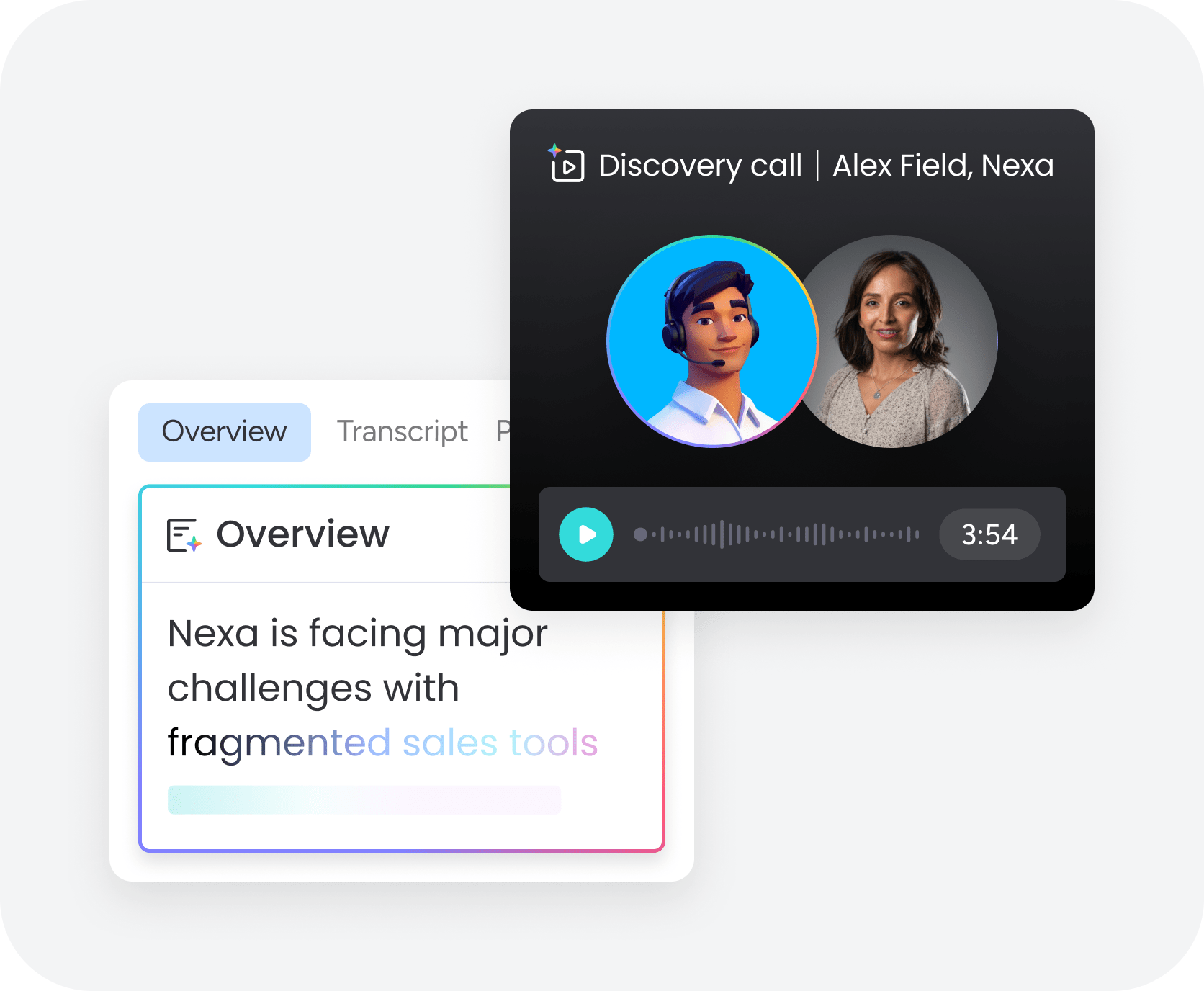
AI meeting assistants are evolving beyond passive transcription tools. Newer platforms can analyze conversations in real time and trigger automated workflows based on what’s discussed during a sales call.
Here’s how AI meeting agents work in practice:
- Personalized follow-ups: AI drafts emails based on the conversation and suggested next steps.
- CRM updates: AI updates deal stages, activity timelines, and records automatically.
- Manager alerts: AI flags stalled or high-risk deals based on conversation signals.
Revenue teams using monday CRM can configure AI-powered actions that execute automatically based on meeting content, helping teams act on meeting insights faster without adding manual work.
How monday CRM powers AI meeting intelligence across your pipeline
monday CRM brings AI meeting intelligence directly into the sales workflow, closing the gap between conversation insights and pipeline action. Instead of treating meeting data as a separate system that reps must manually reference, monday CRM integrates AI-powered meeting insights into deal records, activity timelines, and team dashboards.
The platform’s approach to AI meeting intelligence focuses on these core capabilities:
- Unified deal context: Meeting transcripts, summaries, and action items appear directly within deal records, giving reps and managers complete visibility into every conversation without switching between tools
- Automated pipeline updates: AI extracts key information from meetings and updates CRM fields automatically, keeping pipeline data accurate without manual entry
- Actionable insights at scale: Conversation data flows into dashboards and reports, allowing revenue leaders to identify patterns across the entire pipeline and make data-driven decisions about forecasting, coaching, and resource allocation
For sales teams already using monday CRM, AI meeting intelligence builds on the platform’s existing strengths. Reps spend less time on admin and more time selling. Managers get visibility into actual customer conversations without sitting in on every call. Revenue leaders forecast with confidence based on objective conversation data rather than subjective deal assessments.
Build a smarter sales process with AI meeting intelligence
AI meeting assistants do more than record conversations. They help sales teams capture critical deal information automatically, keep CRM data accurate, and turn customer conversations into actionable pipeline insights.
For reps, that means less time spent on notes and admin work. For managers, it means better visibility into deal health, coaching opportunities, and forecast accuracy. And for revenue teams as a whole, it creates a more consistent, data-driven sales process built around real customer interactions — not incomplete CRM updates or subjective call summaries.
If you’re evaluating AI meeting assistants, focus on the workflows you want to improve most: faster follow-ups, cleaner CRM data, stronger coaching, or better forecasting. The right platform should fit naturally into your existing sales process and help your team act on meeting insights faster.
Try monday CRM AI meeting assistantFAQs
What does an AI meeting assistant do for sales teams?
For sales teams, an AI meeting assistant records sales calls, transcribes conversations in real time, identifies key moments like buying signals and objections, and automatically syncs insights to CRM systems. It eliminates manual note-taking and ensures critical deal information never gets lost.
How does an AI meeting assistant save time after customer meetings?
AI meeting assistants eliminate manual note-taking, auto-generate meeting summaries, draft follow-up emails, and update CRM fields automatically. This reduces post-call admin work, letting reps move immediately to their next activity.
Can an AI meeting assistant summarize emails, calls, meetings, and notes in one place?
Yes, platforms like monday CRM offer AI Timeline Summary capabilities that condense emails, calls, meetings, and notes into a single recap. This gives reps full context without piecing together information from multiple sources.
Can AI meeting assistants draft follow-up emails and update CRM records automatically?
AI meeting assistants can generate draft follow-up emails based on call content and automatically populate CRM fields with contact details, deal stage updates, and action items. This ensures timely follow-up and accurate pipeline data.
How does an AI meeting assistant help sales managers improve pipeline visibility and forecasting?
AI meeting assistants analyze conversation data to reveal deal health signals, flag at-risk opportunities, and provide objective insights that improve forecast accuracy. Managers get visibility beyond subjective rep assessments.
Is AI meeting assistant data secure for enterprise sales teams?
Enterprise-grade AI meeting assistants offer data encryption, granular access controls, compliance certifications like SOC 2 and GDPR, and configurable data retention policies. These features protect sensitive sales conversations while maintaining transparency and control.
