



Revenue teams that master retention grow faster than those chasing new logos. AI makes it possible to predict which customers need attention, personalize every interaction, and keep your entire team aligned, turning retention from a reactive scramble into a repeatable system that scales with your business.
This guide breaks down exactly how AI transforms customer retention. You’ll find 11 proven strategies you can implement today, real examples across every stage of the customer lifecycle, and a practical look at how AI-powered CRMs help you act on retention signals before renewal conversations turn into exit interviews.
Key takeaways
- Catch churn before it happens: AI spots warning signs like dropping engagement and rising support tickets weeks before renewal, giving your team time to act.
- Stop guessing what customers need: Predictive health scores and real-time behavior signals tell your team exactly which accounts need attention and when.
- Personalize outreach without the manual work: AI drafts tailored emails and recommends the right next step for each customer, so no account gets a generic follow-up.
- Break down silos between sales, success, and support: When every team works from the same customer data, at-risk accounts get consistent, coordinated care instead of falling through the cracks.
- Put retention on autopilot: From AI-powered health scores to no-code workflows and automated win-back campaigns, the right platform gives revenue teams everything they need to retain more customers in one place.
What is AI for customer retention?
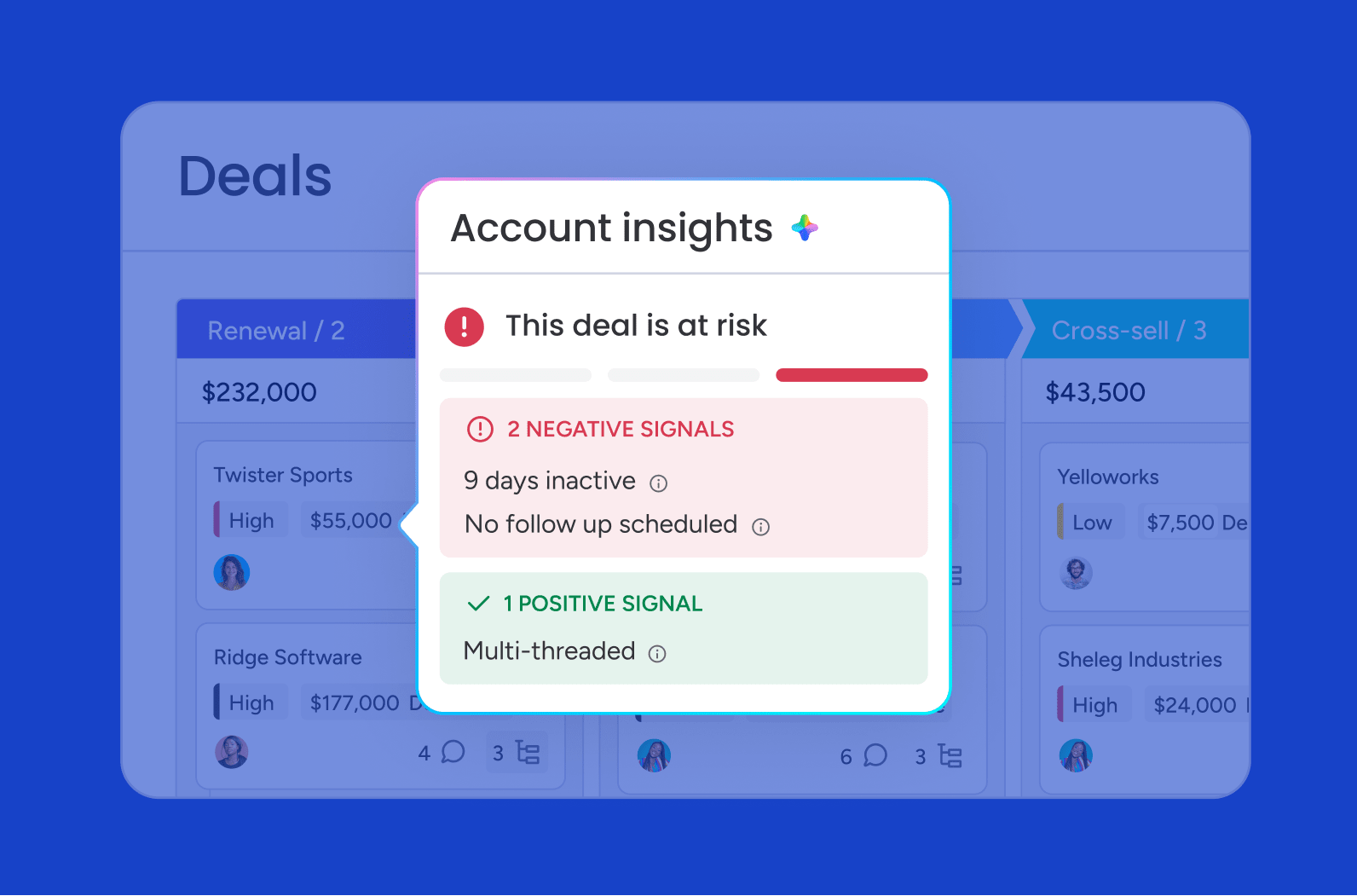
AI for customer retention spots the customers about to leave, personalizes how you reach them, and keeps your sales, success, and support teams on the same page — automatically. Basic analytics tell you what already happened. AI tells you what’s coming next and gives you time to do something about it.
When a customer’s engagement drops or their support ticket volume increases, AI surfaces that signal immediately — teams no longer discover problems during the next quarterly business review when it’s too late to intervene.
The core AI capabilities relevant to retention span several categories. Here’s what AI can do for retention rates:
- Predictive modeling: Forecasts churn risk based on behavioral signals like login frequency, feature usage, and support interactions
- Personalization at scale: Analyzes customer data to tailor communication and experiences to individual needs
- Cross-team coordination: Ensures sales, success, and support teams act on the same customer intelligence
- Automated workflows: Triggers retention plays based on customer actions or risk thresholds
Why AI customer retention matters now
Acquisition costs keep climbing. Retention is where you actually make money. Most revenue teams still run on manual check-ins, quarterly reviews, and reactive support — none of which scale. That worked when you had 50 customers. It doesn’t work at 500.
Customers expect personalized, proactive engagement. They expect you to know their history, understand their needs, and reach out before problems escalate. How many at-risk customers slip through the cracks because your team didn’t see the warning signs in time? Are you able to anticipate renewal risks and act on engagement drops months in advance?
Although 71% of shoppers are concerned about their privacy, 64% report wanting more personalized experiences and 87% find AI-powered brand experiences valuable. (2026 Personalization Trends Report)
AI enables revenue teams to:
- Detect customer churn signals earlier than manual processes allow
- Personalize outreach at a scale impossible for human teams alone
- Coordinate retention efforts across departments without constant handoffs
- Act on opportunities around the clock, not just during business hours
If you’re struggling with predictability, efficiency, or visibility, AI helps you grow without hiring more people or adding complexity. CRMs with embedded AI make retention intelligence accessible to teams of all sizes.
How AI improves customer retention
AI automates the grunt work, catches what your team might miss, and keeps everyone coordinated. Here’s what makes the difference:
- Predicts churn risk earlier: AI spots churn risk before your customers show obvious signs they’re leaving. Login frequency, feature usage, support ticket volume, and engagement drops all feed into predictive models that learn from historical churn patterns. You get weeks or months of warning — enough time to fix the problem instead of scrambling at renewal.
- Coordinates retention plays across teams: Sales, success, and support all work from the same customer data — no manual handoffs. When a customer’s engagement drops or a support escalation occurs, AI surfaces that signal to the right team member at the right time and triggers workflows that automatically assign tasks, notify stakeholders, and track follow-ups.
11 AI customer retention strategies that work
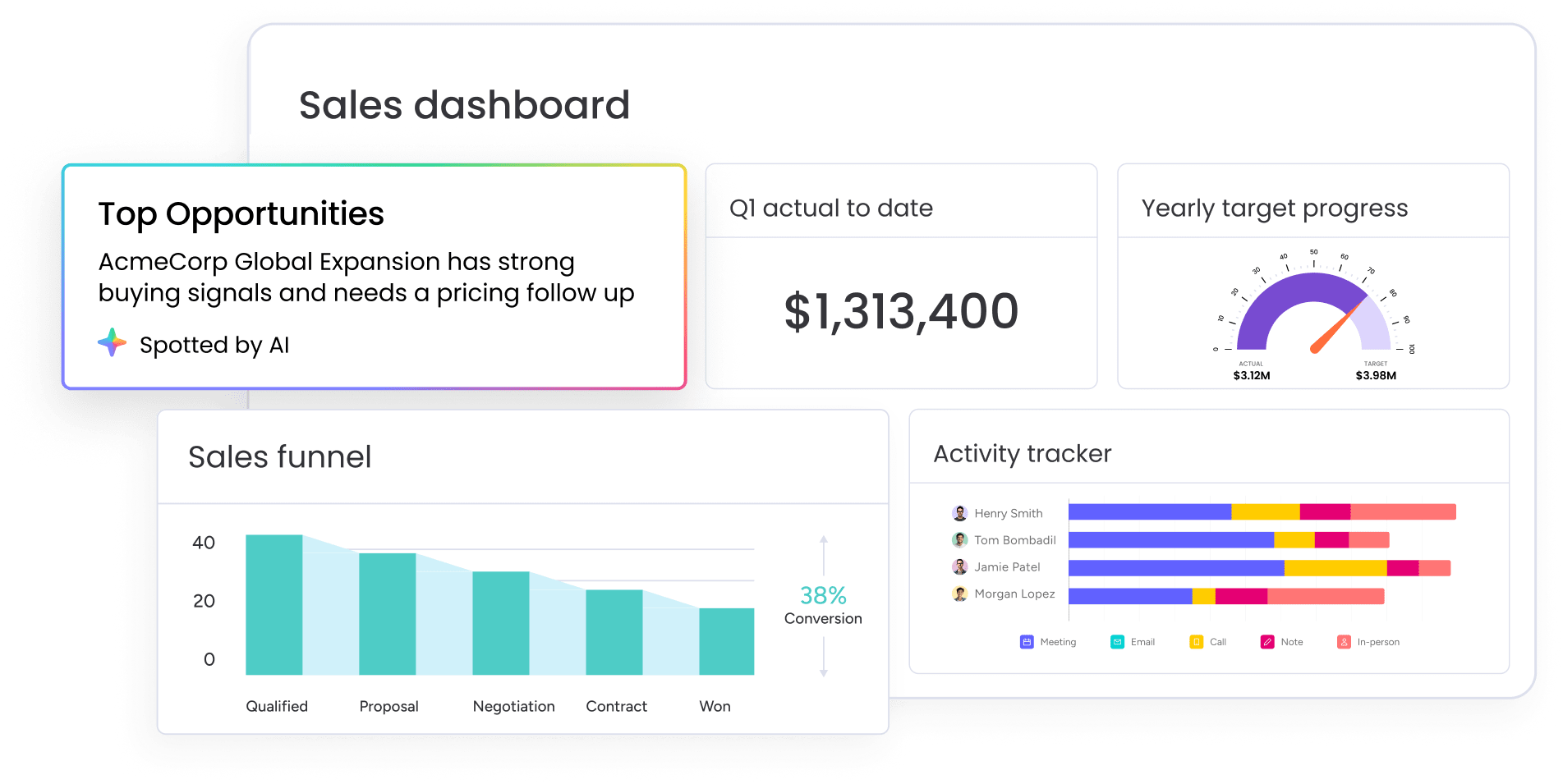
Here are 11 ways revenue teams use AI to keep more customers and grow their value. Each one targets a specific point in the customer journey where manual processes tend to fall short.
1. Score customer health with predictive analytics
AI looks at engagement, usage, support tickets, and other signals to calculate health scores. You know exactly which accounts need attention and when.
When a customer stops logging in and opens more support tickets, they get a low health score. Your success team gets an alert before things get worse. Health scores update in real time, so your team always knows where things stand.
2. Detect churn signals before renewal dates
AI spots warning signs weeks or months before renewal — while there’s still time to act. Dropping usage, disengagement, support escalations — AI flags them all before renewal.
When AI flags a customer who hasn’t logged in for 2 weeks, it can trigger an automated email offering a training session and schedule a task for the success team to reach out directly. AI models become more accurate over time as they learn from customer outcomes.
3. Personalize onboarding based on early behavior
AI personalizes onboarding based on each customer’s role, industry, and how they’re using the product. For example:
- A customer in the healthcare industry receives onboarding content focused on compliance workflows
- A retail customer sees examples of inventory management
Customers activate faster and stick around longer. Customers see value faster and engage more from day one.
4. Use AI email drafting for timely outreach
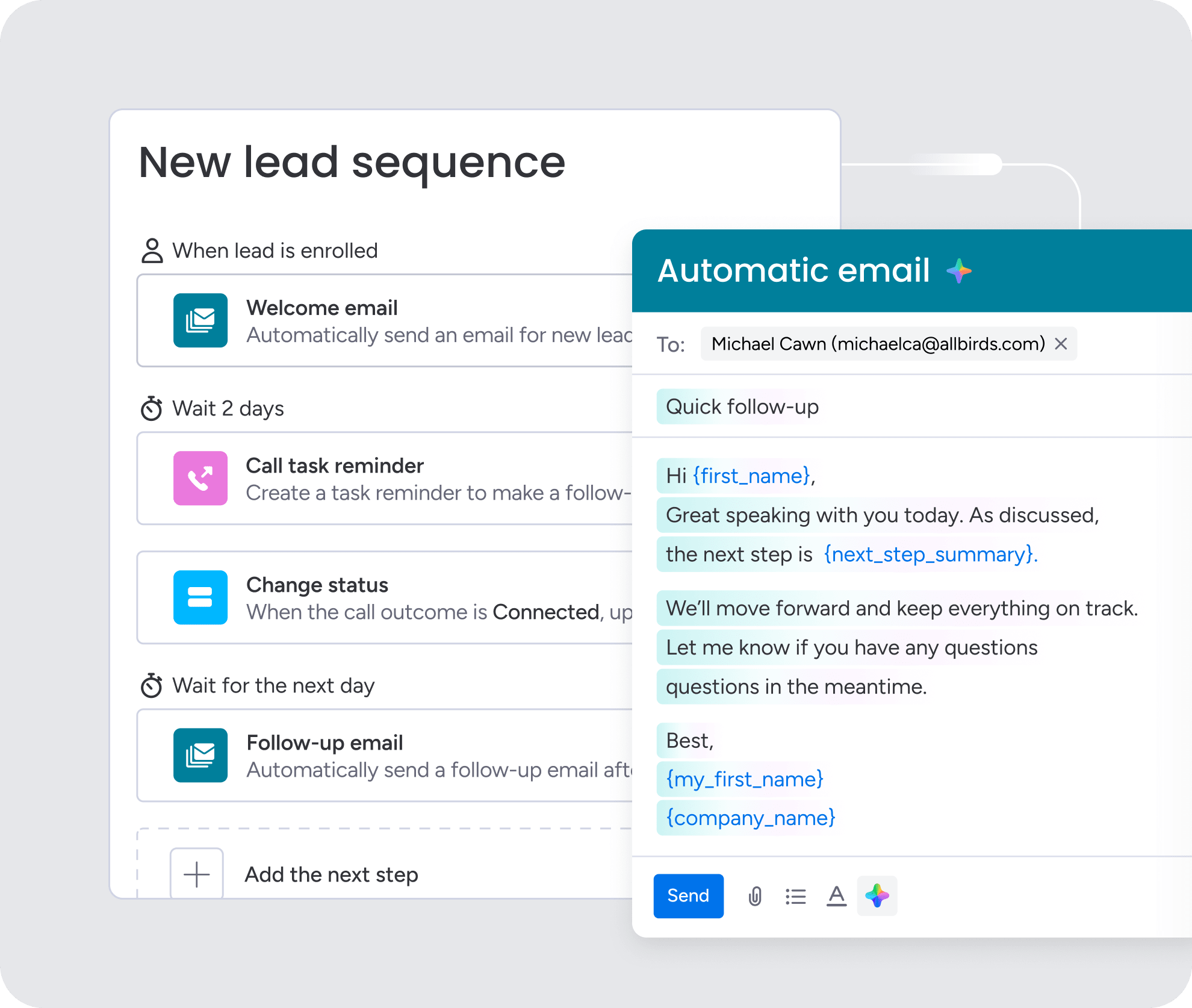
AI drafts personalized emails using customer data, context, and what should happen next. The email changes based on where each customer is:
- At-risk customer: AI drafts a check-in email highlighting unused features and offering a demo
- Highly engaged customer: AI drafts an email suggesting an upgrade or new feature
You review and edit before sending — so you stay in control while saving time.
5. Summarize customer history before every conversation
Before every call, AI summarizes customer interactions, usage history, and key milestones. Before a quarterly business review, AI summarizes:
- Recent support tickets
- Feature adoption trends
- Engagement history and key milestones
Your success manager shows up prepared — without spending hours on research.
6. Detect sentiment across customer messages

AI reads customer emails, support tickets, and chat messages to detect how they’re feeling. When AI spots negative sentiment in a support ticket, it alerts a manager to reach out personally before things escalate.
You catch issues you’d otherwise miss. A customer might not say they’re unhappy, but their tone gives it away. AI tracks sentiment over time and spots patterns before they turn into churn.
51% of people would be willing to use a GenAI assistant for customer service interactions on their behalf (Gartner)
7. Trigger next best actions across channels
AI recommends actions and triggers them automatically based on what customers do and how risky they are. When a customer’s usage drops, AI:
- Triggers a task for the success team to schedule a check-in
- Sends an automated email offering help
Every account gets consistent attention without the manual work.
8. Build win-back journeys with engagement signals
AI builds and runs win-back campaigns for churned or at-risk customers based on how they’re engaging. When a churned customer visits your pricing page, AI sends a personalized win-back email with an offer based on why they left.
Win-back campaigns bring customers back and recover lost revenue. AI learns from what works and gets better over time.
9. Use AI agents to act on retention opportunities
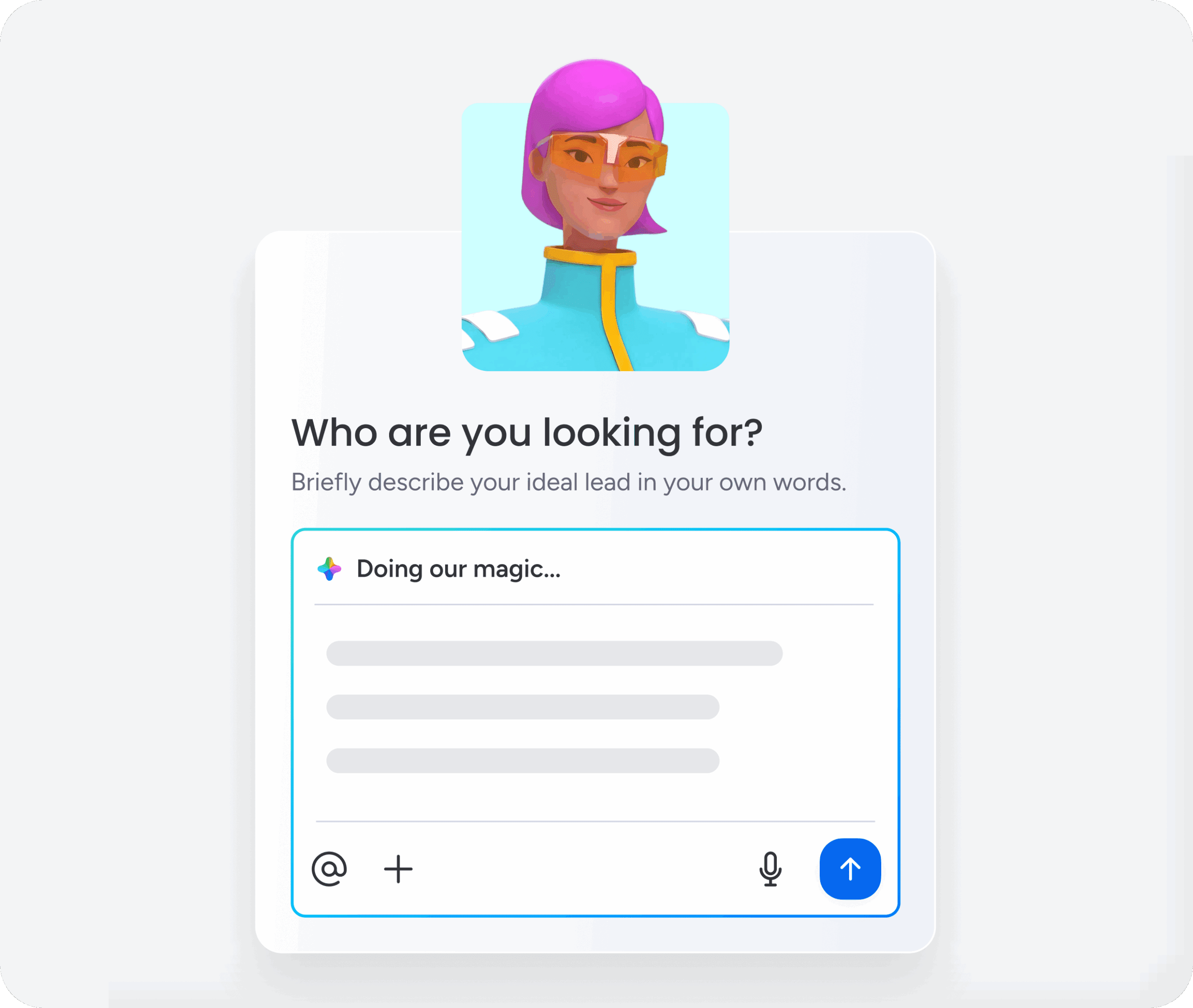
AI agents handle retention tasks automatically based on rules you set and signals from customers. You set the rules and review what AI does — so you stay in control while freeing up time for the conversations that matter.
A single AI agent can:
- Detect a customer at risk of churn
- Send a personalized check-in email
- Schedule a follow-up task for the success team
10. Align revenue teams around one customer view
AI pulls customer data from sales, success, support, and product usage into one place. A sales rep sees that a customer recently opened a support ticket, so they adjust their renewal conversation to address the issue directly.
Everyone works from the same customer data, and AI shows each team member what they need to know based on their role, so everyone shows up prepared and can prioritize building customer loyalty.
11. Keep people involved in high-value moments
AI handles routine tasks and hands off important or sensitive moments to your team. For example:
- Low-risk accounts: AI automates follow-up emails.
- High-value renewals: AI flags the account for a personal call from the account executive.
You stay efficient without losing the personal touch. AI works best through human-AI collaboration rather than replacement.
Try monday CRMAI customer retention examples by lifecycle stage
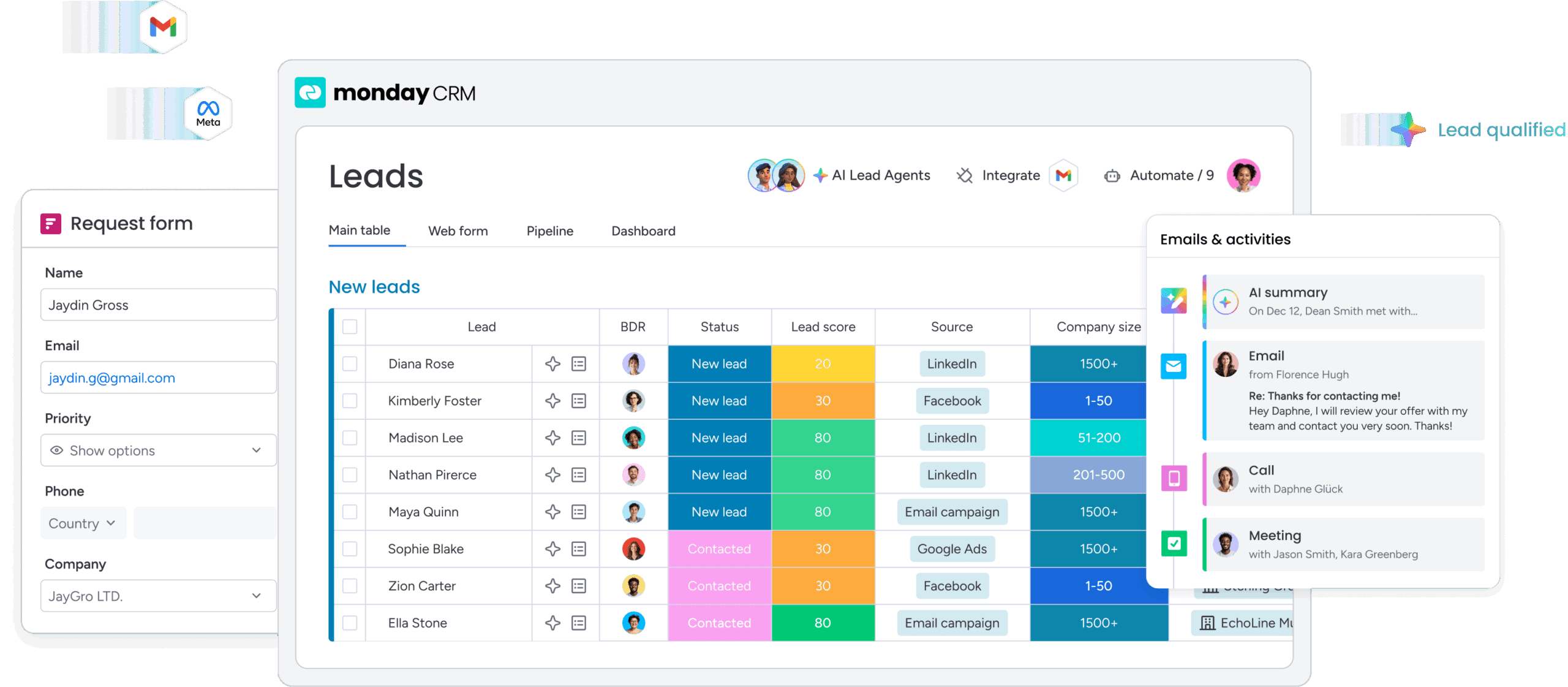
AI supports retention at every stage of the customer lifecycle, adapting to customer needs as they evolve. Here’s how AI works at each stage, followed by a deeper dive:
| Lifecycle stage | AI role | Example action |
|---|---|---|
| Onboarding | Personalize onboarding experiences | Trigger a check-in when activation steps are incomplete |
| Activation | Identify adoption barriers early | Send a tutorial video and schedule a success manager call |
| Engagement | Monitor health and engagement trends | Flag declining usage and recommend outreach |
| Renewal | Predict churn and renewal risk | Schedule a business review and surface key talking points |
| Expansion | Identify growth and upsell opportunities | Alert the account team when feature usage reaches capacity |
| Win-back | Automate re-engagement campaigns | Send a personalized offer when a churned customer returns |
Onboarding
AI tailors onboarding to each customer’s role, industry, and how they start using the product. A new customer in financial services receives onboarding content focused on compliance and reporting, while a customer in professional services sees examples of client management workflows.
If a customer hasn’t hit key onboarding steps on time, AI sends a check-in email.
Activation
AI spots customers who haven’t activated and triggers the right follow-up. When a customer hasn’t used a core feature within the first 2 weeks, AI sends a tutorial video and schedules a call with a success manager.
Engagement
AI tracks engagement and spots chances to strengthen customer relationships. When a customer uses a feature heavily, AI identifies an upsell opportunity and suggests an upgrade. When engagement drops, AI flags the account and triggers proactive outreach.
Renewal
AI predicts renewal risk and recommends what to do weeks or months ahead of time. When a customer shows declining usage, AI schedules a business review and surfaces talking points addressing the engagement drop.
Expansion
AI spots expansion opportunities based on how customers use the product, what they need, and how healthy the account is. When a customer uses a feature at capacity, AI suggests an upgrade and triggers outreach from the account team.
Win-back
AI designs and executes win-back campaigns for churned customers based on engagement signals and churn reasons. When a churned customer visits the website, AI triggers a personalized win-back email.
How retention AI turns customer data into action
AI for customer retention needs a few core capabilities to work: Without these building blocks, even the best retention strategies fall flat. Here’s what each one does and why it matters.
- Unified customer data: When all your data is in one place, AI has the full picture and can generate more accurate, actionable insights. CRMs with built-in AI pull customer data from connected systems into one view — automatically.
- Predictive analytics: AI looks at past data to predict what’s coming next, so you can act before problems happen instead of scrambling after. The models get smarter as they learn from new data and outcomes. You can customize the models to match your retention goals.
- Generative AI: Create content (emails, summaries, talking points) based on customer data and context. You save time without losing quality or relevance. You review and edit AI-generated content before using it — so you stay in control while moving faster.
- Workflow automation: Automate retention workflows — triggering emails, assigning tasks, and updating records based on what customers do and how risky they are. Every account gets consistent follow-up on time. You customize workflows to match your process — deciding which signals trigger which actions.
- Real-time dashboards: AI-powered dashboards show you customer health, churn risk, and retention trends in real time. You make better decisions and put resources where they matter most.
How monday CRM helps teams act on retention signals
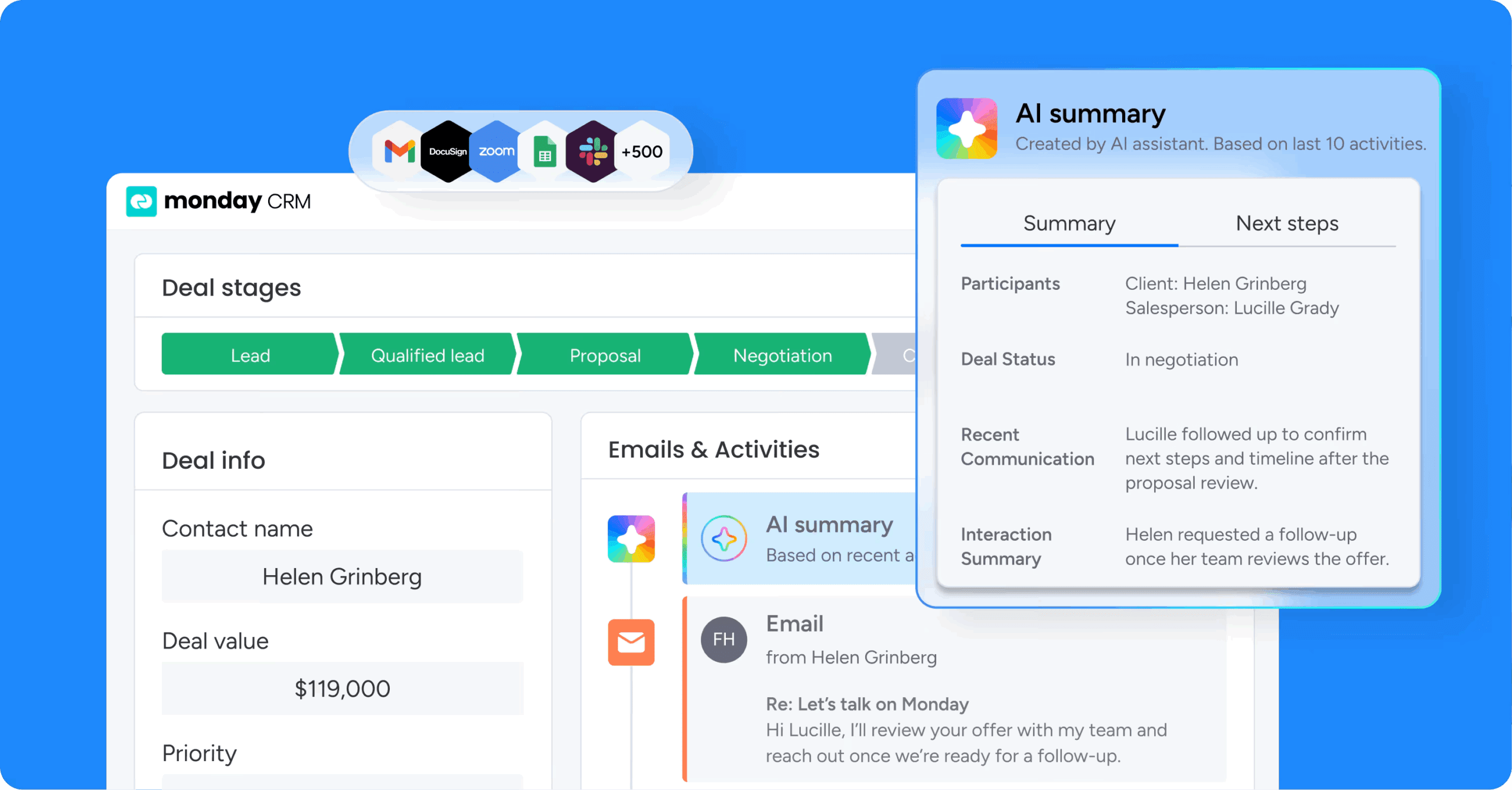
Revenue teams using monday CRM can spot at-risk customers, personalize engagement, and keep everyone coordinated. The platform pulls customer data together, automates workflows, and shows you what to do next — all in one place.
Centralize customer context
monday CRM pulls customer data from sales, success, support, and product usage into one view. This centralized context ensures all teams act on the same intelligence and avoid conflicting outreach.
Key capabilities include:
- Unified customer records: Consolidate contact details, deal history, support tickets, and engagement data in one place
- Cross-team visibility: Ensure sales, success, and support teams see the same customer information
- Real-time updates: Automatically sync data from connected systems
Surface retention signals with AI insights

monday CRM’s AI capabilities analyze customer behavior to surface retention signals automatically. Health scores, churn risk indicators, and engagement trends appear directly in the CRM.
AI continuously monitors customer activity and flags accounts that need attention. When a customer’s engagement drops or their sentiment shifts negative, the right team member receives a notification with context and recommended actions.
Learn more: AI account signal agent
Automate retention workflows without code
monday CRM’s no-code workflow builder enables teams to design and automate retention plays without technical expertise. Teams can create workflows that trigger emails, assign tasks, update records, and notify stakeholders based on customer behavior.
Example workflows include:
- At-risk outreach: When a customer’s health score drops below a threshold, automatically send a check-in email and assign a follow-up task
- Renewal preparation: 90 days before renewal, trigger a workflow that schedules a business review and surfaces relevant customer data
- Win-back campaigns: When a churned customer visits the website, trigger a personalized win-back email
Generate personalized communication with AI
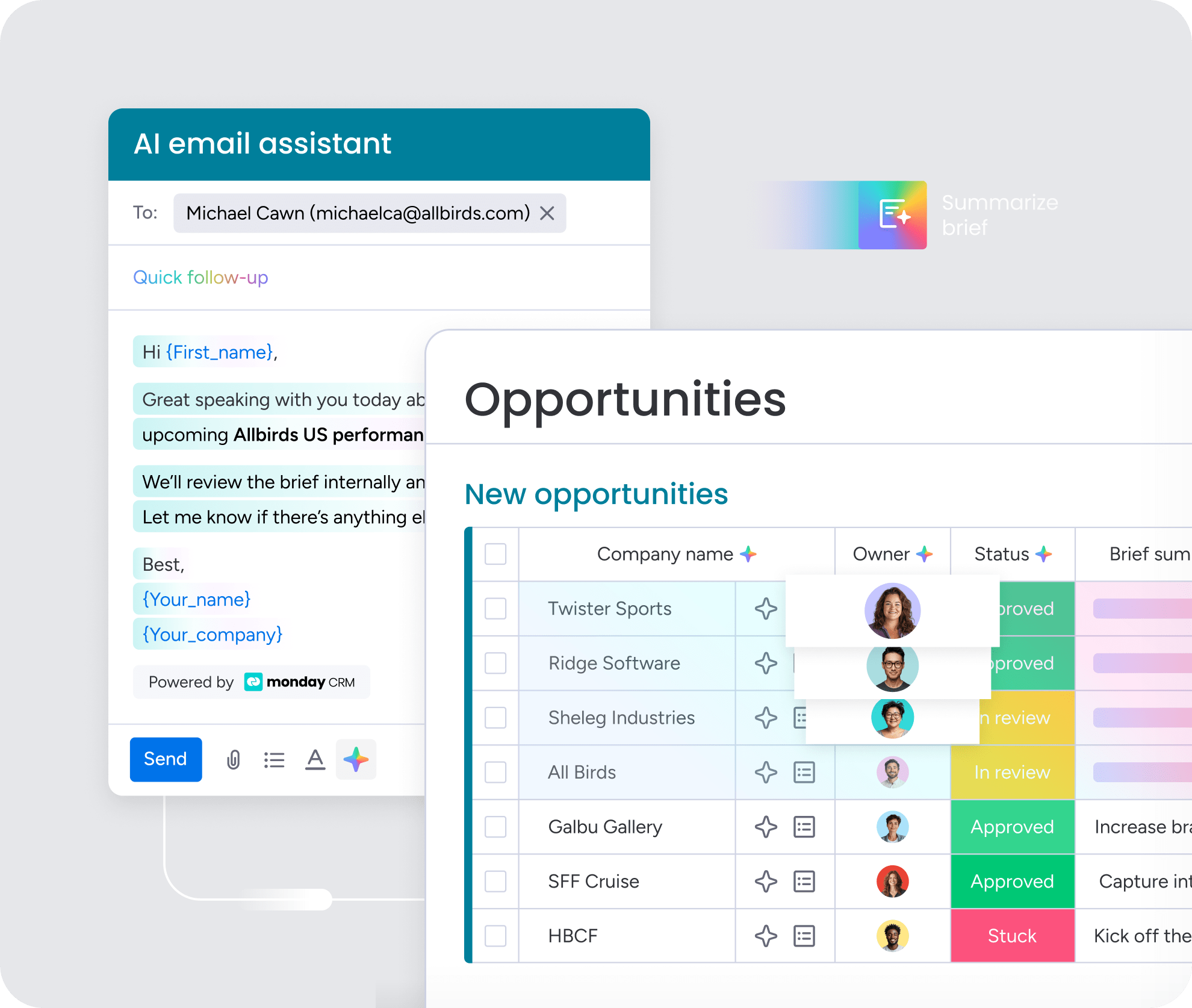
monday CRM’s AI email generation capabilities help teams communicate effectively with every customer. AI drafts personalized emails based on customer data, context, and recommended next steps.
Teams can review and edit AI-generated emails before sending, maintaining control while benefiting from AI’s speed. The platform’s AI capabilities help teams create tailored content while maintaining message relevance.
Coordinate actions across revenue teams
monday CRM ensures sales, success, and support teams act on the same customer intelligence without manual handoffs. When a retention signal surfaces, the platform routes it to the right team member with relevant context.
Cross-team coordination prevents customers from falling through the cracks:
- Sales sees when a customer has an open support ticket
- Success sees when a customer just upgraded
- Support sees when a customer is approaching renewal
Turn retention signals into revenue
Churn rarely happens overnight. It builds quietly — through missed signals, delayed responses, and teams working from different versions of the same customer story. AI gives revenue teams the ability to spot those signals early, act on them consistently, and keep every customer moving in the right direction.
The strategies and capabilities covered here work because they address the root causes of churn: fragmented data, reactive processes, and coordination gaps between teams. When AI handles the detection and the routine follow-through, your team can focus on the conversations that actually move the needle.
If you’re ready to put retention on autopilot without losing the human touch, monday CRM brings together the AI, automation, and cross-team visibility your revenue team needs to act faster and retain more.
Try monday CRMFAQs
What is AI for customer retention?
AI for customer retention uses machine learning, predictive analytics, and automation to identify at-risk customers, personalize engagement, and coordinate retention actions across revenue teams. It analyzes customer behavior patterns to predict which customers are likely to leave and recommend actions to keep them engaged.
How does AI predict customer churn?
AI predicts customer churn by analyzing behavioral signals like login frequency, feature usage, support ticket volume, and engagement patterns. Machine learning models learn from historical churn data to identify which combinations of signals indicate elevated risk.
How accurate is AI churn prediction?
AI churn predictions improve as more customer data becomes available, but they should be used as decision-support tools rather than absolute forecasts. The best results come when AI insights are combined with human judgment and customer context.
What are the benefits of using AI for customer retention?
AI for customer retention enables teams to detect churn signals earlier, personalize outreach at scale, coordinate retention efforts across departments, and act on opportunities around the clock. These capabilities help teams reduce churn rates and increase customer lifetime value.
How can small businesses use AI for customer retention?
Small businesses can use AI for customer retention by implementing CRMs with embedded AI capabilities that don't require heavy IT involvement. These platforms enable small teams to automate retention workflows and surface at-risk customers without dedicated data science resources.
What metrics should I track for AI-driven customer retention?
Key metrics for AI-driven customer retention include churn rate, renewal rate, customer lifetime value, repeat purchase rate, customer satisfaction, and cost to serve. Teams should track these metrics over time and by segment to assess retention impact.
How do I ensure customer trust when using AI for retention?
Building customer trust with AI for retention requires using first-party customer data responsibly with proper consent, keeping customer-facing messages reviewable before sending, setting smart contact rules that prevent over-communication, and routing sensitive moments to human team members.
