


A renovation budget template is only as useful as your ability to keep it current once demolition starts. Most homeowners and contractors set a number, then watch it drift as quotes come in high, hidden damage surfaces, and material prices move. Full home renovations now run from $40,000 to $75,000 for a mid-range remodel, according to SoFi’s 2025 remodeling guide. A static worksheet rarely survives a range that wide, which is why more teams are turning to monday AI Workspace to track spending in real time, automate variance calculations, and catch overruns before they compound.
This guide breaks down what a renovation budget actually needs to include, what projects cost in real terms, and the exact steps to build and control your numbers from first quote to final invoice. You’ll also see how monday AI Workspace transforms a fixed spreadsheet into a live, connected platform that updates as you spend, alerts you when categories run over, and keeps your budget moving with the work instead of falling behind it.
Key takeaways
- A renovation budget template lists every expected cost so you can plan and price a project before committing
- Full home renovations typically cost between $19,500 and $88,400, which makes a detailed budget essential rather than optional
- A contingency fund of 10% to 20% protects your project against hidden damage and mid-project price changes
- Tracking estimated versus actual costs as you spend is the fastest way to catch overruns while you can still act.
- monday AI Workspace uses formula columns, live dashboards, and automated overrun alerts to turn a static budget into a real-time view of your spending, with AI agents that monitor categories and flag overages before they compound
What is a renovation budget template?
A renovation budget template is a document that helps you outline all the potential costs associated with a renovation project. It gives you and the client a rundown of everything you need to know before taking on a contract.
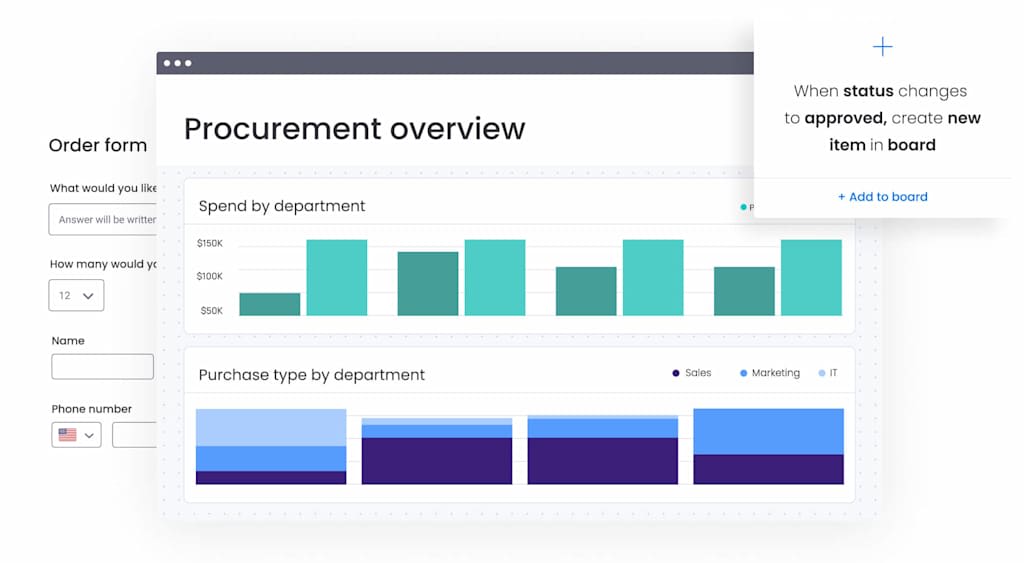
For the homeowner planning a renovation, or the contractor balancing client expectations against realistic costs, a renovation budget template sets a framework for detailing the project’s scope.
It accounts for factors large and small, from material costs to contract terms and conditions, to define the project for both you and your client.
A renovation budget template can include details about:
- The contractors undertaking the project
- The agreed-upon payment
- Any extra costs associated with the work
Costs add up quickly. A whole-home renovation commonly runs $15 to $60 per square foot, based on Chase’s 2025 remodeling data, so it pays to establish a budget from day one and avoid hidden surprises. A structured template keeps every line item visible before the first invoice lands.
How much does a renovation cost
A whole-home renovation typically costs between $19,500 and $88,400, with the average near $52,275 in 2025, according to AmeriSave’s cost analysis of Angi data. Costs vary by room, finish level, and location, so treat these ranges as planning anchors rather than fixed quotes. Understanding typical numbers before you build your budget keeps your first estimate grounded in reality.
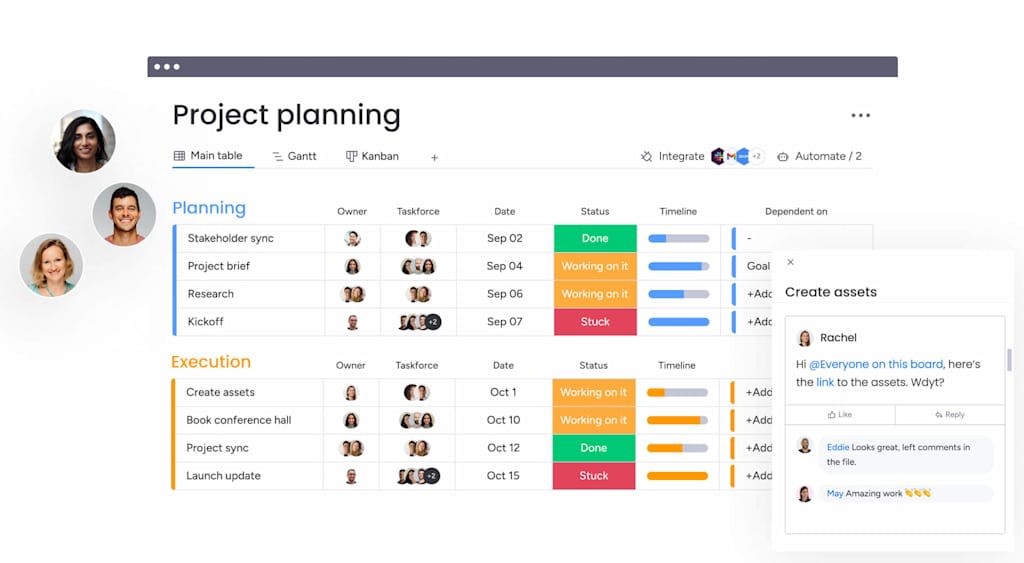
Kitchens and bathrooms carry the most weight in a renovation budget, since they combine plumbing, electrical, cabinetry, and finishes in a small footprint. The table below shows current ranges for typical renovation projects, based on AmeriSave’s 2025 cost analysis of Angi and industry data.
| Project type | Typical cost range (2025) | Average cost |
|---|---|---|
| Full home renovation | $19,500 to $88,400 | ~$52,275 |
| Cosmetic updates (paint, carpet, fixtures) | $3,000 to $15,000 | Varies |
| Kitchen and bathroom with quality fixtures | $40,000 to $75,000 | Varies |
| High-end or extensive renovation | $190,000+ | Varies |
Two factors move these numbers more than any other. Labor typically makes up 50 to 60% of a project’s total cost, as that same AmeriSave analysis notes, so a small change in trade rates has an outsized effect on your bottom line. The age of your home matters too: homes built before 1980 tend to cost 15 to 25% more to renovate, largely because of hidden electrical and plumbing work. That premium is a strong argument for a generous contingency on any older property.
Why use a renovation budget template
With a renovation or construction budget template, you’ll have a clear indication of how long the project will take, which means there should be no surprises along the way, or at least far fewer of them.
When you account for all costs, you can assign an accurate budget to the project. Failing to plan for a renovation can create a significant gap between your cost estimate and the final cost.
The renovation budget template also gives you a picture of what’s involved in the project. That helps you reach out to contractors and create a clear list of tasks, so you can coordinate the project from start to finish with minimal delays or complications.
The template can benefit contractors competing for client contracts and homeowners tackling renovation projects.
Contractors
If you’re a contractor working for clients, you need to prepare a comprehensive budget to present. Without a template, you could over- or underestimate costs, which could tarnish your reputation and, at worst, lead to disgruntled customers and poor reviews.
You can also show clients your template once you’ve filled it in, so they can make room-by-room changes as needed to adjust the overall cost and agree to proceed. Best of all, you can reuse templates across different projects and clients.
Homeowners
If you have a large personal DIY project, such as home remodeling, the template can give you a room-by-room breakdown. For homeowners, this simplifies decisions about materials and the scope of each room’s renovation.
Homeowners taking on projects around the house often face unexpected costs, which can make it hard to stick to the original budget.
The template helps mitigate this by bringing all project expenses together in one place. You can then use the template to assess contractor quotes and see whether you can do some of the work yourself for less.
Why a dynamic template beats a static spreadsheet
Whether you should use a spreadsheet or an app for your budget depends on how often your numbers change. A renovation budget changes constantly, so a live app that updates in real time and syncs across everyone involved usually wins over a static file that one person edits alone. Any template is a good start, but the type you choose makes a real difference on a complex project.

Traditional spreadsheets, like a basic remodeling budget spreadsheet, can list costs, but they often fall short once a renovation gets moving. Static spreadsheets tend to lack:
- Real-time updates: Manually updating rows is slow and error-prone
- Collaboration: Sharing and co-editing files leads to version-control problems and miscommunication with your partner or contractor
- Visual progress tracking: It’s hard to see your budget status or connect it to project timelines
- Integration: Spreadsheets don’t easily connect with task management, document storage, or communication
- Accessibility: Updating a file on the go from a job site is cumbersome
A connected platform closes those gaps. On monday AI Workspace, your renovation budget stops being a fixed document and becomes a shared, always-current view of your spending. Instead of emailing a new version after every purchase, you and your collaborators update actual costs once, and everyone sees the same picture. That contextual shift, from a file you maintain to a workspace that maintains itself, is what keeps a budget accurate deep into a project.
What to include in your comprehensive renovation budget
A truly effective home renovation budget plan goes beyond listing items. It becomes your financial roadmap. Here’s what your comprehensive renovation budget should include, especially one built on a flexible platform.
Essential cost categories
Break your project into detailed categories. The more granular you are, the more control you have. Consider these:
- Design and planning: Architect fees, interior designer costs, permit application fees
- Demolition and site prep: Waste disposal, structural preparations
- Materials: Lumber, drywall, flooring, paint, tiles, fixtures, appliances. Be specific
- Labor: Costs for all contractors, including plumbers, electricians, carpenters, and painters. Always get multiple quotes
- Permits and inspections: Building permits, electrical inspections, plumbing inspections
- Fixtures and finishes: Lighting, faucets, cabinetry, countertops
- Miscellaneous: Equipment rental, delivery fees, temporary accommodation if needed
Don’t forget contingency funds
Add a contingency of 10% to 20% of your total estimated project cost, and lean toward the higher end for older or more complex homes. No renovation goes exactly as planned. Hidden rot, outdated wiring, or material price increases are common, and a contingency fund covers these without derailing your project.
The right contingency level depends heavily on your labor exposure and your home’s age. Because labor typically accounts for 50 to 60% of total project cost, as noted earlier, a single trade running over budget can quickly eat your buffer. Older homes compound that risk, since pre-1980 homes tend to cost 15 to 25% more to renovate, so a 20% contingency is the wiser choice for any older property. On monday.com, you can track your contingency fund as a separate line item and watch how much of it you’ve drawn down.
Tracking estimated vs actual costs
For each item in your budget, include columns for:
- Estimated cost: Your initial research-based figure
- Actual cost: What you really spend
- Variance: The difference between estimated and actual, often calculated automatically on monday.com
Regularly reviewing this variance helps you spot where you’re over or under budget, so you can adjust in time. This turns your budget into a working renovation expense tracker, not a plan you set and forget.
How to create your renovation budget step by step
Creating a home renovation budget might seem daunting, but breaking it into manageable steps makes it achievable. Here’s a general guide:

- Define your project scope: Clearly outline what you want to achieve. Which rooms? What level of finish? Be detailed about your needs versus wants. A clear scope prevents “scope creep” later
- Research costs: Gather estimates for materials and labor. Talk to contractors, visit suppliers, and research online. The more accurate your initial data, the better your budget
- List all potential expenses: Use the cost categories mentioned earlier as a starting point. Don’t forget small items, because they add up.
- Get multiple quotes for labor: For any work you’re not doing yourself, obtain at least three detailed quotes from reputable contractors. Make sure quotes cover the same scope of work for an accurate comparison
- Choose your budgeting method: A basic remodeling budget spreadsheet can get you started, but consider a more robust solution
- Input your estimates: Populate your chosen template with all your researched costs
- Add a contingency fund: Allocate 10% to 20% of your total estimated project cost for unexpected expenses
- Review and refine: Does the total align with what you can afford? If not, revisit your scope, material choices, or project phases. Prioritize needs over wants
- Track diligently: Once the project starts, meticulously record all actual expenses against your budgeted amounts
Where to splurge vs save on your renovation
Not every dollar in a renovation earns the same return, so knowing where to spend and where to hold back keeps your budget focused on what matters. The general principle is simple: invest in the things that are expensive or disruptive to change later, and economize on the things you can upgrade cheaply down the line. These two lists show where that logic usually points.
 Spend more on the parts of your renovation that are hard, costly, or risky to redo:
- Behind-the-wall trades: Plumbing, electrical, and structural work are expensive to revisit once walls are closed
- Key fixtures: Cabinetry, countertops, and flooring get daily use and heavily influence resale value
- Lighting and layout: Good design and lighting are difficult to retrofit and shape how every room feels
Save on the parts you can handle yourself or upgrade later without tearing anything out:
- Demolition: Clearing out an old room is labor you can often do yourself with care and the right permits
- Beginner-friendly tasks: Painting, simple tiling, and hardware swaps are approachable DIY wins
- Design alternatives: Look-alike materials and open-box appliances deliver most of the effect for a fraction of the price
Four tips for keeping your renovation project on budget
Staying on budget takes diligence and a few smart habits. The following four tips address the moments where renovations most often slip: unclear priorities, rushed quotes, infrequent reviews, and poor communication. Apply them consistently, and your budget stays a plan, not a hope.
Prioritize needs vs wants
Before you start, and throughout the project, clearly distinguish between essential improvements (needs) and desirable upgrades (wants). If your budget is tight, focus on the needs first. You can always tackle some wants later.
Get multiple quotes
Don’t settle for the first quote you receive for contract work or expensive materials. Obtain at least three detailed written estimates, and make sure they cover the exact same scope of work for a fair cost comparison. This also helps you create a reliable contractor budget when you’re managing multiple bids.
Regularly review and adjust your budget
Your budget isn’t a set-it-and-forget-it document. Review it weekly against your actual spending and project progress. If costs in one area run higher than expected, you may need to adjust elsewhere or draw on your contingency fund. A platform with real-time data makes this review quick.
Communicate clearly with all stakeholders
Maintain open, regular communication with your contractor, designer, partner, and anyone else involved. Discuss any potential changes to the scope or budget as soon as they arise to avoid misunderstandings and costly surprises. Working on monday.com’s AI Workspace keeps that communication and your budget in the same place.
How monday.com helps you plan and track a renovation budget
Everything above works on paper. It works far more reliably when your budget lives on a platform that updates, calculates, and alerts you automatically. Built on monday.com’s AI Workspace, a renovation budget board pulls your line items, quotes, receipts, and reporting into one connected workspace, whether you’re planning a full home improvement budget, a kitchen remodel, or a DIY bathroom renovation.
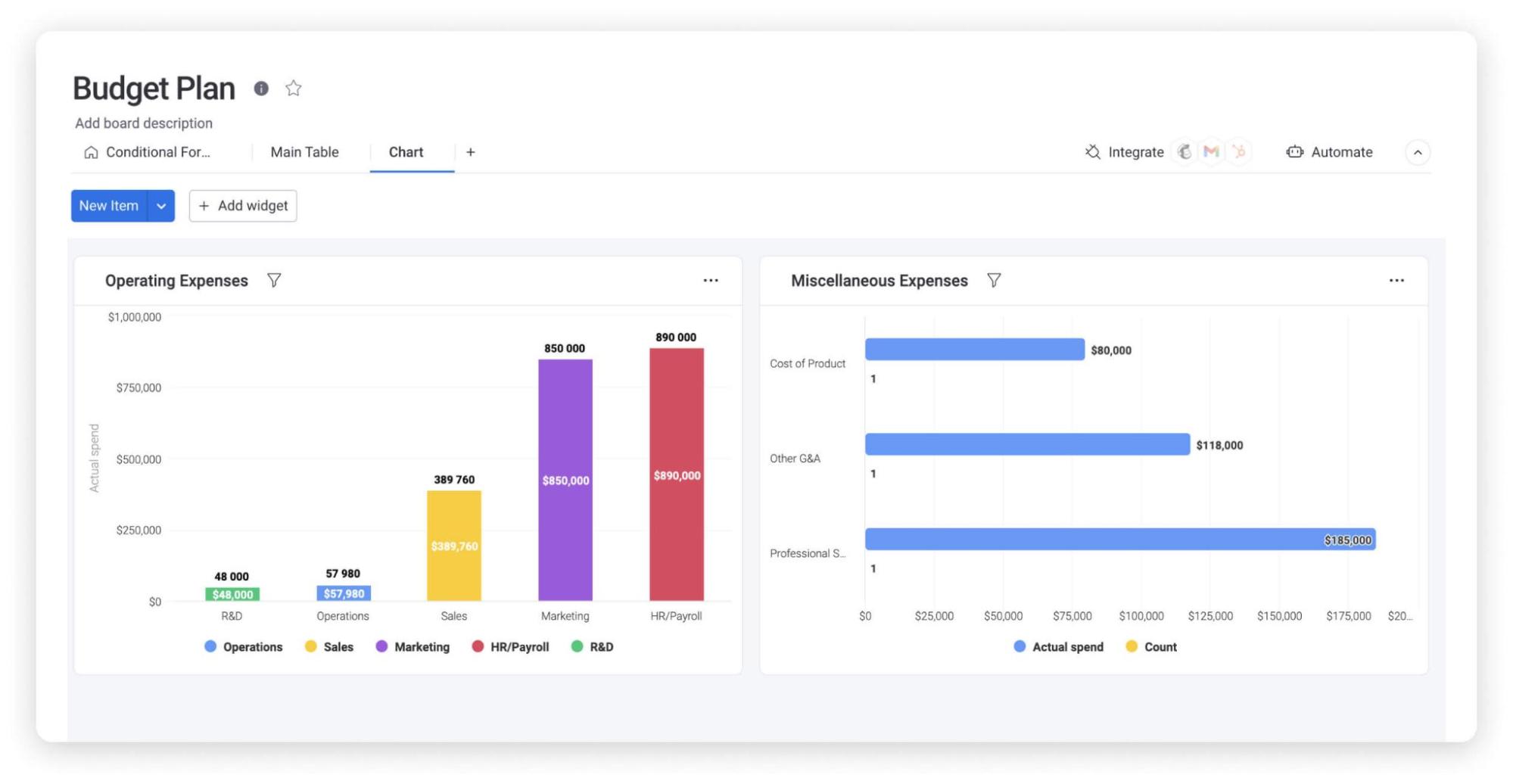
Your budget lives on a board where each expense is a row, and each column captures a detail you’d otherwise scatter across tabs:
- Budgeted and actual columns: Record your estimate and what you really spend side by side, so variance is always visible
- Automatic variance: A formula column calculates budgeted minus actual for every item, updating the moment you enter a cost
- Status and dates: Track each item as planned, purchased, or paid, and set payment due dates you won’t miss
- Attachments: Add quotes, invoices, and receipts directly to each line item so your paper trail stays with the number
Because the board updates in real time, you can log expenses and photograph receipts from the job site on the mobile app, and your budget reflects the true picture instantly. Share the board with your partner, designer, or contractor using controlled permissions, and use item-level comments to question a cost or approve a change without a single email thread.
Reporting is where a live budget earns its place. With monday.com Dashboards, you can turn budget data into visuals that answer the questions you actually care about: budget versus actual overall, spend by category, and how much budget remains. Automations handle the follow-through, sending payment-due reminders and alerting you the moment a category crosses its limit.
AI adds a layer of foresight. Ask monday sidekick a plain-language question about your data, such as which categories are trending over budget, and Sidekick reads your board and answers. monday agents can work alongside you as well: an agent can monitor the board for budget overruns, total the overage across items, and flag the categories where your contingency is running short, so you act before a small slip becomes a stalled project.
You can also shape the platform around your project. With monday vibe, you describe a custom renovation tracker in plain language and Vibe builds it as an app connected to your existing data. If your figures already sit in Excel, import them to get started, then connect Google Drive or Slack so files and updates stay in sync.
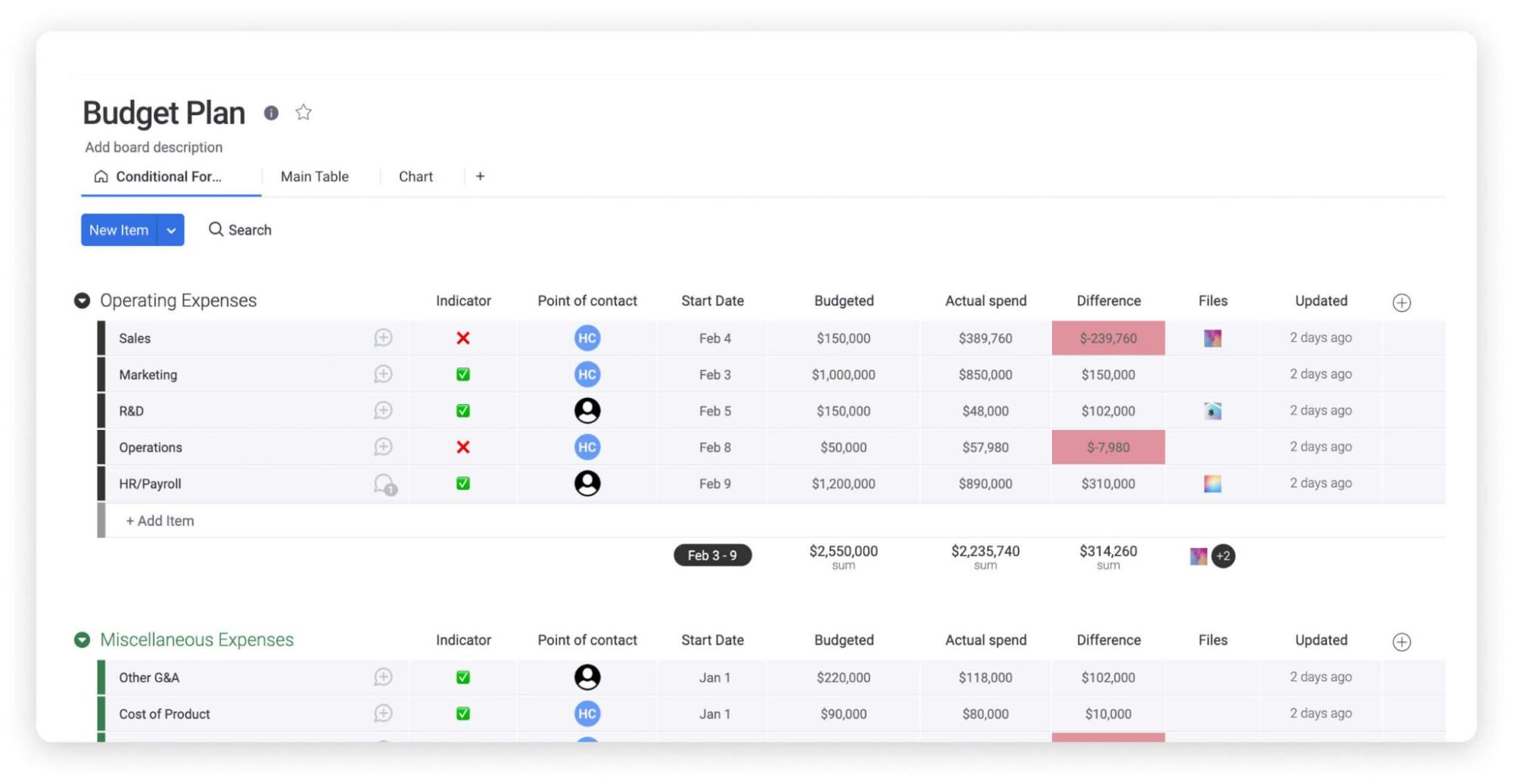
The table below compares a live platform with a static file across the capabilities that matter most on a renovation, and explains why teams managing larger builds often pair it with dedicated construction management software.
| Capability | Static spreadsheet | monday AI Workspace |
|---|---|---|
| Real-time updates | Manual, one editor at a time | Live, shared across everyone involved |
| Collaboration | Emailed versions, version conflicts | Shared board with controlled permissions |
| Visual dashboards | Manual charts | Live budget versus actual and spend by category |
| Automated alerts | None | Overrun alerts and payment reminders |
| Mobile access | Limited and clunky | Full mobile app for on-site updates |
| Variance calculation | Manual formulas | Automatic formula column |
| AI assistance | None | Plain-language answers and overrun monitoring |
Turning your renovation plan into confident spending
The difference between a renovation that stays on budget and one that spirals rarely comes down to the first estimate. It comes down to whether you can see your spending clearly enough to act while there’s still room to adjust. A renovation budget template gives you that starting structure, and keeping it current gives you the control.
The next step is to close the gap between what you planned and what’s actually happening. Pairing a live budget with automated alerts means you learn about an overrun the day it starts, not the week after, so a small correction replaces a painful one. Build your renovation budget template to be a working record you check often, and it will guide every spending decision through to the final invoice.
FAQs
How do you create a renovation budget?
To create a renovation budget, start by defining your project's scope, research all potential costs including labor, materials, and permits, then list them in detail. A good template helps you categorize expenses, track estimates versus actuals, and set aside a contingency fund of 10% to 20%.
How can a renovation budget be controlled?
You control a renovation budget through upfront planning, getting multiple quotes, prioritizing needs over wants, and regularly tracking actual spending against your plan. Maintaining a contingency fund and communicating changes early keeps costs from drifting, and real-time tracking helps you correct overruns while they're still small.
How do you keep track of renovation projects?
You keep track of renovation projects by monitoring budget, tasks, and timelines in one place. Record expenses as you spend, assign responsibilities, and watch deadlines, then store quotes, invoices, and receipts alongside each cost. Centralizing this with your partner or contractor prevents the gaps where surprises hide.
What are common mistakes to avoid in renovation budgeting?
Common mistakes include underestimating costs, skipping a detailed scope, forgetting a contingency fund, poor record-keeping, and making too many changes mid-project. Weak communication with contractors compounds these. Detailed tracking, a clear scope, and a healthy buffer prevent most of them before they affect your bottom line.
How much contingency should I add to my renovation budget?
Add a contingency of 10% to 20% of your total estimated project cost. Lean toward 20% for older homes or complex renovations, since homes built before 1980 tend to cost 15 to 25% more to renovate because of hidden electrical and plumbing work.
How does monday.com help you track a renovation budget?
On monday.com, you track a renovation budget with formula columns that calculate variance automatically, live dashboards that show spend by category and remaining budget, and automations that send overrun alerts. monday sidekick answers plain-language questions about your data, and an agent can flag categories running short on contingency.
 Get started