

Success as a student isn’t just about effort — it’s about efficiency. Between juggling lectures, essays, and exams, the real challenge lies in keeping up with the pace of academic life. That’s where the right digital tools come in.
The best AI tools for students don’t replace critical thinking; they sharpen it. Whether it’s generating research summaries, organizing notes, or refining your writing, these tools help turn chaos into clarity. Some excel at single tasks like grammar checking or citation management, while others act as adaptable study partners that learn your workflow.
Below, we’ll explore the most useful AI apps and platforms for every stage of student life — including options to build your own custom helpers with flexible platforms like ChatGPT, Gemini, or Quizlet — so you can focus less on admin and take complete control of your workflow.
Key takeaways
- Study smarter, not harder: the best AI tools for students help organize research, writing, and study time so workloads feel more manageable and focused.
- Use AI to handle admin, not thinking: from note summaries to proofreading, AI is most effective when it removes repetitive tasks and frees up time for real learning.
- Combine specialized tools for better results: no single app does everything well. Mixing tools for writing, research, and memorization leads to stronger outcomes.
- Start free, upgrade with purpose: free tools cover the essentials, while paid plans make sense when they meaningfully save time or improve quality during heavy coursework.
- Build systems that grow with you: agent-based platforms like Quizlet, Grammarly, and Notion AI point to a future where students can use AI to manage ongoing study workflows, projects, and deadlines, not just one-off tasks.
Quick overview of the best AI tools for students
Student life is a balancing act — research papers, group projects, and deadlines all fighting for space on the same chaotic calendar. The right AI tools help you keep it all under control, turning study stress into a streamlined system.
These aren’t the old grammar checkers of yesterday. Today’s AI apps act as real academic teammates, each built to handle a specific job — from organizing research and tracking assignments to proofreading essays and managing citations.
Below, you’ll find some guidance on the essential free tools every student should have, plus the premium options that deliver extra power when coursework gets intense.
Essential free tools for every student
You don’t need a big budget to start building your academic support squad. The free AI landscape is packed with powerful tools that handle the fundamentals, from polishing your writing to digging up research sources, and they’re more than capable of handling most coursework.
The trick is to not expect one tool to do everything. Instead, assemble a small team of specialists: let one handle your citations while another proofs your essays. This “one tool, one task” approach is smarter and gets you better results, turning a pile of work into a series of handled tasks.
Premium tools for power users
While free tools are your everyday players, premium versions are the pros you call in for the big games. They unlock advanced capabilities like deep plagiarism checks, unlimited AI assistance, or specialized analysis for technical subjects, going way beyond what a free tier can offer.
The question isn’t if they’re worth the price, but if they’re worth it for you. If you’re deep in thesis work or juggling advanced courses, the time saved and the boost in quality can be a game-changer.
You’re the boss: you decide when to bring in the heavy hitters for your team.
Top AI tools to transform your studies
Juggling assignments, research, and a semblance of a social life is the student’s default setting. A new kind of digital teammate has entered the chat: AI. Consider these tools your secret weapon: a specialized squad ready to help you conquer your to-do list and reclaim your time.
This is about more than a simple grammar check. Imagine an AI that learns your study habits, digests entire research papers, and organizes your schedule for you. And don’t worry about the cost — most of these are designed with a student budget in mind.
Ready to meet your new study partners? Here are the best solutions that help you work smarter, not harder.
1. ChatGPT
Offering instant, conversational AI assistance for everything from brainstorming essay ideas to explaining complex concepts, ChatGPT has become an indispensable tool for students. The platform’s intuitive chat interface makes it accessible at any level, while its ability to adapt to different subjects and learning styles sets it apart from traditional study aids.
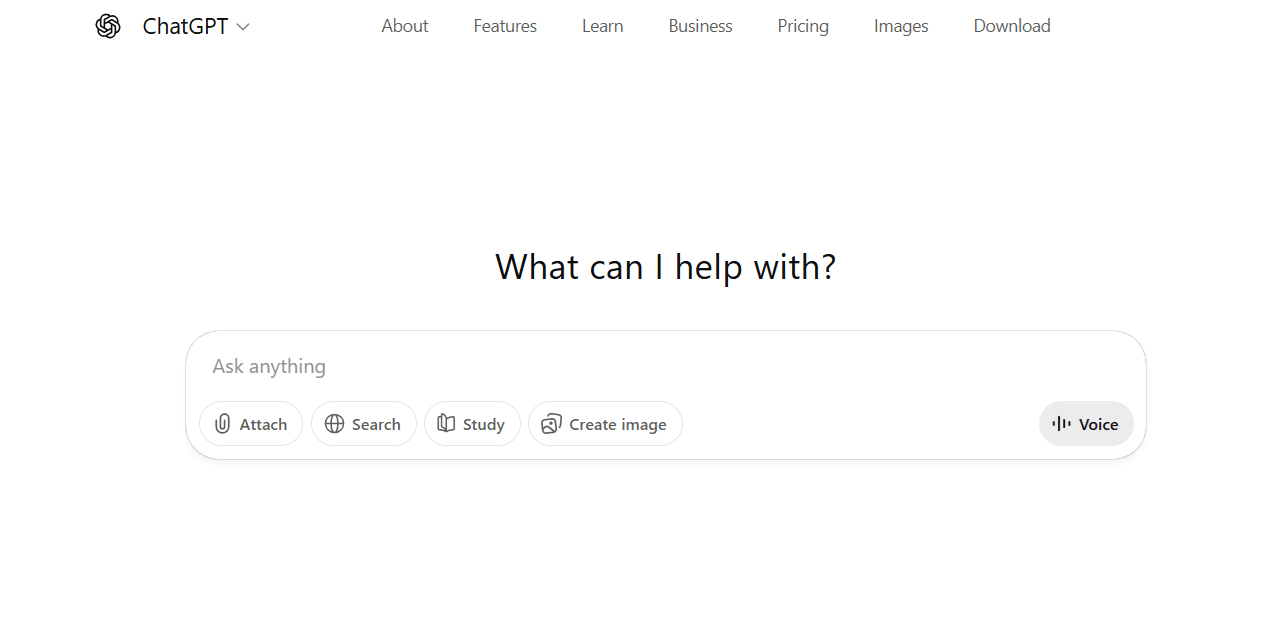
Use case: ChatGPT serves as an always-available study companion that can help students brainstorm ideas, draft essays, solve problems, and understand difficult concepts across virtually any subject.
Key features
- Conversational interface that responds to natural language questions and requests.
- Cross-subject expertise covering everything from literature analysis to mathematical problem-solving.
- Custom GPT creation allowing students to build specialized AI assistants for specific courses or projects.
Pricing
- Free: $0/month – limited messages, uploads, image generation, deep research, memory, and context.
- Plus: $20/month – expanded messaging, uploads, image creation, deep research, memory, context, projects, tasks, custom GPTs, limited Sora video generation, Codex agent.
- Pro: $200/month – full access with pro reasoning, unlimited messages, uploads, image creation, deep research, memory, context, expanded projects, tasks, custom GPTs, extended Sora video generation, expanded Codex agent.
Considerations
- Can occasionally provide inaccurate information or “hallucinate” facts, requiring students to verify important details.
- Free tier has message limits that may restrict extended study sessions during peak usage times.
2. Google Gemini
For students embedded in the Google ecosystem, Gemini acts as a brainy teammate already integrated with Google Docs, Drive, and Gmail. It taps into Google’s powerful AI to help with research, writing, and studying, making it a natural fit for anyone living in Google’s world. While its most innovative skills are reserved for paid plans, the free version is still a mighty helpful study buddy.
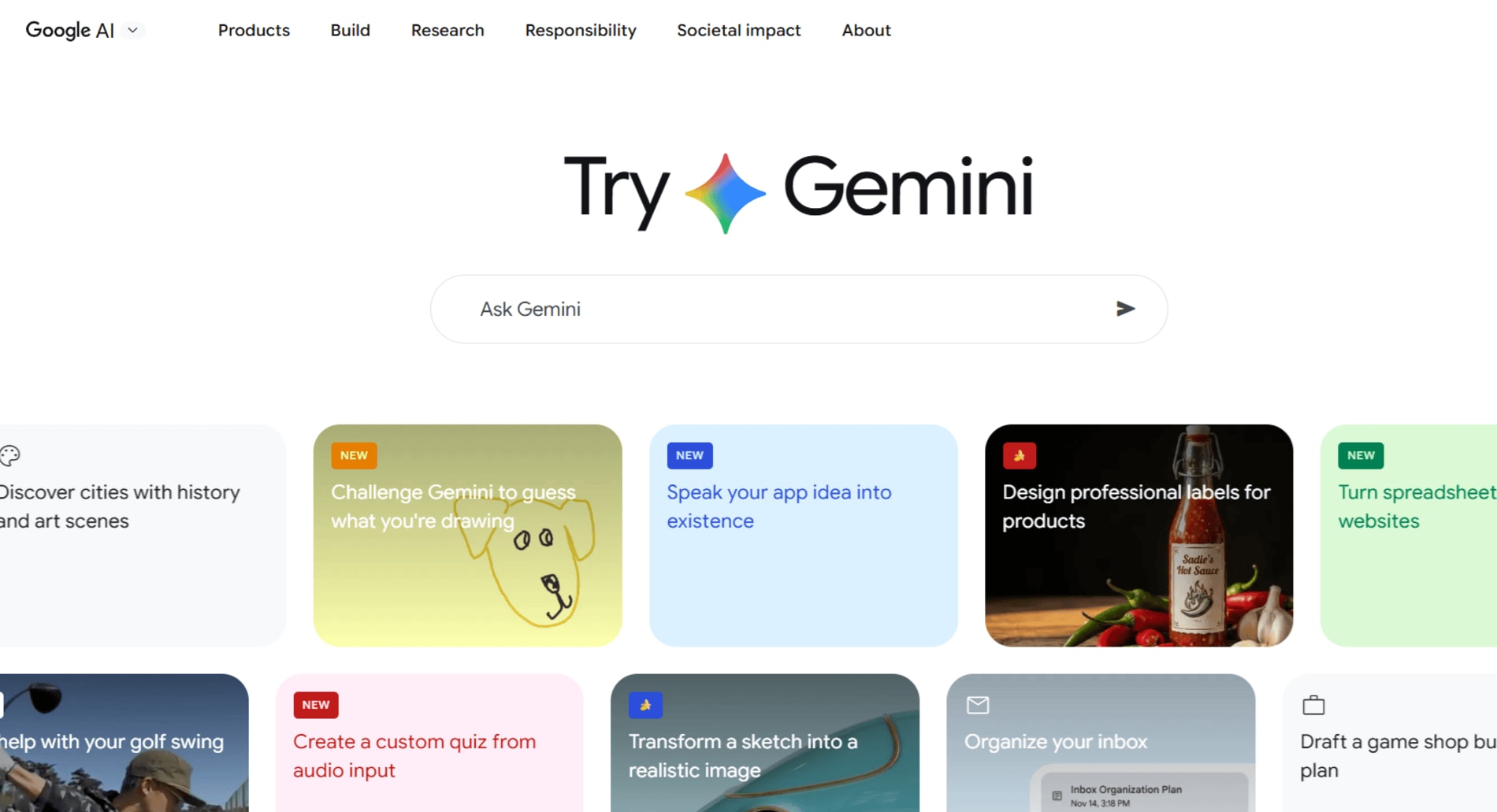
Use case: Google Gemini is your go-to for summarizing complex readings, fact-checking sources, and getting research help, all while staying cozied up inside your Google Workspace apps.
Key features
- Deep research capabilities (Enterprise only): sifts through mountains of web data to whip up comprehensive reports in hours, not weeks.
- Native multimodal processing: understands images, audio, and video; can digest lecture recordings or complex diagrams.
- Seamless Google Workspace integration: works directly within Drive, Docs, and Gmail.
Pricing
- Free: $0/month – Gemini 2.5 Flash, image generation, 100 monthly AI credits, 15 GB storage.
- Google AI Pro: $19.99/month – Gemini 2.5 Pro, 1,000 AI credits, 2 TB storage, perks like Gemini in Chrome and YouTube Premium.
- Google AI Ultra: $249.99/month – highest access, 25,000 AI credits, 30 TB storage.
Considerations
- Most powerful features locked behind enterprise or premium subscriptions.
- Function calling can be inconsistent.
- Best for users deeply invested in the Google ecosystem.
3. Grammarly
Functioning as a personal writing coach, Grammarly offers its famous real-time grammar and spelling checks across more than 500,000 apps and websites. For more demanding tasks — like grading papers or finding citations—its powerful new AI agents are ready to assist inside the Grammarly Docs editor, making it a go-to for students who want to polish their work from first draft to final submission.

Use case: perfect for students who need to nail their papers, emails, and assignments. Grammarly gives you instant feedback on grammar and tone everywhere you write. Plus, within its own editor, you can unleash specialized AI agents to help find citations and even estimate your grade.
Key features
- Real-time writing assistance: grammar and spelling corrections across 500,000+ apps and websites, catching errors as you type.
- AI Grader: get feedback aligned to your rubric with an estimated grade before you submit.
- Citation Finder: locate credible sources and generate formatted citations without leaving your document.
Pricing
- Free: $0/month – basic grammar and spelling checks, 100 AI prompts monthly.
- Pro: $12/member/month (annually) or $30/member/month (monthly) – adds plagiarism detection, unlimited suggestions, 2,000 AI prompts.
- Enterprise: custom pricing – unlimited AI prompts, dedicated support, advanced security.
Considerations
- Advanced AI agents only available in Grammarly Docs for paying subscribers.
- Free version limits access to AI prompts and advanced features.
- AI suggestions may be less accurate for creative or technical writing.
4. Notion AI
Notion AI transforms your workspace into a smart study hub where notes, assignments, and research live together. It’s not just about organizing information: it’s about having an AI teammate that can summarize your lecture notes, generate study guides, and help you brainstorm essay outlines, all within the same workspace where you’re already managing your coursework.

Use case: students can use Notion AI to build an all-in-one academic command center, where AI helps summarize readings, generate study materials, and organize research alongside their notes and assignment trackers.
Key features
- AI-powered summarization: condense lengthy lecture notes or research articles into digestible summaries with one click.
- Integrated workspace: AI assistance lives directly inside your notes, databases, and project pages — no switching between apps.
- Custom templates: build reusable study templates with AI assistance baked in for recurring tasks like weekly reviews or essay planning.
Pricing
- Free: $0/month – basic Notion workspace with limited AI responses.
- Plus: $10/user/month (annually) or $12/user/month (monthly) – unlimited AI responses, advanced collaboration features.
- Business: $18/user/month (annually) – advanced permissions, priority support, enhanced security.
Considerations
- Free tier severely limits AI usage, making it impractical for heavy study sessions.
- Learning curve for students new to Notion’s database and workspace structure.
- AI features work best when you’ve already built out your Notion workspace.
5. Quizlet
Quizlet turns the grind of memorization into an active learning experience powered by AI. Whether you’re cramming vocabulary for a language exam or drilling anatomy terms, Quizlet’s AI generates flashcards, practice tests, and study games from your materials. It’s like having a study partner who never gets tired of quizzing you, adapting to what you know and what still needs work.

Use case: perfect for students who need to memorize large amounts of information quickly. Quizlet helps you master vocabulary, formulas, historical dates, or any subject that requires recall through AI-generated flashcards and adaptive learning modes.
Key features
- AI-powered flashcard generation: upload your notes or textbook pages, and Quizlet’s AI automatically creates study sets with terms and definitions.
- Adaptive learning modes: the platform tracks what you know and focuses your study time on the material you’re still struggling with.
- Practice tests and games: turn studying into an engaging experience with multiple study modes, from matching games to timed tests.
Pricing
- Free: $0/month – basic flashcard creation, study modes, and access to millions of user-created study sets.
- Plus: $7.99/month or $35.99/year – unlimited AI-powered study sets, ad-free experience, advanced study modes, and offline access.
Considerations
- AI-generated flashcards may occasionally need manual editing for accuracy or context.
- Most effective for memorization-based learning rather than conceptual understanding.
- Free version includes ads and limits access to some advanced study features.
6. Perplexity AI
Perplexity AI is your research assistant that actually shows its work. Unlike traditional search engines that dump a list of links on you, Perplexity delivers direct answers with citations, making it perfect for students who need credible information fast. It’s like having a research librarian who reads everything for you and highlights exactly what you need to know.

Use case: ideal for students conducting research who need quick, accurate answers with verifiable sources. Perplexity helps you cut through information overload by providing synthesized answers with citations you can actually use in your papers.
Key features
- Real-time cited answers: get comprehensive responses with inline citations linking directly to source material, making fact-checking and bibliography building effortless.
- Follow-up questioning: ask clarifying questions in a conversational thread, diving deeper into topics without starting your search from scratch.
- Academic mode: focus your searches on scholarly sources and peer-reviewed journals for research that meets academic standards.
Pricing
- Free: $0/month – unlimited quick searches, standard AI model, basic citations.
- Pro: $20/month or $200/year – unlimited Pro searches with advanced AI models, file uploads, image generation, and API access.
Considerations
- Free tier limits access to the most advanced AI models during peak usage.
- Citations require verification for academic work, as with any AI-generated content.
- Best for exploratory research and background information rather than deep academic analysis.
7. Otter.ai
Otter.ai turns your lectures and study sessions into searchable, shareable notes without you lifting a pen. It records, transcribes, and organizes spoken content in real time, so you can actually focus on understanding the material instead of frantically scribbling everything down.
Think of Otter.ai as your personal note-taker who never misses a word and can instantly find that one concept your professor mentioned 40 minutes into class.

Use case: perfect for students who want to stay present during lectures while still capturing every detail. Otter.ai records and transcribes classes, study group discussions, and office hours, creating searchable notes you can review and share with classmates.
Key features
- Real-time transcription: converts speech to text as it happens, with speaker identification to track who said what during group discussions.
- AI-generated summaries: automatically creates key takeaways and action items from your recordings, saving you hours of review time.
- Searchable audio: find specific topics or keywords instantly within hours of recorded content without listening to everything again.
Pricing
- Free: $0/month – 300 monthly transcription minutes, 30 minutes per conversation, basic transcription and summary.
- Pro: $16.99/month or $120/year – 1,200 monthly minutes, 90 minutes per conversation, advanced search, and export options.
- Business: $30/user/month – 6,000 monthly minutes, admin controls, priority support, and team collaboration features.
Considerations
- Transcription accuracy can vary with audio quality, accents, or technical terminology.
- Free tier’s 300-minute monthly limit may not cover all lectures for students with heavy course loads.
- Always check your institution’s recording policies before capturing classroom content.
8. Wolfram Alpha
Wolfram Alpha is the computational genius that doesn’t just solve your math problems: it shows you exactly how it got there. Unlike a simple calculator or search engine, it’s a knowledge engine that computes answers from curated data, making it indispensable for STEM students tackling everything from calculus to chemistry.
Picture this tool on par with having a brilliant tutor who can break down complex equations, generate step-by-step solutions, and visualize data in ways that actually make sense.

Use case: ideal for students in math, science, and engineering courses who need more than just answers. Wolfram Alpha helps you understand the methodology behind solutions, verify your homework, and explore concepts through interactive visualizations and detailed explanations.
Key features
- Step-by-step solutions: get detailed breakdowns of how to solve equations, from basic algebra to advanced calculus, so you actually learn the process.
- Computational knowledge: access curated data across mathematics, science, engineering, and more — with the ability to compute answers rather than just search for them.
- Interactive visualizations: generate graphs, charts, and 3D models that help you see mathematical and scientific concepts in action.
Pricing
- Free: $0/month – basic computational answers and limited step-by-step solutions.
- Pro: $7.25/month or $72.50/year – extended computation time, step-by-step solutions for all problems, downloadable results, and ad-free experience.
- Pro Premium: $12/month or $120/year – priority computation, extended file uploads, and access to additional features for power users.
Considerations
- Most valuable for STEM subjects; less useful for humanities or social sciences coursework.
- Free version limits access to step-by-step solutions, which are often the most helpful feature for learning.
- Requires understanding how to phrase queries correctly to get the most accurate computational results.
9. Canva
Canva turns design from a specialized skill into something any student can master in minutes. Whether you’re building a presentation that doesn’t look like every other slide deck or creating infographics for your research project, Canva’s AI-powered design assistant helps you produce professional-quality visuals without a design degree.
It’s like having a graphic designer on your team who knows exactly what works and can execute your vision faster than you can say “group project.”

Use case: perfect for students who need to create compelling visual content for presentations, posters, social media projects, or even pitch decks in your future career. Canva helps you stand out with professional designs that communicate your ideas clearly and memorably.
Key features
- AI-powered design suggestions: get instant layout recommendations and design elements that match your content, making professional design accessible even if you’ve never used design software before.
- Template library: access thousands of education-specific templates for presentations, posters, infographics, and reports that you can customize to fit your needs.
- Collaboration tools: work on designs with classmates in real time, perfect for group projects where everyone needs to contribute to the final presentation.
Pricing
- Free: $0/month – access to basic templates, design tools, 5GB storage, and limited AI features.
- Pro: $14.99/month or $119.99/year – unlimited AI image generation, premium templates, background remover, brand kit, and 1TB storage.
- Teams: $29.99/month for up to five users – everything in Pro plus team collaboration features and centralized billing.
Considerations
- Free version limits access to premium templates and advanced AI features like background removal.
- Can be tempting to over-design when simplicity would be more effective for academic work.
- Export options for free users are limited compared to paid tiers.
10. Zotero
Introducing the research assistant that never loses track of your sources. This open-source reference manager captures citations from your browser with one click, organizes your research library, and generates perfectly formatted bibliographies in any citation style you need.
Zotero is essentially your personal librarian who remembers every article you’ve ever read, and can instantly pull up the exact citation when you need it.

Use case: ideal for students managing multiple research projects who need to keep track of dozens or hundreds of sources. Zotero helps you collect, organize, and cite research materials efficiently, eliminating the citation headache that comes with every major paper.
Key features
- One-click citation capture: save sources directly from your browser with full citation information automatically extracted from academic databases, library catalogs, and websites.
- Automatic bibliography generation: create formatted bibliographies in thousands of citation styles (APA, MLA, Chicago, and more) that update automatically as you add sources.
- PDF annotation and organization: store PDFs alongside citations, highlight key passages, and add notes that stay connected to your sources for easy reference.
Pricing
- Free: $0/month – full citation management features with 300MB of storage for attachments.
- Storage plans: $20/year for 2GB, $60/year for 6GB, or $120/year for unlimited storage – Only needed if you store many PDFs and attachments.
Considerations
- Free storage limit may require external file management for students with extensive PDF libraries.
- Interface feels less modern compared to some newer citation tools, though functionality is robust.
- Requires browser extension installation for the smoothest citation capture experience.
11. Mendeley
Mendeley combines reference management with academic social networking, making it perfect for students who want to organize their research while discovering what others in their field are reading. It’s like Zotero’s more social cousin: handling all your citations while also connecting you to a community of researchers and recommending papers based on what’s in your library.

Use case: best for students who want citation management plus research discovery. Mendeley helps you organize sources, generate bibliographies, and find new relevant papers through its recommendation engine and academic network.
Key features
- Automated citation extraction: import papers from databases or PDFs and watch Mendeley automatically pull citation details, saving you from manual data entry.
- Research recommendations: get personalized suggestions for papers based on what’s already in your library, helping you discover sources you might have missed.
- Collaborative research groups: share reference libraries with classmates or study groups, making team research projects infinitely more organized.
Pricing
- Free: $0/month – full reference management with 2GB storage and basic collaboration features.
- Premium: $55/year or $9.99/month – 5GB storage, priority support, and enhanced collaboration tools.
- Institutional: custom pricing – unlimited storage and advanced administrative features for universities.
Considerations
- Owned by Elsevier, which some academics avoid due to publishing industry concerns.
- Free storage may fill quickly for students with large PDF collections.
- Social features can be distracting if you just need straightforward citation management.
12. Photomath
Photomath is the math problem solver that shows its work. Point your camera at an equation, and it delivers step-by-step solutions with detailed explanations for every move. It’s not about getting quick answers: it’s about understanding why each step matters, making it invaluable when you’re stuck on calculus at midnight.

Use case: essential for math students who need to see the logic behind solutions. Photomath helps you work through algebra, geometry, trigonometry, and calculus problems by breaking down each step so you can learn the process, not just memorize answers.
Key features
- Camera-based problem solving: scan printed or handwritten math problems and get instant solutions with full explanations.
- Multiple solution methods: see different approaches to the same problem, helping you find the method that makes the most sense to you.
- Interactive graphs: visualize functions and equations with dynamic graphs that help you understand mathematical relationships.
Pricing
- Free: $0/month – basic step-by-step solutions and problem scanning.
- Plus: $9.99/month or $59.99/year – detailed explanations, custom visualizations, and expert-verified solutions for complex problems.
Considerations
- Free version limits access to the most detailed explanations and advanced problem types.
- Focused exclusively on math, so it won’t help with other subjects.
- Can become a crutch if used to skip learning rather than supplement understanding.
13. Khanmigo
Khanmigo is Khan Academy’s AI tutor that guides you through problems using the Socratic method — asking questions that help you discover answers yourself rather than just handing them over. It’s like having a personal tutor who knows exactly when to nudge you toward the solution and when to let you struggle productively.
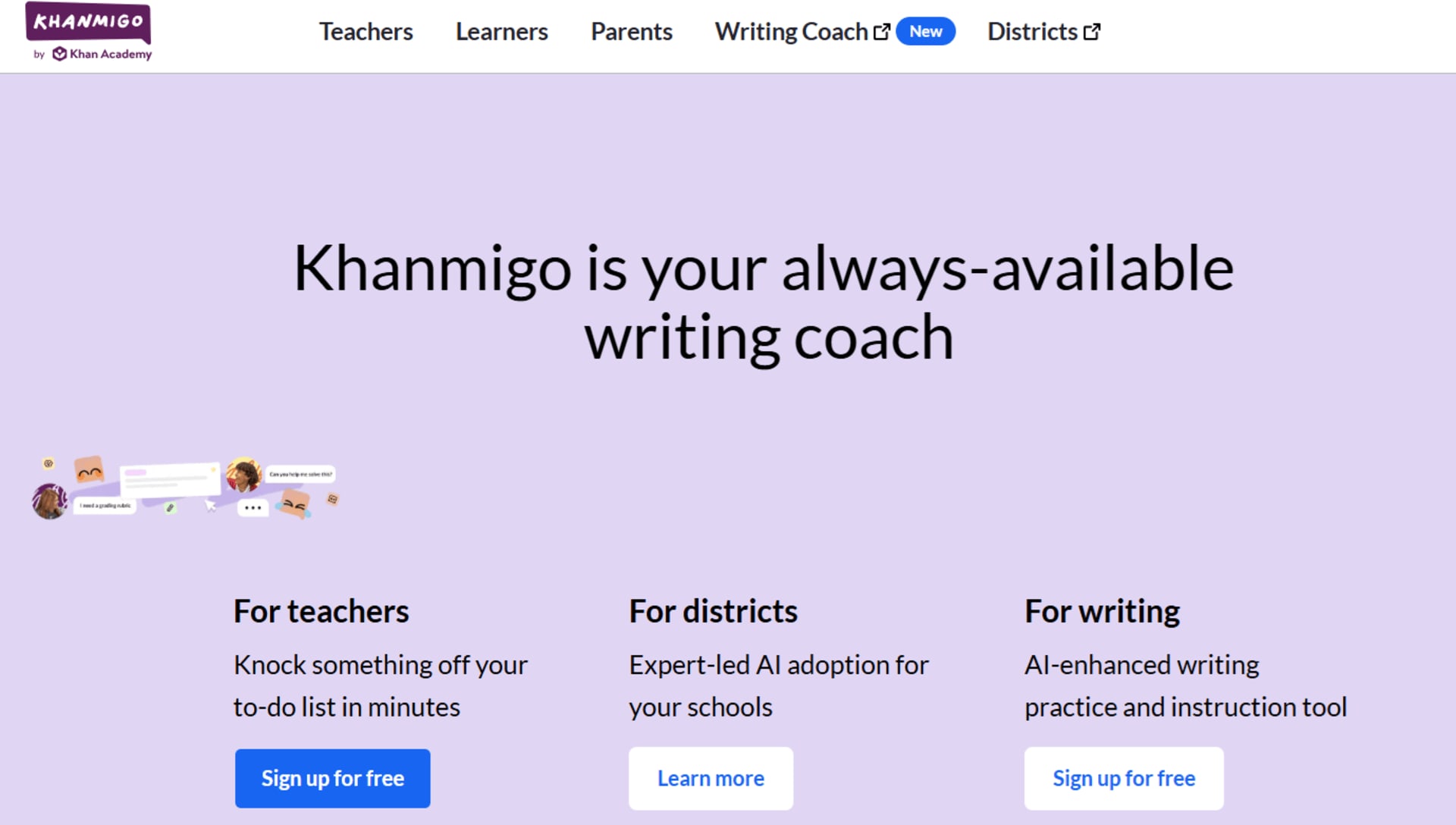
Use case: ideal for students who want to truly understand concepts rather than just get homework answers. Khanmigo helps you develop critical thinking skills across subjects by guiding you through problems with questions and hints tailored to your learning pace.
Key features
- Socratic tutoring approach: instead of giving direct answers, Khanmigo asks guiding questions that help you reason through problems independently.
- Cross-subject support: get help with math, science, humanities, and more, all within the Khan Academy ecosystem you already know.
- Progress tracking: monitor your learning journey with insights into which concepts you’ve mastered and where you need more practice.
Pricing
- Khanmigo: $9/month or $99/year – full access to AI tutoring across all Khan Academy subjects and grade levels.
Considerations
- No free tier — requires paid subscription to access AI tutoring features.
- Socratic method may feel slower for students who just want quick answers to move forward.
- Works best when integrated with Khan Academy’s existing course structure and videos.
14. QuillBot
QuillBot is your writing Swiss Army knife, turning clunky sentences into polished prose with AI-powered paraphrasing and summarization. Whether you’re trying to hit a word count, simplify complex research, or just make your writing flow better, QuillBot helps you say what you mean more clearly.
This is the handy editor who can rephrase your ideas in multiple ways until you find the version that clicks.

Use case: perfect for students who need to paraphrase source material, summarize lengthy articles, or refine their own writing to sound more professional. QuillBot helps you avoid accidental plagiarism while improving clarity and readability across all your academic writing.
Key features
- AI paraphrasing modes: choose from multiple rewriting styles — formal, creative, concise — to match your assignment’s tone and requirements.
- Summarization tool: condense long articles or research papers into key points, saving hours of reading time while capturing essential information.
- Grammar and plagiarism checker: catch errors and ensure originality with integrated writing enhancement tools that work alongside the paraphraser.
Pricing
- Free: $0/month – limited paraphrasing (125 words), basic grammar checking, and 1,200-word summarizer.
- Premium: $9.95/month or $49.95/year – unlimited paraphrasing, advanced grammar, plagiarism checker, and faster processing.
Considerations
- Free tier’s 125-word limit makes it impractical for longer passages without breaking them into chunks.
- Paraphrasing quality varies; always review output to ensure it maintains your intended meaning.
- Should supplement, not replace, your own writing and critical thinking.
15. SciSpace
SciSpace transforms how you interact with academic papers by letting you have actual conversations with research documents. Instead of drowning in dense scientific jargon, you can ask questions about methodology, results, or concepts and get plain-English explanations. It’s like having a research assistant who’s read every paper in your field and can explain them to you over coffee.
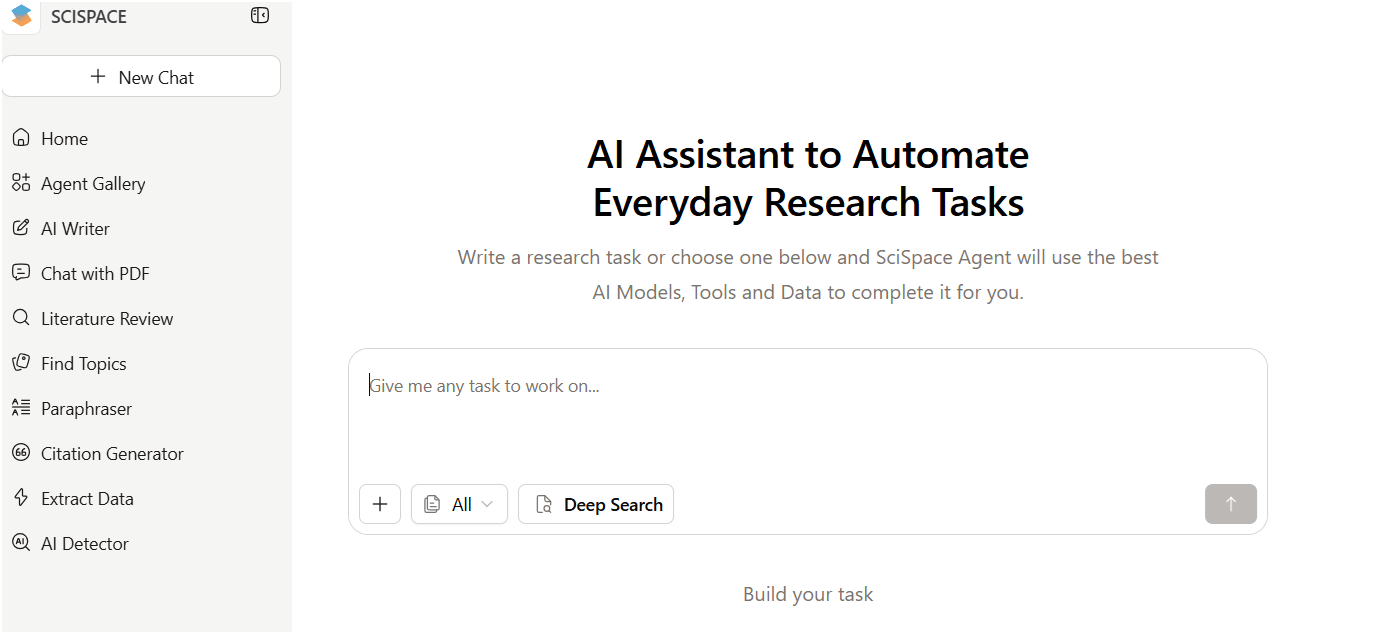
Use case: ideal for students conducting literature reviews or trying to understand complex research papers. SciSpace helps you extract insights from academic publications faster by answering your questions about specific sections, explaining technical terms, and summarizing key findings.
Key features
- AI paper explanations: ask questions about any part of a research paper and get instant, understandable answers that break down complex concepts.
- Literature review assistant: discover related papers, compare methodologies, and identify research gaps across multiple studies simultaneously.
- Citation extraction: automatically pull citations and generate bibliographies from the papers you’re reading, streamlining your reference management.
Pricing
- Free: $0/month – limited AI explanations and paper access with basic features.
- Premium: $12/month or $144/year – unlimited AI questions, full paper access, advanced literature review tools, and priority support.
Considerations
- Free tier limits the number of questions you can ask, which may not cover extensive research sessions.
- Most valuable for STEM and scientific research; less comprehensive for humanities papers.
- AI explanations should be verified against the original text for critical academic work.
16. Jasper
Jasper is the AI writing assistant that helps you break through writer’s block and generate content fast. Originally built for marketers, it’s become a secret weapon for students who need to draft essays, create outlines, or brainstorm ideas when staring at a blank page feels impossible.
Jasper is best considered as your creative writing partner who always has suggestions when you’re stuck.

Use case: best for students who struggle with getting started on writing assignments. Jasper helps you generate essay outlines, draft introductions, brainstorm thesis statements, and create content frameworks that you can then refine and personalize.
Key features
- Template library: access pre-built frameworks for essays, blog posts, creative writing, and more to jumpstart your writing process.
- Tone adjustment: generate content in different styles — academic, casual, persuasive — to match your assignment requirements.
- Long-form editor: work on extended documents with AI assistance that maintains context and consistency throughout your writing.
Pricing
- Creator: $49/month or $39/month (annually) – unlimited words, 50+ templates, SEO mode, and plagiarism checker.
- Pro: $69/month or $59/month (annually) – everything in Creator plus collaboration tools, brand voice, and priority support.
Considerations
- No free tier makes it expensive for students on tight budgets.
- Designed primarily for marketing content, so academic writing may require significant editing.
- Generated content needs substantial personalization to meet academic integrity standards.
17. Elicit
Elicit is the research assistant that reads academic papers for you and answers your research questions by analyzing thousands of studies. Instead of manually combing through databases, you ask Elicit a question and it finds relevant papers, extracts key information, and summarizes findings across multiple sources. It’s like having a grad student who’s already read everything in your field.

Use case: perfect for students conducting systematic literature reviews or trying to answer specific research questions. Elicit helps you discover relevant studies, compare findings across papers, and identify patterns in academic literature without reading every single article.
Key features
- Research question answering: ask specific questions and get answers synthesized from multiple academic papers with direct citations.
- Paper discovery: find relevant studies even when they don’t use your exact keywords, using semantic search that understands concepts.
- Data extraction: automatically pull key information like methodology, sample size, and results from multiple papers into organized tables.
Pricing
- Basic: $0/month – limited searches and paper summaries with basic features.
- Plus: $12/month or $120/year – unlimited searches, advanced filters, export options, and priority support.
- Pro: $42/month or $420/year – high-volume usage, team collaboration, and advanced research features.
Considerations
- Free tier limits monthly searches, which may not cover extensive research projects.
- Most effective for scientific and social science research; less comprehensive for humanities.
- AI-generated summaries should be verified by reading original papers for critical citations.
18. Paperpile
Paperpile is the reference manager that lives where you actually work: inside Google Docs and your browser. It captures citations with one click, organizes your research library, and inserts perfectly formatted references directly into your papers as you write. Think of it as Zotero’s cloud-native cousin, designed for students who live in Google’s ecosystem.

Use case: perfect for students who write in Google Docs and want seamless citation management without switching between apps. Paperpile helps you collect sources, organize research, and generate bibliographies without ever leaving your document.
Key features
- Google Docs integration: insert citations and generate bibliographies directly in Google Docs with a simple click, no copy-pasting required.
- Browser extension: save papers from any website or database with full citation information automatically extracted.
- PDF annotation: highlight and annotate papers within Paperpile, with notes synced to your library for easy reference.
Pricing
- Personal: $3/month or $36/year – full citation management, unlimited storage, and all core features.
- Team: $5/user/month or $60/user/year – shared libraries, collaboration tools, and team management features.
Considerations
- No free tier — requires paid subscription from day one, though pricing is student-friendly.
- Works best for Google Docs users; less ideal if you primarily write in Microsoft Word.
- Smaller user community compared to Zotero or Mendeley, meaning fewer third-party plugins.
19. Caktus AI
Caktus AI is built specifically for students, offering AI assistance tailored to academic work rather than generic content generation. From essay writing to math problem-solving, it understands the unique demands of coursework and helps you tackle assignments across subjects.
Think of it as your academic Swiss Army knife, designed with student needs at its heart.
Use case: best for students who want an all-in-one AI assistant for multiple subjects. Caktus helps with essay writing, math problems, coding assignments, and study guides, making it a versatile tool for students juggling diverse coursework.
Key features
- Multi-subject support: get help with essays, math, science, coding, and more from a single platform designed for academic work.
- Citation generation: automatically create properly formatted citations in multiple styles as you work on research papers.
- Study tools: generate flashcards, practice questions, and study guides from your course materials to prepare for exams.
Pricing
- Monthly: $14.99/month – unlimited access to all features and subjects.
- Annual: $99.99/year – same features as monthly with significant savings for long-term use.
Considerations
- No free tier limits the ability to test the platform before committing to a subscription.
- Academic integrity concerns require careful use to supplement rather than replace learning.
- Quality varies by subject; some features work better than others depending on your coursework.
20. DeepL Write
DeepL Write is the AI writing assistant that makes your text sound natural and polished, especially if English isn’t your first language. It goes beyond basic grammar checking to improve phrasing, tone, and clarity, helping you write like a native speaker.
Consider this powerful tool as like having a language coach who fine-tunes every sentence until it flows perfectly.

Use case: perfect for international students or anyone who wants to elevate their writing quality. DeepL Write helps you refine essays, emails, and assignments by suggesting more natural phrasing and catching subtle language errors that basic grammar checkers miss.
Key features
- Advanced language refinement: get suggestions that improve naturalness and flow, not just grammar, making your writing sound more sophisticated.
- Multiple writing styles: choose between formal, casual, or business tones to match your assignment requirements.
- Multilingual support: write in multiple languages with the same high-quality suggestions, perfect for language courses or international studies.
Pricing
- Free: $0/month – basic writing suggestions with limited features and word count.
- Pro: $10.49/month or $125.88/year – unlimited text, advanced suggestions, and priority processing.
Considerations
- Free tier limits text length, requiring you to check longer documents in sections.
- Works best for polishing already-written text rather than generating content from scratch.
- Suggestions may occasionally change your intended meaning, requiring careful review.
21. LanguageTool
LanguageTool is the multilingual grammar checker that works across more than 30 languages, making it invaluable for students studying foreign languages or writing in multiple languages. It catches grammar, spelling, and style issues while respecting the nuances of each language.
LanguaugeTool is essentially Grammarly’s polyglot cousin who speaks your language, literally.

Use case: essential for language students or multilingual writers who need grammar checking beyond English. LanguageTool helps you write correctly in Spanish, German, French, and dozens of other languages, catching errors that English-focused tools miss.
Key features
- 30+ language support: get grammar and style checking in multiple languages, perfect for foreign language coursework or international studies.
- Personal dictionary: add specialized terms, names, or technical vocabulary that you use frequently to avoid false corrections.
- Browser integration: check your writing across email, social media, and web apps with extensions for all major browsers.
Pricing
- Free: $0/month – basic grammar checking with 10,000 character limit per check.
- Premium: $4.99/month or $59.88/year – unlimited checking, advanced suggestions, and style improvements.
Considerations
- Free tier’s character limit requires breaking longer documents into multiple checks.
- Quality of suggestions varies by language; English and major European languages work best.
- Less sophisticated than Grammarly for English-only writing but unmatched for multilingual support.
22. Readwise Reader
Readwise Reader is the reading app that turns your saved articles, PDFs, and newsletters into an organized knowledge base with AI-powered highlights and summaries. It’s not just about storing what you read — it’s about actually remembering and using that information later. Think of it as your personal research library with a built-in AI librarian who knows exactly what you need.
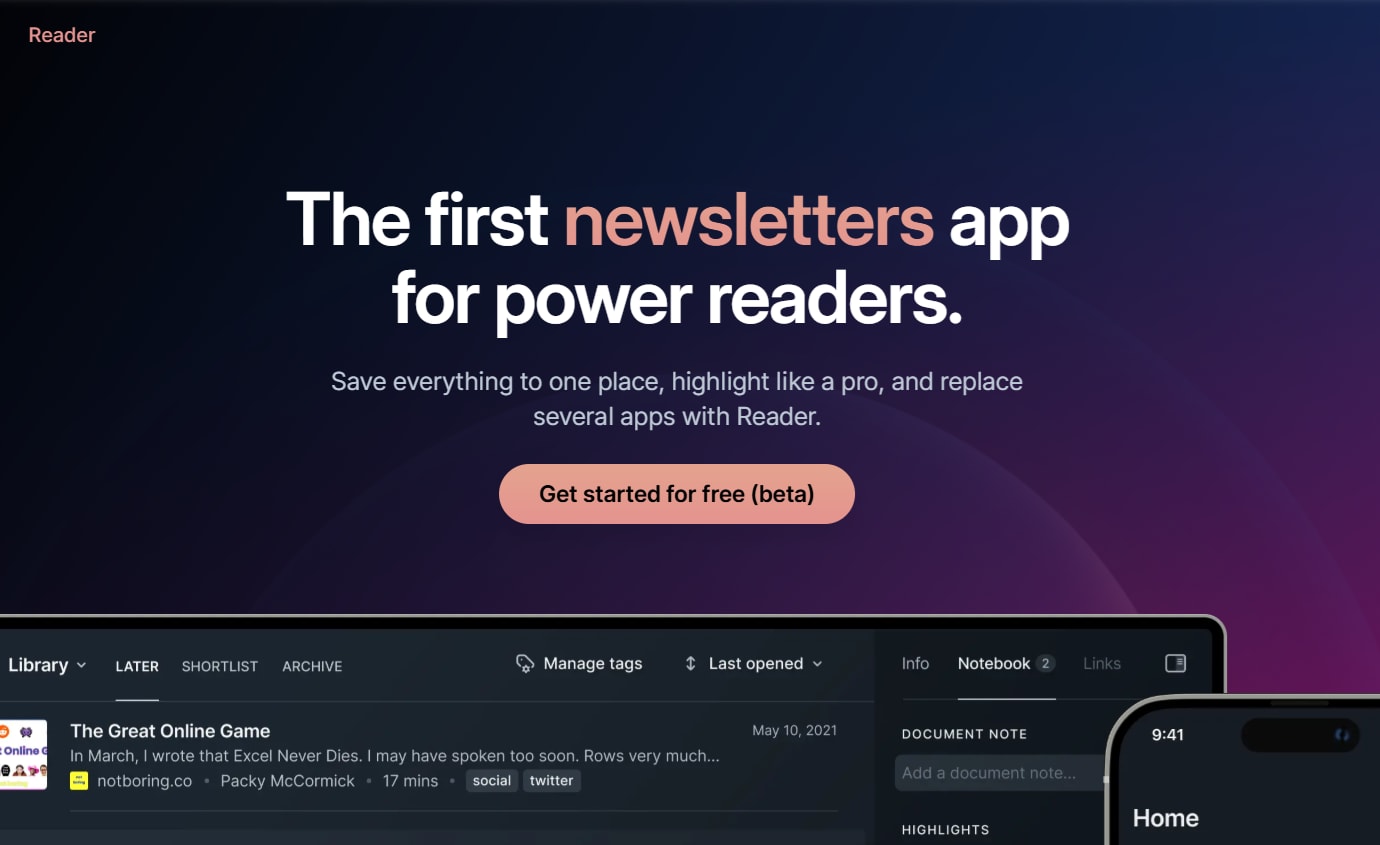
Use case: perfect for students who save dozens of articles and papers but struggle to organize and retain the information. Readwise Reader helps you capture, annotate, and review research materials with AI assistance that surfaces key insights when you need them.
Key features
- AI-powered summaries: get instant summaries of articles and papers, helping you decide what’s worth reading in full.
- Spaced repetition: review your highlights and notes using scientifically-proven spaced repetition to actually remember what you read.
- Universal inbox: collect articles, PDFs, newsletters, and tweets in one place, creating a centralized research hub.
Pricing
- Full Access: $8.99/month or $89.99/year – all features including AI summaries, unlimited storage, and spaced repetition.
Considerations
- No free tier limits the ability to try before committing to a subscription.
- Most valuable for students who read extensively; less useful for light research needs.
- Requires consistent use of the spaced repetition feature to get full value from the platform.
23. Evernote AI
Evernote AI brings intelligent assistance to the note-taking app millions already use, helping you organize, search, and synthesize information across all your notes. It’s not just about capturing information anymore: it’s about having an AI that can find connections, generate summaries, and help you make sense of everything you’ve collected.
Using this practical tool is like upgrading your digital filing cabinet into a smart research assistant.

Use case: ideal for students who already use Evernote for note-taking and want AI to help organize and extract insights from their accumulated knowledge. Evernote AI helps you find information faster, generate summaries, and connect ideas across different notes and subjects.
Key features
- AI search: find information using natural language queries, even when you don’t remember the exact keywords you used.
- Note summarization: generate quick summaries of lengthy lecture notes or research materials to review key points faster.
- Cross-note insights: discover connections between different notes and subjects, helping you see patterns in your coursework.
Pricing
- Free: $0/month – basic note-taking with limited AI features and device syncing.
- Personal: $14.99/month or $129.99/year – AI features, unlimited devices, 10GB monthly uploads.
- Professional: $17.99/month or $169.99/year – advanced AI, 20GB uploads, enhanced search, and collaboration tools.
Considerations
- AI features require paid subscription, making free tier less competitive with other note-taking apps.
- Most valuable if you’re already invested in the Evernote ecosystem with extensive existing notes.
- Interface feels dated compared to newer note-taking alternatives like Notion.
Best free AI tools for students
Student life means constantly juggling research papers, group project deadlines, and multiple citation styles. It’s time to stop drowning in busywork and start delegating the grunt work to an AI support system, freeing you to focus on what actually matters: learning.
This approach is about assembling a team of specialists. You can have a tool for proofreading, another for research, and a third for tutoring you through tough concepts. Each AI helper has one specific job, which makes your workflow smarter and more efficient.
You are the manager of this operation. Your job is to deploy the right tool for each task. Here are the best free options to recruit for your academic toolkit, organized by their function.
Writing and grammar enhancement
- Grammarly (Free): real-time grammar and spelling checks.
- QuillBot (Free tier): paraphrasing and summarization.
- LanguageTool: multilingual grammar checks.
Research and citation management
- Google Gemini: fast, sourced answers within Google Workspace.
- Perplexity AI: real-time, cited answers for academic research.
- Mendeley: automated citation management and recommendations.
- Zotero: open-source reference manager with AI-powered plugins.
Study support and tutoring
- Socratic by Google: step-by-step explanations via Google Lens.
- Photomath: camera-based math problem solver.
- Khanmigo: AI-powered Socratic tutoring across subjects.
Should you upgrade your tool?
Starting with free or basic AI tools makes sense. They’re great for handling small, repetitive tasks like summarizing notes or polishing drafts. But as your workload grows, those one-off helpers can start to feel limiting.
Upgrading isn’t about buying a “better” tool. It’s about unlocking more capability in how your work gets done. More advanced platforms let you connect tasks, reuse setups, and support more complex workflows without adding extra manual effort. You stay in control, but your system becomes more capable.
This is also where the shift from simple assistance to true automation happens. Instead of reminding you to do something, AI can help run parts of the process for you. Agent-based platforms make it possible to set up focused agents that repeatedly handle tasks such as summarizing readings, preparing study briefs, or organizing project work across courses.
If AI is saving you time every week and your workload keeps growing, that’s usually the signal that upgrading will pay off.
How to select the best AI for studying
Choosing the right AI for studying isn’t about finding one super-genius bot to do everything. The smarter approach is to build your own study crew, with you as the coach. You’re looking for focused helpers that plug the gaps in your workflow, not a complicated system that just adds more work to your plate.
Start by identifying your biggest bottleneck. Are you drowning in research tabs, staring at a blank page, or just need help turning lecture notes into flashcards? Pinpoint one pain point and find a tool designed to solve just that one thing, brilliantly.
The best setup is the one you build yourself, one helper at a time. It might be a free tool for organizing sources paired with another for proofreading, all working in the background. This is how you get the small stuff handled, so you can focus on the big picture: learning the material and acing that exam.
Unleash your AI study squad
That ten-page paper isn’t going to write itself, and the library databases can feel endless. Academic success is about more than just smarts; it’s about having the right support system to handle tedious tasks so you can focus on the real work of learning and creating. Think of it as delegating the grunt work to a team you build yourself.
Put an AI helper on proofreading duty to catch grammar mistakes and fix your citations, freeing you to focus on your argument. Deploy another to sift through thousands of academic articles in minutes, delivering the most relevant sources straight to you. This isn’t about replacing your thinking; it’s about having a team that clears the path so your best ideas can shine.
Frequently asked questions
How do students cite AI-generated content in academic papers?
To cite AI-generated content in academic papers, you should always check your institution's policy and your professor's syllabus first, as they set the rules. Generally, you must acknowledge AI assistance using the specific formatting guidelines provided for tools like APA or MLA.
Can professors detect when students use AI writing tools?
Detection tools exist, but using AI ethically is the real focus, not hiding it. Follow your course guidelines, as professors value learning and academic integrity far more than policing helpful tech.
Which AI platforms offer student discounts or free access?
Many platforms offer free tiers or student discounts, so always explore those options before paying. You can build a powerful study toolkit without paying for premium features you don't actually need.
How can students protect their privacy when using AI tools?
Stick to trusted platforms, avoid sharing sensitive personal data, and always review the privacy policy before using a new tool. Your academic work deserves the same security as your personal information.
What makes premium AI tools worth the investment for students?
Premium tools are a smart investment if their advanced features save you significant time or tangibly improve your work quality. If a tool directly boosts your productivity, it pays for itself.
Can students integrate multiple AI tools into their study routine effectively?
Yes, the best approach is to build a “team” of specialized tools where each one handles a distinct task. Use one for writing assistance and another for research to create a powerful workflow without any overlap.

 Get started