


Think of your team’s weekly workflow like a relay race where the baton keeps getting dropped. Data gets gathered, sorted, summarized, and routed, but momentum stalls before anyone crosses the finish line. It’s not complex. Just relentless. The organizations moving fastest aren’t doing so because they have bigger budgets. They’re doing so because they’ve identified exactly which workflows to hand off first.
AI examples span a much wider range than most teams realize. Scoring leads, triaging support tickets, synthesizing product feedback, monitoring SLA compliance, scheduling interviews: these are all workflows where AI can handle the execution while your team focuses on the decisions that actually require human judgment. There’s a big difference between AI that helps you think and AI that helps you act. We’ve organized AI examples by department and capability type, so you can match the right approach to your team’s goals and data readiness, with practical examples of how teams are putting these workflows into practice using platforms like monday agents.
Key takeaways
- Match the right AI type to the right job: Automation handles predictable tasks, generative AI creates content, and agentic AI plans and executes multi-step workflows. Using the wrong type wastes budget.
- Start with high-volume, structured workflows: The best first AI use cases have clear outcomes you can measure, like ticket triage, lead scoring, or status reporting, where time savings show up fast.
- Build governance in from day one: Set permissions, log every agent action, and require human approval for high-stakes decisions. Trust is what makes AI adoption stick across your organization.
- A ready-made starting point accelerates adoption: With pre-built agents for sales, marketing, IT, HR, and product, plus a no-code builder for custom workflows, teams can deploy and see results within weeks.
- Redesign workflows before you automate them: Layering AI onto a broken process just automates the inefficiency. Rethink the steps first, then let agents handle the execution.
What are AI use cases?
AI examples are specific business applications where AI performs or augments work that used to require manual effort. Examples include scoring sales leads, triaging support tickets, drafting reports, analyzing market trends, and scheduling interviews. They span every department and vary in complexity. Some are simple rule-based automation that routes emails to the right inbox. Others are autonomous agents that plan multi-step workflows, make decisions based on organizational context, and execute actions on behalf of a team.
Why understanding AI examples matters right now: the window between early adoption and competitive disadvantage is narrowing fast. Gartner forecasts that 40% of enterprises will embed AI agents by end of 2026, and enterprise AI spending is shifting toward platforms that deliver execution, not insights alone. This shift is reflected in Gartner’s estimate that $234 billion in enterprise software spend will be exposed to agentic arbitrage by 2030. Teams that identify the right AI applications for their workflows will see results first.
We’ve organized AI use cases by department and capability type so you can match the right applications to your team’s goals and data readiness. First, let’s define a few key terms:
- AI agents: Autonomous software that takes actions on your behalf within a workspace. It reads data, makes decisions, updates records, sends notifications, and triggers workflows, all without requiring you to manually execute each step.
- Agentic AI: AI that plans, decides, and executes multi-step workflows without needing constant human prompting. Traditional AI responds to a single request. Agentic AI chains together multiple actions, adapts based on context, and loops back for human approval when it’s needed.
- Augmentation: AI that assists people rather than replacing them. The person stays in control of strategy and judgment. The AI handles the repetitive, time-consuming execution that slows teams down.
How AI automation, generative AI, and agentic AI differ
Choose the wrong type of AI for a workflow and you’ll waste budget or get underwhelming results. You might use a content generator when you need an autonomous agent, or automate a process that actually requires human judgment at every step. These three layers help you match the right AI approach to the right problem.
Here’s a quick comparison of these three AI types:
| Attribute | Traditional automation | Generative AI | Agentic AI |
|---|---|---|---|
| How it works | Follows predefined rules | Generates content from prompts | Plans, decides, and executes multi-step workflows |
| Handles ambiguity | No | Partially | Yes, with contextual reasoning |
| Takes action in your workspace | Yes, but only predefined actions | No, outputs require manual implementation | Yes, autonomously within set guardrails |
| Learns from context | No | Limited to prompt context | Yes, uses organizational data across departments |
| Human involvement | Setup only | Review every output | Oversight and approval at key checkpoints |
| Best suited for | Repetitive, predictable processes | Content creation, analysis, brainstorming | Complex, cross-functional workflows requiring judgment |
Traditional AI automation: reliable rules for predictable processes
Traditional AI automation follows predefined rules: “if X happens, then do Y.” These systems work well for repetitive processes where the logic doesn’t change. Three common examples:
- Automated email routing: Incoming support emails get sorted into categories based on keywords (billing, technical, account access) and sent to the correct queue. No one has to manually read and forward each message.
- Status change notifications: When a project item moves to “Blocked,” a notification is automatically sent to the project owner and relevant stakeholders so delays are surfaced immediately.
- Data entry validation: The system checks form submissions against required fields and formatting rules before accepting them, catching errors at the point of entry rather than downstream.
Traditional automation handles these workflows well. The logic is straightforward and the outcomes are binary. The limitation is just as clear: rule-based systems can’t handle ambiguity, learn from new patterns, or generate original content.
Generative AI for content, code, and analysis
Generative AI creates new content based on patterns it learned from training data. Think text, images, code, or data summaries. It excels at drafting, summarizing, and brainstorming. Typically, it operates in a single turn: you prompt it, it responds, you review the output.
- Content drafting: It generates blog post outlines, ad copy variations, or email sequences from a brief, giving marketers a starting point rather than a blank page.
- Code generation: It writes boilerplate code, test scripts, or API documentation from natural language descriptions, cutting the time engineers spend on routine coding work.
- Data summarization: It condenses a week’s worth of project updates into a one-paragraph executive summary covering progress, blockers, and key decisions.
- Visual asset creation: It produces campaign imagery aligned with brand guidelines and creative constraints. Designers can refine it rather than build from scratch.
Agentic AI that plans, decides, and acts
Agentic AI goes a step further than generative AI. Agents don’t produce content and wait for you to act on it. They take multi-step actions within your actual work environment. They read your data, make decisions based on organizational context, and execute workflows. When the stakes are high, they loop back for human approval.
Here’s how it works: an agentic AI sales agent doesn’t draft a follow-up email and leave it in your inbox. Instead, it does this:
- It reads the CRM pipeline and identifies which deals have gone cold based on last activity date and engagement signals.
- It scores deals by likelihood to close.
- It drafts personalized re-engagement messages tailored to each prospect’s history.
- Schedules send times based on past open-rate patterns.
- Flags any deal over a certain value for human review before sending.
AI examples for marketing teams
Marketing teams juggle campaign execution, performance tracking, and competitive intelligence all at once. AI agents can handle the repetitive work, like monitoring competitors, generating content variations, and tracking goal progress, so marketers can focus on strategy and creative decisions. Here are the most practical AI use cases for marketing workflows.
Competitor research and market analysis
- Competitor research agent: Tracks key competitors and consolidates signals, including pricing changes, feature launches, hiring patterns, press mentions, and customer review trends, into a structured weekly or daily snapshot.
- Market analysis agent: Identifies new competitors entering the space, emerging technologies that could affect campaign strategy, and macro trends that the team should factor into planning.
Content creation and campaign execution
- Campaign brief generation: AI drafts campaign briefs based on target audience data, past campaign performance, and brand guidelines.
- Multi-format content creation: AI generates ad copy, social media posts, email sequences, and landing page text from a single brief.
- A/B variant production: AI creates multiple headline and body copy variations for testing.
- Asset generation: AI produces visuals aligned with messaging and creative constraints.
- Translation and localization: Agents automatically translate campaigns into required languages while preserving brand voice.
Performance tracking and goal monitoring
Campaign performance data lives across multiple platforms, making it hard to spot problems before they affect results. These agents centralize tracking and surface issues in real time so your team can course-correct fast.
- Goal tracker agent: Monitors metrics progress against targets in real time and flags when a campaign falls below threshold.
- End-of-day recap agent: Generates a daily summary of meetings, decisions, and action items across all marketing workstreams.
AI use cases for sales and CRM teams
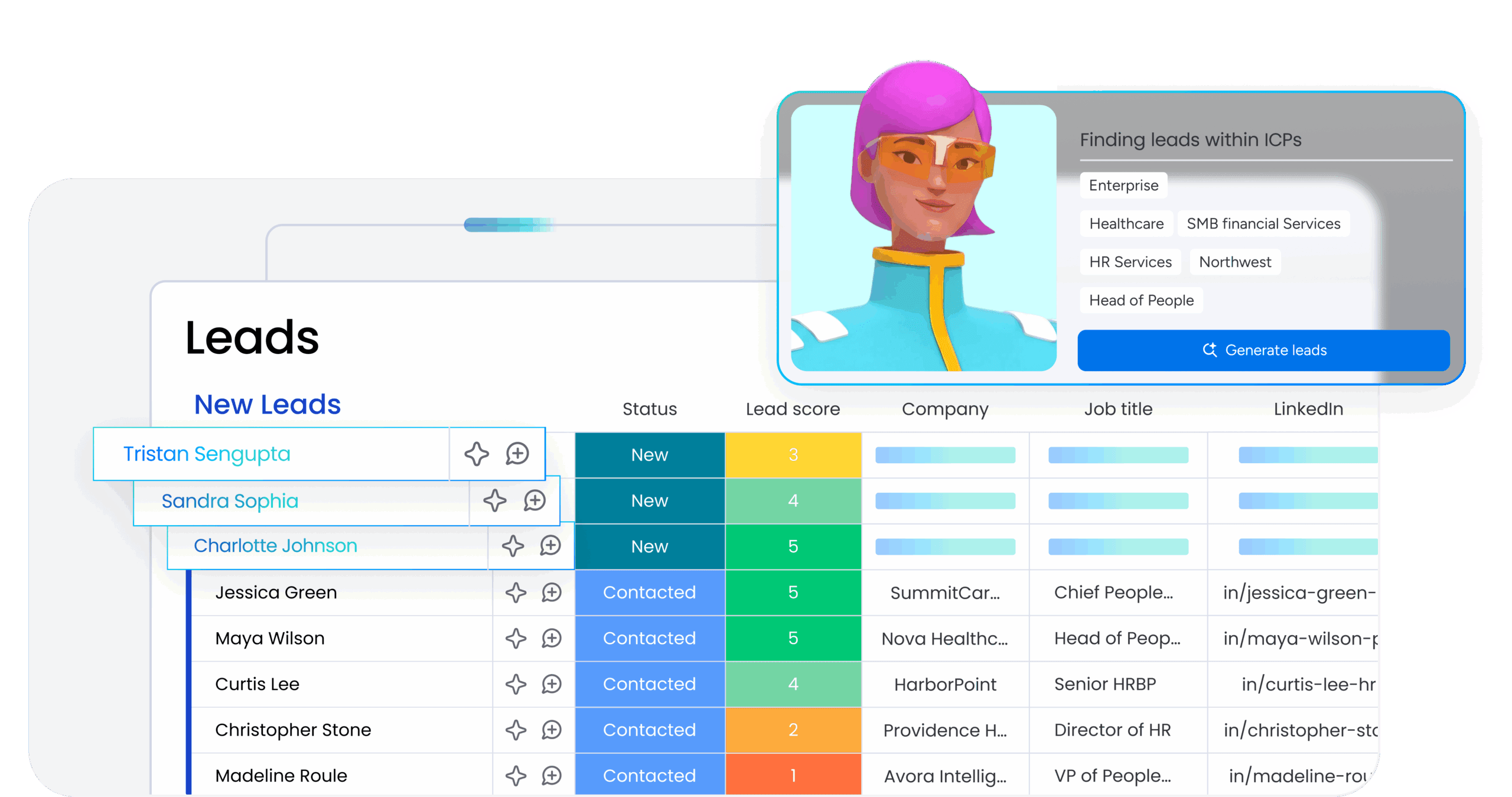
Sales teams spend too much time on data entry, lead qualification, and follow-up coordination. AI agents can handle pipeline hygiene, meeting documentation, and lead prioritization so reps can focus on building relationships and closing deals. Here are the most practical AI use cases for sales workflows.
Lead scoring and pipeline management
- Lead scoring agent: Evaluates incoming leads and routes high-priority opportunities to the right rep based on:
- Fit signals: Company size, industry, and role alignment with your ideal customer profile.
- Intent signals: Website behavior, content downloads, and product page visits.
- Engagement history: Email opens, demo requests, and past interactions with your team.
Meeting summarization and follow-up automation
- Call summary: Key discussion points, objections, and commitments captured in a structured format.
- Action items: Extracted and assigned to the relevant team member with due dates.
- CRM updates: Deal stage, next steps, and notes are automatically updated in the pipeline.
- Follow-up drafts: The agent drafts a follow-up email based on the call content.
Contact deduplication and data hygiene
- Contact deduplication agent: Continuously scans the database and maintains pipeline accuracy by:
- Identifying duplicates: Flags potential duplicate entries based on email, name, and company matches.
- Suggesting merges: Recommends which records to consolidate and which fields to preserve.
- Removing outdated entries: Surfaces inactive contacts that should be archived or deleted for cleaner reporting and forecasting.
AI use cases for IT and service teams
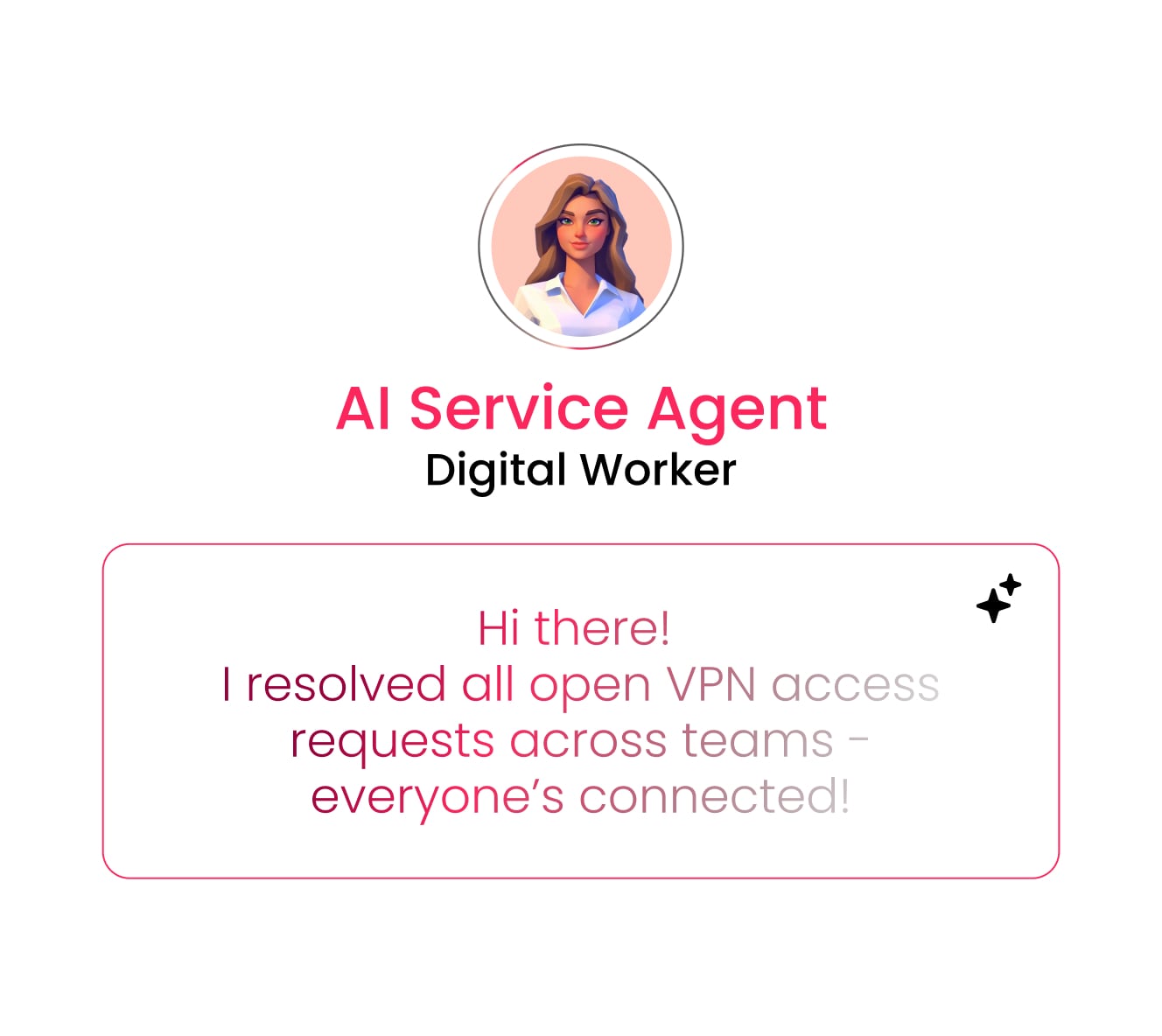
IT and service teams handle high volumes of tickets, SLA tracking, and knowledge management. AI IT agents can automate triage, monitor compliance, and keep documentation current so your team can focus on complex issues that require technical expertise.
Ticket triage and automated SLA monitoring
- Intake and triage agent: Automatically classifies tickets by type, prioritizes by urgency, and routes to the correct team.
- SLA monitor agent: Tracks SLA compliance across all active tickets in real time and escalates as deadlines approach.
Anomaly detection and incident response
- Insights agent: Scans ticket volume and resolution rates, flagging unusual spikes that might indicate emerging issues like system outages or integration failures.
- Pattern recognition: Identifies recurring incident types and surfaces root cause trends to prevent future escalations.
Knowledge base management and self-service resolution
- Content gap detection: Analyzes ticket patterns to identify recurring themes that need documentation.
- Staleness monitoring: Flags articles that haven’t been updated or receive negative feedback.
- Draft generation: Creates draft articles based on recurring ticket themes for expert review.
AI use cases for HR teams
HR teams manage recruiting pipelines, employee engagement, and onboarding workflows that involve repetitive coordination and data analysis. AI HR agents can handle candidate screening, interview scheduling, and sentiment tracking so HR can focus on building culture and supporting people.
Candidate sourcing, screening, and interview scheduling
- Sourcing agent: Finds and ranks candidates across multiple sources and executes personalized outreach.
- Screening agent: Scores applications against criteria and filters non-fits with prompt notifications.
- Scheduling agent: Manages candidate self-booking against live interviewer availability.
Employee engagement surveys and sentiment analysis
- Pulse survey manager agent: Runs recurring engagement surveys and analyzes trends to surface actionable insights to HR leadership.
- Sentiment tracking: Provides continuous visibility into team health by identifying patterns in employee feedback and flagging areas that need attention.
AI use cases for operations and project management
Operations and project management teams coordinate across multiple workstreams while tracking timelines, resources, and vendor relationships. AI operations agents can automate status reporting, flag risks early, and streamline procurement so your team can focus on strategic planning and execution.
Automated status reporting and risk analysis
- Status reporter agent: Automatically generates and sends project status updates highlighting progress and blockers.
- Risk analyzer agent: Scans projects for schedule, workload, and dependency risks.
Vendor research and procurement optimization
- Vendor research agent: Analyzes procurement requirements, researches vendors, and produces a structured comparison including pricing, security certifications, and customer reviews.
- Procurement optimization: Identifies cost-saving opportunities and flags contract renewal dates to prevent lapses in service.
Resource planning and meeting coordination
- Resource planning agent: Analyzes team capacity and skill sets to recommend optimal allocation.
- Meeting scheduler agent: Finds suitable times across participants’ calendars and handles invites and context.
AI use cases for product and engineering teams
Product and engineering teams manage backlogs, prioritize bugs, and coordinate releases while balancing technical debt and feature development. AI product management agents can handle bug triage, synthesize customer feedback, and generate documentation so your team can focus on building and shipping.
Bug prioritization and sprint planning
- Bug prioritization agent: Defines severity and urgency based on impact data and determines resolution deadlines.
- Sprint planner agent: Suggests sprint scope based on backlog readiness, team capacity, and priority scores.
Feedback synthesis and backlog management
- Feedback-to-backlog agent: Synthesizes customer feedback from multiple sources (tickets, NPS, sales notes) and surfaces patterns to drive evidence-based prioritization.
- Backlog hygiene agent: Identifies stale items, flags duplicates, and recommends consolidation to keep the backlog actionable.
Code generation and release documentation
- Coding agent: Writes, tests, and opens pull requests for routine coding work like boilerplate or documentation updates.
- Release notes agent: Creates user-facing release notes communicating feature value in plain language.
6 AI agent capabilities that work across every department
Some AI capabilities aren’t tied to a single function. They work across sales, marketing, IT, HR, and operations because they address workflows every team deals with: research, reporting, risk detection, meeting coordination, quality control, and process improvement. Here are six agent types that deliver value no matter where you deploy them.
- Research agents: Monitor trends, track competitors, or explore specific topics.
- Reporting agents: Summarize data and distribute reports on a set schedule.
- Insights agents: Flag risks, detect patterns, and generate actionable insights from data.
- Meeting assistant agents: Schedule meetings and handle the full lifecycle of summaries and follow-ups.
- Quality gate agents: Ensure standards are met before work moves to the next stage.
- Process optimization agents: These AI agents for productivity identify redundant or inefficient processes and suggest improvements.
Break the paragraph into a short intro followed by bullets that list execution capabilities and oversight controls.
Analysis without action creates a bottleneck. Execution-capable agents close the loop. When an agent can identify a risk, draft a response, update the CRM, and schedule a follow-up, the time from insight to action collapses. monday agents delivers this execution capability across departments while maintaining human oversight through permissions, audit trails, and human-in-the-loop checkpoints for high-stakes decisions.
Try monday agents4 steps to prioritize and implement AI examples
Not every workflow is ready for AI, and not every AI use case delivers the same return. The teams moving fastest start with high-volume, structured workflows where success is easy to measure. Here’s how to identify the right starting point and scale systematically.
Step 1: Identify high-value functions with strong data readiness
Start by mapping workflows against three criteria: volume, data readiness, and outcome measurability. High-volume workflows with structured data and clear success metrics deliver the fastest ROI and the clearest proof of value. Use this framework to prioritize where to deploy your first agents:
| Criteria | High priority | Medium priority | Low priority |
|---|---|---|---|
| Volume | Daily or hourly | Weekly | Monthly or quarterly |
| Data readiness | Structured and centralized | Partially structured | Unstructured and scattered |
| Outcome measurability | Defined KPIs exist | KPIs can be created | Success is subjective |
Step 2: Start with augmentation before full autonomy
Begin with AI that augments human work, like drafting reports for review or suggesting scores, rather than making final decisions independently. This approach builds trust across your team and gives you time to refine agent behavior based on real feedback. Once the agent consistently delivers accurate results and your team feels confident in its judgment, you can gradually expand its autonomy.
Step 3: Redesign workflows instead of layering AI onto old processes
Automating a broken process just makes the inefficiency faster. Before deploying an agent, rethink the workflow to eliminate steps that AI makes redundant. Ask which handoffs, approvals, or data entry tasks exist only because manual execution was slow. Design a leaner process first, then let the agent handle execution.
Step 4: Scale with an iterative agent deployment model
Deploy a single agent in one workflow, measure results against your success criteria, and gather feedback from the team using it daily. Refine the agent’s behavior based on what you learn, then expand to adjacent use cases or additional teams. This iterative approach prevents large-scale missteps and ensures each deployment builds on proven success.
How to build trust and governance into AI agent deployment
Trust doesn’t come from the technology itself. It comes from how you deploy it. When agents operate without clear boundaries, teams lose confidence fast. The organizations scaling AI successfully build governance into every deployment from the start. Here’s how to establish the controls that make adoption stick:
- Set granular permissions: Define exactly which data each agent can access, which actions it can take, and which teams can modify its behavior. An agent handling sales data shouldn’t have access to HR records, and a marketing agent shouldn’t be able to update financial forecasts.
- Log every action with audit trails: Maintain a complete record of every decision an agent makes and every action it executes. When something goes wrong or a result needs explanation, audit trails give you visibility into what happened and why, making debugging faster and accountability clear.
- Require human approval for high-stakes decisions: Build human-in-the-loop checkpoints for actions that carry significant risk or cost. Agents can draft the contract, score the candidate, or flag the security issue, but a person reviews and approves before the final action executes.
- Start with read-only access, then expand: Deploy new agents in observation mode first. Let them analyze, recommend, and surface insights without taking action. Once the team trusts the agent’s judgment, gradually expand its permissions to include execution.
- Establish clear escalation paths: Define what happens when an agent encounters ambiguity or reaches the edge of its authority. Who gets notified? How quickly? What’s the fallback process? Clear escalation prevents agents from stalling workflows or making uninformed guesses.
Learn more: AI adoption strategy
How monday agents powers AI use cases across every team
monday agents operates natively within your workspace, giving AI access to the full context of how your organization works. Instead of deploying isolated tools that only see fragments of your data, agents pull from marketing campaigns, sales pipelines, support tickets, HR workflows, and product backlogs simultaneously. This shared context means agents make smarter decisions because they understand how departments connect and where dependencies exist.
Whether you’re automating ticket triage, scoring leads, or tracking project risks, monday agents handles execution while your team stays focused on strategy. You can deploy pre-built agents for common workflows or build custom agents tailored to your specific processes without writing code.
Pre-built agents for immediate deployment
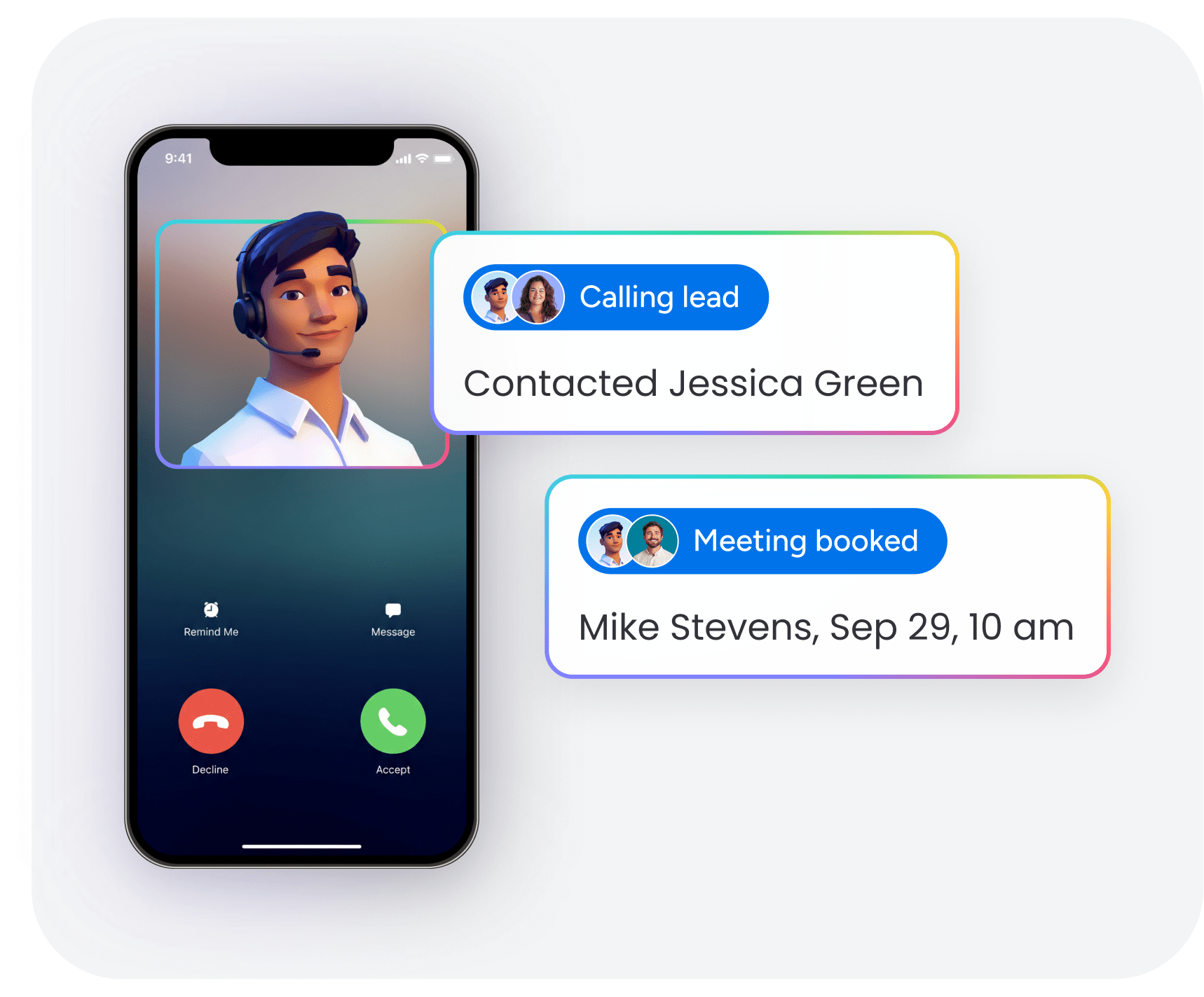
monday agents includes ready-made agents designed for sales, marketing, operations, IT, HR, and product teams. Deploy a Lead Scorer to prioritize pipeline opportunities, a Competitor Research agent to track market shifts, or a Risk Analyzer to flag project delays before they cascade. Each agent is built to handle high-volume workflows where manual execution slows teams down, and all agents operate within the permissions and governance controls you set.
No-code AI agent builder for custom workflows
The AI agent builder lets you create custom agents by describing what you need in plain language, connecting the agent to relevant boards and documents, and testing its behavior in simulation mode before going live. You define the agent’s role, specify which actions it can take, and set approval checkpoints for high-stakes decisions. This approach gives you full control over agent behavior without requiring technical expertise or developer resources.
Cross-platform AI integration with monday MCP
monday MCP connects external AI assistants like Claude, ChatGPT, and Microsoft Copilot directly to your workspace. You can ask questions, trigger workflows, and retrieve data using natural language while the platform enforces existing permissions and access controls. This integration extends AI capabilities across your organization without fragmenting data or creating security gaps.
Unified data layer for smarter AI decisions
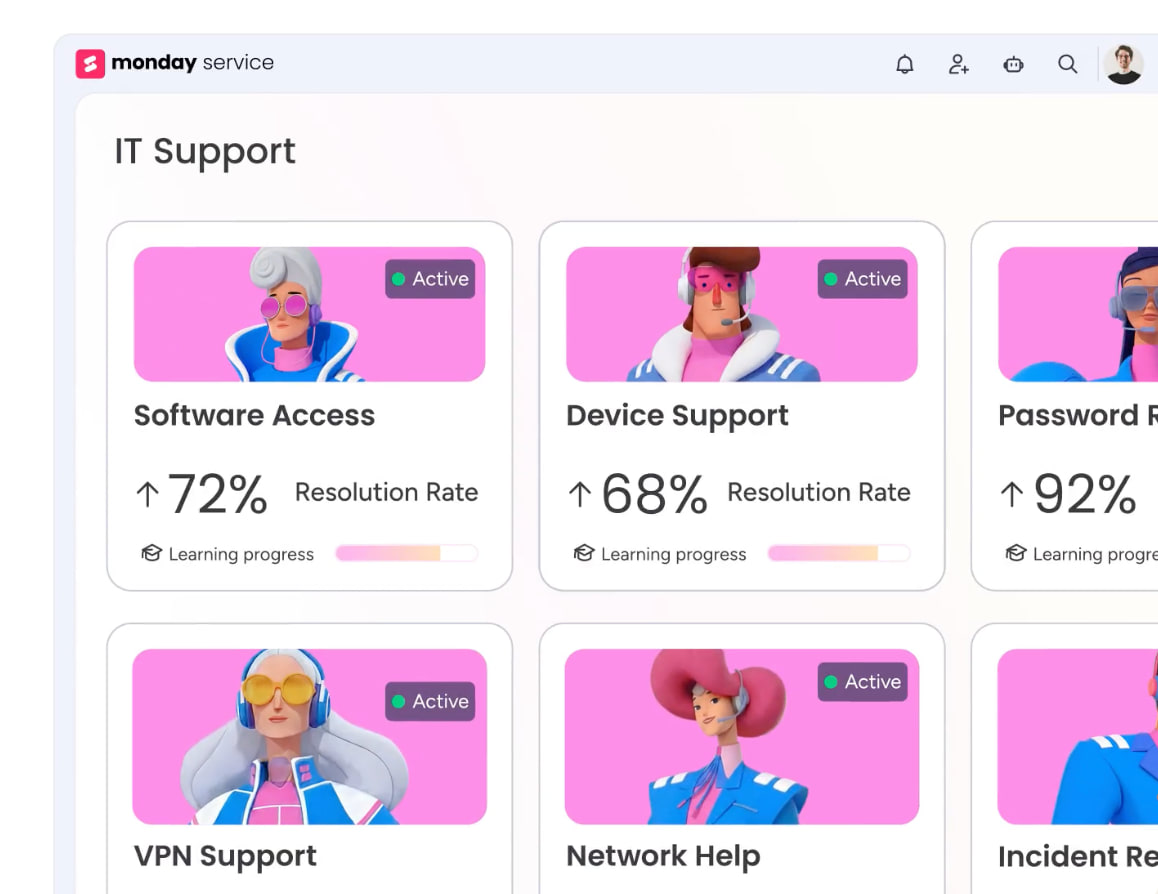
Because monday agents operates within a centralized work platform, every agent has access to cross-functional data that improves decision quality. A sales agent scoring leads can factor in support ticket history and product usage patterns. An operations agent flagging project risks can pull from resource allocation data and past sprint velocity. This unified data layer makes agents more accurate and reduces the need for manual context-switching across tools.
Start with the workflows that slow you down most
The shift to agentic AI means teams will work alongside agents that handle execution while people focus on strategy and judgment. The organizations seeing the fastest returns are those that start with specific, high-volume use cases and build governance into the process from day one.
You don’t need to transform every workflow at once. Start with one agent in one department where the volume is high, the data is structured, and success is easy to measure. Refine it based on real feedback, then expand to adjacent workflows. monday agents gives you both the pre-built agents to deploy fast and the no-code builder to customize workflows that match exactly how your team operates, all within a platform that keeps your data unified and your governance controls intact.
Try monday agentsFAQs
What are 5 common artificial intelligence examples for business?
Lead scoring prioritizes sales opportunities based on fit and intent signals. Automated ticket triage routes support requests without manual sorting. Competitor research agents track pricing changes, feature launches, and market positioning. Candidate screening evaluates applications against hiring criteria and filters non-fits early. Automated status reporting generates project updates highlighting progress, blockers, and risks. These workflows share common traits: high volume, structured data, and clear success metrics.
How much does it cost to implement enterprise AI examples?
Implementation costs depend on your platform choice. Some solutions require separate licensing fees, integration costs, and ongoing maintenance expenses. Other platforms bundle AI capabilities into their core offering. monday.com includes AI agent capabilities and MCP access on all plans at no additional cost. The real cost consideration includes setup, training, and governance time investment. Platforms with pre-built agents and no-code builders reduce both financial and time costs significantly.
Can small businesses benefit from AI agents?
Small businesses see disproportionate benefits from AI agents because lean teams turn every manual hour into a bottleneck. Automating tasks like lead scoring, ticket triage, or status reporting lets small teams handle work that normally requires additional headcount. A three-person sales team can manage a pipeline needing five reps. A solo marketer can execute campaigns at full department pace. AI agents level the playing field by giving small teams execution capacity that scales without proportional cost increases.
What data do I need before deploying AI examples?
AI agents perform best with structured, consistently formatted data following predictable patterns. This includes CRM records with standardized fields, project boards with clear status categories, support ticket logs with priority levels, or HR systems with candidate profiles. Data doesn't need perfection, but should be centralized and organized according to consistent schema. Before deploying an agent, audit your data quality and consolidate information into a single source of truth where possible.
How long does it take to see ROI from AI examples?
Teams typically see measurable time savings within two to four weeks when deploying AI agents for high-volume, structured workflows like ticket triage, lead scoring, or status reporting. ROI speed depends on deployment speed, current manual effort required, and agent accuracy compared to human execution. Workflows consuming multiple daily hours with repetitive decision-making deliver fastest returns. Starting with quick wins builds organizational confidence and creates momentum for broader AI adoption.

 Get started