


A project meeting can feel like a relay race: once the conversation ends, each person needs to know what to carry forward. A decision about the launch date, a question for the client, or a new project owner can get lost if it only lives in someone’s notes.
AI notetakers record and summarize meetings, giving teams a shared record of decisions and follow-ups. That gives everyone more room to participate and makes it easier to revisit what was agreed.
This guide covers how AI note-taking works, how to get started, and what to consider around consent and privacy. You’ll also see how monday AI Notetaker helps connect meeting takeaways to the projects your team is already working on.
Key takeaways
- Turn meeting discussions into tracked work automatically: AI notetakers capture decisions, owners, and deadlines so your team can act immediately after a call, with no need for manual note-taking or follow-up chasing
- Close the gap between meetings and execution with monday AI Notetaker: action items flow directly into monday.com project boards, and live AI agents can answer questions about project status in real time during the meeting itself
- Always announce recording before the meeting starts: notify participants in the calendar invite or verbally at the start of the call, and default to all-party consent regardless of where attendees are located
- Verify security before you commit to a provider: look for SOC 2 Type II, ISO 27001, GDPR, and HIPAA support, plus admin controls for permissions, data retention, and recordings that are private by default
- Test accuracy on your real meetings, not a demo: run a two-week pilot comparing AI summaries against your own notes to confirm the notetaker handles your team’s vocabulary, accents, and meeting style reliably
What is an AI notetaker?

An AI notetaker is software that automatically joins meetings, records audio, transcribes conversations with speaker identification, generates time-stamped summaries, and extracts action items so participants can focus on the discussion instead of typing notes. It works across video-conferencing platforms like Zoom, Microsoft Teams, and Google Meet, and can also capture in-person conversations through desktop apps.
Three core capabilities distinguish an AI notetaker from clicking “record.” Understanding these differences helps teams evaluate whether a basic recording feature meets their needs or whether they require a complete meeting-to-work system.
- Real-time transcription with speaker labels: the AI converts speech to text as the meeting happens, tagging each statement to the person who said it so the output reads like a structured conversation, not an anonymous wall of text
- Intelligent summarization: rather than delivering a raw transcript that takes as long to read as the meeting itself, the AI identifies what matters, including key discussion points, decisions, and unresolved questions, then organizes them into a scannable, time-stamped summary
- Action-item extraction: the AI identifies commitments made during the conversation and structures them with an owner, a description, and a deadline when one is stated, so follow-ups are ready to assign as soon as the meeting ends
How an AI meeting assistant captures, transcribes, and summarizes
An AI notetaker follows a consistent end-to-end process during every meeting, regardless of provider. The sequence below outlines what happens from calendar connection through to structured output.
- Calendar connection: the notetaker links to your calendar once and reads meeting invitations to know which calls to join. This one-time setup is what makes the experience hands-free going forward
- Automatic meeting join: it enters the meeting room (Zoom, Teams, or Google Meet) at the scheduled time, either as a visible bot participant or through a bot-free desktop capture mode for in-person meetings
- Recording and transcription: it records audio and converts speech to text in real time, labeling each speaker by name using calendar data and voice recognition
- Summary generation: after the meeting ends, it produces a time-stamped summary organized by topic, so readers can jump to the moment a specific decision was made rather than scrubbing through the full recording
- Action-item extraction: it identifies commitments, owners, deadlines, and open questions, then presents them as a structured list ready for follow-up
You don’t type a single note. Some AI notetakers also let you ask questions about the transcript afterward, or send action items straight into project workflows.
Why teams are adopting AI note-taking now
Three things are pushing teams of every size toward AI note-taking. Each fills a gap that manual notes can’t.
- Meeting volume has outpaced manual capture: hybrid and remote work added meetings to everyone’s week. Nobody can take thorough notes on every call and still contribute. In 2026, 52% of U.S. remote-capable employees work hybrid and 26% work exclusively remote, according to Gallup, meaning cross-location meetings are now the norm, not the exception. When one person is designated as the note-taker, they sacrifice their ability to contribute to the conversation
- AI transcription accuracy has reached a practical threshold: in 2026, speech-to-text handles accents, cross-talk, and industry vocabulary well enough that teams trust the output without heavy editing. AI notetakers have gone from experiment to everyday platform
- Organizations need an audit trail for decisions: compliance, governance, and executive decision-making all speed up when every meeting produces a searchable, time-stamped record leaders can reference later. A documented decision trail keeps teams aligned on what was agreed, so projects keep moving forward
How AI note-taking works
The concept is simple. The value shows up in five stages. Interfaces differ by provider, but the workflow is the same across the category.
Step 1: Connect your calendar
The first step is a one-time calendar connection. The notetaker links to Google Calendar, Outlook, or another calendar provider via OAuth, a secure authorization method that grants access without sharing your password. Once connected, it automatically reads your meeting schedule.
That’s what keeps it hands-free. You don’t need to invite the notetaker to each meeting. Most notetakers let you choose which meetings it should join, i.e., all meetings, only external meetings, only meetings you organize, a preference covered in the “how to use” section later in this guide.

Step 2: Join the meeting automatically
AI notetakers join meetings in one of two ways, and your choice affects both the participant experience and your consent obligations.
- Bot-based join: the notetaker appears as a named participant in the video call. Attendees see it listed, which signals that the meeting is being recorded. This transparency supports consent and etiquette
- Bot-free desktop capture: for in-person meetings or situations where a visible bot is unwanted, some notetakers capture audio through the desktop app’s microphone without adding a participant to the call. This approach works well for conference rooms and hybrid sessions
Step 3: Transcribe and identify speakers
The AI converts speech to text in real time or near real time, using speaker diarization (the process of determining who said what). Accuracy depends on three factors:
- Audio quality: cleaner audio produces more reliable transcripts
- Number of overlapping speakers: fewer simultaneous voices improve attribution accuracy
- Participant name recognition: systems that have learned names from calendar data label speakers more precisely
Most AI notetakers support multiple languages, including meetings where people switch between them. Accuracy depends on the language pair and the audio.
Step 4: Generate a time-stamped summary
A time-stamped summary is a structured document organized by topic or chronological segment, where each section includes a timestamp linking back to the corresponding moment in the recording. A reader who missed the meeting can jump directly to the two minutes where a budget decision was discussed, rather than scrubbing through a 45-minute recording.
The summary typically separates three types of content into distinct sections for fast scanning:
- Key discussion points: the main topics covered and the perspectives shared
- Decisions made: what the team agreed on, with the exact language used
- Unresolved questions: items that need follow-up before the team can move forward
Step 5: Extract action items, decisions, and follow-ups
The AI identifies commitments made during the meeting and structures them as discrete items. Each action item includes:
- Owner: the person who agreed to complete it
- Description: what they committed to doing
- Deadline: when it’s due, if one was stated during the meeting
Decisions are captured separately from action items so the team has a record of what was agreed, not only what needs to happen next. The real value of this step depends on what happens after extraction. When action items flow from the notetaker directly to the team’s project boards, they become trackable work, a connection explored in the “how to turn meeting summaries into assigned work” section below.
Benefits of taking AI meeting notes
Knowing how it works is half the story. The benefits go well past convenience: they change how meetings run, how new hires ramp up, and what your team remembers.
Benefit 1: Focus on the conversation instead of typing
When someone takes notes, they split their attention between listening and documenting. This reduces their ability to ask follow-up questions, challenge assumptions, or contribute ideas. With an AI notetaker, that trade-off disappears. Everyone can focus on the conversation because the AI captures it on its own.
Consider a product manager in a customer discovery call. With an AI notetaker running, they can probe deeper into a pain point instead of pausing to type what the customer said. The conversation stays natural, and the full context is captured regardless.
Benefit 2: Capture decisions that would otherwise disappear
A common scenario: a team agrees on a direction during a meeting, but two weeks later no one can confirm exactly what was decided or who volunteered to own the next step. An AI-generated, time-stamped record eliminates this ambiguity.
The decision is documented with:
- The exact words used
- The timestamp of when it was made
- The surrounding context that explains why the decision was reached
Teams stay aligned on exactly what was agreed and why.
Benefit 3: Ramp up new team members faster
New hires typically spend weeks piecing together context from scattered documents and hallway conversations. A searchable library of meeting transcripts and summaries gives them direct access to:
- The reasoning behind past decisions
- The vocabulary the team uses
- The relationships between projects and initiatives
New hires get up to speed faster, and senior team members can spend their time moving projects forward instead of recapping past decisions.
Benefit 4: Build searchable organizational knowledge
Meeting recordings and transcripts, when stored with proper permissions, become a searchable knowledge management resource. A salesperson preparing for a renewal can search for every mention of a client’s name across six months of meetings. A legal team can retrieve the exact moment a compliance commitment was made.
Meetings live on as a searchable record your team can revisit for months. They become a record your team can use for months.
AI note-taking vs. AI transcription vs. AI summarization
These three terms are often used interchangeably, but they describe different levels of capability. The table below outlines what each approach delivers and where it falls short.
| Dimension | AI transcription | AI summarization | AI note-taking |
|---|---|---|---|
| What it does | Converts speech to text verbatim | Condenses a long text into key points | Combines transcription, summarization, speaker ID, and action-item extraction in one workflow |
| Output | Full-length transcript | Shortened summary paragraph or bullet list | Time-stamped summary, action items with owners, searchable transcript, and recording |
| Requires manual work after | Yes — someone must read the transcript and pull out decisions | Yes — someone must assign owners and deadlines | Minimal — action items arrive structured and ready to assign |
| Best for | Legal depositions, accessibility compliance, archival | Catching up on a meeting you missed | Teams that need meetings to produce accountable next steps |
An AI notetaker is the most complete option because it covers everything from recording to structured output. Transcription and summarization are parts of that workflow, not substitutes for it. Look for the whole thing, not one piece.

How to use AI to take meeting notes
Here’s how to set up an AI notetaker for the first time. The steps work across providers, though the interfaces differ.
Step 1: Set up your notetaker and connect your calendar
The setup process typically takes under five minutes and requires no IT involvement for individual team members. Enterprise deployments may involve admin-level configuration for permissions and compliance, but the individual experience remains straightforward.
- Create an account with your chosen AI notetaker provider
- Connect your work calendar (Google Calendar or Outlook) using the OAuth authorization flow
- Confirm that upcoming meetings appear in the notetaker’s dashboard
- Set your default preferences: language, summary length, and where summaries should be delivered (email, Slack, or directly inside your project management workspace)
Step 2: Choose which meetings your notetaker joins
Choose the meetings that benefit most from capture. Start with a few, get comfortable with the output, then expand. Common filtering options include the following approaches, each suited to different team preferences.
- All meetings: the notetaker joins every calendar event that has a video-conferencing link. This is the broadest setting and works well once you trust the output
- Selected meetings only: you manually toggle which meetings the notetaker should attend. This gives you full control over where it appears
- Rule-based filtering: some notetakers let you set rules, such as “join all external meetings” or “skip one-on-ones.” This balances automation with selectivity
Step 3: Capture in-person meetings without a bot
Not every meeting happens on a video call. For in-person meetings, conference rooms, or hybrid sessions where only some participants are remote, certain AI notetakers offer a desktop-app-based capture mode. The app records audio from the device’s microphone without joining a video call or adding a bot participant.
Setting up in-person capture takes just a few clicks. Follow these steps to start recording a conference room or hybrid meeting:
- Open the desktop app
- Select “capture in-person meeting”
- The notetaker records, transcribes, and summarizes the conversation the same way it would for a virtual call
Audio quality matters more in this mode because the microphone may be farther from some speakers, so positioning the device centrally in the room produces stronger results.
Step 4: Review and share your AI summary
Within minutes of the meeting ending, you’ll get a summary with the time-stamped overview, the full transcript, and extracted action items. Here’s how to review it:
- Scan the summary for accuracy, especially names and technical terms
- Edit or annotate any items the AI misattributed
- Share the summary with attendees and relevant stakeholders who were not in the meeting
Step 5: Automate your follow-ups
This is the step that drives execution: connecting the notetaker’s output to the system where your team’s work already lives. There are two levels of automation, and the difference decides whether meetings produce progress or just records. The administrative cost of not doing this is significant: 72% of organizations spend half a day or more each month just collating project reports, according to Wellingtone’s State of Project Management 2026, time that integrated meeting-to-work automation directly reduces.
- Basic: the notetaker emails a summary with action items, and team members manually create corresponding items in their project boards. This works but introduces a manual transfer step where follow-ups often stall
- Integrated: the notetaker pushes action items directly into the team’s workflow platform, where owners, deadlines, and project context are assigned without copy-pasting. This is the point where AI note-taking becomes a meeting-to-work engine, not just a convenience
AI notetaker etiquette for client and external meetings
Internal meetings are straightforward. Your team knows the feature and why you use it. Client and external meetings need more care, and good etiquette here builds trust.
Step 1: Announce recording before the meeting starts
Best practice is to notify all participants before the meeting begins that an AI notetaker will record and transcribe. Two practical approaches work well in most situations.
- Calendar invite note: add a one-line statement to the meeting invitation: “This meeting will be recorded and transcribed by an AI notetaker for summary and follow-up purposes”
- Verbal announcement: at the start of the call, the host states that the meeting is being recorded and offers participants the option to ask questions or opt out
Step 2: Handle consent across jurisdictions
Recording laws vary by country, state, and even municipality. The two main legal frameworks shape how teams approach consent.
- One-party consent: only one participant (typically the person who initiated the recording) needs to consent. Common in many U.S. states and some countries
- All-party consent (also called two-party consent): every participant must agree to be recorded. Required in jurisdictions like California, the EU (under GDPR), and parts of Canada and Australia
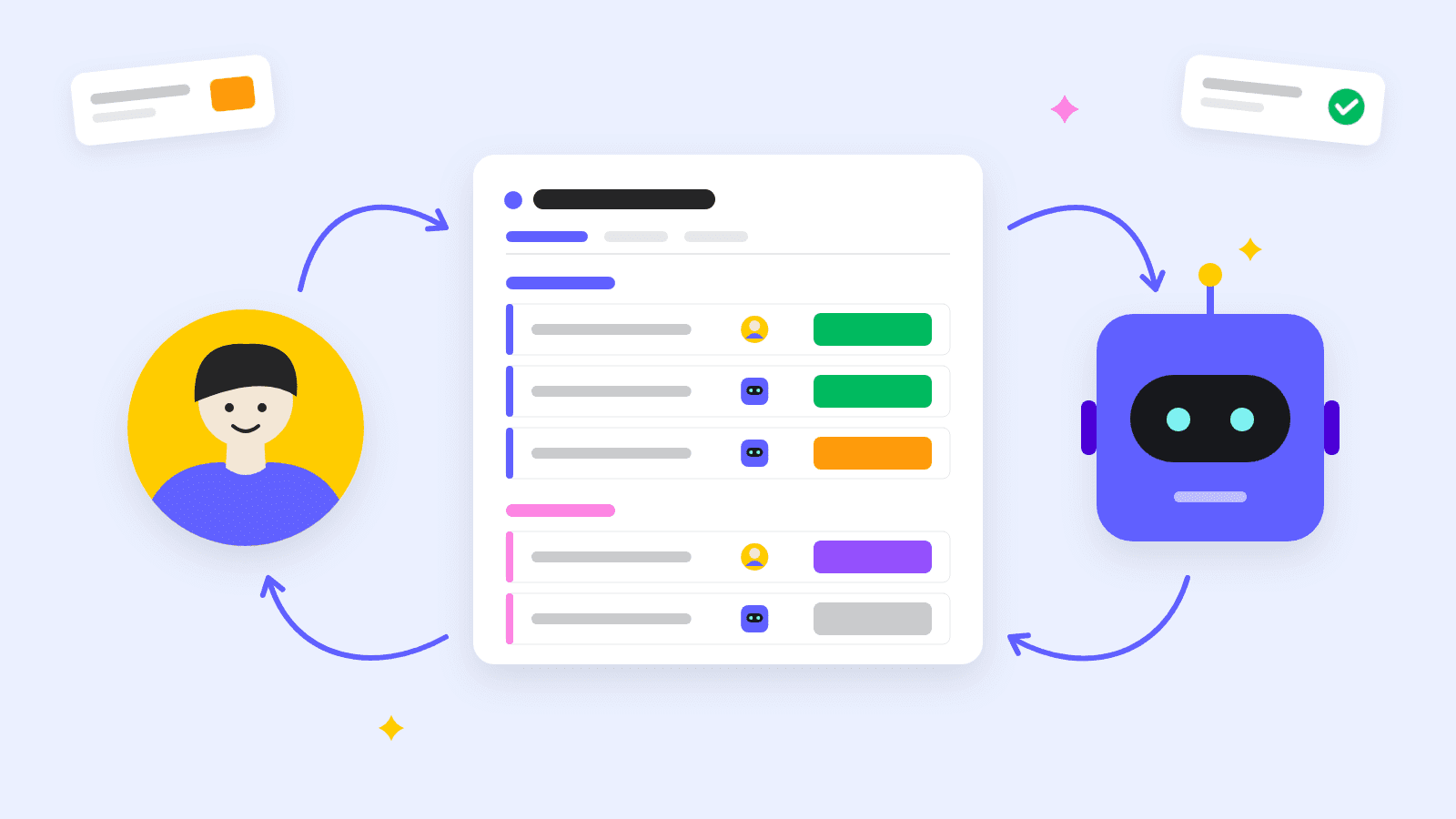
Pro tip:When in doubt, treat every meeting as an all-party consent situation. It protects your organization and builds trust with external participants.
Step 3: Share recaps in a way that builds trust
How you share the recap says a lot about how you work. Three guidelines:
- Share the summary, not the raw transcript unless the recipient specifically requests it. Summaries are easier to scan and less likely to contain out-of-context quotes that could be misinterpreted
- Highlight action items and decisions at the top of the shared document so the recipient sees value immediately and knows what is expected of them
- Give recipients the option to request edits or redactions before distributing the summary more broadly. This demonstrates respect for their input and builds confidence in the process
How to keep AI meeting notes private and secure
Meeting recordings and transcripts contain sensitive information: strategy discussions, personnel decisions, financial data, and client details. Security is a prerequisite for adoption, especially in regulated industries.
Security foundation 1: Data encryption, retention, and access controls
Any AI notetaker should cover three security basics.
- Encryption at rest and in transit: data at rest means stored data on servers; data in transit means data moving between the user’s device and the provider’s servers. Look for AES-256 encryption at rest and TLS 1.3 in transit to ensure meeting content is protected at every stage
- Retention policies: the organization should control how long it stores recordings and transcripts. Some industries require minimum retention periods; others require deletion after a set window. The notetaker should support configurable retention rules
- Access controls: only authorized team members should be able to view, share, or download meeting content. Role-based permissions let admins restrict access by team, project, or seniority level, ensuring sensitive discussions stay within the appropriate circle
Security foundation 2: Compliance certifications to look for
These certifications show a provider takes security seriously:
- SOC 2 Type II: validates that the provider’s security controls have been independently audited over a sustained period, not a single point-in-time check
- ISO 27001: an international standard for information security management systems that demonstrates systematic risk management practices
- GDPR compliance: required for any organization handling data from EU residents. Covers data subject rights, consent, and data processing agreements
- HIPAA support: necessary for healthcare organizations or any team discussing protected health information during meetings
Security foundation 3: What an admin should control
Your IT and security teams need control over how you deploy the notetaker. Look for these admin capabilities:
- Enable or disable the notetaker at the account level so the organization can turn it off entirely if needed
- Control who can record, view, and share meeting content through role-based permissions
- Set default privacy to “private” so recordings are visible only to the meeting organizer until explicitly shared
- Manage data residency to ensure recordings are stored in a specific geographic region that meets regulatory requirements
- Audit logs that track who accessed which recording and when, providing a trail for compliance reviews
How to turn meeting summaries into assigned work
This is what separates a useful notetaker from a meeting-to-work engine. The real payoff lies in how fast decisions become tracked, assigned work. The real payoff is how fast decisions become tracked, assigned work.
Step 1: Assign owners and deadlines from the summary
After the AI extracts action items, the next step is assigning each item to a specific person with a deadline. The ideal workflow: the summary presents action items as a list, and the team member clicks to assign an owner and due date directly from the summary interface, without switching to a separate application.
Step 2: Connect action items to active projects
Action items are most useful when they land inside task management software where the related work already lives. The difference shapes how quickly cross-functional teams can act on what was decided.
- Disconnected action items: sitting in a notetaker dashboard, visible only to the person who reviewed the summary. They remain siloed from the broader initiative and its context
- Connected action items: placed directly into the team’s active project board, linked to the relevant initiative, and visible to everyone working on that project. They inherit the project’s existing context, dependencies, and reporting structure
Step 3: Ask questions against the transcript after the meeting
Some AI notetakers let you query a meeting transcript using natural language. A team member who joined late can ask, “What did the client say about the Q3 timeline?” and receive the relevant excerpt with a timestamp. Your transcript becomes a living resource your team can question and search anytime.
Step 4: Bring AI agents into live meetings for real-time action
AI agents can join live meetings as active participants. They answer questions, pull data from connected systems, and complete predefined actions while the meeting is still going. This shift is already underway at scale: McKinsey’s 2026 global AI survey found that 40% of large enterprises are scaling AI agents, up from 27% the year prior.

How to choose an AI notetaker for your team
The right AI notetaker depends on your meeting patterns, workflows, security needs, and budget. Use these criteria to compare your options.
1. Accuracy on your meeting types
Transcription accuracy varies based on meeting characteristics: number of speakers, accents, technical jargon, and audio quality. Test the notetaker on your actual meetings, not a polished demo, before committing.
2. Integration with your existing workflows
A notetaker is far more useful when it connects to the tools your team already uses. Check whether the notetaker integrates with your calendar provider, video-conferencing platform, and work management system.
3. Privacy controls and compliance support
Verify that the notetaker meets your organization’s specific compliance requirements. Enterprise buyers should look for SOC 2 Type II, ISO 27001, GDPR, and HIPAA support.
4. In-person and remote meeting capture
Confirm that the notetaker supports both virtual and in-person meetings. Bot-free desktop capture is the key capability for in-person scenarios.
5. Meeting-to-work execution
The notetaker should allow team members to assign owners, set deadlines, and connect action items to active projects directly from the summary.
6. Cost at your meeting volume
Calculate cost based on your actual meeting volume, not the per-seat price alone. Map the team’s weekly meeting hours to the provider’s pricing model.
How monday AI Notetaker turns meetings into progress

monday AI Notetaker is a meeting-to-work engine built into the monday.com AI Work Platform. It goes well beyond transcription. It connects what your team discusses to what they do next.
Automatic calendar connection across Zoom, Teams, and Google Meet
With a one-time calendar connection, monday AI Notetaker automatically joins scheduled meetings on Zoom, Microsoft Teams, and Google Meet. It also captures in-person meetings through the desktop app, with no bot in the room.
Time-stamped summaries and AI-generated action items
The notetaker captures context, generates time-stamped summaries organized by topic, and extracts decisions and takeaways as structured action items. After the meeting, team members can ask questions against the transcript to retrieve specific information.
Action items that land directly in monday.com workflows
After a meeting, you can assign owners, pick the right project for each action item, and set deadlines, all from the summary. Action items flow directly into monday.com boards where the team’s active work already lives.
Live AI agents that answer and act during the meeting
monday AI agents can join live meetings to answer questions about project status, retrieve data from connected boards, or complete predefined actions in real time. Beyond the meeting itself, AI agents for project management can support reporting, task coordination, and other recurring project activities.
Private by default with enterprise-grade security
monday AI Notetaker is private by default: recordings and transcripts are visible only to the meeting organizer until explicitly shared. Enterprise-grade security features include SOC 2 Type II, ISO 27001, GDPR, and HIPAA support.
| Capability | Standalone AI notetaker | monday AI Notetaker |
|---|---|---|
| Transcription and summary | Yes | Yes |
| Action items with owners and deadlines | Extracted but stay inside the notetaker | Flow directly into monday.com project boards |
| In-person meeting capture without a bot | Rare | Supported via desktop app |
| Live AI agent participation during meetings | Not available | AI agents answer questions and complete actions in real time |
| Searchable transcript Q&A | Some providers | Built in |
| Privacy by default | Varies | Private until organizer shares |
| Enterprise compliance (SOC 2, ISO 27001, GDPR, HIPAA) | Varies | Included |
Turning meetings into measurable actions with AI
The value of an AI notetaker isn’t the recording or the transcript. It’s how fast a meeting’s decisions become tracked, accountable work. Every hour in a meeting should end with next steps, owners, and deadlines that move work forward immediately.
Meetings become work done, not just time spent, when you close the gap between what your team discusses and what they do next. Connect meeting outputs to the workflows you already use, and every conversation moves something forward.
FAQs about AI notetakers
Is an AI notetaker worth it for small teams?
Yes. Everyone can participate fully in the conversation, and every decision gets documented, even without a dedicated project coordinator.
Is using an AI notetaker legal?
Using an AI notetaker is legal in most jurisdictions as long as you comply with local recording consent laws, which range from one-party consent to all-party consent depending on the state, country, or region where participants are located. Default to notifying all participants and obtaining explicit consent before recording.
How do you set up an AI notetaker for the first time?
Create an account, connect your work calendar through a secure OAuth flow, and choose which meetings the notetaker joins. Most providers take under five minutes.
How accurate are AI-generated meeting notes?
For most business meetings, yes. They handle multiple speakers, accents, and industry terms well. Check proper nouns and technical terms for the first few meetings.
Can an AI notetaker capture in-person meetings without a video call?
Yes, some AI notetakers — including monday AI Notetaker — capture in-person meetings through a desktop app that records audio from the device's microphone without joining a video call or adding a bot participant to the room.
How do action items from an AI notetaker get assigned to specific people after a meeting?
After the meeting, the AI notetaker presents extracted action items in a structured list where the team member can assign an owner, set a deadline, and choose the relevant project. With monday AI Notetaker, these items flow directly into monday.com boards so they become tracked work without manual copy-pasting.
 Get started