

The meeting ends, and someone asks, “Who’s taking the next step?” The answer may be buried in the conversation, alongside a revised deadline and a decision your colleague missed while on another call. An AI notetaker captures those details and helps teams turn decisions into tracked work. It also gives colleagues a way to find meeting context when they need it.
This guide explores AI notetaker capabilities beyond transcription, from searchable summaries to live AI agents. You’ll also learn what to look for when choosing a platform and how monday AI Notetaker connects meetings to the work your team already tracks.
Key takeaways
- AI notetakers do more than record: they capture decisions, identify speakers, and turn meeting outputs into assigned, trackable work
- Not all capabilities are equally reliable: transcription, speaker identification, and summaries are ready to trust today; action item extraction and automated work creation still need a quick human review before acting on them
- The real value is what happens after the meeting: when action items flow directly into your existing project boards with owners and deadlines, follow-through becomes the default, not the exception
- monday AI Notetaker connects meetings to work in one step: it auto-joins calls, captures in-person meetings without a bot, and routes action items straight into monday.com boards, so decisions made at 10:15 a.m. are tracked as work by 10:20 a.m
- Governance matters before you roll out: confirm your notetaker handles consent notifications, supports your compliance requirements (GDPR, HIPAA, SOC 2), and gives admins control over who can access or share recordings
What is an AI notetaker?
An AI notetaker joins your meetings, transcribes them, and tells you who said what. It also pulls out decisions and action items and sends them to the tools where your team already works. It’s more than a recorder. It picks up what was decided, not just what was said. It captures who said what, when they said it, what was decided, and what needs to happen next.
Most teams already have basic recording and transcription. The missing layer is a system that turns meeting content into accountable work. A transcript alone still requires someone to read it, extract the important parts, and manually create follow-up items. An AI notetaker handles that entire chain automatically.
This article maps the full range of AI notetaker capabilities you should know about, from automatic meeting capture and speaker identification to action item extraction, searchable transcripts, workflow integration, and live AI agent participation. Think of it as a capability guide that helps you evaluate what these platforms can do for your team, regardless of which product you choose.

How an AI notetaker works
Knowing how an AI notetaker works helps you spot which platform fits your workflow. Most follow the same five steps. The quality at each step is where they differ.
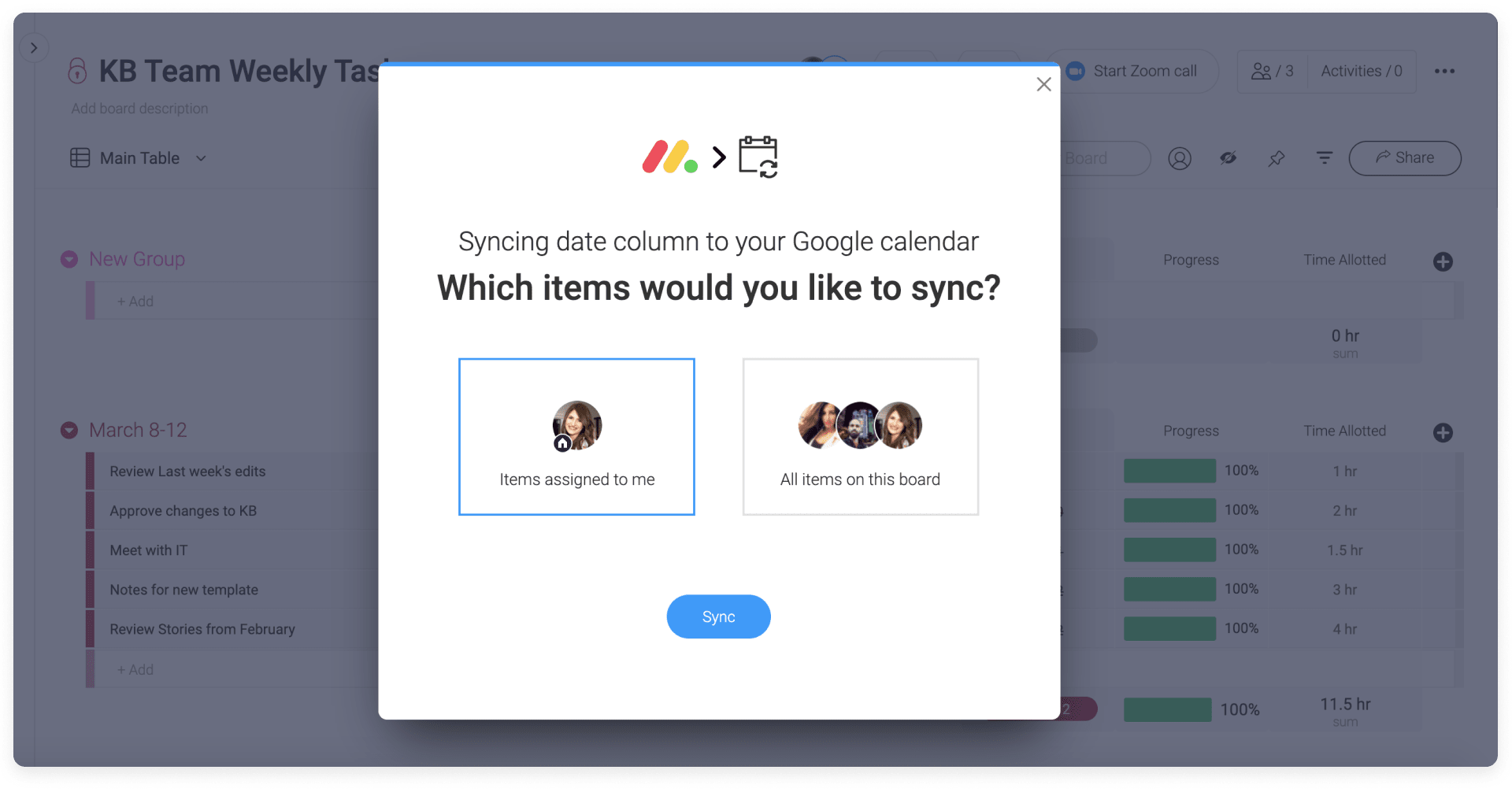
Step 1: Connect to your calendar
Most AI notetakers need a one-time calendar connection (usually Google Calendar or Outlook) so they know which meetings to join.
- Once connected, the notetaker detects scheduled meetings and joins them without manual intervention
- Setup takes under two minutes, and most platforms let team members get started without IT involvement
Step 2: Record and transcribe meetings automatically
The notetaker joins Zoom, Microsoft Teams, or Google Meet calls as a participant. In some cases, it captures audio through a desktop app without a visible bot joining the call. The AI converts spoken audio into text in real time or near-real time, producing a full written transcript of the conversation.
Speaker diarization is the AI’s ability to distinguish between different voices and label each segment of the transcript with the correct speaker’s name. You get a transcript that shows who said what, instead of one long block of text.
Step 3: Generate time-stamped summaries and action items
After the meeting, the AI turns the transcript into a time-stamped summary. Each key point links to the exact moment it came up, so you can skip the scrubbing.
The AI then flags decisions, takeaways, and action items, including who committed to what and by when. That delivers most of the recap work automatically, so you can skip writing a follow-up email.
Step 4: Share meeting context with your team
Share the summary, transcript, and action items with teammates who attended or missed the meeting. Now the meeting lives beyond the room. Anyone with access can search it.
The meeting organizer decides who sees what. That matters most for HR conversations, client negotiations, and executive discussions.
Step 5: Turn decisions into tracked work
The best AI notetakers don’t stop at documentation. They connect meeting action items to work management software, where teams can assign owners and track progress.
- Owners are assigned so accountability is explicit from the start
- Deadlines are set so follow-through has a timeline
- The right project receives the follow-up item so every item lands in the right place
This capability is what separates a full AI notetaker from a transcription-only service.
AI note-taking vs. AI transcription vs. AI summarization
These three terms aren’t interchangeable. Transcription and summarization are pieces of note-taking. Full AI note-taking adds the part that matters most: acting on what was said.
The table below shows what each capability layer does and does not do, helping you identify which level your team actually needs.
| Capability | What it does | What it does not do |
|---|---|---|
| AI transcription | Converts spoken audio into written text | Does not identify speakers, extract decisions, or create follow-up items |
| AI summarization | Condenses a transcript into a shorter version highlighting key points | Does not assign owners, route action items to workflows, or connect to project boards |
| AI note-taking | Transcribes, identifies speakers, generates time-stamped summaries, extracts decisions and action items, and enables sharing, searching, and acting on meeting outputs | Does not replace human judgment for confirming action item accuracy or making strategic decisions |
AI transcription: the foundational layer
AI transcription converts spoken audio into written text. It captures words but does not interpret them.
Transcription alone does not identify speakers, extract decisions, or create follow-up items. You get a raw text document, and you still have to read it all to find what matters.
AI summarization: adding intelligence to transcription
AI summarization condenses a longer text, like a transcript, into a shorter version that highlights key points. Summarization adds intelligence on top of transcription by identifying what matters, but it still doesn’t assign owners, create tracked work, or connect to workflows.
Quality depends on whether the model understands context or just shrinks text. A capable summarizer surfaces the key decision instead of highlighting a side conversation.
AI note-taking: the full capability set
AI note-taking combines every layer into one complete system:
- Transcription: converts speech to text
- Speaker identification: labels who said what
- Time-stamped summarization: links key points to exact moments in the recording
- Decision and action item extraction: surfaces commitments and next steps
- Sharing, searching, and acting: makes meeting outputs accessible and executable
AI note-taking treats the meeting as where work starts.
AI notetaker capabilities that go beyond transcription

Not every platform offers all of these, and quality varies. Use this list as a checklist when you compare.
Automatic meeting capture across Zoom, Teams, and Google Meet
A capable AI notetaker connects once to a calendar and then automatically joins every scheduled meeting across Zoom, Microsoft Teams, and Google Meet. The platform remembers for you, so it captures every meeting by default.
That ends the pattern where some meetings get documented, and others vanish. Gaps in your project history close up.
In-person meeting recording without a bot
Some AI notetakers can capture in-person or hybrid meetings through a desktop app that records audio directly from the room, without sending a visible bot participant into a video call.
Some of your biggest decisions happen in person, on site visits and in hallways, and never get written down. Select platforms support this capability, so confirm availability before you commit.
Speaker identification and time-stamped summaries
Speaker identification (diarization) labels each part of the transcript with the speaker, so readers know who said what. Time-stamped summaries are structured recaps where each key point links back to the exact moment in the recording; a reader can click a timestamp and hear the original discussion.
Here’s what that looks like in practice:
- Instead of reading a 45-minute transcript, a team member can scan a two-minute summary and jump to the moments that matter.
- Stakeholders who missed the meeting get the context they need in minutes, saving a follow-up call
Action item and decision extraction
The AI identifies commitments, decisions, and next steps from the conversation, not just topics discussed. It recognizes language patterns like “I’ll handle that by Friday” or “We agreed to go with option B” and surfaces them as discrete, reviewable items.
Accuracy varies, so test with your own meeting audio before you commit. This is where strong notetakers pull ahead of mediocre ones. Look for platforms that let you review and edit extracted items before they become tracked work.
Searchable meeting transcripts and Q&A
A full transcript becomes a searchable knowledge base. Team members can search across all past meetings for a keyword, a person’s name, or a topic.
Some AI notetakers let team members ask natural-language questions against the transcript, for example, “What did the client say about the timeline?” and receive a direct answer with a citation from the recording. Institutional knowledge becomes accessible to everyone in the organization, not just the people who attended.
Meeting context sharing across teams
AI notetakers let you share meeting summaries, transcripts, and action items with teammates, stakeholders, or the broader organization. This solves the “you had to be there” problem: a product manager can share a client call summary with engineering, giving them full context in a single step.
Look for permissions that let the organizer control who sees each meeting, keeping sensitive conversations appropriately scoped.
Live AI agents that act during meetings
Live AI agents are AI participants that can join a meeting in real time, answer questions from organizational data, or complete actions, like creating a project item or looking up a status before the meeting ends. The AI starts helping during the meeting.
Only a few platforms offer this today. Here’s what it looks like:
- A project manager can ask an agent for the current status of a deliverable during a daily standup meeting
- A sales rep can pull account context during a client call without leaving the meeting
Workflow integration for assigned follow-ups
The most valuable capability is connecting meeting outputs to AI workflows that route action items directly to the right project boards.
This capability turns a meeting from a conversation into tracked, accountable work. When action items land where teams plan, execute, and track projects, follow-through becomes the default rather than the exception.
Which AI notetaker capabilities are dependable today?
Some capabilities hold up in almost any meeting. Others need a human check first. Knowing which is which keeps you from trusting the wrong output.
Capabilities ready for enterprise use
These capabilities have matured over several years and hold up for most teams:
- Automatic meeting joining: calendar-based auto-join works reliably across Zoom, Teams, and Google Meet with minimal setup
- Audio recording and speech-to-text transcription: transcription from major AI providers is accurate for English-language meetings with clear audio
- Speaker identification: diarization reliably labels speakers in meetings with distinct voices and standard audio quality, making transcripts immediately useful without manual editing
- Time-stamped summaries: structured recaps with clickable timestamps are production-ready and consistently save teams from re-watching full recordings
- Searchable transcript archives: full-text search across meeting history is stable and performant, turning past meetings into a queryable knowledge base
- Meeting sharing with permission controls: sharing summaries and transcripts with role-based access controls is a mature feature across enterprise-grade platforms
Capabilities that still need human review
These capabilities are useful, but treat the output as a draft:
- Action item extraction: may miss implicit commitments (“I’ll look into that”) or misattribute ownership when multiple people discuss the same item. Treat extracted items as a draft, not a final list
- Decision classification: may confuse discussion of options with a final decision, especially in meetings where the group explores multiple paths before landing on one. A human should confirm which decisions are final
- Automated work creation in workflows: may assign to the wrong project or person without review, particularly when meeting context is ambiguous or when multiple projects share similar names
- Multi-language transcription: accuracy performs best in single-language meetings with standard accents. Teams should test with their actual meeting audio before relying on multi-language transcription for critical documentation
The table below summarizes which capabilities you can rely on today and which require a quick human check before acting on the output.
| Capability | Maturity level | Recommendation |
|---|---|---|
| Automatic meeting joining | Ready for enterprise use | Deploy with confidence |
| Audio recording and transcription | Ready for enterprise use | Deploy with confidence |
| Speaker identification | Ready for enterprise use | Deploy with confidence |
| Time-stamped summaries | Ready for enterprise use | Deploy with confidence |
| Searchable transcript archives | Ready for enterprise use | Deploy with confidence |
| Meeting sharing with permissions | Ready for enterprise use | Deploy with confidence |
| Action item extraction | Needs human review | Review before assigning owners |
| Decision classification | Needs human review | Confirm final decisions manually |
| Automated work creation | Needs human review | Verify project and owner before confirming |
| Multi-language transcription | Needs human review | Test with your actual meeting audio |
Five benefits of using an AI notetaker and summarizer
The payoff goes beyond saved time. Here are five outcomes teams notice first.
1. Reduced cognitive load during meetings
When the AI handles notes, people can listen, contribute, and decide without typing through the conversation. The same principle extends beyond meetings: AI productivity agents can take on repetitive tasks that otherwise compete for employees’ attention. Research supports the scale of this shift: according to Microsoft Research’s New Future of Work Report 2025, AI users reported saving 40–60 minutes per workday with AI assistance, time an AI notetaker directly returns by eliminating manual documentation.
People ask sharper questions and decide faster when they’re not worried about catching every word. Microsoft’s 2026 Work Trend Index, which surveyed 20,000 AI users across 10 markets, found that 66% of AI users say AI has allowed them to spend more time on high-value work, exactly the shift that happens when documentation is handled automatically.
2. Faster post-meeting follow-through
The gap between “we decided” and “someone started working on it” shrinks to minutes when action items are extracted and routed automatically. Instead of a 24–48 hour delay while someone writes up notes and sends follow-up emails, the work starts moving within minutes of the meeting ending.
If your team runs several meetings a day, those saved hours add up across every project.
3. Consistent documentation across every meeting
Every meeting gets the same structure: summary, speakers, decisions, action items. It doesn’t matter who organized it or how casual it was. That means:
- Every meeting generates a structured, searchable record
- Documentation quality no longer depends on who took notes or whether anyone did
- You get a record of every meeting, including the ones nobody would have written up
4. Organizational knowledge that outlasts the meeting
Searchable, time-stamped meeting records create the kind of institutional memory that supports knowledge management even when team members leave, change roles, or forget what was discussed.
A new hire can search past transcripts for project history, client preferences, and past decisions, getting up to speed independently. Onboarding gets faster.
5. Fewer dropped decisions and forgotten owners
The most common post-meeting failure is a good decision that stalls because ownership was ambiguous or the action item was never documented. This is a measurable problem: PMI’s 2026 Pulse of the Profession found that 34% of complex projects report delays in stakeholder decision-making as a negative outcome of poorly managed complexity, a gap that explicit action item ownership directly addresses.
AI notetakers help by identifying action item owners and making responsibilities visible to the team. Tools such as the Follow-up Scheduler can then support the follow-up process so commitments don’t get overlooked.
How teams use AI notetakers across departments
Every team uses an AI notetaker a little differently. Here’s how it plays out in five teams.
Sales and customer success calls
Sales teams use AI notetakers to capture discovery calls, demos, and QBR meetings. The AI extracts client requirements, objections, and commitments so reps can focus on the conversation instead of note-taking.
- Call summaries flow into CRM records or deal boards automatically
- Follow-up items are assigned before the rep moves to their next call
- Managers see what clients are saying across every rep, not just the ones who write detailed notes
Project and PMO standups
Project managers use AI notetakers in daily standups, sprint reviews, and stakeholder updates. The AI captures status changes, blockers, and decisions without the PM having to manually update a project board during the meeting.
With AI task management software, standup notes can become tracked items with owners and deadlines. Stakeholders who missed it get a structured summary instead of a forwarded chat message. For ongoing project visibility, the Status Reporter agent can prepare status updates using information from tracked work.
Marketing and creative reviews
Marketing teams use AI notetakers in campaign kickoffs, creative reviews, and cross-functional planning sessions. The AI captures feedback, approvals, and revision requests.
Creative briefs and campaign boards are updated with specific feedback tied to the person who gave it, reducing the “I thought we agreed on something different” problem that derails creative cycles. Feedback becomes traceable and actionable, consolidated in one accessible location.
Hiring interviews and HR conversations
HR teams use AI notetakers to document candidate interviews, panel discussions, and onboarding check-ins. The AI captures interviewer feedback and candidate responses without the interviewer splitting attention between listening and writing.
- Structured interview notes are available for the hiring committee immediately after the conversation ends
- Compliance-sensitive conversations are documented consistently across every interviewer
- Consent matters most here. Check that the notetaker notifies candidates and supports opt-out
Site visits and field notes
Operations, construction, and field teams use AI notetakers to capture in-person meetings, walkthroughs, and client site visits where no video call exists. Decisions made on-site are documented and routed to the project board, so every decision agreed in the field is captured and ready for action by the time the team is back at the office.
This one depends on in-person recording through a desktop app, no bot required. Confirm your platform supports it.
How to choose an AI notetaker for your team

Don’t pick an AI notetaker from a feature list. Test it on your own meetings. These five checks will help.
Step 1: Test accuracy on your real audio
Run a trial with your actual meeting recordings, not demo audio. Transcription accuracy varies significantly based on real-world audio conditions. Testing with your own meeting recordings reveals how a platform will perform for your specific team context. The following factors have the biggest impact on accuracy outcomes:
- Accent and speaking pace
- Industry-specific jargon
- Audio quality and background noise
- Number of simultaneous speakers
Try at least three meeting types: a one-on-one, a group standup, and a client call. A platform that nails clean demo audio can stumble in real conditions.
Step 2: Check integration with your workflow platforms
Verify whether the AI notetaker connects to the project management, CRM, or collaboration platforms your team already uses. An AI notetaker loses most of its value if someone still has to copy action items into another system by hand.
The best platforms send action items straight to your project board. Action items arrive on your project board automatically.
Step 3: Evaluate governance and admin controls
Check whether admins can control who records, who accesses transcripts, and how long recordings are retained. Enterprise teams need governance controls that scale with the organization. These controls protect sensitive conversations and give admins oversight across every recorded meeting. Look for the following capabilities when evaluating platforms:
- Role-based permissions so access is scoped to the right team or seniority
- Audit trails so organizations can see who accessed or shared a recording
- The ability to disable recording for specific meeting types or participants
With these controls in place, your library of meeting recordings stays protected and compliant.
Step 4: Confirm consent handling and compliance support
Verify how the notetaker handles participant consent, whether it notifies attendees that recording is active and whether it supports opt-out.
The compliance frameworks to ask about include GDPR, HIPAA, SOC 2 Type II, and ISO 27001. If you work in healthcare, finance, or legal, compliance support is a must.
Step 5: Compare total cost at your meeting volume
Calculate cost based on your actual meeting volume, not per-seat pricing alone. Some platforms charge per minute of transcription, others per seat, and others include AI note-taking as part of a broader platform subscription.
The right question to ask: “What does this cost if my team of 25 runs 200 meetings per month?” This reveals the true cost difference between options that look similar on a pricing page.
How monday AI Notetaker turns meetings into tracked work
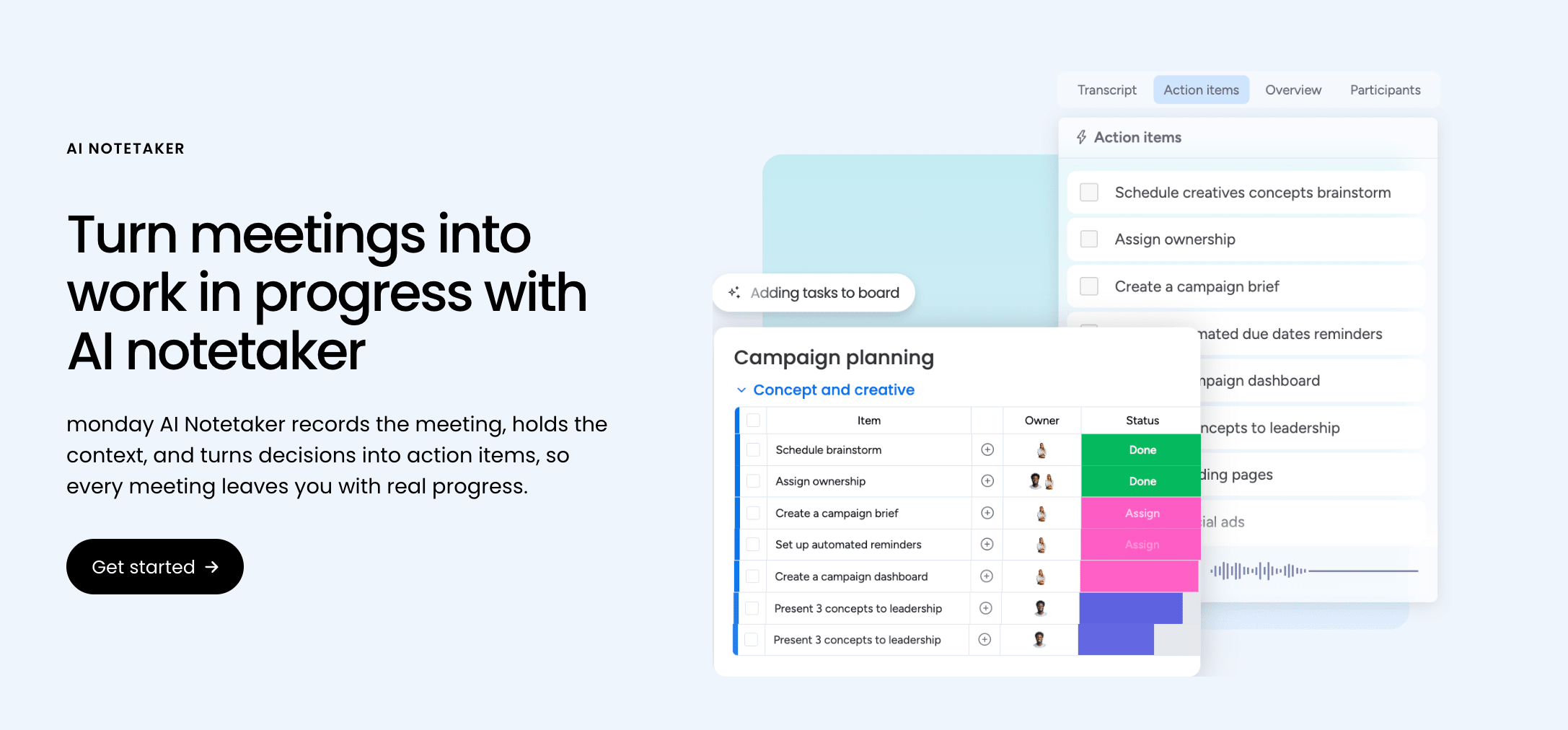
If you want meeting outputs to land in the workflows you already use, monday AI Notetaker does that inside the monday.com platform. It covers everything above, from automatic capture to action items on your boards.
One-time calendar connect and auto-join
Connect your calendar once and monday AI Notetaker joins your Zoom, Microsoft Teams, and Google Meet meetings. One-time setup covers every future meeting.
For in-person or hybrid meetings, the desktop app captures audio directly from the room without sending a bot participant into a video call. Hallway chats and on-site reviews get captured just like video calls.
Time-stamped summaries with speaker context
You get time-stamped summaries with speakers labeled, so every point shows who raised it. After the meeting, team members can ask questions against the transcript to find specific information without re-watching the recording.
For example, “What did the client say about the launch date?” returns a direct answer with a citation from the conversation.
Action items routed to the right project with owners
monday AI Notetaker extracts action items and lets team members assign owners, choose the correct project board, and set deadlines, all from within the meeting summary.
Here’s what sets it apart: meeting outputs land exactly where your team already works. They land on monday.com, where your team already plans and tracks work. A decision made at 10:15 a.m. can be a tracked, owned item by 10:20 a.m.
AI agents that answer questions in live meetings
monday AI Notetaker supports bringing AI agents into live meetings to answer questions or complete actions in real time, before the meeting ends. Teams can also use an AI agent builder to create agents for recurring processes and tasks outside meetings.
Private by default with enterprise-grade security
Recordings and transcripts are private to the meeting organizer unless explicitly shared. Admins control permissions, access, and sharing at the organizational level.
monday AI Notetaker supports SOC 2 Type II, ISO 27001, GDPR, and HIPAA, so teams in regulated industries can use it with confidence.
The table below compares standalone AI notetakers with monday AI Notetaker across the capabilities that matter most for teams who need meeting outputs to become tracked work.
| Capability | Standalone AI notetakers | monday AI Notetaker |
|---|---|---|
| Meeting capture method | Joins virtual meetings via bot; limited or no in-person support | Auto-joins Zoom, Teams, and Google Meet; desktop app captures in-person meetings without a bot |
| Action item routing | Extracts action items into the notetaker app; manual copy to project platforms required | Routes action items directly onto monday.com project boards with owners and deadlines |
| Workflow integration | Requires third-party integrations or manual export to connect with project management platforms | Native integration: meeting outputs land on the same workflows teams already use for planning and execution |
| Live AI agent participation | Not available | AI agents join live meetings to answer questions or complete actions in real time |
| In-person meeting support | Rarely supported; most require a video call | Desktop app records in-person audio without a visible bot |
| Privacy controls | Varies; some share recordings by default | Private by default; meeting organizer controls sharing explicitly |
| Compliance certifications | Varies by provider; check individually | SOC 2 Type II, ISO 27001, GDPR, and HIPAA support |
When every meeting ends with progress
A meeting isn’t done when the call ends. It’s done when decisions become tracked work with owners, deadlines, and project context. That gap is where most teams lose momentum. The right AI notetaker closes it.
Keep this progression in mind as you compare options:
- Transcription captures words
- Summarization highlights what matters
- Full AI note-taking captures, understands, and acts on meeting content, routing outputs into the workflows where your team already operates.
Each layer helps, but the real shift comes when meeting outputs flow into your team’s workflows. Every meeting then ends with clear next steps, shared knowledge, and far less chasing.
The test of any AI notetaker is simple: do your meetings end with momentum and tracked progress? If you’re ready to see the difference, monday AI Notetaker operates within the workflows your team already relies on every day.
Frequently asked questions
Is an AI notetaker worth it for teams that already take manual notes?
Yes. Manual notes vary from person to person, and an AI notetaker gives every meeting the same structure. People can focus on the conversation, and follow-through gets faster.
Is recording meetings with an AI notetaker legal?
In most places, recording is legal when everyone is notified and consents. AI notetakers usually show a visible recording indicator, but check your local consent laws (one-party vs. two-party) and set your notification settings to match.
Can an AI notetaker capture in-person meetings without a video call?
Some AI notetakers, including monday AI Notetaker, support in-person meeting capture through a desktop app that records audio directly from the room without joining a video call or sending a bot participant.
Who controls access to AI notetaker recordings and transcripts?
The meeting organizer usually controls sharing. Enterprise-grade platforms add admin permissions, role-based access, and audit trails, so you can see and control who views, shares, or downloads a recording.
Does monday AI Notetaker support HIPAA and GDPR compliance?
Yes. monday AI Notetaker includes enterprise-grade security with SOC 2 Type II, ISO 27001, GDPR compliance, and HIPAA support, along with privacy-by-default controls and granular admin permissions for recordings and transcripts.
Can an AI notetaker handle meetings in multiple languages?
Most do, but accuracy depends on the language, the accents, and whether speakers switch mid-conversation. Test with your own meeting audio before you rely on it.
 Get started