


Improving workflow efficiency starts with understanding how work actually gets done. Before teams can reduce delays, rebalance workloads, or improve processes, they need a clear way to measure task durations.
A time study template gives teams a consistent structure for recording task times, activities, notes, and observations. Instead of starting from a blank spreadsheet every time, teams can capture data in the same format and compare results more easily.
In this article, we’ll explain what a time study template is, why teams use one, and how to run a time study. We’ll also show how monday.com’s AI Work Platform helps teams connect time tracking, workflow data, dashboards, workflow automation, and project updates in one workspace.
Get started with monday.comKey takeaways
- A time study template helps teams record how long tasks and workflow steps take in a consistent format
- Time studies are useful for identifying inefficiencies, reducing wasted time, improving process design, and setting more realistic performance benchmarks
- Common time study templates include time and motion studies, business time studies, and personal time studies
- The best time studies define the problem first, break work into clear steps, collect enough data, and review results before making process changes
- monday.com’s AI Work Platform helps teams connect time tracking, workflows, dashboards, automations, and reporting in one connected workspace
What is a time study template?
Time studies measure how long specific tasks or workflow steps take. They are often used in production, operations, project management, and process improvement to identify inefficiencies and improve how work gets done.
A time study template is a customizable document or spreadsheet used to record the time spent on specific tasks, activities, or workflow steps. Teams can use it for one study or adapt it over time for repeated process reviews.
A time study template usually includes fields for:
- The workflow or process being studied, such as product packaging or invoice review
- The individual activities or steps being tracked
- Activity start and finish times
- Elapsed time for each activity, often in minutes or seconds
- Multiple observations or data points
- Totals and averages
- Notes or observations
- Names of employees or teams responsible for specific tasks
Why use a time study template?
A time study template saves setup time and keeps data collection consistent.
For example, if a production manager wants to study a packaging workflow, they shouldn’t need to rebuild a worksheet every time they run a new study. A template gives them a ready-made structure for recording activities, start times, finish times, elapsed time, and notes.
Templates also reduce manual errors. When key fields are already included, teams are less likely to forget important details, such as the activity being measured, the person responsible, or the number of observations collected.
Over time, teams can improve the template based on what they learn. If a process needs more detailed notes, additional task categories, or extra timing fields, the template can evolve with future studies.
What are some examples of time study templates?
Here are three common types of time study templates and when to use them.
1. Time and motion study template
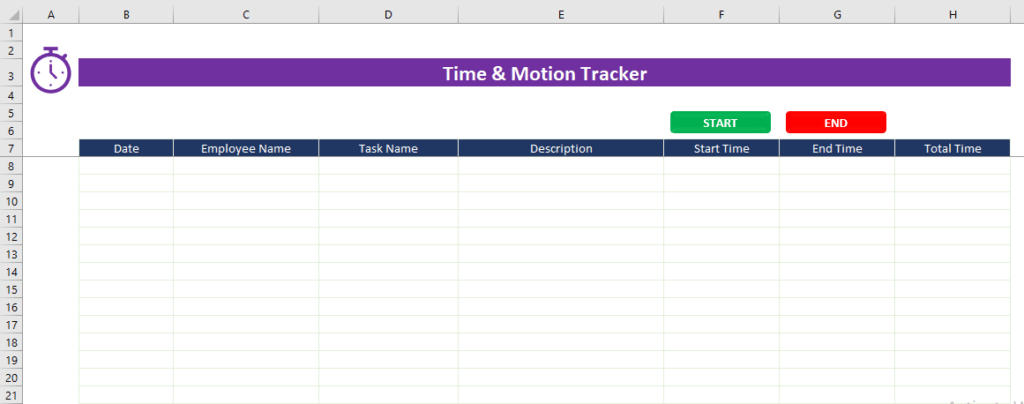
A time and motion study template measures both how long tasks take and how people move through the work. This can help teams identify unnecessary steps, repeated motions, bottlenecks, or physical movement that slows the process down.
A spreadsheet-based template can capture start times, end times, elapsed time, activity descriptions, and notes for each step.
2. Business time study template
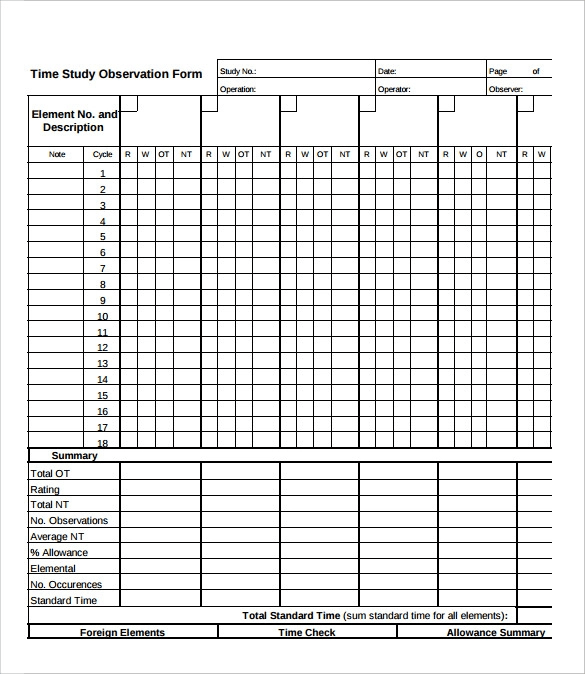
This time study template is more in-depth – great for businesses that want to conduct time studies across multiple days.Notice how there is an opportunity to capture a total time for each activity for each day of the week. This allows managers to determine if employees are more efficient on certain days and then analyze those results further to understand why.
3. Personal time study template
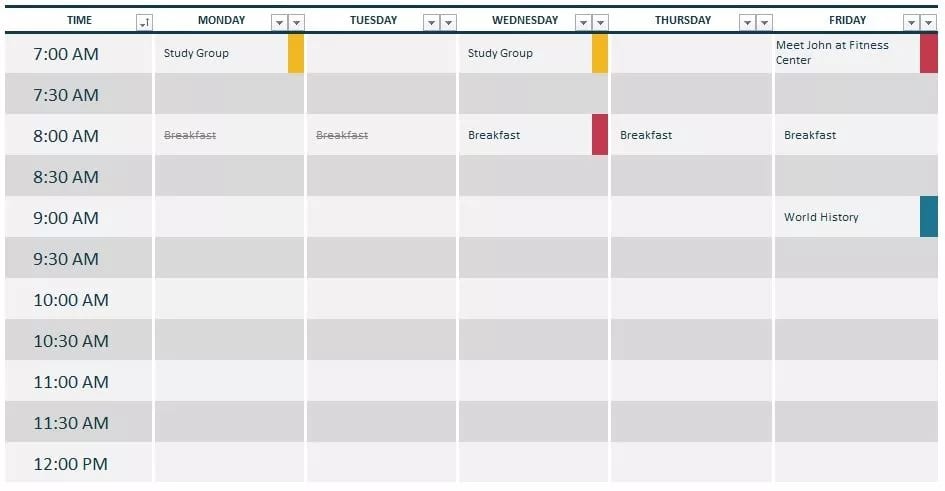
While time studies are often used to improve business processes, they can also help individuals understand how they spend their time. A personal time study template can help you track how much time you spend on tasks like admin work, meetings, focused work, errands, or planning. After a few weeks, review the data to find patterns and identify where your schedule could be adjusted.
monday.com’s time study template
The time study template examples above can be useful, but many are still static worksheets. That may work for a simple one-time study, but it can create limitations when teams need real-time updates, connected workflows, dashboards, and easier reporting.
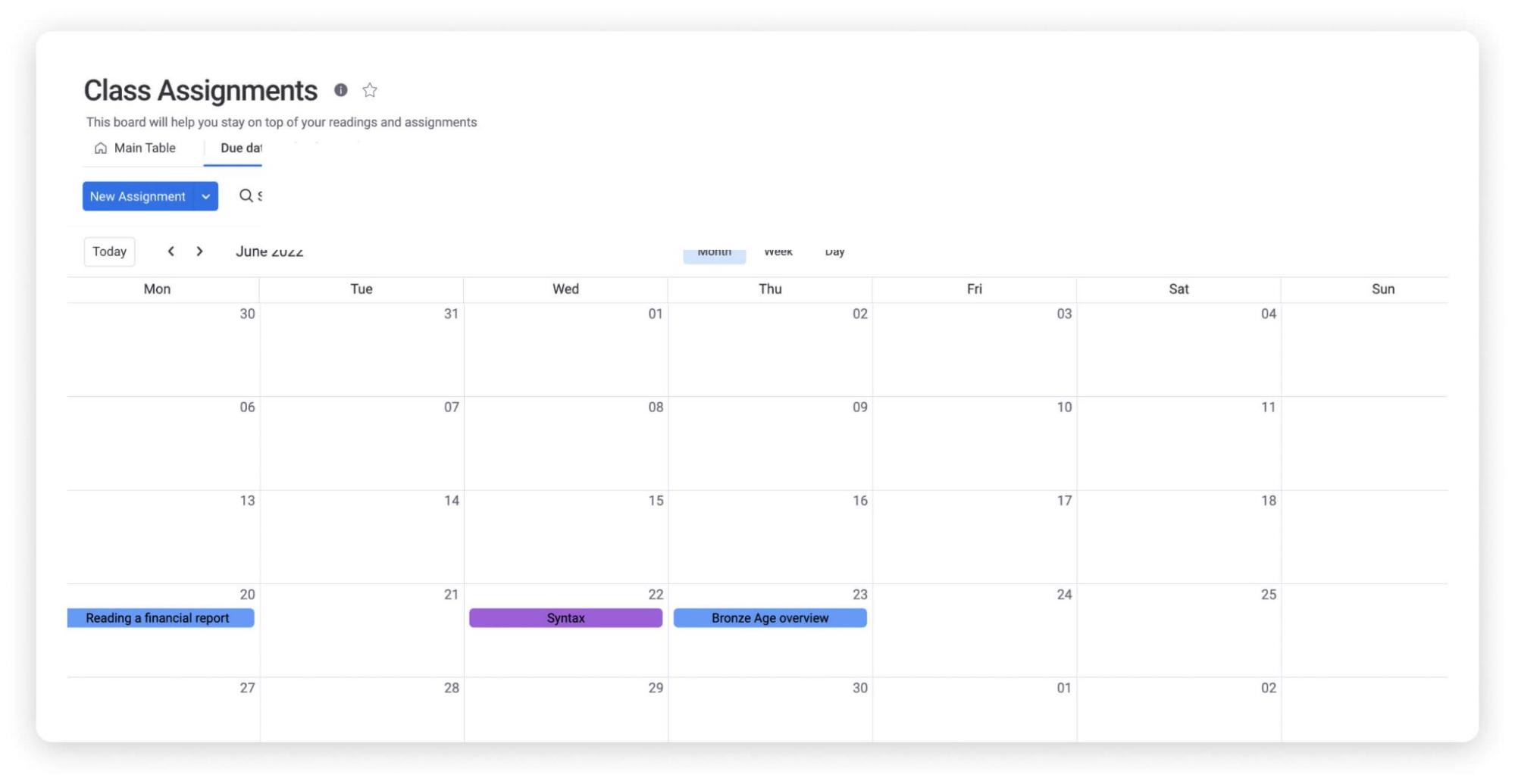
monday.com’s AI Work Platform gives teams a more connected way to manage time studies, time tracking, workflow analysis, and reporting. Here’s how it can help:
1. Built-in time-tracking column
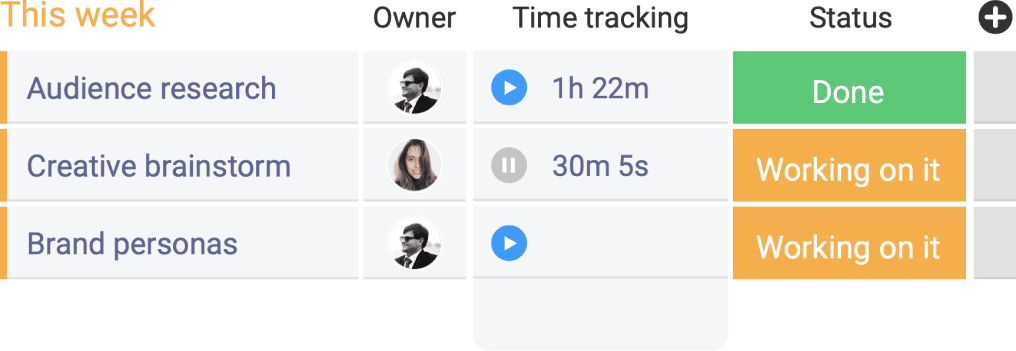
The monday.com time study template includes a digital time-tracking feature that lets teams start and stop timers with a click, helping capture time data directly within the workflow.
2. Connected data
Because monday.com connects work across boards, teams can connect time study data to the workflows they already manage. This makes it easier to see how time spent relates to tasks, owners, projects, and process steps.
Teams can also monitor performance over time, giving them a larger data set to analyze when looking for recurring inefficiencies or workflow patterns.
3. Powerful reporting
Time study data becomes more useful when it can be reviewed and reported without manual spreadsheet cleanup.
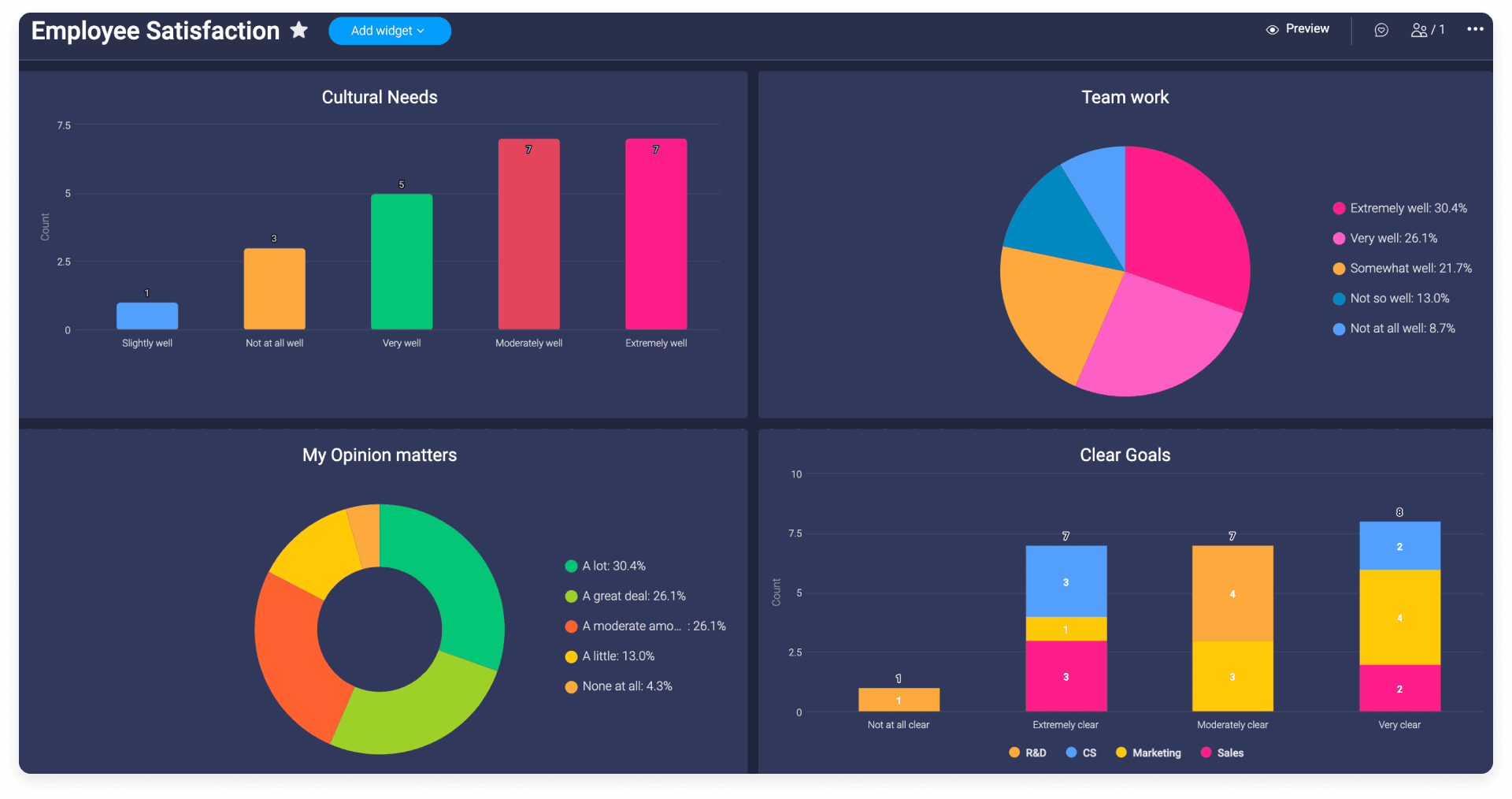
With monday.com dashboards, teams can review time study data across workflows, compare activities, and share key insights with stakeholders. Custom dashboards can show performance, delays, totals, averages, and workflow trends at a glance.
How to conduct a time study
Want to conduct a time study? Follow these simple steps:
1. Determine what problems need to be solved
Start by defining the problem you want to solve. For example, you may want to reduce waste, increase output, shorten cycle time, or understand why a specific process takes longer than expected. Clear goals make the time study more focused.
2. Define the necessary work elements
Next, break the workflow into individual actions or work elements. This may require observation, note-taking, and input from the people who perform the work every day.
3. Choose a suitable time to conduct the study
Choose a time of day or week that gives you a realistic view of the workflow while causing as little disruption as possible to regular operations.
4. Prepare a time study template
Prepare your time study template before observation begins. Add the workflow name, activity list, responsible people, and any notes or categories you know you will need.
5. Capture more data than you require
Run the study across multiple workflow cycles so one unusual result does not distort the findings.
Observation can influence behavior at first, so consider excluding the earliest observations if they do not reflect normal work patterns. As people become used to the study, the data may become more representative.
FAQs
What is a time study template?
A time study template is a structured document, spreadsheet, or workspace used to record how long specific tasks or workflow steps take. It typically includes activity names, start and end times, elapsed time, notes, totals, and responsible team members.
How do you conduct a time study?
To conduct a time study, define the workflow you want to improve, break it into individual activities, choose a realistic observation period, prepare a template, record several rounds of data, and analyze the results for delays, bottlenecks, or unnecessary steps.
What should a time study template include?
A time study template should include the process name, activity list, start times, end times, elapsed time, multiple observations, totals or averages, notes, and the people responsible for each task. More detailed templates may also include workflow categories, shift details, or improvement recommendations.
What is the difference between a time study and a time and motion study?
A time study focuses on how long tasks or workflow steps take. A time and motion study looks at both time and physical movement, helping teams identify unnecessary motions, inefficient layouts, or repeated actions that slow down the process.
Can I make a time study template in Excel?
Yes, you can create a time study template in Excel by adding columns for activities, start time, end time, elapsed time, observations, totals, notes, and responsible people. Excel works well for simple studies, but connected platforms can make reporting and workflow follow-up easier.
How does monday.com help with time studies?
monday.com’s AI Work Platform helps teams manage time studies with time tracking, customizable boards, dashboards, automations, connected workflows, and AI-powered support. Teams can track time, analyze patterns, summarize updates, and turn findings into action in one workspace.
 Get started