

For years, ticketing systems were seen as rigid, complex tools built exclusively for IT departments. But as organizations grow, every team from HR to marketing faces a flood of requests from emails, chats, and direct messages. A simple ticketing system transforms this chaos into a clear, organized workflow, ensuring nothing gets lost and everyone stays in sync. This is about creating a central command center for all service delivery.
The shift is real: service delivery is no longer just an IT concern. When your team is drowning in scattered requests, a simple ticketing system becomes the lifeline that brings order to the madness and keeps your customers happy.
This guide provides a clear playbook for finding and implementing the right platform for your team. It explores the seven essential features every system must have, offers a direct comparison of the 12 best options available today, and outlines a 5-step process to choose a system that fits your workflow.
Key takeaways
- Centralize scattered requests into one system: transform chaotic emails, chats, and messages into organized, trackable tickets that ensure nothing slips through the cracks and every request gets resolved.
- Empower teams beyond IT with simple tools: modern ticketing systems serve HR, marketing, operations, and every department, not just support teams, creating a single source of truth for all service delivery.
- Launch in hours, not months: advanced platforms like monday service gets your team operational immediately with intuitive, no-code customization that adapts to your workflow without requiring IT resources or lengthy training.
- Leverage AI to eliminate repetitive work: smart automation handles routine tasks like ticket routing and responses, freeing your agents to focus on complex challenges that drive real customer loyalty.
- Scale seamlessly as your organization grows: choose a system that connects service tickets to projects and business processes, providing complete operational visibility that traditional help desks simply can’t match.
What is a simple ticketing system?
A simple ticketing system functions as a team’s shared command center for managing work. It methodically converts every request (whether from a customer, a teammate, or another department) into a neat, trackable ticket, ensuring nothing gets lost in the shuffle. This process transforms a chaotic flood of emails and messages into a clear, organized action plan for the entire team.
The system’s elegance lies in its straightforwardness; requests are organized into a queue, assigned to the appropriate person, and their status is updated in real time for all to see. This transparent workflow enhances accountability and eliminates the need for constant status inquiries.
Unlike cumbersome legacy software that can take months to implement, a modern ticketing system allows a team to become operational almost immediately. With modern platforms like monday service, this powerful digital workspace integrates with all other workstreams, leveraging built-in AI and automations to accelerate issue resolution. The objective is to empower teams to deliver exceptional service without administrative friction.
What makes a ticketing system truly simple?
The most powerful tools are the ones that disappear into the background, feeling so intuitive that your entire team can adopt them without a user manual. When the platform itself is effortless, your team is liberated to concentrate on their primary role: delivering outstanding service. This is the core of true simplicity.
For this reason, the power to customize should be in your hands, with no code required. Your team possesses unparalleled knowledge of your processes. They should have the autonomy to adapt forms, construct workflows, and design dashboards that precisely fit your needs on the fly. The goal is a system that works for you, not one that forces you to work for it.
To combat repetitive work, smart, behind-the-scenes AI can handle routine tasks, from routing tickets to suggesting answers. This strategic automation frees up your agents to tackle complex challenges, elevating their role from ticket-solvers to strategic contributors who drive customer loyalty.
Who needs a simple help desk ticketing system?
Growth is exciting, but it often manifests as operational chaos: a blizzard of requests from emails, chats, and sticky notes. If your team is juggling these disparate inputs, it’s a clear indicator that you’ve outgrown manual methods. Without a central hub, items inevitably slip through the cracks, straining both your team and your customers.
A simple, powerful ticketing system is no longer confined to IT or customer support. Teams of all kinds, from HR and facilities to marketing and operations, are transforming their workflows by adopting a clear, shared view of every single request. It’s about establishing a single source of truth for all service delivery.
Whether you’re a small business outgrowing a shared inbox or a large department weary of chasing down information, the objective remains consistent: faster resolutions and higher satisfaction. By consolidating all service operations into one intuitive platform, you can replace chaos with clarity and focus on delivering exceptional service, every single time.
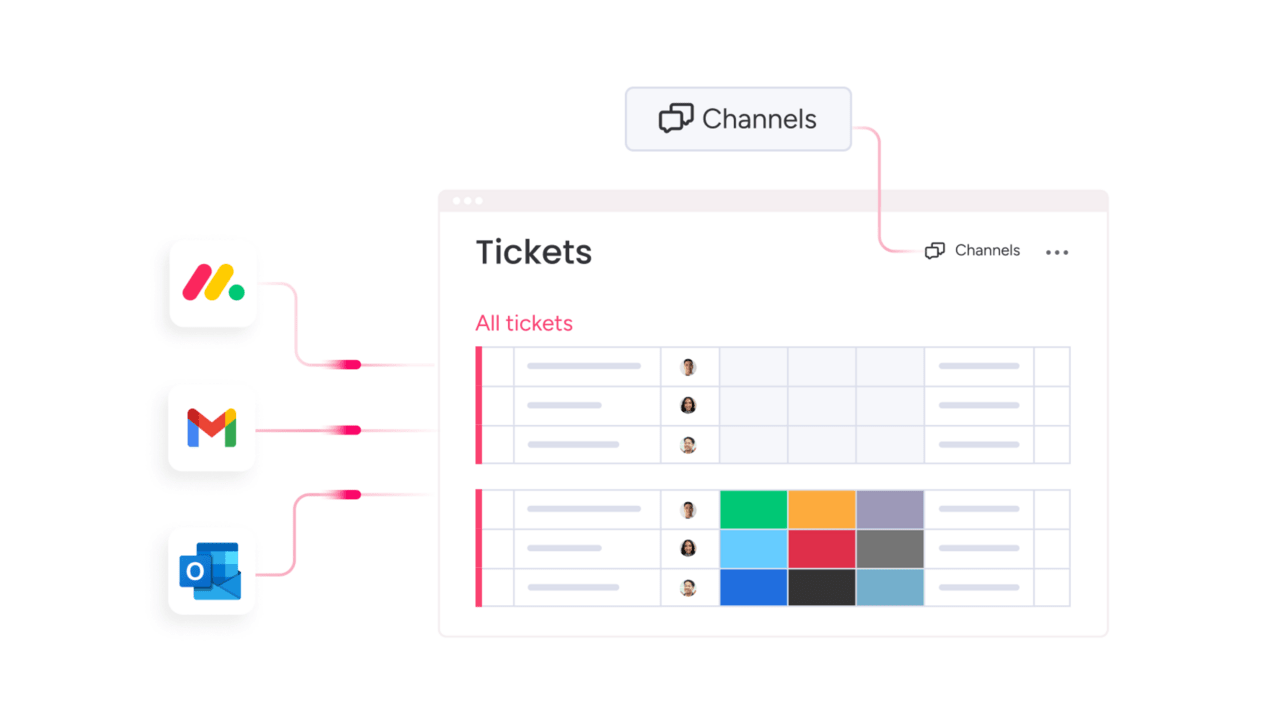
7 essential features every easy ticketing system must have
Beyond the marketing buzz, what truly defines a great ticketing system? It comes down to a core set of features that transform scattered requests into a smooth, streamlined operation. These are the foundational components that empower your team to perform at their best.
Consider this list the foundation for building an exceptional service experience. When these tools are integrated into your team’s workflow, they can cease battling their software and concentrate on their expertise: helping people. This ensures your customers receive the fast, effortless support they expect.
These seven features work together to create a service engine that scales with your organization and streamlines daily operations for everyone involved. Here’s what you should be looking for.
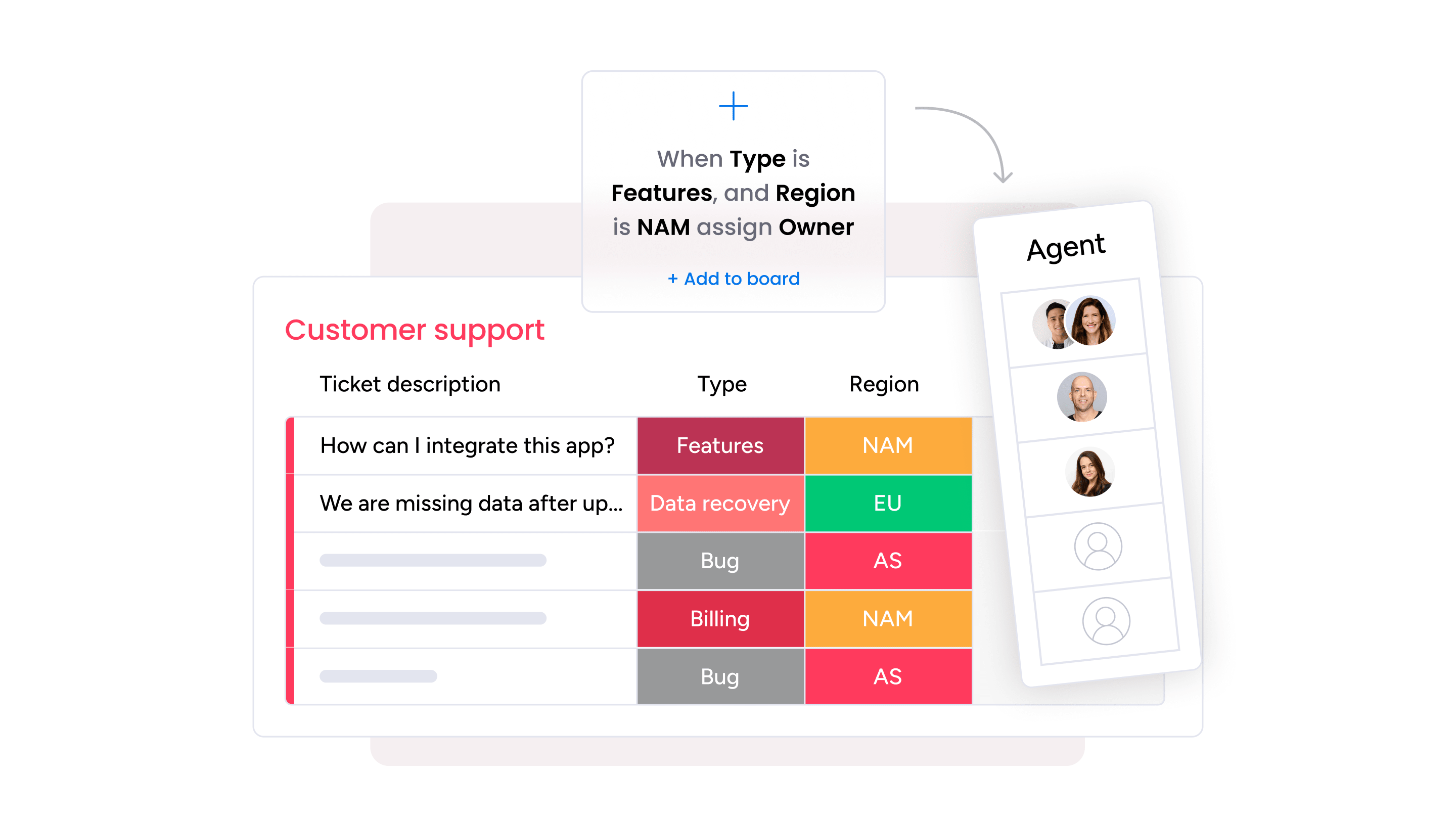
- Smart ticket routing and assignment: eliminate the manual triage of incoming requests. Intelligent routing automatically directs tickets to the right person based on their skills and current workload, ensuring every issue receives the fastest possible expert attention. This leads to balanced workloads for your team and quicker resolutions for your customers.
- Omnichannel support across all platforms: engage with customers on their preferred channels (be it email, chat, or social media) without the inefficiency of switching between multiple applications. All interactions converge into a single, unified view, providing your team with the complete context needed to deliver a seamless and connected experience.
- Self-service portal and knowledge base: empower users to find their own answers at any time. A well-designed self-service hub allows customers and employees to track tickets and resolve common issues independently, which frees up your team to concentrate on more complex challenges that demand a human touch.
- Real-time reporting dashboards: move beyond confusing spreadsheets and gain immediate clarity on your service performance. Visualize key metrics like response times and satisfaction scores at a glance, enabling you to identify trends and make informed, data-backed decisions to continuously improve your operations.
- Seamless integrations with existing tools: your ticketing system should function as a collaborative hub, not an isolated silo. By connecting effortlessly with the tools you already depend on (such as Slack, your CRM, and project management applications) you eliminate manual data entry and equip your agents with all necessary information in one place.
- Mobile access for remote teams: exceptional service is not confined to a desk, and neither should your tools be. With comprehensive mobile access, your team can manage tickets, collaborate, and support customers from any location, ensuring you remain responsive whether in the office, at home, or on the move.
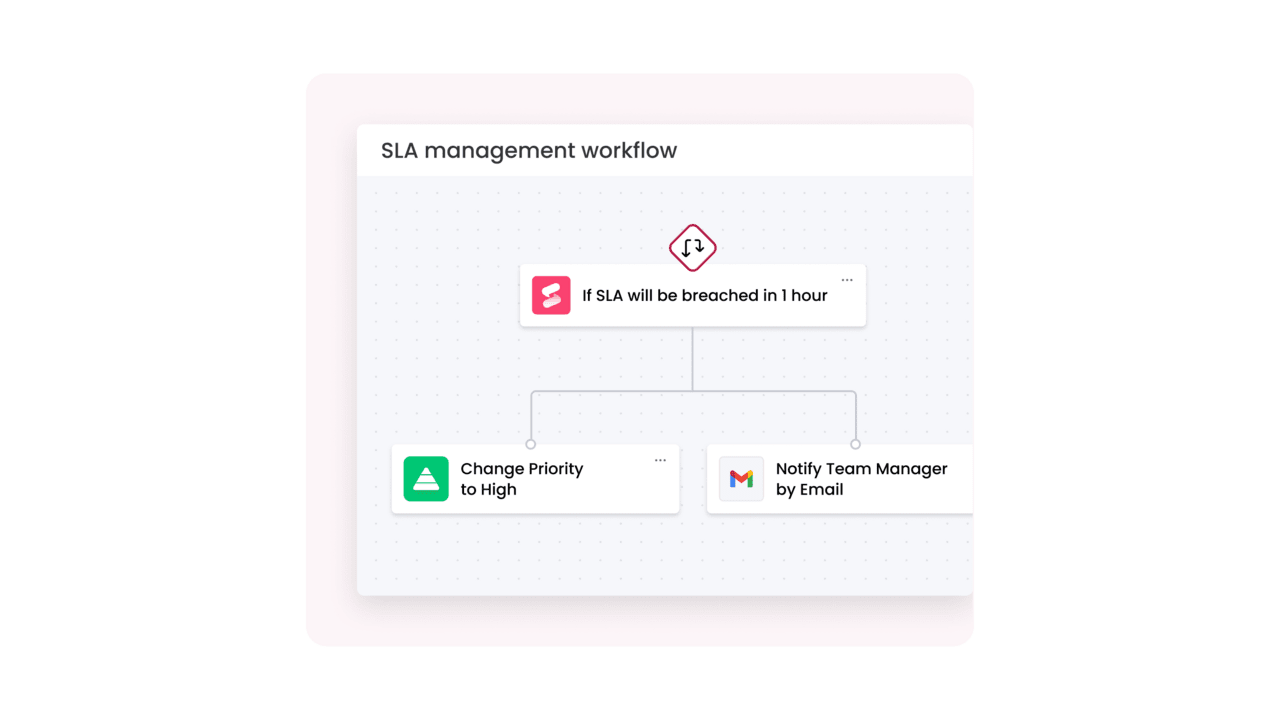
- Automated workflows and responses: delegate repetitive tasks to automation so your team can focus on high-value problem-solving. Automated processes can handle routine actions like sending confirmation emails or escalating urgent issues, guaranteeing that no detail is overlooked and standards are consistently met.
12 simple ticketing systems that actually work
The market is flooded with ticketing platforms, each promising to revolutionize your support operations. But which ones actually deliver on that promise? This analysis cuts through the noise to bring you twelve proven systems that real teams rely on every day to manage their service operations efficiently.
This curated list spans the full spectrum: from powerful enterprise platforms to nimble solutions built for small teams. Each system brings its own strengths to the table, whether that’s deep AI capabilities, seamless integrations, or refreshingly simple interfaces that require zero training. The goal is to help you find the perfect match for your team’s unique needs and workflow.
1. monday service
As a unified platform, monday service breaks down the traditional barriers between service delivery and the rest of your business operations. Unlike conventional ticketing tools that isolate support requests in a separate silo, this system connects every ticket to the broader context of your projects, workflows, and team collaboration, giving everyone the visibility they need to work smarter, not harder.
Example:
Ideal for unifying service operations across departments, monday service enables teams to manage tickets, projects, and business processes within a single, connected workspace enhanced by built-in AI assistance.
Key features:
- AI-powered ticket triage: automatically categorizes, prioritizes, and routes tickets based on content and sentiment analysis.
- Customer portal: provides branded self-service experience with knowledge base access and real-time ticket tracking.
- Visual workflow boards: connect service tickets to broader projects and business processes for complete operational visibility.
Pricing:
- Standard: $31/seat/month (annual billing), includes AI triage for one board and portal access for up to ten users.
- Pro: $45/seat/month (annual billing), includes AI triage for three boards and portal access for up to 100 users.
- Enterprise: custom pricing available.
- 18% discount on annual plans: compared to monthly billing.
- Price increase: of 18% across all tiers effective February 10th, 2026.
Why it stands out:
- AI-powered triage on key service boards: included without per-usage costs, accelerating ticket resolution through smart routing and automated responses.
- No-code customization: enables rapid setup and iteration without IT dependency, letting teams build custom forms, automations, and dashboards in minutes.
- Cross-departmental connectivity: links service tickets to projects, assets, and business processes, providing complete operational context that traditional help desks can’t match.
2. Zendesk
As one of the most established names in customer service software, Zendesk has built its reputation on delivering enterprise-grade ticketing capabilities that scale with organizations of all sizes. Its comprehensive feature set and extensive marketplace make it a go-to choice for teams that need powerful automation and deep analytics to manage high-volume support operations.

Example:
Ideal for organizations seeking to refine their customer service operations with intelligent ticket routing, AI-driven automation, and comprehensive analytics to drive faster resolution times.
Key features:
- Omnichannel Agent Workspace: provides a unified customer context paired with AI-assisted workflows to streamline communication across all channels.
- Advanced Automation: features intelligent triage, skills-based routing, and SLA-aware ticket assignment to optimize support efficiency.
- Extensive Ecosystem: includes a marketplace with over 1,200 integrations and customizable self-service portals for a tailored customer experience.
Pricing:
- Support Team: $19 per agent/month.
- Support Professional: $55 per agent/month.
- Support Enterprise: $115 per agent/month.
- Suite Team: $55 per agent/month.
- Suite Growth: $89 per agent/month.
- Suite Professional: $115 per agent/month.
- Suite Enterprise: contact sales for custom pricing.
- Add-ons: Copilot ($50), Quality Assurance ($35), and Workforce Management ($25) available per agent.
Considerations:
- Feature Gating: advanced capabilities like AI and compliance features require additional per-agent fees, which can significantly impact the total cost of ownership.
- Complex Configuration: enterprise-level implementations with custom workflows may require dedicated IT resources or external consultants for proper setup.
3. Freshdesk
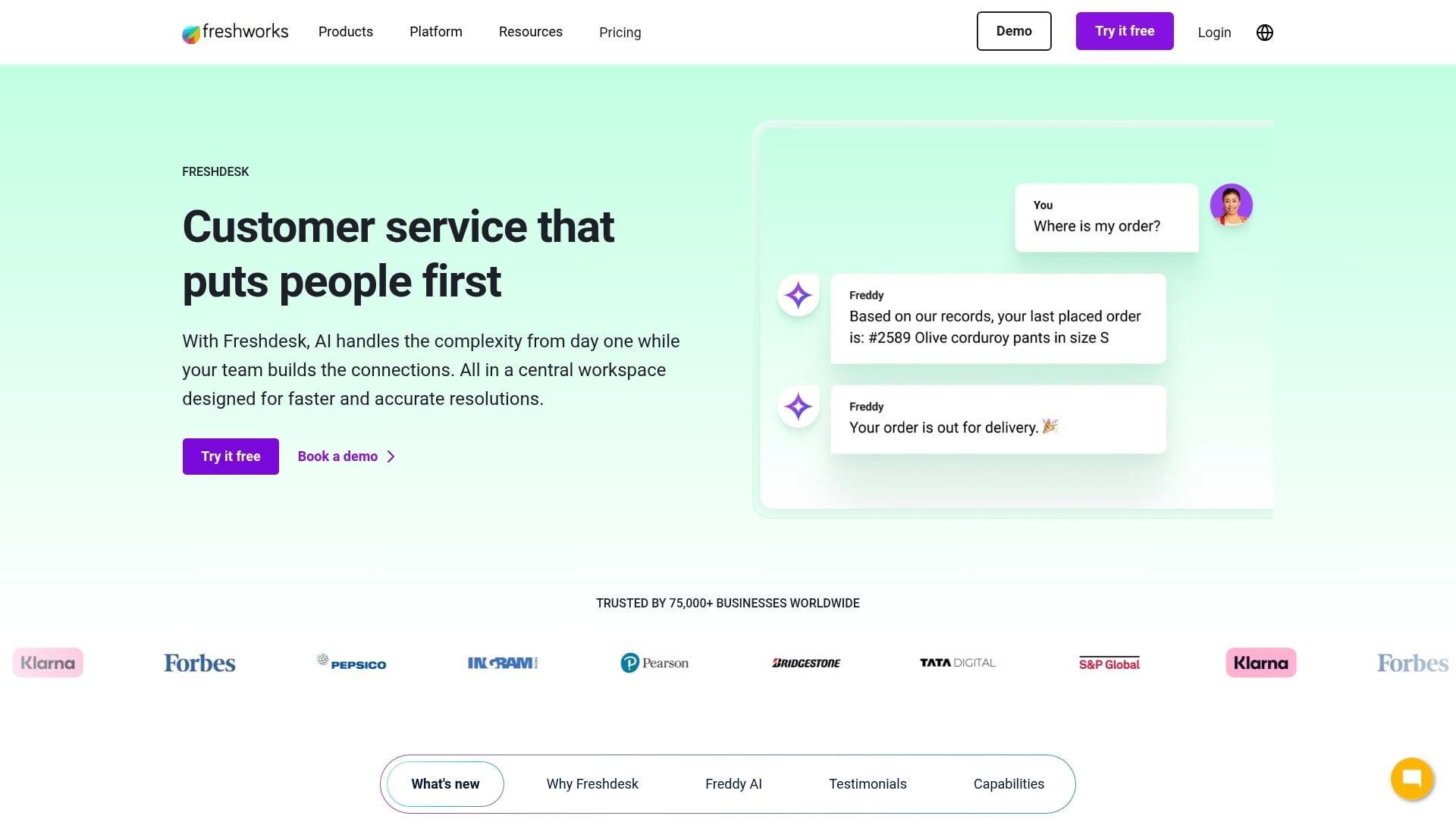
Freshdesk has built a strong reputation as a versatile customer support platform that balances powerful features with approachable design. Its AI-powered capabilities and flexible pricing make it a popular choice for teams that need room to grow without overwhelming complexity from day one.
Example:
Best suited for growing businesses that require a scalable solution for unified customer support, intelligent ticket routing, AI-powered assistance, and seamless collaboration tools.
Key features:
- Advanced ticket relationships: linked and parent-child constructs for complex issue management.
- Omniroute engine: supports skill-based, load-based, and round-robin assignment with queue controls.
- AI-powered Copilot: provides real-time replies, translation across 60+ languages, and sentiment analysis.
Pricing:
- Growth: $19/agent/month (annual billing).
- Pro: $55/agent/month (annual billing).
- Enterprise: $89/agent/month (annual billing).
- Free program: $0 for one to two agents for six months (Freshdesk only).
- Freshdesk Omni Growth: $29/agent/month (annual billing).
- Freshdesk Omni Pro: $79/agent/month (annual billing).
- Freshdesk Omni Enterprise: $119/agent/month (annual billing).
- Freddy AI Copilot add-on: starting at $29/agent/month (annual billing).
- AI Agent sessions: $49 per 100 email sessions (500 free sessions once per account on Pro/Enterprise).
Considerations:
- Limited analytics on lower tiers: advanced analytics and report customization can be restricted, with some integrations locked to higher-priced plans.
- AI add-on costs: AI features require separate purchases that can significantly increase total cost of ownership.
4. Zoho Desk
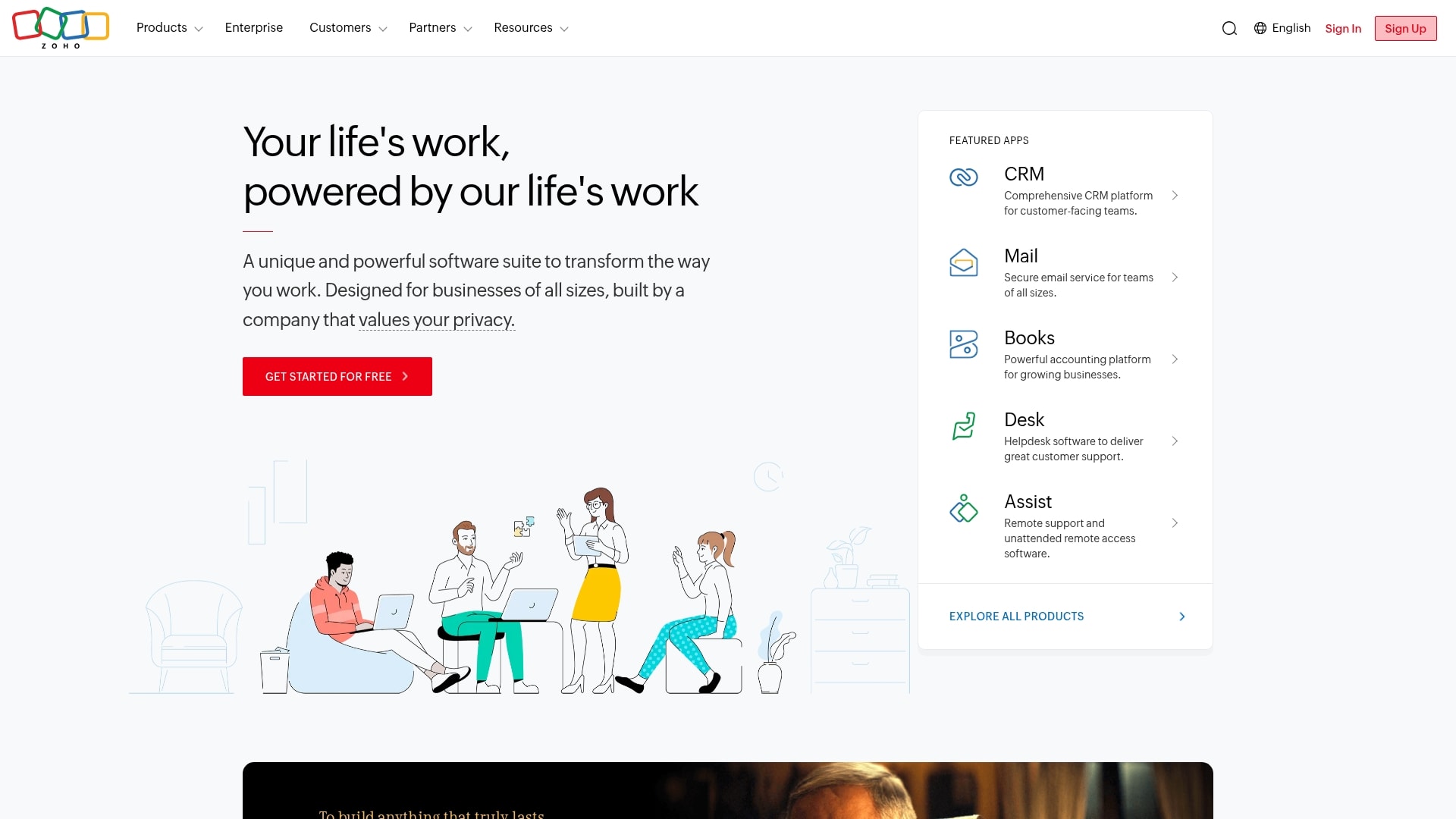
Zoho Desk delivers a powerful, AI-enhanced ticketing experience that’s particularly compelling for teams already invested in the Zoho ecosystem. Its strength lies in combining sophisticated automation with an approachable interface, making it a smart choice for organizations that want enterprise-grade capabilities without the enterprise-level complexity.
Example:
An excellent choice for teams seeking comprehensive omnichannel support with built-in AI assistance, particularly those already utilizing Zoho’s business suite for deeper workflow integration.
Key features:
- Omnichannel ticketing: consolidates email, phone, chat, social media, and web forms into a single agent workspace.
- Built-in AI (Zia): provides automatic ticket tagging, sentiment analysis, and intelligent routing at no additional cost.
- Blueprint workflows: enforce standardized resolution processes and help identify bottlenecks across service operations.
Pricing:
- Free: three agents
- Express: $7/agent/month (annual billing).
- Standard: $14/agent/month (annual billing).
- Professional: $23/agent/month (annual billing).
- Enterprise: $40/agent/month (annual billing).
- Annual prepay discounts: available.
- Special pricing: for nonprofits and educational organizations.
Considerations:
- Steep learning curve: teams new to comprehensive service platforms may face complexity in certain customization areas.
- AI feature limitations: availability varies by data center location, and ChatGPT integration requires separate OpenAI API billing.
5. HelpDesk
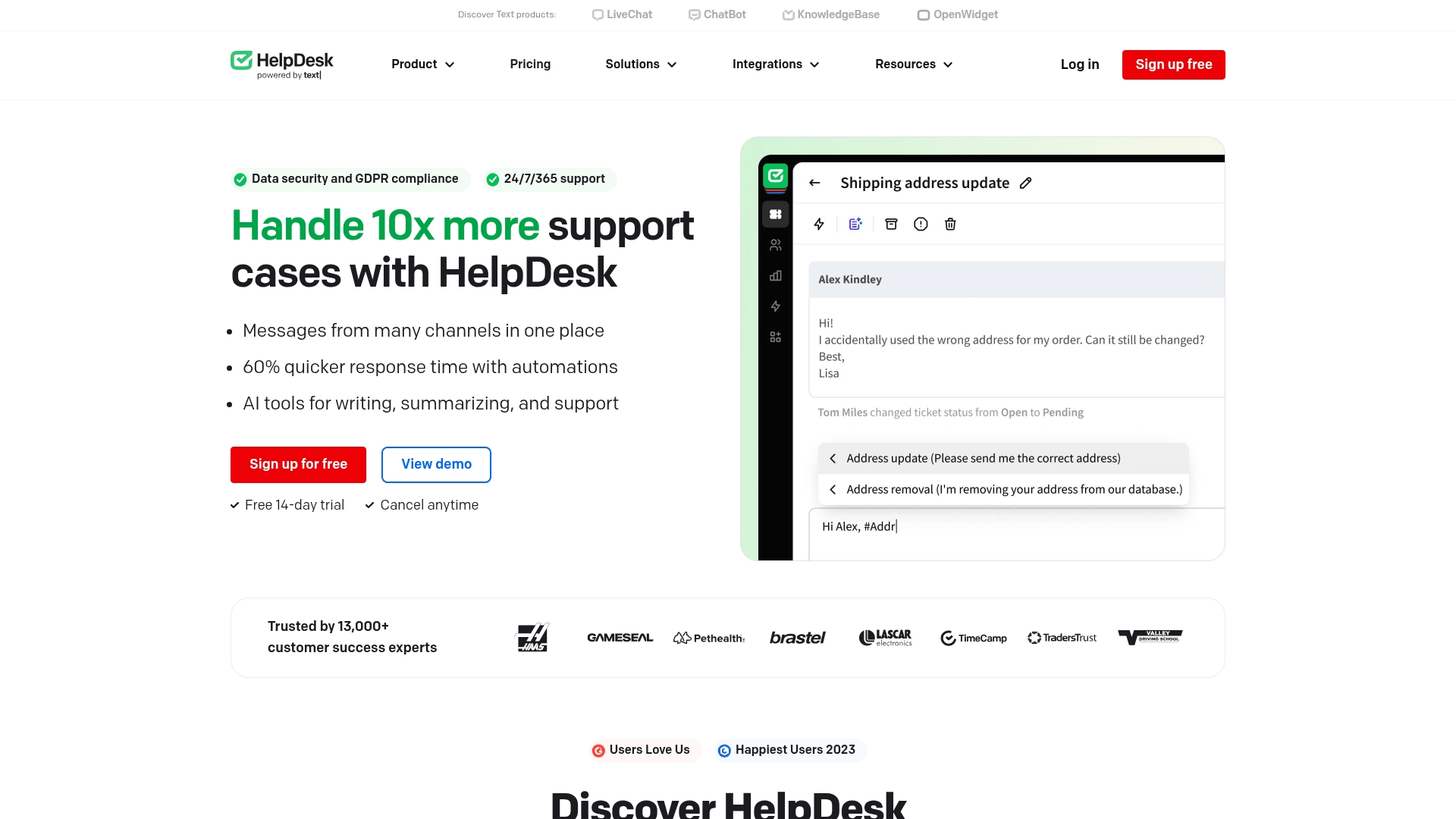
HelpDesk strips away unnecessary complexity to deliver exactly what teams need: a clean, email-centric ticketing experience that gets you up and running fast. Built for teams that want professional support operations without the enterprise bloat, it transforms your inbox into a powerful shared workspace where every message becomes an organized, trackable ticket.
Example:
Delivers a simplified ticketing experience by unifying email, chat, and contact forms into one shared inbox, making it perfect for teams who want professional support operations without a steep learning curve.
Key features:
- Email-first shared inbox: automatically converts messages into organized tickets with AI-powered tagging and routing.
- Built-in automation: visual rules, canned responses, and round-robin assignment eliminate repetitive tasks.
- Unlimited free viewer seats: cross-functional visibility without additional per-user costs.
Pricing:
- Team: $29/month (billed annually) or $34/month (billed monthly).
- Business: $50/month (billed annually) or $59/month (billed monthly).
- Enterprise: custom pricing with dedicated account management and SLAs.
- 14-day free trial: available with full Business plan access.
- 15% discount: for annual billing.
Considerations:
- Desktop-only reports: limits mobile analytics access for managers on the go.
- US-only data storage: no regional options, potentially creating compliance challenges for EU organizations.
6. Hiver
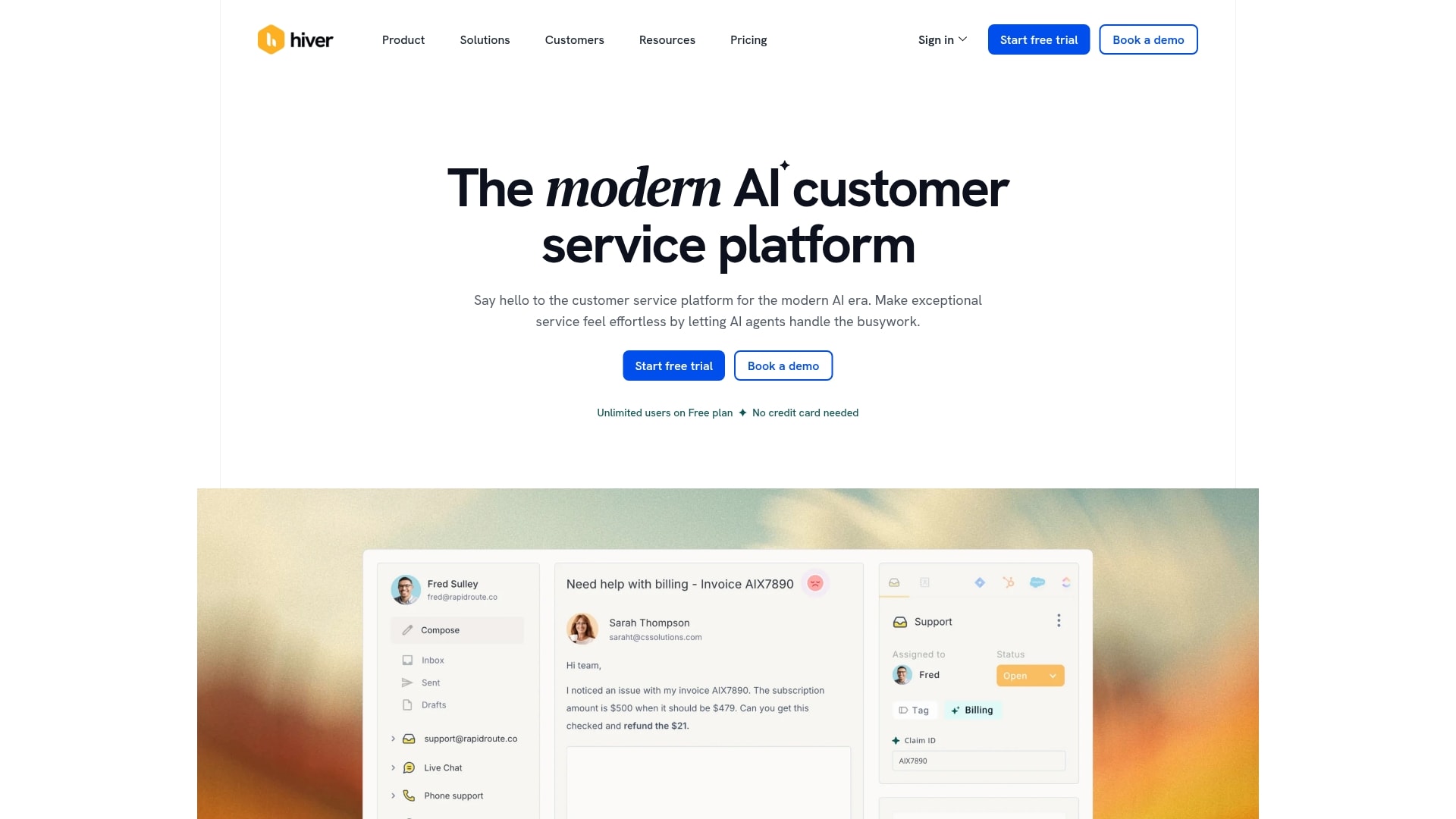
Hiver takes a fundamentally different approach by transforming your existing Gmail or Outlook inbox into a powerful ticketing system. Instead of forcing your team to learn yet another interface, it layers collaboration and automation directly into the email environment they already know and love, making adoption nearly instant.
Example:
Provides the core benefits of a ticketing system by turning conversations from email, chat, voice, and WhatsApp into manageable tickets directly within an existing Gmail or Outlook interface.
Key features:
- Omnichannel inbox consolidation: aggregates conversations across email, live chat, voice, and WhatsApp into a single unified workspace.
- Built-in collaboration suite: includes notes, @mentions, shared drafts, and collision alerts to streamline team coordination.
- AI-powered automation: handles ticket triage, intelligent routing, and suggested responses to accelerate resolution times.
Pricing:
- Free: $0 forever with email ticketing, live chat, knowledge base, and basic collaboration.
- Growth: $25/user/month (annual) or $35/user/month (monthly) with AI features and automations.
- Pro: $65/user/month (annual) or $85/user/month (monthly) with voice, WhatsApp, and customer portal.
- Elite: $105/user/month (annual) or $125/user/month (monthly) with AI agents and advanced features.
- Annual billing discount: save up to 20% compared to monthly pricing.
Considerations:
- Inbox-first design: teams preferring traditional queue-based help desk interfaces may find this approach less aligned with their established processes.
- Feature gating on lower tiers: advanced capabilities like skill-based routing and custom objects are only available in higher-tier plans.
7. osTicket
osTicket stands out as the go-to open-source solution for teams that want complete control over their ticketing infrastructure without the recurring subscription costs. It’s built for organizations with technical resources who value customization and data ownership above all else, offering the flexibility to deploy on your own servers or opt for their managed cloud hosting.
Example:
Empowers organizations to construct a fully customized help desk system with unlimited end-users and tickets, available through either free self-hosting or an affordable cloud-based deployment.
Key features:
- Custom forms and intelligent routing: build tailored forms, fields, and help topics that automatically direct tickets based on your specific workflow requirements.
- Advanced automation suite: streamline agent productivity through ticket filters, SLA management, and collision avoidance capabilities.
- Multi-deployment flexibility: choose between self-hosted, cloud, or virtual appliance options to match your infrastructure needs.
Pricing:
- Self-hosted (Open Source): free download under GPL license.
- Cloud Basic: $12/month per agent with unlimited users/tickets, 2MB attachment limit, 2FA, email/phone support.
- Cloud Standard: $16/month per agent with 8MB attachment limit and all Basic features.
- Cloud Premium: $24/month per agent with 16MB attachment limit, SAML authentication, and Help Desk Audit.
- Virtual Appliance: quote-only for on-premises/private cloud deployment.
- Commercial Support: Premium Business Support at $12,500/year (12-hour SLA) and Enterprise On-Call at $25,000/year (24/7 support, 6-hour SLA).
- 30-day free trial: available for cloud plans.
Considerations:
- Limited API functionality: currently supports only ticket creation, which may constrain deeper integrations without custom development.
- Dated user interface: the design shows its age, though the team acknowledges this and plans modernization in the upcoming 2.0 version.
8. Spiceworks
Spiceworks has carved out a unique position in the market by offering a completely free, ad-supported ticketing system that’s specifically designed for IT teams. It’s a practical choice for small departments that need reliable help desk functionality without the budget for premium software, though you’ll need to accept some trade-offs in exchange for that zero-dollar price tag.
Example:
An excellent fit for small IT departments that require reliable ticketing functionality with minimal setup time and zero upfront investment.
Key features:
- Email-to-ticket conversion: automatically creates tickets from support emails for streamlined request management.
- Mobile app access: enables ticket management and issue resolution on the go from any device.
- Basic automation rules: handles ticket assignment and workflow management to reduce manual work.
Pricing:
- Core: free with ads (up to five agents, unlimited tickets and storage).
- Premium: $6/agent/month (removes ads and adds productivity features like bulk actions).
Considerations:
- Limited customization options: fewer configuration capabilities compared to enterprise-grade platforms.
- Browser compatibility issues: occasional UI glitches and compatibility challenges reported by users.
9. Jira Service Management
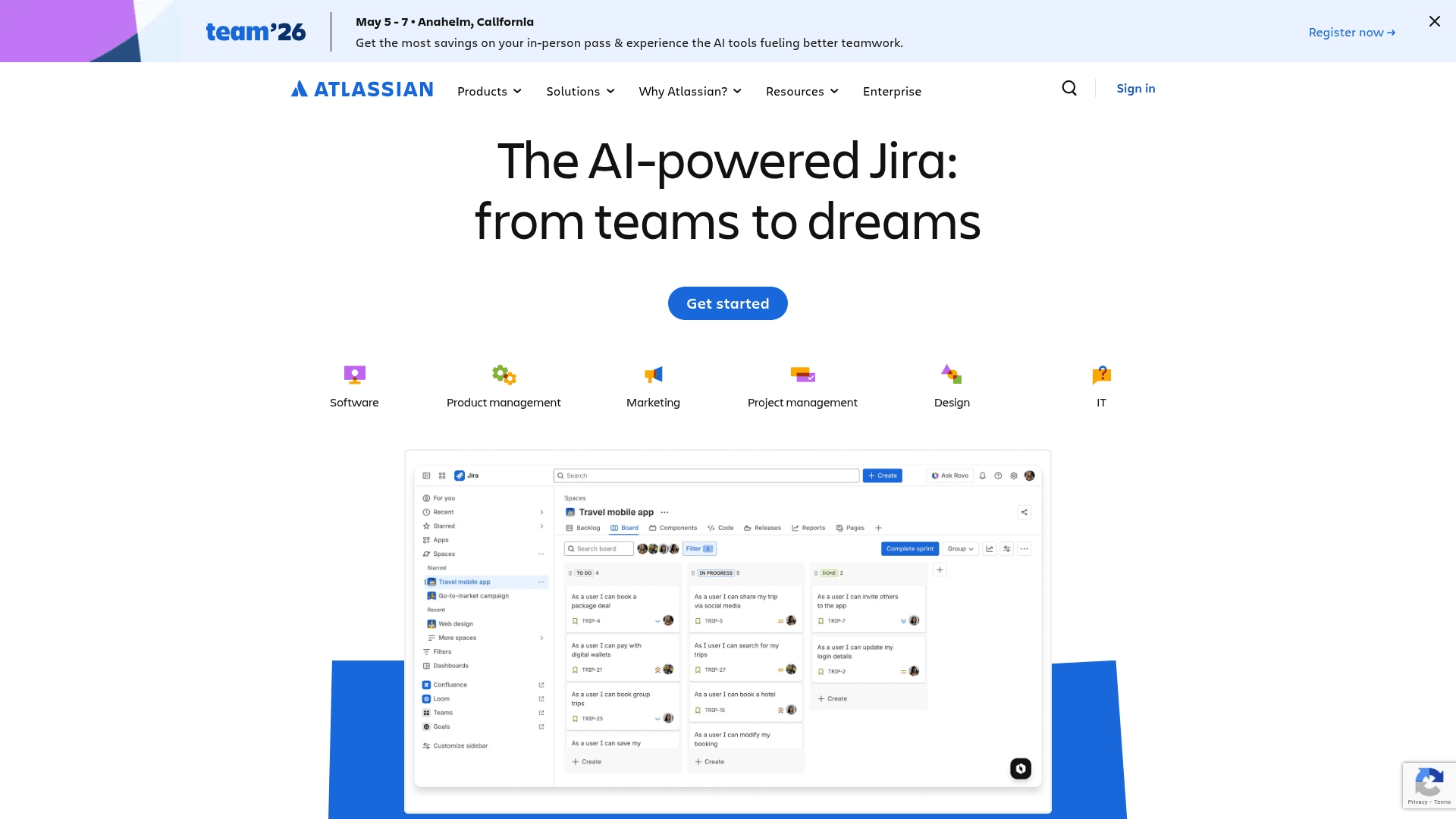
Jira Service Management brings enterprise-grade ITSM capabilities to teams already living in the Atlassian ecosystem. It’s purpose-built for IT and DevOps teams who need their service desk to speak the same language as their development tools, creating a seamless bridge between customer requests and technical execution that eliminates context-switching and accelerates resolution times.
Example:
Highly effective for IT and DevOps teams that require enterprise-grade service management with deep integration into their existing development workflows.
Key features:
- Multiple intake channels: email-to-ticket, branded portals, and conversational ticketing in Slack and Microsoft Teams.
- AI-powered triage and virtual service agents: automatically categorize tickets and deflect common requests.
- Native integration with Confluence: for knowledge management, achieving up to 45% ticket deflection rates.
Pricing:
- Free: up to three agents, unlimited customers, 2GB storage, 500 automation rule runs/month.
- Standard: up to 20,000 agents, unlimited customers, 250GB storage, 5,000 automation rule runs/month.
- Premium: up to 20,000 agents, unlimited storage, 99.9% uptime SLA, 1,000 virtual agent conversations/month.
- Enterprise: multiple sites support, 99.95% uptime SLA, unlimited automation, 12,000 virtual agent conversations/year.
- Data Center pricing: starts at $20,500 annually for 50 agents.
Considerations:
- Virtual service agent limitations: can only run in either Microsoft Teams or Slack, not both simultaneously.
- Email-to-ticket complexity: requires specific field configurations and has limitations with empty email bodies.
10. Help Scout
Help Scout takes a refreshingly human approach to customer support, ditching traditional ticket numbers in favor of natural conversations that feel personal. It’s designed for teams who believe that great support shouldn’t feel transactional, transforming your shared inbox into a collaborative workspace where every interaction maintains the warmth and context of a real relationship.

Example:
Provides conversation-first customer support through a shared inbox that eliminates ticket numbers, ensuring interactions feel natural and personal.
Key features:
- Shared inbox with collision detection: seamless team collaboration through internal notes and real-time awareness of who’s working on what.
- Integrated knowledge base (Docs) and live chat widget (Beacon): comprehensive self-service options that empower customers to find answers independently.
- AI-powered features: draft assistance, conversation summarization, and automated chatbot responses that accelerate resolution times.
Pricing:
- Free: $0/month for five users, one inbox, one Docs site.
- Standard: $25/user/month with multiple inboxes, basic workflows, and AI Assist.
- Plus: $45/user/month adding advanced workflows, unlimited AI Drafts, and CRM integrations.
- Pro: $75/user/month with unlimited workflows, SSO/SAML, and HIPAA compliance.
- AI Answers add-on: $0.75 per resolution with 3-month free trial.
- Annual billing discount: ~16% savings compared to monthly rates.
Considerations:
- No native SLA timers or alerts: requires workarounds through workflows or third-party integrations.
- Voice and SMS support limitations: only available through external integrations, not built-in features.
11. LiveAgent
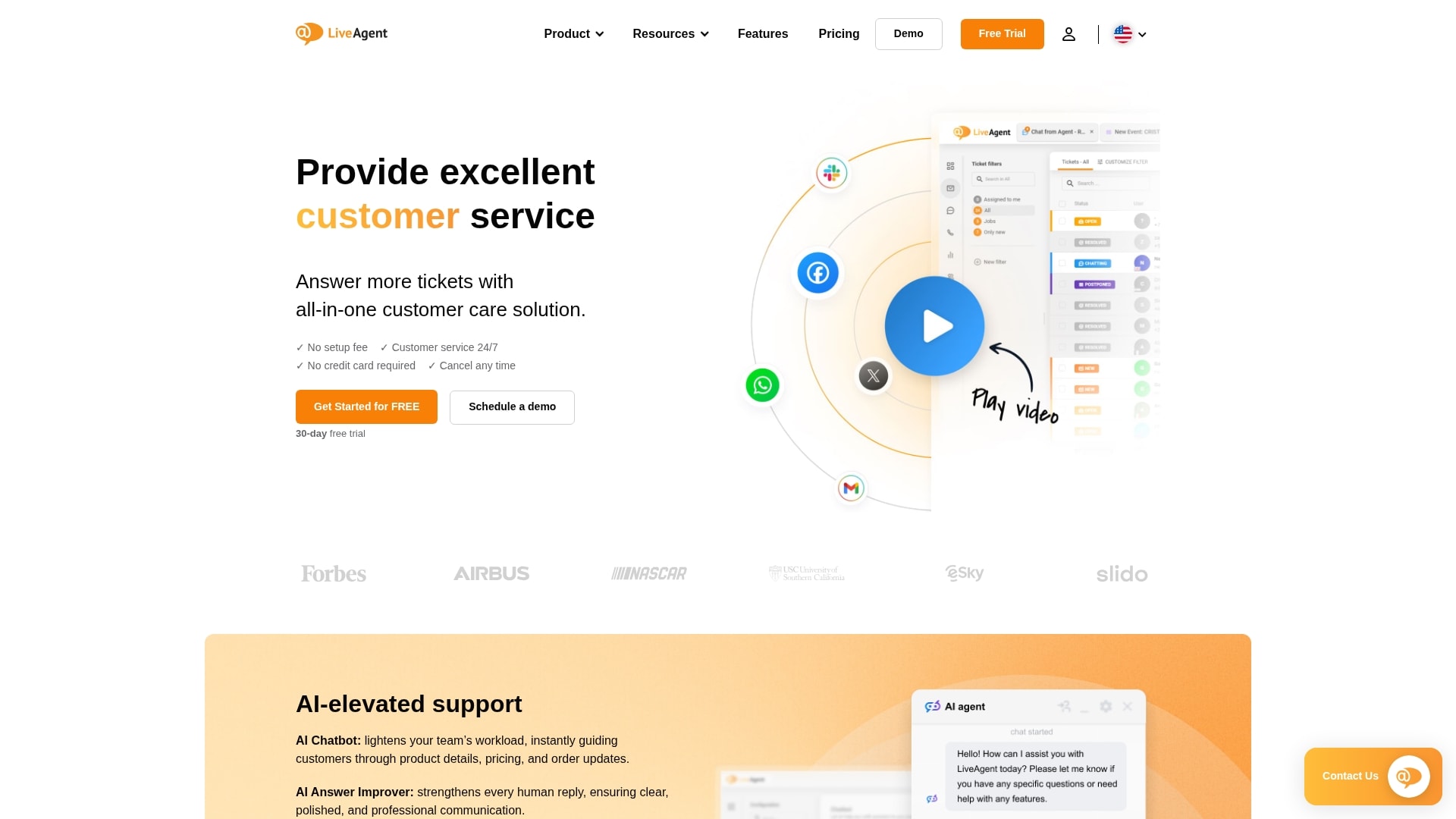
LiveAgent positions itself as a true all-in-one solution by bundling ticketing, live chat, and call center functionality into a single platform. It’s designed for teams that want to consolidate their entire support stack without juggling multiple vendors, offering the rare combination of comprehensive channel coverage and straightforward pricing that makes total cost of ownership predictable from day one.
Example:
Delivers comprehensive omnichannel support via its Universal Inbox and Hybrid Ticket Stream, which keep all customer interactions unified in one trackable thread regardless of the communication channel.
Key features:
- Universal Inbox consolidation: combines email, chat, phone calls, social media, and portal messages into a single, manageable workspace.
- Hybrid Ticket Stream continuity: maintains complete conversation history across all channels in one unified thread, preventing context loss.
- Built-in call center functionality: includes native VoIP calling, IVR systems, and phone support without requiring separate telephony solutions.
Pricing:
- Small Business: $15/month (annual) or $19/month (monthly).
- Medium Business: $29/month (annual) or $35/month (monthly).
- Large Business: $49/month (annual) or $59/month (monthly).
- Enterprise: $69/month (annual) or $85/month (monthly) for 10+ agents.
- 30-day free trial: available with no credit card required.
- Social media channels: Facebook, Twitter, Instagram, Viber cost $39/month each on lower tiers.
- Additional knowledge bases: available for $19/month each.
Considerations:
- Feature limitations on lower tiers: require upgrading for advanced security features like SSO, audit logs, and comprehensive social media integration.
- Multiple add-on costs: can quickly increase the total price, especially for small teams needing social channels or advanced reporting capabilities.
12. Groove
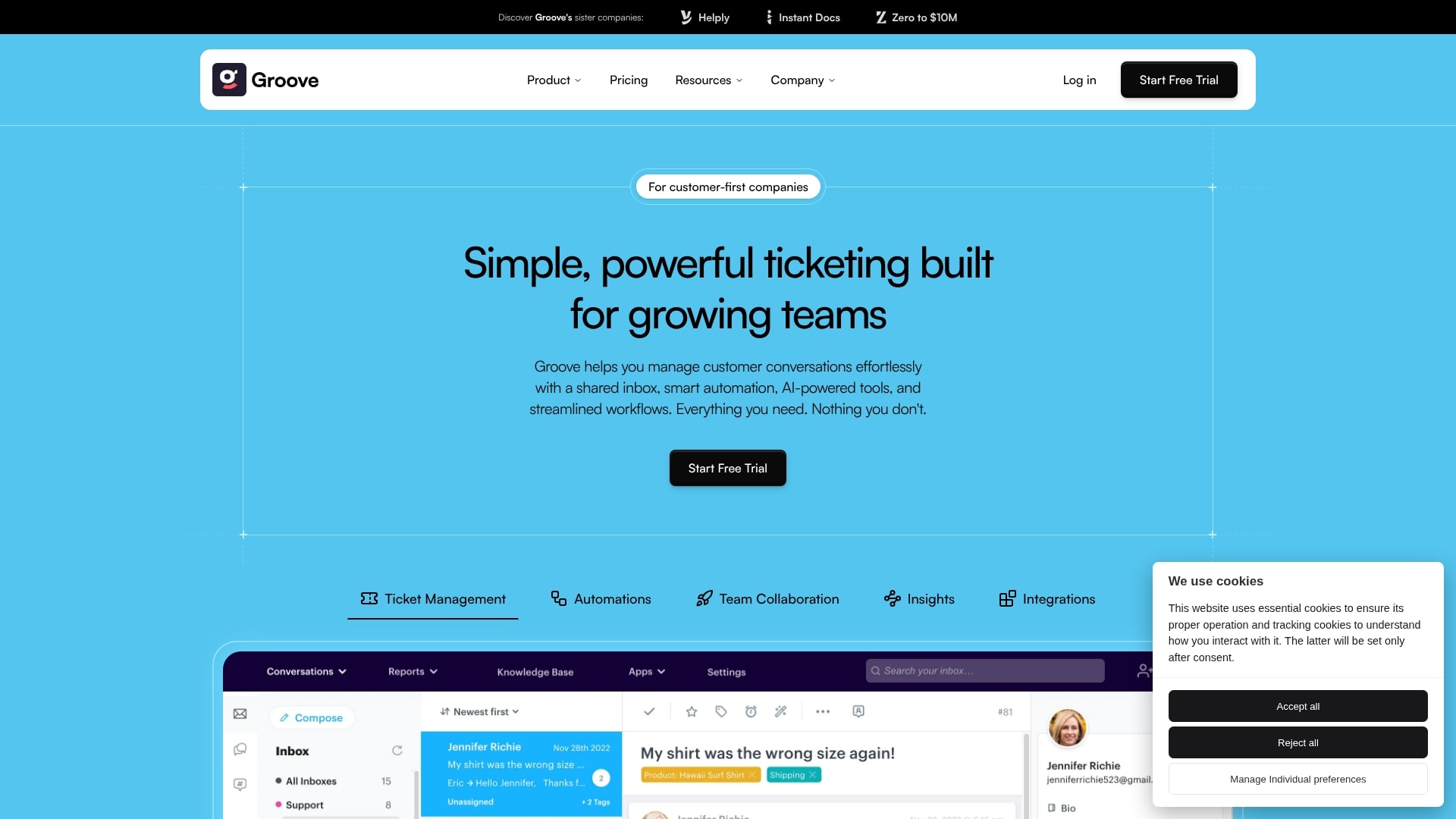
Groove delivers a refreshingly straightforward approach to customer support that’s purpose-built for small businesses and e-commerce teams. It strips away enterprise complexity to focus on what matters most: helping your team have better conversations with customers across every channel, all from one beautifully simple shared inbox that feels instantly familiar.
Example:
Empowers small businesses and e-commerce brands to centralize customer support across email, live chat, and social channels in a unified shared inbox that feels familiar and requires minimal training.
Key features:
- Shared inbox with unified messaging: centralizes email, live chat, and social media messages into a single queue with support for multiple mailboxes and customizable views.
- AI-powered automation suite: features AI draft generation from previous tickets and knowledge base content, sentiment analysis, automated tagging, and smart ticket routing.
- Deep e-commerce integrations: native Shopify and Stripe connections allow agents to view and manage orders, process refunds, and access customer purchase history directly within tickets.
Pricing:
- Standard plan: per-user monthly pricing with 30-day free trial.
- Plus plan: includes ten free lite users and advanced features.
- Pro plan: full feature access with premium integrations.
- Annual billing discount: 25% savings when paying yearly.
- AI Draft credits: $0.25 per credit with auto-refill options on supported plans.
Considerations:
- Limited native voice support: relies on third-party integrations like JustCall and Talkdesk for telephony, which can add vendor complexity and additional costs.
- No bulk email campaigns: requires Mailchimp integration for one-to-many marketing sends, limiting direct communication capabilities.
How does AI transform ticketing system software?
Artificial intelligence acts as the ultimate force multiplier for a service team, automating repetitive tasks so agents can focus on high-impact work. The goal is to augment your team’s abilities, enabling them to solve more complex problems faster. This strategic shift elevates a team’s function from reactive ticket processing to proactive customer experience creation.
Consider the immediate impact of deflecting up to a third of your ticket volume (password resets, status updates, and other routine inquiries) without any human intervention. While this is a significant initial gain, the true power of AI lies in its capacity to learn from every interaction. It becomes progressively smarter and more effective, allowing your team to dedicate their cognitive energy to challenges that genuinely require a human touch.
In practice, AI serves as a brilliant coordinator, instantly interpreting, categorizing, and routing incoming tickets to the ideal agent. It can flag potential escalations and suggest accurate responses, freeing up mental bandwidth for the entire team and transforming siloed data into a unified strategy for delivering exceptional service.
Quick comparison of customer ticketing system options
To simplify your decision, this table provides a direct comparison of the top ticketing systems, focusing on the metrics that matter most. While many tools can route tickets, the optimal choice is a platform that aligns with your team’s existing workflows and can scale with your organization.
| System | Pricing (per user/month) | Setup Time | Best For | Key Strengths | Limitations |
|---|---|---|---|---|---|
| monday service | $10–$30 | 1–2 hours | Project-based teams | Visual workflows, project integration | Fewer IT-specific features |
| Zendesk | $19–$99 | 1–3 days | Large enterprises | Deep analytics, scalability | Steeper learning curve |
| Freshdesk | $15–$49 | 2–4 hours | Growing support teams | Automation, omnichannel support | Advanced features in higher tiers |
| Zoho Desk | $14–$40 | 2–4 hours | Zoho users, SMBs | AI features, Zoho integration | Less suited for non-Zoho users |
| HelpDesk | $12–$39 | 1 hour | Small teams | Simplicity, affordability | Limited advanced automation |
| Hiver | $15–$59 | 1–2 hours | Gmail-centric teams | Email integration, shared inbox | Gmail dependency |
| osTicket | Free (self-hosted) | 1–3 days | Tech-savvy organizations | Customization, no license cost | Requires IT setup and maintenance |
| Spiceworks | Free | 2–4 hours | IT departments | Asset management, IT focus | Ads, limited to IT use cases |
| Jira Service Management | $20–$45 | 1–3 days | DevOps/IT teams | Atlassian integration, ITIL support | Best for technical teams |
| Help Scout | $20–$40 | 2–4 hours | Customer-centric teams | Easy interface, knowledge base | Basic automation only |
5 steps to choose your simple IT ticketing system
Selecting the right ticketing system is a strategic decision, not just a software purchase. This 5-step process cuts through the noise of superfluous features to focus on what truly drives improvement: a platform that feels intuitive from day one and empowers your team to succeed.
A great system should simplify, not complicate. With built-in AI to handle routine tasks and real-time analytics to guide your next move, the right platform turns operational chaos into streamlined clarity. It’s about giving your team the power to deliver exceptional service without the friction.
This framework is designed to provide confidence and clarity at every stage of the process. By moving methodically from evaluation to implementation, you can ensure the choice you make is the right one for both your current needs and your long-term growth.
Step 1: map your current game
First, create a precise snapshot of your current operational landscape. To improve, you must first understand your baseline. Map out the exact flow of requests from initiation to resolution. This exercise is not about assigning blame but about identifying high-impact opportunities for improvement.
Document the origin of all tickets (email, chat, or a walk-up to a colleague’s desk) and calculate your average resolution time. This simple audit establishes your performance baseline and creates a clear picture of the bottlenecks you are about to eliminate. Those scattered requests and missed follow-ups become a roadmap for optimization.
Step 2: define your must-haves
Create two distinct lists: one for “can’t-live-without” features that will drive your daily workflow, and another for “cool-but-not-critical” extras. Consider automations that eliminate repetitive tasks or analytics that provide real-time operational clarity.
This straightforward exercise keeps your evaluation grounded and ensures you are solving your most significant challenges first. By prioritizing the must-haves, you select a system that excels at the essentials rather than one that is merely adequate across a broad range of functions. It’s about choosing the right tool for the job, not the one with the most features.
Step 3: calculate the real cost
A sound financial plan considers the entire investment, not just the subscription price. Map out the total cost of ownership by looking beyond the monthly fee to include any setup, training, or integration charges. The objective is not to find the cheapest option but to identify the best overall value.
Some platforms hide additional costs for features you might assume are standard, such as advanced reporting or mobile access. Constructing a simple one-year cost model allows for an apples-to-apples comparison and helps prevent budget surprises. This foresight ensures you are making a sustainable investment in your team’s success.
Step 4: test drive with your team
Product demos are useful, but a real-world test drive provides the definitive truth. Empower your team to take the lead during a free trial, using your actual tickets and workflows. This is the ultimate test to determine if a platform genuinely aligns with your operational style.
Focus on the user experience. Can agents resolve tickets more efficiently? Is the interface intuitive, or does it introduce friction? The most valuable feedback comes from the individuals who will use the system daily; their hands-on experience is more telling than any sales presentation.
Step 5: create your go-live game plan
A smooth launch depends on a well-conceived implementation plan. Map out your data migration strategy, schedule engaging and effective training sessions, and plan a phased rollout. This approach is like a soft opening before a grand premiere, ensuring everything functions perfectly.
Starting with a small pilot group is a proven strategy. It allows you to fine-tune processes and creates a cohort of internal champions who can advocate for the new system. This method builds positive momentum and ensures everyone feels confident and prepared for a successful launch.
Get your team live in record time
A swift and successful launch is achievable. Focus on getting your team operational in days, not quarters, by prioritizing quick wins that build immediate momentum.
- Configure workflows in hours: your team can start building with a simple drag-and-drop interface and see the first tickets flow directly into the system within hours of setup.
- Smooth adoption for everyone: the platform’s visual design and AI copilot drastically reduce the learning curve, empowering your agents to solve issues confidently from their very first login.
- Optimize with real-time analytics: once your team finds its rhythm, shift from setup to strategy using clear, visual dashboards that show you exactly what’s working and help you make smart, data-driven decisions to accelerate resolutions.
This is how you turn your service desk into a strategic powerhouse built for growth.
Why does monday service redefine simple ticket management?
Most ticketing tools treat requests as isolated incidents, completely disconnected from the rest of the team’s work. Every ticket is part of a bigger story with monday service, which automatically connects those dots to give everyone the full picture.
Imagine a customer bug report instantly becoming an item in your dev team’s sprint, complete with all the context they need to resolve it efficiently. This isn’t just about closing tickets faster; it’s about giving your entire team the visibility to solve the right problems at the right time.
The platform puts the power to build and automate workflows directly in your hands with no coding expertise required. As your team grows, the system scales right alongside you with monday service, so you’re always ready for what’s next. It’s all about creating a system that finally works with you, not against you.

"Our team LOVES the monday service platform and we’re already exploring how we could incorporate it for other departments, too. It has streamlined our workflow in a way that both our team and customers appreciate."
Andrew Marshall | VP Operations
״monday service provides clear insights into requests volume and types, response times, and trends - helping us continuously improve operations"
Grant De Waal-Dubla | CIO
"The biggest value for us is speed and flexibility. You can get up and running in days, change anything instantly, and see everything in real time. And you don’t need a dedicated admin to do it."
Clive Camilleri | Head of People Tech & OperationsStart building your simple support system today
The right support platform is a force multiplier, equipping your team with a system they genuinely enjoy using. The best tools feel like a natural extension of your team, making it unbelievably simple to deliver amazing service without the usual headaches.
This is where your team can win. Built to turn tangled requests into a clear, streamlined flow that everyone can follow, monday service uses AI and automation to handle the busywork. Think of it as the ultimate teammate that grows with you, freeing up your crew to focus on what matters most.
The real magic happens when your support platform connects all the dots, bringing your entire operation into sync. It’s time to move past patching together clunky tools and build a true support engine that accelerates your whole team.
Frequently asked questions
What's the real difference between free and paid ticketing systems?
The real difference between free and paid ticketing systems is that free systems handle basic needs but often have strict user limits and lack key features like automation. Paid systems provide the tools for growth, including AI, analytics, and robust integrations that connect your entire workflow. Paid systems provide the tools for growth, including AI, analytics, and robust integrations that connect your entire workflow.
Can I migrate existing emails into a new ticketing system?
Yes, you can easily import existing emails to preserve conversation history and context. Look for a platform that offers guided migration tools to make the transition seamless.
How many team members can use a simple ticketing system?
User capacity varies widely by plan, from a handful of users on entry-level tiers to unlimited agents for enterprise needs. The best systems allow you to add new team members effortlessly as you grow.
Do simple ticketing systems work with Microsoft Teams or Slack?
Yes, leading ticketing systems integrate directly with collaboration tools like Slack and Microsoft Teams. This allows your team to manage tickets and get notifications right where they already work.
What's the average monthly cost for a small team?
For a small team, monthly costs generally fall between $50 and $400, based on the number of users and features you need.
When should I upgrade from a free to a paid ticketing system?
It's time to upgrade when you start hitting user limits, manual work slows you down, or your current system can't keep up with your team's needs. If your service quality is suffering, a paid system is a necessary investment.

 Get started