


Service platforms exist to propel teams forward, not simply document their activities. Legacy help desk software often becomes a bottleneck, restricting collaboration and trapping critical insights in isolated systems. This challenge has sparked widespread interest in modern Kayako alternatives that dismantle these barriers and establish connected service ecosystems where information moves seamlessly across departments.
The platforms featured in this guide deliver exactly that capability, offering flexible solutions that unify workflows through intuitive, no-code customization. Each option empowers teams to adapt quickly without technical dependencies, transforming how service operations function day to day.
This post examines ten leading alternatives, identifies the essential features that distinguish contemporary service management platforms, and establishes a practical framework for selecting the solution that aligns with your team’s specific requirements.
Key takeaways
- Focus on solving specific pain points, not chasing features: choose AI that automates your biggest time drains like ticket routing and response drafting rather than platforms with the most capabilities.
- Prioritize cross-departmental connection over isolated ticketing: select platforms that unify service operations with projects, HR, and IT workflows instead of systems that trap data in silos.
- Demand no-code flexibility that empowers your team: look for platforms like monday service, where service experts can build and modify workflows themselves without waiting on technical resources or lengthy implementations.
- Evaluate total cost of ownership, not just subscription fees: factor in implementation time, training requirements, and add-on costs to understand the real investment beyond the monthly per-seat price.
- Choose platforms built for rapid deployment and adoption: opt for solutions that get your team operational in weeks rather than months, minimizing disruption and accelerating time-to-value.
Why are service teams moving beyond Kayako?
Service teams today face increasing pressure to deliver more than basic ticket resolution. While platforms like Kayako served their purpose in previous years, modern service operations require intelligent automation and seamless collaboration capabilities that traditional help desk systems cannot provide. Organizations are transitioning to platforms that don’t simply manage work, but actively accelerate service delivery and operational efficiency.
The modern approach centers on empowering teams with accessible, powerful tools. Advanced AI capabilities can learn your team’s workflows to optimize ticket routing, while no-code customization enables rapid workflow adaptation without technical dependencies or IT bottlenecks.
This methodology enables organizations to shift from reactive service models to proactive operations. Real-time insights help identify trends and resolve potential issues before they impact customers. When service data integrates with broader organizational systems, teams can focus on proactive problem-solving and building resilient, forward-thinking operations. This transformation repositions service from a cost center into a strategic business advantage.
Top Kayako alternatives at a glance
The search for a service platform that adapts to your team’s unique rhythm, not the other way around, is a common challenge. If you’re hunting for a Kayako replacement, you’re likely seeking that perfect blend of power and flexibility without the technical headaches that slow everyone down. The goal is to find a tool that empowers your team to do their best work.
To streamline your evaluation process, this guide presents leading platforms in a clear, comparative format. The table below also enables you to quickly identify which solutions align with your team’s size, budget, and operational requirements.
| Platform Name | Best For | Starting Price | Key Strength | Implementation Time |
|---|---|---|---|---|
| monday service | Workflow integration | $10/user/mo | No-code customization | 1-2 weeks |
| Zendesk | Enterprise support | $19/agent/mo | Multichannel scalability | 2-4 weeks |
| Freshdesk | Growing teams | $15/agent/mo | Automation simplicity | 1-2 weeks |
| Zoho Desk | Zoho ecosystem users | $14/agent/mo | Seamless Zoho integration | 2-3 weeks |
| Help Scout | Customer-centric teams | $20/user/mo | Shared inbox experience | 1 week |
| ServiceNow | Large IT organizations | Custom | Enterprise ITSM | 8-16 weeks |
| Intercom | Product-led SaaS | $39/user/mo | Conversational support | 2-3 weeks |
| LiveAgent | Multichannel comms | $9/agent/mo | All-in-one messaging | 1-2 weeks |
| HappyFox | Complex workflows | $29/agent/mo | Workflow automation | 2-4 weeks |
| Salesforce Service Cloud | Salesforce users | $25/user/mo | CRM integration | 4-8 weeks |
Notice the huge range in setup times? With powerful, no-code customization and no months-long implementation project, monday service hits that sweet spot. This means you can build the exact workflows your team needs and get back to delivering amazing service.
10 best Kayako alternatives for service excellence
Service platforms should accelerate team performance, not constrain it. When your current system becomes a bottleneck rather than an enabler, it signals the need for a solution that transforms how your entire organization delivers service. The goal is identifying a platform that matches your team’s ambition and operational demands.
Leading alternatives eliminate friction through intuitive interfaces and intelligent automation that handles routine tasks automatically. The platforms examined here deliver actionable insights in real time, enabling teams to scale service operations efficiently without proportional increases in cost or complexity. This approach shifts focus from reactive firefighting to proactive service delivery.
The defining characteristic of exceptional service platforms is integration. The solutions featured here connect service operations with every department, creating unified workflows where collaboration happens naturally. These systems combine rapid implementation, high adoption rates, and AI capabilities that genuinely enhance agent effectiveness and decision-making quality.
1. monday service
Service management transforms when support operations connect with broader organizational workflows, creating a unified ecosystem where teams deliver exceptional service faster and that’s what monday service does. Built on the intuitive monday.com Work OS, it empowers IT, HR, facilities, and other service teams to streamline operations through AI-powered automation and visual workflow management.
The platform’s no-code approach also means teams can configure and scale their service processes without technical barriers.
Example:
AI-first enterprise service management that unifies ticketing, knowledge management, and cross-departmental workflows on a single platform is what monday service delivers, enabling organizations to resolve 215,000+ tickets faster while maintaining visibility across all service operations.
Key features:
- AI-powered ticket triage: automatically categorizes, prioritizes, and routes tickets based on content, sentiment, and urgency while suggesting relevant responses to agents.
- Unified service ecosystem: connects service requests directly to projects, assets, employee directories, and business workflows for complete operational visibility.
- Self-service customer portal: branded portal with knowledge base, request forms, and ticket tracking that scales from 10 users on Standard to unlimited on Enterprise.
Pricing:
- Standard: $31/seat/month (billed annually), unlimited tickets, AI triage for one board, portal for up to ten users, 250 automation actions.
- Pro: $45/seat/month (billed annually), AI triage for three boards, portal for up to 100 users, 5,000 automation actions, dynamic auto-responses.
- Enterprise: custom pricing, unlimited AI triage, multiple email servers, unlimited portal users, 250K automation actions, HIPAA compliance, 24/7 priority support.
- Annual billing: provides approximately 18% savings over monthly plans.
- AI credits: may require additional purchase for heavy usage beyond included features.
- 18% price increase: scheduled for February 10th, 2026.
Why it stands out:
- Cross-departmental integration: unlike traditional ticketing systems, monday service natively connects service operations with project management, CRM, and business workflows, eliminating tool sprawl and creating unprecedented visibility across organizational functions.
- AI-first architecture: built with embedded AI from the ground up, delivering automated ticket classification, sentiment analysis, smart routing, and knowledge gap detection that measurably improves resolution times by six to seven minutes per ticket, according to internal data/customer survey.
- Rapid deployment advantage: no-code customization and visual workflow design enable teams to configure complex service processes in days rather than months, with customers reporting 98% auto-categorization accuracy and immediate time-to-value.
2. Zendesk
Scaling for enterprise needs while maintaining a refreshingly simple user experience is Zendesk’s core strength. The platform combines robust multichannel support with an extensive app marketplace, making it a go-to choice for organizations managing complex, high-volume service operations across global teams.

Example:
Zendesk excels at unifying customer and employee service operations through AI-powered automation, making it ideal for enterprises seeking quick deployment without sacrificing advanced functionality.
Key features:
- Omnichannel support: centralizes email, chat, phone, and social channels into a unified customer experience that eliminates silos.
- AI-powered automation: features AI agents for 24/7 self-service resolution and intelligent ticket routing that reduces manual workload.
- Extensive integrations: connects with 1,200+ marketplace apps including Slack, Microsoft Teams, Jira, and PagerDuty for seamless workflow management.
Pricing:
- Support Team: $19/agent/month (billed annually).
- Suite Team: $55/agent/month (billed annually).
- Suite Growth: $89/agent/month (billed annually).
- Suite Professional: $115/agent/month (billed annually).
- Suite Enterprise: $169/agent/month (billed annually).
- Add-ons: Copilot ($50), Quality Assurance ($35), and Workforce Management ($25) per agent/month.
- Startup program: six months free for up to 50 agents.
Considerations:
- Integration dependency: advanced capabilities like enterprise asset management rely heavily on third-party integrations rather than native modules.
- Add-on costs: stacking multiple AI and workforce engagement add-ons can significantly increase total cost of ownership for larger teams.
3. Freshdesk
For small to mid-market organizations seeking a balance of powerful automation and intuitive design, Freshdesk presents a compelling solution. It targets teams that need fast implementation and predictable costs, with native AI embedded across three layers to minimize manual work and accelerate resolution times.

Example:
Freshdesk excels for growing organizations that need robust customer service capabilities without the complexity of enterprise-level platforms, offering quick time-to-value through pre-built workflows and industry-specific AI agents.
Key features:
- Unified Command Center: consolidates all customer conversations, orders, shipping, and billing context in one workspace for faster first-contact resolution.
- Three-layer AI system: AI Agents auto-resolve common requests, AI Copilot assists agents with summaries and translations, and AI Insights flag potential SLA breaches.
- Smart routing and automation: skills-based ticket assignment, multiple SLA policies, and scenario-based automations reduce manual effort and ensure proper prioritization.
Pricing:
- Growth: $19/agent/month (billed annually).
- Pro: $55/agent/month (billed annually).
- Enterprise: $89/agent/month (billed annually).
- Free program: $0 for one to two agents for six months.
- Freshdesk Omni bundle: Growth $29, Pro $79, Enterprise $119 per agent/month (billed annually).
- AI Agent sessions: first 500 included on Pro/Enterprise; additional $49 per 100 sessions.
- WhatsApp Business: Meta per-conversation fees apply separately.
Considerations:
- Cohort-based rollouts: some advanced features and account upgrades roll out by cohort, potentially requiring phased migrations for legacy accounts.
- Discontinued field service: Field Service Management capabilities are discontinued for new customers, limiting on-site service task management options.
4. Zoho Desk
Within the expansive Zoho ecosystem, Zoho Desk operates as the central nervous system for customer service, unifying support across email, chat, phone, and social media. The platform specializes in AI-powered automation and seamless integration with other Zoho products, making it ideal for organizations seeking a fully connected business software suite.

Example:
Zoho Desk empowers service teams to streamline multichannel support operations while maintaining deep integration with CRM, projects, and analytics for unified business processes.
Key features:
- Zia AI assistant: AI-driven insights help prioritize tickets, suggest responses, and analyze customer sentiment and trends.
- Multichannel capabilities: support for email, chat, phone, and social media ensures customers can reach out via their preferred channel.
- Zoho ecosystem integration: deep connections to Zoho CRM, Projects, and Analytics enable unified business processes.
Pricing:
- Free: $0/month for up to three agents.
- Express: starting at $14/agent/month.
- Standard: mid-tier pricing with enhanced features.
- Professional: advanced capabilities including Blueprint process builder.
- Enterprise: full feature set with skill-based routing, sandbox, and custom modules.
- Annual prepayment: discounts available.
- Premium support: 20% of license fees.
- Enterprise support: 25% of license fees.
- WhatsApp integration: usage-based fees apply.
Considerations:
- Feature limitations on lower tiers: advanced capabilities like skill-based assignment and custom modules are restricted to Enterprise users only.
- Separate ITSM product required: organizations requiring deep ITIL/ITSM processes may need Zoho’s separate ServiceDesk Plus product for comprehensive IT service management.
5. Help Scout
Help Scout transforms customer support from a reactive scramble into a proactive relationship-building machine. The platform specializes in delivering personalized, human-centered service experiences that make customers feel valued rather than just another ticket number. With its customer-first philosophy and intuitive shared inbox approach, Help Scout is perfect for growing teams who want to scale support without losing that personal touch.

Example:
Help Scout empowers customer-facing teams to deliver exceptional support experiences through collaborative workflows, comprehensive customer context, and AI-powered assistance that enhances rather than replaces human connection.
Key features:
- Shared inbox collaboration: teams work together seamlessly on customer conversations with collision detection, internal notes, and @mentions to eliminate duplicate responses and confusion.
- Complete customer timeline: agents access chronological interaction history and company-level context, enabling personalized service delivery based on full customer journey understanding.
- AI-powered efficiency: built-in AI features including drafts, summarization, and tone adjustment accelerate response times while maintaining authentic, human communication.
Pricing:
- Free: $0/month for up to five users with one inbox and basic features.
- Standard: $25/user/month with multiple inboxes, workflows, and AI Assist.
- Plus: $45/user/month with advanced workflows, unlimited AI drafts, and premium integrations.
- Pro: $75/user/month with SSO, HIPAA compliance, and dedicated support.
- AI Answers add-on: $0.75 per AI-resolved conversation after 3-month free trial.
- Annual billing discounts: available up to 16%.
Considerations:
- Limited native channels: phone and SMS support require third-party integrations rather than built-in functionality, potentially adding complexity and costs.
- No native SLA management: service level agreements must be managed through workflows or third-party integrations, lacking dedicated SLA tracking and reporting features.
6. ServiceNow
ServiceNow transforms enterprise service management by unifying IT, customer, and field operations on a single AI-powered platform. The solution is built for large organizations that need enterprise-scale capabilities, advanced workflow automation, and strict compliance requirements. With over 2,100 customers generating more than $1M in annual contract value, ServiceNow has proven its ability to handle complex service environments at scale.

Example:
ServiceNow delivers end-to-end service lifecycle management across IT, customer service, and field operations through unified AI-powered workflows that eliminate silos and accelerate resolution times.
Key features:
- Service Operations Workspace: combines ITSM and ITOM context in a single interface for faster mean time to resolution and improved cross-team collaboration.
- AI Agents and Now Assist: embedded generative AI automates ticket routing, summarization, and provides intelligent recommendations across all service workflows.
- Enterprise compliance: maintains ISO 27001/27017/27018, SOC 1/2, FedRAMP High, and DoD IL4/IL5 authorizations for regulated industries and government organizations.
Pricing:
- Custom pricing only: all ServiceNow packages require custom quotes based on scope, entitlements, and contract terms.
- Multiple product tiers: ITSM, CSM, and FSM each offer Standard, Professional, and Enterprise packages.
- AI add-ons: Pro Plus and Enterprise Plus tiers available for advanced AI capabilities.
- Additional costs: success plans, Store apps, and partner services sold separately.
Considerations:
- Implementation complexity: enterprise scope and extensive customization options require significant change management and technical expertise to deploy effectively.
- Cost transparency: quote-only pricing makes upfront budget planning and cost comparisons challenging for procurement teams.
7. Intercom
Intercom’s approach to customer service is rooted in AI-driven, real-time engagement. The platform combines conversational support, live chat, and intelligent bots to create seamless customer experiences, making it perfect for product-led SaaS companies that prioritize instant interaction and deflection.

Example:
Intercom excels at deflecting routine inquiries through AI while ensuring complex issues get routed to the right human agents, creating faster resolution times and higher customer satisfaction.
Key features:
- Fin AI Agent: resolves customer conversations automatically across multiple channels with resolution-based pricing at $0.99 per resolved conversation.
- Omnichannel workflows: manages support across chat, email, SMS, WhatsApp, Instagram, Facebook, and native phone integration.
- Conversation-centric ticketing: maintains messaging context when escalating to tickets, with three ticket types and a self-service customer portal.
Pricing:
- Essential: $29/seat/month (annual) or $39/month (monthly).
- Advanced: $85/seat/month (annual) or $99/month (monthly).
- Expert: $132/seat/month (annual) or $139/month (monthly).
- Fin AI Agent: $0.99 per resolved conversation (available on all plans).
- Copilot unlimited: $29/agent/month add-on.
- 14-day free trial: available on all plans.
- Early Stage program: offers 90% off for eligible startups.
Considerations:
- Limited automation on Essential: Essential plan lacks key automation features like Workflows, SLAs, and workload management, pushing growing teams to higher-priced tiers.
- Complex pricing model: mixed pricing model combining per-seat, per-resolution, and usage-based costs can make budget forecasting complex without careful planning.
8. LiveAgent
By consolidating every communication channel into a single, unified platform, LiveAgent aims to create an all-in-one support hub. This platform specializes in omnichannel service management, making it perfect for teams juggling multiple communication methods while maintaining consistent service quality. With its hybrid ticket stream technology, LiveAgent ensures no customer interaction falls through the cracks.

Example:
LiveAgent delivers comprehensive omnichannel support through a unified workspace that consolidates email, chat, voice, social media, and portal interactions into streamlined ticket workflows with built-in automation and SLA management.
Key features:
- Universal inbox: consolidates all communication channels into a single ticket stream for seamless cross-channel conversations.
- Built-in call center: integrated telephony with IVR, ACD routing, and call recording without requiring additional platforms.
- AI-powered automation: smart ticket routing, answer assistance, and chatbot capabilities to accelerate resolution times.
Pricing:
- Small Business: $15/agent/month (billed annually).
- Medium Business: $29/agent/month (billed annually).
- Large Business: $49/agent/month (billed annually).
- Enterprise: $69/agent/month (billed annually).
- Annual billing discounts: available vs. monthly rates.
- 30-day free trial: no setup fees.
- Social channel add-ons: range from $19–$39/month on lower tiers.
Considerations:
- Third-party telephony required: requires third-party SIP/VoIP provider for telephony features as LiveAgent doesn’t provide phone numbers directly.
- Feature limitations on lower tiers: some social channels and advanced features like multi-knowledge bases require paid add-ons on lower-tier plans.
9. HappyFox
For organizations grappling with complex workflows that span multiple departments, HappyFox provides a robust ITSM framework with powerful automation and asset tracking. The platform specializes in streamlining processes beyond traditional IT support, making it ideal for teams that need comprehensive service management. With AI-powered features and rapid deployment, HappyFox positions itself as a modern alternative to heavier enterprise platforms.
Example:
HappyFox empowers organizations to centralize incident, problem, change, and service request management while extending ITSM capabilities to HR, finance, and facilities departments.
Key features:
- Smart rules engine: advanced automation handles ticket assignments, escalations, and notifications automatically.
- Built-in asset management: track and manage service-related assets with direct linking to support tickets and incidents.
- AI-powered assistance: virtual agents, ticket summarization, and intelligent insights accelerate resolution times.
Pricing:
- Team: $69/agent/month.
- Pro: $89/agent/month (includes Problem/Change/Release modules, unlimited teams, up to 15 portals).
- Enterprise Pro: quote-only pricing.
- Asset add-ons: $100/month per additional 500 assets; $1,000/month for unlimited assets.
- Annual and 2-year billing: options available with discounts.
Considerations:
- Per-agent pricing: can become expensive as teams scale, especially when combined with asset management add-ons.
- Some pricing information: requires form submission or quotes, adding friction to the evaluation process.
10. Salesforce Service Cloud
Leveraging the power of its unified CRM, Salesforce Service Cloud provides a 360-degree view of every customer interaction. The platform combines powerful AI capabilities with omnichannel routing, making it a natural fit for enterprises already invested in the Salesforce ecosystem who want deeply integrated service management.

Example:
Salesforce Service Cloud excels at unifying customer data across sales, service, and marketing teams to create seamless, personalized support experiences powered by Einstein AI.
Key features:
- 360-degree customer view: unified data from sales, service, and marketing provides rich customer insights for personalized support.
- Einstein AI automation: AI-driven case classification, recommendations, and automated responses boost agent efficiency and reduce resolution times.
- Omnichannel routing: intelligent distribution of cases across channels ensures balanced workloads and faster customer responses.
Pricing:
- Starter Suite: $25/user/month (billed annually).
- Pro Suite: $100/user/month (billed annually).
- Enterprise Service: $175/user/month (billed annually).
- Unlimited Service: $350/user/month (billed annually).
- Agentforce 1 Service: $550/user/month (includes full AI suite and credits).
- Contact Center package: $150/user/month (Voice + Digital Engagement + Self-Service).
- Service Cloud Voice add-on: $50/user/month for partner telephony.
Considerations:
- Platform complexity: can require skilled administrators and thoughtful change management for successful implementation.
- Edition sprawl: consumption-based elements like Voice minutes and AI credits can complicate cost forecasting.

Key features that define modern service platforms
A basic ticketing system is no longer sufficient to meet the demands of modern service. The goal has shifted toward platforms that enable teams to work smarter, not harder, by breaking down silos and translating complex data into clear, actionable steps. It’s all about having the right tools in the toolkit, working together seamlessly to make exceptional service feel effortless.
AI that enhances agent productivity
Artificial intelligence is a powerful force multiplier for your team’s productivity. It tackles repetitive tasks, like routing tickets to the right expert and suggesting smart replies, so your agents can focus their expertise on high-impact work. This isn’t about replacing people; it’s about augmenting their skills to solve problems faster and with more confidence.
With AI handling the busywork, your team gets to focus on what truly matters: creative problem-solving and building customer relationships. This leads to quicker resolutions, a more energized team, and a service standard that continuously improves, even as volume increases.
Cross-departmental workflow integration
Exceptional service is a team sport, and customer issues rarely respect departmental boundaries. That’s why modern platforms connect everything (support, projects, sales, and more) into a single, seamless workflow. This eliminates frustrating handoffs and lost context, replacing them with smooth, automated collaboration that keeps everyone aligned and moving forward.
When complex requests can be tackled collaboratively in one place, the inefficient game of email tag becomes obsolete. Teams work in sync with shared data and total transparency, which means customers get answers faster and the organization operates as one unified, effective force.
Real-time analytics for service excellence
Imagine having a live scoreboard for your entire service operation, showing you exactly what’s happening at this very moment. Real-time analytics provide this clarity, allowing leaders to spot potential bottlenecks and make smart adjustments on the fly, ensuring the team is always performing at its best. This foresight even helps anticipate what’s coming next, keeping you one step ahead of customer needs.
This capability transcends simple ticket tracking; it’s about understanding operational impact and making confident, data-driven decisions. With this level of clarity, leaders can steer the ship effectively, and teams receive the feedback they need to celebrate wins and continuously refine their skills.
True no-code platform flexibility
Why should your service experts wait on other departments when they know exactly what they need to succeed? A true no-code platform puts the power to build and modify workflows directly into their hands. This autonomy means you can adapt to new challenges in minutes, not months, creating a system that evolves in lockstep with your business goals.
This is about empowering your teams to experiment, improve, and build the perfect operational setup. The result is a platform that feels tailor-made for your specific needs, yet is so intuitive that everyone can get on board and start making an impact immediately.
How to choose the right Kayako alternative?
Selecting a new service platform is a strategic decision: it’s about finding a true partner for your team’s future, not just swapping out software. The right fit should feel like a natural extension of how you already work, but with the power to facilitate growth without friction. The evaluation should focus less on ticking off feature boxes and more on unlocking your team’s full potential.
Think beyond today’s ticket volume and consider your long-term trajectory. A great platform scales with you effortlessly, handling everything from seasonal rushes to team expansions without surprise costs or complicated upgrades. The right solution provides a flexible foundation that grows right alongside your ambitions, so you’re always ready for what’s next.
Finally, consider the migration process itself, because a painful transition can stall momentum before you even begin. Look for platforms designed for smooth, intuitive transitions that let you customize workflows with simple no-code tools and get your team up to speed in record time. The goal is to get you back to what you do best, delivering amazing service, faster than you thought possible.
Fast-track your migration from Kayako
Making the move from Kayako presents an opportunity to build a better, more efficient operational framework. This transition should be treated like any smart project: with a clear plan and a focus on setting the team up for long-term wins. It’s not just about switching tools; it’s about upgrading the entire approach to service delivery.
A realistic timeline should be mapped out based on what needs to be migrated and connected, whether that takes a few weeks or a couple of months. Think of it like moving into a new, better office; you’ll carefully pack your most important assets like tickets, customer histories, and knowledge base articles. The goal is to ensure everything is in its right place so the team can hit the ground running from day one.
This is where a simple platform switch transforms into a significant team victory. By empowering your own teammates as champions and celebrating quick wins, you can build momentum that makes adoption feel natural, not forced. When everyone sees the value right away, you don’t just get a faster return on your investment: you build a stronger, more efficient service engine for the future.
Beyond ticketing with cross-organizational service
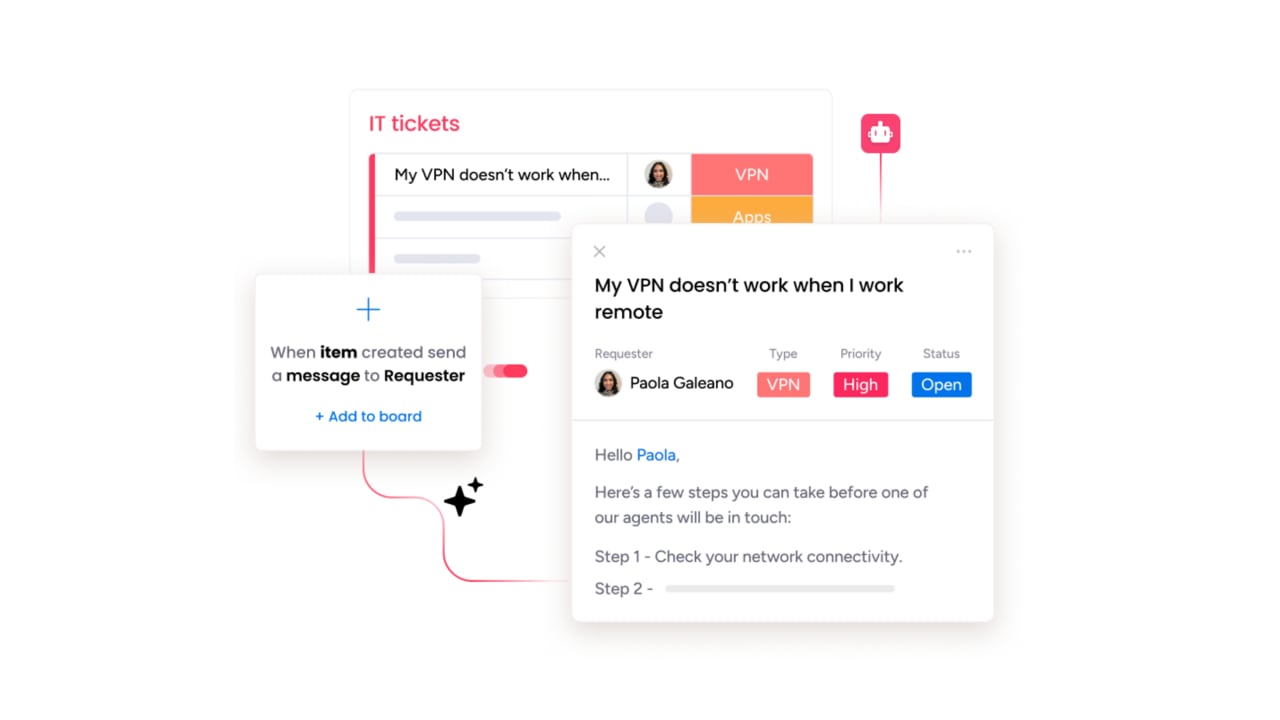
Modern service excellence is about connecting the dots across your entire organization, not just closing tickets. A central digital workspace where different teams (like IT, HR, and customer support) can finally work together seamlessly breaks down silos and transforms every request into an opportunity for true collaboration.
Imagine an IT ticket automatically flagging a training need for HR, or a customer request instantly becoming a high-priority task for your product team. Cross-departmental handoffs become smooth and visible with monday service, ensuring nothing ever gets lost in translation between departments.
This is how an organization moves from just putting out fires to actively improving the business. With everything connected in one place, the real-time impact of service on everything from team efficiency to customer happiness becomes clear. It’s not just managing a queue; it’s orchestrating success across every team.
How does monday service revolutionize service management?
Organizations can transform how they deliver support by unifying teams, tools, and workflows on a single collaborative platform with monday service. Here’s how we revolutionize service management:
- Single source of truth: eliminate disconnected systems and bring every team onto one intuitive platform where work flows without friction, getting you from kickoff to a fully operational service desk in record time.
- Intelligent automation and AI: break down silos with powerful automations, built-in AI, and real-time analytics that spot trends and optimize operations before bottlenecks even form.
- Limitless no-code customization: empower your teams to build, automate, and refine their own processes on the fly, ensuring your service operations evolve right alongside your business without technical barriers.
- Cross-team visibility: give every team the complete context they need to work in perfect sync, accelerating resolution times and turning service delivery into a competitive advantage.
It’s all about giving you the freedom to deliver exceptional service, your way, with a platform that’s as smart and flexible as your team.

"Our team LOVES the monday service platform and we’re already exploring how we could incorporate it for other departments, too. It has streamlined our workflow in a way that both our team and customers appreciate."
Andrew Marshall | VP Operations
״monday service provides clear insights into requests volume and types, response times, and trends - helping us continuously improve operations"
Grant De Waal-Dubla | CIO
"The biggest value for us is speed and flexibility. You can get up and running in days, change anything instantly, and see everything in real time. And you don’t need a dedicated admin to do it."
Clive Camilleri | Head of People Tech & OperationsLaunch your service excellence journey with monday service
True service excellence is about building momentum. Every interaction presents a chance to improve, turning your service desk from a cost center into a powerhouse for operational efficiency and team satisfaction.
The single source of truth that brings it all together is monday service, connecting teams and smashing silos with powerful, built-in AI. We give your crew the full context for every request, automate the repetitive tasks that drain their energy, and serve up real-time analytics so you always know where to focus your efforts.
This is how the entire operation shifts from reactive problem-solving to proactive improvement. It’s time to equip your team with a platform that’s as smart and flexible as they are, accelerating resolutions and making work feel like a win.
Frequently asked questions
How much does it cost to switch from Kayako to a new service platform?
The total cost depends on your team's size and includes subscription, implementation, and training fees. Platforms with intuitive design and fast setup, like monday service, can significantly lower your total cost of ownership.
Can I migrate my existing data from Kayako help desk to new platforms?
Yes, you can migrate your tickets, customer records, and knowledge base from Kayako. Most modern platforms offer migration tools or guided assistance to ensure a smooth transition of your valuable service history.
Which Kayako alternative offers the fastest setup time for new implementations?
Thanks to its no-code platform and pre-built templates that get teams running in days, not weeks, monday service is a leader in rapid deployment. This means your team can start delivering value almost immediately without needing extensive technical support.
What's the best Kayako alternative for small businesses with limited budgets?
The smartest choice is a flexible platform that scales with you, so you only pay for what you need now. Look for a system that is easy to adopt to minimize training costs and maximize your team's impact from day one.
How do these alternative platforms compare to Kayako pricing models?
Most alternatives offer more transparent and flexible pricing, allowing you to adjust user counts and features as your needs evolve. This model gives you greater control over your budget and avoids the rigid tiers of legacy systems.
Do these service platforms offer superior support compared to Kayako?
Absolutely; top alternatives provide far more comprehensive support, including 24/7 help, dedicated success managers, and active user communities. The best platforms act as true partners, investing in your team's success from the very beginning.

 Get started