


The platform that got your service team off the ground often becomes the first major roadblock to scaling. As your ticket volume grows and workflows begin crossing departmental lines, the simplicity that once felt like a strength now creates bottlenecks and information silos. This is the moment to move from a simple help desk to a true service engine, one that connects every team on a single platform to resolve issues faster, together.
To help you make the right choice, this guide explores the most powerful Help Scout alternatives for growing teams. It covers the essential features your next platform must have, from built-in AI to no-code customization. Then, it dives into a detailed comparison of the top ten platforms to help you find the perfect fit for your operational needs.
Key takeaways
- Outgrow your help desk, not your platform: as ticket volume climbs and workflows span departments, simple tools create bottlenecks; it’s time for a service engine that scales with your ambition.
- AI as your force multiplier: the right platform like monday servece uses intelligent automation to handle repetitive tasks, freeing your team to focus on complex problems and deliver exceptional experiences.
- Break down silos with unified collaboration: connect support, IT, HR, and operations on one platform where every team sees the full picture and resolves issues faster, together.
- Customize at the speed of business: no-code builders put the power in your hands, letting you adapt workflows, forms, and automations instantly without waiting on developers.
- Turn tickets into strategic insights: real-time dashboards and connected workflows transform service data into actionable intelligence that drives continuous improvement across your entire organization.
Why do growing service teams need powerful Help Scout alternatives?
As organizations scale, the platform that initially enabled growth can become a constraint. When team size and ticket volume increase, the simplicity of a platform like Help Scout may introduce operational bottlenecks and require manual workarounds. This signals not a platform failure, but organizational maturity: your requirements have evolved beyond the system’s capabilities, necessitating a solution designed to scale with your operational demands.
This transition offers an opportunity to establish a fully integrated service infrastructure. By connecting support teams with engineering, sales, and other departments through a unified platform, organizations gain shared visibility and accelerate problem resolution. Automating routine processes, including ticket routing and status updates, enables teams to dedicate their expertise to delivering superior customer experiences.
The result is a quantum leap forward, evolving from siloed, reactive support to a streamlined, proactive operation. With every team member collaborating from a single source of truth, resolution times accelerate, and you gain the live insights needed to optimize every facet of your service delivery. This is about empowering your team with a platform that doesn’t just keep up with growth, but actively fuels it.
The must-haves for your next service platform
When you’re ready to elevate your service operations, the goal isn’t a feature-for-feature replacement of your old tool. The search is for a platform that grows with you and empowers your entire organization. This means embracing capabilities that weave your service desk into the fabric of the business, making everyone’s job easier and your customers happier.
Put AI to work for your team
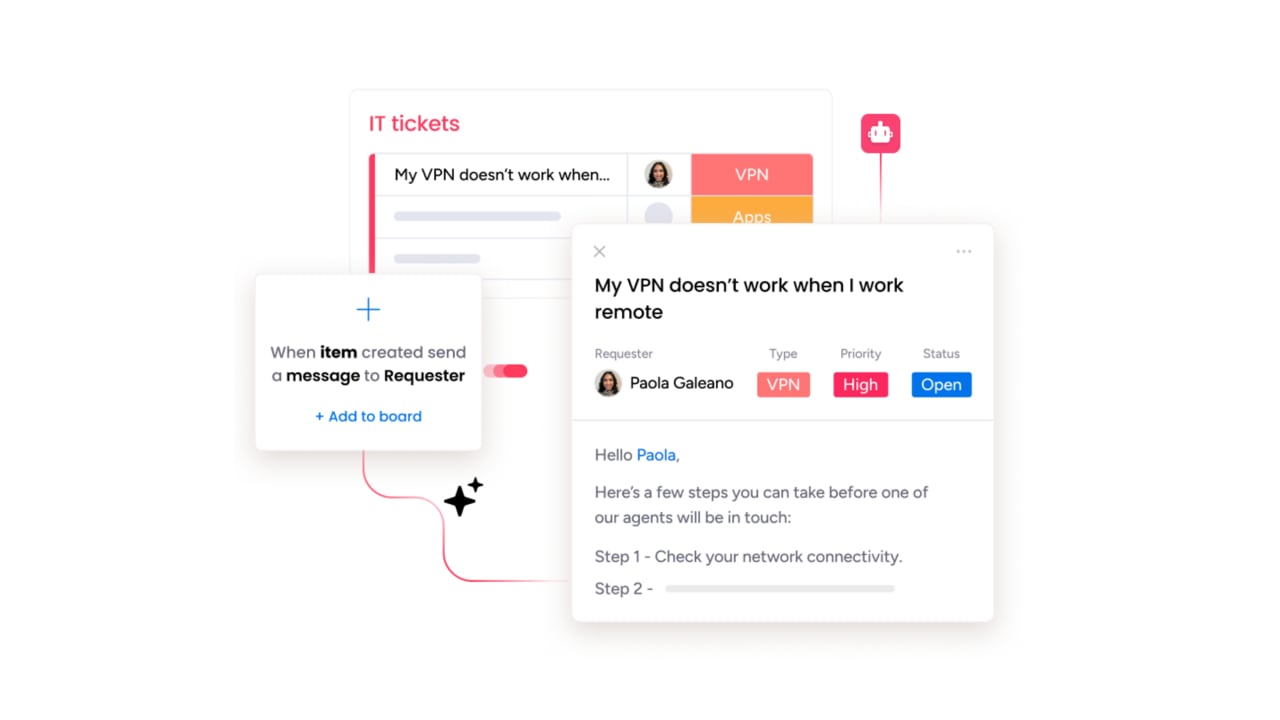
Consider AI the ultimate force multiplier, a teammate that handles the repetitive, time-consuming tasks so your agents can dedicate their expertise to solving complex customer problems. This isn’t about replacing people; it’s about augmenting their abilities to resolve issues at lightning speed. With monday service, our AI instantly routes tickets, drafts intelligent replies, and summarizes lengthy conversations, empowering your team to work smarter, not harder.
One conversation, every channel
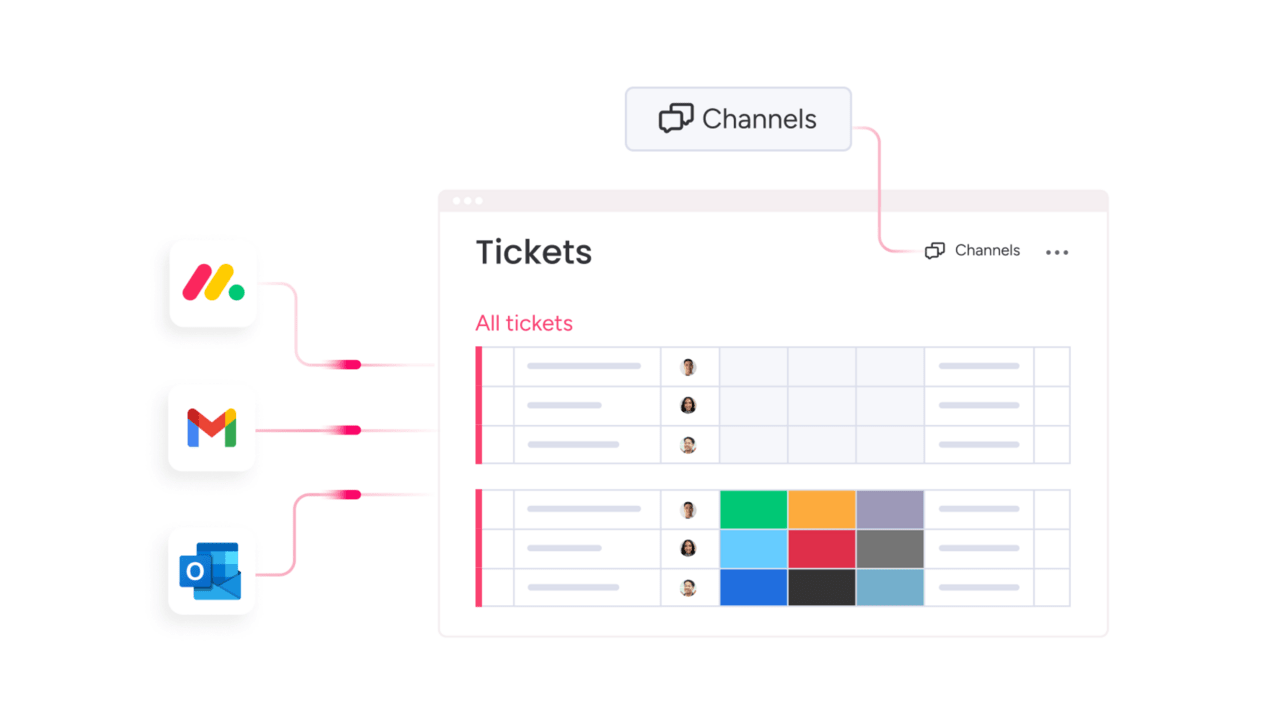
From your customer’s perspective, their issue is a single, continuous conversation, regardless of whether they start on email and switch to chat. A superior platform unifies these disparate touchpoints into one cohesive view, eliminating the need for customers to repeat themselves. By giving your agents the complete story upfront, you enable them to deliver the seamless, consistent support that builds lasting trust.
Customize on the fly, no code required
Your service workflows must adapt at the speed of your business, and you shouldn’t be forced to wait on developers for simple process changes. Our no-code builder puts the power in your team’s hands, allowing them to customize anything from ticket forms to intricate approval processes with simple drag-and-drop functionality. This agility lets you experiment, improve, and scale your operations instantly.
Make smarter decisions with real-time data
Steering your service operations with last month’s data is like driving while looking only in the rearview mirror. To get ahead of issues and identify opportunities, you need to see what’s happening right now. Our customizable dashboards provide a live, real-time view of team performance and ticket trends, transforming raw data into clear, actionable insights that enable proactive leadership.
10 most powerful Help Scout alternatives for growing teams
Growing service teams eventually reach a point where a simple ticketing tool no longer supports their operational requirements. While Help Scout may have served well initially, expanding workflows now span multiple departments and objectives extend beyond basic email queue management.
Organizations at this stage require a platform that not only tracks issues but actively facilitates faster resolution through enhanced collaboration.
This transition represents an opportunity to move beyond traditional help desk functionality and establish a comprehensive service delivery infrastructure. The right platform connects teams across IT, HR, and customer support within a unified, flexible workspace.
Built-in AI capabilities automate routine tasks, enabling teams to focus on high-impact work. The objective is to transform service operations from a cost center into a strategic component of your organizational infrastructure.
The following list examines leading alternatives that enable teams to streamline operations, achieve their objectives, and deliver superior service at scale.
1. monday service
By connecting every ticket to your broader business ecosystem, monday service transforms reactive support into a strategic advantage. The platform empowers IT, HR, operations, and customer service teams with visual workflows and cross-departmental collaboration that breaks down silos and accelerates resolution times.
Built on the robust monday Work OS, it delivers enterprise-grade service management without the complexity.
Example:
Service management across departments unifies through monday service, enabling seamless handoffs between support, IT, HR, and operations while providing real-time visibility into complex issues and improvement initiatives.
Key features:
- Integrated work management: service tickets connect directly to project boards, enabling seamless collaboration between departments and eliminating information silos.
- AI-powered automation: smart ticket routing, automated prioritization, and intelligent responses accelerate resolution times while reducing manual workload.
- No-code customization: teams create custom workflows, forms, and automations without technical expertise, adapting instantly as business needs evolve.
Pricing:
- Standard: $31/seat/month (billed annually).
- Pro: available with enhanced features and higher automation quotas.
- Enterprise: custom pricing with portfolio management, advanced governance, and up to 250K automation actions per month.
- Annual billing: provides an 18% discount compared to monthly plans.
- AI credits: are metered beyond free trial at approximately $0.01 each on yearly plans.
Why it stands out:
- Strategic integration: unlike traditional help desk solutions, monday service connects service requests to broader business processes and projects, enabling teams to see the bigger picture and drive strategic outcomes
- Cross-departmental collaboration: built-in communication tools and visual dashboards keep every stakeholder aligned, reducing resolution times and eliminating the information silos that plague most service operations
- Enterprise-ready scale: with mondayDB 2.0 supporting up to 100K items per board and 500K items per dashboard, plus robust security certifications including SOC 2 and ISO 27001, it scales seamlessly from small teams to Fortune 500 enterprises
2. Zendesk
For large organizations that need scalable workforce management, Zendesk provides an enterprise-grade customer service platform with powerful AI-driven automation. The system excels at handling complex, high-volume service operations across multiple channels, making it a go-to for teams requiring sophisticated control over agent scheduling and performance.

Example:
Zendesk empowers enterprise teams to streamline service delivery through AI-powered workforce management, automated quality assurance, and real-time performance analytics, all natively integrated within their existing service platform.
Key features:
- AI-powered workforce management: automated forecasting, scheduling, and real-time activity tracking to optimize agent productivity and reduce overtime costs.
- Native quality assurance: according to Zendesk, their native QA evaluates 100% of customer interactions with automated insights for coaching and performance improvement.
- Omnichannel service delivery: unified interface managing email, chat, social media, phone, and messaging channels with consistent customer experiences.
Pricing:
- Support Team: $19/agent/month (billed annually).
- Suite Team: $55/agent/month (billed annually).
- Suite Professional: $115/agent/month (billed annually).
- Suite Enterprise: custom pricing.
- Workforce Management add-on: $25/agent/month (billed annually).
- Quality Assurance add-on: $35/agent/month (billed annually).
- WEM bundle (WFM + QA): $50/agent/month (billed annually).
Considerations:
- Platform dependency: workforce management features are exclusively available to existing Zendesk customers, limiting flexibility for organizations using other service platforms.
- Implementation complexity: advanced automation and customization capabilities may require specialist support and longer setup times for smaller teams.
3. Freshdesk
Balancing powerful automation with an intuitive interface that teams can master quickly, Freshdesk offers a comprehensive customer service management solution. The platform excels at multichannel support and intelligent ticket routing, making it a strong contender for growing businesses that need enterprise-grade capabilities without the associated complexity.

Example:
Freshdesk streamlines service operations through AI-powered automation, flexible routing, and unified collaboration tools that help teams resolve issues faster while maintaining quality standards.
Key features:
- Command Center workspace: unifies conversations, context, and actions in one interface to eliminate tab-switching and accelerate resolution times.
- Omniroute intelligent assignment: automatically distributes tickets using round-robin, load-based, or skills-based routing with customizable workload controls.
- AI Copilot assistance: provides real-time writing help, summarization, translation across 60+ languages, and sentiment analysis to enhance response quality.
Pricing:
- Growth: $19/agent/month (billed annually).
- Pro: $55/agent/month (billed annually).
- Enterprise: $89/agent/month (billed annually).
- Omni bundle: growth $29, Pro $79, Enterprise $119/agent/month (includes real-time channels).
- Free program: available for one to two agents for six months.
- AI sessions: first 500 included on Pro/Enterprise; additional sessions $49 per 100.
Considerations:
- Advanced features gated: skills-based routing and audit logs require higher-tier plans, which can increase costs for teams needing enterprise capabilities.
- Field service limitations: Field Service Management add-on discontinued for new customers, limiting native field work coordination options.
4. Intercom
With its AI-first approach, Intercom redefines customer service by combining intelligent automation with human expertise to resolve issues faster than ever. The platform specializes in proactive, conversational support that turns every customer interaction into an opportunity for engagement, making it a perfect fit for SaaS companies and digital businesses that prioritize real-time communication.

Example:
Intercom delivers AI-powered customer service through a unified helpdesk that combines automated resolution, intelligent routing, and real-time analytics to streamline support operations across multiple channels.
Key features:
- AI-powered automation: Fin AI Agent handles up to 57% of customer queries automatically, with seamless handoffs to human agents when needed.
- Smart workload management: balanced assignment distributes tickets based on agent capacity, while real-time dashboards provide instant visibility into team performance.
- Omnichannel orchestration: all customer communications from phone, email, chat, SMS, and social media route into a single inbox with 45+ language AI translation.
Pricing:
- Essential: $29/month per seat (billed annually) + $0.99 per Fin AI resolution.
- Advanced: $85/month per seat (billed annually) + includes 20 free Lite seats and advanced workflow automation.
- Expert: $132/month per seat (billed annually) + includes 50 free Lite seats, SSO, and SLA management.
- Startup program: offers 90% discount for eligible early-stage companies.
- Additional usage fees: apply for phone, SMS, and WhatsApp channels.
Considerations:
- Resolution-based pricing: AI costs can add up quickly for high-volume support teams, though it aligns costs with automated outcomes.
- Feature gating: some advanced features like SLAs and real-time dashboards are gated behind higher-tier plans, limiting functionality for smaller teams.
5. Zoho Desk
Built with AI-powered automation and dynamic work management tools, Zoho Desk helps customer service teams stay focused on what matters most. The platform excels at streamlining ticket workflows through intelligent routing and visual process controls, making it a natural choice for growing businesses already invested in the Zoho ecosystem.

Example:
Zoho Desk delivers context-aware customer support with AI-driven ticket classification and multichannel management, trusted by over 100,000 businesses worldwide.
Key features:
- Work Modes: dynamic ticket views organized by priority, countdown timers, status, or CRM relationships to prevent SLA breaches and focus agent attention.
- Blueprint automation: visual drag-and-drop process builder that enforces step-by-step ticket workflows and surfaces bottlenecks with real-time dashboards.
- Zia AI assistant: automatically classifies tickets, suggests solutions, predicts customer sentiment, and provides intelligent routing for faster resolution times.
Pricing:
- Free: $0/month for up to three users with email ticketing.
- Express: micro business essentials with email, social, and web form support.
- Standard: adds Work Modes, knowledge base, AI integration, and custom reporting.
- Professional: includes telephony, Blueprints, multi-department support, and webhooks.
- Enterprise: full AI suite with Answer Bot, skill-based assignment, and 50 included light users.
- Annual prepay discounts: available.
- Free migration assistance: for up to six months when switching from competitors.
Considerations:
- Work Modes and Blueprint features: require paid plans, limiting workflow optimization for free users.
- Some AI capabilities: restricted to specific data centers, potentially affecting global teams.
6. Front
For teams where email remains the primary channel, Front acts as a collaborative powerhouse that keeps teams connected and customers happy. The platform specializes in shared inbox management fortified with deep team collaboration features, making it ideal for organizations handling high volumes of email support that require seamless cross-departmental coordination.

Example:
Front consolidates email support, ticketing, and team collaboration into one workspace where customer conversations feel natural while teams work with structured efficiency behind the scenes.
Key features:
- Collaborative shared inboxes: teams manage customer emails with clear ownership, internal comments, and collision detection to prevent duplicate responses.
- Human-in-control AI suite: topics auto-categorizes inquiries, Copilot drafts responses, and Autopilot safely automates resolutions while maintaining quality oversight.
- Capacity-aware workload management: smart routing distributes tickets based on team member availability and skills, with optional workforce management for scheduling and capacity planning.
Pricing:
- Starter: $25/seat/month (annual billing), up to ten seats, single channel type, basic automation.
- Professional: $65/seat/month (annual billing), up to 50 seats, omnichannel support, advanced analytics.
- Enterprise: $105/seat/month (annual billing), unlimited rules, AI Copilot included, multi-language knowledge base.
- AI add-ons available: Copilot ($20/seat/month), Smart QA ($20/seat/month), Workforce Management ($20/seat/month).
- 24% discount: with annual billing.
Considerations:
- AI features like Topics require higher conversation volumes (1,000+ monthly) to be effective: limiting value for smaller support teams.
- HIPAA compliance available but excludes certain features like Knowledge Base and Live Chat: requiring careful boundary management for healthcare organizations.
7. HubSpot Service Hub
By unifying support, sales, and marketing data on one intelligent platform, HubSpot Service Hub turns customer service into a revenue-driving engine. The solution excels at creating seamless handoffs between teams and leveraging comprehensive customer context to accelerate resolution times.
Built on HubSpot’s unified CRM foundation, it’s perfect for organizations looking to break down silos and turn service interactions into growth opportunities.

Example:
HubSpot Service Hub centralizes all customer service operations while maintaining complete visibility into the customer journey across sales, marketing, and support touchpoints.
Key features:
- Unified Help Desk workspace: manage tickets, SLAs, and team assignments across email, chat, phone, and social channels in table, split, or board views.
- AI-powered automation: Breeze Customer Agent provides 24/7 resolution capabilities while intelligent routing assigns tickets based on skills and availability.
- Integrated knowledge management: self-service portal and knowledge base with AI assistance that converts resolved interactions into reusable articles.
Pricing:
- Free: $0/month (basic ticketing, shared inbox, contact management).
- Starter: $15/seat/month (simple automation, multiple pipelines, live chat).
- Professional: $100/seat/month (Help Desk workspace, Success workspace, Knowledge Base, Breeze Customer Agent, SLAs).
- Enterprise: $150/seat/month (skills-based routing, conditional SLAs, IVR, journey analytics).
- Enterprise onboarding: $3,500 one-time fee required.
- Discounts: up to 90% off for eligible startups in year 1, 40% discount for nonprofits.
Considerations:
- Advanced features like skills-based routing and conditional SLAs: are locked behind higher-tier subscriptions, potentially increasing costs as teams scale.
- Seat-based pricing model: can become expensive for larger support teams, and additional consumption limits for calling and WhatsApp may require costly add-ons.
8. LiveAgent
Offering comprehensive multichannel support with built-in automation and call center capabilities, LiveAgent stands out for its competitive pricing. The platform specializes in SLA-driven ticket management and omnichannel orchestration, making it an excellent choice for teams that need extensive feature coverage without breaking the budget.

Example:
LiveAgent centralizes customer interactions across email, chat, phone, and social media through a universal inbox with automated ticket distribution and SLA-aware prioritization.
Key features:
- Universal inbox with hybrid ticket streams: consolidate all customer communications into a single interface.
- Built-in call center and IVR system: native telephony features for inbound and outbound calls.
- Advanced automation: action rules, time rules, and SLA rules for escalations and workflow management.
Pricing:
- Small: $15/month (annual) or $19/month (monthly).
- Medium: $29/month (annual) or $35/month (monthly).
- Large: $49/month (annual) or $59/month (monthly).
- Enterprise: $69/month (annual) or $85/month (monthly).
- 30-day free trial: available.
- Startup program: offers six months free on Large plan for eligible companies.
- Additional costs: apply for AI features (FlowHunt subscription for chatbot, OpenAI API key for Answer Assistant).
Considerations:
- Interface can feel dated: compared to modern alternatives, and some customization options lack intuitive design.
- Key governance features: like custom roles, SSO, and audit logs are only available on higher-tier plans, limiting smaller teams’ access to advanced controls.
9. Salesforce Service Cloud
At the highest end of the enterprise market, Salesforce Service Cloud unifies contact center, field service, and incident management on one immensely powerful platform. The solution combines AI-powered automation with virtually unlimited customization options, making it the definitive choice for large organizations managing complex, multi-department service operations across global teams.

Example:
Salesforce Service Cloud consolidates omnichannel routing, workforce management, incident response, and field service operations into a single CRM platform with native Slack collaboration and AI-powered optimization.
Key features:
- Einstein AI insights: predictive analytics, intelligent routing, and automated recommendations drive proactive service delivery.
- Omnichannel work management: skills-based routing across chat, email, voice, SMS, social media, and messaging apps with unified agent workspace.
- End-to-end service scope: integrates contact center operations, field service management, incident response, and workforce engagement planning.
Pricing:
- Starter Suite: $25/user/month (monthly or annual billing).
- Pro Suite: $100/user/month (annual billing).
- Enterprise: $175/user/month (annual billing).
- Unlimited: $350/user/month (annual billing).
- Agentforce 1 Service: $550/user/month (includes AI suite and credits).
- Field Service Dispatcher: $175/user/month (requires Service Cloud license).
- Field Service Technician: $175/user/month (requires Service Cloud license).
- Field Service Plus: $230/user/month.
- Agentforce 1 Field Service: $650/user/month.
Considerations:
- Implementation complexity: designing robust skills-based routing, workforce management policies, and field service workflows typically requires dedicated admin or architect resources.
- Total cost of ownership: advanced capabilities like digital engagement, full AI suite, and Field Service require higher editions or add-ons, with Field Service requiring separate licensing that can significantly increase costs for hybrid teams.
10. Groove
Prioritizing simplicity and speed over complex enterprise features, Groove offers a streamlined help desk solution for teams that want to get up and running quickly. The platform specializes in creating an “invisible help desk” experience where customer interactions feel like natural email conversations, making it perfect for small teams transitioning from basic email support to a dedicated service system.

Example:
Groove empowers small to midsize teams to upgrade from shared email inboxes to professional help desk operations without the complexity of enterprise platforms.
Key features:
- Shared inbox with collision detection: prevents duplicate work while enabling seamless team collaboration through assignments, private notes, and @mentions.
- AI-powered assistance: automatically generates draft responses using your knowledge base and past replies, plus provides sentiment analysis and suggested tags.
- Integrated knowledge base and live chat: combines self-service options with real-time support through customizable widgets and automated routing.
Pricing:
- Standard: $15/month per user (annual billing), includes three mailboxes, web widget, live chat, and basic integrations.
- Plus: mid-tier option with five inboxes, two knowledge bases, and ten lite users.
- Pro: $35/month per user (annual billing), unlimited mailboxes, custom fields, API access, and premium integrations.
- 25% savings: with yearly plans.
- AI Draft credits: $0.25 per draft (20 free credits included with Standard plan).
- 30-day free trial: available.
Considerations:
- No customer-facing portal or login system: which limits self-service options for customers who prefer authenticated case tracking.
- Live chat reporting capabilities: are currently limited, and phone support requires workarounds rather than native telephony integration.
How to choose your ideal Help Scout alternative?
Finding the right home for your service operations is about more than swapping out a tool; it’s about selecting a partner for your growth. The objective is a platform that doesn’t just manage tickets but unifies your team and supercharges how you deliver amazing customer experiences together. Here’s what to prioritize:
- Calculate the true cost of ownership: look past the subscription price to see the whole picture. The time your team spends wrestling with manual tasks or jumping between siloed apps represents the real cost of a disconnected system.
- Prioritize seamless integration: a truly great platform integrates seamlessly with the tools you already love, creating a single source of truth that gives everyone the context they need, instantly.
- Evaluate ease of adoption: the best platforms are intuitive from day one, empowering your team to build and customize their own workflows without waiting on developers. This is how you transition from a clunky, frustrating process to a streamlined operation that not only resolves issues faster but also makes your team’s day-to-day work more collaborative and rewarding.
Transform service tickets into strategic business outcomes
It’s time to reframe how we view service tickets. They aren’t just problems to be solved; they are data points leading to a bigger picture. When we shift from merely closing tickets to asking why they happen, our service teams become the strategic heart of the organization, spotting patterns that drive tangible improvements.
Imagine if recurring IT requests automatically flagged a need for an equipment upgrade, or if a spike in HR onboarding questions triggered a workflow to improve the process for all future hires. This is where the dots connect. Using a platform like monday service allows you to link daily tasks directly to the big-picture initiatives that move the entire business forward.
This proactive approach is how you get ahead of the game, using smart insights to fix a root cause before it ever impacts your people. By bringing teams together on one platform, you don’t just resolve issues faster — you build a smarter, more resilient operation that turns service into a powerful engine for growth.
Read more: 50 help desk statistics that prove the power of smart service management

"Our team LOVES the monday service platform and we’re already exploring how we could incorporate it for other departments, too. It has streamlined our workflow in a way that both our team and customers appreciate."
Andrew Marshall | VP Operations
״monday service provides clear insights into requests volume and types, response times, and trends - helping us continuously improve operations"
Grant De Waal-Dubla | CIO
"The biggest value for us is speed and flexibility. You can get up and running in days, change anything instantly, and see everything in real time. And you don’t need a dedicated admin to do it."
Clive Camilleri | Head of People Tech & OperationsStart your Help Scout migration in days, not months
Platform migrations often feel like massive, disruptive projects. That’s precisely why monday service offers a migration path from Help Scout that gets teams fully operational in days, bypassing typical downtime and getting back to delivering great service.
Migration specialists act as a dedicated pit crew, handling the entire transfer process, from mapping data precisely to recreating workflows, so teams can stay focused on customers. What’s normally a complex headache transforms into a streamlined, hands-off experience.
The most rewarding part is seeing teams hit the ground running. With an intuitive interface and automated setups, agents can start closing tickets and collaborating more effectively from the moment they log in. No long learning curve, just immediate impact.
Frequently asked questions
Is Help Scout suitable for enterprise-level teams?
While Help Scout works well for smaller teams, it often lacks the scalability and advanced features required for complex enterprise service operations.
How quickly can I migrate from Help Scout to an alternative platform?
Most teams can migrate within a few weeks. Platforms like monday service simplify the process with automated tools and dedicated migration support.
What's the typical cost difference between Help Scout and similar platforms?
Help Scout is competitively priced for basic needs, but platforms with advanced capabilities often provide a greater ROI by improving efficiency across the entire organization.
Can I transfer my existing Help Scout data to alternative solutions?
Yes, you can transfer your complete ticket history, customer data, and knowledge base articles to ensure a seamless transition without losing critical context.
Which Help Scout competitor offers the most advanced AI capabilities?
Advanced AI capabilities, including intelligent routing and predictive analytics that learn from your team's patterns, are available through monday service to help teams work smarter.
Do Help Scout alternatives provide enhanced customer support compared to Help Scout?
Yes, many competitors provide more strategic support, including dedicated onboarding specialists and success teams focused on helping you optimize your service operations.

 Get started