


A new hire’s first day often reveals how an organization really operates. Some arrive to find no laptop, missing logins, and a manager who wasn’t expecting them. Others walk in to a fully equipped desk, a welcome message from their team, and a clear plan for their first week. The difference is a deliberate strategy built on employee onboarding automation that moves you from manual checklists to automated orchestration.
This guide explains how to create that seamless day one experience. We’ll cover the core components of automation, from workflows that connect HR and IT to AI that personalizes the process for each new hire. You’ll also learn which processes deliver the fastest results, steps to implement an automated system successfully, and how a platform like monday service helps your team focus on what matters most: helping new employees from day one.
Key takeaways
- Automated onboarding cuts time-to-productivity from weeks to days by eliminating manual handoffs between HR, IT, and facilities.
- Specific high-impact processes deliver immediate wins, like document collection, IT provisioning, training assignment, policy acknowledgments, equipment requests, buddy assignments, and benefits enrollment.
- AI-powered routing personalizes each employee’s experience by automatically delivering role-specific training, location-based forms, and relevant resources.
- One platform connects all departments with no-code workflows, real-time visibility, and built-in analytics that make cross-team coordination effortless.
- Measure success with completion rates, bottleneck analysis, and quality indicators to continuously improve based on real data.
What is employee onboarding automation?
Employee onboarding automation is software that handles the repetitive work of bringing new hires into your organization.
Instead of manually sending emails, tracking forms, and chasing approvals, employee onboarding automation systems trigger each step automatically based on rules you set up.
Think of it like this: when HR marks someone as hired, the software immediately creates IT requests for laptop setup, sends tax forms to the new employee, schedules badge creation with facilities, and assigns training modules, all without any manual intervention.
Key features to look for in onboarding automation
Not all onboarding automation platforms are built the same. The right system combines workflow orchestration, intelligent routing, and self-service capabilities that work together to eliminate manual work while improving the employee experience. Here are a few core features to look for in employee onboarding automation systems.
Automated workflows and task orchestration
Automated workflows turn your onboarding checklist into a connected chain of actions. When one step in the workflow completes, the next one starts automatically. HR doesn’t have to remember to tell IT about the new hire because the system handles that handoff.
Here’s what automated orchestration looks like in practice:
- Offer accepted: System creates provisioning tickets, equipment orders, and manager checklists
- Location selected: Workflow routes to regional vendors for equipment or local facilities for desk setup
- Role assigned: Platform triggers role-specific access requests and compliance training
Platforms like monday service make this orchestration simple with drag-and-drop workflow builders. You connect tasks across departments without writing code, so everyone stays aligned without the usual back-and-forth.
AI-powered routing and personalization
AI looks at each new hire’s details, like role, location, and start date, and sends work to the right teams automatically. A remote engineer’s onboarding looks different from an in-office sales rep’s, and AI HR agents ensure each person gets the right experience.
The personalization shows up in practical ways. Remote employees see shipping forms and home office setup guides. Office workers get parking information and desk assignments. Managers receive extra training modules. Everyone gets what they need without HR building separate processes.
Self-service portals and digital documentation
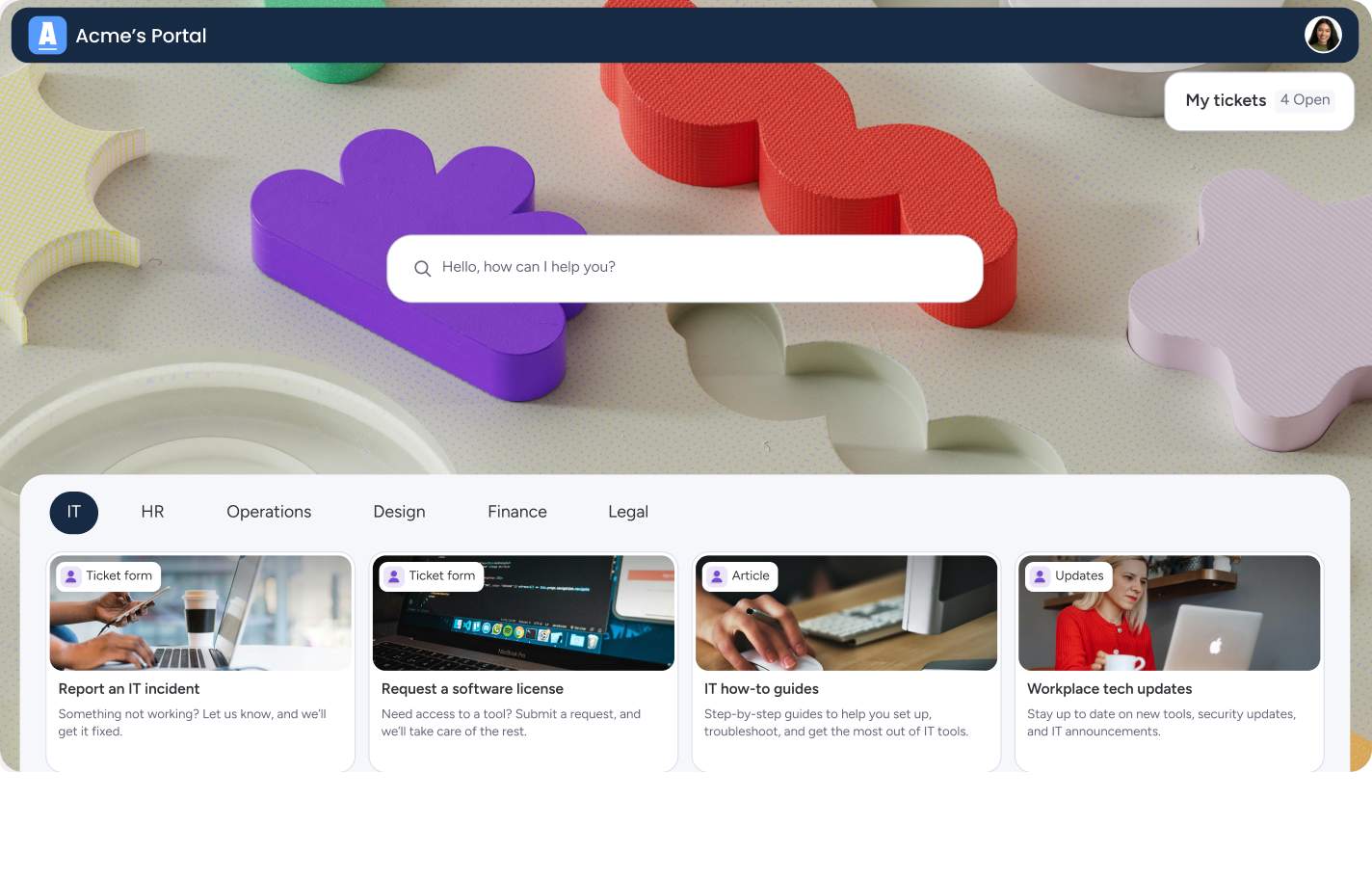
Self-service portals and internal knowledge bases give new hires one place to handle everything. They log in, see their checklist, upload documents, and track progress. No more wondering if HR received their forms or when IT will send login credentials.
Digital documentation replaces paper packets with online forms that validate inputs and store data securely. Tax forms, emergency contacts, and policy acknowledgments all live in one system with automatic reminders when something’s missing.
Learn more: Employee onboarding template
Manual vs automated employee onboarding
The choice between manual and automated onboarding directly impacts retention. According to McKinsey, 18% of new hires leave during their probationary period, often because of poor first impressions. Here’s how the two approaches compare across the metrics that matter most:
| Factor | Manual Onboarding | Automated Onboarding |
|---|---|---|
| Time to complete | Weeks: each handoff requires someone to notice, act, and follow up | Days: the system moves work forward instantly |
| Administrative cost | Hours of HR time per hire copying data, answering status questions, and fixing mistakes | Dramatically reduced: forms populate automatically, reminders send themselves, and AI-powered routing happens without human intervention |
| Employee experience | New hires often start without access or equipment, spending their first week troubleshooting IT issues | Everything ready on day one: new hires spend their first week learning the job |
| Consistency | Varies by manager and location, things fall through the cracks | Every new hire gets the same quality experience regardless of their manager or location |
| Compliance tracking | Manual tracking of training, policy acknowledgments, and audit trails | Automatic assignment, timestamps, version tracking, and self-generating audit trails |
With a platform like monday service, these benefits become tangible. You can build dedicated workflows for retention, productivity, compliance, and operational efficiency on a single platform, ensuring seamless handoffs and complete visibility. The platform’s AI helps personalize the experience for each role and location while maintaining consistency across your organization. Track metrics like time-to-productivity and compliance completion rates directly on shared dashboards, so you’re making decisions based on real data rather than guesswork.
Try monday service7 high-impact processes to automate first
Not every process needs automation immediately. Start with these seven areas that deliver quick wins and remove the most painful bottlenecks. For more strategies on building effective workflows, see our employee onboarding best practices.
1. Preboarding document collection
Document collection starts the moment someone accepts an offer. Automation sends the right forms based on location and role, tracks completion, and reminds employees about missing items.
Smart routing ensures US employees get W-4 forms while UK employees receive P45 documents. The system knows which documents each person needs and follows up automatically until everything’s complete.
Get it now: New hire form template
2. IT provisioning and access management
IT provisioning includes creating accounts, assigning licenses, and setting permissions. Automation uses templates to provision standard access instantly while routing exceptions for approval.
Role-based templates speed up the process. A “Sales Representative” template might include CRM access, email, and sales enablement tools. Special requests like admin access route to managers for approval with full audit trails.
3. Training assignment and tracking
Training automation assigns courses based on role, tracks completion, and escalates when deadlines approach. New hires see their learning path clearly and managers get alerts about incomplete training.
The system adapts to each person’s needs. Experienced hires might skip basic modules while new graduates get extra support. Compliance training assigns automatically based on role and location requirements.
4. Policy acknowledgments and compliance
Policy delivery needs to be trackable and verifiable. Automation sends the right policies, collects acknowledgments, and maintains records for audits.
Version control ensures everyone sees current policies. When policies update, the system identifies who needs to re-acknowledge and tracks completion without manual intervention.
5. Equipment requests and delivery
Equipment automation prevents the “no laptop on day one” problem. The system triggers orders when offers are accepted, tracks shipments, and coordinates delivery based on start dates and locations.
Special requirements route through approval workflows. Ergonomic equipment, accessibility tools, or non-standard software all follow defined paths with clear ownership.
6. Buddy assignment and team introductions
Buddy programs work when they happen consistently. Automation matches new hires with buddies based on team, timezone, or expertise, then schedules introductions and check-ins.
The system sends introduction emails with context about both people, schedules recurring meetings, and reminds buddies about their responsibilities. New hires get support without managers coordinating manually.
7. Benefits enrollment and payroll setup
Benefits and payroll require accurate data and strict deadlines. Automation guides employees through options, validates selections, and syncs data with payroll systems. For example, dedicated AI payroll software keeps first-paycheck timing, tax withholding, and new-hire pay setup accurate from day one, instead of relying on a manual handoff to payroll.
Different employment types get different workflows. Full-time employees see health insurance options, while contractors receive invoicing setup. The system tracks everything and alerts HR about incomplete enrollments.
How AI transforms employee onboarding
AI takes automation beyond simple if-then rules. It understands context, adapts to patterns, and makes intelligent decisions about routing and content. This context-aware layer is what separates modern AI onboarding software from rule-based automation alone. Here’s how AI enhances the onboarding experience:
- Smart routing: Looks at multiple factors to determine who should handle each task. An international hire triggers different workflows than a domestic one. A C-level executive gets different treatment than an entry-level employee. AI makes these decisions instantly.
- Personalization: Each employee gets relevant content without HR creating dozens of variations. AI adjusts training paths, communication styles, and task priorities based on the individual’s profile and progress.
- Risk detection: Helps you intervene before problems escalate. When AI notices patterns like multiple overdue tasks or low training scores, it alerts managers to check in. You solve issues early instead of discovering them during exit interviews.
- Multilingual support: Removes language barriers by delivering content in the employee’s preferred language while maintaining consistency across all versions. Global teams get localized experiences without multiplying administrative work.
Learn more: AI employee onboarding agent
Cross-departmental onboarding orchestration
Modern onboarding requires coordination across HR, IT, facilities, finance, and often legal. Orchestration ensures these departments work as one team instead of separate silos.
monday service excels at this orchestration by connecting teams through features designed for seamless collaboration:
- Shared workflows: Each department sees their tasks in context. IT knows why they’re provisioning access. Facilities understands the urgency of badge creation. Everyone works from the same timeline.
- Service catalogs: Standardize how departments request work from each other. Instead of vague emails, teams select from defined services with clear requirements and SLAs. This structure reduces confusion and speeds up fulfillment.
- Dashboards: Real-time visibility shows which tasks are complete, what’s at risk, and where bottlenecks exist. Problems surface early when there’s still time to fix them.
- Automated handoffs: Work moves between departments without manual coordination. When HR completes their tasks, IT receives theirs automatically with all the context they need.
5 steps to implement onboarding automation successfully
Moving from manual processes to automated onboarding requires a structured approach. The key is starting with clarity about your current state, then building automation that connects departments and adapts to your organization’s needs. Here’s how to implement a system that delivers results from day one.
Step 1: Standardize your current processes
Document how onboarding works today before automating anything. List every task, who does it, and what information they need. This exercise reveals inconsistencies and unnecessary steps.
Focus on the most common scenarios first. If 80% of your hires follow a similar path, standardize that before worrying about exceptions.
Step 2: Map cross-departmental dependencies
Identify every handoff between departments. Where does HR’s work end and IT’s begin? What triggers facilities to create badges? These dependencies become the connection points in your automated workflow.
Look for bottlenecks where work piles up. Often, it’s approval steps or missing information that slows everything down.
Step 3: Choose integration-ready technology
Your automation platform needs to connect with existing systems. HRIS data should flow into workflows automatically. IT systems should update without manual exports.
Platforms like monday service integrate with the tools you already use, from Slack to Active Directory. This connectivity eliminates duplicate data entry and keeps information synchronized. For a deeper look at choosing the right tools, explore our guide to employee onboarding software.
Step 4: Build role-based templates
Create templates for your most common roles. Each template defines standard tasks, access requirements, and training assignments. New hires get consistent treatment while special needs route through defined exception processes.
Start simple with broad categories like “Remote Employee” or “Office Worker” before creating specialized versions.
Step 5: Monitor and optimize performance
Track metrics that matter: time to productivity, completion rates, and employee satisfaction. Use this data to identify what’s working and what needs adjustment.
Regular reviews with stakeholders keep the system improving. What seemed logical during design might need tweaking once real employees go through the process.
Measuring success with onboarding analytics
Analytics transform onboarding from guesswork to science. You see exactly where delays happen, which roles struggle most, and what predicts success or failure. Here are the key metrics to track:
- Completion metrics: Reveal whether tasks finish on time. Segment data by role, location, and department to spot patterns. Maybe remote employees consistently face shipping delays or certain managers forget to complete their checklists.
- Bottleneck analysis: Shows where work gets stuck. Look at queue time versus work time to identify true constraints. Often the fix is simple, such as adding approvers to a group or clarifying requirements on a form.
- Quality indicators: Predict long-term success. Employees who complete training quickly and receive their equipment on time show higher engagement scores months later. Use these correlations to prioritize improvements.
Accelerate your onboarding with monday service
Most onboarding platforms promise automation but deliver complexity. You end up with rigid workflows that break when reality doesn’t match the template, or systems so complicated that only IT can make changes. With monday service, teams get the benefit of power alongside operational simplicity, giving you enterprise-grade automation that HR teams can actually build and modify themselves.
The platform connects every department involved in onboarding on a single system. HR sees their tasks, IT tracks provisioning requests, and facilities manages equipment delivery, all with real-time visibility into progress. When one team completes their work, the next step triggers automatically without manual handoffs or status meetings.
Here’s how it works in practice.
AI agents that work alongside your team
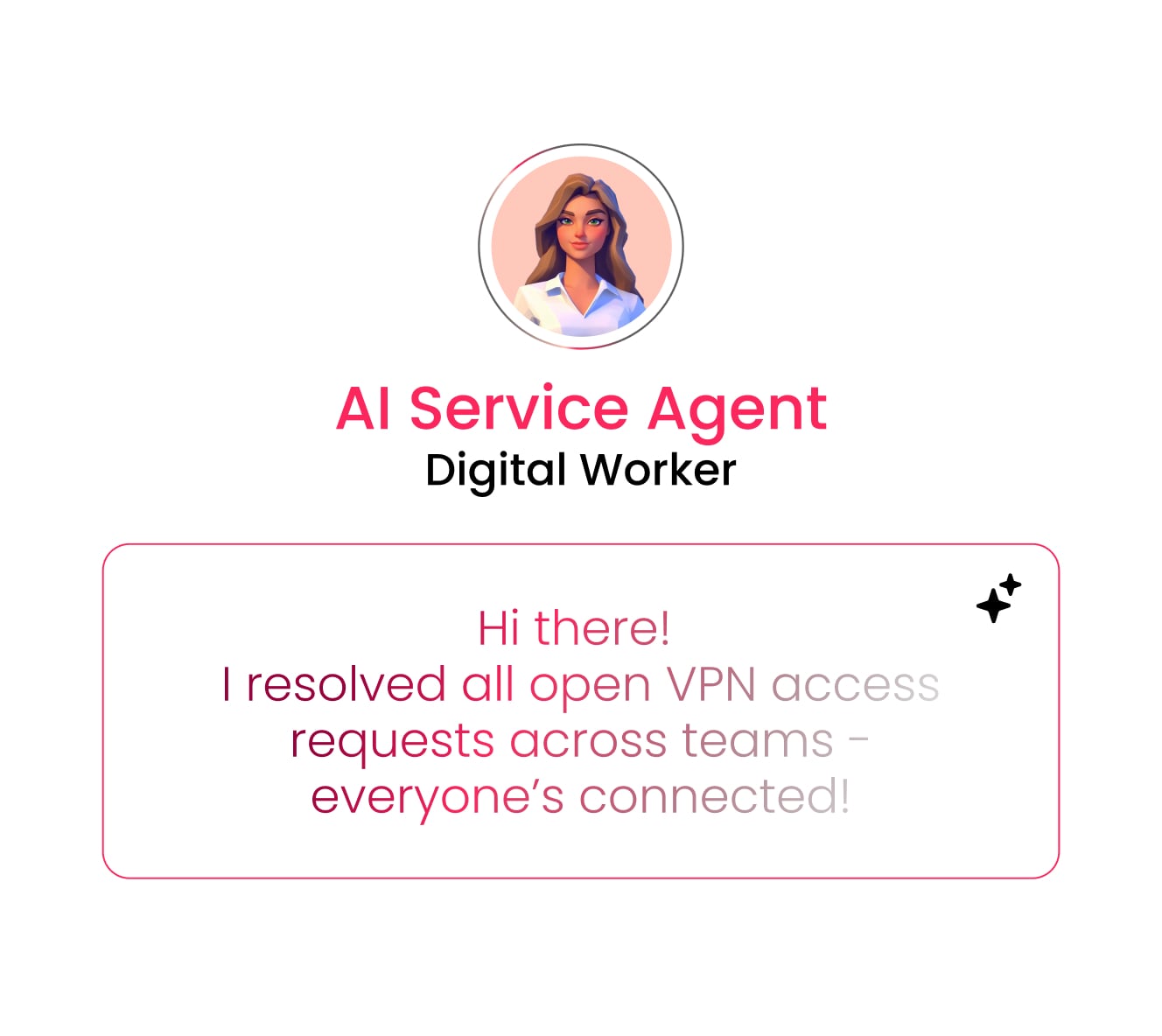
AI agents analyze each new hire’s profile (role, location, department, and start date) then trigger the right workflows automatically. When a remote software engineer accepts an offer, AI agents route equipment requests, assign training modules, and schedule team introductions without human intervention.
No-code automation that HR teams can actually use

HR teams use drag-and-drop builders to create automation that connects tasks across departments. AI enhances these workflows by intelligently routing tasks based on role, location, and department, ensuring the right people get the right work at the right time. When one step completes, the next triggers automatically. Offer acceptance creates IT tickets, equipment orders, and manager checklists without anyone sending emails or updating spreadsheets.
Cross-departmental orchestration on shared boards

HR, IT, and facilities collaborate on shared boards where updates happen in real time and everyone sees their tasks in context. Integrations with your existing tools mean data flows automatically between your HRIS, identity management systems, and communication platforms without exports or imports.
Built-in analytics that drive continuous improvement
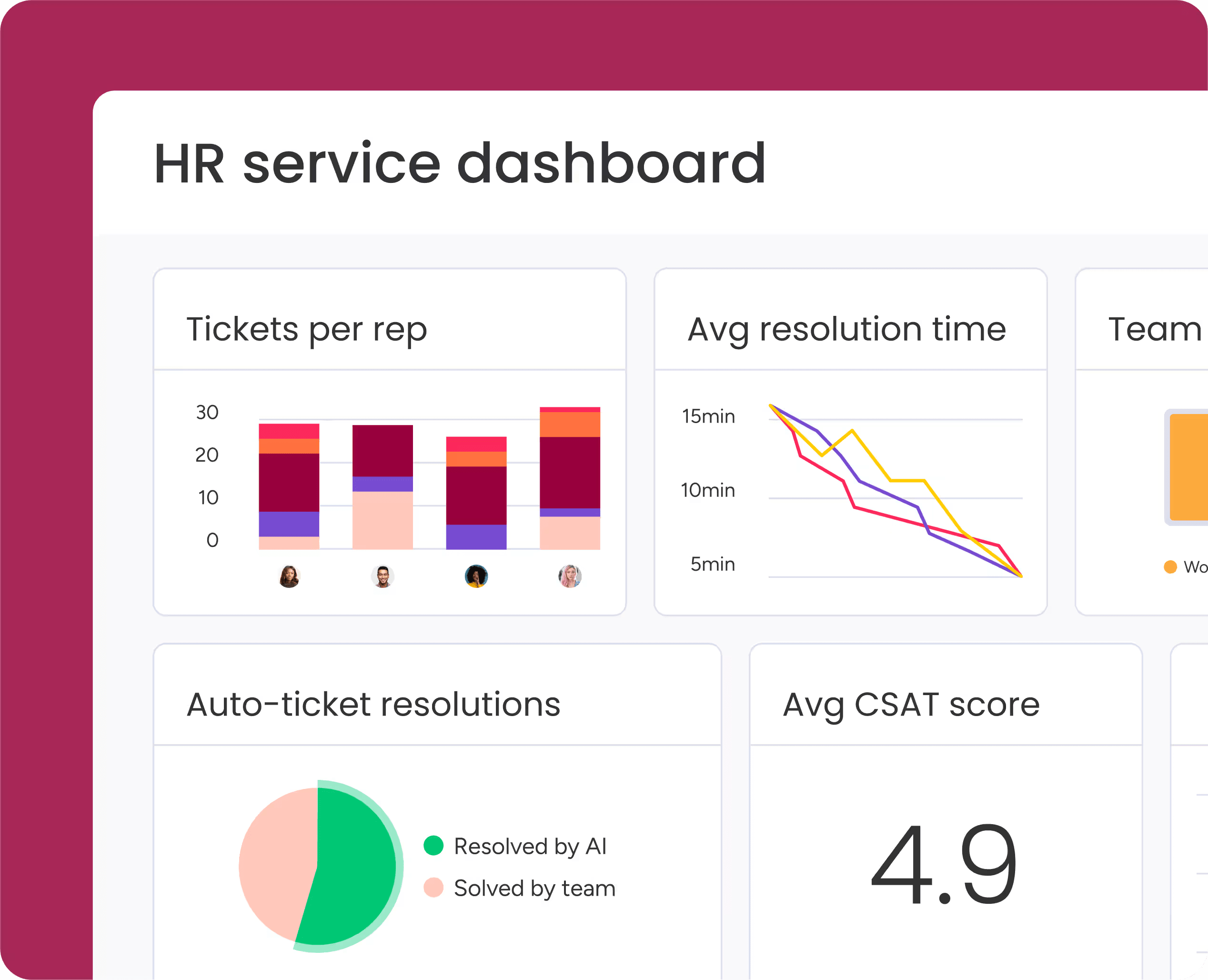
Dashboards track completion rates, identify bottlenecks, and reveal trends across all your onboarding processes. AI-powered insights surface patterns you might miss, like which roles consistently face delays, which departments need additional resources, and what early indicators predict long-term employee success. The platform scales with you, from 10 hires a year to 10 hires a day.
Build onboarding that works from day one
Employee onboarding automation transforms those chaotic first days into seamless experiences that set new hires up for success. With monday service, you can connect HR, IT, and facilities on one platform with intelligent workflows and AI-powered routing, eliminating the manual handoffs that slow everything down. The result is simple: new employees arrive to everything they need, your team focuses on meaningful work instead of administrative tasks, and you build a foundation for long-term retention from the very first day.
Try monday serviceFAQs
What's the typical ROI of employee onboarding automation?
The typical ROI of employee onboarding automation comes from reduced HR time per hire, faster employee productivity, and lower early turnover. Most organizations see positive returns within months as administrative hours drop and new hires reach full productivity weeks sooner.
How long does employee onboarding automation implementation take?
Employee onboarding automation implementation typically takes 4-8 weeks for basic workflows and 3-4 months for complex multi-department orchestration. The timeline depends on how standardized your current processes are and how many systems need integration.
Can automated onboarding handle remote and hybrid employees effectively?
Automated onboarding handles remote and hybrid employees effectively by routing location-specific tasks like equipment shipping, digital workspace setup, and virtual introductions. The same system manages office-based tasks like desk assignments and badge creation based on each employee's work arrangement.
What integrations are essential for employee onboarding automation?
Essential integrations for employee onboarding automation include your HRIS for employee data, identity management systems for account creation, IT asset management for equipment tracking, and communication tools for notifications. These connections eliminate duplicate data entry and ensure information stays synchronized.
How does automated onboarding ensure compliance with employment regulations?
Automated onboarding ensures compliance by assigning required documents and training based on role, location, and regulations. The system maintains audit trails with timestamps, version history, and acknowledgment records that prove compliance during reviews.
What's the difference between onboarding automation and HRIS systems?
The difference between onboarding automation and HRIS systems is that HRIS stores employee data while automation orchestrates the actual work of onboarding. HRIS holds the information; automation uses that information to trigger tasks, route approvals, and track completion across departments.

 Get started