



A well-executed sprint feels like a perfectly tuned engine, with every part moving in sync to deliver value at a predictable pace. But when the planning process is inconsistent, that engine sputters. Teams start sprints with ambiguous goals and end them with delayed releases, not because of a lack of talent, but because they lack a shared roadmap.
A sprint planning template provides the structure to turn ambitious goals into an actionable plan. It creates a single source of truth that aligns engineering with business and leadership, ensuring everyone is focused on the right priorities. This framework removes guesswork and gives teams the visibility and control needed to ship product faster.
In this guide, you’ll discover seven practical sprint planning templates tailored to different team needs — from managing capacity and tracking backlogs to coordinating cross-functional work. By the end, you’ll know how to choose the right template and use it to plan smarter, move faster, and deliver more consistent results every sprint.
Key takeaways
- Templates accelerate planning and improve delivery: sprint planning templates reduce meeting time by up to 50% and increase completion rates by establishing consistent structure while preserving the flexibility your team needs to adapt to changing priorities.
- Sustainable capacity planning prevents team burnout: planning for only 80% of your team’s available capacity and timeboxing planning sessions to 2 hours per sprint week creates breathing room for unexpected work while maintaining sharp focus on sprint objectives.
- AI-powered platforms scale with your organization: intelligent platforms like monday dev grow seamlessly from small teams to enterprise-wide deployments, delivering real-time visibility and effortless collaboration across development, design, and business teams through unified workflows.
- Inclusive planning balances innovation with code health: involving every team member in planning sessions surfaces diverse perspectives early, while dedicating 20% of each sprint to technical debt ensures your codebase remains maintainable alongside new feature development.
- Right-sized templates match your team’s evolution: selecting templates that align with your team size and work style—from lightweight spreadsheets for small teams to integrated platforms like monday dev for enterprise-scale coordination—ensures your process supports rather than constrains your workflow.
What is a sprint planning template?
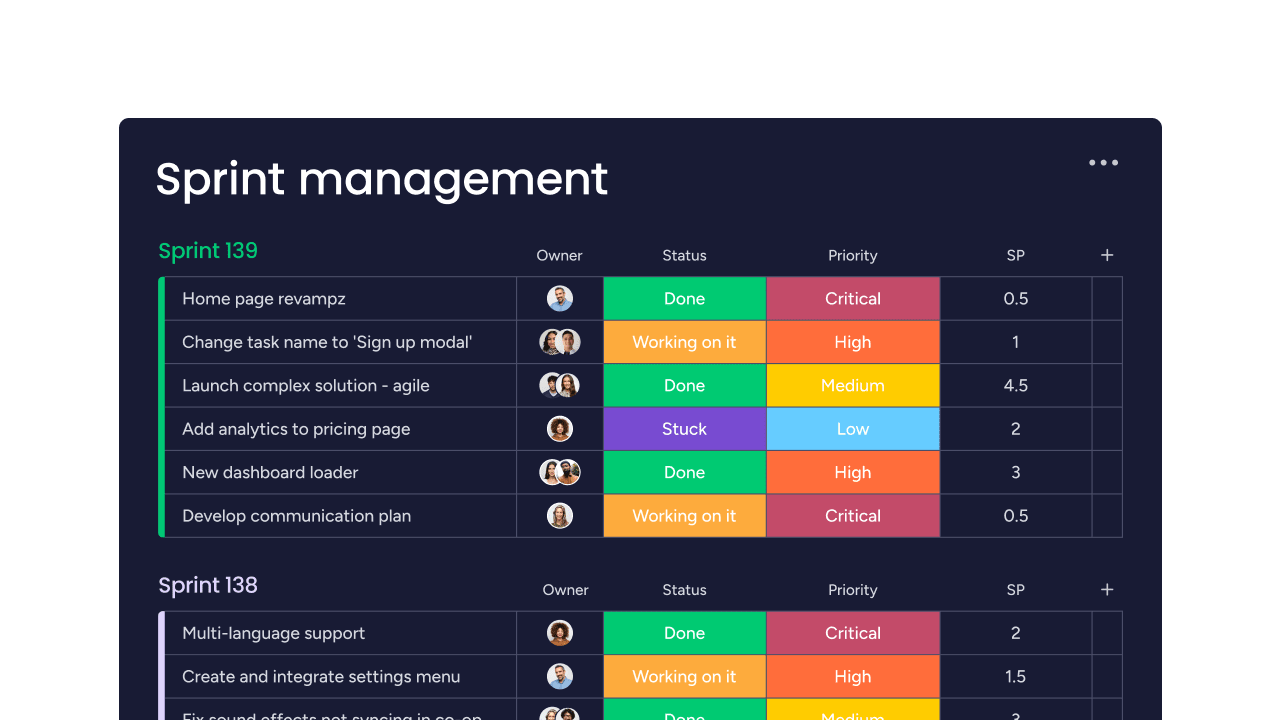
A sprint planning template is a pre-built framework that guides Agile teams through setting goals and defining deliverables for an upcoming sprint. It’s essentially a structured document that captures all the essential details including user stories, priorities, timelines, and team capacity, in one organized place, making sprint planning more efficient for every iteration.
These templates standardize your planning process to ensure every detail is captured and addressed. Instead of starting from scratch each sprint, you have a consistent format that speeds up planning and keeps everyone aligned on what needs to happen.
7 free sprint planning templates for development teams
The right template transforms sprint planning from a time-consuming exercise into a streamlined process that drives results. Each template below addresses specific planning challenges, from tracking individual work items to coordinating across multiple departments.
Choose the ones that match your team’s needs, or combine elements to create a custom approach that fits your workflow.
1. Sprint backlog template
A sprint backlog template tracks all work items your team commits to during a sprint. It breaks down features into specific work items and shows who is responsible for what.
This template keeps work visible and helps spot bottlenecks early. Therefore, you’ll see exactly which items are blocked, in progress, or complete at any moment.
2. Sprint schedule template
A sprint schedule template maps out your timeline: start dates, end dates, daily standups, and review meetings. By creating a shared calendar, it prevents scheduling conflicts.
When deadlines and ceremonies are visible to everyone, teams coordinate dependencies more effectively and deliver on time.
3. Sprint planning checklist
A sprint planning checklist walks you through every planning step. From backlog review to capacity confirmation, it ensures nothing gets missed.
This template is especially valuable for new teams or when onboarding new members, as it turns best practices into repeatable habits.
4. Cross-functional sprint template
A cross-functional sprint template coordinates work between development, design, QA, and other teams. It shows dependencies and clarifies responsibilities across departments.
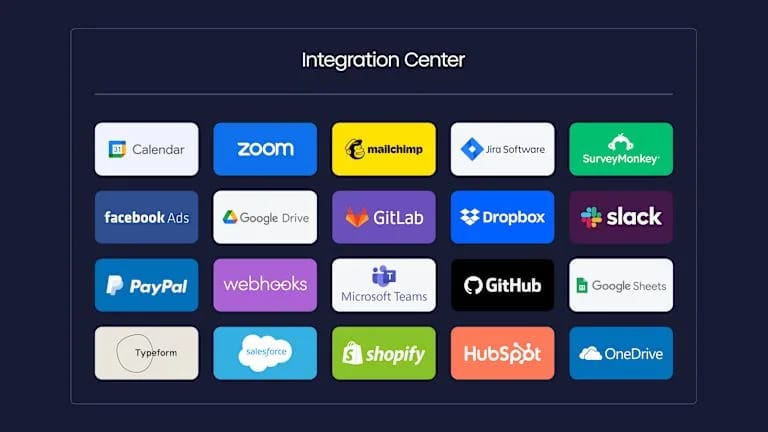
Clear visibility prevents one team from blocking another. Platforms like monday dev make these dependencies easy to track with visual boards that update in real time.
5. Sprint capacity planning template
A sprint capacity planning template calculates realistic workloads by accounting for time off, meetings, and other commitments. Most teams plan for 80% capacity to leave room for the unexpected. This template shows exactly who’s overloaded and who has bandwidth. It prevents burnout and keeps delivery sustainable.
6. Sprint review template
A sprint review template captures what went well, what didn’t, and what to improve next time. Unlike planning templates, it documents completed work and team feedback. Regular retrospectives using this template help teams spot patterns and continuously improve their process.
7. Hybrid sprint planning template
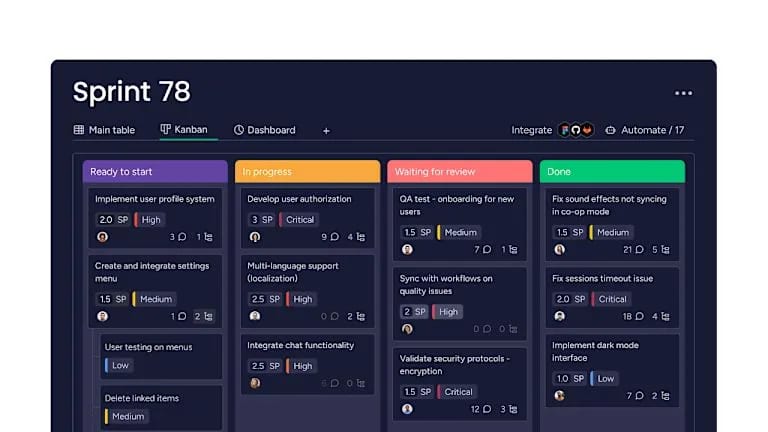
A hybrid sprint planning template blends Scrum and Kanban elements. It supports teams that need structure but also want flexibility in their workflow, similar to how a Scrum sprint approach fosters both iterative development and adaptability.
This template adapts as your process evolves. Customizable boards provided by flexible platforms like monday dev make it simple to create hybrid workflows that match how your team actually works.
Why do dev teams need sprint planning templates?
Sprint planning without templates wastes time and creates confusion. Teams recreate documents, forget important details, and struggle to maintain consistency. However, templates solve these problems by providing structure while preserving flexibility.
- Faster planning sessions: cut meeting time in half by eliminating setup work.
- Higher completion rates: clear goals and realistic estimates mean more work gets done.
- Total transparency: everyone sees priorities, progress, and problems instantly.
- Easier scaling: consistent processes help new members contribute quickly.
Key components of effective sprint planning templates
Effective templates share common elements that support clear communication and successful delivery. They include:
- Sprint goals: define what success looks like and why this work matters.
- Capacity tracking: know exactly how much work your team can handle.
- Priority framework: ensure high-value work happens first.
- Task breakdown: turn big features into manageable pieces with clear owners.
- Timeline view: see the full sprint at a glance with key milestones.
- Risk tracking: identify blockers before they derail your sprint.

"monday dev empowered us to optimize our GTM approach, resulting in faster, more dependable deliveries"
Steven Hamrell | Director of Product Management
"monday dev empowers us to manage the entire development process on one platform so we can speed up product delivery and improve customer satisfaction"
Mitchel Hudson | Head of Technology
"We're operating in an open, deep trusting, transparent environment with no silos of information. It's about completely opening access to everyone who needs it."
Alan Schmoll | Executive Vice President, Vistra Platform5 steps to use sprint planning templates
Having the right template is only half the equation, as the real value comes from using it consistently and effectively. These five steps walk you through the complete planning process, from setting sprint boundaries to tracking delivery. Follow this framework to turn your template into a reliable system that keeps your team aligned and productive sprint after sprint.
Step 1: define sprint duration and objectives
Most teams run two-week sprints as it’s long enough to deliver value and short enough to stay focused. Start by setting clear objectives that connect to your product roadmap.
These goals guide every planning decision. They help you say no to low-priority work and yes to what truly matters.
Step 2: organize and prioritize your backlog
Review your backlog before the planning meeting and break down large stories and estimate effort for each item.
Rank items by business value and technical dependencies to ensure your limited capacity goes toward maximum impact.
Step 3: calculate team capacity
Account for holidays, meetings, and other commitments and plan for 80% of total capacity to leave breathing room.
Capacity views provided by advanced solutions like monday dev show exactly who’s available and who’s overloaded. This prevents unrealistic commitments before work begins.
Step 4: assign tasks and set expectations
Match tasks to team members based on skills and availability. Include clear acceptance criteria so everyone knows what “done” means.
Open communication about responsibilities creates accountability and reduces confusion during the sprint.
Step 5: track progress in real time
Update task status daily and discuss blockers in standups. Real-time visibility lets you adapt quickly when issues arise.
Transparent tracking maintains momentum and keeps everyone aligned through sprint completion.
5 sprint planning best practices for dev teams
Templates provide the structure, but it’s the execution that determines results. These five best practices help you run planning sessions that are efficient, inclusive, and focused on sustainable delivery. Apply them consistently to build a planning process that strengthens with every sprint.
1. Timebox planning to two hours per sprint week
Set strict time limits to keep discussions productive and avoid meeting fatigue. Plan for two hours per sprint week (four hours for a two-week sprint). This keeps commitments clear without sacrificing development time.
2. Include every team member in planning
Involve the whole team to surface risks early. Developers catch technical issues, designers raise UX concerns, and QA identifies testing gaps. Inclusive planning prevents blind spots before work begins.
3. Balance feature development with technical debt
Protect your codebase by dedicating 20% of each sprint to maintenance and technical debt. This prevents slowdowns and supports long-term innovation.
4. Plan for 80% capacity to buffer unexpected work
Avoid overcommitment by planning for only 80% of team capacity. This way, the buffer absorbs unexpected work and increases the likelihood of meeting sprint goals.
5. Document all decisions and blockers
Keep written records to create accountability and support future retrospectives. Solutions like monday dev make it easy to capture notes directly in your planning board, ensuring transparency and continuous improvement.
AI-enhanced sprint planning for modern teams
As teams grow and delivery cycles accelerate, manual planning and intuition alone aren’t enough. AI transforms sprint planning from guesswork to data-driven decisions. Platforms like monday dev use AI to analyze patterns, highlight risks, and optimize workload distribution in real time.
- Capacity forecasting: predicts realistic workloads based on historical velocity.
- Smart assignments: matches tasks to the right people automatically.
- Risk detection: flags potential blockers before they impact delivery.
- Performance insights: identifies trends that help teams improve continuously.
Choosing the right sprint template format
The format you choose for your sprint planning template directly impacts how effectively your team collaborates and scales. From simple spreadsheets to enterprise-grade platforms, each option offers distinct advantages depending on your team size, distribution, and complexity. Here’s how to match the right format to your team’s needs.
- Sprint planning template XLS for quick start: spreadsheets are simple and familiar, making them ideal for small teams. However, they lack real-time collaboration and don’t scale well.
- Collaborative platforms for distributed teams: cloud-based tools enable live updates, comments, and integrations. They keep remote teams aligned without constant meetings.
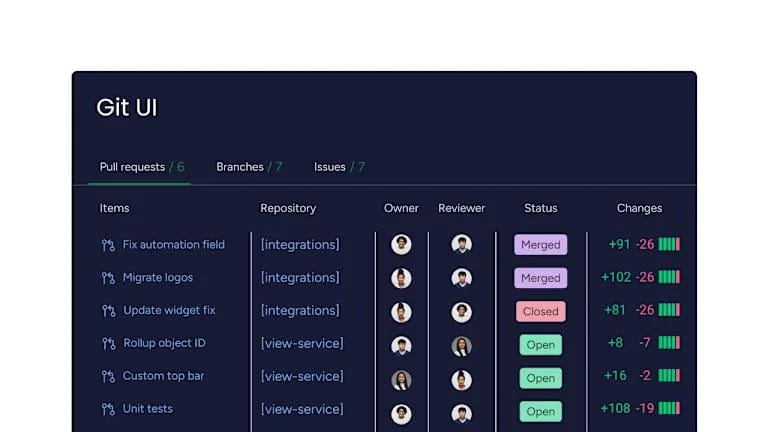
- Integrated solutions for enterprise scale: enterprise platforms connect sprint planning to portfolio management, automate workflows, and centralize reporting. Solutions like monday dev scale across teams while maintaining flexibility and security.
Sprint planning templates growing with your team
Your sprint planning needs evolve as your team scales. What works for a small squad won’t support an enterprise organization, and forcing a heavyweight process on a lean team creates unnecessary overhead. The table below matches template complexity to team size, helping you choose features that support your current reality while leaving room to scale.
| Team size | Template features | Key considerations |
|---|---|---|
| Small teams (5-10 developers) | Basic tracking, simple capacity planning, sprint goals | Easy setup, minimal training, works for single teams |
| Growing teams (10-50 developers) | Cross-team coordination, dependency tracking, dashboards | Supports multiple teams, needs cloud-based platform |
| Enterprise teams (50+ developers) | Advanced reporting, automation, AI insights, portfolio view | Scales across departments, integrates with enterprise systems |
How monday dev changes your sprint planning
The biggest sprint planning challenges — flexibility, transparency, and powerful collaboration — are solved by monday dev. Built on the monday.com Work OS, it adapts to any methodology while providing the structure teams need.
- Flexible templates: support Scrum, Kanban, or hybrid approaches without forcing you into rigid processes.
- Real-time visibility: see progress, blockers, and capacity instantly without micromanaging.
- Seamless collaboration: connect development with design, QA, and business teams in one platform.
Ready to transform your sprint planning? See how teams deliver more value with less friction using monday dev.
The content in this article is provided for informational purposes only and, to the best of monday.com’s knowledge, the information provided in this article is accurate and up-to-date at the time of publication. That said, monday.com encourages readers to verify all information directly.
Frequently asked questions
How do sprint planning templates improve remote team collaboration?
Sprint planning templates improve remote collaboration by creating a single source of truth that all team members can access and update in real time. When everyone works from the same template with clear priorities and responsibilities, remote teams stay aligned without constant video calls or status updates and can streamline their Agile ceremonies as well.
Can AI automate parts of the sprint planning process?
Yes, AI can automate several parts of the sprint planning process. It can automate capacity forecasting, suggest optimal work assignments, and detect potential blockers before they impact your sprint. These capabilities save planning time and improve accuracy by analyzing your team's historical patterns and performance data.
What's the difference between sprint planning and sprint review templates?
Sprint planning templates organize upcoming work and set goals for the next sprint, focusing on what you'll build and how. Sprint review templates capture completed work, team feedback, and lessons learned from the sprint that just ended, focusing on what you accomplished and what to improve.
How frequently should teams update their sprint planning templates?
Teams should review and refine their sprint planning templates quarterly or whenever the current format stops serving their needs. Regular retrospectives often reveal opportunities to improve your template based on what's working and what's causing friction in your planning process.
Do sprint planning templates support both Scrum and Kanban methodologies?
Yes, sprint planning templates can be adapted for Scrum, Kanban, or hybrid approaches. The key is customizing the template to match your team's workflow, whether that's time-boxed sprints, continuous flow, or a combination of both methodologies.
How do I transition from spreadsheet templates to digital sprint planning platforms?
Start by migrating one team or project to prove the value of a digital platform. Use import features to transfer existing data, train the team on new collaboration capabilities, and gradually expand adoption as teams see the benefits of real-time updates and automation.

 Get started