


When work cuts across departments, time zones, and fast-moving priorities, alignment doesn’t just happen. Deadlines drift. Teams work from outdated plans. Meetings multiply just to clarify what’s already been decided.
A work calendar changes that dynamic. Instead of scattered schedules and siloed timelines, it creates a shared source of truth for milestones, launches, campaigns, and resource commitments. Everyone sees what’s happening, what’s next, and where priorities stand.
In the post ahead, you’ll see how to build a work calendar system that actually supports execution in 2026. From free templates tailored to different teams to practical setup guidance and smarter ways to connect scheduling with delivery, this is about turning dates on a page into coordinated action.
Key takeaways
- Transform scheduling chaos into coordinated execution: Work calendars unify team activities, project milestones, and resource allocation in one centralized system that connects daily tasks to business outcomes.
- Choose templates that match your team’s workflow: Start with pre-built structures for marketing campaigns, HR compliance, or project timelines to eliminate setup time and embed proven scheduling practices.
- Enable real-time collaboration to prevent conflicts: Multiple team members can view and update calendars simultaneously, with changes appearing instantly across all devices to reduce scheduling surprises.
- Connect calendars to your existing business tools: Integration with project management platforms, email systems, and communication tools creates seamless workflows without manual data entry between systems.
- Leverage AI-powered optimization for smarter scheduling: Modern AI capabilities can analyze patterns, categorize calendar entries, and extract insights from meeting notes to optimize resource allocation and anticipate bottlenecks.
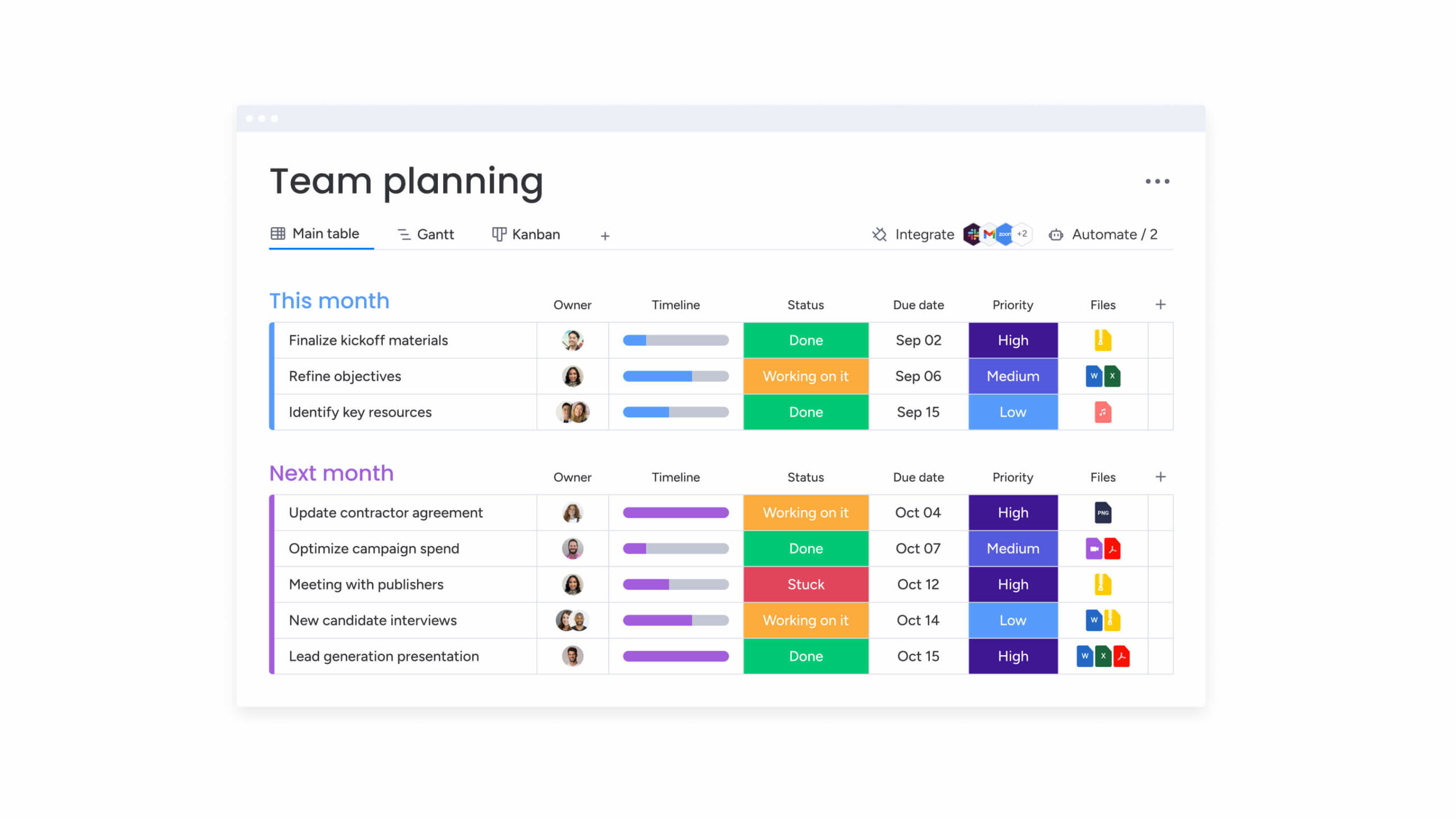
What is a work calendar?
A work calendar pulls your team’s activities, milestones, and resources into one digital workspace. While your personal calendar tracks doctor appointments and dinner plans, a work calendar shows everyone who’s doing what, when things are due, and which teams have bandwidth — essentially becoming your operational command hub.
Work calendars transform chaotic scheduling into a visual, unified picture that helps everyone make smarter decisions: when your calendar connects directly to deliverables, budgets, and team metrics, you can see exactly how today’s meeting impacts next month’s product launch.
Modern work calendars go beyond simple date tracking too: by incorporating project dependencies, resource capacity planning, and cross-functional workflows that keep organizations running smoothly.
Work calendar vs personal calendar
Work calendars and personal calendars serve fundamentally different purposes, and understanding these differences helps organizations choose the right scheduling approach for their needs.
The differences between work and personal calendars (highlighted below) also shape how teams coordinate and deliver results across complex business environments.
Aspect Personal calendar Work calendar
Primary purpose Manage individual appointments Coordinate team efforts and track milestones
Sharing capabilities Private by default Team-wide visibility with role-based permissions
Integration needs Personal apps and family calendars Project management platforms and business tools
Complexity level Simple appointments and reminders Multi-project dependencies and resource allocation
User base Single individual Multiple team members across departments
For further context, work calendars handle scenarios personal calendars cannot address. They track resource utilization across projects, manage approval chains for schedule changes, and maintain compliance documentation.
With 68% of employees now working mostly in-person while others remain hybrid or remote, coordinating product launches across marketing, sales, and product teams requires centralized visibility that work calendars provide.
Benefits of dedicated work calendars
Teams that adopt dedicated work calendars solve real coordination headaches that slow projects and waste resources. You’ll immediately notice more efficient resource planning, more realistic timelines, and fewer “I thought you were handling that” moments between departments.
Key benefits that drive organizational success include:
- Resource optimization: Real-time visibility into team availability prevents double-booking and identifies capacity gaps before they impact deadlines.
- Cross-team coordination: Shared timelines make project dependencies visible across departments, reducing surprises that derail initiatives.
- Project visibility: Consolidated views of multiple initiatives help leaders track milestones without losing sight of critical deadlines.
- Compliance tracking: Automated documentation of schedule changes and resource assignments supports regulatory requirements.
- Proactive conflict resolution: Early detection of scheduling conflicts allows teams to address bottlenecks during planning rather than during execution.
Free work calendar templates for every team
Work calendar templates provide pre-built structures for common business scenarios, eliminating setup time while embedding scheduling best practices directly into your workflow. These templates accelerate implementation by providing proven frameworks for different business functions, with each template including the essential fields, views, and automation rules teams need to get started quickly.
Teams can start with a template that matches their primary needs and adapt it as requirements evolve. This approach reduces the learning curve and ensures organizations benefit from tested scheduling approaches rather than building systems from scratch.
Project timeline templates
Project timeline templates give you a visual map of every phase, milestone, and deliverable your team needs to hit. Project managers can instantly spot which items depend on others and where your team might get stuck before deadlines slip.
The templates include several key components:
- Pre-configured sections: Organize your project with sections for kickoff, planning phases, execution milestones, and closeout activities.
- Dependency tracking: See visual connections showing which items must be completed before others can begin.
- Resource assignment fields: Direct connections between tasks and specific team members, making workload distribution visible.
Team schedule templates
Team schedule templates coordinate availability, shift patterns, and meeting schedules across departments and time zones. These templates help managers balance workloads by visualizing who’s available when and ensuring adequate coverage across all business functions.
Essential template features include:
- Recurring schedule patterns: Consistent shifts and regular meeting cadences.
- Flexible scheduling options: Hybrid work arrangements and variable availability.
- Time zone indicators: Clear visibility for distributed teams working across multiple locations.
- Availability tracking: Real-time status showing meetings, focused work time, and out-of-office periods.
Resource planning templates
Resource planning templates allocate equipment, meeting rooms, and personnel across projects while preventing conflicts. These templates provide visibility into resource availability and demand, ensuring critical resources are available when needed.
Key template capabilities include:
- Booking tracking: Reservations across time periods with clear availability windows.
- Utilization percentages: Data showing how efficiently resources are being used.
- Approval workflows: Review processes for high-demand resources.
- Priority connections: Links between resource allocation and project importance.
HR compliance calendar templates
HR compliance calendar templates track employee schedules, vacation time, training requirements, and compliance deadlines. These templates help HR departments manage requirements that govern employee scheduling and certification tracking while maintaining necessary audit documentation.
Template components include:
- Training deadline tracking: Annual requirements and certification renewals.
- Performance review cycles: Scheduled meetings and completion tracking.
- Regulatory reporting dates: Compliance deadlines alongside operational schedules.
- Automated reminders: Notifications for upcoming deadlines and approval workflows for time-off requests.

“monday.com has been a life-changer. It gives us transparency, accountability, and a centralized place to manage projects across the globe".
Kendra Seier | Project Manager
“monday.com is the link that holds our business together — connecting our support office and stores with the visibility to move fast, stay consistent, and understand the impact on revenue.”
Duncan McHugh | Chief Operations OfficerHow to create a customizable team calendar
Building a team calendar that actually works takes thoughtful planning that matches your specific business challenges. Start by defining what you need today, then implement and refine your system so it grows with your team’s evolving goals.
The following steps provide a framework for building calendars that grow with your team while maintaining the flexibility to adapt to changing business requirements.
Step 1: Define your calendar purpose
Start by identifying the specific scheduling challenges your calendar needs to solve. Assess current pain points and determine which problems to address first, as this foundation shapes every subsequent decision about calendar structure and functionality.
Critical questions that shape your calendar design:
- What scheduling decisions consume the most time?
- Which teams struggle most with coordination?
- What information do leaders need for resource allocation decisions?
- Are there compliance requirements the calendar must support?
- How will you measure success?
Your answers reveal whether you need project tracking capabilities, resource management features, or team coordination tools. A calendar designed for project tracking emphasizes milestone visibility and dependency management, while one focused on resource management prioritizes capacity planning and utilization tracking.
Step 2: Choose your calendar format
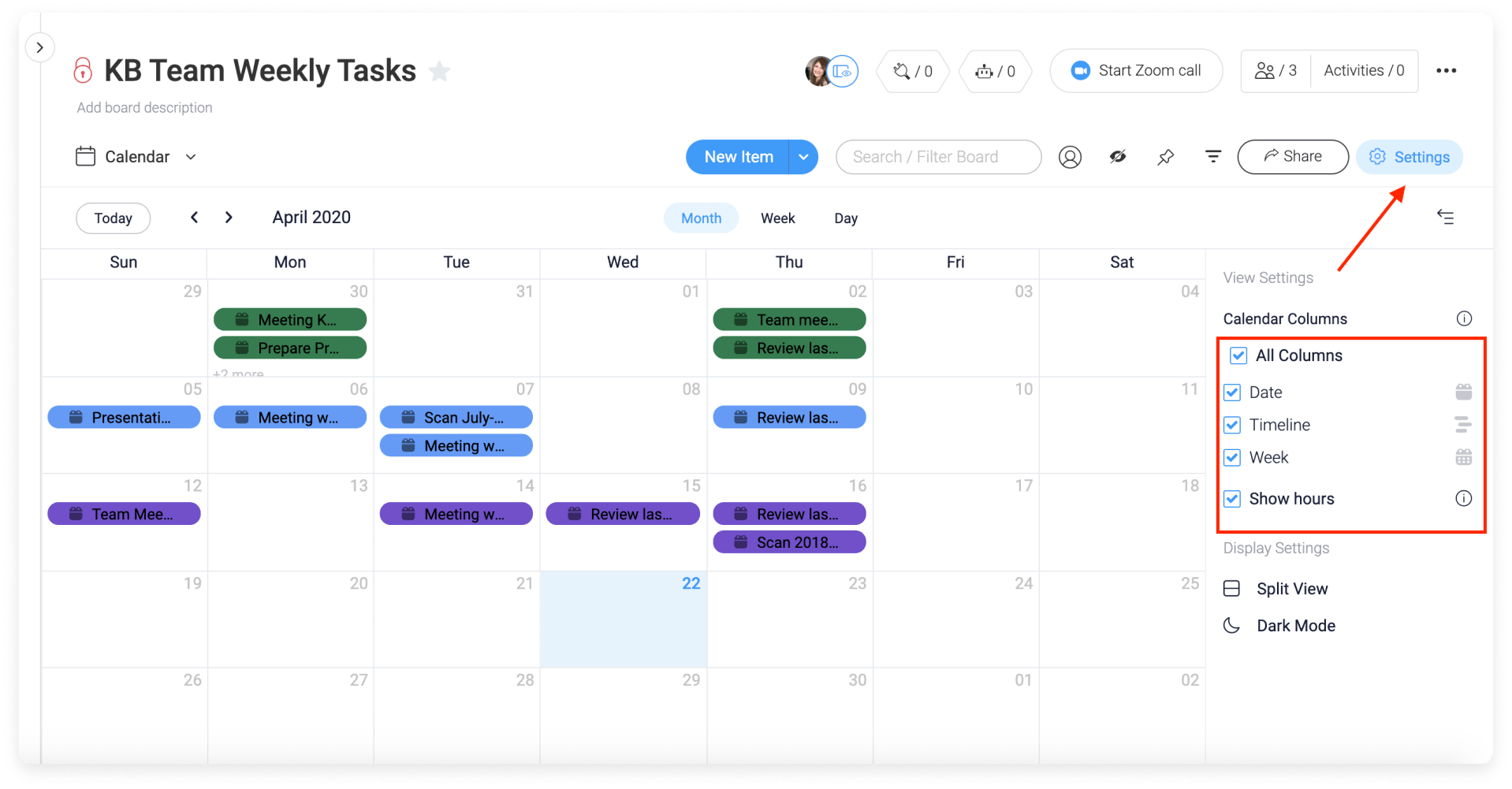
Choose calendar views that match what your team actually needs to see. Your executives might want monthly overviews, while project teams need detailed weekly breakdowns. When people get the right view, they’ll actually use the system.
Calendar format options and their best applications:
- Monthly views: High-level visibility for executive dashboards and team coordination.
- Weekly views: Detailed scheduling for operational teams managing daily activities.
- Gantt charts: Project timelines with task dependencies and critical path visualization.
- Kanban boards: Workflows with variable timelines or continuous processes.
- Timeline views: chronological display with duration indicators for overlapping activities.
- Workload views: resource capacity and allocation for balancing team assignments.
Project teams benefit from Gantt and timeline views showing dependencies. Resource managers need workload views revealing utilization patterns. Executive stakeholders require monthly summaries of key initiatives.
Step 3: Set up sharing and permissions
Smart calendar sharing strikes the right balance between transparency and privacy. Set up permissions that match each person’s role — giving your team leads edit access while executives get a view-only snapshot of progress.
Permission structures typically include three levels:
- View-only access: Team members see information without making changes.
- Edit access: Users add and modify entries within defined boundaries.
- Admin access: Full control over calendar structure and settings.
Consider information sensitivity when configuring permissions. Project timelines may be widely shared while resource allocation details remain restricted to managers.
Step 4: Add team members and resources
Populate your calendar with team members, equipment, and other resources while organizing information to support common scheduling decisions. This step creates the foundation for all future scheduling activities and resource allocation decisions.
Essential organization approaches include:
- Team grouping: Organize by department, project team, or role to simplify scheduling.
- Detail inclusion: Time zones, working hours, and skill sets for accurate planning.
- Resource cataloging: Meeting rooms and equipment with capacity information.
- Accessibility indicators: Clear markers for availability and booking status.
Step 5: Implement calendar rules
Calendar rules automate recurring patterns and enforce scheduling policies, handling routine tasks automatically so teams can focus on exceptions and strategic decisions. Well-designed rules reduce manual maintenance while ensuring consistency across all scheduling activities.
Essential calendar rules that drive efficiency:
- Recurring events: Automatically create weekly meetings and monthly reviews.
- Approval workflows: Route schedule changes to managers for review.
- Conflict resolution: Flag scheduling conflicts and suggest alternatives.
- Reminder automation: Send notifications before deadlines and meetings.
- Capacity limits: Prevent overbooking by blocking reservations when capacity is reached.
Rules should reflect organizational policies while remaining flexible for exceptions. Review rules periodically to ensure they serve their intended purpose and adapt to changing business needs.
7 essential features of digital work calendars
Today’s work calendars do way more than track dates — they’ve evolved into complete coordination powerhouses. The best ones solve real business problems like resource conflicts and cross-team dependencies, becoming essential to how your organization actually gets things done.
Understanding these essential features helps organizations discover the best calendar solutions and ensure they choose platforms that support both current needs and future growth.
1. Real-time collaboration
Real-time collaboration lets multiple team members simultaneously view and update calendars, with changes appearing instantly across all devices and users. This capability eliminates version control issues and reduces communication delays that slow down project coordination.
When a project manager adjusts a milestone date, team members see the change immediately and adapt their plans accordingly. Real-time updates enable faster decision-making and reduce scheduling conflicts caused by outdated information, creating a single source of truth for all scheduling decisions.
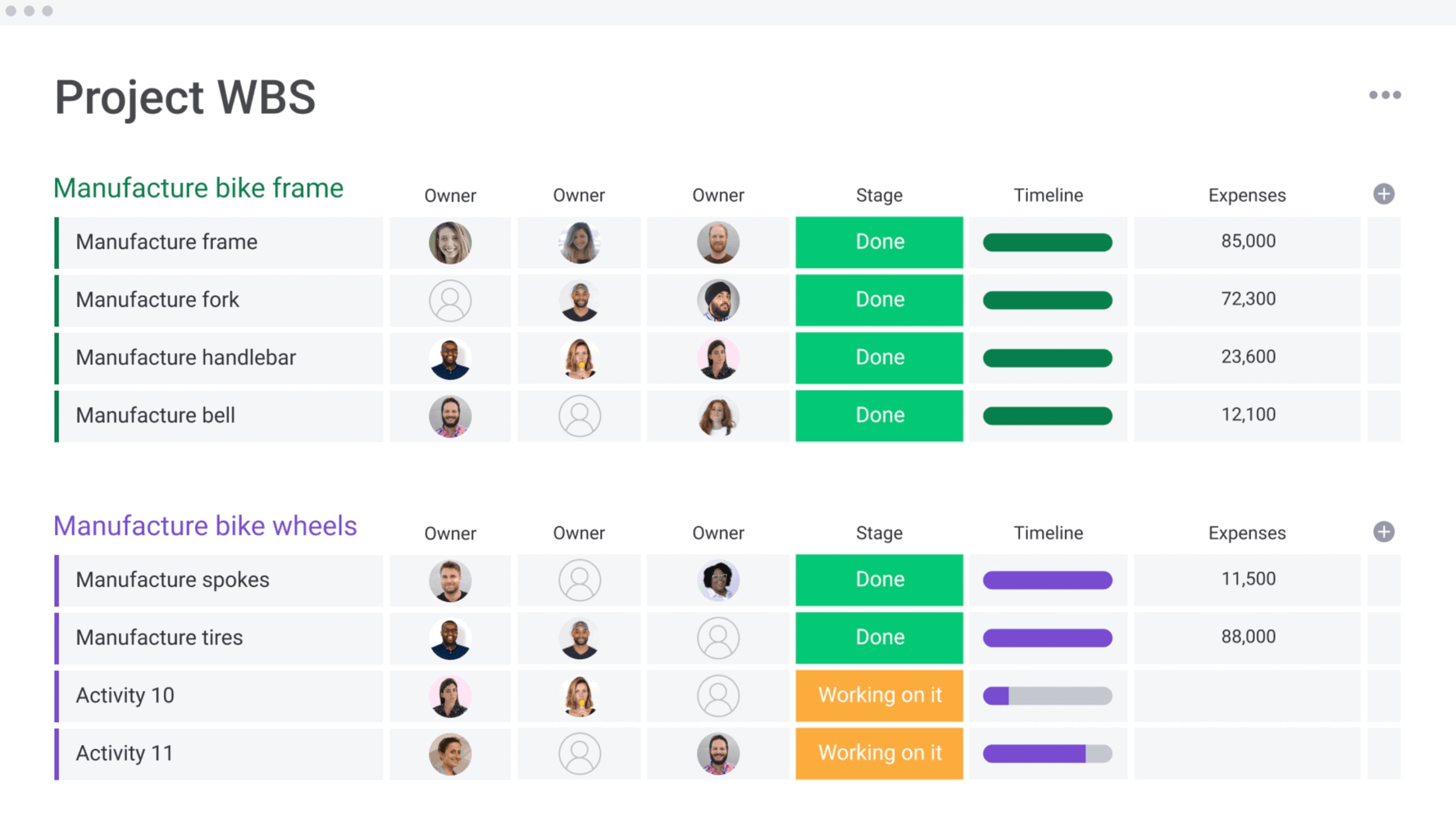
2. Resource workload visualization
Workload visualization provides graphical representations of team capacity and allocation, helping managers identify overloaded team members and redistribute work before burnout occurs. With roughly one-third of workers experiencing burnout across all work models, these visual capacity views reveal patterns difficult to spot in traditional formats and support healthier staffing decisions.
Key visualization benefits include:
- Capacity insights: Clear views of who has bandwidth for additional work.
- Allocation patterns: Understanding of how work is distributed across teams.
- Burnout prevention: Early identification of overloaded team members.
- Project planning: Data-driven decisions about new project assignments.
Managers use these views to balance assignments and make informed decisions about new projects based on actual capacity rather than assumptions.
3. Automated scheduling
Automated scheduling uses algorithms to suggest optimal meeting times and resolve conflicts by analyzing participant availability and proposing times that work for all attendees. This automation saves substantial time by identifying options in seconds rather than through lengthy email exchanges.
Advanced scheduling features include:
- Conflict resolution: Automatic rescheduling when conflicts arise.
- Preference consideration: Meeting preferences and time zone optimization.
- Workload balancing: Scheduling that considers existing commitments.
- Recurring management: Intelligent handling of series meetings and regular check-ins.
4. Cross-platform integration
Integration connects work calendars with email systems, project management platforms, and business intelligence tools, allowing information to flow automatically between systems rather than requiring manual entry. This connectivity creates seamless workflows across the entire business technology stack.
Integration capabilities include:
- Project management sync: Calendar milestones synchronized with project plans.
- Email connectivity: Meeting invitations automatically creating calendar entries.
- Communication tools: Availability display in messaging platforms.
- Business intelligence: Calendar data feeding into reporting and analytics systems.
5. Mobile accessibility
Mobile access ensures calendar information is available wherever work happens, enabling field service teams to check schedules and update job status without returning to the office. Remote workers maintain full participation in scheduling decisions regardless of location.
Mobile capabilities enable:
- Real-time updates: Immediate availability changes when meetings end early.
- Field access: Schedule checking and updating from any location.
- Notification management: Push alerts for important schedule changes.
- Offline functionality: Access to critical information without internet connectivity.
6. Compliance tracking
Compliance features help organizations maintain audit trails and ensure regulatory adherence, with capabilities essential for regulated industries where documentation serves legal purposes. These features automate compliance processes while maintaining necessary records.
Compliance capabilities include:
- Audit trails: Complete documentation of schedule changes with timestamps.
- Certification tracking: Automated monitoring of training deadlines and renewals.
- Approval workflows: Ensuring changes follow established protocols.
- Regulatory reporting: Automated generation of required compliance reports.
7. Custom views and filters
Custom views let different stakeholders focus on relevant calendar information, with project managers filtering to show their project milestones while executives view high-level summaries. This customization ensures each user sees information most relevant to their role.
Filtering capabilities include:
- Role-based views: Automatic display of appropriate information for each user.
- Saved combinations: Frequently used filter sets for quick access.
- Priority filtering: Focus on high-importance items and deadlines.
- Team-specific views: Department or project-focused calendar displays.
Work calendar templates by department
Different departments face unique scheduling challenges requiring specialized calendar approaches. Department-specific templates address these needs by incorporating relevant workflows and coordination patterns, ensuring each team has tools designed for their specific operational requirements.
These templates provide starting points that reflect industry best practices while remaining flexible enough to adapt to organizational needs.
Marketing campaign calendars
Marketing campaign calendars track launches, content deadlines, and cross-channel coordination while helping teams maintain consistent messaging by visualizing how campaign elements align. These calendars coordinate complex campaigns across multiple channels and stakeholders.
Campaign calendar components include:
- Content production timelines: Writing, design, and approval stages with clear handoffs.
- Channel-specific schedules: Coordinated publication across different platforms.
- Launch milestones: Key moments like announcement dates and general availability.
- Review cycles: Built-in approval processes for campaign materials.
Marketing teams using monday work management can connect campaign calendars directly to creative workflows, ensuring assets move through review stages on schedule. The platform’s automation features trigger notifications when deliverables need attention, keeping campaigns on track without manual oversight.
HR and compliance calendars
HR calendars manage employee schedules, training programs, and regulatory deadlines while maintaining audit documentation. These calendars help departments balance competing priorities while ensuring compliance requirements are met consistently.
HR calendar features include:
- Certification tracking: Expiration dates and automatic renewal training scheduling.
- Performance cycles: Review meetings and completion tracking across the organization.
- Compliance deadlines: Regulatory reporting alongside operational schedules.
- Workforce planning: Staffing levels across periods with coverage gap identification.
Onboarding calendars coordinate new hire activities across departments, ensuring smooth integration of new team members while maintaining compliance with training requirements.
Operations and production calendars
Operations calendars manage manufacturing schedules, maintenance windows, and supply chain coordination while helping teams optimize production efficiency by coordinating equipment, materials, and workforce. These calendars balance multiple constraints to maximize operational effectiveness.
Production calendar elements include:
- Manufacturing runs: Production line schedules with material requirements.
- Maintenance windows: Preventive maintenance blocking production time.
- Supply chain coordination: Material deliveries aligned with production needs.
- Quality checkpoints: Inspection schedules at appropriate intervals.
Shift schedules coordinate workforce availability with production demands, ensuring adequate coverage while managing labor costs effectively.
PMO portfolio calendars
PMO portfolio calendars track multiple projects and resource allocation across portfolios while helping PMOs maintain visibility across complex project landscapes.
Portfolio calendar capabilities include:
- Milestone tracking: Major deliverables across active projects with conflict identification.
- Resource allocation views: Personnel distribution across the entire portfolio.
- Strategic alignment: Project milestones connected to organizational objectives.
- Risk visualization: Potential conflicts and dependencies across multiple initiatives.
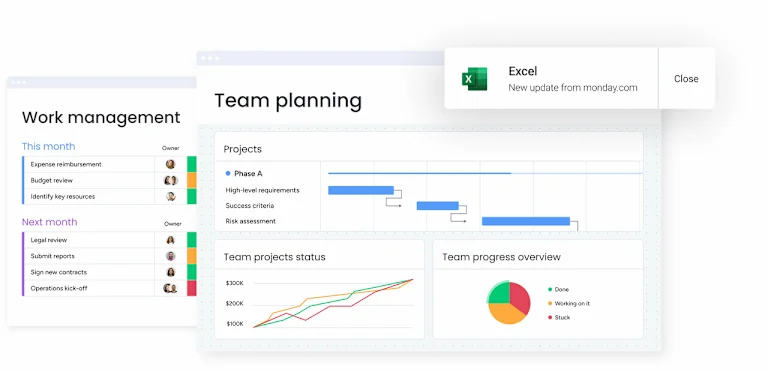
To make this level of coordination practical, the calendar needs to connect directly to live project data. With monday work management, portfolio calendars sit alongside boards and dashboards, so risks, workload imbalances, and shifting deadlines update in real time.
That visibility helps PMOs adjust resources proactively and protect delivery before small issues turn into portfolio-wide setbacks.
How to share and collaborate on work calendars
Effective calendar sharing also requires deliberate configuration of permissions and collaboration protocols. The right approach balances transparency with appropriate information control, ensuring stakeholders have access to information they need while protecting sensitive details.
Step 1: Set up team permissions
Team permissions determine what actions users can perform on calendar information. Organizations should establish frameworks reflecting organizational hierarchy and information sensitivity to ensure appropriate access without compromising security.
Standard permission roles and their applications:
- Calendar owners: Full administrative control including permission management.
- Editors: Create, modify, and delete entries within their scope.
- Contributors: Add new entries but cannot modify existing items.
- Viewers: Read-only access without editing capabilities.
- Limited viewers: restricted visibility to specific sections.
Permission assignment should also follow least privilege principles. Project team members need editor access to their calendars but only viewer access to others, ensuring they can manage their work without inadvertently affecting other teams.
Step 2: Configure access levels
Access levels control what information users see, with granular controls enabling broad calendar sharing while protecting sensitive details. This configuration allows organizations to maintain transparency while respecting privacy requirements.
Access configurations include:
- Full detail access: Complete information including notes and attachments.
- Summary access: Titles and times without detailed information.
- Free/busy access: Availability status without specific activity details.
- Filtered access: Entries matching specific criteria based on user roles.
Organizations use these levels to balance coordination with privacy. Team members might have full access to project calendars and free/busy access to executive calendars.
Step 3: Enable real-time updates
Real-time updates ensure users see current information without delays while proper configuration of notification systems keeps teams informed without overwhelming them. Update strategies should match user roles and information relevance.
Notification configurations include:
- Immediate alerts: Project members receive instant notifications for milestone changes.
- Manager summaries: Alerts for changes requiring approval or attention.
- Stakeholder updates: Periodic summaries of major changes affecting their interests.
- System synchronization: Real-time updates across all connected devices and platforms.
Synchronization settings determine update frequency across devices, with real-time synchronization providing instant updates while periodic synchronization reduces network demands.
Work calendar integration options
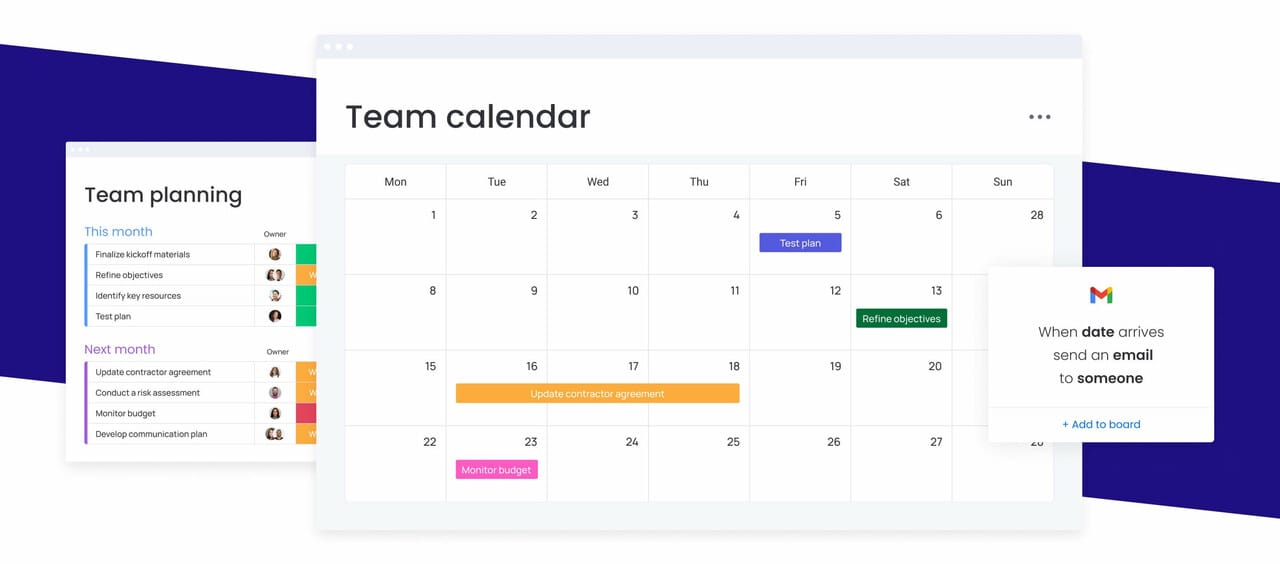
A work calendar shouldn’t operate on its own. It should reflect what’s happening across your projects, conversations, and time tracking systems in real time. When schedules are disconnected from the tools teams use every day, inconsistencies creep in fast.
Strong calendar integration connects three critical layers of execution: project plans, communication tools, and time tracking data. Together, these integrations turn a calendar from a static planning view into a live coordination system that updates automatically as work progresses.
Here’s how those connections work in practice:
Project management integration
Project management integration synchronizes calendar milestones with project plans, ensuring that when managers adjust timelines in project platforms, calendars update automatically. This integration eliminates divergence between calendars and project plans while ensuring stakeholders viewing either system see consistent information.
Integration capabilities include:
- Bidirectional synchronization: Changes in either system update the other automatically.
- Dependency mapping: Task relationships visible in both calendar and project views.
- Resource allocation syncing: Team assignments consistent across platforms.
- Status updates: project progress triggering calendar changes automatically.
Email and communication tools
Email integration streamlines meeting scheduling by connecting calendar availability with communication workflows, while meeting invitations create calendar entries automatically. Communication platform integration shows availability in messaging tools for seamless coordination.
Integration features include:
- Automatic entry creation: Meeting invitations generating calendar events.
- Availability display: Real-time status in messaging platforms.
- Quick scheduling: Meeting time proposals from chat conversations.
- Link attachment: Meeting access information automatically added to calendar entries.
These integrations reduce scheduling overhead and ensure schedule changes reach participants through their preferred communication channels.
Time tracking systems
Time tracking integration connects schedules with actual time spent on activities, providing accurate project costing and utilization data. This integration enables organizations to compare planned versus actual time investment for better future planning.
Integration capabilities include:
- Automatic time capture: Calendar entries triggering time tracking.
- Variance reporting: Scheduled versus actual time comparisons.
- Project costing: Time data combined with resource assignments for accurate billing.
- Capacity planning: Historical data informing future resource allocation decisions.
How to manage complex schedules and shift patterns
Managing complex schedules means juggling rotating shifts, multiple locations, and changing demand without losing visibility or fairness. These scenarios require a solution that can balance competing constraints while keeping teams properly staffed and workloads sustainable.
Platforms built for complex scheduling help organizations manage these challenges consistently, without relying on manual workarounds or last-minute fixes.
Rotating shift calendars
Rotating shift calendars manage 24/7 operations by distributing shifts fairly while ensuring adequate coverage. These calendars implement rotation patterns balancing workload and complying with regulations while maintaining operational continuity.
Common rotation patterns include:
- two-two-three schedules: Two days on, two days off, three days on pattern.
- four-on-four-off schedules: Four consecutive days followed by four days off.
- DuPont schedules: Complex rotation providing consistent coverage.
- Pitman schedules: Two-week rotation with alternating patterns.
Rotating calendars track employee shifts, manage swap requests, and ensure minimum staffing while accounting for skill requirements and seniority considerations.
Multi-location scheduling
Multi-location scheduling coordinates work across time zones and physical locations while displaying local times prominently and identifying collaboration opportunities. These calendars help distributed teams work effectively despite geographic separation.
Multi-location features include:
- Local time display: Clear visibility of times in relevant zones.
- Overlap identification: Working hour coordination for cross-location meetings.
- Travel integration: Trip schedules connected to location-based calendars.
- Resource coordination: Equipment and facility booking across multiple sites.
Capacity planning tools
Capacity planning tools forecast future resource needs based on anticipated demand while analyzing historical data and projected workload to identify when additional capacity is needed. These tools support strategic workforce planning decisions.
Planning features include:
- Demand forecasting: Predictive models for future resource requirements.
- Scenario modeling: What-if analysis for different growth scenarios.
- Gap analysis: Identification of capacity shortfalls before they impact operations.
- Hiring timeline planning: Lead time considerations for recruitment and training.
Organizations use these tools for informed decisions about hiring and project prioritization based on realistic capacity assessments.
AI-powered calendar management for 2026
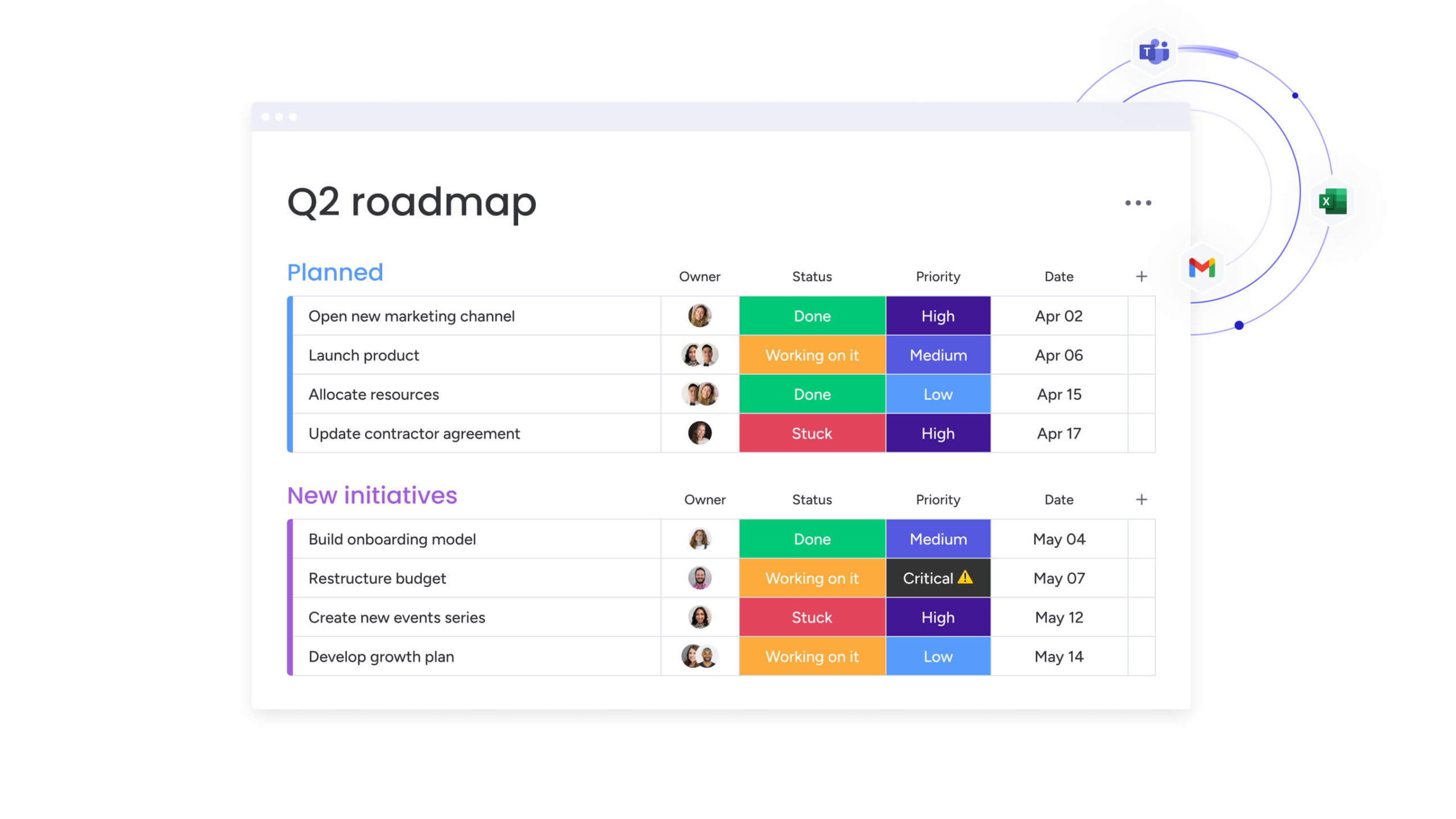
AI changes the role of your calendar. Instead of simply displaying commitments, it actively helps shape them. Patterns that are hard to spot manually become visible. Scheduling tradeoffs that would take hours to weigh get resolved in seconds.
This shift shows up in three core areas: schedule optimization, predictive resource planning, and intelligent conflict resolution. Together, these capabilities turn a calendar into a system that supports better decisions, not just better organization.
Automated schedule optimization
AI optimization analyzes availability, priorities, and constraints to suggest arrangements maximizing productivity. With 88% of organizations now using AI in at least one function, these systems consider factors beyond simple availability.
AI in 2026 can identify meeting patterns leading to successful outcomes and propose optimal sequencing for maximum effectiveness. It considers individual preferences, team dynamics, and historical performance data to create schedules that support both productivity and satisfaction.
Organizations using monday work management can leverage AI Blocks that categorize calendar entries, extract information from meeting notes, and analyze patterns to surface optimization opportunities. These features work within existing workflows, enhancing functionality without requiring separate tools.
Predictive resource planning
Predictive planning forecasts resource needs based on project patterns and growth trajectories while analyzing how long work typically takes and which skills are required. These systems help organizations stay ahead of capacity constraints through data-driven planning.
Predictive models include:
- Capacity constraint identification: Leading indicators of resource shortages.
- Skill demand forecasting: Anticipation of high-demand capabilities.
- Seasonal pattern analysis: Cyclical resource requirement identification.
- Project complexity assessment: Resource needs beyond initial estimates.
In this instance, the AI analyzes seasonal patterns and identifies projects requiring more resources than initially estimated, enabling proactive adjustments to timelines and resource allocation.
Smart conflict resolution
AI conflict resolution identifies scheduling conflicts and suggests ranked solutions while analyzing possible resolutions and recommending approaches that minimize disruption. When conflicts occur, the AI considers multiple factors to propose optimal solutions.
Smart resolution considers:
- Timeline impact: How different options affect project schedules.
- Alternative availability: What other options exist for conflicted resources.
- Priority assessment: Which activities should take precedence.
- Historical effectiveness: What approaches have worked in similar situations.

Unify planning and execution with an integrated work calendar
Most calendars stop at scheduling. monday work management goes further by connecting time, work, and outcomes in one place.
Instead of treating meetings and deadlines as isolated events, monday work management links calendar activity directly to projects, resources, and priorities. Teams can see not just when something happens, but why it matters and what it moves forward.
Calendar views stay in sync with boards, timelines, and workloads, so when plans change, schedules update automatically. This shared visibility helps teams adjust faster, avoid conflicts, and stay aligned as work evolves.
With monday work management, scheduling becomes part of execution. Meetings trigger action, timelines reflect real capacity, and teams always know how their time supports delivery.
The result is clearer ownership, fewer surprises, and work that moves forward with confidence rather than constant coordination.
Frequently asked questions
What is the best calendar to use for work?
The best work calendar offers multiple view options, real-time collaboration, resource management capabilities, and integration with existing tools. monday work management provides comprehensive calendar functionality integrated with project management and automation capabilities.
What is a 5 2 5 3 shift pattern?
A five two five three shift pattern is a rotating schedule where employees work five days, have two days off, work five days, then have three days off in a 15-day cycle. This pattern provides regular long weekends while maintaining consistent coverage.
Can I create a work calendar for free?
Free options exist including basic templates and limited-feature tools, but they typically lack advanced capabilities like resource management and automation. Organizations with complex scheduling benefit from dedicated work management platforms.
How do I share a work calendar with my team?
Most platforms offer sharing through email invitations or direct links with configurable permission levels. Set appropriate access based on roles and ensure team members understand how to access and update shared calendars.
What's the difference between a work calendar and project calendar?
Work calendars manage general organizational scheduling including meetings and resource allocation across all activities. Project calendars focus specifically on project timelines, milestones, and deliverables as subsets of broader work calendars.
How do I integrate my work calendar with other tools?
Calendar integration typically occurs through native platform connections, API integrations, or third-party services. Check whether your calendar platform offers direct integrations with your project management, email, and communication tools.

 Get started