

Trello boards feel perfect for early projects. They are simple, visual, and instantly understandable. However, once you are managing 15 boards across multiple teams, the cracks begin to show. Visibility fades, reporting becomes manual, and scalability turns into a challenge.
Choosing the right work management platform is about understanding how each platform’s architecture supports growth, handles complexity, and connects teams. While Trello prioritizes simplicity and Smartsheet centers on structured data, monday work management operates as a Work OS that bridges usability with enterprise capability.
The following sections present comparision of Trello, Smartsheet, and monday work management across automation, portfolio management, AI capabilities, pricing, implementation speed, and security. You will see how each platform performs as teams scale from small groups to enterprise environments, and which solution best supports long-term growth.
Key takeaways
- Choose platforms based on your team size and complexity needs: Trello works for small teams under 50 users, while organizations with 100+ employees need enterprise-grade solutions that connect departments.
- Work OS architecture scales with your organization: solutions like monday work management let you build custom workflows without coding, connect departments in real-time, and manage everything from projects to business operations in one platform.
- AI capabilities separate modern platforms from basic project management: look for platforms that use AI to optimize resources, predict risks, and automate complex decisions.
- Implementation speed directly impacts your return on investment: platforms requiring 6+ weeks of setup often fail adoption, while solutions deploying in 2-4 weeks let teams start seeing value immediately.
- Total cost of ownership includes hidden expenses beyond subscription fees: factor in training time, third-party add-ons, and integration costs when comparing platforms and not just monthly per-user pricing.
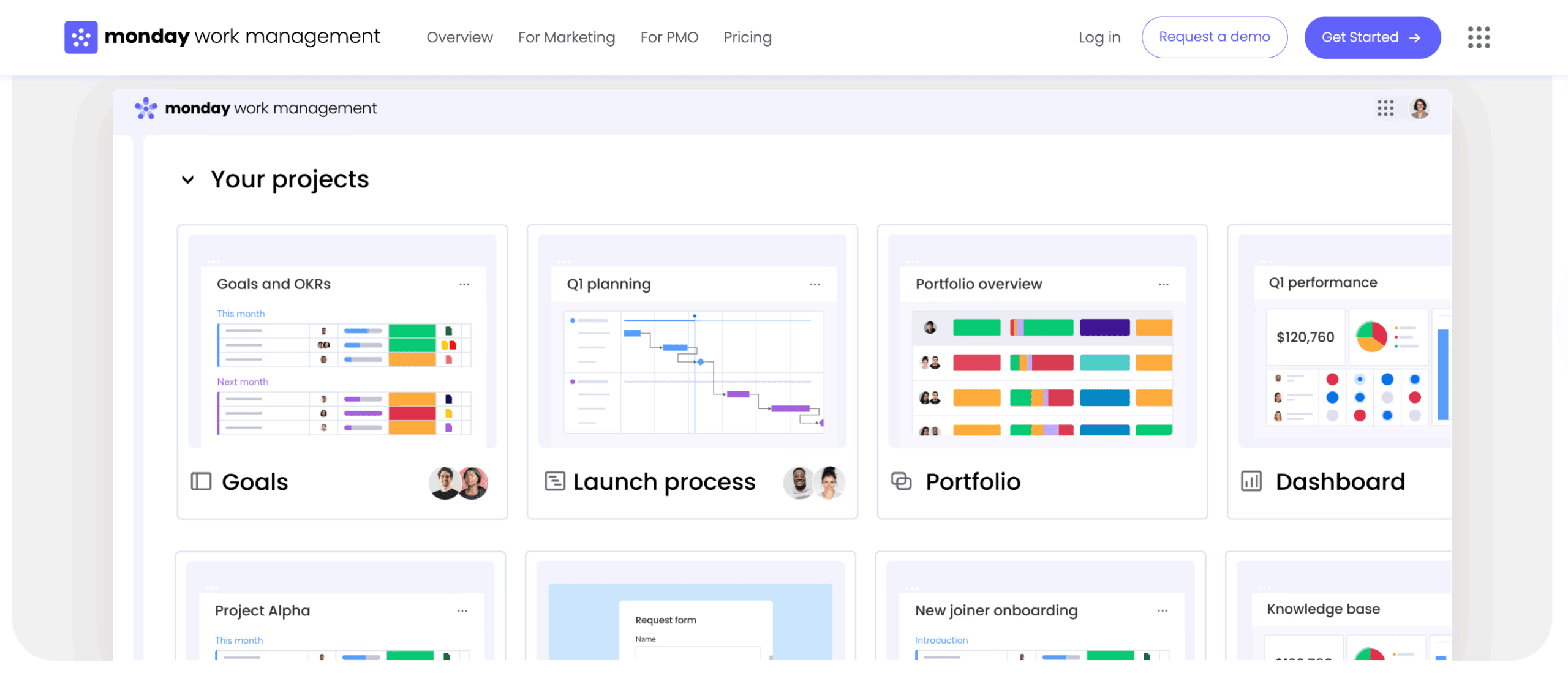
What sets these platforms apart for growing teams?
Every platform is built with a specific philosophy that shapes how teams work. Trello started as a digital sticky note board, prioritizing visual simplicity for small, linear workflows. Smartsheet took the spreadsheet and made it collaborative, appealing to operations teams comfortable with Excel.
Advanced platforms like monday work management operate as a Work OS: a flexible environment where teams build custom workflows that connect departments across an entire organization.
These core differences determine how well each platform scales.
- Trello: excels at getting small teams started quickly, its architecture struggles with complex portfolio management.
- Smartsheet: provides the structured data environment mid-sized teams need but often faces adoption challenges among creative and non-technical users.
- monday work management: by pairing visual simplicity with the power enterprises need, it bridges these gaps, supporting organizations from 100 to 10,000+ employees.
| Platform | Core philosophy | Ideal team size | Primary strength |
|---|---|---|---|
| Trello | Visual Kanban simplicity | 5-50 users | Instant usability and adoption |
| Smartsheet | Spreadsheet-based structure | 50-500 users | Familiarity for Excel users |
| monday work management | Work OS flexibility | 100+ users | Cross-departmental customization at scale |
Understanding Trello's simplicity and scale limitations
Trello reduces friction for small teams starting new projects, though many organizations eventually explore Trello alternatives as they scale. Its card-and-column interface needs no training, perfect for ad-hoc tasks, but its simplicity limits scalability.
When boards exceed 50 cards or teams span multiple departments, the lack of hierarchy turns visibility into clutter. Organizations typically hit a “Trello Wall” when they attempt portfolio management rather than single projects, which is why many teams evaluate Trello vs monday.com for enterprise-scale needs.
These limitations surface as teams scale beyond small, single-project workflows:
- Limited reporting capabilities: native reporting offers basic card counts but lacks the advanced analytics required for resource forecasting, budget tracking, or cross-project KPI monitoring.
- Minimal automation options: butler automations handle basic “if this, then that” rules within a board but lack the logic branches and cross-board triggers necessary for enterprise-grade process orchestration.
- Kanban-only view limitations: complex projects often require Gantt charts, workload views, or list views to manage dependencies and timelines effectively.
- Integration constraints: while Trello integrates with other platforms for simple notifications, its API flexibility is limited when building deep, bi-directional data syncs.
Compare more: Trello vs Wrike vs monday work management
Smartsheet's spreadsheet foundation for structured growth
Smartsheet leverages the universal language of business: the spreadsheet, though teams often compare monday.com vs Smartsheet when evaluating which platform better supports their growth trajectory.
For teams transitioning from Excel or Google Sheets, the interface feels immediately familiar, which accelerates initial data migration and adoption for operations, finance, and PMOs. But this grid-centric design creates barriers for teams that don’t think in rows and columns.
Creative teams, product developers, and marketing departments often find the interface rigid and uninspiring, leading to fragmented adoption where only half the organization uses the platform effectively.
These capabilities make it work well for teams with specific needs:
- Advanced reporting and dashboards: strong built-in analytics allow users to compile data from multiple sheets into executive dashboards.
- Resource management add-ons: dedicated features for capacity planning and allocation help managers view availability across teams.
- Gantt chart functionality: the platform translates grid data into competent Gantt charts for traditional waterfall project management.
- Workflow automation: users can build form-based request management systems and set up row-based automations.
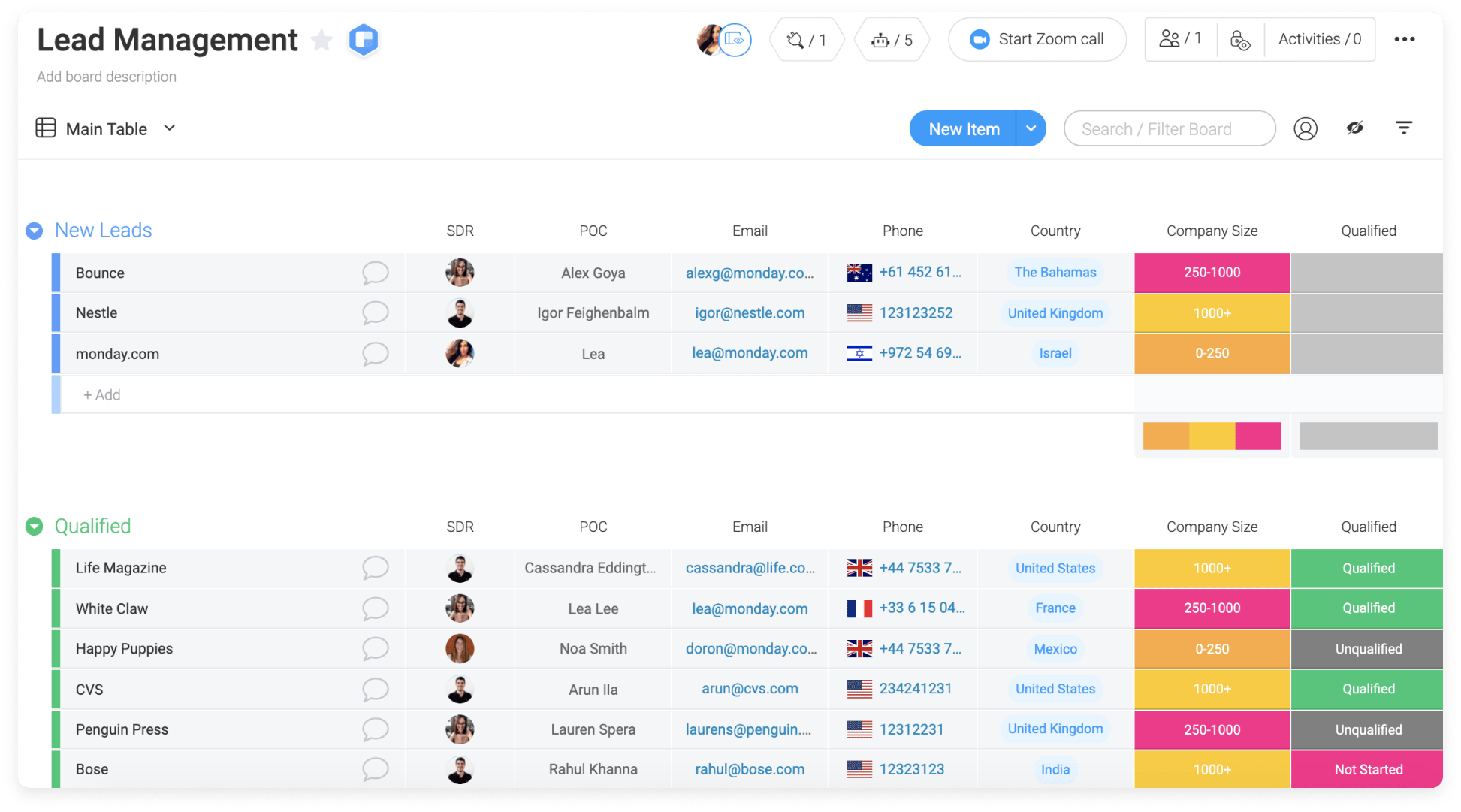
monday work management's Work OS built for scale
Unlike traditional project management platforms, monday work management functions as a Work OS. It provides modular building blocks that let users create custom workflows, dashboards, and automations without writing code.
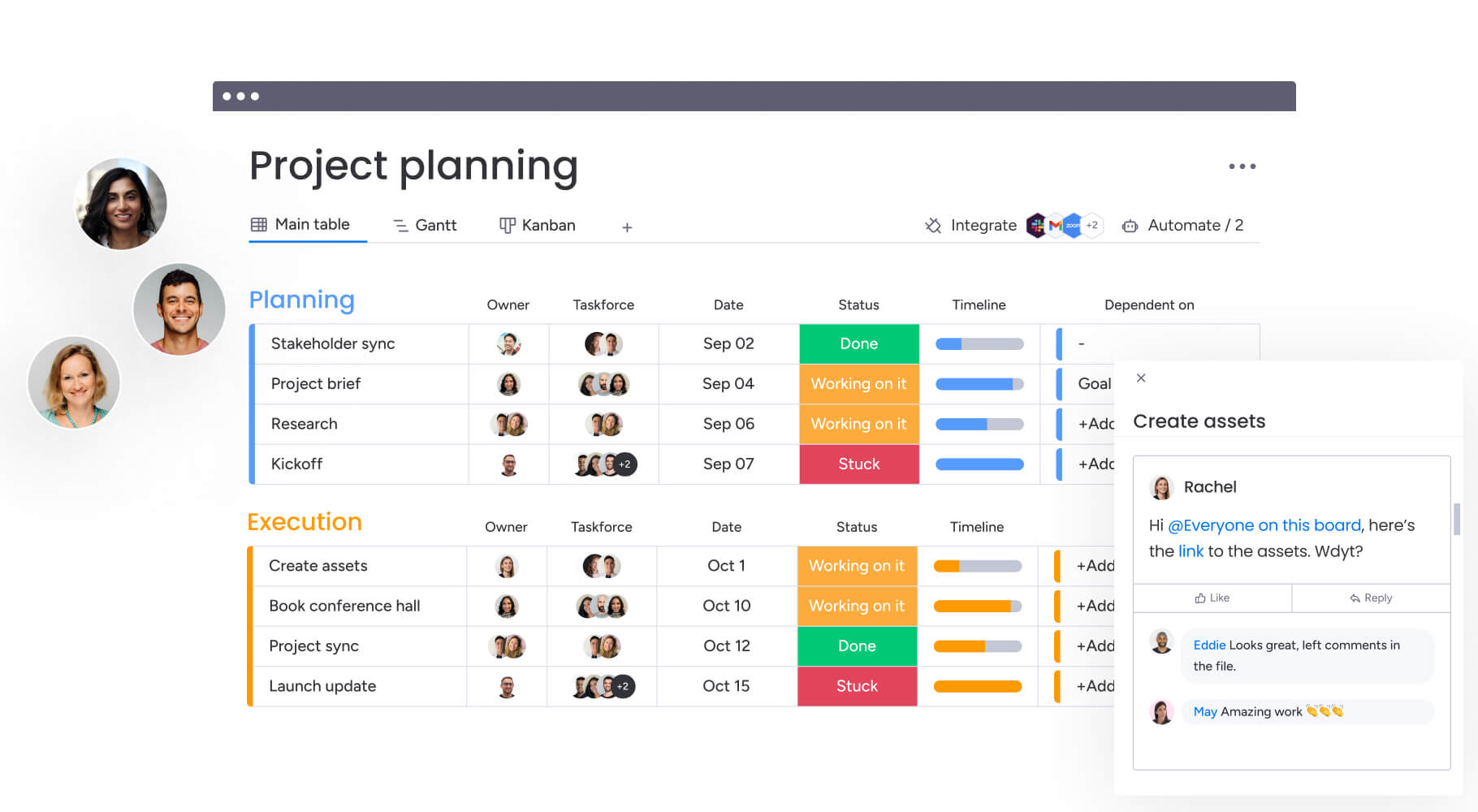
A marketing team can manage campaigns on a creative board while finance tracks budgets on a high-level dashboard, all connected in real time. Changes in one workflow automatically update the other, eliminating status meetings and manual data entry.
The platform addresses enterprise-scale challenges with:
- Cross-departmental workflow engine: the platform connects processes beyond project boundaries, seamlessly handing off work between departments.
- No-code customization capabilities: teams build complex workflows tailored to their exact needs using drag-and-drop columns, views, and automations.
- Scalable architecture: the infrastructure supports large concurrent user bases with enterprise-grade performance.
- Portfolio management: organizations see the big picture and detect bottlenecks by pulling data from all projects into one high-level view.
Feature comparison across growing organizations
Real feature comparison goes beyond checklists to reveal business impact. Features that work for ten users often fail at a thousand, so it’s essential to see how platforms handle automation, portfolio management, and resource allocation across hundreds of projects.
Automation capabilities comparison
Automation shows you how much manual work you can cut. Each platform approaches automation differently, with varying levels of complexity and capability.
| Feature | Trello | Smartsheet | monday work management |
|---|---|---|---|
| Basic automations | Butler rules (limited runs) | Workflow automation (row-based) | 200+ pre-built automation recipes |
| Cross-board workflows | Limited functionality | Moderate (requires linking) | Advanced (multi-board mirroring) |
| AI-powered automation | None | Limited text generation | AI Blocks and Digital Workforce integration |
Portfolio management for 100+ projects
Managing multiple projects simultaneously reveals what each platform can actually do. Trello offers no native high-level overview, requiring manual aggregation or third-party tools.
Smartsheet uses Control Center to aggregate sheets, which provides power but requires significant setup and maintenance compared to simpler solutions explored in Smartsheet vs Trello comparisons.
High-level dashboards in monday work management pull data from dozens of boards instantly, allowing executives to drill down from portfolio view to specific status in seconds.
Real-time analytics and reporting
Analytics determine how fast teams can make smart decisions. Smartsheet offers strong tabular reporting but can be visually static. Dynamic, widget-based dashboards in monday work management visualize data through charts, battery meters, and numbers, offering real-time insights into team performance and project health without manual refreshing.
Resource management capabilities
Resource allocation becomes critical as organizations scale, requiring robust task management software that provides visibility across departments. Here’s how each platform handles this:
- Trello: requires third-party power-ups for any resource tracking.
- Smartsheet: offers Resource Management (formerly 10,000ft) which is robust but operates somewhat separately from the core grid.
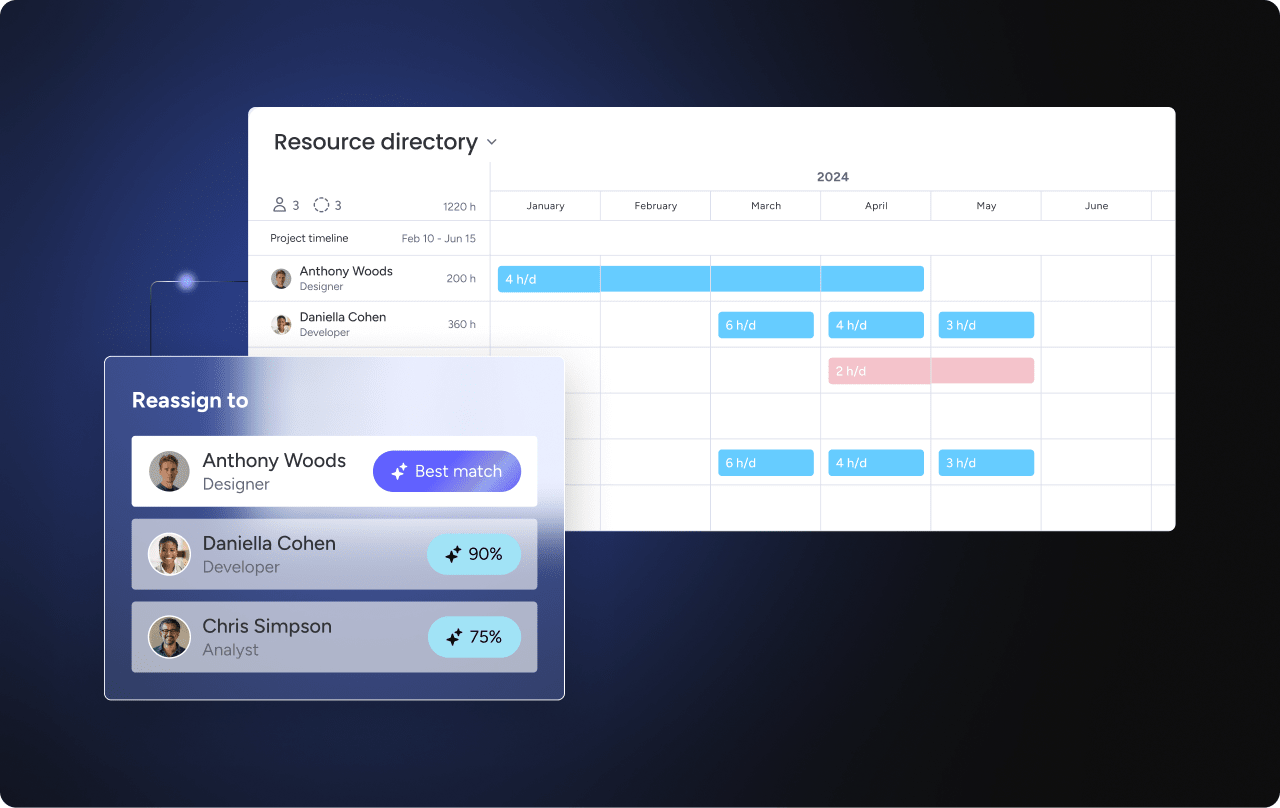
- monday work management: features native Workload View that visualizes capacity across all projects, allowing managers to reassign work based on real-time availability.
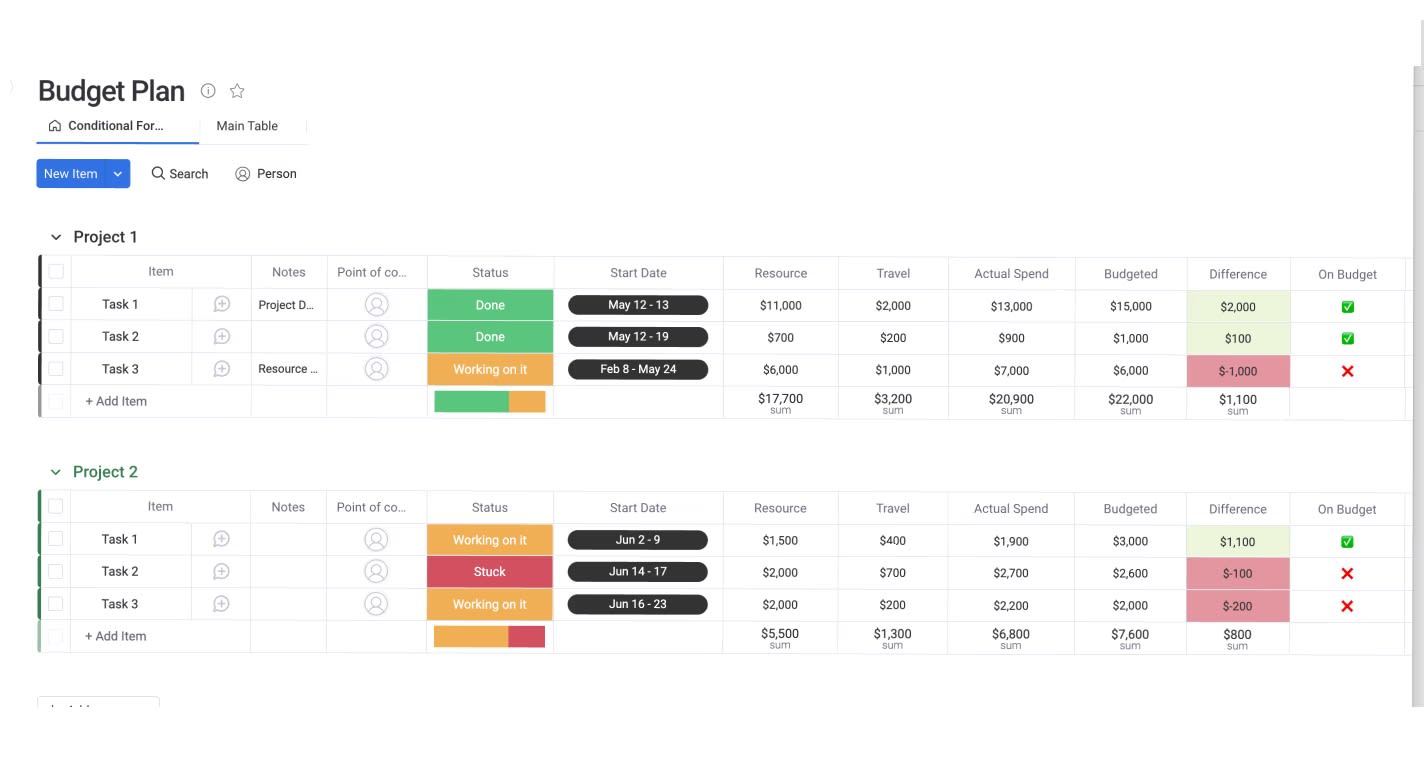
Pricing that scales from startup to enterprise
Real cost evaluation means looking at Total Cost of Ownership (TCO): licensing, implementation, training, and third-party add-ons needed to fill feature gaps. See how costs scale with team size so you can budget accurately.
| Team size | Trello | Smartsheet | monday work management |
|---|---|---|---|
| 10 users | Low cost (free tier viable) | Moderate cost | Moderate cost |
| 50 users | Moderate (requires Premium) | High (requires Business) | Moderate (Standard/Pro) |
| 100+ users | High (Enterprise required) | High (Enterprise + add-ons) | Scalable Enterprise pricing |
Beyond subscription fees, these factors impact what you’ll actually pay:
- Setup complexity: Trello deploys instantly while Smartsheet often requires weeks of configuration or external consultants.
- Training requirements: Trello requires almost no training, Smartsheet has a steep learning curve for non-Excel users, and monday work management balances depth with usability.
- Hidden costs: Trello often requires paid Power-Ups, Smartsheet may need additional purchases for premium apps, while monday work management includes most enterprise capabilities within core tiers.
AI and automation for scalable workflows
AI in work management now drives operations, not just generates text. Each platform integrates AI differently. That determines whether you can proactively manage risk, optimize resources, and automate complex decisions.
As enterprise AI adoption accelerates, with platforms like GSA’s USAi offering six-month trials through June 2026 that include $25,000 in model-usage tokens under FISMA Moderate security standards, the need for AI-integrated work management becomes increasingly critical.
AI integrates directly into workflows through three distinct approaches in monday work management that transform how teams work:
- AI blocks: automatically categorize incoming feedback, summarize long documents into action items, and extract specific data points from emails to populate board columns.
- Product Power-ups: the platform utilizes AI to identify risks in project portfolios before they become critical and suggests resource allocations based on historical performance data.
- Digital Workforce: advanced capabilities include the Project Analyzer and other Digital Workers that monitor project health, flag bottlenecks, and proactively suggest fixes.
While Trello and Smartsheet use AI for content generation, such as writing formulas, monday work management provides agentic AI capabilities that actively manage work, reducing the need for users to manually trigger decisions
Integration ecosystems that connect everything
A scalable platform must act as a central digital workspace, not a walled garden, which is why evaluating project management software integration capabilities is critical for enterprise success. Consider how well each platform connects to your existing tech stack.
For example, monday work management offers comprehensive integration capabilities that go beyond simple notifications:
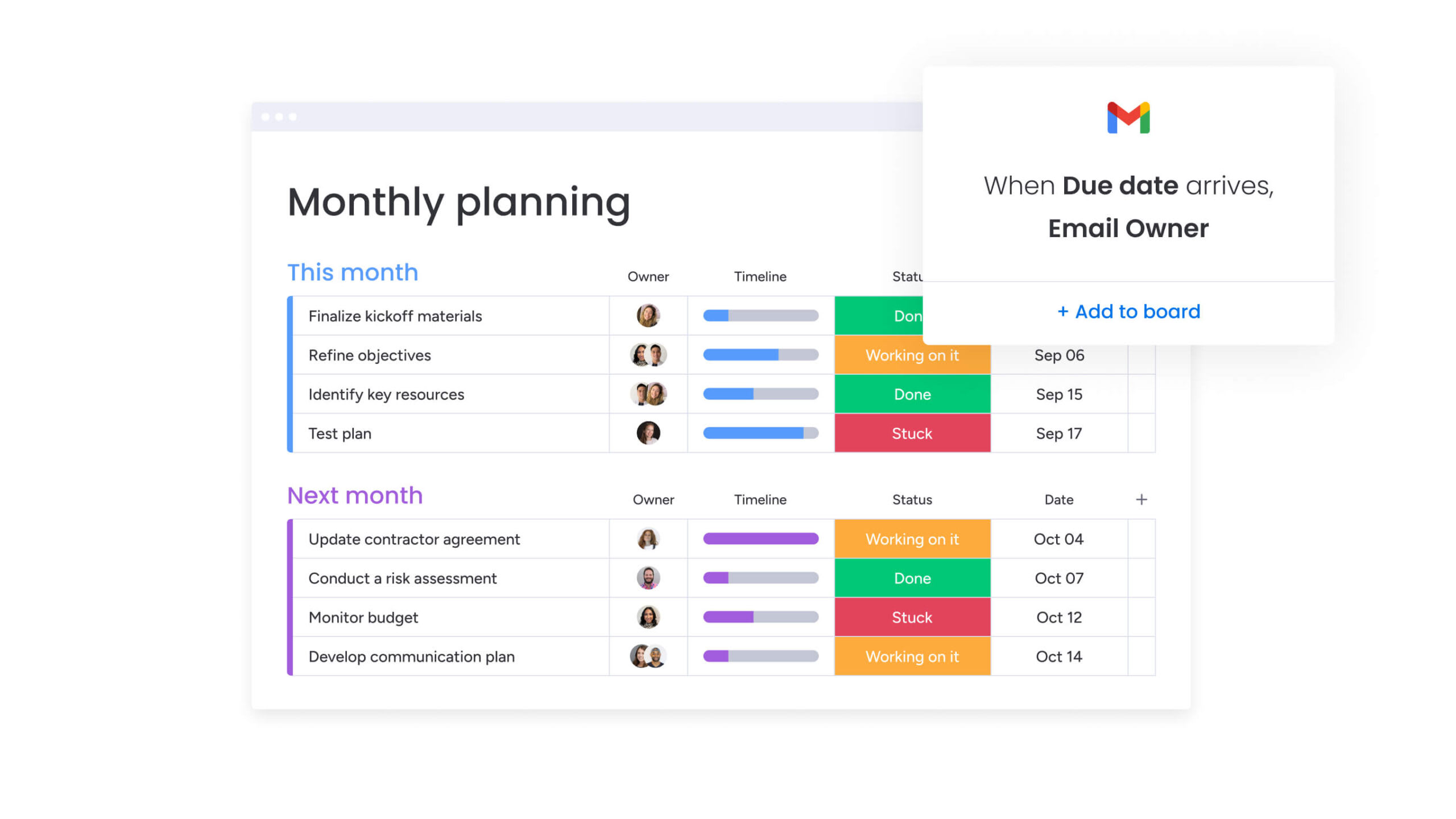
- Native integrations: 200+ native integrations with platforms like Salesforce, Jira, GitHub, and Slack allow bi-directional syncing.
- API flexibility: the open API allows developers to build custom widgets and deep connections to proprietary legacy systems.
- Data flow capabilities: the platform pulls data from fragmented systems into a unified view, reducing the need to toggle between different applications.
- Consolidation potential: by replicating functionality of standalone platforms within the Work OS, organizations significantly reduce software sprawl.
Real implementation timelines and user adoption
The platform only works if teams actually use it. Deployment speed and adoption rates vary significantly between platforms, so you should plan your implementation carefully.
2-week vs 6-week deployment reality
Implementation timelines show you how fast you’ll see ROI. Trello deploys instantly but often leads to board sprawl requiring cleanup later, prompting many teams to research Trello alternatives with better organizational hierarchy.
Smartsheet deployments often stretch to six to eight weeks due to structural planning and formula validation needs.
Functional deployment within two to four weeks is typical with monday work management, as teams can start with templates and iterate processes in real-time.
User adoption rates and satisfaction scores
Teams only get ROI when they actually adopt the platform. Consistently ranking highest in user adoption on review sites like G2, monday work management mimics consumer-grade apps people use in their personal lives. The interface is colorful, responsive, and satisfying to use.
Smartsheet struggles with adoption outside data-heavy roles, while Trello maintains high adoption but low utility for complex work, highlighting why organizations need task management software that balances usability with depth.
Change management requirements
Each platform requires also different levels of change management:
- Trello: low change management as users intuitively understand the interface.
- Smartsheet: high change management requiring training on cell links and formulas.
- monday work management: moderate change management focused on process improvement rather than software training.
Enterprise security and compliance standards
For organizations with 100+ employees, security is essential, and each platform handles enterprise security differently, as shown in the table below.
| Security feature | Trello | Smartsheet | monday work management |
|---|---|---|---|
| SOC 2 compliance | Type II | Type II | Type II |
| HIPAA compliance | Available (Enterprise) | Available (Enterprise) | Available (Enterprise) |
| GDPR compliance | Yes | Yes | Yes |
| Multi-level permissions | Board/Workspace level | Sheet/Workspace level | Granular (Column/Item level) |
| Audit trails | Basic activity log | Detailed sheet history | Comprehensive 1-year audit log |
| Data governance | Limited | Strong | Advanced (Enterprise Shield) |
All three platforms meet basic compliance requirements, but monday work management offers granular permissions down to the column level. This allows companies to share project boards with contractors while keeping budget columns invisible: a nuance that Trello cannot handle and Smartsheet manages with complexity.
Choosing the right platform for your growth stage
Know your organization’s current stage and growth trajectory, as this determines the platform that fits best.
- Startup and small teams (5-25 users): Trello works well here. With fluid processes and co-located or small remote teams, visual simplicity keeps work moving without extra overhead. Watch for limits like dependency tracking or cross-board reporting.
- Mid-size organizations (25-100 users): this is the pivot point. Finance- or operations-heavy teams benefit from Smartsheet’s structured grid, while cross-functional teams in marketing, sales, and product gain from monday work management’s flexible, no-code workflows.
- Enterprise readiness (100+ users): at this scale, isolated platforms trap data in silos. Organizations need a Work OS with cross-departmental automation, advanced resource management, and real-time executive dashboards.

“monday.com has been a life-changer. It gives us transparency, accountability, and a centralized place to manage projects across the globe".
Kendra Seier | Project Manager
“monday.com is the link that holds our business together — connecting our support office and stores with the visibility to move fast, stay consistent, and understand the impact on revenue.”
Duncan McHugh | Chief Operations OfficerBuilding your work management foundation for sustainable growth
Connect projects across departments and give leaders real-time insights into portfolio health. AI-powered allocation analyzes skills, availability, and workload to recommend the right person for the job.
Strategy connects directly to execution through Goals and OKRs, ensuring every team member understands how their daily work contributes to company objectives.
The platform handles every type of work management need:
- Project management: advanced Gantt charts with critical path analysis, dependency management, and milestone tracking.
- Business operations: standardized workflows handle everything from operational planning to supply chain management.
- Process management: automated workflows connect people to information in real-time, reducing bottlenecks.
- Requests and approvals: intake forms and multi-stakeholder approval processes eliminate email ping-pong.
| Capability | Trello | Smartsheet | monday work management |
|---|---|---|---|
| Cross-departmental workflows | Limited | Moderate | Advanced Work OS |
| AI-powered automation | None | Basic | AI Blocks + Digital Workforce |
| Portfolio risk management | Manual | Reports-based | AI-driven insights |
| Resource optimization | None | Basic allocation | AI-powered recommendations |
| Scalability (concurrent users) | <50 optimal | <500 optimal | 1000+ enterprise-ready |
Frequently asked questions
How do I migrate from Trello to a more scalable work management platform?
To migrate from Trello to a more scalable work management platform, you can export your boards to CSV/JSON and import them into the new platform. For a seamless transition, a one-click import feature in monday work management automatically converts Trello boards, lists, and cards into boards, groups, and items while preserving data integrity.
Which work management platform offers the most advanced AI and automation features?
The most advanced AI and automation features come from monday work management's three-pillar approach: AI blocks for task-level assistance, Product Power-ups for strategic insights, and Digital Workforce that acts as intelligent agents to monitor and optimize workflows.
Can these work management platforms handle 1000+ concurrent users effectively?
Trello and Smartsheet often experience performance degradation at this scale. Built on enterprise-grade architecture, monday work management is designed to support large concurrent user bases with high performance and granular permissions.
What's the typical implementation timeline for each work management platform?
Trello implements in days but lacks depth. Smartsheet often requires six to twelve weeks for complex enterprise setups. Full implementation with monday work management typically takes two to four weeks.
How do hidden costs compare beyond basic subscription fees?
Trello requires paid Power-Ups for essential features. Smartsheet may necessitate expensive add-ons like Control Center. Comprehensive features are included in monday work management's core enterprise tiers.
Which platform has the highest user adoption rate in enterprise environments?
Consistently recognized by G2 and other review platforms for highest user adoption and usability, monday work management's intuitive interface reduces the intimidation factor of complex software.

 Get started