

The work management market is crowded, with Trello offering simplicity, ClickUp focusing on feature density, and monday work management serving as a business operating system. Choosing the right one depends on which platform truly aligns with your specific operational needs.
Your choice impacts collaboration, visibility, and growth. While simple Kanban boards suit creative teams, they often fall short for complex portfolios; conversely, overly dense platforms can overwhelm those seeking basic tracking. Therefore, the ideal solution must match your organization’s actual workflow rather than just fixing temporary pain points.
The following comparison evaluates Trello, ClickUp, and monday work management on design, scalability, and fit. We examine pricing, migration, and the AI capabilities driving business decisions in 2026. Moreover, we analyze automation and integration factors to help you select a platform that scales alongside your maturity.
Key takeaways
- Match platform choice to your organization’s growth stage: startups thrive with simple visual boards, while scaling companies need structured workflows that connect strategy to execution across departments.
- Calculate total cost beyond subscription fees: factor in setup time, training requirements, and hidden costs like third-party add-ons that can double your actual platform investment.
- Prioritize AI that drives business decisions, not just content: monday work management’s Portfolio Risk Insights and Digital Workforce agents predict project delays and automate complex processes, moving beyond basic text generation.
- Evaluate cross-functional collaboration needs early: siloed teams can use separate platforms, but organizations requiring seamless handoffs between departments need unified data sharing and automated workflows.
- Plan migration as change management, not just data transfer: successful platform transitions require department champions, pilot programs, and phased rollouts that focus on user benefits rather than feature lists.
Which platform fits your strategy?
Selecting a work management platform is a strategic infrastructure decision, not a simple purchase. 36% rank AI as their top enterprise priority, while another 47% list it in their top three, making your choice critical for operational efficiency. Since different platforms fit different needs, here is a breakdown of who should use what.
Trello fits teams prioritizing visual simplicity
Trello serves as an effective entry point for teams requiring immediate visual organization without architectural complexity. Its Kanban-centric design creates a low barrier to entry for creative services or small departments where linear, stage-based tracking is the primary requirement.
The platform delivers value when adoption speed outweighs the need for structured data or advanced reporting. For organizations with siloed projects and “to-do, doing, done” workflows, it provides a focused, friction-free environment.
However, that simplicity often reaches its limits as team complexity grows.
ClickUp suits organizations needing deep customization
ClickUp targets organizations that require granular control over every aspect of their digital workspace and possess the technical resources to manage it. The platform fits teams that prioritize feature density and are willing to invest significant time in configuration to achieve a highly specific, custom-tailored environment.
This works for technical teams or small companies with someone dedicated to managing ClickUp’s maze of spaces, folders, and lists. The cost? Steep learning curve and constant admin work to keep it from spiraling out of control.
monday work management powers strategic business growth
For mid-to-large teams that need department-wide coordination without complexity, monday work management acts as a central system. High-level planning is translated into measurable results by leveraging advanced portfolio management tools that align every project with the overarching business mission.
The platform addresses the needs of diverse teams within a single, secure environment that promotes visibility.
With capabilities such as AI-powered risk detection and native resource management, it serves leaders who require a high-level view of business health without sacrificing the granular execution teams need daily.
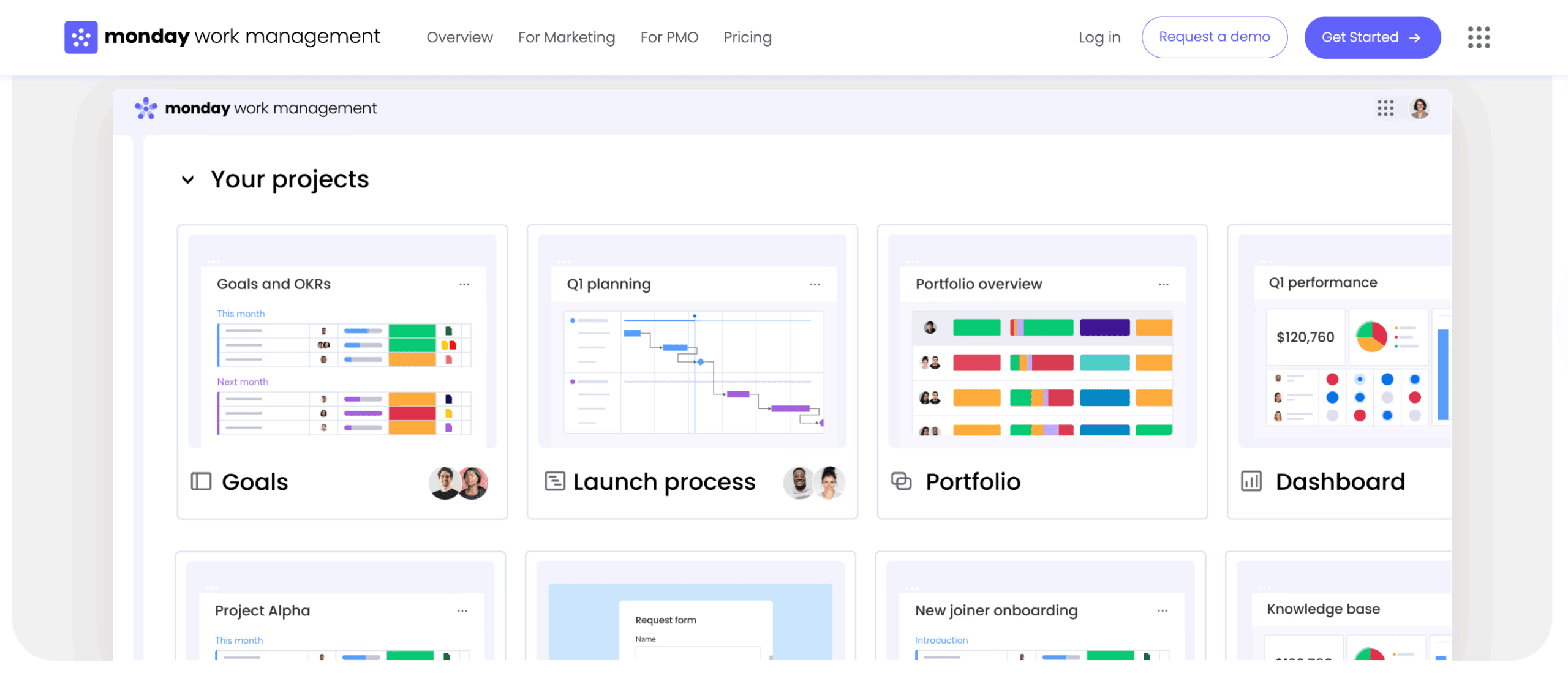
Core differences between Trello and Clickup
To pick the right platform, you must look past individual features and examine how each one conceptualizes work. These architectural differences shape user behavior, organizational outcomes, and long-term scalability.
Fundamental design philosophy
How each platform is built changes how your team works and what you achieve. This matters as it shapes daily work and long-term growth.
- Trello: built on the philosophy of digital card-based visualization. It treats every item as a card on a board, prioritizing tactile, drag-and-drop interaction. This keeps things simple but locks information inside individual boards.
- ClickUp: designed as a “one app to replace them all,” focusing on maximum feature density. Its philosophy relies on infinite customization, allowing users to toggle hundreds of settings. It’s powerful but overwhelming, especially when rolling out to larger teams.
- monday work management: engineered as a visual database with a “low floor, high ceiling.” The core philosophy centers on democratizing work management, making it easy for non-technical users to build complex workflows while providing enterprise-grade structure, automation, and data connectivity in the background.
Ideal organization profile
Successful platform selection requires alignment with your organization’s structure and operational scale. Solutions that serve small teams effectively often lack the capabilities required by larger enterprises, and enterprise-grade platforms may introduce unnecessary complexity for smaller organizations.
| Profile dimension | Trello | ClickUp | monday work management |
|---|---|---|---|
| Team size | Under 50 employees | 20–100 employees | 100+ employees |
| Workflow complexity | Simple, linear processes | Niche, technical workflows | Complex, cross-departmental |
| Technical resources | Minimal IT oversight | Dedicated "productivity ops" role | Business-led with IT governance |
| Primary need | Quick visual organization | Granular customization | Strategic alignment and visibility |
Growth trajectory support
Scalability determines long-term platform viability. Each platform approaches growth and expansion through distinct architectural strategies.
Trello often hits a “complexity ceiling” where the volume of cards becomes unmanageable, forcing growing teams to seek alternatives. ClickUp scales vertically by adding features, but often struggles horizontally as onboarding new departments increases system complexity and performance drag.
Teams streamline project execution within monday work management through a modular architecture that supports linear and exponential growth.
Organizations can start with simple project tracking and evolve into advanced portfolio management, resource allocation, and automated reporting without migrating data or changing platforms.
Trello: visual project tracking that works
Trello remains a popular choice for visual project tracking. It prioritizes ease of use over complex data. It shines when you need simple and fast over feature-rich.
Where does Trello excel?
Trello delivers specific value in scenarios where process adherence and speed are critical. The platform shines in three key areas that leverage its visual, card-based approach:
- Visual pipeline management: sales teams and recruiters benefit from the tactile movement of cards through stages, providing an instant visual status update without generating reports.
- Creative collaboration: design and content teams utilize the card-cover imagery and simple commenting structure to manage asset approvals and feedback loops efficiently.
- Ad-hoc project coordination: for short-term initiatives like event planning or office moves, Trello allows teams to spin up a board in minutes with zero training required.
Growth limitations to consider
As organizations scale, Trello’s architectural simplicity reveals structural limitations that impact operational efficiency:
The absence of native hierarchy (projects within portfolios) creates challenges when tracking initiatives that span multiple boards. Reporting capabilities require manual data aggregation or third-party power-ups, introducing additional costs and creating fragmented technology ecosystems.
Additionally, the platform’s limited structured data columns restrict the ability to perform calculations, track budgets, or manage resources effectively across teams.
Trello pricing reality check
Trello looks cheap upfront, but costs climb fast as you scale. The reliance on “Power-Ups” to add essential functionality, such as reporting, custom fields, or automation limits, can fragment the billing structure.
Security and unlimited automation? Locked in pricier plans. By then, you’re paying what comprehensive platforms charge—but with less built in.
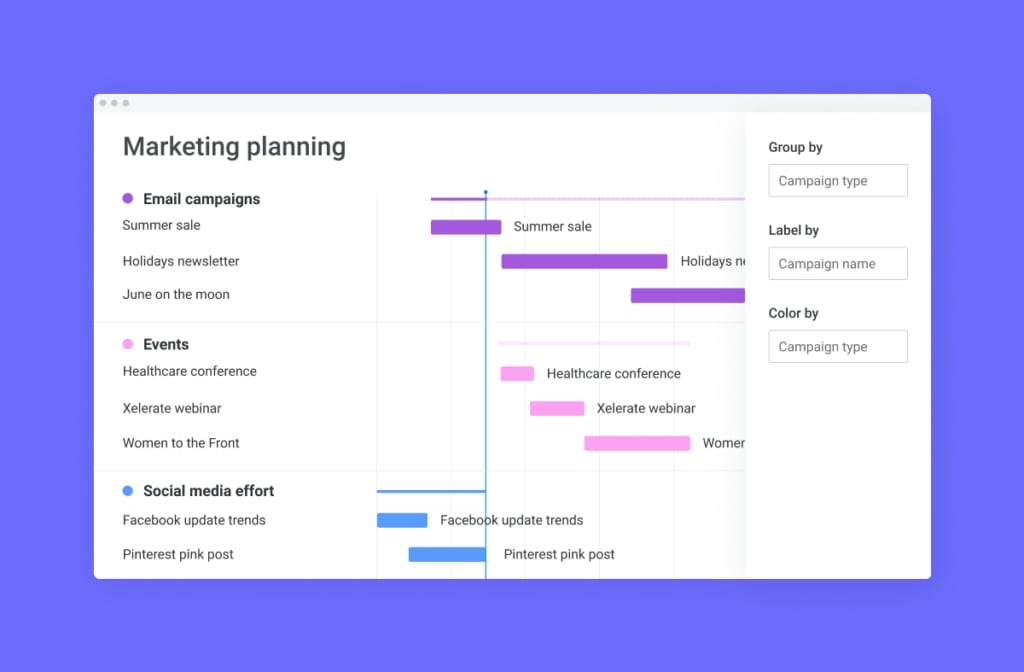
ClickUp: customization without limits
ClickUp offers a sandbox environment for organizations that view work management as a highly technical, configurable discipline. The platform appeals to teams that prioritize control and customization over simplicity and rapid adoption.
ClickUp’s feature depth
ClickUp provides an extensive toolkit for teams that require granular control. The platform’s strength lies in its configurability across multiple dimensions:
- Granular view customization: users can toggle between List, Board, Gantt, and Box views with specific filters for every individual list, allowing for highly specific data visualization.
- Nested hierarchy: the platform allows for deep nesting of spaces, folders, lists, and items, which serves complex technical projects that require multi-layer breakdown structures.
- Native time tracking: built-in time tracking and estimation features support billable-hour business models without requiring external integrations.
Managing complexity at scale
The primary challenge with ClickUp is the significant time and effort required for setup and maintenance. Because almost every feature can be toggled on or off, workspaces often become inconsistent across different teams.
One department might use a complex array of custom statuses and mandatory fields, while another uses a completely different structure, making cross-organizational reporting difficult.
Successful deployment at scale typically requires a dedicated administrator to enforce governance and standardize templates, adding to the operational overhead.
ClickUp investment analysis
ClickUp’s pricing is aggressive, but the investment calculation must include the “time cost” of setup and maintenance. The platform’s steep learning curve necessitates a formal onboarding program, extending the time-to-value.
While the license cost may be competitive, the hidden costs of productivity dips during the learning phase and the ongoing need for system administration can impact the overall ROI for non-technical teams.
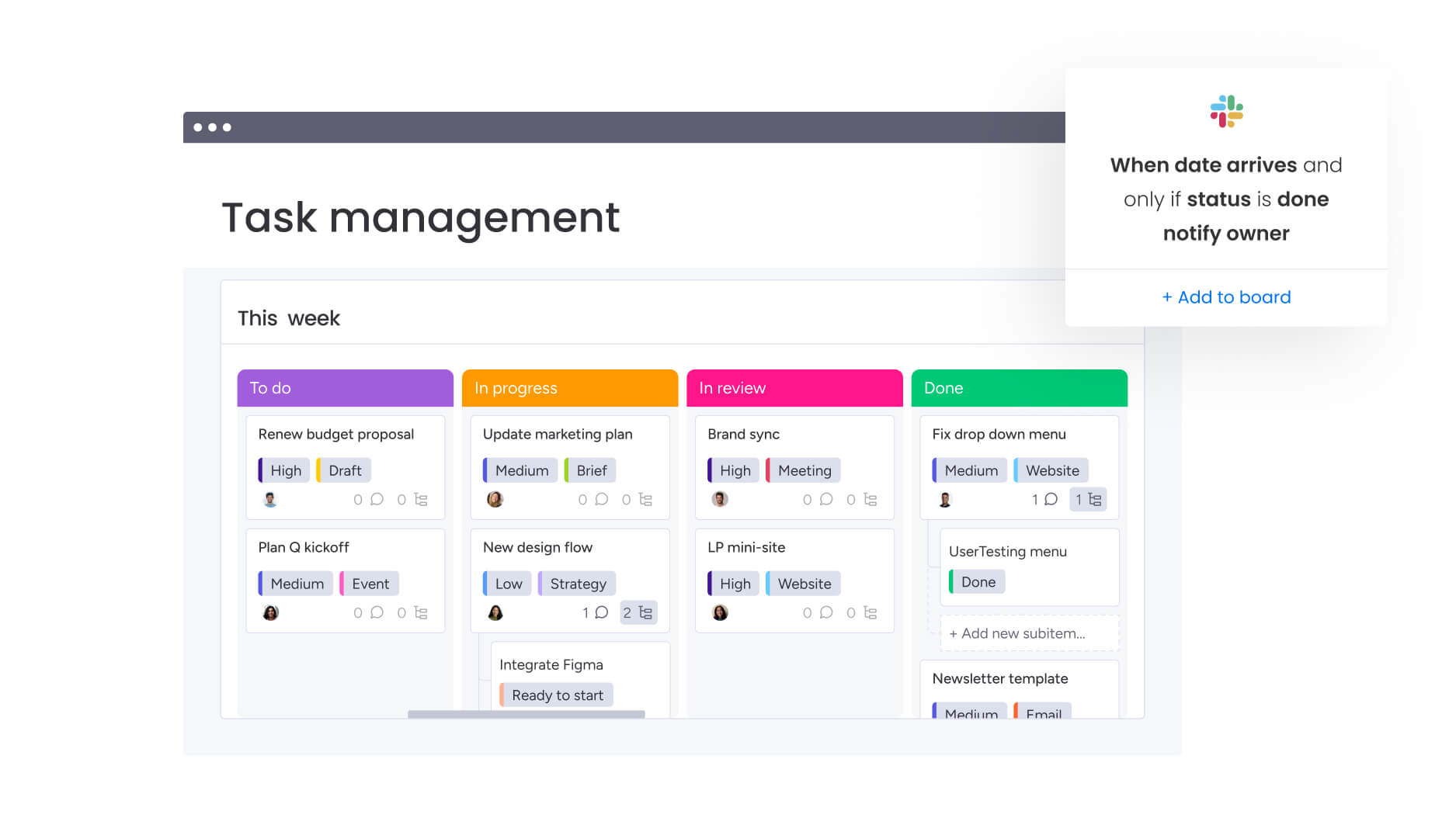
From task management to enterprise work orchestration
By combining the ease of use required for high adoption with the structural depth needed for enterprise operations, monday work management distinguishes itself from competitors.
It functions not just as a project tracker, but as a business operating system that connects strategy, execution, and reporting across the entire organization.
Work orchestration vs task management
The platform elevates operations from simple task completion to comprehensive work orchestration. Organizations gain visibility and alignment using monday work management to track progress against KPIs, manage dependencies between initiatives, and identify bottlenecks at the program level.
Operational goals are bridged with daily performance through monday work management by utilizing the following core pillars:
- Portfolio management: high-level visibility across all active projects, enabling tracking of progress against KPIs, management of dependencies between initiatives, and identification of bottlenecks at the program level.
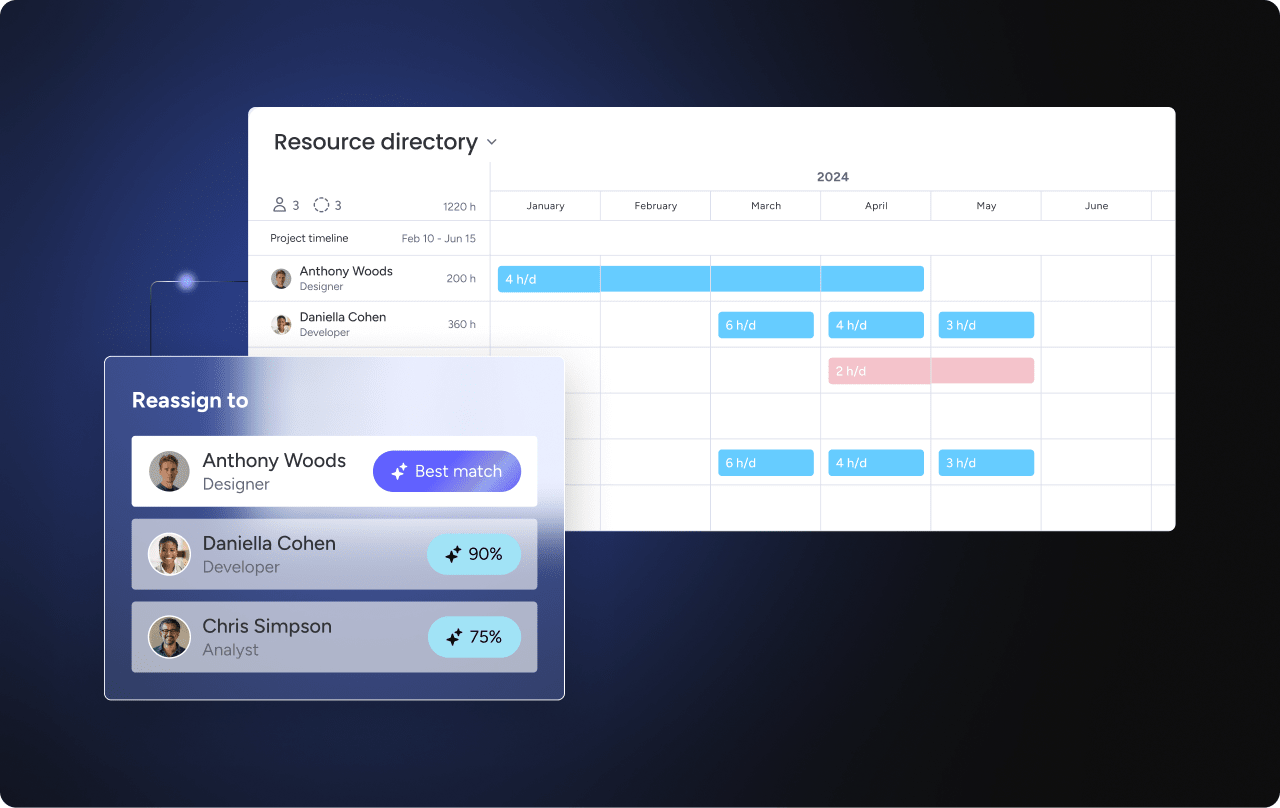
- Resource management: AI-driven insights visualize team capacity and workload. Managers allocate resources based on skills and availability, preventing burnout and ensuring critical projects are staffed appropriately.
- Goals and OKRs: strategy connects directly to execution. High-level company objectives cascade down to individual project boards, ensuring every item contributes to a broader business goal.
- Process automation: cross-functional workflows are standardized through a visual automation builder. Handoffs between departments, such as sales to customer success or marketing to creative, occur automatically, reducing manual coordination and email traffic.
AI-powered strategic insights
Artificial intelligence in monday work management focuses on actionable business intelligence rather than just content generation. Cross-functional teams experience smoother collaboration when they coordinate work within monday work management through AI-powered automation and portfolio insights.
The platform’s AI capabilities address real operational challenges:
- Portfolio Risk Insights: the system proactively analyzes project data across the entire portfolio to identify at-risk initiatives before they derail. It flags potential delays based on historical performance and dependency conflicts.
- AI blocks: teams utilize pre-built AI components to categorize feedback, summarize long threads, and extract actionable items from unstructured data, significantly reducing administrative work.
- Digital Workforce: AI agents handle complex analysis and reporting, acting as virtual team members that can process data and trigger workflows autonomously.
- Resource optimization: AI algorithms suggest optimal resource distribution, helping managers balance workloads dynamically as project timelines shift.
Enterprise flexibility without complexity
Enterprise-grade capabilities meet an intuitive user interface in monday work management. The platform’s “building block” architecture allows teams to construct custom workflows without writing code.
Security is handled through granular, multi-level permissions that control access at the account, workspace, board, and even column level. The ecosystem supports over 200 native integrations, allowing the platform to serve as a central hub that connects data from CRMs, development platforms, and communication apps.
| Capability | Trello | ClickUp | monday work management |
|---|---|---|---|
| Enterprise scalability | Limited by visual structure; difficult to manage 100+ boards | High complexity requires strict governance to scale | Built-in hierarchy and portfolio management scale naturally |
| AI-powered insights | Limited to basic automation and content generation | Generative text and basic summarization | Predictive risk analysis, resource optimization, and AI agents |
| Cross-department workflows | Manual card moving or rigid third-party connections | Requires complex dependency mapping and setup | Native orchestration with automated cross-board data syncing |
| Executive visibility | Requires add-ons for comprehensive reporting | Custom dashboards require significant configuration time | Ready-made strategic dashboards with drill-down capabilities |
| User adoption | High for simple use cases; low for complex data needs | Varies; often low for non-technical teams due to UI density | High across all functions due to intuitive visual interface |
Head-to-head feature analysis
A direct comparison of core capabilities reveals where each platform directs its engineering focus and how that aligns with specific business requirements. Understanding these differences helps organizations make informed decisions based on their operational priorities.
Automation capabilities compared
Automation serves as the engine for operational efficiency. The table below summarizes how each platform approaches workflow automation:
| Feature | Trello | ClickUp | monday work management |
|---|---|---|---|
| Setup complexity | Low (Butler) | High (logic-based) | Low (visual sentence builder) |
| Cross-board logic | Limited/difficult | Available | Native and seamless |
| Maintenance | Low | High | Low |
Trello relies on “Butler,” a rule-based system that is effective for simple board-level actions but struggles with cross-board logic. ClickUp offers a robust automation engine, but the setup interface can be dense, requiring multiple steps to define triggers and conditions.
Organizations gain visibility and alignment using monday work management’s “sentence-builder” logic that is intuitive for non-technical users, allowing for complex, multi-step automations that span across different boards and workspaces without code.
AI and intelligence features
AI capabilities differ significantly in intent. Trello and ClickUp largely focus on generative AI, helping users write descriptions or summarize comments. In contrast, monday work management integrates AI into the structural management of work.
Features like Portfolio Risk Insights use machine learning to predict project health, while AI-driven resource allocation helps prevent capacity issues. The Digital Workforce capability allows for the creation of AI agents that perform repetitive cognitive work, effectively expanding team capacity without adding headcount.
Scalability benchmarks
Scalability is measured by performance under load and administrative ease. Each platform handles growth differently:
Trello boards degrade in performance when card counts exceed a few thousand, and managing hundreds of boards becomes chaotic. ClickUp can handle large data sets, but the browser-based client can experience lag with complex hierarchies.
Architected to handle enterprise-scale data, monday work management supports thousands of items per board and dashboards that aggregate data from dozens of boards instantly without performance degradation.
Integration ecosystem depth
Integration depth determines how well a platform fits into an existing tech stack. Trello offers a wide range of “Power-Ups,” but many are third-party built and supported. ClickUp offers native integrations but often relies on Zapier for deeper connections.
With an open API and over 200 native, deep integrations, monday work management allows for two-way data sync. This enables enterprise workflows where a status change in Jira or Salesforce instantly updates the relevant project board.
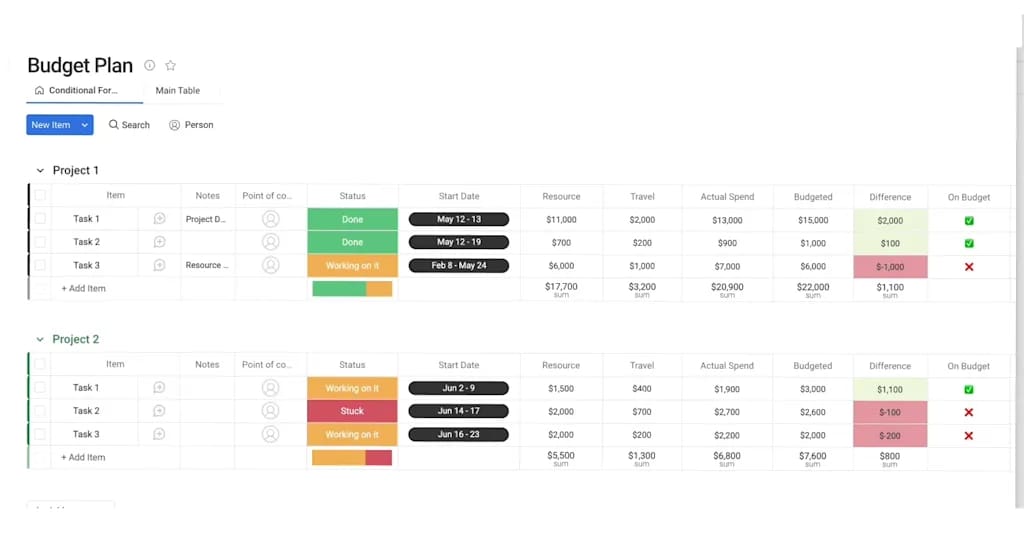
Real cost comparison beyond sticker price
Evaluating the true cost of a work management platform requires analyzing the Total Cost of Ownership (TCO), which includes implementation, training, and productivity impacts. The sticker price often masks significant hidden costs that can dramatically affect your budget and ROI calculations.
Transparent pricing structures
Pricing models reflect the target customer and reveal platform priorities. Each approach has distinct implications for budget planning:
Trello offers a low-cost entry but gates essential administrative and security features behind its Premium and Enterprise tiers. ClickUp uses a tiered model where advanced features and increased limits on automations drive upgrades.
A seat-based model that includes core Work OS capabilities is what monday work management employs, with specific enterprise features like advanced reporting, multi-level permissions, and premium support included in higher tiers.
Hidden costs that add up
The sticker price often masks the hidden costs of deployment. Understanding these costs helps organizations make accurate budget projections:
- Trello: hidden costs arise from the need for paid Power-Ups to fill feature gaps (e.g., reporting, Gantt charts) and the manual labor required to consolidate data for reporting.
- ClickUp: the primary hidden cost is the “setup tax,” the significant hours required for administrators to configure the system and the training time needed for employees to navigate the complex UI.
- monday work management: the investment focuses on the platform itself, with lower hidden costs due to rapid adoption, intuitive setup, and reduced need for third-party add-ons.
ROI metrics that matter
Return on Investment manifests differently across platforms. Each platform drives value through distinct mechanisms:
Trello’s ROI is found in immediate team organization and reduced email clutter. ClickUp drives ROI through consolidation, potentially replacing separate time-tracking or doc platforms.
Teams improve project execution using monday work management by reducing project slippage, optimizing resource utilization (saving hiring costs), and automating manual processes, which directly increases organizational capacity and revenue-generating focus.
5 strategic factors for platform selection
Selecting the right platform requires a strategic assessment of five key organizational dimensions. These factors determine not just which platform fits today, but which will support your organization’s growth trajectory and evolving needs.
1. Organization size and growth trajectory
Smaller teams, typically under 20 people, may find lightweight tools sufficient for managing straightforward workflows. However, organizations planning to scale to 50 to 100 users or more within the next 24 months should prioritize platforms that support hierarchy, portfolio visibility, and multi-level reporting.
Designed to support this transition, monday work management allows new departments and management layers to be added without disrupting existing workflows.
2. Workflow complexity
If work is linear and loosely connected, visual boards may be adequate. But when workflows involve dependencies, parallel initiatives, and compliance requirements, a more structured system becomes necessary.
Cross-functional teams experience smoother collaboration when they coordinate work within monday work management through multi-board connectivity and automation, ensuring that intricate processes run smoothly.
3. Cross-team collaboration requirements
Siloed teams can operate on separate tools. Cross-functional organizations, however, require a shared operational foundation to enable seamless handoffs between departments.
Different teams can work in their preferred views while relying on the same underlying data structure, reducing friction and improving coordination across functions.
4. IT resources and governance needs
Platform choice often depends on available IT capacity. Some systems require dedicated administrators to maintain structure and permissions, while others offer simplicity at the cost of control and scalability.
Enterprise-grade security and granular governance controls are built into the platform, yet the interface remains intuitive enough for business teams to manage daily workflows independently.
5. Executive visibility expectations
Modern leadership requires real-time insight into business performance. When reporting depends on manual exports or spreadsheet consolidation, strategic visibility suffers.
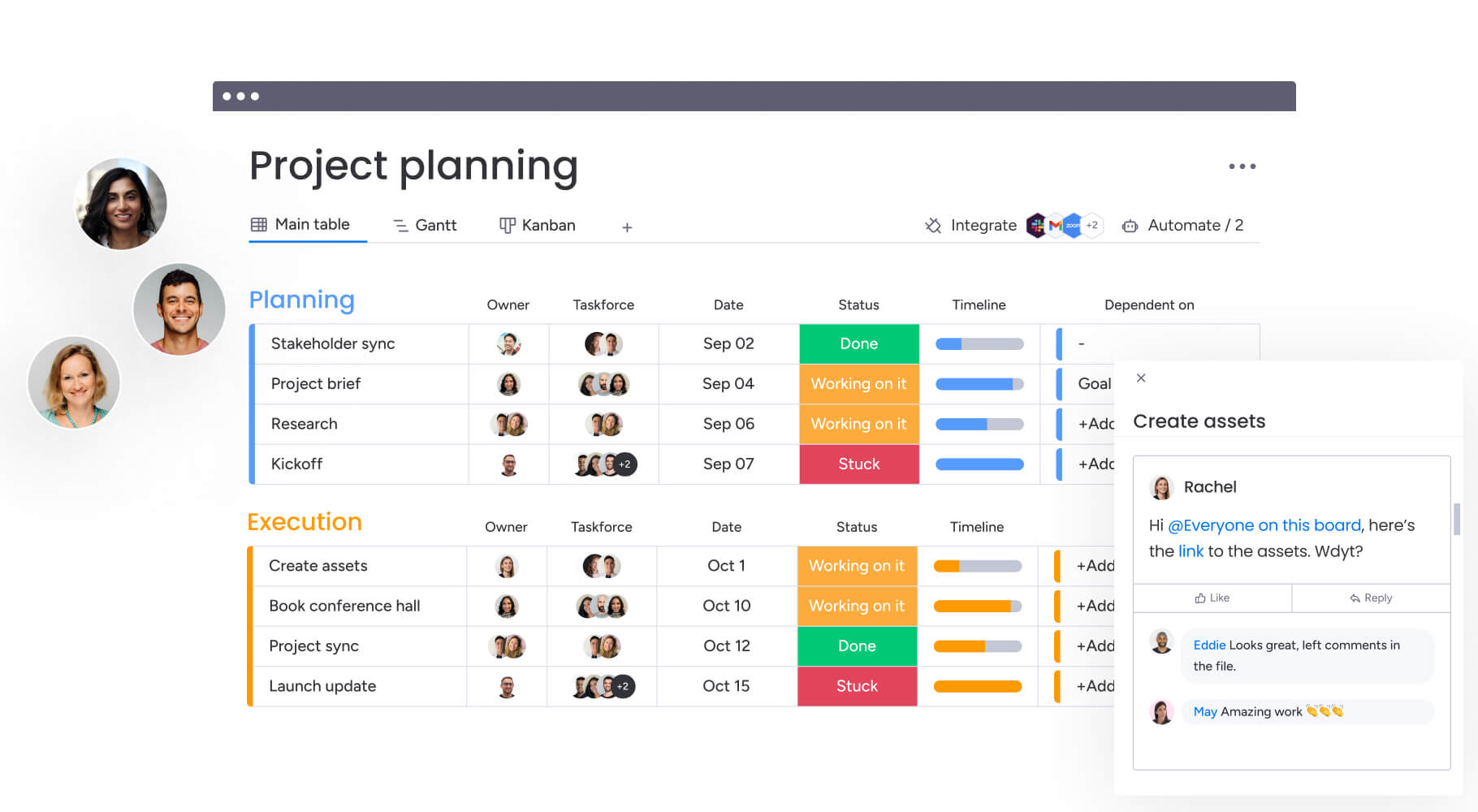
Live dashboards and automated reporting connect operational data directly to executive oversight, ensuring leadership decisions are based on accurate, up-to-date information across the organization.
Best platform by organizational maturity
Platform suitability correlates directly with the maturity stage of the organization. Understanding where your organization falls on this spectrum helps narrow platform choices and ensures alignment with current needs and growth trajectory.
- Startups and small teams (1–20 employees): early-stage groups benefit from low-friction tools like Trello that prioritize speed over complex structure. At this stage, agility is key, and simple board limitations are not yet a bottleneck.
- Scaling mid-market companies (50–200 employees): as standardization becomes critical, monday work management serves as the ideal partner. It provides the necessary structure to unify growing teams while remaining flexible enough to adapt as business models evolve.
- Enterprise operations (500+ employees): large organizations require robust security and compliance. monday work management meets these needs with enterprise-grade SSO, audit logs, and HIPAA compliance, effectively orchestrating work across complex legacy systems.
Successfully migrating to a new work management platform
Moving to a new work management platform is a change management challenge as much as a technical one. Success depends on careful planning, stakeholder buy-in, and a phased approach that minimizes disruption while maximizing adoption.
Data transfer capabilities
Modern platforms facilitate migration through native importers. Trello boards can be imported into monday work management with a few clicks, preserving card data, members, and labels.
ClickUp data can also be migrated, though the complexity of nested hierarchies often requires a mapping strategy to ensure data lands in the correct structure. CSV imports provide a universal fallback for moving structured data between systems.
Change management success factors
Successful migration relies on user buy-in. Effective strategies include:
- Identify department champions: designate advocates within each team to lead the transition, answer questions, and model effective platform usage for their colleagues.
- Run a pilot program: test the new platform with a single team before company-wide rollout, gathering feedback and refining workflows based on real-world usage.
- Focus training on workflows: structure onboarding around specific use cases and processes rather than generic feature tours, helping users immediately apply the platform to their daily work.
Organizations that emphasize the tangible benefits to individual users, such as reduced manual effort and enhanced visibility into work status, typically experience faster platform adoption and higher engagement rates.
Realistic timeline planning
Migration timelines vary by complexity. A small team moving from Trello might complete the transition in a week. A mid-sized organization migrating complex workflows from ClickUp or legacy platforms should plan for a four to eight week timeline.
This includes data cleanup, system configuration, user training, and a phased rollout period to ensure business continuity.
AI transforms work management
Artificial Intelligence is shifting the role of work management platforms from passive tracking systems to active operational partners. This transformation represents the next evolution in how organizations coordinate work and make strategic decisions.
- Current AI feature comparison: while many platforms focus on text generation, monday work management integrates AI into the core workflow. AI blocks allow users to build custom capabilities, while Digital Workforce introduces AI agents that autonomously execute multi-step processes.
- Predictive analytics and risk management: the future of work management lies in prediction. By analyzing historical patterns, the platform’s Portfolio Risk Insights provide early warnings for delays or bottlenecks, shifting teams from reactive firefighting to proactive intervention.
- Digital Workforce revolution: this concept involves AI agents acting as “digital teammates” to offload repetitive cognitive labor. These agents monitor data, assign tasks, and generate reports, allowing human teams to focus entirely on creative and strategic problem-solving.

“monday.com has been a life-changer. It gives us transparency, accountability, and a centralized place to manage projects across the globe".
Kendra Seier | Project Manager
“monday.com is the link that holds our business together — connecting our support office and stores with the visibility to move fast, stay consistent, and understand the impact on revenue.”
Duncan McHugh | Chief Operations OfficerMaking the right choice for your organization
Choosing between Trello, ClickUp, and monday work management ultimately depends on your organization’s specific needs, growth trajectory, and operational complexity. Each platform serves distinct organizational profiles and delivers value through different approaches to work management.
Organizations aiming for comprehensive business orchestration rather than simple task tracking will find a strategic foundation in monday work management. By combining intuitive design with AI-powered insights, it enables teams to drive business outcomes through better alignment and automation.
Ultimately, investing in the right platform reduces project slippage and optimizes resources without increasing overhead. Consequently, teams using monday work management gain a competitive edge through faster execution, better decision-making, and the agility to scale as their needs evolve.
Frequently asked questions
What are the main differences between Trello and monday work management?
The main differences between Trello and monday work management lie in their design philosophy and scalability. Trello focuses on simple, visual Kanban boards ideal for small teams with linear workflows, while monday work management provides a comprehensive Work OS with advanced portfolio management, AI-powered insights, and cross-departmental orchestration capabilities designed for growing organizations.
Which platform offers the most advanced AI and automation capabilities?
When it comes to advanced AI and automation capabilities, monday work management leads the pack. The platform includes AI blocks for custom workflows, Portfolio Risk Insights for predictive analysis, and Digital Workforce agents that autonomously execute complex processes, going beyond the basic content generation features found in Trello and ClickUp.
How does monday work management handle cross-functional collaboration?
Cross-functional collaboration happens seamlessly in monday work management through unified workspaces, automated handoffs between departments, and multi-level permissions that maintain security while enabling transparency. Teams work in their preferred views while sharing the same underlying data, ensuring seamless coordination without tool switching.
Which platform is fastest to adopt for complex workflows?
For complex workflows, monday work management is fastest to adopt. Its visual, no-code building blocks allow teams to construct sophisticated processes without technical expertise, while pre-built templates and intuitive interfaces ensure rapid onboarding compared to ClickUp's configuration-heavy approach.
What is the best free alternative to monday.com?
The best free alternative to monday.com depends on your needs. Trello offers a robust free tier for basic Kanban boards, while ClickUp provides more features in its free plan but with usage limits. However, free tiers typically lack the enterprise features, AI capabilities, and scalability that organizations need for sustainable growth.
Which platform integrates most seamlessly with Microsoft Teams and Office 365?
For seamless integration with Microsoft Teams and Office 365, monday work management stands out. The platform offers deep, native integrations with the Microsoft ecosystem, allowing users to embed boards in Teams, sync items with Outlook, and collaborate on documents without leaving the interface.

 Get started