


Teams often adopt a work management platform to solve an immediate problem: chaotic project timelines, scattered task assignments, or communication breakdowns. The platform delivers results initially, but growth exposes limitations. Simple workflows become clunky, reporting demands manual exports, and departments request features that don’t exist.
Platform selection creates a predictable pattern. Tools that serve 15-person startups rarely scale to 150-person organizations. The decision between work management platforms extends beyond current features; it determines which system grows alongside the business without forcing costly migrations later.
This comparison examines how each platform handles growth, from optimal team sizes to enterprise-level capabilities. It covers pricing trajectories, integration depth, and architectural differences that transform platforms into either competitive advantages or operational bottlenecks, providing the foundation for informed decisions about organizational growth.
Key takeaways
- Choose based on growth trajectory: Trello works for under 20 users, Asana fits 20-200 users, but switching platforms during rapid growth creates costly disruptions and data silos.
- Hidden costs multiply as you scale beyond the advertised pricing: Trello’s Power-Ups and Asana’s rigid tier jumps can triple your actual costs, while fragmented tools require separate reporting and integration subscriptions.
- Platform migration pain disappears with the right architecture: monday.com’s Work OS grows from simple boards to enterprise-wide automation without forcing you to rebuild workflows or lose historical data.
- Integration depth matters more than integration count: platforms that offer two-way data sync with your existing tools become central hubs, while surface-level connections create more silos to manage.
- AI capabilities separate busy work automation from strategic decision-making: look for platforms that use AI to predict project risks and optimize resource allocation, not just generate meeting summaries.
Quick scalability comparison for Trello vs Asana
Platform choice shapes how your organization operates 18 months from now, not just today. Teams often adopt work management software to solve immediate friction, like a chaotic marketing calendar or disorganized sprint planning. However, that quick fix can create data silos as the company grows.
Choosing the right platform means picking one that grows with your organization, not just solves today’s issues. Below is a comparison showing where each platform excels and where limitations may appear:
| Platform | Best team size | Growth stage features | Cost at scale |
|---|---|---|---|
| Trello | 1–20 users | Simple Kanban; Power-Ups for added function | Low entry; high hidden costs via Power-Ups |
| Asana | 20–200 users | Structured projects; Portfolios; Workload | Moderate; steep jumps between tiers |
| monday work management | 100+ to enterprise | Work OS architecture; cross-departmental workflows | Value-based; consolidates multiple platform costs |
Scalability isn’t just about user count. It’s about data complexity, workflow sophistication, and how well departments connect. This is how each platform approaches scale :
- Trello: scales horizontally by adding more boards, which eventually creates visibility gaps across projects and teams.
- Asana: scales hierarchically, adding structure suited for project management but limiting custom operational workflows.
- monday.com: uses a Work OS architecture, allowing teams to build custom applications on a flexible data layer that connects disparate workflows from HR to finance into a single source of truth.

Team size sweet spots
Each platform fits different organizational stages. Selecting the right fit depends on where your team operates today and where it’s headed. Know these sweet spots and you’ll avoid costly migrations while your platform grows with your needs.
- Trello (under 20 users): the visual card system offers immediate visibility for small teams where everyone knows what everyone else is doing. The lack of rigid structure gives early-stage startups creativity and speed.
- Asana (20–200 users): as teams specialize, Asana adds guardrails with defined project hierarchies and dependencies. It suits mid-sized organizations requiring standardized project management methodologies.
- monday.com (100+ users): the platform removes upper limits on complexity, supporting organizations with diverse departmental needs. It connects the entire enterprise, handling complex data relationships and automations that exceed the capabilities of simpler platforms. Cross-system data platforms that join disparate systems can support 2% annual productivity growth during scaling periods.
Feature availability by growth stage
Feature scaling matters because it determines whether you’ll face a painful migration during critical growth phases.
During the startup stage, all three platforms handle basic assignment and due dates. Trello excels here with zero setup time. In the scaling stage, Asana introduces Portfolios to group projects, while monday.com unlocks cross-board automations and dashboards that aggregate data from unlimited sources.
At the enterprise stage, monday.com provides advanced governance, including multi-level permissions, HIPAA compliance, and data residency options that are often add-ons or unavailable in simpler platforms.
Cost implications at scale
Pricing models shift dramatically as user counts rise, so knowing these cost trajectories prevents budget surprises when your team expands.
- Trello: remains inexpensive for basic use, but functional scaling requires third-party Power-Ups, which accrue separate subscription costs.
- Asana: pricing tiers are rigid, often forcing upgrades for the entire organization to access a single feature needed by one department.
- monday.com: offers a predictable trajectory where higher tiers unlock infrastructure capabilities, like increased automation actions and integration bandwidth. Costs align with operational value, not just headcount. Organizations that consolidate systems and move to SaaS typically see multi-year efficiencies and reduced licensing costs at scale.
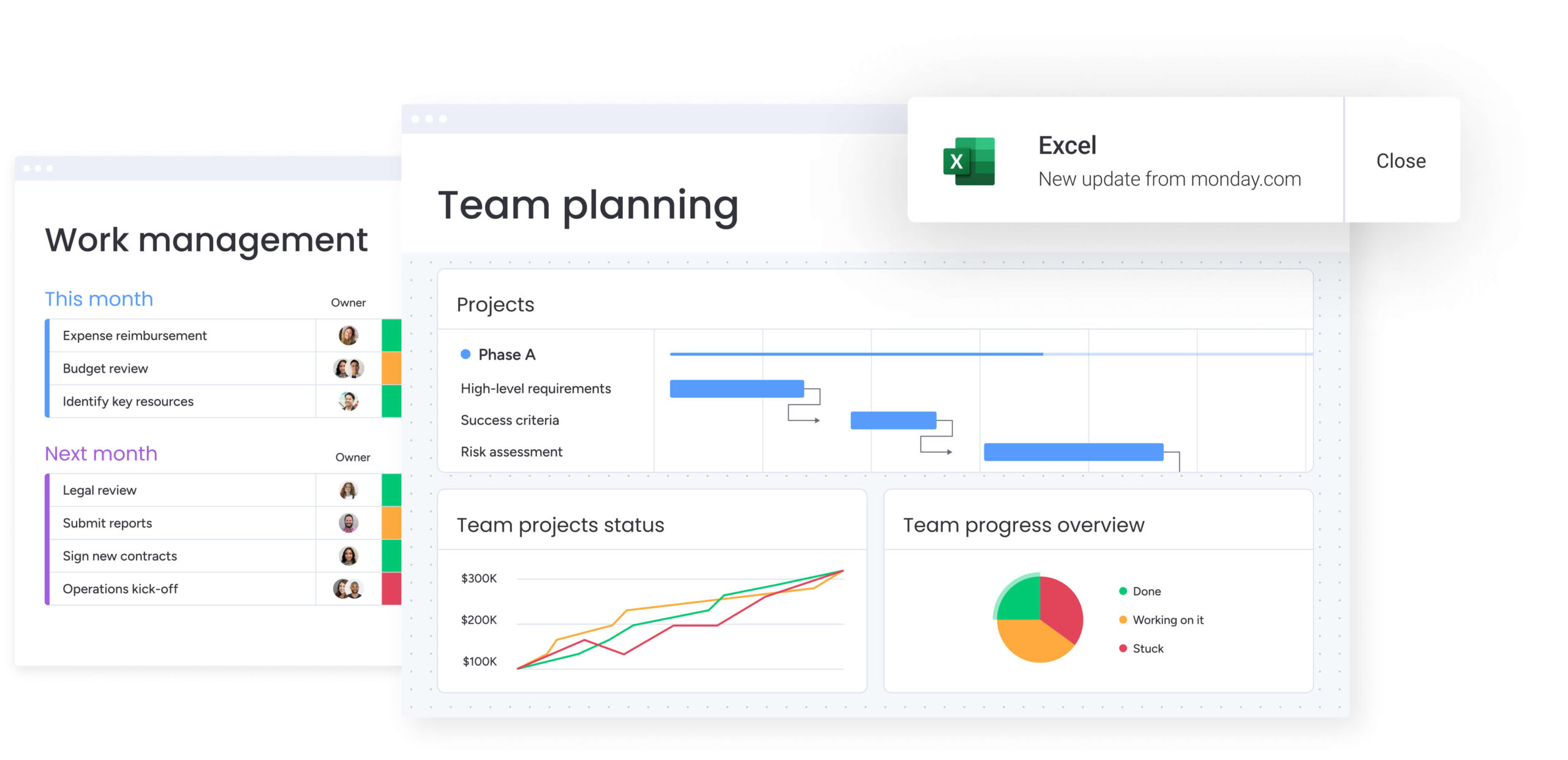
Understanding each platform's approach to growth
Platforms scale in different ways, and that determines how well they adapt as your organization grows. These fundamental approaches shape everything from user experience to data structure.
- Trello: prioritizes visual simplicity, treating every project as a digital whiteboard. This philosophy drives high adoption but sacrifices data depth. Growth in Trello means “more boards,” which eventually leads to fragmented information that’s difficult to report on centrally.
- Asana: prioritizes structured coordination. It enforces a specific worldview: work consists of items that belong to projects, which belong to portfolios. This rigidity maintains order during growth spurts but stifles teams whose workflows don’t fit the standard project management mold.
- monday.com: prioritizes flexible data architecture. It treats work as data blocks that can be visualized in any format: Kanban, Gantt, Calendar, or List. The platform scales indefinitely because the underlying data structure reconfigures as business needs change, without losing historical context or breaking existing workflows.
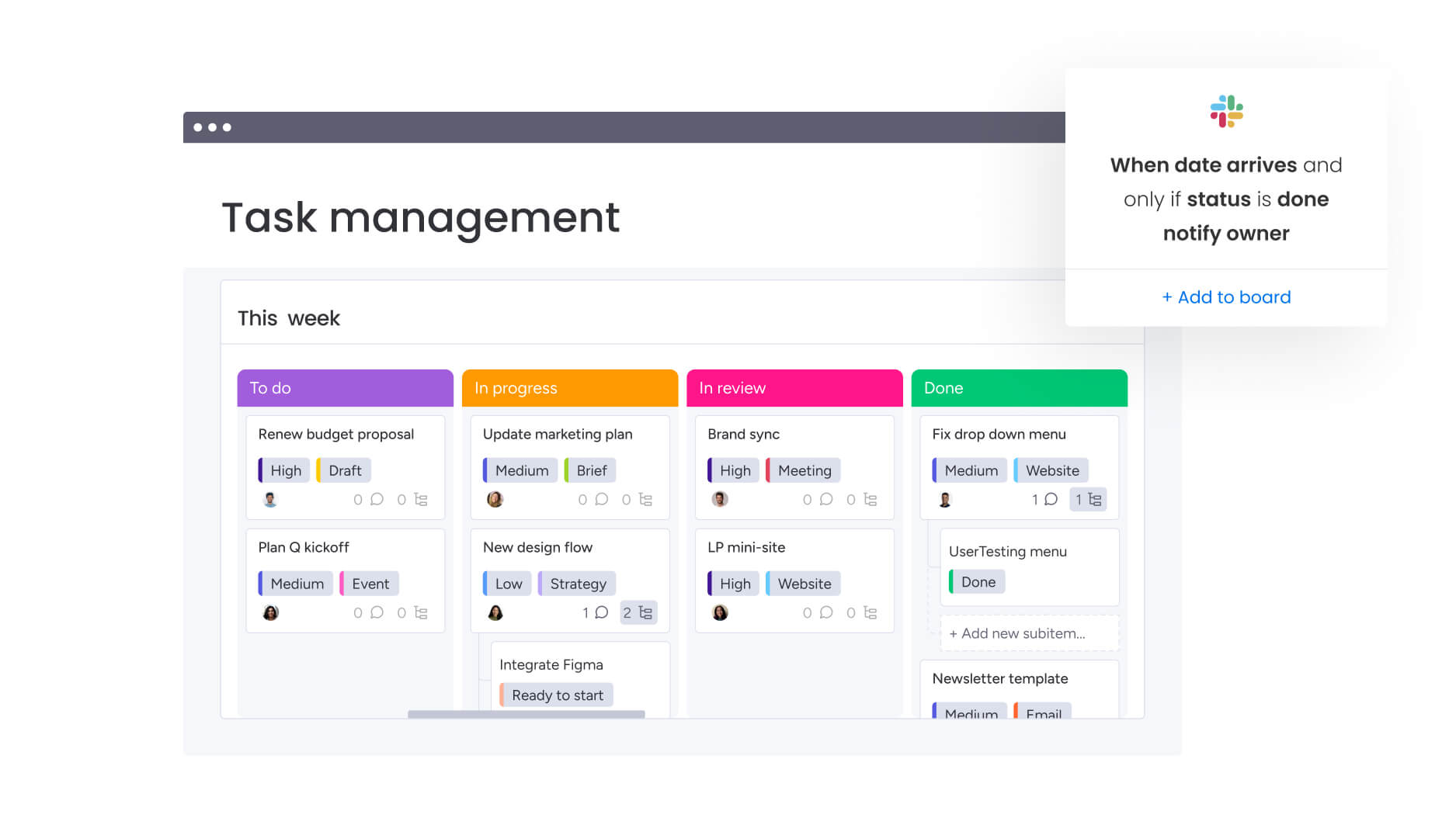
Trello: visual simplicity that hits limits
Trello remains the gold standard for immediate visual project tracking. Its card-based interface requires zero training, making it an excellent choice for ad-hoc projects or small, agile teams. But relying on a single view type hits operational ceilings as complexity increases.
Kanban boards and card-based workflows
The Kanban methodology drives Trello’s user experience. Boards represent projects, lists represent stages, and cards represent work items. This works well for linear processes.
Common examples include:
- Content calendars: moving articles from “Draft” to “Edit” to “Published”.
- Bug tracking: simple intake and resolution flows.
- Recruitment pipelines: visualizing candidates through interview stages.
Limitations show up when workflows aren’t linear or when items depend on other boards.
Power-Ups for extended functionality
Trello bridges feature gaps with Power-Ups: integrations that add functionality like calendars, voting, or custom fields. Key Power-Ups include:
- Calendar Power-Up: visualizes due dates.
- Custom Fields: adds metadata to cards.
- Repeater: automates recurring items.
Power-Ups are useful, but relying on them creates a fragmented stack where core functionality depends on third-party maintenance. This also creates data challenges, as information stored in a Power-Up often remains separate from the main ecosystem, limiting comprehensive reporting.
When teams outgrow Trello
Organizations usually need to migrate away from Trello when these pain points emerge:
- Reporting fails: managers cannot see project status across multiple boards in a single view.
- Process complexity increases: workflows require conditional logic that Trello cannot handle natively.
- Siloing occurs: teams stop collaborating because they cannot link items between different department boards effectively.
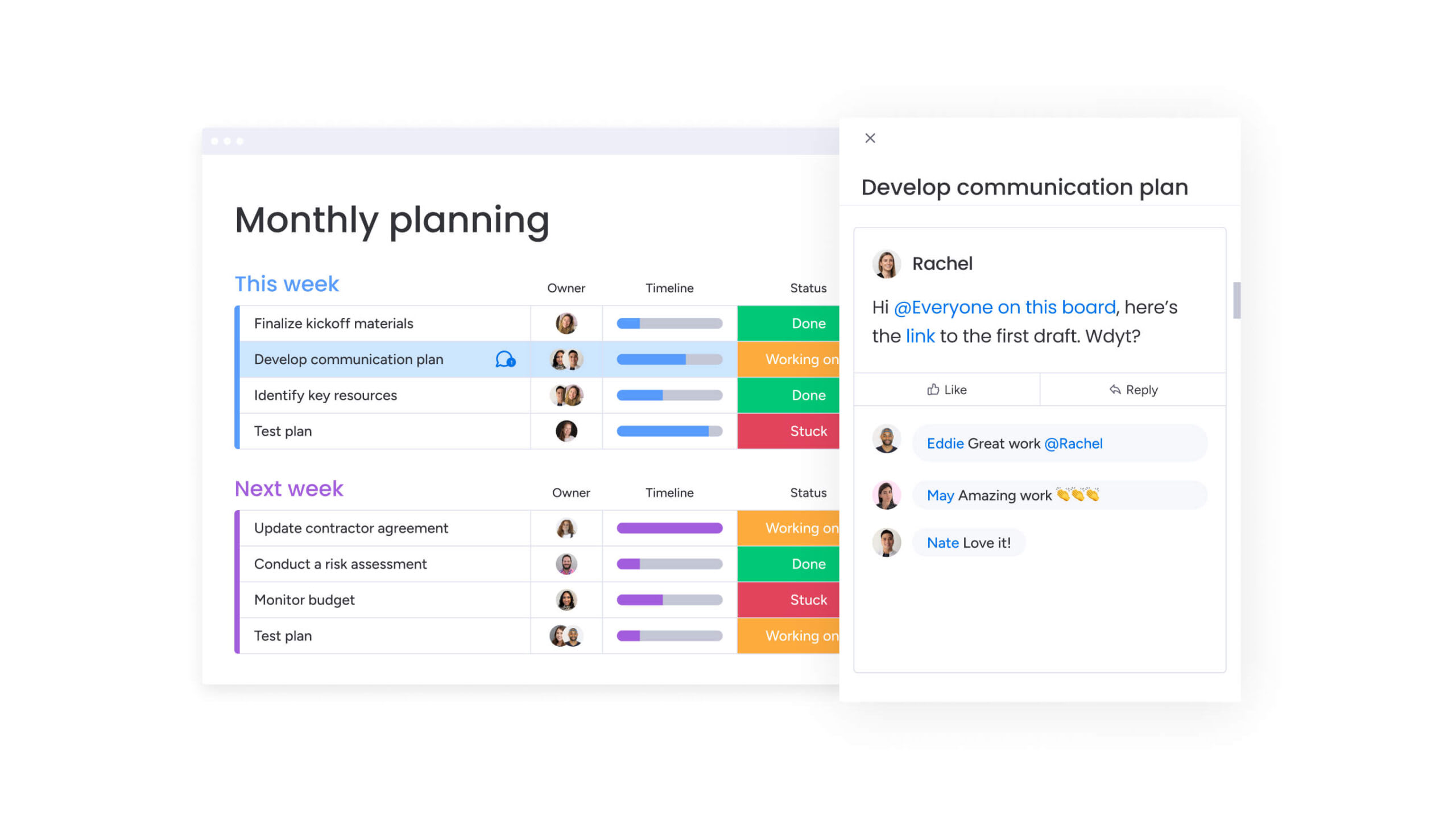
Asana: structured collaboration for growing teams
Asana is the next step for teams that need more than a whiteboard. It adds discipline to work management with a text-centric list view alongside boards for higher work volumes. This structure matters as teams specialize and need more coordination.
Project hierarchies and dependencies
Asana organizes work into a strict hierarchy: Organization, Team, Project, Item, Sub-item. This structure supports dependency management, allowing teams to link items so that one cannot begin until another finishes.
This matters for:
- Product launches: marketing assets depend on product specs.
- Event planning: vendor payments depend on contract signatures.
- Software releases: testing depends on development completion.
Timeline and portfolio views
Asana’s Timeline view functions as a Gantt chart, enabling resource planning and deadline adjustments via drag-and-drop. For leadership, Portfolio views aggregate project health (on track, at risk, off track) into a high-level dashboard. PMOs need these features, but they often require higher-tier pricing plans.
Cross-functional team features
To support scaling, Asana offers specialized features:
- Goals: connect individual items to company objectives.
- Proofing capabilities: allow creative teams to comment directly on images within projects.
- Custom fields: add metadata for tracking and reporting.
Compare:
- Notion vs Asana vs monday.com
- Airtable vs Asana vs monday.com
- Smartsheet vs Asana vs monday.com
- Wrike vs Asana vs monday.com
- Asana vs Teamwork vs monday.com
These features are powerful and are optimized for projects with distinct start and end dates, while other platforms may be better suited for continuous operational processes.
monday.com: built to scale without limits
As a Work OS, monday.com is a platform where teams build custom workflows instead of just populating pre-set project templates. This architectural difference supports enterprise-scale complexity while keeping the visual appeal that drives adoption.
Flexible Work OS architecture
Unlike platforms defined by their interface, the platform is defined by its data grid. This grid supports over 30 column types (numbers, status, people, timeline, formula), allowing teams to construct any workflow.
The platform enables several key capabilities that set it apart:
- Cross-departmental connectivity: a Sales board can trigger an item on a Legal board automatically.
- Automation building blocks: create logic like “When status changes to Done, move item to Archive and notify Manager”.
- Enterprise compliance: the platform supports HIPAA, GDPR, and ISO compliance, ensuring data integrity at scale.
No-code customization for any workflow
Teams build tailored solutions without developer resources. This flexibility spans across departments:
- Marketing teams: manage campaigns, creative requests, and digital asset libraries in one ecosystem.
- IT operations: run ticketing systems, asset tracking, and sprint planning simultaneously.
- HR departments: handle recruitment pipelines, onboarding checklists, and employee directories.
As departments evolve, the platform adapts to the new process instead of forcing the process to fit the platform.
Enterprise features from day one
Scaling requires governance. With comprehensive enterprise capabilities, monday.com includes:
- Multi-level permissions: control access at account, workspace, board, and column levels.
- Real-time dashboards: aggregate data from up to 50 boards, giving executives instant visibility into KPIs without manual reporting.
- Extensive integrations: connect with over 200 enterprise applications, ensuring it acts as the central nervous system of the tech stack.
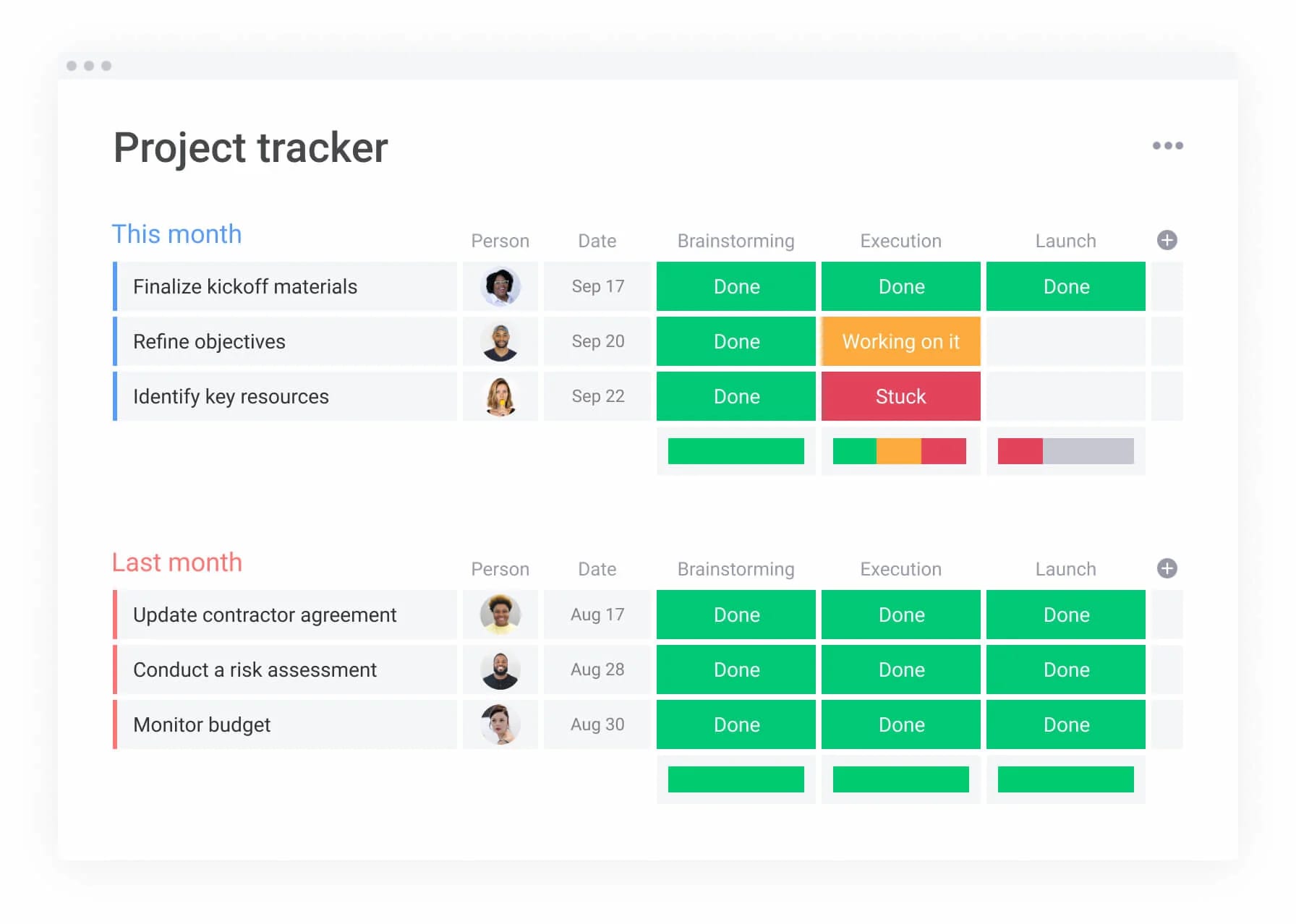
7 critical differences for scaling teams
How platforms handle complexity shows which will support your long-term growth. These seven areas are where platforms differ most as organizations scale.
1. Automation complexity and capabilities
Automation capabilities vary significantly across platforms as is presented in a following table.
| Feature | Trello | Asana | monday work management |
|---|---|---|---|
| Logic | Simple "If this, then that" (Butler) | Rules based on triggers | Multi-step conditional logic |
| Cross-board | Limited | Available in upper tiers | Native, seamless data transfer |
| AI integration | Basic | Text generation | AI Blocks (Summarize, Categorize) |
Automations in monday.com handle complex operational logic, such as assigning work based on capacity or routing approvals through multiple departments, reducing manual administrative work significantly.
2. Reporting depth for data-driven decisions
Reporting capabilities indicate how effectively leadership can make informed, timely decisions:
- Trello: offers basic Power-Ups for reporting.
- Asana: provides Portfolios for project status.
- monday.com: offers fully customizable dashboards with over ten widgets (Battery, Numbers, Chart, Gantt).
Executives can drill down from a high-level revenue chart directly into the specific line items driving the numbers, providing real-time operational intelligence.
3. User adoption and learning curves
Adoption is often the biggest challenge when scaling work management platforms:
- Trello: high adoption but low retention for complex work.
- Asana: steeper learning curve due to its rigid structure.
- monday.com: combines the visual appeal of consumer apps with enterprise power, resulting in high adoption rates across non-technical teams like HR, marketing, and sales.
4. Administrative controls and permissions
As teams grow, granular access control becomes essential to protect sensitive data:
- Trello: binary board access (public/private).
- Asana: team-based privacy.
- monday.com: granular control, allowing admins to hide specific columns (like “Salary” or “Budget”) from certain users while keeping the rest of the board visible.
5. Integration ecosystems and API access
The ability to connect with other tools determines how well a platform fits into an organization’s tech stack:
- Trello: relies on Power-Ups.
- Asana: integrates well with standard SaaS applications.
- monday.com: offers a low-code integration center for 200+ apps (Salesforce, Jira, Slack) and an open API that allows developers to build custom widgets and views.
6. Performance with 100+ concurrent users
Performance lag destroys productivity. Engineered for high-velocity teams, monday.com supports thousands of items per board and instant updates across dashboards. The infrastructure supports concurrent editing without version conflicts, essential for large distributed teams.
7. AI-powered work management features
AI capabilities are a differentiator for productivity and operational efficiency:
- Trello and Asana: focus largely on content generation.
- monday.com: integrates AI into the workflow structure through AI blocks that automatically categorize incoming feedback or extract action items from documents.
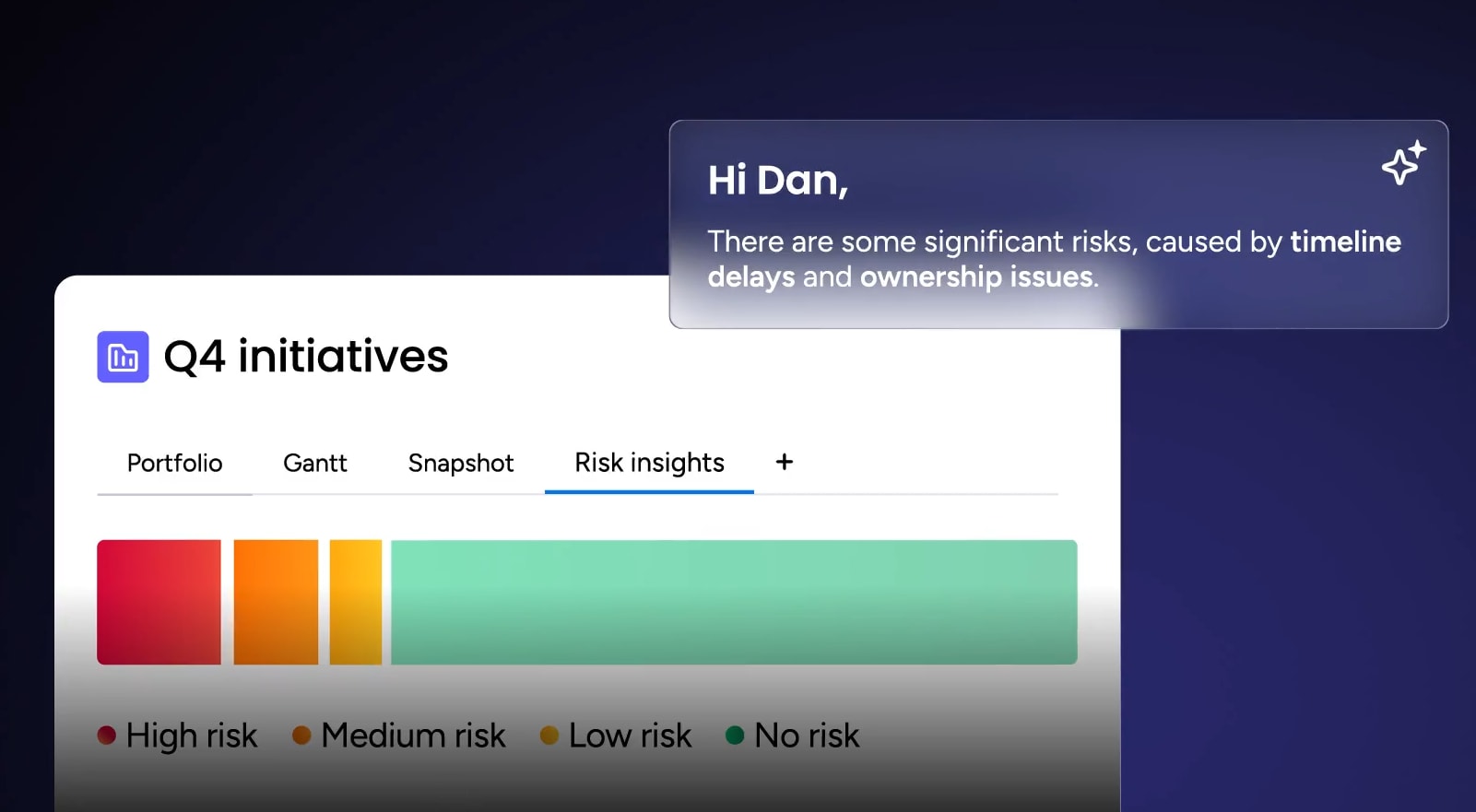
Product Power-ups assist in identifying risks in project portfolios before they impact deadlines. The Digital Workforce handles routine coordination, acting as virtual team members.
Real costs of scaling: pricing breakdown
Pricing means looking beyond the sticker price. Hidden costs and feature limitations dramatically impact your total cost of ownership as you scale.
| Plan level | Trello | Asana | monday work management |
|---|---|---|---|
| Free | Generous for individuals | Limited features | Individual use only |
| Standard | Low cost; limited automation | Mid-range; limited rules | Competitive; includes guest access |
| Premium/Pro | Adds admin controls | High cost; unlocks portfolios | Value-optimized; full automation suite |
| Enterprise | Custom pricing | Custom pricing | Custom pricing; advanced security |
Hidden costs of growth
These cost factors show up as organizations scale:
- Fragmentation costs: using Trello often necessitates separate subscriptions for reporting or Gantt chart software, increasing the total cost of ownership.
- Integration maintenance: custom connections in Asana or Trello may require Zapier subscriptions or developer hours.
- Training time: rigid platforms like Asana often require formal training sessions for new hires, whereas intuitive interfaces reduce onboarding time.
Free plan limitations for each platform
Free tier restrictions show platform priorities:
- Trello: robust for simple lists but lacks security features.
- Asana: restricts user count and hides essential features like Timeline and Forms.
- monday.com: individual use only; team value begins at the Standard tier where Work OS capabilities unlock.
Enterprise negotiation factors
At the enterprise level, pricing is about value. Volume discounts and bundled premium support and onboarding services are available through monday.com. Enterprise plans also unlock data governance features that are non-negotiable for IT procurement in large organizations.
Structured, centralized security workflows can reduce organizational risk by 40% within the first year of implementation.
Building your tech stack: integration capabilities
Integration depth matters more than the sheer number of integrations. How well a platform connects with your existing tools decides whether it becomes a central workspace or another silo.
| Integration | Trello | Asana | monday work management |
|---|---|---|---|
| Communication | Slack, Teams | Slack, Teams | Slack, Teams, Outlook, Gmail |
| Development | Jira, GitHub | Jira, GitHub | Jira (two-way sync), GitHub, GitLab |
| CRM/Sales | Salesforce (Power-Up) | Salesforce | Salesforce, HubSpot, Pipedrive |
As the table above indicates, integrations with monday.com are often “deep,” meaning data flows two ways. A status change in Jira updates the roadmap on monday, and vice versa.
Trello’s integrations rely heavily on Power-Ups, which provide one-way data connections that require manual updates or third-party tools like Zapier for bidirectional sync.
Finally, Asana offers native integrations with major platforms but typically focuses on pushing data out rather than maintaining real-time two-way synchronization.
API flexibility for custom solutions
Organizations with proprietary internal applications need API access.
Trello provides a REST API that allows basic read and write operations but requires significant developer effort to build complex workflows. Asana offers a well-documented REST API suitable for custom integrations, though it can be rate-limited on lower tiers.
With a robust GraphQL API, monday.com allows internal developers to build custom scripts that read and write data to the platform efficiently, with more flexible querying and fewer API calls needed for complex operations.
Automation across platforms
Real efficiency comes from cross-platform automation. Trello’s Butler automation can trigger actions within boards but struggles with external platform triggers without third-party middleware. Asana’s rules can respond to some external events through integrations, but complex cross-platform workflows often require premium tiers.
Triggers from external applications (e.g., “When a lead is created in Salesforce”) can initiate workflows inside monday.com (e.g., “Create a project in Onboarding”), eliminating manual data entry and creating seamless operational flows across your entire tech stack.
How does AI transform work management at scale?
AI capabilities show which platforms automate busy work and which enhance decision-making. How each platform deploys AI shows which will provide the most value as your organization grows.
AI features in each platform
While many platforms offer AI writing assistants, monday.com deploys AI for operational efficiency. The platform provides three key AI capabilities:
- Summarize: instantly condenses long threads into actionable summaries.
- Formula Builder: allows non-technical users to generate complex data formulas using natural language.
- Smart Categorization: analyzes incoming data like support tickets and tags them by sentiment or urgency automatically.
Automation that eliminates manual work
Scaling organizations get buried in admin work. In monday.com, AI extracts data from uploaded files, such as invoices or contracts, and populates the relevant columns. This transforms unstructured data into structured, reportable information without human intervention.
Predictive analytics and risk management
AI helps leaders spot problems before they happen. Through Portfolio Risk Insights, the platform analyzes historical data to predict which projects are likely to miss deadlines, allowing managers to intervene proactively rather than reacting to a missed launch date.
Evaluate your current growth stage
Choose your platform based on growth stage to match current needs while supporting future expansion. Each stage has different requirements that favor different platform approaches.
Startups and small teams (under 20)
For teams where speed is the only metric that matters, start with Trello. The low cost and zero-setup environment allow teams to focus on product-market fit rather than process management.
Scaling organizations (20–200 users)
As teams expand, the need for a single source of truth outweighs the need for simplicity. Asana serves well here for strict project management. However, organizations anticipating rapid growth often choose monday.com early to avoid a painful migration later when they need custom workflows.
Enterprise requirements (200+ users)
Large organizations need governance, security, and flexibility. For these requirements, monday.com stands out as the preferred choice due to its ability to partition data securely while still allowing high-level reporting.
The platform supports the diverse needs of marketing, IT, HR, and PMO within a single billing and security environment.
Industry-specific considerations
Industries have different workflow requirements:
- Creative agencies: often prefer monday.com for its visual proofing and asset management.
- Software development teams: may lean toward Jira but use monday.com for the business side (roadmaps/OKRs).
- Construction and manufacturing: require the mobile capabilities and offline mode support found in robust Work OS platforms.
Plan your implementation timeline
Fast implementation for quick wins needs a structured approach that balances speed with adoption. A well-planned rollout shows teams immediate value while building toward long-term success.
2-week adoption timelines
Implementation can be completed efficiently:
- Week one: set up core boards using pre-built templates and import existing data from Excel or Trello via native importers.
- Week two: configure automations to remove manual steps and conduct a “train the trainer” session for team leads.
Change management best practices
Successful migration needs buy-in:
- Identify champions: select advocates within each department to lead the transition.
- Focus on immediate value: show tangible benefits, such as a dashboard that saves a manager three hours of reporting time per week, rather than just explaining features.
- Provide ongoing support: ensure teams have resources and training to maximize platform adoption.
Measuring success and ROI
Measure success by time returned to the business. Track these metrics to see your platform’s impact:
- Reduction in email volume: teams communicate within the platform instead of scattered threads.
- Decrease in meeting hours: real-time visibility eliminates status update meetings.
- Faster project delivery times: automated workflows and clear ownership accelerate execution.

“monday.com has been a life-changer. It gives us transparency, accountability, and a centralized place to manage projects across the globe".
Kendra Seier | Project Manager
“monday.com is the link that holds our business together — connecting our support office and stores with the visibility to move fast, stay consistent, and understand the impact on revenue.”
Duncan McHugh | Chief Operations OfficerMake the right choice for sustainable growth
Selecting a work management platform means choosing how your organization operates as it scales. The right platform becomes invisible infrastructure, letting teams focus on outcomes instead of process management.
Combining the ease of a consumer app with the power of an enterprise database, monday.com grows with your organization, so the platform you choose today powers your operations tomorrow.
Organizations gain portfolio management across hundreds of projects through connected dashboards. Leaders can view the status, budget, and timeline of hundreds of projects in a single view. Widgets provide real-time insights into bottlenecked projects, allowing for immediate resource reallocation.
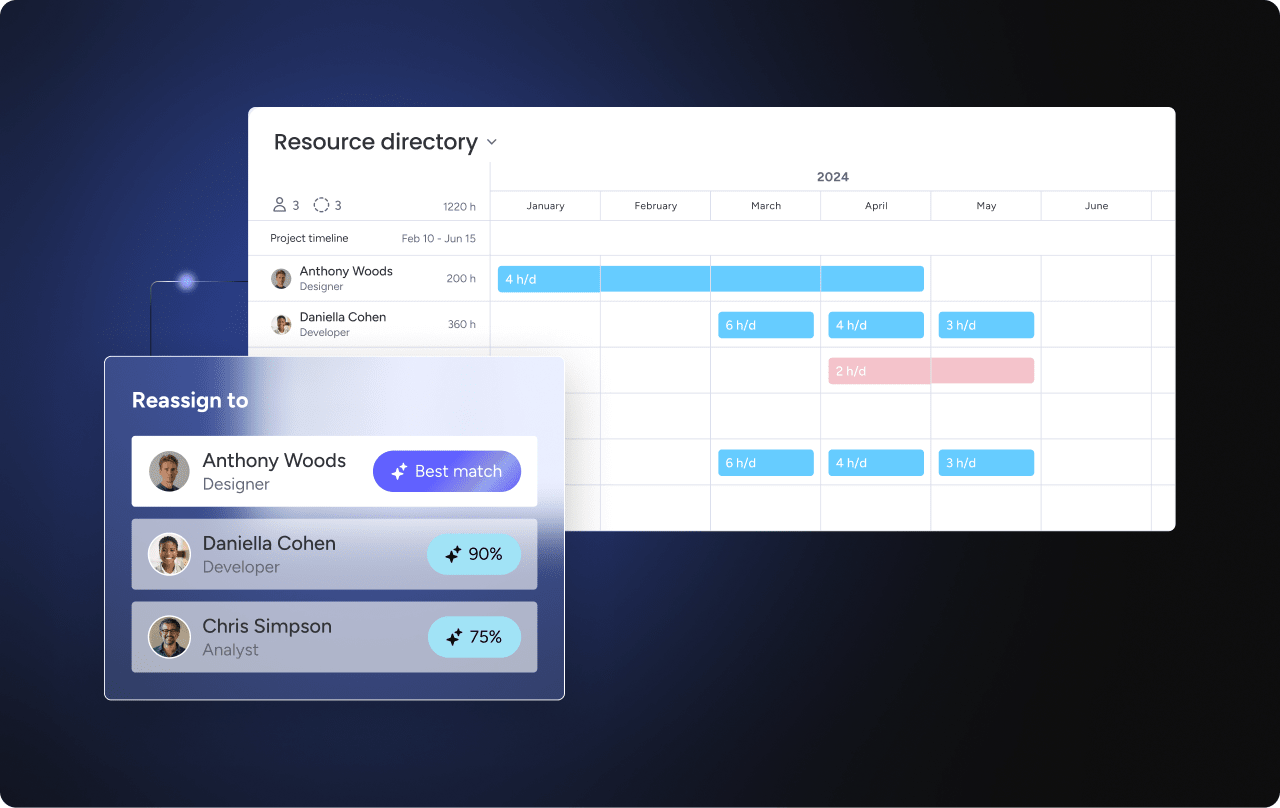
AI-powered resource optimization helps manage workload at scale. Using AI to analyze team capacity and assign work based on availability and skill set, monday.com prevents burnout and ensures balanced delivery. The Workload View visualizes who is overcapacity and who is underutilized.
Frequently asked questions
How difficult is it to migrate from Trello or Asana to monday.com?
Migration difficulty depends on data complexity. Native importers for both Trello and Asana are available through monday.com, transferring boards, items, and members in a few clicks. The platform also provides migration support and templates to ensure a smooth transition.
Can Trello and Asana integrate with monday.com?
Yes, you can connect these platforms through integration tools like Zapier or Unito to sync data between them. This allows teams to transition gradually or maintain connections with external stakeholders using different platforms.
Which platform offers the fastest customer support response times?
Response times vary by plan level across all platforms. With 24/7 support and rapid response times, even for standard tiers, monday.com ensures teams get help when they need it most.
What data export options exist if we need to switch platforms later?
All three platforms allow exporting data to CSV or Excel. Full board views and files can also be exported through monday.com, ensuring you maintain complete control over your data.
Do these platforms work offline?
Trello and Asana have robust offline mobile capabilities. Offline mode for mobile apps is available through monday.com, allowing field teams to update statuses without an active connection.
Which platform works best for Agile and Scrum methodologies?
Trello handles basic Kanban well, while Asana provides structured sprint planning with Timeline and Board views, plus custom fields for story points. Built-in sprint planning, backlog management, and retrospective templates make monday.com ideal for Scrum teams. The platform adapts to hybrid Agile approaches, letting teams customize workflows as they evolve beyond standard methodologies.

 Get started