

Project delivery often looks successful on the surface, yet budget overruns and resource strain reveal a different story once the work is complete. Estimated hours rarely align with reality, leaving leaders unsure whether inefficiencies stem from planning gaps, scope creep, or operational friction.
Time tracking brings clarity to this gap by showing where effort is actually spent across projects, teams, and initiatives. When time data is connected to execution, organizations gain real-time visibility into costs, capacity, and delivery risk rather than relying on retrospective reports.
Below, this definitive article shines a light on how modern time tracking software has evolved beyond basic hour logging, how it supports strategic planning and profitability, and what capabilities matter most for enterprise-scale teams managing complex work.
Key takeaways
- Time tracking reveals true project costs: Accurate hour-level data exposes profitability gaps, scope creep, and under-priced work before margins erode.
- Connected time data improves resource planning: Real-time visibility into workloads helps teams rebalance capacity and reduce burnout across parallel initiatives.
- Automated tracking increases data quality: Reducing manual timesheets improves adoption, accuracy, and the reliability of reporting insights.
- Strategic visibility depends on hierarchy: Linking time from tasks to projects and portfolios ensures effort aligns with business priorities.
- Work management platforms amplify time tracking value: Intuitive solutions like monday work management embed time tracking directly into execution, enabling live dashboards, workload views, and portfolio-level insight.
What is time tracking software?
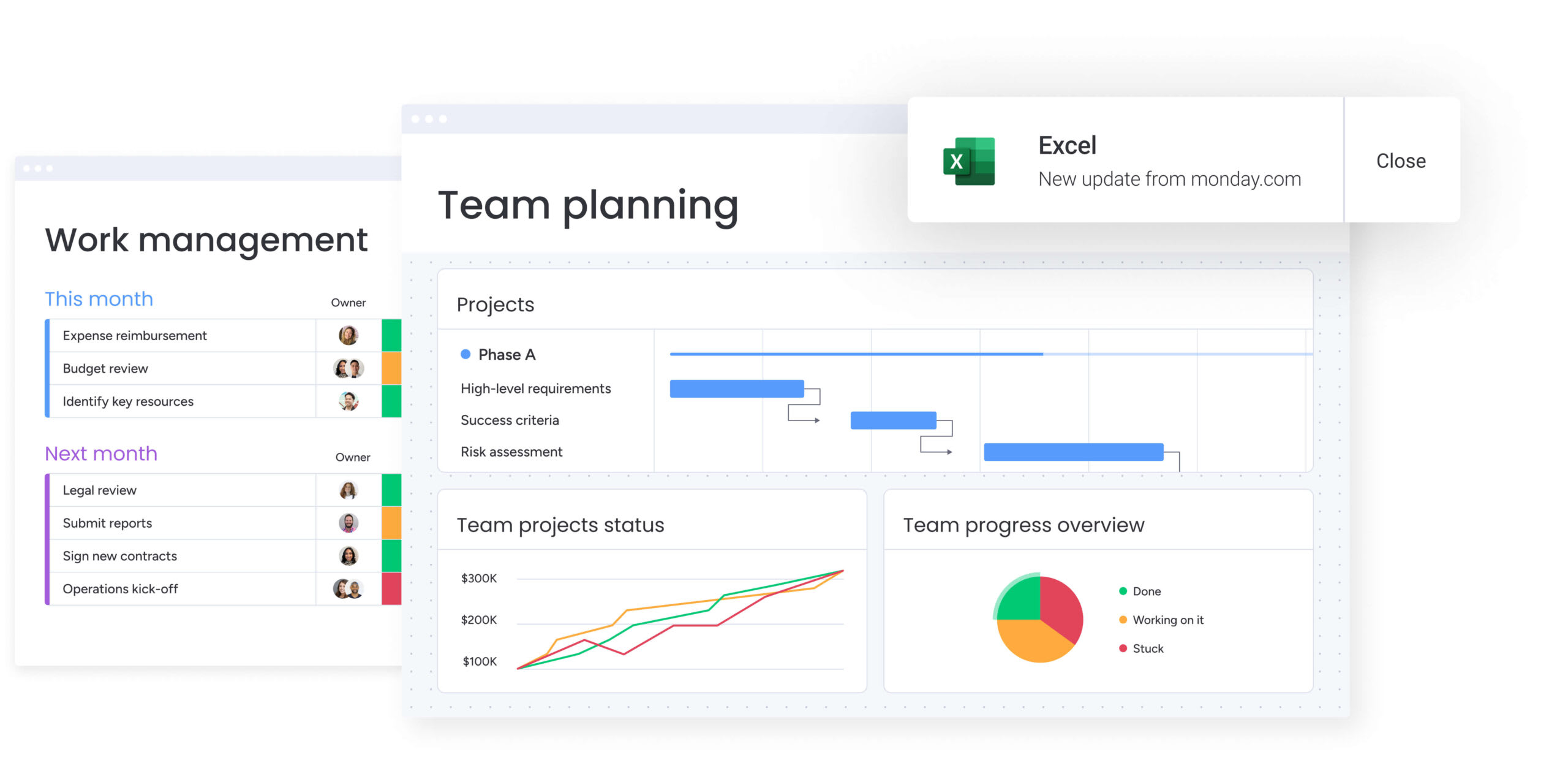
Time tracking software shows you exactly where work hours go across your organization. Instead of guessing, teams see how effort connects to outcomes and make smarter decisions about resources, budgets, and profitability.
What started as digital punch cards for payroll has evolved into something far more strategic. Modern platforms turn raw time data into clear, actionable insights that help you improve how work is planned and delivered.
In complex organizations, this visibility is critical. Time tracking connects resource decisions directly to margins, revealing where budgets drift from plans. When tracking is embedded into daily execution rather than managed in a separate app, leaders can see in real time how hours spent impact project performance and overall capacity.
Understanding automated time tracking systems
Modern time tracking uses automated capture and live monitoring instead of manual entry after the fact. These platforms sync data constantly to show you what’s happening with your team’s work right now.
Automated systems have features that set them apart from legacy platforms. Here’s what matters when you’re picking the right fit for your workflows and reporting:
- Automated time detection: Algorithms identify active work periods and suggest entries based on app usage or calendar events.
- Cross-platform synchronization: Seamless data flow between desktop, mobile, and web applications captures work wherever it happens.
- Contextual integration: Track time directly within project management workflows without toggling between applications.
The business impact of connected time data
When time data ties to strategic goals, it stops being a compliance checkbox and starts driving performance. Accurate time data hits your bottom line by showing what service delivery and product development actually cost.
Organizations that link time tracking to their work management platform see real gains across the board:
- Project profitability: Precise cost tracking shows exactly which projects make the most money.
- Resource optimization: Seeing current and past workloads helps you spot capacity issues before they burn out your team or delay delivery.
- Client transparency: Detailed time records build client trust, they back up your invoices and explain scope changes.
Moving beyond manual timesheets
Manual timesheets create hassle and mistakes. They rely on memory, so people end up guessing at the end of the week instead of tracking accurately.
The following comparison illustrates the big differences between manual and automated approaches:
| Feature | Manual spreadsheets | Automated systems |
|---|---|---|
| Data accuracy | Low; prone to recall bias and entry errors | High; captures actual duration in real time |
| Visibility | Delayed; retrospective reporting only | Instant; live dashboards and alerts |
| Admin burden | High; requires manual consolidation | Low; automatic aggregation and reporting |
| Integration | Siloed; disconnected from project work | Integrated; links directly to workflows and billing |
Time tracking connects resource decisions directly to margins, revealing where budgets drift from plans. When tracking is embedded into daily execution rather than managed in a separate app, leaders can see in real time how hours spent impact project performance and overall capacity.
How time tracking creates strategic business intelligence
On its own, a single entry tells you who worked on what. But when you aggregate that data across teams, projects, and quarters, it starts to reveal how your organization actually runs. Patterns emerge. Bottlenecks surface. Gaps between strategy and execution become visible.
That’s where time data shifts from operational detail to business intelligence. Instead of reacting to overruns or delays after the fact, leaders can use real-time insights and AI-powered analysis to plan ahead, rebalance resources, and steer the portfolio with confidence.
Connecting daily work to company objectives
Strategic alignment means connecting individual activities to quarterly business goals. Time tracking platforms do this by linking time entries through layered project structures.
Visibility works in layers, each one builds on the last to show how effort turns into results:
- Activity level: Individual contributors track time on specific tasks, creating raw data for analysis.
- Project level: Managers roll up activity data to see progress on campaign milestones or project deadlines.
- Strategic level: Executives see total time across all initiatives to make sure resources match high-priority goals.
For example, a marketing team can trace hours spent on social media graphics to the Q4 Brand Campaign and all the way back to the broader goal of increasing market share. That visibility ensures day-to-day effort supports revenue targets, not just activity for its own sake.
Real-time portfolio visibility
Traditional project reporting leans on weekly status meetings or monthly retrospectives. By the time data reaches decision-makers, it’s often stale.
Time tracking gives you a live view of how your organization’s doing through dashboards that show project data as it happens. Teams using monday work management gain this visibility through dashboards that display live insights on budget, goals, schedules, and resources. Leaders can also customize these views with drag-and-drop widgets to see data exactly how they need it for faster, sharper decisions.
Key visibility metrics include:
- Project burn rates: Real-time visualization of budget consumption against project progress.
- Team utilization: Heat maps showing who is over capacity and who has bandwidth.
- Deadline risk indicators: Alerts triggered when time spent exceeds estimated effort for critical path items.
This instant view lets you step in before problems grow. Managers can shift resources or adjust scope before projects detail.
Data-driven decision making
Data-driven management swaps gut feeling for insights from actual work patterns. Time tracking data backs decisions at every level of the organization: day-to-day, project-based, and strategic. How confident are you in the accuracy of your current project estimates?
Time data provides the foundation for decisions at every organizational level:
- Operational decisions: Daily adjustments to resource allocation based on current capacity.
- Tactical decisions: Refining project timelines and scope based on actual team velocity over the last sprint.
- Strategic decisions: Determining whether to hire more staff, increase pricing, or sunset services based on historical profitability patterns.
Business outcomes powered by time tracking
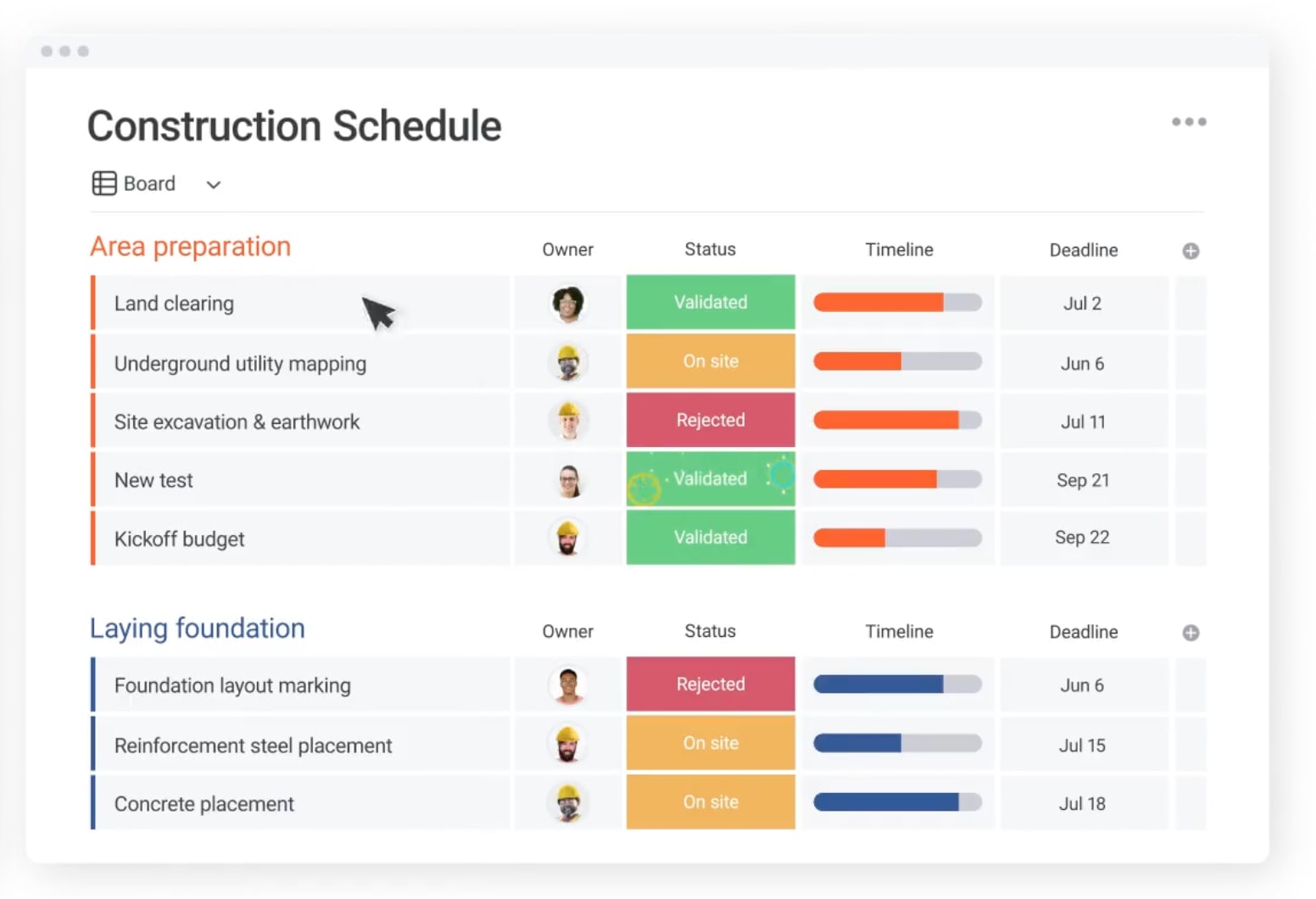
Time tracking delivers real business wins that go way beyond just watching productivity. For mid-to-large organizations, these benefits show up as better financials, faster operations, and tighter compliance.
Here’s how strategic time tracking changes performance across your organization:
Accurate project profitability analysis
Calculating project costs accurately means tracking actual labor, not just what you budgeted. Time tracking ties hours worked to resource rates, showing the real margin on every project.
This analysis needs both billable hours and non-billable admin time to show the full picture of project health. A professional services firm could audit their service lines with time data and find that a popular offering loses money because of too much non-billable coordination time. Then they can tweak pricing and scope to get back to profitable.
Optimized resource management
Seeing team capacity helps you avoid burnout and underuse. Time tracking data shows workload distribution so managers can balance assignments based on skills and availability, not guesses.
Organizations using intelligent platforms like monday work management address this through the Workload View, which enables teams to balance resources and quickly adapt to changing priorities. Teams can plan, schedule, and allocate resources effectively while estimating current capacity and assigning the right people based on skill and availability.
A marketing agency could analyze time data and find that graphic designers consistently overbook while copywriters sit with extra capacity. They can use this to adjust project intake and cross-train team members.
Enhanced operational efficiency
Time tracking diagnoses operational health by showing bottlenecks and inefficiencies that slow delivery. Analyzing time patterns spots activities that always take longer than expected or processes that need too much coordination.
Efficiency wins stack up, each one frees capacity for higher-value work:
- Process optimization: Pinpointing workflow stages where projects stall and restructuring them for speed.
- Workflow automation: Identifying repetitive, low-value activities that consume disproportionate time.
- Meeting efficiency: Quantifying the cost of internal meetings to drive shorter, more focused collaboration.
Improved financial forecasting
Past time data predicts future performance better than anything else. Organizations use past project data to build tighter budgets, realistic timelines, and revenue forecasts they can trust. This moves planning from estimation to calculation.
A software development company can use historical data from past builds to estimate effort for new features. This lets them commit to sprint deadlines confidently and manage cash flow based on predicted delivery dates.
Streamlined compliance reporting
For many industries, time tracking is a regulatory necessity. Automated tracking ensures organizations meet strict reporting requirements without the chaos of manual audits.
Compliance scenarios include:
- Government contracts: Requiring precise labor hour documentation.
- Legal and financial services: Supporting audit requirements.
- Labor law adherence: Tracking overtime and break compliance.
Seeing team capacity helps you avoid burnout and underuse. Time tracking data shows workload distribution so managers can balance assignments based on skills and availability, not guesses
What to look for in enterprise time tracking software
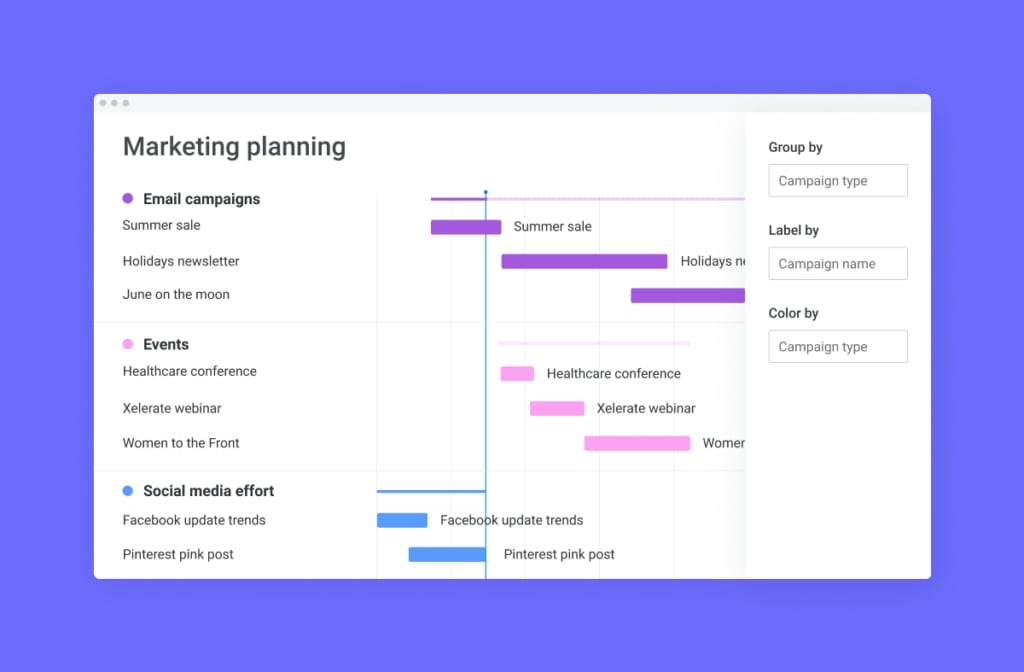
As organizations grow, time tracking needs to do more than log hours. It has to support layered reporting structures, strict security requirements, and multiple workflows running at once.
Basic systems struggle under that complexity. Enterprise-ready solutions are built differently. They connect automation, analytics, security, and resource planning into one cohesive platform, so time data flows directly into execution and decision-making.
Here’s what to look for in a solution that can scale with you.
Automated time capture technology
Automation cuts the hassle of time entry, the biggest reason people don’t use it. Tools like app monitoring and calendar integration capture work without bugging users constantly. What would your team accomplish with an extra hour each day?
Automated capture methods eliminate manual data entry while maintaining accuracy:
- Smart detection: Systems that log time based on the active window or file open on a user’s device.
- Calendar integration: Automatically converting scheduled meetings into time entries.
- Task-based timers: One-click timers embedded directly within the activity card.
This keeps data accurate while letting users review and tweak entries before submitting, automation with control.
Mobile and cross-platform access
In distributed teams, tracking time from any device isn’t optional, it’s essential. Mobile apps, web interfaces, and desktop widgets ensure time is captured whether an employee is at their desk, at a client site, or in transit.
Offline capability is crucial for mobile apps, they need to save data when connectivity drops and sync automatically when it’s back. Field service teams log hours from job sites, executives approve timesheets from airports, and remote developers track time via desktop integration.
Advanced analytics and reporting
Raw data needs sharp visualization to be useful. Enterprise platforms offer dashboards you can customize for different people.
Reporting tiers address different organizational needs, with each tier building on the data from the level below:
- Individual reports: Personal productivity views that help employees manage their own time and focus.
- Team reports: Departmental views showing project progress, budget consumption, and efficiency trends.
- Executive reports: High-level dashboards displaying portfolio health and strategic alignment metrics.
Workload management integration
Time tracking must integrate with capacity planning to be effective. Workload management features use time data to visualize team bandwidth and prevent overcommitment.
Teams leverage monday work management’s resource management capabilities to see the big picture and easily detect bottlenecks by pulling data from all projects across different programs into one high-level view.
For example, a PMO might use workload views to see that the engineering team is at 110% capacity for the next month, prompting a decision to delay a non-critical internal project.
How to choose the right time tracking software for your organization
Choosing time tracking software is not just about features. It is about fit.
The right solution should connect naturally to the systems you already rely on, support how your teams actually work, and deliver reliable data without adding friction. If tracking time feels like extra admin, adoption drops and insights suffer.
A structured evaluation helps you avoid that trap. Instead of focusing on surface-level functionality, look at how the platform integrates, how easy it is to use, how it protects your data, and whether it can scale as your organization grows.
Use the following framework to guide your decision.
Step 1: Assess integration requirements and compatibility
The value of time tracking software is directly proportional to how well it communicates with other systems. Integration eliminates data silos and ensures that time data enriches other business processes.
Critical integration points span multiple business functions, with each connection reducing manual data transfer and improving accuracy:
- Project management systems: Linking time directly to activities and milestones for accurate status reporting.
- Financial systems: Pushing approved time data to billing and accounting software to speed invoicing.
- HR systems: Syncing with payroll to ensure accurate compensation and leave management.
- Communication platforms: Capturing time spent in meetings and collaborative chats.
Step 2: Evaluate user adoption and experience factors
The most capable software is useless if teams refuse to use it. User experience is the single biggest factor in adoption rates and data quality.
Evaluation criteria for UX should guide your selection process:
- Ease of entry: How many clicks does it take to log an activity?
- Interface design: Is the platform intuitive and visually organized?
- Learning curve: Can a new employee start tracking time with minimal training?
- Feedback: Pilot programs provide essential data on how real users interact with the platform.
Step 3: Review security and compliance standards
Enterprise organizations must ensure their time tracking software meets rigorous data protection standards. This includes how data is stored, who can access it, and how it is audited.
A security checklist should include several essential elements:
- Data encryption: Protection for data both in transit and at rest.
- Access controls: Granular permissions ensuring managers only see data relevant to their teams.
- Audit trails: Permanent record of who created, edited, or approved every time entry.
- Certifications: Compliance with standards like SOC 2, GDPR, and HIPAA where applicable.
monday work management provides multi-level permissions to control users’ access to viewing and changing data, including vendors and guests, along with enterprise-grade security that aligns to the most stringent security standards.
Step 4: Confirm scalability for growing teams
Solutions must handle growth in user count, data volume, and complexity without performance degradation. Scalable platforms offer flexible pricing tiers and feature sets that expand as the organization matures.
Scalability factors include maximum user limits, storage capacity for historical data, and the ability to handle complex project hierarchies. The software should support the transition from simple time logging to advanced resource management without requiring platform migration.
AI-powered time tracking: transforming workforce intelligence
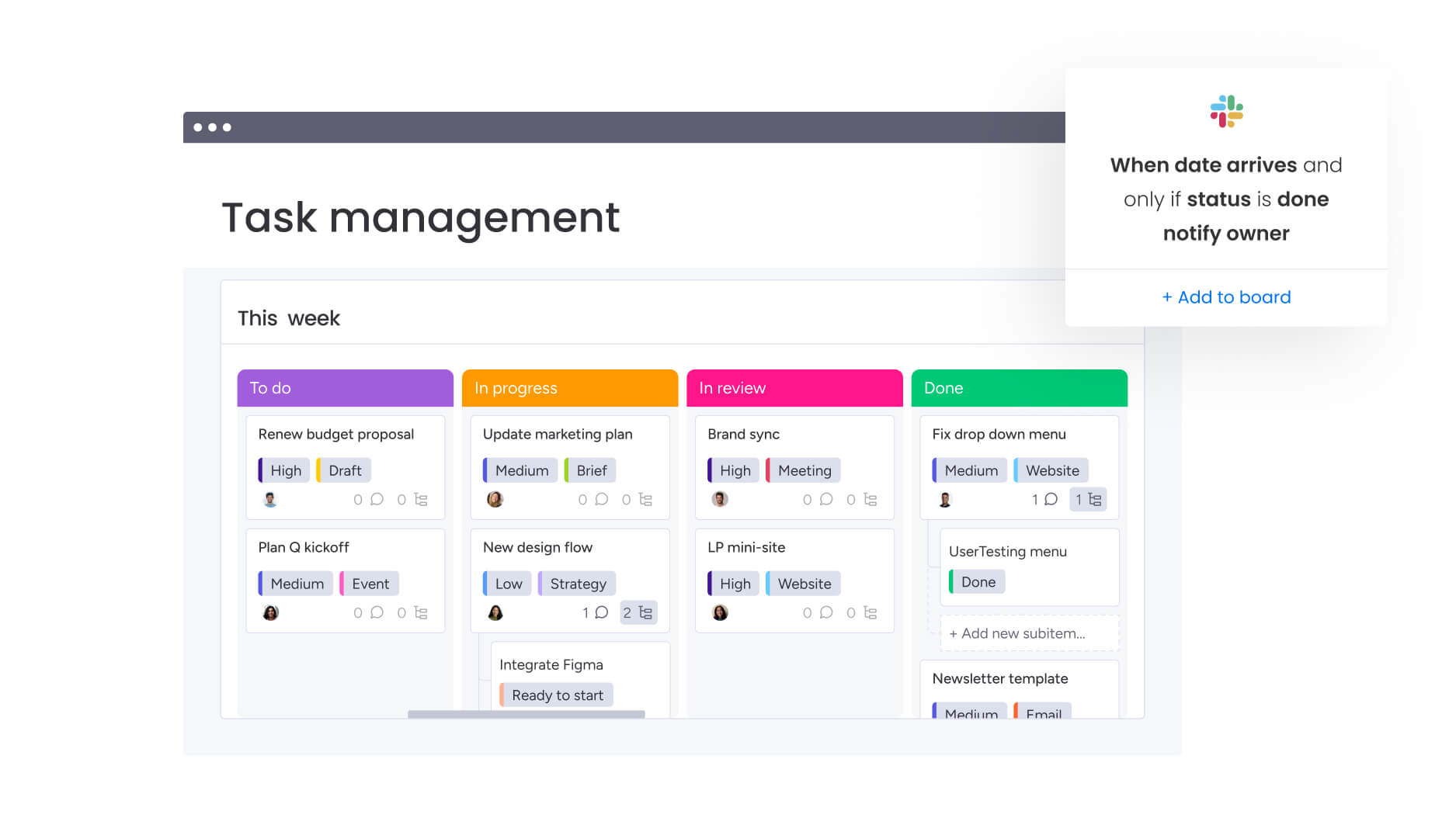
Artificial intelligence changes the role of time tracking entirely. What used to be a record of past activity becomes a source of forward-looking insight.
By analyzing trends across projects, teams, and time periods, AI can surface risks early, forecast outcomes, and organize data automatically. That means less manual cleanup and more clarity when planning resources or setting deadlines.
This is where time tracking evolves from reporting on what happened to helping you decide what to do next.
Predictive resource planning
AI analyzes historical performance to predict future outcomes with high accuracy. Machine learning algorithms identify patterns in how long specific activities take for different team members, enabling more realistic planning.
Capabilities include:
- Project completion forecasting: Based on current velocity.
- Resource shortage prediction: Weeks in advance.
- Realistic deadline suggestions: During the planning phase.
A consulting firm might use AI predictions to identify that a specific project type consistently runs 20% over budget, allowing them to adjust scope before the contract is signed.
Automated time categorization
Machine learning reduces the manual effort of tagging and organizing time entries. Algorithms learn from user behavior to automatically assign time to the correct project, activity, and billing code.
Organizations using monday work management’s AI Blocks enable this through capabilities like “categorize” and “extract info,” which let teams automatically categorize data at scale and organize it by type, urgency, or sentiment.
AI Blocks can also process thousands of entries to categorize them by urgency, client, or project type instantly, ensuring high data accuracy for billing and reporting while minimizing administrative burden.
Intelligent productivity insights
AI provides personalized recommendations to help individuals and teams work smarter. By analyzing work patterns, the system identifies peak productivity windows and collaboration bottlenecks.
Insight categories span multiple organizational levels:
- Individual: “You do your best deep work between 9 AM and 11 AM”.
- Team: “The design team spends 30% of their time in status meetings”.
- Organizational: “Cross-departmental projects take 40% longer due to approval delays”.
How monday work management turns time tracking into strategic execution
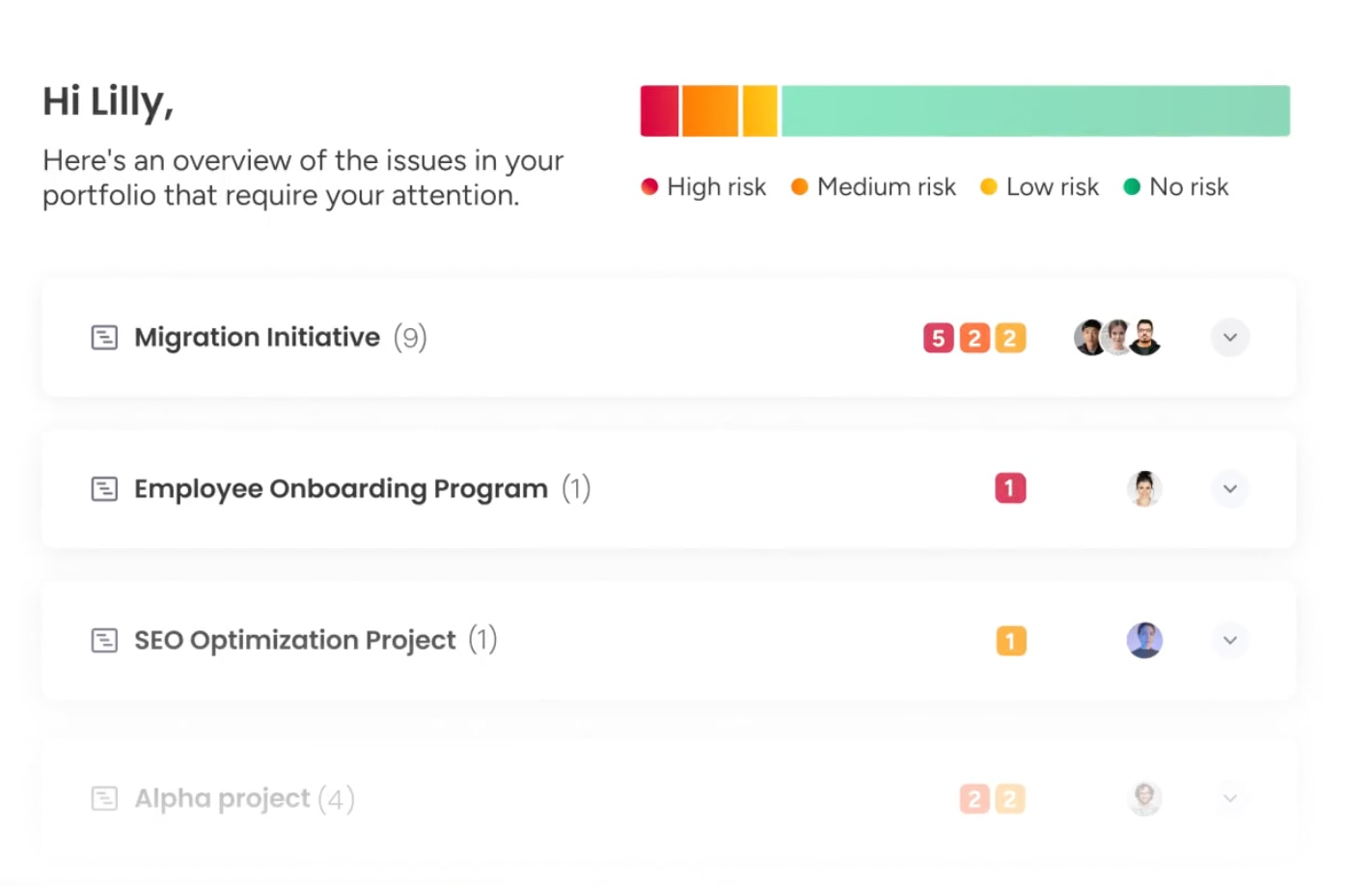
Time tracking is only useful when it reflects how your team actually operates. On monday work management, it is built directly into the intuitive monday Work OS, so it sits inside the same boards where projects are planned, owned, and delivered. There is no separate system to maintain and no gap between logging hours and managing work.
Because tracking happens in context, every entry connects instantly to status updates, deadlines, budgets, and owners. That connection is what turns raw hours into meaningful operational insight.
- Native workflow integration: Time tracking columns live alongside Status, Date, and People Columns, keeping effort tied to active workflows.
- AI-powered analysis: AI Blocks categorize entries automatically and surface patterns that help teams plan more accurately.
- Real-time dashboards: Customizable widgets visualize hours against budgets and timelines as work progresses.
- Workload View alignment: Live capacity data allows managers to rebalance resources quickly and prevent overcommitment.
The difference becomes even clearer when comparing embedded tracking with standalone tools:
| Feature | monday work management | Standalone time trackers |
|---|---|---|
| Workflow integration | Native; embedded in the project board | Disconnected; requires switching apps or plugins |
| Context | Time linked to project status, files, and updates | Time connected to project status, files, and updates |
| Reporting | Cross-project dashboards with custom widgets | Offers cross-project dashboards with custom widgets |
| Automation | Triggers actions based on time thresholds | Limited automation capabilities |
| User experience | Unified interface for all work management | Separate interface creates friction |
When time tracking lives outside execution, it adds friction and delays insight. When it is embedded directly into monday work management, every hour logged strengthens visibility, forecasting, and resource planning across the organization.

“monday.com has been a life-changer. It gives us transparency, accountability, and a centralized place to manage projects across the globe".
Kendra Seier | Project Manager
“monday.com is the link that holds our business together — connecting our support office and stores with the visibility to move fast, stay consistent, and understand the impact on revenue.”
Duncan McHugh | Chief Operations OfficerTransform time data into a strategic advantage now
s organizations grow, the real challenge is not collecting hours. It is understanding what those hours mean for delivery, margins, and long-term planning. When data lives in separate systems or only surfaces at the end of the month, decisions lag behind reality.
monday work management keeps time tracking connected to execution from day one, so insight builds naturally as work moves forward.
- Embedded tracking in workflows: Capture effort directly within boards where projects are planned and managed.
- Live dashboards and reporting: See budgets, utilization, and delivery trends as they evolve.
- Workload and resource visibility: Balance capacity proactively and prevent overcommitment.
- AI-powered categorization: Organize time data automatically and highlight patterns that improve forecasting.
- Portfolio-level alignment: Connect daily work to strategic goals so leaders allocate resources with confidence.
When time tracking is part of how your team works, it stops being administrative overhead and starts shaping better decisions. That is how monday work management helps turn everyday effort into measurable business progress.
Frequently asked questions
What is time tracking software and how does it work?
Time tracking software is a digital system that records work hours and allocates them to specific activities, projects, or clients. Systems use a combination of manual timers, automated background monitoring, and calendar integrations to capture data, which is then aggregated for payroll, billing, and productivity analysis.
How does time tracking software improve project profitability?
Time tracking improves profitability by revealing the actual cost of delivery. It allows organizations to compare estimated hours against actuals, identify scope creep, and ensure that all billable work is captured accurately.
What features should enterprise organizations look for in time tracking software?
Enterprise organizations require solutions that offer robust security including SSO and encryption, scalability to support thousands of users, and deep integration capabilities with existing ERP, HR, and project management stacks. Advanced analytics, automated compliance reporting, and mobile accessibility are also critical.
Can time tracking software integrate with existing project management platforms?
Yes, advanced time tracking solutions offer API connections and native integrations with popular project management platforms. This integration allows time to be tracked directly within the project interface, eliminating duplicate data entry.
How does AI enhance time tracking software capabilities?
AI enhances time tracking by automating the categorization of time entries, predicting project completion dates based on work velocity, and identifying productivity patterns. AI algorithms can flag potential burnout risks and suggest resource allocation optimizations.
What are the best practices for implementing time tracking in large organizations?
Successful implementation relies on transparent communication of value, not just requirements. Best practices include defining strategic goals for the data, involving teams in the selection process, providing comprehensive training, and focusing on trust rather than surveillance.

 Get started