


Time data often lives in disconnected systems, detached from project plans, resource capacity, and long-term objectives. As a result, leadership teams still struggle to answer fundamental questions about prioritization, investment value, and recurring budget overruns.
AI-powered time management software is changing how organizations approach this problem. By automatically categorizing work, forecasting resource needs, and surfacing risks early, these platforms transform time tracking from a retrospective exercise into a planning tool.
Below, we examine the leading AI-powered time management software options for 2026, outline the features that matter most for modern teams, and explore how AI is reshaping the link between time, execution, and business outcomes.
Key takeaways
AI-powered time management platforms are shifting time tracking from a passive record-keeping task into an active driver of planning, execution, and decision-making across modern teams.
- AI elevates time tracking into a strategic function: by automating data capture, categorization, and forecasting, organizations can move from hindsight reporting to forward-looking planning and risk prevention.
- The most effective tools connect time data to execution and outcomes: standalone trackers log hours, but platforms that link time to projects, resources, and goals provide clearer insight into value, prioritization, and ROI.
- Predictive insights reduce delays and budget overruns: AI-driven resource forecasting and early risk detection help teams rebalance workloads and address issues before they escalate.
- Adoption depends on integration and usability: tools that fit naturally into existing workflows and centralize data across departments deliver more reliable insights and faster time to value.
- Unified work management platforms offer broader impact: solutions such as monday.com integrate AI-driven time tracking with project planning, resource management, and portfolio visibility, enabling organizations to align daily work with strategic objectives.
Top AI-powered time management software at a glance
While standalone trackers are effective for logging hours, they often operate in isolation. Time data is captured, but it remains disconnected from planning, execution, and decision-making.
Modern platforms like monday.com create an advantage by connecting time tracking with project plans, workload views, dashboards, and organizational goals. This context enables leadership teams to evaluate time investment alongside outcomes, rather than in isolation.
| Software | Starting price | Key AI features | Example |
|---|---|---|---|
| monday work management | $9/seat/month | AI Blocks for categorization, Digital Workforce for project optimization, predictive resource planning, automated compliance reporting | Organizations requiring unified work management with time tracking integrated into strategic planning and cross-departmental workflows |
| Toggl Track | $9/user/month | Automatic project suggestions, time categorization, idle detection | Small teams needing straightforward time tracking with minimal setup |
| Clockify | Free tier available | Automatic time categorization, project insights, productivity analytics | Budget-conscious teams starting with basic time tracking |
| Jibble | Free tier available | Facial recognition attendance, automatic break detection, and geofencing | Mobile workforces requiring attendance monitoring and location tracking |
| Harvest | $12/seat/month | Project budget forecasting, automatic expense categorization, and invoice generation | Service-based businesses need time tracking with billing integration |
| My Hours | $8/user/month | Project-based insights, automatic time allocation, and budget tracking | Project-focused teams managing multiple client engagements |
| TimeCamp | $7/user/month | Automatic activity tracking, productivity categorization, distraction analysis | Organizations prioritizing productivity monitoring and activity analysis |
| Scoro | $26/user/month | Resource forecasting, project profitability predictions, workflow automation | Mid-sized businesses seeking combined CRM and project management |
| Deltek Replicon Time | Custom pricing | Compliance automation, workforce analytics, regulatory reporting | Highly regulated industries requiring government contracting compliance |
| Productive | $11/user/month | Profitability predictions, resource optimization, budget forecasting | Creative agencies managing profitability across multiple projects |
| Connecteam | $29/month for 30 users | Shift optimization, workforce analytics, schedule automation | Field service teams requiring mobile workforce management |
| Smartsheet | $9/user/month | Workflow automation, predictive project insights, resource management | Teams comfortable with spreadsheet-based project tracking |
| Kantata | Custom pricing | Resource forecasting, project optimization, capacity planning | Professional services firms managing complex resource allocation |
| Resource Guru | $4.16/person/month | Resource optimization, conflict detection, capacity forecasting | Organizations focused primarily on resource scheduling and availability |
| Traqq | Free tier available | Automatic time tracking, productivity analysis, activity categorization | Remote teams requiring detailed activity monitoring |
1. monday.com
For mid-to-large organizations, monday.com extends time tracking beyond simple hour logging into operational visibility. Time data connects directly to projects, processes, and requests teams already manage daily.
A shared digital workspace supports cross-department coordination while allowing teams to maintain their preferred ways of working. This balance helps ensure adoption without forcing rigid workflows.
Instead of asking where time was spent, leadership can assess which initiatives delivered value and where future investment should be directed. This shift supports informed portfolio-level decisions grounded in execution data.

Use case:
Organizations often implement monday.com to position time tracking as part of an end-to-end workflow. Requests are submitted, approved, scheduled, executed, and reported within one connected system.
A common scenario involves a PMO managing portfolio delivery across a standardized set of boards. Time tracking compares planned versus actual effort, while Gantt views and dependencies guide delivery timelines. Dashboards consolidate time, status, and workload insights across programs.
Key features:
A strong foundation is essential before applying AI capabilities. These features establish consistent time management practices across departments.
- Time tracking: monitor the duration of projects so teams can plan future work with real effort data.
- Workload View: balance capacity across teams so assignments match availability.
- Project views: visualize work in the format that matches the team, including Gantt chart, Kanban, Timeline, Calendar, and Workload.
- Goals & OKRs: track progress toward strategic objectives so time investment maps back to priorities.
- Dashboards & reporting: pull live data from multiple boards to monitor schedules, resources, and progress.
Advanced AI features:
AI works best when it’s built into the platforms people already use. In monday.com, monday.com’s AI offering appears through AI Blocks and AI automation blocks, allowing teams to standardize how they label, summarize, and structure information at scale.
- AI blocks: add ready-made AI capabilities into board columns and automate repetitive analysis.
- Categorize: automatically assign labels based on text, such as categorizing work logs into project codes or work types.
- Extract info from files: pull structured details from PDFs, images, text columns, and documents, then place the results into board columns.
- Summarize: turn long updates or notes into the key points leaders need for reviews.
- Translate and detect sentiment: support global teams and help teams classify qualitative feedback.
- Custom block: define tailored prompts aligned with specific workflow needs.
- Digital workforce (coming soon): scheduled for release, introducing digital workers that manage ongoing work while adapting to organizational patterns.
- Project analyzer: monitors projects in real time, flags bottlenecks, and provides proactive insights to keep work on track.
- monday.com expert: helps tailor boards, automations, and structure to match your organization’s workflow.
Automations:
Time management software succeeds when it drives consistent habits across teams, without managers becoming the reminder engine. With monday.com, teams use no-code automations to keep ownership, updates, and approvals moving.
- Automations and templates: standardize recurring workflows, including approvals and reminders.
- Automation center: teams can select pre-built automation templates and tailor them to their board structure.
- AI automation blocks (pro and enterprise): add AI actions like categorize with AI, summarize text with AI, extract information with AI, and custom block into automations.
Integrations:
Integrations are most effective when they reduce tab switching and centralize work. monday.com supports connections with 200+ apps, ensuring time data and delivery context remain linked.
- Common workflow integrations: Microsoft Teams, Slack, Outlook, Gmail, Zoom, Google Drive, and Excel.
- Work management integrations: Jira Cloud.
- Time tracking and reporting integrations (examples): Toggl and Harvest.
Time management software features:
Organizations managing work across departments require more than a timer. Time data must align with planning, capacity management, and executive reporting.
- Unified time and project tracking: track time directly within planning and execution boards.
- Cross-department reporting: aggregate time, progress, and workload metrics into dashboards.
- Portfolio context: connect initiatives across teams to identify patterns at scale.
Pricing:
- Basic: $9/seat/month (billed annually) with unlimited items and basic time tracking capabilities.
- Standard: $12/seat/month (billed annually), including timeline views, guest access, and 250 automation actions monthly.
- Pro: $19/seat/month (billed annually) featuring advanced time tracking, formula columns, and 25,000 automation actions monthly.
- Enterprise: custom pricing with portfolio management, advanced resource planning, and enterprise-grade security features.
- Annual billing: provides 18% discount compared to monthly plans.
- AI credits: metered at $0.01 per credit with initial bundles included (6,000 for standard plans, 12,000 for enterprise).
Why it stands out:
The core value isn’t just feature density; it is the capacity to run time tracking within a system that also governs goals, portfolios, resources, and processes.
- Built for high adoption: an intuitive workspace helps teams keep data current, which makes reporting more reliable.
- Fast time to value: organizations can launch, iterate, and standardize workflows quickly using templates, automations, and configurable boards.
- Recognized by analysts: monday.com is recognized as a Leader in the 2025 Gartner® Magic Quadrant™ for Collaborative Work Management and the 2025 Gartner® Magic Quadrant™ for Adaptive Project Management and Reporting.
- Backed by Forrester research: Forrester Total Economic Impact™ research highlights outcomes, including a less than four month payback period, and Motorola reporting 346% ROI with monday.com.
2. Toggl Track
Agencies and freelancers prioritizing privacy often turn to Toggl Track. The platform emphasizes a trust-first approach, explicitly rejecting surveillance tactics in favor of straightforward logging. Built by a bootstrapped Estonian company, it serves over 70,000 businesses with enterprise-grade security certifications, offering AI-powered project suggestions that learn from team patterns.

Use case:
Ideal for professional services teams and agencies that require accurate time logging and profitability insights, but wish to avoid heavy project management overhead.
Key features:
- AI-powered project suggestions that recommend appropriate codes based on time patterns and historical data.
- Project dashboards with budget forecasting, alerts, and profitability analysis to prevent scope creep.
- Trust-based design with no screenshots, GPS tracking, or surveillance features, just pure time tracking.
Pricing:
- Free: up to 5 users with core tracking and basic reports.
- Starter: $9/month per user annually with billable rates, projects, and team reporting.
- Premium: $18/month per user annually with profitability analysis, timesheet approvals, and advanced reports.
- Enterprise: custom pricing with dedicated customer success manager.
- Offer: 10% discount for annual billing.
Considerations:
- Limited to time-first workflows without advanced project management features like dependencies or Gantt charts.
- Higher per-seat pricing compared to competitors like Clockify, which may impact budget-conscious teams.
3. Clockify
Cost barriers often stall adoption, but Clockify tackles this head-on with a robust free tier for unlimited users. By combining basic AI categorization with project forecasting, it provides an accessible entry point for small to mid-sized teams needing to track time without enterprise complexity. The transparent pricing structure and 24/7 support across all tiers are frequently cited benefits.

Use case:
Clockify is a strong contender for teams requiring comprehensive time tracking, project budgeting, and resource scheduling in a single platform, minus the complexity of enterprise-grade work management systems.
Key features:
- Automatic time categorization based on project patterns with basic AI insights for time distribution analysis.
- Project forecasting that combines tracked and scheduled hours to predict completion timelines and budget overruns.
- Cross-platform tracking through web, desktop, mobile apps, and kiosk options with offline capabilities.
Pricing:
- Free: unlimited users and time tracking.
- Basic: $3.99/user/month (billed annually).
- Standard: $5.49/user/month (billed annually).
- Pro: $7.99/user/month (billed annually).
- Enterprise: $11.99/user/month (billed annually).
- Offer: 20% discount available for annual billing.
- Productivity Suite Bundle: available at $12.99/user/month.
Considerations:
- Advanced features like scheduling, forecasting, and enterprise security controls require paid plans, limiting the free tier’s work management capabilities.
- QuickBooks integration works only with specific versions and has compatibility restrictions with payroll features.
4. Jibble
Distributed teams face unique challenges with attendance fraud, a problem Jibble solves through biometric verification. Its mobile-first approach uses facial recognition during clock-in, while geofencing capabilities ensure staff are exactly where they need to be. Forbes recognized Jibble as the Best Time Clock Software of 2025, noting its unusually generous free plan.

Use case:
This platform is particularly effective for attendance tracking in mobile workforces, using AI-powered monitoring to detect patterns like frequent tardiness or unexpected absences, alerting managers before operations are impacted.
Key features:
- Facial recognition speed mode: biometric verification with anti-spoofing technology prevents time theft while maintaining user experience through adjustable accuracy thresholds.
- Automatic break detection: activity monitoring identifies when employees step away from work, ensuring compliance with labor regulations requiring documented rest periods.
- Geofencing capabilities: verify that employees clock in from approved locations, supporting field service operations and remote work policies with auto clock-in/out functionality.
Pricing:
- Free: $0 forever for unlimited users with GPS tracking, biometric verification, unlimited projects/clients, and integrations.
- Premium: $3.49 per user/month with group management, unlimited geofences and work schedules, leave accruals, and multi-level approvals.
- Ultimate: $6.99 per user/month, adding custom permissions, live location tracking, and attendance insights reports.
- Enterprise: $8.99 per user/month with SSO (SAML), audit logs, white labeling, and dedicated infrastructure.
Considerations:
- Some advanced capabilities, like live location tracking and unlimited schedules, are gated to higher pricing tiers, limiting functionality for organizations on the free plan.
- Users report occasional GPS and facial recognition inconsistencies, along with sync delays that can impact real-time attendance accuracy.
5. Harvest
Financial health is the priority for Harvest, which bridges the gap between billable hours and revenue. It specializes in connecting time entries directly to invoicing and profitability analysis, a critical workflow for agencies and consultancies. With nearly two decades of experience and 70,000+ customers, it has established itself as a staple for service-based firms.

Use case:
Harvest is the go-to for service-based businesses that bill by the hour, offering seamless integration between time tracking, project budgeting, and invoice generation.
Key features:
- Integrated invoicing and payments: generate invoices directly from time entries with built-in Stripe and PayPal processing for faster client payments.
- Project budgeting and forecasting: predict budget overruns based on current burn rates and receive proactive alerts when projects approach spending thresholds.
- Comprehensive expense management: automatically categorize expenses by project using machine learning, reducing manual data entry and improving financial reporting accuracy.
Pricing:
- Free: $0 (one seat, two projects, basic reporting and invoicing).
- Pro: $11/month per seat (annual billing) or $13.75/month (monthly billing).
- Premium: custom pricing (includes profitability reporting, approvals, activity log, SAML SSO, and onboarding for 50+ seats).
- Forecast add-on: $5/month per person (annual) or $6.25/month (monthly) for resource planning.
- Annual discount: 20% off the Pro plan and Forecast add-on.
- Volume discounts: 25% off for teams of 50+ seats.
- Nonprofit/education: 15% monthly or 25% annual discount.
Considerations:
- Limited project management capabilities compared to comprehensive platforms, requiring integration with external PM systems for full workflow management.
- The platform requires team members to manually start and stop timers to ensure accurate billing records.
6. My Hours
Governance takes center stage with My Hours. Designed for consultancies and government contractors, it focuses on compliance-ready features that satisfy audit requirements without resorting to employee surveillance. The platform combines ISO certifications and EU hosting to offer enterprise-grade security alongside its approval workflows.

Use case:
This platform is best suited for tracking billable hours across client projects while maintaining audit trails and approval processes that satisfy DCAA and FLSA compliance requirements.
Key features:
- Project budgets with real-time alerts when approaching or exceeding allocated hours and costs.
- Flexible approval workflows with timesheet locking, validation rules, and comprehensive audit logging.
- Multi-platform time entry through web, mobile apps, browser extensions, and Microsoft Teams integration.
Pricing:
- Free: $0 for up to five users.
- Pro: $8/month per user (annual) or $9/month per user (monthly).
- Enterprise: custom pricing with mandatory SSO, extended audit history, and custom integrations.
Considerations:
- Invoice customization options are limited within the platform, requiring Excel exports for advanced formatting.
- Jira integration features appear inconsistent across documentation, suggesting ongoing development or rollout phases.
7. TimeCamp
Manual entry is often the weak link in data accuracy. TimeCamp circumvents this by monitoring background computer activity to capture work hours automatically. Using AI-powered categorization, it analyzes application usage and website visits to assign time to projects, effectively eliminating the need for timesheets. It also offers a Planner add-on for lightweight work management.

Use case:
TimeCamp is optimal for teams needing comprehensive time tracking combined with productivity insights, offering automatic activity monitoring and detailed reporting to understand how time distributes across applications, websites, and project categories.
Key features:
- Automatic time capture: AI-powered tracking monitors computer activity and categorizes time spent on applications and websites without manual timer management.
- Productivity monitoring: detailed insights identify productive work versus distracting activities, with optional screenshot capture and idle detection for accuracy.
- Integrated work management: TimeCamp Planner adds collaborative task management, Kanban boards, timelines, and team chat while maintaining time tracking integration.
Pricing:
- Free: $0 for unlimited users and projects with essential time tracking.
- Starter: $3.99 per user/month (billed annually) for time tracking and billing features.
- Premium: $6.99 per user/month (billed annually) for profit and productivity monitoring.
- Ultimate: $9.99 per user/month (billed annually) with analytics, collaboration, and SSO.
- Enterprise: custom pricing for management, security, and on-premise deployment options.
- TimeCamp planner pro: $2.99 per user/month (billed annually) for enhanced project management features.
- Offer: 30% discount available for non-profits, universities, and students.
Considerations:
- Core TimeCamp lacks native scheduling and forecasting features, requiring the separate Planner product for timeline management.
- Screenshot capture and advanced monitoring features are restricted to higher-tier plans, limiting audit capabilities for budget-conscious teams.
8. Scoro
Rather than stitching together disparate platforms, Scoro offers a unified business management ecosystem. It combines time tracking, project management, CRM, and billing into a single platform, streamlining quote-to-cash workflows. Its AI-powered resource planning is particularly useful for analyzing team capacity to prevent bottlenecks before they occur.

Use case:
Scoro serves professional services organizations that need end-to-end visibility from initial quotes through project delivery and final invoicing, eliminating the need for multiple disconnected systems.
Key features:
- Integrated financial management: native quoting, budgeting, invoicing, and revenue recognition capabilities that connect directly to project delivery.
- AI-powered resource optimization: ELI assistant analyzes capacity across teams to suggest optimal project assignments and identify potential bottlenecks.
- Real-time profitability tracking: monitor quoted vs. actual costs, utilization rates, and work-in-progress reports to maintain healthy margins throughout project lifecycles.
Pricing:
- Core: €18.90/$19.90 per user/month (five-user minimum).
- Growth: €29.90/$32.90 per user/month.
- Performance: €47.90/$49.90 per user/month.
- Enterprise: custom pricing (contact sales).
- Annual prepayment discounts: up to 16% available.
- AI prompt usage: beyond included volumes requires add-on pricing.
Considerations:
- Initial setup requires thoughtful configuration of permissions, views, and workflows, particularly for non-power users.
- Higher per-seat pricing compared to basic project management platforms, though this includes native financial capabilities that would otherwise require separate subscriptions.
9. Deltek Replicon Time
For industries bound by strict regulatory frameworks, standard tools often fall short. Deltek Replicon Time fills this void with enterprise-grade compliance automation, specifically targeting DCAA requirements and complex labor laws. Its ZeroTime AI feature captures work across 100+ applications while maintaining the rigorous audit trails necessary for government contracting.

Use case:
This solution is designed for organizations needing enterprise-grade compliance automation and workforce analytics for professional services, particularly those requiring DCAA compliance for government contracting.
Key features:
- ZeroTime AI automatically captures time entries across 100+ applications with a privacy-first design and employee review workflows.
- SmartSchedule AI optimizes resource allocation by analyzing workforce utilization and suggesting optimal assignments that balance workload while meeting project deadlines.
- Enterprise compliance engine monitors time entries against labor regulations, automatically flags potential violations, and maintains comprehensive audit trails.
Pricing:
- TimeAttend Plus: $12/user/month.
- Workforce Management: $19/user/month.
- TimeOff Plus: $6/user/month.
- TimeOff Enterprise: $8/user/month.
- ProjectTime: $29/user/month.
- ProjectTime Plus: $39/user/month.
- Enterprise Time Tracking: custom pricing based on organizational requirements.
Considerations:
- Complex implementation may require extensive training and technical expertise for full deployment across enterprise environments.
- Multiple add-ons like TimeOff and CloudClock hardware can significantly increase total cost of ownership beyond base pricing.
10. Productive
Creative agencies often struggle to balance artistic output with financial discipline. Productive addresses this by unifying project delivery with financial oversight. It connects time tracking, project management, and profitability analysis in real-time, allowing agencies to protect margins while executing work. The platform is built by agency veterans and serves over 1,500 companies.

Use case:
Productive gives creative agencies end-to-end visibility into project profitability while work is in progress, enabling proactive adjustments to protect margins and optimize resource allocation.
Key features:
- AI-powered profitability predictions: analyze time tracking patterns, resource costs, and project budgets to forecast whether projects will meet margin targets before completion.
- Smart resource allocation: machine learning suggests optimal team assignments based on skills, availability, and project requirements to maximize billable utilization.
- Integrated financial workflows: native connection between project delivery, time tracking, budgeting, and invoicing eliminates data silos between creative and financial operations.
Pricing:
- Essential: $9 per month with annual billing, or $11 per month with monthly billing.
- Professional: $24 per month with annual billing, or $28 per month with monthly billing.
- Ultimate: $32 per month with annual billing, or $39 per month with monthly billing.
- Free client access: reduces collaboration and external stakeholder costs.
- Nonprofit discount: fifty percent discount available for eligible organizations.
- Seat requirements: minimum of three seats required.
Considerations:
- Advanced reporting and setup require significant time investment to master formulas and pivoting capabilities.
- Integration depth varies across platforms, with some users noting occasional friction in accounting connections like Xero.
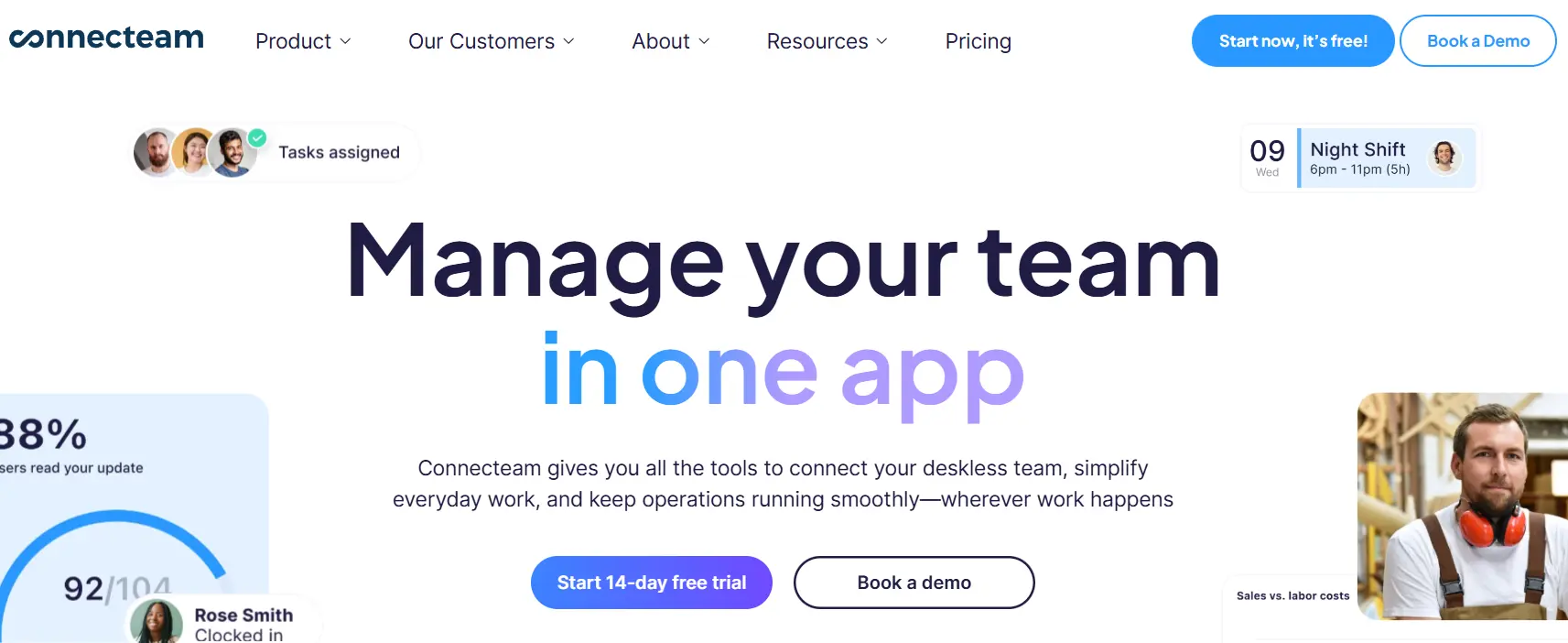
11. Connecteam
Deskless teams in retail, healthcare, and construction require tools that don’t demand a desktop. Connecteam answers this need with a mobile-first app that combines scheduling, time tracking, and communication. It is specifically engineered for shift-based and location-distributed workers who need quick access to operational tools.
Use case:
Connecteam is ideal for coordinating day-to-day operations for frontline teams who need quick task assignment, shift scheduling, and real-time communication without the complexity of enterprise project management platforms.
Key features:
- AI-powered auto-scheduling that analyzes historical patterns, employee availability, and workload requirements to optimize shift assignments.
- Mobile-first task management with geofencing, GPS tracking, and location verification for compliance and operational visibility.
- Integrated time clock with breadcrumb tracking, forms and checklists, and team communication features designed for field operations.
Pricing:
- Small Business Plan: free for up to ten users with access to all hubs and features.
- Operations Hub: $29/month (Basic), $49/month (Advanced), $99/month (Expert) for first 30 users.
- Communications Hub: $29/month (Basic), $49/month (Advanced), $99/month (Expert) for first 30 users.
- HR & Skills Hub: $29/month (Basic), $49/month (Advanced), $99/month (Expert) for first 30 users.
- Annual billing: saves approximately 18% (two months free).
- Additional users: $0.80–$5.00 per user/month beyond 30 users, depending on plan and hub.
Considerations:
- Limited offline functionality across mobile and desktop applications, with offline capabilities currently on the product roadmap.
- Per-hub pricing structure means organizations adopting multiple hubs pay separate base fees, which can increase costs for comprehensive implementations.
12. Smartsheet
Scaling from a single project to a global portfolio requires robust governance. Smartsheet combines the familiarity of a spreadsheet interface with enterprise-grade automation and security. With FedRAMP authorization and widespread adoption among the Fortune 500, it is a strong choice for organizations managing complex, cross-functional initiatives that need standardized execution.

Use case:
Smartsheet is effective for managing large-scale portfolios and standardized project delivery across enterprise organizations that need both spreadsheet familiarity and robust governance controls.
Key features:
- Control Center blueprints: automate project provisioning and standardize delivery across up to 20,000 active projects per blueprint.
- Enterprise security and compliance: ISO 27001/27017/27018/27701, SOC 2/3, FedRAMP Moderate authorization, and customer-managed encryption keys.
- AI-powered automation: formula generation, chart creation from natural language, and predictive project insights that identify at-risk initiatives.
Pricing:
- Pro: $9/month (annual billing) or $12/month (monthly billing).
- Business: $19/month (annual billing) or $24/month (monthly billing).
- Enterprise: custom pricing (quote-only).
- Advanced Work Management: custom pricing (quote-only).
- Premium add-ons: like Dynamic View start at $125/month and Data Shuttle starts at $100/month.
Considerations:
- Sheet-level limits (20,000 rows, 400 columns) may require data splitting for very large datasets.
- Many enterprise features require premium add-ons or higher-tier plans, potentially increasing total cost of ownership.
13. Kantata
Maximizing utilization rates is the primary goal for Kantata. Born from the merger of Mavenlink and Kimble Applications, this platform unifies resource management, project execution, and financial tracking. It targets consulting firms and IT services organizations that need tight control over project profitability, offering both Salesforce-native and open infrastructure deployment options.

Use case:
Kantata helps professional services organizations maximize billable utilization through AI-powered resource forecasting and real-time project profitability tracking.
Key features:
- Resource forecasting: AI analyzes pipeline opportunities and historical patterns to predict future capacity needs and optimize hiring decisions.
- Project financial tracking: real-time visibility into project profitability with EAC/ETC forecasting and revenue recognition compliance.
- Sentiment analysis: Kantata Pulse captures client and team feedback to identify project risks before they impact delivery.
Pricing:
- Custom pricing: quote-based pricing tailored to organizational size and feature requirements.
- Add-ons available: pulse sentiment analysis and certain integrations require additional fees.
- Plan tiers: Professional, Premier, and Enterprise plans with varying feature access.
Considerations:
- Quote-only pricing model lacks transparency for budget planning.
- Some integrations like QuickBooks and Jira require additional purchases or higher-tier plans.
14. Resource Guru
Scheduling conflicts can derail projects before they begin. Resource Guru focuses entirely on visual capacity planning to prevent overbooking. It unifies people, equipment, and meeting rooms in a single calendar, using intelligent clash management to keep operations smooth. The platform offers transparent pricing and automated timesheet integration without the weight of a full PSA system.

Use case:
Resource Guru is designed for visual resource scheduling and capacity planning for project-based organizations that need to coordinate both human and non-human resources while preventing scheduling conflicts.
Key features:
- Clash management engine: automatically detects scheduling conflicts and offers three resolution paths, waiting List, elastic overtime, or extended availability.
- Visual capacity tools: availability Bar and Heatmap provide instant visibility into team utilization and help identify over- or under-allocation.
- Integrated timesheets: auto-populate timesheets from scheduled work, reducing administrative overhead and improving accuracy.
Pricing:
- Grasshopper: $4.16 per person per month, including unlimited projects and calendar sync.
- Blackbelt: $6.65 per person per month, adding timesheets, reports, and project budgets.
- Master: $10 per person per month, including approval workflows, SSO, and phone support.
- Non-human resources: equipment and rooms are discounted at fifty percent of person-based rates.
- Annual billing: provides two months free.
Considerations:
- Advanced features like approval workflows and SSO require the highest-tier Master plan.
- Mobile experience relies on web app rather than native mobile applications, which may limit on-the-go functionality.
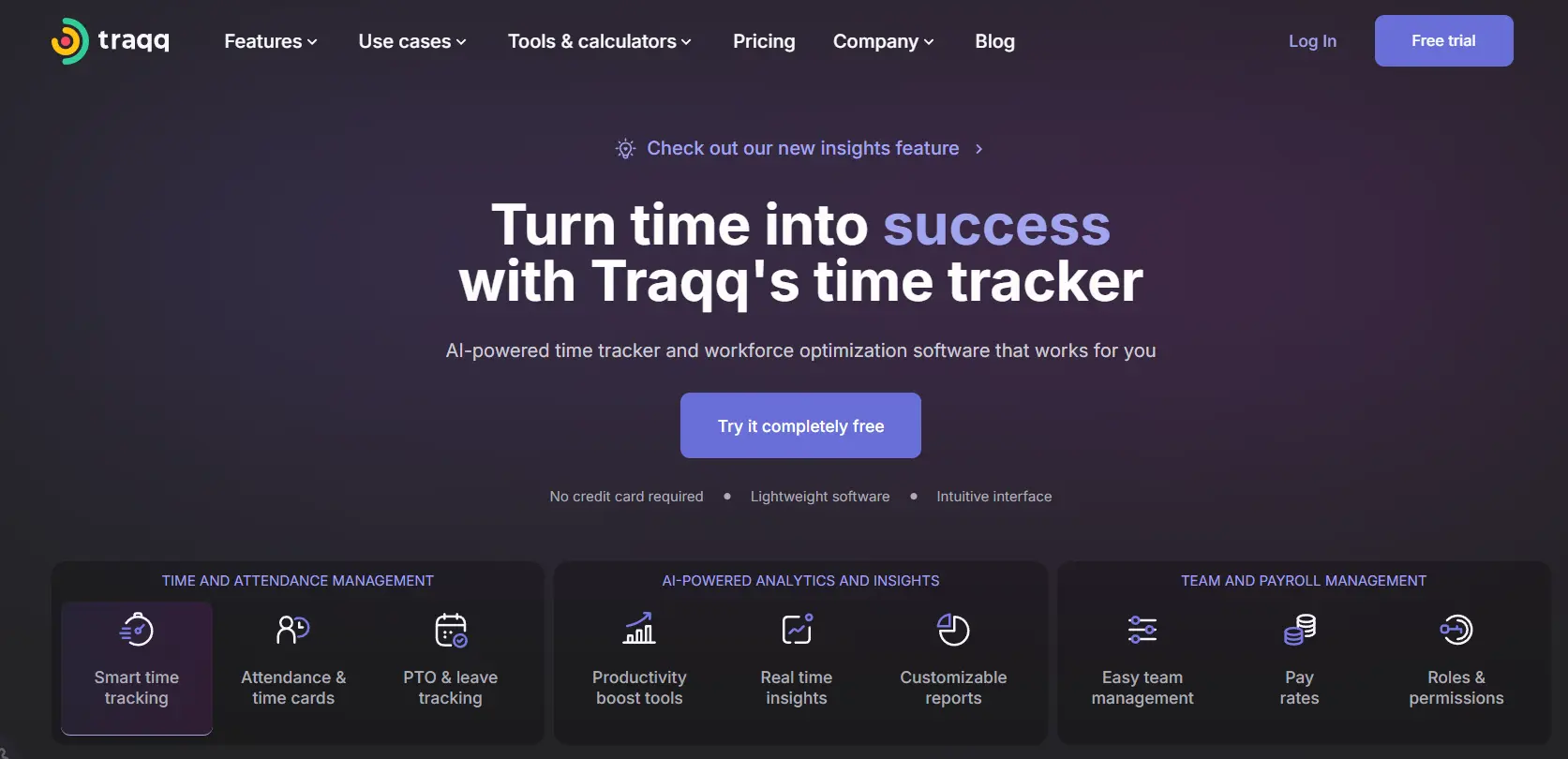
15. Traqq
Balancing accountability with employee privacy is a delicate act. Traqq navigates this by offering ethical monitoring that uses optional screenshots to verify activity without resorting to invasive keylogging. This approach is tailored for organizations that need to build trust with remote teams while ensuring work is being completed.
Use case:
Traqq serves teams seeking comprehensive time tracking and workforce analytics that balance transparency with employee privacy, making it particularly valuable for remote organizations requiring detailed activity insights without resorting to invasive surveillance.
Key features:
- Automatic time capture with offline sync and idle detection across Windows, macOS, and Linux systems.
- AI-driven productivity analysis that categorizes work activities and identifies optimization opportunities.
- Comprehensive reporting suite including attendance tracking, PTO management, and pay rate calculations with CSV/XLSX exports.
Pricing:
- Premium Starter: free for up to three users with all premium features.
- Premium Teams: $6 per user per month with annual billing, $6.30 with quarterly billing, and $7 with monthly billing for teams of 4–100 users.
- Enterprise: custom pricing for organizations with more than 100 users.
- Free trial: 21-day trial available for paid plans.
- Annual billing discount: offers approximately a 14% cost reduction.
- Competitor switch discount: provides up to 30% off for eligible customers.
Considerations:
- Desktop-only tracking with no mobile app support for iOS or Android devices.
- Limited native integrations beyond Zapier, requiring manual exports for most third-party connections.

Predictive capabilities are shifting time tracking from a retrospective activity to a forward-looking strategy. Rather than simply reporting on past hours, AI transforms historical data into forecasts that aid in smarter planning. Companies adopting this technology often see significant reductions in administrative overhead, sometimes cutting timesheet management by up to 40%.
The real value lies in automation and optimization. The most effective AI features handle tedious tasks, offer analytics for future planning, and refine schedules without needing constant human intervention. This grants leaders the oversight necessary to keep initiatives on budget and on time.
AI is transforming time management from a simple record-keeping activity into a strategic function. By automating data capture and providing predictive insights, these capabilities help leaders make more informed decisions. Here is how AI elevates time management:
- Automated time categorization: manual entry becomes obsolete when AI assigns time to projects based on context from emails, calendars, and work patterns. monday.com uses AI Blocks to process thousands of entries simultaneously, ensuring consistency without requiring employees to reconstruct their week from memory.
- Predictive resource planning: historical data allows AI to forecast future needs and identify capacity bottlenecks before they delay projects. Imagine knowing your team’s crunch times weeks in advance. By connecting time data to strategic goals, monday.com highlights gaps between available hours and key deliverables.
- Intelligent scheduling: algorithms can now optimize calendars by considering availability, dependencies, and individual work habits. This minimizes context switching and preserves focus blocks, ensuring that time is allocated to the most critical tasks.
- Automated compliance and reporting: AI monitors entries against labor laws, flagging violations instantly and maintaining audit trails. monday.com supports this automation with enterprise-grade security, providing peace of mind regarding regulatory adherence.

“monday.com has been a life-changer. It gives us transparency, accountability, and a centralized place to manage projects across the globe".
Kendra Seier | Project Manager
“monday.com is the link that holds our business together — connecting our support office and stores with the visibility to move fast, stay consistent, and understand the impact on revenue.”
Duncan McHugh | Chief Operations OfficerHow to choose AI-powered time management software?
Choosing an AI-powered time management solution requires evaluating more than the ability to log hours. The right platform connects time data to strategic outcomes, turning operational activity into measurable business value.
Effective platforms unify workflows, forecast project needs, and support collaboration across teams and departments. This connection allows organizations to move beyond recording activity and toward managing time with intention.
The decision often comes down to scope. Some organizations require a simple timer, while others need a comprehensive work management ecosystem that connects execution to outcomes. Clarifying this distinction helps ensure the investment supports long-term operational goals.
Evaluating AI capabilities against your needs
AI implementations vary drastically. While some tools offer rudimentary suggestions, others provide sophisticated predictive analytics that autonomously refine workflows. To determine the best fit, look past the marketing copy and examine the AI’s practical application.
Assess how the platform’s intelligence will impact your business:
- True automation: does the system capture and categorize time independently, or does it merely reduce the number of clicks required?
- Learning and adaptation: how rapidly does the algorithm adapt to your team’s specific patterns to improve accuracy?
- Predictive insights: can the software anticipate timeline risks and resource shortages before they materialize?
In monday.com, AI functions as a core engine for results, enabling teams to accelerate delivery and optimize resources without requiring technical expertise.
Integration and scalability requirements
No time management platform should exist in a vacuum. To be truly effective, it must integrate with your existing ecosystem, from finance to HR. A robust platform acts as a central digital workspace, establishing a single source of truth for all work data.
Prioritize connectivity that keeps your organization agile. A scalable solution offers a strong API and a library of pre-built connectors that support, rather than complicate, your processes. monday.com connects with over 200 platforms, ensuring data flows seamlessly as your tech stack expands.
Security and governance considerations
Workforce data requires a high standard of protection. Enterprise-grade security, clear governance structures, and regulatory compliance are essential when managing time and resource information.
Security should extend across authentication, encryption, and activity tracking. Detailed audit logs and access controls provide transparency and accountability across teams and departments.
As an enterprise-ready platform, monday.com meets global security standards, including SOC two Type two certification and ISO twenty-seven thousand one compliance, supporting organizations with strict governance requirements.
Automating time management converts a tedious obligation into a strategic advantage. The goal isn’t merely to save a few hours, but to reinvest that time into activities that generate growth.
Seven benefits of AI automation in time management
Automated tracking provides a lucid, accurate view of where energy is being expended. This shift yields more than efficiency; it unlocks smarter planning, proactive risk mitigation, and decisions backed by hard data.
Here are seven ways AI automation builds a competitive edge.
1. Automate timesheet creation and entry
The era of manual timesheets is ending. AI integrates with calendars and monitors activity to capture data automatically, removing the need to start timers or guess at the end of the week.
This returns valuable hours to your team and provides leadership with a pristine dataset. With monday.com, you can:
- Reduce administrative work: free up hours monthly for high-impact tasks.
- Improve data accuracy: capture time in the moment, ensuring reliable project costing.
- Increase completion rates: shift from sporadic manual entry to over 95% automated capture.
2. Improve accuracy with intelligent categorization
Human error and inconsistent coding often degrade data quality. AI solves this by analyzing context, such as document names and calendar events, to assign time to the correct project automatically.
Consistent data forms the bedrock of trustworthy reporting. Intelligent categorization allows you to:
- Ensure accurate project costing: determine the true cost of projects without manual mistakes.
- Get reliable reports: depend on your data regarding resource usage and allocation.
- Support strategic analysis: create a reliable historical record for analyzing long-term performance.
3. Optimize resource allocation automatically
Effective resource management places the right talent on the right task at the right moment. AI evaluates skills, availability, and workload patterns to recommend optimal assignments.
The system identifies who is at capacity and who has bandwidth, preventing burnout. Organizations using monday.com for this purpose can:
- Boost team utilization: balance workloads to ensure effective contribution without overloading top performers.
- Improve project delivery: spot and resolve conflicts weeks ahead of time.
- Reduce employee burnout: manage workloads proactively to maintain team health.
4. Predict project delays before they happen
Imagine seeing roadblocks before they arrive. AI reviews tracking data and learns from past performance to flag initiatives at risk of scope creep or budget overruns.
This enables a shift from reactive firefighting to proactive management. Predictive analytics empower you to:
- Prevent missed deadlines: receive early warnings on lagging projects.
- Manage scope proactively: adjust resources or expectations before issues escalate.
- Improve future estimates: refine planning continuously by learning actual task durations.
5. Automate compliance documentation
Managing labor laws and compliance reports drains resources. AI handles this by monitoring entries against regulations regarding breaks, overtime, and hours worked.
This automation secures peace of mind and relieves administrative teams. Automated compliance allows you to:
- Reduce compliance violations: receive alerts prior to potential infractions.
- Simplify audit trails: automatically produce necessary documentation for regulatory reviews.
- Manage complex rules: handle varying regulations across different regions effortlessly.
6. Enable cross-departmental visibility
Strategic decision-making demands a holistic view of the organization. AI-powered tools centralize work data, offering leaders real-time insight into progress and resource use.
When a single source of truth exists, collaboration tightens, and priorities become more focused. A unified platform enables you to:
- Align time with strategy: visualize how time investment supports major goals.
- Improve cross-functional work: clarify dependencies and competing priorities across teams.
- Make faster decisions: reallocate resources swiftly in response to market shifts.
7. Transform time data into strategic insights
Time is a critical asset; using it strategically is key. AI converts raw data into business intelligence, uncovering trends that manual analysis would overlook.
This elevates tracking from an administrative chore to a competitive tool. You can finally address questions like:
- Which projects yield the highest return on time invested?
- Which clients drain resources relative to their revenue?
- Where do hidden opportunities for operational efficiency lie?
Implementation roadmap for AI time management success
Adopting AI-powered time management is an incremental process rather than an instant shift. A structured rollout ensures adoption remains sustainable and aligned with operational goals.
Each phase builds confidence and demonstrates value, supporting long-term success. The following steps outline a practical path to implementation.
Step 1: assess your current state and AI readiness
Building the future requires a detailed understanding of the present. This initial phase involves auditing current workflows, tech infrastructure, and data quality to establish a baseline.
A thorough assessment provides the insights needed for a seamless rollout. Focus on these areas:
- Current practices: how is time tracked now? Identify what works and where friction exists.
- Data quality: is existing data accurate enough to build upon, or is a fresh start necessary?
- Tech infrastructure: which systems must connect to the new platform? Map out integration, security, and compliance needs.
- Change readiness: how open are teams to new processes? Identify champions and potential resistance to shape your communication strategy.
Step 2: select and configure your platform

With requirements defined, select a platform that adapts to your workflows rather than forcing you to adapt to it.
Move beyond feature lists to see how a platform performs in reality. A proof-of-concept with a pilot group is an effective way to test contenders.
Flexibility is crucial here. monday.com allows teams to construct ideal workflows, dashboards, and automations without code, accelerating implementation and empowering ownership.
Step 3: launch a pilot and gather feedback
Pilot programs allow organizations to refine processes before scaling. Including diverse participants ensures balanced feedback and realistic outcomes.
Clear success metrics such as accuracy improvements or satisfaction levels guide evaluation. Feedback collected during this phase informs training, support, and optimization efforts ahead of broader rollout.
Step 4: scale across your departments
Scaling involves a phased rollout applying lessons from the pilot. Moving department by department maintains high support levels and ensures sustainable adoption.
Begin with teams most ready for change to build momentum and showcase value.
Success continues after launch. monday.com supports continuous improvement, allowing workflows to evolve with your business. With strong leadership and a focus on outcomes, you can foster a culture where time is tracked for impact, not just compliance.
Why monday.com excels at AI-powered time management
Imagine if every hour worked could be tied directly to a strategic outcome. monday.com makes this possible by connecting time to impact.
The platform transcends simple tracking, converting time data into a potent asset for business growth, project delivery, and resource planning.
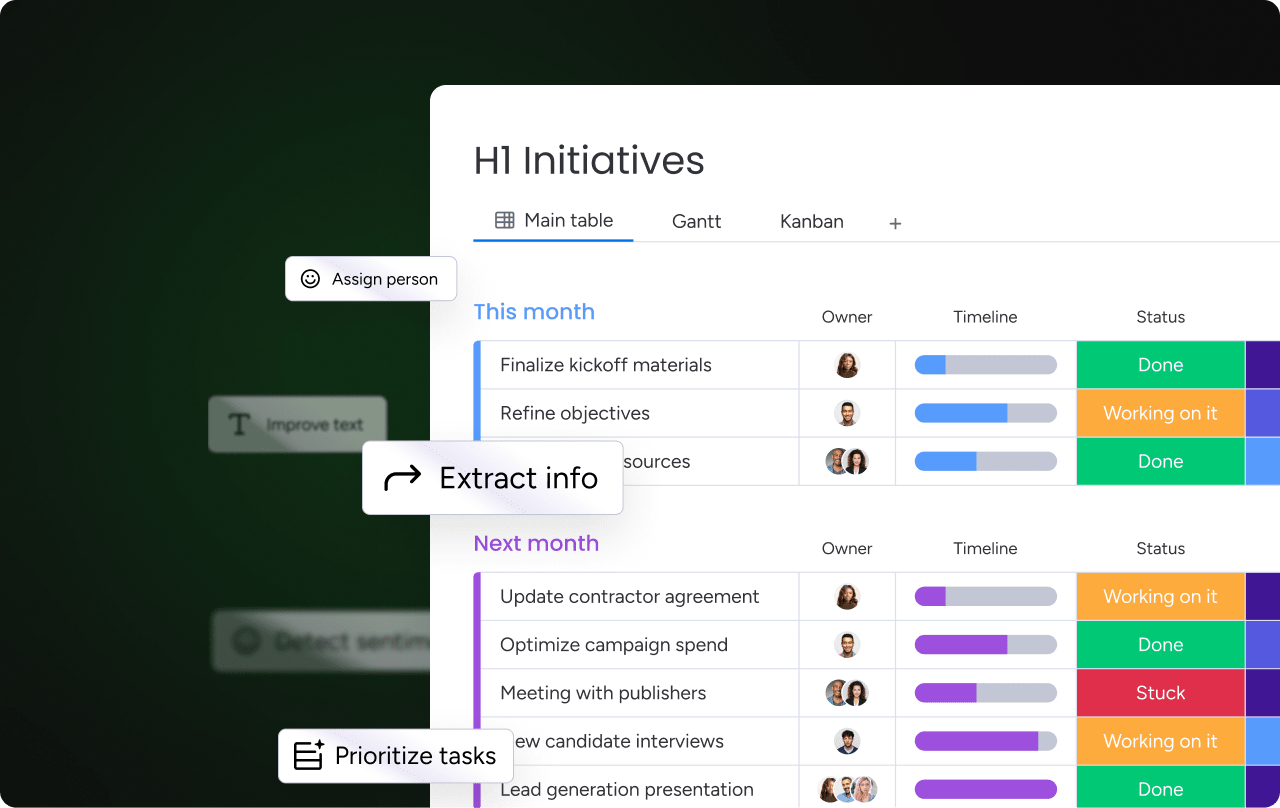
AI Blocks transform manual processes
AI Blocks handle the heavy lifting, converting scattered info into categorized time entries. This liberates teams from data entry to focus on core tasks.
- Automatic categorization: the system analyzes emails, notes, and documents to assign time to the correct project automatically.
- Intelligent data extraction: it pulls client details and project codes from unstructured text, ensuring consistency.
- Self-improving accuracy: the AI learns your specific workflows, refining its precision to over 95% as it adapts.
The Digital Workforce handles administrative tasks
Acting as a proactive partner, the Digital Workforce manages admin tasks and spots risks early, giving managers the foresight to act.
- Proactive project analysis: it monitors health in real-time, alerting managers to budget or timeline threats.
- Smart resource suggestions: it recommends the most suitable talent for new projects based on capacity and skills.
- Automated administration: it handles report generation, approvals, and reminders, saving hours of work.
A unified platform connects time to strategy
Integrating time management into a unified platform provides a single source of truth. This links every minute of effort to the company’s major goals.
- Strategic alignment: visualize how resource allocation matches objectives and key results.
- Connected workflows: time data informs resource management and project planning in real-time.
- Actionable business intelligence: customizable dashboards convert raw data into clear insights.
How monday.com compares
monday.com offers a distinct approach compared to specialized trackers. Here is how it provides a more strategic solution.
| Capability | monday work management | Toggl Track | Harvest | TimeCamp |
|---|---|---|---|---|
| AI automation | AI-driven project optimization and predictive planning | Basic project suggestions | Project budget forecasting | Automatic activity tracking |
| Strategic integration | Unified platform connecting time, projects, and goals | Standalone time tracking | Time tracking with invoicing | Time tracking with productivity monitoring |
| Scalability | Built for teams and enterprises with complex workflows | Best for small to mid-sized teams | Designed for service businesses | Focused on individual productivity |
| Customization | Extensive no-code customization for any workflow | Limited to time tracking preferences | Moderate, focused on invoicing | Basic activity categorization |
| Cross-departmental visibility | Real-time visibility into resources and goals across the organization | Team-level visibility only | Project-level visibility for billable work | Individual productivity metrics |
| ROI delivery | Faster project delivery and improved resource utilization | Time savings on tracking | Improved billing accuracy | Individual productivity insights |
Specialized trackers are adequate for logging hours. However, for organizations aiming to turn time into a strategic advantage, monday.com offers an integrated solution. It’s about making every moment count.
Start Your AI-Powered Time Management Transformation
Modern teams struggle with fragmented time data, reactive planning, and limited visibility into how daily work contributes to strategic outcomes. When time tracking lives in isolation, leaders lack the context needed to manage resources, prevent delays, and prioritize effectively. monday.com addresses these gaps by embedding AI-powered time management directly into a unified work platform.
- Unified time and work visibility: connects time tracking with projects, resources, and goals, giving leaders a clear view of how effort translates into outcomes.
- AI-driven planning and risk detection: uses predictive insights to surface capacity constraints, timeline risks, and budget overruns before they escalate.
- Automation that reduces operational friction: replaces manual tracking, reporting, and follow-ups with consistent, scalable workflows powered by AI and no-code automations.
- Strategic alignment without added complexity: enables teams to manage daily execution while maintaining portfolio-level oversight in a single, adaptable system.
By linking time data to execution and strategy, monday.com helps organizations gain efficiency, alignment, and long-term impact, without forcing teams into rigid processes or disconnected tools.
Frequently asked questions
How does AI automation improve time tracking accuracy?
AI automation enhances accuracy by capturing work activity directly from projects and calendars, eliminating manual entry errors. This ensures reliable data for forecasting without increasing the administrative burden on your team.
Can AI time management software handle DCAA compliance?
Yes, enterprise-grade platforms can manage DCAA compliance by offering comprehensive audit trails and automated monitoring. This minimizes compliance risks and relieves teams of manual record-keeping duties.
What integrations do AI-powered time management platforms offer?
These platforms typically connect with communication channels, calendars, and other business systems via APIs and pre-built connectors. This eliminates data silos, creating a unified view of work.
How long does it take to implement AI time management software?
Implementation time varies from a few weeks for small teams to several months for enterprise-wide rollouts. Phased implementation is often the most effective strategy for ensuring high adoption and fast value.
What ROI can organizations expect from AI-powered time management?
The ROI from AI-powered time management comes from improved resource utilization, reduced administrative work, and faster project delivery. This leads to more informed strategic decisions and more accurate project costing.
How does monday.com's AI differ from other time tracking platforms?
monday.com’s AI distinguishes itself by linking time tracking to workflow optimization and strategic planning across the business. It utilizes AI for proactive risk identification and predictive resource planning, going beyond simple logging.
What security features should enterprise time management platforms provide?
Platforms should offer features such as ISO and SOC 2 certifications, role-based access controls, and comprehensive data encryption. Support for regulations like HIPAA, GDPR, or DCAA may also be available.

 Get started