


Three weeks into your project, critical tasks are slipping through the cracks — legal approval forgotten, budget tracking stale, deliverables abandoned at 90% complete. This chaos isn’t inevitable: A project management checklist transforms scattered work into coordinated execution, catching oversights before they become expensive problems and ensuring nothing gets forgotten when deadlines loom.
This guide gives you the exact framework to build checklists your team will actually use. You’ll learn the essential components that make checklists effective, how to customize them for different project phases, and how platforms that integrate checklists with collaborative workflows eliminate the friction that makes traditional task lists feel like an administrative burden.
Try monday.comKey takeaways
- Replace vague tasks like “improve website” with specific goals like “increase loading speed to under 3 seconds” and assign clear responsibility to prevent work from falling through cracks.
- Systematic checking catches critical oversights like missed approvals or resource conflicts before they escalate into costly delays that derail timelines.
- Measurable task descriptions, defined ownership, timeline dependencies, progress tracking mechanisms, and regular risk assessment checkpoints work together to create effective checklists.
- Healthcare projects need HIPAA compliance checkpoints while software development requires security reviews — generic templates miss critical requirements that cause problems later.
- Visual boards, automated notifications, and AI-powered insights eliminate manual updates while maintaining real-time visibility across all project phases.
Quick reference: The complete project management checklist
Before we dive deeper, this master checklist gives you a high-level view of everything that needs to happen across the full project lifecycle, with detailed phase-by-phase checklists elsewhere in this article.
Project initiation
- Project charter approved
- Stakeholders identified and mapped
- Initial risks logged
- Core resources confirmed
Project planning
- Work breakdown structure created
- Timeline and budget approved
- Communication plan defined
- Quality criteria documented
Project execution
- Tasks assigned with owners
- Dependencies tracked
- Progress reviewed regularly
- Quality checks completed
Monitoring and control
- Schedule and budget tracked
- Change requests managed
- Risks reviewed and escalated
Project closure
- Deliverables formally accepted
- Documentation handed off
- Team released
- Lessons learned captured
Get it now: Project closure template
What is a project management checklist?

A project management checklist is a structured list of tasks, milestones, and deliverables. It guides teams through every project phase, from initiation to closure. The checklist functions as a roadmap, ensuring critical activities don’t slip through the cracks and providing accountability when complexity increases.
These checklists bring consistency to your projects, catch mistakes before they happen, and make it crystal clear who’s responsible for what. They’re living documents that evolve alongside project complexity and organizational needs — not static artifacts that gather dust in shared drives.
Examples of common checklist items
A well-designed checklist might include items like:
- Stakeholder approval received: Confirms key decision-makers have signed off
- Risk assessment completed: Ensures potential issues are identified early
- Budget variance reviewed: Tracks spending against planned allocations
For teams just getting started with project management, these checklists are like guardrails when you’re feeling swamped by complexity. They create consistency across different project types and ensure that whether you’re launching a product, implementing new software, or organizing an event, the fundamental management principles remain intact.
Key benefits of project management checklists
Done right, these checklists flip the script on chaotic projects. They don’t just improve outcomes — they make success repeatable and predictable in ways you can actually measure.
The following benefits show why checklists matter for teams navigating complex projects:
- Reduced project failure rates: Checklists catch critical oversights before they escalate into costly problems. A missed dependency or skipped approval can derail timelines, but systematic checking prevents these failures from occurring.
- Improved team coordination: Everyone understands what needs completion and when, eliminating confusion from unclear priorities or ambiguous responsibilities. This shared visibility keeps distributed teams aligned even when working across time zones.
- Faster project onboarding: New team members quickly grasp project status and requirements without lengthy knowledge transfer sessions. The checklist serves as documentation that brings people up to speed efficiently.
- Enhanced stakeholder confidence: Visible progress tracking builds trust with clients and executives who need assurance that projects are moving forward. Regular checklist updates provide concrete evidence of momentum.
- Consistent quality delivery: Standardized processes ensure deliverables meet established criteria regardless of who completes the work. This consistency becomes especially valuable when scaling teams or managing multiple simultaneous projects.
Why every project needs a management checklist
Try managing a complex project without checklists? It’s like road-tripping without GPS or maps. You’ll get somewhere eventually — after plenty of U-turns, arguments, and probably a few tears.
Reduced risk and fewer delays
Your checklists act as radar, spotting trouble while it’s still a blip on the horizon — not a full-blown crisis. When teams systematically check for resource conflicts, scope alignment, and regulatory compliance requirements, they identify problems while solutions remain straightforward and inexpensive.
Did you know? Average cost overruns of roughly 80%plague large projects according to McKinsey’s review of 300+ billion-dollar megaprojects.
Miss a key stakeholder sign-off? You might not discover it until weeks later when fixing it means tearing apart work you’ve already done. The checklist catches this gap early, when securing approval takes days instead of weeks.
Stronger team accountability
Checklists create ownership structures that eliminate the “someone else will handle it” mentality. When tasks are explicitly documented with assigned owners and specific deadlines, team members understand their individual contributions to project success. This visibility transforms vague expectations into concrete commitments.
More consistent quality standards
Checklists ensure deliverables meet established criteria regardless of who completes the work or when. Standardized quality checkpoints prevent subjective interpretations of completion and create repeatable processes that improve over time. This consistency becomes especially valuable when scaling teams or managing multiple simultaneous projects.
The 5 essential components of an effective project checklist
Want your checklists to actually work? Make sure they include these 5 essential elements that turn basic to-do lists into powerful project guardrails. These components work together to create accountability and momentum throughout the project lifecycle.
Understanding these components helps teams build checklists that actually drive results rather than becoming administrative overhead. Each element serves a specific purpose in maintaining project control and enabling successful delivery.
1. Task descriptions with measurable outcomes
Vague checklist items like “improve website” make progress hard to track. Effective task descriptions clearly define what “done” looks like, using measurable outcomes and specific acceptance criteria.
For example, replace “improve website performance” with “reduce page load time to under 3 seconds on mobile.” Clear task descriptions reduce ambiguity, prevent rework, and keep projects moving forward.
2. Defined ownership and responsibilities
Every checklist item requires a designated owner who is accountable for completion. This ownership distinction matters: the “responsible” person does the actual work, while the “accountable” person ensures it gets done.
Ownership benefits:
- Prevents task abandonment: Tasks don’t fall through cracks when someone is clearly responsible
- Enables escalation: Problems have a clear point of contact for resolution
- Accelerates decisions: Questions go directly to the right person
- Reduces coordination overhead: Teams know who to contact for updates or clarification
A developer might be responsible for writing code, while the technical lead is accountable for ensuring the feature meets requirements. This dual structure creates both execution and oversight.
3. Timeline milestones and dependencies
Checklists must include realistic deadlines and identify task dependencies that could impact project flow. Understanding that Task B cannot start until Task A completes helps teams sequence work effectively and identify critical path activities that determine overall project duration.
Dependencies reveal the true complexity of project work. A seemingly simple task might have 5 prerequisites that must complete first, making it actually a late-stage activity despite appearing early in the checklist. Visual project management platforms automatically highlight these dependency conflicts, showing when scheduled dates conflict with prerequisite completion.
4. Progress tracking mechanisms
Checklists need built-in methods for monitoring completion status and identifying bottlenecks before they impact delivery. Different tracking approaches serve different purposes based on task characteristics and project needs.
Tracking method options:
- Percentage complete: Works well for large, divisible tasks that progress incrementally
- Binary done/not-done: Suits smaller, atomic activities with clear completion criteria
- Milestone-based tracking: Fits projects with distinct phases and gate reviews
Regular progress updates keep stakeholders informed and enable proactive problem-solving. When a task sits at 30% complete for 2 weeks, that stagnation signals an issue requiring attention. When multiple tasks in a phase show delayed progress, that pattern indicates a systematic problem rather than isolated delays.
5. Risk identification checkpoints
Effective checklists include specific moments for risk assessment and mitigation planning throughout the project lifecycle, not just during initial planning. These checkpoints occur at key project phases and evaluate both technical and business risks.
Risk categories requiring regular evaluation:
- Technical risks: Integration failures, performance issues, technical debt accumulation
- Business risks: Budget overruns, stakeholder misalignment, resource availability
- Schedule risks: Timeline compression, resource conflicts, scope creep
- Quality risks: Testing gaps, requirement misunderstandings, acceptance criteria changes
A checkpoint before starting development might assess technical feasibility, while a checkpoint before user acceptance testing evaluates whether the solution meets business requirements.
Try monday.comHow to build a project management checklist
Building an effective project management checklist follows a systematic process that transforms high-level project objectives into executable, trackable work items. This step-by-step approach ensures nothing critical gets overlooked while maintaining the flexibility to adapt to project-specific needs.
The construction process requires balancing thoroughness with practicality. Too much detail creates administrative burden, while too little detail leaves gaps that cause problems during execution.
Step 1: Define project scope and success criteria
Project checklists begin with crystal-clear boundaries and measurable success metrics. Before creating any checklist items, establish what the project will deliver, what it explicitly won’t deliver, and how you’ll measure successful completion.
Scope definition framework:
- Specific deliverables: What you’ll create and deliver
- Constraints: Limitations you must work within
- Assumptions: Conditions you believe to be true
- Success criteria: How you’ll measure achievement
Stakeholder alignment on scope matters more than perfect documentation. When executives, clients, and team members share the same understanding of project boundaries, the resulting checklist reflects actual project needs rather than assumptions.
Step 2: Map deliverables to actionable tasks
High-level deliverables break down into specific, executable tasks through work breakdown structure principles. A deliverable like “launch customer portal” decomposes into design tasks, development tasks, testing tasks, and deployment tasks with each appropriately sized for tracking and assignment.
Task sizing guidelines:
- Too large: Tasks taking 3 weeks provide poor tracking visibility
- Too small: Tasks taking 30 minutes create excessive administrative overhead
- Optimal range: Most effective checklist tasks represent 4-16 hours of work
This sizing provides meaningful progress updates without excessive granularity that bogs down project management.
Step 3: Assign team responsibilities and deadlines
Don’t just assign tasks based on who’s good at what — you’ve got to factor in who’s already swamped and who’s got bandwidth. The best developer for a complex integration task might be overcommitted, making them a poor choice despite their technical fit.
Assignment considerations:
- Skill requirements: Technical capabilities needed for success
- Current workload: Existing commitments and capacity
- Development opportunities: Chances to build new capabilities
- Risk tolerance: Critical path tasks need experienced resources
Realistic deadlines account for other commitments and potential obstacles rather than assuming uninterrupted focus. A task requiring 8 hours of work rarely completes in one day when team members have meetings, emails, and other responsibilities.
Step 4: Integrate review and approval workflows
Quality gates and stakeholder approval points built into the checklist structure prevent rework and ensure deliverables meet requirements before moving forward. Different types of reviews serve different purposes and require different preparation.
Review types and purposes:
- Peer reviews: Catching technical issues and knowledge gaps
- Technical reviews: Validating architectural decisions and standards compliance
- Stakeholder approvals: Confirming business alignment and requirement satisfaction
Each review point needs documented criteria that reviewers use to evaluate work. A code review checklist might include items like “follows naming conventions,” “includes unit tests,” and “handles error cases appropriately.” These criteria transform subjective reviews into objective evaluations.
Project management checklists by project phase
Project initiation checklist essentials
Use this checklist to align stakeholders, define scope, and confirm feasibility before work begins.
Define the project
- Project objectives documented
- Business outcomes clearly stated
- Scope boundaries and exclusions defined
- Success criteria agreed
- Executive sponsor identified and approved
Identify and plan stakeholders
- Stakeholders identified and documented
- Power and interest assessed
- Communication needs defined per stakeholder group
- Approval points and decision owners confirmed
Run an initial risk assessment
- Technical risks identified
- Resource risks identified
- Schedule risks identified
- Budget risks identified
- Mitigation owners assigned
Confirm resource requirements
- Core project team assigned
- Team availability confirmed
- Budget access approved
- Required tools and systems provisioned
- External dependencies documented
Project planning phase checklist
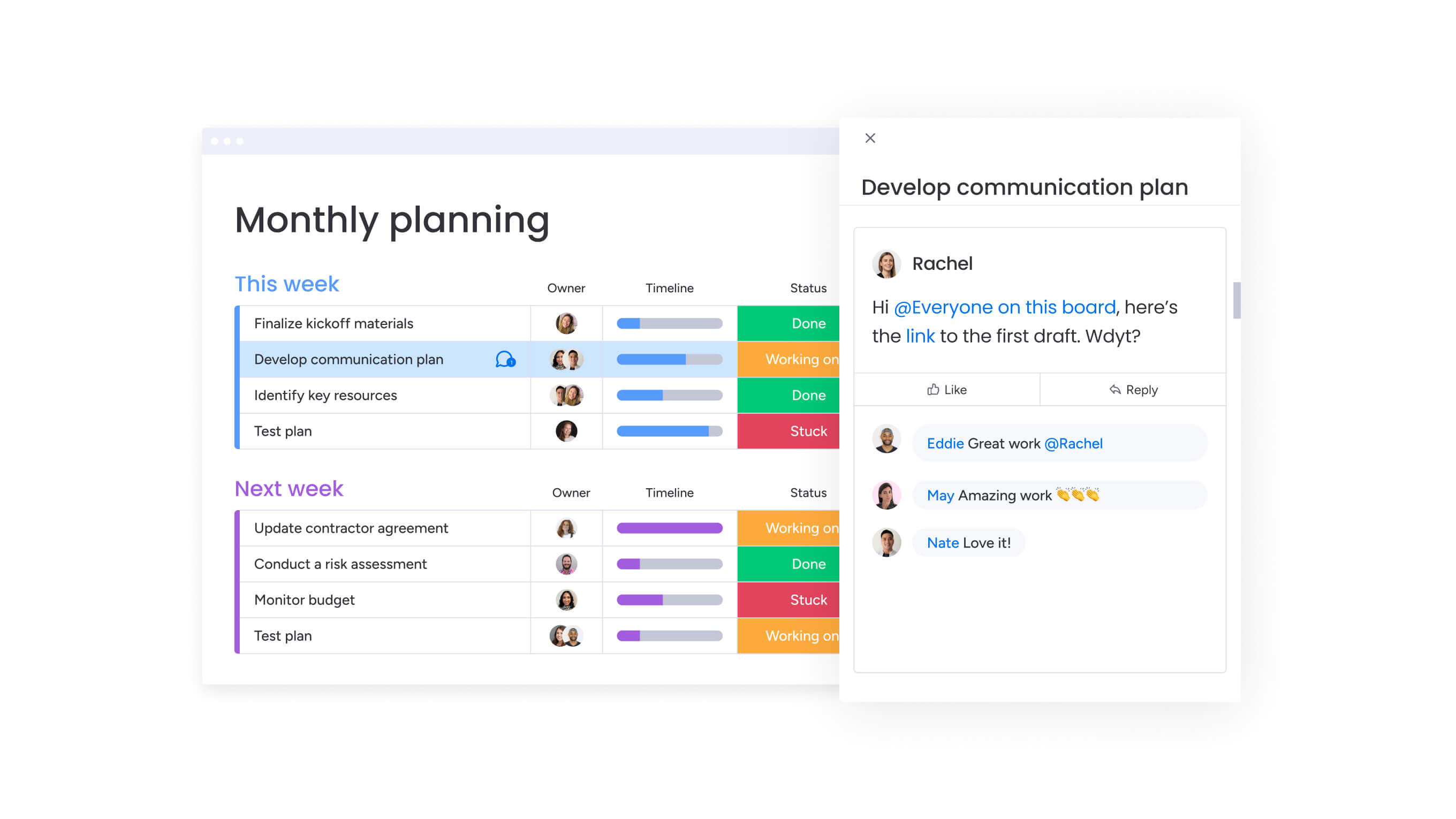
This checklist turns high-level project goals into an executable, realistic work plan.
Build the work plan
- Deliverables broken down into tasks
- Work breakdown structure created
- Task dependencies identified
- Milestones defined
Create the schedule and budget
- Time estimates validated
- Budget allocations finalized
- Contingency buffers defined
- Baseline schedule approved
Align on communication and quality
- Communication cadence defined
- Reporting formats agreed
- Quality standards documented
- Review and approval gates scheduled
Project execution checklist for success
Use this checklist to keep work moving, aligned, and high-quality during delivery.
Kick off work clearly
- Task objectives communicated
- Acceptance criteria defined
- Owners and due dates assigned
- Dependencies cleared
- Known risks reviewed
Monitor progress consistently
- Progress tracked against plan
- Blockers identified early
- Status reviewed regularly
- Variances flagged for action
Maintain quality standards
- Peer reviews completed
- Technical reviews conducted
- User acceptance testing completed
- Quality issues documented and resolved
Communicate with stakeholders
- Status updates shared on schedule
- Risks and changes communicated early
- Decisions documented and tracked
Project monitoring and control checklist

Use this checklist to identify issues early and keep the project aligned with its goals.
Track performance metrics
- Schedule performance monitored
- Budget performance monitored
- Quality metrics reviewed
- Scope changes tracked
Key project performance metrics to monitor
| Metric area | What to track | Why it matters |
|---|---|---|
| Schedule | Planned vs. actual dates | Identifies delivery risks early |
| Budget | Planned vs. actual spend | Prevents cost overruns |
| Scope | Change frequency | Signals scope creep |
| Quality | Defects or rework | Protects deliverable quality |
Analyze budget and schedule variances
- Variances identified
- Root causes assessed
- Corrective actions defined
- Re-forecasting completed when needed
Manage change requests
- Change requests documented
- Impact assessed across scope, schedule, and budget
- Approval or rejection recorded
- Stakeholders informed
Escalate issues appropriately
- Escalation criteria defined
- Unresolved issues documented
- Ownership assigned
- Resolution tracked
Project closure checklist requirements
Use this checklist to formally complete the project and capture organizational learning.
Confirm deliverable acceptance
- Acceptance criteria met
- Stakeholder sign-off obtained
- Outstanding issues resolved
Transfer knowledge
- Technical documentation completed
- Process documentation finalized
- Operational handoff completed
Release the project team
- Performance feedback completed
- Recognition provided
- Team members transitioned to next work
Archive project materials
- Documentation archived
- Compliance requirements met
- Lessons learned captured
How AI elevates project checklists beyond static documents
AI turns static checklists into adaptive systems that help teams prioritize work, spot risks early, and reduce manual coordination as projects evolve. Here’s how:
Automated risk detection
AI analyzes project patterns to flag risks before they become problems, such as overloaded resources, compressed timelines, or recurring approval delays. Instead of reviewing checklists manually at milestones, teams get continuous visibility into emerging issues. AI helps identify:
- Resource conflicts across projects
- Timeline risks caused by dependencies
- Quality issues based on rework patterns
Intelligent task prioritization
AI dynamically reprioritizes checklist items based on deadlines, dependencies, and available resources. As project conditions change, teams can focus on the work that matters most without constantly reordering tasks by hand. AI considers:
- Due dates and urgency
- Dependency chains
- Resource availability
Predictive resource planning
By learning from historical project data, AI forecasts upcoming resource constraints and recommends adjustments before workloads become unmanageable. This helps teams balance capacity across projects and avoid last-minute firefighting. AI supports:
- Early detection of overcommitment
- Smarter workload distribution
- Proactive timeline adjustments
Self-improving checklists
AI learns from completed projects to refine checklist templates over time. Patterns from successful projects help teams strengthen quality checkpoints, streamline approvals, and remove low-value steps. Over time, this leads to:
- More accurate checklists
- Fewer recurring issues
- Faster project delivery
7 best practices for project checklist implementation
Proven strategies maximize checklist effectiveness by addressing common implementation challenges and building habits that sustain long-term success. These practices work together to create a culture where checklists are valued tools rather than bureaucratic overhead.
Implementation success depends on more than just creating good checklists. Teams need processes, tools, and cultural support that make checklist use natural and valuable rather than forced and administrative.
1. Customize templates for your industry needs
Generic checklists provide starting points but must be adapted for specific industry requirements, regulatory environments, and organizational contexts. Different industries face unique challenges that require specialized checklist elements:
Industry-specific requirements:
- Healthcare projects: HIPAA compliance checkpoints and patient safety protocols
- Construction projects: Safety inspection checklists and regulatory approvals
- Financial services: Regulatory compliance steps and audit requirements
- Software development: Security reviews and performance testing gates
Customization ensures checklists address real challenges teams face rather than generic project management concepts that may not apply to specific contexts.
2. Connect checklists with team collaboration platforms
Integrating checklists with project management platforms improves visibility and accountability through real-time updates, automated notifications, and centralized documentation. When checklist items live in the same platform where teams communicate and collaborate, updates happen naturally rather than requiring separate status reporting.
Work management platforms can transform static checklists into dynamic workflows where checklist items automatically trigger notifications, update dependencies, and provide visual progress indicators. This integration eliminates the friction of maintaining separate checklist documents and project management tools, ensuring checklists remain current and actionable rather than becoming outdated artifacts.
3. Automate routine checklist tasks
Automation reduces manual effort and improves consistency for repetitive checklist items that follow predictable patterns. Good automation candidates include:
Status management:
- Automatic progression: Moving items to “In Progress” when work starts
- Dependency updates: Triggering next tasks when prerequisites complete
- Deadline notifications: Alerting team members about upcoming due dates
Data collection:
- Progress calculations: Updating completion percentages based on subtask status
- Budget tracking: Aggregating expenses and comparing to planned amounts
- Resource utilization: Monitoring capacity and workload across team members
4. Schedule regular checklist reviews
Establishing systematic checklist review processes ensures continued relevance and effectiveness as projects evolve and organizational needs change. Review frequency depends on project duration and stability:
Review schedules:
- Monthly reviews: Work for long-running projects with evolving requirements
- Quarterly reviews: Suit stable organizational templates and processes
- Project retrospectives: Capture lessons learned for future checklist improvements
Reviews should evaluate checklist effectiveness, identify missing elements, and update templates based on experience and changing organizational needs.
5. Drive team adoption through training
Ensuring team members understand and consistently use project checklists requires more than distributing templates and hoping for the best. Training approaches should include:
Training components:
- Initial onboarding: Explaining why checklists matter and how to use them effectively
- Ongoing coaching: Addressing questions and challenges as they arise during projects
- Refresher sessions: Reinforcing best practices and introducing template updates
- Success stories: Sharing examples of how checklists prevented problems or improved outcomes
6. Maintain version control systems
Managing checklist versions ensures teams use current templates while maintaining historical records of how processes have evolved. Version control best practices include:
Version management elements:
- Version numbering: Major.minor format that indicates significance of changes
- Change documentation: Clear records of what changed and why
- Distribution methods: Reliable ways for teams to access current versions
- Archive procedures: Systematic storage of historical versions for reference
7. Track checklist performance metrics
Measuring checklist effectiveness identifies improvement opportunities and demonstrates value to stakeholders who might view checklists as administrative overhead. Relevant metrics include:
Performance indicators:
- Completion rates: Percentage of checklist items finished on time
- Error reduction: Decrease in defects, oversights, or rework
- Time savings: Reduction in project delays and coordination overhead
- Adoption rates: Percentage of projects using standardized checklists
These metrics provide objective evidence of checklist value and guide continuous improvement efforts.
Try monday.comTransform your project checklist with monday.com
With monday.com, your checklists stop being static documents and start becoming living tools that evolve as your project does. The platform helps teams turn project checklists into structured workflows they can actually follow and track in real time. Instead of managing checklists separately from day-to-day work, teams keep tasks, ownership, and progress in one shared workspace.
Traditional checklists often fail because they’re hard to keep updated and difficult to visualize as projects change. monday.com addresses this by making checklist items part of the work itself, monday.com ensures progress updates automatically and risks are easier to spot before they turn into delays.
Visual checklist workflows
Checklist items live on visual boards that reflect how work moves across project phases, making status and ownership clear at a glance.
Teams can view checklist progress using:
- Kanban boards for workflow stages
- Timeline or Gantt views for dependencies and deadlines
- Calendar views for milestone tracking
This flexibility helps teams adapt their checklists as projects move from planning to execution.
Automation that reduces manual effort
Automations help keep checklists accurate without constant follow-ups. As work progresses, routine updates happen automatically, reducing the friction that causes teams to abandon checklists over time.
Automations can advance checklist items when prerequisites are completed, update statuses automatically, and flag overdue or at-risk tasks.
Built-in collaboration
Each checklist item also acts as a shared point of context. Conversations, files, and decisions stay connected to the work, rather than scattered across tools. This helps teams reduce miscommunication, preserve context, and bring new contributors up to speed faster.
AI-powered insights
AI adds an additional layer of support by helping teams identify risks, prioritize work, and balance workloads as projects evolve. AI can help by surfacing early warning signs, adjusting priorities as conditions change, and improving checklist templates over time
Together, these capabilities help teams maintain the structure of effective project checklists while staying flexible enough to manage real-world work.
Build dynamic checklists that drive project success
Here’s the truth: project checklists are the unsung heroes that turn chaotic, complex work into something you can actually manage and predict. They provide structure when complexity overwhelms teams, create accountability when responsibilities blur, and maintain quality when pressure mounts to cut corners.
Teams ready to elevate their project management approach can start with monday.com’s visual workflow capabilities, automated execution features, and AI-powered insights that transform static checklists into dynamic project control systems.
Try monday.comFAQs
What's the difference between a project checklist and a to-do list?
A to-do list is a simple collection of tasks, while a project checklist is a structured framework that includes task dependencies, ownership assignments, deadlines, quality gates, and risk checkpoints. Project checklists connect individual tasks to broader project objectives and ensure nothing critical gets overlooked during complex work.
How detailed should my project checklist be?
Your checklist should be detailed enough to prevent oversights but not so granular that it creates administrative burden. Most effective checklist tasks represent 4-16 hours of work. If tasks are too large (3+ weeks), you lose tracking visibility. If they're too small (under 30 minutes), you create excessive overhead.
Should I use the same checklist for every project?
Start with a template but customize it for each project's specific needs. Different project types, industries, and complexity levels require different checklist elements. Healthcare projects need HIPAA compliance checkpoints, while software projects need security reviews. Generic templates miss critical requirements that cause problems later.
How often should I update my project checklist?
Update your checklist whenever project conditions change — new risks emerge, scope adjusts, or timelines shift. For long-running projects, schedule monthly reviews to ensure the checklist remains relevant. After project completion, capture lessons learned to improve your checklist templates for future work.
What's the best way to get my team to actually use checklists?
Integration is key. When checklists live in the same platform where teams already work and communicate, adoption happens naturally. Provide training that explains why checklists matter, share success stories that demonstrate their value, and use automation to reduce manual effort. Teams embrace checklists when they make work easier, not harder.
Can AI really improve project checklists?
Yes. AI transforms static checklists into adaptive systems that flag risks before they become problems, dynamically reprioritize work based on changing conditions, forecast resource constraints, and learn from completed projects to refine templates over time. This turns checklists from administrative documents into intelligent project control systems.

 Get started