

Teams often start with a handful of people using simple checklists and message boards. Two years later, as the organization grows to 40 or more people across multiple departments, with complex dependencies, client deliverables, and executive reporting requirements, the tools that worked in the early days can start to feel inadequate like trying to run a manufacturing operation with a corner store cash register.
This scenario is common for scaling organizations. Platforms designed for small teams often struggle when collaboration spans departments, workflows become interdependent, and reporting requires real-time visibility. While some tools excel at team communication or basic project tracking, they may fall short when it comes to portfolio management, automation, and cross-functional workflow alignment.
This guide examines how popular project management solutions handle the challenges of scaling teams. It explores automation, reporting, AI capabilities, pricing models, and scalability limits illustrating the point at which simple project tracking no longer suffices and a comprehensive work management system becomes necessary.
Key takeaways
- Recognize the limits of basic project management: simple task lists and communication tools become inefficient as teams grow beyond 50–100 people and handle cross-departmental projects.
- Scalability and flexibility matter: platforms differ in user limits, workflow customization, and automation capabilities, which affect how well they support organizational growth.
- Automation reduces administrative overhead: multi-step, cross-project workflows help eliminate repetitive status updates and manual coordination across teams.
- AI can enhance visibility and decision-making: features like risk identification, portfolio insights, and intelligent assignment support proactive management of complex projects.
- A Work Management platform consolidates operations: monday work management demonstrates how integrating workflows, reporting, and resource planning in a single system improves efficiency and cross-department collaboration.
Quick comparison at a glance
Understanding what each platform actually delivers is essential — not just what it promises. Basecamp keeps teams communicating. Teamwork manages projects. Modern platforms like monday work management connect workflows across your entire organization. The table below compares these platforms on the dimensions that matter most for scaling teams.
| Feature | Basecamp | Teamwork | monday work management |
|---|---|---|---|
| Primary focus | Team communication and lists | Traditional project management | Comprehensive Work OS |
| Pricing model | Flat monthly rate | Per-user tiered pricing | Per-user tiered pricing |
| Scalability ceiling | ~50 users (becomes noisy) | ~200 users (becomes rigid) | Unlimited (enterprise-ready) |
| Automation | None | Project-level triggers | Cross-board and multi-step recipes |
| Reporting | Basic activity logs | Project health and time reports | Custom dashboards and BI analytics |
| AI capabilities | None | GenAI for content/summaries | AI Blocks, Risk Insights, and Core Automation |
| Cross-department work | Siloed by project | Difficult to connect teams | Native cross-functional workflows |

Task lists are effective until teams grow beyond 50 people or span multiple departments. At that point, portfolio management, resource planning, and workflows that connect teams become essential. Basecamp handles basic collaboration, but scaling teams need the structural depth found in dedicated work management platforms.
Core project management capabilities
Managing a project for ten people differs greatly from managing one for a hundred. Each platform addresses growth differently — some more effectively than others.
Basecamp’s approach:
- Checklist philosophy: uses a “hill chart” approach with simple task lists.
- Ad-hoc collaboration: supports informal communication effectively.
- Complexity limitation: lacks structure for dependencies or critical path analysis.
Teamwork’s methodology:
- Traditional approach: organizes projects with milestones and sub-items.
- Industry alignment: mirrors PMBOK standard practices.
- Suitable for: conventional project management needs.
The flexibility of monday work management:
- Data structure: treats projects as flexible entities to match operational requirements.
- Custom workflows: provides over 27 column types to build processes exactly as needed.
- Dependency management: automatically updates connected workflows across departments.
Gantt charts and timeline visualization
Executives need to see timelines, not just lists. Platforms vary in how clearly they display project progress.
Platform comparison:
| Platform | Timeline Features | Best For |
|---|---|---|
| Basecamp | "Line-up" view (simplified calendar) | Basic scheduling without dependencies |
| Teamwork | Functional Gantt charts with drag-and-drop | Single-project tracking |
| monday work management | Interactive Gantt with intelligent adjustments | Multi-project portfolio management |
Modern platforms like monday work management store data separately from views. Teams switch instantly between Gantt, Kanban, Calendar, and Workload without duplicating information. Moving a parent item automatically updates dependent sub-items, and the Baseline feature compares current progress to the original plan in real time.
Reporting and analytics depth
Decision-making requires clear visibility. Good reporting highlights bottlenecks, pace of work, and areas that need adjustment.
Basecamp limitations:
- Limited to activity feeds and “what’s on your plate” summaries.
- Offers minimal insight into velocity or bottlenecks.
- Lacks executive-level reporting.
Teamwork capabilities:
- Pre-built reports on project health, time usage, and completion rates.
- Serves project managers well for tactical oversight.
- Limited portfolio-level insights.
monday work management advantages:
- Dashboard engine aggregates data from up to 50 different boards into a single view.
- Custom widgets track high-level KPIs, budget burn rates, and resource utilization.
- Real-time updates eliminate manual status meetings.
- Provides a single source of truth for organizational health.
Pricing models and total cost analysis
Subscription costs are just the beginning. Organizations must also account for time spent compensating for missing features.
Teamwork per-user pricing tiers
Teamwork uses per-user pricing, which can become costly as teams expand:
- Entry-level tiers: provide basic project management functionality.
- Growth challenge: essential scaling features are locked behind higher “Grow” and “Scale” plans.
- Cost escalation: per-user costs increase significantly to access features required for managing growth.
- Enterprise requirement: often requires enterprise pricing earlier than anticipated.
Basecamp flat-rate pricing benefits
Basecamp markets its flat monthly rate as a primary differentiator, offering predictable budgeting for certain team sizes:
Advantages:
- Predictable budgeting: low-cost, stable fees for small teams of 15 people.
- All features included: unlimited users gain access to the full platform.
- Financially attractive: suitable for teams with static workloads.
Limitations:
- Growth constraints: becomes less flexible for expanding teams.
- Rigid feature set: organizations often need to adopt additional software for scaling requirements.
- Hidden costs: arise from relying on supplementary tools to fill feature gaps.
Hidden costs of limited functionality
The initially cheaper option can lead to higher long-term expenses. When platforms lack essential capabilities, organizations often rely on extra subscriptions or manual processes — a pattern the GAO found could save $100 million or more through more strategic IT portfolio management.
Common hidden expenses:
- Basecamp gaps: requires third-party tools for Gantt charts, time tracking, and resource management.
- Teamwork limitations: custom API development may be needed when integrations fall short.
- Spreadsheet dependency: manual processes that do not scale as teams grow.
Modern platforms that integrate multiple functions reduce these hidden costs. By including native forms, whiteboards, documents, and time tracking, organizations often experience lower total cost of ownership even if per-seat prices are higher.
Try monday work management
Labor costs represent the largest expense for most companies, with wages and salaries accounting for 70.2% of private-industry employer compensation costs. If you can’t track time and manage capacity, you’re leaving money on the table.
Native time tracking comparison
How platforms handle time tracking makes a significant difference for both data quality and whether team members consistently use it.
Platform capabilities:
| Platform | Time Tracking | Integration Level | Best For |
|---|---|---|---|
| Basecamp | None (requires external apps) | Third-party only | Teams with existing time solutions |
| Teamwork | Built-in with billing features | Project-level tracking | Service-based businesses |
| monday work management | Workflow-integrated timers | Column-level integration | Teams prioritizing compliance |
Modern platforms like monday work management integrate time tracking directly into workflow columns. Team members start and stop timers on the same line item where they update status and upload files. This proximity encourages higher compliance and ensures cleaner data because time tracking is part of the work process, not a separate administrative task.
Resource management and capacity planning
Preventing burnout requires visibility into workloads across all projects and departments through effective workload management. Full visibility into team capacity is essential for sustainable growth and avoiding overload.
Basecamp limitations:
- Lacks workload management features: there is no native functionality to track capacity.
- Cannot visualize overload: impossible to see if a team member is overcommitted across projects.
- No capacity planning: planning resources across teams or timeframes is not supported.
Teamwork features:
- Workload feature available in higher tiers: capacity can be visualized based on estimated hours.
- Single-project focus: limited to tracking workloads within individual projects.
monday work management advantages:
- Account-wide workload view: data is pulled from across all projects in the account.
- AI-assisted allocation: suggestions for realistic timelines based on team capacity.
- Prevents overallocation: alerts before resources are overbooked.
- Full visibility: easily see who is doing what and when.
Client billing and profitability tracking
Service organizations rely on connecting hours worked to revenue. Real-time profitability insights highlight which projects are profitable and which may need adjustments before it is too late.
Teamwork strengths:
- Strong native invoicing: billing features connect directly to time logs.
- Ideal for traditional service businesses: supports standard service workflows and billing needs.
monday work management approach:
- Formula columns: calculate billable hours multiplied by rates in real time.
- Budget burn tracking: compare spend against contract value directly on project boards.
- Live profitability analysis: track project profitability where work is being managed.
- Accounting integrations: connect to external accounting software for final invoicing.
Manual repetition slows teams and reduces focus on high-value work making workflow automation essential for scaling teams. Automation enables scaling by handling repetitive tasks and connecting workflows across projects.
Built-in automation capabilities
Automation looks different on every platform—and that changes what you can actually do:
Basecamp philosophy:
- Minimal automation: intentionally keeps notifications, updates, and handoffs manual.
- Preserves human interaction: reduces efficiency but maintains human-to-human processes.
Teamwork automation:
- Basic triggers: provides simple automation like “when a project is completed, notify X.”
- Linear logic: automation is contained within individual projects.
- Limited cross-project capabilities: workflows do not extend beyond single projects.
monday work management automation engine:
- Robust multi-step recipes: supports complex logic across workflows.
- Example: when a status changes to Done and the date is passed, the platform can move the item to the Archive board, notify the manager, and create a new item in the Billing board.
- Time savings: reduces thousands of manual clicks each week.
- Cross-board connectivity: links multiple workflows across projects.
Custom workflow creation options
Rigid platforms force teams to change how they work, while flexible platforms adapt to existing processes through custom workflows. This adaptability becomes critical as teams grow and require different workflows.
Teamwork approach:
- Project templates: provides standard templates for recurring processes.
- Hierarchical structure: follows a strict organizational hierarchy.
- Limited customization: teams cannot easily adapt workflows to unique needs.
monday work management flexibility:
- Custom workflows: enables CRM, recruitment, sprint planning, or creative requests on the same platform.
- Multiple views: marketing teams can use Kanban while finance teams rely on table view on the same data.
- No-code builder: empowers non-technical team members to create workflows.
- Unlimited customization: teams can adapt processes without breaking existing operations.
Third-party integration ecosystems
Strong integrations ensure that tools communicate seamlessly, while poor integrations trap data and create duplicate work.
Integration comparison:
| Platform | Integration Approach | Ecosystem Size | Best For |
|---|---|---|---|
| Basecamp | Curated list via "Doors" | Limited selection | Simple, focused workflows |
| Teamwork | Standard development and storage apps | Moderate selection | Traditional project environments |
| monday work management | 200+ native integrations + open API | Extensive ecosystem | Enterprise tech stacks |
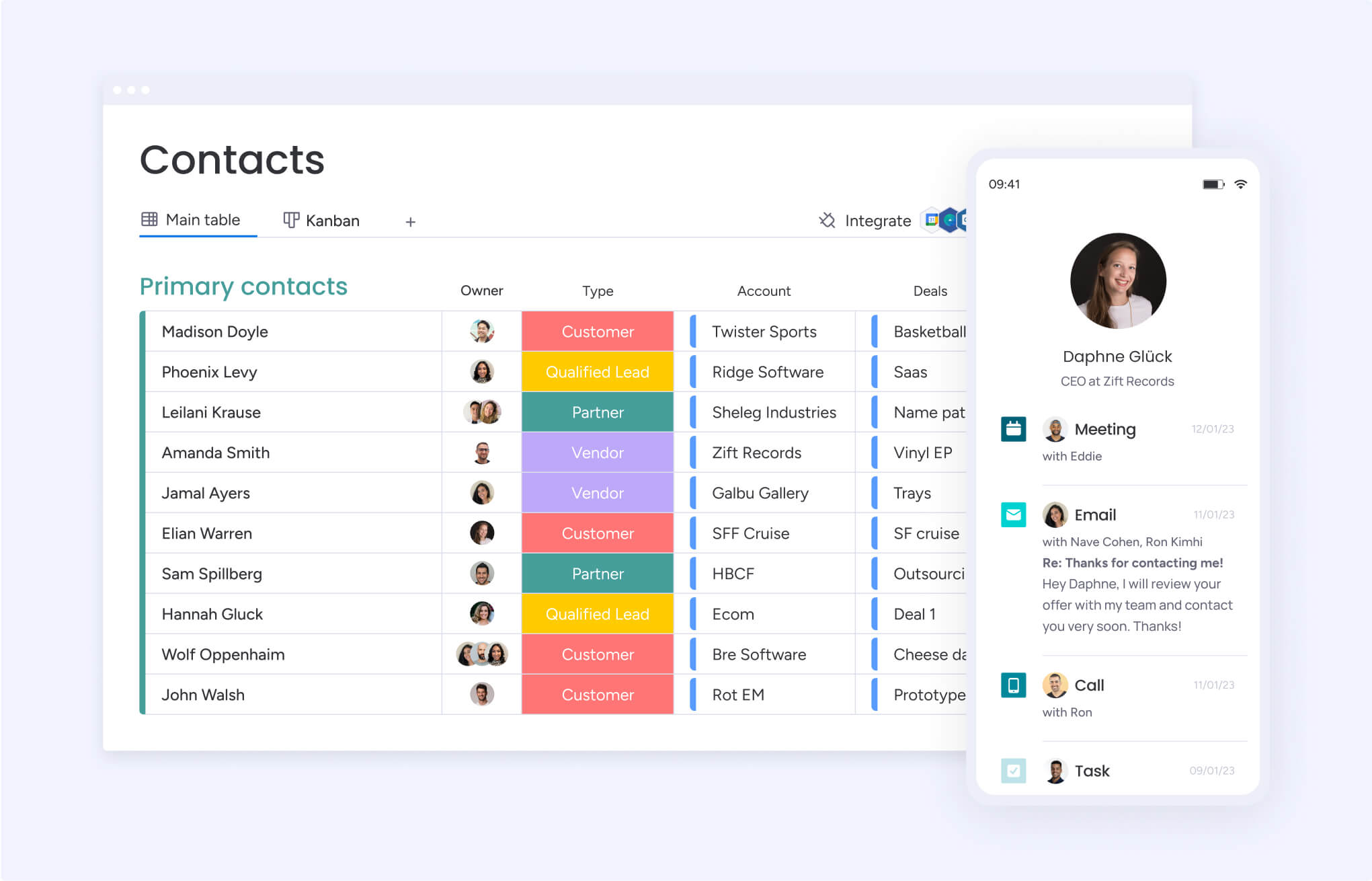
Modern platforms like monday work management support over 200 native integrations and a low-code/no-code framework. An open API allows enterprise teams to build custom apps on top of the Work OS, enabling deep, bi-directional syncing with Salesforce, Jira, NetSuite, and internal databases.
Client collaboration features
Bringing clients directly into the workflow reduces email chains and builds trust across projects through clear, structured client collaboration. When collaboration happens in context, teams create more transparent workflows that improve alignment, accountability, and overall client satisfaction.
External stakeholder access
Each platform approaches external access differently — and those choices affect security, clarity, and ease of collaboration. The models below show how client permissions and visibility vary across platforms.
Basecamp approach:
- First-class client access: treats clients as core participants rather than limited viewers.
- Selective message visibility: allows clients to view specific discussions and threads.
- Unclear separation: boundaries between internal and external communication can become blurred.
Teamwork model:
- Unlimited client users: includes unrestricted client accounts on paid plans.
- Project-based permissions: limits access to specific projects only.
- Clear boundaries: maintains separation through defined project-level access.
monday work management solution:
- Guest accounts: offers free, unlimited guest users on specific plans.
- Shareable Boards access: guests are invited only to designated Shareable Boards.
- Focused visibility: clients see only relevant data without entering the main workspace.
Client communication and project visibility
How teams communicate with clients directly affects delivery speed, feedback cycles, and trust. Some platforms prioritize open discussion, while others focus on structured, asset-level collaboration tied to outcomes.
Communication approaches:
| Platform | Communication Style | Best For |
|---|---|---|
| Basecamp | Message boards and pings | Discussion-heavy relationships |
| Teamwork | Project-based comments | Traditional project updates |
| monday work management | Context-aware updates | Asset-specific feedback |
Modern platforms like monday work management combine communication with context by keeping feedback attached to the work itself. Clients leave comments directly on files, items, or deliverables through the Updates section, keeping approvals centralized and eliminating fragmented email threads.
Security and permission controls
Inviting clients into shared workflows requires precise control over sensitive information. Strong permission settings make collaboration safer while preserving transparency where it matters most.
Permission capabilities:
- Basecamp: broad permissions with limited granularity.
- Teamwork: more detailed privacy controls at the project level.
- monday work management: column-level permissions for precise data control.
With column-level permissions, teams can share a project board while restricting sensitive information. Status and timeline data remain visible to clients, while internal cost or margin columns stay hidden, ensuring transparency without exposing confidential details.
Understanding the scalability limits of project management platforms
At some point, your project tool may start to hinder progress instead of supporting it. Recognizing these limits helps you identify when your current system no longer meets your needs.
Portfolio management limitations
Managing a single project is tactical. Managing dozens of projects simultaneously is strategic and requires robust portfolio management. Most project platforms struggle to support leadership teams who need a real-time, consolidated view of progress, risk, and performance.
Without portfolio management, decision-making becomes reactive rather than informed.
Common portfolio challenges:
- Fragmented visibility: leaders must open individual projects to understand overall status.
- Manual aggregation: project health is compiled by hand instead of rolled up automatically.
- Reactive management: teams struggle to answer questions like which projects are at risk this month.
Modern platforms like monday work management address this gap with portfolio boards that automatically aggregate status, timelines, and budget data from connected project boards. Executives gain an accurate, up-to-date view of organizational health without relying on manual reports.
Cross-functional workflow gaps
As organizations scale, work rarely stays within one department. When platforms cannot connect workflows across teams, silos deepen and coordination slows.
Disconnected systems force teams to manage dependencies manually, increasing the risk of missed deadlines and misaligned priorities.
Typical workflow disconnects:
- Unlinked initiatives: marketing launches and product releases live as separate projects.
- Delayed updates: product changes do not automatically affect downstream timelines.
- Manual coordination: cross-team dependencies rely on meetings and follow-ups.
In monday work management, workflows connect directly across departments. A product launch item on an engineering board can mirror to a marketing board. When engineering updates a date, the marketing timeline adjusts instantly, triggering automations that notify the social media team to update their schedule.
Enterprise security shortcomings
Security requirements grow alongside organizations. Controls that work for small teams often fail to meet enterprise compliance standards. As headcount increases, governance, auditing, and access controls become essential rather than optional.
Enterprise security requirements:
- HIPAA compliance: required for healthcare organizations.
- Single sign-on: support for specific identity providers.
- Audit logs: complete visibility into every action taken.
- IP restrictions: geographic access controls for compliance.
- Advanced governance: granular permissions across accounts.
monday work management offers an Enterprise Plan designed specifically for these needs, combining advanced security controls with dedicated customer success support to maintain governance at scale.
Try monday work management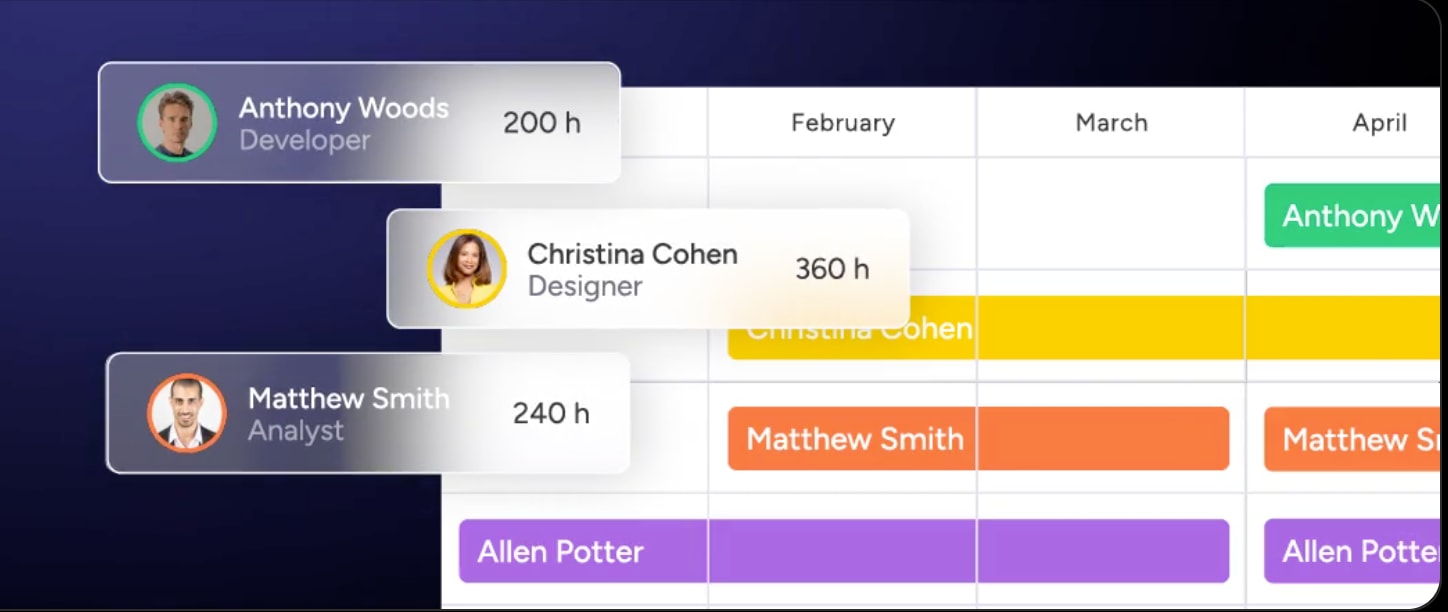
AI capabilities transforming project work
AI in work management has moved beyond novelty. Intelligent automation now reduces routine decision-making and helps teams focus on high-impact work. As complexity increases, AI becomes a practical necessity rather than an optional enhancement.
TeamworkAI current features
Teamwork has introduced generative AI focused primarily on text-based assistance within existing workflows.
Current capabilities:
- Draft responses: generates suggested replies to comments.
- Thread summaries: condenses long project discussions.
- List generation: creates task lists from brief prompts.
- Text manipulation: edits and refines written content.
These features support writing efficiency, but they do not fundamentally change how workflows operate.
Why Basecamp lacks AI functionality
Basecamp follows a philosophy centered on calm, simplicity, and human communication. This approach has historically limited adoption of emerging technologies like AI.
Philosophical approach:
- Human-first communication: prioritizes conversation over automation.
- Intentional simplicity: avoids complexity that could disrupt the experience.
- Feature restraint: resists rapid expansion to preserve core values.
Practical limitations:
- No predictive insights: teams lack forecasting and risk detection.
- Manual categorization: data organization requires human effort.
- Scaling friction: processes do not adapt as complexity increases.
The future of intelligent work management
Effective AI organizes work rather than simply generating text. Intelligent platforms analyze patterns, surface risks, and guide decisions before issues escalate. This shift changes how teams prioritize, plan, and execute work.
monday work management AI capabilities:
- AI Blocks: analyze customer feedback and categorize sentiment and topics.
- Risk identification: detect potential project risks using historical data.
- Portfolio Risk Insights: scan boards and flag issues by severity.
- Digital Workforce: assign work, prioritize backlogs, and surface insights autonomously.
These capabilities allow teams to identify problems quickly without manually reviewing data. The Digital Workforce supports managers by handling routine prioritization and surfacing insights that might otherwise go unnoticed.
5 signs you've outgrown project management platforms
Recognizing that a platform no longer fits is the first step toward improving operations. These signals indicate when tools begin limiting progress instead of enabling it.
Sign 1: manual status updates consume hours daily
When project managers spend hours collecting updates, inefficiency has become embedded. As teams grow, this manual effort compounds quickly. Automation is the only sustainable way to restore focus and accuracy.
Sign 2: no visibility across departmental projects
If leadership needs multiple tools and meetings to understand progress, visibility has already broken down. Growing organizations need shared views that update automatically without manual coordination.
Sign 3: can’t connect projects to business goals
Activity does not equal impact. When platforms track execution without linking work to strategic objectives, teams lose alignment. Strategy and delivery drift apart without real-time connections.
Sign 4: resource conflicts happen weekly
Overlapping commitments are a symptom of poor workload visibility. When capacity planning relies on spreadsheets, burnout and missed deadlines become inevitable.
Sign 5: reporting requires multiple applications
Exporting data to build reports slows decision-making. Without live dashboards, leaders rely on outdated information instead of real-time insights.

From project management to work management
Scaling organizations often reach a point where managing projects is no longer enough. Work management expands the focus from isolated initiatives to ongoing operations across the business. Understanding this distinction helps teams choose platforms that scale with them.
Why growing teams need Work OS platforms
A Work Operating System (Work OS) supports both projects and continuous processes. Unlike traditional project management applications, it connects strategy, execution, and outcomes across the organization.
Key differences:
| Traditional PM | Work OS |
|---|---|
| Project-focused | Process-focused |
| Temporary endeavors | Continuous operations |
| Isolated workflows | Connected ecosystems |
| Output tracking | Outcome measurement |
With monday work management, strategic objectives connect directly to daily execution. Executive goals cascade into projects, projects break into actionable items, and progress rolls back up automatically.
Connecting strategy to execution
Alignment becomes harder as organizations grow. A Work OS bridges this gap by linking high-level strategy to everyday work.
Strategic alignment process:
- Objective definition: strategic goals set direction.
- Project mapping: initiatives align to objectives.
- Execution tracking: progress updates automatically.
- Outcome visibility: contributors see their impact.
The shift to unified work management
Organizations are consolidating their tech stacks to reduce complexity and improve efficiency by choosing comprehensive project management software. Instead of juggling separate platforms for every team, companies are moving toward one shared environment that supports multiple workflows. This shift reduces operational friction and creates a more consistent experience across the organization.
Traditional approach:
- Separate CRM system: customer data managed outside core delivery workflows.
- Dedicated project management application: initiatives tracked independently from other business processes.
- Standalone recruitment platform: hiring activity isolated from workforce planning.
- Independent creative proofing application: feedback and approvals disconnected from execution timelines.
A unified approach changes how work flows across the organization. Modern platforms like monday work management act as connective tissue, allowing teams to design workflows within one secure, governed environment. With a single platform, organizations reduce training overhead, improve data consistency, and eliminate integration complexity.
How monday work management powers enterprise scale
Scaling operations requires more than adding users to existing systems. Enterprise teams need visibility, control, and flexibility that adapt as complexity increases.
Built for growth, monday work management supports organizations as they move from early-stage operations to global scale. The platform provides the structure leaders need while remaining flexible enough for teams to work in ways that suit their function.
AI-driven portfolio risk management
At enterprise scale, identifying risk early becomes critical. Reactive management does not hold up when hundreds of initiatives compete for attention and resources.
Portfolio Risk Insights capabilities:
- Autonomous portfolio scanning: continuously reviews hundreds of project boards in real time.
- Multi-factor analysis: evaluates timelines, budget consumption, and status signals together.
- Early risk detection: flags initiatives drifting off track before issues escalate.
- Management by exception: directs leadership focus to areas that require immediate attention.
With these insights surfaced automatically, leaders spend less time reviewing individual projects and more time addressing what matters most.
Unlimited cross-departmental workflows
Most business processes span multiple teams, which makes coordination difficult without shared systems. Disconnected workflows slow execution and increase manual handoffs.
Cross-departmental automation examples:
- Marketing to sales alignment: campaign launches trigger sales enablement workflows automatically.
- Revenue to delivery handoff: closed deals initiate onboarding and implementation processes.
- Product to marketing coordination: release updates adjust launch timelines across teams.
- Finance to procurement flow: approved budgets start purchasing workflows without delay.
These workflows are built through a visual, no-code interface that does not require IT involvement. With support for hundreds of industry-specific examples, the platform adapts to the operational needs of each department.
Real business impact and ROI
A modern Work OS delivers measurable returns when applied across the organization. Improvements extend beyond efficiency into customer experience and creative throughput.
Documented results:
- Payback period: achieved in less than four months, based on the Forrester Total Economic Impact™ study.
- Client satisfaction: increased by 20% through improved transparency and communication.
- Creative output: tripled as approvals and reviews became more streamlined.
- Administrative effort: significantly reduced by eliminating manual status reporting.
These outcomes reflect the compounding value of connected workflows and real-time visibility.
| Capability | Teamwork | Basecamp | monday work management |
|---|---|---|---|
| Portfolio visibility | Limited to project lists | None | AI-powered Risk Insights |
| Cross-department workflows | Basic linking | None | Unlimited customization |
| AI capabilities | GenAI text features | None | AI Blocks + Digital Workforce |
| Resource management | Manual estimation | None | AI-powered allocation |
| Enterprise security | Standard encryption | Basic security | Enterprise-grade and HIPAA |
| Scalability ceiling | 100-200 users | 50-100 users | Unlimited |

“monday.com has been a life-changer. It gives us transparency, accountability, and a centralized place to manage projects across the globe".
Kendra Seier | Project Manager
“monday.com is the link that holds our business together — connecting our support office and stores with the visibility to move fast, stay consistent, and understand the impact on revenue.”
Duncan McHugh | Chief Operations OfficerBuilding your competitive advantage through intelligent work management
Growing from ten people to one thousand requires systems that evolve alongside the organization. Simple collaboration platforms support early teams, while structured project tools handle defined initiatives. Neither approach fully supports complex, cross-functional operations at scale.
By moving beyond traditional project tracking, organizations gain a foundation for smarter operations. With monday work management, teams benefit from automation that reduces routine decision-making, real-time data that supports informed leadership, and workflows that connect naturally across departments.
This approach closes the gap between strategy and execution. Automation, visibility, and intelligence work together to support organizations ready to optimize how work gets done, not just how projects are delivered.
Try monday work managementFrequently asked questions
Is there anything more suitable than Basecamp for growing teams?
Basecamp supports straightforward communication, but growing teams often need platforms like monday work management that offer Gantt views, resource planning, and automation to manage increasing complexity.
Can I migrate my data between Teamwork and Basecamp?
Direct migration typically covers basic items and files. More complex structures often require third-party tools or manual CSV imports, which may result in lost historical context.
Which platform is easier for new team members to learn?
Basecamp has a shallow learning curve due to limited functionality. monday work management balances depth with a highly visual interface that supports fast onboarding.
Do Teamwork or Basecamp include AI features?
Teamwork offers basic generative AI for text summaries, while Basecamp does not currently include AI capabilities. monday work management provides broader AI-driven workflow and data analysis features.
What's the difference between project management and work management?
Project management focuses on temporary initiatives, while work management covers ongoing operations, workflows, and strategic alignment across the organization.
How do these platforms handle enterprise security requirements?
Basecamp and Teamwork provide standard security suitable for smaller teams. monday work management supports enterprise requirements with HIPAA compliance, advanced audit logs, and granular permission controls.

 Get started