

The screen is open, the task is clear, and yet nothing moves. Minutes pass in a quiet loop of rereading, overthinking, and waiting for momentum that never quite arrives. It is a frustrating place to be, especially when the work itself is not difficult. That stuck feeling shows up more often than most people admit, and it quietly chips away at focus, confidence, and time.
What makes it worse is how easily it gets misunderstood. It can look like procrastination from the outside, but inside it feels closer to a mental traffic jam. Too many options, too much information, or unclear priorities can slow thinking to a halt. This is where small delays begin to stack up and turn simple tasks into something oddly heavy.
In the sections below, this guide explains why task paralysis happens and how to move past it with practical, manageable steps. By reducing mental overload, clarifying priorities, and building small moments of progress, it becomes easier to regain focus and create steady momentum.
Key takeaways
- Task paralysis is a cognitive overload response, not procrastination: It occurs when the brain cannot process complexity or volume, even when time and ability are sufficient.
- Breaking work into small, concrete actions lowers the barrier to starting: Micro tasks that take around 15 minutes help create momentum and reduce overwhelm.
- Decision fatigue and unclear priorities are major workplace triggers: Constant choices, competing demands, and fragmented tools increase the likelihood of freezing instead of acting.
- Structured systems like visual workflows and automation reduce mental load: Tools such as monday work management help by making tasks visible, prioritizing work automatically, and minimizing unnecessary decisions.
- Simple strategies like the two minute rule, movement breaks, and decision frameworks restore progress: These approaches help reset focus, reduce pressure, and make it easier to move from inaction to execution.
What is task paralysis?
Task paralysis is when you find yourself unable to start, continue, or finish work, even when you have the time and skills to do it. At first glance, it may look like procrastination. However, it runs deeper than simply putting things off. It happens when your brain becomes overwhelmed and essentially shuts down instead of pushing forward.
This phenomenon affects productivity across all organizational levels, from entry-level employees to C-suite executives — with 24% of upper management and 26% of front-line workers reporting burnout symptoms that can manifest as task paralysis.
For example, an employee might stare at a blank email draft for twenty minutes, unable to write the first sentence. Likewise, a manager might freeze looking at a complex project roadmap, unable to figure out which of ten critical tasks to tackle first.
While this challenge can affect any professional, it’s frequently more pronounced in individuals with ADHD or other neurodivergent conditions — affecting an estimated 13.9% of working-age adults — where executive function challenges make prioritizing and initiating work more cognitively expensive.
At first glance, it may look like procrastination. However, it runs deeper than simply putting things off.
Signs you're experiencing task paralysis in the workplace
Task paralysis rarely shows up all at once. Instead, it builds gradually through small signals that are easy to miss at first. When you catch these early, you can stop a short slowdown from turning into days of lost productivity.
These signs often overlap and reinforce each other. As a result, you may feel stuck in a loop where stress increases while progress stalls. Recognizing these patterns early helps you regain control before things spiral.
The morning email freeze
This usually happens at the start of your day. You open your inbox, see a flood of unread messages, and immediately feel overwhelmed. Instead of replying, you might reread the same email several times without knowing what to say.
At the same time, your mind feels foggy, and decision making becomes harder. The pressure to respond perfectly only adds to the delay. Because of this, emails pile up, which makes the next attempt feel even heavier.
Decision paralysis when prioritizing work
When everything feels equally urgent, choosing where to start becomes difficult. Instead of taking action, you may spend time organizing tasks without actually doing them. This gives a sense of progress, but little meaningful work gets done.
You might notice these patterns:
- Constant list reorganization: Rewriting or rearranging tasks again and again without executing them
- Color coding obsession: Spending more time organizing systems than completing actual work
- Analysis paralysis: Researching options endlessly instead of making a decision
As a result, you may focus on easier tasks just to stay busy. However, the work that truly matters remains untouched.
Physical symptoms of task paralysis
Task paralysis is not just mental, it often shows up physically as well. Your body reacts to overload in ways that can feel like stress or anxiety. These signals are important because they often appear before you fully recognize what is happening.
Here are some common signs:
- Mental fatigue: Feeling drained specifically from thinking and decision making, even after rest
- Tension and restlessness: Tight shoulders or difficulty sitting still, as your body reacts to pressure
- Visual displacement: Struggling to focus on your screen or zoning out during tasks
Because of this, it becomes harder to stay engaged, which only deepens the cycle.
The perfectionism trap
Perfectionism often plays a major role in task paralysis, especially for high performers. When your standards are too high, starting feels overwhelming because the end result seems impossible to reach.
The pattern is simple but powerful. You set a very high bar, then feel stuck because you are far from that outcome. To avoid falling short, you delay starting altogether. From the outside, this may look like a lack of effort, but in reality, it comes from caring too much about the result.
Try monday work managementTypes of task paralysis that impact productivity
Not all task paralysis feels the same. Different situations trigger different responses, and each one requires a slightly different approach. Understanding which type you are dealing with helps you respond more effectively instead of forcing a one size solution.
The table below breaks down the most common types, their triggers, and how they show up at work.
| Type | Primary trigger | Observable behavior | Common workplace scenario |
|---|---|---|---|
| Mental paralysis | Information complexity or volume | Blank mind, inability to process | Reviewing multiple documents simultaneously |
| Choice paralysis | Abundance of options | Excessive deliberation, no decision | Selecting between project approaches |
| Task initiation paralysis | Activation energy required to begin | Repeated postponement, productive procrastination | Starting a quarterly report |
| Executive function paralysis | Breakdown in planning and organizing | Losing track of steps, difficulty switching focus | Managing multi-step processes |
Mental paralysis
Mental paralysis happens when the amount of information becomes too much to process. Your brain reaches a limit, and everything starts to feel unclear or blocked. Even simple decisions become difficult because nothing feels organized in your mind.
This often shows up during complex work, such as reviewing multiple documents or analyzing large amounts of data. It feels like hitting a wall where thinking itself becomes difficult.
Choice paralysis
Choice paralysis comes from having too many options rather than too much difficulty. In modern work environments, there are often several ways to approach the same task. While that sounds helpful, it can actually slow you down.
For example, you might struggle to pick between two valid strategies or spend too much time deciding how to document something. Instead of choosing quickly, you stay stuck trying to find the perfect option.
Task initiation paralysis
This type is all about getting started. You know what needs to be done, and you have the ability to do it. Still, when it is time to begin, you feel blocked.
Because of this, you may delay important work and focus on preparation instead. It can look productive on the surface, but the actual task keeps getting pushed further away.
Executive function paralysis
Executive function paralysis affects how you plan, organize, and move through tasks. It disrupts your ability to manage steps, switch focus, and stay on track.
Here is how it often appears:
- Sequencing issues: Losing track of steps in a process and forgetting where you left off
- Focus switching problems: Struggling to move from one task to another after finishing something
- Environmental overwhelm: Getting distracted by noise or activity, making it hard to concentrate
As a result, even structured workflows can feel chaotic and hard to follow.
Mental paralysis happens when the amount of information becomes too much to process. Your brain reaches a limit, and everything starts to feel unclear or blocked. Even simple decisions become difficult because nothing feels organized in your mind.
Why task paralysis happens in today's work environments
Task paralysis is not a personal flaw. In most cases, it reflects how modern work is structured, where priorities are unclear and workflows are scattered. When everything feels urgent and disconnected, your brain struggles to decide where to start. That’s why understanding the root causes helps you fix the system, not just the symptoms.
Information overload and digital platform fatigue
You are constantly pulled in different directions by emails, messages, and updates. As a result, your attention stays fragmented, and your brain keeps switching contexts without real progress. Over time, this leads to decision fatigue, where even small choices feel exhausting.
Because of this, focus becomes harder to maintain. You might sit down to work, then immediately get interrupted by notifications from another platform. That repeated disruption breaks momentum, making it difficult to move past the initial resistance.
Remote work isolation
Remote and hybrid work models, while flexible, can remove the body doubling and informal social cues that help regulate work rhythm — a significant consideration given that 50% of college-educated workers now work from home on days they work. In an office, seeing colleagues focus can trigger a mirror neuron response that helps you concentrate.
At the same time, small blockers take longer to resolve. What could be a quick desk conversation turns into a message or email, which slows progress. On top of that, limited visibility into team priorities can make you second guess your decisions, increasing hesitation.
Unclear priorities and shifting deadlines
When priorities are unclear, your brain spends more time deciding than doing. Instead of focusing on execution, you are trying to figure out what matters most. This creates mental friction that often leads to inaction.
Additionally, competing demands from different stakeholders make it harder to commit to one direction. If deadlines keep shifting, it adds another layer of uncertainty. Because of this, your brain may default to freezing instead of constantly recalculating what to do next.
The role of ADHD and neurodiversity
Task paralysis can affect anyone, but it often shows up more strongly in neurodivergent individuals. This is because motivation is driven differently, where interest, urgency, or novelty plays a bigger role than importance alone.
Traditional work structures often rely on self prioritization and long term planning. However, these approaches may not support every cognitive style. When you recognize these differences, you can design workflows that align better with how people naturally operate.
Try monday work management
7 ways to overcome task paralysis at work
Overcoming task paralysis starts with reducing mental load and making decisions easier. Instead of relying on willpower, you can create structures that guide your actions. The methods below help you start faster, build momentum, and stay consistent.
Step 1: break projects into micro tasks
Large projects feel overwhelming because they lack a clear starting point. When you break them into smaller actions, the work becomes easier to approach. Instead of thinking about the entire project, you focus on one simple step at a time.
To make this work, define tasks that are quick and specific:
- Start with a simple action: Open the reporting software to remove initial friction.
- Create a clear next step: Download the raw data as a defined task.
- Build visible progress: Set up the first slide or outline to see movement.
When tasks take less than fifteen minutes, it becomes easier to begin. Each small win builds momentum, helping you move forward without overthinking.
Step 2: use the two minute rule for quick wins
Small tasks often pile up and create mental clutter. Instead of tracking everything, you can handle quick actions immediately. If something takes two minutes or less, complete it right away.
This approach clears your mind and creates a sense of progress. As a result, you free up mental space for more demanding work while also building momentum early in your day.
Step 3: create visual workflows to reduce cognitive load
Keeping everything in your head increases stress and confusion. When work is visualized, your brain no longer has to track every detail. Instead, you can rely on a clear structure that shows what needs attention.
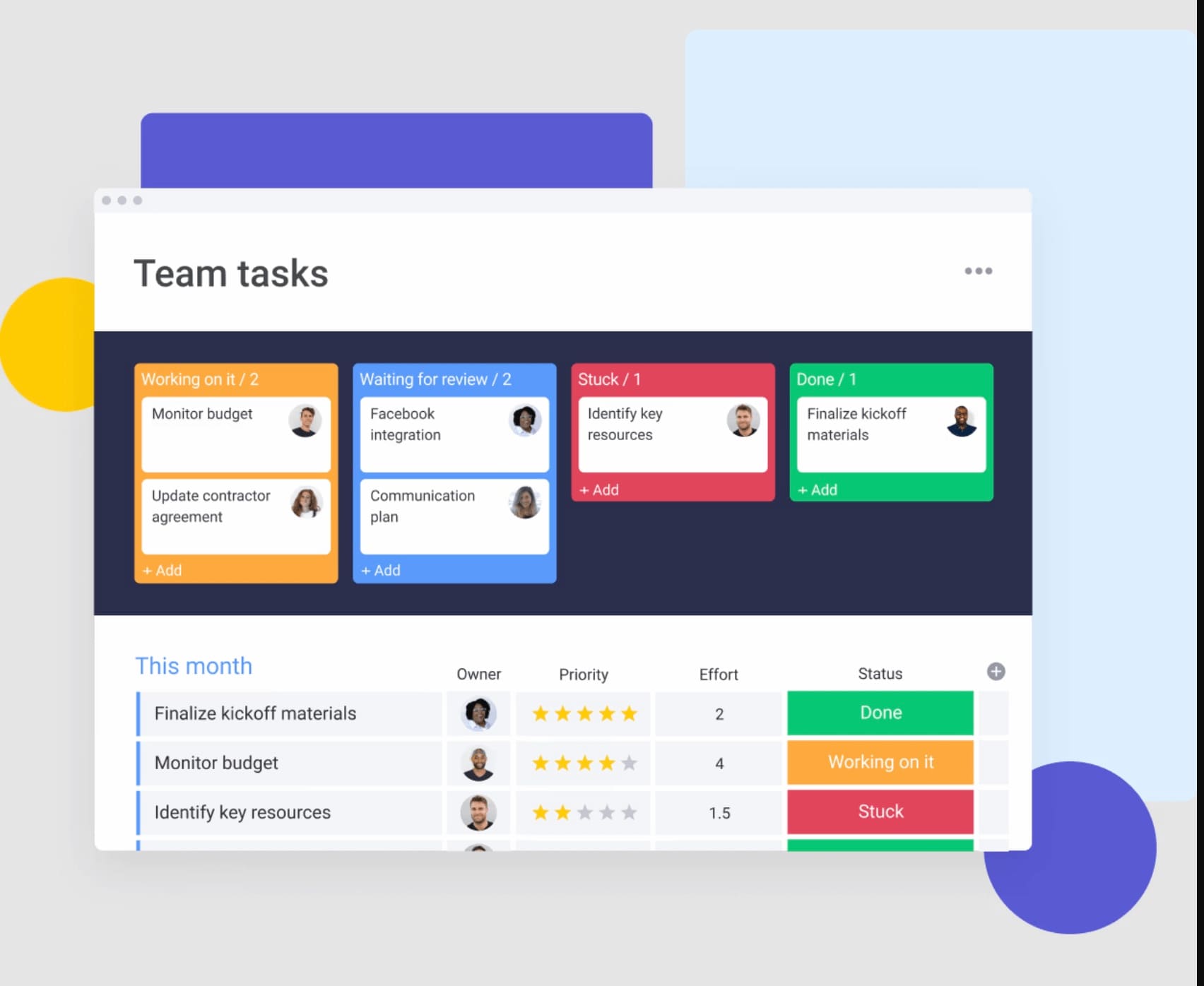
Using monday work management, you can organize work in a way that matches how you think:
- Kanban boards: Move tasks across stages to see progress clearly.
- Gantt charts: Understand timelines and dependencies at a glance.
- Checklists: Follow a structured path without guessing the next step.
This visibility helps you act faster because decisions are already outlined in front of you.
Step 4: set up automated task prioritization
Constantly deciding what to do next drains your energy. By setting up simple systems, you remove that pressure and let your workflow guide you. This makes it easier to stay focused without second guessing.
Here are a few ways to automate prioritization:
- Time blocking: Assign specific hours to specific types of work.
- Smart sorting: Highlight high priority messages automatically.
- Routine stacking: Follow the same sequence of tasks each day to reduce decision making.
Because of this structure, you spend less time choosing and more time executing.
Step 5: build in movement and reset breaks
When your brain feels stuck, pushing harder often does not help. Instead, stepping away briefly can reset your focus. Physical movement increases blood flow, which supports clearer thinking.
Even short breaks can make a difference. A quick walk or light stretching helps you return with a fresh perspective. In many cases, solutions become clearer once you give your mind space to process.
Step 6: establish decision frameworks
Making repeated decisions can slow you down. When you rely on predefined frameworks, you reduce the effort required for each choice. This allows you to act quickly without overanalyzing.
Some useful frameworks include:
- Eisenhower matrix: Decide tasks based on urgency and importance.
- If then rules: Set automatic responses for common situations.
- Cost benefit review: Evaluate new requests using a consistent structure.
With these in place, decisions become faster and more consistent.
Step 7: use AI to reduce choice overload
Too much information can stop you from taking action. AI helps by filtering, organizing, and summarizing that information. This reduces the amount of thinking required before you begin.
Within monday work management, AI features support this process:
- Summarization: Turn long threads into clear key points.
- Drafting: Generate a starting point so you avoid blank page stress.
- Categorization: Organize incoming work by urgency or type.
As a result, you spend less time sorting through information and more time moving work forward.
How work management systems prevent task paralysis
Individual strategies are helpful, yet long term improvement comes from fixing the environment where work happens. When your system supports clarity and structure, paralysis becomes much less likely.
Work management solutions act as that foundation. They reduce confusion, improve visibility, and create consistent workflows across your team.
Visual organization reduces mental load
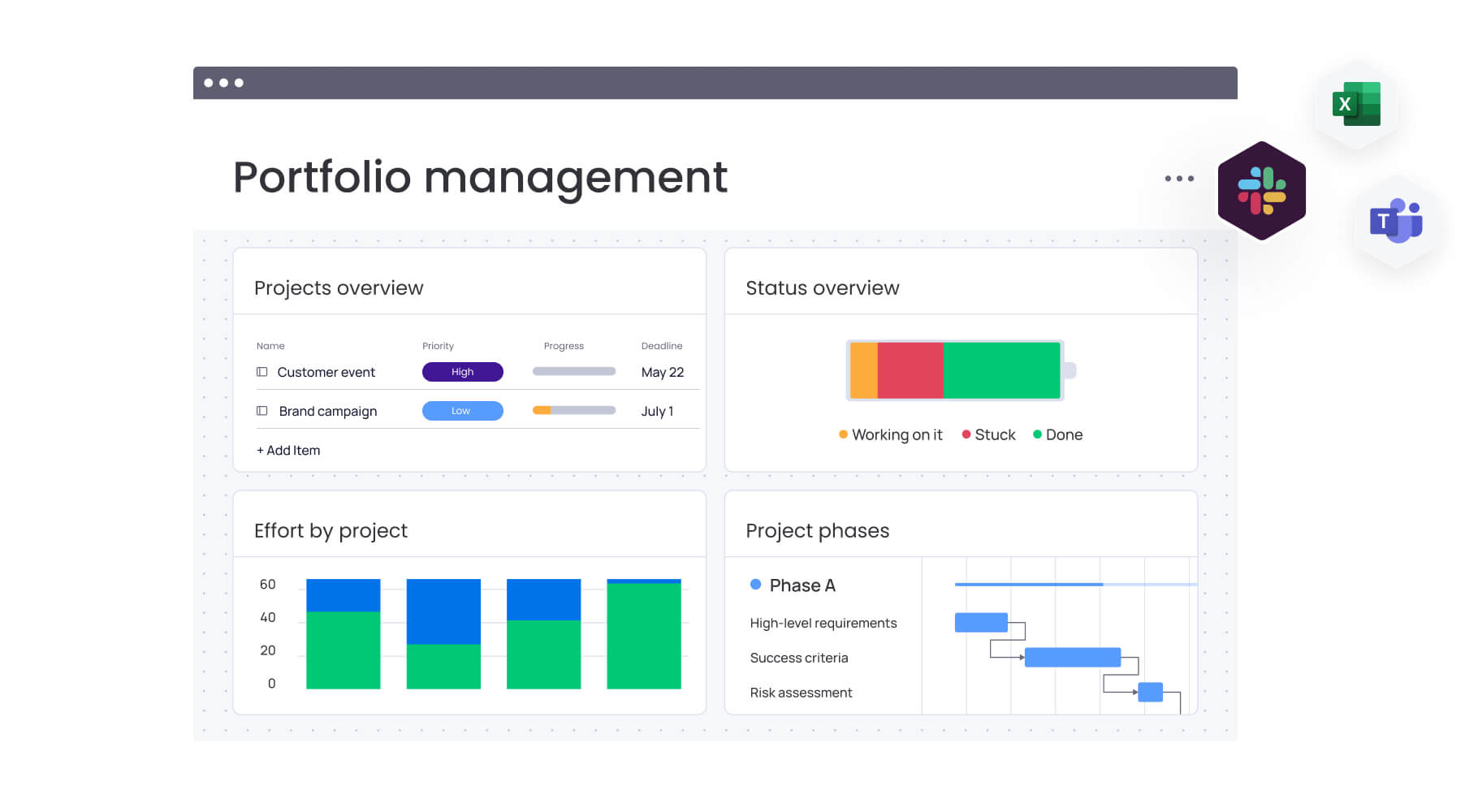
When your work is scattered across different places, your brain works harder to keep track of everything. A centralized visual dashboard removes that burden and gives you instant clarity.
Here’s what that looks like in practice:
- Status visibility: Color coded updates show progress at a glance.
- Dependency mapping: Clear connections between tasks show what comes next.
- Unified context: Files, updates, and conversations stay in one place.
Because everything is easy to find, you spend less time searching and more time progressing.
Automation reduces decision fatigue
Repeating the same coordination tasks every day adds unnecessary strain. Automation handles those routine steps, so your team can stay focused on meaningful work.
For example, when a task moves to “Review,” it can automatically notify the right person. This removes the need to manually assign or follow up.
As a result, work flows more smoothly and predictably. Everyone knows what happens next without needing constant input.
Real time workload visibility keeps balance
Uneven workloads often lead to overwhelm, which then leads to paralysis. When you can see who is overloaded, you can step in early and adjust.
monday work management offers a Workload View that shows team capacity clearly. This makes it easier to plan realistically and avoid bottlenecks.
Key benefits include:
- Capacity planning: Spot overload before it becomes a problem.
- Resource balancing: Shift tasks to team members with availability.
- Better timelines: Use past data to set achievable deadlines.
With balanced workloads, your team can stay productive without feeling stretched.
Team transparency builds accountability
When work is visible to everyone, it creates a natural support system. People are less likely to feel stuck in isolation, and help becomes easier to offer.
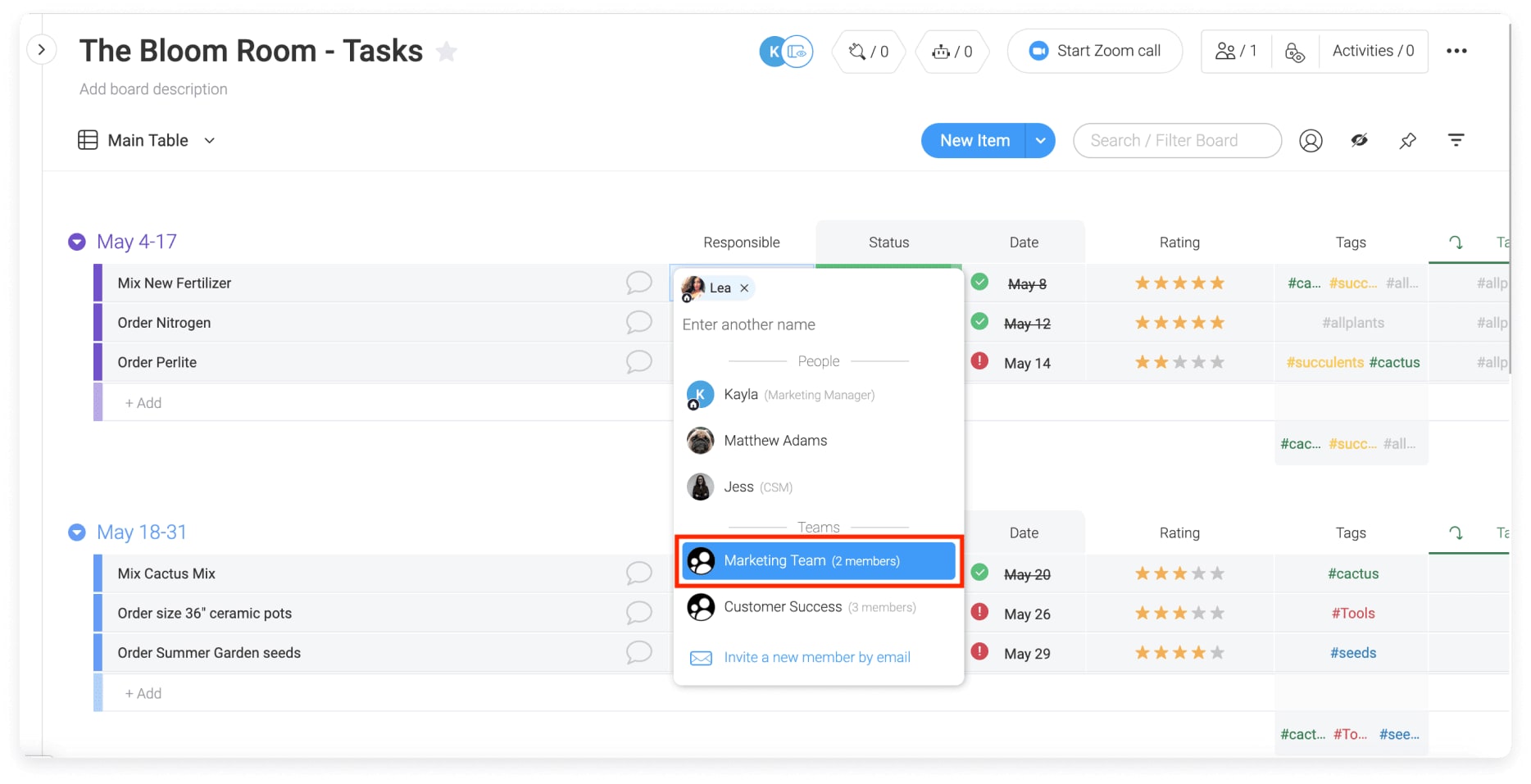
If a task remains in a “Stuck” status, someone can step in without waiting to be asked. This keeps progress moving and reduces pressure on individuals.
At the same time, shared visibility clarifies ownership. Everyone knows who is responsible for what, which removes confusion and hesitation.

“monday.com has been a life-changer. It gives us transparency, accountability, and a centralized place to manage projects across the globe".
Kendra Seier | Project Manager
“monday.com is the link that holds our business together — connecting our support office and stores with the visibility to move fast, stay consistent, and understand the impact on revenue.”
Duncan McHugh | Chief Operations OfficerTransform task paralysis into productive action with monday work management
Teams experiencing task paralysis are often dealing with unclear structure, scattered information, and constant decision pressure. A sophisticated platform like monday work management helps convert that complexity into clear workflows, making it easier to move from intention to execution.
- Disconnected work and limited visibility: Teams often lack a single, real time view of projects, which makes it difficult to understand priorities, track progress, or see how individual tasks connect to broader goals across the organization.
- Unclear prioritization frameworks: Without built in structures for ranking work, teams rely on ad hoc decisions, leading to delays, inconsistent focus, and difficulty identifying which tasks should be addressed first.
- Fragmented tools increasing cognitive load: Work spread across emails, chats, spreadsheets, and documents forces constant context switching, which drains attention and contributes directly to task initiation delays.
- Manual coordination and workflow friction: Teams spend significant time assigning tasks, following up, and updating statuses manually, which introduces delays and increases the mental effort required to keep work moving.
- Limited insight into workload and capacity: Without clear visibility into team bandwidth, individuals can become overloaded without early detection, increasing the likelihood of burnout and stalled execution.
- Inconsistent accountability and ownership clarity: When task ownership and status are not clearly visible, work can remain stuck without escalation or support, slowing overall team progress.
- Difficulty translating strategy into execution: High level goals often fail to connect to day to day tasks, making it harder for teams to understand impact and maintain momentum on meaningful work.
By centralizing work into visual boards, automating routine decisions, and providing real time insights into priorities and capacity, monday work management enables teams to reduce cognitive overload, maintain alignment, and execute consistently against strategic objectives.
Try monday work managementFrequently asked questions
How common is task paralysis in remote work settings?
Task paralysis tends to appear more often in remote environments. Without quick access to teammates, small blockers can linger longer and feel harder to resolve.
Can task paralysis affect entire teams?
Yes, it can spread across teams when priorities are unclear or communication breaks down. In those cases, multiple people may hesitate at the same time, slowing overall progress.
What’s the difference between burnout and task paralysis?
Burnout builds over time and affects energy and motivation. Task paralysis, on the other hand, is more immediate and usually tied to feeling overwhelmed by decisions or complexity.
How quickly can someone recover from task paralysis?
Recovery time varies depending on the cause. In some cases, a simple shift like breaking tasks down helps within minutes, while deeper issues may take longer to address.
Should you tell your manager about task paralysis?
Yes, especially when it affects your output. Framing it as a workflow issue rather than a personal struggle helps open a more productive conversation.
How does monday work management help prevent task paralysis?
monday work management reduces overload by organizing work visually, automating decisions, and providing AI support. This makes it easier to understand priorities and take action without hesitation.

 Get started