


If you’ve found the perfect way to execute your internal business processes, it makes sense to document the steps required so you can repeat the successful workflow again and again. To do so, businesses use standard operating procedure (SOP) documents which improve efficiency and ensure compliance with industry regulations, too.
In this article, we show you how to turn your own processes into an actionable SOP. We’ll also share how you can document, automate, and manage SOPs with monday.com’s AI Work Platform.
Get startedKey takeaways
- An SOP template gives teams a repeatable framework to document any process consistently, so knowledge doesn’t walk out the door when people move on.
- Every effective SOP includes a title, scope, step-by-step instructions, roles, revision history, and an approval record.
- The right SOP format (checklist, step-by-step, hierarchical, or flowchart) depends on the complexity of the process you’re documenting.
- AI assistants can now generate first-draft SOPs from plain-language process descriptions, cutting documentation time significantly.
- monday.com’s AI Work Platform’s free Policy Procedure Template lets you manage, automate, and version-control SOPs in one place.
What is a standard operating procedure (SOP)?
A standard operating procedure (SOP) a written document that spells out the exact steps required to complete a specific process within an organization. Far from being extra paperwork, following an SOP ensures consistency and produces high-quality results for teams.
For example, an events management company might use an SOP as a roadmap for organizing and executing events, such as conferences, corporate meetings, or weddings. The SOP would outline the steps required for tasks involving:
- Client consultation
- Budgeting
- Venue selection
- Vendor coordination
- On-site logistics
By following an SOP, events team members use a standardized process when planning events, allowing them to deliver high-quality experiences for clients. This approach also ensures efficient resource management, reduces the likelihood of errors, and ensures all safety requirements are met during events.
What is an SOP template?
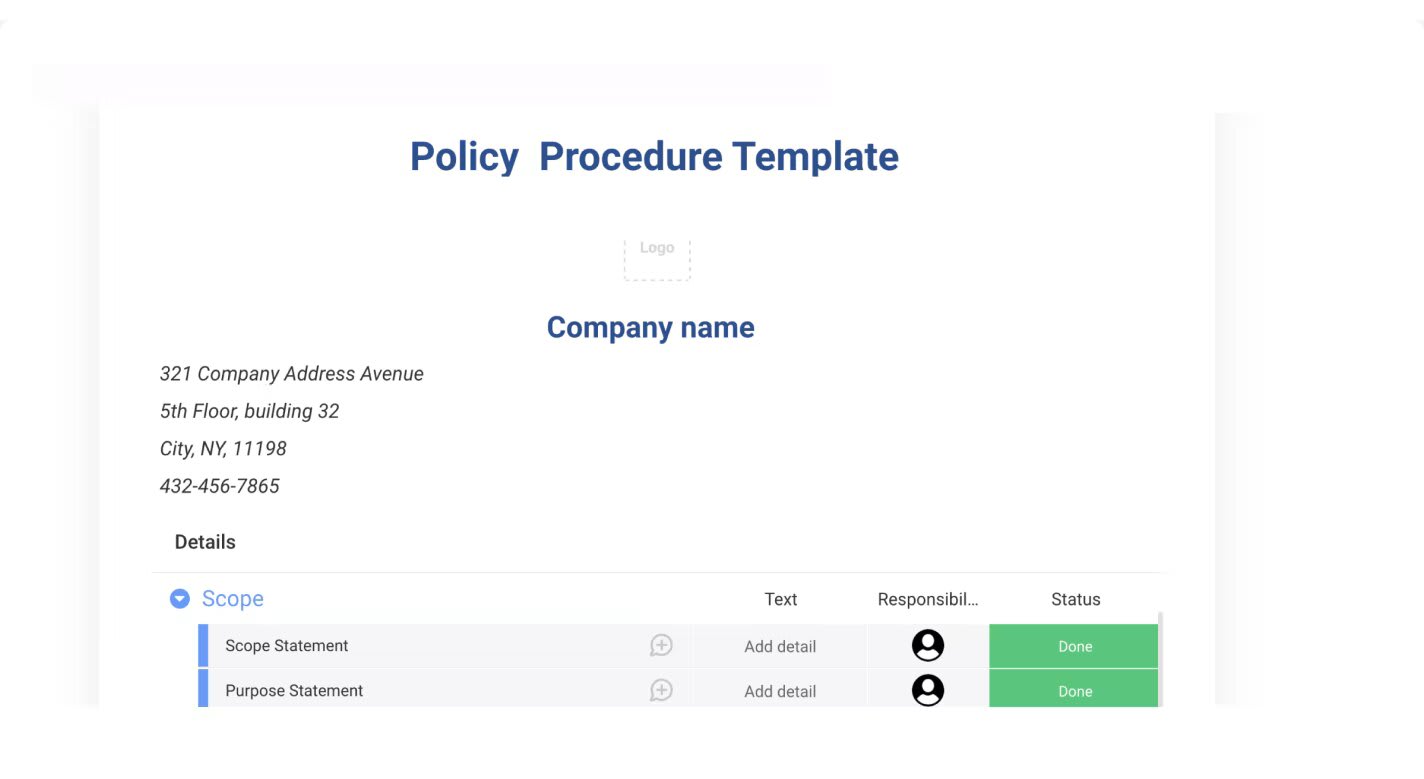
An SOP template gives your documentation a consistent structure before you fill in the specifics. While an SOP is the finished document describing one particular process, the template is the blank framework, complete with pre-set sections for title, scope, steps, roles, and revision history, that you can apply to any procedure. You could use an existing SOP template to create your documentation or save your own finished SOP as a template for future processes.
Companies typically present SOP templates as checklists, step-by-step guides, hierarchical lists, or flowcharts, depending on the procedure’s complexity. Regardless of format, each SOP template includes a written set of steps, expectations for who’s responsible, and resources for additional information.
SOP vs. policy: what’s the difference?
An SOP and a policy serve different purposes, and confusing the two creates gaps in documentation. A policy defines what’s acceptable: the rules, principles, and boundaries that management sets for the organization. An SOP defines how to do something: the specific steps a team member follows to execute a process within those boundaries.
For example, a company’s data security policy might state that all sensitive files must be encrypted. The SOP would then describe exactly how an employee encrypts a file, which platform to use, and how to verify the encryption was applied correctly.
Policies set the guardrails; SOPs pave the road. Understanding this distinction helps teams know when they need a policy document versus an operational procedure, and when they need both. For a deeper look at aligning process documentation with broader organizational goals, explore process standardization strategies.
Why use an SOP template?
Implementing standard operating procedure templates in your workplace delivers tangible, measurable improvements across your operations. Here are 6 high-impact results you can expect when your team starts documenting processes consistently.
- Reduce errors and inconsistency: Every team member follows the same proven steps, which means fewer mistakes and more predictable outcomes across shifts, locations, and departments.
- Accelerate onboarding: New hires learn processes from structured documentation rather than word-of-mouth explanations, getting up to speed faster and with fewer questions.
- Support compliance and audit readiness: Documented procedures satisfy regulatory requirements and simplify audits; inspectors want to see that your processes are written down, reviewed, and followed.
- Transfer knowledge across team changes: When someone leaves, gets promoted, or shifts roles, the process they managed doesn’t leave with them. The SOP preserves institutional knowledge.
- Save rework time: When something goes wrong, the SOP is the first place to check. It shortens troubleshooting and prevents teams from reinventing processes after every setback.
- Enable continuous improvement: Reviewing SOPs on a regular cadence spots inefficiencies, outdated steps, and opportunities to streamline. Documentation becomes a feedback loop, not a filing exercise.
SOP formats: How to choose the right structure
The SOP format you choose determines how your team reads, follows, and applies the procedure. An SOP format is the structural layout of the document, and getting it right means the difference between a reference your team actually uses and one that collects dust. There’s no single “correct” SOP layout; the right structure depends on the nature of the work, the number of decision points, and how much time employees have to review the material. Here are the four main types to choose from.
Checklist
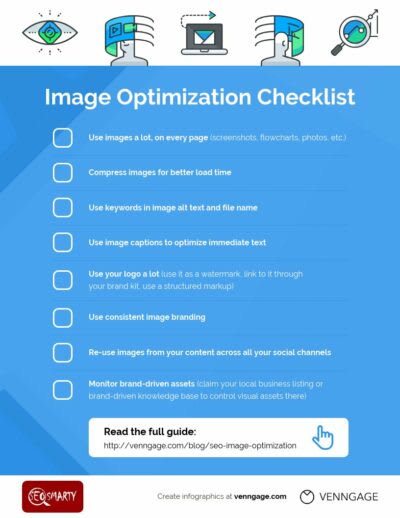
SOP templates in checklist format are flexible, highly customizable, and suitable for various applications, from individual preparation for a task to project completion and deliverable handoffs. Items don’t need to be completed in a specific order, but getting through the entire list confirms you’re on track. Checklists work especially well for recurring processes like equipment inspections, event setup, or end-of-day closing routines. For instance, a facilities team might use a checklist SOP to verify that every safety station is stocked and every exit is accessible before opening a building for the day.
Step-by-step
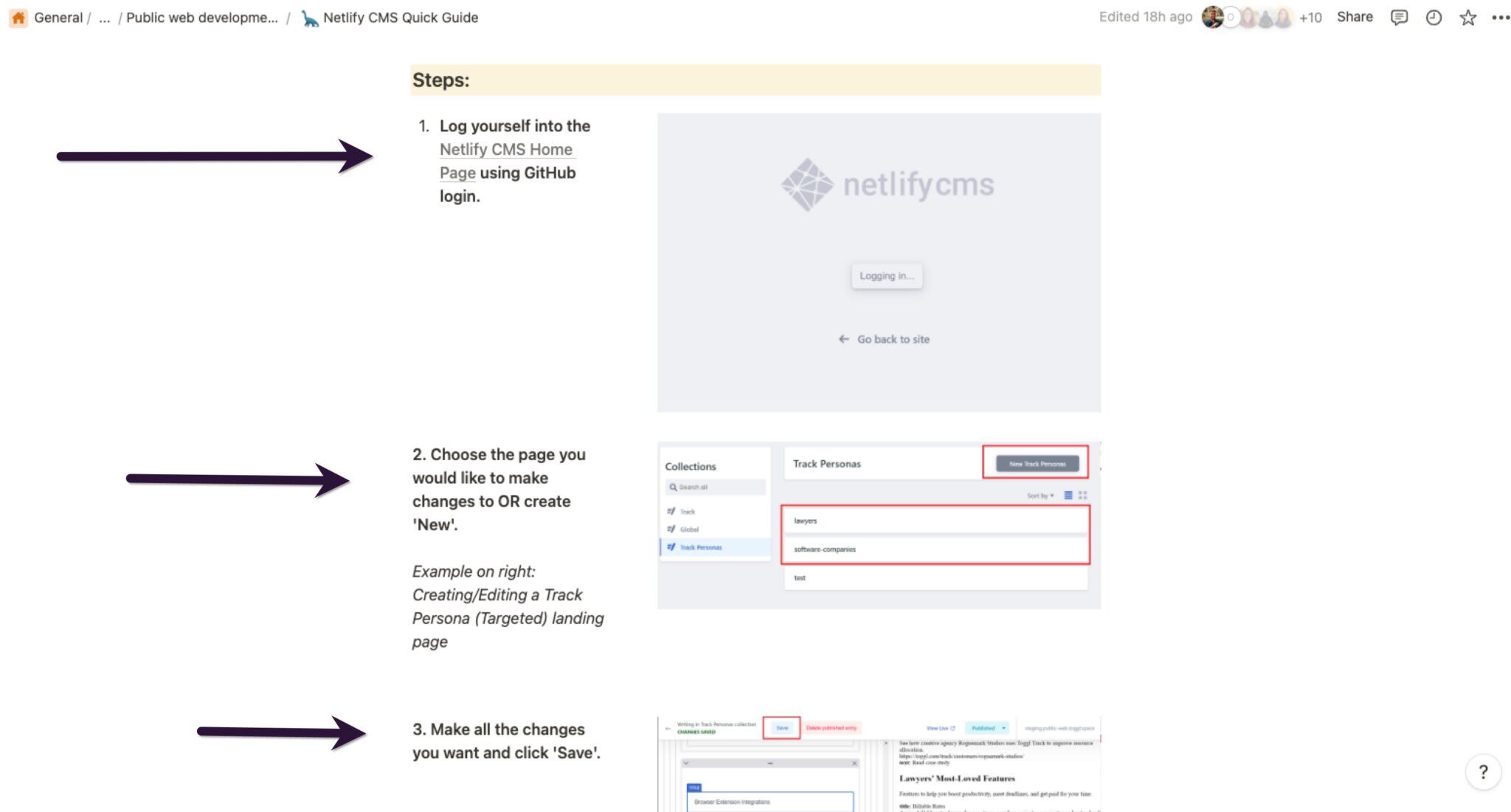
Unlike a checklist, a step-by-step SOP requires that you complete tasks in a specific, sequential order. This format works for short, straightforward procedures where precision and timing matter, including manufacturing assembly lines, lab protocols, or software deployment scripts. Each step corresponds to a single actionable task, numbered so the reader knows exactly where they are in the process. A restaurant food-safety SOP, for example, uses a step-by-step format because tasks like temperature checks, handwashing, and sanitization must happen in sequence to meet health standards.
- Troubleshooting technical problems
- Outlining manufacturing processes with strict operational rules
- Designing research protocols, such as data entry and analysis
Hierarchical
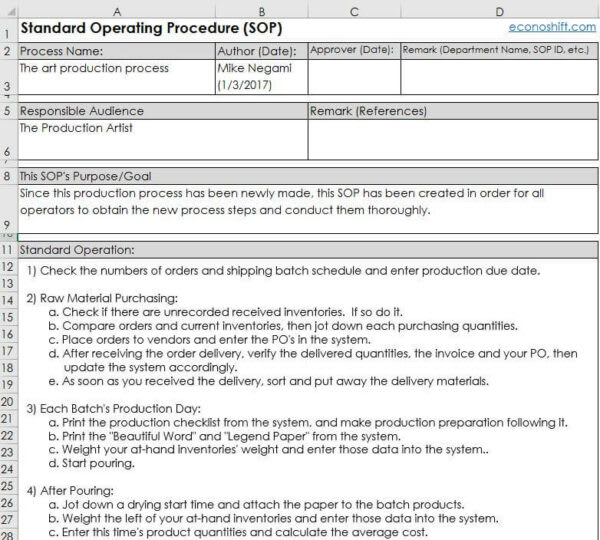
Hierarchical SOPs are similar to step-by-step formats in that order is still important. However, they’re designed for more complex workflows that involve multiple task dependencies, subtasks, and approval stages. You’d use a hierarchical SOP when a single step branches into several sub-steps; for example, documenting an organizational change approval that requires input from legal, HR, and executive leadership before it can proceed. The format uses numbered sub-levels (1a, 1b, 1c or 2.1, 2.2, 2.3) to show how tasks nest within each other.
Flowchart
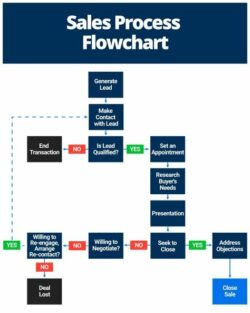
A flowchart provides a visual representation of your SOP, mapping out each step alongside its possible outcomes. This format shines when a process involves decision points, moments where the next action depends on a result, an answer, or a condition. Troubleshooting guides, escalation procedures, and customer service scripts all benefit from the branching logic a flowchart provides. Each step directs the reader to what comes next based on the result, using symbols, arrows, and diagrams to keep the path visible at a glance.
How to write an effective SOP: a step-by-step guide
No two SOPs are identical, and must be customized to the specific business processes you need to document. However, the process of writing an effective SOP follows a similar set of steps, as follows:
1. Define the purpose and audience
The main purpose of your SOP will be to provide clear and consistent instructions to a relevant audience on how to carry out a specific task in your organization. Consider what this means to you by defining your procedure document’s audience and your overall goals for creating it.
For example, if your Human Resources department requires an SOP for employee onboarding, this should include specific steps for your people team to get new hires up-to-speed with the company as quickly and easily as possible.
2. Gather input from stakeholders
The person who knows the ins and outs of a process is rarely the person writing the SOP.
Before you start drafting, interview the people who execute the process daily; they’ll identify steps, workarounds, and edge cases that aren’t visible from the outside. Include team leads, subject matter experts, and anyone responsible for quality or compliance. Their input prevents you from documenting an idealized version of the process instead of the real one.
3. Include the key elements of an SOP
Every standard operating procedure should include a core set of components that make it both usable and auditable. These elements give the document structure and ensure nothing critical is left out:
- Title: Use a distinct title so your SOP is easily identified and searchable.
- Scope and purpose: Outline what the SOP covers, what it doesn’t, and who it’s intended for.
- Roles and responsibilities: Highlight who is responsible for completing each step mentioned in the SOP.
- Procedure: List the steps required to execute the process — this forms the bulk of your SOP.
- Related documents: Provide access or links to supporting documentation, such as training guides or reference materials.
- Definitions: Spell out abbreviations, acronyms, or industry-specific terminology to avoid confusion.
- Turnaround times: Include expectations around how long each step or the overall procedure should take.
- Quality standards: Detail the industry or internal standards the process must follow.
- Revision history: Date your SOP so readers know how recently it’s been updated and whether the document is still current.
- Approval signatures: Add formal sign-off records to promote accountability and confirm the SOP has been reviewed and authorized.
4. Write and review your SOP draft
Building an outline is always smart before you start writing, as it allows you to collect all the details you need before drafting your procedure.
Before you start writing, ensure you’ve interviewed all relevant stakeholders so you know the exact procedure to document. Ensure you understand the process’s start and end point so it doesn’t overlap with other procedures that require separate SOP guides. With all the pieces in place, it’s time to write your SOP template.
AI assistants can significantly speed up this stage. Teams are increasingly pasting plain-language process descriptions into AI platforms and receiving structured first drafts in return. On monday.com’s AI Work Platform, AI Blocks and monday MCP let you generate an SOP draft directly from notes or process descriptions, without leaving your workspace. The AI handles the structure; you refine the details and verify accuracy.
5. Get sign-off, assign ownership, and set a review cadence
Your standard operating procedure is only effective if it remains relevant. The tiniest change to your process must be updated in your SOP so it continues to make sense. Depending on the process in question, this may also be necessary for compliance. Jodene van Lienden, Founder and CEO of Open Mind Coaching & Consulting, explains,
SOPs are living documents that adapt with evolving needs. Regular reviews foster a culture of improvement, driving innovation and refining processes.
Before publishing, get formal sign-off from stakeholders who have authority over the process. Then, determine how often you’ll review your SOP, then set reminders and notifications to keep track of documenting any change. For example, you might use the AI Work Platform to schedule automatic reminders to update your SOP once a quarter or annually.
Get startedSOP template examples for every team
Depending on the industry, role, or process you’re writing an SOP for, a customized template is a great jumping-off point for drafting your guide. Here are a few SOP template examples you can create with monday.com.
IT SOP template
IT teams need an SOP template to execute day-to-day tasks like troubleshooting, bug reporting, security events, setup procedures, maintenance schedules, and asset management. Due to the fast pace of technology, make sure to update your IT procedures frequently, committing to reviews after every upgrade, system update, or software change.
HR SOP template
HR teams use standard operating procedure templates to document processes like onboarding new hires, delivering performance reviews, or reviewing employee benefits. This HR SOP template enables you to track these processes from beginning to end so your team can see who is responsible for each step and when to complete them. Keeping this information organized is key to building positive workplace relationships and enhancing the employee experience.
Manufacturing SOP template
Manufacturing is an incredibly detail-oriented field that requires strict adherence to safety regulations, production deadlines, and quality assurance processes. By outlining instructions for each task in the template, your team can work quickly and accurately on any project while remaining protected.
Restaurant SOP template
Running a restaurant involves liaising with multiple parties to ensure a smooth operation, particularly regarding food safety and quality control. Your SOP template could outline procedures for ordering supplies, daily cleaning and sanitation protocols, or even customer service expectations. This will help maintain consistency in staff training while ensuring your kitchen is well-stocked with everything needed to satisfy customers.
Healthcare SOP template
Healthcare organizations face some of the most demanding documentation requirements of any industry. A healthcare SOP template might cover patient intake procedures, medication administration protocols, infection control workflows, or the steps for handling a critical lab result.
For example, a medication administration SOP would specify how a nurse verifies patient identity, checks the dosage against the physician’s order, documents the administration time, and monitors for adverse reactions. Regulatory bodies like OSHA, HIPAA, and the Joint Commission expect documented, reviewed, and auditable procedures, making SOPs essential for both patient safety and organizational compliance.
Retail SOP template
Retail stores must carefully document processes for customer service, inventory management, and store operations. Create separate procedures for routine tasks like handling refunds, running sales, or customer complaints. This ensures customers receive a consistent service regardless of which store manager is on duty on any particular day.
Sales SOP template
Sales teams need an SOP template to track leads, conversions, and deliver an exceptional customer experience. A sales SOP template could highlight how to score leads, when to progress leads to the next sales funnel stage, and who will be responsible for each process step. This will help your team work quickly and efficiently while delivering a streamlined customer experience.
Customer service SOP template
Regardless of the industry, any customer-facing business should create an SOP to provide clear instructions on customer service processes. Your customer service SOP template could outline protocols for responding to customers within X working days, resolving inquiries, and providing feedback.
Create any of these templates and many more by using monday.com’s Policy Procedure Template as the foundation of your process. Available from our Template Center, this is a highly customizable framework for outlining the routine procedures you use in your organization.
Best practices for writing and maintaining SOPs
Writing the document is the straightforward part. Keeping it accurate, accessible, and useful over time is where most organizations stumble. Here are six practices that separate SOPs that get followed from SOPs that get forgotten.
Write at the right level of detail
An SOP should contain enough detail that a new hire unfamiliar with the process can follow it independently, but not so much that it reads like a novel. The practical test: hand the document to someone who wasn’t involved in writing it and ask them to complete the process using only the SOP. If they can do it without asking questions, the level of detail is right.
Keep SOPs in one searchable place
A shared drive folder no one can find defeats the purpose of documentation. Store your SOPs in a platform that organizes them alongside the workflows they govern, makes them searchable by keyword or team, and links them directly to the processes they describe. When documentation lives next to the work, people actually use it.
Set a review cadence before you publish
Schedule the first review date before you finalize the document, not after. Quarterly reviews work for fast-moving processes; annual reviews are adequate for stable ones. Use automated reminders on a platform like monday.com’s AI Work Platform so review dates don’t quietly pass without action.
Assign a single owner per SOP
Shared ownership is no ownership. Every SOP should have one named person responsible for keeping the document current, managing the review cycle, and coordinating sign-off. If the owner changes roles, transferring SOP ownership should be part of their handoff checklist.
Get sign-off before you launch
SOPs that weren’t formally approved don’t carry authority. A simple approval signature, whether physical or digital, creates accountability and confirms that the right stakeholders have reviewed and endorsed the procedure. For teams working on monday.com’s AI Work Platform, approval workflows can be automated so sign-off requests go to the right people without manual follow-up.
Test the SOP before rolling it out
Have one person who wasn’t involved in writing the SOP follow the steps exactly as written. Gaps, ambiguities, and missing context are found immediately when someone approaches the document with fresh eyes. Fix those issues before distribution, and you’ll save yourself a round of revisions after the fact. For organizations that tie their SOPs to broader operational strategy, connecting your procedures to a business continuity plan template keeps critical process dependencies documented alongside the SOPs themselves.
How monday.com's AI Work Platform supports SOP management
Keeping SOP documentation alive (reviewed, updated, and connected to the work) is where most teams invest too little. monday.com’s AI Work Platform turns SOP management from a static filing exercise into a dynamic, automated workflow with these key capabilities.
Policy Procedure Template
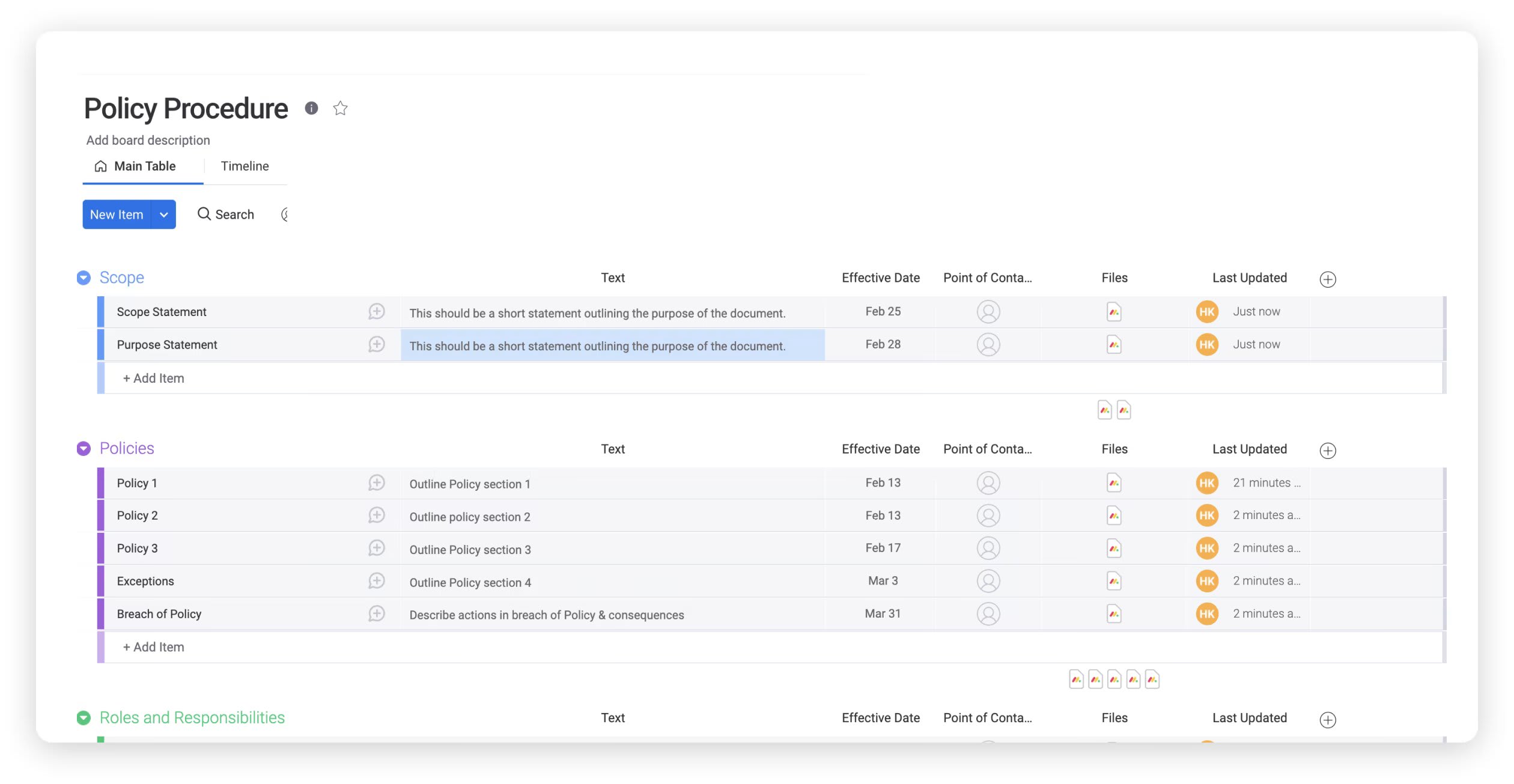
The out-of-the-box Policy Procedure Template gives you a ready-made structure for documenting, organizing, and managing every SOP in your organization. It includes pre-built columns for owner, status, review date, and approval, so you’re not starting from scratch. Switch between board view, document view, Kanban, Timeline, and Gantt to visualize your SOPs the way that makes the most sense for your team. With 200+ integrations, you can connect the template to the platforms your team already uses (Slack, Google Workspace, Microsoft 365, and more) so SOP updates flow into the channels where people actually work.
Automations for SOP review cycles
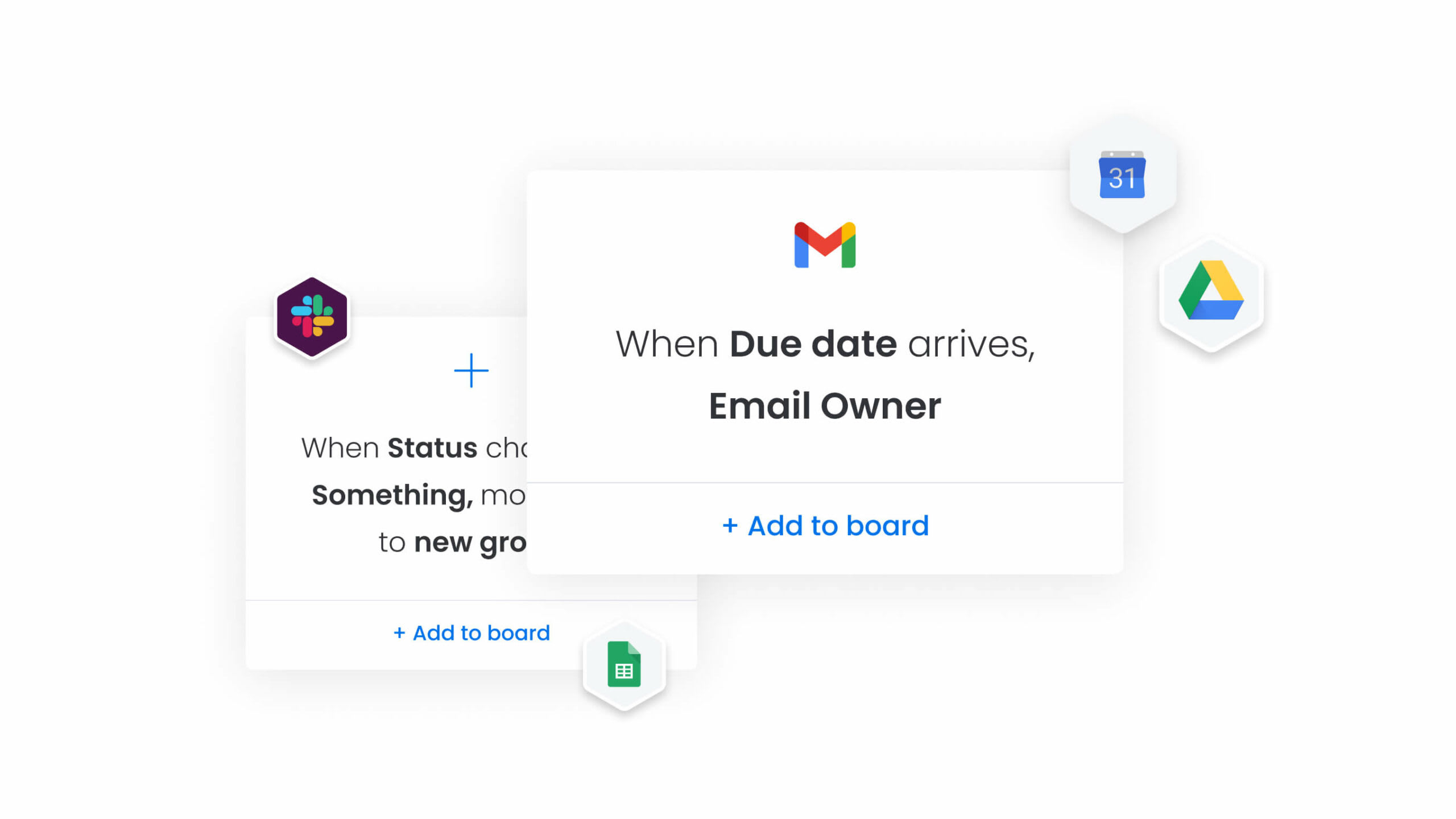
The biggest reason SOPs go stale is that no one remembers to review them. The AI Work Platform’s no-code workflow automation capabilities handle that maintenance burden automatically:
- Review reminders: Trigger a notification to the SOP owner 30 days before a scheduled review date.
- Change-based assignments: Auto-assign a review task when a process changes or when a related board item is updated.
- Approval routing: Send sign-off requests to stakeholders automatically, so the review cycle runs itself.
These automations close the gap between “we should review this quarterly” and doing it.
AI Blocks for faster SOP creation
Writing SOPs from scratch is time-consuming, and it’s the primary reason teams postpone documentation. AI Blocks on monday.com’s AI Work Platform let you shortcut the drafting process:
- Summarize block: Condense a long process description into structured steps.
- Extract block: Pull key information from existing PDF procedures directly into your workspace.
- Writing assistant block: Draft SOP language from rough notes or meeting transcripts.
Instead of spending hours formatting a document, your team spends minutes refining a draft the AI has already structured.
monday agents and monday MCP
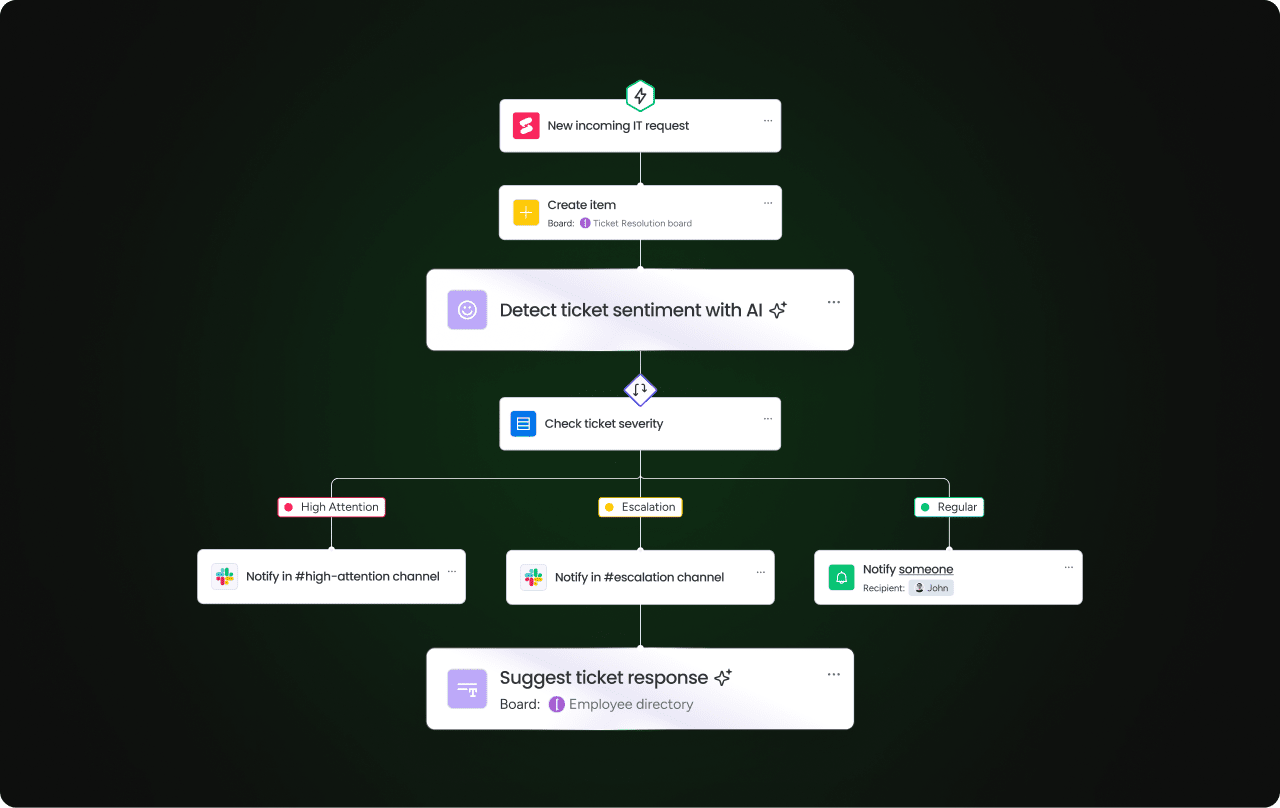
monday agents extend SOP management beyond documentation into autonomous execution. The Onboarding Helper agent can distribute SOPs to new hires and track acknowledgment automatically. The Process Automator agent can flag when process deviations occur on a board, alerting the SOP owner that the documented procedure may need updating.
For teams using external AI assistants like Claude or Copilot, monday MCP connects those assistants directly to your monday.com boards. That means writing “create an SOP for our customer escalation process” in your AI assistant can generate a board item, assign an owner, and populate a document, all through natural language.

Related templates to explore
A well-laid-out SOP template helps minimize employee training times and ensures team members understand what steps to take to adhere to company policies. In addition to using an SOP template to achieve these outcomes, we also offer other templates to increase efficiency and support employee development.
Project Workflow template
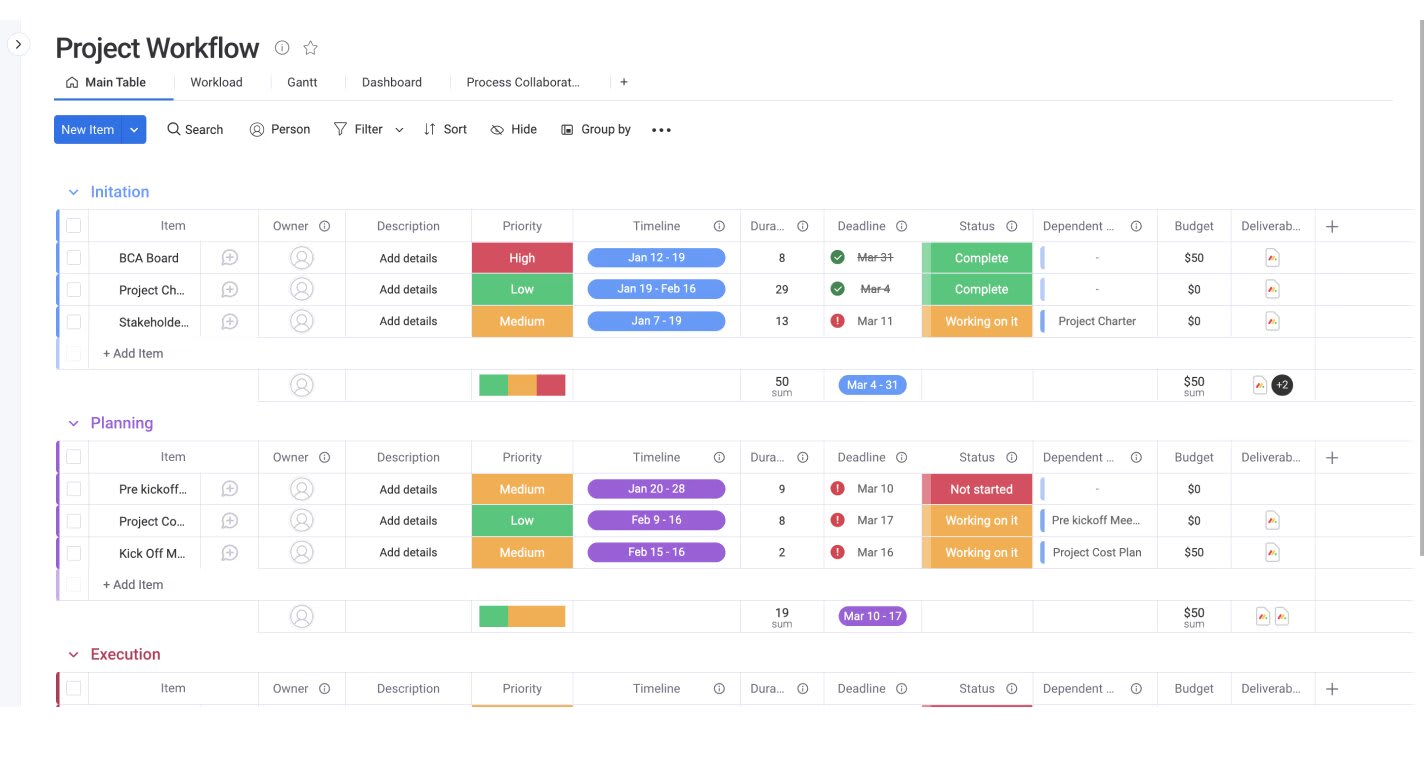
The AI Work Platform’s Project Workflow Template provides a central tool for visualizing and coordinating various project aspects, ensuring everyone on the team can access real-time changes. Our Project Workflow Template is highly customizable, so you can adapt it to your business and match the workflow features to your team’s needs.
A reliable workflow template prevents bottlenecks, facilitates planning, and creates transparency among team members. The template lets you assign as many owners as you need for your project, ensuring each team member knows which tasks they’re responsible for completing.
Training plan template
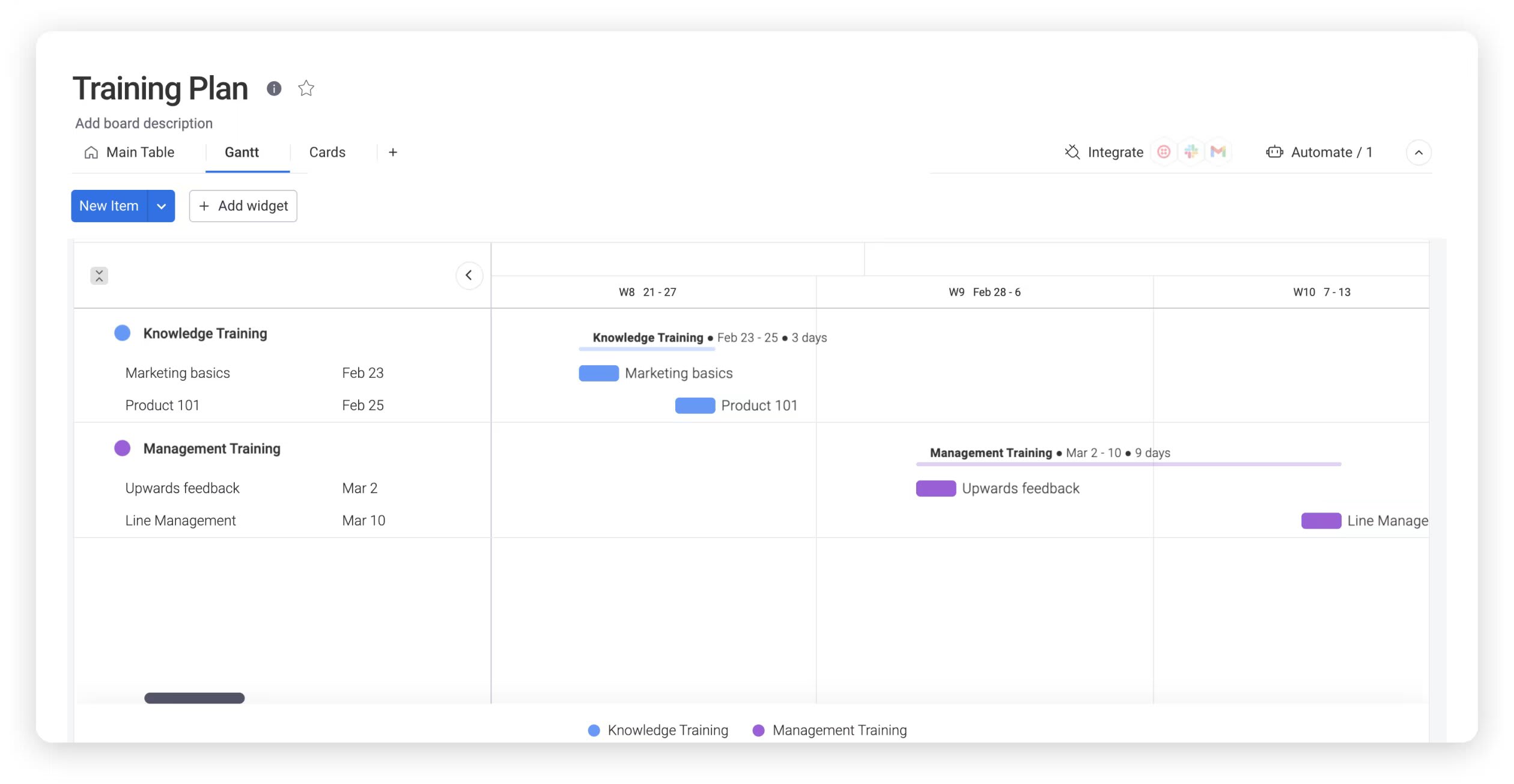
The AI Work Platform’s Training Plan Template helps you manage the process of training new hires. Our free template speeds up the onboarding process and your training plan development. In addition to onboarding and outlining company policies, this Training Plan Template covers topics such as safety protocols, executive training, and diversity training. There’s some overlap between employee training plans and SOPs, so combining these templates can effectively manage new hires.
Operational plan template
When your SOPs support a larger strategic initiative, an operational plan template helps you connect individual procedures to organizational goals. Use it alongside your SOP documentation to ensure day-to-day processes align with quarterly and annual objectives.
These additional templates help you develop a stronger SOP document for your company. When considering the most important components to include in an SOP template, check out the answers to some frequently asked questions regarding standard operating procedures and related templates.
Build SOPs your team will follow
An SOP template is only as useful as the system behind it. Writing the procedure is the straightforward part; the real work is keeping it accurate, accessible, and connected to the processes your team runs every day. Documentation without a management system is just paperwork.
monday.com’s AI Work Platform handles both sides: creating SOPs with AI-powered drafting and maintaining them with automated review cycles, ownership assignments, and approval workflows. It’s a platform that turns static documents into living, accountable parts of your operations.
The first step is a free SOP template. Download monday.com’s AI Work Platform’s Policy Procedure Template and start documenting the processes that keep your organization running.
FAQs about SOP templates
What is the difference between an SOP and a policy?
The difference between an SOP and a policy comes down to scope and specificity. A policy is a set of rules or principles laid down by management that defines acceptable behavior within an organization; it answers the question “what is allowed?” An SOP is a step-by-step document that describes how to carry out a specific operation or task; it answers the question “how do we do this?” For example, a company policy might require that all customer data is backed up daily. The SOP would detail the exact steps an IT team member follows to run, verify, and log that backup.
What should an SOP include?
A well-structured SOP should include 5 core components: a descriptive title, a scope statement defining what the procedure covers and who it’s for, a step-by-step procedure section, roles and responsibilities identifying who’s accountable for each step, and a revision history with approval signatures. Many SOPs also include sections for related documents, definitions of technical terms, turnaround time expectations, and quality standards. The goal is to give any reader, even someone unfamiliar with the process, enough information to complete it without asking questions.
Who is responsible for writing SOPs?
The person writing your standard operating procedure should have experience with creating workflows and procedures at a high level—typically, it will be the company’s management team, but may also include people in specialist roles. SOP writers don’t need to be directly involved in the specific process being documented, although this would be a bonus. Where required, other stakeholders can lend their experience or offer contributions to ensure the SOP is accurate.
How long should an SOP be?
There’s no fixed page count for an SOP; length depends entirely on the complexity of the process. A straightforward procedure like “how to submit a purchase request” might be a single page. A multi-step manufacturing protocol with safety requirements, quality checkpoints, and regulatory references could run 10 pages or more. The guiding principle is completeness without redundancy: include every step someone needs to follow the process independently, and cut anything that doesn’t serve that goal.
How often should SOPs be reviewed and updated?
SOPs should be reviewed on a regular cadence, typically quarterly for processes that change frequently and annually for stable ones. Beyond scheduled reviews, an SOP should be updated immediately whenever the underlying process changes, new regulations take effect, or team feedback reveals a gap. Setting automated reminders for review dates prevents SOPs from going stale, which is one of the most common documentation failures organizations face.
Can AI help me write an SOP?
Yes, AI assistants can generate structured first-draft SOPs from plain-language process descriptions, which significantly cuts the time it takes to document a procedure. You describe what the process involves, and the AI produces a formatted draft with steps, roles, and sections you can refine. On monday.com's AI Work Platform, AI Blocks let you summarize, extract, and draft SOP content directly within your workspace, and monday MCP connects external AI assistants like Claude or Copilot to your boards so you can create and manage SOPs using your everyday language.

 Get started