



A long list of requests is not a strategy — it’s friction. When teams rely on scattered ideas, outdated tasks, and unprioritized demands, they lose the ability to move quickly or make confident decisions. Focus disappears, quality slips, and the product drifts away from what customers actually need.
A well-built product backlog changes that. It becomes a living source of clarity that shows what matters, why it matters, and what should happen next. Done well, it aligns teams, sharpens prioritization, and turns everyday delivery into steady, predictable progress.
This article breaks down the fundamentals of building a backlog that works in 2026: the components every backlog needs, the roles that shape it, and the modern prioritization techniques that help teams deliver real value. You’ll also learn a simple four-step approach for constructing your backlog and the practices that keep it lean, focused, and ready for change.
Master these foundations and your backlog shifts from a list of tasks to a strategic engine that drives product growth with clarity and confidence.
Key takeaways
- Prioritize by value, not volume: focus your backlog on high-impact items that deliver real user value. Remove outdated items regularly to keep your team focused on what matters most.
- Implement consistent refinement: dedicate 10% of your sprint capacity to reviewing and updating backlog items. This essential practice ensures a steady pipeline of well-understood work ready for development.
- Balance features with technical health: allocate 15-25% of development time to technical debt and infrastructure work. This maintains system stability while delivering new capabilities.
- Leverage flexible workflows: adapt the platform to match your team’s actual process instead of forcing rigid frameworks. Custom views and automation reduce administrative overhead while maintaining visibility.
- Protect developer focus through transparency: create trust and alignment by providing stakeholders with continuous, automated insights into progress via modern dashboards. This approach democratizes visibility without constant status interruptions for the development team.
What is a product backlog?
A product backlog is a prioritized list of everything you might build for your product including features, bug fixes, improvements, and technical work. It serves as your product’s master strategic plan, directly guiding what your development team works on next.
Product backlog definition in Agile
In Agile, your product backlog is a living document that changes as you learn more about what users need, forming a key part of Agile product management. This adaptive approach contributes to the 64% success rate that Agile projects achieve, according to the Standish Group’s 2020 CHAOS report. Unlike traditional requirements documents that get locked down early, your backlog evolves based on user feedback and market changes.
Each item in the backlog, referred to as a product backlog Item (PBI), describes value from the user’s perspective. Teams must continually add new items, remove outdated ones, and adjust priorities as they gather deeper insights into user needs.
Key components of a successful product backlog
Every effective backlog shares certain elements that help teams understand what to build and why. These components create clarity across your entire organization:
- Prioritized items: work ordered by value, not random sequence.
- Clear descriptions: enough detail to understand without overspecifying.
- Acceptance criteria: specific conditions that define “done”.
- Estimates: relative sizing to help with planning.
Who owns the product backlog?
The Product Owner owns the backlog and retains final authority over priorities. However, backlog management functions most effectively through collective contribution: developers share technical insights, designers highlight user experience needs, and stakeholders provide essential business context.
How do product backlogs drive development success?
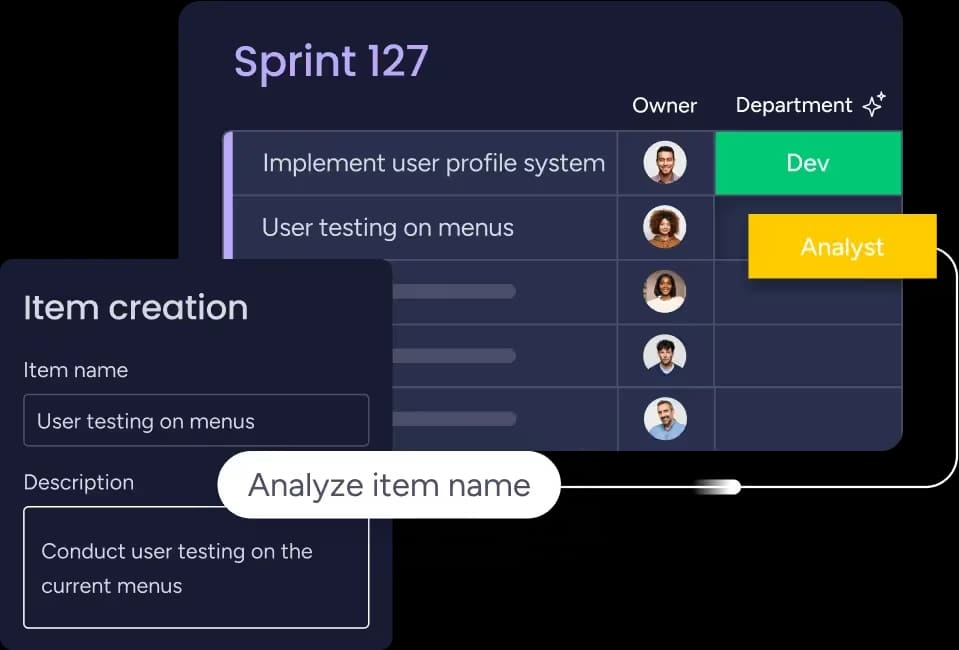
Product backlogs transform how teams build software by creating focus and flexibility, improving product development outcomes. Instead of following rigid plans that become outdated, you can adapt quickly while keeping everyone aligned on what matters most.
Accelerated time to market
Backlog management helps teams ship faster by prioritizing high-impact features. This allows organizations to release working software incrementally and efficiently adapt based on real user feedback, rather than trying to build everything at once.
To support this iterative strategy, platforms like monday dev provide the clarity needed to visualize priorities across multiple views, making it instantly clear which features will deliver the most value. Teams can then adapt their entire workflow without being constrained by rigid processes.
Enhanced team alignment and focus
When everyone sees the same prioritized list, conversations shift from “what should we build?” to “how do we build this well?” This shared understanding reduces confusion and keeps teams focused on common goals.
Clear backlog visibility also helps stakeholders understand progress, which builds trust and alignment. Teams communicate through the backlog rather than endless status meetings.
Real-time visibility into progress
Modern backlogs give managers and executives transparency while protecting team focus. Stakeholders see what’s in progress, what’s next, and how priorities might shift based on new information.
What should you include in your product backlog?
Your backlog contains different types of work that collectively represent everything needed to build a successful product. Understanding these categories helps you organize effectively and ensure all important work is captured.
- User stories and features: these form the core of the backlog, describing functionality from the user’s perspective, typically following the format: “As a [user type], I want [functionality] so that [benefit].” Features are larger work items containing multiple related stories.
- Bug fixes and quality improvements: balancing new feature development with maintenance is crucial. This includes prioritizing critical bug fixes, performance optimizations, security updates, and accessibility enhancements, all essential for maintaining a reliable product.
- Technical debt and infrastructure: technical debt represents shortcuts taken during development that need later remediation. Infrastructure work covers deployment pipelines, monitoring systems, and developer environments that enable your team to build and release features more effectively.
- Research and learning initiatives: include discovery work like user research, market analysis, and technical experiments. These items help validate assumptions and reduce risk before the team commits to building specific features.
How to build a product backlog: easy to follow steps
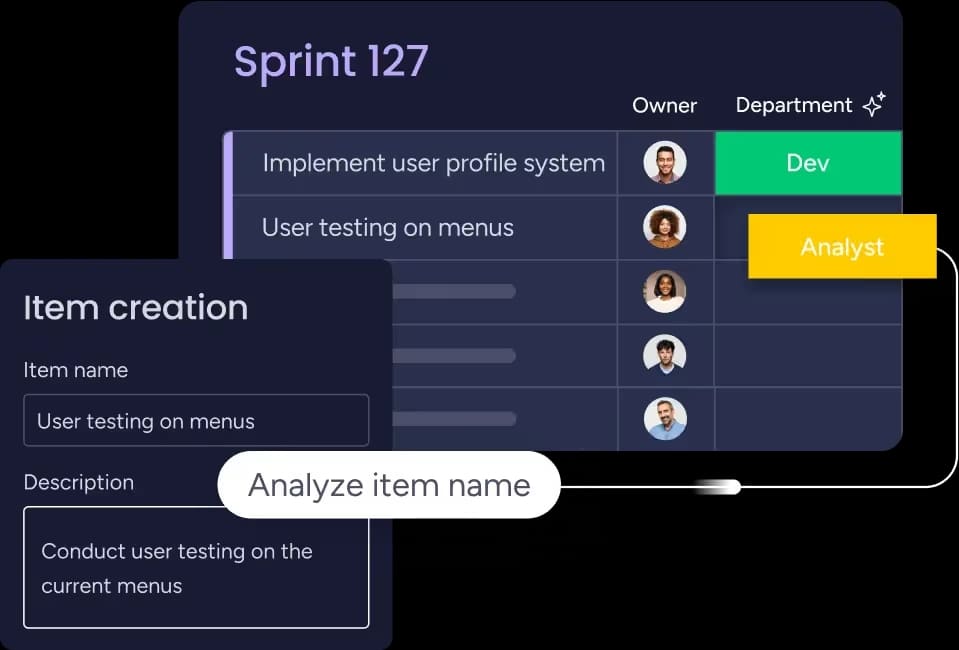
Creating an effective backlog requires a systematic approach that translates your product vision into actionable work items. Follow these steps to build a backlog that actually guides development decisions.
Step 1: start with your product vision
Define what your product aims to achieve and who it serves, forming the basis of your product roadmap. Your vision should articulate the problem you’re solving, target users, and value delivered.
Document key user personas and their primary needs. When teams understand who they are building for, they make smarter decisions about features and priorities.
Step 2: gather requirements from stakeholders
Collect input from customers, sales teams, support staff, and internal stakeholders. Each group brings different perspectives on what your product needs to succeed.
Cast a wide net during this phase, but remember not every request belongs in your backlog. Filter everything through your product vision and user needs.
Step 3: write clear backlog items
Transform stakeholder input into well-written items that development teams can understand and estimate. Focus on desired outcomes rather than technical solutions.
Include acceptance criteria that define when something is complete. Good criteria are specific, testable, and focused on user value rather than implementation details.
Step 4: structure your initial backlog
Organize items into a logical hierarchy reflecting both user value and technical dependencies. Group related items together and identify which features depend on others.
Use themes or Agile epics to group related work. All items related to user onboarding might sit under an “onboarding” epic, making it easier to see how individual items support larger goals.
How to prioritize your product backlog for maximum impact
To maximize value in every development cycle, you must prioritize effectively. This means ensuring your team always works on the highest-impact items first, while making smart decisions based on realistic technical and resource constraints.
Value-based prioritization techniques
Several product prioritization frameworks help you prioritize systematically. Each brings different strengths to your decision-making process:
- MoSCoW method: categorizes items as Must-have, Should-have, Could-have, or Won’t-have.
- RICE scoring: evaluates based on Reach, Impact, Confidence, and Effort.
- Value vs effort matrix: plots items showing business value against development effort.
Assessing urgency and dependencies
Prioritization must be dynamic. Some items become truly urgent due to regulatory requirements, security vulnerabilities, or competitive pressures; implement processes to identify and rank these effectively.
You must also map out technical dependencies early to ensure a smooth development flow and prevent high-priority work from stalling later on.
Balancing effort vs business value
Not every high-value item deserves top priority if the development effort is enormous. Instead, look for “quick wins” — items delivering significant value with reasonable effort.
A key strategy is to consider breaking large items into smaller pieces for incremental delivery, which allows you to deliver value sooner and learn from real user feedback.
Incorporating stakeholder feedback
Regular stakeholder input is essential to ensure priorities align with current business needs. However, filter all requests through your central product vision to maintain focus on the long-term goals.
Create regular touchpoints to review priorities and gather input; this continuous, transparent dialogue builds alignment and ensures everyone understands the rationale behind the ordering decisions.
Product backlog vs sprint backlog
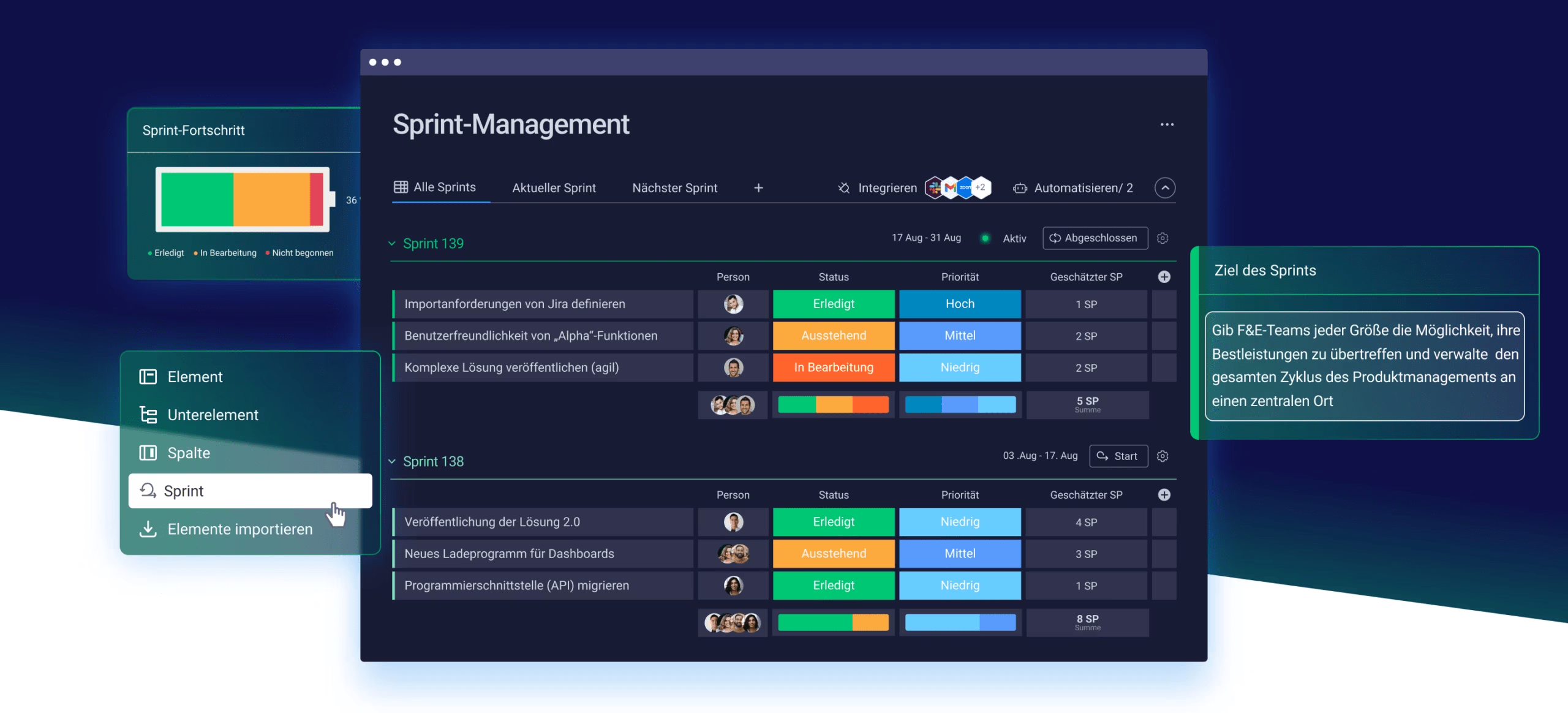
Understanding the difference between product and sprint backlogs helps you manage work at different time horizons. While both serve important purposes, they have distinct characteristics.
The product backlog contains all potential work for your product, prioritized by value and strategic importance. It evolves continuously as you learn more about user needs.
The sprint backlog represents items your team commits to completing during a specific sprint. These items get broken into detailed work items with clear ownership. Once a sprint begins, the sprint backlog stays relatively stable.
While they work together, the two backlogs serve different functions and have unique owners. Understanding these distinctions is key to effective agile planning, and the key differences include:
- Purpose: product backlogs guide long-term planning; sprint backlogs drive short-term execution.
- Ownership: the product owner owns the product backlog; the development team owns the sprint backlog.
- Timeline: product backlogs are ongoing; sprint backlogs last one to four weeks.
- Content: product backlogs contain features and epics; sprint backlogs contain specific tasks.
Product backlog management best practices
Maintaining a healthy backlog requires ongoing attention and systematic approaches. These practices help keep backlogs manageable and useful for development decisions.
Schedule regular refinement sessions
Backlog grooming involves reviewing and updating items to keep them current and actionable. Most teams benefit from weekly or bi-weekly sessions focusing on items likely to be developed soon.
During refinement, clarify requirements, identify dependencies, and ensure proper sizing. This just-in-time approach prevents over-investing in details that might change.
Keep your backlog lean and focused
Don’t let your backlog become a dumping ground for every idea. Regularly remove items that no longer align with your product strategy or haven’t been prioritized in months.
A backlog with hundreds of items becomes unmanageable. Focus on maintaining just enough detail for upcoming work while keeping longer-term items at a higher level.
Foster continuous communication
Effective backlog management requires ongoing dialogue between Product Owners, development teams, and stakeholders. Create regular opportunities to discuss priorities and align on direction.
Utilizing platforms like monday dev helps keep conversations connected to specific backlog items, assisting teams when discussing requirements and making decisions (without losing context).
Track backlog health metrics
Monitor indicators that reveal whether your backlog serves its purpose. Key metrics include velocity, cycle time, and backlog turnover.
Use these metrics to guide process improvements rather than judge individual performance. They help identify issues like scope creep or unclear requirements.
5 common backlog challenges and how to solve them
Even experienced teams fall into patterns that reduce backlog effectiveness. Recognizing these early helps maintain healthy backlogs that support development progress.
1. Keeping the backlog focused
Backlogs become overwhelming when you treat them as repositories for every idea. This makes finding important items difficult and creates the illusion that everything matters equally.
Combat this by implementing regular pruning sessions. Remove items that no longer align with strategy or haven’t been prioritized in months.
2. Neglecting technical debt
Teams often prioritize features over technical improvements, letting debt accumulate until it impacts velocity. In fact, a 2024 report from Agile Technical Excellence found that developers waste on average 23% of their working time due to technical debt, which is over a day a week in lost productivity. This short-term thinking leads to instability and difficult feature development.
3. Misaligned stakeholder expectations
When stakeholders don’t understand prioritization, they expect immediate implementation or get frustrated when priorities shift. This creates political pressure that undermines effective decisions.
Create transparency around your process and regularly communicate how decisions get made. Education builds trust and reduces pressure to prioritize based on who shouts loudest.
4. Overly complex item descriptions
Writing excessive detail slows backlog management and reduces flexibility when requirements change. Overly detailed items also discourage collaboration between Product Owners and developers.
Focus on just enough information to understand goals and estimate effort. Save detailed specifications for when items enter development.
5. Irregular refinement cycles
Teams without regular refinement scramble to prepare items for sprints. This leads to poorly understood requirements and delays when teams discover missing information during sprint planning.
Establish consistent refinement rhythms — most teams benefit from spending 10% of sprint capacity on refinement to maintain a pipeline of ready work.
Choosing the right product backlog software
The right product management software significantly impacts how well teams collaborate and deliver value. Look for backlog management tools that support your workflow while providing flexibility to evolve.
Essential features for modern teams
Modern platforms need collaborative prioritization through drag-and-drop reordering, filtering, and search. Teams must quickly find and organize items without complex interfaces.
Key capabilities to evaluate:
- Multiple views: list views for planning, boards for visual work, timelines for dependencies.
- Integration support: seamless connections with development environments and design platforms.
- Real-time collaboration: comments, mentions, and updates that keep everyone aligned.
- Flexible reporting: dashboards that surface insights without manual work.
Evaluating popular backlog platforms
Different platforms excel in different areas. Developer-focused platforms might offer deep code integration, while product management platforms emphasize roadmapping and stakeholder communication.
Consider your team size, technical complexity, and organizational structure. What works for a startup might not scale for enterprise teams with complex approval processes.
Scale your product development with monday dev
Managing a backlog becomes far easier when your platform adapts to the way your team works. The flexibility built into monday dev lets product teams shape workflows that match their processes — whether they follow Scrum, Kanban, or a hybrid approach — while keeping priorities clear and progress visible.
Flexible workflows that adapt to your team
A strong backlog workflow should match your team’s rhythm, not the other way around. The platform supports this by offering:
- Customizable views: switch between lists, boards, timelines, or roadmap views to understand work from any angle
- Automation that reduces manual work: streamline status changes, reminders, and stakeholder communication
- Custom fields: add context such as value scores, effort ratings, personas, or risk levels
- Sprint widgets: monitor capacity, velocity trends, and burndown charts in real time
- Drag-and-drop prioritization: adjust priorities quickly as plans evolve
These capabilities keep everyone aligned without adding administrative overhead. Teams stay focused on delivering great products while routine workflows run smoothly in the background.
Seamless real-time visibility
Visibility should empower teams, not interrupt them. The intelligent platform supports this by giving stakeholders the clarity they need while keeping development teams focused on the work that matters.
Automated dashboards surface key metrics and progress updates without the need for manual status reports. Everyone stays aligned, and teams maintain autonomy.
Core visibility features include:
- Customizable dashboards: track sprint progress, release timelines, and team capacity at a glance
- Roadmap views: connect backlog items to strategic initiatives to show how work supports long-term goals
- Real-time updates: reflect changes instantly so stakeholders always work with the latest information
- Context-rich insights: highlight what’s being built and why without requiring technical explanations
This level of visibility keeps stakeholders informed while protecting developer flow — no repeated check-ins or unnecessary meetings required.
Seamless integration across your tech stack
Backlog management is most effective when it connects directly to the tools your team uses every day. The platform integrates with development, design, and communication tools to create a unified workflow across the entire product lifecycle.
These integrations ensure backlog items stay tied to real work, making progress easier to track and reducing friction between planning and execution.
Key integration capabilities include:
- Native development integrations: sync commits, pull requests, and deployment status through GitHub, GitLab, Bitbucket, and Jira
- Linked repositories and design files: connect backlog items to code and design assets without switching platforms
- Centralized communication: integrate with Slack, Microsoft Teams, Figma, and Zendesk to keep context in one place
- Two-way sync: ensure updates flow automatically between systems, removing duplicate data entry and preventing misalignment
Frequently asked questions
How often should you refine a product backlog?
For most teams, product backlog refinement should happen once per sprint or weekly. Successful teams typically dedicate 10% of their sprint capacity to refinement activities, ensuring a steady pipeline of well-understood work ready for future sprints.
What is the ideal size for a product backlog?
An effective product backlog contains two to three sprints worth of detailed items plus longer-term vision items. Backlogs exceeding 100 items often become unmanageable, leading to reduced focus and decision paralysis.
Can multiple development teams work from one product backlog?
Multiple teams can share a single product backlog when building the same product, but each team needs clear ownership of specific backlog areas. This approach requires strong coordination and communication between teams to avoid conflicts.
How do you estimate effort for product backlog items?
Teams estimate backlog items using story points, t-shirt sizes, or time-based estimates during refinement sessions. Consistency in your estimation approach matters more than perfect accuracy since estimates primarily support planning and prioritization.
What happens to unfinished product backlog items at the end of a sprint?
Unfinished items return to the product backlog for re-prioritization based on current importance and new information. Teams should review why items weren't completed and adjust planning accordingly to improve future sprint success.
Should technical debt be included in the product backlog?
Technical debt belongs in the product backlog alongside feature work to ensure proper prioritization and visibility. Most successful teams allocate 15-25% of development capacity to technical improvements and maintenance for sustained system health and velocity.

 Get started