

A novel outline lives in one app, a home renovation budget sits in a spreadsheet, and a fitness goal hides on a sticky note. Personal projects often multiply across notebooks and mental to-do lists until the act of tracking them becomes a project itself. Ultimately, the gap between conceiving an idea and finishing it depends on whether your system can keep up with your ambition.
Personal project management software bridges this gap by transforming scattered goals into structured, visual workflows. Unlike enterprise platforms built for sprawling departments, these tools prioritize individual productivity and self-accountability. They empower you to deconstruct massive objectives into manageable steps, maintaining your focus even when timelines stretch over months.
By identifying the ideal platform from the 15 leaders in the space, you can finally align your daily habits with your long-term vision. Read on to discover how to transform scattered intentions into a sophisticated operating system for personal success.
Key takeaways
- Personal project management software transforms scattered goals into structured workflows: move beyond sticky notes and mental to-do lists by centralizing everything from side hustles to life goals in one visual, actionable system.
- The right platform scales with your ambition: start with simple checklists and seamlessly expand to complex, multi-phase projects without migrating tools or losing momentum.
- AI-powered features eliminate manual busywork: automate routine tasks, generate project plans from simple prompts, and get intelligent prioritization suggestions that keep you focused on what matters most.
- Free plans work for simple goals, but paid tiers unlock real power: upgrade when you need advanced views, unlimited automations, and deep integrations that connect your entire digital ecosystem.
- Visual organization drives execution: see your progress in real time through Kanban boards, Gantt charts, and dashboards that turn abstract intentions into tangible results. Platforms like monday work management offer multiple view options to match how your brain works.
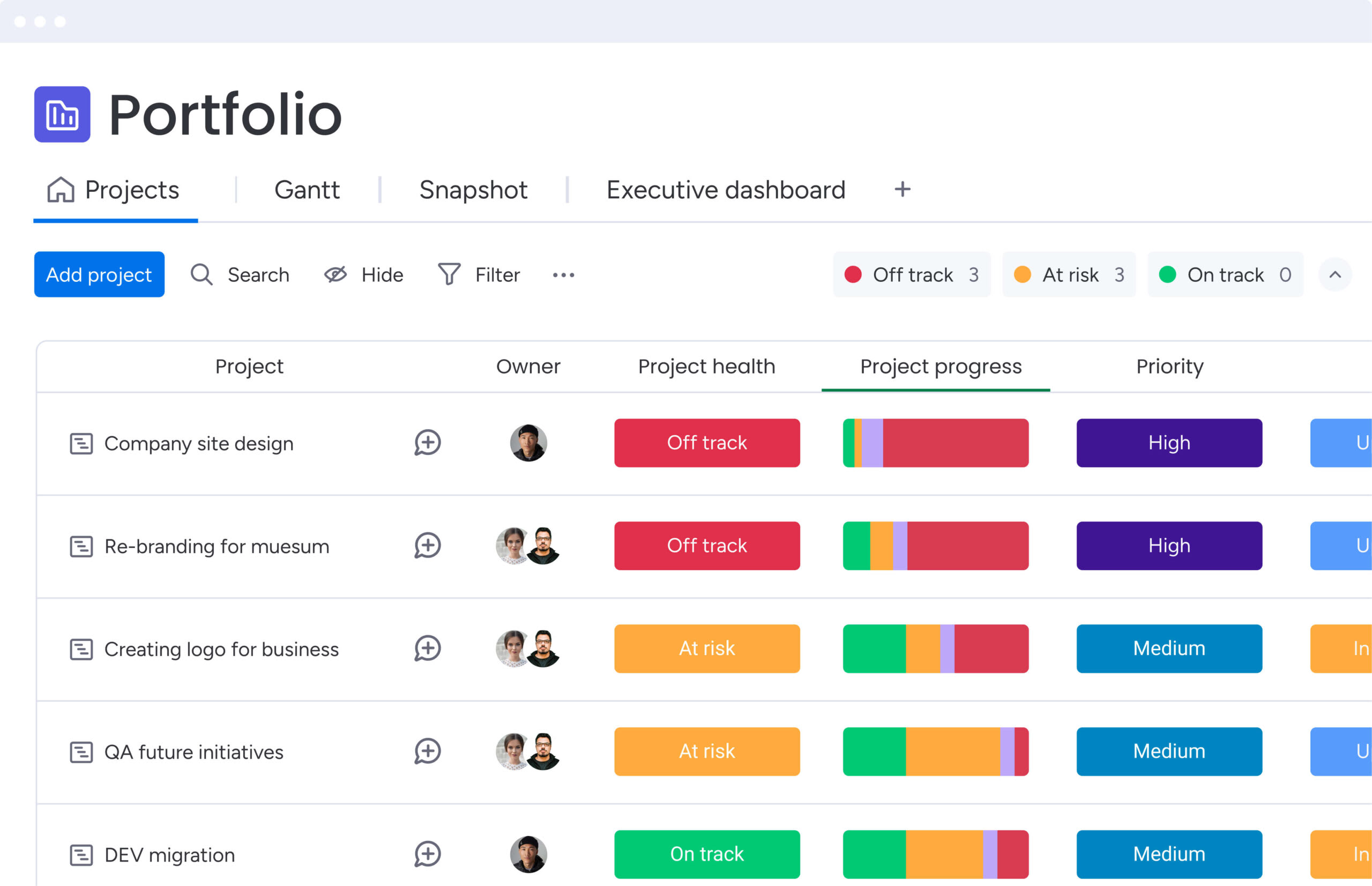
What is personal project management software?
Significant ambitions require a rigorous framework. Personal project management software bridges the gap between conceptualization and execution by transforming abstract ideas into structured, actionable roadmaps.
While enterprise platforms are engineered for departmental scale, personal tools prioritize individual accountability and streamlined workflows. Specifically, this software facilitates progress through three core functions:
- Deconstruct massive goals into bite-sized steps: break down overwhelming projects into manageable tasks that you can actually complete.
- Track momentum through real-time visualization: see your progress unfold with visual workflows that keep you motivated and on track.
- Sustain focus, even when timelines stretch over months: maintain clarity and commitment on long-term projects without losing sight of your objectives.
Learn more: Personal dashboards (and how to use them to optimize your work)
The best platforms grow with you. For instance, you can craft custom workflows that begin with a solitary personal goal and seamlessly expand to include family members or collaborators, all within a single, adaptable interface.
Why use project management software for personal projects?
Moving beyond sticky notes and basic checklists represents more than organizational improvement; it establishes a system designed for sustained execution. A dedicated platform fundamentally transforms how you approach personal goals, shifting focus from activity to measurable outcomes.
A centralized digital workspace gives you the structure to organize, track, and execute. It helps you make real progress by:
- Unified organization: stop toggling between a renovation app and a fitness tracker. A central workspace houses every personal project, offering a bird’s-eye view that helps you allocate time more intelligently.
- Visual progress tracking: boards and timelines turn abstract goals into something real. Seeing your progress visually gives you a boost that paper lists can’t match.
- Smarter time management: see what you can actually handle. By scheduling projects within a platform, you gain a realistic understanding of how long tasks take, preventing overcommitment and burnout.
- Effortless accountability: use data to stay honest. Automated reminders and dashboards provide an objective look at where you stand, keeping you honest and committed to your deadlines.
- Scalable workflows: your system should never limit your potential. A tool might start as a habit tracker but eventually need to manage a side hustle launch. Platforms like monday work management allow you to build the exact workflow required for any scale of ambition without swapping software.
When you centralize your work, you stop reacting to chaos and start hitting your goals.
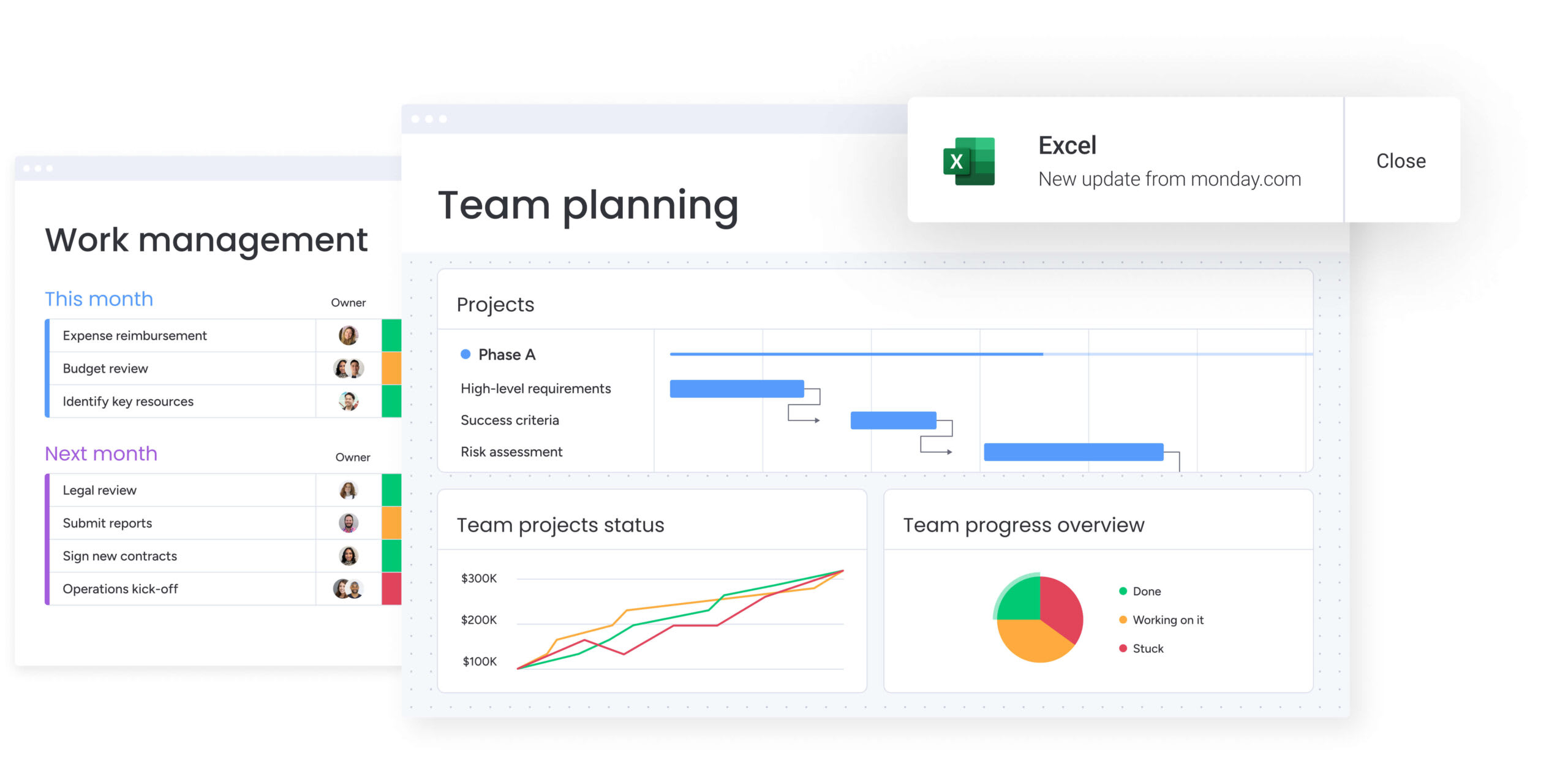
15 best personal project management software platforms
Effective software extends beyond simple project lists. It serves as a comprehensive operating system for managing work, tracking milestones, and achieving objectives. The key consideration is identifying a platform that aligns with your workflow and scales alongside your evolving needs.
Leading tools provide more than basic task management. They deliver automation capabilities, customizable workflows, and integration options that connect your entire digital ecosystem. These platforms offer the same organizational structure and strategic focus utilized by enterprise teams. With numerous solutions available, selecting the right one requires careful evaluation.
This guide examines 15 distinguished platforms designed to help you:
- Organize everything: handle everything from freelance gigs to life goals.
- Scale with your ambition: ensure your tools don’t cap your growth.
- Unify your work: merge disparate processes into one intuitive hub.
1. monday work management
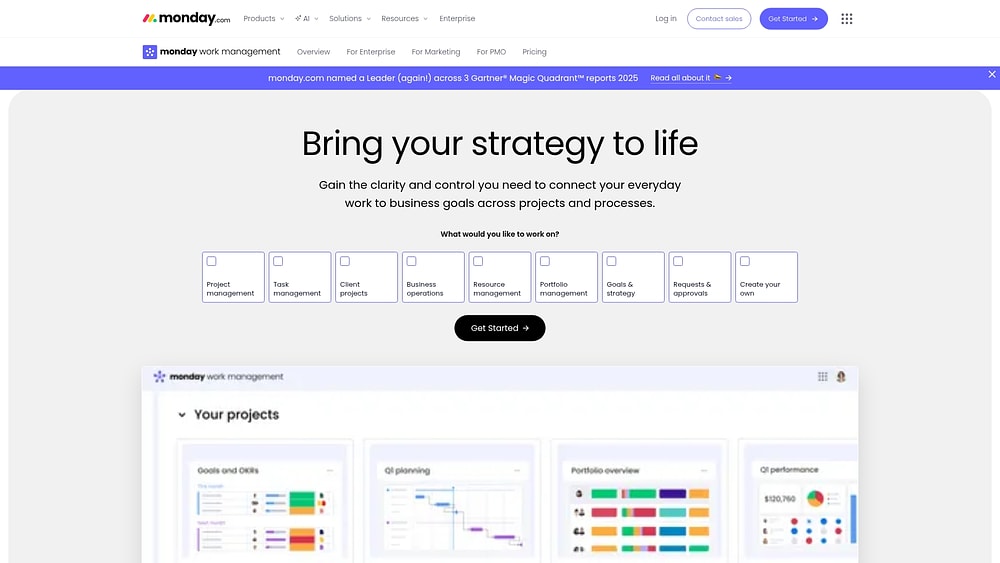
Chaos transforms into order when you add visual workflows and AI to the projects you already track with monday work management. Start with a basic list and add complexity (dependencies, milestones, reporting) only when you need it.
Managing a side hustle, a home remodel, and long-term personal growth simultaneously through effective project management usually results in a mess of files and mental notes. The platform connects decisions, documents, and timelines, eliminating the need for a weekly “status meeting” with yourself.
Example:
Perfect for anyone juggling multiple projects who needs to see everything at once. You can run everything in one place, utilizing dashboards and automations to maintain momentum without getting bogged down in admin.
For example, you could map out a renovation using a Gantt view, set dependencies so you don’t order furniture before the flooring is done while avoiding common project management challenges, and track contractor invoices in the same board.
Key features:
- Visual project boards: select from over 15 views, such as Kanban, Gantt, or Calendar, ensuring the plan looks the way your brain works.
- Timeline control with real constraints: use dependencies to show real blockers, so your schedule stays realistic instead of optimistic.
- Cross-project insights: dashboards pull live data from multiple boards, letting you monitor budgets and deadlines across all your initiatives in a single glance.
Pricing:
- Free: up to two seats with limited boards and mobile apps.
- Basic: $9/month per seat (billed annually) with unlimited items and 1-board dashboard.
- Standard: $12/month per seat (billed annually) adding Timeline/Gantt views and 250 automation actions.
- Pro: $19/month per seat (billed annually) including time tracking, advanced views, and 25,000 automation actions.
- Enterprise: custom pricing with enhanced security, governance, and 250,000 automation actions.
- Annual billing: saves 18% compared to monthly plans.
Advanced AI features:
- Instantly create a detailed project plan: generate tasks and phases from a simple prompt to move from concept to roadmap in seconds.
- Automated categorization at scale: AI blocks sort incoming items by urgency or type, keeping your workspace tidy without manual effort.
- Bottom-line summaries: quickly digest complex updates or notes with AI summaries that highlight action items and key points.
Automations:
- Automations and templates: accelerate setup with templates and let the system handle reminders and notifications.
- AI Automations: embed AI actions into your workflow to categorize, translate, or summarize text automatically.
- Troubleshooting that’s easy to trust: a transparent run history shows exactly why an automation fired or failed, allowing you to adjust with confidence.
Integrations:
- Native connectivity: link with over 200 apps to ensure updates land in the right project.
- Everyday collaboration integrations: pull communication from Slack or Microsoft Teams directly into your workflow.
- Email and scheduling connections: turn emails into tasks and coordinate meetings via Gmail, Outlook, and Zoom integrations.
Personal project management software features:
- Individual workspace design: customize columns and views to track exactly what you need, from vendor contacts to budget line items.
- Requests and approvals, without the back-and-forth: standardize input for things like “purchase approvals” or “contractor quotes” using intuitive forms.
- Workload visibility when you collaborate: when family or contractors join in, use the Workload View to ensure no one is overcapacity.
Why it stands out:
- High adoption when work gets real: an easy-to-use interface encourages you to keep data fresh, keeping the plan reliable.
- Freedom to customize, with consistency: views, dashboards, and automations let you build workflows that fit your specific style.
- Built for goals, not only projects: by connecting resources, processes, and reporting, you ensure daily execution aligns with your broader personal goals.
2. Asana
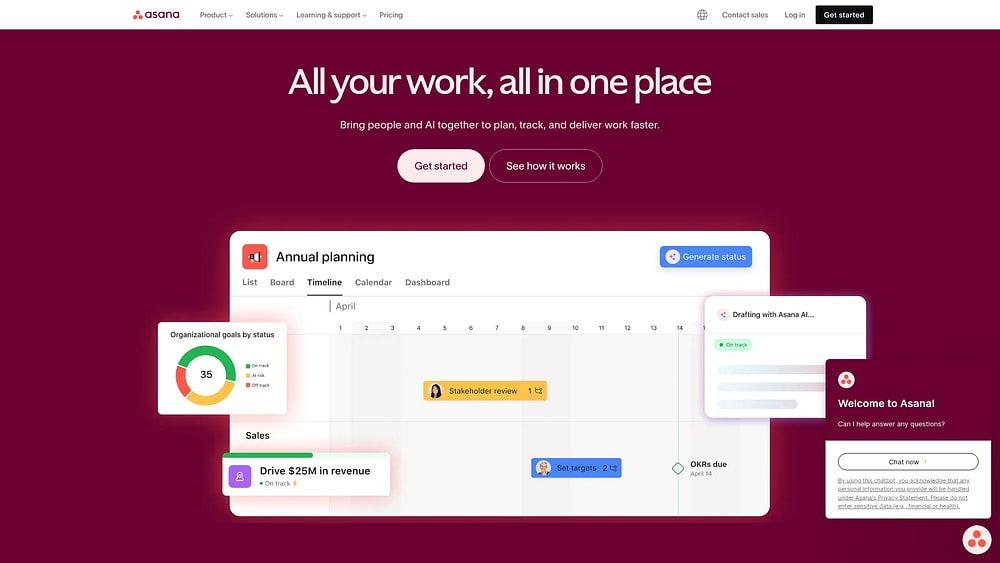
Built on its Work Graph architecture, Asana connects individual tasks to the bigger picture reliably. It works best when you need clear visibility, connecting daily work to bigger goals. The platform excels at coordinating complex, interconnected workflows, using AI and robust goal-linking to keep everything on track.
Example:
Ideal for those juggling multiple initiatives who need to see how specific tasks contribute to larger objectives. It prevents the “silo effect” where personal projects feel disconnected from broader life goals.
Key features:
- Multi-homing for synchronized updates: a single task can live in several projects simultaneously, keeping status updates synchronized everywhere.
- No-code workflow automation: AI Teammates and AI Studio offer collaborative agents that automate workflows without requiring technical expertise.
- Goal-to-execution alignment: direct linking of goals to execution via OKRs and portfolios ensures daily work serves the long-term vision.
Pricing:
- Personal: free for up to two users.
- Starter: public pricing available (billed annually for lower rates).
- Advanced: public pricing available (billed annually for lower rates).
- Enterprise: quote-based pricing.
- Enterprise+: quote-based pricing.
- AI Studio credits: available as paid add-ons with Basic included, Plus at published rates, and Pro requiring sales contact.
Considerations:
- Two-seat minimum on paid plans: can be a hurdle for solo users who only need individual access.
- Premium features gated behind higher tiers: high-value features like Portfolios and Goals are reserved for upper-tier plans, which may increase the investment required for full functionality.
3. Trello
Trello makes project management feel less like work and more like moving pieces on a board. Its card-based system appeals instantly to visual thinkers, stripping away the learning curve so you can go from concept to “done” without friction. It turns the abstract into the tangible using its iconic Kanban style.

Example:
Trello is the go-to for individuals who want to organize projects visually and simply. It avoids overwhelming complexity, making it perfect for tracking progress from “To Do” to “Done.”
Key features:
- Intuitive Kanban boards: use lists and cards to organize work in a way that is instantly understandable.
- Diverse views: including Map, Dashboard, Timeline, and Calendar offer different perspectives on your planning.
- Butler automation: lets you build custom buttons and rules to handle repetitive tasks without writing code.
Pricing:
- Free: $0/month for up to ten collaborators per workspace, ten open boards, 250 automation runs/month, and a 10MB file attachment limit.
- Standard: $5/month per user (billed annually) for unlimited boards, Custom Fields, Advanced Checklists, 1,000 automation runs/month, and 250MB file attachments.
- Premium: $10/month per user (billed annually) with all board views, unlimited automation, Workspace-level views, admin controls, and data export.
- Enterprise: $17.50/month per user (billed annually, starting at a $10k minimum) for org-wide permissions, advanced security with SSO/SCIM, and Power-Up administration.
Considerations:
- Performance limitations at scale: boards with thousands of cards can suffer from performance lag, limiting its utility for massive projects.
- Third-party dependency for advanced features: you will need third-party Power-Ups for features like detailed analytics or item dependencies.
4. Notion
Notion blurs the line between a notebook and a project manager. It combines documentation, knowledge bases, and task tracking into a single, malleable workspace. This makes it the tool of choice for those who view their projects as interconnected systems of notes and tasks rather than isolated checklists.

Example:
Best suited for individuals who want to build a bespoke management system that lives right alongside their research, notes, and docs.
Key features:
- Highly flexible databases: model unique workflows using properties, relations, and rollups to fit your exact needs.
- AI features: autofill for database entries and an Agent for executing multi-step tasks streamline repetitive work.
- Integrated calendar and mail surfaces: bridge the gap between project timelines and daily communication in one workspace.
Pricing:
- Free: $0/month with core pages and blocks, 5 MB file upload limit.
- Plus: $10/month (annual billing) with unlimited collaborative blocks, unlimited file uploads, and custom forms.
- Business: $20/month (annual) including AI features, SAML SSO, and advanced database permissions.
- Enterprise: custom pricing with SCIM provisioning, advanced security controls, and audit logs.
- Annual billing: saves up to 20% across all paid plans.
- Students and educators: can access Plus plan for free.
Considerations:
- Steep learning curve: the blank-slate nature of Notion can be challenging for those wanting immediate structure.
- Performance limitations: large databases can become sluggish, and offline functionality is limited for features like AI.
5. Todoist
Simplicity drives Todoist. It prioritizes quick capture and clean organization, stripping away the noise found in heavier tools. Serving millions of users, it proves that a platform can be lightweight enough for grocery lists yet robust enough for team coordination.

Example:
Todoist is the answer for those who value speed and minimalism, offering a unified space for personal tasks and lightweight team projects.
Key features:
- Natural language input: capture tasks with due dates and recurring schedules instantly using conversational commands.
- Cross-platform flexibility: view projects your way with List, Board, and Calendar layouts available on over 10 platforms.
- Team workspace scalability: support up to 1,000 members with role-based permissions for collaborative projects.
Pricing:
- Beginner (Free): five personal projects, basic task reminders, and 5MB file uploads.
- Pro: $5/month (billed annually) or $7/month (monthly billing).
- Business: $8/user/month (billed annually) or $10/user/month (monthly billing).
- Annual plans: include approximately 20% discount compared to monthly billing.
- SOC 2 Type II compliance: included at Business tier.
Considerations:
- Limited advanced project management: lacks deep features like native Gantt charts or complex dependencies.
- Mobile AI limitations: AI assistance is currently not available on mobile apps, which limits on-the-go utility.
6. Wrike
When personal projects demand professional rigor, Wrike steps in. It brings enterprise-grade capabilities to individual workflows, specializing in detailed timeline management and resource planning. For complex personal initiatives that need strict oversight, Wrike offers the necessary depth.

Example:
Designed for professionals whose personal projects require the same level of resource planning and security as their day jobs.
Key features:
- Custom item types and interactive Gantt charts: model detailed projects with dependencies that reflect real-world constraints.
- Copilot AI assistance: create workflows using natural language, turning descriptions into structured plans.
- Capacity planning and workload charts: allocate resources strategically with advanced visualization tools.
Pricing:
- Free: $0 per user/month.
- Team: $10 per user/month (2-15 users, billed annually).
- Business: $25 per user/month (5-200 users, includes AI Elite features, billed annually).
- Enterprise and Pinnacle: contact sales for pricing.
- Add-ons available: for Wrike Integrate, Two-Way Sync, Wrike Lock, and Datahub.
- Premium Support packages: with enhanced SLAs available.
Considerations:
- Denser interface than typical personal productivity apps: the learning curve is steeper due to enterprise-grade complexity.
- Premium features gated behind higher tiers: accessing Datahub or Locked Spaces requires upgrading to advanced plans.
7. Basecamp
Communication often creates the biggest bottlenecks. Basecamp addresses this by unifying project organization and messaging into one system. It favors asynchronous collaboration, using message boards and automatic check-ins to keep small teams aligned without constant meetings.

Example:
Excellent for managing personal projects that involve family or external partners, providing a single source of truth for all discussions and tasks.
Key features:
- Hill Charts: visualize whether work is in the “figuring it out” phase or the “making it happen” phase with a unique progress indicator.
- Automatic check-ins: replace status meetings with scheduled prompts that gather updates from everyone automatically.
- Clientside: share specific parts of a project with external collaborators without giving them full workspace access.
Pricing:
- Free: one active project with 1 GB storage.
- Plus: $15/user/month (month-to-month billing) with unlimited projects, 500 GB storage, and free guests/clients.
- Pro Unlimited: $299/month billed annually (or $349/month billed monthly) for unlimited users, unlimited projects, 5 TB storage, and priority support.
- Annual discount: available for Pro Unlimited plan with 10% discount for verified non-profits and free access for K-12 education.
Considerations:
- Limited traditional planning tools: lacks native Gantt charts or dependency tracking for complex project management.
- Language and data restrictions: the interface is English-only, and data residency is U.S.-based, which may not fit everyone’s needs.
8. ClickUp
One app to replace them all. ClickUp aims to be the singular workspace for tasks, docs, chat, and dashboards. It appeals to those who want granular control over their environment and are willing to invest time in configuration to get a perfectly tailored workflow.

Example:
ClickUp is for the power user who manages multiple complex projects and wants to consolidate scattered apps into one highly customizable platform.
Key features:
- Flexible hierarchy with 15+ views: organize work from Workspaces down to Tasks, switching between Workload, Gantt, and other perspectives to match your needs.
- ClickUp Brain AI integration: leverage embedded AI for enterprise search, automated meeting notes, and intelligent task creation.
- No-code automation builder: create custom workflow rules using AI Builder and pre-built templates without technical expertise.
Pricing:
- Free Forever: core personal features with basic functionality.
- Unlimited: $7/month (billed annually) with unlimited storage, custom fields, Gantt charts, and time tracking.
- Business: $12/month (billed annually) adding Google SSO, unlimited dashboards, advanced sprint features, and workload management.
- Enterprise: custom pricing with SSO/SCIM, HIPAA compliance options, and advanced permissions.
- AI add-ons: Brain AI at $9/month or Everything AI at $28/month (both with annual discounts available).
Considerations:
- Complex navigation due to extensive features: the sheer volume of capabilities can create a steep learning curve for new users.
- Limited offline mobile functionality: task editing is restricted when disconnected, reducing utility in low-connectivity situations.
9. Microsoft To Do
If you live inside the Microsoft 365 ecosystem, this is your natural extension. Microsoft To Do integrates seamlessly with Outlook and Planner, aggregating personal tasks and team assignments into one clean interface. It bridges the gap between personal organization and corporate workflow.

Example:
Perfect for knowledge workers who want a unified view of their day, combining personal to-dos with flagged emails and assigned work tasks.
Key features:
- My Day: a daily planning tool that resets every morning, offering intelligent suggestions based on due dates.
- Unified aggregation: automatically pulls in Planner assignments and flagged Outlook emails.
- Cross-platform sync: your tasks follow you across Android, iOS, Windows, and the web securely.
Pricing:
- Personal use: free with Microsoft account.
- Microsoft 365 Basic: $19.99/year.
- Microsoft 365 Personal: $99.99/year.
- Microsoft 365 Family: $129.99/year.
- Business Basic: $6.00/user/month (annual billing).
- Business Standard: $12.50/user/month (annual billing).
- Business Premium: $22.00/user/month (annual billing).
- Planner Plan 1 add-on: $10.00/user/month for advanced collaborative features.
Considerations:
- Optimized for lists rather than complex project management: lacks advanced features like Gantt charts or dependency tracking.
- File attachment limitations: capped at 25 MB, meaning you’ll need links for larger files.
10. Hive
Hive takes a different approach by building its roadmap based on user requests. It combines project coordination with productivity analytics, offering a workspace that evolves with its community. It is particularly strong for teams needing creative approval workflows alongside standard task management.

Example:
Great for those who want to track both project progress and personal efficiency, utilizing analytics to optimize how they work.
Key features:
- Flexible view switching: move seamlessly between Gantt, Kanban, portfolio, and calendar views to match your workflow.
- Contextual communication: native chat and email integration keep all conversations tied directly to projects.
- Streamlined approvals: built-in proofing tools simplify approval processes with external collaborators.
Pricing:
- Free: $0/month for up to ten workspace members with 200MB storage.
- Starter: $5/user/month (billed annually) for up to ten users and unlimited storage.
- Teams: $12/user/month (billed annually) with unlimited users and advanced features.
- Enterprise: custom pricing with enterprise security and 99.9% uptime SLA.
- Add-ons available: $5/user/month each (Proofing, Timesheets, Resourcing, SSO).
- Buzz AI assistant: $8/user/month as add-on.
Considerations:
- Add-on costs accumulate quickly: multiple add-ons like proofing or resourcing can significantly increase your investment.
- Customization complexity: extensive customization options can lead to “over-configuration” and a steeper learning curve.
11. Nifty
Focusing on the finish line is Nifty’s strength. It emphasizes milestone-based tracking, connecting roadmaps directly to tasks. By integrating document collaboration and communication, it removes the need to jump between apps, making it a solid choice for phased personal projects.

Example:
Ideal for managing projects with distinct phases and deliverables, where tracking progress against milestones is critical.
Key features:
- Roadmaps with Gantt charts: automatically update progress as underlying tasks are completed, keeping your timeline accurate.
- Document collaboration with file proofing: turn feedback directly into subtasks, streamlining the review process.
- Custom automation builder: create if/then rules to optimize workflows without technical expertise.
Pricing:
- Free: $0 forever with unlimited members, two active projects, 100 MB storage.
- Personal: $7/month per member with 100 GB storage, up to 40 active projects, custom fields.
- Business: $16/month per member with unlimited storage, projects, guests, plus automations and API access.
- Enterprise: custom pricing with SAML SSO, white-labeling, and dedicated success manager.
- Annual billing: offers up to 45% discount.
- Educational and non-profit discounts: 50% available.
Considerations:
- Mobile app limitations: some users have noted constraints with the mobile experience and responsiveness in billing support.
- Feature gating: advanced features like API access are reserved for higher-tier plans.
12. Zoho Projects
Part of a massive business ecosystem, Zoho Projects connects project work to finance, CRM, and analytics. It is invaluable for those already invested in the Zoho suite, offering hybrid methodology support and financial tracking that turns scattered activities into coordinated execution.

Example:
The logical choice for individuals and teams already using Zoho apps who want to integrate project tracking with their existing business operations.
Key features:
- Hybrid methodology: combine traditional project management with agile workflows via Zoho Sprints integration.
- Financial governance: track costs and schedule performance with built-in budgeting and Earned Value Management (EVM).
- Resource-aware scheduling: manage workloads by visualizing planned vs. actual capacity, accounting for holidays and business hours.
Pricing:
- Free: up to five users with basic project management features.
- Premium: pricing varies by region (typically $0-$10/user/month range).
- Enterprise: advanced features including EVM and portfolio dashboards.
- Ultimate: full feature set with lite user capabilities.
- Projects Plus bundle: $16/user/month (includes Projects, Sprints, Analytics, WorkDrive).
- Annual billing: saves over 15%.
- Add-ons available: for client users, read-only users, and additional resources.
Considerations:
- Feature gating on higher tiers: portfolio dashboards and EVM are restricted to the higher pricing tiers.
- Premium support costs extra: calculated as 20% of the license fee.
13. Teamwork.com
Service-based professionals need more than just to-do lists; they need to track billable time and profitability. Teamwork.com specializes in client work delivery, offering unlimited free client users and financial tools that make it perfect for agencies, consultants, and freelancers.
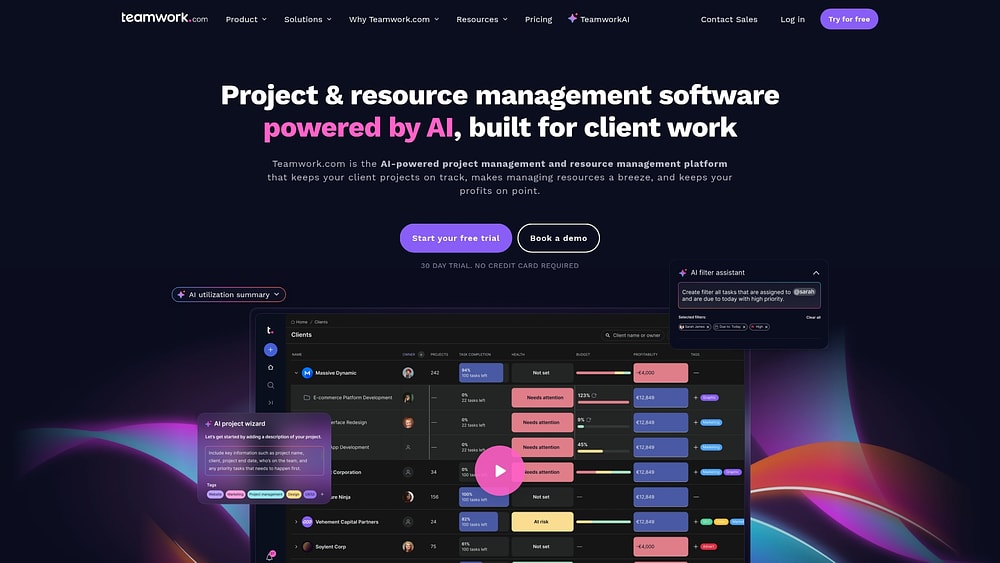
Example:
Designed for those who need to manage client projects, track billable hours, and ensure profitability across engagements.
Key features:
- Native time tracking and budgeting: monitor profitability across all plans with built-in financial tools.
- Unlimited free client users: provide clients with dedicated collaboration spaces and approval workflows at no extra cost.
- Delivery suite integration: streamline client intake with forms and direct connections to accounting software like QuickBooks.
Pricing:
- Free: up to five users and five projects with 100 MB storage.
- Deliver: $10.99/user/month (billed annually, minimum three users).
- Grow: $19.99/user/month (billed annually, minimum five users).
- Scale: custom pricing with advanced profitability reports and resource scheduling.
- Enterprise: custom pricing with advanced security and premium support add-ons.
- Annual billing: saves 20% compared to monthly pricing.
- 30-day free trial: available across all paid plans.
Considerations:
- Complex navigation structure: the comprehensive feature set creates a learning curve that takes time to master.
- Feature gating on higher tiers: advanced resource scheduling and SSO capabilities require upgrading to premium plans.
14. Podio
For those who want to build their own machine, Podio offers a customizable app-based workspace. It allows for no-code database building and powerful automation, giving you complete control over how your project structure functions. It combines the reliability of an enterprise tool with the flexibility of a custom solution.

Example:
Best for technically inclined individuals who want to construct a highly specific project management system with relational data and automated rules.
Key features:
- No-code app builder: drag and drop to create custom data structures that link projects, resources, and tasks.
- Advanced workflow automation: eliminate manual work with triggers for dates, times, and if-then rules.
- Multiple view options: configure your workspace with table, Kanban, calendar, and dashboard views.
Pricing:
- Free: $0/month for up to five users (100 total items limit).
- Plus: $11.20/month (annual) or $14/month (monthly) with unlimited items, automated workflows, and unlimited external client access.
- Premium: $19.20/month (annual) or $24/month (monthly) adding advanced automation (5M runs/month), visual reports, PDF generation, and ShareFile integration.
- Custom/Enterprise: quote-based pricing for larger teams with specialized requirements.
Considerations:
- Complex setup and customization: can be overwhelming for users seeking a plug-and-play solution.
- Dated interface and feature gating: the interface feels older than modern competitors, and some automation features are locked behind the Premium tier.
15. Airtable
Airtable asks: what if a spreadsheet could do anything? It transforms the familiar grid into a powerful relational database, offering a flexible foundation for tracking complex personal projects. It is the tool for those who think in connected data points and want to build custom views without needing a computer science degree.

Example:
Perfect for data-centric individuals who need to manage projects with intricate relationships, dependencies, and custom reporting needs.
Key features:
- Relational database structure: link tasks, projects, and resources across different tables for a complete view of your work.
- AI-powered automation: use conversational builders to automate categorization and analysis.
- Custom interface design: build role-specific views using drag-and-drop components, from Kanban boards to dashboards.
Pricing:
- Free: $0/month for individuals with 1,000 records per base and 1 GB attachments.
- Team: $20/month (billed annually) with 50,000 records per base, timeline views, and automations.
- Business: $45/month (billed annually) featuring 125,000 records per base, advanced sync, and admin controls.
- Enterprise Scale: custom pricing with 500,000+ records per database and enterprise governance features.
- AI credit packs: available starting at $40/month for 20,000 credits if monthly allowance is exceeded.
Considerations:
- Steep learning curve for data modeling: learning to model data and set up automations can be difficult for casual users.
- No offline access: the lack of offline access limits its utility for field work or travel.
Essential features for personal project management platforms
Turning a passion project into reality demands more than a notepad; it requires a system that moves ideas from scattered thoughts to focused action. The right platform doesn’t just track tasks, but visualizes the path to completion.
While every initiative is different, effective platforms share a DNA of structure and control. These core capabilities help you balance commitments and connect the moving parts of your life.
- Visual project organization: see where you stand at a glance with visual workflows that provide an instant snapshot of progress, toggling between Kanban boards, Gantt charts, and calendars to present data in whatever format the moment requires.
- Dependencies and timeline management: link related tasks to ensure your timeline reflects actual constraints rather than wishful thinking, accounting for the bottlenecks that exist in real life.
- Resource and capacity planning: gain a clear view of your load to make informed decisions about what to take on and prevent burnout, recognizing that your energy is finite.
- Mobile access and synchronization: keep your plans in your pocket with a robust mobile app that syncs instantly across devices, ensuring you’re never out of the loop even when ideas strike away from your desk.
- Integration ecosystem: connect to your calendar, cloud storage, and other apps to create a cohesive system where projects don’t live on an island. Solutions like monday work management link with hundreds of applications, ensuring visibility and alignment across your digital life.
With these elements, software becomes an active partner in your success, not just a repository for to-dos.
Free vs paid options for personal project management
Cost isn’t the only factor when choosing a plan; ambition plays a huge role. Free tiers are excellent launchpads, but as your goals gain complexity, you need tools that can keep pace. Deciding when to upgrade usually comes down to a few critical distinctions.
| Feature category | Free plan capabilities | Paid plan advantages | Upgrade scenario |
|---|---|---|---|
| Project scale | 1–3 active projects, limited boards | Unlimited projects and boards | Managing a home renovation, a side business, and learning goals at once |
| Storage | 100–500MB for files | 5GB–100GB+ storage capacity | Projects involving extensive documents, photos, or reference materials |
| Automation | 0–50 actions per month | Unlimited or high-limit automations | Automating the repetitive work that slows you down across multiple projects |
| Project views | Basic list and board views | Gantt, timeline, calendar, and custom views | Complex projects that need timeline visualization and multiple perspectives |
| Integrations | 2–5 basic integrations | Full access to the integration ecosystem | Connecting project management with your other essential apps and workflows |
| AI features | Basic or no AI capabilities | Advanced AI assistance and predictions | Getting intelligent suggestions to move work forward and prioritize tasks |
For standalone goals like a reading list, a free plan works perfectly. But when you are juggling a side hustle, a renovation, and skill-building simultaneously, paid plans become your command center. They offer the automation and advanced views necessary to keep balls in the air without dropping them.
Ultimately, the investment returns to you in the form of reclaimed time. Platforms like monday work management allows you to start with a powerful free tier and seamlessly unlock comprehensive features as your needs expand.

“monday.com has been a life-changer. It gives us transparency, accountability, and a centralized place to manage projects across the globe".
Kendra Seier | Project Manager
“monday.com is the link that holds our business together — connecting our support office and stores with the visibility to move fast, stay consistent, and understand the impact on revenue.”
Duncan McHugh | Chief Operations Officer4 steps to select your personal project management software
Selecting a platform is about finding a system that fuels your drive rather than stifling it. The right choice adapts to your growth, while the wrong one creates friction.
Follow these four steps to find a tool that delivers value now and scales for the future.
Step 1: define your project types and complexity
Start by auditing your actual work. Personal initiatives range from simple checklists to multi-phase operations, and understanding your baseline helps you avoid paying for unused features or under-equipping yourself.
- Simple workflows: straightforward lists with few dependencies, like household upkeep or book tracking.
- Moderate complexity: projects with phases, such as planning a vacation or following a structured learning curriculum.
- Complex initiatives: interconnected efforts like launching a business or a major renovation, requiring resource planning and long timelines.
This assessment clarifies whether you need a digital organizer or a comprehensive management platform.
Step 2: evaluate your need for growth and scalability
Current requirements often differ significantly from future needs. The platform should accommodate straightforward tasks such as planning a weekend trip while also supporting more complex initiatives like coordinating a family reunion or launching a business.
Consider your trajectory over the next year. Will you need to add collaborators? Will a personal hobby evolve into a more structured endeavor? Scalable platforms eliminate the need for disruptive migrations. monday work management powers enterprise-level operations, meaning the same robust infrastructure is available to support your personal workflows as they expand.
Select a system designed for growth rather than one with inherent limitations.
Step 3: assess your integration needs
Productivity relies on a connected ecosystem of applications. Your project management tool should serve as a central hub rather than an isolated system.
Identify your essential digital tools. Do you need to synchronize with a calendar, access cloud storage, or connect note-taking applications? Deep, bidirectional integrations distinguish functional platforms from comprehensive solutions.
Integration quality varies considerably. Some tools offer basic export functionality, while others provide extensive connectivity. The ecosystem within monday work management links project data across your productivity toolkit, maintaining automatic synchronization throughout.
Step 4: compare the total cost and value
Subscription pricing represents only part of the investment. The true cost includes time spent on setup, learning, and ongoing maintenance.
Evaluate the decision based on value delivered. A free tool requiring hours of manual data entry carries a significant time cost. A paid platform that automates workflows and saves hours weekly provides a return that exceeds the subscription investment.
Prioritize an intuitive interface that offers advanced capabilities you can adopt progressively. This approach minimizes the learning curve while providing substantial long-term potential.
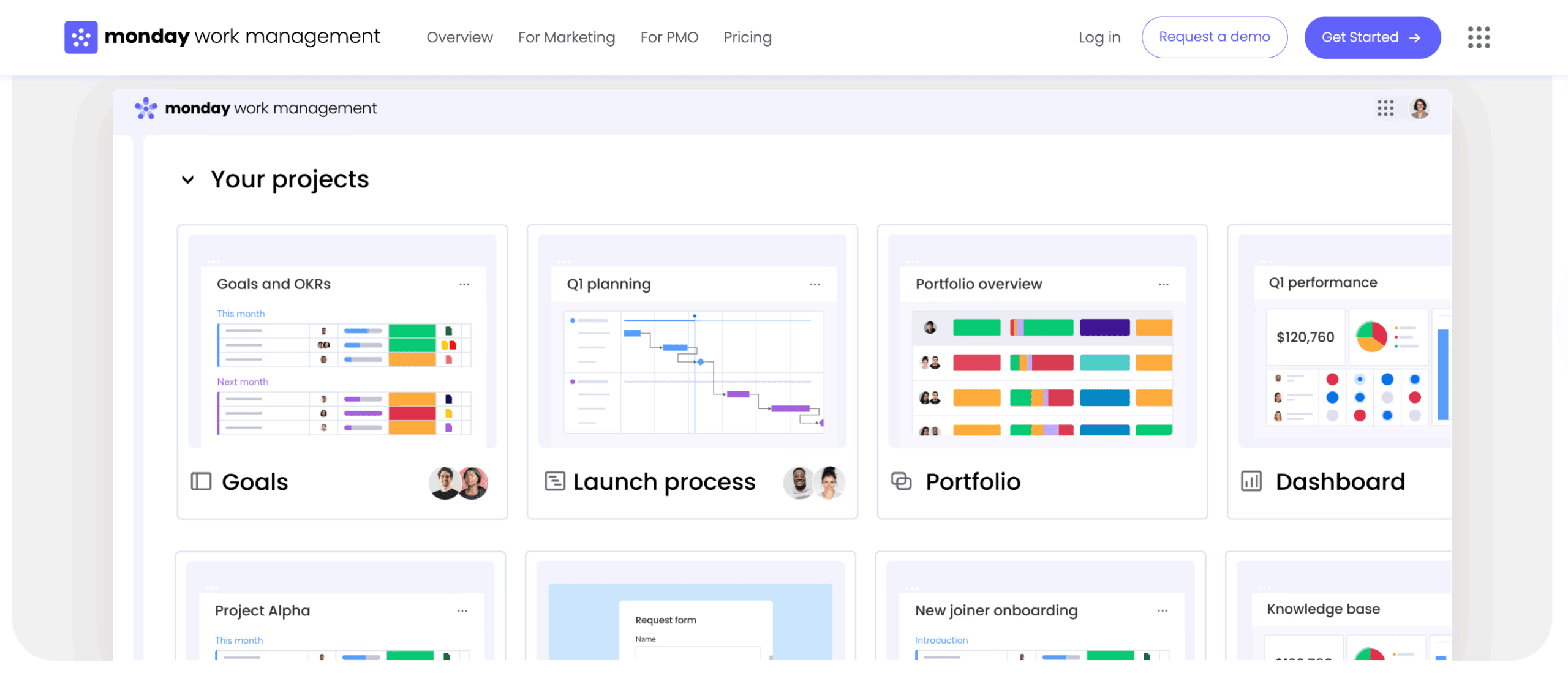
AI-powered features that redefine productivity
Artificial intelligence is shifting project management from static lists to intelligent execution. These features learn from your behavior, predict needs, and optimize workflows, acting as a strategic partner that clears the path for your best work.
Intelligent project prioritization
AI cuts through the noise by analyzing deadlines, dependencies, and completion patterns to surface what matters most. It provides data-driven recommendations on what to tackle immediately versus what can wait.
This is crucial when managing multiple projects. Instead of stalling on one initiative while focusing on another, AI helps maintain momentum across the board. Within solutions like monday work management, AI highlights the activities that drive real progress, turning overwhelming lists into a prioritized action plan.
Automated workflow creation
Describe your goal, and let the system build the structure. AI can instantly generate a complete workflow template tailored to your specific objective, providing a solid foundation in seconds.
Whether launching a marketing campaign or onboarding a new hire, the platform can set up a board with standard phases and tasks. Advanced platforms like monday work management also suggest automations to move items between stages and send reminders, freeing you from repetitive manual setup.
Predictive project analytics
Spotting risks before they become roadblocks is a superpower. AI forecasts completion times based on historical data and current progress, helping you set realistic expectations.
The platform goes beyond flagging issues; it suggests solutions. If a project lags, AI can recommend scope adjustments or resource reallocation to get back on track. This foresight allows you to address potential problems long before deadlines are threatened.
Maximize personal project success with monday work management
Big goals deserve more than a notepad. Whether you are starting a business or remodeling a home, the right foundation is critical. Enterprise-level structure comes to personal workflows through monday work management, offering a visual way to turn ambition into reality.
Personal project organization
Design a workspace that aligns with your workflow, whether you need a visual board for creative projects or a timeline for event planning: that’s what monday work management enables you to do. The platform moves beyond the constraints of traditional spreadsheets to offer flexible organization tailored to your specific needs.
Track essential project elements using custom columns for budgets, photos, or any data point relevant to your work. Labels and color-coding provide instant status visibility, allowing you to maintain focus on execution while minimizing administrative overhead.
AI-powered personal productivity
Think of it as a smart assistant for your projects. AI capabilities automate the tedious parts of work, transforming how you manage your initiatives:
- Intelligent summarization: automatically summarize progress and extract action items from notes so you can get up to speed immediately.
- Proactive risk management: Digital Workers flag risks and suggest next steps based on your work patterns, helping you anticipate challenges.
- Sustained momentum: keep projects moving forward even when juggling competing priorities with AI-driven insights.
Customization for personal use
Build your ideal system without writing code as the platform adapts to your unique workflow through powerful customization options:
- No-code automation: handle repetitive tasks automatically, from sending reminders to archiving completed items.
- Unified dashboard view: pull data from all your projects into a custom dashboard that displays upcoming deadlines and overall progress in one place.
- Complete visibility: get a comprehensive picture of your initiatives without jumping between boards.
Scaling from personal to collaborative
When it’s time to bring others in, the platform scales effortlessly with monday work management:
- Seamless collaboration: invite family, friends, or contractors to collaborate in your existing workspace without migrating data.
- Contextual communication: keep conversations and decisions tethered to work, eliminating the confusion of scattered messages.
- Clear project history: create a transparent record that ensures everyone stays aligned from start to finish.
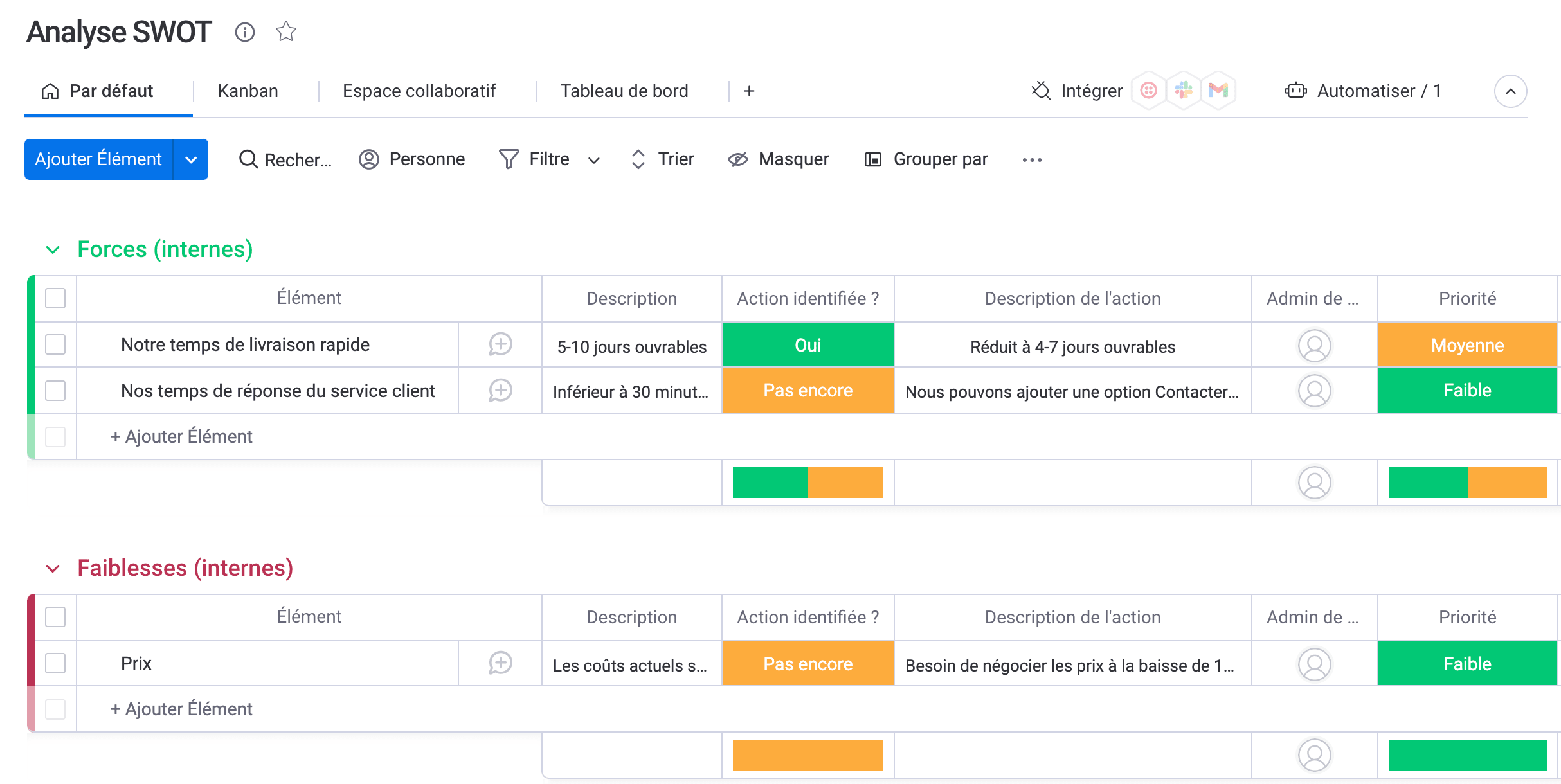
Turn ambition into achievement
Successful project completion depends on structured systems rather than willpower alone. Selecting a platform that provides visual clarity, automation capabilities, and scalability transforms how you approach work: from routine tasks to significant long-term objectives.
Effective software serves as a productivity multiplier. By managing organization and tracking functions, it enables you to concentrate on the creative and strategic work that drives meaningful progress. Whether overseeing a complex renovation or launching a new venture, a comprehensive platform ensures your efforts focus on execution rather than administrative tasks.
Evaluate the features that align with your workflow requirements and select a platform designed to scale with your needs. With the appropriate foundation in place, your most ambitious objectives become achievable outcomes.
Frequently asked questions
Which free personal project management software is most suitable for individuals?
The ideal free personal project management software for an individual depends on your complexity needs. For example, monday work management offers a robust free plan with unlimited boards and multiple views, making it effective for most personal projects.
Can personal project management software help prevent burnout?
Yes, by providing a realistic view of your capacity. This visibility helps you spot overcommitment early and prioritize the work that makes the biggest impact.
How does AI improve personal project management?
AI automates routine tasks and offers intelligent prioritization suggestions. This allows you to focus on strategic goals rather than getting bogged down in manual organization.
What's the difference between personal and team project management platforms?
Personal platforms focus on individual productivity, while team platforms emphasize collaboration and resource coordination. Scalable options like monday work management adapt seamlessly from personal use to complex team environments.
Which personal project management app has the best mobile experience?
A top-tier mobile experience offers full native functionality, like the app for monday work management. It ensures you can manage projects and stay in sync from anywhere.
How do I migrate from simple lists to project management software?
Group your tasks into project categories and import them into the new tool. Start with a single active project to build the habit before migrating your entire workload.

 Get started