


Your team has grown past the early startup phase, and the workspace that once felt organized now struggles to keep up. Pages load slowly, updates get lost, and cross-team visibility becomes a constant challenge. As workflows expand across departments, document-first tools often show their limits.
Teams looking to manage more complex operations really need platforms that handle scale, performance, and collaboration without introducing friction.
Below, this easy-to-follow article highlights some of the best alternatives to Notion in 2026, examining database performance, security, integrations, and total cost of ownership. The guide also provides actionable insights for teams ranging from 100 to 1,000+ employees, helping decision-makers select the right platform that supports growth, efficiency, and connected workflows.
Key takeaways
- Scalability matters: Platforms should maintain performance under high data volume and large team sizes to prevent bottlenecks and workflow delays.
- Cross-team collaboration is critical: Disconnected workspaces create silos; tools must enable seamless information flow across departments.
- Security and compliance cannot be overlooked: Enterprise-grade access controls, audit logs, and identity management are essential for regulated industries.
- Workflow customization drives efficiency: Flexible boards, multiple views, and automation capabilities allow teams to adapt processes without rigid constraints.
- Integrated work management enhances visibility: Solutions like monday work management connect daily tasks to portfolio-level goals, giving leaders actionable insights and improving strategic alignment.
Quick comparison of 15 Notion alternatives that scale
As teams grow, small differences between platforms become major operational factors. Performance under heavy data loads, cross-department visibility, and enterprise security all start to matter more than surface-level flexibility.
The table below provides a quick overview of some of the top Notion alternatives built to support scaling organizations. It outlines each platform’s primary use case, starting price, standout scaling capability, and enterprise readiness.
Use it to quickly understand how these solutions compare at a high level before exploring how each platform performs in real-world workflows.
| Platform name | Use case | Starting price | Key scaling feature | Enterprise ready |
|---|---|---|---|---|
| monday work management | Cross-departmental workflows | $12/seat/month | AI-powered portfolio management | Yes |
| Coda | Document-database hybrid | $10/seat/month | Formula-driven automation | Partial |
| Airtable | Data-heavy operations | $20/seat/month | Relational database architecture | Yes |
| ClickUp | All-in-one project management | $7/seat/month | Unlimited customization | Partial |
| Asana | Marketing and creative teams | $10.99/seat/month | Creative workflow automation | Yes |
| Confluence | Enterprise documentation | $5.75/seat/month | Atlassian ecosystem integration | Yes |
| Evernote | Knowledge capture | $10.83/seat/month | Advanced search capabilities | No |
| Trello | Visual task management | $5/seat/month | Power-Up extensibility | No |
| Taskade | Real-time collaboration | $8/seat/month | Live collaborative editing | Partial |
| AppFlowy | Open-source customization | Free | Self-hosted control | Partial |
| Anytype | Privacy-first workflows | Free | Decentralized architecture | No |
| Capacities | Connected knowledge | $10/seat/month | Knowledge graph structure | No |
| Xtiles | Visual note-taking | $8/seat/month | Canvas-based organization | No |
| Backlog | Development teams | $35/month | Version control integration | Yes |
| Affine | Emerging alternative | Free | Block-based flexibility | No |
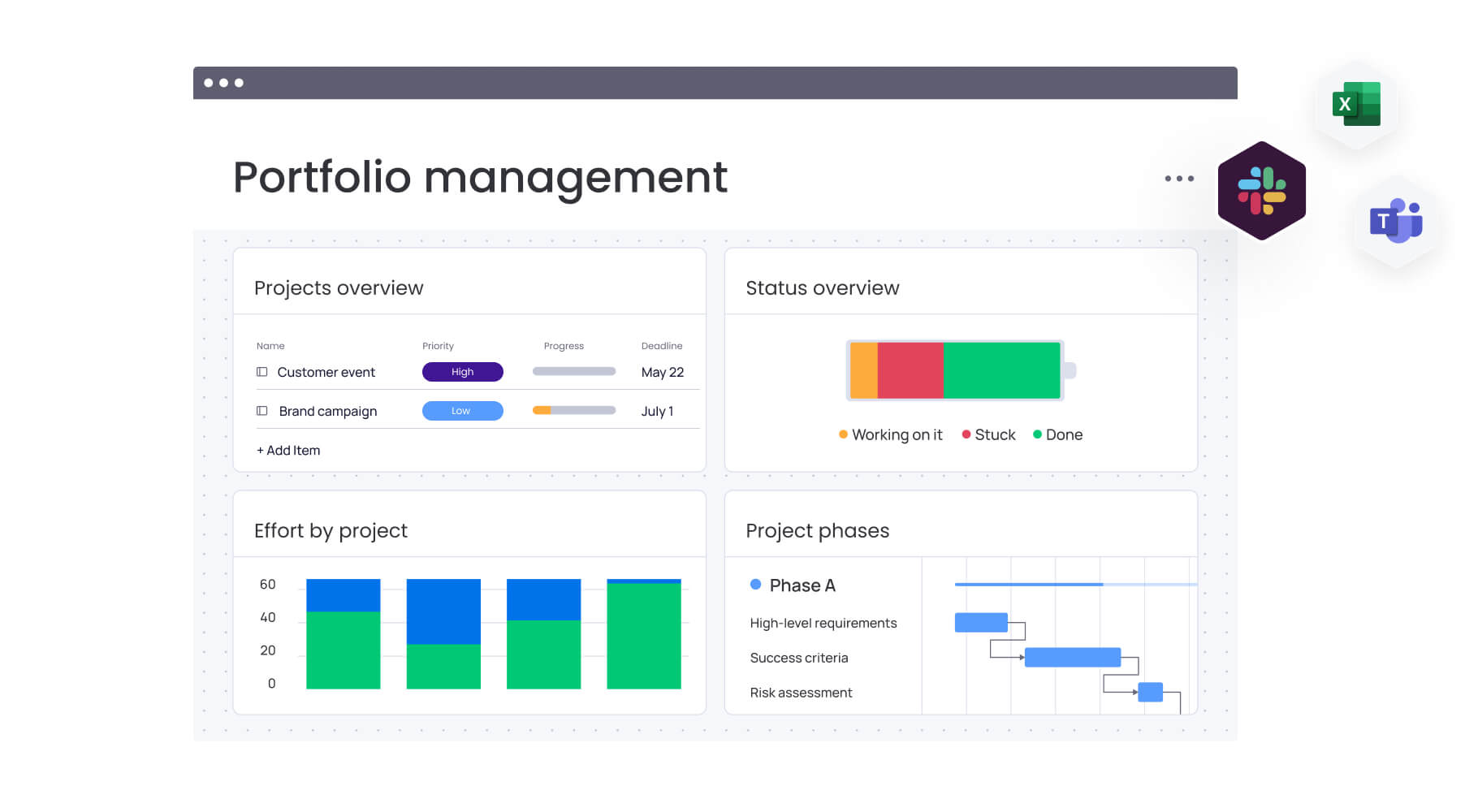
Why growing teams need more than Notion
Silos impede growth. Document-centric platforms serve well for notes but quickly reach their limits in complex operations. What functions effectively for a small team can fail when multiple departments must collaborate.
Notion is an excellent launchpad for organizing notes and simple projects. However, issues like performance lags, hidden costs, and security gaps can soon emerge, signaling the need for a better platform that operates as a central system for work.
Performance breaks down at scale
Add more people and more data, and suddenly everything slows down. When a platform isn’t engineered for heavy operational lifting, teams find themselves waiting rather than working.
It’s not just annoying; it kills momentum. Common performance bottlenecks include:
- Lagging load times: Databases housing over 10,000 items can bring page loads to a crawl, turning quick status checks into frustrating pauses.
- Sync delays and conflicts: Collaboration suffers when more than 20 people access the same database, leading to routine sync errors and version confusion.
- Complex relationship limits: deeply connected workflows slow down exponentially, rendering true cross-functional visibility impractical.
Complex operations need systems that can actually handle the load. For instance, teams on monday work management process hundreds of thousands of items with sub-second load times, keeping momentum high.
Enterprise security and compliance fall short
For regulated industries, security isn’t a nice-to-have; it’s everything. Without tight controls and full visibility, you’re exposing your business to risks you can’t ignore.
Without enterprise-grade protection, sensitive data remains vulnerable and compliance standards slip. You may encounter:
- pLimited access controls: Page-level permissions fail when you need to restrict visibility or editing rights to specific fields or items.
- No comprehensive audit logs: Meeting SOC 2, HIPAA, or GDPR requirements becomes impossible without detailed records of data access and changes.
- Missing identity management: Managing user access becomes a manual, error-prone nightmare without advanced features like SCIM provisioning.
Cross-team workflows hit a wall
Work shouldn’t stall just because it crosses departments. True collaboration requires seamless flow between teams, yet information silos actively prevent alignment and visibility.
Disconnected workspaces make running a unified business strategy nearly impossible. Document-based platforms struggle here because they weren’t architected as a central operating system for work.
Leaders lose sight of portfolio progress, forcing teams into manual workarounds just to stay on the same page. Spot these limits early, and you’ll know when it’s time to upgrade.

The 15 best Notion alternatives for scaling organizations
Once your team grows beyond a single workspace, the cracks start to show. Projects overlap, reporting gets fragmented, and what once felt flexible begins to feel hard to control.
The platforms below are built for that next stage of growth. Some focus on structured documentation at scale. Others prioritize workflow automation, data relationships, or cross-department execution. All of them are designed to handle more complexity than a document-first setup typically allows.
As you explore each option, think about how your teams actually operate day to day. The right solution should not just store information. It should support how work moves across your organization.
1. monday work management
monday work management connects every team and project, replacing scattered tools with one shared workspace. It connects daily tasks to broader business goals, allowing teams to plan, execute, and report from a single shared workspace. For organizations moving beyond document collaboration, the primary advantage is control without rigidity.
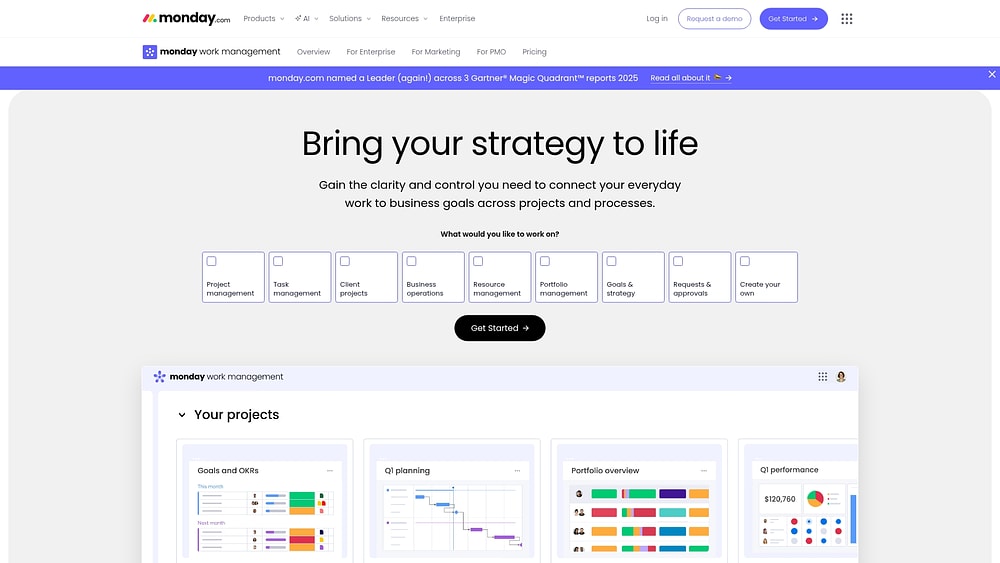
Use case:
Companies with 100+ employees achieve unified visibility across projects, portfolios, and resources while adhering to strict enterprise security and compliance standards.
Key features:
- Portfolio management: Roll up visibility across many initiatives with dashboards & reporting, then share portfolio-level reports so stakeholders can review progress without chasing updates.
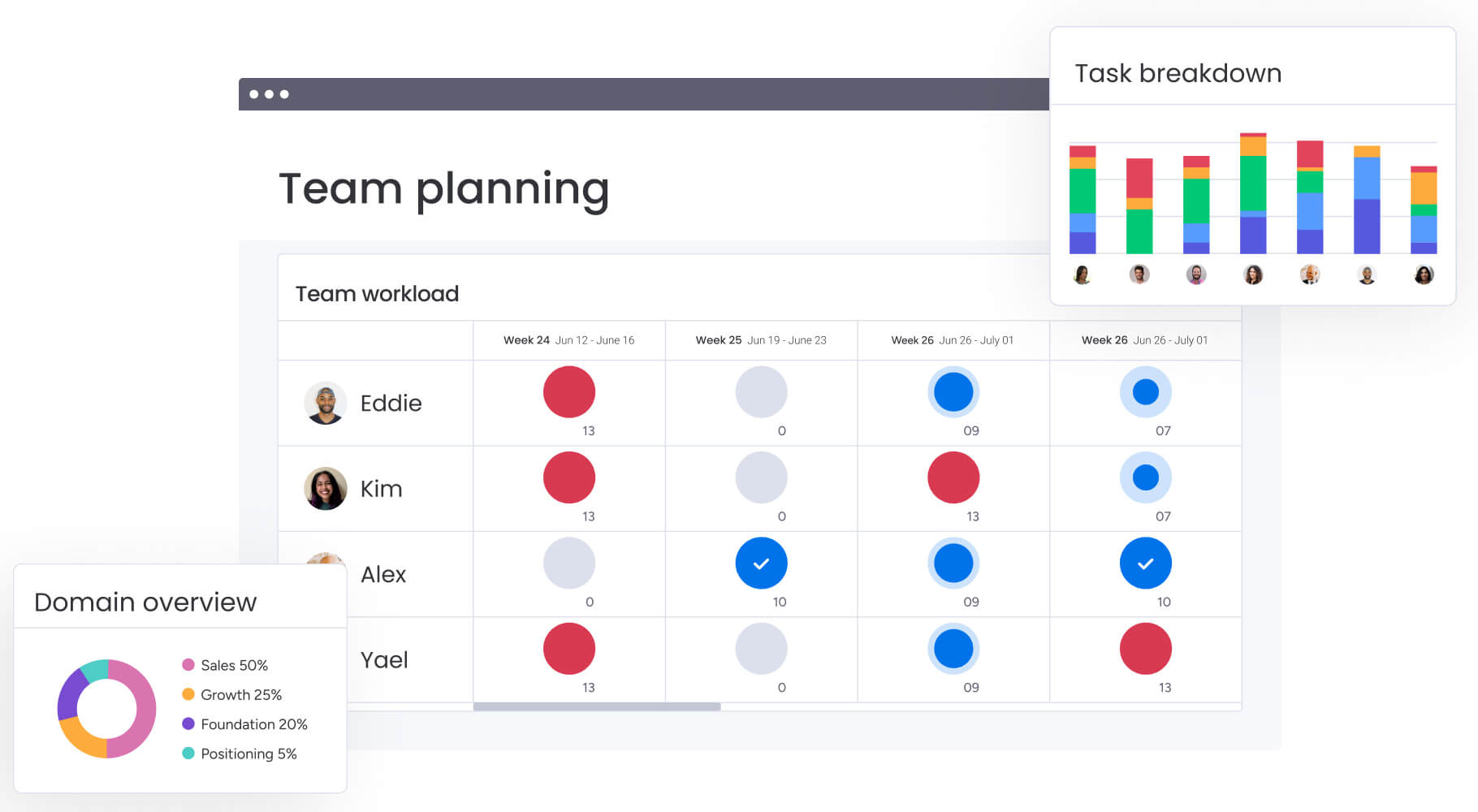
- Resource optimization: Use Workload View to spot over-allocation early, then rebalance ownership before timelines slip. Pair it with time tracking to plan capacity based on real effort, not guesses.
- Enterprise governance: Run structured, standardized workflows across departments using views (Gantt chart, Kanban, Workload, Calendar, Timeline, and more) so teams follow the same operating cadence, even when the work is complex.
Advanced AI features:
- AI Blocks: Add ready-made AI capabilities into your workflows to categorize incoming work, summarize long updates into key takeaways, translate text for global teams, or detect sentiment in written feedback.
- AI Automations: Use AI automation blocks in the Automation center (available on Pro and Enterprise plans) to automate actions like “Categorize with AI,” “Summarize text with AI,” “Extract information with AI,” and more.
- Digital Workforce (coming soon): Tap specialized Digital Workers, like Project Analyzer, designed to monitor projects in real time, flag bottlenecks, and provide proactive insights to keep work on track.
Automations:
- Automation center: Build no-code automations to standardize the work lifecycle, such as templated project creation, approval notifications, and reminders that keep handoffs moving.
- AI-powered automation blocks: Add AI steps into automation recipes (for example, summarize status updates into an executive-ready summary, or categorize incoming requests by urgency).
- Run history: Review automation run history to troubleshoot outcomes quickly and understand why a result shows “No result.”
Integrations:
- Native connectivity: Connect monday work management with 200+ apps so work stays connected across the organization.
- Everyday operational integrations: Bring work into context with integrations like Microsoft Teams and Slack, and connect productivity workflows through Outlook, Gmail, Google Drive, Zoom, and Excel.
- Open API: Build tailored integrations when you need custom flows across your stack, without forcing teams into manual updates.
Notion alternatives features:
- Execution-first structure: Replace doc sprawl with structured boards, consistent ownership, and real-time status tracking that makes work measurable.
- Multiple ways to run work: Use views like Gantt chart and dependencies for timeline management, Kanban for flow, and Workload for capacity planning, all on the same underlying data.
- From planning to delivery in one place: Combine requests & approvals, project plans, and dashboards so teams can move from intake to execution to reporting without switching contexts.
Pricing:
- Basic: $9/seat/month (billed annually) with unlimited items and 5GB storage.
- Standard: $12/seat/month (billed annually), including Timeline views, guest access, and 250 automation actions.
- Pro: $19/seat/month (billed annually) with private boards, time tracking, and 25,000 automation actions.
- Enterprise: Custom pricing with portfolio management, 250,000 automation actions, and advanced security features.
- Annual billing discount: Save 18% compared to monthly billing across all paid plans.
- Nonprofit program: Ten free seats plus 70% discount on additional seats.
Why it stands out:
- Work at every level, connected: Manage projects, portfolios, processes, resources, and goals from one workspace, so leaders can link strategy to execution without extra reporting layers.
- High adoption, faster rollout: Teams tend to stick with systems they enjoy using, and monday.com has been recognized for high enterprise adoption on G2.
- Speed to value: The Forrester Total Economic ImpactTM study reports less than a four-month payback period, reinforcing why teams choose a platform that supports fast setup and iteration.
2. Coda
Coda bridges static documents and dynamic applications. Teams transform standard documents into interactive workspaces without coding, making it suitable for structured workflows that require more flexibility than traditional project management solutions.
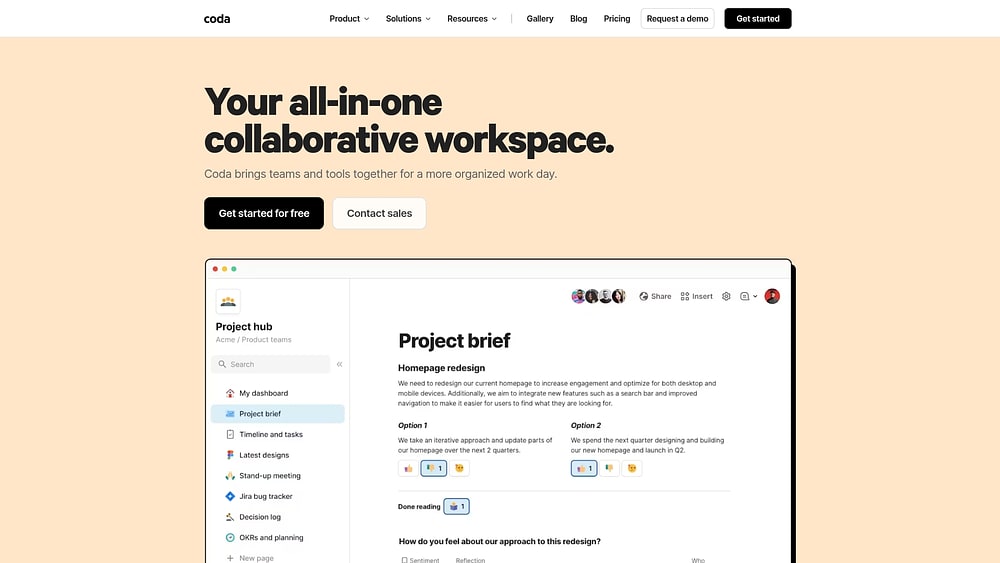
Use case:
Data-savvy teams use Coda to build bespoke workflows, interactive dashboards, and automated processes, all within an interface that feels like a familiar document.
Key features:
- Formula-driven automation: Build complex calculations, conditional formatting, and data transformations directly within documents using spreadsheet-like formulas.
- Two-way integrations: Connect and sync data with external systems like Jira, Salesforce, GitHub, and HubSpot through 500+ Packs integrations.
- Interactive building blocks: Transform static documents into dynamic applications with buttons, tables, views, and automated workflows.
Pricing:
- Free: basic features for individual use.
- Pro: $10/month per Doc Maker (annual billing) or $12/month (monthly billing).
- Team: $30/month per Doc Maker (annual billing) or $36/month (monthly billing).
- Enterprise: Custom pricing with advanced security and admin features.
- Add-ons: Additional Packs and AI credits available for purchase.
- Discounts: 80% off for education, 50% off for nonprofits, six months free for qualified startups.
Considerations:
- Learning curve for advanced formulas and automation setup can be steep for non-technical teams.
- Performance may slow with large documents containing multiple complex tables and extensive cross-references.
3. Airtable
Airtable makes relational databases accessible to everyone, not just engineers. It takes complex data relationships and presents them in intuitive, spreadsheet-like interfaces. This approach is ideal for organizations that require sophisticated data modeling but want to avoid heavy technical overhead.

Use case:
Teams use Airtable to connect related information across multiple projects, departments, or workflows while maintaining the familiar feel of a spreadsheet.
Key features:
- Relational database architecture: Link records across tables to model complex business relationships and dependencies.
- Multiple view types: Switch between grid, calendar, Kanban, gallery, timeline, Gantt, and list views to visualize the same data differently.
- AI & Automation: Use built-in AI agents to categorize data and generate insights, and create custom automations to streamline repetitive workflows.
Pricing:
- Free: $0/month with basic features and 500 AI credits per editor/month.
- Team: $20/month per collaborator (annual) with 50,000 records per base, timeline views, and 15,000 AI credits/month.
- Business: $45/month per collaborator (annual) with 125,000 records per base, two-way sync, and 20,000 AI credits/month.
- Enterprise scale: Custom pricing with up to 500,000 records per database and advanced governance features.
Considerations:
- Record limits can become restrictive as teams scale, forcing database splitting that complicates cross-functional workflows.
- Pricing escalates quickly with add-ons like Portals (starting at $120/month on Team and $150/month on Business) and extra AI credits beyond included allowances.
4. ClickUp
ClickUp aims to be the “everything app for work,” consolidating project management, docs, whiteboards, chat, and AI into a single ecosystem. It targets cross-functional teams that want to replace a fragmented tool stack with one comprehensive solution, all backed by enterprise-grade security.

Use case:
Organizations looking to consolidate their tech stack while maintaining deep customization options for complex workflows across departments find ClickUp highly effective.
Key features:
- Flexible hierarchy system (workspaces, spaces, folders, lists, and items) with 15+ view types including Gantt, Kanban, timeline, and workload views.
- Native AI capabilities including Brain Assistant, AI Agents for autonomous actions, enterprise search, and meeting transcription.
- Comprehensive automation recipes with custom fields, dependencies, and integrations to 1,000+ third-party applications.
Pricing:
- Free Forever: $0 for individuals with generous feature access.
- Unlimited: $7/month per user (billed annually).
- Business: $12/month per user (billed annually).
- Enterprise: Custom pricing with advanced governance, SSO, and regional data residency.
- Additionals: AI features require separate subscriptions with additional per-member costs.
- Annual billing: Saves up to 30% compared to monthly rates.
Considerations:
- Performance issues reported at scale with workspaces containing 100,000+ tasks, though ClickUp 3.0 aims to address these concerns.
- Steep learning curve due to extensive customization options, with organizations typically requiring four to six weeks for full configuration and setup.
5. Asana
Strategic execution replaces simple project lists in Asana, thanks to its Work Graph data model that links daily activities to high-level goals. The platform is particularly strong for marketing campaign management and creative workflows, giving teams visibility from strategy through delivery.
With proven enterprise scale and AI-powered automation, Asana helps organizations align cross-functional work without losing sight of the bigger picture.

Use case:
Asana connects company-wide goals to day-to-day execution through a unified platform that links strategy, projects, and tasks for complete workflow visibility.
Key features:
- Campaign coordination: Multi-channel marketing management with proofing workflows, asset reviews, and stakeholder feedback loops that eliminate email chains
- Portfolio visibility: Nested portfolios and Universal Reporting dashboards provide leaders insight into team capacity, project health, and strategic alignment across initiatives
- Resource optimization: Workload views, capacity planning, and native time tracking help balance assignments and prevent team burnout while meeting deadlines
Pricing:
- Personal: Free for up to two users.
- Starter: $10.99/user/month (annual) or $13.49/month (monthly).
- Advanced: $24.99/user/month (annual) or $30.49/month (monthly).
- Enterprise: Custom pricing through sales.
- Enterprise+: custom pricing with enhanced security and compliance features.
- AI Studio: basic included on paid plans, Plus at $135/account/month (annual).
Considerations:
- Seat bundling requirements can increase costs for very small teams, with minimum paid seats typically starting at two users.
- Advanced capabilities like resource management and enterprise-grade controls require higher-tier plans, potentially raising total cost of ownership.
6. Confluence
Confluence centralizes organizational knowledge into one workspace, allowing teams to plan, document, and execute work collaboratively. Deep Atlassian integration connects documentation to execution workflows, making it ideal for organizations already using Jira.

Use case:
Organizations needing a scalable documentation platform that connects knowledge to execution workflows, particularly those already invested in the Atlassian ecosystem.
Key features:
- Real-time collaboration: Live docs support up to 30 simultaneous editors with instant, always-saved collaboration.
- Multi-format workspace: Combines pages, whiteboards, databases, and templates in a single platform.
- Deep Atlassian integration: Native connectivity with Jira and Trello for seamless work tracking and execution.
Pricing:
- Free: $0/month for up to ten users with 2GB storage.
- Standard: $6.05/month per user with 250GB storage and basic automation.
- Premium: $11.55/month per user with unlimited storage and advanced features.
- Enterprise: Contact sales for custom pricing with enhanced security and compliance.
- Annual billing: Saves up to 17% across all paid plans.
Considerations:
- Limited project management capabilities compared to dedicated work management platforms.
- Newer collaboration features like databases and whiteboards are cloud-only, not available in Data Center deployments.
7. Evernote
Long considered the gold standard for personal note-taking, Evernote acts as a “second brain” for capturing, organizing, and retrieving information. The solution excels at turning scattered thoughts, web clips, and documents into a unified, searchable library.
While it offers features for sharing and light collaboration, its core strength remains individual knowledge management, supercharged by AI-powered search.

Use case:
Ideal for building a personal knowledge base. Evernote shines when used to capture everything from fleeting ideas and meeting notes to in-depth research, making it all instantly findable and actionable for the individual user.
Key features:
- Tasks embedded in notes: Create actionable items directly within meeting notes, project documentation, or research materials with due dates, reminders, and assignment capabilities.
- Advanced search with OCR: Find information across handwritten notes, PDFs, images, and documents using optical character recognition and AI-powered semantic search.
- Shared spaces: Organize notebooks and notes into shared areas for light project reference, with basic permission controls for simple collaboration.
Pricing:
- Free: 50 notes, one notebook, one device with 20 MB storage.
- Starter: $14.99/month or $99/year with 1,000 notes, 20 notebooks, three devices, 1 GB storage, and AI features.
- Advanced: $24.99/month or $249.99/year with unlimited notes, notebooks, and devices.
- Enterprise: Custom pricing with SSO, admin console, and priority support.
- Student discount: 40% off starter plan for eligible students.
Considerations:
- Free plan limitations make serious work management impractical with only one device and 50 notes allowed.
- Recent pricing changes and plan restructuring have created migration complexity for existing users transitioning from legacy Personal and Professional tiers.
8. Trello
Visual simplicity defines Trello. Its Kanban boards make project organization intuitive and immediate, specializing in drag-and-drop ease backed by Atlassian’s enterprise-grade security.
With over 100 million users worldwide, Trello proves that effective work management doesn’t require a steep learning curve.

Use case:
Trello excels for cross-functional teams managing straightforward projects with clear workflow stages, offering visual simplicity that scales from personal productivity to enterprise governance.
Key features:
- Multiple board views including Timeline, Calendar, Dashboard, Table, and Map perspectives to visualize work across different contexts.
- No-code Butler automation with unlimited runs on Premium plans, plus Advanced Checklists that assign due dates and team members to specific items.
- Extensive Power-Ups marketplace with 200+ integrations including native Jira connectivity, Google Drive, Slack, and Microsoft Teams.
Pricing:
- Free: Up to ten boards per workspace, unlimited cards, 10MB file attachments, and limited automation.
- Standard: $5/month per user (billed annually), unlimited boards, Advanced Checklists, Custom Fields, 250MB files, 1,000 automation runs monthly.
- Premium: $10/month per user (billed annually), all Standard features plus board views, workspace views, unlimited automation, and admin controls.
- Enterprise: $17.50/month per user (billed annually), all Premium features plus organization-wide permissions, SSO via Atlassian Guard Standard.
- Annual billing: Provides lower per-user pricing than monthly options.
- Offers: Non-profit organizations receive 75% discounts on Standard and Premium plans.
Considerations:
- No native task dependencies require workarounds using checklists, links, or third-party Power-Ups for complex project relationships.
- Workspace views cap at 20 boards maximum, which can constrain large-scale portfolio rollups across enterprise organizations.
9. Taskade
Taskade infuses standard project management with AI agents, creating a living workspace where teams can build custom apps with a single prompt. It combines real-time collaboration with intelligent automation, making it perfect for teams that want to move beyond static project management into dynamic, responsive workflows.

Use case:
Taskade excels for teams seeking an AI-native work management platform that adapts and evolves with their needs through intelligent agents and automated workflows.
Key features:
- Genesis AI app builder: Create working applications from simple prompts that connect projects, AI agents, and automations.
- Real-time collaboration: Built-in chat, video calls, and simultaneous editing within every project workspace.
- Multi-view flexibility: Switch between List, Kanban, Table, Mind Map, Calendar, and Gantt views without losing data.
Pricing:
- Free: $0/month for one user with three live apps and 1,000 monthly AI credits.
- Starter: $6/month for three users with 10,000 monthly AI credits.
- Pro: $16/month for ten users with 50,000 monthly AI credits and unlimited agents.
- Business: $40/month for unlimited users with 150,000 monthly AI credits and priority processing.
- Enterprise: Custom pricing with private cloud and SSO options.
- Annual billing: Offers 20% discount across all paid plans.
Considerations:
- Limited offline functionality may impact teams working in low-connectivity environments.
- Credit-based AI usage can create variable costs for teams heavily relying on automated workflows.
10. AppFlowy
For those prioritizing sovereignty over convenience, AppFlowy offers complete data ownership and unlimited customization. This open-source workspace platform targets technical teams and privacy-conscious organizations who value control and transparency.
With self-hosting capabilities and offline-first design, AppFlowy empowers teams to build exactly the workspace they need.

Use case:
Organizations requiring full data control, custom workflows, and transparent development practices can leverage AppFlowy’s open-source foundation to create tailored work management solutions.
Key features:
- Multi-view databases with Grid, Kanban, and Calendar views for flexible project visualization.
- Complete offline functionality with native desktop and mobile apps built on Flutter and Rust.
- AI integration options, including local on-device models via Ollama and cloud-based advanced models.
Pricing:
- Free: One workspace, up to two members, unlimited pages, 5 GB storage, ten AI responses monthly.
- Pro: $10/month per user (billed annually), unlimited storage, up to 50 workspace members, unlimited AI responses.
- AppFlowy AI MAX: $8/month per user add-on for advanced AI models (GPT-5, Gemini 2.5 Pro, Claude 3.7 Sonnet).
- Vault workspace: $6/month per user (billed annually) for private offline local AI with unlimited responses.
Considerations:
- Features remain in active development with some collaboration capabilities still maturing.
- Self-hosting requires technical expertise for setup, maintenance, and security management.
11. Anytype
Privacy isn’t a feature for Anytype; it’s the entire premise. It delivers local-first knowledge management with end-to-end encryption, ensuring your data remains completely private. The platform targets privacy-conscious teams and individuals who need collaborative workspaces without sacrificing security, using peer-to-peer synchronization instead of centralized cloud servers.

Use case:
Organizations handling sensitive information, like journalists, activists, or research teams, gain secure collaboration capabilities while maintaining complete data ownership through user-controlled encryption keys.
Key features:
- Object-based data model with custom types, properties, and database views including Kanban boards and calendars.
- Real-time collaborative editing with offline-first architecture that works without internet connectivity.
- Integrated chat functionality tied directly to work objects for seamless discussion-to-execution workflows.
Pricing:
- Free: 100 MB remote storage, 10 shared spaces, unlimited private spaces.
- Plus: 1 GB remote storage with enhanced naming features.
- Pro: $9.99/month (iOS pricing), 10 GB remote storage.
- Ultra: 100 GB remote storage with premium naming system access.
- Offers: 50% discount available for students, educators, and contributors.
- Future plans: Future B2B tiers planned with up to 20 editors per space.
Considerations:
- Mobile apps lack key features like Kanban, Calendar, and Graph views that are available on desktop.
- Limited third-party integrations compared to cloud-based alternatives, though Local API and developer tools are expanding.
12. Capacities
Capacities treats information as a network of connected objects rather than isolated files. This object-based structure targets individual knowledge workers, writers, researchers, and consultants, who need to capture and connect ideas rather than coordinate team workflows.
Built by a founder-owned German company, Capacities emphasizes quality over features with a philosophy of intentional, sustainable product development.

Use case:
Capacities excels for solo professionals who need to build interconnected knowledge bases where ideas naturally link together, creating a web of insights that grows more valuable over time.
Key features:
- Object-based structure: Notes become typed objects (People, Projects, Books) with explicit relationships and bidirectional linking.
- Contextualized task management: Lightweight workflows that live inside your work context, surfacing automatically where needed.
- Calendar integration: Native Google and Microsoft 365 Calendar support with Daily Notes for time-based organization.
Pricing:
- Basic: Free (core features).
- Pro: $17.99/month or $199/year (advanced features, AI assistant).
- Believer: Pro features plus early access and priority support.
Considerations:
- Individual-focused platform with no team or organizational plans available.
- Tasks feature is still in early stages, lacking recurring workflows, reminders, and custom properties.
- Mobile performance and sync reliability have faced community concerns, with occasional stability issues.
13. Xtiles
Visual thinkers often struggle with rigid lists. Xtiles offers a canvas-based approach to organizing projects and tasks, bridging the gap between creative ideation and structured execution. The platform specializes in spatial organization and unlimited-member team plans, making it ideal for creative agencies and client-facing teams who need flexible collaboration without per-seat pricing constraints.

Use case:
Xtiles excels at bridging creative ideation with structured execution, allowing teams to convert visual brainstorming sessions directly into trackable workflows and client deliverables.
Key features:
- Visual canvas with tiles that convert seamlessly from notes to actionable tasks with due dates and assignments.
- My Planner aggregates tasks and calendar events across all workspaces for unified personal productivity.
- Two-way Google and Outlook Calendar integration brings scheduling directly into project boards.
Pricing:
- Free: $0/month with unlimited blocks, three personal spaces, and basic collaboration features.
- Plus: $6.75/month (promotional annual pricing) with unlimited personal spaces, premium templates, and calendar integration.
- Family: $12.42/month for three users with bundled Plus features.
- Team: $24.92/month per team with unlimited members and shared workspace capabilities.
- Offers: 50% discount available for students, educators, and nonprofits.
Considerations:
- Mobile experience receives mixed reviews with iOS app rated 3.4/5, indicating potential usability challenges on mobile devices.
- Integration ecosystem remains limited with key connectors like Slack and Zapier still listed as “coming soon”.
14. Backlog by Nulab
Software teams need more than generic task lists. Backlog by Nulab combines project management, version control, and bug tracking in a unified platform designed specifically for developers. The platform’s flat-rate pricing model and built-in Git repositories make it particularly attractive for development organizations looking to consolidate their workflows without the per-user costs that scale with team growth.

Use case:
Backlog excels for development teams that want to manage code repositories, project tasks, and technical documentation from a single platform while maintaining predictable costs as they scale.
Key features:
- Built-in Git and Subversion integration with native code repository hosting alongside project management.
- Real-time Documents editor supporting up to 12 simultaneous collaborators with wikis for technical documentation.
- Flat-rate pricing with unlimited users on Standard and Premium tiers, eliminating per-seat cost scaling.
Pricing:
- Free: $0/month for up to ten users, one project, 100 MB storage.
- Starter: $35/month for up to 30 users, five projects, 1 GB storage.
- Standard: $100/month for unlimited users, 100 projects, 30 GB storage.
- Premium: $175/month for unlimited users and projects, 100 GB storage.
- Enterprise: custom pricing with SAML SSO, SCIM provisioning, and audit logs
- Annual billing: offers a two-month discount.
Considerations:
- Language support limited to English and Japanese, which may constrain multinational rollouts.
- Storage limits are fixed per plan, requiring third-party integrations for teams with large file requirements.
15. Affine
Affine merges the flexibility of a whiteboard with the structure of a database. It delivers privacy-first workspace management through an open-source, local-first architecture. The platform targets organizations prioritizing data control and self-hosting capabilities, making it ideal for technical teams and privacy-conscious businesses.

Use case:
Privacy-focused teams use Affine to build structured documentation and visual workspaces while maintaining full control over where and how data is stored.
Key features:
-
Local-first architecture: Store and manage data on your own infrastructure with optional cloud sync, giving teams stronger control over privacy and compliance.
-
Block-based editing with databases: Combine rich documents, structured databases, and visual whiteboards inside a single workspace.
-
CRDT-based real-time collaboration: Enable concurrent editing with automatic conflict resolution, even in distributed or partially offline environments.
Pricing:
-
Free open-source version: Core functionality available for self-hosted deployments.
-
Cloud plans: Pricing varies based on hosting model and collaboration requirements.
-
Enterprise tier: Custom pricing for advanced security controls, support, and large-scale deployments.
Considerations:
-
Feature maturity: Some advanced workflow automation and enterprise controls are still developing compared to more established platforms.
-
Technical setup requirements: Self-hosting and configuration may require engineering resources, particularly for larger teams.
-
Integration ecosystem: Native integrations remain more limited than SaaS-first alternatives.
How to choose the right Notion alternative for your growing team
Choosing a new platform affects how your teams plan, collaborate, and deliver work every day. It shapes visibility for leadership and determines whether processes feel streamlined or constantly patched together.
As your organization grows, workflows cross more departments, reporting becomes more complex, and manual work increases. The system that worked for a smaller team may start to feel stretched.
The steps below will help you weigh up your options clearly and choose a platform that supports scale without slowing your teams down.
Step 1: Assess your scaling requirements
Start by auditing your current friction points. Where are the bottlenecks appearing as your team grows? Understanding these pressure points helps you find a solution that solves for tomorrow, not just today, and these factors will show you if you’re outgrowing your current setup:
- Performance under pressure: Does your platform slow down as you add more data and users? Growing teams need a system that handles 50,000+ items without a lag.
- Unified workflows: Can you easily manage processes that cross from marketing to operations to finance? A scalable platform connects departments instead of creating silos.
- Future-proof architecture: Will your platform support double or triple your current headcount and data volume in two years? Choose a solution that can grow with you.
Organizations gain this level of visibility and performance on monday work management, where the architecture is built to keep work flowing smoothly, even with 100,000+ items.
Step 2: Evaluate integration capabilities
Silos are the enemy of speed. A truly scalable platform acts as the connective tissue for your entire organization, automating work and keeping data in sync.
Look for a platform that unifies your tools with these capabilities:
- Freedom to connect: A robust and well-documented API gives your technical teams the power to build any custom connection you can imagine.
- An ecosystem of solutions: Look for a wide range of native, pre-built integrations with the systems you already use, like your CRM, ERP, and communication platforms.
- Real-time sync: Does data flow in both directions automatically? This keeps everyone working with the most current information, without manual updates.
Teams streamline execution on monday work management by using its 200+ native integrations to create a central source of truth. With a powerful API for custom builds and no-code automations for everyone else, you can connect your work, your way.
Step 3: Consider migration complexity
Migration involves people, not just database entries. How can you ensure a smooth transition that gets your team excited for what’s next, instead of wishing for the old way?
A successful migration plan includes:
- A clear path for your data: The right partner will help you rethink your workflows to fit a more structured model, turning a migration challenge into an optimization opportunity.
- Adoption and enablement: Look for a platform that offers structured training and support. The goal is to empower your team, not just hand them a new login.
- Internal champions: A great platform makes it easy to identify and empower internal advocates who can help drive adoption from the ground up.
Step 4: Calculate true cost at scale
Finally, look beyond the monthly subscription fee. The true cost of any platform includes hidden expenses in administration, lost productivity, and third-party tools. Are you seeing the full picture?
Ask yourself these questions to understand the total cost of ownership:
- Integration and automation costs: Will you need to pay for third-party tools just to make your workflows function? These costs add up quickly as you scale.
- Time spent on admin: How many hours will your team spend just managing the platform itself? An intuitive, enterprise-grade system should reduce administrative burden, not add to it.
- The cost of waiting: Slow performance and clunky workflows aren’t just annoying; they represent thousands of dollars in lost productivity across your organization.
A platform with a higher initial price can deliver a far greater ROI by eliminating these hidden costs. By consolidating work, automating processes, and reducing administrative overhead, monday work management helps organizations achieve more with a lower total cost of ownership.
Silos are the enemy of speed. A truly scalable platform acts as the connective tissue for your entire organization, automating work and keeping data in sync.
Why monday work management fits enterprise growth
As organizations expand, scattered tools and document-based workflows start to slow things down. Visibility drops. Reporting becomes manual. Teams build workarounds instead of systems.
monday work management is designed for that next phase of growth. It brings projects, processes, and reporting into one connected workspace so strategy and execution stay aligned as complexity increases.
The platform supports scale with:
-
AI-powered automation: Eliminate repetitive updates and manual coordination so teams can focus on meaningful work.
-
Enterprise-grade security: Protect sensitive data with advanced permissions, governance controls, and compliance standards.
-
Flexible workflow customization: Build structured processes for any department using boards, views, and automations without writing code.
The result is practical, measurable impact. Teams spend less time maintaining systems and more time moving initiatives forward. Leaders gain real-time visibility across departments, making it easier to prioritize, allocate resources, and stay aligned.
This is where work management evolves from tracking projects to running operations with clarity and control.
Frequently asked questions
What is the most affordable Notion alternative for teams over 50 people?
To find the most affordable Notion alternative for teams over 50 people, it's important to consider the total cost of ownership, not just the per-seat price. monday work management provides superior value by consolidating workflows and reducing tool sprawl, making it more cost-effective at scale.
How difficult is it to migrate from Notion to another platform?
The difficulty of migrating from Notion depends on your data volume and workflow complexity. Organizations that use monday work management get access to dedicated migration services that guide them through a structured process, reducing risk and accelerating time-to-value.
Which Notion alternative offers superior database performance?
For superior database performance, monday work management is built to handle 100,000+ items with consistent, sub-second load times. The platform’s architecture ensures performance scales with your data, avoiding the degradation common in other platforms.
What alternatives to Notion include AI capabilities?
While several Notion alternatives have AI, monday work management provides practical AI capabilities that automate complex workflows and extract actionable insights. This goes beyond simple text generation to deliver measurable productivity improvements.
Is there a free Notion alternative with unlimited features?
No free Notion alternative offers unlimited features without significant constraints on users or storage. Open-source platforms eliminate subscription fees but create hidden costs for setup, maintenance, and technical administration.
Which apps like Notion are most effective for external collaboration?
For secure external collaboration, monday work management offers guest access, client portals, and granular permissions. These features allow you to share specific projects with clients and partners without exposing sensitive internal workflows.

 Get started