


You just hired someone great, and the energy is high. To keep the momentum going, a structured onboarding process is key. With the right system for federal, state, and company forms, you can move past the paperwork and focus on what matters: integrating your new team member. A smooth start ensures compliance, timely payroll, and a confident new hire who knows they made the right choice.
Smooth onboarding starts with a form system that captures what you need without burying people in paperwork. The best teams have ditched scattered PDFs and endless email chains for digital workflows that guide new hires step-by-step and route info automatically. When forms move straight from submission to action, HR stops chasing signatures and starts building relationships.
Below you’ll find the essential forms every business needs, federal and state compliance requirements, and how to build digital templates that make onboarding faster and smoother. You’ll see automation strategies that cut out manual handoffs and how platforms turn static documents into workflows that grow with you.
Key takeaways
- Collect federal compliance forms first: Prioritize W-4 tax withholding and I-9 employment verification before the first paycheck to avoid penalties and legal issues.
- Build smart digital forms with conditional logic: Create role-specific onboarding packets that automatically show relevant forms based on department, location, and job requirements.
- Automate form routing and task creation: Set up workflows where submitted forms instantly notify the right teams and generate action items, eliminating manual handoffs and delays.
- Transform static paperwork into dynamic workflows: Platforms like monday work management turn form submissions into trackable board items with WorkForms, creating direct handoffs between HR, IT, and payroll teams.
- Track completion in real-time with compliance reporting: Monitor onboarding progress across all new hires and generate audit trails automatically to ensure nothing falls through the cracks.
Essential new employee forms every business needs
Getting new hires up and running requires more than enthusiasm and a welcome email. You need documentation that captures critical info, keeps you compliant, and helps new hires transition smoothly.
A solid system prevents payroll errors and legal exposure, creating a positive first-day experience that sets the right tone — particularly critical given that 18% of new hires leave during their probationary period.
Every solid onboarding system needs three things: employee information, compliance documentation, and operational setup. Each category plays a role in legally employing, paying, and bringing your new team member into the fold.

Core employee information forms
These core forms capture the basic data you need to create employee records, set up system access, and reach team members when necessary. Getting accurate info upfront prevents errors that snowball into headaches weeks or months later.
Employee information sheet and personal details
The employee information sheet serves as your primary source of truth for each person in your organization. This document populates multiple systems: IT provisioning, security badges, benefits enrollment, and company directories.
Every employee information sheet needs:
- Legal name and contact data: Full legal name for tax documents, current address for mailing purposes, and personal contact information for initial communications before work email setup.
- Demographic information: Date of birth for age verification and benefits eligibility, plus voluntary self-identification data for EEO reporting requirements.
- Role-specific details: Official job title, department assignment, start date, and employee ID number to establish their place within your organizational structure.
Emergency contact and medical information
During emergencies, you need immediate access to critical contact information. Whether it’s a medical crisis with one employee or a facility-wide incident, you need reliable ways to reach emergency contacts fast.
Every new hire should provide comprehensive emergency information including:
- Primary and secondary contacts: Multiple contacts with relationship definitions ensure you can reach someone if the primary person is unavailable.
- Medical alerts and allergies: Voluntary disclosure of life-threatening conditions helps safety teams prepare appropriate accommodations and emergency responses.
- Physician information: Primary care provider details facilitate faster medical intervention during severe workplace incidents.
Direct deposit and payroll forms
Paying people on time and accurately is your most basic obligation as an employer. These forms authorize fund transfers and set up payroll processing. Collecting this sensitive financial data digitally cuts security risks compared to paper handling.
Payroll setup needs three things to process payments correctly:
- Bank account authorization: Routing and account numbers require careful validation to prevent payment failures or potential fraud attempts.
- Split deposit allocations: Employees can distribute paychecks across multiple accounts by percentage or fixed dollar amounts.
- Verification documents: A voided check or bank letter confirms account ownership and accuracy before the first pay cycle.
The employee information sheet serves as your primary source of truth for each person in your organization. This document populates multiple systems: IT provisioning, security badges, benefits enrollment, and company directories.
Federal requirements for new hire paperwork
Federal compliance is mandatory. The IRS, Department of Homeland Security, and Department of Labor have strict rules about what you collect and when. Miss a deadline or submit an incomplete form, and penalties pile up fast.
Automated systems help by flagging missing fields and enforcing deadlines, ensuring every hire meets federal standards without manual tracking — an important capability, as research on new operating models for people management shows that many HR tasks can be automated.
Form W-4 for federal tax withholding
The W-4 determines how much federal income tax comes out of each paycheck. Employers process the form, but employees are responsible for accurate data. You must collect a completed W-4 before the first payroll run. Without it, you’re required to withhold taxes at the highest single rate.
The W-4 collects three key details that directly affect take-home pay:
- Filing status declaration: Single, Married Filing Jointly, or Head of Household selections directly impact standard deduction calculations.
- Adjustments and deductions: Additional withholding or dependent claims require accurate calculations to avoid year-end tax surprises.
- Exemption claims: Employees claiming exemption from withholding must recertify annually.
Form I-9 employment eligibility verification
The I-9 verifies identity and employment authorization for everyone hired in the United States. Auditors scrutinize this form closely. Section one must be completed by the employee no later than their first day of work. Section two requires employer completion within three business days.
What makes I-9 compliance tough for distributed organizations? Verifying physical documents gets complicated when teams work remotely. You must examine original documents to confirm they look genuine.
Key I-9 compliance requirements include:
- Document retention: Forms need retention for three years after hire date or one year after employment ends, whichever is later.
- Re-verification tracking: Employees with temporary work authorization require tracking of expiration dates and re-verification before authorization lapses.
- Audit preparation: Maintaining organized records with proper documentation helps during government inspections.
New hire reporting to state agencies
Federal law requires you to report all new hires to state agencies shortly after their start date. States cross-reference this data with the National Directory of New Hires to locate parents owing child support and catch fraudulent unemployment or public assistance claims.
Core reporting requirements stay the same across states:
- Reporting deadlines: Most states require reporting within 20 days of hire, though some enforce tighter windows.
- Required data points: Employee name, address, Social Security number, and start date, plus employer name, address, and FEIN.
- Multistate employer options: Companies with employees across multiple states can register with the Department of Health and Human Services to report all new hires to a single state.
Automated systems help by flagging missing fields and enforcing deadlines, ensuring every hire meets federal standards without manual tracking — an important capability, as research on new operating models for people management shows that many HR tasks can be automated.
State-specific and industry employment forms
Compliance requirements change based on location and industry. A generic onboarding packet often misses local labor laws or industry-specific certifications. When you build conditional logic into document packets, a hire in California automatically receives different tax forms than someone starting in Florida.
State tax withholding documents
Many states don’t rely on the federal W-4 for income tax calculations. They require their own withholding certificates with unique fields and calculations. Miss the correct state form, and you’ll face incorrect deductions and potential penalties for both employer and employee.
| State category | Form requirement | Example states |
|---|---|---|
| State-specific forms | Dedicated withholding certificate required | New York (IT-2104), Illinois (IL-W-4), Georgia (G-4) |
| Reciprocity agreements | Non-residency forms for cross-border workers | Tri-state area, DC metro region |
| No-tax states | No state income tax forms required | Florida, Texas, Nevada, Washington |
Workers’ compensation paperwork
States require employers to inform new hires about their workers’ compensation rights. This usually means a signed acknowledgment that the employee knows how to report injuries and where to get treatment.
Workers’ compensation documentation needs three things:
- Notice of coverage: Mandatory document explaining insurance scope, carrier details, and policy number.
- Physician pre-designation: States like California allow employees to pre-designate personal physicians for work-related injuries.
- Fraud warnings: Many states require signed statements acknowledging that filing fraudulent claims constitutes a felony.
Professional licensing and certifications
Regulated industries like healthcare, finance, and construction require verified professional credentials before you can hire. You need to collect, verify, and track expiration dates for these documents throughout employment.
| Industry | Requirement type | Example documents | Verification need |
|---|---|---|---|
| Healthcare | Clinical licensure | RN license, board certifications, DEA registration | Primary source verification with state boards |
| Finance | Regulatory registration | FINRA Series 7/63, SEC registrations | Active status and disciplinary history confirmation |
| Construction | Safety certification | OSHA 30 cards, equipment operator licenses | Current status validation and expiration tracking |
| Education | Background clearance | Teaching credentials, fingerprint clearance cards | Validity verification for specific academic year |
Building digital new hire form templates
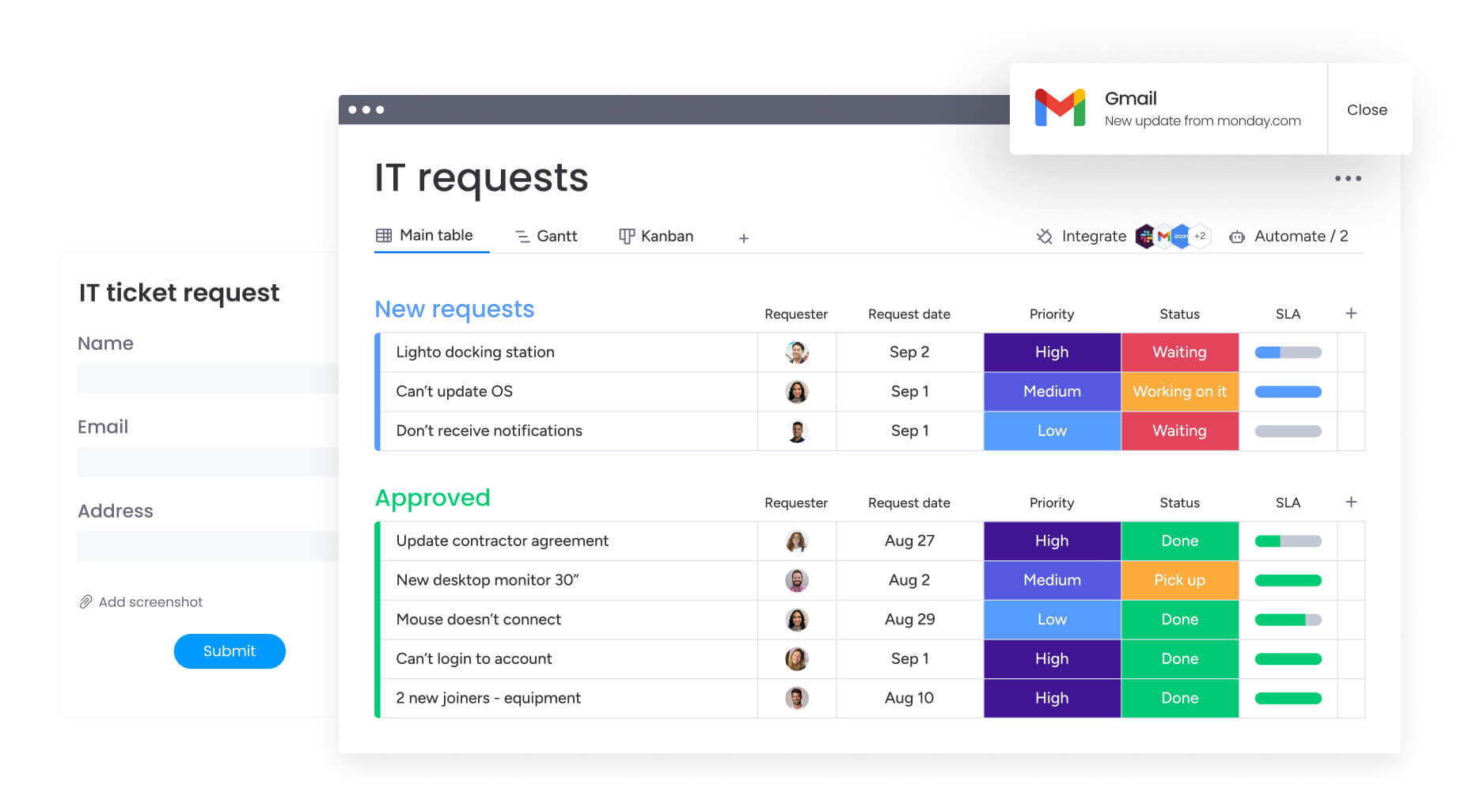
Going digital means more than scanning PDFs. It means building forms with digital fields that validate data in real-time and feed directly into your databases. Good templates break long forms into manageable sections and save progress automatically.
Converting paper forms to smart templates
Real digitization turns static documents into interactive experiences. The system validates phone numbers for correct digits. Furthermore, required fields prevent submission until complete. Data flows directly into your systems without re-keying.
Organizations using monday work management leverage WorkForms to build customizable forms that feed data directly into board columns. A submitted equipment request instantly becomes a trackable item for the IT team, cutting out the gap between data collection and action.
Adding conditional logic for role-based forms
Conditional logic shows employees only the questions and forms they need. When a new hire selects “Marketing” as their department, the form reveals fields for campaign access and creative tools. Select “Finance” instead, and those fields stay hidden while budget system permissions appear.
How do you handle location-specific compliance without doing it manually? Conditional workflows built on monday work management adapt based on role, department, or location. The right forms reach the right people automatically, cutting confusion and keeping onboarding focused.
Implementing e-signature workflows
Legally binding e-signatures eliminate printing, signing, and scanning cycles. Workflows with built-in e-signatures create audit trails that record exactly when and by whom documents were signed. This is essential for remote teams where exchanging physical paperwork doesn’t work.
To go digital successfully, consider:
- Mobile responsiveness: Forms must work flawlessly on smartphones since many frontline workers lack desktop access.
- Data encryption: Enterprise-grade encryption protects data both in transit and at rest.
- Accessibility compliance: Forms meeting WCAG standards accommodate employees with visual or motor impairments.
- API connectivity: Platforms that push form data directly to payroll and HRIS systems eliminate manual re-keying.
7 ways to automate your employee onboarding forms

Automation turns onboarding from a manual slog into a streamlined system. Set up triggers and actions, and you create workflows that handle key processes without constant oversight. These automation strategies eliminate bottlenecks and keep execution consistent across all new hires.
1. Create self-service form portals
A centralized, branded portal gives new hires one place to access all required documentation. Instead of email attachments and follow-ups, employees log in, see their personalized checklist, and submit forms directly into your system.
2. Set up automatic form routing
Once submitted, automation rules route forms to the right person immediately. Completed I-9s notify hiring managers to schedule document verification. Direct deposit forms route instantly to payroll teams.
3. Build department task triggers
Form submissions can trigger action items across departments. When new hires complete equipment request forms, the system generates IT tickets for laptops and facilities tickets for desk assignment.
4. Schedule reminder sequences
Automated reminders chase outstanding paperwork so HR doesn’t have to. The system tracks due dates and sends polite nudges via email or Slack as deadlines approach, ramping up urgency for critical compliance forms.
5. Connect forms to HR systems
Integrations push data from onboarding forms directly into HRIS and payroll platforms. This eliminates the error-prone process of manually typing data from PDFs into databases.
6. Generate compliance reports
Scheduled automations run weekly audits of all active onboarding workflows, flagging incomplete files or past-due items. Reports email directly to HR leadership, so no compliance gaps slip through.
7. Track real-time completion
Dashboards update instantly when forms come in. HR sees the entire onboarding funnel in real-time, spotting bottlenecks where new hires get stuck or drop off.
Teams using monday work management create automation recipes like “When status changes to ‘Signed’, notify ‘Payroll Manager'” to ensure handoffs happen instantly. The platform handles routing logic automatically, freeing HR teams to focus on people instead of paperwork.
Scale your onboarding impact with monday work management

Traditional form management creates bottlenecks that slow onboarding and frustrate new hires. monday work management turns this process into smart workflow orchestration. Instead of just storing documents, the platform actively manages every document and assignment throughout onboarding.
Key features that transform onboarding:
- Forms integration: WorkForms by monday lets teams build customizable, branded forms feeding data directly into board columns, turning submitted requests into trackable items instantly.
- Automation capabilities: The platform’s automation engine handles routing logic with recipes ensuring handoffs happen immediately without email threads.
- Dashboard functionality: Executives gain real-time visibility into the entire onboarding portfolio with widgets displaying completion rates across departments.
- AI-powered features: monday’s AI offering assists in categorizing open-ended responses from new hire surveys and suggests next steps based on role profiles.
- Multi-level permissions: Granular permission settings ensure sensitive data remains visible only to authorized HR and finance personnel.
- Integration ecosystem: The platform connects with DocuSign, Slack, Gmail, and major HRIS platforms, coordinating data flow across your tech stack.
Organizations leverage monday work management to automate form routing based on department, ensuring engineering hires receive different packets than marketing hires.
Real-time completion tracking allows managers to receive notifications only when action is required. Compliance reporting features generate audit trails automatically, providing confidence that every I-9 and W-4 is properly stored.

“monday.com has been a life-changer. It gives us transparency, accountability, and a centralized place to manage projects across the globe".
Kendra Seier | Project Manager
“monday.com is the link that holds our business together — connecting our support office and stores with the visibility to move fast, stay consistent, and understand the impact on revenue.”
Duncan McHugh | Chief Operations OfficerStreamline your onboarding with intelligent form management
Getting new hire paperwork right sets the foundation for successful employee relationships. When you automate form collection, routing, and compliance tracking, you eliminate administrative friction while ensuring nothing falls through the cracks. Your HR team gains time to focus on culture and connection instead of chasing signatures.
Smart onboarding systems adapt to your organization’s unique needs. Whether you’re hiring across multiple states or managing industry-specific certifications, monday work management scales with your requirements. Real-time visibility into completion rates helps you identify bottlenecks and continuously improve the new hire experience.
By using monday work management, organizations turn simple form submissions into immediate workflow activations. This creates direct, automated handoffs between HR, IT, and Finance, ensuring every new hire receives a consistent, professional onboarding experience from day one.
Frequently asked questions
What forms does a new employee need to fill out?
A new employee needs to fill out Form W-4 for federal tax withholding, Form I-9 for employment eligibility verification, state-specific tax forms, direct deposit authorization, and emergency contact information. Additional forms may include benefits enrollment, equipment requests, and industry-specific certifications depending on the role and location.
How do I handle new hire forms for remote employees?
Remote employees should complete all forms digitally through a secure onboarding platform that supports e-signatures and encrypted document upload. Use video calls for I-9 document verification and ensure your platform provides mobile access for employees without traditional office setups.
What documents are required for I-9 verification?
I-9 verification requires employees to present unexpired original documents showing identity and employment authorization. Acceptable options include a U.S. Passport alone, or a combination of driver's license with Social Security card.
Can employees complete paperwork before their start date?
Yes, having employees complete paperwork before their first day through pre-boarding allows the first day to focus on culture and training. Section one of the I-9 cannot be completed until the first day of employment for pay.
How long must employers keep new hire forms?
Employers must keep I-9 forms for three years after the date of hire or one year after employment ends, whichever is later. Tax forms typically require retention for four years, while other documents vary by state and federal requirements.
What's different about contractor versus employee forms?
Independent contractors complete Form W-9 instead of W-4 or I-9, and they handle their own tax withholdings. Contractors don't receive emergency contact forms, benefits enrollment, or workers' compensation documentation since they're not employees.

 Get started