


Modern workflows are increasingly complex, with overlapping deadlines, frequent schedule changes, and multiple teams coordinating across departments and time zones. Traditional static calendars often fall short, showing what is planned but offering little help when priorities shift or workflows collide.
Interactive calendar templates are designed to support real-time collaboration, automated coordination, and centralized planning. They allow teams to manage schedules alongside project details, resources, and communications, ensuring context and ownership remain clear even as plans evolve.
This handy guide explores what makes calendars truly interactive, highlights the features that drive measurable efficiency, and outlines the templates most effective for managing complex workflows. It also covers how automation, AI-driven insights, and integrations transform calendars from passive tools into active workflow engines.
Key takeaways
- Real-time collaboration enhances efficiency: Multiple team members can edit, comment, and share calendar entries simultaneously, eliminating email chains and reducing coordination delays.
- Automation reduces manual workload: Repetitive scheduling tasks, dependency updates, and notifications can be automated to prevent conflicts and free teams to focus on strategic work.
- AI-driven insights improve planning: Predictive analytics and intelligent scheduling suggestions help prevent resource overloading, optimize meeting times, and maintain balanced workloads across projects.
- Flexible views support decision-making: Timeline, workload, Gantt, multi-calendar overlay, and dashboard views allow teams to analyze schedules from different perspectives and manage complex workflows effectively.
- Integration with broader work management systems enhances visibility: Connecting interactive calendars to platforms like monday work management creates a unified workflow, aligning project timelines, resources, and team activities seamlessly.
What makes a calendar truly interactive for teams in 2026?
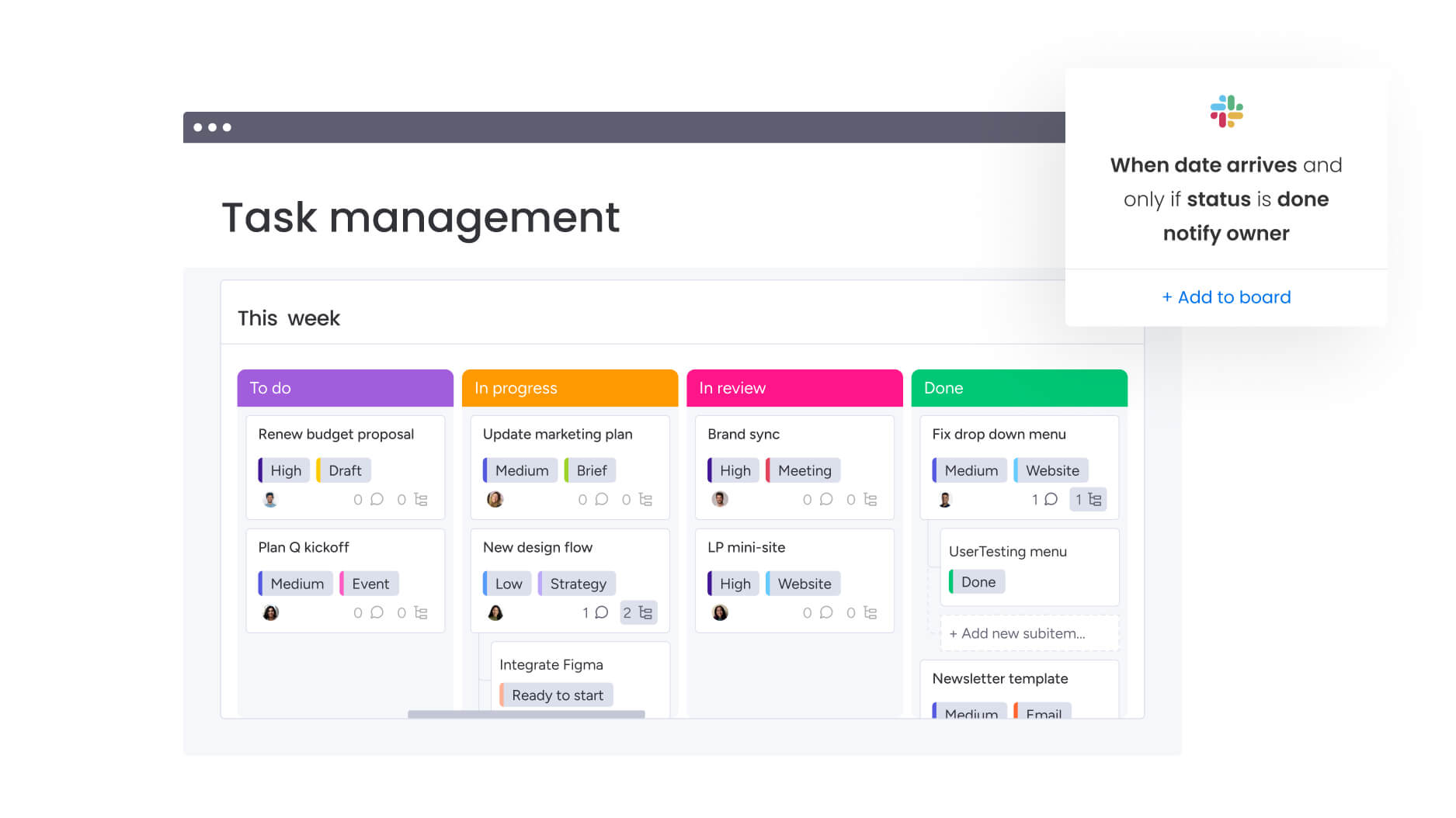
An interactive calendar is a dynamic collaboration platform where teams coordinate work in real time, moving beyond static scheduling to create a living workflow system. Unlike traditional calendars that simply display dates and appointments, interactive calendars update automatically, enable simultaneous editing by multiple stakeholders, and connect directly to your broader work management ecosystem.
These platforms bridge the gap between planning and execution. Every calendar entry becomes a collaborative workspace where context, files, and conversations live alongside scheduling information.
Moving from static to interactive calendars comes down to three game-changing capabilities that transform how teams tackle complex work across departments and time zones:
Real-time collaboration across departments
Multiple team members can simultaneously view, edit, and comment on calendar entries without creating version conflicts or duplicate work. For example, when a marketing manager adjusts a campaign launch date, the design team sees the change instantly in their workflow view. The content team then receives automatic notifications about the timeline shift: this eliminates the email chains and meeting cycles traditionally required to coordinate schedule changes across departments.
The collaborative layer extends beyond simple viewing permissions:
- Mention capabilities: Team members can tag colleagues directly within calendar entries.
- File attachment: Attach relevant documents to specific dates.
- Threaded conversations: Maintain discussions about scheduling decisions in context.
A product launch calendar becomes a central coordination point where engineering, marketing, and sales teams align their activities without switching between multiple platforms or losing critical context.
Dynamic updates that sync everywhere
Changes made in one view or system automatically propagate across all connected platforms and team workspaces. When a project manager extends a deadline in the main calendar, that adjustment flows to individual team calendars, executive dashboards, and any integrated external systems.
The synchronization preserves relationships between connected items:
- Dependency management: Moving a milestone date automatically adjusts dependent workflows.
- Resource allocation updates: Changes trigger updates to resource allocation schedules.
- Workflow automation: Calendar changes activate relevant workflow automations.
Calendar views become dynamic lenses into the broader work management system, where scheduling, project management, and team collaboration exist as interconnected layers.
Smart automation beyond basic reminders
Automation in interactive calendars goes far beyond basic notifications. Systems analyze team behavior, workload distribution, and historical data to suggest optimal scheduling decisions proactively.
When a team member’s calendar shows overload, the system flags the conflict, suggests redistribution, and proposes alternative timelines based on capacity and project priorities. The platform also learns from past trends, highlighting patterns that could cause scheduling issues before they occur.
For example, if marketing campaigns typically require two weeks of design work but are scheduled for ten days, the system warns stakeholders about potential delays.
Eight must-have features of interactive business calendars
The best interactive calendars stand out by solving real coordination headaches that teams struggle with every day.
The following capabilities represent the essential building blocks for any organization seeking to move beyond basic scheduling toward true workflow coordination. Each feature addresses specific pain points that traditional calendars simply cannot solve.
1. Drag-and-drop work scheduling
Teams can visually reorganize work by clicking and moving calendar entries to new dates or time slots. The system automatically updates all connected workflows, dependencies, and resource allocations.
When a product manager drags a feature release from March 15th to March 22nd, the system instantly recalculates the entire project timeline, adjusts dependent QA testing schedules, and notifies affected stakeholders.
2. Visual workload management
Color-coded capacity indicators show at a glance which team members are overallocated, which have available capacity, and where resource bottlenecks threaten project timelines.
Color-coded capacity indicators show at a glance which team members are overallocated, which have available capacity, and where resource bottlenecks threaten project timelines. For example, a creative director reviewing the team calendar immediately sees that two designers are scheduled for 60 hours of work next week, while another has only 20 hours allocated.
3. Custom fields for project data
Teams can attach relevant business information directly to calendar entries beyond standard date and time fields.
An operations team managing facility maintenance schedules can add equipment serial numbers, maintenance type categories, and vendor contact information directly to each scheduled service appointment.
4. Multi-level permission controls
Granular access settings allow organizations to show different calendar information to different stakeholders based on their role and need-to-know requirements.
Executive leadership sees high-level milestone dates and strategic initiatives across all departments, while individual contributors view detailed schedules for their specific projects.
5. Automated status updates
The system monitors calendar entries against actual completion data and automatically updates status indicators without requiring manual intervention.
When a developer marks a coding assignment as complete three days ahead of schedule, the calendar automatically shifts the status and adjusts dependent QA testing dates.
6. Cross-platform mobile access
Team members can view, edit, and collaborate on calendar workflows from any device with full functionality.
A field service technician can update appointment statuses, add notes about equipment conditions, and reschedule follow-up visits directly from their phone while on-site.
7. Integration APIs for your tech stack
Open API architecture allows the calendar system to connect with existing business applications and exchange data bi-directionally.
A professional services firm connects its interactive calendar to its CRM system, accounting software, and communication platform, so client meetings scheduled in the calendar automatically create time tracking entries.
8. AI-powered scheduling suggestions
Machine learning algorithms analyze historical project data, team availability patterns, and workload trends to recommend optimal scheduling decisions.
When planning a new marketing campaign, the system suggests launch dates that avoid periods when the creative team historically shows high utilization.
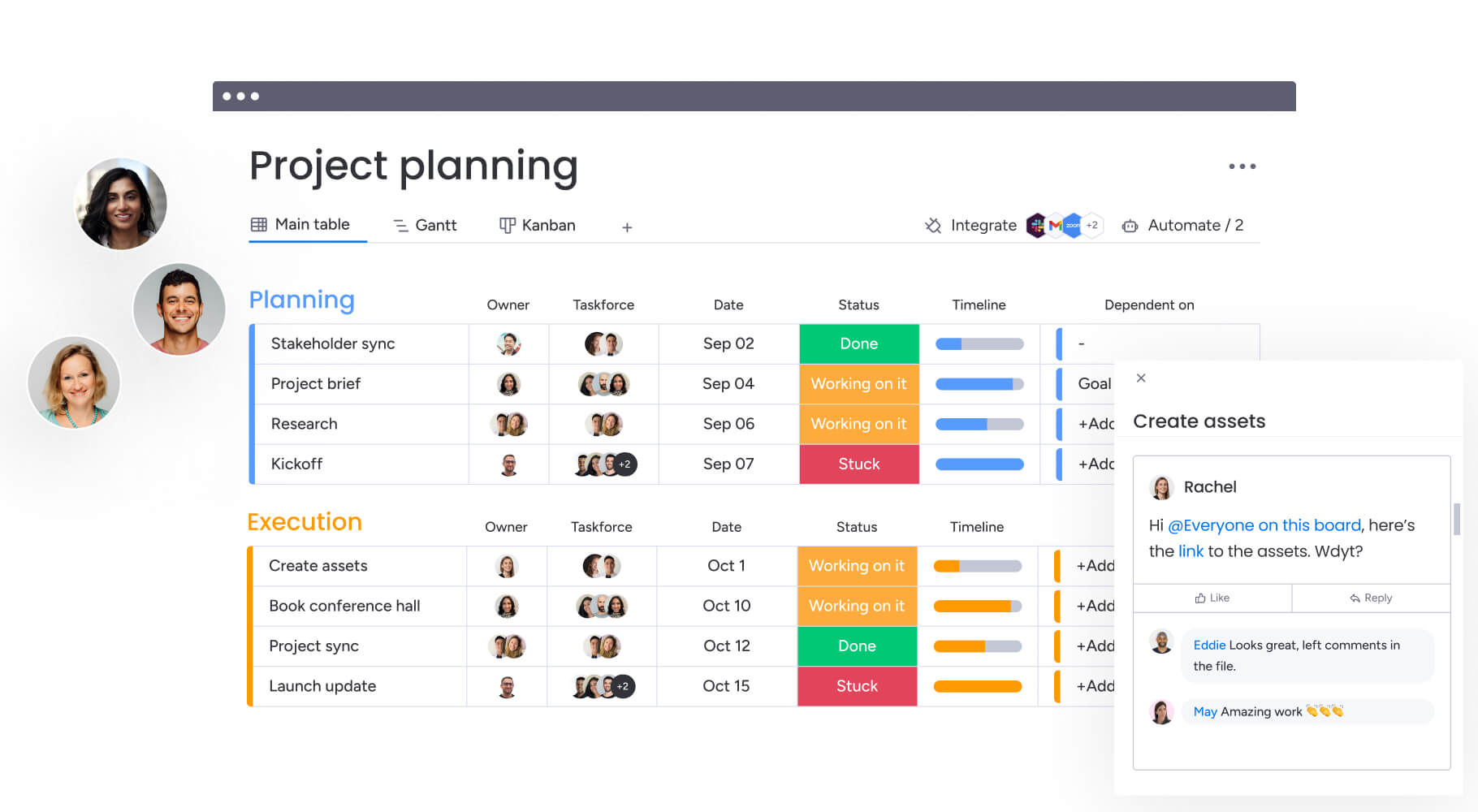
How to build your first interactive calendar online
Creating an effective interactive calendar workflow requires a little bit of careful planning and configuration that aligns technology capabilities with actual business processes.
This step-by-step approach ensures your calendar becomes a true workflow coordination system rather than just another scheduling display. Each phase builds on the previous one to create a comprehensive solution.
Step 1: Select the right calendar platform
Choose your platform carefully, it’ll make or break how well your calendar workflow scales and performs over time. The right platform balances immediate functionality needs with future growth requirements, integration capabilities with existing systems, and ease of use with advanced feature availability.
| Evaluation dimension | Collaboration-first platforms | Traditional calendar applications | Spreadsheet-based systems |
|---|---|---|---|
| Real-time collaboration | Native multi-user editing with conflict resolution | Limited to view-only sharing or sequential editing | Manual version control required |
| Integration ecosystem | Open APIs with pre-built connectors to major business applications | Primarily email and basic productivity apps | Manual data import/export only |
| Customization options | Flexible field types, views, and workflow configurations | Fixed calendar structure with minimal customization | Unlimited but requires manual formula building |
| Automation capabilities | Visual workflow builders with conditional logic | Basic reminders and recurring events | Formula-based automation requiring technical expertise |
Look for platforms that transform your calendar into a collaborative workspace rather than a static schedule.
Step 2: Map your workflow requirements
Before building, map out how work moves across your team, including both formal handoffs and informal check-ins. Identify all points where scheduling affects project delivery, resource allocation, or cross-department coordination.
For example, a marketing team planning a campaign calendar may need visibility into:
- Creative asset deadlines: When design work must complete.
- Content approval gates: Review and approval timelines.
- Media buying windows: Optimal timing for ad placements.
- Launch coordination: Cross-channel synchronization requirements.
The calendar needs to show when the campaign launches and when each prerequisite must complete to keep the launch date achievable.
Step 3: Configure automation rules
Automation transforms your calendar from a static display into a workflow management system. Start with simple rules that address repetitive patterns, status updates, and conflict resolution.
Examples of basic automation:
- Status progression: When a status changes to “completed,” automatically move dependent items from “waiting” to “active” status.
- Team notifications: Notify assigned team members when their work becomes available.
- Timeline adjustments: Automatically adjust dependent deadlines when prerequisites shift.
Step 4: Enable team collaboration features
Collaboration features transform the calendar from a coordination display into a communication hub. Configure commenting and mention capabilities so team members can discuss scheduling decisions directly within calendar entries.
Establish notification preferences that balance keeping team members informed with avoiding notification overload:
- Immediate alerts: For changes to directly assigned work.
- Daily summaries: For broader project timeline shifts.
- Weekly digests: For portfolio-level updates.
A developer might want immediate alerts when their assigned work changes dates but only daily summaries of broader project timeline shifts.
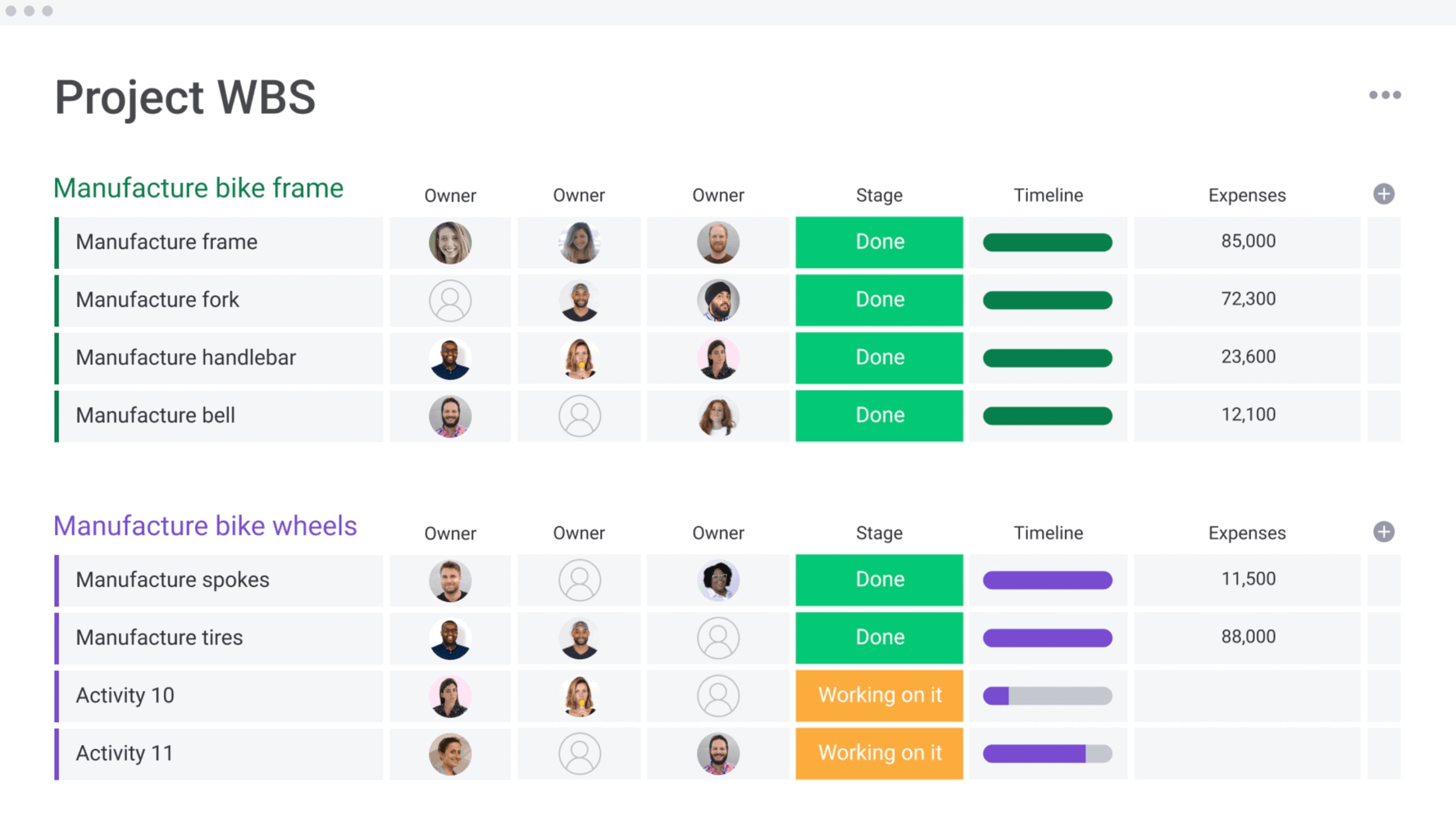
Five interactive calendar views that boost productivity
Different views provide different insights. Interactive calendar platforms offer multiple perspectives, helping teams see scheduling relationships clearly and make actionable decisions.
1. Timeline view for project planning
Timeline view displays work as horizontal bars spanning across dates, making project duration, sequence, and schedule density immediately visible. Project managers use this view to identify where multiple initiatives compete for the same resources during the same time period.
Organizations utilizing monday work management leverage Gantt chart capabilities to keep close tabs on project scope, schedule, milestones, dependencies, and most important metrics at any level. The timeline perspective excels at revealing the relationship between strategic planning and tactical execution.
2. Workload view for resource management
Workload view aggregates all scheduled work by team member or resource, displaying capacity utilization as visual indicators that immediately flag overallocation and underutilization.
A creative director reviewing the design team’s workload view sees that one designer has 45 hours scheduled next week while another has only 15 hours.
The Workload View on monday work management helps teams balance resources and quickly adapt to changing priorities. This view transforms resource management from reactive problem-solving to proactive capacity optimization.
3. Gantt charts for dependencies
Gantt charts show items as bars with connecting lines to indicate dependencies. Delays in prerequisites automatically reveal impacts on dependent tasks, enabling teams to identify critical paths and detect resource conflicts. This view supports strategic prioritization across connected workflows.
4. Multi-calendar overlays
Multi-calendar overlay view combines schedules from different teams, projects, or departments into a single unified display. A product launch coordinator overlays the engineering release calendar, marketing campaign calendar, and sales enablement calendar to identify where activities must synchronize.
5. Dashboard views for executives
Dashboard view aggregates calendar data into high-level metrics and status indicators. Instead of reviewing individual timelines, a CEO sees that 73% of Qone initiatives are on track, 18% are at risk due to resource constraints, and nine% have already missed key milestones.
Teams using monday work management create dashboards that automatically display live high-level project data for insights on budget, goals, schedules, resources, and more. Customize dashboards based on your needs with drag and drop widgets, and view data the way you need to make sharper, faster decisions.
Connect calendars to your existing workflow applications
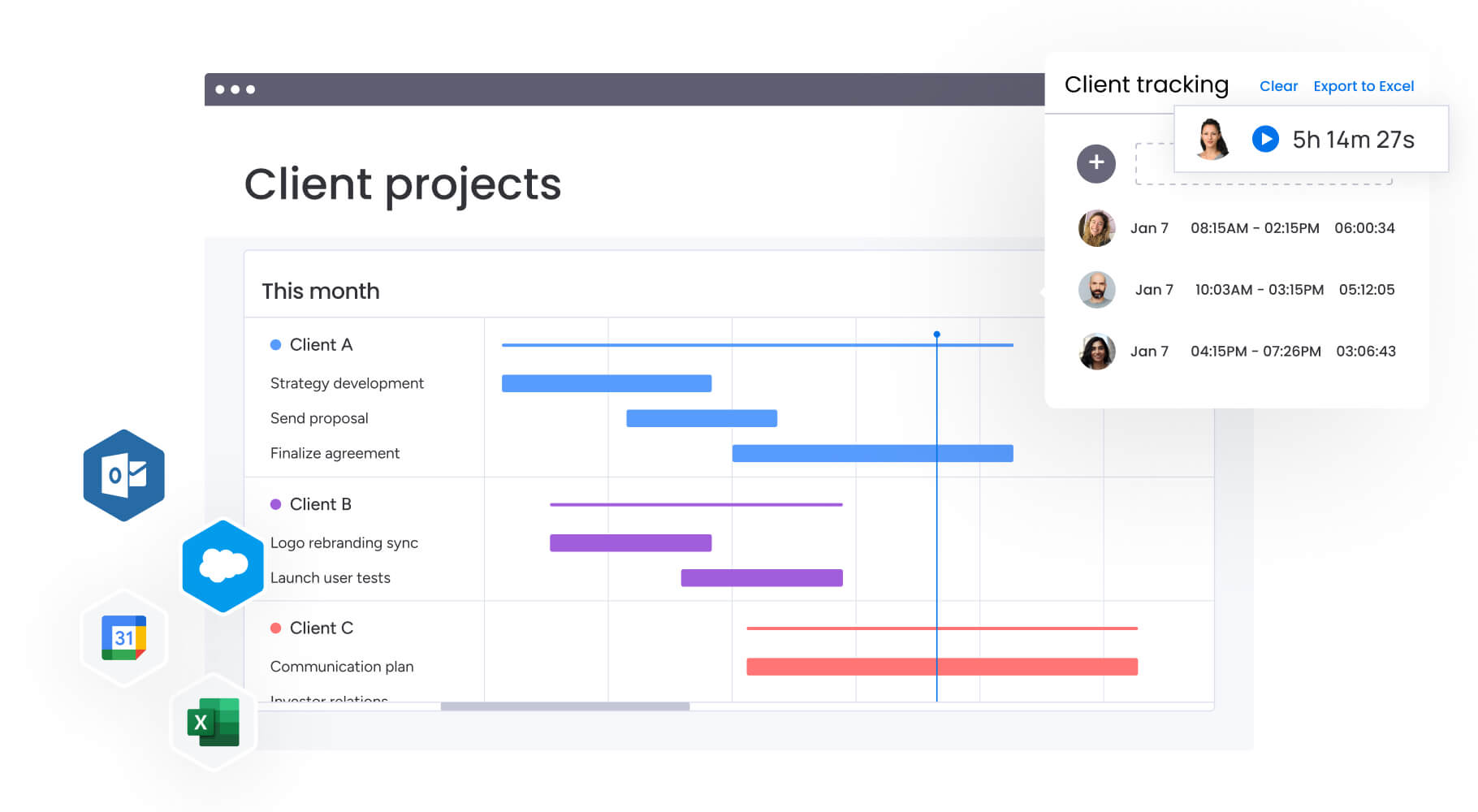 Your interactive calendar becomes truly powerful when it connects all the different tools where your team actually gets work done. Integration transforms calendars from isolated scheduling displays into unified workflow engines.
Great calendar integration does two things: it moves data smoothly between your tools and it lets each platform do what it does best. This approach eliminates manual data entry and ensures consistency across your entire tech stack.
Popular calendar integrations
The following integration categories represent the most valuable connections for organizations seeking to unify their calendar workflows with broader business operations:
- Communication platforms: Bi-directional sync with email and messaging systems ensures calendar entries automatically generate meeting invitations. Schedule changes trigger notification messages, and conversations about scheduling happen in context.
- Project management systems: Connecting calendars to workflow platforms creates a unified view where scheduling and execution exist as complementary perspectives on the same work.
- CRM platforms: Sales and customer success teams benefit from calendar integration that connects customer-facing commitments to internal delivery schedules.
- Document management systems: File storage integration allows teams to attach relevant documents directly to calendar entries, creating a single source of truth.
Companies leveraging monday work management connect all the applications they already use, like Microsoft Teams, Gmail, Slack, Jira, and Salesforce, to run powerful projects without ever switching tabs.
Set up bi-directional syncing
Bi-directional synchronization ensures changes made in any connected system automatically propagate to all other integrated platforms. When a developer updates a completion date in the project management system, that change flows back to the calendar view, updates any dependent schedules, and triggers notifications in the communication platform.
Automate data flow between systems
Rather than team members manually updating multiple systems, automation rules define how data moves between platforms based on specific triggers and conditions.
AI calendar intelligence for smarter team scheduling
AI turns your calendar from a passive record-keeper into a smart assistant that actually helps you make better scheduling decisions. AI helps teams make coordination decisions with greater confidence and fewer conflicts.
Modern AI calendar features go beyond simple pattern recognition to provide predictive insights that prevent scheduling problems before they occur. These capabilities learn from organizational behavior to suggest optimizations that human schedulers might miss.
Predictive conflict resolution
AI-powered conflict detection identifies scheduling problems before they impact project delivery. The system analyzes resource allocation patterns, dependencies, and historical completion data to recognize potential issues.
The system recognizes that scheduling three major initiatives to launch in the same week has historically caused quality issues and deadline slips. It proactively alerts leadership when similar patterns emerge.
Teams using monday work management benefit from Portfolio Risk Insights that scan all project boards, quickly flagging potential risks by severity. Spot critical issues at a glance, without manually combing through data.
Optimal meeting time discovery
AI scheduling assistants analyze availability patterns, meeting preferences, and productivity data to suggest meeting times that minimize disruption. Rather than simply finding when all attendees have calendar availability, the system considers whether the proposed time interrupts a developer’s typical morning coding session or requires international participants to join outside normal business hours.
Automated resource balancing
AI-driven resource balancing continuously monitors workload distribution across teams and proactively suggests reallocation options. The system recognizes that one designer is consistently scheduled at 110% capacity while another averages 70% utilization, then suggests specific reassignments that balance the load.
monday work management’s AI capabilities let AI assign the right people to the right projects, taking into account effort, level, availability, and skills.
Industry-specific interactive calendar templates
 Different industries face unique scheduling challenges shaped by regulatory requirements, operational constraints, and workflow patterns. Purpose-built calendar templates address these industry-specific needs with pre-configured fields, views, and automation rules.
Marketing campaign coordination
Marketing teams coordinate complex multi-channel campaigns where creative development, content production, media buying, and launch activities must synchronize precisely.
A campaign calendar template includes fields for:
- Campaign objectives: Strategic goals and success metrics.
- Target audiences: Demographic and behavioral targeting parameters.
- Budget allocation: Spend distribution across channels and activities.
- Channel mix: Platform-specific timing and content requirements.
- Performance metrics: KPIs and measurement frameworks.
HR training and onboarding schedules
Human resources teams manage complex scheduling for employee onboarding, training programs, performance review cycles, and compliance certifications.
An HR calendar template tracks:
- New hire start dates: Onboarding timeline coordination.
- Training session schedules: Skills development programming.
- Manager check-ins: Performance and development conversations.
- Certification renewal deadlines: Compliance requirement tracking.
Operations resource planning
Operations teams coordinate physical resources, equipment, facilities, and personnel across multiple locations and shifts.
An operations calendar template tracks:
- Equipment maintenance windows: Preventive maintenance scheduling.
- Facility reservations: Space allocation and utilization.
- Shift schedules: Personnel coverage and rotation planning.
- Supply deliveries: Inventory management and logistics coordination.
Financial reporting timelines
Finance teams coordinate complex reporting cycles where multiple departments must provide data inputs on strict deadlines.
A financial reporting calendar template tracks:
- Close calendars: Month-end and quarter-end processes.
- Reporting deadlines: Internal and external submission requirements.
- Audit schedules: Compliance and verification activities.
- Board meeting dates: Executive reporting and presentation timelines.
Teams using monday work management build, scale, and streamline business projects and processes, from operational planning to supply chain management, with timelines, team workload visibility, bottleneck identification, and more.
Scale your calendar workflow with monday work management
Modern teams face increasingly complex workflows, from overlapping deadlines and resource bottlenecks to coordinating across departments and time zones. Static calendars often fall short, leaving teams scrambling to track changes, communicate updates, and maintain alignment with broader business goals.
monday work management transforms these challenges into actionable efficiency:
- Real-time collaboration: Teams can edit, comment, and share calendar entries simultaneously, eliminating version conflicts and unnecessary email chains.
- AI-driven insights & automation: Predictive scheduling, workload balancing, and automated status updates help prevent conflicts and optimize resources.
- Flexible, multi-view planning: Timeline, Gantt, workload, and dashboard views provide the perspectives needed to make strategic decisions.
- Seamless integrations: Connect calendars to project management, CRM, communication, and document systems for unified workflow visibility.
- Enterprise-grade security & permissions: Protect sensitive data while enabling collaboration across internal teams and external stakeholders.
By moving from static schedules to interactive, AI-enhanced calendars, teams gain clarity, alignment, and measurable productivity, transforming daily operations into a strategic advantage without adding complexity.
Frequently asked questions
What's the difference between interactive and static calendars?
Interactive calendars enable real-time collaboration where multiple users can simultaneously edit entries, with changes automatically syncing across all views and connected systems. Static calendars function as read-only displays where updates require manual data entry.
Can multiple people edit the same calendar simultaneously?
Yes, interactive calendar platforms support concurrent editing where multiple team members can modify different calendar entries at the same time without creating version conflicts. The system automatically merges changes.
How do interactive calendars handle time zone differences?
Interactive calendars automatically display dates and times in each user's local time zone while storing the underlying data in a universal time standard. This ensures globally distributed teams see meeting times and deadlines in their own time zone.
Which calendar applications integrate with project management software?
Most interactive calendar platforms provide APIs and pre-built connectors that enable bi-directional data sync with major project management systems. This allows workflows and timelines to flow seamlessly between calendar views and project execution platforms.
Are interactive calendars accessible for users with disabilities?
Leading interactive calendar platforms comply with WCAG accessibility standards, providing keyboard navigation, screen reader compatibility, high-contrast visual modes, and other accessibility features. These ensure users with disabilities can fully participate.
How do I migrate from traditional calendars to interactive ones?
Calendar migration typically involves exporting existing calendar data in standard formats like iCal or CSV, importing that data into the new interactive platform, configuring custom fields and automation rules to match current workflows, and running parallel systems briefly to verify data accuracy.

 Get started