

Work no longer happens in one place, yet decisions still need to happen together. Hybrid meetings sit at the center of this shift, bringing in-room and remote participants into the same conversation. When the experience feels uneven, collaboration slows, ideas get missed, and meetings become something teams simply endure rather than rely on.
Yet when hybrid meetings are designed with intention, they unlock broader expertise, stronger participation, and faster alignment across locations. The challenge is not the format itself, but how well structure, technology, and facilitation support equal contribution.
This article takes a practical look at how hybrid meetings can work better in 2026. From preparation techniques to facilitation habits and supporting tools, the following guidance focuses on creating balanced discussions that lead to clear decisions and consistent follow-through.
Key takeaways
- Design for equal participation: Structure meetings so remote attendees are actively included, for example by speaking first and using shared digital tools that give everyone the same ability to contribute.
- Invest in the right technology setup: High quality cameras, microphones, and displays are essential to ensure remote participants can see, hear, and engage as clearly as those in the room.
- Prepare with clear goals and inclusive structure: Define outcomes, assign roles, and plan interaction methods in advance to avoid confusion and keep both in person and remote participants aligned.
- Facilitate actively to balance engagement: Use deliberate techniques such as direct questions, chat monitoring, and structured turn taking to prevent remote participants from becoming passive observers.
- Turn discussions into trackable work: Integrating meetings with tools like monday work management helps convert decisions into assigned tasks with deadlines, ensuring accountability and follow through.

What are hybrid meetings?
A hybrid meeting brings together people in one physical room and others joining remotely through video. You are essentially running one meeting across two environments at the same time, which requires more coordination than it might seem at first.
Unlike fully virtual setups where everyone shows up equally on screen, hybrid meetings naturally create an imbalance. People in the room share side conversations, body language, and access to physical materials. Meanwhile, remote participants rely entirely on what they can see and hear through their devices.
Managing both experiences at once takes specific strategies, the right technology, and facilitation that gives everyone equal say. Distributed teams need hybrid meetings to collaborate across locations while keeping face-to-face connections alive when it matters.
This shift reflects broader workforce preferences, with 54% of workers preferring remote or flexible arrangements according to McKinsey’s 2026 American Opportunity Survey.
Hybrid meetings vs virtual meetings
Understanding how hybrid meetings differ from virtual ones helps you choose the right format for your goal. While both rely on digital tools, the experience they create is very different.
Here is a quick breakdown to make that clearer:
| Aspect | Virtual meetings | Hybrid meetings |
|---|---|---|
| Participant experience | Uniform for all attendees | Varies by location |
| Audio setup | Individual microphones | Mixed room and individual audio |
| Facilitation needs | Standard digital moderation | Dual environment management |
| Technology requirements | Personal devices only | Room equipment plus personal devices |
| Engagement dynamics | Equal digital presence | Physical proximity advantages |
Virtual meetings keep things simple since everyone joins on equal footing. That makes participation easier to manage and more balanced across the board.
Hybrid meetings, on the other hand, introduce more moving parts. You are balancing two different experiences at once, which directly affects how people communicate, collaborate, and stay engaged.
When to choose hybrid meeting formats
Hybrid meetings work best when you need flexibility without losing real time interaction. Instead of forcing everyone into one format, you can adapt based on who needs to be involved and how they contribute.
This approach becomes especially useful in situations where not everyone can be in the same place, yet their input still matters. For example, you might use hybrid meetings in these cases:
- Cross functional planning sessions: Bring core teams together in person while including remote specialists who add critical input.
- Client presentations: Present from a shared space while clients join from their own offices.
- Training workshops: Deliver sessions to a live audience while broadcasting to participants in other regions.
- Leadership updates: Address teams in the office while keeping distributed employees part of the conversation.
- Project reviews: Collaborate with partners or vendors who cannot attend on site.
In these scenarios, hybrid meetings help you stay consistent with collaboration while removing location as a barrier. That flexibility makes it easier to keep projects moving without delays.
Try monday work managementKey benefits of hybrid meetings
Teams use hybrid meetings to stay flexible without losing connection. Done right, hybrid meetings give you benefits you can’t get from all-remote or all-in-person formats.
In fact, research indicates that hybrid workers report 28% burnout rates compared to 35% for mostly in-person and 36% for mostly remote workers, suggesting well-run hybrid practices support sustainability. The benefits hit three areas: efficiency, cost, and inclusion.
Greater flexibility for distributed teams
Hybrid meetings remove the need to choose between fully remote or fully in person setups. You can include the right people without worrying about where they are located.
- Geographic reach: Include experts from anywhere without travel delays or added costs.
- Schedule optimization: Adjust meeting times to fit different time zones and work styles.
- Continuity during disruptions: Keep meetings running even when travel or access becomes difficult.
As a result, your team can stay aligned without unnecessary friction.
Reduced costs and environmental impact
Cutting down on travel does more than save time, it also reduces expenses and supports sustainability goals. Over time, these savings can become significant.
- Travel expenses: Reduce spending on flights, hotels, and meals for routine meetings.
- Facility usage: Use smaller spaces instead of large meeting rooms for every session.
- Time savings: Turn hours spent commuting into productive work time.
- Carbon footprint: Lower travel leads directly to reduced emissions.
Because of this, hybrid meetings often make sense for both operational efficiency and long term planning.
Enhanced inclusion and accessibility
Hybrid formats make it easier for more people to participate meaningfully. Instead of limiting access to those who can be physically present, you open the door to a wider range of contributors.
- Physical accessibility: Allow participation without requiring travel or navigating office spaces.
- Caregiving flexibility: Support team members balancing work with personal responsibilities.
- Regional equity: Give equal visibility to employees across different locations.
That said, inclusion does not happen automatically. You need to actively involve remote participants so they can contribute, not just observe.
Research indicates that hybrid workers report 28% burnout rates compared to 35% for mostly in-person and 36% for mostly remote workers, suggesting well-run hybrid practices support sustainability.

Essential hybrid meeting technology
Your setup can either bring people together or quietly push remote participants to the sidelines. When everything works as it should, distance fades into the background. When it doesn’t, the gap becomes obvious and distracting. That’s why getting both in-room and remote setups right is not optional, it is the baseline for productive hybrid meetings.
Meeting room setup requirements
A well-equipped room does more than display faces on a screen. It creates a shared space where remote participants feel just as present as those sitting at the table. To make that happen, each element in the room needs to support visibility, clarity, and interaction.
Here is what your meeting room should include:
- Camera systems: Wide-angle or intelligent cameras that capture every participant clearly, so remote attendees can follow conversations without missing visual cues.
- Audio arrays: Microphones designed to pick up voices across the room evenly, reducing echo and ensuring no one sounds distant or muffled.
- Display screens: Large, well-placed monitors that allow in-room participants to maintain natural eye contact with remote colleagues during discussions.
- Lighting setup: Even lighting that eliminates shadows and backlighting, making everyone visible on camera without harsh contrasts.
At the same time, keeping this setup reliable requires ongoing attention. Teams often rely on a centralized platform like monday work management to track room readiness, schedule maintenance, and manage bookings across locations. This helps ensure every meeting space is ready when needed.
Remote participant technology checklist
Even with a perfect room setup, the experience falls apart if remote participants are not prepared. Their individual setup plays a big role in how well they can engage, contribute, and stay connected throughout the meeting.
To maintain consistent quality, every remote participant should check:
- Stable internet connection: A strong Wi Fi or wired connection that supports uninterrupted video and audio.
- Quality camera: A webcam positioned at eye level, helping create a more natural and direct interaction.
- Clear audio: A headset or directional microphone that filters out background noise and keeps speech sharp.
- Proper lighting: A light source placed in front of the user, ensuring their face is clearly visible instead of shadowed.
- Backup options: An alternative connection or device ready to use if something goes wrong mid meeting.
When these standards are clearly set across your organization, meetings become more predictable. As a result, everyone shows up ready to contribute, regardless of where they are joining from.
Choosing the right platform
The platform you choose quietly shapes how your meetings run. A strong platform keeps things smooth and connected, while a weak one introduces friction at every step, from joining to follow up.
To support hybrid collaboration, your platform should offer:
- Screen sharing flexibility: Multiple presenters can share content without interrupting the flow of discussion.
- Breakout room functionality: Smaller group sessions that mix remote and in-person participants for focused collaboration.
- Recording and transcription: Automatic capture of meetings, making it easier for absent team members to stay informed.
- Calendar integration: Seamless scheduling across time zones with meeting links generated automatically.
- Mobile support: Full access to features for participants joining from phones or tablets.
In addition, connecting your platform with a work management solution strengthens what happens after the meeting. For example, teams using monday work management can link discussions directly to project boards, turning decisions into tracked action items without extra effort.
Try monday work managementTeams often rely on a centralized platform like monday work management to track room readiness, schedule maintenance, and manage bookings across locations. This helps ensure every meeting space is ready when needed.
3 steps to prepare for successful hybrid meetings
Preparation is what separates smooth meetings from chaotic ones. Because hybrid meetings involve two environments, they demand more structure upfront. When done right, this preparation leads to clearer outcomes and better participation.
Step 1: define objectives and outcomes
Every meeting should start with a clear purpose. Without it, conversations drift and participants disengage, especially those joining remotely. Defining what success looks like gives everyone a shared direction.
Before you schedule, clarify:
- Specific goals: What decisions, plans, or insights should come out of this meeting?
- Participant roles: Who is contributing input, who is making decisions, and who is there to stay informed?
- Success metrics: How will you measure whether the meeting achieved its purpose?
Once defined, document everything in a shared agenda. Using a platform like monday work management helps standardize this process with reusable templates, so every meeting starts on solid ground.
Step 2: design for inclusive participation
Hybrid meetings can easily favor those in the room if the structure is not intentional. To avoid this, you need to design interactions that give everyone equal space to contribute.
To create balance, consider:
- Speaking order rotation: Invite remote participants to speak first, ensuring their input is not overlooked.
- Digital-first activities: Use shared documents or virtual whiteboards so everyone interacts in the same space.
- Varied engagement methods: Combine discussions, polls, chat, and presentations to match different communication styles.
- Built-in buffer time: Allow pauses for delays and responses, giving remote participants time to jump in.
These small adjustments signal that every voice matters. As a result, participation becomes more natural and inclusive.
Step 3: test technology systems in advance
Technical issues can derail a meeting before it even begins. A quick, structured check helps you avoid interruptions and keeps the focus on the discussion instead of troubleshooting.
Before starting, confirm:
- Platform access: The meeting link works and all participants can join without permission issues.
- Audio balance: Sound levels are clear and consistent between the room and remote attendees.
- Visual clarity: Cameras capture all participants and any physical materials clearly.
- Content sharing: Screen sharing works from both in-room systems and individual devices.
- Recording setup: Recording is enabled and storage is available if needed.
Teams often turn these checks into repeatable workflows using monday work management, ensuring nothing gets missed before a meeting begins.
Try monday work management
Running effective hybrid meetings
How you run a hybrid meeting determines whether all that preparation actually pays off. The facilitator plays a key role in keeping both in room and remote participants connected throughout. When done right, the meeting feels unified rather than split across two environments. To get there, focus on strong openings, balanced participation, and clear problem solving.
Start with connection and confirmation
The opening moments shape how included people feel for the rest of the session. This is your chance to bring both groups together and confirm everything is working as expected. When you invest a few minutes here, engagement tends to stay higher throughout.
Effective openings should include a few intentional actions:
- Visual acknowledgment: Ask everyone to wave or use reactions so you can confirm presence across both environments.
- Technical check: Clearly confirm that remote participants can see and hear without issues before moving forward.
- Personal connection: Run a quick check in so people feel seen, even if they are not in the same room.
This small effort upfront builds comfort and sets a more natural rhythm for the rest of the meeting.
Maintain balanced participation
Once the meeting is underway, participation will not balance itself. You need to actively guide attention so remote voices are not overlooked. Over time, these habits help build a culture where location does not affect influence.
Here are a few ways to keep participation balanced:
- Direct engagement: Call on remote participants by name and ask specific questions to bring them into the discussion.
- Remote first responses: Pause and check for remote input before shifting into in room conversations.
- Digital tools: Use polls or shared documents so everyone contributes in the same way, regardless of location.
- Visual reminders: Place something visible in the room that prompts you to include remote attendees regularly.
Do this consistently and participation starts to feel more natural across both groups.
Handle technical challenges gracefully
Even with preparation, technical issues will come up. What matters is how quickly and calmly you respond. A steady approach keeps the meeting on track and reassures participants that things are under control.
Here is how to manage common challenges effectively:
- Audio feedback: Mute all microphones first, then identify the source step by step.
- Connection drops: Assign a backup host ahead of time so the meeting continues without interruption.
- Screen sharing failures: Share links in advance so participants can follow along independently if needed.
- Recording problems: Have a dedicated note taker ready to capture key points as a fallback.
When you plan for these moments, they stay minor instead of turning into distractions.

“monday.com has been a life-changer. It gives us transparency, accountability, and a centralized place to manage projects across the globe".
Kendra Seier | Project Manager
“monday.com is the link that holds our business together — connecting our support office and stores with the visibility to move fast, stay consistent, and understand the impact on revenue.”
Duncan McHugh | Chief Operations OfficerBest practices for hybrid meeting success
To make hybrid meetings work at scale, you need shared standards that everyone understands. Without clear expectations, experiences vary too much from one meeting to another. This section focuses on setting structure so every session feels consistent and productive.
1. Establish clear ground rules that everyone follows
Without shared expectations, hybrid meetings quickly become confusing. Clear protocols remove guesswork and help everyone participate in a consistent way. That is why documenting and sharing these rules is essential.
Key ground rules should include:
- Muting standards: Define when participants should mute or unmute to keep audio clear.
- Video expectations: Set guidelines for when cameras should be on and when they are optional.
- Chat engagement: Explain how to use chat for questions without interrupting the flow.
- Speaking protocols: Clarify how participants signal they want to speak across both environments.
You can track and refine these rules using monday work management, turning them into a shared resource that evolves over time.
2. Assign a remote participant advocate for every meeting
Remote participants often need extra support to stay engaged. By assigning someone to focus on their experience, you make sure they are not overlooked. This role works best when it is separate from the main facilitator.
The advocate takes care of:
- Chat monitoring: Bringing forward questions and comments from remote attendees.
- Technical support: Helping individuals resolve issues without disrupting the meeting.
- Engagement tracking: Making sure remote participants get equal opportunities to speak.
- Experience feedback: Collecting insights on what is working and what needs improvement.
Rotating this role helps the entire team understand the remote experience better.
3. Use interactive collaboration methods to keep energy high
Static presentations rarely hold attention in hybrid settings. Instead, interactive elements keep participants engaged and encourage real contribution. This approach works well across both in person and remote environments.
Effective methods include:
- Digital whiteboards: Shared spaces where everyone can add ideas at the same time.
- Live polling: Quick voting that shows group opinions instantly.
- Collaborative documents: Real time editing that captures input from all participants.
- Mixed breakout groups: Small groups that combine remote and in person attendees.
monday work management connects with collaboration platforms, so you can capture ideas and turn them into structured work immediately.
4. Optimize scheduling across time zones fairly
Global teams often struggle with scheduling. If the same group always gets the inconvenient time, engagement drops over time. A balanced approach ensures fairness and better participation.
You can manage this by:
- Rotation schedules: Alternating meeting times across regions to share the burden.
- Asynchronous options: Recording sessions for those who cannot attend live.
- Regional hubs: Hosting separate sessions for different geographic clusters when needed.
- Clear documentation: Keeping detailed records so everyone stays informed.
This approach ensures that no team feels consistently excluded.
5. Enable asynchronous participation to increase flexibility
Not everyone needs to attend every meeting live. Offering asynchronous options reduces scheduling conflicts while still allowing people to contribute meaningfully. In many cases, it even improves the quality of input.
Effective strategies include:
- Pre meeting input: Gathering questions and ideas before the session begins.
- Recorded sessions: Providing high quality recordings with clear timestamps.
- Post meeting feedback: Allowing participants to share thoughts after reviewing content.
- Decision documentation: Keeping clear records of outcomes that everyone can access.
This way, participation becomes more flexible without losing accountability.
Try monday work management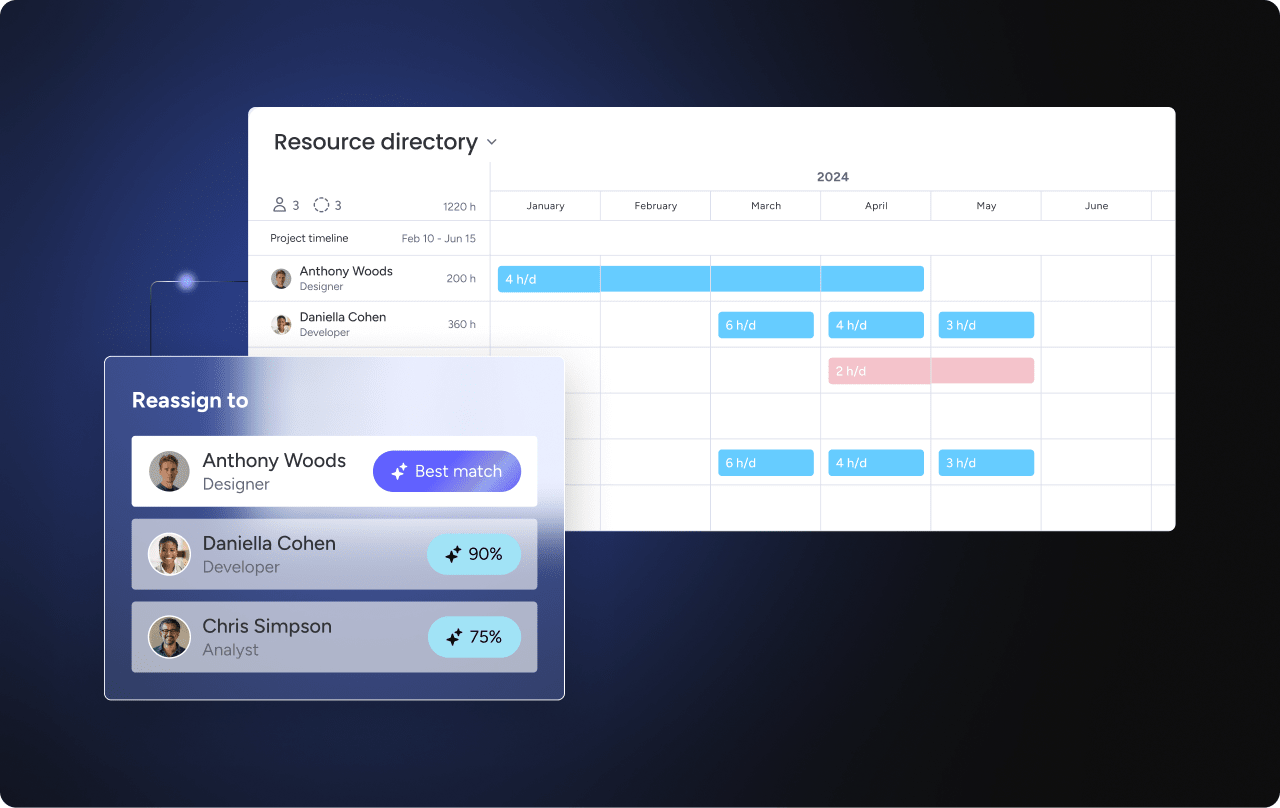
How AI enhances hybrid meeting productivity
AI helps reduce the manual effort involved in meetings while improving clarity and follow through. Instead of spending time on admin work, you can focus on discussion and decision making. At the same time, AI gives you insights that help improve future meetings.
Automated transcription and insights
AI captures conversations and turns them into structured, searchable information. This benefits both attendees and those who could not join. It also helps teams stay aligned after the meeting ends.
Key capabilities include:
- Accurate transcripts: Searchable records organized by speaker or topic.
- Action item extraction: Automatic identification of tasks and responsibilities.
- Summary generation: Clear overviews that highlight key points and decisions.
- Sentiment analysis: Insights into engagement and overall meeting tone.
With monday work management, AI Blocks can extract action items and assign them based on urgency and ownership.
Real time language support
Language differences can limit participation in global teams. AI removes these barriers by making communication more accessible in real time. As a result, more people can contribute confidently.
These features include:
- Live captions: Subtitles that support accessibility and clarity.
- Instant translation: Real time translation across multiple languages.
- Multilingual transcripts: Records available in different languages.
- Cultural context: Explanations that help clarify idioms or references.
This ensures language does not stand in the way of collaboration.
Meeting analytics and ongoing optimization
AI also helps you understand how your meetings perform over time. By tracking patterns, you can make better decisions about structure, timing, and engagement. This leads to more effective meetings overall.
Insights typically include:
- Participation balance: Who contributes most and who needs more encouragement.
- Meeting efficiency: How time is spent between discussion and decisions.
- Optimal timing: When participants are most engaged.
- Technology performance: Which setups deliver the best experience.
These insights help you refine your approach continuously.

Transform hybrid meetings into productive work with monday work management
Hybrid meetings introduce a consistent set of challenges, uneven participation, unclear ownership, and poor follow through across distributed teams. Without a structured way to capture decisions and connect them to execution, even well run meetings can fail to drive meaningful progress.
monday work management helps close this gap by linking meeting outcomes directly to day to day work and broader business priorities.
- Lack of ownership clarity: Assigning action items with defined owners and deadlines ensures accountability is clear, especially when multiple teams and locations are involved.
- Limited visibility across teams: Centralized boards and dashboards provide a shared view of decisions, progress, and dependencies, helping teams stay aligned without relying on fragmented updates.
- Disconnected meeting outcomes: Converting discussions into structured workflows keeps tasks tied to projects and goals, reducing the risk of lost information or missed follow ups.
- Inefficient prioritization: Real time status tracking and workload visibility help teams focus on the most important actions instead of reacting to scattered requests.
- Inconsistent follow through: Automation, reminders, and standardized processes support consistent execution, even as teams scale or operate across time zones.
By connecting conversations to execution in a clear and structured way, teams can move faster without losing alignment. This leads to better coordination, stronger accountability, and measurable progress, all while keeping workflows simple and easy to manage.
Try monday work managementFrequently asked questions
What is the optimal number of participants for a hybrid meeting?
For interactive hybrid meetings, keeping the group between six and eight people works best. This size gives everyone enough space to share input without slowing down the conversation. However, once the group grows larger, you will need a more structured format to keep things on track.
How long should hybrid meetings typically run?
Most hybrid meetings work best when they stay within thirty to forty five minutes. This shorter time frame helps maintain energy, especially for remote participants who may lose focus more quickly. As a result, discussions tend to be sharper and more outcome driven.
Can hybrid meetings work for large conferences?
Yes, but they require a different level of planning. Larger events need strong technical support and a clear setup for both in person and virtual audiences. In addition, each audience should have its own engagement approach to keep the experience balanced.
How do you handle hybrid meeting recordings?
Store recordings in a central, searchable space where your team can easily access them later. This makes it simple to revisit decisions or catch up on missed discussions. At the same time, setting the right access controls helps protect sensitive information.
What are best practices for time zones in hybrid meetings?
Managing time zones takes planning, especially across global teams. Rotating meeting times helps distribute inconvenience more fairly, so no group is always adjusting. Plus, sharing recordings and transcripts ensures everyone can stay informed, even if they cannot attend live.
What's the difference between hybrid and HyFlex meetings?
Hybrid meetings have fixed roles, where some people join in person and others join remotely. On the other hand, HyFlex meetings give participants the choice to decide how they attend each session. Because of this flexibility, the setup needs to support both experiences equally well.

 Get started