

Your newest hire just started, but three different departments are still scrambling to figure out who owns which task. While IT hasn’t touched the laptop setup and HR forgot the welcome packet, the new employee sits in the lobby wondering if they made a mistake.
This chaotic scenario is common because onboarding often relies on scattered spreadsheets and good intentions rather than a coordinated system. Without a structured framework, your organization risks losing top talent before they even finish their first week.
Transforming this experience requires a professional onboarding template that creates a clear, high-quality journey. Below, you will find strategies to build 30-60-90 day plans that drive productivity and tips on using smart automation to maintain the human touch that makes a new hire’s first impression a lasting one.
Key takeaways
- Build structured 30-60-90 day frameworks that eliminate guesswork: Create clear milestones for foundation building, role mastery, and performance integration so new hires know exactly what success looks like at each stage.
- Replace static checklists with dynamic templates that coordinate across departments: Use comprehensive frameworks that assign responsibilities, track progress, and ensure HR, IT, and managers work together cohesively.
- Automate routine coordination with visual workflows: Transform onboarding from manual spreadsheets into intelligent systems that trigger assignments, send notifications, and provide real-time visibility across your entire process.
- Customize templates for different roles while maintaining organizational consistency: Balance standardized culture elements with role-specific training paths so every employee gets relevant experiences without losing your company’s core onboarding standards.
- Track completion metrics and bottlenecks to continuously improve your process: Use real-time analytics to identify where new hires get stuck, which activities take longest, and how onboarding success correlates with retention rates.
What is an employee onboarding template?

An employee onboarding template is a structured framework that standardizes how new hires integrate into your organization. From offer acceptance through their first 90 days, it serves as the operating system for your onboarding process.
Unlike a simple checklist, a comprehensive template is a living blueprint. It coordinates cross-functional workflows, assigns responsibilities, and tracks milestones to ensure every new hire receives a consistent experience that reflects your culture and standards.
This central digital workspace manages every touchpoint, from automated welcome emails and IT setup to performance reviews. By centralizing these requirements, you stop relying on individual manager bandwidth or institutional memory that walks out the door when key people leave.
Why templates create consistent new hire experiences
Templates eliminate the variability that creeps in when onboarding relies on human memory or scattered spreadsheets. This standardized approach is particularly critical given that 18% of new hires leave during their probationary period, making consistent early experiences essential for retention.
Without structure, one department might deliver exceptional onboarding while another leaves new hires feeling lost and disconnected.
Therefore, a standardized approach delivers key benefits that directly impact retention and productivity. By creating a consistent foundation, you ensure every new hire feels supported and prepared, which is critical for long-term success.
- Standardization: Every new hire gets the same high-quality baseline experience. Core culture elements, compliance requirements, and logistical needs stay constant, regardless of their department or hiring manager’s workload.
- Accountability: Templates assign clear ownership for every activity. Specific people in HR, IT, and management get notifications and deadlines that make responsibilities transparent and trackable.
- Scalability: As organizations grow, manual coordination becomes unsustainable. Templates let you onboard 50 employees as effectively as five without proportionally increasing administrative effort.
Employee onboarding templates vs. simple checklists
Checklists give you linear lists of items to complete, while templates offer multi-dimensional frameworks that can handle complex, cross-functional workflows. Choosing between them depends on whether you need a simple reminder or a scalable system for long-term growth.
| Feature | Simple checklists | Comprehensive templates |
|---|---|---|
| Structure | Static, linear lists | Dynamic, role-specific workflows |
| Flexibility | One-size-fits-all approach | Customizable for different positions and seniority |
| Collaboration | Limited stakeholder coordination | Cross-departmental collaboration built-in |
| Tracking | Manual progress marking | Automated status updates and notifications |
| Insight | Basic completion tracking | Performance metrics and feedback loops |
Organizations with 100+ employees typically need the sophistication of templates rather than basic checklists. Coordinating across departments, managing multiple new hires at once, and maintaining compliance standards demand more than a simple list of items.
7 essential components every onboarding template must include
Effective onboarding templates need specific building blocks that address the full spectrum of a new hire’s journey. These seven elements work together to create comprehensive experiences that support employees from day zero through full integration into your organization.
1. Preboarding workflow elements
Preboarding covers the critical window between offer acceptance and the first day. This phase sets the tone for the employment relationship and reduces first-day anxiety by handling logistics ahead of time.
Key preboarding components include:
- Welcome communications: Automated (but personalized) messages from managers and future teammates that build excitement and connection before the employee arrives.
- Paperwork completion: Digital workflows that handle tax forms, benefits enrollment, and emergency contact collection ahead of time, so the first day is focused on connection and learning.
- Expectation setting: Clear information about first-day logistics — dress code, parking, working hours — that removes uncertainty.
- Early engagement: Access to culture videos, organizational charts, and team introductions that help new hires feel like insiders before they officially start.
2. First day welcome activities
The first day needs structured scheduling that balances information intake with relationship building. Templates make sure this day is memorable for the right reasons by coordinating multiple departments at once.
Essential first-day elements include:
- Workspace setup: Physical or virtual desk assignments with equipment tested and system access verified before arrival.
- Welcome meetings: Scheduled introductions including immediate team members, designated buddies, and key stakeholders.
- Company orientation: Presentations covering mission, values, and org structure that ground new hires in the broader company context.
- Initial training: Safety protocols, compliance requirements, and basic role overviews that lay the foundation for the week ahead.
3. Role-specific training plans
Generic training can’t support specific job functions effectively. Templates need to branch into role-specific learning paths that address unique position requirements while maintaining organizational consistency.
These customized paths include:
- Skills assessments: Identify existing capabilities and knowledge gaps.
- Learning modules: Cover job-specific software and proprietary processes.
- Competency milestones: Set measurable targets for 30, 60, and 90-day marks.
- Resource libraries: Provide centralized, role-relevant documentation and reference guides.
4. Documentation and compliance items
Administrative requirements are non-negotiable, but they can become burdensome without systematic management. To maintain compliance without overwhelming the hire, templates spread these activities across the timeline:
- Legal compliance workflows: Track I-9 verification and background checks.
- Digital acknowledgment systems: Handle employee handbooks and safety procedures.
- Benefits enrollment timelines: Structure decision-making periods appropriately.
- System documentation: Create audit trails for IT and compliance teams.
5. Team integration activities
Social integration is as critical as technical training for long-term retention. Instead of relying on chance encounters, templates build connections through structured interactions:
- Scheduled one-on-ones: Break down silos early with key collaborators.
- Project assignments: Allow immediate contribution to team goals through low-stakes work.
- Buddy systems: Provide safe spaces for questions and cultural navigation.
- Group participation: Foster genuine belonging through team rituals and employee resource groups.
6. Technology setup and access
Technical readiness determines whether employees can work productively from day one. Templates handle complex IT logistics by triggering automated requests based on role and department requirements.
This encompasses:
- Account provisioning: Automate email and software license creation.
- Equipment distribution: Track laptop configuration and mobile device setup.
- Security training: Cover password management and protocol requirements.
- Support resources: Empower users to solve minor problems independently.
7. Manager check-in schedules
Consistent manager engagement is the single biggest predictor of onboarding success. Templates structure these interactions so they happen regularly with purpose and not as afterthoughts.
Structured check-ins include:
- Daily meetings: Establish connection during the first week.
- Weekly cadences: Shift to regular progress reviews after initial period.
- Bi-weekly sessions: Maintain momentum through month two and three.
- Formal reviews: Conduct structured evaluations at 30, 60, and 90-day marks for goal-setting and development planning.
The first day needs structured scheduling that balances information intake with relationship building. Templates make sure this day is memorable for the right reasons by coordinating multiple departments at once.
Create your 30-60-90 day onboarding plan template
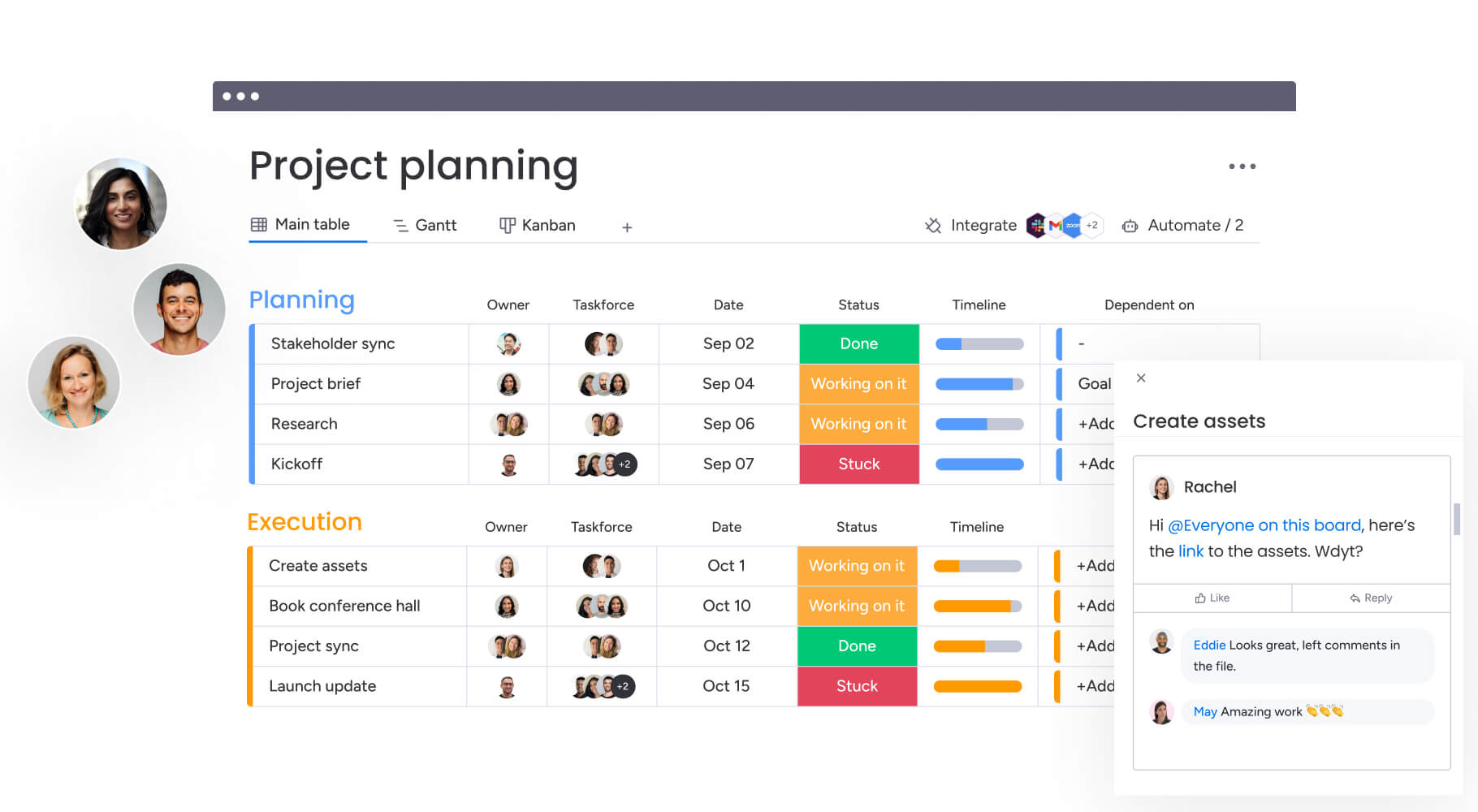
The 30-60-90 day plan framework has become the gold standard for onboarding because it breaks complex integration processes into digestible, focused phases. This approach aligns expectations between managers and employees, shifting focus from learning to doing over three months.
1. Design your first 30 days foundation building phase
The first month focuses on orientation, absorbing information, and basic integration. The main goal is to help new hires understand the fundamentals of their role and the organization, building a strong base for future growth. During this phase, the main goal is helping new hires understand the fundamentals of their role and organization.
Key milestones for the first 30 days include:
- Complete administrative setup: 100% of paperwork, system access setup, and mandatory compliance training.
- Establish role understanding: Demonstrate comprehension of responsibilities, team structure, and immediate priorities.
- Build initial connections: Form relationships with direct team members, key stakeholders, and assigned mentors.
- Achieve system proficiency: Navigate internal systems, utilize core platforms, and complete fundamental process training independently.
2. Structure your days 31-60 role mastery development
The second month moves employees from passive learners to active contributors. Focus shifts to applying skills and increasing independence. New hires take ownership of routine activities and start contributing to larger team projects with less supervision.
During this phase, employees should achieve:
- Active participation: Contribute ideas and feedback in department meetings rather than just observing.
- Productivity targets: Meet initial performance standards demonstrating ability to handle core job functions.
- Platform proficiency: Achieve mastery of all required workflows and troubleshoot common issues without assistance.
- Project contribution: Take ownership of specific deliverables within team initiatives.
3. Execute your days 61-90 performance integration
The final onboarding month turns employees into fully productive team members. Focus turns to autonomy, long-term goals, and full cultural integration.
By day 90, employees should demonstrate:
- Standard performance: Operate at expected productivity levels for their role.
- Team contribution: Meaningfully support team objectives and organizational initiatives.
- Cultural embodiment: Reflect company values in their work and interactions.
- Development planning: Engage in discussions about long-term career goals and growth opportunities.
A comprehensive 90-day review pulls together feedback, identifies strengths, and sets the trajectory for the rest of the year.
This approach aligns expectations between managers and employees, shifting focus from learning to doing over three months.
Onboarding templates for every role and department
Effective onboarding means balancing organizational consistency with role-specific customization. Modular templates let companies maintain unified cultural baselines while adding specific components for different departments and seniority levels.
New employee onboarding template for managers
Onboarding managers needs a distinct focus on leadership, strategy, and organizational navigation. The timeline often compresses because managers need to start leading their teams quickly, while establishing credibility and building relationships.
Manager onboarding emphasizes:
- Senior leadership meetings: Provide strategic context and high-level perspective early.
- Direct report sessions: Establish leadership style and review team dynamics.
- Management training: Cover company leadership principles, performance management systems, and budget procedures.
- Strategic alignment: Review department goals, analyze key metrics, and map critical stakeholder relationships.
Individual contributor onboarding templates
For non-management roles, templates focus on technical execution and functional integration. The emphasis shifts from leadership development to building specific skills needed for independent job performance.
Role-specific priorities include:
- Technical roles: Specialized training modules, certification requirements, and peer programming sessions.
- Customer-facing positions: Product knowledge, communication protocols, and customer interaction guidelines.
- Support functions: Process documentation, service level agreements, and cross-departmental coordination.
- Creative roles: Brand guidelines, creative asset libraries, and collaboration workflows.
Remote employee onboarding process template
Virtual onboarding needs intentional design to make up for the lack of physical presence. You can’t rely on organic office interactions to share culture or build relationships when employees work remotely.
Remote onboarding templates provide:
- Enhanced technology support: Ensure home office equipment functions properly before day one.
- Virtual relationship building: Prioritize video introductions, virtual coffee chats, and digital team exercises.
- Platform training: Cover meeting etiquette, response time expectations, and communication preferences.
- Digital resources: Replace organic office observation with virtual culture sessions and comprehensive resource libraries.
Executive onboarding plan templates
Executive onboarding runs on accelerated timelines with heavy emphasis on strategy and stakeholder management. Your investment in executive hires demands rapid integration and early impact.
Executive templates front-load:
- Strategic immersion: Market analysis, competitive landscapes, and financial performance reviews.
- Stakeholder engagement: Board introductions, key customer meetings, and investor relations briefs.
- Organizational assessment: Team capability evaluation, operational efficiency review, and culture analysis.
- 100-day planning: Communication strategies, early wins identification, and succession planning considerations.

“monday.com has been a life-changer. It gives us transparency, accountability, and a centralized place to manage projects across the globe".
Kendra Seier | Project Manager
“monday.com is the link that holds our business together — connecting our support office and stores with the visibility to move fast, stay consistent, and understand the impact on revenue.”
Duncan McHugh | Chief Operations OfficerImprove onboarding with dynamic workflow automation

Static documents and spreadsheets can’t support the dynamic, cross-functional nature of onboarding at scale. Organizations need intelligent systems that connect HR, IT, and management in collaborative spaces while automating routine coordination tasks through effective workflows for HR.
This is where comprehensive work management platforms become essential for creating onboarding experiences that actually work.
Teams using monday work management transform onboarding from static checklists into intelligent, automated workflows. They eliminate coordination gaps and make sure nothing falls through the cracks. The platform gives you the infrastructure to manage complex onboarding processes across departments, while maintaining visibility and accountability at every step.
Visual onboarding process templates
Visual boards make progress instantly understandable, replacing dense text documents with intuitive interfaces. Teams can access pre-built onboarding boards that are customizable for different roles. Start with proven structures and adapt to specific needs.
Key visual management features include:
- Timeline visualization: Gantt charts illustrate entire 90-day journeys, showing dependencies and upcoming milestones at a glance.
- Status tracking: Color-coded columns provide instant visibility into what’s stuck, in progress, or completed.
- Milestone markers: Ensure critical 30, 60, and 90-day checkpoints never get missed.
- Progress dashboards: Give managers and HR teams real-time visibility into onboarding completion rates across the organization.
Automated assignment and tracking
Automation ensures processes move forward without manual nudging. The platform automatically assigns activities to correct stakeholders based on new hire department, role, and start date.
Automation capabilities include:
- Smart assignment: Activities automatically route to appropriate IT agents, HR representatives, or managers.
- Dynamic scheduling: Due dates calculate automatically based on employee start dates, ensuring realistic timelines.
- Progress triggers: When new hires complete phases, the system automatically notifies managers and triggers next activity sets.
- Escalation protocols: If critical activities become overdue, appropriate managers receive alerts to prevent delays.
Cross-department collaboration features
Breaking down silos requires centralizing communication and documentation. When HR, IT, and managers work from single sources of truth, they effectively eliminate the “I didn’t know they started today” problem.
Collaboration features include:
- Centralized communication: Comments and updates happen directly within items, keeping context preserved and reducing email clutter.
- Document management: All onboarding materials from handbooks to training videos store centrally and stay current.
- Permission controls: Multi-level access ensures appropriate stakeholders can view and modify relevant information.
- Integration capabilities: Connect with existing HR systems, IT provisioning tools, and communication platforms.
Real-time analytics and insights
Built-in reporting capabilities turn onboarding activity into actionable business intelligence. Organizations gain instant visibility into completion rates, bottlenecks, and trends without building reports from scratch.
Analytics provide insights into:
- Completion metrics: Track onboarding progress across departments and identify common delays.
- Resource allocation: Understand which activities require the most time and attention.
- Success patterns: Identify which onboarding approaches correlate with higher retention and faster productivity.
- Continuous improvement: Use data to refine templates and eliminate recurring friction points.
The content in this article is provided for informational purposes only and, to the best of monday.com‘s knowledge, the information provided in this article is accurate and up-to-date at the time of publication. That said, monday.com encourages readers to verify all information directly.
Frequently asked questions
How long should the employee onboarding process take?
Effective onboarding processes typically span 90 days, with the first 30 days dedicated to basic integration and administrative activities before shifting focus to role mastery and performance development.
What's the difference between onboarding and orientation?
Orientation is a short-term event covering basic company information and logistics, while onboarding is a comprehensive months-long process focused on full role integration and performance readiness.
How often should onboarding templates be updated?
Onboarding templates require quarterly reviews to incorporate new hire feedback, address process changes, and reflect organizational evolution to maintain relevance and effectiveness.
Can small businesses use enterprise onboarding templates?
Small businesses can adapt enterprise templates by simplifying complex stakeholder requirements while retaining core structural elements like timelines, accountability assignments, and milestone tracking.
Which onboarding activities should be automated first?
Administrative activities including account creation, equipment ordering, and document distribution should be automated first, followed by communication flows like welcome emails and reminder notifications.
How do you calculate onboarding program ROI?
ROI calculations compare onboarding program costs against tangible benefits including reduced turnover rates, faster time-to-productivity metrics, and higher performance ratings at key milestones.

 Get started