Skip to main content Skip to footer
CRM and sales

CRM software: The ultimate guide and 14 top AI-powered solutions

Alicia Schneider 38 min read
CRM software The ultimate guide and 14 top AIpowered solutions

To close more deals, you need to truly understand your customers: what they want, how they behave, and when to act. CRM software helps you do just that by organizing every interaction, touchpoint, and piece of customer data in one place, making it easier to personalize outreach, spot opportunities, and build stronger relationships.

Whether you’re investing in your first CRM or upgrading an existing system, finding the right platform can feel overwhelming. In this guide, we’ll break down 14 of the top CRM software solutions and explore how AI-powered tools like monday CRM are helping teams work smarter, automate more, and turn insight into action.

Try monday CRM

Quick comparison: Top 14 CRM software options

Before we dive into what CRM software is and why it matters, here’s a quick overview of 14 leading CRM platforms to give you a sense of what’s out there. Later in the article, we’ll break down features and pricing in more detail.

SoftwareUse caseFree trialPricing
monday CRMTeams wanting to automate sales with customizable, AI-powered workflows14 days$12/user/month
Zoho CRMSmall businesses needing a flexible, all-in-one CRM to scale operations15 days
Free Forever option
$14/user/month
HubSpot Smart CRMGrowing teams seeking free, user-friendly tools to align sales and marketingFree Forever option$9/seat/month
Salesforce Sales CloudEnterprises demanding deep customization, powerful features, and strong integrations30 days$25/user/month
Freshsales CRMSales teams needing simple lead management with built-in AI recommendations21 days
Free Forever option
$9/user/month
Zendesk SellCustomer service and sales teams needing real-time pipeline and support insights14 days$19/agent/month
Less Annoying CRMSolo entrepreneurs and micro teams wanting a simple, no-frills CRM30 days$15/user/month
Pipedrive CRMVisual thinkers wanting drag-and-drop sales pipelines and intuitive workflows14 days$14/user/month
Insightly CRMProfessional services teams needing combined project and pipeline management14 days$29/user/month
SugarCRMB2B companies wanting highly customizable CRM and marketing automation features7 days$19/user/month
CreatioEnterprises seeking a no-code platform to unify CRM, marketing, and process automation14 days$25/user/month
Copper CRMEnterprises seeking a no-code platform to unify CRM, marketing, and process automation14 days$12/user/month
KeapSmall businesses and entrepreneurs needing combined CRM, marketing automation, and sales tools14 days$249/month
Nutshell CRMSmall to mid-sized B2B teams wanting simple, powerful CRM with built-in email marketing14 days$16/user/month

Before we dive into each of these solutions, let’s go deeper into how CRM tools work, features to look for, and how AI is changing the software game.

What is a CRM? 

Customer relationship management software, or a CRM for short, is a platform that helps organizations manage relationships and interactions with customers and prospects. The concept dates back to the 1950s when sales reps used a Rolodex to store and organize customer contact information. We’ve come a long way since then.

Nowadays, CRMs allow businesses to store and manage interactions such as conversations, contact details, and sales activity all under one roof for the purpose of improving customer relationships and driving sales growth.

CRM app acts as a hub for different teams, not only sales. It can also help marketing and customer service teams collaborate better with sales departments while giving everyone transparent access to customer data.

By following the entire customer journey on one platform, businesses can rely on CRMs as sales tracking software to identify patterns, optimize processes, and deliver more personalized experiences that boost customer satisfaction and retention rates.

What is CRM software used for?

CRMs have a lot of different uses, and not all companies will use them the same way. CRM platforms create comprehensive customer profiles that give businesses a complete overview of their customers, which makes the following easier:

  • Tracking customer interactions across touchpoints like emails, phone calls, meetings, and social media
  • Managing sales pipelines by tracking leads through stages from initial contact to closed deals
  • Storing customer data such as contact information, purchase history, preferences, and communication records
  • Automating personalized communications like email sequences, appointment reminders, and nurture campaigns
  • Generating sales reports and analytics to monitor team performance, revenue trends, and conversion rates
  • Coordinating marketing campaigns by segmenting customers and tracking campaign effectiveness
  • Providing customer support by maintaining service tickets, tracking resolution times, and managing support workflows
  • Forecasting sales by analyzing historical data and pipeline metrics to predict future revenue
  • Monitoring customer satisfaction through surveys, feedback collection, and retention metrics

What is cloud-based CRM software?

Most CRMs these days are hosted in the cloud, which means that employees and stakeholders can access CRM data from anywhere and at any time. This makes it a lot simpler for businesses to onboard new CRM software as they don’t need to worry about having the computing power and storage space to install on-premise hardware.

With cloud-based CRMs, the software is hosted on an external network, and businesses usually purchase access to it on a subscription model. This also means that organizations don’t need to worry about ongoing maintenance or long installation periods.

What are the types of CRM software?

There are 3 main types of CRM software: operational, collaborative, and analytical. However, in practice, many organizations use CRM systems that combine elements of all three types to provide a comprehensive customer relationship management solution across the entire business.

  1. Operational CRM: Focuses on automating and improving business processes related to sales, marketing, and customer service by streamlining activities such as lead generation, sales tracking, and customer support.
  2. Analytical CRM: Helps businesses make informed decisions by using data mining and reporting tools to understand customer behavior, preferences, and trends for strategic planning and targeted marketing efforts.
  3. Collaborative CRM: Emphasizes sharing customer information across departments like sales, marketing, and customer service to enhance team communication and improve customer satisfaction through unified access to customer data and insights.

The benefits of using CRM software

CRM software can significantly improve operational efficiency, enhance customer experiences, and drive business growth. Here’s a look at some of the key benefits:

Centralize customer data and contact management

CRM systems consolidate all customer information in one place, making it easily accessible to all team members. This centralization helps maintain accurate and up-to-date customer records, facilitating better communication and coordination across departments as well as simplified contact management for your entire organization.

Improve customer relationships and retention

CRMs help businesses understand their customers better by tracking interactions and preferences. These insights enable personalized communication and service, increasing customer satisfaction and loyalty. It also acts to keep existing customers engaged, reduce churn rates, and foster long-term relationships.

Increase efficiency through automation

By automating routine tasks such as data entry, follow-ups, and reporting, sales teams can free up time to focus on strategic activities. Thanks to smart automations, often backed by AI, businesses can ultimately increase productivity without relying on additional resources.

Enhance collaboration

CRMs promote collaboration among team members by providing shared access to customer data and communication tools. This collaboration ensures that everyone is aligned and working towards common goals.

Scale as necessary

When hosted on the cloud, CRM systems can scale as businesses grow to accommodate increased data and user demands. This adaptability ensures that businesses can continue to leverage their CRM without having to migrate to new systems over the years.

What features should CRM software have?

Here are the essential features that CRM software should have to help businesses effectively manage customer relationships, streamline sales and marketing processes, and improve overall efficiency and productivity.

  • Contact management: Allows businesses to store and organize detailed customer information, interactions (like calls, emails, and meetings), and communication history in a centralized database, with AI-powered data enrichment to automatically fill in missing details
  • Lead management: Helps track and nurture sales leads through the pipeline, prioritizing opportunities and optimizing the sales process with AI-driven lead scoring and qualification
  • Email integration: Connects email inboxes to track communications and sync messages in one place
  • Pipeline management: Offers visual pipeline views with drag-and-drop functionality to track deals through stages and identify bottlenecks
  • AI sales tools: Includes artificial intelligence capabilities like lead scoring, predictive analytics, and other smart automation sales tools to enhance sales performance
  • AI agents: Deploy autonomous AI agents that can handle routine tasks like qualifying leads, scheduling follow-ups, responding to common inquiries, and updating records without human intervention
  • Collaboration tools: Includes built-in messaging, meeting, and calling capabilities to improve team communication
  • Workflow automation: Automates repetitive tasks and processes based on triggers or events to improve operational efficiency, with AI recommendations for optimization
  • Marketing automation: Helps reach potential customers with personalized messaging and tracks marketing campaign ROI
  • Analytics and reporting: Provides insights into sales performance, customer data, and trends to inform business decisions, powered by AI-driven pattern recognition and recommendations
  • Sales forecasting: Uses historical data and AI predictive models to forecast future sales trends and inform decision-making with greater accuracy
  • Third-party app integrations: Enables connection with other essential business tools like email, calendars, and accounting software
  • Document management: A CRM with document management centralizes storage and access to essential files and documents
  • Mobile access: Provides iOS and Android apps for accessing key features and customer data on the go

How do CRM platforms use AI?

AI leads and agents

Artificial intelligence (AI) has fundamentally transformed how CRM platforms operate, shifting from simple data repositories to intelligent systems that actively drive sales outcomes. AI-powered CRMs are making it easier than ever for businesses to nurture customer relationships through deep analytics, predictive insights, and intelligent workflow automations that learn and adapt over time.

Here’s how modern CRMs are leveraging AI to deliver tangible business value:

  • Predictive analytics and forecasting: AI CRMs deliver real-time insights that help build winning sales strategies. Sales AI toolsanalyze historical data, customer behavior, and market trends to create accurate forecasts, helping teams prioritize high-value opportunities and allocate resources effectively.
  • Intelligent automation: AI automates routine tasks like data entry, lead scoring, follow-ups, and task assignments that once consumed hours of manual effort. Smart workflows trigger actions based on customer behavior, keeping teams connected with leads without sacrificing personalization.
  • Generative AI for personalization: Modern CRMs use generative AI to create personalized emails, sales proposals, and marketing materials. The technology analyzes customer data to suggest the right message, tone, and timing, improving response rates while saving time.
  • AI-powered lead qualification: Advanced CRMs automatically score and qualify leads based on engagement signals, demographics, and behavior patterns. This helps sales teams focus on prospects most likely to convert.
  • Conversational AI and chatbots: Many CRM platforms include AI agents and chatbots that handle customer inquiries, schedule meetings, answer questions, and qualify leads without human intervention. This frees up sales reps to focus on high-touch interactions.

14 leading CRM software solutions to streamline operations 

Now that you understand what CRM software is, how it works, and what features to look for, let’s explore 14 of the best CRM platforms available today. Each solution offers unique strengths, from AI-powered automation to industry-specific features, so you can find the right fit for your team’s needs and budget.

1. monday CRM

Use case: Teams wanting to automate sales with customizable, AI-powered workflows

monday CRM AI complete

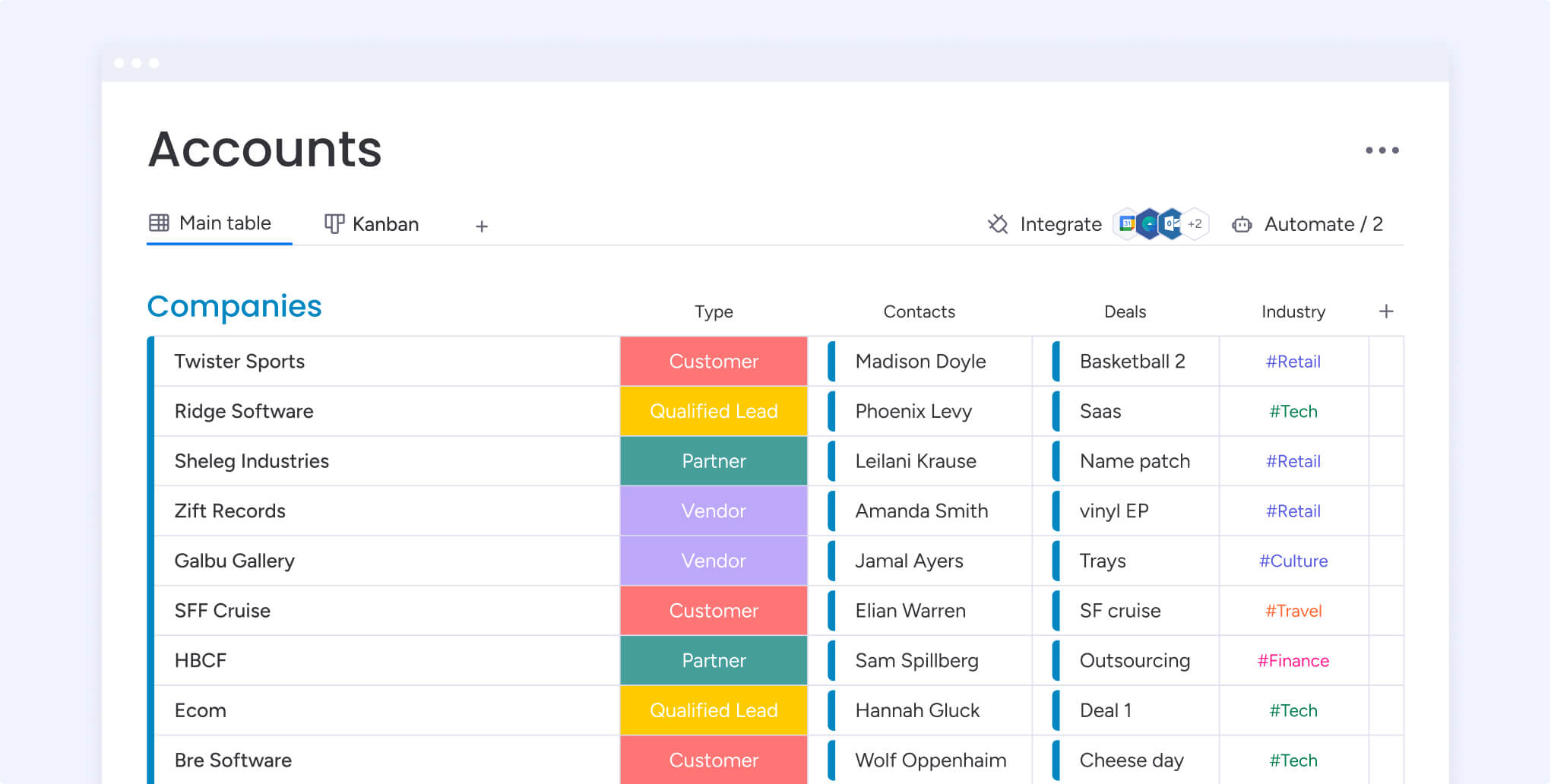
monday CRM is a fully customizable, no-code sales platform that centralizes your entire sales cycle with powerful AI capabilities at its core. The platform combines pipeline management, sales automation, and communication tools with intelligent workflows that adapt to your team’s needs. Built-in AI delivers custom automations, predictive analytics, and smart recommendations that help sales teams work faster and close more deals. From auto-logging emails to scoring leads and forecasting revenue, monday CRM’s AI touches every aspect of the sales process.

Key features

  • AI-powered contact management: Auto-log emails, get AI-suggested next steps, and personalize outreach with smart templates
  • Visual pipeline dashboards: Track every deal and lead with 360° visibility from first touch to close
  • No-code AI automation: Instantly score, assign, and follow up with leads while eliminating manual data entry
  • Predictive sales forecasting: Use AI-driven analytics to forecast revenue and identify high-value opportunities
  • AI sales agents: Deploy autonomous agents that qualify leads, schedule follow-ups, and update records independently

Pricing

monday CRM offers a free 14-day trial with plans starting from $12/seat/month (billed annually). The platform provides flexible pricing tiers to accommodate teams of all sizes, from small businesses to enterprise organizations. Learn more about monday CRM plans and pricing.

Why monday CRM stands out

  • Combines powerful AI capabilities with an intuitive, no-code interface that teams can start using immediately without technical expertise
  • Offers unmatched flexibility to customize every aspect of your sales workflow, from pipeline stages to automation recipes, adapting to your unique processes rather than forcing you into rigid templates
  • Delivers enterprise-grade features like AI agents, predictive forecasting, and advanced automation at accessible price points, making sophisticated sales technology available to teams of all sizes

Try monday CRM

2. Zoho CRM

Best for: Small businesses needing a flexible, all-in-one CRM to scale operations

zoho vs monday crm client management system

Zoho CRM helps businesses manage their sales, marketing, and customer service operations from a single platform. It’s ideal for small to mid-sized teams and offers a variety of integrated options and customizable CRM solutions for growing companies. The built-in AI-powered assistant, Zia, assists in predicting leads and deals, spotting potential customers for conversion, and guiding sales teams through intelligent recommendations and automation.

Key features

  • AI-powered assistant (Zia): Predicts lead conversion likelihood, recommends next-best actions, and provides intelligent deal insights to guide sales efforts.
  • Lead management: Capture leads from various sources and nurture them through the sales pipeline with AI-driven lead scoring and automated assignment.
  • Workflow automation: Automate repetitive tasks and processes with customizable triggers to improve efficiency and reduce manual work.
  • Integrations: Connect third-party applications such as Google Workspace, Office 365, MailChimp, and Zendesk to provide a seamless user experience.

Pricing

Zoho CRM offers a free 15-day trial and a Free Forever plan for up to 3 users. Paid plans start from $14/user/month (billed annually), making it an affordable option for small businesses looking to scale their operations.

Considerations

  • The interface can feel cluttered with numerous features, which may require time to navigate and master effectively.
  • Advanced AI features and customization options are only available on higher-tier plans, limiting functionality for budget-conscious teams.
  • Some users report that customer support response times can be slow, particularly for users on lower-tier plans.

3. HubSpot CRM

Best for: Growing teams seeking free, user-friendly tools to align sales and marketing

hubspot crm client management system

HubSpot Smart CRM is designed to improve all aspects of a business by incorporating sales, marketing, and customer service processes into one comprehensive platform. It uses AI workflows to empower businesses to manage customer relationships, streamline sales processes, and integrate marketing efforts effectively. The platform’s AI capabilities help automate routine tasks and provide intelligent recommendations to boost team productivity.

Key features

  • Marketing automation: Align your sales and marketing campaigns for a complete view of each prospect and client using two-way data sync.
  • AI email writing: Write personalized emails using generative AI to stay connected with leads and send quick follow-ups.
  • AI-powered insights: Gain insights into sales performance, customer interactions, and marketing campaigns with intelligent analytics.

Pricing

HubSpot CRM offers a Free Forever plan with basic features, making it accessible for teams just getting started. Paid plans start from $9/seat/month (billed annually) and scale up based on features and team size.

Considerations

  • Advanced AI features and automation capabilities are limited on the free plan and require upgrading to higher-tier subscriptions.
  • Pricing can escalate quickly as you add more users and unlock premium features, which may become costly for growing teams.
  • The platform can feel complex with its extensive feature set, requiring time investment to fully master all capabilities.

4. Salesforce Sales Cloud

Best for: Enterprises demanding deep customization, powerful features, and strongCRM integrations

Salesforce Sales Cloud is a comprehensive CRM platform designed to support sales, marketing, and customer service in both B2B and B2C contexts. The platform combines all customer information in an integrated system, incorporating marketing, lead generation, sales, customer service, and business analytics. Its Einstein AI powers intelligent automation, predictive insights, and generative capabilities that help teams work smarter and close deals faster.

Key features

  • Einstein AI assistant: Get deep insights, workflow automations, and generative AI to nurture relationships with intelligent recommendations and predictive analytics.
  • AI-powered lead scoring: Automatically prioritize leads based on conversion likelihood using machine learning models trained on your historical data.
  • Robust integrations: Access thousands of applications via the AppExchange to tailor the platform to your specific needs.
  • Omnichannel lead routing: Automatically assign leads from different channels like calls, chats, email, or social to the best agent based on skills, capacity, and priority.

Pricing

Salesforce Sales Cloud offers a free 30-day trial with plans starting from $25/user/month (billed monthly or annually). The platform provides multiple pricing tiers and add-ons designed to accommodate different business sizes and needs, from small teams to large enterprises.

Considerations

  • The platform has a steep learning curve and often requires dedicated administrators or consultants to configure and maintain effectively.
  • Pricing can escalate quickly as you add users, features, and integrations, making it one of the more expensive CRM options on the market.
  • Advanced AI features like Einstein Analytics and Einstein Bots require higher-tier plans or additional purchases beyond the base subscription.

5. Freshsales CRM

Best for:Sales teams needing simple lead management with built-in AI recommendations

Freshsales CRM is an affordable platform for businesses to manage leads, customer engagement, and sales automation. Its AI assistant, Freddy, delivers intelligent insights by analyzing historical sales data, activities, and engagement patterns to help teams prioritize opportunities and close deals faster. The platform offers sales pipeline management, smart automation, and a unified CRM that connects sales, marketing, and support teams in one place.

Key features

  • AI-powered insights (Freddy): Get deal insights, smart recommendations, and predictions by analyzing historical sales data, activities, and engagement patterns.
  • Sales pipeline management: Build and manage visual sales pipelines with AI-driven lead scoring to track deals and close sales more efficiently.
  • Intelligent automation: Automate tasks such as lead assignment, email follow-ups and campaigns, task creation, and field updates for scalable outreach.

Pricing

Freshsales CRM offers a free 21-day trial and a Free Forever plan for up to 3 users. Paid plans start from $9/user/month (billed annually), making it an accessible option for small to mid-sized sales teams.

Considerations

  • Advanced AI features and automation capabilities are limited on lower-tier plans, requiring upgrades to access the full power of Freddy AI.
  • The interface can feel cluttered with multiple features, which may require time for new users to navigate effectively.
  • Some users report that customization options are more limited compared to other CRM platforms in this price range.

6. Zendesk Sell

Best for: Customer service and sales teams needing real-time pipeline and support insights

Zendesk Sell is part of the broader Zendesk suite, connecting seamlessly with other products in the ecosystem to create a unified platform for service-focused teams. The platform enhances productivity through AI-powered agents that handle customer service resolutions autonomously, while providing real-time pipeline visibility for sales teams. Its mobile accessibility and intelligent automation make it valuable for businesses looking to optimize sales processes while maintaining strong customer support.

Key features

  • AI agents: Deploy autonomous AI agents for quick customer service resolutions that don’t require human intervention, freeing up teams for complex interactions.
  • Real-time pipeline management: Gain instant visibility into the sales pipeline with AI-driven forecasting and control capabilities.
  • App Marketplace integrations: Customize Zendesk to fit business requirements and integrate with hundreds of apps for seamless data and workflow syncing.

Pricing

Zendesk Sell offers a free 14-day trial with plans starting from $19/agent/month (billed annually). The platform provides multiple pricing tiers designed to scale with your team’s needs and feature requirements.

Considerations

  • Pricing can become expensive as you add more agents and unlock advanced features, particularly for growing teams.
  • The platform is most valuable when used alongside other Zendesk products, which may require additional subscriptions.
  • Some users report that the learning curve can be steep when first implementing the full suite of features.

7. Less Annoying CRM

Best for: Solo entrepreneurs and micro teams wanting a simple, no-frills CRM

Less Annoying CRM is a straightforward, affordable solution designed specifically for small businesses that need essential CRM functionality without complexity. True to its name, the platform removes the clutter found in larger CRM systems, offering a clean interface that focuses on core features like contact management, lead tracking, and task organization. While it lacks advanced AI capabilities found in more robust platforms, its simplicity makes it accessible for teams that prioritize ease of use over sophisticated automation.

Key features

  • Lead tracking: Track leads from initial contact to closing a deal to get better insights into their journey through your sales process.
  • Automated email tracking: BCC your CRM in any customer communications to manage all your conversations without any extra work.
  • Contact management: View all notes, files, tasks, events, and pipeline information related to a contact on one screen.

Pricing

Less Annoying CRM offers a free 30-day trial with a single pricing tier of $15/user/month (billed annually). The straightforward pricing model includes all features without tiered plans or hidden costs, making it predictable for budget-conscious small businesses.

Considerations

  • The platform lacks advanced AI features and automation capabilities found in more sophisticated CRM systems, limiting scalability for growing teams.
  • Integration options are more limited compared to enterprise-grade CRMs, which may require manual workarounds for connecting other business tools.
  • The simplicity that makes it accessible also means fewer customization options for teams with complex or unique sales processes.

8. Pipedrive CRM

Best for: Visual thinkers wanting drag-and-drop sales pipelines and intuitive workflows

Pipedrive CRM is a pipeline-focused platform designed by salespeople to streamline the sales and relationship-building process. It’s best known for its ease of use, visual pipeline management, and comprehensive customer support. Built-in AI supports simple automations, sales funnel suggestions, and deal insights, while the AI email generator helps teams craft personalized outreach at scale.

Key features

  • Pipeline management: Track leads, spot opportunities, and measure critical activities by customizing visual pipelines with stages and fields to match your sales cycle.
  • AI email generator: Instantly draft personalized emails from simple prompts to improve response rates and close deals sooner.
  • Reporting and dashboard: Get detailed reporting on sales and key activities and track progress against goals in the dashboard with AI-driven insights.

Pricing

Pipedrive CRM offers a free 14-day trial with plans starting from $14/user/month (billed annually). The platform provides multiple pricing tiers that scale with your feature needs, from basic pipeline management to advanced AI capabilities and automation.

Considerations

  • Advanced AI features and automation capabilities are limited on lower-tier plans, requiring upgrades to access the full power of the platform.
  • Some users report that the reporting and analytics features are less robust compared to enterprise-level CRM solutions.
  • Customization options, while present, may not be as extensive as platforms designed for complex enterprise workflows.

9. Insightly CRM

Best for: Professional services teams needing combined project and pipeline management

Insightly is a CRM designed for small to mid-sized businesses, offering customization options that are perfect for sales teams. It combines CRM functionality with project management capabilities, making it ideal for service-based businesses that need to track bothclient relationships and project deliverables.The platform includes workflow automation features to streamline repetitive tasks and improve team efficiency.

Key features

  • Opportunity management: Track pipeline data to gain insights into how to move your business forwardwith detailed deal tracking and forecasting.
  • Customer journey personalization: Convert visitors to prospects using A/B and multivariate testingto optimize engagement strategies.
  • Workflow and process automation: Create custom automations for seamless workflows so that you’re less prone to error and work more efficiently.

Pricing

Insightly CRM offers a free 14-day trial with plans starting from $29/user/month (billed annually). The platform provides multiple pricing tiers designed to accommodate different business sizes and feature requirements, from basic CRM to advanced project management integration.

Considerations

  • The pricing is higher than some competitors in this category, which may be a barrier for very small teams or startups with limited budgets.
  • AI capabilities are less prominent compared to newer CRM platforms, with automation features being more rule-based than intelligent.
  • Some users report that the learning curve can be steeper due to the dual focus on both CRM and project management functionality.

10. SugarCRM

Best for: B2B companies wanting highly customizable CRM and marketing automation features

SugarCRM is a versatile CRM platform that helps businesses efficiently manage customer interactions, sales processes, and marketing efforts. It offers extensive customization options, robust automation features, and seamless integration capabilities, making it suitable for organizations of various sizes and industries.The platform’s AI-powered automation enhances decision-making with predictive analytics and generative AI capabilities that help teams work smarter.

Key features

  • Customization: Create custom modules, configure core functionality, and develop unique mobile layouts using Sugar Studioto match your exact business processes.
  • AI-powered automation: Enhance decision-making and automate tasks with predictive analytics and generative AIthat learns from your data patterns.
  • Marketing automation: Manage campaigns across multiple channels, generate leads, and track ROIwith integrated marketing tools.

Pricing

SugarCRM offers a free 7-day trial with plans starting from $19/user/month (billed annually, 3 user minimum, 9 user maximum). The platform provides multiple pricing tiers with varying levels of customization, automation, and support to accommodate different business needs.

Considerations

  • The extensive customization options can require technical expertise or dedicated administrators to configure and maintain effectively.
  • The shorter 7-day trial period may not provide enough time to fully evaluate the platform’s capabilities compared to competitors offering longer trials.
  • Some users report that the interface feels less modern compared to newer CRM platforms, which may impact user adoption and experience.

11. Creatio

Best for: Enterprises seeking a no-code platform to unify CRM, marketing, and process automation

Creatio is a comprehensive platform that combines CRM with business process management and marketing automation in one unified system. The platform’s no-code approach allows teams to build custom workflows and applications without technical expertise, while AI-powered features help automate routine tasks and provide intelligent recommendations. Creatio’s AI capabilities span predictive analytics, lead scoring, and intelligent process optimization that adapts to your business needs.

Key features

  • AI-powered lead and opportunity scoring: Automatically prioritize leads and deals based on conversion likelihood using machine learning models trained on your historical data.
  • No-code process automation: Build custom workflows and business processes visually without coding, with AI recommendations for optimization.
  • Intelligent analytics: Gain predictive insights into sales performance, customer behavior, and marketing effectiveness with AI-driven dashboards.
  • Marketing automation with AI: Create personalized customer journeys with AI-powered segmentation, content recommendations, and campaign optimization.

Pricing

Creatio offers a free 14-day trial with plans starting from $25/user/month (billed annually). The platform provides multiple pricing tiers including Growth, Enterprise, and Unlimited plans, each offering progressively more advanced features, customization options, and AI capabilities.

Considerations

  • The extensive feature set and process management capabilities can require significant time investment to fully implement and optimize for your organization.
  • Pricing can escalate quickly as you add more users and unlock advanced AI features, making it more suitable for mid-sized to large organizations.
  • Some users report that the learning curve can be steep initially, particularly when building complex custom processes and workflows.

12. Copper CRM

Best for: Google Workspace users wanting seamless Gmail and Google Calendar integration

Copper CRM is designed specifically for teams that live in Google Workspace, offering native integration that feels like a natural extension of Gmail. The platform automatically captures contact information, emails, and interactions from your inbox, eliminating manual data entry. Copper’s AI capabilities include smart relationship insights, automated data enrichment, and intelligent task suggestions that help teams stay on top of opportunities without leaving their email workflow.

Key features

  • AI-powered relationship insights: Get intelligent recommendations on when to follow up, which deals need attention, and relationship health scores based on interaction patterns.
  • Automatic data capture: AI automatically logs emails, contacts, and interactions from Gmail without manual entry, keeping your CRM data current.
  • Smart pipeline management: Track deals visually with AI-driven forecasting and automated stage progression based on activity signals.
  • Intelligent task automation: Automate follow-ups, reminders, and workflow triggers based on customer behavior and engagement patterns.

Pricing

Copper CRM offers a free 14-day trial with plans starting from $12/user/month (billed annually, 3 user minimum). The platform provides three main pricing tiers (Starter, Professional, and Business) with increasing levels of automation, customization, and AI-powered features.

Considerations

  • The platform is heavily optimized for Google Workspace, which may limit its appeal for teams using other email and productivity platforms.
  • Advanced AI features and automation capabilities are limited on the Starter plan, requiring upgrades to access the full power of the platform.
  • Some users report that reporting and analytics features are less robust compared to enterprise-level CRM solutions.

13. Keap

Best for: Small businesses and entrepreneurs needing combined CRM, marketing automation, and sales tools

Keap (formerly Infusionsoft) is an all-in-one CRM and marketing automation platform designed specifically for small businesses and solopreneurs. The platform combines contact management, email marketing, appointment scheduling, and payment processing in one system. Keap’s AI capabilities help automate lead nurturing, personalize customer communications, and optimize marketing campaigns, making it easier for small teams to deliver sophisticated customer experiences without dedicated marketing staff.

Key features

  • AI-powered marketing automation: Create intelligent email sequences and campaigns that adapt based on customer behavior and engagement patterns.
  • Smart lead scoring: Automatically prioritize leads based on engagement signals and conversion likelihood using AI-driven scoring models.
  • Automated appointment scheduling: Let customers book appointments directly with AI-optimized scheduling that considers availability and preferences.
  • Intelligent segmentation: Use AI to automatically segment contacts based on behavior, interests, and engagement for targeted marketing.

Pricing

Keap offers a free 14-day trial with plans starting from $249/month for up to 1,500 contacts (billed monthly or annually). The platform provides two main pricing tiers (Pro and Max) with different levels of automation, user seats, and advanced features, with pricing scaling based on contact list size.

Considerations

  • The pricing structure is based on contact count rather than per user, which can become expensive as your contact list grows beyond the base tier.
  • The platform has a steeper learning curve compared to simpler CRMs, particularly when setting up complex automation sequences and campaigns.
  • Some users report that the interface feels less modern compared to newer CRM platforms, though functionality remains robust.

14. Nutshell CRM

Best for: Small to mid-sized B2B teams wanting simple, powerful CRM with built-in email marketing

Nutshell CRM is a user-friendly platform that combines sales automation, pipeline management, and email marketing in one affordable package. Designed for teams that value simplicity without sacrificing power, Nutshell offers intuitive workflows and visual pipeline management that teams can start using immediately. The platform’s AI capabilities include intelligent lead assignment, automated data enrichment, and smart email suggestions that help sales teams work more efficiently and close deals faster.

Key features

  • AI-powered lead distribution: Automatically assign leads to the right team members based on territory, workload, and conversion patterns.
  • Smart data enrichment: AI automatically fills in missing contact information and company details from public sources to keep records complete.
  • Intelligent email sequences: Create automated email campaigns with AI-optimized send times and content suggestions based on engagement data.
  • Sales automation: Automate repetitive tasks like follow-ups, task creation, and pipeline updates with smart triggers and workflows.

Pricing

Nutshell CRM offers a free 14-day trial with plans starting from $16/user/month (billed annually). The platform provides two main pricing tiers (Foundation and Pro) with the Pro plan including advanced reporting, automation, and AI-powered features.

Considerations

  • Advanced AI features and automation capabilities are limited to the Pro plan, requiring an upgrade from the Foundation tier to access full functionality.
  • Integration options are more limited compared to enterprise-grade CRMs, though the platform covers most common business tools.
  • Customization options, while present, may not be as extensive as platforms designed for complex enterprise workflows and unique business processes.

How to choose the right CRM software for your business

With hundreds of CRM systems available, deciding on the right option can be challenging. The best CRM software for your organization will depend on your specific needs and goals. Follow these six steps to help you choose the right CRM software for your business:

Step 1: Define your needs

Start by determining your current challenges and where you need help, such as improving customer support, increasing sales, or enhancing marketing efforts. Consider factors like team size, must-have features, budget constraints, integration requirements, training needs, and scalability for future growth.

Step 2: Research your options

Consult your professional network and industry peers for recommendations based on their real-world experiences. Read user reviews and comparisons from reputable sources like G2 and Capterra to get unbiased insights into different CRM platforms.

Step 3: Evaluate key features

Review the essential CRM features that align with your defined needs and participate in vendor demo sessions to get hands-on experience. Use these sessions to ask specific questions about functionality and create a shortlist of software options that warrant further testing.

Step 4: Test different software

Take advantage of free trials offered by CRM vendors to experience the platforms firsthand. Involve your team members in the testing process and systematically mark each software option against your predetermined criteria.

Step 5: Gather feedback

Collect detailed input from all team members who participated in testing the software, focusing on their user experience and concerns. Consider important factors like ease of use, learning curve, and the platform’s potential to support your business growth.

Step 6: Make your decision

Compare your final options based on features, cost, team feedback, and how well each platform meets both your current needs and future requirements. Factor in intangibles like quality of customer support, company reputation, and long-term viability when making your final selection.

Streamline your sales activities with monday CRM software 

A CRM platform will undoubtedly boost business growth, but choosing the right one takes careful consideration. That said, if you’re looking for a visual, intuitive, and fully customizable CRM platform powered by advanced AI to handle your leads, prospects, and customers, then monday CRM can manage your pipeline, automate your sales processes, streamline communication, and provide valuable AI-driven insights into your entire sales cycle.

Backed by powerful AI capabilities woven throughout the platform, monday CRM makes it easier for teams to automate workflows and work more productively. From intelligent lead scoring to autonomous AI agents that handle routine tasks independently, monday CRM’s built-in AI eliminates manual workflows like data entry, lead qualification, and prospect follow-ups, allowing sales reps to focus on closing more deals and nurturing relationships.

Here’s a closer look at some of monday CRM’s most popular AI-powered features.

AI-powered lead management

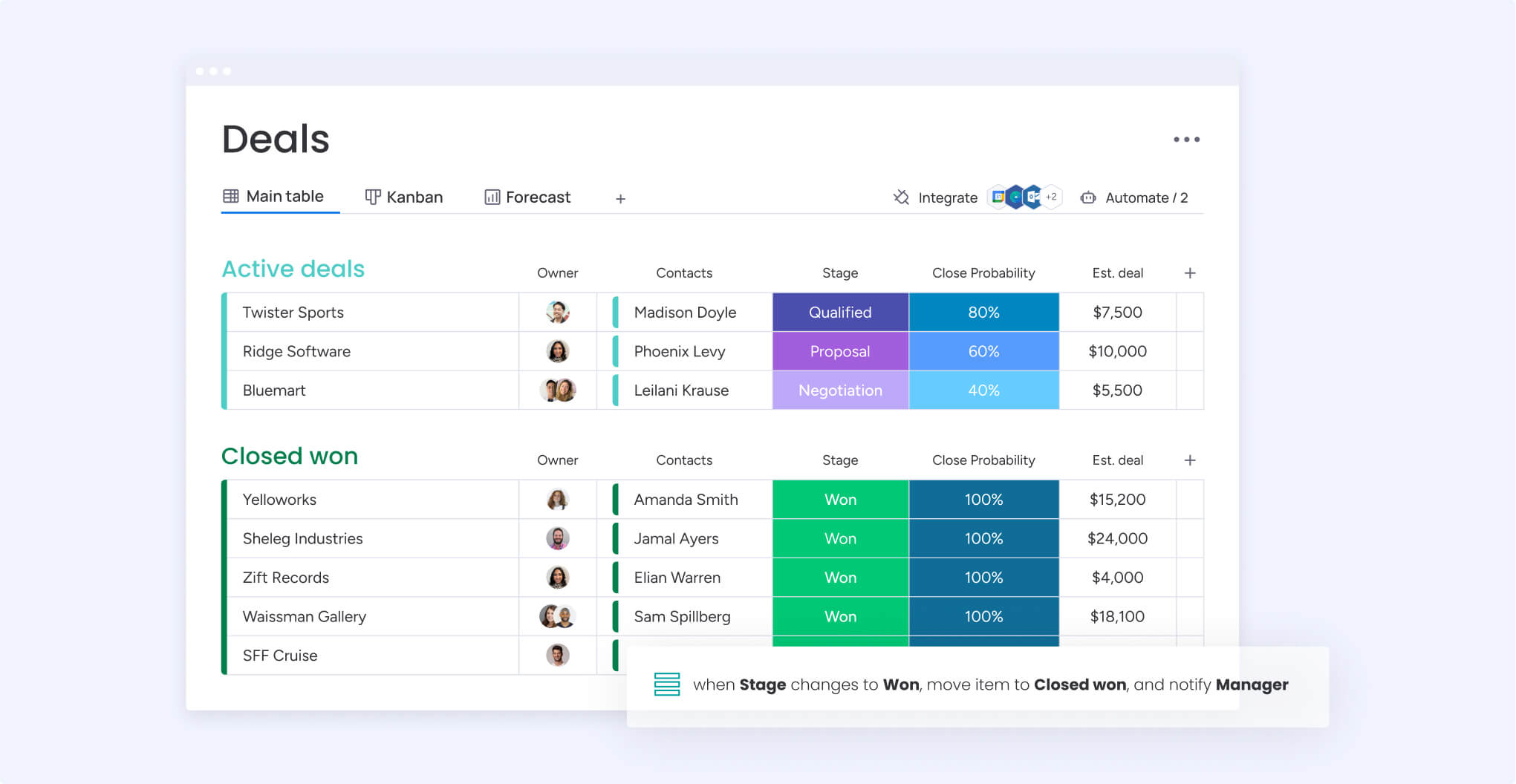
CRM deal pipline

Never let a lead slip away with monday CRM’s AI-driven lead management features. With monday CRM’s intelligent automation, all incoming leads are automatically qualified according to custom parameters and assigned a score based on likelihood to convert. The AI continuously learns from your data patterns to improve scoring accuracy, while automatically assigning leads to the right agents and engaging them with personalized drip campaigns and follow-ups entirely independently.

Autonomous AI agents

AI sales agent leads

Deploy autonomous AI agents that work around the clock to handle routine sales tasks without human intervention. These intelligent agents can qualify leads, schedule follow-ups, update records, respond to common inquiries, and even nurture prospects through the early stages of your pipeline. By handling repetitive tasks independently, AI agents free your sales team to focus on high-value interactions and relationship building.

AI-powered email management

With monday sales CRM, you also have a centralized hub that makes it easy to get an update on a lead's status, find out how a demo call went, or provide senior leadership with a status update. 

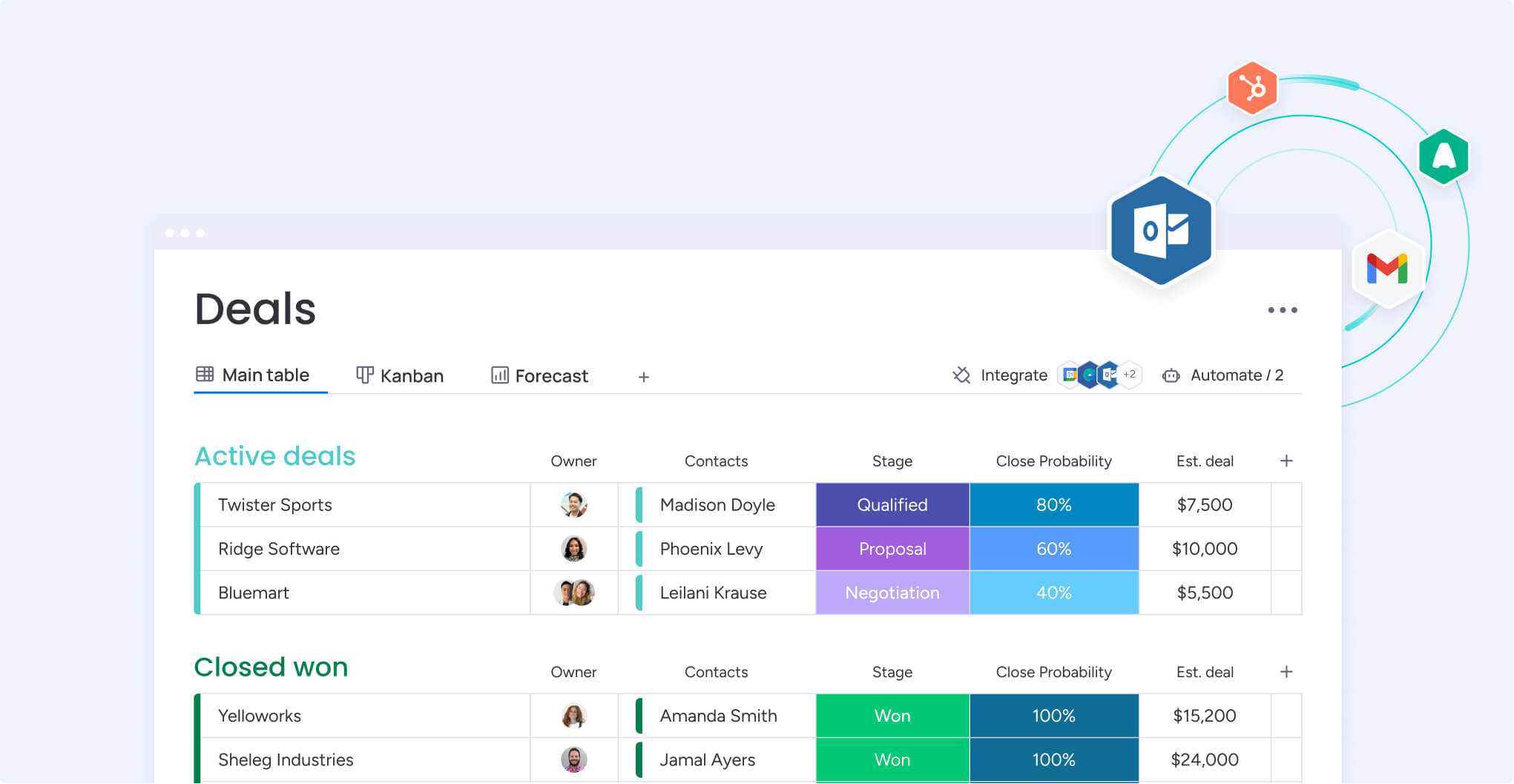
Track all your communications in one AI-enhanced location to eliminate the guesswork associated with email engagement and open rates. Integrate email management and different inboxes with apps like MailChimp and Gmail, while the platform’s AI writer helps you craft personalized sales messages and campaigns that you can send in bulk. The AI analyzes engagement patterns to suggest optimal send times and content variations that improve response rates.

AI predictive analytics and sales forecasting

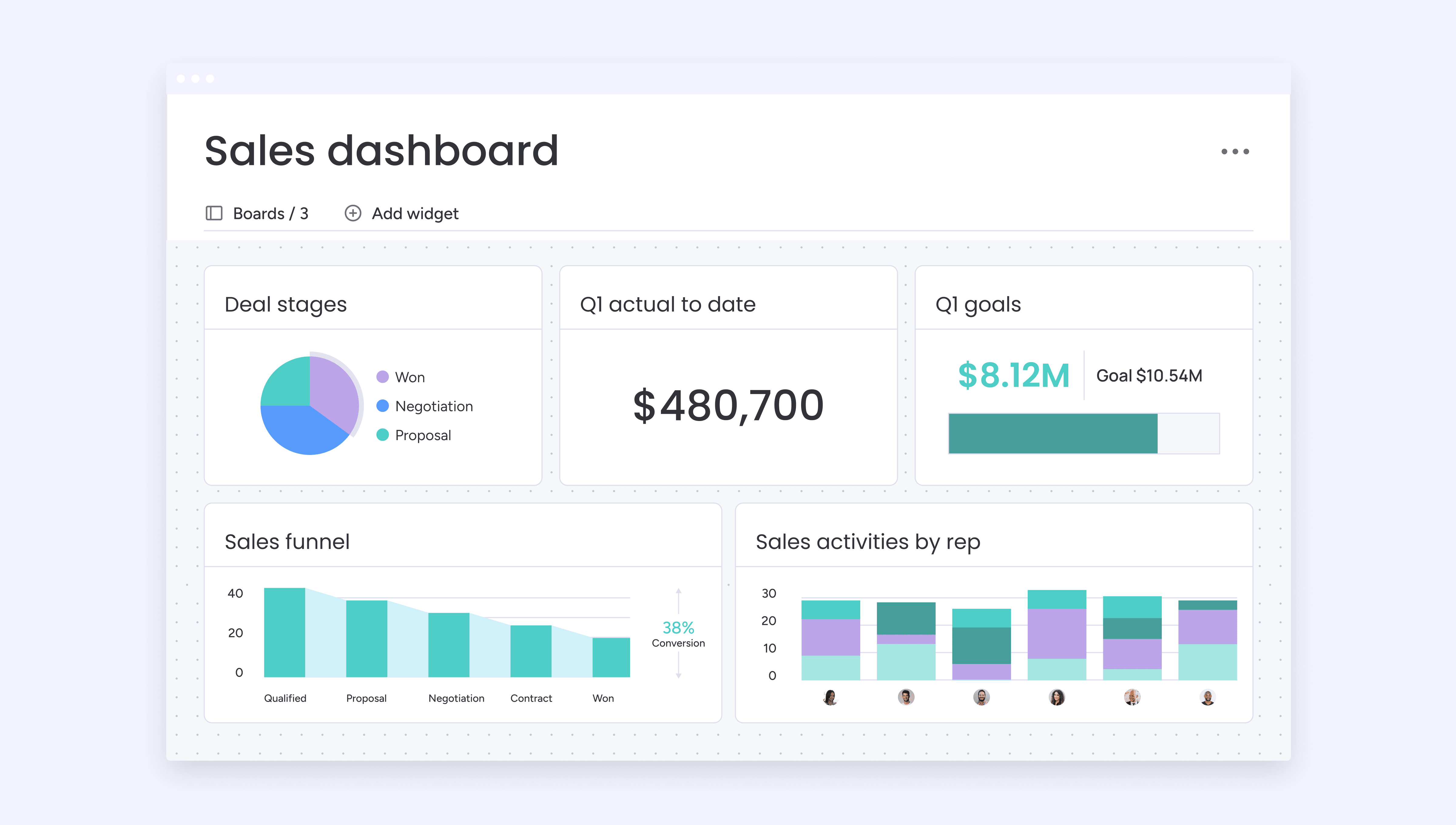
AI Sales dashboard and reporting

AI delivers detailed predictive insights into your sales pipeline so you know exactly what’s coming up, where to deploy resources, and how much revenue you can expect to make from each of your sales and customer interactions. Thanks to machine learning algorithms, you can use monday CRM to analyze historical data, past performance, market trends, and deal progress to accurately predict which deals will likely close, helping you make data-driven decisions with confidence.

monday sidekick and monday vibe: Your AI-powered assistants

monday sidekick

Get instant answers and intelligent support with monday sidekick, monday CRM’s conversational AI assistant that helps you navigate the platform, find information quickly, and complete tasks through natural language commands. Meanwhile, monday vibe acts as your creative partner, generating content, summarizing data, and providing contextual recommendations based on your CRM activity. Together, these AI assistants make working in monday CRM feel effortless, reducing the learning curve and helping teams accomplish more with less effort.

Successful sales start with the right CRM

Choosing the right CRM solution is the first step in building stronger customer relationships, streamlining sales processes, and driving business growth. Understanding your organization’s needs and considering key features your team needs, you can find a CRM that fits your workflows. That said, any team can benefit from a flexible, scalable, and customizable solution like monday CRM, which offers both simplicity and sophistication wrapped up in one user-friendly platform.

Try monday CRM

FAQs

Some CRMs are more popular in specific industries, but across the board, monday CRM is one of the most well-loved platforms. With an intuitive interface, powerful customization options, and robust AI-driven workflow automation features, monday CRM is a leading choice for organizations looking to streamline their sales processes and improve customer relationship management across all team sizes.

Some of the golden rules of CRM include keeping data clean and relevant, ensuring consistent usage and adoption across all team members, making sure your CRM is part of your company strategy, and maintaining a customer-centric approach. Focus on quality over quantity when entering data, and always prioritize building genuine relationships rather than just collecting information.

Most major email marketing platforms, including MailChimp, ActiveCampaign, and Campaign Monitor, integrate with CRM systems. These integrations allow seamless data synchronization, automated email campaigns based on CRM triggers, lead nurturing sequences, and comprehensive tracking of customer engagement across both platforms for more effective marketing efforts.

Teams can learn CRM software through vendor-provided training resources, online tutorials, hands-on practice during free trials, and internal knowledge sharing sessions. Many CRM providers offer comprehensive onboarding programs, video libraries, and customer support. Start with basic features, gradually introduce advanced functionality, and encourage team members to practice regularly to build proficiency.

There's a wide range of CRM CRM software costs, but most of the time you can expect to pay between $10-$100+ per user per month, depending on features and functionality. Basic plans start around $10-$30 monthly, while enterprise solutions can exceed $100 per user. Many providers offer free trials or freemium versions. Consider implementation costs, training expenses, and potential integration fees when budgeting.

Evaluate CRM software by defining your specific needs, testing key features through demos and free trials, assessing ease of use and learning curve, reviewing integration capabilities with existing tools, analyzing total cost of ownership, gathering team feedback, and checking vendor support quality. Create an evaluation system based on your priorities to compare options objectively.

CRM software serves 3 main business functions. Sales management includes lead tracking, pipeline management, and deal forecasting. Marketing automation includes campaign management, lead nurturing, and customer segmentation. Customer service includes support ticket management, customer communication history, and satisfaction tracking. These functions work together to provide a comprehensive view of customer relationships throughout the entire lifecycle.

AI improves CRM software by automating repetitive tasks like data entry, lead scoring, and follow-ups, freeing sales teams to focus on relationships and closing deals. AI-powered CRMs provide predictive analytics to forecast trends and identify opportunities, while generative AI creates personalized content at scale. Conversational AI agents handle inquiries and qualify leads autonomously, improving response times and customer satisfaction.

CRM software integrations are connections between your CRM platform and other business applications like email marketing tools, accounting software, project management systems, social media platforms, and communication apps. These integrations enable seamless data sharing, eliminate duplicate data entry, automate workflows across platforms, and create a unified ecosystem for better business efficiency.

Most CRMs fall into 3 categories: operational, analytical, and collaborative. That said, some frameworks include a fourth type, strategic CRM, which emphasizes long-term customer engagement and loyalty-building strategies.

AI enhances sales reps rather than replacing them. While AI excels at automating data entry, qualifying leads, and analyzing patterns, human reps remain essential for building relationships, navigating complex negotiations, and making strategic decisions requiring emotional intelligence. The most effective approach combines AI automation with human expertise, letting sales teams focus on high-value interactions while AI handles repetitive tasks.

The content in this article is provided for informational purposes only and, to the best of monday.com’s knowledge, the information provided in this article  is accurate and up-to-date at the time of publication. That said, monday.com encourages readers to verify all information directly.
Alicia is an accomplished tech writer focused on SaaS, digital marketing, and AI. With nearly a decade of writing experience and a degree in English Literature and Creative Writing, she has a knack for turning complex jargon into engaging content that helps companies connect with audiences.
Get started