


Confluence is a familiar choice for documentation, especially for technical and product teams already working in the Atlassian ecosystem. But as work becomes more cross-functional, many teams need more than a place to store pages. They need a workspace where documentation, planning, tasks, approvals, updates, and execution stay connected.
That gap is where many Confluence setups start to break down. A project brief might live in Confluence, while the actual work happens in Jira, spreadsheets, Slack, email, or another project management tool. As priorities change, documentation can quickly fall out of sync with what teams are actually doing.
The best Confluence alternatives help teams keep knowledge closer to execution. Some are dedicated documentation tools. Others combine docs, workflows, dashboards, automations, and AI-powered capabilities in one place. In this guide, we’ll compare 15 Confluence alternatives, what each one is best for, and how to choose the right platform for your team.
Get started with monday.comKey takeaways
- Confluence is useful for structured documentation, but cross-functional teams often need a platform that connects knowledge to daily execution
- The best Confluence alternative depends on what your team needs most: a stronger wiki, better search, project management, workflow automation, or AI-powered support
- Documentation tools like Slite, GitBook, Document360, Nuclino, and Tettra are strong for knowledge management, but may require separate tools for project execution
- Platforms like monday.com, ClickUp, Coda, Teamwork.com, and Notion connect documentation with tasks, workflows, and collaboration in different ways
- monday.com’s AI Work Platform is a strong option for teams that want to manage documentation, workflows, dashboards, automations, integrations, and AI-powered capabilities in one connected workspace
Why teams look for Confluence alternatives
Confluence is often used as a central knowledge base, but modern teams need documentation to stay connected to the work it supports. When knowledge lives in one system and execution happens somewhere else, teams can lose time, context, and trust in the information they rely on.
Documentation can drift away from execution
Project plans rarely stay fixed. Deadlines move, owners change, requirements evolve, and decisions happen in meetings or chat threads. If a Confluence page is not connected to the active project workflow, it can become outdated quickly.
That creates version confusion. Teams may not know whether to trust the original project brief, the latest Slack update, the spreadsheet tracker, or the project board. A stronger alternative should make it easier to keep documentation and execution aligned.
Non-technical teams may need a lighter experience
Confluence works well for many technical and product teams, but some marketing, operations, HR, finance, and client-facing teams may find its structure too rigid or too page-heavy. These teams often need visual workflows, dashboards, templates, and easier ways to track ownership.
For cross-functional adoption, the best tool is not always the most powerful wiki. It is the one teams will actually use every day.
AI is changing what knowledge tools need to do
Search used to be the main test of a knowledge base. Could people find the right page? Now, teams expect more. AI-powered capabilities can help summarize updates, extract action items, categorize requests, draft content, and surface information that needs attention.
For teams comparing Confluence alternatives in 2026, AI is no longer just a nice-to-have. It can help turn knowledge into action when it is connected to the rest of the work.
15 best Confluence alternatives for cross-functional teams
1. monday.com’s AI Work Platform
Best for: Cross-functional teams that need documentation, workflows, dashboards, automations, and AI-powered capabilities in one workspace
monday.com’s AI Work Platform helps teams connect planning and execution in one place. Instead of keeping project documentation separate from tasks, timelines, owners, and dashboards, teams can manage related work together.
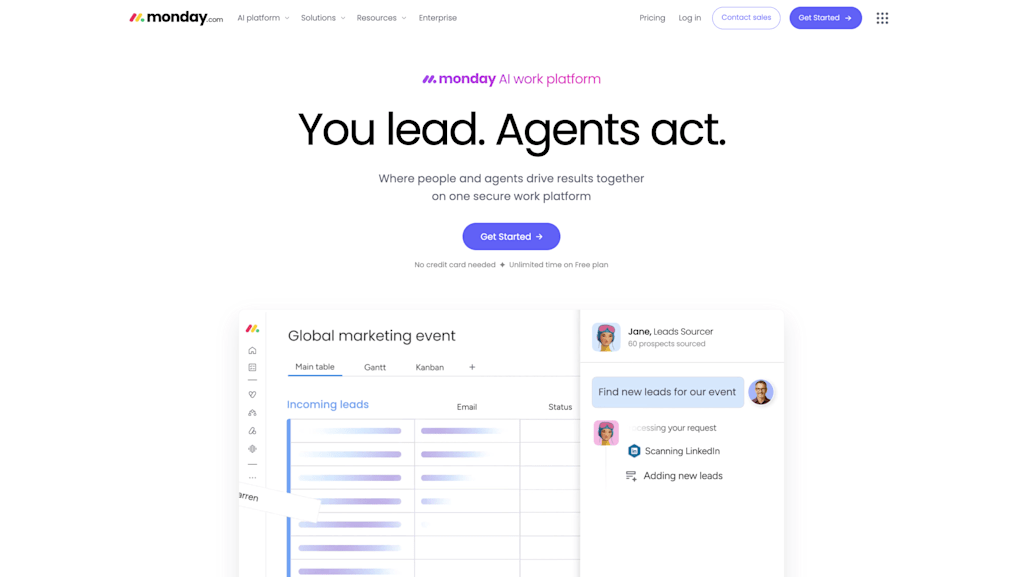
With monday workdocs, teams can create briefs, meeting notes, SOPs, project plans, and decision logs, then connect them to boards, dashboards, automations, and workflows. This makes monday.com a strong fit for teams that need their documentation to stay tied to active work.
Key capabilities:
- Teams can use monday.com to manage project documentation, workflows, dashboards, automations, and task ownership in one workspace
- monday workdocs can connect written context to live boards, updates, and project data
- Dashboards help teams track progress, workload, timelines, blockers, and high-level reporting across projects
- No-code automations can reduce manual follow-up around approvals, assignments, status changes, and reminders
- Native integrations and an open API help teams connect monday.com with tools they already use
- AI-powered capabilities, including monday sidekick, monday agents, monday vibe, AI columns, and the AI workflow builder, can help teams summarize updates, organize information, generate workflow ideas, and surface work that may need attention
Where it fits best: monday.com is a strong choice for marketing teams, operations teams, PMOs, IT teams, service teams, and cross-functional groups that need to connect documentation to real workflows.
Considerations: If your only need is a deeply nested technical wiki, a dedicated documentation tool may be more focused. monday.com is best when documentation needs to connect to planning, tracking, reporting, and execution.
Get started with monday.com2. Notion
Best for: Teams that want flexible documentation, lightweight databases, and a customizable workspace
Notion is a flexible workspace for notes, wikis, databases, and lightweight project tracking. Its block-based editor makes it easy to create pages, organize information, and build custom layouts for different teams.

Key capabilities:
- Notion supports wikis, docs, databases, project trackers, meeting notes, and internal knowledge hubs
- Teams can use templates to build onboarding hubs, content calendars, roadmaps, and operating docs
- Notion AI can help draft, summarize, and edit content
- Databases make it possible to connect pages, tasks, and structured information
Where it fits best: Notion is useful for startups, small teams, and departments that want a flexible place for documentation and lightweight workflow tracking.
Considerations: Notion’s flexibility can become messy without governance. Larger organizations may need stronger structure, reporting, permissions, and workflow automation than Notion provides natively.
3. ClickUp
Best for: Teams that want documentation and project management in one feature-rich platform
ClickUp combines tasks, docs, goals, dashboards, whiteboards, automations, and AI add-ons in one platform. It’s designed to reduce app-switching by giving teams a broad set of work management features.

Key capabilities:
- ClickUp Docs lets teams create documentation and connect it to tasks
- Multiple project views support lists, boards, calendars, timelines, and Gantt-style planning
- Automations can support repetitive workflow steps
- ClickUp Brain can help with summaries, drafting, and work-related AI support
Where it fits best: ClickUp can work well for teams that want many project management features and are willing to invest time in configuration.
Considerations: The platform can feel dense for non-technical teams. Some teams may find the number of features helpful, while others may find it overwhelming.
4. Slite
Best for: Remote and async teams that need a clean, searchable knowledge base
Slite is a documentation tool built for team knowledge sharing. It focuses on making information easy to write, verify, search, and maintain over time.

Key capabilities:
- Slite offers a clean writing experience for internal docs, policies, meeting notes, and team knowledge
- AI-powered search helps users find answers from existing documentation
- Verification and content health features help teams keep docs current
- Slack integrations help teams access knowledge in the flow of communication
Where it fits best: Slite is a good option for remote teams that need a dedicated knowledge base without heavy project management features.
Considerations: Slite is primarily a documentation platform. Teams that need task management, dashboards, or workflow automation will likely need another tool alongside it.
5. Nuclino
Best for: Small teams that want a fast, simple, visual knowledge base
Nuclino is a lightweight documentation and collaboration tool with a clean interface and quick setup. It is built for teams that want to organize knowledge without much complexity.

Key capabilities:
- Nuclino supports collaborative documents, internal wikis, and simple team workspaces
- Graph view helps teams see relationships between documents
- Its AI assistant can help users find answers based on internal content
- Publishing features can turn workspaces into external knowledge bases
Where it fits best: Nuclino works well for small teams, startups, or departments that want a simple and fast alternative to Confluence.
Considerations: Nuclino is not built for complex project management or enterprise-scale workflow automation.
6. Coda
Best for: Teams that want docs, databases, and lightweight internal apps
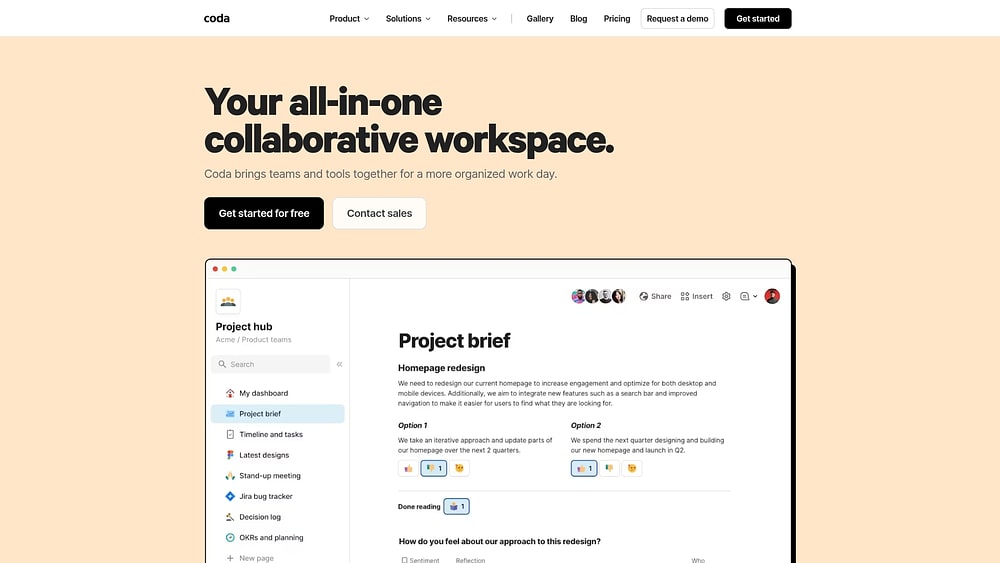
Coda combines documents, tables, buttons, automations, and integrations to help teams create interactive docs and internal tools.
Key capabilities:
- Coda docs can include structured tables, forms, buttons, and automations
- Teams can build lightweight trackers, planning hubs, and operating systems inside documents
- Packs connect Coda to other tools
- AI capabilities can help summarize, draft, and work with data inside docs.
Where it fits best: Coda is useful for operations, product, and marketing teams that want to build flexible internal tools without writing code.
Considerations: Coda can become complex as docs grow. Teams may need clear structure and ownership to avoid workspace sprawl.
7. Document360
Best for: Teams that need governed technical documentation or customer-facing knowledge bases
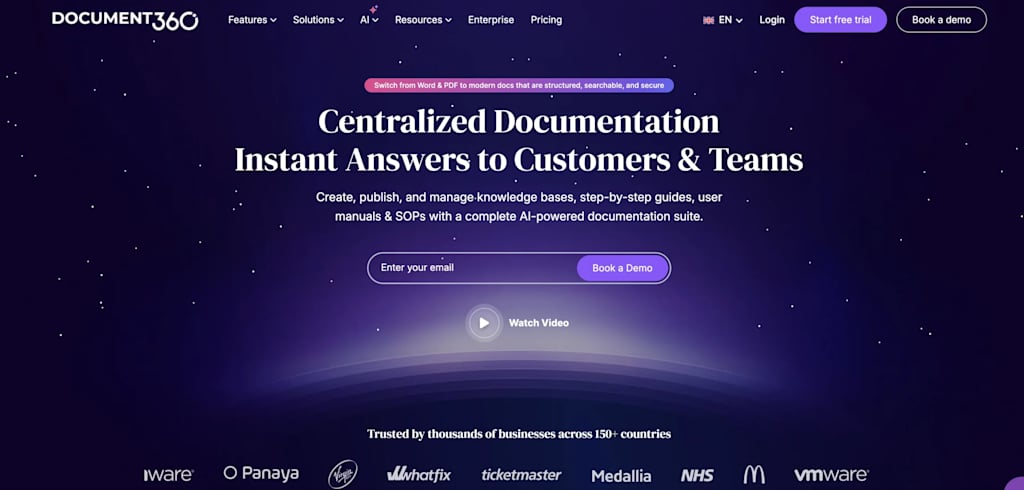
Document360 is a structured knowledge base platform built for internal and external documentation. It is especially useful for support, product, and technical writing teams.
Key capabilities:
- Document360 offers strong article organization, category management, and version control
- Teams can publish internal documentation or external help centers
- AI-powered search and writing support can help authors and readers
- Analytics help teams understand article performance and knowledge gaps
Where it fits best: Document360 is a good fit for support documentation, product documentation, SOPs, and customer knowledge bases.
Considerations: It’s focused on knowledge management, not active project execution. Teams will still need separate project or workflow tools.
8. GitBook
Best for: Developer and engineering teams managing technical documentation
GitBook is designed for technical documentation, API references, product guides, and developer portals. It works well for teams that want docs connected to engineering workflows.

Key capabilities:
- GitBook supports technical docs, API documentation, and developer guides
- Git sync allows teams to manage docs alongside code workflows
- AI search and assistant features help users find answers faster
- Published docs are structured for both human readers and AI tools
Where it fits best: GitBook is a strong option for engineering, developer relations, and product teams that need clean technical documentation.
Considerations: It is not designed for general project management, operations workflows, or non-technical work tracking.
9. Microsoft SharePoint
Best for: Large organizations already using Microsoft 365
SharePoint is a long-standing document management and intranet platform. It is often used by enterprises that need permissions, document libraries, and integration with Microsoft tools.

Key capabilities:
- SharePoint provides document libraries, team sites, intranet pages, and version control
- It integrates closely with Microsoft Teams, Outlook, OneDrive, and Office apps
- Permissions can be managed at a detailed level
- Microsoft 365 ecosystem support makes it familiar for enterprise IT teams
Where it fits best: SharePoint works well for large organizations with Microsoft-centered operations and strong IT governance needs.
Considerations: It can be difficult to configure and maintain. It is not usually the easiest option for fast-moving teams that need visual project execution.
10. Google Docs
Best for: Teams that need simple, real-time document collaboration
Google Docs is one of the easiest tools for collaborative writing and editing. It is not a full Confluence replacement on its own, but it remains a practical choice for teams that need quick document creation and sharing.

Key capabilities:
- Google Docs supports real-time co-editing, comments, suggestions, and sharing
- Smart chips can connect documents to people, files, meetings, and dates
- Gemini features can help draft, summarize, and search content across Google Workspace
- Google Drive helps teams organize documents and folders
Where it fits best: Google Docs works well for small teams or organizations already using Google Workspace.
Considerations: It lacks the structure, governance, and workflow connection of a dedicated knowledge base or work platform.
11. Tettra
Best for: Slack-based teams that want Q&A and internal knowledge capture
Tettra is a knowledge management tool designed to help teams answer repeated questions and keep internal knowledge organized, especially inside Slack.

Key capabilities:
- Tettra helps teams capture, verify, and maintain internal knowledge
- Slack integration lets employees ask questions and retrieve answers where they already work
- The platform supports knowledge owners, verification workflows, and stale content reminders
- AI-powered answers can help reduce repetitive questions
Where it fits best: Tettra is useful for small and mid-sized teams that rely heavily on Slack and want to turn recurring questions into documented knowledge.
Considerations: Tettra is not a project management or workflow automation platform.
12. Teamwork.com
Best for: Agencies and client services teams
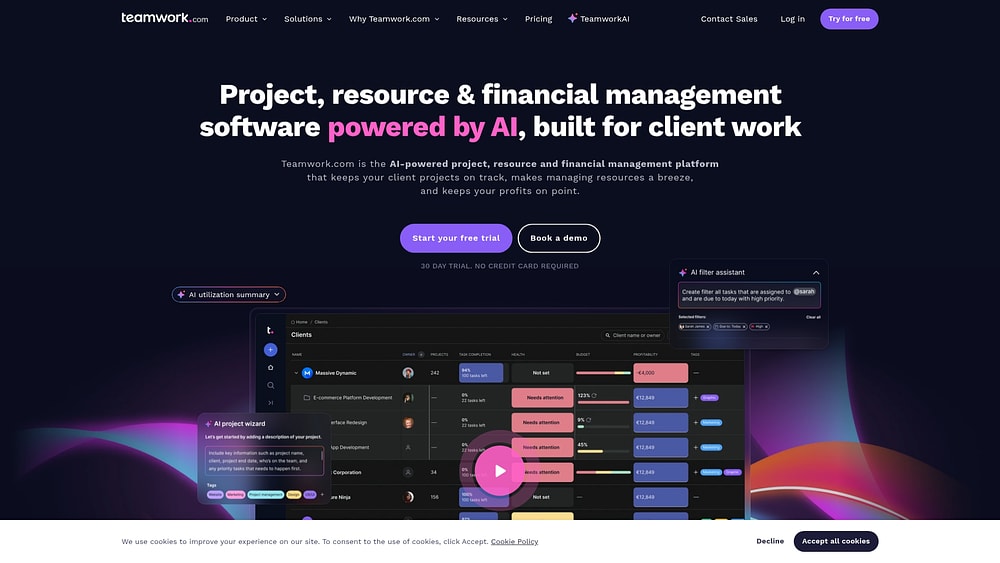
Teamwork.com combines project management, client collaboration, time tracking, and documentation features. It is built with agencies and service businesses in mind.
Key capabilities:
- Teamwork.com supports project plans, tasks, time tracking, budgets, and client collaboration
- Its documentation feature, Spaces, helps teams store project-related knowledge
- Client portals allow external stakeholders to collaborate in controlled environments
- Required reading features can help teams track policy or process acknowledgment
Where it fits best: Teamwork.com is a good fit for agencies, professional services teams, and client-facing teams managing multiple projects.
Considerations: Some documentation controls may require add-ons or higher-tier plans, and teams that do not need client services features may prefer a broader work platform.
13. XWiki
Best for: Technical teams that need a self-hosted, open-source wiki
XWiki is an open-source enterprise wiki for teams that need full control over hosting, customization, and data.

Key capabilities:
- XWiki supports self-hosted documentation, structured data, and wiki-style knowledge management
- Teams can customize the platform deeply with extensions and technical configuration
- Granular permissions help organizations manage access
- Its open-source model helps teams avoid vendor lock-in
Where it fits best: XWiki is a strong choice for technical teams with IT resources and strict data control requirements.
Considerations: It requires technical expertise to deploy, secure, customize, and maintain. It is not a plug-and-play option for non-technical departments.
14. BookStack
Best for: Teams that want a free, self-hosted wiki with simple structure
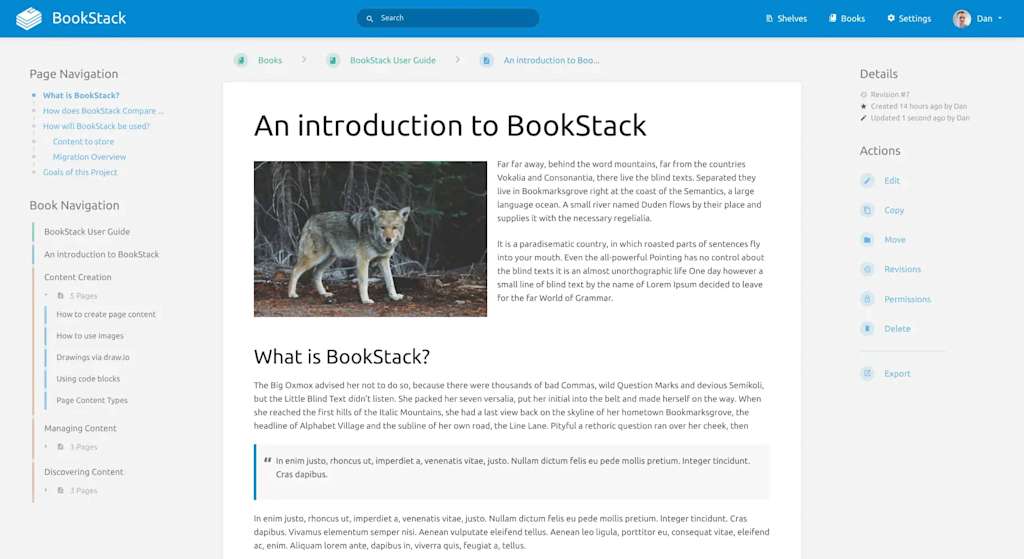
BookStack is an open-source wiki that organizes content into books, chapters, and pages. It is simple, structured, and easy to understand.
Key capabilities:
- BookStack uses a familiar hierarchy that makes documentation easy to navigate
- It supports visual editing and Markdown
- Role-based permissions and authentication options support access control
- The software is free to use, though hosting and maintenance are still required
Where it fits best: BookStack works well for IT teams, small organizations, and technical teams that want a simple self-hosted wiki.
Considerations: It lacks built-in AI, workflow automation, and project management capabilities.
15. Wiki.js
Best for: Developer-heavy teams that need a technical, self-hosted wiki
Wiki.js is an open-source wiki built on Node.js. It gives technical teams control over hosting, storage, permissions, and documentation workflows.

Key capabilities:
- Wiki.js supports self-hosted documentation with flexible storage options
- Teams can use multiple editor formats, including Markdown and visual editing
- Git-based storage options can support developer documentation workflows
- Permissions can be configured in detail
Where it fits best: Wiki.js is a good fit for technical teams that want a free, self-hosted documentation platform with strong control over infrastructure.
Considerations: It is not designed for project execution, workflow automation, or non-technical team operations.
Get started with monday.comKey features to look for in a Confluence alternative
Choosing a Confluence alternative is not just about replacing pages. It is about choosing how your team will store knowledge, manage work, and keep people aligned.
Connected documentation and workflows
The strongest alternatives connect documentation to the work it supports. That might mean embedding project boards into docs, linking SOPs to workflows, or turning action items from meeting notes into tasks.
When documentation is connected to execution, teams spend less time asking which version is current and more time moving work forward.
AI-powered support
AI can help teams get more value from their knowledge base by summarizing long documents, extracting action items, answering questions, and organizing information.
For teams using monday.com’s AI Work Platform, AI-powered capabilities can support workflows through monday sidekick, monday agents, monday vibe, AI columns, and the AI workflow builder. These tools can help teams summarize updates, build workflows, organize incoming information, and surface items that may need attention.
Search and knowledge reliability
A Confluence alternative should make knowledge easy to find and easy to trust. Look for strong search, content ownership, verification features, version history, and clear permissions.
Governance and permissions
The more teams and departments use a platform, the more governance matters. Look for permissions, admin controls, audit logs, access management, and security features that match your organization’s needs.
Integrations with your existing stack
A knowledge platform should connect to the tools your team already uses, such as Slack, Microsoft Teams, Google Drive, Jira, Salesforce, GitHub, or CRM systems. Integrations reduce duplicate work and make knowledge easier to use across teams.
Free Confluence alternatives worth considering
Free options usually fall into two categories: cloud-based free plans and self-hosted open-source tools.
Cloud-based free plans, such as Notion, Nuclino, or other lightweight tools, can be helpful for small teams that want to get started quickly without managing infrastructure. The trade-off is that free tiers often include limits on users, storage, permissions, or advanced features.
Self-hosted tools, such as XWiki, BookStack, and Wiki.js, can reduce licensing costs and give teams more control over data. The trade-off is that your team is responsible for hosting, maintenance, security, and updates.
For teams that want documentation connected to execution, it may be worth looking beyond free wiki tools. A platform like monday.com’s AI Work Platform can help teams manage documents, tasks, workflows, dashboards, automations, and AI-powered capabilities together rather than relying on separate tools.
How AI is changing Confluence alternatives
The next generation of knowledge platforms is not only about writing, storing, and searching documents. AI is changing how teams interact with knowledge and how quickly they can turn information into action.
From search to action
Traditional knowledge bases help people find information. AI-powered platforms can go further by summarizing that information, extracting next steps, routing requests, or helping teams create workflows from unstructured input.
For example, a meeting note can become a list of action items. A project brief can become a workflow. A support request can be categorized and routed. These small steps can reduce manual work and help teams move faster.
AI across departments
AI becomes more useful when it has access to the right context. A tool that only sees documentation can help answer questions. A platform connected to projects, owners, timelines, and dashboards can support more operational workflows.
That is why cross-functional teams should evaluate how AI works inside the platform, not just whether the vendor has an AI feature.
Governance still matters
AI-powered workflows need clear permissions, controls, and human oversight. Teams should look for tools that make it clear what AI can access, what it can do, and where human review is required.
How to choose the right Confluence alternative
Before choosing a platform, start by mapping how knowledge and work move across your team.
Ask:
Where does project planning happen today?
Where do people store documentation?
Where do decisions get made?
Where do tasks and approvals happen?
Which information gets outdated fastest?
Which teams struggle most with adoption?
Once you understand the gaps, compare tools based on what matters most: documentation structure, workflow depth, AI capabilities, integrations, permissions, reporting, and ease of adoption.
A simple documentation tool may be enough if your team only needs a better wiki. But if your team needs documentation to stay connected to project execution, choose a platform that brings knowledge and work together.
Five steps to migrate from Confluence smoothly
1. Audit your current documentation
Start by reviewing what is active, outdated, duplicated, or no longer needed. Do not migrate everything by default. Moving stale content into a new platform only recreates the same problem in a new place.
2. Decide what should become a workflow
Some content should stay as documentation. Other content may be better as a workflow, board, checklist, form, or dashboard. For example, an SOP might remain a document, while a recurring approval process might become an automated workflow.
3. Map permissions before moving content
Confluence spaces often contain sensitive information. Before migration, map which teams, roles, and stakeholders should have access to each type of content.
4. Run both systems in parallel
Avoid a hard cutover when possible. Give teams time to test the new platform, find missing content, and adjust workflows before fully retiring the old setup.
5. Track adoption after launch
A successful migration is not just about moving pages. Track whether teams are actually using the new system, whether content is staying current, and whether workflows are easier to manage.
Bring knowledge and work into one connected workspace

Confluence can be a strong documentation tool, but many teams now need more than a place to store pages. They need a system where knowledge stays connected to the work it supports.
The right alternative depends on your team’s needs. Some teams need a cleaner wiki. Others need better technical documentation, stronger search, or a self-hosted option. Cross-functional teams often need something broader: a platform that connects documentation, workflows, dashboards, automations, integrations, and AI-powered capabilities.
monday.com’s AI Work Platform gives teams a flexible way to manage that connection. With monday workdocs, boards, dashboards, automations, integrations, and AI-powered capabilities, teams can keep planning, documentation, and execution aligned in one workspace.
Get started with monday.comThe content in this article is provided for informational purposes only and, to the best of monday.com’s knowledge, the information provided in this article is accurate and up-to-date at the time of publication. That said, monday.com encourages readers to verify all information directly.
FAQs about Confluence alternatives
What is the best Confluence alternative?
The best Confluence alternative depends on what your team needs. monday.com’s AI Work Platform is a strong option for teams that want to connect documentation with workflows, dashboards, automations, and AI-powered capabilities. Tools like Notion, Slite, GitBook, Document360, and Nuclino may be better for teams focused mainly on documentation.
Is there a free alternative to Confluence?
Yes. Free or open-source Confluence alternatives include tools like Notion’s free plan, Nuclino’s free plan, BookStack, XWiki, and Wiki.js. Free tools can work well for small teams, but they may have limits around storage, users, governance, integrations, or project execution.
What is the best Confluence alternative for technical documentation?
GitBook, Document360, XWiki, and Wiki.js are strong options for technical documentation. GitBook is especially useful for developer-facing documentation, while Document360 works well for structured product and support documentation.
What is the best Confluence alternative for project management?
monday.com’s AI Work Platform, ClickUp, Teamwork.com, and Coda are good options for teams that want documentation connected to project management. monday.com is especially useful for teams that need boards, dashboards, automations, integrations, and AI-powered capabilities alongside documentation.
How does monday.com compare to Confluence?
Confluence is primarily a documentation and wiki tool. monday.com’s AI Work Platform connects documentation with work management, dashboards, automations, integrations, and AI-powered capabilities. Teams can use monday workdocs to create documentation and connect it to the boards, workflows, and updates where work happens.

 Get started