

If you’re searching for a Confluence alternative, you’re probably not just looking for another place to store documents. You want a platform that helps teams move faster, stay aligned, and turn plans into progress.
Static wikis and scattered knowledge bases no longer match how modern organizations operate. When documentation lives in one system and execution happens in another, context gets lost, handoffs slow down, and cross-department initiatives stall.
This guide explores 15 leading Confluence alternatives for 2026, from flexible documentation platforms to full-scale work management solutions. You’ll discover which features actually matter, how to evaluate tradeoffs, how to select the right fit for your organization, and how to migrate without losing momentum.
The real opportunity isn’t just replacing Confluence. It’s choosing a platform that connects knowledge directly to action and drives measurable results.
Key Takeaways
- Documentation alone is not enough: Platforms must connect knowledge directly to workflow to prevent information from becoming outdated.
- Automation drives efficiency: AI-powered tools and workflow automations reduce manual updates, making processes more reliable and consistent.
- Cross-functional visibility is essential: Real-time dashboards and tracking allow leaders and teams to monitor progress without siloed reporting.
- Platform flexibility matters: Solutions should adapt to evolving workflows, whether teams require simple knowledge management or integrated project execution.
- Unified workspaces deliver measurable impact: Clever platforms such as monday work management demonstrate how linking documentation with actionable tasks improves alignment and accelerates results.

Why today's teams need more than documentation platforms
Documentation used to be enough. A shared wiki, a structured folder system, a central place to “put things.” But modern work moves too fast for static pages and scattered files.
Today’s teams need information that lives inside the work itself. Strategy should not sit in one system while execution happens in another. When knowledge and action are separated, context gets lost, updates fall behind, and momentum slows.
The real issue is fragmentation. One department plans in a wiki. Another tracks projects elsewhere. A third reports progress in slides or spreadsheets. As initiatives span teams, no one has a complete, real-time picture. What starts as a small disconnect quickly becomes duplicated work, missed handoffs, and stalled progress.
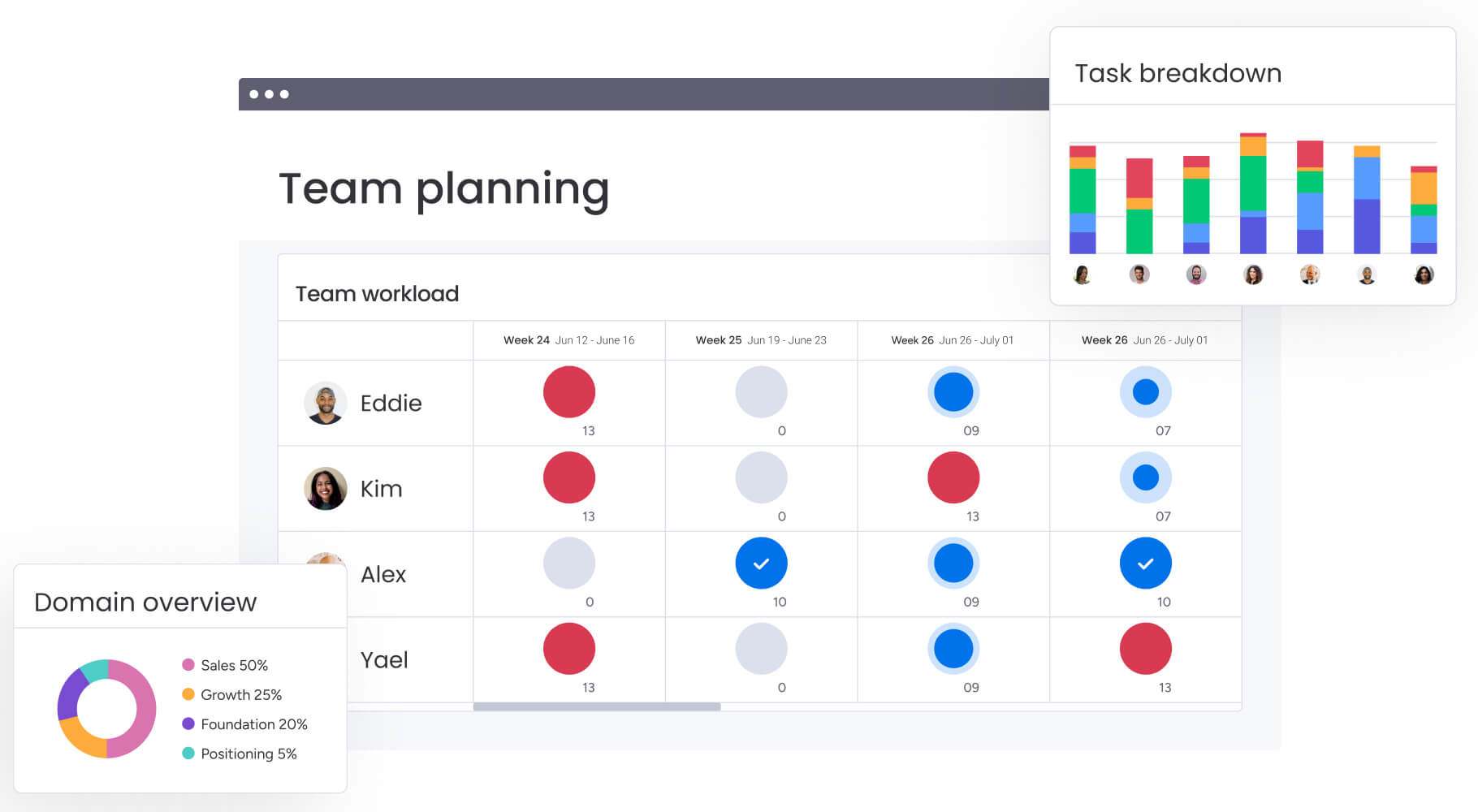
Cross-department collaboration demands more than shared documents. It requires a connected environment where plans, ownership, timelines, and progress all move together. When documentation is embedded directly into workflows, it stays current because it evolves alongside the work.
Instead of acting as a digital archive, your documentation becomes operational. It drives execution, reflects real-time updates, and keeps every team aligned around the same goals.
Platforms built for this new reality help organizations:
- Connect strategy to action: Build and execute plans in the same space, reducing context switching.
- Gain cross-functional visibility: Give teams and leaders a shared, up-to-date view of progress and dependencies.
- Automate knowledge updates: Keep documentation aligned with real-time changes so nothing goes stale.
Essential features in modern Confluence alternatives
Not all Confluence alternatives solve the same problem.
Some focus purely on documentation. Others blend knowledge, workflows, automation, and reporting into a more connected environment. The difference matters. If your goal is simply to replace a wiki, your criteria will look very different than if you want to improve how work moves across teams.
When weighing up modern alternatives, focus on capabilities that remove friction between planning and execution, support collaboration at scale, and adapt as your organization grows.
Here are the features that separate basic documentation tools from platforms built for cross-department collaboration.
Turn documentation into cross-functional workflows
A modern alternative should not treat documentation as a final destination. It should turn written processes into structured, trackable workflows.
Instead of copying action items into another system, teams should be able to move directly from planning to execution in one place.
Look for platforms that include:
- Customizable templates: Launch Initiatives using standardized structures that reflect your team’s proven processes.
- Automated handoffs: Route Work to the right stakeholders automatically when statuses change or milestones are reached.
- Dependency management: Visualize Relationships between tasks to anticipate delays and coordinate across teams.
When documentation connects directly to execution, collaboration becomes proactive instead of reactive.
Embed AI into everyday workflows
AI should support real operational needs, not just generate text.
The strongest alternatives use AI to reduce manual work, improve data quality, and surface insights that help teams prioritize effectively.
High-impact AI capabilities include:
- Intelligent categorization: Organize Documents, tickets, or requests automatically to improve discoverability.
- Instant summaries: Convert Lengthy updates into concise highlights that leaders can review quickly.
- Structured data extraction: Pull Critical details from files and populate structured fields that trigger workflows.
These capabilities help teams spend less time managing information and more time acting on it.
Protect and scale with enterprise-grade security
As collaboration expands across departments, governance becomes essential.
A serious alternative must support growing teams without compromising visibility, control, or compliance.
Key enterprise capabilities include:
- Granular access controls: Define Exactly who can view, edit, or share sensitive data.
- Comprehensive encryption: Secure Information at rest and in transit to protect business intelligence.
- Detailed audit trails: Track Activity across the platform to support governance and compliance requirements.
Security should scale with your organization, not become a bottleneck.
Integrate with your existing tech stack
Even the best documentation platform loses value if it cannot connect to the rest of your ecosystem.
Your knowledge and workflows should sync seamlessly with communication tools, development systems, CRM platforms, and reporting environments.
Look for:
- Native integrations: Connect Core systems without manual exports or duplicated entry.
- Robust APIs: Enable Custom integrations that support complex operational needs.
- Two-way data syncing: Keep Information aligned across platforms so teams work from a consistent source of truth.
When weighing up modern alternatives, focus on capabilities that remove friction between planning and execution, support collaboration at scale, and adapt as your organization grows.
15 leading Confluence alternatives for connected teams
Static knowledge bases become graveyards for good ideas. Teams today need documentation that lives inside their workflows, connecting strategy to execution without losing momentum.
These platforms do more than basic wikis, they integrate with how you actually work. The list below reveals how each solutions helps unify cross-departmental work, provide clear visibility, and connect documentation to your broader tech stack.
1. monday work management
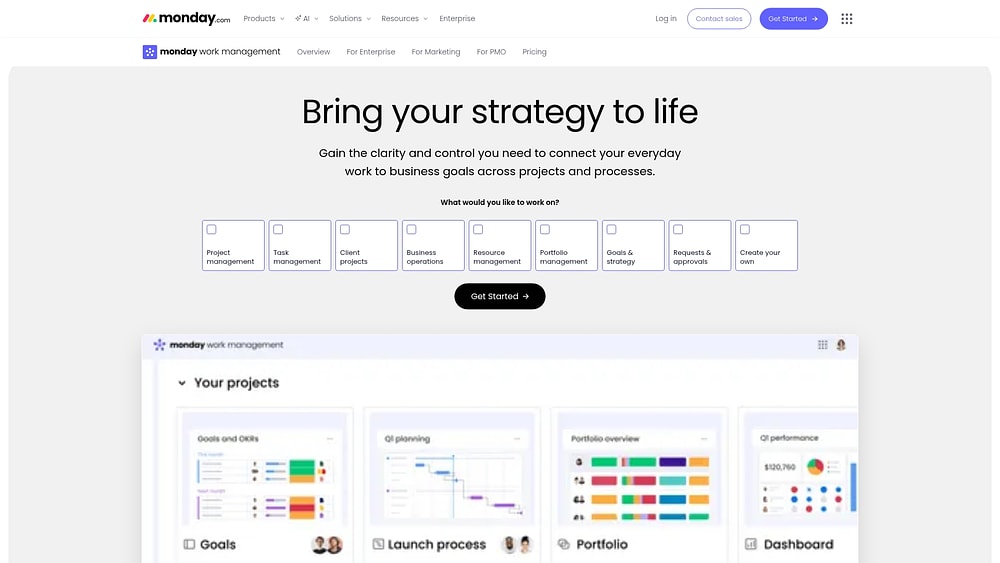
monday work management connects project execution, processes, and team collaboration, closing the gap between documentation and action. Instead of treating knowledge as separate, it keeps plans, updates, and decisions connected to the work they drive.
For organizations moving away from Confluence, this shifts documentation from “reference material” to “working material.” Every process page includes owners, timelines, and measurable progress.
Use case:
Teams use monday work management to replace Confluence and get work management that goes way beyond documentation, covering project execution, resource allocation, and strategic alignment.
For example, a PMO can standardize project intake, track delivery across programs, and publish portfolio dashboards for executives, while teams keep specs, decisions, and work status connected.
Key features:
- Visual workflows that connect documentation with work execution using boards, templates, and updates in context.
- Portfolio and project visibility with dashboards & reporting, so leaders can monitor progress, budgets, and workloads without chasing updates.
- Views that match how different teams run work, including Kanban, Gantt chart, Timeline, Calendar, and Workload.
- Dependencies and milestones to coordinate handoffs and track key checkpoints, especially in complex, cross-department initiatives.
Advanced AI features:
- AI Blocks that bring ready-made AI actions into your workflows, including Categorize, Extract info from files, Detect sentiment, Summarize, Translate, and Custom block.
- AI Blocks can be added through the Column Center, the Automation center, or via Autofill with AI from a column’s three-dot menu, depending on how your team prefers to work.
- Digital Workforce (coming soon) introduces Digital Workers, such as Project Analyzer, designed to monitor work in real time, flag bottlenecks, and provide proactive insights to keep initiatives on track.
Automations:
- No-code automations to standardize what happens next, such as reminders, stakeholder notifications, and approval prompts.
- Ready-to-use automation templates, plus the ability to create custom logic using the familiar “when this happens, do that” setup.
- AI automation blocks (available on Pro and Enterprise plans) let teams add AI actions inside automations, such as summarizing text or categorizing incoming requests.
Integrations:
- 200+ native integrations to connect everyday work to the rest of your tech stack.
- Two-way syncing with Jira Cloud to keep development work and business workflows aligned.
- Popular integrations for cross-functional teams include Slack, Microsoft Teams, Zoom, Outlook, Gmail, Google Drive, and Excel.
Confluence alternative features:
- Documentation that stays tied to action: teams can keep project context in Docs, then manage delivery through boards and views.
- Standardized execution with templates, including repeatable request flows and consistent project structures.
- Real-time reporting with dashboards & reporting so leadership gets portfolio visibility that updates as work moves forward.
Pricing:
- Free: $0 for up to two seats with three boards and three docs.
- Basic: $9/seat/month (billed annually).
- Standard: $12/seat/month with Timeline/Gantt, Calendar, guest access, and 250 automations per month.
- Pro: $19/seat/month including time tracking, private boards, and 25K automation actions per month.
- Enterprise: Custom pricing with portfolio management, resource management, and 250K automation actions per month.
- Annual billing: Provides approximately 18% savings compared to monthly billing.
- Additional: AI credits cost $0.01 each on annual plans for advanced AI features.
Why it stands out:
- Gartner Leader recognition in 2025 Magic Quadrants for Collaborative Work Management, Adaptive Project Management & Reporting, and Marketing Work Management platforms.
- Forrester Total Economic ImpactTM research reports less than a four-month payback period and highlights 346% ROI in a customer implementation.
- Enterprise-ready foundations, including the ability to support enterprise-wide visibility across projects, resources, and goals.
2. Notion
Known for its block-based architecture, Notion offers a highly flexible canvas where documentation, databases, and project management converge. This approach appeals to teams who demand complete control over their information architecture, prioritizing customizable content creation over rigid project frameworks.

Use case:
Teams seeking maximum flexibility in content organization and information structuring, particularly those who need to blend deep documentation with project tracking.
Key features:
- Custom database creation with relationships, formulas, and multiple view options (board, timeline, calendar, gallery).
- Integrated AI to summarize meeting notes, generate content, and power an enterprise search that connects across your integrated apps.
- Native sprint management with sub-items, dependencies, and agile workflow support for development teams.
Pricing:
- Free: $0 per seat/month.
- Plus: $10 per seat/month (billed annually).
- Business: $20 per seat/month (billed annually), unlocks full AI features, SAML SSO, private teamspaces, granular database permissions, and premium integrations.
- Enterprise: Custom pricing with advanced security, SCIM, audit logs, and compliance features.
- Annual billing: Saves up to 20% across paid plans.
- Custom domain add-on: Available for $8/domain/month (billed annually) or $10/domain/month (billed monthly), with a limit of 25 domains per workspace.
Considerations:
- Performance can slow with large datasets or complex page structures, requiring careful database design.
- Its boundless flexibility can be overwhelming for teams without a clear structure or for non-technical users.
- Advanced project management features like portfolio reporting and resource management are less developed compared to dedicated work management platforms.
3. ClickUp
Positioning itself as the “everything app,” ClickUp consolidates chat, AI, docs, and project management into a singular ecosystem. It targets teams that want extensive customization and a massive feature set, boasting over 1,000 integrations and native AI agents to handle diverse workflows.

Use case:
Teams seeking extensive feature sets who are willing to invest time in platform configuration and user training to create highly customized workflows.
Key features:
- Hierarchical workspace structure with granular permissions and modular ClickApps for feature toggling.
- Native AI assistance embedded across tasks, chat, docs, and dashboards with multi-model support.
- Comprehensive project views including Gantt charts with critical path, sprint management, and 50+ dashboard widgets.
Pricing:
- Free Forever: Core features with 60MB storage.
- Unlimited: $7/month per user (billed annually), unlimited storage, integrations, and time tracking.
- Business: $12/month per user (billed annually), adds Google SSO, advanced automations, and sprint reporting.
- Enterprise: Custom pricing, includes advanced security, HIPAA compliance, and dedicated support.
- AI add-ons available separately: Brain AI at $9/month per user, Everything AI at $28/month per user.
Considerations:
- Steep learning curve due to extensive customization options and feature complexity.
- Performance issues are reported with large workspaces and mobile app limitations.
4. Slite
Trust is the currency of Slite, a platform designed to turn team knowledge into instant, verified answers. It focuses on keeping documentation findable and maintained at scale, making it a strong choice for distributed teams that need reliable information without the bloat of all-in-one tools.

Use case:
Teams prioritizing simple, accessible documentation with AI-powered search capabilities over comprehensive work management features.
Key features:
- Doc verification system: Automated expiration tracking and verification status to ensure information stays current and trustworthy.
- AI-powered ask feature: Source-cited answers with permission-aware retrieval that works across Slack, Chrome extension, and the platform.
- Knowledge management panel: Bulk maintenance actions and AI-suggested improvements to keep documentation organized at scale.
Pricing:
- Standard: $8/month per user (billed yearly).
- Knowledge Suite: $20/month per user (billed yearly).
- Enterprise: Contact sales for custom pricing.
- Free trial: 14-day free trial available.
- Offers: Discounts available for nonprofit and academic organizations.
Considerations:
- Limited project management capabilities beyond basic documentation and task embedding.
- AI quotas are metered per user per month, which may restrict heavy usage scenarios.
5. Nuclino
Speed and simplicity define Nuclino, a lightweight platform that unifies visual collaboration, project tracking, and knowledge sharing. Based in Munich, the company targets small to mid-sized teams that want to reduce app sprawl without getting bogged down in complex configurations.

Use case:
Teams looking for a unified workspace that combines knowledge sharing, project tracking, and visual collaboration without the complexity of heavyweight platforms.
Key features:
- Multiple view options including Board (Kanban), table, list, and graph views for flexible work visualization.
- Built-in Canvas for infinite whiteboarding, diagrams, and visual collaboration directly within documents.
- AI assistant “Sidekick” that answers questions based on team content, generates text, and creates images.
Pricing:
- Free: $0/month (up to 50 items, three canvases, 2GB storage).
- Starter: Pricing available on request (unlimited items/canvases, admin tools, 10GB per user).
- Business: Pricing available on request (includes full AI access, SSO, audit logs, 20GB per user).
- Annual billing: Saves up to 25%.
- Offers: Volume discounts available for teams over 100 users.
Considerations:
- Limited enterprise-grade security features on lower tiers, with advanced controls only available on business plan.
- Task management relies on lightweight checklists rather than dedicated task objects with comprehensive assignment capabilities.
6. Coda
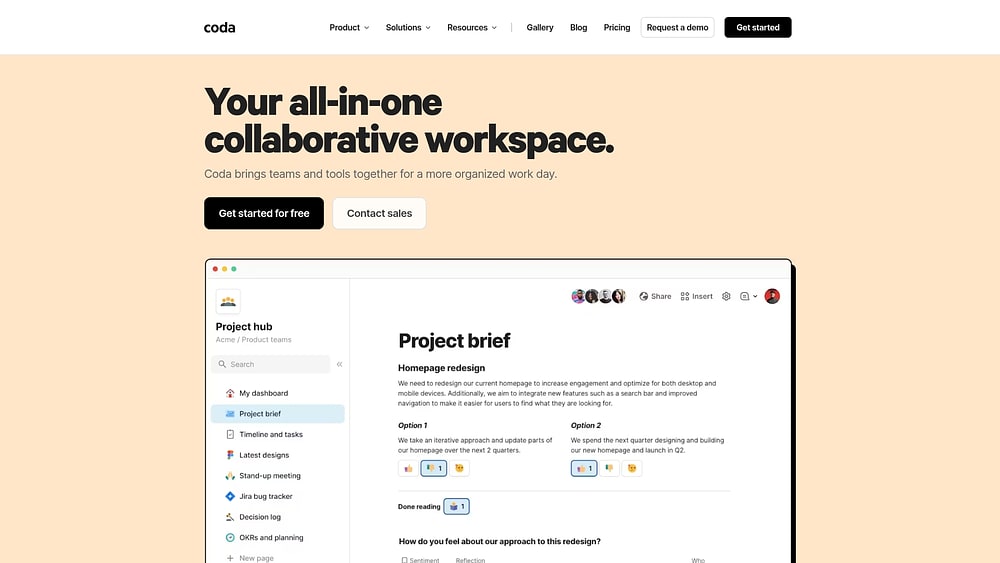
Coda reimagines the document as a powerful application, blending standard writing surfaces with database functionality and automation. It appeals to cross-functional teams that need a workspace capable of scaling from simple notes to complex business apps, supported by over 600 integrations.
Use case:
Technical teams and organizations comfortable with formula-based customization who want to consolidate multiple platforms into one flexible workspace.
Key features:
- Connected trackers with relational tables that sync across multiple views (Kanban, timeline, calendar).
- Two-way integrations with 600+ platforms including Jira, Salesforce, GitHub, and Google Sheets.
- AI-powered content generation, summarization, and data extraction across documents and databases.
Pricing:
- Free: Basic features for individual use.
- Pro: $10/month per doc maker (billed annually).
- Team: $30/month per doc maker (billed annually).
- Enterprise: Custom pricing with advanced security and compliance features.
- Annual billing: Provides 15% discount on pro and team plans.
- Additional: Pack integrations cost an additional $5-$30 per Doc Maker monthly, depending on complexity.
Considerations:
- Steep learning curve for casual users due to powerful but complex formula system.
- Mobile apps prioritize viewing and light editing, with advanced building limited to desktop.
7. Guru
Rather than forcing you to switch apps, Guru acts as a knowledge layer that delivers verified information exactly where your team is already working. It specializes in contextual delivery and knowledge verification, ensuring that critical information remains accurate and accessible across the organization.

Use case:
Organizations prioritizing knowledge accuracy and contextual information access over comprehensive work management capabilities.
Key features:
- Verification system: Designated experts validate information currency through structured review workflows, ensuring content remains accurate and trustworthy over time.
- Contextual delivery: Browser extensions and Knowledge Triggers surface relevant information directly within existing workflows, eliminating context switching.
- AI-powered search: Permission-aware, cited answers with explainable results that connect knowledge across multiple sources while maintaining security protocols.
Pricing:
- Self-serve: $25/month per seat (annual billing, ten-seat minimum).
- Monthly billing: $30/month per seat.
- Enterprise: Quote-based pricing with SSO, advanced governance, and dedicated success management.
- Free trial: 30-day trial available.
- Discounts: Annual billing savings and nonprofit pricing for eligible 501(c)(3) organizations.
Considerations:
- Limited project management capabilities beyond basic knowledge sharing and verification workflows.
- AI Training Center history restricted to 90-day windows, which may constrain long-term quality assurance auditing.
8. Document360
For organizations building formal documentation sites or customer support portals, Document360 offers a structured, AI-enhanced solution. It excels in content workflows and enterprise-grade security, making it a go-to for SaaS, manufacturing, and healthcare companies that need to maintain quality at scale.

Use case:
Organizations requiring professional documentation sites for customer support, internal knowledge bases, or formal compliance documentation benefit from Document360’s structured approach to content management.
Key features:
- AI-native writing assistance and search capabilities that accelerate content creation and improve user experience.
- Custom workflow designer with role-based permissions, review assignments, and automated approval processes.
- Enterprise security features including SOC 2 Type II certification, SSO integration, and comprehensive audit trails.
Pricing:
- Professional: Quote-based pricing with 14-day free trial.
- Business: Quote-based pricing with workflow assignments and tasks management.
- Enterprise: Quote-based pricing with advanced security, SSO, and dedicated design expert.
- Add-ons: AI Premium Suite available as add-on for enhanced authoring capabilities.
- Additionals: Migration services from 100+ platforms provided by Document360’s team.
Considerations:
- Limited collaborative work management features beyond documentation workflows.
- Inline comments are only available in Advanced WYSIWYG editor, not Markdown.
- Third-party dependencies for some integrations like Jira connectivity through Make (Integromat).
9. Microsoft OneNote
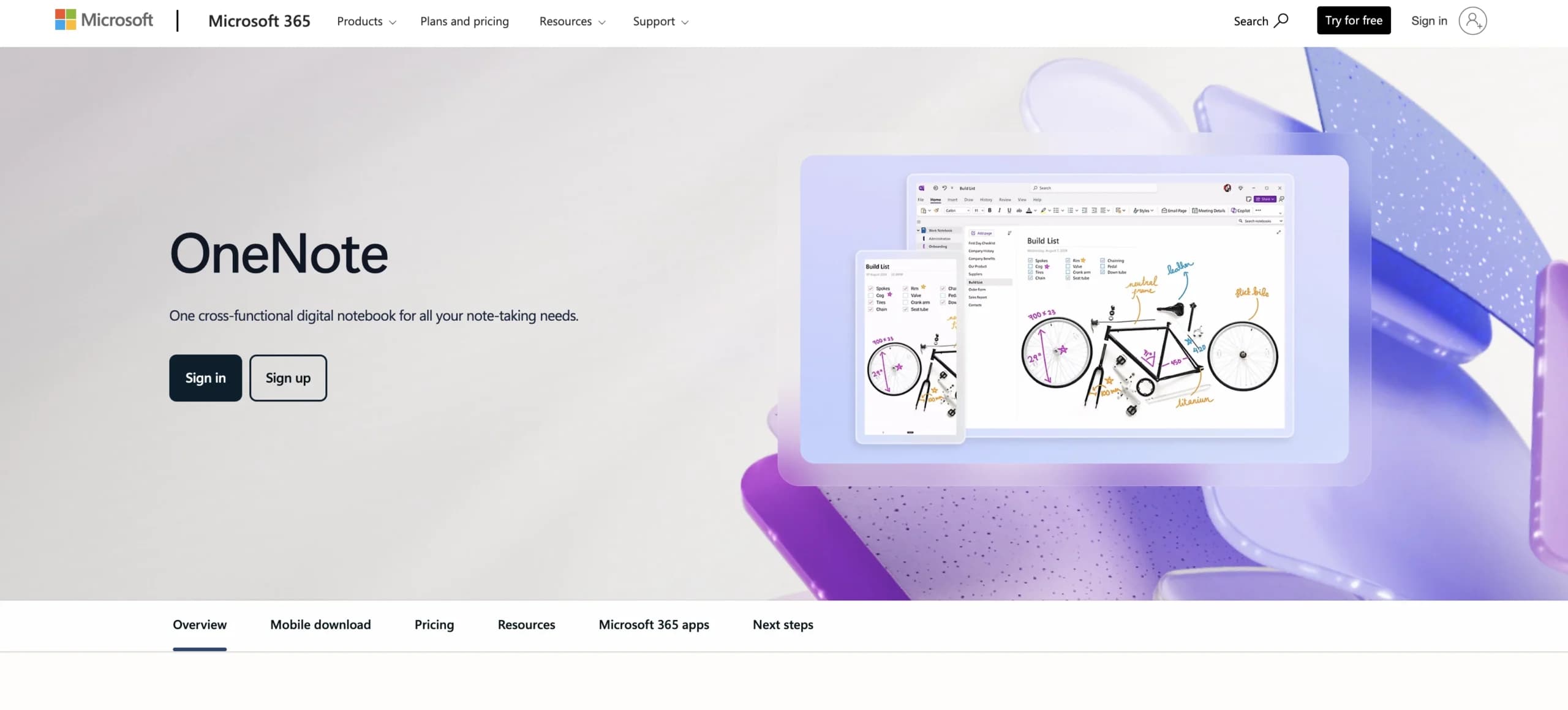
Deeply embedded in the Microsoft 365 stack, OneNote turns standard note-taking into a capture-first workflow. It allows teams to seamlessly convert meeting notes into Outlook tasks, collaborate on shared notebooks, and use AI to extract action items, all without leaving the Microsoft ecosystem.
Use case:
Organizations deeply embedded in Microsoft 365 seeking to bridge the gap between documentation and execution without additional licensing costs.
Key features:
- Integrated task creation: Convert notes directly into Outlook tasks and sync with Microsoft To Do for seamless workflow management.
- AI-powered insights: Copilot summarizes pages, extracts action items, and drafts project plans from handwritten or typed notes.
- Cross-platform collaboration: Real-time co-authoring with Loop components and Teams integration for unified team documentation.
Pricing:
- Microsoft 365 business basic: $6.00/user/month (web and mobile apps, Teams, 1 TB OneDrive).
- Microsoft 365 business standard: $12.50/user/month (adds desktop apps and Loop workspaces).
- Microsoft 365 business premium: $26.40/user/month (includes advanced security and management features).
- Copilot Business add-on: $21.00/user/month for enhanced AI capabilities.
- Annual billing: Offers up to 16% savings compared to monthly plans.
Considerations:
- Limited project management capabilities beyond basic task creation and checklists.
- Advanced features like Loop components and full Copilot functionality require higher-tier Microsoft 365 subscriptions.
10. Quip
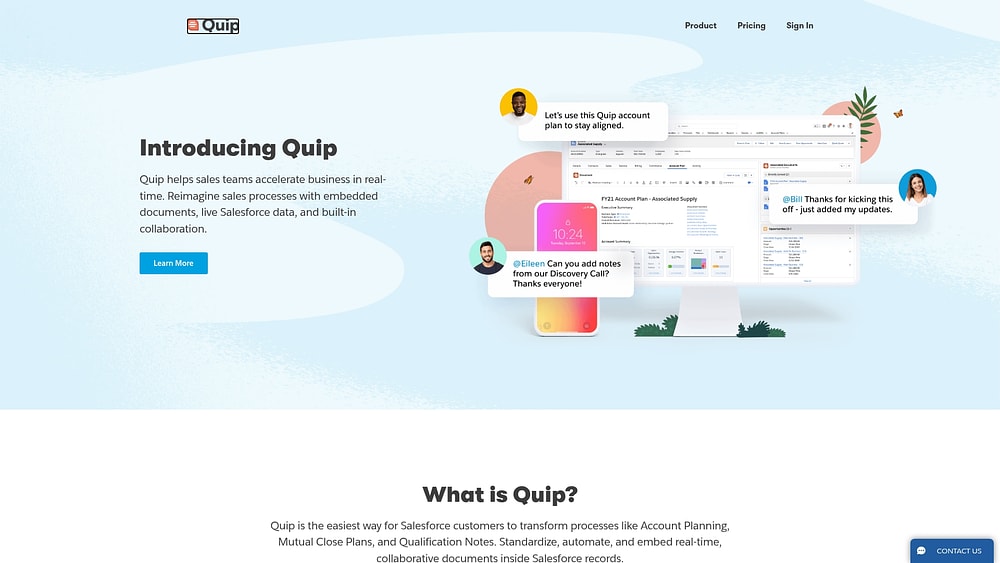
Designed specifically for the Salesforce ecosystem, Quip embeds spreadsheets, chat, and real-time editing directly into CRM records. This document-centric approach is ideal for sales and service teams who need to collaborate on plans without ever leaving their Salesforce environment.
Use case:
Organizations heavily invested in Salesforce ecosystems seeking integrated document collaboration that syncs directly with CRM data.
Key features:
- Live document editing within Salesforce records with two-way data synchronization.
- Project Tracker Live App with kanban boards, calendars, and task management capabilities.
- Enterprise security features through Quip Shield, including encryption key management and event monitoring.
Pricing:
- Quip starter: $10/month per user (billed annually, $12 month-to-month).
- Quip plus: $25/month per user (billed annually, contact sales required).
- Quip advanced: $100/month per user (billed annually, designed for Salesforce integration).
- Add-on: Quip Shield security add-on available with undisclosed pricing.
Considerations:
- Custom extensibility limitations as new Live Apps creation was discontinued in March 2025.
- Windows desktop and Android mobile apps were retired in June 2024, reducing offline access options.
11. Dropbox Paper
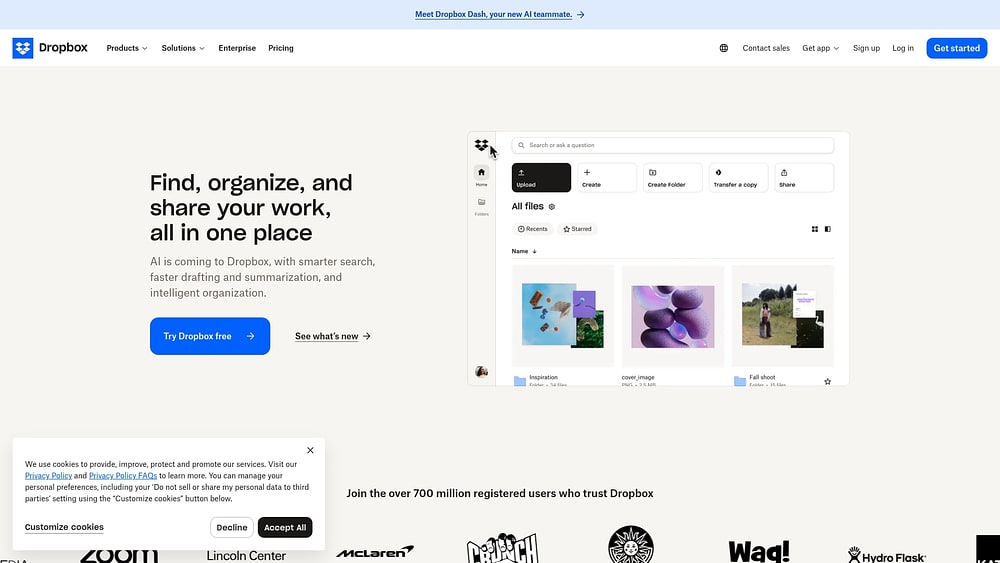
Dropbox Paper offers a minimalist, design-friendly workspace where teams can write and plan without the clutter of heavy project management tools. Deeply integrated with Dropbox, it supports up to 50 simultaneous editors and rich media embeds, keeping context and collaboration unified in a single shared document.
Use case:
Organizations using Dropbox for file storage seeking simple collaborative document creation with lightweight project management capabilities.
Key features:
- Doc-native task management with checkboxes, mentions, due dates, and a persistent “things to do” sidebar for tracking assignments.
- Interactive timelines for project planning with milestones, start/end dates, and owner assignments that live directly within documents.
- Extensive third-party embeds including Figma, Trello, Google Workspace, GitHub Gists, and multimedia content for comprehensive project context.
Pricing:
- Basic: Free (2 GB storage).
- Plus: $9.99/month (personal use).
- Family: $16.99/month (up to six users).
- Professional/essentials: $16.58/month (individual professionals).
- Standard: $15/user/month (team plans).
- Advanced: $24/user/month (advanced team features).
- Enterprise: Contact sales for custom pricing.
- Annual billing: Options available with 30-day free trials for paid plans.
Considerations:
- Mobile apps discontinued in October 2025, limiting Paper to web-only access with read-only timeline functionality on mobile devices.
- Timeline items don’t appear in the main “things to do” list, requiring teams to manage two separate task tracking systems within the same document.
12. Google Workspace
Ubiquity is Google Workspace’s primary strength, creating a productivity ecosystem where real-time co-editing is the standard. It serves organizations that need familiar, accessible collaboration tools without the complexity of specialized work management software.

Use case:
Organizations seeking familiar, accessible document collaboration without complex work management requirements benefit from Google Workspace’s universal accessibility and real-time co-editing capabilities.
Key features:
- Real-time collaborative editing across Docs, Sheets, and Slides with smart canvas integration.
- AI-powered meeting transcription and note-taking through Gemini assistance.
- Integrated team spaces combining chat, files, tasks, and calendar coordination.
Pricing:
- Business starter: $7/user/month (annual billing).
- Business standard: $14/user/month (annual billing).
- Business plus: $22/user/month (annual billing).
- Enterprise: Contact sales for custom pricing.
- Business plans: Are capped at 300 users maximum.
- Offers: Save approximately 16% with annual commitment.
- Add-ons: Gemini AI add-ons available from $20/user/month for Business plans.
Considerations:
- Advanced project management features like dependencies and critical path analysis require third-party integrations or manual workarounds in Sheets.
- Feature availability varies significantly by plan tier, with many AI capabilities and enterprise features restricted to higher-cost editions.
13. Evernote
Long regarded as the digital “second brain,” Evernote excels at capturing and retrieving information from a chaotic flood of inputs. While its roots are in personal knowledge management, it has evolved with AI features and basic sharing capabilities to help teams connect their ideas.

Use case:
Professionals and teams looking for a powerful personal knowledge base with robust capture tools and foundational task and calendar integration.
Key features:
- Advanced capture capabilities including web clipping, document scanning, and email-to-note conversion with OCR search across all content.
- Emerging AI features including AI Edit and transcription. An AI Assistant and semantic search are in staged rollout, promising to unlock deeper insights from your notes.
- Shared Spaces for foundational team collaboration, offering note sharing, permissions management, and simple, integrated task tracking.
Pricing:
- Free: Limited to 50 notes, one notebook, one device.
- Starter: $14.99/month or $99/year with up to 1,000 notes, 20 notebooks, three devices.
- Advanced: $24.99/month or $249.99/year with unlimited notes, notebooks, and devices.
- Enterprise/Teams: Custom pricing with SSO, SCIM, and centralized admin controls.
- Student discount available: 40% off Starter plan with annual billing.
Considerations:
- Restrictive free tier limits may constrain adoption for heavier personal or team use cases.
- Premium pricing positions Evernote above many competitors, particularly when compared to free alternatives like Microsoft OneNote.
14. Tettra
Tettra tackles the problem of repetitive questions by integrating knowledge governance directly into Slack. It captures answers where conversations happen, using AI to reduce interruptions and ensure support teams and growing organizations have access to verified information.

Use case:
Organizations seeking to reduce repetitive questions and improve knowledge accessibility within Slack workflows while maintaining content accuracy through automated verification.
Key features:
- AI bot (Kai) provides auto-answers in Slack channels and converts conversation threads into searchable knowledge pages.
- Q&A functionality captures questions, routes them to subject-matter experts, and creates reusable answers.
- Scheduled verification and content governance reports maintain information accuracy and prevent knowledge decay.
Pricing:
- Scaling: $8/user/month (ten-user minimum, billed annually with 20% discount available).
- Enterprise: Custom pricing with SSO, SCIM, hands-on training, and custom reporting.
- Free trial: 30-day free trial available for Scaling plan.
- Additional: Discounts for nonprofits and education through sales team.
Considerations:
- Limited project management capabilities beyond knowledge sharing and question routing.
- File contents aren’t searchable, only file names appear in search results, which may limit document discovery.
15. Zoho Wiki
Now known as Zoho Learn, this platform combines structured knowledge management with an integrated learning management system (LMS). It serves organizations already in the Zoho ecosystem, offering seamless integration across 50+ apps along with governance features like approval workflows and mandatory reads.

Use case:
Organizations using multiple Zoho products who need centralized knowledge management with built-in training capabilities and formal content approval processes.
Key features:
- Structured knowledge organization through spaces, manuals, chapters, and articles with collaborative editing.
- Integrated learning management system with courses, learning paths, and assessments.
- Governance controls including approval workflows, mandatory reads, and verification reminders.
Pricing:
- Free: Up to five users, three spaces, five manuals, five courses.
- Express: Paid tier with minimum five users (pricing available on request).
- Professional: Paid tier with unlimited version history and approval workflows.
Considerations:
- Approval workflows and unlimited version history require professional tier, limiting governance features for smaller teams.
- Primary value comes from Zoho ecosystem integration, offering limited benefits for organizations using other platforms.
How to select the right alternative for your organization
Selecting a platform requires looking past the feature checklist to find a solution that actually scales. You need a tool that connects your teams and avoids hitting you with hidden costs later.
Will the platform hold up when marketing needs to sync with sales, or when a strategic goal spans five different departments? A polished demo doesn’t guarantee smooth execution.
To make a confident decision, evaluate three critical areas: your actual workflow needs, platform flexibility, and the true total cost of ownership.
Step 1: Map your cross-departmental workflows
Begin by tracing how work moves between teams. Identify where handoffs occur and where they fail. This analysis helps determine if you need a simple repository or a comprehensive work management platform.
Before comparing solutions, pinpoint the friction points slowing you down:
- Information silos: Where is context lost, forcing teams to redo work?
- Manual handoffs: How frequently do errors or delays happen when passing information between systems?
- Reporting overhead: Do managers waste hours chasing updates instead of acting on them?
If the goal is to connect workflows and automate processes, you need a platform capable of both. Organizations leverage monday work management to handle complex, cross-functional processes without losing the structure required for scale.
Step 2: assess platform flexibility and deployment
Cloud-based platforms offer speed and scalability, liberating IT teams from maintenance tasks so they can focus on larger initiatives. On-premise solutions provide total data control but require manual updates and upkeep.
The real question is whether the platform can adapt as your business evolves. True flexibility empowers your teams to build and modify workflows without developer assistance. The platform is built on the monday Work OS, a cloud architecture that provides enterprise-grade security with low overhead and gives business users the autonomy to customize workflows themselves.
Step 3: Calculate the true cost of ownership
The license price is only the starting point. The real cost of any platform includes both direct and indirect expenses that affect your bottom line.
Consider the complete financial picture:
- Direct costs: Per-user licenses, implementation fees, and training.
- Indirect costs: Hours lost to context switching, administrative burdens, and delays from disconnected systems.
- Opportunity costs: The business impact of slow decision-making or missed deadlines.
The right platform generates a clear return on investment by converting these costs into gains.

“monday.com has been a life-changer. It gives us transparency, accountability, and a centralized place to manage projects across the globe".
Kendra Seier | Project Manager
“monday.com is the link that holds our business together — connecting our support office and stores with the visibility to move fast, stay consistent, and understand the impact on revenue.”
Duncan McHugh | Chief Operations Officer5 steps to migrate from Confluence successfully
Leaving Confluence isn’t just a technical swap; it’s an opportunity to rebuild your organization’s operational backbone. Rather than simply lifting and shifting old content, you can redesign how information flows and work gets done.
Success lies in a structured approach that transforms a complex migration into a confident leap forward. How do you ensure the transition is smooth and strategic? A thoughtful plan ensures you move your data while elevating your workflows, turning static documents into dynamic assets.
Step 1: Audit your current documentation architecture
Before moving a single page, map your current Confluence landscape. This audit should go beyond a simple content count to reveal how teams actually use information. A thorough review provides the data needed to decide what to migrate, archive, or reinvent.
To gain this insight:
- Analyze usage patterns: Identify the most viewed and edited pages to see what is critical to daily operations.
- Map content ownership: Clarify responsibilities by determining which teams own which spaces.
- Assess the architecture: Pinpoint what works well and where bottlenecks exist in your current structure.
Step 2: Map content to your new platform’s capabilities
A successful migration shouldn’t just replicate Confluence’s structure. It should unlock new potential. Consider how process documents could become the actual workflows your teams use to execute projects. This step connects existing content to more powerful capabilities.
Instead of copy-pasting, look for opportunities to transform static information into active work. Project plans can evolve from text documents into interactive boards where planning and execution happen simultaneously. Meeting notes can become actionable items assigned to team members with clear deadlines.
Step 3: Plan your phased migration
A “big bang” migration often leads to chaos. A phased rollout gives everyone space to adapt and build confidence. Start by creating a roadmap that prioritizes teams and workflows based on readiness and business impact.
Launch with a pilot group or a department enthusiastic about the change. This allows you to test the process, gather feedback, and create internal success stories before a company-wide rollout. Establish clear timelines, communicate transparently, and plan for a brief parallel run of both systems. This ensures a smooth, controlled transition that builds momentum.
Step 4: Empower champions across departments
Your most effective adoption tool is your people. Identify champions in every department who are excited about improving how their teams work. These individuals will become your experts, providing peer support and driving adoption from the ground up.
Equip these champions with the training and resources they need. This includes platform fundamentals and department-specific examples that demonstrate immediate value. Creating a dedicated community for these champions allows them to share best practices and solve challenges together.
With extensive learning resources, monday work management helps turn these key employees into advocates who accelerate your organization’s success.
Step 5: Monitor adoption and optimize workflows
Migration doesn’t end at launch, it marks the start of a more agile way of working. Ensuring the new platform continues to deliver value requires continuous monitoring and optimization.
Track user engagement, content creation, and collaboration patterns to see how teams are adapting. Use surveys and direct feedback to identify friction points and improvement opportunities.
The analytics capabilities on monday work management provide the insights needed to refine workflows and offer targeted training: this creates a feedback loop that ensures your platform evolves alongside your organization.
Connect documentation to results with monday work management
Documentation should not sit in a digital archive waiting to be referenced. It should move work forward.
monday work management connects your plans, notes, and processes directly to execution. Instead of writing strategy in one place and tracking progress in another, teams can manage everything in a shared workspace where context and action stay aligned.
Docs link directly to boards, owners, timelines, and dashboards. When work updates, documentation reflects it. When priorities shift, stakeholders see it in real time. That connection keeps initiatives moving and eliminates the gap between planning and delivery.
By bringing documentation and workflows together, monday work management helps teams turn ideas into measurable progress — without adding complexity.
monday work management connects your plans, notes, and processes directly to execution. Instead of writing strategy in one place and tracking progress in another, teams can manage everything in a shared workspace where context and action stay aligned.
Moving beyond static documentation today
Modern organizations face the challenge of connecting documentation to actual work. Teams often struggle with outdated information, siloed knowledge, and manual updates that slow cross-department collaboration and decision-making.
Fortunately, in 2026 monday work management addresses these challenges by creating a unified workspace where strategy, documentation, and execution coexist.
- Connecting knowledge to workflows: Ensures information is actionable, automatically updated, and embedded directly in project execution.
- Enhancing cross-functional visibility: Provides leaders and team members with real-time dashboards and reports for a single source of truth across departments.
- Streamlining routine tasks with automation: Reduces manual handoffs and status updates while maintaining accuracy and accountability.
- Scaling securely with enterprise-grade controls: Protects sensitive data with role-based access, encryption, and comprehensive audit trails.
- Integrating seamlessly with existing tools: Allows teams to maintain workflow continuity while connecting disparate systems across the tech stack.
By linking documentation to daily work, teams can eliminate friction, accelerate project delivery, and achieve measurable alignment between strategic goals and operational execution.
Frequently asked questions
How much can organizations save by switching from Confluence?
When switching from Confluence, organizations can save 20–40% on collaboration costs by consolidating platforms, decreasing training time, and improving team productivity.
What are the best free Confluence alternatives?
The best free alternatives to Confluence include Notion, Google Workspace, and the free plan on monday work management, which offer strong foundational features for small teams.
Can open source alternatives replace Confluence?
Open source alternatives can replace basic Confluence functions, but they often lack the advanced collaboration, automation, and integration capabilities that growing organizations need.
How do How do AI features in today's alternatives compare to Confluence?
AI features in alternatives like monday work management are more advanced, offering intelligent content summaries, automated workflows, and predictive insights that turn static documents into actionable processes.
Which alternative is best for remote teams?
For remote teams, an alternative like monday work management is ideal because its real-time collaboration, visual dashboards, and automated updates keep distributed teams aligned and connected.
Do these alternatives integrate with existing Atlassian tools?
Yes, many alternatives integrate with Atlassian tools; for example, monday work management offers robust, two-way sync with Jira to keep development and business teams aligned.

 Get started