


Modern organizations rely on data to drive decisions. However, when reports exist in one system, project updates in another, and financial metrics in a third, assembling a comprehensive view requires significant manual effort. By the time information is consolidated, the data may already be outdated.
BI platforms address this challenge by connecting data sources and transforming scattered information into actionable dashboards. The right platform enables teams to identify trends, monitor performance, and make decisions based on current, real-time information. For organizations managing complex workflows across departments, this visibility is essential for maintaining alignment and operational agility.
The following guide examines 15 BI platforms worth evaluating in 2026, from enterprise analytics systems to operational intelligence solutions that embed insights directly into workflows. We will analyze key features, pricing structures, and each platform’s strengths to help you identify the solution that aligns with your team’s operational requirements.
Key takeaways
- Intelligence is moving into the workflow: Modern BI has shifted from separate, siloed reporting tools to integrated systems where analytics, such as those found on monday work management, sit directly alongside the projects they inform to drive immediate action.
- AI has transitioned from experimental to agentic: By 2026, AI in BI platforms doesn’t just visualize data, but act as a “Digital Worker” that can independently flag bottlenecks, reallocate budgets, and summarize complex datasets.
- Operational speed is the new ROI metric: The value of a BI platform is now measured by its “time-to-payout” — how quickly a team can move from spotting a data trend to executing a calibrated response.
- Data governance is non-negotiable for AI: For AI blocks and predictive models to be accurate, platforms must be fed clean, structured, and first-party data protected by robust internal policies.
- One size does not fit all: Selection depends on technical maturity, ranging from enterprise analytics for deep modeling to no-code operational platforms that allow business users to build dashboards without IT intervention.

Business decisions are more effective when they’re based on live data and objective insights. Business intelligence (BI) platforms make this a reality by linking disparate systems (from CRM to finance) and converting scattered information into insightful, visual narratives. These platforms give teams the context they need to make fast, confident calls.
When data is easy to access, teams can focus on analysis and make more strategic decisions. You stop hunting for data and start using it to get things done.
By centralizing information and providing real-time visibility, BI platforms deliver significant advantages that help organizations stay competitive. These platforms give teams the context they need to operate with speed and confidence.
Key benefits include:
- Accelerated decision-making: Use live data to make immediate calls and act on opportunities as they arise.
- Enhanced team focus: Automate data collection so your team can focus on insights, not endless spreadsheets.
- Intelligent resource deployment: Visualize project performance and team capacity to identify and resolve bottlenecks before they impact delivery.
- Deep customer understanding: Unify customer data to reveal behavioral drivers and identify high-value segments.
- Competitive agility: React to market shifts with precision, executing strategy faster than competitors.
The fundamental transformation lies in embedding intelligence directly within operational workflows rather than maintaining it on separate platforms. Instead of reviewing historical reports in isolation, teams access insights within their active work environment.
On monday work management, this manifests as portfolio analytics and real-time dashboards positioned alongside the projects they inform, transforming data into an immediate operational asset.
15 business intelligence platforms transforming how teams work
Business intelligence isn’t one-size-fits-all — it’s a range of solutions built for different needs. Selecting the right solution isn’t about compiling a feature wish list, but rather aligning a platform’s strengths with organizational goals. To cut through the noise, you need to know what actually fits your setup.
BI platforms generally fall into four categories. Differences listed below help you find tools that actually move your business forward.
- Enterprise analytics platforms: Built for big data teams with dedicated analysts who need deep modeling and tight governance.
- Cloud-native solutions: Fast, accessible platforms that let business users build reports without waiting on IT.
- Open-source alternatives: Flexible setups for teams who want full control and custom-built analytics from scratch.
- Operational intelligence platforms: Solutions that put analytics right in your workflow, so insights lead to action.
This setup makes analytics part of how work gets done, not a separate task. For instance, on monday work management, teams view project analytics and performance dashboards within their digital workspace, enabling data-informed decisions without leaving the environment where work occurs.
1. monday work management
monday work management connects scattered data and turns it into actionable insights that help teams make data-informed decisions. The platform stands out by placing reporting and analytics directly on your workflows, so insights lead to immediate action.
Teams can track progress, identify risks, and recalibrate plans within the same workspace where tasks are assigned and delivered.

Example:
Teams use monday work management to connect daily work with big-picture goals through portfolio reporting, resource visibility, and live dashboards that update as work moves.
A PMO can standardize project intake, route approvals, and map timelines in Gantt charts. They can also monitor dependencies and share an executive dashboard that updates automatically, ensuring all stakeholders have current information.
Key features:
- Portfolio Risk Insights: Scan across projects to flag risks early and help leaders focus attention where it matters most.
- Customizable dashboards: Roll up live data from your boards into shareable reporting so stakeholders can track progress, timelines, and workload in one view.
- Resource allocation features: Support smarter resourcing with workload visibility, so managers can assign work based on capacity and shifting priorities.
- Advanced project visualization: Support common BI-style questions (what’s on track? what’s blocked? what’s slipping?) using views like Gantt, Kanban, Timeline, Calendar, and Workload.
- Dependencies and milestones: Help teams model delivery plans and quickly understand which activities drive the finish date.
- Project intake and approvals: Make it easier to operationalize requests, capture required data up front, and move decisions forward without chasing updates.
Pricing:
- Free: $0 (up to two seats).
- Starter: $12/seat/month (billed annually).
- Pro: $19/seat/month (billed annually).
- Enterprise: Quote-only (contact sales).
- Annual billing: Saves 18% compared to monthly plans.
- Volume discounts: Available for teams over 40 users.
Advanced AI features:
AI blocks: Add ready-made AI actions into boards and automations to handle high-volume, text-heavy work without manual cleanup — automatically categorize requests by type, urgency, or sentiment; summarize long updates into key points; extract structured data from files like PDFs; and translate, detect sentiment, or improve text for global collaboration.- AI Automations: Trigger AI actions from the Automation center so work updates and governance steps happen consistently across teams.
- AI Templates: Start with pre-built, AI-enabled workflows instead of designing from scratch.
- Digital Workforce: Introduces Digital Workers (gradually released) designed to take on defined work streams — like Project Analyzer, which monitors projects in real time and flags bottlenecks.
- Credit-based model: AI feature usage is managed through credits, with 500 free AI credits per month included in every account and additional credits available for purchase as needed.
Automations:
Automations on monday work management turn reporting into action, replacing weekly reminders with workflows that run themselves. Teams can standardize how work moves through stages, manage notifications, and set up actions that trigger when status changes.
- Automation center: Use automation templates to trigger notifications, reminders, and approval flows.
- Consistent patterns: Create standardized workflows across departments, such as routing new intake items to the right owner or escalating overdue work.
- AI automation blocks: Add AI actions (available on Pro and Enterprise plans) like Categorize, Summarize text, Extract information, and Translate for workflows that depend on structured, reliable data.
Integrations:
Integrations keep reporting connected to the applications teams use every day, making BI actually useful. With 200+ available connections and an open API, monday work management supports the software ecosystem your team already relies on.
- Microsoft Teams and Slack: Bring collaboration signals into execution with native integrations.
- Gmail and Outlook: Convert everyday inputs into trackable work using email integrations.
- Jira Cloud, Zoom, and Google Drive: Keep project context connected with integrations that link critical tools.
- Toggl and Harvest: Support portfolio governance and time-based reporting with time-tracking integrations.
BI tools features:
When evaluating analytics solutions, teams want fast answers to the questions leaders ask: what’s the status? what’s at risk? what do you do now?
- Dashboards & reporting: Help leaders track portfolio performance and drill into project details without asking teams to rebuild reports.
- Goals & OKRs: Connect initiatives to strategic objectives, so progress reporting stays anchored to outcomes, not activity.
- Time tracking: Support more accurate forecasting and planning by showing how long work actually takes.
Why it stands out:
Teams can do their work and run reports in one place with monday work management, which drives adoption. This keeps reporting consistent across departments without relying on a separate analytics team.
- High adoption at enterprise scale: Recognized by G2 with Highest User Adoption for Enterprises.
- Fast time-to-value: Forrester Total Economic Impact™ research reports a less than four month payback period.
- Proven for portfolio leadership: The platform includes portfolio and PMO capabilities like Gantt, dependencies, milestones, and executive-ready dashboards.
- Recognized in Gartner research: A Leader in the 2026 Gartner® Magic Quadrant™ for Collaborative Work Management, and a Leader in the 2026 Gartner® Magic Quadrant™ for Adaptive Project Management and Reporting.
2. Power BI
For teams already using Microsoft tools, Power BI is the analytics engine, turning raw data into insights you can act on. It combines self-service analytics with strong governance, making it a solid pick for companies that need both user access and IT control. It’s used by 95% of the Fortune 500, which shows it can scale from individual users to entire organizations.

Use case:
Power BI works best for Microsoft-heavy teams that need scalable analytics and tight governance — where technical teams build models and business users view reports.
Key features:
- Real-time operational intelligence: Direct Lake mode and Real-Time Intelligence deliver near-instant insights from streaming data without traditional ETL delays.
- Unified Microsoft ecosystem integration: Native connectivity with Teams, Excel, SharePoint, and Azure creates familiar entry points and integrated workflows.
- Advanced data modeling capabilities: Power Query for data transformation and DAX for sophisticated calculations support complex enterprise requirements.
Pricing:
- Free (Fabric Free): Personal use with limited sharing capabilities.
- Power BI Pro: $14 per user/month (paid yearly) for authoring, sharing, and collaboration.
- Power BI Premium Per User (PPU): $24 per user/month (paid yearly) with advanced features like paginated reports.
- Enterprise capacity: Microsoft Fabric F-SKUs and Power BI Embedded A-SKUs with consumption-based Azure billing.
- Annual billing: Provides cost savings across all paid tiers.
Considerations:
- Legacy feature retirement: Real-time streaming features are being retired, requiring migration to Fabric Real-Time Intelligence by October 2026.
- Capacity licensing complexity: Advanced real-time capabilities and broad free-user consumption require capacity licensing beyond per-user plans, adding complexity and cost.
3. Tableau
Tableau’s all about visual storytelling — turning raw data into interactive views that reveal patterns and guide strategy. It empowers organizations with specialized analytics teams to navigate complex data relationships using intuitive drag-and-drop solutions.
Leveraging patented VizQL technology, Tableau democratizes sophisticated data visualization while retaining the analytical depth required by enterprise teams.

Use case:
Organizations that prioritize data discovery and visual analytics find the most value here, particularly those with dedicated teams capable of managing platform complexity and building sophisticated analyses.
Key features:
- Interactive visual analytics: Drag-and-drop functionality translates actions into data queries automatically.
- AI-augmented operational insights: Tableau Pulse and Agent capabilities deliver personalized KPI monitoring and proactive alerts.
- Enterprise-grade governance: Data Management features including catalog, data policies, and virtual connections for trusted analytics at scale.
Pricing:
- Standard Creator: $75/month (billed annually).
- Standard Explorer: $42/month (billed annually).
- Standard Viewer: $15/month (billed annually).
- Enterprise Creator: $115/month (billed annually).
- Enterprise Explorer: $70/month (billed annually).
- Enterprise Viewer: $35/month (billed annually).
- Tableau+: Contact sales for pricing.
- Enterprise tier: Includes Data Management and Advanced Management features plus eLearning.
- AI features: Some consume Flex credits and may incur additional costs.
Considerations:
- Steep learning curve: Requires significant training investment, with organizations typically needing designated power users to build sophisticated analyses.
- Alert limitations: Creation limited to Explorer and Creator roles only, with default evaluation intervals of 60 minutes that may not meet real-time operational needs.
4. Looker Studio
Barriers to entry vanish with Google Looker Studio, which offers free, cloud-based BI capabilities integrated tightly with the Google ecosystem. The platform focuses on rapid dashboard creation and operational distribution via Google Chat and Slack, making it a strong contender for marketing teams and organizations already utilizing Google Workspace.

Use case:
Small to mid-sized organizations operating within Google Workspace that need basic reporting and dashboarding without the budget for premium BI tools.
Key features:
- Native Google ecosystem integration: Connect directly to Google Analytics, Google Ads, BigQuery, and YouTube for streamlined data connectivity.
- Real-time collaboration: Build reports with drag-and-drop functionality requiring no software installation.
- Automated scheduling and alerting: Deliver insights through email, Google Chat, and Slack for operational workflows.
Pricing:
- Looker Studio: Free with basic features and limited scheduling quotas.
- Looker Studio Pro: Self-service subscription with enterprise governance, unlimited scheduling, and team workspaces (pricing available through Google Cloud billing).
- 30-day trial: Available for Pro tier features.
Considerations:
- Alert functionality constraints: No blended data sources and recipient limitations restrict operational intelligence scenarios.
- Performance limitations: Degrades with large datasets and lacks advanced analytical functions available in paid alternatives.
5. Domo
Designed for the executive on the move, Domo provides cloud-native BI with a heavy emphasis on mobile-first analytics and visibility. It targets leadership teams requiring real-time business metrics from any location, supported by social collaboration tools that allow for discussion and insight sharing directly within the interface.

Use case:
Leadership teams needing mobile access to real-time metrics, prioritizing collaboration and discussion over deep, technical data exploration.
Key features:
- Executive dashboards with mobile-first design: Real-time access to business metrics regardless of location.
- Social collaboration features: Enable teams to discuss insights, share findings, and collaborate on analysis within the platform.
- Pre-built industry-specific apps: Provide ready-made metrics and visualizations to accelerate implementation.
Pricing:
- Free trial: 30-day full-platform access with unlimited users.
- Paid plans: Consumption-based pricing model with no per-user fees (custom quote required).
- Volume discounts: Available for paid plans.
- Additional costs: Specialized add-ons like HIPAA-compliant environments, AWS PrivateLink, and enhanced support packages.
Considerations:
- Pricing transparency is limited: Quote-only rates make budget planning challenging for organizations.
- Enterprise positioning: Results in costs that scale significantly as user counts and data volumes increase.
6. Metabase
Democratizing data access without vendor lock-in, Metabase offers open-source business intelligence with enterprise-grade features. Trusted by over 90,000 companies, it blends self-service analytics with developer-friendly embedding, catering to both technical teams and business users.
This approach provides the governance and security growing organizations need while maintaining flexibility.

Use case:
Organizations looking for flexible BI deployment options with strong operational intelligence, especially those needing self-hosted solutions or embedded analytics for customer-facing apps.
Key features:
- Live dashboards with automated alerts: Push insights directly to Slack, email, or operational systems through subscriptions and webhook integrations.
- Two-way workflow capabilities: Enable write-back functionality to operational databases directly from dashboards through Actions feature.
- Permission-aware AI assistant: Metabot generates queries and provides insights while respecting user access controls and semantic layer definitions.
Pricing:
- Open Source: Free self-hosted version with unlimited questions and dashboards.
- Starter: $100/month plus $6/month per user (first five users included), annual billing at $1,080 plus $65/user/year.
- Pro: $575/month plus $12/month per user (first ten users included), annual billing at $6,210 plus $130/user/year.
- Enterprise: Custom pricing starting at $20,000/year with dedicated support and optional single-tenant hosting.
- Metabot AI add-on: Starting at $100/month for 500 requests across paid plans.
- Annual billing: Provides 10% savings across all paid tiers.
Considerations:
- Actions write-back limitations: Currently limited to PostgreSQL and MySQL databases only.
- Advanced features require higher tiers: Granular caching and row-level security require Pro or Enterprise tiers, potentially increasing costs for teams needing operational controls.
7. Apache Superset
Modern data infrastructure finds a capable partner in Apache Superset, which provides enterprise-grade BI through an open-source framework connecting to nearly any SQL database. It appeals to technical teams with Python skills who require powerful visualization tools without the burden of licensing fees.
Organizations already invested in open-source technologies often use Superset to build comprehensive operational dashboards.

Use case:
Technical teams with Python expertise seeking enterprise BI capabilities without licensing costs, particularly those already leveraging modern data infrastructure.
Key features:
- SQL-first architecture: Connect to modern data warehouses, OLAP systems, and cloud databases with broad compatibility.
- Interactive dashboards: Enable operational monitoring with cross-filters, drill-down capabilities, and real-time refresh controls.
- Enterprise security features: Secure data governance through role-based access control, row-level security, and SSO integration.
Pricing:
- Open source: Free under Apache License 2.0.
- Managed hosting: Available through third-party providers like Preset with separate pricing tiers.
- Infrastructure costs: Additional expenses for metadata databases, caching systems, and worker components required for advanced features.
Considerations:
- Technical expertise required: Implementation needs Python developers and database administrators for deployment and maintenance.
- Advanced features need infrastructure: Alerts and reports require additional setup with Celery workers, message brokers, and headless browsers.
8. KNIME
Bridging the gap between standard reporting and advanced data science, KNIME converts complex workflows into visual, low-code pipelines. It serves analysts and data scientists who require machine learning functionality alongside traditional BI within a single environment.
The platform’s node-based architecture makes sophisticated data processing accessible without necessitating extensive coding knowledge.

Use case:
Data science teams needing integrated capabilities that span data preparation, traditional BI, and advanced analytics, including machine learning and predictive modeling.
Key features:
- Visual workflow builder: 300+ pre-built connectors for databases, warehouses, and applications.
- Integrated deployment options: REST APIs, scheduled automation, and interactive Data Apps.
- ModelOps capabilities: Continuous delivery patterns for production analytics and automated retraining.
Pricing:
- Free: KNIME Analytics Platform (desktop version).
- Pro: $19/month (individual SaaS) with 120 execution credits included.
- Team: $99/month for three users with additional users at $49/month.
- Business Hub: Quote-based pricing for enterprise features and governance.
- Additional execution time: Billed at $0.025/minute beyond included credits.
Considerations:
- Streaming execution remains in beta: Limited node compatibility for real-time processing.
- Enterprise-grade operational intelligence features: Require paid Hub plans, potentially increasing costs for frequent automation workflows.
9. Lightdash
Built explicitly for the modern data stack, Lightdash offers AI-native business intelligence layered directly onto dbt projects and data warehouses. It focuses on unlimited user access and developer-centric workflows, making it a strong fit for teams standardized on dbt and SQL.
This setup provides governed self-serve analytics with BI-as-code, ensuring consistency between transformation logic and reporting metrics.

Use case:
Technical teams utilizing dbt and cloud data warehouses who want BI capabilities that connect directly to their existing infrastructure without requiring separate data pipelines, while maintaining metric consistency across all reports.
Key features:
- Native dbt integration: BI-as-code workflows including dashboards-as-code in YAML for version-controlled analytics.
- AI agents: Operate on governed metrics with Slack integration and natural language querying capabilities.
- Comprehensive operational delivery: Scheduled reports, alerts, Google Sheets syncs, and embedded analytics.
Pricing:
- Cloud Starter: $800/month with unlimited users and 21-day free trial.
- Cloud Pro: $2,400/month with smart caching, SSO, and regional deployment options.
- Enterprise: Custom pricing with private cloud options and dedicated support SLAs.
- AI Agents add-on: $600/month.
- Embedding: Pay-as-you-go at $0.05 per load or $790/month for 100k loads.
- Startup discount: 50% off for twelve months for eligible companies.
Considerations:
- Requires existing dbt implementation: May limit teams not yet using dbt for data transformation.
- AI agents are Cloud-only: Operate over metadata rather than performing advanced statistical analysis on raw data.
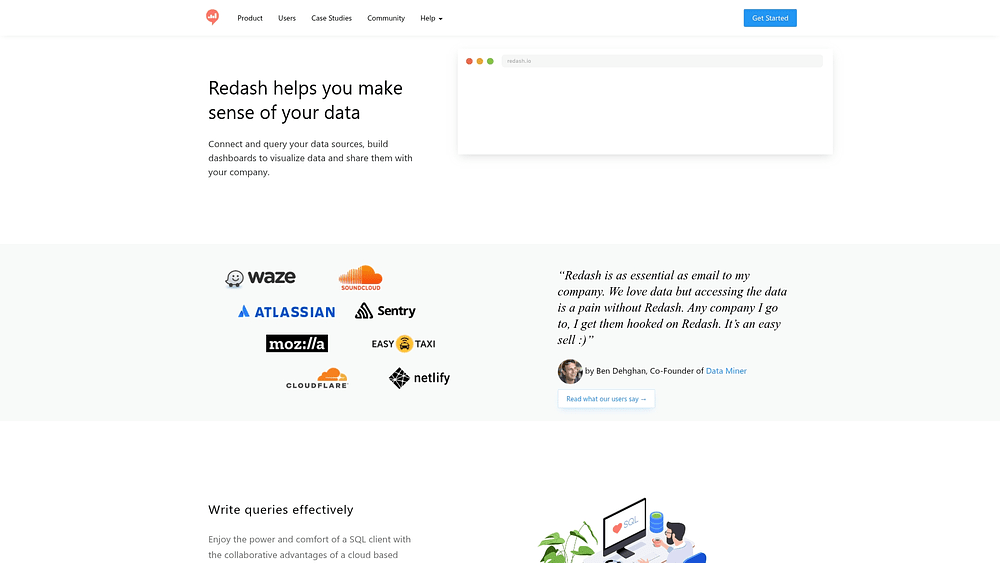
10. Redash
Simplicity reigns with Redash, which provides SQL-based querying and dashboard creation via an open-source framework. It targets technical teams comfortable with SQL who require straightforward BI functionality without the overhead of enterprise platforms.
Maintaining a community-driven approach, Redash offers broad database connectivity and lightweight sharing capabilities.
Use case:
Technical teams needing basic SQL-based reporting and dashboard capabilities without the complexity or cost of enterprise BI platforms.
Key features:
- Cross-source data joins: Query Results Data Source (QRDS) enables joining data across multiple databases using in-memory SQLite.
- Automated alerting: Schedule queries and route alerts to Slack, PagerDuty, and webhooks for operational monitoring.
- Collaborative SQL editor: Share queries and results with embedded dashboards and secret-link sharing for broader visibility.
Pricing:
- Open source: Free under BSD-2-Clause license for self-hosting.
- Hosted service: Discontinued as of November 30, 2026.
- Infrastructure costs: Variable based on deployment scale and cloud resources.
Considerations:
- Parameterized query limitations: Cannot be scheduled or power alerts, limiting dynamic operational intelligence scenarios.
- Self-hosting requirement: Teams bear full infrastructure and maintenance responsibilities.
11. Jaspersoft
When precise layout control is non-negotiable, Jaspersoft stands out with embedded analytics and pixel-perfect reporting. It is designed for developers and organizations building customer-facing applications, excelling at generating formatted documents. This makes it a primary choice for companies needing to embed sophisticated reporting directly into their software products.

Use case:
Organizations requiring formatted reporting with precise layout control, particularly those embedding analytics into Java-based applications or generating compliance documents.
Key features:
- Embedded analytics with Visualize.js: Developer-grade embedding with bidirectional event handling and programmatic control for direct application integration.
- Pixel-perfect reporting: Generate formatted documents like invoices, statements, and compliance reports with exact layouts and styling requirements.
- Multi-tenant architecture: Serve multiple customers from a single environment with robust isolation and scalability features.
Pricing:
- Community Edition: Free (JasperReports Library + Jaspersoft Studio only).
- Commercial Platform: Quote-based pricing for Reporting Platform and Enterprise Platform tiers.
- AWS Marketplace: Hourly rates by EC2 instance size with up to 12% savings on 365-day contracts.
- Enterprise Platform: Includes dashboards, alerts, multi-tenancy, and advanced features (pricing available on request).
Considerations:
- Alert functionality limitations: Restricted to tables and cross-tabs rather than charts, with heavy alert usage potentially impacting scheduler performance.
- Infrastructure dependencies: Dashboard scheduling requires Chrome/Chromium on the server, and email notifications need mail server configuration or SendGrid integration.
12. BIRT
For Java development teams, Eclipse BIRT offers open-source reporting capabilities embedded directly within applications, bypassing separate BI platform costs. It provides Eclipse-integrated design tools and robust API control, allowing developers to build reporting functionality into their software.
With a massive user base, BIRT offers a mature foundation for embedded operational reporting.

Use case:
Development teams building Java applications that require embedded reporting capabilities, particularly those already using Eclipse development environments.
Key features:
- Java-based Report Engine API: Enables programmatic report generation with multiple output formats including PDF, Excel, and HTML.
- Interactive AJAX Web Viewer: Provides pagination, table of contents, and export functionality for operational dashboards.
- Eclipse-integrated visual designer: Drag-and-drop interface and extensive data connectivity through Open Data Access framework.
Pricing:
- Open source: Free under Eclipse Public License with no licensing fees.
- Commercial support: Available through OpenText Magellan BI & Reporting (quote-only pricing).
Considerations:
- Technical expertise required: Implementation needs specialized skills and lacks self-service analytics capabilities for business users.
- Limited operational intelligence: Focused on reporting and visualization without built-in real-time alerting or complex event processing features.
13. Qlik
Qlik distinguishes itself through an associative analytics engine that uncovers hidden relationships across entire datasets. It caters to enterprise and mid-market organizations looking for exploratory data analysis, with a significant portion of the Fortune 500 using it for real-time insights.
Its in-memory processing allows for dynamic exploration without predefined queries, revealing patterns that traditional solutions might miss.

Use case:
Organizations requiring exploratory data analysis capabilities with emphasis on discovering relationships and patterns through interactive investigation rather than pre-defined reporting.
Key features:
- Associative analytics engine: Maintains all data relationships in memory for rapid exploration without waiting for query execution.
- Real-time data integration: CDC streaming through Qlik Replicate and Direct Query capabilities for pushdown SQL to cloud warehouses.
- Active intelligence automation: No-code workflow orchestration with Qlik Automate to trigger actions across SaaS applications based on data changes.
Pricing:
- Starter: $200/month (ten users, 25 GB data capacity).
- Standard: From $825/month (25 GB capacity with expansion options).
- Premium: From $2,750/month (50 GB capacity, includes ML/AI features and SAP connectors).
- Enterprise: Quote-based (starts at 250 GB capacity with multi-region support).
- 30-day trial: Full-feature access without credit card requirement.
Considerations:
- Direct Query limitations: One database per app and no mobile app support.
- Advanced features require higher tiers: Write Table is only available in Premium and Enterprise tiers, potentially increasing costs for organizations needing comprehensive operational intelligence capabilities.
14. MicroStrategy
Governance and scale define MicroStrategy, which offers comprehensive enterprise BI with embedded operational intelligence. It is known for HyperIntelligence overlays that surface contextual insights directly within business applications. This makes it a strong fit for large organizations needing real-time decision-making capabilities distributed across thousands of users.

Use case:
Large enterprises requiring comprehensive BI capabilities with strong mobile access, sophisticated governance, and advanced analytical features across thousands of users.
Key features:
- HyperIntelligence cards: Overlay contextual insights directly in Chrome, Edge, Outlook, and mobile apps without switching platforms.
- Transaction Services: Enable write-back capabilities from dashboards to operational systems using SQL or Python for immediate action.
- Mosaic semantic layer: Provide universal governance, standardized business logic, and data lineage across all analytics tools.
Pricing:
- Standard: $13/user/month (for teams of 50-300 users, 30-day free trial available).
- Enterprise: Quote-based (fully managed, custom AI agents, multi-cloud deployment).
- Government: Quote-based (FedRAMP Authorized on AWS GovCloud).
Considerations:
- Browser extension requirements: HyperIntelligence requires browser extensions and email add-ins, which may need IT governance approval in regulated environments.
- Limited Python transaction availability: Python-based transactions are only available on certain cloud configurations, potentially limiting write-back options in some deployments.
15. Sisense
Product teams looking to embed analytics often turn to Sisense, which uses AI-powered analytics to integrate directly into applications and workflows. The platform emphasizes developer-centric embedding and agentic AI features.
With thousands of organizations using its flexible data modeling and conversational AI, Sisense pushes analytics beyond dashboards and into operational decision-making.

Use case:
Organizations with complex data infrastructure requiring simplified access to multiple sources, particularly those embedding analytics into applications or products.
Key features:
- Compose SDK for developers: Build custom analytics experiences directly in application code with full control over design and functionality.
- AI-powered conversational assistant: Create models, dashboards, and insights using natural language queries with automated narrative summaries.
- Flexible data architecture: Connect live to data warehouses, use high-performance Elasticube for fast queries, or combine both in hybrid models.
Pricing:
- Custom pricing: Quote-based pricing tailored to specific use cases and deployment requirements.
- 7-day free trial: Available to explore platform capabilities and embedding workflows.
- No-surprise pricing approach: Committed transparent pricing structure without hidden fees.
Considerations:
- Infusion Apps limitations: Collaboration platform integrations (Slack, Teams) are only supported for existing customers, not available for new users.
- Code-first embedding approach: Requires developer resources for implementation and ongoing maintenance.
The real cost of BI solutions beyond licensing fees
Sticker price rarely tells the whole story. The total cost of ownership for business intelligence often balloons to three or five times the initial license fee, creating budget overruns before a single insight is generated.
While a platform might seem affordable upfront, the full investment includes implementation, infrastructure, integration, and specialized training. Are you calculating the complete cost of realizing value?
Implementation timeline reality for different platform types
Traditional BI rollouts can drag on for 6–18 months, tying up resources while costs mount. This extended period is consumed by infrastructure setup, data integration, and dashboard development. Even cloud BI tools often require 2–6 months to become operational.
As speed matters, with monday work management, teams can build reports and dashboards in weeks rather than quarters. The platform leverages existing data structures, allowing you to bypass heavy technical overhead and accelerate time-to-value.
| Implementation phase | Enterprise BI | Cloud BI | Operational intelligence |
|---|---|---|---|
| Infrastructure setup | 2–4 months | Minimal | None (cloud-native) |
| Data integration | 3–6 months | 1–3 months | 1–2 weeks |
| Configuration | 2–3 months | 2–4 weeks | One week |
| Training and adoption | 1–3 months | 3–6 weeks | Days to one week |
| Total timeline | 6–18 months | 2–6 months | 2–4 weeks |
Hidden infrastructure and integration requirements
Many BI platforms presuppose the existence of a data warehouse and the technical teams to manage it. Without these, you face significant new investments in hardware, software, and specialized staff just to get started.
These infrastructure costs, from data storage to integration maintenance, can easily exceed the BI license fees. This creates a persistent budget drain, consuming resources better spent on strategic initiatives.
By offering native integrations, monday work management eliminates the hidden costs of building and maintaining a separate data stack. This enables you to work with your data where it resides, converting insights into action much faster.
Training investment and adoption timelines
A powerful platform is useless if it remains unused. As complex BI systems require extensive training, steep learning curves often result in low adoption, with many users abandoning the application within months.
This occurs when a platform feels detached from daily work. Sustainable adoption stems from intuitive design that fits naturally into existing workflows, rather than forcing users to master a complicated new system.
Proficiency should be measured in weeks, not months. An approachable solution accelerates return on investment and ensures teams feel empowered rather than overwhelmed.
How to choose the right BI platform for your organization
Selecting a platform that drives impact requires evaluating how a system fits into real-world workflows, rather than just checking feature boxes. Too often, tools that dazzle in demos become expensive shelfware because they are too complex or disconnected from daily operations.
Successful selection begins with an honest assessment of organizational needs and skills. The objective is to find a solution that delivers sustained value through widespread adoption, not necessarily the one with the most advanced technical specifications.
5 critical selection criteria for long-term success
To ensure your investment translates into measurable business value, evaluate your options against these five criteria:
- Usability and adoption: Sophisticated analytics are futile if ignored. Is the interface intuitive for non-technical users? Does it integrate into existing workflows or demand a change in work habits?
- Realistic implementation: A clear view of setup requirements prevents budget and timeline shocks. Do you have the technical resources for deployment, or will you need external help?
- Scalability: Your platform should accommodate current needs and future growth. Ensure it can handle increased data and users, with a pricing model that remains viable at scale.
- Integration capabilities: BI value multiplies with connectivity. Does the platform offer native integrations with critical systems, or will you need to build custom connections?
- Total cost of ownership: The initial price is just the start. Factor in licensing, implementation, training, and maintenance to understand the true cost and ensure the return justifies the investment.
Matching platform capabilities to team technical skills
Advanced platforms offer no value if teams lack the skills to use them. Therefore, assessing internal capabilities is crucial to avoid selecting a system that is either too simple or too complex.
Organizations with deep technical resources can leverage complex platforms with extensive customization. However, most teams need powerful capabilities delivered through an intuitive interface that doesn’t require data science expertise. The challenge lies in finding a platform that serves both technical analysts and business users effectively.
Bridging this gap, monday work management delivers enterprise-level analytics through user-friendly interfaces. This enables business users to build sophisticated dashboards while providing technical teams with the customization they require.
Essential integration requirements for connected workflows
Insights are most potent when they appear within the context of work. If users must leave their primary workspace to find data, adoption suffers. True value comes from embedding insights directly into decision-making workflows.
Integration capabilities are therefore non-negotiable. Can the platform connect to critical data sources without custom development? More importantly, can it bring insights into the team’s daily context, eliminating the need to switch tools?
By delivering portfolio analytics, real-time dashboards, and AI-powered insights within the environment where teams plan and execute, monday work management makes data a natural component of daily execution. This ensures insights flow directly into decision-making, converting information into action.
How AI-powered features are advancing business intelligence
Artificial intelligence propels business intelligence beyond reactive reporting, enabling teams to anticipate future trends. By automatically surfacing critical patterns and anomalies, AI shifts the focus from analyzing past events to determining future actions. This liberates staff from manual data exploration, allowing them to concentrate on high-impact decisions.
Automated insight discovery and anomaly detection
Consider an analyst that never sleeps, continuously scanning data for trends, patterns, and outliers. AI-powered discovery performs this function, comparing current performance against historical data to flag significant changes proactively.
In practice, the system identifies issues requiring attention before they escalate:
- Unusual spending patterns: Instantly flag budget overruns, rapid resource consumption, or vendor invoice deviations.
- Performance bottlenecks: Automatically pinpoint tasks, dependencies, or resources causing delays across workflows.
- Proactive risk detection: Receive early warnings for initiatives falling behind schedule or exceeding budget, enabling decisive action.
Natural language analytics for every user
Natural language analytics removes technical barriers, allowing anyone to query data using plain English. This capability democratizes access to information, eliminating the need for code or complex report building.
This empowers every function within the organization. A marketing manager can ask, “Which campaigns generated the most leads last quarter?” and receive an immediate answer. This places powerful analytics in the hands of those closest to the work, fostering a more informed and agile culture.
Predictive intelligence built into daily workflows

Actionable insights are most valuable when available immediately. AI integrates predictive intelligence directly into daily workflows, surfacing forecasts where decisions are made. This isn’t about switching applications; it’s about visualizing the future of work during the planning phase.
For instance, teams can view project completion forecasts while building a timeline or receive alerts about potential resource conflicts in advance. On monday work management, these predictive insights are woven into project boards and portfolio dashboards, ensuring every plan is data-informed and executed with confidence.
7 steps to a successful BI implementation
Technology is secondary to people and processes in a successful business intelligence implementation. Even the most powerful platform fails without user engagement. Success stems from clear goals, realistic expectations, and a strategy that prioritizes the team.
This guide outlines a practical approach to implementing BI to drive adoption and deliver value quickly, addressing common pitfalls to build lasting analytical capability.
Step 1: define your business objectives and success metrics
Clarity of purpose is the first requirement for successful BI projects. Rushing into technology without defined goals leads to impressive-looking solutions with minimal impact. What specific outcomes will this investment drive?
Be precise and replace vague aspirations like “becoming data-driven” with measurable targets. For instance, aim to “reduce project delivery delays by 15%” or “provide real-time budget tracking for all department heads.” Concrete objectives highlight which platform capabilities are essential.
Track progress by measuring both usage and outcomes. Usage metrics indicate engagement, while outcome metrics demonstrate that engagement is generating business value.
Step 2: audit your data landscape and quality
A BI platform’s output depends entirely on the quality of its input. Before selecting a solution, obtain a clear picture of the current data situation. Many organizations realize too late that their information is scattered, inconsistent, or inaccessible.
Conduct an audit to understand the raw materials.
- Location: Map out the systems, databases, and spreadsheets containing critical information.
- Consistency: Determine if data from different sources can be combined meaningfully. Look for uniform formats and definitions.
- Quality: Assess accuracy and completeness. Plan to rectify issues like duplicate records or missing values at the source.
Step 3: choose a platform that fits your team today
Select a platform your team can use immediately, not one requiring them to become data scientists. Choosing an overly complex tool based on aspirational skills often leads to low adoption, regardless of training efforts.
Assess your team’s current capabilities and workload honestly. How much time can they dedicate to learning a new system? A platform matching their existing skills delivers value faster than a sophisticated one that remains unused.
A Work OS can be transformative here. With intuitive interfaces and embedded analytics, monday work management allows teams to build dashboards and find insights without extensive training, driving adoption and accelerating ROI.
Step 4: start with high-impact pilot projects
Launch small to win big, as pilot projects allow you to demonstrate value quickly, cultivate internal champions, and learn lessons before scaling.
An effective pilot addresses a known pain point for an engaged team eager for a solution. The aim is to deliver a measurable win within weeks, creating a success story that builds momentum.
These early victories create powerful advocates. A colleague’s testimonial about saving hours on manual reporting is more persuasive than any executive mandate.
Step 5: build your data governance foundation
Data governance establishes the rules of the road for information. It comprises policies and standards ensuring data is secure, reliable, and used correctly. delaying this until after implementation often results in confusion and security risks.
Establish a governance framework early to prevent future issues.
- Access control: Define permissions for viewing, editing, and sharing data.
- Security standards: Protect sensitive information.
- Quality standards: Set expectations for accuracy and completeness.
- Naming conventions: Ensure consistency across reports and dashboards.
Step 6: train teams for sustainable adoption

Training should focus on relevance rather than volume. Overloading users with unnecessary features ensures they forget everything. Instead, concentrate on the workflows they need immediately.
Tailor training to user types. Power users may require technical instruction, while most team members simply need to navigate a dashboard. Integrated, just-in-time learning is most effective.
Platforms designed for ease of use reduce the training burden. Because its analytics are embedded within a familiar work management environment, monday work management allows teams to generate insights using existing skills, accelerating adoption.
Step 7: measure ROI and iterate continuously
BI implementation is a continuous cycle of measurement, learning, and improvement. Tracking usage and business outcomes allows you to refine your approach and ensure the program evolves with the organization.
Usage metrics reveal engagement levels, while outcome metrics demonstrate value delivery. Are decisions faster? Is efficiency improved? Are costs reduced?
Use this feedback to expand to new use cases, add data sources, and develop new dashboards. Continuous iteration ensures BI capabilities remain vital to organizational operations.

“monday.com has been a life-changer. It gives us transparency, accountability, and a centralized place to manage projects across the globe".
Kendra Seier | Project Manager
“monday.com is the link that holds our business together — connecting our support office and stores with the visibility to move fast, stay consistent, and understand the impact on revenue.”
Duncan McHugh | Chief Operations OfficerImprove your data strategy with monday work management
Business intelligence is most effective when integrated directly into operational workflows rather than isolated in separate platforms. monday work management addresses this challenge by embedding powerful analytics within the work environment, enabling teams to convert data into actionable decisions without switching contexts.
Imagine teams viewing real-time KPIs alongside project plans without switching tabs. On monday work management, data is accessible to everyone, not just analysts. Leaders connect strategy to execution, while managers gain instant visibility into project health and capacity within a unified workspace.
Built-in AI capabilities handle the heavy lifting. They automatically summarize notes, flag at-risk projects, and automate reporting without requiring code. This brings sophisticated analytics to every team member, making data-driven work the standard.
The two approaches compare as follows:
| Aspect | monday work management | Traditional BI platforms |
|---|---|---|
| Implementation time | 2-4 weeks to full productivity | 6-18 months including infrastructure setup |
| User adoption | 70-90% due to intuitive, embedded design | 30-50% due to complexity and separation from workflows |
| Data integration | Native workflow integration with existing platforms | Complex data processes and warehouse requirements |
| AI capabilities | Embedded, accessible to all users without training | Often requires technical expertise or separate modules |
| Total cost | Predictable, all-inclusive pricing | Hidden infrastructure, integration, and personnel costs |
| Time to value | Days to weeks as teams create first dashboards | Months as data preparation and training complete |
Moving from insight to action
Collecting data is only the first step; the ultimate goal is empowering teams to act. When insights are buried in complex tools or siloed departments, opportunities vanish. The right platform bridges the gap between analysis and execution, ensuring decisions are based on real-time reality rather than historical guesswork.
Choosing a solution that integrates naturally with daily workflows empowers everyone — from project managers to executives — to see the bigger picture. This shift transforms an organization from one that reacts to reports into one that anticipates challenges and seizes opportunities immediately.
With monday work management, teams experience this transformation firsthand as analytics sit directly alongside the work they inform, converting data into immediate operational advantage.
Begin by auditing current needs and identifying where data friction impedes progress. Whether streamlining reporting or gaining portfolio-level visibility, the path to better intelligence starts with a commitment to clarity and action.
With monday work management, teams experience this transformation firsthand as analytics sit directly alongside the work they inform, converting data into immediate operational advantage.
Frequently asked questions
What is the difference between BI tools and analytics platforms?
BI tools focus on accessibility, providing reports and dashboards for business users, whereas analytics platforms offer advanced modeling capabilities for data specialists.
Do I need a data warehouse before implementing a BI platform?
Not necessarily. Modern platforms can connect directly to existing data sources. For instance, organizations using monday work management can access real-time insights without separate data infrastructure.
How long does it typically take to see ROI from BI tools?
ROI timelines vary from a few weeks to over a year, depending on platform complexity. Faster returns are achieved with platforms that embed analytics directly into daily workflows, reducing adoption time.
Can work management platforms effectively replace traditional BI solutions?
Yes, for organizations prioritizing operational intelligence. Platforms like monday work management deliver the real-time dashboards and analytics most teams require directly within their workflows.
Which BI tools work best for non-technical business teams?
Self-service platforms with intuitive, no-code interfaces are ideal. Solutions embedded within a work management system make analytics a natural part of daily work.
What are the keys to a successful BI implementation?
Common errors include selecting a platform that doesn’t match team skills and failing to define clear business goals. Success depends more on user adoption and clear objectives than on technical features.

 Get started