


Slack serves millions of users worldwide, yet teams are actively searching for a Slack alternative. The reasons vary; rising per-seat costs, a free plan that now caps message history at 90 days, and the realization that a chat-only platform can’t manage the projects, deadlines, and cross-functional workflows that keep a business moving. When conversations live in one place and work lives in another, context gets lost, decisions stall, and teams spend more time switching between apps than actually executing.
This guide breaks down 10 team communication platforms that can stand in for Slack. One option worth flagging early: monday.com’s AI Work Platform goes beyond messaging by combining communication, project management, and AI-powered automation in a single workspace.
Key takeaways
Here’s what you need to know before choosing a Slack alternative for your team. These five points summarize the core findings from our analysis of 10 platforms.
- Slack’s free plan now limits message history to 90 days, pushing many teams to evaluate alternatives with more generous free tiers.
- Microsoft Teams is the most widely adopted Slack competitor, especially for organizations already using Microsoft 365.
- Pumble, Google Chat, and Discord offer strong free options for teams that need real-time messaging without per-seat costs.
- monday.com’s AI Work Platform combines communication with project management and AI agents, making it the strongest all-in-one alternative for execution-focused teams.
- The right choice depends on your team’s workflow, since chat-only platforms suit lightweight coordination, while integrated platforms reduce app-switching and keep project context in one place.
Key takeaways
Slack is a messaging platform that businesses use to stay connected through channels, direct messages, and audio or video calls known as huddles. Launched in 2013, the platform has grown to serve over 38 million daily active users across industries ranging from tech startups to Fortune 500 enterprises. Depending on an organization’s communication policy, teams might use Slack synchronously for real-time conversations or asynchronously so distributed members can catch up during their own working hours.
Slack features
Slack organizes conversations into public or private channels and supports threaded replies to keep discussions focused. Beyond text, teams can share files, launch huddles for audio and video conversations, and build lightweight automations with Slack’s Workflow Builder. The platform integrates with over 2,600 third-party apps, including monday.com, Google Drive, Jira, and Salesforce. In 2025, Salesforce expanded Slack AI with search summaries, channel recaps, and suggested replies, positioning Slack as an AI-assisted communication layer within the broader Salesforce ecosystem.
Slack pricing
Slack’s free plan gives teams access to core messaging features, but limits message history to 90 days and caps integrations at 10 apps. Paid plans include:
- $8.75 per user/month billed annually. Adds unlimited message history, group video calls, and unlimited integrations.
- Business+: $12.50 per user/month billed annually. Adds SAML-based SSO, data exports for compliance, and 24/7 support.
- Enterprise Grid: Pricing available on request. Adds unlimited workspaces, HIPAA compliance support, and custom data retention policies.
Slack’s G2 rating sits at 4.5 out of 5, with high marks for ease of use but recurring complaints about pricing at scale and notification overload. That brings up an important question: what exactly drives teams to start exploring alternatives?
Why teams look for a Slack alternative
Not every team that signs up for Slack stays on Slack. The reasons for switching are practical: cost, workflow friction, and the limits of a chat-first platform. Here are the five pain points that come up most often when teams start evaluating apps like Slack.
- Pricing that scales too fast: Slack’s Pro plan costs $8.75 per user/month billed annually, which adds up quickly for growing teams. A 50-person team pays over $5,000 a year before taxes, and that’s just for messaging. Teams that also need project management or file storage end up stacking multiple subscriptions on top of Slack.
- Notification fatigue: Slack’s real-time, always-on design encourages quick replies and constant channel monitoring. For teams spread across time zones, that “always connected” culture creates pressure to respond immediately, even during focus time. Remote team communication research consistently shows that interruption-heavy environments reduce deep work.
- A free plan with hard limits: Slack’s free tier restricts message history to 90 days, caps integrations at 10 apps, and doesn’t support group video calls. Teams that depend on searchable conversation history hit this wall fast.
- Security and compliance gaps for regulated industries: While Slack offers Enterprise Grid with HIPAA support, teams that need on-premises hosting, full data sovereignty, or government-grade compliance often look toward self-hosted alternatives like Mattermost.
- Project context scattered across threads: Chat-first platforms keep conversations flowing but don’t organize work. Decisions made in a Slack thread don’t automatically become action items, deadlines, or project updates. Teams end up copying information between Slack and their project management platform. Investing in async communication practices is one way to address this, but many teams prefer a single platform that handles both communication and execution.
10 leading Slack alternatives compared
The platforms below represent the strongest Slack alternatives across different use cases, from all-in-one work operating systems to lightweight chat apps and self-hosted solutions. Each one solves a different set of problems, so the right choice depends on your team’s size, budget, workflow complexity, and whether you need communication alone or communication integrated with project management and automation.
Here’s a quick comparison of all 10 alternatives so you can compare them side by side, or keep reading for a more detailed breakdown.
| Platform | Best for | Starting price | Free plan | Key differentiator |
|---|---|---|---|---|
| monday.com's AI Work Platform | Teams wanting communication + project management + AI | $9/seat/month | Yes (up to 2 seats) | All-in-one workspace with AI agents and automations |
| Microsoft Teams | Microsoft 365 users | $4/user/month | Yes (limited) | Bundled with Microsoft 365, native Office integration |
| Google Chat | Google Workspace users | $7/user/month | Yes (personal accounts) | Built into Gmail, seamless Google Workspace integration |
| Chanty | Small teams (5–20 people) | $4/member/month | Yes (up to 5 members) | Simple, affordable, built-in task management |
| ClickUp | Larger teams consolidating tools | $7/member/month | Yes | Combines chat, docs, tasks, and project management |
| Pumble | Teams needing unlimited message history for free | $2.49/user/month | Yes (unlimited history) | Unlimited message history on free plan |
| Mattermost | Teams requiring self-hosted, open-source solutions | $10/user/month | Yes (self-hosted) | Full data sovereignty, compliance-ready |
| RingCentral | Businesses needing messaging + phone system | $20/user/month | No | Unified communications with cloud phone system |
| Discord | Small teams and communities | Free | Yes | Always-on voice channels, casual collaboration |
| Twist | Remote teams preferring async communication | $8/user/month | Yes (1 month history) | Thread-first design, no presence pressure |
1. monday.com’s AI Work Platform
Best for: Teams that want communication, project management, and AI-powered automation in one place.
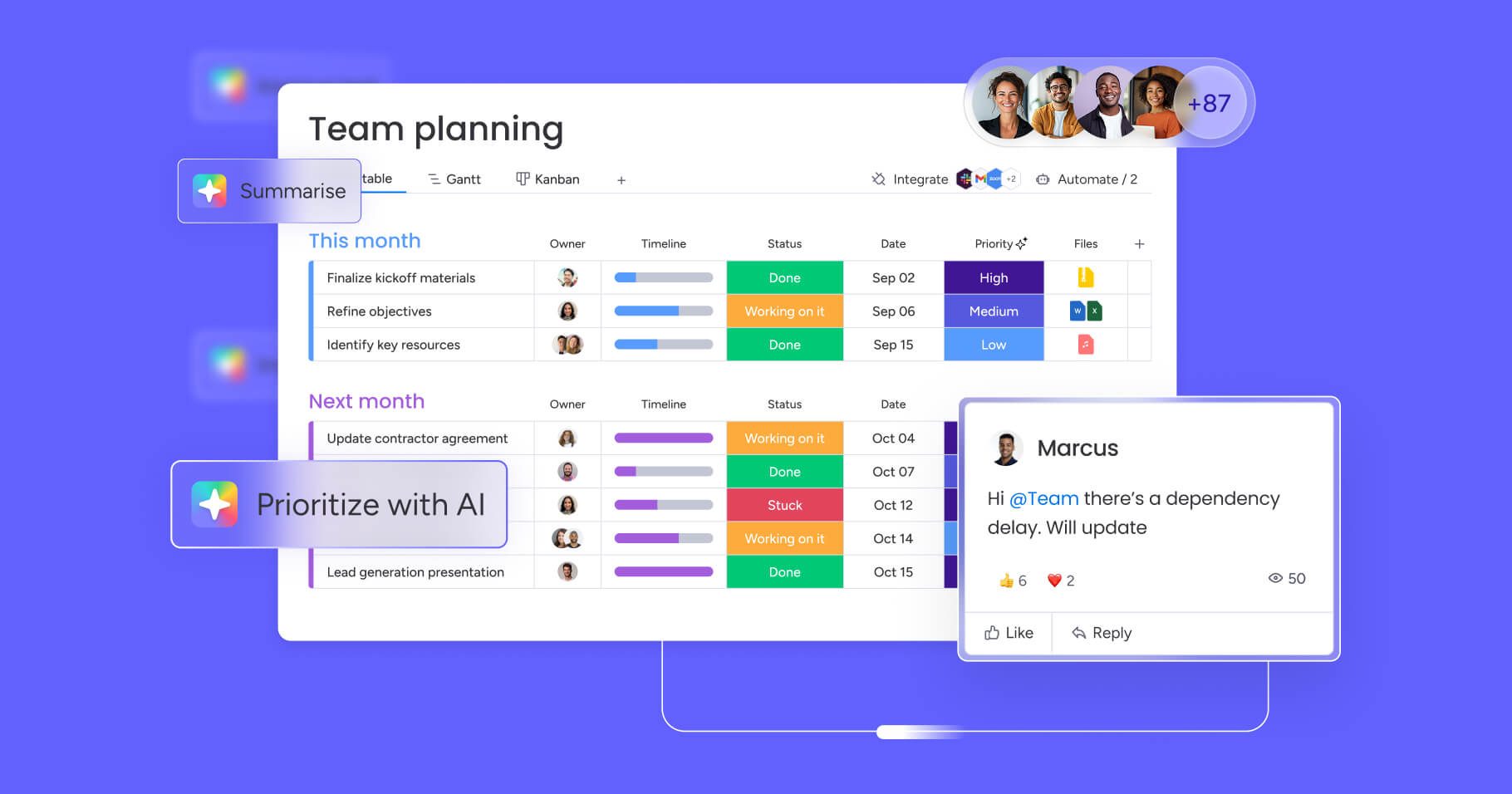
monday.com’s AI Work Platform goes well beyond messaging. It’s a full work operating system where teams plan projects, track progress, automate repetitive processes, and communicate. Instead of switching between a chat app and a project management app, teams collaborate directly on the items they’re working on through updates, @mentions, and docs.
Key features
- 27+ views: Gantt charts, Kanban boards, Workload View, Timeline, Calendar, and more, all connected to the same underlying data.
- 200+ integrations: Connects with Slack, Microsoft Teams, Google Drive, Jira, Salesforce, Zoom, Gmail, and dozens more.
- AI capabilities: monday sidekick (a context-aware AI assistant), monday agents (autonomous AI agents that execute work), and monday vibe (an AI-powered no-code app builder).
- Automations and dashboards: Automate routine processes without code and track everything from project health to team workload on real-time dashboards.
Pricing
The AI Work Platform offers a free plan for up to two seats, plus a 14-day trial on paid plans with no credit card required. Paid plans start at $9/seat/month (Basic), $12/seat/month (Standard), and $19/seat/month (Pro), with Enterprise pricing available on request.
2. Microsoft Teams
Best for: Organizations already invested in the Microsoft 365 ecosystem.
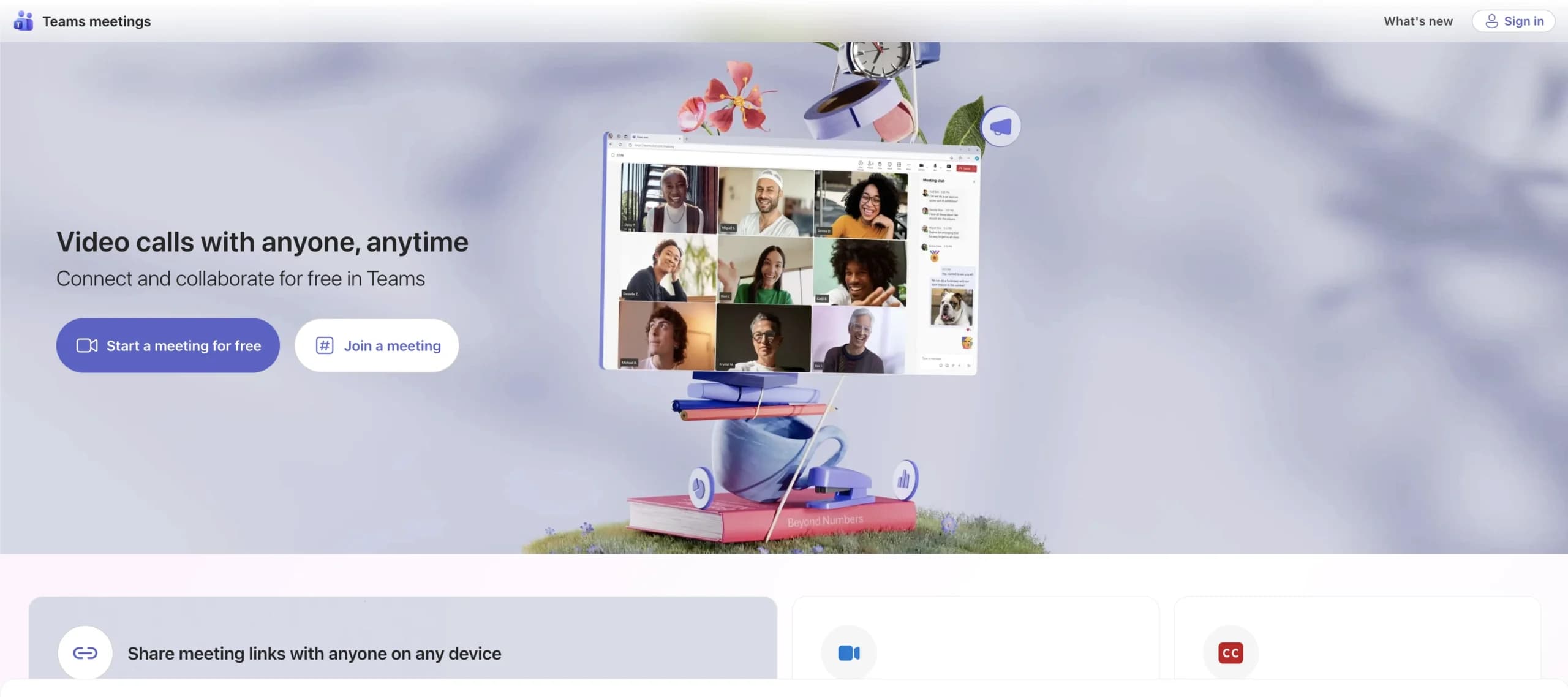
Microsoft Teams is the most widely adopted Slack competitor by user count, largely because it comes bundled with Microsoft 365 subscriptions. For companies that already rely on Word, Excel, SharePoint, and Outlook, Teams is the path of least resistance since everything integrates natively, and there’s no additional per-seat cost if you’re already paying for Microsoft 365 Business Basic or higher.
Key features
- Microsoft 365 integration: Co-edit Word, Excel, and PowerPoint files directly inside Teams channels without switching apps.
- Channels and tabs: Organize conversations by topic and pin apps, files, or dashboards to channel tabs for quick access.
- Video and webinars: Host meetings with up to 1,000 participants or webinars with up to 10,000 attendees, depending on plan.
- Copilot AI: Microsoft’s AI assistant summarizes meetings, drafts messages, and surfaces action items across the 365 suite.
Pricing
Microsoft Teams offers a free version with limited features, plus several paid tiers bundled with Microsoft 365. Plans range from $4 per user/month (Teams Essentials) to $12.50 per user/month (Microsoft 365 Business Standard).
3. Google Chat
Best for: Teams running on Google Workspace who want messaging without an extra subscription.
Google Chat is the default messaging platform inside Google Workspace, and for teams already using Gmail, Google Drive, and Google Meet, it’s one of the most seamless Slack alternatives available. There’s no separate app to manage, Chat lives right inside Gmail, making it a free Slack alternative for personal Google accounts and included at no extra cost with any Google Workspace business plan.
Key features
- Threaded conversations: Spaces support threaded replies to keep discussions organized by topic.
- Google Workspace integration: Share Google Docs, Sheets, and Slides directly in conversations and collaborate without leaving Chat.
- Google Meet integration: Launch video calls from any conversation with one click.
- Gemini AI: Google’s AI assistant is integrated across Workspace, providing smart replies and document summaries within Chat.
Pricing
Google Chat is free for personal Google accounts. For business use, it’s included with Google Workspace plans starting at $7 per user/month (Business Starter) up to $18 per user/month (Business Plus), with Enterprise pricing available on request.
4. Chanty
Best for: Small teams that need a simple, affordable messaging platform.
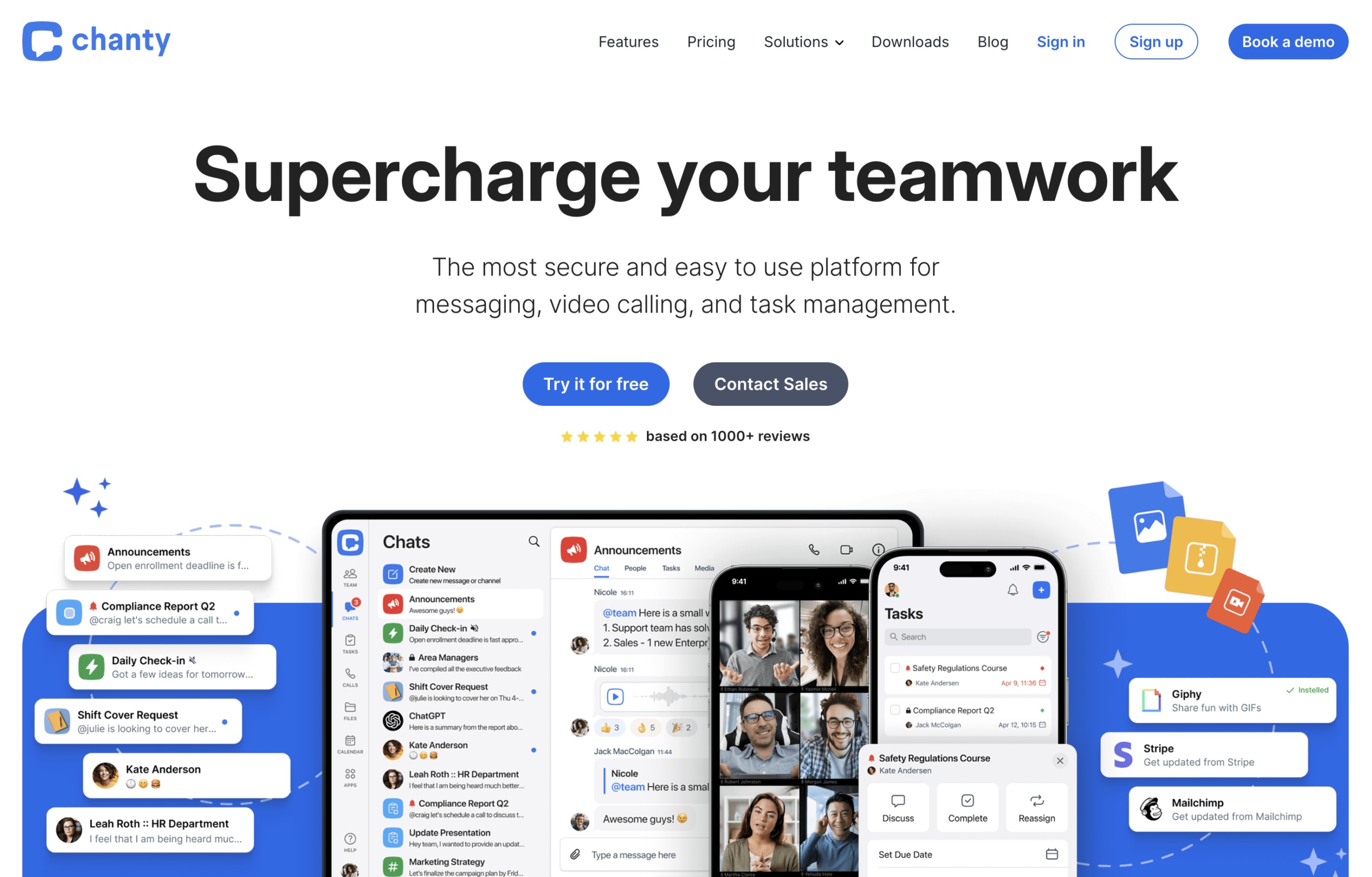
Chanty is a lightweight communication platform built for small teams that don’t need the complexity of Slack. It’s popular with teams of 5 to 20 people across industries like marketing, education, and property management, offering a clean interface that’s quick to adopt.If you’re a small team searching for Slack alternatives for small teams, Chanty deserves a look.
Key features
- Teambook: A single space for organizing conversations, pinned messages, and lightweight work management in one view.
- Voice messages: Record and send audio messages when text doesn’t capture enough context or tone.
- Built-in task management: Turn messages into actionable items with assignees and due dates, no separate project management platform required.
Pricing
Chanty offers one of the most affordable pricing structures among Slack alternatives. The free plan supports teams of up to five members, while the Business plan costs $4 per member/month billed annually.
5. ClickUp
Best for: Larger teams that want project management and communication in one platform.
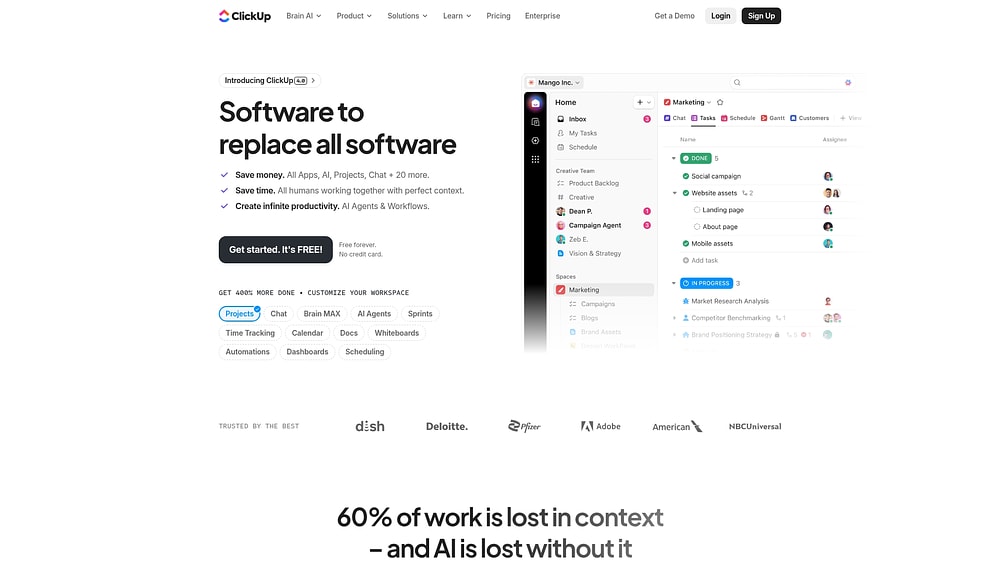
ClickUp markets itself as “one app to replace them all,” combining project management, docs, chat, and goal tracking in a single workspace. It’s a direct competitor to both Slack (on the communication side) and platforms like Asana and monday.com (on the project management side). For teams that want to consolidate their stack, ClickUp’s breadth of features is a draw, though the learning curve can be steep.
Key features
- ClickUp Chat: Built-in messaging with channels, threads, and direct messages tied directly to tasks and projects.
- Customizable views: List, Board, Gantt, Calendar, and more — adaptable to different methodologies and team structures.
- Docs and whiteboards: Collaborative documentation and visual brainstorming tools built into the platform.
- ClickUp Brain: An AI assistant that summarizes threads, writes content, and automates workflows.
Pricing
ClickUp offers a free tier, followed by three paid plans. Paid plans start at $7 per member/month (Unlimited) and $12 per member/month (Business), with Enterprise pricing available on request.
6. Pumble
Best for: Teams that want a free Slack alternative with unlimited message history.
Pumble stands out for one headline feature: its free plan offers unlimited message history for unlimited users. Where Slack’s free tier cuts off after 90 days, Pumble lets teams search their entire conversation archive at no cost. It’s made by CAKE.com (the team behind Clockify), and the interface will feel immediately familiar to anyone who’s used Slack before.
Key features
- Unlimited message history on free plan: The single biggest differentiator — no 90-day cutoff on the free tier.
- Channels and direct messages: Public and private channels, threads, and guest access for external collaborators.
- Voice and video calls: Built-in calling features on paid plans, plus screen sharing.
Pricing
Pumble’s pricing is among the lowest in the category. The free plan includes unlimited users and unlimited message history. Paid plans start at $2.49 per user/month (Pro) and go up to $6.99 per user/month (Enterprise).
7. Mattermost
Best for: Teams that require a self-hosted, open-source Slack alternative with full data sovereignty.
Mattermost is the go-to choice for organizations that can’t store their conversations on a third-party cloud. It’s an open-source platform that teams can deploy on their own servers, giving IT departments full control over data, security policies, and compliance configurations. Government agencies, defense contractors, healthcare organizations, and financial institutions are among its core users.
Key features
- Self-hosted deployment: Run Mattermost on your own infrastructure — on-premises, in a private cloud, or in an air-gapped environment.
- Channels, threads, and playbooks: Organized messaging plus repeatable incident response and operational workflows.
- Developer-friendly: Extensive API, webhooks, and plugin framework. Popular with DevOps and engineering teams.
- Compliance and audit: eDiscovery, custom retention policies, and support for FedRAMP, HIPAA, and FINRA requirements.
Pricing
Mattermost offers a free self-hosted edition alongside paid plans. The Professional plan costs $10 per user/month, with Enterprise pricing available on request.
8. RingCentral
Best for:Businesses that need messaging, video conferencing, and phone calls on a single platform.
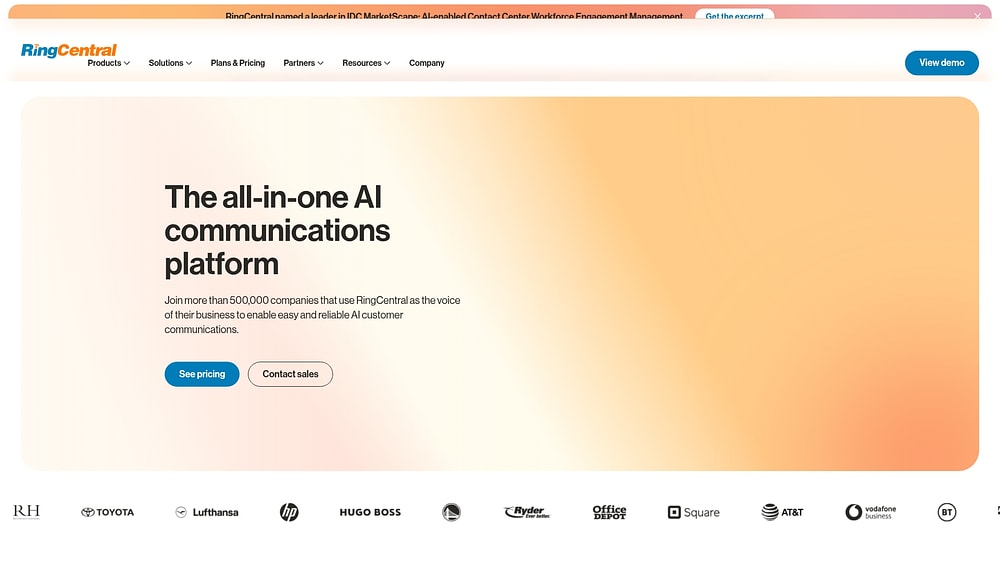
RingCentral takes a different approach from most Slack alternatives by combining team messaging with enterprise-grade voice and video communications. If your organization needs a business phone system alongside team chat — think call routing, voicemail transcription, and toll-free numbers — RingCentral consolidates all of it into one subscription. It’s particularly popular with customer-facing teams like sales and support.
Key features
- Unified communications: Messaging, video meetings (up to 200 participants), and a full cloud phone system in one platform.
- Team messaging: Channels, file sharing, and task assignment built into the same interface as calls and video.
- AI-powered features: Live transcription, meeting summaries, and AI-generated action items.
- Scalability: Scales from small teams to enterprises with thousands of extensions and global phone coverage.
Pricing
RingCentral’s pricing reflects its unified communications capabilities. Plans start at $20 per user/month (Core) and range up to $35 per user/month (Ultra), all billed annually.
9. Discord
Best for: Small teams and communities that want a free, informal communication platform.
Discord started as a voice chat platform for gamers, but it’s since grown into a legitimate communication option for small businesses, agencies, open-source communities, and startups. Its voice channels, including persistent audio rooms that users can drop into and out of freely, offer a uniquely casual collaboration experience that’s difficult to replicate on Slack. And because the core product is free, it’s an appealing free Slack alternative for bootstrapped teams.
Key features
- Voice channels: Always-on audio rooms where team members can drop in for quick conversations.
- Server customization: Create channels, roles, and permissions structures tailored to your team’s needs.
- Rich media support: Share images, videos, code blocks, and files directly in conversations.
- Forum channels: Thread-based discussions that work well for async Q&A and knowledge sharing.
Pricing
Discord’s core platform is free for individuals and teams. Premium features are available through Nitro subscriptions starting at $2.99/month (Nitro Basic) and $9.99/month (Nitro).
10. Twist
Best for: Remote teams that prefer async-first communication over real-time messaging.
Twist is built by Doist, the team behind Todoist, and it takes a fundamentally different approach to team communication. Where Slack encourages instant replies and always-on presence, Twist is designed around asynchronous conversations organized by topic and thread. There are no online/offline status indicators, no notification dots pressuring you to respond, and no expectation of real-time engagement. For distributed teams spread across time zones, that design philosophy is the entire point.
Key features
- Thread-first design: Every conversation starts as a thread organized by topic, no noisy, fast-moving channels to monitor.
- No presence indicators: No green dots, no “last seen” timestamps. Team members respond on their own schedule.
- Powerful search and archiving: All threads are indexed and searchable, making it simple to find past decisions and context.
- Todoist integration: Turn threads into actionable items directly within Doist’s task management platform.
Pricing
Twist offers a straightforward pricing structure. The free plan includes 1 month of thread and message history, while the Unlimited plan costs $8 per user/month billed annually.
How monday.com's AI Work Platform replaces Slack and your project management stack
The alternatives listed above each solve a piece of the puzzle: messaging, video calls, or async threads. But what if the real issue isn’t finding a Slack replacement, but eliminating the gap between where your team communicates and where your team actually works? That’s the problem monday.com’s AI Work Platform was designed to solve.
Instead of bolting project management onto a chat app (or vice versa), the AI Work Platform is built from the ground up as a workspace where communication, project execution, and AI-powered automation coexist. Here’s how it works in practice.
Communication that lives alongside your work

On the AI Work Platform, conversations happen where work happens. Every board item supports updates, @mentions, and file attachments, so when a team member comments on an item, that context stays attached to the item permanently. Every decision stays attached to the relevant item, permanently accessible without hunting through threads.
monday Workdocs provide a collaborative writing space for briefs, specs, meeting notes, and knowledge bases, directly connected to the boards and workflows they support. And with 200+ integrations including Slack, Microsoft Teams, Zoom, Google Drive, Gmail, Jira, and Salesforce, teams can connect their existing communication platforms to monday.com rather than abandoning them. The platform integrates with the apps you already use, so adoption doesn’t require an all-or-nothing switch.
AI that goes beyond chat summaries
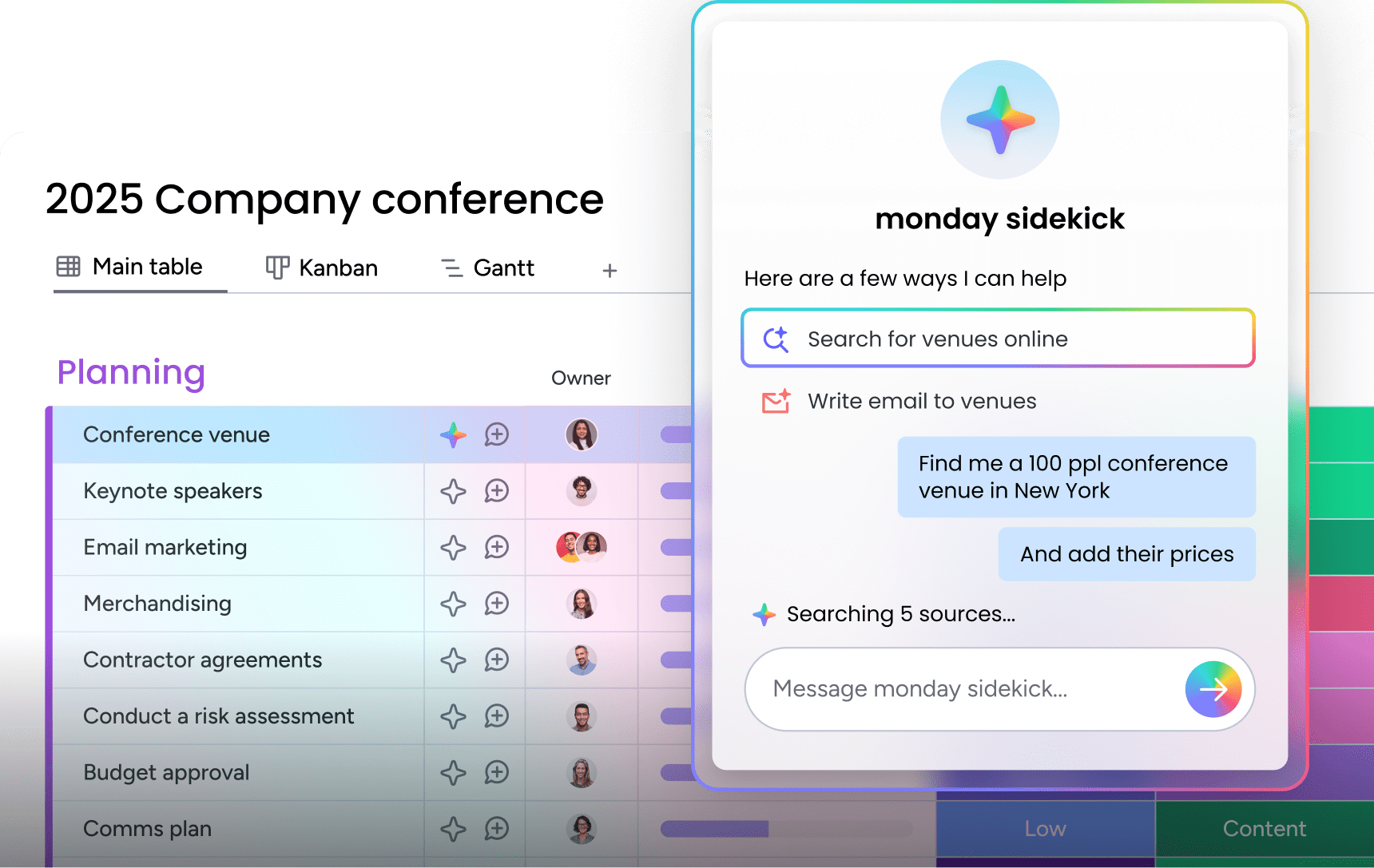
While Slack AI focuses on search and conversation summaries, monday.com’s AI Work Platform’s AI capabilities are designed to execute work. Here’s what that looks like:
- monday agents: Purpose-built AI agents that autonomously execute work by processing requests, routing items, analyzing data, and updating records without manual intervention.
- monday sidekick: A context-aware AI assistant that generates content, analyzes data, recommends next steps, and runs work at scale, all with full awareness of your boards, projects, and team context.
- monday vibe: An AI-powered no-code app builder that lets anyone create custom business applications from natural language prompts in minutes.
- monday MCP: A Model Context Protocol server that gives external AI assistants like Claude, ChatGPT, Cursor, and Copilot secure, structured access to your monday.com workspace.
These aren’t add-ons or experimental features. They’re core capabilities of the platform that make it possible to automate complex workflows across departments, something no standalone messaging app can offer.
Visibility across every project

One of the biggest limitations of chat-first platforms is that they’re terrible at giving leaders a high-level view of what’s happening across the organization. monday.com’s AI Work Platform solves this with 27+ views, including Gantt charts, Kanban boards, Workload View, Timeline, and more.
Dashboards aggregate metrics across boards and teams, so managers can monitor project health, resource allocation, and deadlines in real time. Automations handle repetitive processes, like assigning items, sending notifications, updating statuses, without anyone lifting a finger. And time tracking, forms, and project collaboration features round out a workspace that covers the full project lifecycle.
Enterprise-grade security and recognition
The AI Work Platform meets the compliance standards that enterprise teams require: SOC 2 Type II, ISO 27001, HIPAA, and GDPR. Nearly 250,000 customers trust the platform, including more than 60% of Fortune 500 companies. On G2, the platform holds a 4.7 out of 5 rating, and monday.com was recognized as a Leader in both the 2025 Gartner Magic Quadrant for Collaborative Work Management and Adaptive Project Management.

“monday.com has been a life-changer. It gives us transparency, accountability, and a centralized place to manage projects across the globe".
Kendra Seier | Project Manager
“monday.com is the link that holds our business together — connecting our support office and stores with the visibility to move fast, stay consistent, and understand the impact on revenue.”
Duncan McHugh | Chief Operations Officermonday.com’s AI Work Platform vs Slack: A side-by-side comparison
If you’re weighing the AI Work Platform against Slack, the table below breaks down how the two platforms stack up across messaging, project management, AI capabilities, integrations, and pricing. This comparison highlights where each platform excels and where they diverge in approach.
| Feature | monday.com's AI Work Platform | Slack |
|---|---|---|
| Messaging | Board updates, docs, @mentions | Channels, threads, DMs |
| Project management | Built-in (boards, Gantt, Kanban, 27+ views) | Requires third-party integrations |
| AI capabilities | Agents, sidekick, vibe coding, MCP | Slack AI (search, summaries) |
| Integrations | 200+ | 2,600+ |
| Free plan | Up to 2 seats, unlimited boards | 90-day history, 10 integrations |
| Security | SOC 2, ISO, HIPAA, GDPR | SOC 2, ISO |
| Best for | Teams wanting one platform for communication + execution | Teams that need a dedicated chat platform |
There’s no universal answer to “what’s the best Slack alternative?” because the right choice depends entirely on how your team operates. A five-person remote agency with a tight budget has different needs than a 500-person enterprise with compliance requirements and a Microsoft 365 contract. Consider your budget per seat, whether you need chat-only or an integrated platform, and if security and self-hosting are non-negotiable.
For teams that want messaging alongside project management, AI-powered automation, and real-time visibility across every initiative, monday.com’s AI Work Platform is built to handle all of it in one workspace. With integrations for Slack, Teams, and 200+ other apps, switching doesn’t have to mean leaving your existing communication platforms behind entirely.
FAQs
What is the best Slack alternative?
The best Slack alternative depends on your team’s specific needs. monday.com's AI Work Platform is the strongest option for teams that want communication integrated with project management and AI automation. Microsoft Teams fits organizations already using Microsoft 365, Google Chat works well for Google Workspace users, and Pumble offers the most generous free plan with unlimited message history.
Who is Slack’s biggest competitor?
Slack’s biggest competitor by user count is Microsoft Teams, which benefits from being bundled with Microsoft 365. However, platforms like monday.com's AI Work Platform, Google Chat, and ClickUp also compete with Slack by offering communication features alongside project management, AI capabilities, or lower-cost pricing structures.
What is cheaper than Slack?
Several platforms are cheaper than Slack’s $8.75/user/month Pro plan. Pumble’s paid plan starts at $2.49/user/month, Chanty’s Business plan is $4/user/month, and Discord is free for core features. The AI Work Platform, Google Chat, and Mattermost (self-hosted) also offer free tiers.
What does Google use instead of Slack?
Google uses Google Chat as its internal messaging platform. Google Chat is part of Google Workspace and integrates natively with Gmail, Google Drive, Google Meet, and other Google services.
Are there free Slack alternatives?
Yes, there are several free Slack alternatives available. Pumble offers a free plan with unlimited users and unlimited message history. Discord is free for core messaging and voice features. Google Chat is free for personal Google accounts. Mattermost offers a free self-hosted edition, and the AI Work Platform includes a free plan for up to two seats.
Can monday.com's AI Work Platform replace Slack?
The AI Work Platform can replace Slack for teams that want communication integrated with project management, automations, and AI-powered work execution. Board updates, @mentions, monday Workdocs, and 200+ integrations (including a Slack integration) mean teams can either replace Slack entirely or connect both platforms for a unified workflow.

 Get started