


Financial project management goes well beyond completing items on a list. Finance project managers (PMs) are constantly switching between budget tracking, compliance deadlines, team coordination, and regulatory hoops — challenges that standard platforms fall short on. When work is scattered across spreadsheets, email chains, and disconnected systems, even well-planned financial initiatives struggle to stay on track.
Top-tier work management software for finance does much more than organize project workflows. It pulls budget tracking into one place, puts compliance on autopilot, shows you financial data in real time, and plays nice with your accounting systems. These platforms transform complex financial requirements into streamlined workflows that connect strategy to execution while maintaining the audit trails and governance structures that financial institutions require.
In the guide below, we’ll dive into task management platforms built specifically for financial project management. You’ll see which features actually matter for finance PMs, how the top platforms stack up, and what happens when you replace scattered workflows with a system that gets results — without blowing deadlines or budgets.
Key takeaways
- Centralize scattered financial workflows into one unified platform: eliminate inefficiency from managing projects across spreadsheets, emails, and multiple tools that create data silos and communication gaps.
- Gain real-time visibility into project budgets, costs, and ROI: alongside task progress with integrated financial tracking and customizable dashboards that update automatically as project data changes.
- monday work management leads the way for project managers in finance: the right task management software provides comprehensive capabilities like AI-powered risk detection, compliance features, and seamless integrations.
- Accelerate project delivery with automated workflows and approval processes: achieving faster digital project delivery with proven results like Playtech’s 26% efficiency increase and three hours saved per person per week.
- Maintain compliance and audit trails automatically through built-in documentation tracking, approval workflows, and permission controls that meet regulatory requirements without manual record-keeping.
What makes project managers choose monday work management for financial project management?

Why do finance PMs choose monday work management? It fixes their biggest headache: work scattered across too many platforms. No more bouncing between spreadsheets for project data, accounting systems for budgets, and endless email chains for team updates. Everything lives in one central workspace.
For project managers in PMO departments within financial services, banking, and corporate finance divisions, this centralization delivers immediate value. Teams gain the ability to track project timelines, monitor budget allocations, manage cross-functional teams, and maintain compliance documentation without switching between platforms. This unified approach directly addresses the value driver that matters most: having all work in one place.
You don’t need weeks of training to master the platform’s powerful features. That’s why it works so well for seasoned PMs handling complex financial projects and for those just stepping into finance roles.
With customizable workflows that adapt to financial project methodologies — whether Waterfall, Agile, or hybrid approaches — project managers gain the flexibility to manage projects their way while maintaining the standardization and audit trails that financial institutions require.
monday work management top features for financial project management
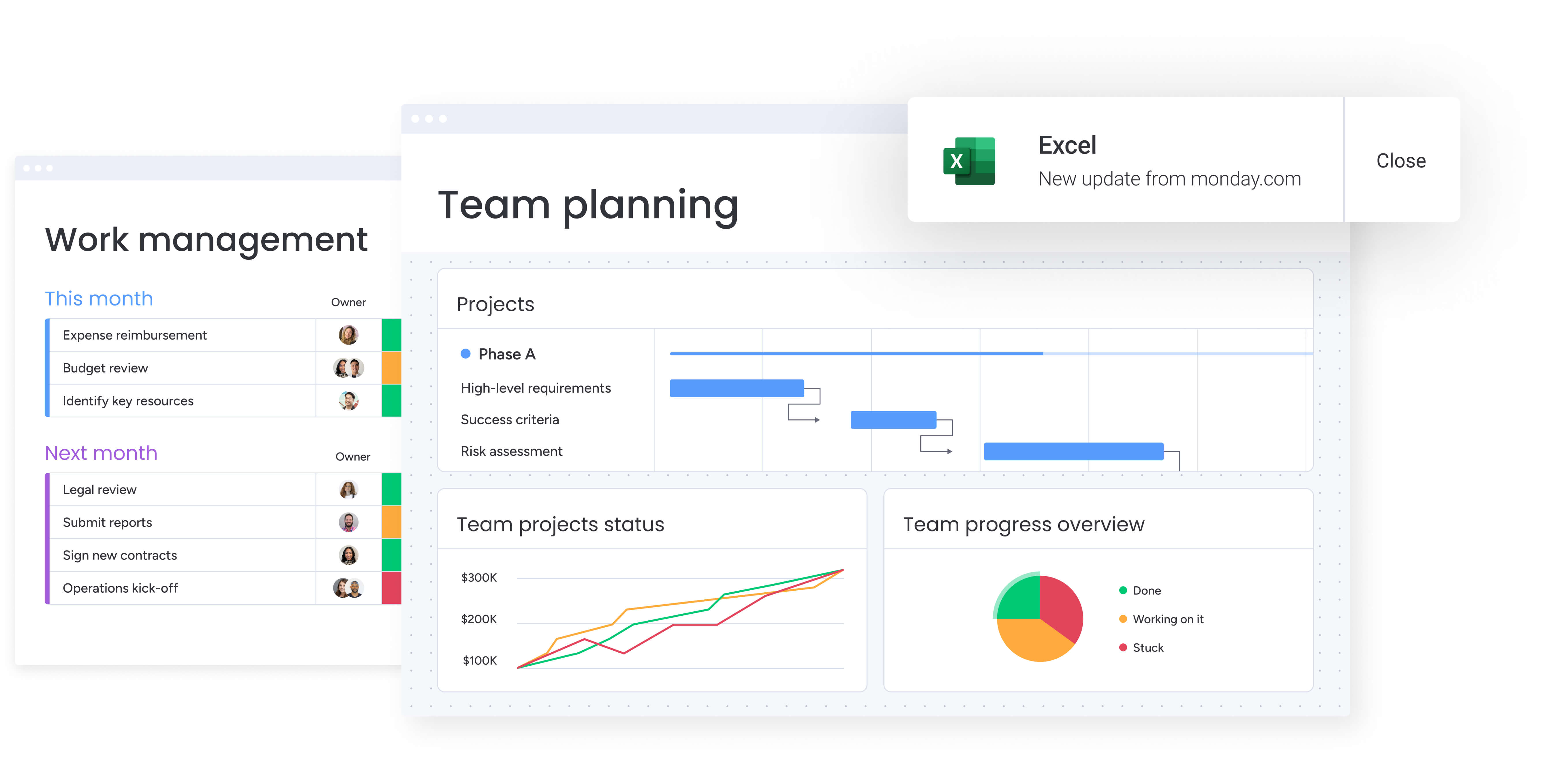
The following features demonstrate how monday work management addresses the specific challenges Project managers face in financial environments. Each capability is designed to streamline complex workflows while maintaining the compliance and visibility requirements that financial institutions demand.
Centralized financial workflows
monday work management brings all financial project work into a single, structured workspace. Instead of juggling spreadsheets for budgets, emails for approvals, and separate tools for task tracking, project managers can manage everything in one place with full visibility and control.
This centralized setup is especially valuable in finance, where accuracy, alignment, and documentation are non-negotiable.
- One source of truth for financial projects: track timelines, tasks, budgets, approvals, and compliance requirements together, so teams and stakeholders are always working from the same data.
- Custom boards for different financial initiatives: build tailored workflows for audits, budget planning, system implementations, or regulatory projects, then connect them through dependencies and automations.
- Financial data alongside execution: monitor cost centers, budget codes, approval status, and regulatory checkpoints directly next to task progress, eliminating gaps between planning and delivery.
- Reduced risk of miscommunication: centralized workflows prevent version conflicts, missed updates, and unclear ownership that often arise when work is spread across tools.
- Less context switching for project managers: assign work, attach financial documents, set thresholds, and track progress without moving between project tools, finance systems, and inboxes.
AI-powered risk detection
The platform’s AI actually earns its keep by spotting risks before they derail your financial projects. It watches how tasks, timelines, budgets, and team capacity interact, then alerts you to brewing problems — whether it’s an approaching bottleneck, budget creeping upward, or a timeline starting to slip.
For PMs juggling complex financial projects with non-negotiable regulatory deadlines and tight budgets, this is like having an early warning radar. You’ll catch issues while they’re still fixable. The AI can generate risk assessments based on historical project data, helping you make more accurate estimates for future financial initiatives.
It can also suggest task prioritization based on dependencies and deadlines, ensuring that critical path activities receive appropriate attention. For financial projects where compliance deadlines are non-negotiable and budget variances require immediate explanation, these AI-powered insights help project managers stay ahead of issues rather than reacting to them.
Customizable financial dashboards
monday work management provides powerful dashboard capabilities that transform raw project data into actionable financial insights. Project managers can build custom dashboards that display real-time budget tracking, resource allocation, project profitability, and progress against financial KPIs.
These dashboards pull data from multiple projects and boards, giving you portfolio-level visibility into your financial project landscape. The platform offers pre-built widgets for common financial metrics — budget vs actual spend, cost variance, earned value, and ROI calculations — while also allowing you to create custom widgets using formulas and integrations.
You can configure dashboards for different audiences:
- Operational views: detailed project metrics for your team.
- Executive summaries: high-level overviews for finance leadership.
- Compliance reports: audit-focused documentation for regulatory requirements.
Dashboards update in real-time as project data changes, ensuring stakeholders always see current information.
Seamless integration ecosystem
Need to connect with your existing systems? The platform plugs into over 200 apps, including the financial and accounting systems finance PMs can’t live without. Hook it up to Excel, QuickBooks, or your enterprise financial platform, and you’ll never copy-paste budget data again. Import forecasts, sync costs, and push everything where it needs to go — automatically.
The platform also connects with communication tools like Microsoft Teams and Slack, calendar systems, and specialized financial software through its open API. These integrations mean Project Managers can maintain their existing financial technology stack while gaining the project management capabilities they need.
You can pull budget data from your ERP system, track project hours in monday work management, and push invoice-ready information back to your accounting platform — all through automated workflows. For organizations with complex financial systems and strict data governance requirements, this integration flexibility ensures the platform enhances rather than disrupts established processes.
Advanced project planning and tracking
monday work management offers sophisticated project planning tools specifically designed for the complexity of financial projects. Gantt charts with critical path analysis help PMs visualize dependencies between financial tasks — ensuring that regulatory filings, audit preparations, and budget approvals happen in the correct sequence.
The baseline feature allows you to compare planned versus actual schedules, making it easy to identify variances and explain delays to stakeholders. Milestones mark significant checkpoints in financial projects — quarter-end closes, audit submissions, compliance deadlines — and provide progress indicators for teams and leadership.
Dependencies ensure that tasks with financial implications occur in the proper order, preventing costly errors like processing payments before approvals or releasing financial reports before reconciliation. For project managers coordinating between finance, accounting, legal, and business units, these planning tools provide the structure needed to keep complex projects on track.
Resource management and capacity planning
Managing financial projects requires careful balancing of workloads, skills, and availability. monday work management gives project managers clear visibility into team capacity so resources can be allocated accurately without overloading critical roles.
Instead of relying on spreadsheets or assumptions, resource planning is tied directly to live project data.
- Real-time workload visibility: see who is over-allocated, underutilized, or available across all financial projects in one view.
- Skill-based task assignment: ensure compliance-sensitive work is assigned to team members with the right expertise, certifications, or approvals.
- Accurate cost forecasting: connect capacity planning with hourly rates and effort estimates to understand labor costs before projects fall behind budget.
- Proactive rebalancing: adjust assignments as priorities shift, with capacity and budget updates reflected automatically.
- Portfolio-level planning: understand the impact of new initiatives on existing workloads before approving additional financial projects.
Time tracking and budget monitoring
Built-in time tracking software allows team members to log hours directly on project items, providing project managers with accurate data on how time is spent across financial projects. This time data feeds into budget calculations, helping you compare estimated versus actual costs and identify projects or phases that consistently exceed time allocations.
The platform’s budget tracking features let you set financial thresholds at the project, phase, or task level and receive automated alerts when spending approaches limits. You can track multiple budget categories:
- Labor costs: team member hours and rates.
- Vendor expenses: external contractor and service fees.
- Software licenses: technology and tool subscriptions.
- Travel costs: business trip and meeting expenses.
Formula columns enable custom calculations for financial metrics specific to your organization, from cost-per-deliverable to budget utilization rates. Project managers can configure automated notifications to alert stakeholders when projects risk budget overruns, ensuring financial issues are addressed promptly.
Compliance and audit trail features
For project managers in finance, maintaining proper documentation and audit trails isn’t optional — it’s a regulatory requirement. monday work management automatically tracks all changes to projects, tasks, and financial data, creating a complete audit trail that shows who made what changes and when.
The platform’s permission controls allow project managers to restrict access to sensitive financial information, ensuring that only authorized team members can view or edit budget data, financial forecasts, or confidential project details. You can configure approval workflows that require sign-off from finance leadership before budget changes take effect, creating the governance structure that financial institutions require.
Document management features allow you to attach financial models, budget justifications, compliance checklists, and approval documentation directly to projects and tasks. Version control ensures you can track document evolution and retrieve previous versions when needed.
Automated workflow and approval processes
Automation capabilities eliminate repetitive manual tasks that consume project managers’ time. You can create automated workflows that trigger actions based on project events — sending approval requests when budgets are submitted, notifying stakeholders when milestones are reached, or escalating overdue tasks to management.
The platform offers pre-built automation recipes for common financial workflows:
- Budget approval processes: automatic routing for financial sign-offs.
- Change order management: streamlined approval for project modifications.
- Invoice processing: automated vendor payment workflows.
You can also build custom automations using a no-code interface, creating sophisticated workflows that match your organization’s specific financial processes. For project managers coordinating cross-functional financial projects, automated notifications ensure that the right people receive information at the right time.
Collaboration tools for cross-functional teams
Let’s face it — financial projects mean herding cats from finance, accounting, legal, IT, and various business teams. monday work management gives you the tools to keep everyone on the same page, even when they speak different professional languages. @mentions allow team members to tag colleagues in task comments, ensuring questions reach the right people.
File attachments and proofing tools enable teams to review financial documents, provide feedback, and approve deliverables without leaving the platform. The platform’s update section on each task and project creates a threaded conversation history, providing context for decisions and eliminating the need to search through email chains.
Real-time updates ensure that when one team member updates a task status, changes a deadline, or uploads a revised financial model, all stakeholders see the update immediately. This transparency reduces the coordination overhead that PMs typically face when managing cross-functional financial initiatives.
How a project manager in finance benefits from monday work management
The following benefits show how the platform shifts financial project management from reactive coordination to proactive execution. Each one directly addresses the challenges project managers face when running complex financial initiatives across teams and systems.
- Time savings: project managers reclaim hours previously spent consolidating data from multiple tools, compiling manual reports, and chasing updates. Automated workflows, real-time dashboards, and centralized communication reduce administrative overhead so focus stays on planning and stakeholder alignment.
- Cost efficiency: real-time budget tracking and resource management surface cost overruns early, allowing corrective action before variances escalate. Tracking actuals against estimates across projects improves forecasting accuracy and reduces financial risk.
- Compliance and accuracy: automated audit trails, approval workflows, and document version control maintain required compliance documentation without manual effort. Permission controls and activity logs provide the governance financial institutions depend on while simplifying audit preparation.
- Productivity improvements: streamlined workflows, clear task ownership, and automated reminders help teams maintain momentum. project managers eliminate bottlenecks and reduce delays, enabling financial teams to hit critical deadlines consistently.
- Output quality improvements: standardized templates, built-in approvals, and quality checkpoints ensure consistent delivery across financial projects. Best practices become repeatable, reducing variability and improving the reliability of financial outputs.
- Visibility and tracking improvements: real-time dashboards give project managers and stakeholders instant insight into project health, budgets, resource allocation, and progress toward goals. This transparency supports faster decisions and earlier intervention when risks appear.
How to manage financial projects with monday work management

The following steps outline how to implement the platform for financial project management, from initial setup through ongoing optimization. Each step builds on the previous one to create a comprehensive project management system tailored to financial requirements.
Step 1: centralize project intake and requests
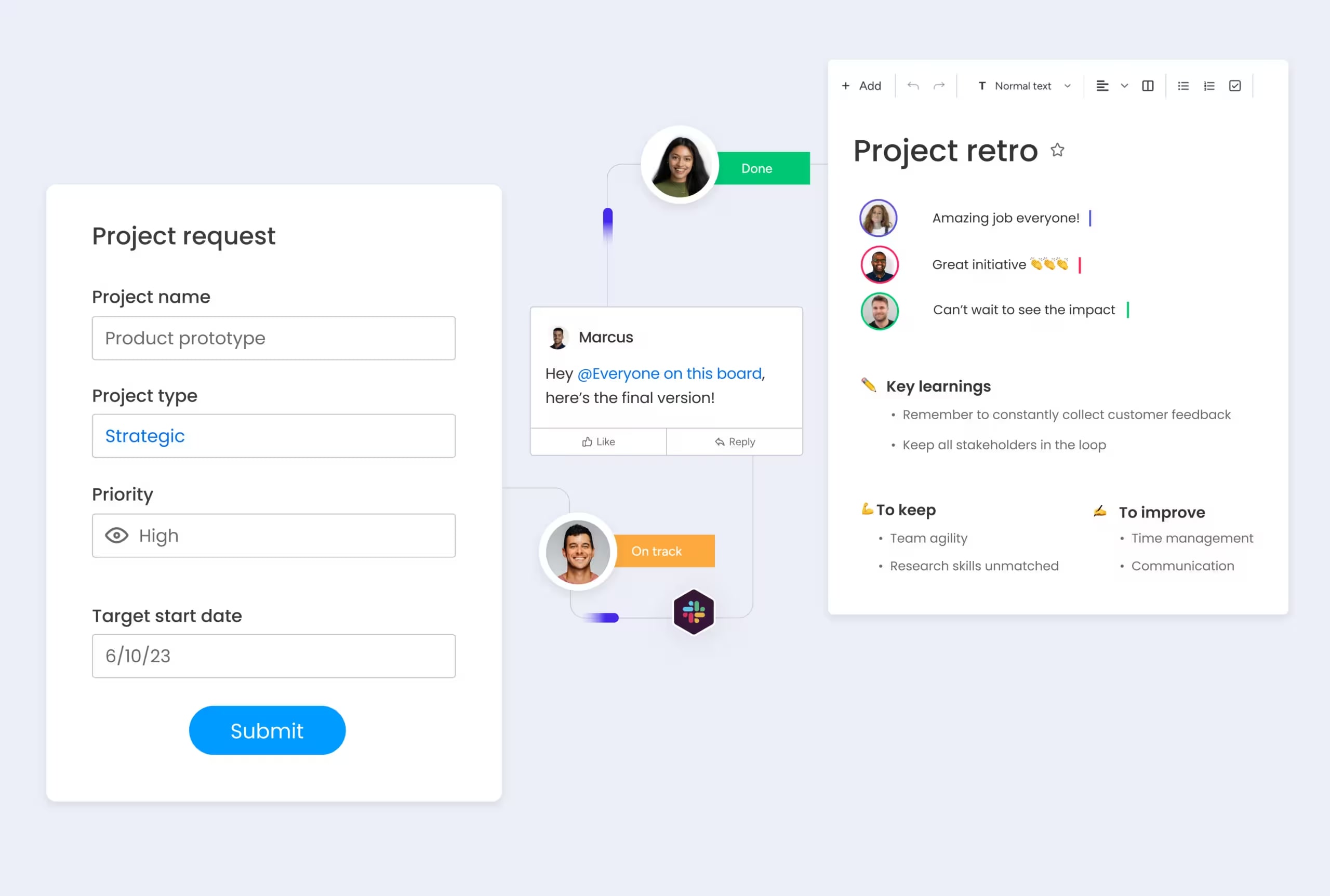
Create customized request forms that capture all essential information for new financial projects — budget requirements, regulatory considerations, stakeholder lists, and success criteria. These forms automatically create new projects in monday work management, ensuring consistent data collection and eliminating the back-and-forth typically required to scope financial initiatives.
Step 2: build your financial project structure
Use customizable boards to create a project structure that reflects your financial workflows. Set up columns for budget tracking, approval statuses, compliance checkpoints, and financial metrics. Create task groups for project phases — planning, execution, review, closure — and establish dependencies to ensure work flows in the correct sequence.
Step 3: assign resources and set budgets
Allocate team members to tasks based on their skills, availability, and hourly rates. Set budget thresholds at the project and task level, and configure automated alerts to notify you when spending approaches limits. Use the Workload view to ensure balanced resource allocation across your portfolio of financial projects.
Step 4: automate workflows and approvals
Implement automation recipes that streamline repetitive processes — sending budget approval requests, notifying stakeholders of milestone completion, escalating overdue compliance tasks, or updating project statuses based on task completion. These automations ensure consistent processes while reducing manual administrative work.
Step 5: monitor progress with real-time dashboards
Create dashboards that display the financial metrics most important to your stakeholders — budget utilization, project timeline adherence, resource allocation, and progress toward financial goals. Configure widgets to show portfolio-level summaries for leadership and detailed project metrics for your team.
Step 6: track time and manage budgets
Enable time tracking so team members can log hours against tasks, providing accurate data on project costs. Monitor budget versus actual spending in real-time, and use historical data to improve estimates for future financial projects. Generate financial reports that compare planned versus actual costs across your project portfolio.
Comparison table: monday work management vs competing platforms
The following comparison highlights how monday work management stacks up against other popular platforms for financial project management.
Each platform offers different strengths, but the combination of features, flexibility, and ease of use emphasizes why monday work management is a great fit.
| Feature | monday work management | Asana | Wrike | ClickUp |
|---|---|---|---|---|
| Visual timeline views | Gantt, Timeline, Calendar | Timeline, Calendar | Gantt, Calendar | Gantt, Timeline |
| Creative asset management | Native file storage with preview | Basic attachments | Proofing add-on required | Built-in docs only |
| Client portal access | Guest access with permissions | Limited guest access | Client-specific pricing | Observer permissions |
| Approval workflows | Customizable automation | Basic approval tracking | Advanced proofing | Custom statuses |
| Resource management | Workload view + Resource Planner | Workload view only | Resource add-on | Basic workload |
| Adobe Creative Cloud | Direct integration | No integration | Via Zapier only | No integration |
| Portfolio dashboards | AI-powered risk insights and portfolio reports | Basic portfolio view | Enterprise only | Multiple dashboards |
| Standardizes workflows across 1000+ projects | Standardized across 1000+ projects | Template library | Template library | Template center |
How Playtech's PMO transformed their project management
When Yossi Shamir joined Playtech as Head of Projects, the PMO department managed countless client projects using spreadsheets, email, and notepads. As the online gaming industry underwent digital transformation, clients’ expectations changed — they wanted more frequent updates and faster results.
The scattered systems made it increasingly difficult to track project costs, manage resources effectively, and maintain visibility into project status. Playtech implemented monday work management to create an all-in-one project management solution that could handle their projects from initiation to closure.
Implementation approach: the PMO department built custom boards for each project phase — initiation, scoping, planning, execution, control, and closure. They used formula columns to calculate project costs automatically, created templates for repeatable project types, and integrated with Jira to provide visibility into development work.
Process improvements: custom notifications alerted relevant stakeholders to potential bottlenecks, and automated workflows streamlined the project approval process. This systematic approach eliminated manual coordination tasks and improved communication across all project stakeholders.
Measurable results: the transformation delivered significant improvements across multiple dimensions of project management performance:
- 26% increase in efficiency through streamlined workflows.
- 49% increase in collaboration and transparency with stakeholders.
- 23% increase in meeting KPIs through better project tracking.
- 3 hours saved per person per week through workflow optimization.
Take control of financial projects with monday work management
Let’s be honest: financial project management is a different beast. Finance PMs require a platform that can tackle budget complexities, compliance headaches, cross-team coordination, and instant reporting., compliance headaches, cross-team coordination, and instant reporting. And they can’t sacrifice the audit trails and governance guardrails their institutions demand.
monday work management addresses these unique challenges through centralized workflows, AI-powered risk detection, customizable financial dashboards, and seamless integrations with existing financial systems. The platform transforms scattered work into streamlined execution, giving project managers the visibility and control they need.
The benefits extend beyond individual project success to organizational transformation. Teams experience improved collaboration, stakeholders gain real-time visibility into project health, and organizations achieve better alignment between strategic initiatives and operational execution. With proven results from customers like Playtech, monday work management demonstrates how the right platform can elevate financial project management.
Ready to transform your financial project management? Stop letting scattered tools slow down your financial projects. Join 245,000+ customers who trust monday work management to centralize their workflows, improve visibility, and deliver projects faster.
With our 14-day free trial, you can experience centralized financial project management with no risk.
The content in this article is provided for informational purposes only and, to the best of monday.com’s knowledge, the information provided in this article is accurate and up-to-date at the time of publication. That said, monday.com encourages readers to verify all information directly.
Frequently asked questions
What is the average cost of task management software for finance teams?
The average cost of task management software for finance teams varies based on the specific features required and the team's size. monday work management pricing ranges from $0 for the Free plan to $24 per user per month for the Enterprise plan (billed annually). Most finance teams find the Business plan ($14 per user/month) or Enterprise plan provides the advanced features needed for financial project management.
How long does it take to implement task management software in a finance department?
The time it takes to implement task management software in a finance department typically ranges from a few days to a few weeks, depending on the complexity of your financial workflows and the number of users. The platform's intuitive interface means teams can start using basic features immediately, with more advanced capabilities like custom automations and integrations added progressively.
Can task management software integrate with QuickBooks and other accounting systems?
Yes, task management software can integrate with QuickBooks and other accounting systems. monday work management integrates with QuickBooks, Excel, and other major accounting and financial systems through native integrations and its open API. These integrations allow you to sync budget data, import financial forecasts, export project costs, and maintain consistency between your project management and accounting systems.
What security certifications should task management software have for financial data?
Task management software for financial data should have enterprise-grade security certifications. monday work management maintains SOC two Type II certification, ISO 27001 compliance, and GDPR compliance. The platform offers IP restrictions, two-factor authentication, multiple SSO options, BYOK (Bring Your Own Key), and tenant-level encryption to protect sensitive financial data.
How do task management tools handle multi-currency projects?
Task management tools handle multi-currency projects through custom fields and integrations. monday work management supports multi-currency projects through custom fields, formula columns, and integrations with financial systems. Project managers can create currency-specific columns, use formulas to calculate exchange rates, and track budgets in multiple currencies simultaneously.
What's the difference between task management and project management software for finance?
The difference between task management and project management software for finance lies in their scope and capabilities. Task management software focuses primarily on organizing and tracking individual tasks and to-do lists, while project management software provides comprehensive tools for planning, executing, and monitoring entire projects with multiple phases, dependencies, and resources.

 Get started