

Media projects rarely follow a predictable path. Campaigns move quickly, feedback comes from multiple stakeholders, and creative work often passes through several revision cycles before anything goes live. When timelines, assets, and approvals are spread across email, chat, spreadsheets, and design tools, visibility drops and coordination becomes harder than it needs to be.
Project managers (PMs) in media need software that supports the way creative teams actually work. That means keeping briefs, feedback, deadlines, and deliverables connected, while giving designers, writers, and producers the flexibility to collaborate without unnecessary friction.
In this easy-to-follow guide article, you will learn what media PMs should look for in 2026, which features make the biggest impact on creative delivery, and how leading project management platforms like monday work management make campaign management across multiple teams and channels simple.
Key takeaways
- Creative workflows in one place: Centralizing tasks, files, and feedback removes bottlenecks caused by switching between chat, email, and approval tools.
- Faster approvals and revisions: Built-in review cycles and automation reduce delays and keep campaigns moving without endless follow-ups.
- Clear visibility across teams: Real-time views into timelines, workloads, and dependencies help media PMs balance speed with quality.
- Flexible tools creatives actually use: Visual workflows and integrations let designers and writers work their way without breaking process.
- Scalable delivery with monday work management: Media teams manage campaigns, approvals, and resources in one visual platform that grows with creative demand.
What makes project managers choose monday work management for media project management?
Media project managers often manage campaigns across multiple tools, with timelines in one place, feedback in another, and assets stored elsewhere. As remote and hybrid work continues to grow — with nearly a third of U.S. businesses supporting employees working from home — keeping creative workflows aligned becomes more complex.
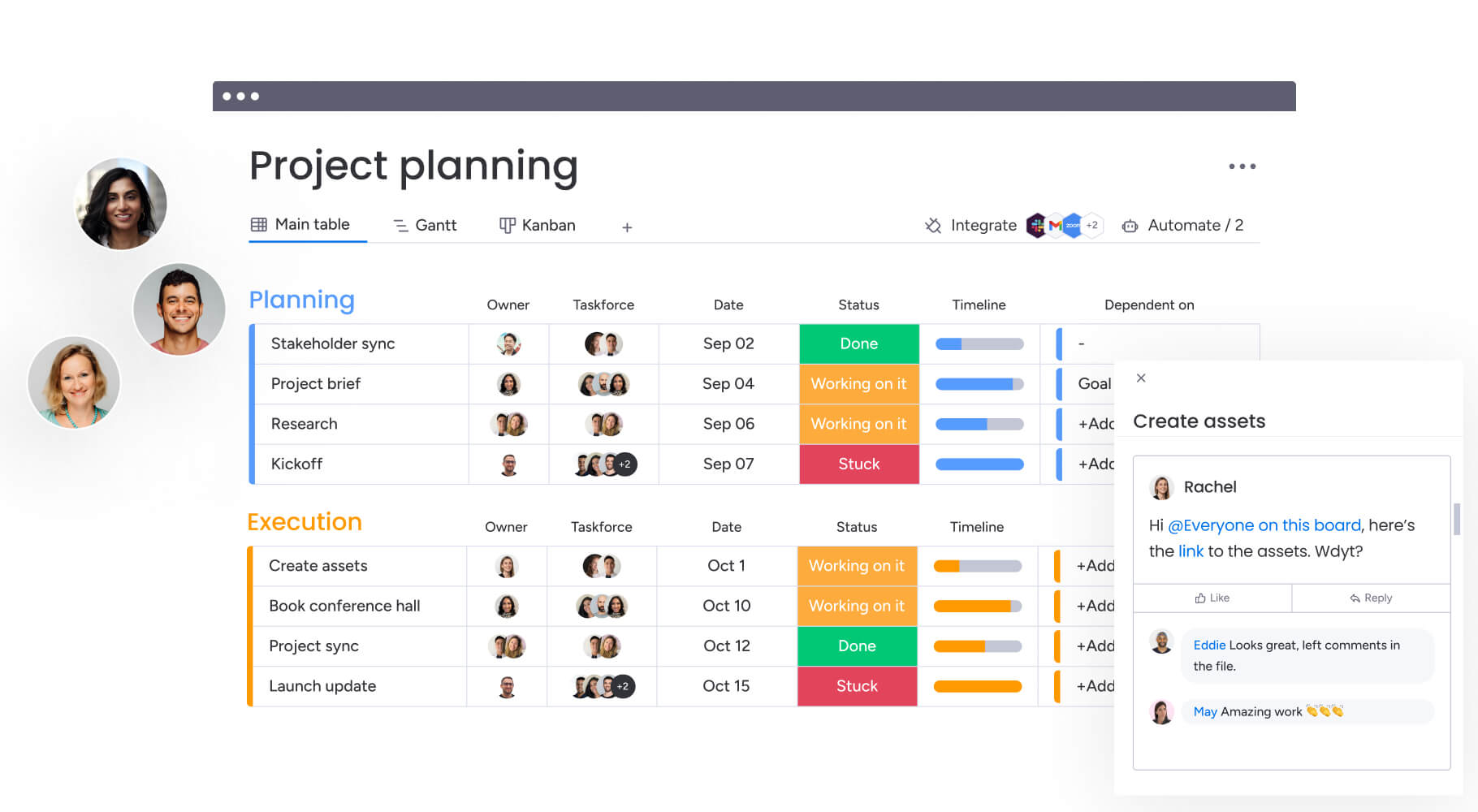
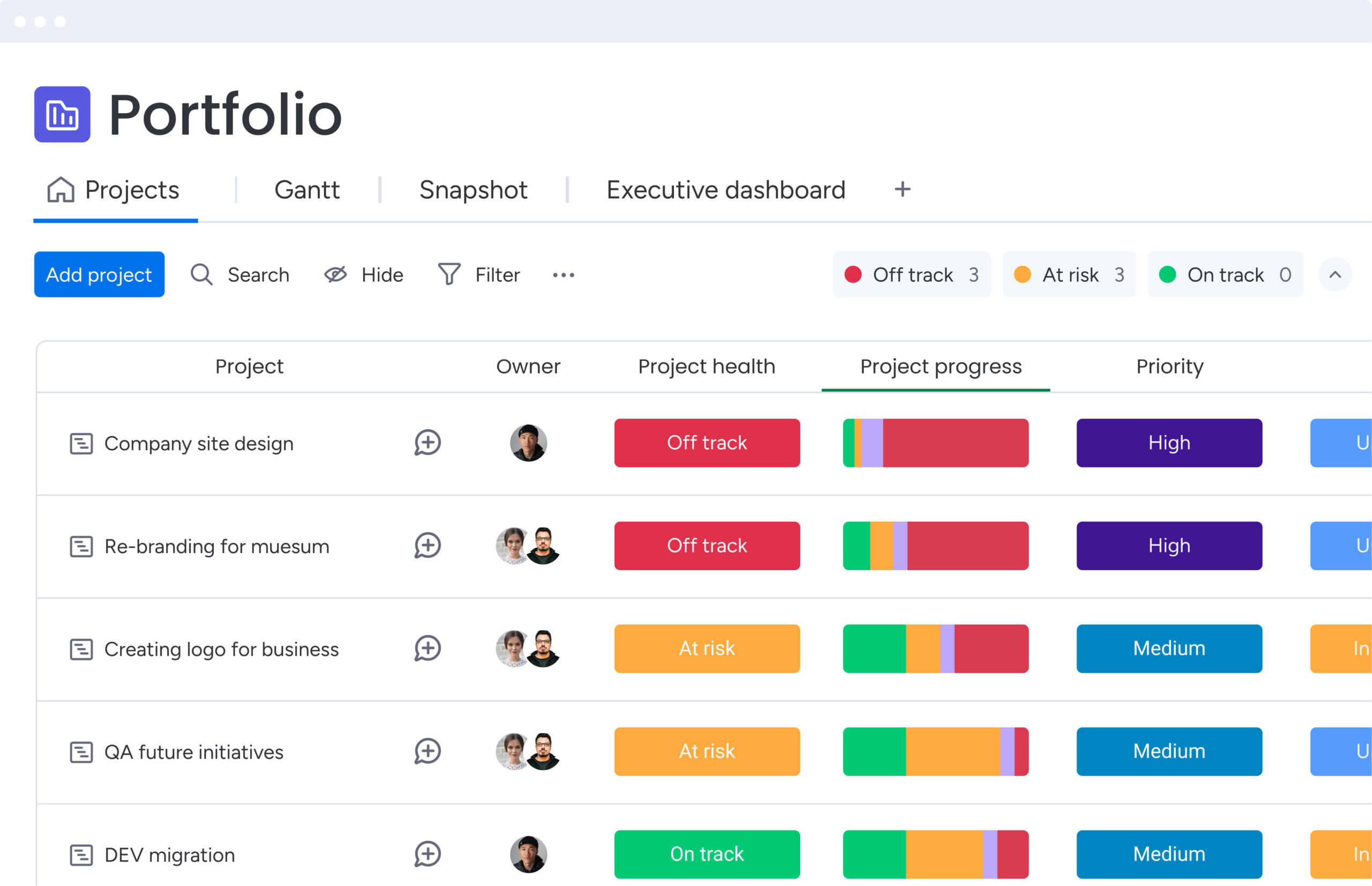
monday work management brings project planning, collaboration, and delivery into one visual workspace, helping teams stay aligned without adding extra process.
Project managers in media choose monday work management because it supports the demands of creative production:
- Centralized workflows: Keep briefs, assets, feedback, and timelines connected.
- Real-time visibility: See progress, ownership, and dependencies across campaigns.
- Flexible structure: Adapt workflows to different project types and teams.
- Stronger alignment: Connect creative, client, and operations teams in one place.
This approach helps media organizations manage complex campaigns more consistently.
monday work management top features for media project management
These core capabilities address the specific challenges media project managers face when coordinating creative workflows, managing client feedback, and delivering campaigns on time.
Each feature integrates seamlessly to create a unified workspace that transforms how creative teams collaborate.
Visual workflow management
monday work management transforms complex media projects into visual workflows that creative teams understand at a glance. The platform offers multiple customizable views including:
- Kanban boards: Track creative assets through production stages.
- Gantt charts: Visualize campaign timelines and dependencies.
- Timeline views: Monitor project milestones and deadlines.
- Calendar views: Coordinate deliverables across multiple campaigns.
- Workload views: Balance team capacity and resource allocation.
For project managers in media, this visual approach provides clarity when managing creative workflows that were previously stuck in text-heavy spreadsheets or email chains. You can color-code projects by client, campaign type, or priority level, making it immediately obvious where attention is needed.
The drag-and-drop interface also means updating project status or reassigning work items takes seconds, not minutes of navigating through menus.
Real-time collaboration and feedback tracking
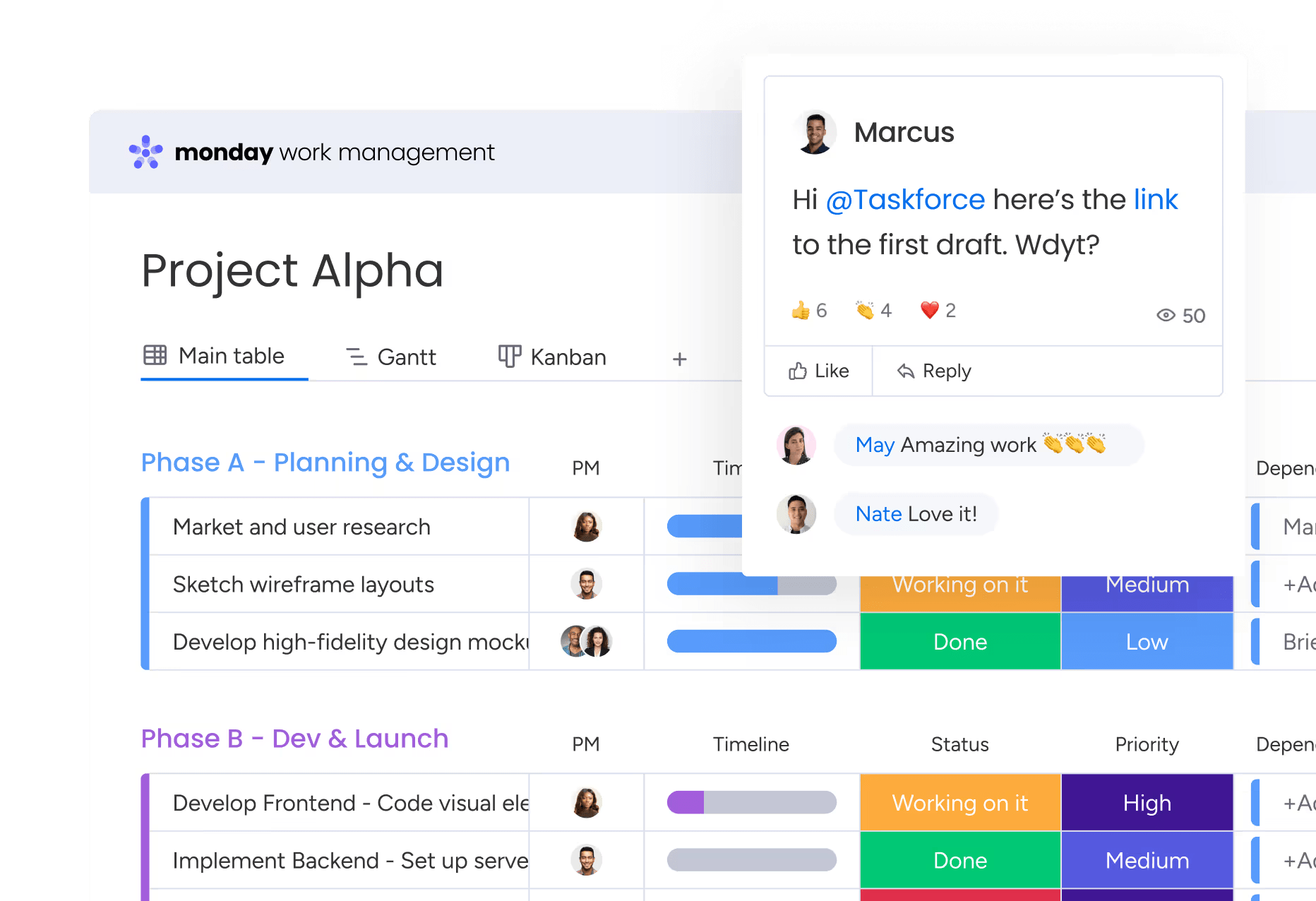
The platform centralizes all project communication, feedback, and file sharing in context with the work itself. Project managers can see all comments, @mentions, and file attachments directly on the relevant work item or asset, keeping all communication in one central place.
Key collaboration benefits:
- Contextual feedback: All comments appear directly on relevant tasks.
- Version control: Track asset changes and maintain revision history.
- Cross-platform communication: Eliminate switching between tools.
- Stakeholder visibility: Keep clients and teams aligned in real-time.
For project managers coordinating between creative teams, clients, and stakeholders, this means feedback loops close faster. Creative teams respond to client input without switching platforms, and PMs track which feedback has been addressed and which revisions are still pending.
Automation for repetitive workflows
monday work management includes powerful automation capabilities that handle the manual, repetitive work that consumes hours each week. With a no-code builder, you can set up automated notifications for asset reviews, trigger approval requests at key milestones, or automatically assign work based on project type.
Common automation examples:
- Review notifications: Alert stakeholders when assets need approval.
- Deadline reminders: Send automatic follow-ups for overdue tasks.
- Status updates: Notify teams when project phases complete.
- Task assignments: Route work based on project type or team capacity.
For media project managers, these automations are particularly valuable in managing approval cycles and revision rounds. When a designer marks an asset as “Ready for Review,” the platform automatically notifies the creative director, sets a review deadline, and creates a follow-up task if feedback isn’t provided within 48 hours.
Resource management and workload balancing
The Workload view provides PMs with real-time visibility into team capacity across all active projects. You can see at a glance who’s overallocated, who has bandwidth for new work, and how upcoming deadlines will impact resource availability.
Resource management capabilities:
- Capacity planning: Visualize team workload across all projects.
- Skill-based assignments: Match tasks to team member expertise.
- Time tracking: Monitor actual vs. estimated project hours.
- Burnout prevention: Identify overallocation before it impacts quality.
For Project Managers in media organizations, where creative talent is the most valuable resource, resource management software is essential. You can balance workloads across designers, video editors, copywriters, and other specialists, ensuring projects move forward without overwhelming any individual contributor.
Integration with creative tools
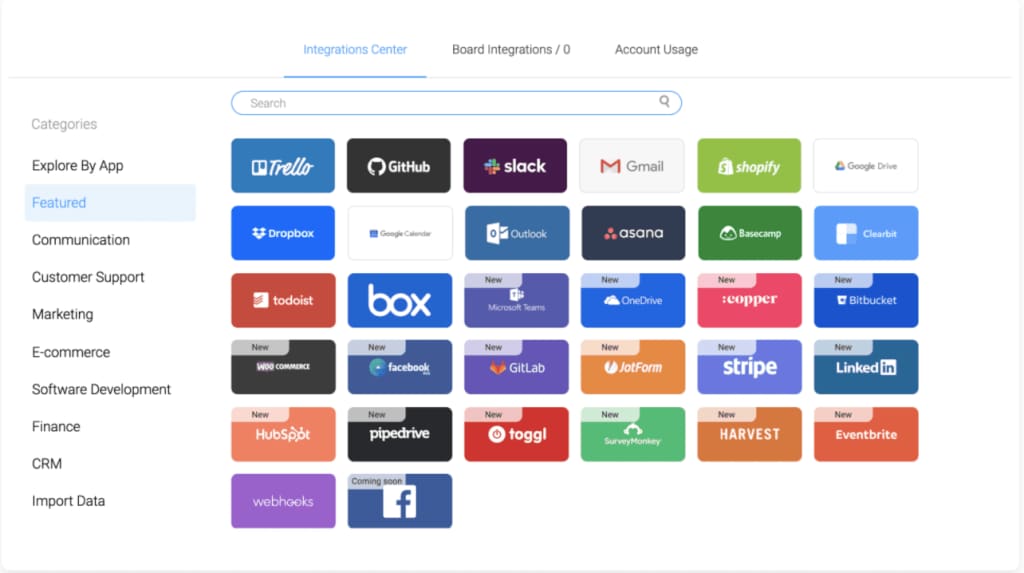
monday work management connects seamlessly with the creative tools media teams use daily, including Adobe Creative Cloud, Slack, Google Drive, Dropbox, and Zoom. Connect your design tools, chat apps, and storage solutions so files, feedback, and updates flow exactly where they need to go — no copying and pasting required.
Essential integrations for media teams:
- Adobe Creative Cloud: Sync design assets and version updates.
- Slack/Microsoft Teams: Convert conversations into actionable tasks.
- Google Drive/Dropbox: Automatically attach files to relevant projects.
- Zoom: Schedule and track creative review meetings.
- 200+ additional apps: Connect specialized media production tools.
For project managers coordinating creative production, these integrations eliminate the friction of switching between tools. When a designer uploads a new asset version to Google Drive, it automatically attaches to the relevant task in monday work management.
For media project managers, these automations are particularly valuable in managing approval cycles and revision rounds. When a designer marks an asset as “Ready for Review,” the platform automatically notifies the creative director, sets a review deadline, and creates a follow-up task if feedback isn’t provided within 48 hours.
How a project manager in media benefits from monday work management
When workflows are connected in one place, media project managers spend less time coordinating tools and more time moving campaigns forward. From faster approvals to clearer visibility, small improvements compound into measurable gains across delivery, collaboration, and resource use.
Key benefits include:
- Time savings across workflows: Automations handle routine updates, reminders, and approvals, reducing manual follow-ups and tool switching
- Lower tool costs: Consolidating project tracking, collaboration, and reporting reduces platform sprawl — government research shows reducing duplicate IT investments can save organizations $100 million or more.
- Faster campaign delivery: Streamlined approval cycles help teams move from brief to launch with fewer delays.
- Clearer project visibility: Real-time dashboards highlight progress, workload balance, and potential risks earlier.
- Stronger cross-team collaboration: Shared context keeps creative, client, and operations teams aligned.
- Higher quality output: Structured feedback and version control reduce rework and keep campaigns moving forward efficiently.
Together, these improvements help media teams deliver more consistently while maintaining the flexibility creative work requires.
Try monday work managementHow to solve media workflow challenges with monday work management
Implementing monday work management for media project management requires a strategic approach that addresses your team’s specific workflow challenges. This six-step process ensures smooth adoption while maximizing the platform’s impact on creative delivery.
Step 1: audit your current tool stack
Document all platforms your team currently uses for project management, communication, file storage, and creative collaboration. Create a comprehensive inventory that includes:
- Primary tools: Core platforms for project tracking and communication.
- Creative software: Design, video, and content creation applications.
- Storage systems: File repositories and asset management platforms.
- Communication channels: Email, messaging, and video conferencing tools.
Identify which tools contain critical project data and which create the most friction in daily workflows. This audit reveals integration priorities and helps you plan the migration sequence.
Step 2: map your creative process flow
Outline your typical campaign or content project from initial brief through final delivery. Document each stage of your creative workflow including:
- Project initiation: Brief creation and stakeholder alignment.
- Creative development: Concept creation and initial design.
- Review cycles: Client feedback and revision management.
- Approval processes: Final sign-offs and delivery preparation.
- Asset delivery: Final file distribution and project closure.
Identify key milestones, approval gates, handoffs between teams, and common bottlenecks. Use this process map to build out your monday work management workspace exactly the way your team actually works.
Step 3: set up your workspace structure
Create boards for different project types using monday work management’s template library as a starting point. Customize your workspace to reflect your specific needs:
- Project boards: Separate boards for campaigns, content projects, and ongoing initiatives.
- Custom columns: Track client names, campaign types, asset formats, delivery channels, and budget allocations.
- Status labels: Define workflow stages that match your creative process.
- Team assignments: Set up user groups for different creative specialties.
Step 4: configure integrations with creative tools
Connect monday work management to your essential creative tools like Adobe Creative Cloud, Slack, Google Drive, and any specialized media production platforms. Prioritize integrations based on your audit findings:
- High-priority integrations: Tools used daily by multiple team members.
- Medium-priority integrations: Specialized tools used by specific roles.
- Future integrations: Nice-to-have connections for workflow optimization.
Set up two-way syncing so updates in one platform automatically reflect in monday work management, eliminating manual data entry.
Step 5: build automation for approval workflows
Create automated workflows for your most common processes including creative review cycles, client approval requests, and asset delivery notifications. Start with simple automations and expand over time:
- Basic automations: Status change notifications and deadline reminders.
- Intermediate automations: Conditional task assignments and approval routing.
- Advanced automations: Multi-step workflows with complex trigger conditions.
Use the automation center to set up triggers that notify stakeholders and set deadlines when status changes occur.
Step 6: establish centralized dashboards
Finally, build dashboards that provide at-a-glance visibility into portfolio health, resource allocation, and project status. Create different dashboard views for different stakeholders:
- Operational dashboards: Detailed project tracking for PMs.
- Executive dashboards: High-level portfolio overview for leadership.
- Client dashboards: Campaign progress visibility for external stakeholders.
- Team dashboards: Individual workload and task management for creative teams.

Comparison table: monday work management vs competing platforms for media project management
Not all project management platforms support the way media teams actually work. Creative projects involve multiple stakeholders, frequent revisions, and tight deadlines, so the right features can make a noticeable difference to how smoothly campaigns run.
The table below compares monday work management with other platforms across the capabilities that have the biggest impact on creative workflows, collaboration, and delivery speed.
| Feature | monday work management | Asana | Wrike | Clickup |
|---|---|---|---|---|
| Visual workflow views | 8+ views including Kanban, Gantt, Timeline, Calendar, Workload | 4 views | 6 views | 15+ views |
| No-code automation | Unlimited automations on Pro+ plans | Limited on lower tiers | Available on Business+ | Available on Unlimited+ |
| Resource management | Built-in Workload view with capacity planning | Requires Business+ tier | Built-in resource management | Workload view available |
| Creative tool integrations | Adobe Creative Cloud, 200+ integrations | 100+ integrations | 400+ integrations | 1,000+ integrations via Zapier |
| AI capabilities | Included in all paid plans | Premium tiers only | Available at no extra cost | Paid add-on |
| Client collaboration | Guest access with customizable permissions | Limited guest access | External collaborator support | Guest access on paid plans |
| Implementation time | Less than 4 months | 2 weeks to 1 month | Varies by complexity | Varies by complexity |
How SPH media transformed their campaign delivery operations
Managing campaigns across dozens of brands requires clear coordination between creative, sales, and operations teams. As campaign volume increased, SPH Media needed a more structured way to manage timelines, assets, and communication without slowing creative work.
The challenge
SPH Media manages campaigns across digital, print, social, broadcast, and out-of-home channels for more than 40 media brands. Work was spread across multiple tools, creating manual handoffs between teams and making it harder to keep campaigns aligned as complexity grew.
Key challenges included:
- Disconnected workflows across creative, content, sales, and ad operations.
- Manual updates slowing campaign coordination.
- Limited visibility into timelines and resource allocation.
- Increasing complexity as campaign volume expanded.
The solution
SPH Media implemented monday work management to centralize campaign planning, communication, and delivery in one visual workspace. Automated updates connected advertiser bookings with production workflows, while shared boards gave teams a clear view of priorities and deadlines.
The results
With connected workflows in place, SPH Media improved visibility and coordination across campaigns:
- Hundreds of campaigns managed in one platform.
- 130+ team members collaborating in a shared workspace.
- 40+ brands coordinated across multiple channels.
- Real-time visibility into timelines, resources, and budgets.
This improved transparency helped teams stay aligned, balance workloads, and manage campaign delivery more consistently as the organization scaled.

“monday.com has been a life-changer. It gives us transparency, accountability, and a centralized place to manage projects across the globe".
Kendra Seier | Project Manager
“monday.com is the link that holds our business together — connecting our support office and stores with the visibility to move fast, stay consistent, and understand the impact on revenue.”
Duncan McHugh | Chief Operations OfficerCentralize your creative workflows for faster campaign delivery
Media teams work best when timelines, feedback, and assets stay connected. Bringing creative workflows into one place helps reduce delays, improve collaboration, and keep campaigns moving forward without unnecessary back-and-forth.
monday work management gives project managers a clear view of priorities, approvals, and resources across every campaign. Visual workflows, automated updates, and real-time visibility make it easier to coordinate stakeholders and maintain momentum from brief to launch.
When creative teams spend less time switching between tools, they have more time to focus on producing high-quality work and delivering campaigns that meet expectations.
Try monday work managementFrequently asked questions
How long does it take to implement monday work management in a media organization?
The time it takes to implement monday work management in a media organization varies based on size and complexity, but most teams see value within weeks. Organizations typically achieve payback in less than four months according to industry studies. Smaller media teams often have basic implementation running in days, while enterprise rollouts with custom integrations typically take 2-3 months.
Can freelancers and external clients access monday work management securely?
Yes, monday work management supports guest access with customizable permissions. You can invite freelancers, clients, and external collaborators to specific boards or projects without giving them access to your entire workspace. You control exactly what each guest can view, edit, or comment on, ensuring sensitive client information and internal discussions remain private.
What integrations are essential for creative workflows in media?
The most critical integrations for media project managers include Adobe Creative Cloud for design asset management, Slack or Microsoft Teams for communication, Google Drive or Dropbox for file storage, and Zoom for video collaboration. monday work management offers native integrations with all these platforms plus 200+ additional apps. For media organizations with specialized needs, the open API enables custom integrations with proprietary systems.
How does monday work management handle version control for creative assets?
The platform provides file versioning that automatically tracks changes to creative assets uploaded to tasks or projects. You can view the complete history of file versions, see who made changes and when, and revert to previous versions if needed. Combined with approval workflows, version control ensures everyone works from the correct asset version and maintains an audit trail of creative evolution.
Which project management methodology works Use case media teams using monday work management?
monday work management supports multiple methodologies, allowing media teams to choose what works Use case their projects. Many media organizations use hybrid approaches with Gantt charts and Timeline views for high-level campaign planning using waterfall methodology, while executing daily creative tasks using Kanban boards with agile principles. The platform's flexibility means different project types can use different approaches within the same workspace.
What training resources are available for creative teams adopting monday work management?
monday work management provides comprehensive onboarding resources including interactive product tours, video tutorials, template libraries, and a detailed knowledge base. The platform's intuitive interface means most creative team members become comfortable within two weeks to one month. For enterprise implementations, dedicated onboarding services, change management support, and tailored training programs are available.

 Get started