


Media project managers have a lot on their plate. They balance creative workflows for multiple campaigns, tight production schedules, and demanding stakeholders while trying to keep teams aligned across departments and time zones. When projects live in scattered spreadsheets, email threads, and disconnected platforms, even experienced managers struggle to see where resources are going, what’s at risk, and how the overall portfolio is performing.
The real challenge isn’t just delivering one great campaign. It’s coordinating an entire portfolio of creative work, keeping approvals moving, and giving stakeholders a clear, accurate picture of progress without spending hours chasing updates and piecing together reports.
Let’s explore some of the best portfolio management platforms built with media teams in mind. We’ll look at what they offer, how they support creative workflows, how they scale with different team sizes, and what it takes to implement portfolio management that genuinely improves how your organization delivers content.
Key takeaways
- Centralize scattered media projects in one visual workspace: gain a single source of truth for all project information, saving hours previously spent searching for updates across disconnected systems.
- Optimize creative team resources before burnout hits: use portfolio-level visibility to balance workloads, prevent overallocation, and match the right talent to the right projects across all campaigns.
- Transform chaos into streamlined execution: visual dashboards, no-code automation, and integrated platforms can deliver 2x faster project delivery and 40% improved collaboration for media teams.
- Connect daily work to strategic business goals: track which content campaigns drive real ROI and demonstrate portfolio value to executives with data-driven insights instead of scattered reports.
- Accelerate approvals with structured workflows: route creative assets through approval stages automatically, maintain version control, and keep all stakeholder feedback in one accessible location.
What is portfolio management software for media organizations?
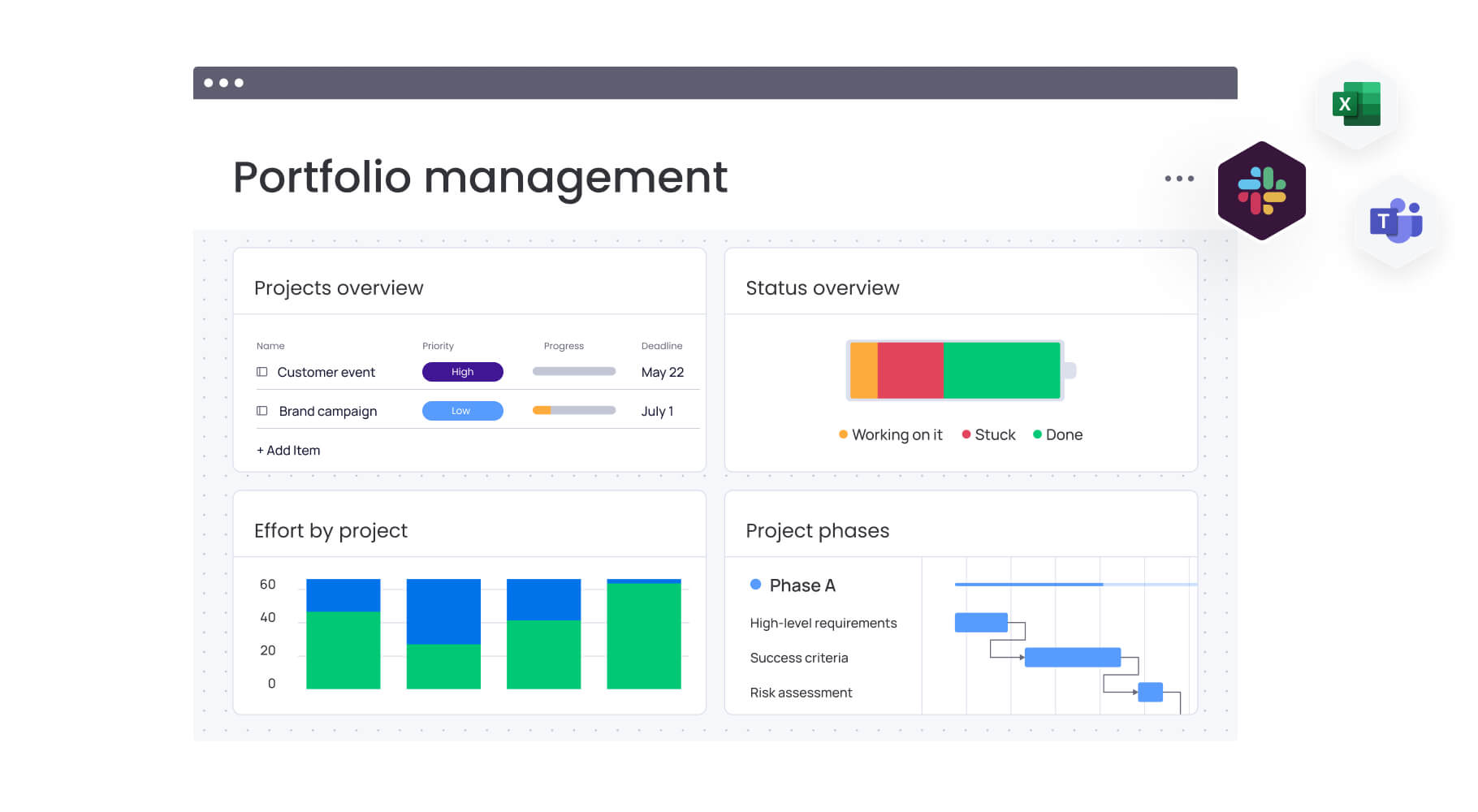
It’s helpful to picture portfolio management software as your command hub: it’s where you keep track of all your creative projects, content campaigns, and production schedules in one place. While regular project management software helps you manage one project at a time, portfolio software gives you the big picture. You can see which projects actually matter to your business, make smart decisions about where to put your creative talent, and measure how campaigns perform against your goals.
For any project portfolio manager juggling broadcast schedules, digital content calendars, and cross-platform campaigns, portfolio management software eliminates the chaos of scattered spreadsheets and disconnected tools. It connects project execution to strategic objectives while providing real-time visibility into what creative teams are working on, where bottlenecks exist, and which campaigns are delivering results.
Why media project managers need portfolio management tools
Media project managers handle fast-moving campaigns, shifting priorities, and creative teams spread across multiple tools. Without a way to see the full picture, it becomes difficult to track progress, allocate resources effectively, or keep stakeholders aligned.
Portfolio management tools solve this by giving PMs unified visibility across every campaign, asset, and workflow. They address the four biggest roadblocks that slow media teams down:
Centralize scattered media projects and campaigns
Most media PMs find themselves drowning in email threads, juggling multiple creative applications, and maintaining countless spreadsheets. This fragmentation means important details vanish, stakeholders are left in the dark, and teams burn hours just trying to find the latest version of a file. The result? Important details vanish, stakeholders are left in the dark, and your team burns hours just trying to find the latest version of a file or that crucial feedback from last week.
Portfolio software pulls everything into one place — your briefs, schedules, approval chains, and performance metrics all living under the same roof. Project managers can instantly see which content is in production, what’s awaiting approval, and where resources are allocated across the entire portfolio.
Optimize resource allocation across creative teams
Media organizations struggle with resource allocation because creative talent, production crews, and freelancers work across multiple concurrent projects. Without portfolio-level visibility, project managers can’t see who’s overloaded, which skills are available, or where bottlenecks will emerge.
Portfolio management tools provide workload views that show capacity across all creative resources, enabling project managers to:
- Balance assignments: distribute work evenly across team members.
- Prevent burnout: identify overallocation before it impacts quality.
- Match talent to projects: ensure the right skills work on the right initiatives.
Track content performance and campaign ROI
Media project managers need to demonstrate which projects deliver business value, but tracking performance across disconnected tools makes ROI analysis nearly impossible. Portfolio management software connects project execution data with performance metrics, showing which content campaigns drive engagement, which productions stay on budget, and where resources generate the highest return.
This visibility enables data-driven decisions about which project types to prioritize and where to invest creative resources.
Streamline stakeholder communication and approvals
Media projects involve complex approval chains across clients, executives, creative directors, and legal teams. When feedback lives in email, Slack, and meeting notes, project managers spend hours consolidating comments and chasing approvals.
Portfolio management tools centralize stakeholder communication with structured approval workflows, version control, and audit trails. Project managers can route creative assets through approval stages automatically, track who needs to review what, and maintain a record of all feedback and decisions.

12 best portfolio management software for media project managers
Choosing the right portfolio management software depends on your team size, workflow complexity, and integration requirements. Here’s a comprehensive comparison of the top solutions designed specifically for media project management challenges.
1. monday work management for visual portfolio management
monday work management delivers visual portfolio management that media teams actually use. The platform’s color-coded boards, timeline views, and customizable dashboards make complex media portfolios instantly understandable for creative teams who think visually. Project managers can build custom workflows for different content types without coding, then scale those workflows across the entire portfolio.
The platform excels at connecting individual projects to portfolio-level goals. Media project managers can link content campaigns to strategic objectives, track progress across multiple productions simultaneously, and generate stakeholder reports that show portfolio health at a glance, supporting effective portfolio planning. With 200+ integrations including Adobe Creative Suite, Slack, and Google Drive, monday work management fits naturally into existing media workflows.
SPH Media, managing over 40 media brands, uses monday work management to track hundreds of campaigns in one platform with 130+ people collaborating seamlessly. The platform’s flexibility allows media organizations to adapt workflows as content strategies evolve while maintaining the governance and visibility PMOs require.
Pricing: from $9/user/month.
Best for: media organizations needing visual, intuitive portfolio management that creative teams will actually adopt.
2. Wrike for marketing and creative agencies
Wrike provides robust portfolio management specifically designed for marketing and creative agencies managing client work. The platform offers customizable request forms that streamline project intake, workload charts that prevent creative team burnout, and proofing tools that accelerate review cycles.
Pricing: from $10/user/month.
Best for: creative agencies managing multiple client portfolios with complex approval workflows.
3. Smartsheet for production planning
Smartsheet brings spreadsheet familiarity to portfolio management, making it accessible for media teams comfortable with Excel. The platform offers Gantt charts, resource management, and automated workflows within a grid interface.
Pricing: from $9/user/month.
Best for: media organizations with production-heavy workflows requiring detailed scheduling.
4. Adobe Workfront for creative operations
Adobe Workfront integrates deeply with Adobe Creative Suite, making it powerful for media organizations already invested in Adobe tools. The platform provides creative-specific features like digital asset management, creative proofing, and resource capacity planning.
Pricing: custom pricing.
Best for: enterprise media companies heavily using Adobe Creative Suite.
5. Asana for content calendar management
Asana offers intuitive task management with portfolio-level visibility through its Goals and Portfolios features. Media project managers can organize content calendars, track campaign progress across multiple views, and automate routine workflows.
Pricing: from $10.99/user/month.
Best for: digital media teams focused on content calendar management.
6. Microsoft Project for enterprise media companies
Microsoft Project provides enterprise-grade portfolio management with advanced scheduling, resource optimization, and financial tracking. The platform integrates with Microsoft 365, making it suitable for large media organizations already using Microsoft tools.
Pricing: from $10/user/month.
Best for: large media enterprises requiring robust financial tracking.
7. Jira for digital media development
Jira excels at managing digital media development projects using agile methodologies. Media project managers can track sprints, manage backlogs, and coordinate development teams building digital content platforms.
Pricing: from $7.16/user/month.
Best for: digital media companies building software products.
8. ClickUp for all-in-one media management
ClickUp combines project management, documentation, and collaboration in one platform with extensive customization options. Media project managers can create custom views, automate workflows, and track portfolios across 15+ different visualization options.
Pricing: from $7/user/month.
Best for: media teams wanting comprehensive features.
9. Teamwork for client-facing media projects
Teamwork focuses on client project management with features like client portals, time tracking, and profitability reporting. Media project managers can give clients visibility into project progress while maintaining internal workflow control.
Pricing: from $11/user/month.
Best for: media agencies managing multiple client projects.
10. Celoxis for media budget tracking
Celoxis provides comprehensive financial management alongside portfolio tracking, making it valuable for media project managers focused on budget control. The platform offers detailed cost tracking, resource rate management, and profitability analysis.
Pricing: custom pricing.
Best for: media organizations requiring detailed financial tracking.
11. Planview for strategic portfolio planning
Planview delivers enterprise portfolio management with strategic planning, scenario modeling, and capacity planning capabilities. Media project managers can align projects with business strategy and optimize resource allocation across large-scale operations.
Pricing: custom pricing
Best for: large media enterprises needing strategic portfolio planning
12. Zoho Projects for small media teams
Zoho Projects offers affordable portfolio management with task tracking, Gantt charts, and time tracking features. Small media teams can manage multiple projects, track budgets, and collaborate effectively without enterprise-level costs.
Pricing: from $4/user/month.
Best for: small media teams and startups.
What makes project managers choose monday work management for portfolio management?
Media project managers choose monday work management because it solves their biggest operational challenge: scattered work siloed across too many tools. The platform brings all projects, resources, and communication into one visual workspace that creative teams actually adopt.
Key reasons PMs prefer monday work management:
- Unified visibility: projects, assets, timelines, and approvals live in one place, eliminating tool-switching and information gaps.
- Portfolio-level insight: real-time dashboards show progress across every campaign or production, helping PMs spot risks early and allocate resources with confidence.
- Adaptable workflows: no-code customization lets teams mirror their unique creative and production processes without relying on IT.
- Automation that removes busywork: status updates, reminders, and approval routing happen automatically, reducing manual coordination.
- Seamless creative-stack integration: connects with Adobe Creative Cloud, Slack, Google Drive, and other tools media teams already use.
Together, these capabilities give media PMs the visibility, efficiency, and control they need to run fast-moving creative portfolios without the chaos.
monday work management top features for portfolio management

Understanding how specific features address media project management challenges helps project managers evaluate whether monday work management fits their needs. These six core capabilities work together to create comprehensive portfolio visibility and control.
Portfolio dashboards
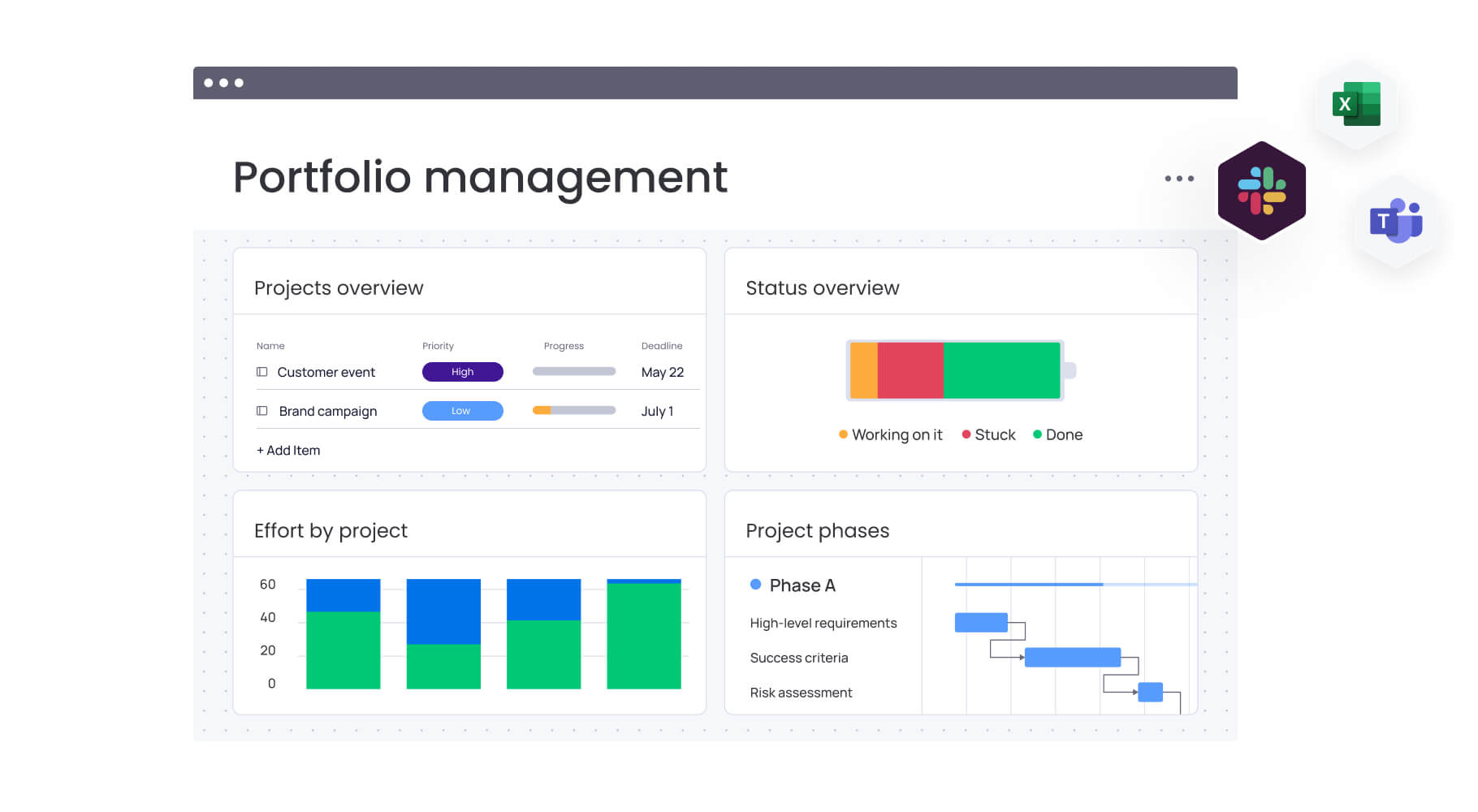
Portfolio dashboards in monday work management bring all project data into one real-time, customizable view. PMs can track portfolio health, resource utilization, budgets, and progress using drag-and-drop widgets — no technical setup required.
What portfolio dashboards help you do:
- See the full picture: monitor status, timelines, and budgets across all campaigns.
- Share stakeholder-ready views: tailor dashboards for executives, creatives, or clients.
- Track resource demand: identify where teams are overloaded or underutilized.
- Spot risks early: catch delays or bottlenecks before they impact delivery.
For media project managers handling 5–15 productions at once, these dashboards replace hours of manual report compilation.
Resource management
The platform’s resource management capabilities provide media project managers with workload views that show who’s working on what across all projects, capacity planning tools that identify overallocation before it causes problems, and skill-based assignment features that match the right creative talent to the right projects.
Media project managers struggle with resource chaos when creative teams, freelancers, and production crews work across multiple concurrent projects without centralized visibility. monday work management’s resource management solves this by showing real-time capacity across the entire portfolio, enabling project managers to balance workloads, prevent bottlenecks, and ensure critical projects have the talent they need.
Workflow automation
monday work management’s automation engine enables media project managers to eliminate repetitive tasks through no-code automation recipes that trigger actions based on project events. Project managers can:
- Automate status updates: when creative assets move through approval stages.
- Send deadline notifications: when project milestones approach.
- Create recurring tasks: for regular content production cycles.
- Route approval workflows: automatically assign reviews to stakeholders.
For media project managers, automation transforms efficiency by eliminating the manual work that consumes hours each week. Instead of manually tracking which creative assets need review or which campaigns are ready to launch, project managers set up automations once and let the platform handle routine coordination.
Creative tool integrations
The platform integrates with 200+ tools including Adobe Creative Suite, Slack, Google Drive, Microsoft Teams, and media-specific platforms, enabling media project managers to connect monday work management with the creative software their teams use daily. These integrations sync data bidirectionally, so updates in creative applications reflect on the platform and vice versa.
Media project managers need integrations because creative teams work in specialized tools for design, video editing, and content management that can’t be replaced. monday work management’s integrations ensure project managers maintain visibility into creative work without forcing teams to abandon their preferred tools.
Timeline and Gantt views
monday work management’s timeline and Gantt views visualize project schedules, dependencies, and milestones across the portfolio, enabling media project managers to see how projects relate to each other, identify scheduling conflicts, and adjust timelines with drag-and-drop simplicity.
Media project managers rely on timeline views to coordinate complex production schedules where creative work, client reviews, and publication deadlines must align precisely. The visual nature of Gantt charts makes it easy to communicate schedules to creative teams who prefer visual information over text-heavy project plans.
Customizable workflows
The platform’s no-code workflow builder enables media project managers to create custom workflows that match their unique production processes without technical expertise. Project managers can define custom statuses, create conditional logic, build approval stages, and design workflows that reflect how their media organization actually works.
Media project managers need customizable workflows because every media organization has unique processes shaped by their content types, approval requirements, and team structures. monday work management’s customization means project managers can build workflows that match their reality, then evolve those workflows as content strategies change.
Try monday work managementHow a project manager in media benefits from monday work management
Media project managers using monday work management experience transformative improvements across four key areas that directly impact their daily effectiveness and long-term career success.
Time savings and efficiency gains
Automation removes repetitive tasks like status updates, approval chasing, and manual reporting. Real-time dashboards further reduce administrative work.
Key efficiencies include:
- Automated updates: fewer hours spent gathering progress manually.
- Streamlined approvals: reminders and routing handled automatically.
- Faster reporting: dashboards eliminate weekly report compilation.
Cost efficiency improvements
Better resource planning prevents unnecessary overtime and ensures creative talent is used effectively. Budget tracking helps PMs intervene before costs escalate.
Cost-related benefits:
- Avoid overbooking: reduce overtime and burnout-related delays.
- Spot overruns early: identify rising costs before they impact delivery.
- Optimize utilization: ensure the right people are allocated to the right work.
Enhanced visibility and tracking
PMs gain a clear view of project and portfolio health without needing constant status meetings. Stakeholders can access live updates anytime.
Visibility improvements include:
- Instant portfolio insights: see progress, risks, and capacity in real time.
- Early bottleneck detection: act before delays spread.
- Stakeholder self-service: fewer interruptions for PMs.
Productivity and quality improvements
Centralized workflows and automation help teams move faster while raising output quality.
Core productivity gains:
- Reduced context switching: work happens in one shared platform.
- Clear ownership: everyone knows their responsibilities and deadlines.
- Higher-quality outputs: version control, structured approvals, and organized feedback ensure polished final assets.
How to manage media project portfolios with monday work management
Successfully implementing portfolio management requires a systematic approach that builds from foundational structure to advanced automation. Follow these six steps to transform your media project management from scattered chaos to streamlined execution.
Step 1: set up your portfolio structure
Create a portfolio board that aggregates all media projects, campaigns, and productions in one view. Use custom columns to track project type, status, budget, timeline, assigned creative team, and strategic alignment. Configure portfolio-level dashboards that show key metrics like projects by status, resource utilization, and budget consumption across all initiatives.
Step 2: build standardized project templates
Develop templates for common media project types that include standard tasks, approval workflows, and stakeholder communication touchpoints. Standardized templates ensure consistent data collection across projects while allowing customization for unique requirements.
Step 3: connect projects to strategic goals
Link individual projects to organizational objectives using monday work management’s Goals feature. Map content campaigns to business goals like audience growth, revenue targets, or brand awareness so you can track which projects contribute to strategic priorities.
Step 4: implement resource allocation workflows
Use workload views to visualize creative team capacity across all projects. Assign resources based on skills, availability, and project priority. Set up automated notifications when team members approach capacity limits so you can rebalance workloads before overallocation causes problems.
Step 5: automate routine portfolio management tasks
Create automations that update project statuses when milestones complete, notify stakeholders when projects need review, generate recurring tasks for regular content production, and escalate at-risk projects to portfolio managers.
Step 6: establish portfolio reporting cadence
Configure automated portfolio reports that stakeholders receive weekly or monthly showing project progress, resource utilization, budget status, and strategic goal achievement. Share live dashboards with executives who need real-time visibility without requiring project manager intervention.
Comparison table: monday work management vs top PPM software for media
Not all portfolio tools are built for the speed and complexity of media production. Below is a quick comparison of monday work management and other top PPM platforms to help you identify the best fit for your team.
| Feature | monday work management | Wrike | Smartsheet | Adobe Workfront |
|---|---|---|---|---|
| Visual portfolio dashboards | Customizable, real-time | Standard dashboards | Grid-based views | Adobe-integrated |
| Resource management | Workload views, capacity planning | Workload charts | Resource sheets | Advanced capacity planning |
| Creative tool integrations | 200+ including Adobe | Marketing-focused | Limited creative tools | Deep Adobe integration |
| Workflow customization | No-code, drag-and-drop | Template-based | Formula-driven | Configuration required |
| Implementation time | Days to weeks | Weeks | Weeks | Months |
| Learning curve for creative teams | Minimal | Moderate | Low (spreadsheet-like) | Steep |
| Automation capabilities | Extensive, no-code | Standard | Formula-based | Advanced |
| Price per user/month | From $9 | From $10 | From $9 | Custom pricing |
| G2 rating | 4.7/5 | 4.2/5 | 4.4/5 | 4.1/5 |
| Best for | Visual portfolio management creative teams love | Marketing agencies | Production planning | Adobe-centric workflows |
How SPH Media transformed their content operations

Real-world implementation stories demonstrate how portfolio management software solves actual media project challenges. SPH Media’s transformation illustrates the practical impact of centralizing scattered workflows into one unified platform.
The challenge
SPH Media, a leading media group in Singapore managing over 40 media brands across newspapers, magazines, radio, and outdoor media, faced increasing complexity managing media campaigns across multiple channels and formats. Their Content Lab, which had provided advertising services to more than 20,000 brands, relied heavily on manual processes that became unsustainable as the business expanded.
The solution
SPH Media implemented monday work management to centralize campaign management across their entire portfolio. The platform’s clean, color-coded interface provided instant visibility into what everyone was working on while enabling optimized work management, cross-team communication, and automated reporting.
The team integrated their ad booking system with monday work management using the platform’s customizable API, automatically synchronizing advertiser bookings with creative production processes. Automated alerts sent notifications at every project phase with task reminders as deadlines approached, while all assets and communication centralized in one accessible location.
The results
SPH Media achieved remarkable improvements in their content operations:
- Hundreds of campaigns tracked: managing campaigns across 40+ media brands in one platform.
- 130+ people collaborating: unified workspace for seamless team coordination.
- Increased productivity: pre-made templates adapted to their workflows.
- Eliminated information silos: centralized communication preventing missed deadlines.
- Real-time visibility: better resource allocation decisions through workload insights.
Transform your media portfolio management with monday work management
Media project managers face unprecedented complexity coordinating creative teams, production schedules, and multi-channel campaigns across fragmented tools. The organizations that thrive are those that centralize their work into visual, intuitive platforms where creative teams actually want to collaborate.
monday work management delivers the portfolio visibility, resource management, and workflow automation that transforms scattered media projects into streamlined execution. With customizable dashboards, no-code automation, and 200+ integrations, media project managers can finally connect daily work to strategic goals while giving stakeholders the transparency they need.
The results speak for themselves: 2x faster project delivery, 40% improvements in cross-team collaboration, and significant time savings from automated workflows. Media organizations using monday work management spend less time chasing updates and more time delivering exceptional creative work that drives business results.
Ready to experience how portfolio management software transforms media project coordination? Start centralizing your scattered workflows and accelerate your team’s execution with monday work management.
The content in this article is provided for informational purposes only and, to the best of monday.com’s knowledge, the information provided in this article is accurate and up-to-date at the time of publication. That said, monday.com encourages readers to verify all information directly.
Frequently asked questions
What is the difference between project management and portfolio management in media?
Project management focuses on delivering individual media projects on time and within budget, while portfolio management takes a strategic view across all media projects simultaneously. Portfolio management helps project managers prioritize which projects to pursue, allocate resources across competing initiatives, and ensure the overall portfolio aligns with business goals. Media project managers need both capabilities to execute individual productions and make strategic decisions about where to invest creative resources.
How much does portfolio management software cost for media companies?
Portfolio management software for media companies typically ranges from $4 to $35+ per user per month depending on features, team size, and deployment model. Entry-level tools start around $4/user/month with basic portfolio features, while mid-tier options like monday work management, Wrike, and Smartsheet range from $9-12/user/month with comprehensive portfolio capabilities. Enterprise solutions require custom pricing based on organization size and requirements.
Can PPM tools handle both waterfall and agile media workflows?
Yes, modern portfolio management tools including monday work management support both waterfall and agile methodologies within the same portfolio. Media project managers can use Gantt charts and dependencies for traditional waterfall production workflows like broadcast schedules while simultaneously managing Agile sprints for digital content development. This flexibility is essential for media organizations where different project types require different management approaches.
What creative software integrations are essential for media teams?
Essential integrations for media teams include Adobe Creative Suite for creative production, content management systems like WordPress or Drupal for publishing, digital asset management platforms for media file storage, communication tools like Slack and Microsoft Teams for collaboration, and analytics platforms like Google Analytics for performance tracking.
How long does it take to implement portfolio management tools?
Implementation timelines for portfolio management tools in media organizations range from days to months depending on complexity, team size, and customization requirements. Intuitive platforms like monday work management can be operational within days for small teams using standard templates, with full portfolio rollout across larger media organizations typically taking two to four weeks. Enterprise implementations requiring extensive customization may extend to two to three months.
Which portfolio management software works best for freelance media managers?
Freelance media managers and small media teams benefit most from affordable, easy-to-use portfolio management tools with minimal setup requirements. monday work management's free plan supports up to two users with essential portfolio features, making it accessible for freelancers starting out. The best choice depends on specific needs: freelancers managing client projects may prioritize client portal features, while those coordinating creative teams may value resource management and approval workflows more highly.

 Get started