


Marketing teams managing enterprise campaigns face a coordination challenge that spreadsheets and email threads can’t solve. When 50-100+ people across content, creative, acquisition, and operations teams work on multiple concurrent campaigns, visibility disappears and deadlines slip. The best Gantt chart software transforms this complexity into coordinated execution through visual timelines, automated workflows, and real-time performance tracking.
Effective Gantt chart platforms do more than display project schedules. They connect campaign dependencies, balance team workloads, and provide the centralized visibility that marketing leaders need to drive growth and report impact to executive leadership. For enterprise marketing teams, the right platform eliminates platform sprawl while maintaining the specialized capabilities each team requires.
This guide brings clarity to which Gantt chart features actually matter for marketing teams, how the top platforms stack up against real campaign needs, and exactly how leading organizations are speeding up delivery while improving team collaboration. It also examines key features, implementation strategies, and proven results from organizations that have transformed their marketing operations through strategic platform adoption.
Key takeaways
When your marketing team spans 50-100+ people, managing work through spreadsheets and email threads leads to missed deadlines, stalled approvals, and zero visibility into project ownership. Visual Gantt timelines, automated workflows, and real-time dashboards from monday work management transform this complexity into coordinated execution that connects strategy to delivery.
- Replace scattered tools with unified campaign coordination: consolidate spreadsheets and emails into a single platform that prevents silos and keeps deadlines on track across your marketing teams.
- Gain real-time visibility into campaign performance and team capacity: see which campaigns are on track, where bottlenecks exist, and who’s available for new projects without manual reporting.
- Scale marketing operations without adding administrative overhead: use monday work management’s Gantt timelines, automated workflows, and resource planning to coordinate 50-100+ people efficiently.
- Standardize campaign workflows with reusable templates and automation: build consistent processes from brief to delivery that eliminate duplicative work and ensure quality execution every time.
- Connect marketing strategy to measurable business results: transform campaign data into executive-ready dashboards that show ROI, productivity metrics, and alignment with company goals.
What makes heads of marketing choose monday work management for campaign management and marketing operations?

Heads of marketing in services companies face a specific challenge: coordinating 50-100+ people across content, creative, acquisition, events, and operations while maintaining visibility and control. Disconnected tools create silos, duplicative processes, and missed deadlines that directly impact growth targets and executive confidence.
This challenge is solved by monday work management, which provides a single source of truth where campaign timelines, team workloads, and budget tracking converge.
The platform delivers the centralized visibility needed to drive growth and report impact to executive leadership. Visual Gantt-style timelines display dependencies, milestones, and resource allocation across all campaigns and regions. This means you can plan multi-channel strategies, oversee execution, and align work with company OKRs without toggling between spreadsheets, email threads, and disconnected project tools.
For services industry leaders managing complex stakeholder relationships and tight delivery windows, this operational efficiency translates directly to faster time-to-launch and measurable improvements in team productivity.
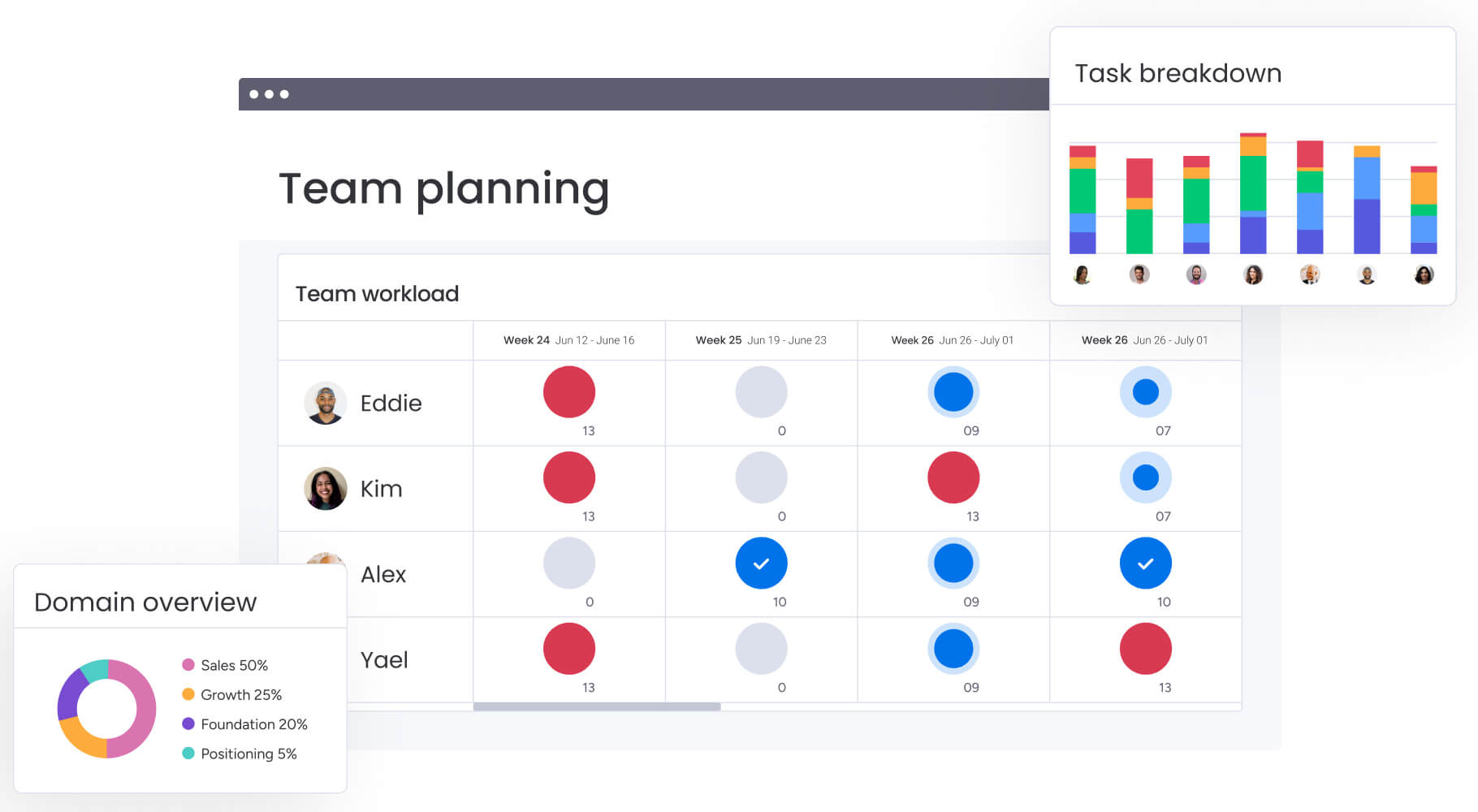
monday work management top features for campaign management and marketing operations

The platform’s capabilities address the core challenges of managing large-scale marketing operations. Each feature connects to deliver a unified system for planning, executing, and optimizing marketing work.
Here’s how the key features transform marketing operations for enterprise teams.
Campaign timeline visualization
Gantt chart for Mac transforms how marketing leaders visualize and manage campaign schedules. The platform displays all marketing initiatives on interactive timelines where you can drag and drop items, adjust deadlines, and see dependencies in real-time.
Multiple view options ensure every team member works in their preferred format while maintaining a single source of truth:
- Gantt view: shows project dependencies and critical paths.
- Calendar view: displays campaign launches and key dates.
- Kanban view: tracks creative production stages.
- Timeline view: visualizes campaign phases and milestones.
For heads of marketing managing cross-functional teams, Gantt chart online eliminates scattered spreadsheets and email updates. You instantly see which campaigns are on track, which are at risk, and where bottlenecks exist across your entire operation.
Resource capacity planning
The platform’s resource management capabilities give marketing leaders real-time visibility into team bandwidth and workload distribution. The Workload view displays each team member’s assigned work items and hours, making it easy to balance capacity and prevent burnout.
Key resource planning features include:
- Skills-based allocation: match tasks to team members based on expertise.
- Availability tracking: see who’s available for new projects.
- Capacity indicators: flag when team members are overloaded.
- Resource forecasting: plan future hiring based on workload trends.
This directly addresses poor resource utilization that leads to burnout, misalignment, and missed deadlines. When managing large teams across multiple campaigns and regions, understanding true capacity becomes essential for strategic resource allocation.
Marketing workflow automation
Automation capabilities eliminate repetitive manual work that slows down marketing operations. You can create custom automation recipes that trigger actions based on status changes, deadlines, or dependencies.
Common marketing automations include:
- Approval notifications: alert creative teams when briefs are approved.
- Task progression: move items to the next stage when deliverables complete.
- Deadline reminders: send alerts before campaign launch dates.
- Status updates: automatically notify stakeholders of progress changes.
These no-code automations let anyone on your team standardize processes without IT help. Build a template once, bake in the automations, and watch your teams nail consistent execution from brief to delivery every time.
Real-time performance dashboards
Dashboard and reporting capabilities provide instant visibility into campaign performance, budget adherence, and team productivity. Custom dashboards pull data from multiple projects and boards, displaying key metrics that matter to leadership.
Metrics that actually matter to marketing leaders:
- Campaign ROI tracking: monitor return on marketing investment.
- Budget variance: compare planned vs. actual spend.
- Team productivity metrics: track output and efficiency.
- Pipeline visibility: see upcoming campaigns and resource needs.
- Time-to-launch tracking: measure speed from concept to execution.
These dashboards update in real-time as work progresses, giving you data-driven insights to make informed decisions and report impact to executive leadership. The platform transforms scattered data into actionable insights that drive maximum impact.
Cross-functional team coordination
Seamless collaboration between marketing and other departments is facilitated by monday work management. Permission controls, commenting features, and stakeholder views ensure everyone has appropriate access without overwhelming non-marketing teams.
Coordination features include:
- Stakeholder permissions: control who can view and edit information.
- In-context comments: tag team members directly on tasks.
- File attachments: keep all assets in one place.
- Communication history: maintain complete context for every project.
- Guest access: share specific views with external partners.
This coordination ends the classic marketing nightmare: creative doesn’t know what content is doing, regions run conflicting campaigns, and nobody owns the overall timeline. When everyone sees their place in the bigger picture, accountability follows naturally.
Marketing-specific integrations
The platform integrates with 200+ marketing tools, ensuring your tech stack works together seamlessly. These integrations eliminate the need to toggle between disconnected systems while maintaining monday work management as your central source of truth.
Key marketing integrations:
- Creative tools: Adobe Creative Cloud, Canva, Figma.
- Communication: Slack, Microsoft Teams, Gmail.
- Marketing automation: HubSpot, Mailchimp, Marketo.
- Analytics: Google Analytics, social media platforms.
- Storage: Google Drive, Dropbox, OneDrive.
Need something custom? The open API has you covered. Instead of forcing everyone to abandon their favorite tools, monday work management connects what you already use while giving you that crucial bird’s-eye view across everything.
Try monday work management
How heads of marketing in services benefit from monday work management
Marketing teams using the platform experience transformative improvements across operational efficiency, team productivity, and strategic alignment. These benefits directly address the core challenges of managing large-scale marketing operations and deliver measurable results that impact the bottom line.
Time and cost savings
Teams using the platform cut thousands of administrative hours each month. Manual tracking disappears, endless email chains drop by 30-40%, and people spend their time on actual marketing work instead of status updates.
Enhanced productivity
Teams increase creative output and achieve faster delivery through standardized workflows, templates, and automation. The elimination of duplicative processes and improved cross-team collaboration leads to measurable improvements in campaign planning and execution.
Improved visibility and tracking
Real-time dashboards provide instant visibility into campaign ROI, team productivity, and delivery metrics. This single source of truth eliminates version control issues and ensures accurate reporting to executive leadership.
How to manage marketing campaigns and operations with monday work management
Managing marketing campaigns effectively requires a systematic approach that connects strategy to execution. These steps show how to implement the platform for marketing operations that scale. Follow this proven framework to transform your marketing operations from scattered tools to coordinated execution.
Step 1: centralize your marketing calendar and campaign planning
Create a master marketing calendar that consolidates all campaigns, content schedules, events, and initiatives in one visual timeline. Use the Gantt view to map out campaign dependencies, set milestones for key deliverables, and establish ownership across your team.
This centralized calendar becomes your single source of truth, eliminating scattered spreadsheets and email threads that create silos. The platform’s managed templates ensure consistency across campaigns while allowing teams to customize for specific needs.
Step 2: build standardized campaign workflows with automation
Design reusable campaign templates that include all phases from brief to delivery. Configure automation recipes that trigger notifications when briefs are submitted, move tasks when deliverables are completed, and send reminders before deadlines.
These standardized workflows leverage the platform’s standardization and alignment capabilities, ensuring operational efficiency while eliminating inefficient processes where teams reinvent workflows for each campaign.
Step 3: implement resource capacity planning across teams
Set up the Workload view to visualize team bandwidth across content, creative, acquisition, events, and operations teams. Assign tasks based on skills and availability using the resource directory and capacity manager features.
This strategic resource allocation prevents burnout and missed deadlines while ensuring effective use of budget and team resources. The platform’s resource optimization pillar helps you see exactly who’s available and who’s overloaded.
Step 4: create real-time performance dashboards for executive reporting
Build custom dashboards using out-of-the-box portfolio dashboards that display key marketing metrics. Configure these dashboards to pull data from multiple campaign boards, providing centralized visibility into all campaigns, performance, and team workloads.
The AI-powered portfolio report feature instantly generates executive-level summaries with trends and risks, making it easy to report impact to leadership and align marketing strategy with company goals.
Step 5: connect your marketing tech stack through integrations
Integrate monday work management with your existing tools to ensure your marketing tech stack works together seamlessly. These integrations maintain the platform as your central coordination point while respecting the specialized tools your teams already use.
Step 6: enable cross-functional collaboration with stakeholder views
Set up permission controls and read-only views for stakeholders using the platform’s cross-project dependencies feature. Create shared boards for cross-functional initiatives, ensuring seamless work with legal, product, and finance teams.
This visibility ensures aligned teams and communication across the organization while maintaining appropriate access controls through the platform’s governance capabilities.
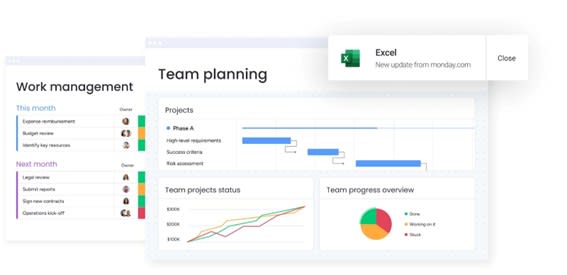
Comparison table: monday work management vs. competing platforms for marketing campaign management
When deciding between the best Gantt chart software for marketing operations, understanding specific capabilities and value propositions helps inform strategic decisions.
Take a look at the table below to see how monday work management stacks up again other competing platforms currently on the market:
| Feature | monday work management | Asana | Smartsheet |
|---|---|---|---|
| Gantt-style timeline view | Native Gantt with drag-and-drop, dependencies, milestones, critical path | Timeline view with limited dependency control | Gantt view with dependencies |
| Resource capacity planning | Built-in Workload view with capacity indicators and skills-based allocation | Workload feature in premium tiers only | Resource management available |
| Marketing templates | Campaign management, content calendar, creative requests, event planning templates | Generic project templates | Customizable templates |
| Real-time dashboards | Custom dashboards with 50+ widgets, real-time updates, portfolio views | Reporting in premium tiers | Dashboard and reporting features |
| Automation capabilities | 200+ automation recipes, no-code builder, custom triggers | Rules and automation in premium tiers | Workflow automation available |
| Integrations | 200+ native integrations including marketing tools | 200+ integrations | 80+ integrations |
| Price per user/month | From $9/user/month (billed annually) | From $10.99/user/month (billed annually) | From $7/user/month (billed annually) |
| Implementation time | Less than four months (Forrester study) | Two weeks to one month typical | Varies by complexity |
| G2 rating | 4.7/5 (12,000+ reviews) | 4.3/5 | 4.4/5 |
How Genpact's global marketing team transformed their campaign management
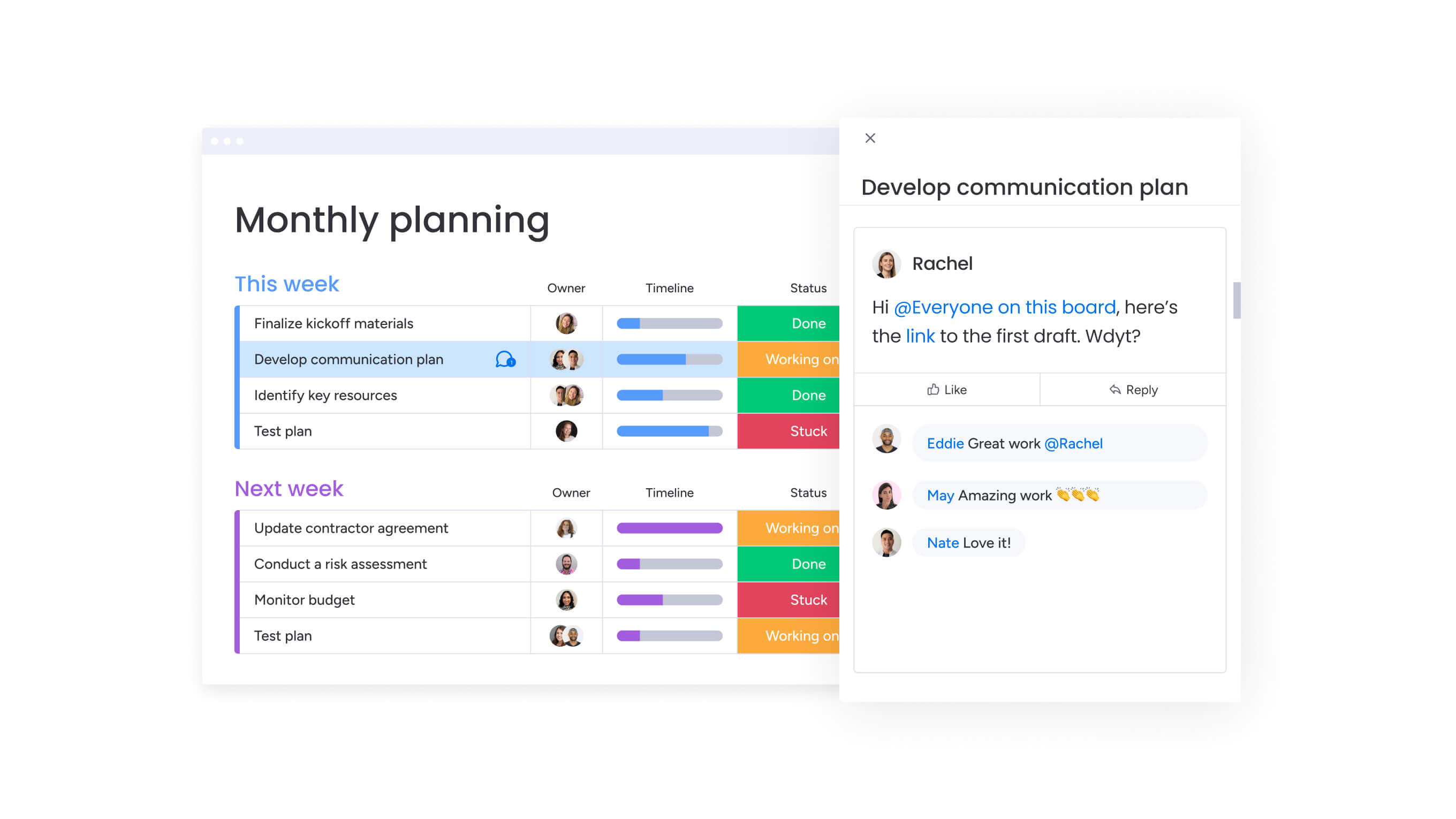
This real-world case study demonstrates how a global marketing organization overcame operational challenges and achieved measurable improvements through strategic implementation. Genpact’s transformation showcases the practical impact of centralized marketing operations at enterprise scale.
The challenge
Genpact’s globally distributed marketing department runs multiple large-scale campaigns within defined programs across industries and solutions. The team of 400 people from 40 different teams relied heavily on spreadsheets saved across personal desktops, emails, and Microsoft SharePoint folders.
With 24 ongoing campaigns at any given time, each with several cross-channel activations jointly managed by campaign managers and channel owners, tracking and managing campaigns effectively became increasingly difficult. Multiple people entering information at different times created confusion and delays.
The solution
Genpact implemented monday work management to standardize end-to-end campaign planning and execution. The team created a high-level GTM campaign calendar with subitems showing the hierarchy of programs, campaigns, and activations.
They built workflow apps outlining the entire activation process for each channel, with columns for target dates and actual time frames to identify trends and bottlenecks. Using monday.com forms, they formalized campaign brief submission and approval processes, with automated notifications serving as the queue for requests.
The results
The results demonstrated a 40% improvement in collaboration across previously siloed teams, enabling campaigns to move from concept to execution without the usual bottlenecks and miscommunication.
Complete removal of spreadsheets created a single source of truth for all campaign data. Email exchanges decreased by 25% through centralized communication on the platform.
The platform’s Timeline view and dashboards enabled the team to drill down into critical aspects of campaigns and make adjustments as necessary. This visibility allows leadership to get high-level snapshots of marketing campaigns at any given time.
Transform your marketing operations with monday work management
Marketing teams operating with disconnected tools face significant operational challenges. When strategy and execution exist in separate systems, coordination breaks down and campaign effectiveness suffers. The visibility, automation, and collaboration capabilities that transform scattered marketing efforts into coordinated campaigns that drive measurable resultscome from monday work management.
From Genpact’s 40% improvement in cross-team collaboration to VML’s 7,000 hours saved monthly, organizations consistently achieve significant operational improvements and ROI within months of implementation. The platform’s Gantt-style timelines, resource management, and real-time dashboards provide the foundation for marketing operations that scale with your business.
Ready to move beyond disconnected tools and spreadsheet chaos? Join organizations that trust monday work management to centralize marketing operations, track campaign performance, and maximize marketing ROI.
As a Leader in the 2024 Gartner® Magic Quadrant™ for Marketing Work Management, the platform gives you the visibility, automation, and collaboration capabilities needed to deliver marketing initiatives on time with aligned priorities.
The content in this article is provided for informational purposes only and, to the best of monday.com’s knowledge, the information provided in this article is accurate and up-to-date at the time of publication. That said, monday.com encourages readers to verify all information directly.
Frequently asked questions
Which Gantt chart software can handle complex marketing workflows across 50+ team members?
For this scale, monday work management is specifically designed to meet your needs. The platform supports unlimited users on enterprise plans and provides resource management, workload balancing, and permission controls needed to coordinate 50-100+ person marketing teams. The Gantt-style timeline view displays dependencies and milestones across all campaigns, while the Workload view ensures strategic resource allocation without overbooking team members.
How do these tools integrate with our existing marketing tech stack?
With 200+ marketing tools including Google Drive, Slack, Microsoft Teams, Mailchimp, HubSpot, Adobe Creative Cloud, Salesforce, WordPress, and major social media platforms, monday work management integrates seamlessly with your existing stack. These native integrations ensure your marketing tech stack works together seamlessly without requiring custom development. The platform also offers an open API for building custom integrations with proprietary systems.
What's the real ROI and time-to-value for enterprise marketing teams?
Enterprise marketing teams typically see ROI within four months according to Forrester's Total Economic Impact study. VML saves 7,000 hours per account monthly with 2x faster delivery. FARFETCH achieves 6x ROI with $118K saved per month. Genpact achieved 40% improvement in cross-team collaboration with 100% removal of spreadsheets.
Can the software scale with growing campaign complexity and team expansion?
Growing with you, monday work management adapts to your expanding needs. Enterprise plans give you all the boards, items, and storage you need, whether you're running five campaigns or 500 across global markets. And since everything's no-code, your team can adapt workflows on the fly as the market demands shift, no developers required.
How easy is adoption for non-technical creative and content team members?
Recognized for highest user adoption among enterprises by G2, monday work management makes onboarding seamless. The platform's visual, intuitive interface requires no technical skills to navigate. Multiple view options let each team member work in their preferred format. Teams report rapid adoption, with most users comfortable within two weeks to one month.
Which tools offer marketing-specific templates and workflows?
Pre-built templates specifically designed for marketing come standard with monday work management, including campaign management, content calendars, creative requests, event management, marketing strategy, and marketing operations. These templates include pre-configured columns, automations, and views tailored to marketing workflows. You can customize these templates to match your specific processes and save them for reuse across campaigns.

 Get started