


Enterprise marketing teams run dozens of events simultaneously while having to manage campaigns, budgets, and cross-functional coordination. When event planning happens across spreadsheets, email chains, and disconnected platforms, visibility disappears and strategic alignment breaks down. Teams waste time searching for updates, miss dependencies between departments, and struggle to prove event ROI to leadership.
Great enterprise event planning software does more than just track tasks and book venues. In 2026 it’s vital that you have a platform that connects your events to your broader marketing strategy, shows you exactly what’s happening across teams in real time, and takes the manual work out of keeping complex initiatives on track.
Below, we’ll dig into what makes enterprise event planning platforms different from basic project tools. You’ll learn which capabilities actually matter for cross-team success, see how the top platforms stack up, and get practical advice for choosing software that can handle your organization’s complexity and growth.
Key takeaways
When marketing teams manage events across spreadsheets, email threads, and disconnected tools instead of event planning software, visibility vanishes. Deadlines slip, budgets spiral, and nobody knows who’s handling what — turning strategic events into operational chaos.
Here’s what enterprise marketing teams need to know about selecting event planning software that actually scales:
- Choose platforms that connect events to business outcomes: your software should link every event to marketing OKRs, revenue attribution, and strategic goals — not just track logistics and deadlines.
- Prioritize cross-functional visibility over event-specific features: marketing events require seamless coordination between creative, operations, finance, and vendors working in one unified workspace.
- monday.com transforms event chaos into strategic execution: unify event planning with broader marketing operations, automate coordination overhead, and use AI to spot risks before they impact delivery.
- Test with real scenarios during evaluation, not generic demos: import actual event data, assign real team members, and run through your standard processes to see how platforms handle complexity.
- Plan for change management from day one: even the best software fails without proper adoption — start with pilot programs, identify champions, and build momentum through visible wins.
What makes event planning software "best" for enterprise teams?

Enterprise event planning goes far beyond RSVPs and venue bookings. You’re coordinating complex campaigns across distributed teams, while leadership expects clear proof of ROI. Tools that work for small teams quickly break down when you’re managing 20+ events with hundreds of stakeholders and competing priorities.
The best platforms for enterprise marketing teams share a set of core capabilities that separate true enterprise solutions from basic task trackers. Understanding these differences makes it easier to evaluate which platforms can genuinely scale with your organization’s complexity, pace, and growth ambitions.
1. Strategic business alignment
Your events exist to drive pipeline, build brand awareness, and accelerate deals. Enterprise software connects every event to measurable business outcomes — from MQL generation to revenue attribution. This means:
- OKR integration: link event activities directly to marketing objectives.
- Performance tracking: monitor progress against marketing goals in real time.
- ROI demonstration: generate demonstrable revenue attribution through integrated reporting.
2. Cross-functional workflow orchestration
Marketing events require seamless coordination between creative teams producing assets, operations managing logistics, finance tracking budgets, and legal reviewing contracts. The right platform provides:
- Unified workspaces: all departments collaborate in real time with defined ownership.
- Automated handoffs: work moves between teams without manual coordination.
- Dependency tracking: see how delays in one area impact the entire timeline.
3. Intelligent automation at scale
Manual coordination becomes impossible when you’re running multiple events simultaneously. Leading platforms automate repetitive work like:
- Approval routing: conditional logic drives requests to the right stakeholders.
- Status updates: teams stay informed without constant check-ins.
- Task assignments: work gets distributed based on capacity and skills.
4. Enterprise-grade flexibility
Your event portfolio includes everything from intimate executive dinners to massive user conferences. The platform must adapt to different event types without forcing teams into rigid templates. No-code customization lets you build workflows that match your processes, not the other way around.
5. Real-time visibility and control
Leadership needs instant insight into event performance, budget utilization, and team capacity. Advanced platforms provide live dashboards that surface risks, track progress, and enable data-driven decisions without manual reporting. This visibility extends from individual task status to portfolio-level insights across hundreds of concurrent initiatives.
How to evaluate event planning software for enterprise scale
Not all platforms are built to handle the realities of large marketing organizations. The frameworks below help you assess whether a solution can support strategic planning, day-to-day execution, and long-term growth — without breaking under pressure.
Step 1: apply the 5 C’s framework for comprehensive evaluation
We use the five C’s framework to cut through the noise and determine if a platform can actually handle enterprise-level complexity. Here’s what to look for in each area:
- Concept: can the platform support ideation, brief development, and strategic planning with collaborative workspaces?
- Coordination: does it enable seamless cross-functional collaboration with clear ownership and automated workflows?
- Control: are there robust permission systems, approval workflows, and governance features for enterprise compliance?
- Culmination: can you track execution in real time with mobile access and on-site coordination capabilities?
- Closeout: does it capture lessons learned, measure ROI, and feed insights back into future planning?
Step 2: evaluate tactical execution through the 5 P’s
The five P’s can also really help you to evaluate how well a platform handles the day-to-day execution of your events:
- Purpose: align every event with strategic objectives through goal-setting frameworks and OKR tracking.
- People: manage internal teams, external vendors, and attendee data in unified directories.
- Place: coordinate venue logistics, virtual platforms, and hybrid experiences from one system.
- Promotion: connect promotional campaigns to event planning with integrated marketing calendars.
- Performance: measure success through customizable KPIs and automated reporting dashboards.
Top event planning software platforms for large organizations

With the evaluation criteria in place, the next step is to see how leading platforms perform in practice. Enterprise event planning tools vary widely in how they handle scale, cross-functional coordination, and integration with broader marketing operations.
The comparison below highlights how top platforms stack up across the capabilities that matter most for large marketing teams — from collaboration and automation to visibility and strategic alignment.
| Platform | Best for | Key strengths | Primary limitations | Starting price |
|---|---|---|---|---|
| monday work management | Enterprise marketing teams managing complex portfolios | Unified operations, AI-powered insights, flexible automation | Learning curve for advanced features | $9/seat/month |
| Cvent | Large-scale conferences and attendee management | Venue sourcing, registration, mobile apps | Limited workflow capabilities | $500+ per event |
| Bizzabo | Data-driven event marketing and analytics | Advanced analytics, attendee networking | Complex setup, limited resource management | $499/month |
| Asana | Teams already using Asana for project management | Familiar interface, timeline views | No event-specific features | $10.99/user/month |
| Eventbrite | B2C public events with ticket sales | Event marketplace, simple ticketing | Minimal project management | 3.5% + $1.59 per ticket |
monday.com
monday.com transforms event planning from isolated logistics into connected business operations. Unlike standalone event tools, it integrates event coordination with your broader marketing workflows — campaigns, content calendars, resource planning, and strategic goals all live in one unified workspace.
Best for: enterprise marketing teams managing complex event portfolios across multiple departments and regions
Key strengths for event planning:
- Unified marketing operations: events exist alongside campaigns and content in one platform, eliminating context switching.
- AI-powered risk detection: automatically identifies bottlenecks and resource conflicts across concurrent events.
- Flexible automation: build custom workflows that match your exact processes without coding.
- Real-time workload management: see team capacity across all marketing activities, not just events.
- Strategic alignment: connect events directly to OKRs and marketing goals with integrated tracking.
Enterprise capabilities:
- Cross-project dependencies for complex event timelines.
- Managed templates that standardize workflows across hundreds of events.
- Resource directory centralizing skills, roles, and availability.
- Portfolio dashboards providing instant visibility across all initiatives.
- AI-powered portfolio reports generating executive summaries automatically.
Pricing: starting at $9/seat/month for teams; enterprise pricing available.
Cvent
Cvent specializes in attendee-facing event management with strong registration and venue sourcing capabilities. It excels at managing the logistics of large conferences and trade shows.
Best for: organizations focused primarily on large-scale conferences and attendee management
Key strengths:
- Comprehensive venue sourcing network.
- Advanced registration and ticketing features.
- Mobile event apps for attendee engagement.
- Built-in payment processing.
- Virtual and hybrid event capabilities.
Limitations:
- Limited cross-functional workflow capabilities.
- Minimal integration with broader marketing operations.
- Less flexibility for non-standard event types.
- Higher cost for full feature access.
Pricing: custom enterprise pricing, typically starting at $500+ per event
Bizzabo
Bizzabo focuses on data-driven event marketing with strong analytics and attendee engagement features. It’s designed for teams prioritizing event intelligence and personalization.
Best for: data-focused marketing teams running customer conferences and field events
Key strengths:
- Advanced event analytics and reporting.
- Attendee networking and matchmaking features.
- Marketing automation integrations.
- Personalized attendee experiences.
- Strong mobile app capabilities.
Limitations:
- Complex setup and learning curve.
- Limited resource management features.
- Focused on external events, less suitable for internal programs.
- Requires significant configuration time.
Pricing: starting at $499/month for small programs; enterprise pricing varies
Asana
Asana provides general project management with some event planning templates. While not event-specific, it offers flexibility for teams already using it for other work.
Best for: teams already using Asana for project management who need basic event coordination
Key strengths:
- Familiar interface for existing users.
- Timeline and calendar views.
- Basic automation capabilities.
- Forms for intake requests.
- Integration with common marketing tools.
Limitations:
- No event-specific features.
- Limited resource management capabilities.
- Basic reporting and analytics.
- Lacks venue or vendor management.
- No built-in registration handling.
Pricing: starting at $10.99/user/month; enterprise plans available
Eventbrite
Eventbrite focuses on event discovery and ticketing, primarily for public events. It’s strongest for consumer-facing events requiring ticket sales and promotion.
Best for: b2C marketing teams running public events with ticket sales
Key strengths:
- Built-in event marketplace for discovery.
- Simple ticketing and registration.
- Payment processing included.
- Basic email marketing tools.
- Mobile check-in capabilities.
Limitations:
- Minimal project management features.
- Limited customization options.
- Basic reporting capabilities.
- Not suitable for complex B2B events.
- Lacks cross-functional collaboration tools.
Pricing: free for free events; 3.5% + $1.59 per paid ticket
Key features that separate basic tools from enterprise solutions
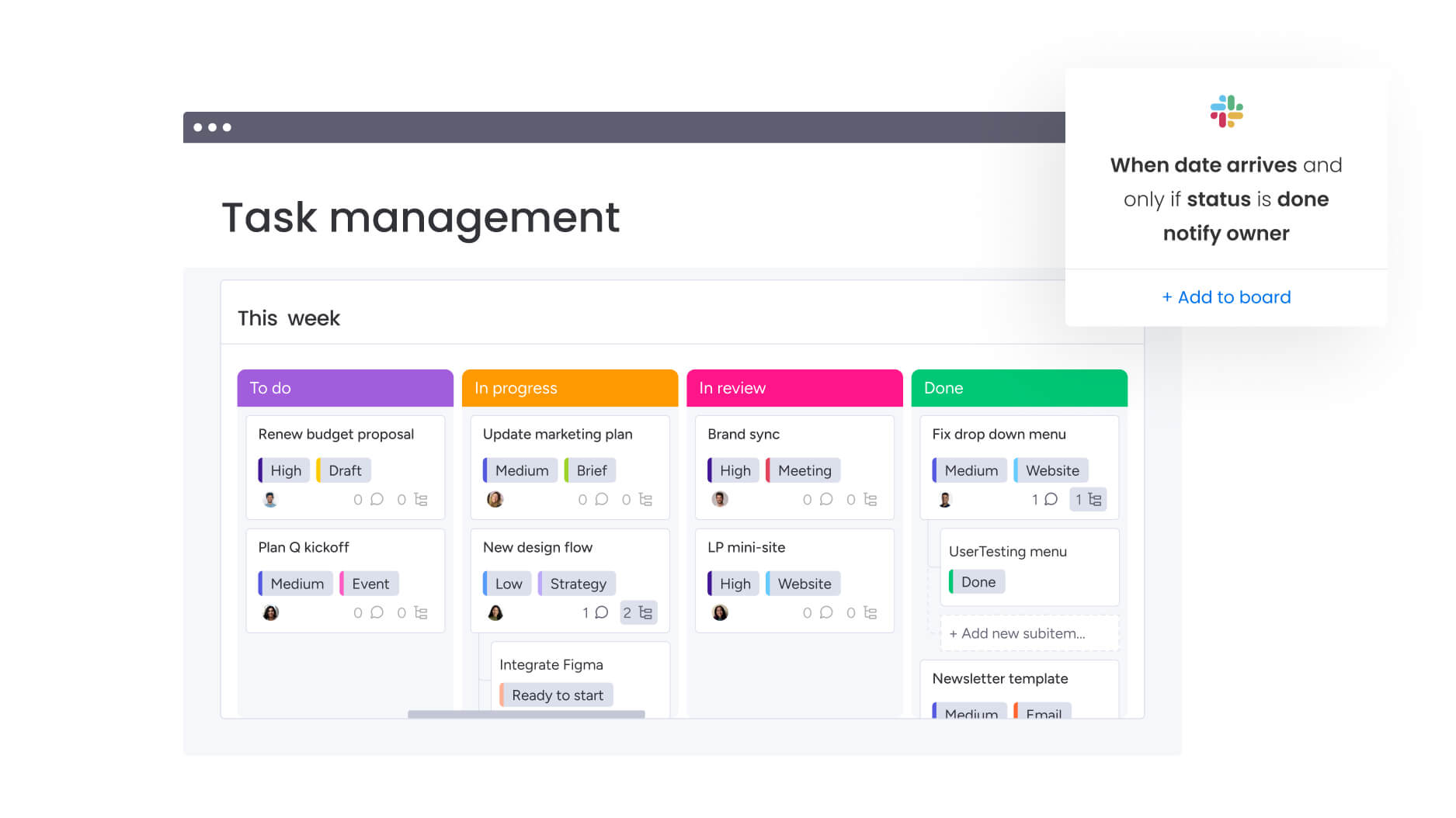
What separates basic event tools from true enterprise platforms? It’s all in how they handle complexity, scale, and integration. The best solutions do more than track tasks — they connect your entire business operation across departments and keep everyone aligned.
Once you know these key differences, you’ll quickly spot which platforms can actually keep up with your organization as it grows. Don’t settle for less than these essential capabilities if you’re serious about enterprise-level event management:
Cross-functional workflow management
Enterprise events involve multiple departments working in parallel. Your platform needs to support this complexity through connected workspaces, automated handoffs, and clear accountability structures.
Intelligent solutions like monday.com exemplify this with cross-project dependencies that link creative production, vendor management, and budget tracking automatically. When your design team updates asset status, the events team sees it instantly. When finance approves a budget change, procurement gets notified. This orchestration happens without manual updates or status meetings.
Advanced automation and AI capabilities
Basic tools offer simple if-then automations. Enterprise platforms use AI to predict problems, optimize resources, and generate insights. These capabilities transform event planning from reactive coordination to proactive management.
Consider how AI changes resource allocation:
- Workload analysis: AI analyzes patterns, skill sets, and project complexity to recommend optimal assignments.
- Capacity monitoring: flags when team members approach capacity before burnout happens.
- Pattern recognition: identifies similar past events and suggests proven workflows.
- Risk prediction: surfaces potential bottlenecks before they impact delivery.
Learn more: AI event management software
Integration depth and API flexibility
Enterprise event planning touches every part of your tech stack — CRM for attendee data, marketing automation for promotions, finance systems for budgets, and collaboration tools for communication. Your platform must connect seamlessly with these systems.
Look for platforms with robust APIs, pre-built integrations, and the ability to sync data bidirectionally:
- CRM integration: event registrations flow automatically to your customer database.
- Marketing automation: promotional campaigns trigger based on event milestones.
- Financial systems: budget changes update across all connected platforms.
- Communication tools: status updates reach stakeholders through their preferred channels.
Customization without complexity
Every organization runs events differently. Enterprise platforms provide no-code customization that lets you build exactly what you need without waiting for IT. This includes:
- Custom fields: track unique metrics that matter to your organization.
- Automated workflows: match your approval processes and handoff requirements.
- Dashboard configuration: display KPIs that align with leadership priorities.
- Template management: standardize processes while maintaining flexibility.
Security and compliance at scale
Enterprise events often involve sensitive data — from customer information to financial records. Your platform needs enterprise-grade security including:
- Role-based access controls: define who can view, edit, or approve different aspects of event planning.
- Audit trails: track every change for compliance and accountability.
- Data encryption: protect information at rest and in transit.
- Compliance certifications: sOC 2, ISO 27001, GDPR compliance for global operations.
- Single sign-on: integrate with your existing identity management systems.
How to choose enterprise event planning software that actually sticks
Once you’ve defined what “good” looks like and explored the leading platforms, the real work begins: choosing a solution your organization will actually adopt. Enterprise event planning software decisions fail most often not because of missing features, but because teams underestimate process fit, stakeholder needs, and change management.
The steps below provide a practical, execution-focused approach to selecting software that fits your real workflows, earns cross-functional buy-in, and delivers measurable value long after launch.
Step 1: document your current pain points and requirements
Choosing the right enterprise event planning software isn’t just about ticking feature boxes. Your decision will shape team collaboration, event execution, and ultimately how you prove marketing ROI to leadership. It’s worth taking a thoughtful approach.
Start by using an event planning template to map your existing event planning process from initial request through post-event analysis. Identify where work gets stuck, where visibility disappears, and where manual effort slows delivery. Survey stakeholders across departments to understand their specific needs and frustrations.
Create a requirements matrix that distinguishes between must-have capabilities and nice-to-have features. Prioritize based on business impact, not just user preference:
- Critical requirements: real-time budget tracking for finance compliance.
- Important features: automated approval workflows for efficiency.
- Nice-to-have additions: automated name badge generation for convenience.
Step 2: involve the right stakeholders early
Event planning software impacts multiple departments. Include representatives from marketing operations, creative services, finance, IT, and any external agencies in your evaluation process. Each group brings different perspectives on what success looks like.
Address diverse stakeholder needs upfront to avoid adoption challenges:
- IT requirements: security verification and integration capabilities.
- Finance needs: budget tracking and approval workflows.
- Creative teams: asset management and revision tracking.
- External partners: controlled access without full system permissions.
Step 3: test with real scenarios, not demos
Generic product demos show ideal scenarios. Request trial periods where you can test the platform with actual event data and workflows. Import a recent event plan, assign real team members, and run through your standard processes.
Pay attention to practical implementation details:
- Task efficiency: how long do common tasks take compared to current methods?
- User experience: where do team members get confused or need workarounds?
- Integration testing: do connections with existing tools work with real data volumes?
- Edge case handling: do automations work with your complex scenarios, not just simple examples?
Step 4: calculate total cost of ownership
Platform licensing represents only part of your investment. Factor in implementation time, training requirements, integration costs, and ongoing maintenance. Consider the opportunity cost of delayed deployment or poor adoption.
Compare this against the value you expect to gain:
- Efficiency improvements: reduced planning time and fewer errors.
- Resource optimization: better utilization and improved event ROI.
- Strategic impact: enhanced visibility and data-driven decision making.
Some platforms deliver value quickly through immediate efficiency gains. Others require significant setup but provide greater long-term benefits.
Step 5: plan for change management
Even the most capable software gathers dust without a solid adoption plan. Create a rollout strategy with targeted training and clear documentation. Find your enthusiastic early adopters in each department — these champions will help bring everyone else on board and give you honest feedback about what’s working.
Start with a pilot program for one event type or team:
- Document successes: track measurable improvements and user feedback.
- Capture lessons learned: identify process refinements and training needs.
- Refine processes: use insights to optimize before expanding.
- Build momentum: demonstrate value to both users and leadership through visible wins.
How Genpact transformed event coordination with unified work management
Genpact’s globally distributed marketing team faced a challenge familiar to many enterprise organizations. They managed 24 large-scale marketing campaigns simultaneously, each containing multiple event activations. Campaign managers relied on spreadsheets scattered across desktops, emails, and SharePoint folders.
This fragmentation made it impossible to track campaign status or understand where events stood in the planning process.
The lack of visibility also created cascading problems. With 40 different teams contributing to events, no one had a complete picture. Team members spent hours searching through emails and folders just to understand project status. Dependencies between teams were invisible until deadlines were missed. Resource allocation happened through guesswork rather than data.
The transformation process
Genpact implemented monday.com to create their unified GTM campaign calendar. They built workflow apps outlining the entire end-to-end activation process for each channel, with columns tracking target dates versus actual timeframes to identify bottlenecks. F
orms and automation recipes formalized their campaign brief submission and approval processes, giving campaign managers real-time visibility into request status.
Measurable results
The transformation was immediate and measurable:
- 40% improvement in cross-team collaboration: teams could finally see how their work connected to others.
- 100% elimination of spreadsheets: all campaign and event data moved to one central platform.
- 25% reduction in email volume: automated updates and centralized communication replaced email chains.
During the pandemic, they quickly restructured their events board to track which events were going virtual, canceled, or postponed. This agility would have been impossible with their previous spreadsheet-based system.
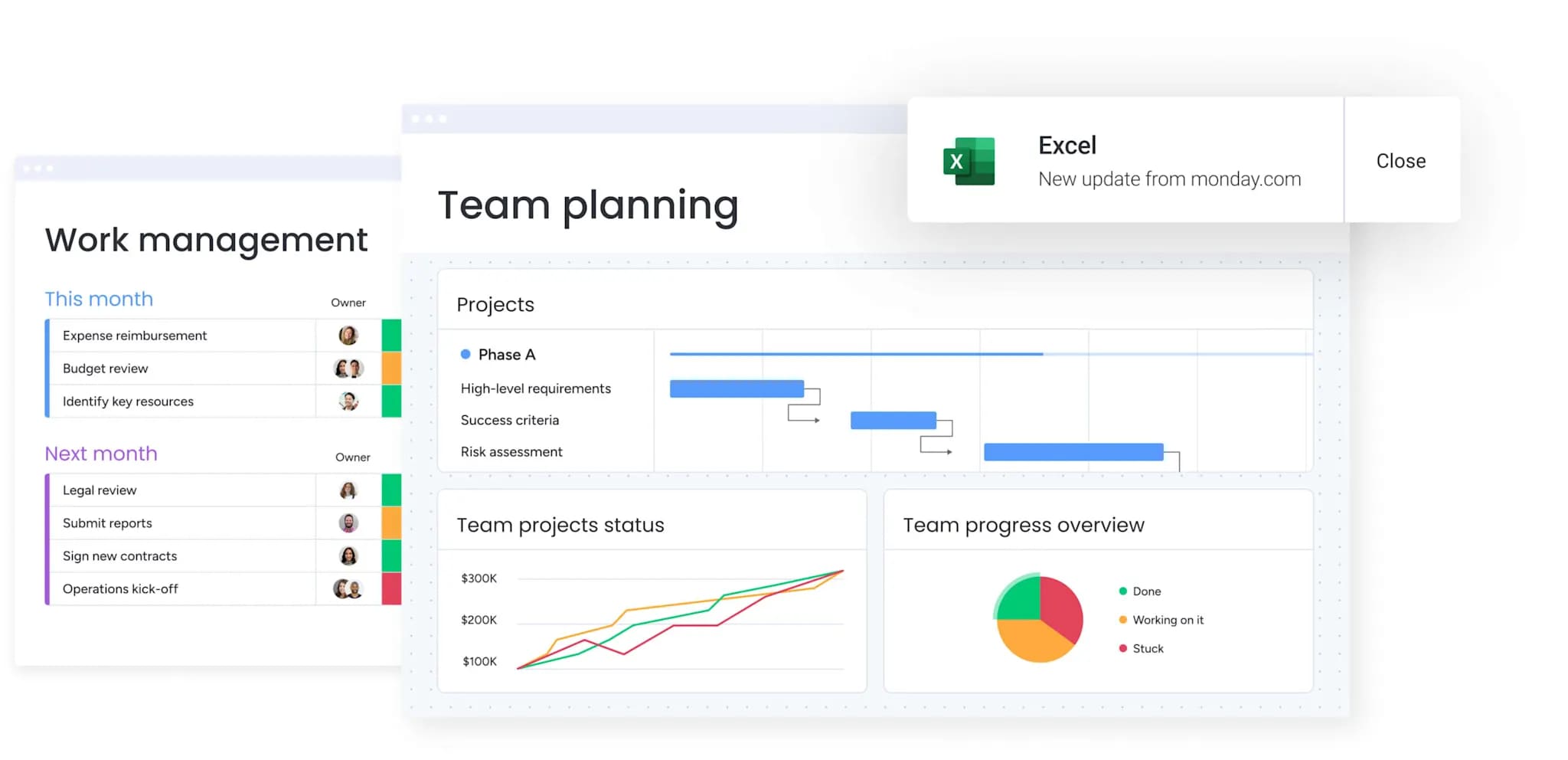
Transform your event planning from chaos to strategic execution
Event planning at scale demands more than tracking deadlines and budgets. It requires connecting every event to business outcomes, orchestrating cross-functional teams, and maintaining visibility across hundreds of moving pieces.
As we’ve discussed, the right platform transforms events from operational headaches into strategic drivers of marketing success.
monday.com brings this transformation to life by unifying event planning with your broader marketing operations. Your teams gain real-time visibility into capacity and progress. Automation eliminates coordination overhead. AI surfaces risks before they derail timelines. Most importantly, every event connects directly to the goals that matter — pipeline generation, customer engagement, and revenue growth.
The path forward starts with honest assessment of your current challenges and clear vision for what success looks like. Whether you’re drowning in spreadsheets, struggling with cross-team coordination, or unable to prove event ROI, the solution lies in choosing a platform that scales with your ambition.
The content in this article is provided for informational purposes only and, to the best of monday.com‘s knowledge, the information provided in this article is accurate and up-to-date at the time of publication. That said, monday.com encourages readers to verify all information directly.
Frequently asked questions
How long does it take to implement event planning software for a 100+ person marketing team?
To answer how long it takes to implement event planning software for a 100+ person marketing team, timelines vary based on complexity and platform choice. Most marketing organizations with 100+ team members complete initial setup within two to four weeks, achieving full adoption across all use cases within two to three months. The intuitive interface of monday.com allows teams to start using basic features immediately, with advanced capabilities like automation and custom dashboards rolled out progressively.
Can event planning software integrate with Salesforce and HubSpot for lead tracking?
Regarding whether event planning software can integrate with Salesforce and HubSpot for lead tracking, yes, enterprise event planning platforms offer native integrations with major CRMs. monday.com provides bidirectional sync with both Salesforce and HubSpot, automatically creating contacts from event registrations, updating lead scores based on attendance, and tracking event-influenced opportunities through your pipeline.
What's the difference between event management platforms and work management platforms for events?
Event management platforms focus exclusively on event logistics — registration, ticketing, venue management, and attendee engagement. Work management platforms like monday.com treat events as part of broader business operations, connecting event planning to campaigns, resource management, and strategic goals. This integrated approach provides visibility into how events impact overall marketing performance and team capacity.
How do you track event ROI across multiple campaigns?
Tracking event ROI requires connecting event costs to business outcomes. Create custom dashboards that pull data from event boards, campaign performance metrics, and CRM integrations. Use formula columns to calculate ROI automatically based on event expenses and attributed revenue. monday.com's portfolio dashboards can aggregate this data across all events, showing ROI trends by event type, region, or campaign.
Which features support both large conferences and smaller event planning needs?
Flexible platforms adapt to different event scales through customizable templates and workflows. For large conferences, use comprehensive boards with phases for venue selection, speaker management, sponsor coordination, and promotional campaigns. For smaller events like executive dinners, use simplified templates with fewer phases while maintaining the same underlying structure. monday.com's managed templates ensure consistency while allowing teams to scale complexity based on event requirements.
How does workload management prevent team burnout during busy event seasons?
Preventing burnout requires real-time visibility into team capacity across all activities. The Workload View on monday.com shows each person's project allocation across all boards, highlighting overallocation before it becomes problematic. Set capacity limits, assign time estimates, and see who's approaching their limits.

 Get started