


Marketing teams in media companies manage complex event portfolios that span virtual webinars, hybrid conferences, and large-scale product launches. Each event requires coordination across content, creative, acquisition, and operations teams while connecting to broader campaign strategies.
When events exist in isolation from your marketing operations, you lose visibility into resource allocation, struggle to demonstrate ROI, and risk team burnout during peak seasons.
The very best event planning software for marketing leaders goes beyond basic event logistics to integrate seamlessly with campaign management, resource planning, and strategic goal tracking. You need a platform that centralizes event coordination while providing real-time visibility into team workload, budget utilization, and performance metrics.
Let’s cut through the noise for a moment and focus on what actually makes event planning software work for enterprise marketing teams. Read on below and you’ll see exactly what features matter most — from campaign integration to resource management — backed by real stories from marketing leaders who’ve transformed their event operations.
Key takeaways
Managing events as a head of marketing in media means juggling multiple moving parts across distributed teams while maintaining strategic alignment with broader marketing goals. The right event planning software transforms this complexity into streamlined execution.
Here are the key points to take from this post and a quick snapshot of how monday work management can help you to drive brand awareness and growth.
- Connect events to your marketing strategy: link event planning directly to campaign goals and OKRs so every event drives measurable business results, not just attendance numbers.
- Gain real-time visibility across your entire team: track progress, workload, and ROI across all marketing initiatives in one place to prevent burnout and make data-driven decisions.
- Centralize operations with monday work management: eliminate scattered spreadsheets and disconnected tools by managing events, campaigns, and resources on one platform that scales with teams of 50-100+ people.
- Automate repetitive workflows to focus on strategy: use templates and automation to handle logistics and coordination, freeing up your team’s time for high-impact creative work.
- Report marketing impact with confidence: create executive-ready dashboards that show how events contribute to strategic objectives with real-time data instead of outdated reports.
Our customers say it best
Don’t just take our word for it. Marketing powerhouses in media and professional services are using monday work management to run tighter events and get more from every campaign. Here’s what they’ve actually achieved:
Genpact’s transformation: a global professional services firm saw their marketing department achieve a 40% improvement in cross-team collaboration after implementing monday work management for end-to-end campaign planning and event coordination. Their team of campaign managers now tracks 24+ large-scale marketing campaigns simultaneously with complete visibility.
SPH Media’s success: this leading media group managing 40+ brands across Asia transformed their campaign delivery speed with monday work management. Their Content Lab now tracks hundreds of campaigns in one platform with 130+ people managing work seamlessly across creative, content, sales, and ad operations teams.
Industry recognition: monday work management is recognized as A Leader in the 2024 Gartner® Magic Quadrant™ for Marketing Work Management, validating our position as the trusted platform for enterprise marketing teams managing complex, multi-channel operations.
What makes heads of marketing choose monday work management for event planning?

Heads of marketing in media companies choose monday work management because it solves the core challenge of disconnected execution. When you’re managing 50-100+ team members across content, creative, acquisition, events, and operations, you need more than event software. You need a unified platform that connects event planning to your broader marketing strategy and campaign performance.
The intuitive platform delivers centralized visibility into all campaigns, performance metrics, and team workloads in one place. You can finally see how your events contribute to OKRs, track resource utilization to prevent team burnout, and report marketing impact to executive leadership with real-time dashboards instead of scattered spreadsheets.
For media marketing leaders, the platform addresses three critical pain points:
- Achieving full visibility: gain real-time insight into progress and ROI across all initiatives.
- Inefficient processes: teams reinvent workflows for every event.
- Poor resource utilization: leading to burnout and missed deadlines.
With monday work management, you gain operational efficiency through standardization, automation, and an event planning template while maintaining the flexibility to customize workflows for different event types — from virtual webinars to large-scale conferences.
monday work management top features for event planning

Here’s what makes a significant impact for marketing leaders: turning chaotic event planning into a streamlined, predictable operation.
Each feature we touch on below connects naturally with everything else you’re doing, breaking down those walls between teams and giving you a clear view of all your marketing work.
Event management workflows
monday work management doesn’t treat events as an afterthought — it’s built specifically for them, while keeping everything connected to your broader marketing machine. Run your in-person conferences and virtual webinars in the same place where you’re already managing campaigns and creative production.
Key benefits for large teams:
- Unified planning: event workflows connect directly to campaign timelines and resource allocation.
- Budget visibility: track event costs against overall marketing spend in real-time.
- Workload monitoring: prevent team burnout during busy event seasons.
- ROI measurement: compare event performance alongside other marketing channels.
The platform supports customizable event workflows that adapt to your specific needs, whether you’re coordinating a product launch, industry conference, or multi-city roadshow.
Campaign management and integration
Campaign management capabilities enable you to connect event planning directly to your multi-channel marketing strategies. You can plan, launch, and optimize integrated campaigns that include events as key touchpoints, which is essential for robust campaign management, using calendars, timelines, and performance insights to ensure nothing slips through the cracks.
Strategic alignment features:
- Goal tracking: connect events to specific OKRs for measurable impact.
- Dependency mapping: visualize how events fit into broader marketing initiatives.
- Executive reporting: demonstrate event ROI alongside other marketing metrics.
- Cross-channel coordination: align event strategy with content, creative, and acquisition efforts.
This matters for Heads of Marketing because events rarely exist in isolation — they’re part of larger go-to-market strategies that span multiple departments and initiatives.
Resource management and workload visibility
Resource management features give you real-time visibility into team bandwidth, skills, and workload across multiple projects and events. The platform’s Resource Directory centralizes information about talent across the organization, including department, job roles, and expertise.
Capacity planning tools:
- Individual visibility: view capacity at the person level through the Capacity Manager.
- Team allocation: balance workload for maximum efficiency across projects.
- Skills matching: assign the right people based on expertise and availability.
- Burnout prevention: monitor utilization to maintain team health during peak seasons.
For Heads of Marketing managing 50-100+ person teams, this advanced workload management is critical for ensuring effective use of budget and team resources while delivering marketing initiatives on time.
Automation and standardization
Automation capabilities reduce manual work and scale workflows across your marketing organization, highlighting the impact of marketing automation on routine tasks. You can create templated event boards through Managed Templates, set up automated approvals and reminders, and standardize processes that previously required manual coordination.
Efficiency improvements:
- Template libraries: capture best practices for different event types.
- Automated workflows: trigger actions based on status changes, deadlines, or custom conditions.
- Approval processes: streamline stakeholder reviews and decision-making.
- Knowledge capture: build institutional expertise that accelerates future events.
This standardization is essential for Heads of Marketing who need operational efficiency without sacrificing flexibility for creative execution.
Dashboards and executive reporting
Dashboard and executive reporting capabilities provide executive-ready insights that connect event performance to broader marketing metrics. The AI-powered portfolio report instantly generates executive-level summaries with trends, risks, and charts.
Reporting advantages:
- Custom dashboards: combine data from multiple projects and campaigns.
- Real-time insights: track progress toward goals, budget utilization, and team productivity.
- Visual analytics: pre-built widgets for event ROI, campaign performance, and resource allocation.
- Drill-down capabilities: answer leadership questions with specific data by campaign, region, or time period.
For heads of marketing accountable for reporting impact to executive leadership, these dashboards demonstrate how events contribute to strategic objectives with data-driven insights.
Cross-functional collaboration tools
Cross-functional collaboration features break down silos between event teams and other marketing functions, boosting team collaboration across the organization. The platform provides collaborative briefs, connected workflows, and centralized planning capabilities that align teams around shared goals.
Collaboration benefits:
- Unified communication: tag team members and maintain context within specific events.
- Dependency tracking: ensure visibility into how different initiatives connect.
- Stakeholder alignment: coordinate seamlessly with legal, product, and finance teams.
- Single source of truth: everyone works from the same platform with visible ownership and deadlines.
This collaboration capability is critical for heads of marketing who oversee teams across content, creative, acquisition, events, and operations.
How a head of marketing in media benefits from monday work management
Understanding the specific advantages helps you evaluate how monday work management transforms marketing operations. These benefits compound across large teams, creating exponential improvements in efficiency, visibility, and strategic impact.
Time savings through automation and standardization
Heads of marketing in media companies save significant time by automating repetitive event workflows and standardizing processes across their teams. Instead of manually coordinating event logistics, sending reminder emails, or updating stakeholders on progress, automated workflows handle these tasks instantly.
Automation impact:
- Template efficiency: eliminate the need to build processes from scratch for every event.
- Reduced coordination: automation handles logistics, reminders, and status updates.
- Strategic focus: teams redirect energy toward work that drives brand awareness and growth.
- Exponential savings: benefits multiply when managing 50-100+ people across multiple concurrent events.
The bigger your team, the more hours you’ll save. When 50+ people aren’t sending follow-up emails or hunting down approvals, you’ll see the time savings multiply dramatically.
Cost efficiency and budget optimization
But how can you spend smarter when you can’t see where your money is going in real time? The platform’s budget tracking shows you event costs as they happen, highlights where you’re over or under budget, and spots places to shift resources for better returns.
Financial visibility benefits:
- Real-time monitoring: track exactly where marketing dollars are going.
- Budget adherence: demonstrate forecasting accuracy to leadership.
- ROI justification: support marketing investments with performance data.
- Resource reallocation: move budget from underperforming initiatives to high-impact opportunities.
For marketing leaders accountable for ensuring effective use of budget and team resources, this visibility is transformative.
Productivity improvements across marketing operations
Your team gets more done — both individually and collectively — when everything lives in one place. People stop wasting time hunting for files, chasing approvals, or playing email tag with other departments. Everything they need is right there.
Operational efficiency gains:
- Information access: everything centralized in one platform.
- Workload balance: team leads can prevent burnout while maintaining high output.
- Process standardization: reduced errors and accelerated execution.
- AI-powered insights: surface potential issues before they impact delivery.
These improvements matter because as a Head of Marketing, you’re measured on team productivity, time-to-launch, and the volume and performance of content and campaigns your team delivers.
Visibility and tracking improvements for strategic decision-making
Visibility improvements enable strategic decision-making based on real-time data rather than gut instinct or outdated reports. Advanced solutions such as monday work management provide centralized visibility into all campaigns, performance metrics, and team workloads, giving you the insights needed to prioritize initiatives and allocate resources strategically.
Strategic advantages:
- Real-time data: track progress toward OKRs and identify bottlenecks before delays occur.
- Resource optimization: allocate team capacity based on actual performance data.
- Executive reporting: demonstrate impact with comprehensive, up-to-date insights.
- Scalable analysis: portfolio dashboards handle hundreds to 1,000+ projects as you grow.
This visibility addresses one of the most critical pain points for heads of marketing: inability to track progress, capacity, and ROI in real-time across distributed teams.
How to plan and execute successful events with monday work management
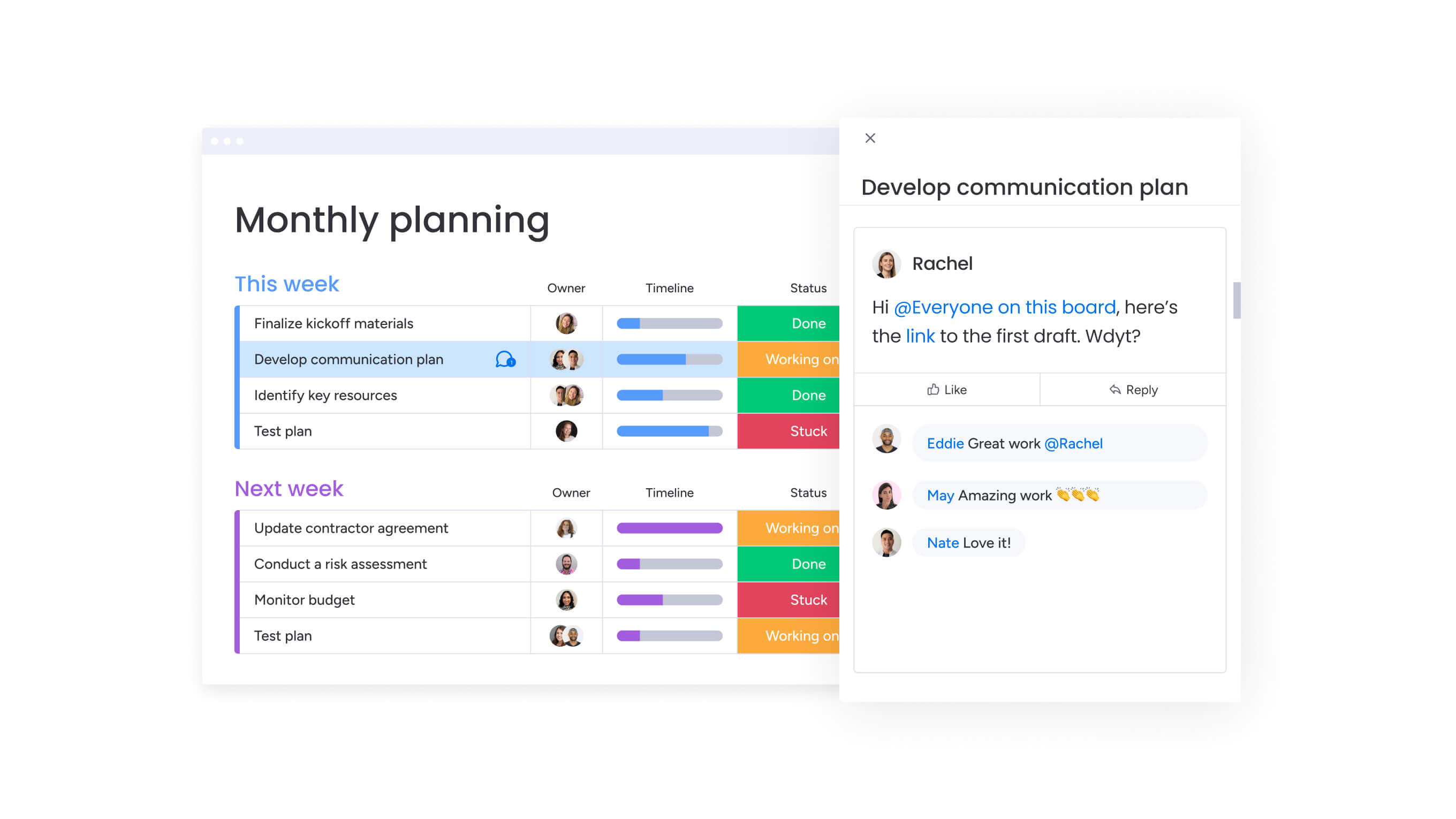
Planning and executing successful events requires a systematic approach that connects strategy to execution. These six steps show how to leverage monday work management’s capabilities to transform your event operations from reactive coordination to proactive management.
Step 1: set up your event management workspace and templates
Create a dedicated workspace for event management within monday work management, establishing standardized templates for different event types. This foundation ensures consistency while allowing customization for specific needs.
Setup requirements:
- Template creation: build standardized workflows for conferences, webinars, product launches, and roadshows.
- Custom fields: configure tracking for venue details, attendee counts, budget allocations, and vendor contacts.
- Automation setup: create recipes that trigger notifications when deadlines approach or status changes occur.
- Team alignment: ensure your team stays coordinated without manual intervention.
Step 2: connect events to campaign strategy and OKRs
Link your event planning boards to broader campaign calendars and strategic objectives, creating dependencies that show how events contribute to marketing goals. This connection ensures events aren’t planned in isolation but as integrated components of your multi-channel marketing strategy.
Strategic integration steps:
- Goal mapping: use monday work management’s goals feature to track how each event supports specific OKRs.
- Dependency creation: link event deliverables to broader campaign timelines.
- Performance tracking: connect event metrics to brand awareness, lead generation, or customer engagement objectives.
- Executive visibility: enable leadership to see how events contribute to strategic outcomes.
Step 3: allocate resources and manage team workload
Use workload views to assess team capacity before assigning event responsibilities, ensuring you don’t overload team members during busy seasons. Strategic resource allocation prevents burnout while maintaining productivity.
Resource management process:
- Capacity assessment: review team bandwidth through workload views before assignments.
- Skills matching: use the Resource Planner to assign people based on expertise and availability.
- Utilization monitoring: track resource allocation across events and campaigns through the Capacity Manager.
- Dynamic adjustment: make changes as priorities shift without losing sight of team health.
Step 4: coordinate cross-functional collaboration
Invite stakeholders from legal, finance, product, and other departments to relevant event boards, giving them visibility into timelines and deliverables that require their input. This transparency accelerates decision-making and keeps events on schedule.
Collaboration framework:
- Stakeholder inclusion: add relevant department representatives to event boards.
- Communication centralization: use @mentions and comments within task context.
- Approval workflows: set up automated notifications when stakeholder review is needed.
- Timeline coordination: ensure all departments understand dependencies and deadlines.
Step 5: track event execution and performance in real-time
Monitor event progress through timeline and Gantt views that show dependencies and critical paths, identifying potential delays before they impact launch dates. Real-time tracking enables proactive problem-solving.
Monitoring approach:
- Progress visualization: use timeline views to track critical path dependencies.
- Milestone tracking: monitor completion of venue booking, speaker confirmation, and marketing asset creation.
- Dashboard creation: combine event metrics with broader campaign performance.
- Executive reporting: provide leadership with comprehensive marketing impact views.
Step 6: analyze results and optimize future events
After each event, capture performance data including attendance, engagement metrics, lead generation, and ROI directly in monday work management. This analysis builds institutional knowledge for continuous improvement.
Optimization process:
- Data capture: record attendance, engagement, lead generation, and ROI metrics.
- Timeline analysis: compare planned versus actual execution to identify improvement areas.
- Template refinement: update processes based on lessons learned.
- Knowledge sharing: distribute insights through automated reports to inform future strategy.
Comparison table: monday work management vs competing platforms for event planning
Event platforms solve very different problems. Some are built to manage registrations and on-site logistics, while others are designed to support marketing teams running events alongside campaigns, content, and ongoing initiatives.
The table below compares monday work management with Cvent and Bizzabo across the capabilities that matter most to heads of marketing: cross-functional visibility, scalability, and the ability to connect events to broader marketing performance.
| Feature | monday work management | Cvent | Bizzabo |
|---|---|---|---|
| Campaign integration | Native integration with marketing workflows, OKR tracking, and portfolio management | Limited integration; primarily event-focused | Moderate integration; requires additional tools |
| Resource management | Built-in workload views, capacity planning, and team allocation across all marketing work | Not included; requires separate tools | Basic resource tracking; limited visibility |
| Customization | No-code customization for any workflow; unlimited flexibility | Template-based with limited customization | Moderate customization within event parameters |
| Collaboration | Cross-functional collaboration with legal, finance, product teams in one platform | Event-specific collaboration only | Event team collaboration; limited cross-functional |
| Automation | 200+ automation recipes; custom triggers for any workflow | Event-specific automations | Limited automation capabilities |
| Dashboards | Custom dashboards combining events, campaigns, and marketing metrics | Event-specific reporting | Event analytics only |
| Price per user/month | From $10 (Standard) to $24 (Enterprise) | Available upon request (typically $50-100+) | From $499/month base (not per user) |
| Implementation time | 2-4 weeks for full marketing operations | 2-3 months for enterprise deployment | 4-6 weeks for event-specific setup |
| G2 rating | 4.7/5 (12,000+ reviews) | 4.4/5 (1,800+ reviews) | 4.6/5 (1,200+ reviews) |
monday work management differs from traditional event platforms by treating events as part of your wider marketing operation — not a standalone function. Events connect directly to campaigns, resources, and reporting, giving leaders visibility into workload, budget, and ROI across all initiatives.
Cvent and Bizzabo excel at event-specific execution, but they typically sit outside core marketing workflows. For teams managing large portfolios and distributed teams, that separation often results in fragmented reporting and limited visibility beyond the event itself.
How Genpact's global marketing team transformed campaign and event execution
Genpact’s globally distributed marketing team faced a critical challenge managing 24+ large-scale marketing campaigns simultaneously, each with multiple cross-channel activations including events.
This real-world transformation demonstrates how monday work management solves complex coordination challenges at enterprise scale.
The challenge
Campaign managers relied heavily on spreadsheets saved across personal desktops, emails, and Microsoft SharePoint folders to manage the go-to-market planning process. No one knew who had the latest version of campaign information or where to find it, making it increasingly difficult to track and manage campaigns effectively when multiple people were entering information at different times.
With so many campaigns and activations running simultaneously, and multiple stakeholders and contributors involved, the need for strong multi-project management was evident, as achieving the visibility needed to coordinate events and other marketing activities was nearly impossible. The team had no single source of truth or central repository that kept track of the status, progression, and key information surrounding their marketing campaigns.
The solution
Genpact implemented monday work management to standardize their end-to-end campaign planning and execution process, including event coordination. The team created workflow apps outlining the entire activation process for each channel, with columns tracking target dates versus actual timelines to identify trends and bottlenecks causing delays.
Implementation details:
- Workflow standardization: multiple view options including Timeline view and dashboards to see outstanding campaign aspects.
- Process automation: monday work management forms to formalize campaign brief submission and approval processes.
- Notification systems: automated alerts when new forms are submitted, creating queues for requests.
- Visibility improvements: campaign managers gained insight into status and turnaround time for realistic stakeholder expectations.
The results speak for themselves
- 40% improvement: cross-team collaboration for successful end-to-end campaign planning and execution.
- 100% removal: spreadsheets eliminated from the marketing workflow.
- 25% decrease: email exchanges as communication moved into the platform’s collaborative workspace.
The marketing department is now implementing workload management features for resource allocation to ensure consistent delivery of marketing plans and ad hoc requests without overloading teams. This proactive approach to resource management directly addresses the burnout and misalignment challenges that plague many large marketing organizations.
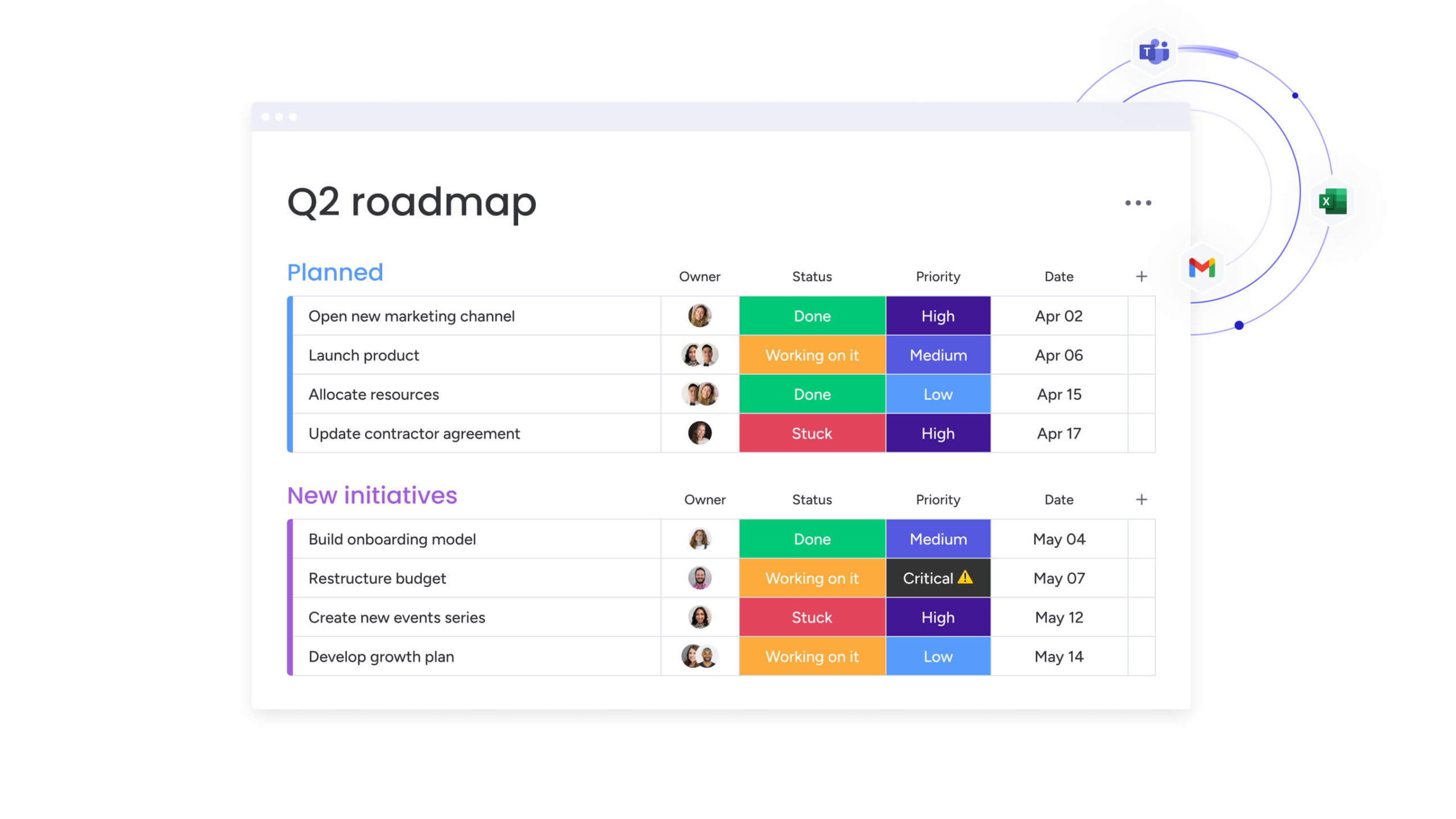
Level up your event marketing operations with confidence now
We’ve seen it time and again: marketing leaders who bring their event operations into monday work management finally get what they’ve been missing — clear visibility, smoother processes, and events that actually connect to business goals. From Genpact’s 40% improvement in cross-team collaboration to SPH Media’s seamless coordination across 130+ team members, the platform transforms scattered coordination into streamlined execution.
You no longer need to choose between operational efficiency and creative flexibility.
With platforms like monday work management, standardization that scales across large teams id provided: while maintaining the customization that enables innovative event experiences. The platform’s integration with your broader marketing operations ensures events contribute measurably to strategic objectives rather than existing as isolated initiatives.
Key transformation benefits:
- Unified operations: connect event planning to campaign strategy and resource allocation.
- Real-time visibility: track progress, capacity, and ROI across all marketing initiatives.
- Executive confidence: report impact with data-driven insights that demonstrate strategic value.
- Team efficiency: eliminate burnout through proactive workload management and automation.
Join 20,000+ marketing teams who trust monday work management to centralize their operations, amplify their impact, and deliver events that drive measurable business results.
With our 14-day free trial, you can experience how unified event planning, campaign management, and resource allocation work together to eliminate silos, and prevent team burnout.
The content in this article is provided for informational purposes only and, to the best of monday.com‘s knowledge, the information provided in this article is accurate and up-to-date at the time of publication. That said, monday.com encourages readers to verify all information directly.
Frequently asked questions
How does monday work management integrate with existing marketing technology stacks?
monday work management integrates with 200+ applications including Salesforce, HubSpot, Marketo, Google Analytics, Slack, Microsoft Teams, and other tools commonly used by marketing teams. The platform offers native integrations, Zapier connections, and a robust API that enables custom integrations with proprietary systems.
Can monday work management handle both virtual and in-person events?
Yes, monday work management supports planning and execution for virtual, hybrid, and in-person events within the same platform. You can create customized workflows for different event types, tracking unique requirements like virtual platform setup, on-site logistics, or hybrid coordination. The platform's flexibility allows you to adapt templates as event formats evolve, ensuring your team can respond quickly to changing circumstances while maintaining standardized processes.
How quickly can a 100+ person marketing team adopt monday work management?
Implementation typically takes two to four weeks for full marketing operations, with teams seeing value within the first week. The platform's intuitive interface requires minimal training — most users become comfortable within two weeks to a month according to enterprise customers. For large teams, a phased rollout approach works best: start with a pilot group, establish templates and best practices, then expand to additional teams.
What visibility does monday work management provide into team workload and resource allocation?
monday work management offers multiple views for resource management including workload view, timeline view, and capacity dashboards. You can see individual and team capacity in real-time, identify who's overloaded and who has bandwidth, and allocate resources based on skills and availability.
How does monday work management help track event ROI and connect it to broader marketing metrics?
monday work management's dashboard capabilities let you create custom views that combine event performance data with broader campaign metrics, showing how events contribute to marketing OKRs and strategic objectives. You can track event-specific metrics like attendance, engagement, and lead generation alongside campaign ROI, customer acquisition cost, and conversion rates.
What level of customization is available for event planning workflows?
monday work management offers unlimited customization through no-code tools that let you build any workflow without technical expertise. You can create custom fields, status columns, automation recipes, and views tailored to your specific event types and organizational processes. This flexibility is essential for media companies managing diverse events from virtual webinars to large-scale conferences. You can standardize core processes while allowing regional teams to customize workflows for local requirements, balancing operational efficiency with the flexibility needed for creative execution.

 Get started