


As a marketing leader in finance, you’re juggling complex events in heavily regulated environments. You have to balance stakeholder demands, tight budgets, and compliance requirements that never seem to end.
Your team also handles investor conferences, client seminars, and product launches, but disconnected execution between planning, campaigns, and creative production scatters your marketing impact. This makes it nearly impossible to demonstrate event ROI or connect outcomes to broader marketing objectives.
The challenge isn’t just finding another event platform: it’s discovering a platform that actually connects your event planning to broader marketing operations instead of creating yet another silo. Marketing leaders managing 50-100+ person teams need platforms that eliminate silos between event teams, creative production, campaign execution, and resource planning. When event data flows seamlessly into marketing performance dashboards, you gain the real-time visibility needed to track event ROI against overall marketing goals.
Let’s break down what truly works for finance marketing teams, which features actually connect events to your broader marketing strategy, and how to evaluate platforms based on what matters most to your organization.
Key takeaways
Marketing leaders in finance face unique challenges when managing events across complex, regulated environments, often turning to event planning software for support. Your team coordinates investor conferences, client seminars, product launches, and compliance-driven events while juggling multiple stakeholders, strict budgets, and regulatory requirements..
monday work management addresses these fundamental challenges through a unified platform that connects event management directly to your broader marketing operations, making it a true event planning software solution.
Here’s what sets it apart for financial services marketing leaders:
- Unify event planning with your broader marketing operations: connect event management directly to campaign execution, creative production, and resource planning in one workspace instead of managing events in isolation.
- Gain real-time visibility into event ROI and team capacity: custom dashboards show how events contribute to marketing KPIs while preventing team burnout through visual workload management.
- Standardize event workflows to eliminate inefficient processes: use templates and automation for investor conferences, client seminars, and product launches so your team can start with a proven framework for each event.
- Transform event data into executive-ready insights: build dashboards that connect event performance to quarterly marketing objectives, making it easy to report impact to leadership without manual data compilation.
- Ensure compliance while maintaining marketing agility: enterprise-grade security features, audit trails, and permission controls meet financial services regulatory requirements without slowing down event execution.
What makes heads of marketing choose monday work management for event management?

Marketing leaders in finance choose monday work management because it solves the fundamental challenge of disconnected execution. Unlike standalone event management platforms that operate in isolation, the platform connects event planning directly to your broader marketing operations.
Unified workspace benefits
Campaigns, creative production, resource planning, and OKR tracking all live in the same workspace. This means event data doesn’t disappear into spreadsheets — it flows seamlessly into your marketing performance dashboards, giving you the real-time visibility needed to track event ROI against overall marketing goals.
If you’re managing dozens or even hundreds of people across multiple marketing functions, you know how quickly silos form. This unified approach tears down those walls so your team’s efforts actually compound rather than compete. You can see at a glance:
- How event workloads affect team capacity.
- Whether event budgets align with forecasts.
- How event-generated leads contribute to your MQL-to-customer rate.
Process standardization
The platform’s standardization capabilities — templates, automation, and process governance — ensure your team doesn’t reinvent workflows for each investor conference, client seminar, or product launch. This addresses the inefficient processes that plague large marketing organizations.
monday work management top features for event management
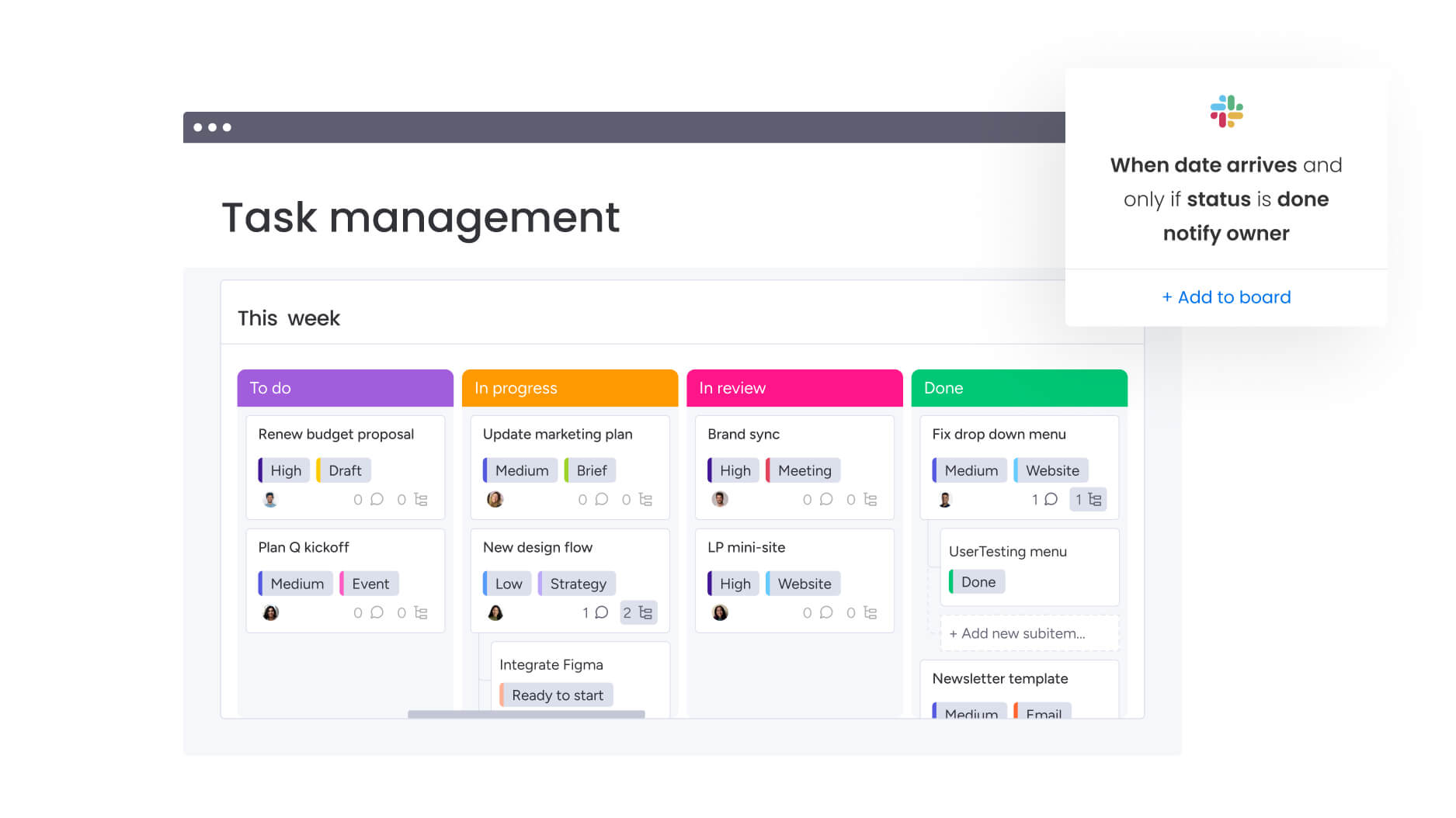
The following features demonstrate how monday work management transforms event management for financial services marketing teams. Each capability addresses specific challenges while connecting to your broader marketing operations for maximum impact.
Event management workflows
monday work management provides dedicated event management workflows that centralize every aspect of event planning — from initial concept through post-event analysis. The platform allows you to create custom boards for each event type with all relevant information in one place.
- Multiple visualization options: Timeline, Gantt, Calendar, and Kanban views let you visualize event progress in the format that makes most sense for each stakeholder. For heads of marketing in finance managing multiple concurrent events across a large team, this eliminates the chaos of scattered information across email threads, SharePoint folders, and individual spreadsheets.
- Comprehensive tracking capabilities: you can track which events are on schedule, which are over budget, and where bottlenecks exist — all from a single dashboard. The intelligent platform’s subitems feature lets you create hierarchies showing how individual work items roll up to event milestones, which connect to campaign objectives, which align with marketing OKRs.
Automation and templates
Stop wasting hours on manual updates and error-prone spreadsheets. Our automation handles the tedious stuff — freeing your team to focus on what actually moves the needle. You can set up automated workflows that:
- Trigger notifications when event milestones are reached.
- Send reminders to speakers or vendors as deadlines approach.
- Update status columns based on task completion.
- Create new items in related boards when specific conditions are met.
Template benefits for large teams
For marketing leaders managing large teams, templates are equally transformative. You can create standardized event planning templates that capture your organization’s best practices — complete with pre-configured workflows, approval processes, compliance checkpoints, and reporting structures.
When your team launches a new investor webinar or client conference, they start with a proven framework rather than building from scratch. This ensures consistency while dramatically reducing setup time.
Resource management and workload view
The Workload view provides real-time visibility into team capacity across all events and marketing activities, solving the poor resource utilization that leads to burnout, misalignment, and missed deadlines.
Visual capacity management
Discover at a glance which team members are overallocated, which have available capacity, and how event workloads stack against other marketing priorities like campaign execution and creative production. The visual interface uses color-coding to instantly highlight capacity issues. You can drag-and-drop to reassign tasks and rebalance workloads without leaving the view.
When you’re running a large marketing organization, this visibility isn’t just nice to have — it’s absolutely essential. When a major financial conference requires additional creative resources, you can immediately see whether your creative team has bandwidth or if you need to deprioritize other work.
Custom dashboards and real-time analytics
Custom dashboards transform event data into actionable insights that connect to your marketing KPIs and business goals. You can build dashboards that show:
- Event registration trends.
- Budget burn rates.
- Task completion percentages.
- Team workload distribution.
- Event ROI metrics.
Executive reporting capabilities
The platform supports multiple chart types and allows you to combine data from multiple boards. This means you can create a single executive dashboard showing how all events contribute to quarterly marketing objectives.
Next time your CFO asks for event ROI numbers, you’ll have them ready in seconds — not days spent cobbling together reports. Instead of spending days compiling reports from disparate systems, you can share live dashboards that show exactly where each event stands, how event spending compares to budget, and how event-generated leads are progressing through the pipeline.
Integration with marketing technology stack
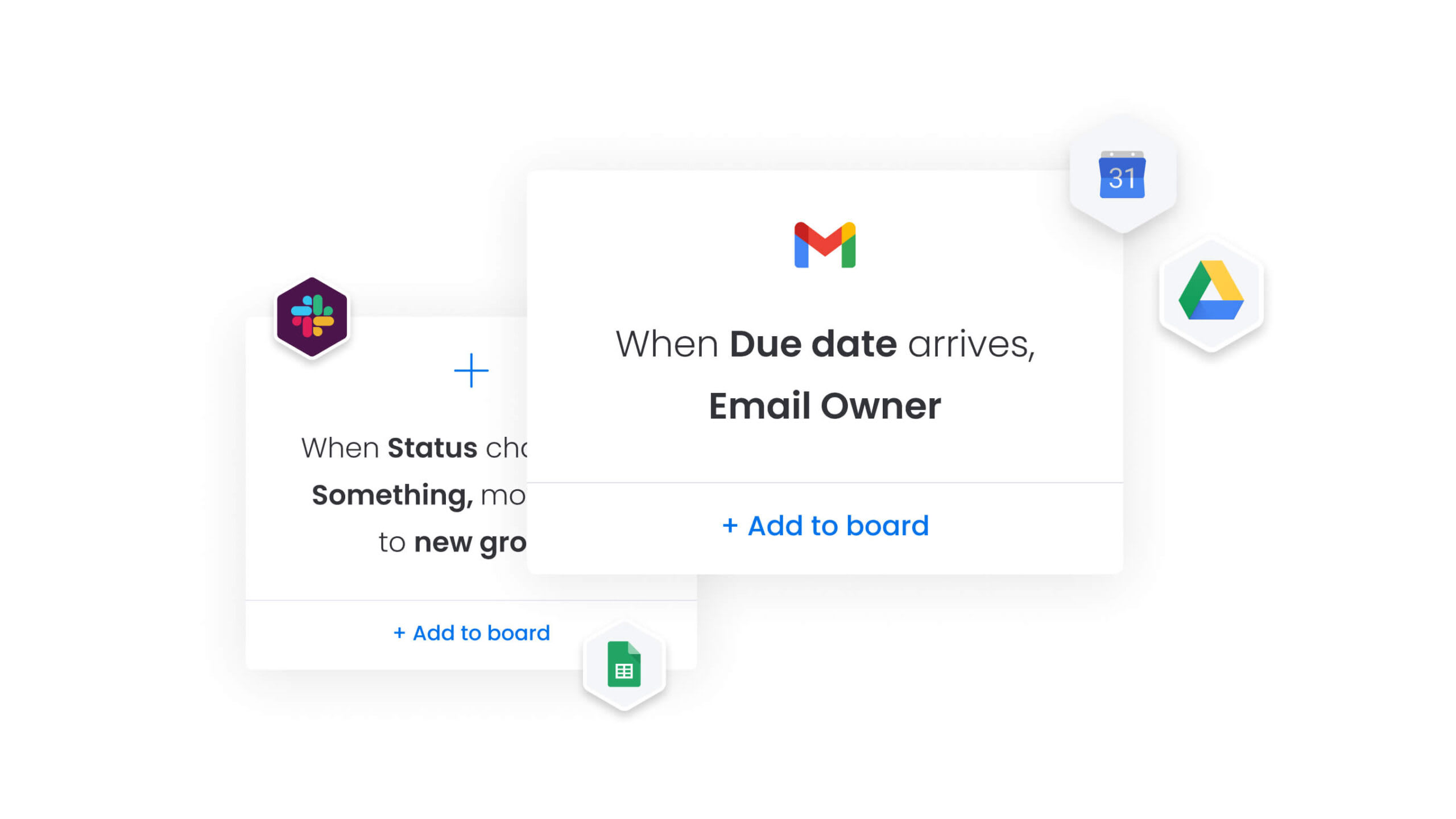
We connect with over 200 tools your team already uses — from Salesforce and HubSpot to Marketo and Google Analytics — allowing you to enhance your existing tech stack.
Key integrations include:
- CRM platforms: Salesforce, HubSpot.
- Marketing automation: Marketo.
- Analytics: google Analytics.
- Communication: Slack, Microsoft Teams.
- Video conferencing: zoom.
Seamless data flow
These integrations break down the walls between your event team and the rest of marketing — finally getting everyone on the same page. Your event registrations become marketing leads with full context about which events they attended. Your creative team can see event deliverable requests in the same system where they manage campaign assets. Likewise, your finance team can track event budgets in the same platform where they monitor overall marketing spend.
Compliance and security for financial services
The platform’s security is built specifically with financial institutions in mind, because compliance isn’t optional in your world. The platform offers granular permission controls that let you restrict access to sensitive event data based on roles, departments, or specific users.
Security features include:
- IP restrictions to ensure event planning data is only accessible from approved networks.
- Two-factor authentication for all users.
- Single sign-on (SSO) integration with your organization’s identity management system.
Regulatory compliance capabilities
For marketing leaders in finance managing events with strict regulatory requirements, these security capabilities are non-negotiable. You can create separate workspaces for events involving material non-public information, restrict vendor access to only the boards they need, and maintain complete audit trails showing who accessed or modified event data.
Forms and intake management
The platform’s form builder enables you to create custom intake forms for event requests, speaker submissions, sponsorship applications, attendee registrations, and post-event surveys — all without coding.
Advanced form capabilities
- Conditional logic that shows or hides questions based on previous answers.
- File upload capabilities for supporting documents.
- Automatic routing that creates items in the appropriate boards when submitted.
This intake management capability standardizes how event requests flow into your marketing organization, addressing the lack of ownership that creates duplicative processes. Instead of event requests arriving via email, Slack messages, or hallway conversations, they all come through a structured form that captures the information your team needs to evaluate and plan effectively.
Dependencies and timeline management
When your investor conference involves legal review, compliance checks, creative deadlines, and vendor coordination, our dependency tracking prevents the dreaded last-minute fire drills. You can link tasks so that when one completes, dependent tasks automatically update their status or trigger notifications.
Visual dependency tracking
The Timeline and Gantt views visualize these dependencies, making it easy to see how delays in one area will impact downstream tasks. Critical path highlighting shows which task sequences must stay on schedule to meet your event date.
For heads of marketing coordinating events that involve legal review, compliance approval, creative production, technology setup, and vendor management, dependency tracking prevents the miscommunication and missed handoffs that cause delays.
Budget tracking and financial management
Built-in budget tracking capabilities let you monitor event spending in real-time, comparing actual costs against budgets and forecasts. You can:
- Create budget columns that automatically calculate totals.
- Set up formulas that flag when spending exceeds thresholds.
- Build dashboards that show budget utilization across all events.
This financial management capability addresses the pain point where marketing leaders lack a unified view of event spend within overall marketing budget. Instead of reconciling event costs from vendor invoices, credit card statements, and procurement systems, all event-related expenses live in the same platform where you’re managing event logistics.
How a head of marketing in finance benefits from monday work management
Marketing leaders in finance using monday work management experience measurable improvements across their event operations. These benefits directly impact team productivity, budget efficiency, and strategic alignment with business objectives.
Operational improvements:
- Time savings: automation handles repetitive tasks like status updates, deadline reminders, and stakeholder notifications, freeing your team to focus on strategic event planning and attendee experience.
- Cost efficiency: the platform delivers measurable ROI through improved resource utilization and reduced platform sprawl.
- Compliance and accuracy: audit trails, permission controls, and approval workflows ensure regulatory requirements are met consistently.
Team performance enhancements:
- Productivity improvements: teams accomplish more with the same resources by eliminating context-switching and duplicative work.
- Output quality improvements: standardized processes and ownership improve event quality and consistency.
- Visibility and tracking improvements: real-time dashboards provide the visibility heads of marketing need to track progress, capacity, and ROI across all events and marketing activities.
How to manage financial services events with monday work management

Running finance events means walking a tightrope between strict compliance rules and the need to move quickly.
The following steps outline how to implement monday work management for comprehensive event management that connects to your broader marketing operations.
Step 1: centralize event planning in a unified workspace
Create a dedicated workspace for event management that connects to your broader marketing operations. This foundation ensures all event-related work flows seamlessly with your other marketing activities.
Set up core components:
- Master boards for your event calendar.
- Event templates library.
- Vendor directory.
- Budget tracking boards.
Configure access permissions: event managers have full access, creative and marketing teams can view and update relevant sections, and executives can access dashboards without editing underlying data.
Step 2: build standardized event templates for each event type
Develop templates for your recurring event types to ensure consistency and reduce setup time. Each template should capture your organization’s best practices and regulatory requirements.
Template categories to create:
- Investor conferences.
- Client seminars.
- Webinars.
- Product launches.
- Networking events.
Include in each template:
- Standard phases with typical durations.
- Required tasks and dependencies.
- Compliance checkpoints specific to financial services.
- Budget categories and approval workflows.
- Automation recipes that trigger notifications, update statuses, and create dependent tasks automatically.
Step 3: integrate with your marketing technology stack
Connect monday work management to your existing platforms to eliminate data silos and manual data entry. This integration ensures event data flows automatically throughout your marketing ecosystem.
Key integrations to configure:
- CRM platform (Salesforce, HubSpot).
- Marketing automation platform (Marketo).
- Analytics platforms (Google Analytics).
- Communication platforms (Slack, Microsoft Teams).
- Video conferencing platforms (Zoom).
Set up two-way syncing: event registrations flow into your CRM, marketing automation sequences trigger based on event status, and team communications link back to relevant event boards.
Step 4: implement resource planning and capacity management
Set up the Workload view to track team capacity across all events and marketing activities. This prevents overallocation and ensures optimal resource utilization.
Configuration steps:
- Define each team member’s weekly capacity.
- Assign time estimates to event tasks.
- Configure the view to show allocation by person, team, or department.
- Create a resource allocation board showing upcoming events and their resource requirements.
This enables proactive capacity planning and prevents the resource conflicts that derail event timelines.
Step 5: create executive dashboards for real-time visibility
Build custom dashboards that connect event data to marketing KPIs and business objectives. These dashboards provide the visibility executives need to understand event impact and make informed decisions.
Include key widgets showing:
- Upcoming events and their status.
- Budget utilization across all events.
- Registration trends and conversion rates.
- Team workload distribution.
- Events by status (planning, executing, completed).
- Event ROI metrics and performance comparisons.
Configure for different audiences: set up automated dashboard sharing so stakeholders receive updates on their preferred schedule.
Step 6: establish continuous improvement through post-event analysis
Create a post-event review process that captures insights and updates templates. This ensures your event management capabilities improve over time.
Implementation steps:
- Use forms to collect feedback from attendees, speakers, sponsors, and internal team members.
- Build a retrospective board where you document what worked, what didn’t, and what to change for next time.
- Update your event templates to incorporate these learnings.
- Share insights across the marketing team to improve future events.
Comparison table: monday work management vs competing platforms
Not all event management platforms are built for the realities of financial services marketing. Many tools handle event logistics well, but fall short when events must align with campaigns, comply with regulations, and roll up into executive reporting.
The comparison below highlights the key differences between event-only platforms and unified work management solutions. While tools like Cvent and Bizzabo focus primarily on running individual events, monday work management is designed to manage events as part of your full marketing operation — connecting planning, execution, compliance, and ROI in one system.
| Feature | monday work management | Cvent | Bizzabo |
|---|---|---|---|
| Unified marketing operations | Full integration with campaigns, creative, and operations | Event-focused, limited marketing integration | Event-focused, limited marketing integration |
| Resource management | Built-in Workload view across all work | Limited to event-specific resources | Limited to event-specific resources |
| Customization | No-code customization for any workflow | Template-based with limited flexibility | Template-based with limited flexibility |
| Pricing model | Transparent per-user pricing, unlimited events | Annual license + per-registrant fees | $499/user/month minimum 3 users |
| Dashboard capabilities | Custom dashboards connecting all marketing data | Event-specific reporting | Event-specific reporting |
| Automation | 200+ automation recipes, no-code builder | Limited to event workflows | Limited to event workflows |
Take control of event execution across finance marketing today
Finance marketing teams don’t struggle because they lack event tools — they struggle because their events live outside the rest of their marketing operation. When planning, approvals, budgets, and reporting are spread across spreadsheets and point solutions, execution slows and proving ROI becomes a manual exercise.
Advanced solutions like monday work management bring events, campaigns, creative workflows, and resource planning into a single, governed platform. Teams can standardize event workflows, manage approvals and compliance in context, and track progress and spend in real time — all while maintaining the flexibility needed for different event types and regions. Leadership gains a clear, always-up-to-date view of event performance and capacity without waiting on status updates.
Ready to run compliant, measurable finance events with less friction and more visibility? Get started with monday work management.
The content in this article is provided for informational purposes only and, to the best of monday.com’s knowledge, the information provided in this article is accurate and up-to-date at the time of publication. That said, monday.com encourages readers to verify all information directly.
Frequently asked questions
How does monday work management differ from standalone event management software?
monday work management is a unified work management platform that includes event management as one of many integrated capabilities, rather than a standalone event-only platform. This means your event planning connects directly to campaign management, creative production, resource planning, and OKR tracking in the same workspace.
Can monday work management handle both virtual and in-person financial services events?
Yes, the platform supports all event formats — in-person, virtual, and hybrid. You can manage venue contracts, catering, and on-site logistics for in-person events, while also tracking webinar platforms, virtual booth setups, and digital engagement for virtual events.
What security certifications does monday work management have for financial services?
monday work management maintains SOC two Type II certification, ISO 27001 certification, GDPR compliance, and offers HIPAA compliance options. The platform provides enterprise-grade security features including IP restrictions, two-factor authentication, multiple SSO options, tenant-level encryption, and bring-your-own-key capabilities.
How does monday work management help track event ROI and connect it to marketing KPIs?
Custom dashboards let you build views that connect event metrics to marketing KPIs. You can create formulas that calculate event ROI based on your specific metrics, track how event-generated leads progress through your funnel, and compare event performance against other marketing channels.
Can we migrate our existing event data from spreadsheets and other platforms?
Yes, monday work management supports data import from Excel, CSV files, and many other platforms. You can import existing event calendars, attendee lists, vendor contacts, and budget data to establish your baseline.
How long does it typically take to implement monday work management for event management?
Implementation time varies based on your team size and complexity, but most financial services marketing teams see initial value within two to four weeks. The platform's templates and automation recipes help accelerate setup, while integrations with existing systems can be configured progressively.

 Get started