


Retail marketing teams juggle hundreds of content pieces across multiple channels, store locations, and seasonal campaigns. When Black Friday campaigns overlap with holiday promotions and product launches, coordination becomes the difference between hitting revenue targets and missing opportunities. The challenge isn’t creating great content — it’s orchestrating everything so campaigns launch on time, teams stay aligned, and every detail is accounted for.
The right content calendar software transforms scattered marketing efforts into coordinated execution. These platforms go beyond basic scheduling to provide workload management, automated workflows, and real-time visibility across campaigns.
For retail marketing leaders managing 50-100+ person teams, the right platform also connects content planning to campaign performance while preventing team burnout during peak seasons.
Let’s dig into what truly sets robust content calendar platforms apart from basic scheduling applications. We’ll spotlight the features retail marketing operations can’t live without, stack up the leading platforms, and reveal how the right system transforms scattered efforts into measurable results through smarter coordination.
Key takeaways
Managing content across multiple channels and teams requires more than basic scheduling tools. Robust content management tools can centralize key assets and streamline every phase of the content lifecycle.
Here’s the key things for heads of marketing to keep in mind:
- Replace scattered spreadsheets with unified content operations: centralize all campaigns, content pieces, and team coordination in one platform to eliminate manual status updates and email chaos.
- Prevent team burnout through real-time workload visibility: monitor capacity across your marketing team and rebalance assignments before overallocation creates bottlenecks during peak seasons.
- Connect content activities to business outcomes with executive dashboards: track campaign ROI, team productivity, and progress toward OKRs through customizable dashboards that provide instant strategic insights.
- Standardize approval workflows to maintain brand consistency: establish structured review processes that route content through designated approvers while maintaining audit trails across all store locations and channels.
- Transform marketing operations with an integrated platform: manage seasonal campaigns, automate repetitive coordination work, and gain visibility into multi-channel initiatives from planning through execution.
What makes heads of marketing choose monday work management for retail content calendars?

Heads of marketing in retail face a fundamental challenge: coordinating high-volume, seasonal campaigns across siloed teams while maintaining visibility into capacity, performance, and ROI. Implementing a dedicated marketing calendar offers a structured approach to align cross-channel efforts.
For retail marketing leaders managing 50-100+ person teams across content, creative, acquisition, events, and operations, platforms like monday work management delivers the operational efficiency and strategic alignment needed to drive measurable business impact.
The intelligent workload management capabilities within the solution prevent team burnout by providing real-time visibility into capacity and resource allocation across all marketing initiatives.
Customizable dashboards also connect everyday execution to company-level OKRs, enabling heads of marketing to report campaign ROI, budget adherence, and team productivity to executive leadership with data-driven confidence.
These capabilities reflect monday work management’s position as a Leader in the 2024 Gartner® Magic Quadrant™ for Marketing Work Management.
monday work management top features for retail content calendars
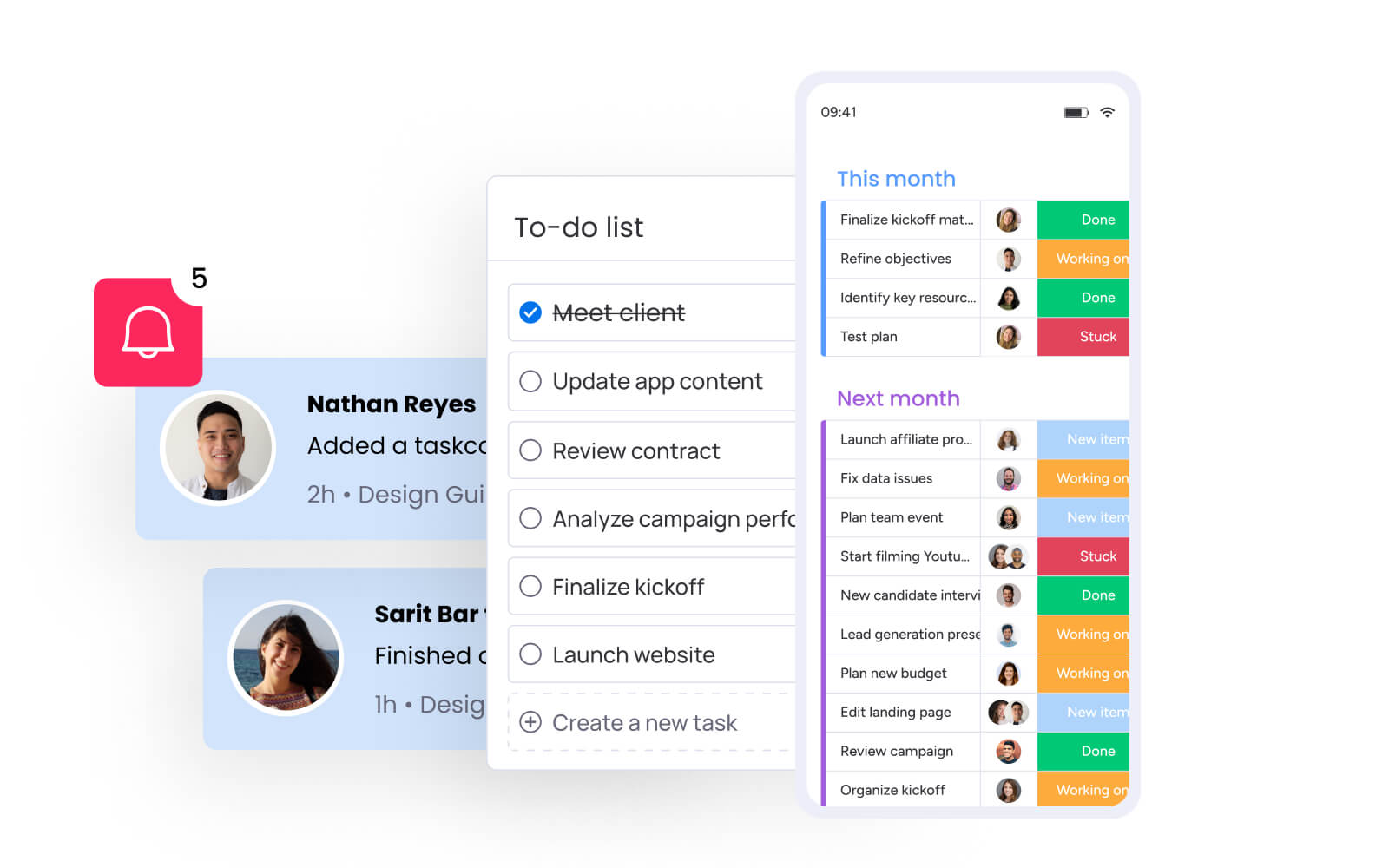
The following features address the specific operational challenges retail marketing teams face when coordinating content across multiple channels, store locations, and seasonal campaigns. Each capability transforms scattered workflows into coordinated execution.
Content calendar view
The Content Calendar in monday work management provides retail marketing teams with a centralized, visual planning interface that displays all campaigns, content pieces, and promotional activities across multiple channels and store locations. The calendar supports drag-and-drop scheduling, color-coded campaign categorization, and real-time updates that automatically sync across all team members.
Marketing leaders can toggle between daily, weekly, monthly, and quarterly views to manage both tactical execution and strategic planning. Custom filters enable teams to focus on specific brands, regions, product categories, or campaign types.
For Heads of Marketing in retail, this eliminates the chaos of managing seasonal campaigns like Black Friday, holiday promotions, and product launches across multiple touchpoints. A centralized social media posting schedule helps teams prioritize timing and maintain consistency.
Workload management and resource planning
The intuitive Workload View provides retail marketing leaders with real-time visibility into team capacity, task allocation, and resource utilization across all marketing initiatives. The feature displays each team member’s assigned work in a visual timeline, highlighting overallocation and underutilization through color-coded indicators.
This capability directly addresses one of the most critical pain points for retail marketing leaders: preventing team burnout while maintaining consistent output during high-pressure seasonal periods.
Marketing leaders can quickly rebalance workloads by dragging tasks between team members, adjusting deadlines, or reallocating resources based on skills and availability. The Workload View integrates directly with project boards, automatically updating as tasks are added, completed, or modified.
Campaign management and multi-channel tracking
With monday work management’s Campaign Management, your retail marketing team can finally plan, launch, and optimize every campaign across all channels from one central command center. The system supports hierarchical campaign structures that connect high-level marketing programs to specific campaigns and individual activations.
Teams can track campaign status, budget allocation, performance metrics, and deliverable completion across email, social media, in-store promotions, digital advertising, and events. A social media calendar template makes scheduling posts and aligning content to broader campaigns easier.
For retail marketing leaders overseeing multi-channel strategies, this unified campaign view eliminates the silos that scatter marketing impact and obscure visibility into team priorities. Real-time insight into campaign progress, cross-functional dependencies, and performance against goals enables faster decision-making and proactive risk management.
Automation and workflow standardization
Tired of repetitive busywork? monday work management’s automation tools let you build custom workflows in minutes — no coding required — so your team can stop wasting time on manual updates and focus on what actually moves the needle. Marketing leaders can create custom automations that trigger actions based on status changes, due dates, form submissions, or custom conditions.
Common retail marketing automations include:
- Automatic assignment: creative briefs route to designers when campaign requests are approved.
- Deadline reminders: notifications send before seasonal campaign deadlines.
- Status updates: campaign status updates across connected boards when content publishes.
- Approval routing: requests route to regional managers based on store location.
The platform includes pre-built automation templates for marketing workflows while supporting fully customized automation logic. This ensures standardized processes are followed consistently while freeing team capacity for strategic and creative work. A well-defined blog content strategy can further connect each deliverable to broader brand objectives.
Dashboards and real-time analytics
Build the exact dashboards you need to track what matters most — whether that’s campaign performance, team bandwidth, budget spend, or progress toward your biggest goals — all updated in real time so you’re never flying blind. Marketing leaders can build executive-ready dashboards that aggregate data from multiple boards and projects.
Dashboard components include:
- Campaign status summaries: visual overview of all active campaigns.
- Content production velocity: track output rates across teams.
- Budget tracking: monitor spend against allocated budgets.
- Team workload distribution: identify capacity gaps and bottlenecks.
- On-time delivery rates: measure performance against deadlines.
- Custom KPIs: align metrics with business objectives.
These dashboards transform scattered data into strategic insights. Instead of manually compiling reports from multiple systems, marketing leaders can share live dashboards that demonstrate campaign ROI, team productivity, and progress toward OKRs.
Approval workflows and brand governance
Keep your brand consistent across every store, region, and channel with structured approval workflows that actually work. No more hunting down feedback or wondering if the right people signed off — monday work management makes sure every piece follows your exact approval process. Marketing leaders can configure multi-stage approval chains that route content through designated reviewers based on content type, brand, region, or budget threshold.
This governance capability directly addresses brand inconsistency and approval bottlenecks that plague retail marketing operations. Structured processes ensure regional variations align with brand guidelines without creating bureaucratic delays.
Approvers receive automated notifications, review materials directly within the platform, and provide feedback through threaded comments that maintain context. The system tracks approval status, version history, and provides audit trails documenting who approved what and when.
Integration with retail marketing stack
Keep using the tools you love. monday work management plugs into 200+ marketing and retail platforms, so you can coordinate everything centrally without forcing your team to abandon their favorite apps.
Key integrations for retail marketing include:
- E-commerce platforms: shopify for inventory-driven content planning.
- Analytics platforms: google Analytics and Adobe Analytics for performance tracking.
- Creative tools: canva and Adobe Creative Cloud for design workflows.
- Email marketing: mailchimp and HubSpot for campaign coordination.
- Communication: slack and Microsoft Teams for team collaboration.
- Social media: management platforms for multi-channel publishing.
The integration framework supports two-way data sync, automated workflows across platforms, and embedded functionality that brings external platforms into the monday work management interface.
How a head of marketing in retail benefits from monday work management
Retail marketing teams using monday work management experience transformative operational improvements that directly impact business outcomes. The platform delivers measurable benefits across time savings, cost efficiency, compliance, productivity, quality, and visibility.
Here’s how marketing leaders see immediate value:
Time savings: FARFETCH saved 3,500 hours per month by replacing scattered Google Docs and spreadsheets. Officeworks’ project coordinator managing their annual back-to-school promotion saved one full day per week previously lost to manual administration. VML saved 7,000 hours per account monthly. These time savings free marketing leaders and their teams to focus on strategic planning and campaign optimization.
Cost efficiency: FARFETCH achieved 6x ROI and saved $118,000 per month after implementing monday work management. The platform’s workload management capabilities enable retail marketing leaders to optimize team capacity, preventing both burnout from overallocation and waste from underutilization.
Compliance and accuracy: approval workflows, version control, and audit trails ensure retail marketing campaigns maintain brand consistency across multiple store locations and regions. Automated quality assurance processes reduce errors in customer-facing communications while maintaining flexibility for regional variations.
Productivity improvements: Genpact achieved 40% improvement in cross-team collaboration and 100% removal of spreadsheets. Country Road Group increased efficiency by 25% while managing 150+ projects simultaneously. Canva tripled creative output.
Output quality improvements: structured workflows ensure campaigns follow proven processes. Approval workflows maintain brand consistency across channels and locations. Real-time collaboration reduces miscommunication and rework. VML achieved 2x faster delivery while maintaining quality standards.
Visibility and tracking improvements: marketing leaders gain instant insight into campaign status, team workload, budget utilization, and progress toward goals without manual status updates. Customizable dashboards provide executive-ready reporting that connects marketing execution to business OKRs.
How to manage retail content calendars with monday work management
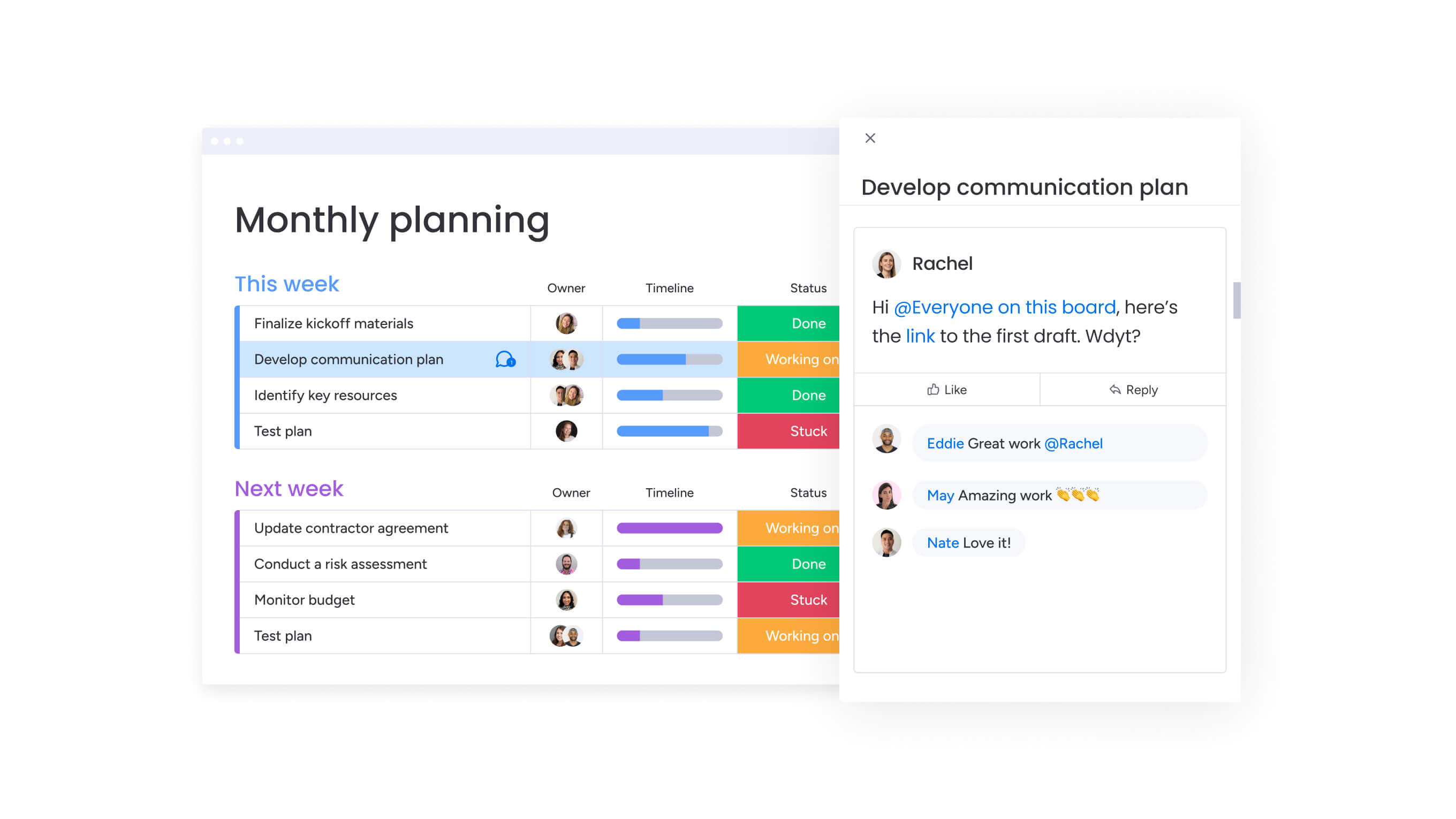
Ready to bring order to the chaos? This six-step process will turn your scattered marketing efforts into a streamlined operation that actually scales as your team grows.
Step 1: centralize your content calendar structure
First, build your command center — a master content calendar that shows every marketing initiative across all your channels and stores in one place. Structure the board with columns for content type, campaign theme, target audience, channel, publication date, owner, status, and retail-specific fields like store location, product category, or seasonal theme.
Group your content however makes sense for your team — by month, campaign, or brand. Then set up different ways to visualize your work: calendar View to see timing, Board View to track status, and Timeline View to manage dependencies. This centralized structure replaces scattered spreadsheets and provides the foundation for coordinated execution.
Step 2: build seasonal campaign templates
Create reusable templates for recurring retail marketing initiatives like Black Friday campaigns, holiday promotions, product launches, and seasonal collections. Each template should include standard tasks, timelines, approval workflows, and deliverables required for that campaign type.
Configure automation recipes that trigger when templates are used. These might automatically assign creative briefs to designers, set reminder notifications before key deadlines, or route approvals to regional managers. Templates standardize workflows across regions and store locations while maintaining flexibility for customization.
Step 3: implement workload management
Activate the Workload View to gain real-time visibility into team capacity and resource allocation across all marketing initiatives. Configure workload settings to reflect each team member’s availability, working hours, and capacity limits.
As campaigns are planned and tasks assigned, monitor the Workload View to identify overallocation and underutilization. Rebalance workloads by reassigning tasks, adjusting deadlines, or bringing in additional resources before capacity constraints become bottlenecks.
Step 4: configure approval workflows
Lock in your approval process so nothing goes live without the right eyes on it — whether it’s for your flagship store or your newest location. Create approval columns that route content, creative assets, and campaign materials through designated reviewers based on content type, brand, region, or budget threshold.
Configure automation recipes that send notifications to approvers, escalate overdue approvals, and update campaign status when approvals are completed. Build in version control and comment threads that maintain context throughout the review process.
Step 5: connect your marketing tech stack
Integrate monday work management with your existing retail marketing platforms. Configure two-way data sync where appropriate, such as pulling performance metrics from Google Analytics into campaign boards or pushing approved content to social media schedulers.
Use integrations to trigger cross-platform workflows. These might automatically create Slack notifications when content enters quality review or sync campaign deadlines with team calendars. These integrations eliminate context-switching and manual data transfer.
Step 6: build executive dashboards
Create customizable dashboards that provide real-time visibility into campaign performance, team productivity, budget utilization, and progress toward strategic goals. Configure dashboard widgets that display campaign status summaries, content production velocity, on-time delivery rates, team workload distribution, and custom KPIs aligned with business objectives.
Set up automated dashboard sharing with executive stakeholders so leadership always has access to current information without manual reporting. Use dashboards to identify trends, spot risks early, and make data-driven decisions about resource allocation and campaign prioritization.
Comparison table: monday work management vs competing platforms for retail content calendars
The following comparison highlights how monday work management, Asana, and CoSchedule address the specific needs of retail marketing teams managing content calendars.
| Feature | monday work management | Asana | CoSchedule |
|---|---|---|---|
| Content calendar view | Visual calendar with drag-and-drop scheduling, multiple view options (daily/weekly/monthly/quarterly), color-coded campaigns | Calendar view available with timeline and board views | Dedicated marketing calendar with drag-and-drop interface |
| Workload management | Real-time workload view with capacity planning, visual overallocation indicators, drag-and-drop rebalancing | Workload feature available in Business tier and above | Limited workload visibility |
| Multi-channel campaign tracking | Hierarchical campaign structures connecting programs to campaigns to activations, custom fields for all channels | Project hierarchy with portfolios and projects | Marketing-specific campaign tracking |
| Approval workflows | Multi-stage approval chains with automated routing, version control, audit trails | Approval tasks with custom fields | Built-in approval workflows for marketing content |
| Automation capabilities | 200+ automation recipes, no-code automation builder, conditional logic, cross-board automations | Rules-based automation with templates | Marketing-specific automation recipes |
| Retail-specific features | Custom fields for store locations, product categories, seasonal themes; integration with e-commerce platforms | General project management features | Marketing calendar focus without retail-specific features |
| Team size support | Scales from 50 to 100+ marketing team members with enterprise governance | Scales well for large teams | Best for small to mid-size marketing teams |
| Integration ecosystem | 200+ native integrations including Shopify, Canva, Adobe, Google Analytics, Mailchimp | 200+ integrations including marketing platforms | Marketing-focused integrations |
| Dashboard and reporting | Customizable dashboards with real-time data, executive-ready reporting, multiple widget types | Portfolio reporting and custom dashboards | Marketing-specific analytics and reporting |
| Price per user/month | From $10/user/month (billed annually) | From $13.49/user/month (billed annually) | From $19/user/month |
How FARFETCH transformed their retail marketing operations
FARFETCH, the leading global retail platform for the luxury fashion industry, faced significant operational challenges coordinating marketing campaigns across their rapidly growing organization. The Marketing Planning team regularly brought together 400 people from 40 different teams to execute extensive global marketing campaigns and initiatives.
Teams across the business constantly participated in business-as-usual activities and bespoke campaigns. With their department size and growing number of initiatives, their existing toolset created siloed teams and processes, leading to tracking, communication, and reporting difficulties.
The team housed everything in countless Google Docs and Google Sheets in numerous folders, spending hours chasing updates and last-minute changes.
Implementation approach: fARFETCH implemented monday work management as their centralized platform for marketing operations, starting with their master content calendar. Working with the monday work management customer success team, they designed how the content calendar would function with dependencies, automations, and integrations so each team’s work could come together effortlessly in one place.
The Marketing Planning team created a structured rollout plan ensuring successful adoption across their large, distributed organization. They built base structures so teams could see what their work would look like on the platform, then ran trials with select teams to fine-tune processes before launching more widely.
The results transformed their operations:
- 6x ROI through operational efficiency gains and reduced coordination overhead.
- $118,000 per month saved from eliminated manual processes and improved resource utilization.
- 3,500 hours per month saved previously spent on manual coordination, status updates, and chasing information across scattered systems.
The platform enabled FARFETCH to connect previously siloed teams across commercial, fashion, and editorial functions: the CRM team built sophisticated automation workflows including timeline views for visualizing campaigns, status columns for categorizing content, and mirroring columns that replicate changes across boards automatically.

Plan and execute your business strategies with monday work management
We’ve come a long way from basic content calendars. Today’s best platforms do much more than scheduling — they bring your scattered workflows together, cut the coordination busywork, and show exactly how your content drives business results.
Sophisticated solutions like monday work management transforms content calendar planning into a complete content operations platform.
From defining success metrics and checklists to tracking performance with dashboards and AI-powered insights, it helps teams work faster, reduce risk, and deliver consistently high-quality outcomes at scale.
Ready to transform your retail marketing operations? Start by centralizing your content calendar, implementing workload management, and connecting your marketing tech stack for seamless coordination across all channels and campaigns.
The content in this article is provided for informational purposes only and, to the best of monday.com’s knowledge, the information provided in this article is accurate and up-to-date at the time of publication. That said, monday.com encourages readers to verify all information directly.
Frequently asked questions
How does monday work management handle Black Friday and holiday campaign planning?
monday work management supports high-pressure seasonal campaigns through reusable templates, workload management, and real-time visibility that prevent bottlenecks during peak retail periods. Marketing leaders create Black Friday and holiday campaign templates with all standard tasks, timelines, approval workflows, and deliverables, then customize them for specific years or regions.
What training is required for a 50-100 person marketing team?
monday work management achieves full team onboarding within two weeks to one month according to enterprise customers. The platform's intuitive, visual interface reduces the learning curve compared to complex project management systems.
Can content calendar software integrate with Shopify or other retail platforms?
Yes, monday work management integrates with Shopify and other major e-commerce platforms through native integrations and open APIs. The Shopify integration allows marketing teams to sync product data, inventory levels, and order information into monday work management boards.
How long does it take to migrate from spreadsheets to dedicated software?
Migration from spreadsheets to monday work management typically takes two to four weeks for initial setup and two to four months to achieve full operational value. The migration process involves mapping existing spreadsheet workflows to monday work management boards, importing historical data, configuring automation recipes, and creating dashboards.
What security features protect our retail brand assets?
monday work management provides enterprise-grade security protocols including IP restrictions, two-factor authentication, multiple SSO options, BYOK encryption, and tenant-level encryption. Permission controls enable granular access management, allowing marketing leaders to restrict who can view, edit, or delete specific boards, items, or files.
How do these platforms manage content for franchise or multi-location retailers?
monday work management supports franchise and multi-location retail marketing through hierarchical board structures, permission controls, and customizable workflows that balance brand consistency with regional flexibility. Marketing leaders create master campaign boards at the corporate level that cascade to regional or franchise location boards.

 Get started