

Service project management should feel rewarding. Instead, for many teams, it feels like a constant scramble. Client requests arrive from everywhere. Updates live in different tools. Important details get buried just when you need them most. The harder you work, the more fragmented everything becomes.
AI workflow software flips that experience on its head. When intelligence is built directly into your daily work, coordination stops being a drain on your energy. Status updates take care of themselves. Risks surface early. Teams stay aligned without endless meetings or manual follow-ups. You spend less time chasing information and more time leading delivery.
This easy-to-follow post shines a light on how the best AI workflow platforms help services organizations regain clarity and momentum. You’ll see how teams manage multiple client engagements with confidence, where AI delivers real time savings, and how the right platform turns scattered effort into smooth, scalable execution that actually feels good to run.
Key takeaways
- Stop losing 25-55% of productivity to tool-switching: AI workflow platforms centralize project tracking, client communication, and resource management in one intelligent workspace that adapts to your team’s needs.
- Let AI handle routine coordination while you focus on strategy: Digital Workers automatically categorize requests, assign tasks based on capacity, and generate project plans — freeing you from administrative overhead to lead client relationships.
- Predict project risks before they impact delivery: AI analyzes patterns across your portfolio to flag potential bottlenecks two to three weeks in advance, enabling proactive intervention instead of reactive firefighting.
- Transform your team into a unified delivery machine: monday work management’s AI Blocks automate status reports, resource notifications, and client updates without coding — helping services teams achieve 26% efficiency gains like Playtech’s PMO department.
- Scale project delivery without proportional headcount increases: services organizations using AI workflow automation eliminate spreadsheet chaos, reduce email exchanges by 25%, and save 3+ hours weekly per project manager through intelligent automation.
What makes project managers choose AI workflow automation?

If you’re a project manager in services, you know the drill: deliver for multiple clients at once, keep quality high, hit every deadline, and somehow prevent your team from burning out. Easy, right? When work is scattered across disconnected tools, you spend more time hunting for information than actually managing projects.
AI workflow automation addresses this fundamental problem by centralizing project tracking, resource management, and client communication in one intelligent platform. The following capabilities demonstrate why project managers are making the switch to AI-powered solutions.
Essential AI capabilities for project managers include:
- Proactive risk identification: ai that analyzes patterns across your portfolio to flag potential issues before they impact delivery.
- Intelligent resource allocation: automated task assignment based on skills, availability, and current workload.
- Automated status tracking: real-time project updates without manual data entry or chasing team members.
Don’t just take our word for it — look at what real services teams have achieved. Playtech’s PMO department achieved 26% increase in efficiency and saves three hours per person weekly. Genpact’s professional services team also oversaw a 40% improvement in cross-team collaboration.
These aren’t theoretical benefits — they’re measured outcomes from project managers managing complex service delivery.
Top AI workflow features for services teams
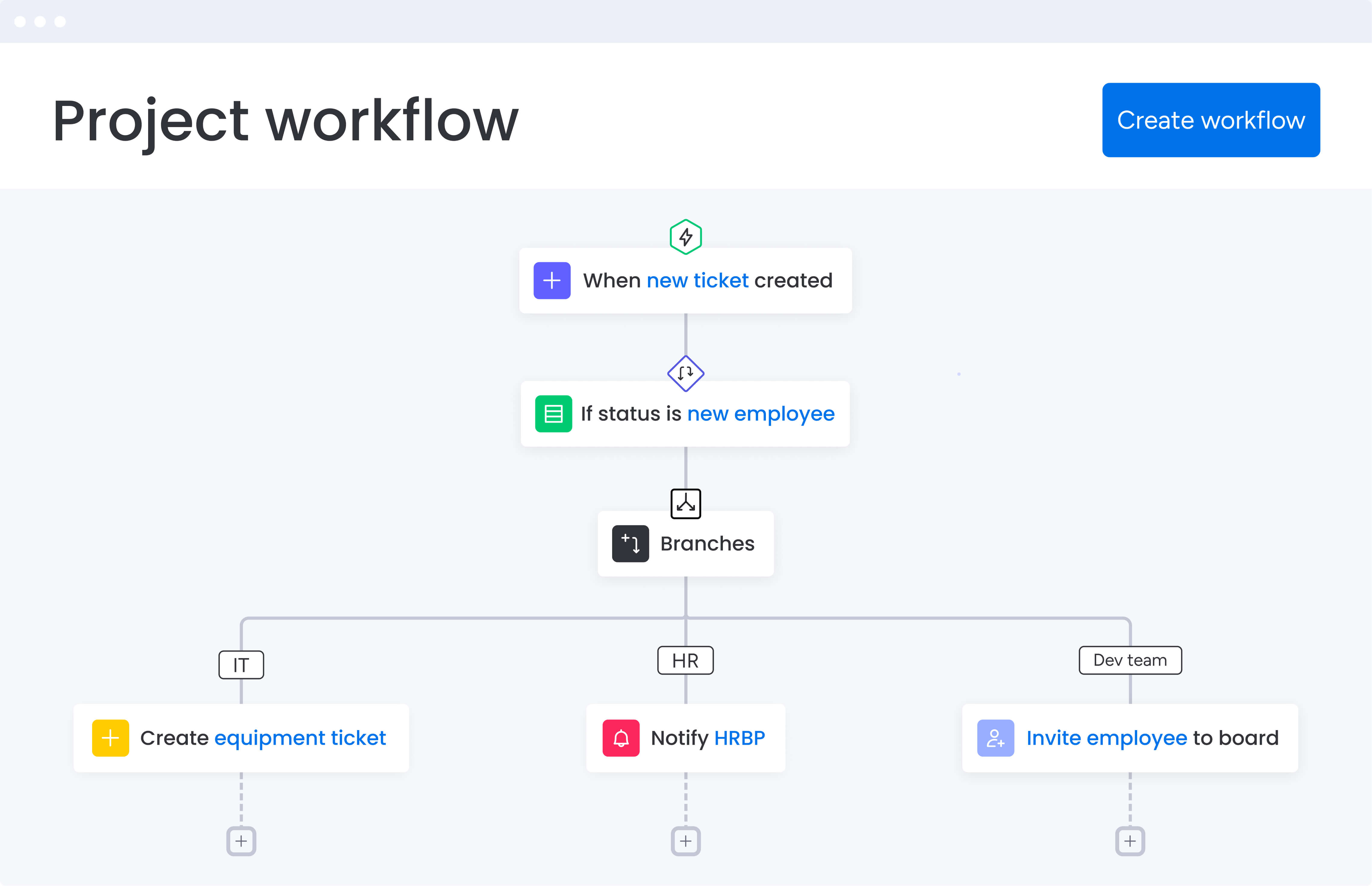
The best AI workflow platforms tackle the specific headaches services teams face every day. These capabilities go beyond basic automation to provide intelligent assistance that scales with your project portfolio.
Feature 1: AI Blocks for instant workflow automation
Think of AI Blocks as automation shortcuts you can drop into your workflow in minutes — no coding required. Unlike traditional automation that requires complex rule configuration, AI Blocks understand context and adapt to your specific workflow patterns.
Core AI Block capabilities:
- Project summarization: generate executive summaries from board activity.
- Action extraction: pull action items from meeting notes instantly.
- Status generation: create updates based on task completion patterns.
- Risk categorization: flag and prioritize issues by urgency and impact.
For services project managers, this means automating client reporting, resource notifications, and risk flagging without IT involvement. When a client project enters a critical phase, AI Blocks automatically notify stakeholders, update timelines, and suggest resource reallocation based on historical patterns.
Playtech’s experience demonstrates this value. Their PMO team eliminated manual status tracking across 60+ client projects, saving significant time and money in the process,
Feature 2: Dital Workers that execute complete workflows
Digital Workers are AI agents that handle multi-step workflows autonomously. They don’t just trigger simple actions — they execute complete processes that would otherwise require Project manager intervention.
Digital Worker capabilities:
- Analyze incoming requests: categorize by priority and type automatically.
- Assign to team members: match tasks to people based on skills and capacity.
- Draft project plans: generate initial timelines with suggested tasks and phases.
- Monitor project health: flag risks and suggest interventions continuously.
Instead of manually triaging 20+ project requests weekly and reviewing capacity spreadsheets, Digital Workers handle these cognitive tasks. You review and approve their work rather than creating it from scratch, shifting your role from administrative coordination to strategic oversight.
To demonstrate the impact of utilizing and implementing this feature, Genpact’s global marketing team achieved 100% removal of spreadsheets and 25% decrease in email exchanges.
Feature 3: workload optimization with predictive insights
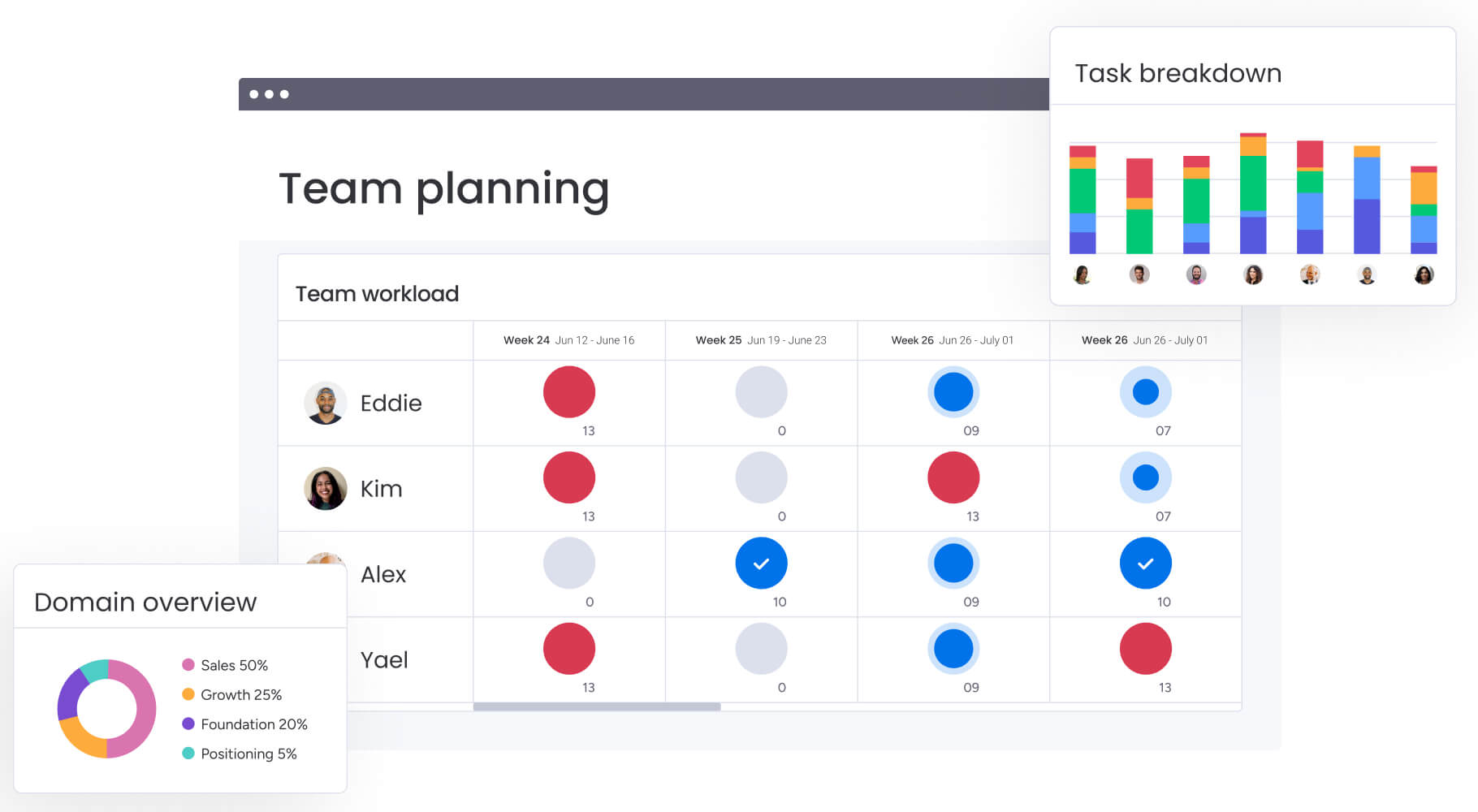
AI-powered workload optimization analyzes team capacity, task complexity, and historical patterns to provide real-time resource recommendations. The system visualizes each team member’s workload across all projects and predicts bottlenecks two to three weeks in advance.
Key optimization capabilities:
- Overallocation detection: flag team members approaching capacity limits.
- Task redistribution: suggest optimal reassignments based on skills and availability.
- Bottleneck prediction: identify future resource conflicts before they occur.
- Capacity forecasting: project future availability based on current velocity.
For services project managers, this solves the critical challenge of managing billable hours across multiple client projects. You can instantly see if assigning a new project will overload senior consultants or identify which team members have capacity for urgent requests.
Feature 4: seamless integration ecosystem
AI workflow platforms must connect with your existing tools to be effective. The most comprehensive solutions integrate bidirectionally with project management tools, communication platforms, file storage, and time tracking systems.
Essential integrations for services teams:
- Development tools: Jira, GitHub, GitLab for technical project coordination.
- Communication: slack, Microsoft Teams, Zoom for team collaboration.
- Documentation: google Drive, SharePoint, Dropbox for file management.
- Time tracking: Toggl, Harvest for billable hours tracking.
- Finance: QuickBooks, NetSuite for project budgeting.
Rather than forcing everyone onto a single platform, these integrations let teams continue using familiar tools while the AI workflow platform serves as the central coordination layer.
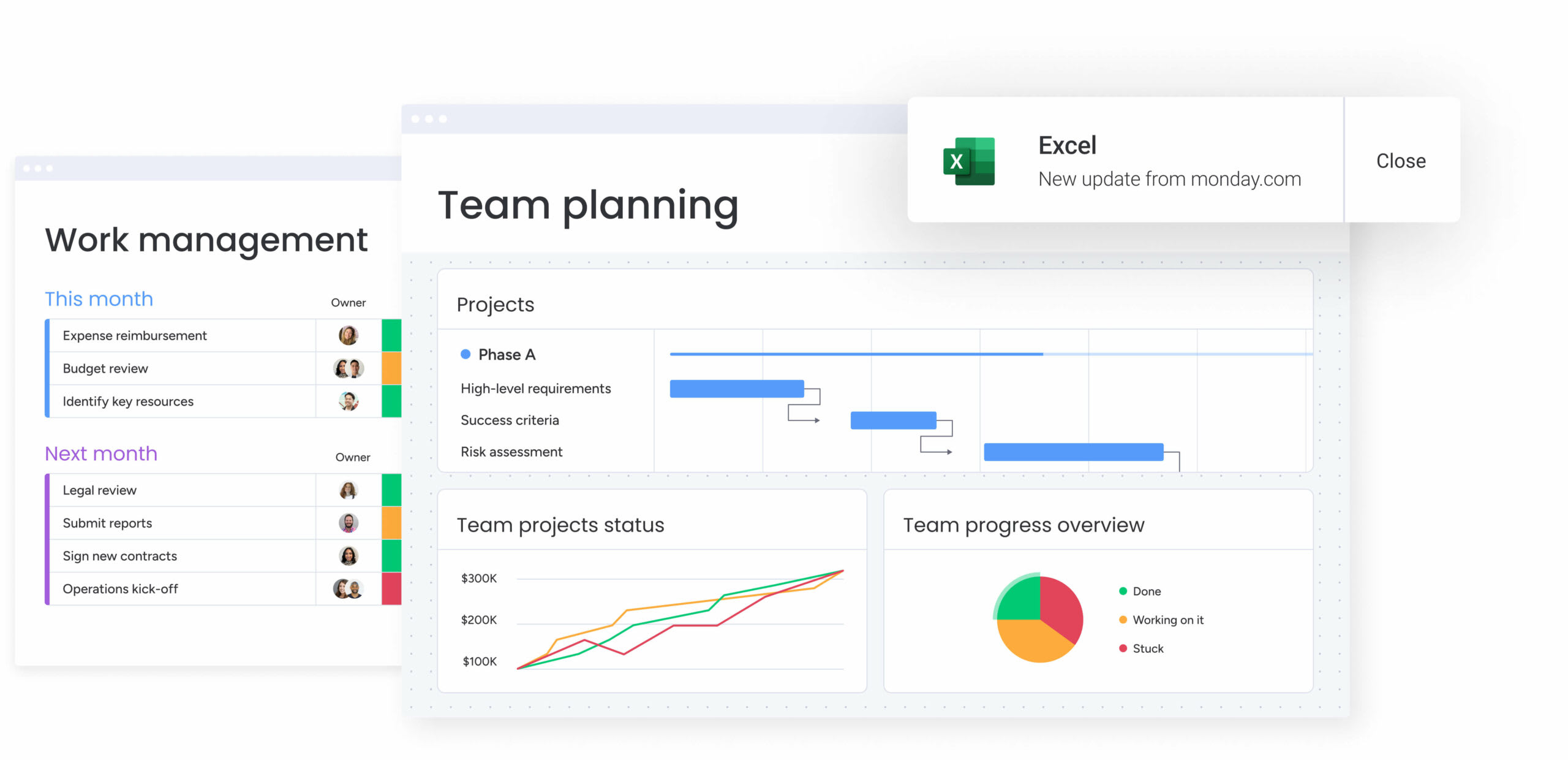
Playtech’s integration success illustrates this value. With Jira integrated into monday work management it was the first time the organization could easily see what the technical team was working on in real time. The integration eliminated information silos between technical and business teams.
How project managers benefit from AI workflow automation
AI workflow automation delivers measurable improvements across three critical areas that directly impact project success and team productivity. These benefits compound over time as teams become more proficient with AI-powered capabilities.
Benefit 1: time savings through automation
Project Managers in services save 3+ hours weekly by eliminating manual status updates, AI report generation, and tool-switching overhead. An AI task manager handles routine coordination tasks that previously consumed significant time.
Specific time savings areas:
- Automated reporting: generate client updates without manual compilation.
- Status tracking: real-time visibility without chasing team members.
- Task assignment: intelligent routing based on capacity and skills.
- Risk monitoring: proactive alerts instead of manual reviews.
Benefit 2: enhanced delivery quality
AI-powered insights help project managers make data-driven decisions about resource allocation and risk mitigation. Predictive analytics identify potential issues before they impact client deliverables, while workload optimization ensures the right people work on the right tasks.
Quality improvement areas:
- Reduced errors: automated processes eliminate manual mistakes.
- Faster response: real-time alerts enable quick intervention.
- Consistent delivery: standardized workflows ensure repeatability.
- Proactive management: address issues before clients notice them.
Benefit 3: improved team utilization
Services teams achieve 26-49% efficiency gains through reduced context switching and improved collaboration. When project information lives in one platform rather than scattered across tools, team members spend more time on billable work.
Utilization benefits:
- Reduced idle time: better visibility into available capacity.
- Skill matching: assign work based on expertise, not just availability.
- Workload balance: prevent burnout while maximizing productivity.
- Cross-team coordination: eliminate silos between departments.
Implementation roadmap for services organizations
Rolling out AI workflow automation can be a smooth process with a structured plan that minimizes disruption and accelerates team adoption. This five-step roadmap helps services organizations transition from fragmented tools to unified AI-powered workflows.
Step 1: audit your current tool fragmentation
Document every tool your team uses for project management, communication, and reporting. Map which information lives in each system and identify integration gaps.
Most services teams discover five to eight disconnected tools with critical project information scattered across all of them. Prioritize consolidating the tools that cause the most context-switching — typically project tracking, resource management, and client communication platforms.
Step 2: identify automation opportunities
Analyze repetitive manual tasks to find automation candidates that will deliver immediate time savings. High-impact opportunities for services project managers include automated status reports, client notifications, resource alerts, and risk flagging.
Start with three to five automations that address your team’s biggest time drains. Focus on processes that scale with project volume rather than one-time setup tasks.
Step 3: choose your migration approach
Decide between gradual and full migration based on your team’s capacity and project load. Consider these two approaches:
Gradual migration approach:
- Works well for organizations with 20+ active projects.
- Start new projects in the AI workflow platform.
- Maintain existing projects in legacy tools.
- Reduces change management stress.
Full migration approach:
- Suits smaller teams or severe tool fragmentation cases.
- Requires dedicated transition period.
- Delivers faster ROI but higher initial effort.
Consider your team’s change tolerance and current project commitments when deciding.
Step 4: build your first AI-powered workflow
Create a complete workflow for one common project type using AI features. For example, build a client onboarding workflow that includes AI-generated project plans, automated task assignments, Digital Worker request categorization, and AI Block status reporting.
Test this workflow with one real project, gather feedback, and refine before expanding to other project types. This controlled approach minimizes risk while proving value.
Step 5: scale across your portfolio
Once your pilot succeeds, create templates for other project types and train your team on AI features. Establish guidelines for when to use AI automation versus manual processes.
Monitor adoption metrics and time savings to demonstrate ROI. Most services organizations achieve full adoption within four to eight weeks, with measurable productivity improvements appearing within the first month.
Comparison: AI workflow platforms for services
Not all AI workflow platforms are built for the realities of services work. Some excel at simple task tracking, while others support the scale, risk visibility, and cross-client coordination that services teams rely on every day.
The handy below highlights how leading platforms stack up across the capabilities that matter most when you’re managing multiple client engagements at once.
| Feature | monday work management | Asana | ClickUp |
|---|---|---|---|
| AI automation | AI Blocks + Digital Workers | AI goals & summaries | Task automation |
| Pre-built workflows | No coding required | Limited configuration | Requires setup |
| Portfolio risk prediction | Continuous monitoring | Basic tracking | Manual configuration |
| Resource capacity AI | Workload optimization with insights | Basic workload view | Capacity planning add-on |
| Integration count | 200+ native integrations | 100+ integrations | 1000+ integrations |
| Services focus | PMO-specific features | General project management | Highly customizable |
| Implementation time | 1 week for enterprises | 2-4 weeks | 4-6 weeks |
| Monthly pricing | From $12 per user | From $24.99 per user | From $12 per user |
| AI included in base | Yes | Yes | No ($14 extra per user) |
Playtech's transformation with AI workflow automation
Playtech’s PMO department managed countless client projects using spreadsheets and email. As client expectations evolved, demanding more frequent updates and faster results, the team struggled to maintain visibility and reduce costs.
The solution came through implementing monday work management as their unified project platform. The team created customized templates for each project type, integrated Jira for technical visibility, and deployed AI-powered automation for status tracking and resource notifications.
Measurable transformation results:
- 26% increase in efficiency: streamlined processes across the PMO department.
- 49% increase in collaboration: improved transparency with stakeholders.
- three hours saved weekly: per person on manual coordination tasks.
- Significant cost savings: through automated resource release notifications.
Embrace the future of AI-powered project management
AI workflow automation is changing how services teams operate at scale. These AI project management tools do not replace project managers. They remove the administrative drag that holds them back and create space for real leadership, better decisions, and stronger client outcomes.
The results speak for themselves. Organizations like Playtech and Genpact have improved efficiency, strengthened collaboration, and raised delivery quality by embedding AI directly into how work gets done every day.
Success depends on choosing a platform your team will actually use. monday work management combines powerful AI capabilities with an intuitive experience, so teams can automate coordination, monitor risk, and scale delivery without coding or heavy change management. Enterprise-grade security and deep integrations ensure the platform fits seamlessly into existing operations.
Client expectations are rising, not slowing down. Teams that adopt AI workflow automation now gain the ability to deliver more complex work without adding friction or burnout. Those still relying on spreadsheets and manual updates will struggle to keep pace. The future belongs to services organizations that build intelligence into execution and move forward with confidence.
The content in this article is provided for informational purposes only and, to the best of monday.com’s knowledge, the information provided in this article is accurate and up-to-date at the time of publication. That said, monday.com encourages readers to verify all information directly.
Frequently asked questions
What is the difference between AI agents and basic automation?
The difference between AI agents and basic automation lies in their capability to understand context and make decisions. Basic automation executes predefined rules — when X happens, do Y. AI agents in platforms like monday work management analyze incoming requests, determine priority, assign to appropriate team members based on capacity, and draft initial project plans — all without human intervention.
How long does it take to implement AI workflow software?
Implementation timelines for AI workflow software in services organizations typically range from one week for focused deployments to four to eight weeks for full enterprise adoption. The platform's intuitive interface allows teams to start using basic features within days, while full adoption including AI features and integrations usually takes four to eight weeks.
Can AI project management tools handle complex approval workflows?
Yes, AI project management tools handle complex, multi-stage approval workflows common in services organizations. You can configure sequential or parallel approval chains with conditional logic. The platform tracks approval status in real time, automatically notifies approvers, and escalates if approvals are delayed.
What are the costs beyond subscription fees?
AI workflow software pricing starts at $12 per user monthly for enterprise teams, with AI features included in paid plans. Unlike competitors charging separate AI add-ons, platforms like monday work management include AI Blocks and Digital Workers in your subscription. Additional costs to consider are optional implementation services, custom integration development, and team training time.
Will AI replace project managers in services?
AI will not replace project managers — it elevates their role from administrative coordination to strategic leadership. AI handles repetitive tasks like status reports, routine resource allocation, and risk monitoring, freeing project managers to focus on client relationships, complex problem-solving, and strategic planning.
How does monday work management handle data security?
monday work management provides enterprise-grade security with SOC two Type II, ISO 27001, GDPR compliance, and HIPAA availability for healthcare services. The platform offers IP restrictions, two-factor authentication, multiple SSO options, and tenant-level encryption to protect sensitive client data.

 Get started