


Shopping for work management software? The choices can feel paralyzing. One platform promises structured task management, another champions simplicity, and a third positions itself as a complete Work OS. Each platform takes a completely different approach to how work moves through your company.
Choosing the right platform has a company-wide impact — from how your team starts their day to how departments collaborate. Some platforms excel at enforcing project discipline, others prioritize communication over complexity, and still others provide the building blocks to create custom operational systems.
In this post we’ll show you how Asana, Basecamp, and other popular platforms like monday.com each handle the messy, daily work your team actually does. We’ll explore core strengths, pricing models, automation capabilities, and scalability factors that matter most to growing organizations.
Key takeaways
- Choose platforms based on operating model, not popularity: Basecamp favors communication-first teams, Asana enforces task discipline, and monday.com adapts to how your business actually runs.
- Account for scale friction early: solutions that feel “simple” at 20 users often create silos, manual work, and reporting gaps once teams cross the 50–100 user mark.
- Look beyond task management to workflow ownership: modern teams need platforms that handle cross-department handoffs, dependencies, and shared accountability — not just to-do lists.
- Use monday.com to unify work across teams: build connected workflows that span marketing, sales, operations, and finance while giving leaders real-time visibility without extra meetings.
- Evaluate automation depth, not just feature count: basic rules save minutes, but AI-driven, cross-board automation saves teams hours as work scales and complexity increases.

The platform you choose now will define how your company works for the next few years. Each one we will cover in this guide has a different take on how work should move between people, teams, and tools. Get clear on these differences, and you’ll pick the platform that works today and grows with you tomorrow.
Understanding Asana’s task-focused approach
Asana organizes work through a “work graph” data model that connects tasks, projects, and people. The platform treats individual work items as its fundamental unit, making it ideal for teams that need to break large initiatives into smaller, assignable components.
It’s a solid fit if you’re graduating from spreadsheets and want real project management structure. Everything lives in a strict hierarchy: projects hold sections, sections hold tasks. No exceptions. That structure keeps teams on track when they need the discipline.
Asana offers standard views like lists, boards, and timelines, but these remain bound to the context of projects and tasks (explore Asana alternatives for different approaches). The upside? Consistency. The challenge is that workflows must adapt to Asana’s structure, which may limit teams that require more flexibility.
Basecamp’s simplicity-first philosophy
Basecamp forgoes the complex features of traditional PM platforms to focus on communication and simplicity instead. Think of it as a digital workspace for communication, not a full-blown project management system.
The platform organizes work into message boards, to-do lists, and Hill Charts while deliberately omitting features like Gantt charts, dependencies, or sub-item complexity. The thinking? Most projects fail because of bad communication, not missing features.
Basecamp serves agencies, creative firms, and small teams that want to centralize discussion and files without managing complex workflows or data dependencies. Flat-rate pricing and zero learning curve make it easy to start. But those same strengths become weaknesses as you scale.
monday.com as a complete Work OS
monday.com is a sophisticated Work OS — it runs your core business processes, not just tracks tasks. The platform offers a flexible data infrastructure where “items” can represent tasks, leads, inventory, campaigns, or strategic objectives.
You can build workflows that match how your business actually runs. It also connects your strategy to the work getting done, while data moves across teams and up to leadership — no manual handoffs required.
Organizations unify their tech stack while maintaining enterprise-grade security, automation, and reporting at scale through comprehensive task management software. Teams gain the building blocks to create any workflow without forcing their processes into rigid templates.
Head-to-head platform comparison
So what does all this actually mean for your day-to-day work? Once you see where each platform shines, you’ll know which fits your team’s stage and goals. We’ll show you the real differences that affect how fast your team works and how much you can grow.
Core strengths of each platform
Each platform is built for a different kind of team. Here’s where each platform wins — and who should use it:
Asana strengths
- Structured project management: excels at handling complex dependencies and sub-tasks within a fixed project hierarchy.
- Project portfolio visibility: allows project managers to track timelines, milestones, and status across multiple initiatives.
- Methodology enforcement: supports teams that need standardized processes and consistent project structures.
Basecamp strengths
- Centralized communication: replaces internal email and chat by keeping conversations tied directly to projects.
- Client-friendly access: makes it easy to invite external clients without overwhelming them with features.
- Low learning curve: provides just enough structure for small teams without setup overhead or training friction.
monday.com strengths
- Cross-departmental workflows: connects teams so actions in one area, like sales, can automatically trigger work in legal or onboarding.
- No-code operational customization: lets teams build tailored workflows and internal tools without developers.
- Organization-wide visibility: turns live data into dashboards that give leaders real-time insight across teams and projects.
Who each platform serves best
Think about where your company is now and where it’s headed — that’ll tell you which platform fits. Ask yourself: where are we now, and where do we need to be in two to three years?
| Platform | Ideal team size | Use case | Key differentiator |
|---|---|---|---|
| Basecamp | 1–50 employees | Creative agencies, remote-first startups, client-service firms | Simplicity with zero learning curve and focus on calm work |
| Asana | 50–500 employees | marketing teams, PMOs, product teams requiring strict methodology | Enforced project hierarchies that keep project execution disciplined |
| monday work management | 100+ employees | Cross-functional enterprises, operations teams, scaling organizations | Work OS that adapts to the business rather than forcing adaptation |
Quick feature comparison table
When scale, automation, and visibility matter, small feature gaps become big constraints. The table below outlines how each platform stacks up where it counts:
| Feature capability | Basecamp | Asana | monday work management |
|---|---|---|---|
| Custom workflows | Low (fixed structure) | Medium (templates) | High (building blocks) |
| Project views | List, Hill Chart | List, Board, Timeline, Gantt | 15+ views including Gantt, Kanban, Workload |
| Automation | None by design | Rules-based | Multi-step, cross-board, AI-enhanced |
| Reporting | Basic activity logs | Portfolios and universal reporting | Custom dashboards and BI capabilities |
| Mobile access | Excellent | Good | Excellent |
| Integrations | Limited | Extensive | Extensive plus open API |
| Enterprise security | Standard | Enterprise tier | Enterprise-grade (HIPAA, GDPR, ISO) |
7 essential features for scalable work management
Don’t just read the marketing — test how each platform handles your real workflows. These seven features show you which platforms scale and which ones hold you back. Each one affects how fast you can grow without losing speed.
Customization without coding
Customization decides if the platform bends to fit your processes — or if you have to bend to fit the platform. Here’s how each platform handles workflow flexibility:
- Basecamp: offers virtually no customization; every project looks the same.
- Asana: allows custom fields and templates, but the underlying structure of “Project > Section > Task” remains fixed.
- monday.com: uses a building-block architecture where teams create columns for any data type, including status, numbers, dates, people, and formulas, then arrange them to fit exact workflows.
A marketing team can see a content calendar while the finance team views the same data as a budget report on monday.com. You won’t have to cram your workflows into someone else’s template.
Visual project management options
When you can see your work visually, bottlenecks jump out immediately. Here’s how each platform handles visual project management:
- Basecamp: relies on Hill Charts, an abstract way to show progress that lacks traditional project management views.
- Asana: provides robust Timeline and Gantt views for waterfall project management, along with Kanban boards for Agile teams.
- monday.com: offers the widest array of visual contexts, allowing teams to toggle between Gantt charts for scheduling, Kanban for flow, Workload views for capacity planning, and more.
Real-time collaboration capabilities
Real collaboration isn’t just chat — it’s keeping context attached to the work. Each platform approaches team communication differently:
- Basecamp: focuses the entire experience around message boards and Campfires, ensuring no decision gets lost in an email thread
- Asana: keeps collaboration tied to task cards, allowing comments and @mentions, though discussions can fragment across thousands of tasks
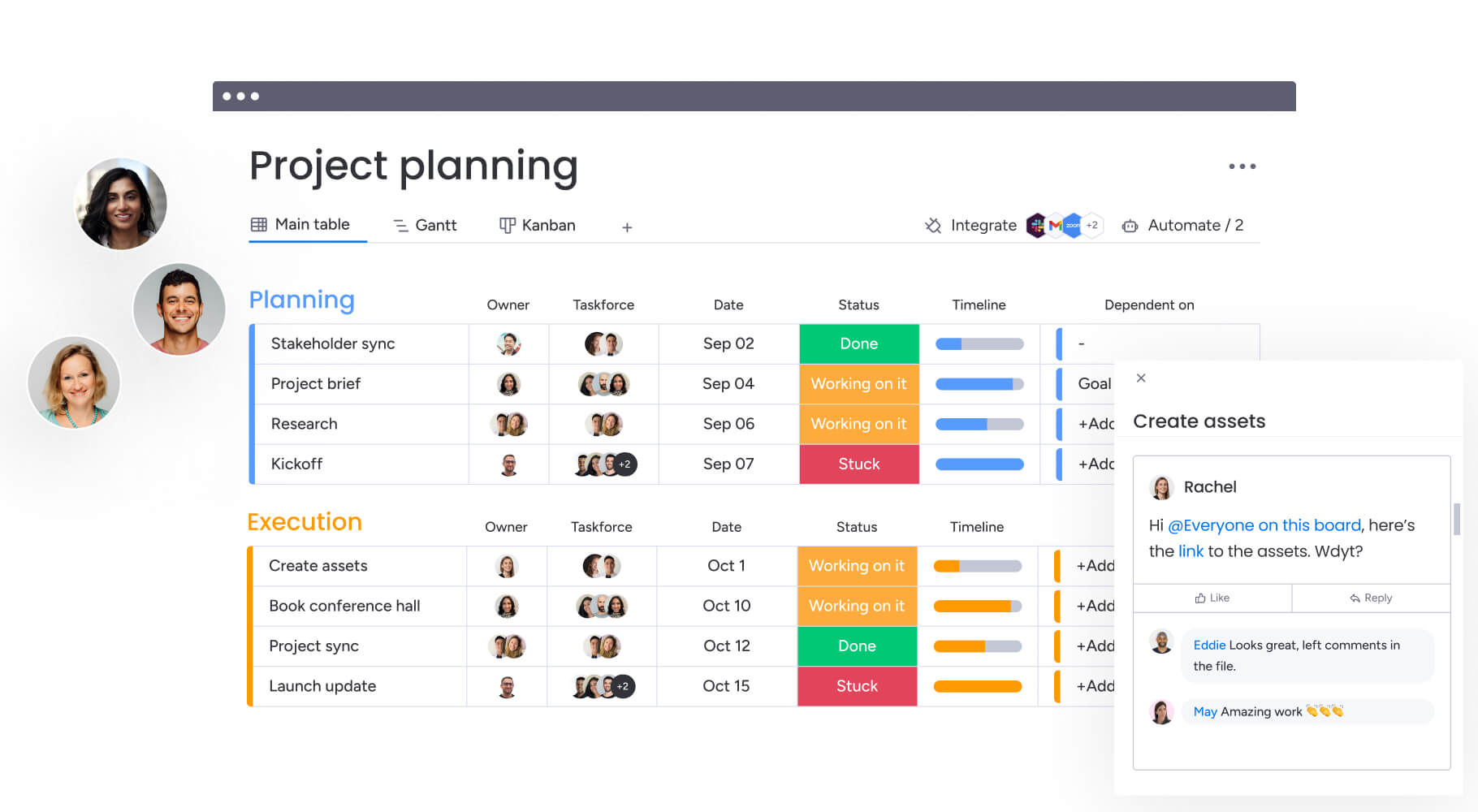
- monday.com: embeds collaboration directly into the data, where team members comment on specific items, annotate images and documents within the platform, and use update sections to create a system of record for every decision.
Mobile and remote access
If your team works remotely, they need full access from their phones. Mobile apps vary a lot between these platforms:
- Basecamp: mobile app mirrors the desktop experience perfectly because of the platform’s simplicity.
- Asana: mobile app allows task capture and status updates but can be difficult to navigate for complex project planning.
- monday.com: provides a mobile experience that retains the visual nature of the desktop platform and facilitates collaborative project management. The app allows team members to view dashboards, approve requests, and communicate from anywhere.
Reporting and analytics depth
Executives make better decisions when they can see the data. Analytics depth varies across these platforms:
- Basecamp: intentionally avoids deep analytics, offering only basic activity logs.
- Asana: offers Universal Reporting in higher tiers, allowing managers to visualize task completion rates and project health.
- monday.com: treats reporting as a core capability, with a dashboard engine that pulls data from multiple boards across the organization to create high-level executive summaries.
Leaders track KPIs, budget versus actuals, and resource utilization in real time without manual data aggregation when using monday.com’s dashboard software.
Security and compliance standards
If you’re a mid-to-large company, security isn’t optional. Security features vary widely:
- Basecamp: provides standard encryption but lacks the granular controls required by enterprise IT.
- Asana: offers enterprise-grade security, including SSO and data export controls, on its highest tier.
- monday.com: aligns to the most stringent security standards, including GDPR, HIPAA, and ISO certifications.
Multi-level permissions on monday.com allow admins to control access down to the specific column or item level, ensuring sensitive data remains protected even within shared workspaces.
Customer support availability
Your team won’t adopt a platform if they can’t get help when they need it. Support varies a lot between these platforms:
- Basecamp: known for fast, human email support but does not offer phone support or customer success managers.
- Asana: provides extensive self-serve documentation and an academy, with priority support reserved for enterprise contracts
- monday.com: offers 24/7 customer support across all plans, with dedicated customer success managers and onboarding specialists for enterprise clients who assist with workflow design and team training.

“monday.com has been a life-changer. It gives us transparency, accountability, and a centralized place to manage projects across the globe".
Kendra Seier | Project Manager
“monday.com is the link that holds our business together — connecting our support office and stores with the visibility to move fast, stay consistent, and understand the impact on revenue.”
Duncan McHugh | Chief Operations OfficerAutomation and AI capabilities compared
The best work management platforms use smart automation to cut down on manual busywork. Each platform handles automation differently — some are basic, others are advanced. Know these differences now, and you’ll see which platform grows with you.
Rule-based automations in Asana
Asana uses a Rules feature that follows standard “if this, then that” logic. Teams automate simple task movements, such as moving a task to a different column when marked complete or assigning a task based on a custom field change.
While effective for basic hygiene, these automations remain largely confined to a single project’s context. Cross-project automation requires workarounds or third-party tools.
Manual processes in Basecamp
Basecamp takes a philosophical stance against automation. The founders believe automation often leads to notification fatigue and busy work. Consequently, there are no native automation features.
All status updates, assignments, and movements must be done manually. This keeps the system quiet but requires significant manual overhead as teams scale.
AI-powered automation in monday.com
monday.com integrates automation deeply into the core platform. Beyond standard if/then recipes, it uses AI capabilities to handle complex workflows. The automation engine works across boards, meaning a status change in a sales board can create an item in a legal board and notify the finance team simultaneously.
Key AI capabilities include:
- AI Blocks: allow teams to summarize long updates, generate sub-items from a project brief, and categorize incoming requests at scale.
- Cross-board automation: enables complex workflows that span multiple departments and processes.
- Intelligent categorization: automatically sorts and routes work based on content and context.
monday becomes more than a tracker — it’s an active partner in getting work done.
Future-ready AI features
AI in work and project management is heading toward predicting problems before they happen. Asana is integrating AI to identify at-risk projects based on historical data. monday.com is building toward a Digital Workforce concept, where AI agents actively participate in workflows.
These Digital Workers categorize incoming requests, analyze sentiment in feedback, and suggest resource allocations. They operate continuously in the background, learning from patterns and improving their recommendations over time.
True cost analysis at every scale
What you see on the pricing page isn’t what you’ll actually pay. Don’t forget seat minimums, add-ons, and setup costs when you’re budgeting. Get clear on the real costs now, and you won’t get blindsided later.
Pricing model comparison
Here’s how each platform prices — so you know what to expect as you grow:
- Basecamp: flat rate regardless of user count.
- Asana: per-seat pricing with feature tiers.
- monday.com: per-seat pricing with volume discounts.
Small team pricing (under ten users)
For small teams, Basecamp offers a unique flat-rate model regardless of user count, which can be cost-effective for growing teams. Asana and monday.com operate on a per-seat model.
For a team of ten, monday.com typically offers a lower entry point for its Standard tier compared to Asana’s Premium, while providing more visual customization options.
Mid-size team costs (10–100 users)
At this stage, while Basecamp’s flat pricing is affordable, teams should weigh the cost against the need for advanced functionality to maintain productivity at scale. Asana’s costs jump significantly as teams move to the Business tier to access Portfolios and Workload features.
monday.com scales linearly, but organizations often find savings by consolidating other platforms into monday, reducing the overall software budget.
Enterprise pricing factors (100+ users)
Enterprise pricing is custom across all three platforms. Asana’s enterprise tier unlocks necessary security features. monday.com’s enterprise offering includes advanced governance, premium support, and higher API rate limits.
The value driver here is the platform effect: monday replaces multiple point solutions, justifying the per-seat cost through consolidation.
Hidden costs nobody talks about
Don’t forget these hidden costs:
- Integration costs: connecting Basecamp to other platforms often requires Zapier subscriptions.
- Training investment: basecamp requires almost no training, Asana requires methodology training, monday.com requires workflow building training/
- Migration expenses: moving data out of Basecamp is difficult due to its unstructured nature.
- Opportunity costs: limited functionality can force teams to maintain multiple tools.
Choosing the right platform by team size
Team size is the biggest factor in whether a platform works for you. Your team size affects which features you need and how much complexity you can handle. Below, we’ll help you match the right platform to where you are now and where you’re headed.
Solopreneurs and freelancers
For individuals, the overhead of a complex system is often unnecessary. Basecamp’s simplicity or basic to-do lists are sufficient for most solo work.
monday.com is a strong contender for freelancers who need to manage client relationships and project delivery in one place, offering a professional structure that simple lists lack.
Small business teams
Teams of 5–25 people need visibility without overwhelming complexity. Here’s how each platform serves small businesses:
- Basecamp: excellent for small agencies where communication is the product.
- Asana: works well for teams that need structured project management.
- monday.com: ideal for small businesses that want to build a business OS early, setting up processes that will scale without needing a migration later
Small businesses with complex deliverables will struggle with Basecamp’s lack of structure.
Growing mid-market companies
Organizations with 25–100 employees face the chaos of scale. This is where platform choice becomes critical:
- Basecamp: usually breaks down here; threads become too noisy.
- Asana: works well for the PMO but often remains siloed in specific departments.
- monday.com: shines in this segment by bridging departments, allowing the marketing team to collaborate with the product team in a shared space.
Enterprise organizations
For 100+ employees, governance and visibility are paramount. The platform must support Single Sign-On, audit logs, and complex permissions.
monday.com is architected for this level of complexity, offering Enterprise Scale features that maintain performance across thousands of users and millions of items.
Integration capabilities that matter
No platform exists in a vacuum. Your work management system must connect seamlessly with the rest of your business technology stack. The quality and depth of these integrations often determine whether a platform becomes central to your operations or remains an isolated tool.
Native integration libraries
Asana and monday.com both boast extensive libraries of native integrations. They connect seamlessly with Microsoft Teams, Slack, Google Drive, and Jira.
Basecamp has a limited set of native integrations, relying heavily on third-party connectors. monday.com distinguishes itself with deep integrations, allowing teams to map specific fields between platforms rather than just sending generic notifications.
Third-party app connections
All three platforms connect to Zapier and Make (formerly Integromat). However, the utility depends on the data structure.
Because Basecamp data is unstructured (text in a thread), automating actions based on it is difficult. monday.com and Asana offer structured data fields, making them highly receptive to third-party automation logic.
API flexibility for custom needs
For enterprises building custom internal applications, the API is the product. Asana has a robust, well-documented API.
monday.com offers a GraphQL API, which is flexible and allows developers to query exactly the data they need in a single request. This makes building custom widgets, views, or internal connections faster and more efficient for IT teams.
Popular platform compatibility
Different departments rely on different tools. Here’s how each platform connects with common business systems:
| Department platform | Basecamp | Asana | monday work management |
|---|---|---|---|
| Salesforce (CRM) | Via Zapier | Native integration | Native plus two-way sync |
| Jira (Dev) | Via Zapier | Native integration | Native plus two-way sync |
| Slack/Teams | Notifications only | Create tasks from chat | Create items plus update sync |
| Adobe Creative Cloud | Manual upload | Extension available | Native integration and proofing |
Real-world implementation insights
Buying software is easy; getting teams to use it is hard. Understanding what to expect during implementation helps set realistic expectations and plan for success. These insights come from observing hundreds of organizations navigate platform adoption.
Typical setup timeline
Implementation timelines vary dramatically based on platform complexity:
- Basecamp: fastest to deploy; a team can be fully operational in an afternoon because there is nothing to configure.
- Asana: Takes two to four weeks for a mid-sized team to define conventions and project structures.
- monday.com: typically takes four to eight weeks for a comprehensive enterprise rollout, as it involves mapping business processes and building custom workflows.
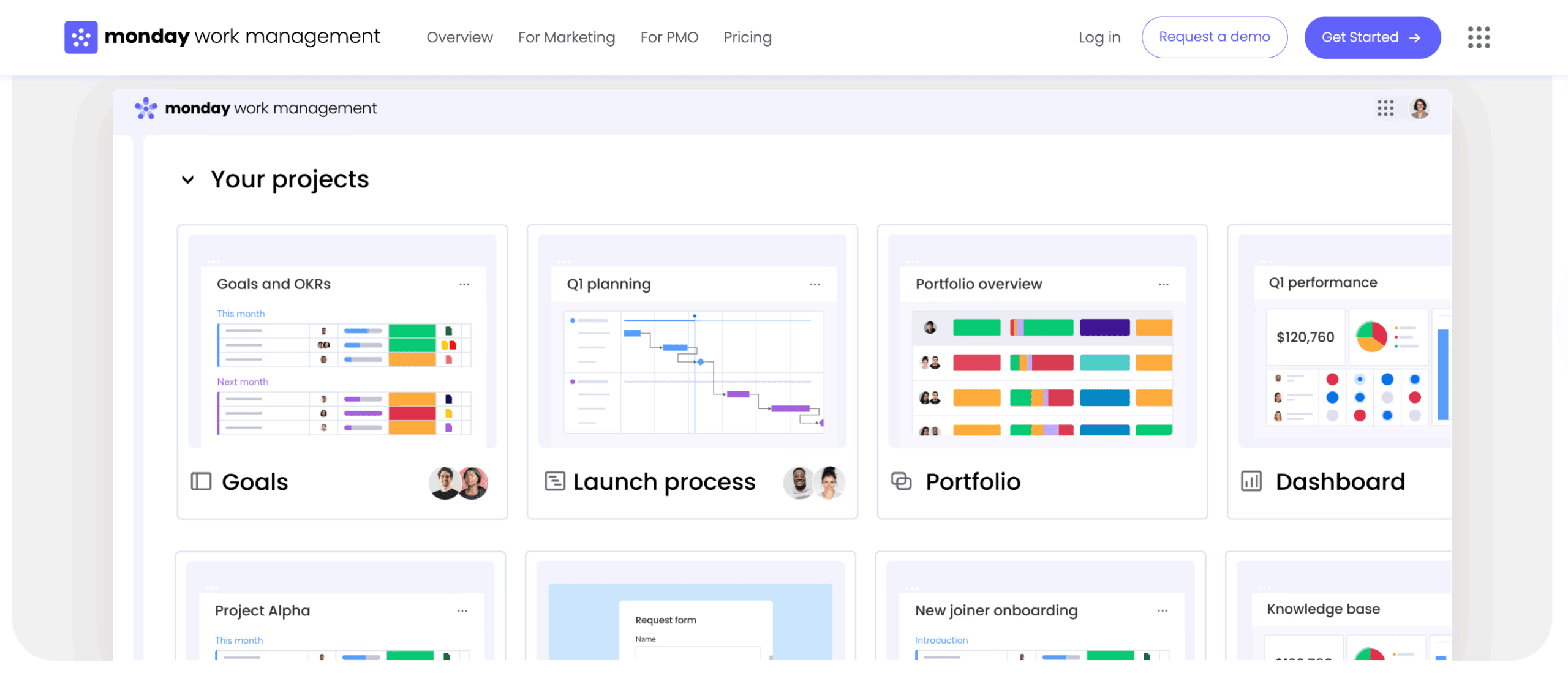
However, individual teams can get started on monday in minutes using templates.
User adoption patterns
Adoption fails when platforms are difficult to use. Each platform creates different adoption dynamics:
- Basecamp: has high adoption because it feels like email.
- Asana: can suffer from task fatigue where users feel overwhelmed by overdue notifications.
- monday.com: drives adoption through its visual interface and positive feedback elements.
Users enjoy moving status buttons to done on monday.com, which creates a positive feedback loop and encourages daily usage.
Training investment required
Different platforms require different levels of training investment:
- Basecamp: requires a memo explaining basic concepts.
- Asana: requires workshops on methodology and best practices.
- monday.com: requires strategy sessions for administrators on workflow construction.
Because monday is a builder’s kit, administrators need training on how to construct boards and automations effectively. However, for the end-user, the training burden is low because the interface is intuitive and visual.
Success metrics to track
Organizations should measure platform success by efficiency gains, not just login rates. Key metrics include:
- Time to completion: how quickly projects move from start to finish.
- Meeting reduction: decrease in status meetings needed.
- Email volume: reduction in internal email traffic.
- Cross-team collaboration: increase in shared projects and workflows.
Cross-functional work management features
The biggest friction points in business occur at the intersection of departments. How each platform handles work that spans teams determines its effectiveness at scale. These capabilities become increasingly important as organizations grow and workflows become more complex.
Portfolio-level visibility
Executive visibility requires aggregating data across multiple projects and teams:
- Asana: offers portfolios to track the status of grouped projects.
- monday.com: offers high-level dashboards that can aggregate data from any board, anywhere in the account.
This means a VP of operations can see a single dashboard combining hiring status from HR, budget spend from finance, and project delivery from ops on monday.com (providing a true holistic view of business health).
Resource management across teams
Understanding team capacity prevents burnout and optimizes allocation:
- Basecamp: does not track hours or workload.
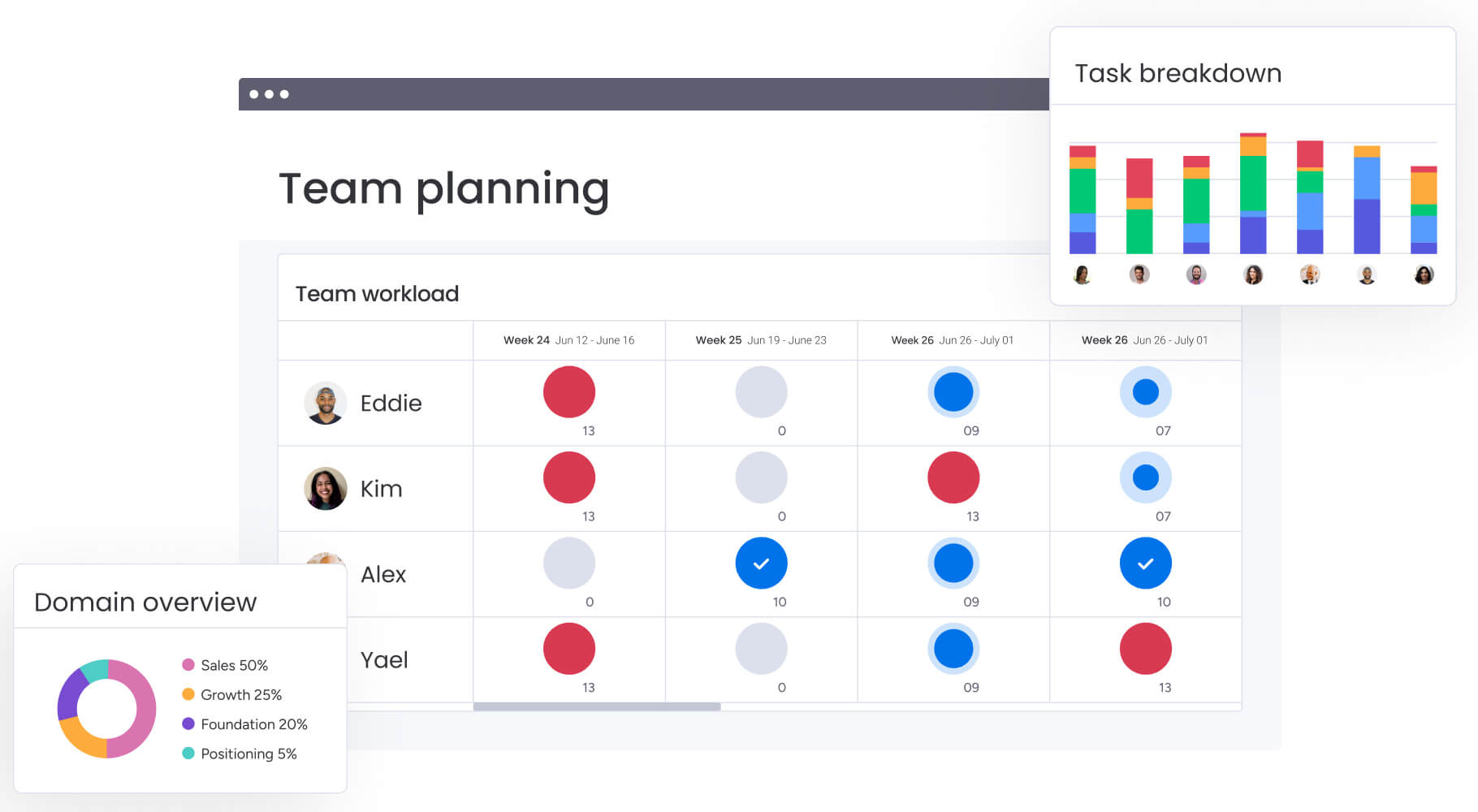
- Asana: has a Workload view that shows task counts or estimated hours per person within a portfolio.
- monday.com: provides a dedicated Workload widget that visualizes capacity across the entire organization.
monday.com handles complex resource allocation, accounting for part-time schedules, vacation time, and effort estimation, preventing team burnout before it happens.
Workflow dependencies and handoffs
Dependencies are critical for avoiding delays. Each platform handles cross-team coordination differently:
- Asana: handles dependencies well within projects (Task B cannot start until Task A is done)
- monday.com: excels at cross-board dependencies, where a design task completed on the Creative board can automatically trigger a notification and change a status on the Web Dev board.
This ensures seamless handoffs between departments without manual coordination.
Executive dashboard capabilities
Executives need summaries, not details. monday.com’s dashboard widgets are highly customizable. Leaders can see battery charts for project progress, number widgets for budget totals, and map widgets for regional performance.
These dashboards update in real time, eliminating the need for weekly status PowerPoint decks.
Platform scalability for growing organizations
Platforms that work for 50 people often break at 500. Understanding how each platform handles growth helps you avoid painful migrations later. Scalability encompasses performance, user management, data handling, and governance capabilities.
Performance under heavy workloads
Performance becomes critical as data volume increases:
- Basecamp: remains fast because it processes simple text.
- Asana and monday.com: process complex data relationships.
- monday.com: has invested heavily in its engine to ensure that boards with thousands of items and complex automations load instantly.
This performance is critical for enterprises managing massive datasets.
Adding users and departments
Scalability is about architecture. Different platforms organize growth differently:
- Asana: organizes by teams and projects.
- monday.com: organizes by workspaces, folders, and boards.
This hierarchy allows monday to scale indefinitely. A new department simply gets a new workspace with its own permissions and workflows, yet remains connected to the broader organization through dashboards.
Data management at scale
As data grows, finding it becomes a challenge. monday.com offers Search Everything, a global search capability that indexes every item, file, and update.
Additionally, it offers archiving and data retention policies that help organizations manage storage limits while keeping historical data accessible for compliance.
Governance and permission controls
Enterprise scale requires control. monday.com provides granular permissions at account, workspace, board, and column levels.
An admin can restrict who can export data, who can create private boards, and who can install integrations. This governance ensures that while teams have the freedom to build, the organization retains control over its data and security posture.
Compare:
- Notion vs Asana vs monday.com
- Airtable vs Asana vs monday.com
- Notion vs Asana vs monday.com
- Airtable vs Asana vs monday.com
- Wrike vs Asana vs monday.com
- Trello vs Asana vs monday.com
- ClickUp vs Asana vs monday.com
- Smartsheet vs Asana vs monday.com
- Asana vs Teamwork vs monday.com
- Teamwork vs Basecamp vs monday.com
Why leading organizations choose monday.com
Organizations choose monday.com when they need a platform that adapts to their strategy instead of forcing their teams to adapt to rigid tools. Rather than solving a single problem like task tracking or communication, monday acts as an operational layer that connects people, processes, and data across the business.
This flexibility is what allows teams to move faster without losing control as they scale. The platform combines workflow design, execution, automation, and visibility into a single system—turning daily work into a coordinated operation instead of disconnected efforts.
monday.com delivers impact in five core ways:
- Cross-departmental workflow building: unifies teams into connected workflows where data moves automatically between functions without manual handoffs.
- Strategic alignment at every level: links company goals directly to projects and tasks so teams understand how their work drives business outcomes.
- Enterprise-grade customization: uses a no-code, building-block architecture to design tailored workflows for operations, CRM, recruiting, finance, and more.
- Advanced project and portfolio control: provides Gantt, Kanban, and Workload views that support both execution teams and PMOs with rigorous standards.
- Automation and AI-powered insights: eliminates repetitive work, flags risks early, and surfaces insights that help leaders act before problems escalate.
Together, these capabilities create measurable business results. Leaders gain real-time portfolio visibility, teams balance workloads more effectively, cross-functional collaboration happens in context, and automation removes hours of manual coordination. Instead of chasing updates or stitching together tools, organizations operate from a single source of truth.
If you’re weighing up Asana or Basecamp but need a platform that scales across teams, departments, and strategy, monday.com provides the flexibility and visibility modern organizations require in 2026.
Frequently asked questions
Which platform offers the most comprehensive customer support?
monday.com provides 24/7 support across all plans with rapid response times. In comparison, Basecamp relies on email support during business hours, while Asana reserves priority support for enterprise contracts. The level of support you receive directly impacts how quickly your team can resolve issues and maintain productivity.
How difficult is it to migrate data between these platforms?
Migrating from Basecamp is complex due to its unstructured data format, often requiring third-party connectors or manual export processes. Migrating between Asana and monday.com is straightforward using native import capabilities that map CSV files directly to boards. The migration complexity affects both the time and cost of switching platforms.
What is the typical implementation timeline for each platform?
Basecamp can be implemented in a single day since there's nothing to configure. Asana typically requires two to four weeks for team configuration and methodology alignment. monday.com ranges from a few days for small teams to four to eight weeks for full enterprise deployment with custom workflows, though teams can start using templates immediately.
Which platform provides the best value for growing mid-market companies?
monday.com offers strong value for mid-market companies by consolidating multiple platforms into a single solution. This consolidation reduces total software spend while providing the flexibility to scale. The platform's ability to replace project management, CRM, forms, and reporting tools creates significant cost savings beyond the subscription price.
How well do these platforms support remote and hybrid teams?
All three platforms support remote work, but monday.com and Asana offer superior mobile apps and real-time collaboration features. monday.com's visual dashboards and automated updates keep distributed teams aligned on work and goals without requiring constant check-ins. The platform's asynchronous collaboration features reduce meeting fatigue while maintaining visibility.
What industry-specific features are available across these platforms?
monday.com offers industry-specific templates and compliance features for sectors like construction, healthcare, and financial services. The platform adapts to specialized workflows and regulatory needs through customizable building blocks. Asana focuses on general project management, while Basecamp remains industry-agnostic by design.

 Get started